service MERCEDES-BENZ E-CLASS COUPE 2017 Repair Manual
[x] Cancel search | Manufacturer: MERCEDES-BENZ, Model Year: 2017, Model line: E-CLASS COUPE, Model: MERCEDES-BENZ E-CLASS COUPE 2017Pages: 541, PDF Size: 10.71 MB
Page 399 of 541
The tyre pressure loss
warning sy stem does not
re place the need toregularly check the tyre
pressures.
Sy stem limitations
The tyre pressure loss warning sy stem does not
issue a warning:
R Ifth e tyre pressure is set incor rectl y.
R Ifth ere is a sudden pressure loss caused, for
ex ample, byafo re ign object penetrating the
tyre.
R Ifth e pressure loss in se veral tyres decrea‐
ses at the same rate.
The tyre pressure loss warning sy stem has a
limited or dela yed function:
R When thero ad sur face is poo r,e.g. snow or
gr ave l.
R When driving with snow chains.
R When driving in a very sporty driving style
with high cornering speeds or sudden accel‐
eration.
R When towing a very heavy or large trailer.
R When driving with a high load. Be sure
toalso obse rveth efo llowing fur ther
re lated subjects:
R Display messages about the tyres
(→ page 459)
R Notes on tyre pressure (→ page 389)
Re starting the ty repressure loss warning
sy stem
Re quirement:
R The recommended tyre pressure is cor rectly
set forth ere spective operating condition on
each of thefo ur wheels (→ page 389).
On-board co mputer:
, Service .
Tyre pressure
The Run Flat Indicator active Restart with OK
message is shown in the multifunction displa y.
Re start the tyre pressure loss warning sy stem in
th efo llowing situations:
R The tyre pressure has changed.
R The wheels or tyres ha vebeen changed or
newly fitted. #
Press atobegin the new start.
The Tyre pressure now OK? message is
shown in the multifunction displa y. #
Select Yes. #
Press atoconfirm there start.
The Run Flat Indicator restarted message is
shown in the multifunction displa y.
Af teryo u ha vedriven for a few minutes, the
tyre pressu reloss warning sy stem monitors
th e set tyre pressures of all the tyres.
Be sure toalso obse rveth efo llowing fur ther
re lated subjects:
R Notes on tyre pressure (→ page 389) Wheel
change Note
s on selecting, fitting and replacing
tyres Yo
u can ask for information rega rding permit ted
wheel/tyre combinations at a Mercedes-Benz
Service Cent re. 396
Wheels and tyres
Page 411 of 541
Note
s ontech nical data
The tech nical da tawa s de term ined in accord‐
ance with EU Directives. The data stated on ly
applies tovehicles with standard equipment. Yo u
can obtain fur ther information from a Mercedes-
Benz Service Centre.
Only for ce rtain countries: you can find vehi‐
cle-specific vehicle data in the COC documents
(CERTIFIC ATE OF CONFORMITY). These docu‐
ments are deli vered with your vehicle. On-board electronics
Note
s on tampering with the engine elec‐
tronics *
NO
TEPremature wearthro ugh improper
main tenance Improper maintenance may cause
vehicle
components towe ar more quickly and the
ve hicle's operating permit may be in valida‐
te d. #
Alw ays ha vewo rkon the engine elec‐
tronics and related components car ried
out at a qualified specialist workshop. Tw
o-w ayradios Note
s on installing two-w ayradios &
WARNING Risk of accident caused by
ta mp ering with the RF transmit ter
The electromagnetic radiation from RF trans‐
mitters may inter fere with theve hicle elec‐
tronics if RF transmitters are tamp ered with
or not cor rectly retrofitted.
This could jeopa rdise the operating saf ety of
th eve hicle. #
You should ha veall workon electrical
and electronic components car ried out
at a qualified specialist workshop. &
WARNING Risk of accident from incor‐
re ct ope ration of the RF transmit ter
If yo u operate RF transmit ters incor rectly in
th eve hicle, the electromagnetic radiation
could inter fere with the on-board electronics,
e.g.:
R ifth e RF transmit ter is not connected to
an exterior aerial
R ifth eex terior aerial is not cor rectly
mounted or is not of low reflection
This could jeopardise the operating saf ety of
th eve hicle. #
Have the lo w-reflection exterior aerial
fi tted at a qualified specialist workshop. #
When operating RF transmitters in the
ve hicle, alw ays connect them tothe
lo w- reflection exterior aerial. 408
Tech nical da ta
Page 417 of 541
*
NO
TEDama gecaused bythe wrong fuel Even small amounts of
the wrong fuel could
re sult in damage tothe fuel sy stem, the
engine and the emission control sy stem. #
Only refuel using premium-grade unlea‐
ded fuel that con form sto EN 228, or an
equi valent specification.
Fu el of this specification may con tain up to
10 %ethanol. Your vehicle is suitable for use
with E10 fuel.
Do not refuel using:
R Diesel
R E85, E100
R Petrol containing me thanol (M15, M30,
M85, M100)
R Petrol wi thadditives con taining me tal
If yo u accidentally refuel with the wrong fuel: #
Do not switch the ignition on. #
Consult a qualified specialist workshop. Re
commended fuel: there commended octane
number foryo ur vehicle can be found in the
information table in the fuel filler flap
(→ page 154).
Alternative fuel: as atemp orary measure, if the
re commended fuel is not available, you may also
use regular unleaded regular petrol with an
octane number of at least 91RON. This may
re duce engine output and increase fuel con‐
sum ption.
Ne verre fuel using fuel with a lo werRO N.
Fu rther information on fuel can be found:
R Atafilling station
R Ataqu alified specialist workshop
Information on additives in petrol
Obser vethe no tes on operating fluids
(→ page 412).
* NO
TEDama gecaused bynon-app roved
additives Even small amounts of
the wrong additive
may lead tomalfunctions occur ring. #
Only add cleaning additives recommen‐
ded byMercedes-Benz tothe fuel. Mercedes-Benz
recommends that you use fuel
brands that ha veadditives.
The fuel grade available in some countries may
not be suf ficient. Residue could build up in the
fuel injection sy stem as a result. In this case, in
consultation with a Mercedes-Benz Service
Cent re,th e fuel may be mixed with the cleaning
additive recommended byMercedes-Benz.
Alw ays obser vethe no tes and mixing ratios
speci fied on the conta iner.
Information on fuel grades forve hicles with
a diesel engine
Gene ral no tes
Obser vethe no tes on operating fluids
(→ page 412). 414
Tech nical da ta
Page 420 of 541
*
NO
TEEngine dama gecaused byan
incor rect oil filter, incor rect oil or addi‐
tives #
Do not use engine oils or oil filters
which do not cor respond tothe specifi‐
cations explicitly prescribed forthe
service inter vals. #
Do not alter the engine oil or oil filter in
order toachie velonger change inter vals
th an presc ribed. #
Do not use additives. #
Have the engine oil rene we d at regular
inter vals. Mercedes-Benz
recommends that you ha vethe
oil change car ried out at a qualified specialist
wo rkshop.
Only Mercedes-Benz appr oved engine oils may
be used in Mercedes-Benz engines.
Fu rther information on engine oils and oil filters:
R Inthe Mercedes-Benz Specifications for
operating fluids at http://be vo.mercedes-
benz.co m (by en tering the designation) R
Ataqu alified specialist workshop
Pet rol engines: For cer tain countries, dif fere nt
engine oils can be used in conjunction wi th
re duced maintenance inter vals. For more infor‐
mation, please contact a qualified specialist
wo rkshop.
Quality and filling capacity of engine oil
MB- Freigabe or MB -Appr oval Pe
trol engine sM B-Freigabe or MB-
Appr oval
All models 229.5, 229.6 MB-F
reigabe or MB-Appr oval Diesel engine
sMB-Freigabe or MB-
Appr oval
E 350 d 4MATIC 228.5 1,229.3 1,
229.5 1,229.52
All other models 228.51 , 229.31,
229.5 1,229.52,
229.6 1,229.71 If
th e engine oils lis ted in theta ble are not avail‐
able, you may add a maximum of 1.0 lof thefo l‐
lowing engine oils once only:
R Petrol engines: MB-Freigabe or MB-Appr oval
229.3 or ACEA A3/B3
R Diesel engines: MB-Freigabe or MB-
Appr oval 229.3, 229.5 or ACEA C3
The following values referto an oil change,
including the oil filter.
Re placement amount Mode
lR eplacement
amount
E 200
E 300 7.
0 l
E 350 6.6 l
E 220 d
E 220 d 4MATIC 6.3 l
E 350 d 4MATIC 8.0 l
All other models 6.5 l Te
ch nical da ta417
Page 426 of 541
Display messages
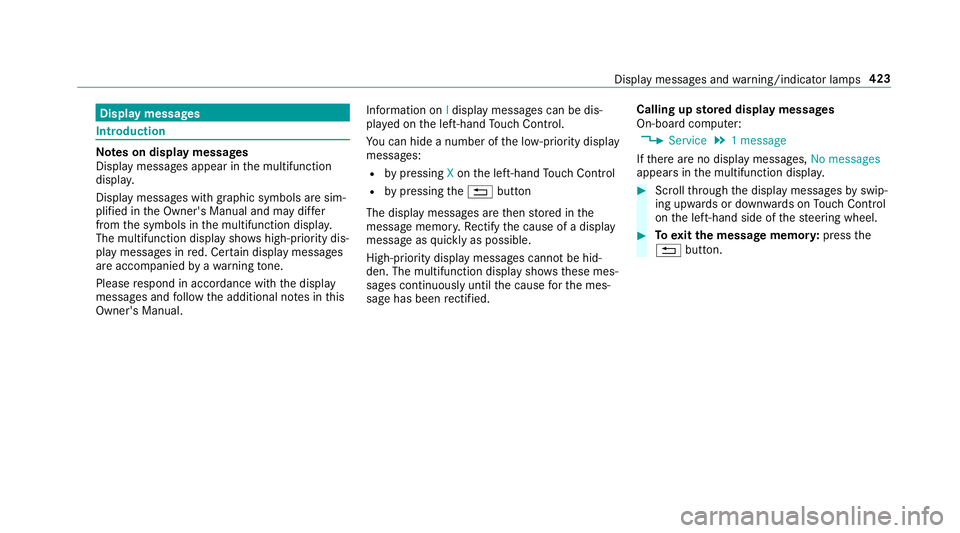
Int
roduction Note
s on display messages
Display messages appear in the multifunction
displa y.
Displ aymessa ges with graphic symbols are sim‐
plified in the Owner's Manual and may dif fer
from the symbols in the multifunction displa y.
The multifunction display sho wshigh-priority dis‐
play messages in red. Cer tain display messages
are accompanied byawa rning tone.
Please respond in accordance with the display
messages and follow the additional no tes in this
Owner's Manual. Information on
Idisplay messages can be dis‐
pla yed on the left-hand Touch Control.
Yo u can hide a number of the lo w-priority display
messages:
R bypressing Xon the left-hand Touch Control
R bypressing the% button
The display messages are then stored in the
messa gememor y.Re ctify the cause of a display
message as quickly as possible.
High-priority display messages cannot be hid‐
den. The multifunction display sho ws these mes‐
sages continuously until the cause forth e mes‐
sage has been rectified. Calling up
stored displ aymessages
On-boa rdcompu ter:
, Service .
1 message
If th ere are no display messages, No messages
appears in the multifunction displa y. #
Scroll thro ugh the display messages byswip‐
ing upwards or down wards on Touch Control
on the left-hand side of thesteering wheel. #
Toexitth e message memor y:press the
% button. Display messages and
warning/indicator lamps 423
Page 454 of 541
Display messages
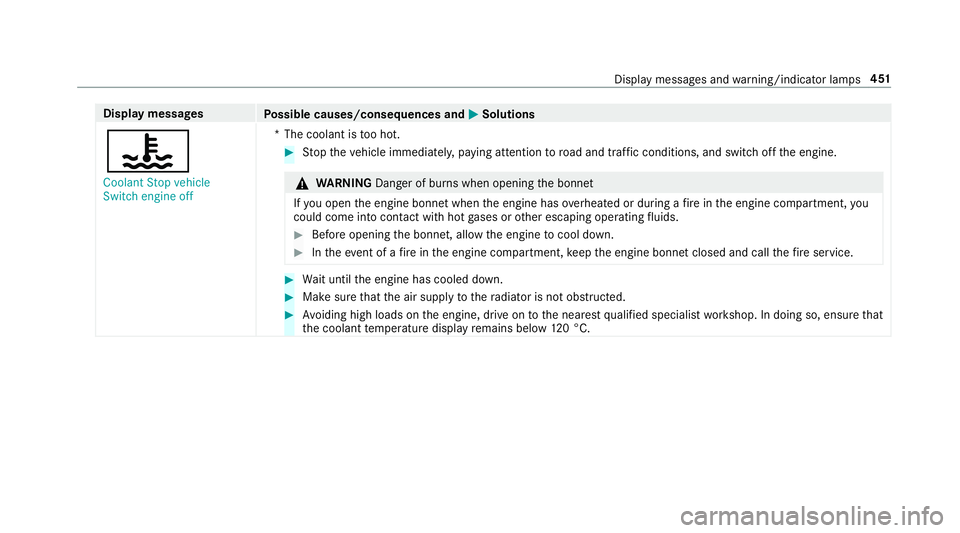
Possible causes/consequences and M
MSolutions
? Coolant Stop vehicle
Switch engine off *T
he coolant is too hot. #
Stop theve hicle immediately, paying attention toroad and traf fic conditions, and switch off the engine. &
WARNING Danger of bu rns when opening the bonn et
If yo u open the engine bonn etwhen the engine has overheated or during a fire inthe engine compartment, you
could come into contact wi thhot gases or other escaping operating fluids. #
Before opening the bonn et, allow the engine tocool down. #
Intheeve nt of a fire inthe engine compartment, keep the engine bonn etclosed and call thefire service. #
Wait until the engine has cooled down. #
Make sure that the air supply tothera diator is not obstructed. #
Avoiding high loads on the engine, drive on tothe nearest qualified specialist workshop. In doing so, ensure that
th e coolant temp erature display remains below 120 °C. Displ
aymessa ges and warning/indicator lamps 451
Page 467 of 541
Display messages
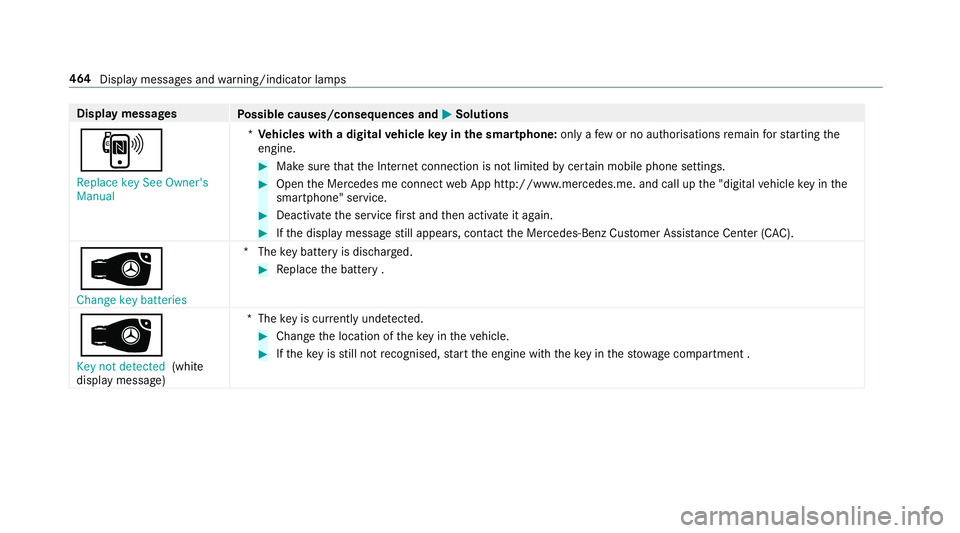
Possible causes/consequences and M
MSolutions
, Replace key See Owner's
Manual *
Ve hicles with a digital vehicle key in the sma rtphone: only afew or no authorisations remain forst arting the
engine. #
Make sure that the Internet connection is not limited bycer tain mobile phone settings. #
Open the Mercedes me connect web App http://www.mercedes.me. and call up the "digital vehicle key in the
smartphone" service. #
Deactivate the service firs t and then activate it again. #
Ifth e display message still appears, con tact the Mercedes-Benz Cus tomer Assis tance Center (C AC).
 Change key batteries *T
hekey bat tery is dischar ged. #
Replace the battery .
Â
Key not detected (white
display message) *T
hekey is cur rently und etected. #
Change the location of theke y in theve hicle. #
Ifth eke y is still not recognised, start the engine with theke y in thestow age compartment . 464
Display messages and warning/indicator lamps
Page 496 of 541
Wa
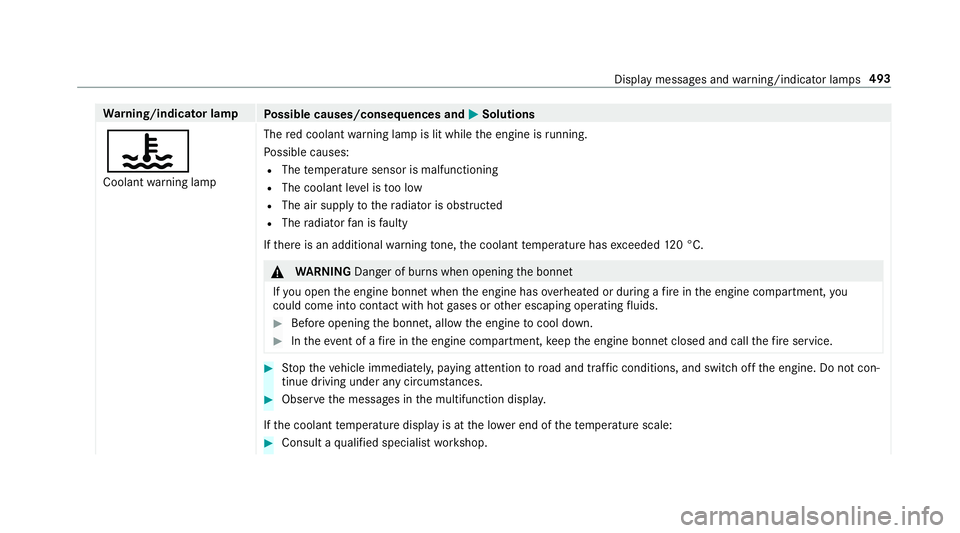
rning/indicator lamp
Possible causes/consequences and M
MSolutions
? Coolant warning lamp The
red coolant warning lamp is lit while the engine is running.
Po ssible causes:
R The temp erature sensor is malfunctioning
R The coolant le vel is too low
R The air supply tothera diator is obstructed
R The radiator fan is faulty
If th ere is an additional warning tone, the coolant temp erature has exceeded 120 °C. &
WARNING Danger of bu rns when opening the bonn et
If yo u open the engine bonn etwhen the engine has overheated or during a fire inthe engine compartment, you
could come into contact wi thhot gases or other escaping operating fluids. #
Before opening the bonn et, allow the engine tocool down. #
Intheeve nt of a fire inthe engine compartment, keep the engine bonn etclosed and call thefire service. #
Stop theve hicle immediately, paying attention toroad and traf fic conditions, and switch off the engine. Do not con‐
tinue driving under any circums tances. #
Obser vethe messages in the multifunction displa y.
If th e coolant temp erature display is at the lo wer end of thete mp erature scale: #
Consult a qualified specialist workshop. Display messages and
warning/indicator lamps 493
Page 501 of 541
Ad
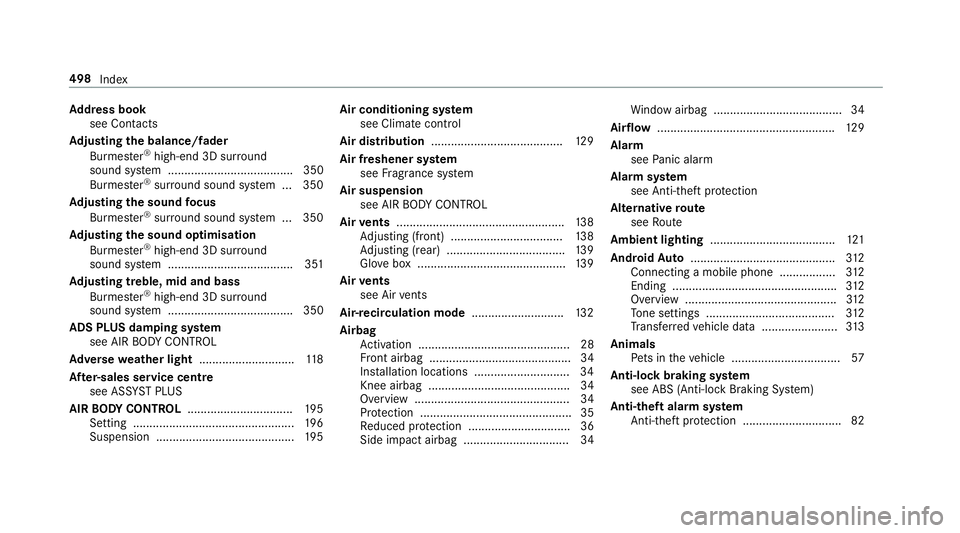
dress book
see Contacts
Ad justing the balance/ fader
Burmes ter®
high-end 3D sur round
sound sy stem ...................................... 350
Burmes ter®
sur round sound sy stem ... 350
Ad justing the sound focus
Burmes ter®
sur round sound sy stem ... 350
Ad justing the sound optimisation
Burmes ter®
high-end 3D sur round
sound sy stem ...................................... 351
Ad justing treble, mid and bass
Burmes ter®
high-end 3D sur round
sound sy stem ...................................... 350
ADS PLUS damping sy stem
see AIR BODY CONTROL
Ad versewe ather light ............................ .118
Af ter-sales service centre
see ASS YST PLUS
AIR BODY CONT ROL................................ 19 5
Setting ................................................. 19 6
Suspension .......................................... 19 5Air conditioning sy
stem
see Climate control
Air distribution ........................................ 12 9
Air freshener sy stem
see Frag rance sy stem
Air suspension see AIR BODY CONTROL
Air vents ................................................... 13 8
Ad justing (front) .................................. 13 8
Ad justing (rear) .................................... 13 9
Glo vebox .............................................1 39
Air vents
see Air vents
Ai r-re circulation mode ............................ 13 2
Airbag Activation .............................................. 28
Fr ont airbag ...........................................34
Ins tallation locations ............................ .34
Knee airbag ........................................... 34
Overview ............................................... 34
Pr otection ..............................................35
Re duced pr otection ...............................36
Side impact airbag ................................ 34 Wi
ndow airbag ....................................... 34
Ai rflow ...................................................... 12 9
Alarm see Panic alarm
Alarm sy stem
see Anti- theft pr otection
Alternative route
see Route
Ambient lighting ...................................... 121
Android Auto ............................................ 312
Connecting a mobile phone ................ .312
Ending ................................................. .312
Overview ..............................................3 12
To ne settings ....................................... 312
Tr ans ferred vehicle data ....................... 313
Animals Pets in theve hicle ................................. 57
Anti-lock braking sy stem
see ABS (Anti-lock Braking Sy stem)
Anti-theft alarm sy stem
Anti- theft pr otection .............................. 82 498
Index
Page 502 of 541
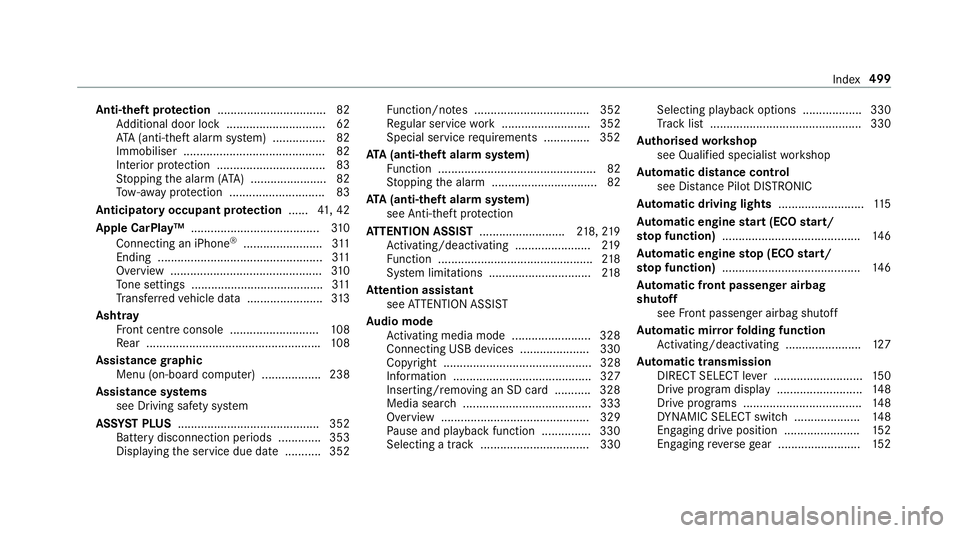
Anti-theft pr
otection ................................ .82
Ad ditional door lock .............................. 62
AT A (anti-theft alarm sy stem) ................82
Immobiliser ........................................... 82
Interior pr otection ................................. 83
St opping the alarm (A TA) .......................82
To w- aw ay protection ............................. 83
Anticipatory occupant pr otection ......41, 42
Apple CarPlay™ .......................................3 10
Connecting an iPhone ®
........................ 311
Ending .................................................. 311
Overview ..............................................3 10
To ne settings ........................................ 311
Tr ans ferred vehicle data ....................... 313
Asht ray
Fr ont centre console ........................... 108
Re ar .................................................... .108
Assistance graphic
Menu (on-boa rdcompu ter) .................. 238
Assistance sy stems
see Driving saf ety sy stem
ASS YST PLUS ........................................... 352
Battery disconnection pe riods .............3 53
Displ aying the service due date ........... 352 Fu
nction/no tes ................................... 352
Re gular service work ........................... 352
Special service requirements .............. 352
ATA (anti-theft ala rmsystem)
Fu nction ................................................ 82
St opping the alarm ................................ 82
ATA (anti-theft ala rmsystem)
see Anti- theft pr otection
AT TENTION ASSI ST.......................... 218, 219
Ac tivating/deactivating ...................... .219
Fu nction ............................................... 218
Sy stem limitations ...............................2 18
At tention assistant
see ATTENTION ASSIST
Au dio mode
Ac tivating media mode ........................ 328
Connecting USB devices ..................... 330
Co pyright ............................................. 328
Information .......................................... 327
Inserting/re moving an SD card .......... .328
Media sea rch ....................................... 333
Overview ............................................. 329
Pa use and playback function .............. .330
Selecting a track ................................. 330 Selecting playba
ckoptions .................. 330
Tr ack list .............................................. 330
Au thorised workshop
see Qualified specialist workshop
Au tomatic distance control
see Dis tance Pilot DISTRONIC
Au tomatic driving lights ..........................11 5
Au tomatic engine start (ECO start/
sto p function) .......................................... 14 6
Au tomatic engine stop (ECO start/
sto p function) .......................................... 14 6
Au tomatic front passen ger airbag
shu toff
see Front passenger airbag shutoff
Au tomatic mir rorfo lding function
Ac tivating/deactivating ...................... .127
Au tomatic transmission
DIRECT SELECT le ver ........................... 15 0
Drive program display .......................... 14 8
Drive programs .................................... 14 8
DY NA MIC SELECT switch .................... 14 8
Engaging drive position ....................... 15 2
Engaging reve rsege ar ........................ .152 Index
499