display MERCEDES-BENZ E-CLASS COUPE 2021 Owner's Guide
[x] Cancel search | Manufacturer: MERCEDES-BENZ, Model Year: 2021, Model line: E-CLASS COUPE, Model: MERCEDES-BENZ E-CLASS COUPE 2021Pages: 446, PDF Size: 37.57 MB
Page 176 of 446
Yo
ucan choose between twose ttings:
R Standar d:nor mal system sensit ivity.
R Sensitiv e:higher system sensit ivity.The
dr iver iswa rned ear lier and theatt ent ion
le ve lde tected byATTENTION ASSISTis adap‐
te daccor dingly.
If dr ow siness orincr easing lapsesinconcen tra‐
tion arede tected, theATTE NTION ASSIS T:Take
a Break !wa rning appear sin theIns trument Dis‐
pla y.Yo ucan ackn ow ledg eth emessag eand
tak eabr eak wher eneces sary.Ifyo udo notta ke
a br eak and ATTENTION ASSISTcont inues to
de tect incr easing lapse sin concentr ation, you
will bewarned again afte ra minimu mof
15 minut es. Yo
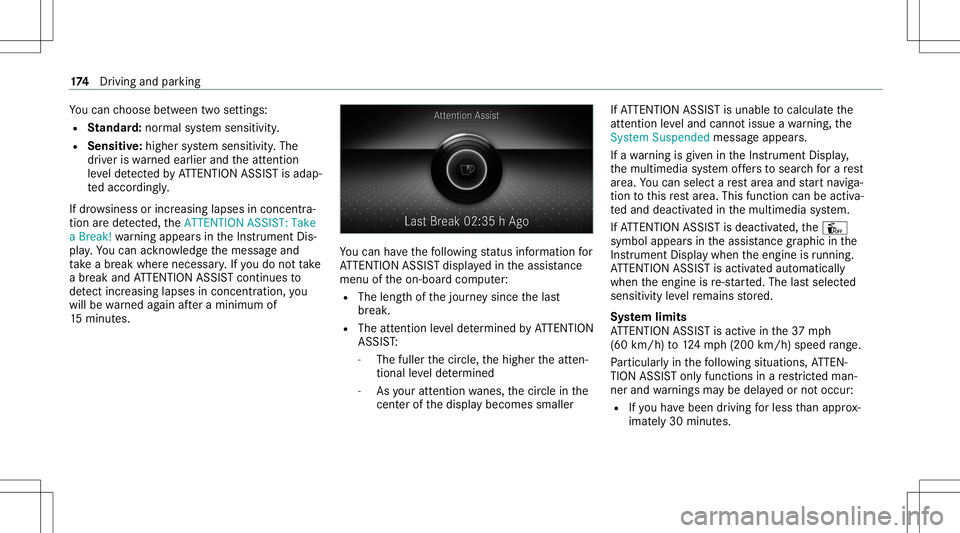
ucan have thefo llo wing status informat ionfor
AT TENTION ASSISTdispla yedin theassis tance
menu oftheon- boar dcom puter:
R The lengt hof thejour neysince thelas t
br eak .
R The attent ion leve lde term ined byATTENTION
ASS IST:
- The fuller thecir cle, thehigher theatt en‐
tion alleve lde term ined
- Asyour att entio nwa nes, thecir cle inthe
cent erofthedispla ybecomes smaller If
AT TENTION ASSISTis unable tocal cul ateth e
att ent ion leve land cannotissue awa rning, the
Sys tem Suspend edmes sage appear s.
If awa rning isgiv en intheIns trument Display,
th emultimedia system offers to sear chfora re st
ar ea. Youcan selectare st area and star tna vig a‐
tio nto this rest area. This function can beact iva‐
te dand deactiv ated inthemultimedia system.
If AT TENTION ASSISTis deactiv ated, theÛ
symbol appearsin theassis tance grap hicin the
Ins trument Displaywhen theengine isrunning .
AT TENTION ASSISTis activ ated aut omaticall y
when theengine isre-sta rted. The lastselect ed
sensit ivityleve lre mains stor ed.
Sy stem limit s
AT TENTION ASSISTis activ ein the37 mph
(60 km/ h)to 124mp h(2 00 km/h) speedra ng e.
Pa rticular lyin thefo llo wing situat ions,AT TEN‐
TION ASSISTonl yfunct ionsinare strict ed man‐
ner and warnings maybe dela yedor notocc ur:
R Ifyo uha ve been driving forless than appr ox‐
imat ely30 min utes. 17
4
Driving and parking
Page 177 of 446
R
Ifth ero ad con dition ispoor (unevenro ad
sur face orpotholes).
R Ifth er eis ast ro ng side wind.
R Ifyo uadop ta spor tydrivin gst yle (high cor‐
ner ing speeds orhigh ratesof acceler ation).
R Ifth eSt eer ing Assis tfunc tion ofActiveDis ‐
ta nce AssistDIS TRONI Cis acti ve.
R Ifth etime hasbeen setincor rectly .
R Ifyo uch ang elane sand vary your spee dfre‐
qu ent lyIn activ edr iving situation s.
The ATTENTION ASSISTdr ows ines sor aler tness
assess mentis rese tand restar tedwhen continu‐
ing thejour neyin thefo llo wing situat ions:
R Ifyo uswit choffth eengine.
R Ifyo uunf astenyo ur seat beltandopen the
dr iver's door (e.g.tochang edr iver sor take a
br eak). Se
tting ATTENTI ONASSIST
Multimedia system:
4 © 5
Set ting s5
Assist ance
5 Atten tion Assist
Se tting options #
Select Standard, SensitiveorOff.
Sugg esting are st area #
Select SuggestRes tArea. #
Activateor deacti vate thefunc tion.
If AT TENTION ASSISTde tects fatig ue or
incr easing lack ofatt ention ,it sugg ests a
re st area inthevicinit y. #
Select thesugg estedre st area.
Yo uar eguided totheselect edrest area. Spe
edcont rolcr uise contr ol Fu
nction ofcruise contr ol
Cr uise controlre gulat esthespeed totheva lue
selec tedby thedr iver .
If yo uacc elerat eto ove rtak e, forex am ple, the
st or ed speed isno tdele ted. Ifyo ure mo veyour fo
ot from theacceler ator pedal afte rove rtakin g,
cr uise control will resume speed regulation back
to thestor ed speed.
Yo ucan stor ean yspeed above15 mp h
(20 km/ h)up tothemaximum designspeed.
Obser vetheno teson driving systems andyour
re sponsibili ty;yo uma yot her wise failto recog‐
nize dangers(/ page 167).
Mer cedes‑A MGvehicl es:Cruis econtr olis
av ailable uptoamax imum speedof 155mp h
(250 km/h).
Displa yson themu ltifunct iondisp lay
R h (gray):cr uise control isselect edbut
no tye tacti vated.
R h (green): cruise control isactiv e.
A stor ed speed appear salong withth eh dis‐
pla y.
% The segment sbe tween thestor ed speed and
th eend ofthesegment displaylight upin
th espeedome ter. Dr
iving and parking 17
5
Page 184 of 446
Re
duci ngorinc reasin gth especif ieddis‐
tance from theve hicl ein front #
Press K.
The Ò display app earsunder theç
st atus displa y.
The specif ieddistance isreduced byone
le ve l.
If th elowe stleve lis alr eady selected, the
selection jumpstothehighes tle ve l.
Deactiv ating Activ eDi stance Assist
DI ST RO NIC &
WARNIN GRisk ofan acci dent dueto
Ac tiveDis tan ceAssi stDIS TRONI Cbe ing
acti vewhen youlea vethedr iver's seat
If yo ulea vethedr iver's seat while theve hicle
is being brak ed byActiveDis tan ceAssi st
DIS TRONI Conly ,th eve hicle canrollaw ay. #
Alw aysdeactiv ateAc tiveDis tance
Assi stDIS TRONI Cand secureth eve hi‐
cle topreve ntitfrom rolling away
bef oreyo ulea vethedr iver's seat. #
Press ±.
% Ifyo ubr ak e, deac tivateES P®
or ifES P®
int erve nes, ActiveDis tance Assist
DIS TRONI Cis de acti vated.
Fu nction ofActiv eSpe edLimit Assist
If speed limitch ang ebe tween 12mp h
(20 km/ h)and 80mph(1 30 km/h) isde tected
and theaut omatic adoptionofspeed limitsis
activ e,itwill beaut omaticall yadop tedas the
st or ed speed (/page19 5).
The driven spee dis adju sted when theve hicle is
le ve lwit hth etraf fic sig nat thelat est.In the
case ofsig ns indi cati ngentr yint oan urb anarea ,
th espeed isadap tedaccor dingtothespeed
per mitt edwithin theurban area. The speed limit
displa yin theIns trument Displayis alw aysupda ‐
te dwhen theve hicle isleve lwit hth etra ffic sign .
If th er eis no speed restriction onanunlimited
st re tchof road (e.g.on afree wa y), there com‐
mend edspe edisau tomatical lyadop tedas the
st or ed speed. Thesystem uses thespeed stor ed
on anunlimit edstre tchof road asthere com‐
mend edspe ed. Ifyo udo notalt er thestor ed speed
onanunlimit edstre tchof road, there c‐
omme ndedspeedis80 mph(1 30 km/h) .
If Ac tiveDis tance AssistDIS TRONI Cha sbe en
pu tint opa ssi ve mode bypressing theaccelera ‐
to rpeda l,onl yspee dlimi tswhi charehigh er
th an these tspeed areadop ted.
Obser vetheno teson driving systems andyour
re sponsibili ty;yo uma yot her wise failto recog‐
nize dangers(/ page 167).
Sy stem limit s
The system limits ofTraf fic Sign Assistappl yto
th ede tection oftraf fic sig ns (/ page 194).
Spee dlimits below 12mp h(2 0km/h) areno t
au tomatical lyadop tedby thesy stem asthe
st or ed speed. Temp orar yspeed restrictions (e.g.
fo ra cer tain tim eor due towe ather condition s)
can notbe proper lyde tected bythesy stem. The
maximum permissible speedapplying toave hi‐
cle withatrailer isno tde tected bythesy stem.
Ad jus tth espeed inthese situation s. 18
2
Driving and parking
Page 188 of 446
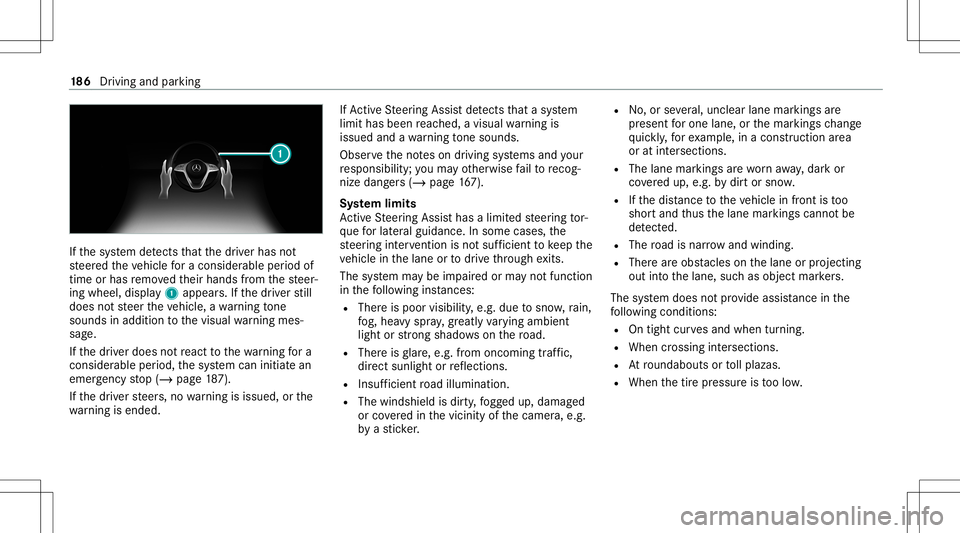
If
th esy stem detects that thedr iver has not
st eer edtheve hicle fora consider ableper iod of
time orhas remo vedth eir hands from thesteer‐
ing wheel, display1 appear s.Ifth edr iver still
does notst eer theve hicle, awa rning tone
sou nds inad ditio nto thevisual warning mes‐
sag e.
If th edr iver does notre act tothewa rning fora
consider ableper iod, thesy stem can initiat ean
emer gency stop (/ page18 7).
If th edr iver steer s,no warning isissued, orthe
wa rning isended . If
Ac tiveSt eer ing Assis tde tects that asy stem
limit hasbeen reac hed, avisual warning is
issued andawa rning tone sou nds.
Obs erve theno teson driving systems andyour
re sponsibili ty;yo uma yot her wise failto recog‐
nize dangers(/ page 167).
Sy stem limit s
Ac tiveSt eer ing Assis thas alimit edsteer ing tor‐
qu efo rlat eral gui dance. Insome cases, the
st eer ing interve ntio nis no tsu fficien tto keep the
ve hicle inthelane ortodrive th ro ugh exits.
The system maybe impair edorma yno tfunc tion
in thefo llo wing instances:
R The reispoor visibilit y,e.g. due tosno w,rain,
fo g, hea vyspr ay,gr ea tly varying ambien t
light orstro ng sha dows onthero ad.
R Ther eis glar e, e.g .fr om oncom ingtraf fic,
di re ct sunli ght orreflect ions.
R Insuf ficie ntroad illumin ation.
R The wind shieldisdir ty,fo gg ed up, damag ed
or coveredin thevicinit yof thecamer a,e.g.
by ast icke r. R
No,or several,unc lear lane markingsare
pr esen tfo rone lane, orthemar king sch ang e
qu ickl y, forex am ple, inacon stru ction area
or atintersecti ons.
R The lane mar kings arewo rnaw ay,dar kor
co veredup, e.g. bydirtor sno w.
R Ifth edis tance totheve hicle infront istoo
shor tand thus thelane marking scann otbe
de tected.
R The road isnar row and wind ing.
R Ther ear eobs tacle son thelane orprojec ting
out intoth elane, suchas objec tmar kers.
The system does notpr ov ide assis tance inthe
fo llo wing condition s:
R Ontigh tcur vesand when turning.
R When crossing intersections.
R Atround about sor tollplazas.
R When thetir epr essur eis toolow. 18
6
Driving and parking
Page 189 of 446
&
WARNIN GRisk ofacci dent ifAc tive
St eer ing Assis tune xpect edlystops func‐
tionin g
If th esy stem limits ofActiveSt eer ing Assis t
ar ere ac hed ther eis no guar anteethat the
sy stem will remain activeor wil lke ep the
ve hicle inlane. #
Alw ayske ep your han dson thesteer ing
wheel andobser vethetra ffic car efull y. #
Alw aysst eer theve hicle paying atten‐
tion totraf fic condi tions. &
WARNIN GRisk ofacci dent ifAc tive
St eer ing Assis tune xpect edlyinterve nes
The detection oflane mar kings andobje cts
ma ymal functi onand causeune xpect ed
st eer ing interve ntio ns. #
Steer accor dingtotraf fic condi tions. Ac
tiv atin g/deac tivatin gAc tiv eSte ering
Assis t
Re quirement s:
R ESP®
is act ivat ed, but isno tint erve ning .
R ActiveDis tance AssistDIS TRONI Cis acti va‐
te d.
Multimedia system:
4 © 5
Set ting s5
Quick Access #
Select 004FSteering Assist. Fu
nction ofActiv eEme rgency Stop Assis t If
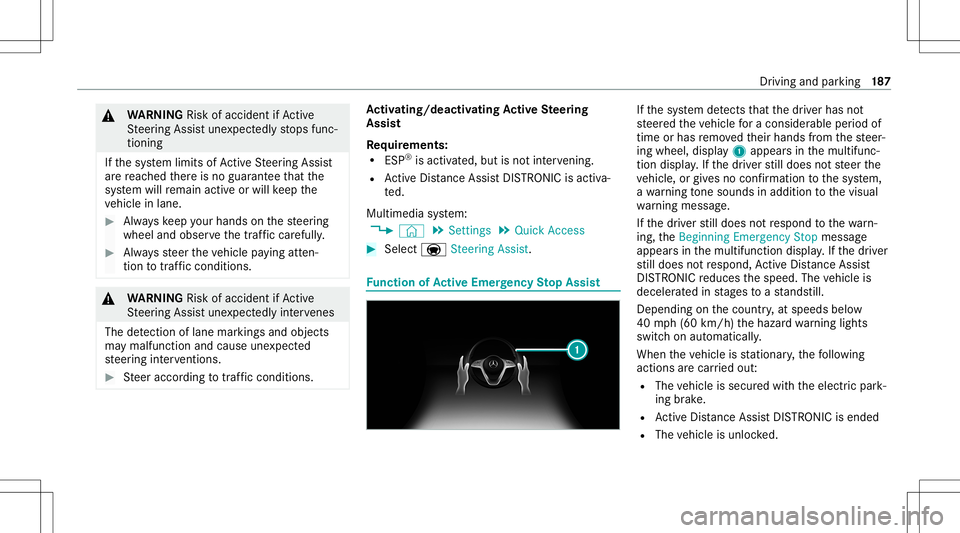
th esy stem detects that thedr iver has not
st eer edtheve hicle fora consider ableper iod of
time orhas remo vedth eir hands from thesteer‐
ing wheel, display1 appear sin themultifunc ‐
tion displa y.Ifth edr iver still does notst eer the
ve hicle, orgiv es no conf irmation tothesy stem,
a wa rning tone sou nds inad ditio nto thevisual
wa rning mess age.
If th edr iver still does notre spond tothewa rn‐
ing, theBeginn ingEmer gencySt op messag e
appear sin themultifunc tiondispla y.Ifth edr iver
st ill does notre spond, ActiveDis tance Assist
DIS TRONI Creduces thespeed. Thevehicle is
deceler ated instag es toast ands till.
De pen dingon thecount ry,at speeds below
40 mph(60 km/h) thehazar dwa rning light s
switc hon aut omat ically.
When theve hicle isstatio nary,thefo llo wing
act ions arecar ried out :
R The vehicle issecur edwithth eelectr icpar k‐
ing brak e.
R ActiveDis tance AssistDIS TRONI Cis end ed
R The vehicle isunloc ked. Dr
iving andparking 18
7
Page 196 of 446
#
Select Off.
The dist anc ewa rning func tion,th eaut ono‐
mous braking function andtheEv asiv eSt eer‐
ing Assis tar edeactiv ated.
When theve hicle isne xt star ted, themiddle
se tting isaut omaticall yselect ed.
% IfAc tiveBr ak eAssi stisdeact ivat ed, the
00D4 symbol appearsinthest atus barofthe
multifu nctiondisplay. Tr
af fic Sign Assis t Fu
nction ofTraf fic Sign Assis t
Tr af fic Sign Assistdetects traf fic sig ns with the
multifu nctioncamera(/ page16 8). Itas sist s
yo uby displa yingdetected spe edlimits and
ove rtakin gre strictions intheins trument cluster.
Obser vetheno teson driving systems andyour
re sponsibili ty;yo uma yot her wise failto recog‐
nize dangers(/ page 167).
Since Traf fic Sign Assistalso uses thedat a
st or ed inthena vig ation system, itcan updat e
th edispla yin thefo llo wing situat ionswithout
de tecting traf fic sig ns. The
came raalso detects traf fic sig ns with a
re striction indicated byan addit ionalsign (e.g.
when wet).The seareonly disp laye difare stric‐
tion appliesor ifth esy stem cann otcle arly de ter‐
mine whether there striction applies.
Wa rning when thema xim um permis sible
speed isexceeded
The system can warnyouif yo uunin tentio nally
ex ceed themaximum permissible speed.Todo
th is, youcan spec ifyinthemultimedia system
by howmuc hth emaximum permissible speed
can beexceed edbef oreawa rning isissued. You
can specify whether thewa rning isto be justa
visual warning oran acous ticone aswell. Displa
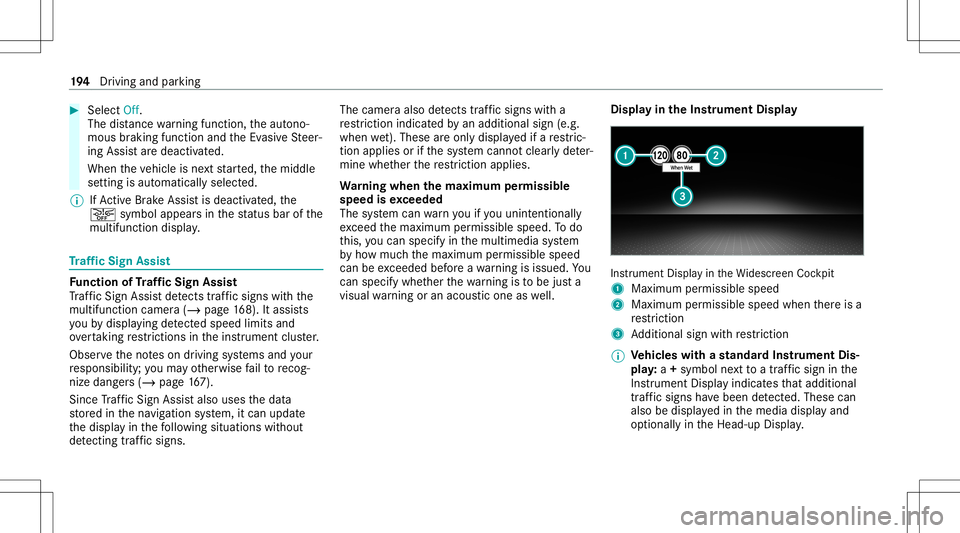
yin theIns trum ent Displa y In
stru ment Displa yin theWi descr eenCockpit
1 Maximum permissible speed
2 Maximum permissible speedwhenther eis a
re striction
3 Addition alsign withre striction
% Ve
hicl eswith ast andar dIns trument Dis‐
pla y:a+ symbo lne xt to atraf fic sig nin the
Ins trument Displayindicat esthat addit ional
traf fic sig ns have been detected. Thesecan
al so be displ ayed inthemedia displayand
op tion ally intheHead-up Display. 19
4
Driving and parking
Page 197 of 446
If
Traf fic Sign Assistcanno tde term ine themaxi‐
mum permissible speed(e.g.duetomissi ng
signs), thefo llo wing displa yappear sin the
Ins trument Display: This
isdispl ayed con tinuousl yif th eve hicle isin
a countr ywher eTr af fic Sign Assistisno tsup‐
por ted. Traf fic Sign Assistisno tav ailable inall
coun tries.
% Alsoobse rveth einf ormation ondispla ymes‐
sag esinTraf fic Sign Assist(/ pag e348 ).
Sy stem limit s
The system maybe impair edorma yno tfunc tion
par ticular lyin thefo llo wing situat ions:
R Ifth er eis poor visibility ,e.g. due toinsuf fi‐
cie ntillu mina tionofthero ad, ifth er ear e
highl yva riable shade condition sor inrain,
sno w,fogor hea vyspr ay.
R Ifth er eis glar e, e.g .fr om oncom ingtraf fic,
di re ct sunli ght orreflect ions. R
Ifth ewindshield inthear ea ofthemultifunc ‐
tion camer ais dir ty,or ifth ecamer ais fog‐
ge dup, damag edorcovered.
R Ifth etra ffic sign sar ehar dto detect, e.g. due
to dir tor sno w,because they areco vered, or
due toinsuf ficie ntlighti ng.
R Ifth einf ormation inthena vig ation system's
digit almap isincor rect or out-of-da te.
R Ifth esigns areambiguous, e.g.traffic sign s
on con stru ction sites orinad jacent lanes.
R Ifyo utur nshar plywhen passingtraf fic sig ns
ou tsid eth ecamer a'sfield ofvision.
Se tting Traf fic Sign Assis t
Re quirement s:
R Onl yve hicl eswith Drivin gAss istanc e
Pa ckag e:
Ac tiveDis tance AssistDIS TRONI Cand ECO
Assi stmus tbe activ ated forth eaut omatic
adop tionofspeed limits. Multimedia
system:
4 © 5
Set ting s5
Assist ance
5 Traffic SignAssist
Ac tiv atin gor deac tivatin gaut omati cadop ‐
tio nof spe edlimits (onlyve hicl eswith Driv‐
ing Assistanc ePa ckag e) #
Select LimitAdoptio n. #
Activateor deacti vate thefunc tion.
The speed limitsdetected byTraf fic Sign
Assi stareaut omat icallyadop tedby Active
Dis tance AssistDIS TRONI C.
% Ifone ofthefo llo wing systems isactiv ated,
th ede tected spe edcan bemanu ally ad op ted
as thespeed limit:
R ActiveDis tance AssistDIS TRONI C
R Cruise contr ol
R Variable limiter
Fu rther information (/page18 0).
Dis playin gde tected traf fic signs inthe
me diadispla y #
Select DisplayinCentra lDispl ay. Dr
iving andparking 19
5
Page 198 of 446
#
Activateor deacti vate thefunc tion.
Se tting thety pe ofwa rning #
Selec tVisual &Audible ,Visual orOff .
Se tting thewa rning threshold
This value determ ines thespeed atwhic ha
wa rning isissued whenexceeded. #
Select Warning Threshold. #
Setth edesir edspeed. Ov
ervie wof thetraf fic ligh tda ta ser vice &
WARNIN GRisk ofan acci dent orinju ry
due todis traction, incorrect ormissing
dat a
The traf fic light informati ondispl ayisan aid
and cannotre place theobser vatio nof the
act ual drivin gsit uatio n. #
Keep theactual traffic situat ioncon‐
st ant lyin view when approachingatraf‐
fi c light and whench ang inglane s. #
Avoid prolong edviewing oftheIns tru‐
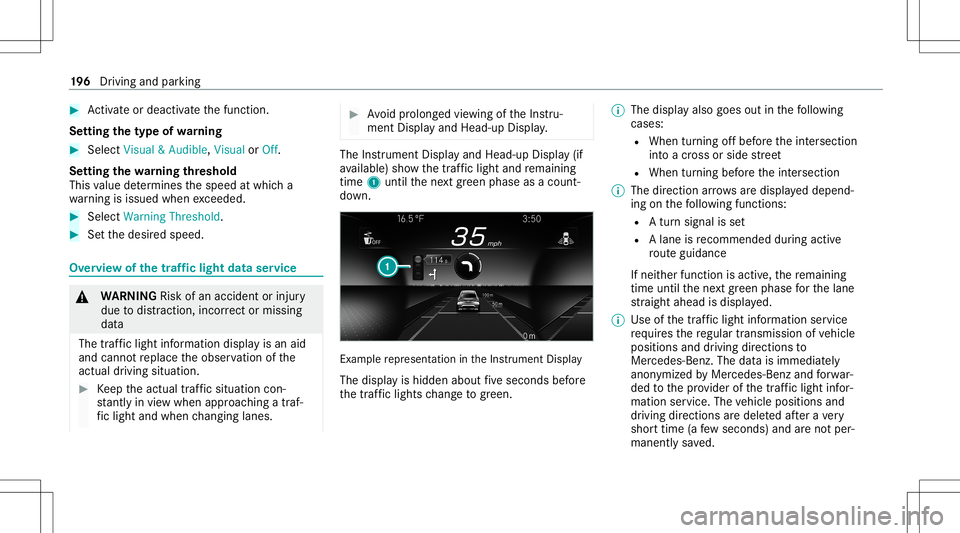
ment Displa yand Head-up Display. The
Instrument Displayand Head-up Display(if
av ailable) showthetra ffic light andremaini ng
time 1until thene xt green phase asacount ‐
do wn. Ex
am ple repr esent ation intheIns trument Display
The displa yis hidden aboutfive seconds before
th etraf fic lights chang eto gree n. %
Thedisp lay also goes outinthefo llo wing
cases :
R When turnin gof fbef oreth eint ersect ion
int oacr oss orside stre et
R When turning beforeth eint ersect ion
% The direct ion arrow sar edispla yeddepend‐
ing onthefo llo wing functions:
R Atur nsign alisset
R Alane isrecomme ndedduring acti ve
ro uteguidan ce
If ne ither function isact ive, there maini ng
time untilthene xt green phase forth elane
st ra ight ahead isdispla yed.
% Use ofthetraf fic light informati onser vice
re qu ires there gular transmission ofvehicle
positions anddriving directions to
Mer cedes-Ben z.The datais immediat ely
anon ymized byMer cedes-Ben zand forw ar‐
ded tothepr ov ider ofthetra ffic light infor‐
matio nser vice .The vehicle positions and
dr iving directions aredele tedaf te ra ve ry
shor ttime (afew sec ond s)and areno tper‐
man entlysave d. 19
6
Driving and parking
Page 199 of 446
If
yo udo notwa nttotrans mitth eve hicle
positions anddriving directions, youha ve
th efo llo wing option s:
R Youdeac tivateth eser vice inthe
Mer cedes mePortal.
R Youha ve theser vice deactiv ated atan
aut hor ized Mercedes- BenzCenter.
R Youdeac tivateth eser vice intheAssis-
tanc emenu inthemultimedia system
(/ page19 8).
% Thistraf fic light data ser vice isonly available
in cit ies and regions countries.
The func tion issuppor tedunder thefo llo wing
con dition s:
R The vehicle iseq uipped withamultimedia
sy stem featur ingnavig atio nand acom mun i‐
cat ion modul ewit han act ivat ed, integrated
SIM card.
R Youha ve auser accoun tfo rth eMer cedes
me Portal.
R The vehicle hasbeen connectedwithth e
user accoun t. R
The navig atio nser vices optio nis available,
subsc ribed toand activat ed intheMer cedes
me Portal.
R The traffic light data ser vice iswit hin the
scope ofthena vig ation service.
The current vehicle position andthedir ect ion of
tra velar etransmit tedvia thecomm unication
module andaligned withth edat afrom thetraf‐
fi c light data ser vice prov ider .The prov ider gath‐
er sdat afrom traffic light swhic htransm itth eir
ch ang ingphase s.When theve hicle approaches
an intersection withne tworke dtra ffic light s,
dat ais transm itted totheve hicle.
A se ttur nsignal leftor right and lane recom‐
mend ations during acti verouteguidan ceare
tak en intoacc oun tfo rth edispla y.
The service isforinf ormation purposes onlyand
is no tlink edtoanyot her vehicle functions, sys‐
te ms orcom ponents. Pleasenote that thedis‐
pla yeddat ais no tav ailable inall traf fic ar ea s
and maybe incor rect.
Ce rtain light signalsystems automaticall yadap t
th eir switc hingtimes tothecur rent traf fic situ a‐ tion.
Thiscan lead toasudden chang ein the
cou ntdo wndispl ay.
The information intheIns trument Displayis
sho wnafte rsele cting thedispla ycon tents inthe
Assi stance menu .If ano ther menu isselect ed,
th etra ffic light countdown isno tdispla yed.
In addition, observethefo llo wing informatio n:
R Selec ta speed adaptedto thetra ffic, sur‐
ro und ingsand weather condition s
R Obse rveactual traf fic sig ns
R Obs erve applic abletraf fic ru les and regula‐
tions
Obser vetheno teson driving systems andyour
re sponsibili ty;yo uma yot her wise failto recog‐
nize dangers.
Sy stem limit s
The displa ydoes notappear inthefo llo wing sit‐
uation s,forex am ple:
R Ther eis no traf fic light data available.
R The timere maini nguntil thene xt green
phase isless than tenseco nds. Dr
iving and parking 19
7
Page 207 of 446
Ra
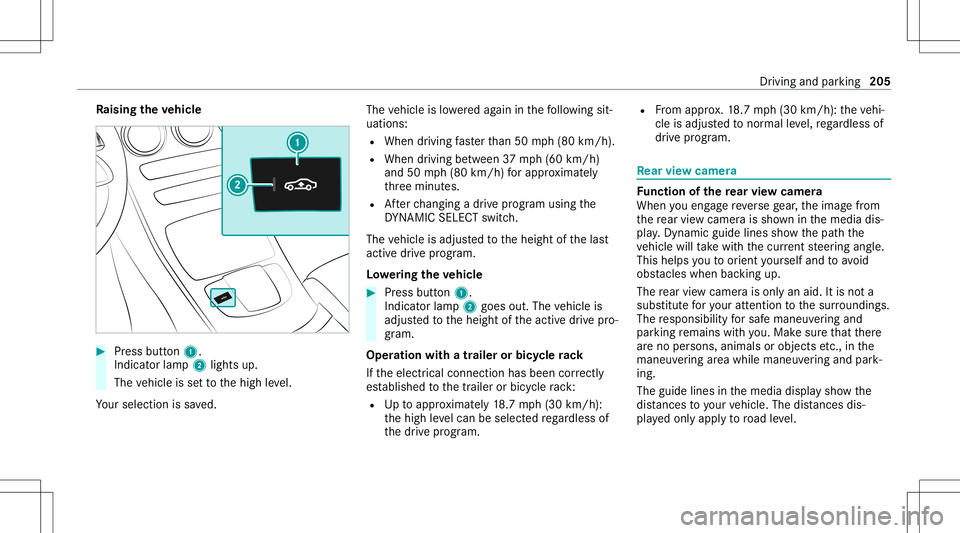
ising theve hicl e #
Press butt on1.
Indica torlam p2 lights up.
The vehicle issetto thehigh leve l.
Yo ur sele ction issave d. The
vehicle islowe redag ain inthefo llo wing sit‐
uation s:
R When drivin gfa ster than 50 mph(80 km/h).
R When driving between 37mph(60 km/h)
and 50mph(80 km/h) forapp roxima tely
th re eminut es.
R Afterch ang ingadr ive pr ogram usingth e
DY NA MIC SELE CTswitc h.
The vehicle isadjus tedto theheight ofthelas t
activ edr ive pr ogr am.
Lo we ring theve hicl e #
Press butt on1.
Indica torlam p2 goes out.Thevehicle is
adjus tedto theheight oftheactiv edr ive pr o‐
gr am.
Oper ation withatrailer orbicy clerack
If th eelectr icalconnect ionhas been correctly
es tablished tothetra iler orbicy clerack :
R Uptoappr oximat ely18 .7 mp h(3 0km/h):
th ehigh leve lcan beselec tedre ga rdless of
th edr ive pr og ram. R
From appr ox.18 .7 mp h(3 0km/h) :th eve hi‐
cle isadjus tedto nor malle ve l,re ga rdless of
dr ive pr ogr am. Re
ar vie wcamer a Fu
nction ofthere ar vie wcamer a
When youen gage reve rsege ar,th eimag efrom
th ere ar vie wcam erais sho wninthemedia dis‐
pla y.Dyna micguide lines showthepat hth e
ve hicle willtake wit hth ecur rent steer ing ang le.
This helps youto orient yourself and toavoid
obs tacle swhe nba cking up.
The rear vie wcam erais on lyan aid. Itis no ta
subs titutefo ryo ur att entio nto thesur round ings.
The responsibili tyforsaf emaneu vering and
pa rking remains withyo u. Mak esur eth at ther e
ar eno per sons, animals orobjec tsetc., inthe
maneu vering area while ma neu vering and park‐
ing.
The guide linesinthemedia displaysho wthe
dis tances toyour vehicle. Thedistances dis‐
pl ay ed onlyapply toroad leve l. Dr
ivin gand parking205