display MERCEDES-BENZ E-CLASS COUPE 2021 Workshop Manual
[x] Cancel search | Manufacturer: MERCEDES-BENZ, Model Year: 2021, Model line: E-CLASS COUPE, Model: MERCEDES-BENZ E-CLASS COUPE 2021Pages: 446, PDF Size: 37.57 MB
Page 247 of 446
#
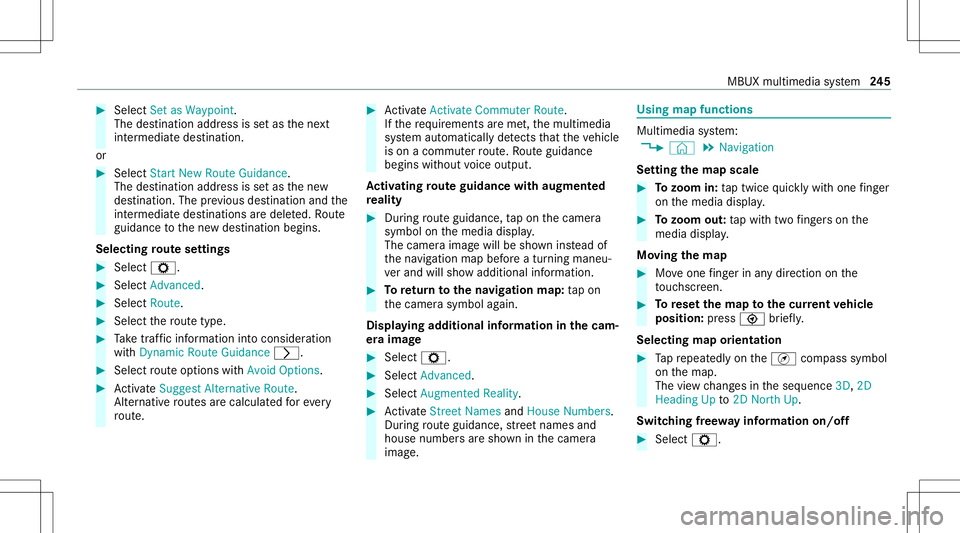
Select Set asWa ypoint.
The destina tion address issetas thene xt
int ermediat edes tinat ion.
or #
Select Start New Route Guidance.
The destinat ionaddr essissetas thene w
des tinat ion.Theprev ious destination andthe
int ermediat edes tination sar edele ted. Ro ute
guidan cetothene wdes tinat ionbegins.
Selecting rout ese ttings #
Select Z. #
Select Advanced . #
Select Route. #
Select thero utetyp e. #
Take traf fic inf ormati onintoconsi deration
wi th Dyna micRoute Guidance 0048. #
Select routeop tio ns withAv oid Options. #
ActivateSug gest Alte rnative Route .
Alt ernati veroutes arecalc ulatedforev ery
ro ute. #
ActivateActiv ateCommu terRoute .
If th ere qu iremen tsareme t,th emultimedia
sy stem automaticall yde tects that theve hicle
is on acommut erroute. Ro uteguidan ce
begin swit hout voice output .
Ac tiv atin gro ut eguidanc ewith augment ed
re ality #
Dur ing routeguidan ce,tapon thecamer a
symbol onthemedia display.
The camer aimag ewill besho wninstead of
th ena vig ation mapbeforeatur ning maneu‐
ve rand willsho wadd itional information. #
Toretur nto thena vig ation map:tap on
th ecamer asymbol again.
Displa yingadditional informat ioninthecam ‐
er aima ge #
Select Z. #
Select Adva nced. #
Select Aug mented Reality. #
ActivateStree tNa mes andHouseNumbe rs.
Dur ing routeguidan ce,stre et nam esand
hou senum bers aresho wninthecamer a
imag e. Using
mapfunctions Multimedia
system:
4 © 5
Navigation
Se tting thema pscale #
Tozoo min: taptwice quickl ywit hone fing er
on themedia display. #
Tozoo mout: tapwit htw ofing erson the
media display.
Mo ving thema p #
Moveone fing er inanydi re ction onthe
to uc hsc reen. #
Torese tth ema pto the current vehicl e
posi tion: press \ brief ly.
Sel ecting map orien tatio n #
Tapre peat edlyon theÄ compass symbol
on themap.
The viewch ang esintheseq uence 3D,2D
Heading Upto2D North Up.
Swi tching free wa yinf ormation on/off #
Select Z. MBUX
multime diasy stem 24
5
Page 255 of 446
Making
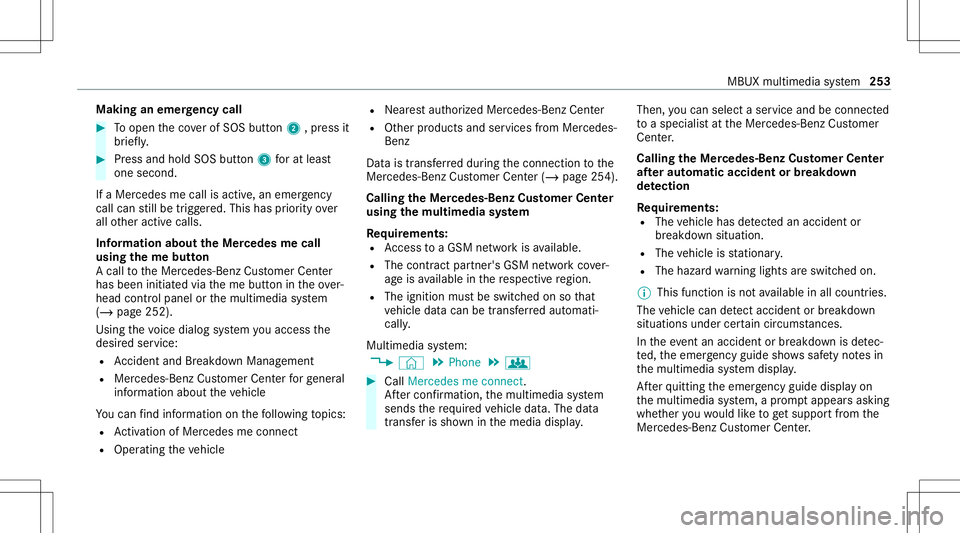
anemer gency call #
Toopen theco verof SOS button2 ,pr ess it
br ief ly. #
Press and hold SOS button3 forat lea st
one second.
If aMer cedes mecall isactiv e,an emer gency
cal lcan still be trigg ered. This hasprior ity ove r
all other activ ecalls.
Inf ormat ionabout theMer cedes mecall
using theme button
A cal lto theMer cedes- BenzCustomer Cent er
has been initiatedvia theme butt onintheove r‐
head controlpanel orthemultimedia system
(/ page252).
Using thevo ice dialog system youacc ess the
desir edser vice:
R Accid ent and Brea kdo wnManag eme nt
R Mer cede s-Benz Customer Centerforge ner al
inf orma tionab ou tth eve hicle
Yo ucan find informati onon thefo llo wing topics:
R Activati on ofMe rcedes meconnect
R Oper ating theve hicle R
Near estaut hor ized Mercedes-Ben zCent er
R Other products andservices from Mer cedes-
Benz
Dat ais transf erreddur ing thecon nect iontothe
Mer cedes-Ben zCus tomer Cent er(/ page25 4).
Call ingtheMer cedes- BenzCustomer Center
usi ng the multi mediasy stem
Re quirement s:
R Access toaGSM networkis available.
R The contract partner' sGSM networkco ver‐
ag eis available inthere spectiv ere gion.
R The ignition mustbe switc hedonsothat
ve hicle datacan betransf erredaut omati‐
cally .
Multimedia system:
4 © 5
Phone 5
g #
Call Mercedes meconnect.
Af terconf irmation, themultimedia system
sends there qu ired vehicle data.The data
tr ansf erissho wninthemedia display. Then,
youcan selectaser viceand beconn ect ed
to aspec ialistat theMer cedes- BenzCustomer
Cent er.
Call ingtheMer cedes- BenzCustomer Center
af te raut omat icac ciden tor break down
de tection
Re quirement s:
R The vehicle hasdetected anacci dent or
br ea kdo wnsitu ation.
R The vehicle isstatio nary.
R The hazar dwa rning light sar eswitc hedon.
% This function isno tav ailable inall coun tries.
The vehicle candetect acci dent orbrea kdo wn
situ ations undercer tain cir cums tances.
In theeve ntan acci dent or brea kdo wnisde tec‐
te d, theemer gency guide sho wssafetyno tesin
th emultimedia system displa y.
Af terqu itting theemer gency guide displ ayon
th emultimedia system, apr om ptappear sask ing
whe ther youwo uld liketo get suppor tfr om the
Mer cedes-Ben zCus tomer Cent er. MBUX
multime diasystem 253
Page 262 of 446
If
no connection canbemade totheemer gency
ser vice sei th er,a cor responding message
appea rsinthemedia display. #
Dialth elocal emergency num beron your
mob ilephon e.
If an eme rgency callhas been initiat ed:
R Remain intheve hicle ifth ero ad and traffic
condi tions permit youto do sountil avo ice
con nection ises tablished withth eemer‐
ge ncy callcent eroperator.
R Bas edon thecall, theoper ator decides
whe ther itis neces saryto cal lre scue teams
and/ orthepolice totheacciden tsit e.
R Ifno vehicle occupant answers, an ambu‐
lance issent totheve hicle immediat ely. Tr
igg ering ama nual Mercedes-B enzemer ‐
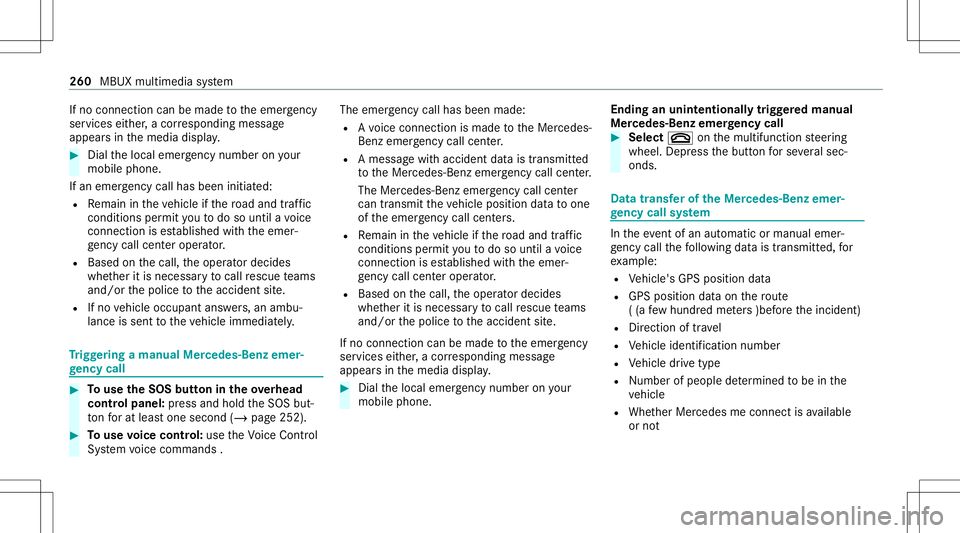
ge ncy call #
Touse theSOS buttonin theov erhead
contr olpa nel: press and hold theSOS but‐
to nfo rat lea stone second (/page252). #
Touse voice contr ol:use theVo ice Cont rol
Sy stem voice com mand s. The
emer gency callha sbe en ma de:
R Avo ice con nection ismade totheMer cedes-
Benz emergency callcent er.
R Ames sage withacc iden tdat ais transm itted
to theMer cedes- Benzemergency callcent er.
The Mercedes-Be nzeme rgency callcent er
can trans mit theve hicle position datato one
of theemer gency callcent ers.
R Remain intheve hicle ifth ero ad and traffic
condi tions permit youto do sountil avo ice
con nection ises tablished withth eemer‐
ge ncy callcent eroperator .
R Bas edon thecall, theoper ator decides
whe ther itis neces saryto cal lre scue teams
and/ orthepolice totheacciden tsit e.
If no con nect ioncan bemade totheemer gency
ser vice sei th er,a cor responding message
appea rsinthemedia display. #
Dialth elocal emergency num beron your
mob ilephon e. End
inganunin tentionall ytrigg ered manu al
Mer cedes-Benz emergency call #
Select 0076onthemultifunc tionsteer ing
wheel. Depressthebutt onforse veralsec‐
onds . Data
transf eroftheMer cedes- Benzemer‐
ge ncy callsystem In
theeve ntofan automatic ormanua lemer‐
ge ncy callth efo llo wing datais transmit ted, for
ex am ple:
R Vehicle's GPSposition data
R GPS position dataon thero ute
( (a few hund redme ters )befor eth einciden t)
R Direct ion oftrav el
R Vehicle identif ication number
R Vehicle drive type
R Number ofpeop lede term ined tobe inthe
ve hicle
R Whe ther Mer cedes meconnect isavailable
or not 260
MBUXmult imed iasystem
Page 272 of 446
ASS
YSTPL US service interva ldisp lay Fu
nction oftheASS YSTPL US service interva l
displ ay The
ASSYSTPL US service interva ldispla yon the
Ins trument Displaypr ov ides informatio non the
re maini ngtime ordis tance before thene xt
ser vice duedate.
Yo ucan hide this ser vice displa yusing thebac k
butt ononthelef t-hand sideofthesteer ing
wheel.
Depen dingonhowtheve hicle isused, the
ASS YSTPL US service interva ldispla yma y
shor tenth eser vice interva l,e.g. inthefo llo wing
cases :
R Mainl yshor t-dis tance drivi ng
R Whe nth eengine isoftenleft idling forlong
per iods
R Intheeve ntoffreq uent col dstar tphase s
Mer cedes-Ben zre comme ndsavoiding such
oper ating condit ions.
Yo ucan obtain informat ionconcernin gth eser v‐
icing ofyour vehicle from aqu alif ied spec ialist wo
rkshop, e.g.anaut hor ized Mercedes-Benz
Cent er. Displa
yingtheser vice dueda te On-boar
dcom puter:
4 Service 5
ASS YST PLUS
The next ser vice duedateis displa yed. #
Toexitth edisp lay: press thebac kbutt on
on thelef t-hand sideofthesteer ing wheel.
Bear inmind thefo llo wing relat ed topic:
R Oper ating theon- board computer
(/ page22 4). Inf
ormat iononregular maintenance work *
NO
TEPrema turewe arthro ugh failur eto
obser veser vice duedates Maint
enance workwhic his no tcar ried out at
th eright time orincom pletely ca nlead to
inc reased wearand damag eto theve hicle. #
Adher eto thepr escr ibed service inter‐
va ls. #
Alw aysha ve thepr escr ibed maint e‐
nanc ewo rkcar ried out ataqu alif ied
spec ialistwo rkshop. Special
service requ irement s The
prescr ibed service interva lis based onnor ‐
mal opera tionoftheve hicle. Maintenance work
will needto be per form ed mor eof tenif th eve hi‐
cle isoper ated under arduous conditions or
incr eased loads.
The ASSYSTPL US service interva ldispla yis onl y
an aid. Thedriver oftheve hicle bearsre sponsi‐
bility asrega rdsto whe ther maint enanc ewo rk
nee dstobe per form ed mor eof tenth an spec i‐
fi ed based ontheactual operating conditions
and/or loads.
Ex am ples ofarduous operating conditions :
R regular citydriving withfreq uent intermedi‐
at estops
R mainly short-distance drivi ng 27
0
Maint enance andcare
Page 273 of 446
R
freq uent operation inmount ainouste rrain or
on poor road sur faces
R whe nth eengine isoftenleft idling forlong
per iods
R oper ation inpar ticula rly dus tycond ition s
and /orif air -rec ircula tion mod eis freq uen tly
used
In these orsimilar operating conditions ,ha ve the
int erior airfilt er ,engin eair clean er,engin eoil
and oilfilt er etc. chang edmor efreq uent ly.The
tir es mus tbe checkedmor efreq uentl yif th e
ve hicle isoper ated under increased loads. Fur‐
th er information canbeobt ained ataqu alif ied
spec ialistwo rkshop. Batt
erydisconne ctionperiods The
ASSYSTPL US service interva ldisp lay
can onlycalculat eth eser vice dueda te when
th ebat tery isconnect ed. #
Notedown theser vice duedatedispla yedon
th eins trument displaybef orediscon necting
th ebatt ery(/ page27 0). Eng
inecomp artment Open
ingand closingth ehood &
WARNIN GRisk ofacci dent dueto driv‐
ing withth ehood unlocked
The hood mayopen andblockyo ur vie w. #
Neverre lease thehood when driving. #
Beforeev erytrip, ensur eth at thehood
is loc ked. &
WARNIN GRisk ofacci dent andinjury
when openingand closingthehood
The hood maysuddenl ydr op intoth eend
position .
Ther eis arisk ofinjur yfo ran yone inthe
hood's rang eof mo vement. #
Open orclose thehood onlywhen ther e
is nobody inthehood's rang eof mo ve‐
ment. &
WARNIN GDang erofburnswhen open‐
ing thehood
If yo uopen thehood when theengine has
ove rheat edordur ing afire intheengine
com partmen t,yo uco uld come intoco ntact
wit hho tga ses orother escaping operating
fl uids. #
Beforeopen ingthehood, allowthe
engine tocool down. #
Intheeve ntofafire intheengine com‐
par tmen t,ke ep thehood closed and
call thefire ser vice. &
WARNIN GRisk ofinju rydue tomo ving
par ts
Com ponents intheengine compartmen tma y
con tinue running orstar tup sudden ly,ev en if
th eignition isswitc hedoff.
Mak esur eof thefo llo wing beforeper form ing
ta sk sin theengine compartmen t: #
Swi tchth eignition off. Maint
enanc eand care27
1
Page 312 of 446
R
Ther eis amalfunct ioncaused byano ther
ra dio signal source
Chec kingthetir epr essur ewit hth etir epr es‐
sur emoni toring system
Re quirement s:
R The ignit ionisswitc hedon.
On- boar dcom puter:
4 Service 5
Tires
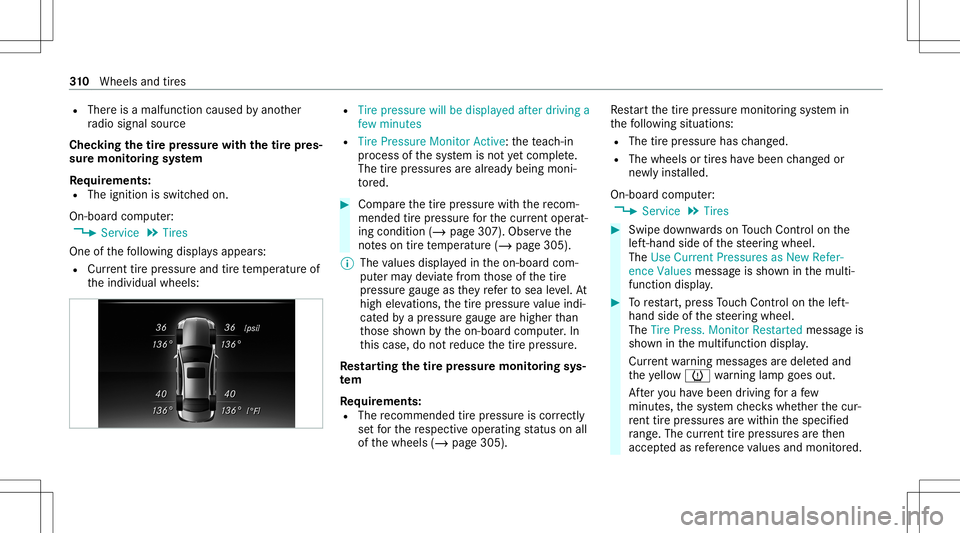
One ofthefo llo wing displa ysappear s:
R Cur rent tirepr ess ureand tirete mp eratur eof
th eindividual wheels: R
Tire pressure willbedisplayed afterdriving a
few minutes
R Tire Pressure MonitorAct ive: thete ac h-in
pr oce ssofthesy stem isno tye tcomple te.
The tirepr essur esarealr eady being moni‐
to re d. #
Com pareth etir epr essur ewit hth ere com‐
mend edtirepr ess urefo rth ecur rent operat‐
ing cond ition (/ page 307).Obse rveth e
no teson tirete mp eratur e(/ page305).
% The values displa yedin theon- boar dcom‐
put erma yde viat efrom those ofthetir e
pr essur ega ug eas they referto sea leve l.At
high elevatio ns, thetir epr essur eva lue indi‐
cat edbyapr essur ega ug ear ehigh erthan
th ose shownbytheon- boar dcom puter.In
th is case, donotre duce thetir epr essur e.
Re star ting thetir epr essur emoni toring sys‐
te m
Re quirement s:
R The recomme ndedtirepr ess ureis cor rectl y
se tfo rth ere spectiv eoper ating status onall
of thewheels (/page305). Re
star tth etir epr essur emonit oring system in
th efo llo wing situat ions:
R The tirepr essur ehas chang ed.
R The wheels ortires have been chang edor
ne wlyins talled.
On- boar dcom puter:
4 Service 5
Tires #
Swipe down wardson Touc hCon trol on the
lef t-hand sideofthesteer ing wheel.
The Use Current Pressures asNew Refer-
ence Values messag eis sho wninthemulti‐
func tion displa y. #
Torestar t,pr ess Touc hCon trol on thelef t-
hand sideofthesteer ing wheel.
The Tire Press. MonitorRestart edmessag eis
sho wninthemultifunc tiondispla y.
Cur rent wa rning mess ages aredele tedand
th eye llo w0077 warning lam pgoes out.
Af teryo uha ve been driving fora fe w
minut es,thesy stem checks whe ther thecur‐
re nt tirepr ess ures arewi thin thespecif ied
ra ng e. The current tirepr ess ures areth en
accep tedas refere nce values andmon itor ed. 31
0
Wheels andtires
Page 350 of 446
Disp
laymes sages Int
roducti on In
fo rm ation about displaymessag es
Displ aymessa gesappea ron themultifunc tion
displa y.
Dis play messa geswit hgr aphical symbols are
sim plified intheOper ator's Manual andmaydif‐
fe rfr om thesymbols onthemultifunc tiondis‐
pla y.The multifunct iondispla ysho wshigh-pr ior‐
ity displa ymessag esinred. Cer tain displa ymes‐
sag esareacc ompanied byawa rning tone.
Pl ea se act inacco rdanc ewit hth edispla ymes‐
sag esand follo wtheadditional notesin the
Oper ator's Manual .
Fo rsome display messa ges,asymbol willalso
be sho wn:
R Õ Further information
R 00A4 Hidedispla ymessag e
Wi th thelef t-hand Touc hCon trol, youcan select
th ere spectiv esymbol byswiping tothelef tor
ri ght. Press theÕ symbol tosho wfur ther infor‐ mation
onthemedia display.Press the00A4
symbol tohide thedispla ymessag e.
Yo ucan hide low- prior ity displa ymessag esby
pr essing theG backbutt onorthelef t-hand
To uc hCon trol. The displ aymessa geswill then
be stor ed inthemessag ememor y.
Re ctify thecause ofadispla ymessag eas
qu ickl yas possible .
High- prior ity displa ymess ages can notbe hid‐
den. Themultif unction displa ysho wsthese dis‐
pla ymessag escon tinuousl yuntil thecause of
th edispla ymessag ehas been rectif ied.
Cal ling up save ddispl aymes sages
On-b oard com puter:
4 Service5
1Mes sage
If th er ear eno displa ymessag es,NoMessages
will appear onthemultifunc tiondispla y. #
Scrollth ro ugh thedispla ymessag esby swip‐
ing upw ards ordown wardson thelef t-hand
To uc hCon trol. #
Toexitth emess agemem ory: press the
bac kbutt onG. 34
8
Dis play messa gesand warning/ indic ator lam ps
Page 354 of 446
Smar
tKey Disp
laymes sages
Possible causes/conseq uencesand0050 0050
Solutions
Á Obtain aNew Key *H
aveSmar tKey replaced. #
Consult aqu alif ied spec ialistwo rkshop.
Á Repla ceKey Battery *T
heSmar tKey batt eryis disc harged. #
Replace thebatt ery(/ page67 ).
Á
Key NotDetected(whit e
displa ymessag e) *T
heSmar tKey iscur rently undetect ed. #
Chang eth elocation oftheSmar tKey intheve hicle. #
Ifth eSmar tKey isstill no tre cogni zed,place itin themar kedspace forst ar tin gwit hth eSmar tKey
( / pag e14 2). 352
Displaymessa gesand warning/ indic ator lam ps
Page 358 of 446
Disp
laymes sages
Possible causes/conseq uencesand0050 0050
Solutions
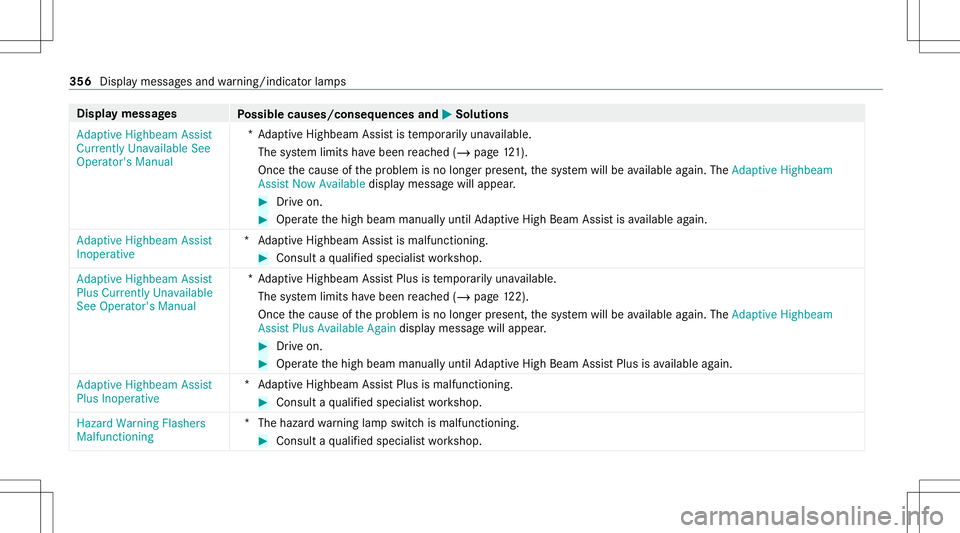
Adaptive Highbeam Assist
Currently Unavailable See
Operator' sManual *A
dap tiveHighbeam Assistis temp orarily una vailable.
The system limits have been reac hed (/page12 1).
On ce thecause ofthepr oblem isno long erpresent ,th esy stem will beavailable again. TheAdap tiveHig hbeam
As sist Now Available displaymes sagewill appear . #
Drive on . #
Operat eth ehigh beam manually untilAdaptiveHig hBeam Assis tis available again.
Adap tiveHig hbeam Assist
In oper ative *A
daptiveHighbeam Assistis malfunc tioning. #
Consult aqu alif ied spec ialistwo rkshop.
Adaptive Highbeam Assist
Plus Currently Unavailable
See Operator's Manual *A
dap tiveHighbeam AssistPlus istemp orarily una vailable.
The system limits have been reac hed (/page12 2).
On ce thecause ofthepr oblem isno long erpresent ,th esy stem will beavailable again. TheAdap tiveHig hbeam
As sist Plus Available Again displa ymes sagewill appear . #
Drive on . #
Operat eth ehigh beam manually untilAdaptiveHig hBeam Assis tPlus isavailable again.
Adap tiveHig hbeam Assist
Plus Inoper ative *A
daptiveHighbeam AssistPlus ismalfunc tioning. #
Consult aqu alif ied spec ialistwo rkshop.
Hazard Warning Flashers
Malfunctioning *T
hehazar dwa rning lam pswitc his malfun ctionin g. #
Consult aqu alif ied spec ialistwo rkshop. 356
Displa ymessag esand warning/ indic ator lam ps
Page 362 of 446
Engine
Displa
ymes sages
Possible causes/conseq uencesand0050 0050
Solutions
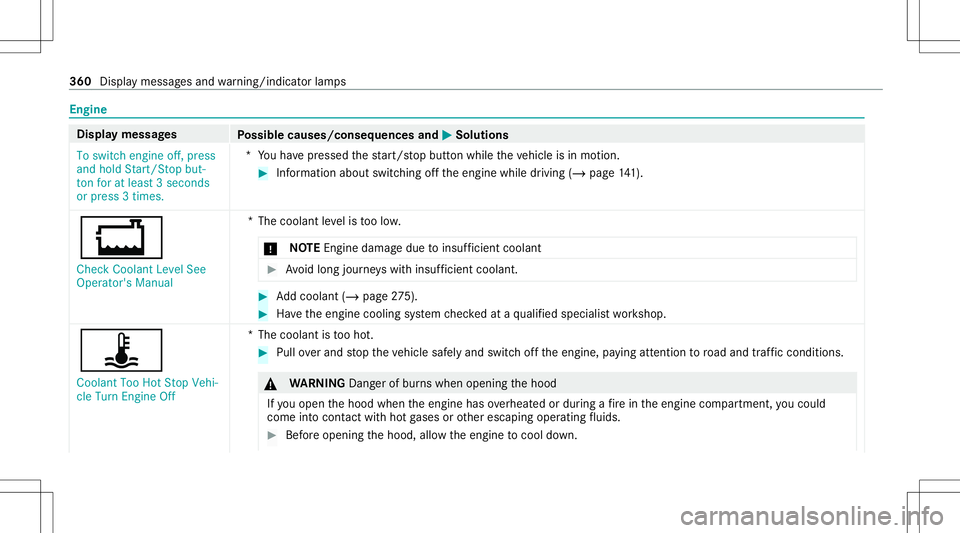
To switch engine off,press
and hold Start/S topbut-
ton foratleast 3secon ds
or press 3times. *Y
ouhave pressed thest ar t/ stop butt onwhile theve hicle isin mo tion. #
Information aboutswitchingoffth eengine whiledriving (/page14 1).
00BD Che ckCoola ntLeve lSee
Ope rator'sManua l *T
hecoolant leve lis toolow.
* NO
TEEngi nedama gedue toinsuf ficie ntcool ant #
Avoid long journeys wit hins ufficie ntcool ant. #
Addcoolant (/page27 5). #
Have theengine cooling system checkedat aqu alif ied spec ialistwo rkshop.
ÿ
Coola ntToo HotStop Vehi-
cle Turn Engine Off *T
hecoolant istooho t. #
Pull overand stop theve hicle safely and switc hof fth eengine, paying attent ion toroad and traffic condi tions. &
WARNIN GDang erofburnswhen opening thehood
If yo uopen thehood when theengine hasoverheat edordur ing afire intheengine compartmen t,yo uco uld
co me intoco ntact withho tga ses orother escaping operating fluids. #
Beforeopen ingthehood, allowtheengine tocool down. 360
Display mess ages and warning/ indic ator lam ps