display MERCEDES-BENZ E-CLASS ESTATE 2009 Owner's Manual
[x] Cancel search | Manufacturer: MERCEDES-BENZ, Model Year: 2009, Model line: E-CLASS ESTATE, Model: MERCEDES-BENZ E-CLASS ESTATE 2009Pages: 373, PDF Size: 12.37 MB
Page 68 of 373
G
Risk of accident
If, in a critical driving situation, you do not
receive a visual and acoustic warning:
R PRE-SAFE ®
Brake did not detect the risk of
a collision
R PRE-SAFE ®
Brake is switched off
R PRE-SAFE ®
Brake has failed
You must then brake to avoid a collision.
X To activate: activate PRE-SAFE ®
Brake in
the on-board computer (Y page 130).
The Ä symbol appears in the lower
multi-function display, as long as the HOLD
function is not activated (Y page 151).
On vehicles with parking guidance*, drive
range Pmust be engaged for the symbol to
be displayed.
The radar sensors are automatically deacti-
vated in the vicinity of radio telescope facili-
ties (Y page 362).
For PRE-SAFE ®
Brake to assist you when driv-
ing, the radar sensor system must be
switched on and operational.
PRE-SAFE ®
Brake does not always detect
complex traffic situations properly. You can
terminate the braking action of PRE-SAFE ®
Brake in a non-critical driving situation at any
time if:
R an acoustic and visual warning occurs
R the vehicle brakes
To end this you can either depress the accel-
erator pedal further, activate kickdown or
release the brake pedal.
The braking action of PRE-SAFE ®
Brake is
ended automatically if:
R you manoeuvre to avoid the obstacle.
R you drive slower than approximately
15 km/h.
R there is no longer an obstacle detected in
front of your vehicle.
R there is no longer any danger of a collision. Following a collision or crash-related damage
to the front end of the vehicle, have the con-
figuration and operation of the radar sensors
checked. Choose a qualified specialist work-
shop for this which has the necessary spe-
cialist knowledge and tools for the work
required. Mercedes-Benz recommends that
you use a Mercedes-Benz Service Centre for
this purpose.
Anti-theft systems
Immobiliser
The immobiliser prevents your vehicle from
being started without the correct key.
Activating the immobiliser X
With the key: remove the key from the
ignition lock.
X With KEYLESS GO*: press the start/stop
button on the dashboard.
The engine switches off.
Deactivating the immobiliser X
With the key: turn the key to position 2in
the ignition lock.
X With KEYLESS GO*: press the start/stop
button on the dashboard twice without
depressing the brake.
i The immobiliser is always deactivated
when you start the engine. ATA* (anti-theft alarm system)
A visual and audible alarm is triggered when
the alarm system is primed and you open:
R a door
R a door or the boot lid with the emergency
key element
R the boot lid/tailgate
R the bonnet Anti-theft systems
65Safety
* optional
212_AKB; 2; 4, en-GB
mkalafa
,V ersion: 2.11.8.1
2009-05-05T14:17:16+02:00 - Seite 65 Z
Dateiname: 6515346702_buchblock.pdf; erzeugt am 07. May 2009 14:15:44; WK
Page 87 of 373
!
To prevent damage, you must insert the
head restraints fully into their guides and
engage the belt buckles in their guides. X
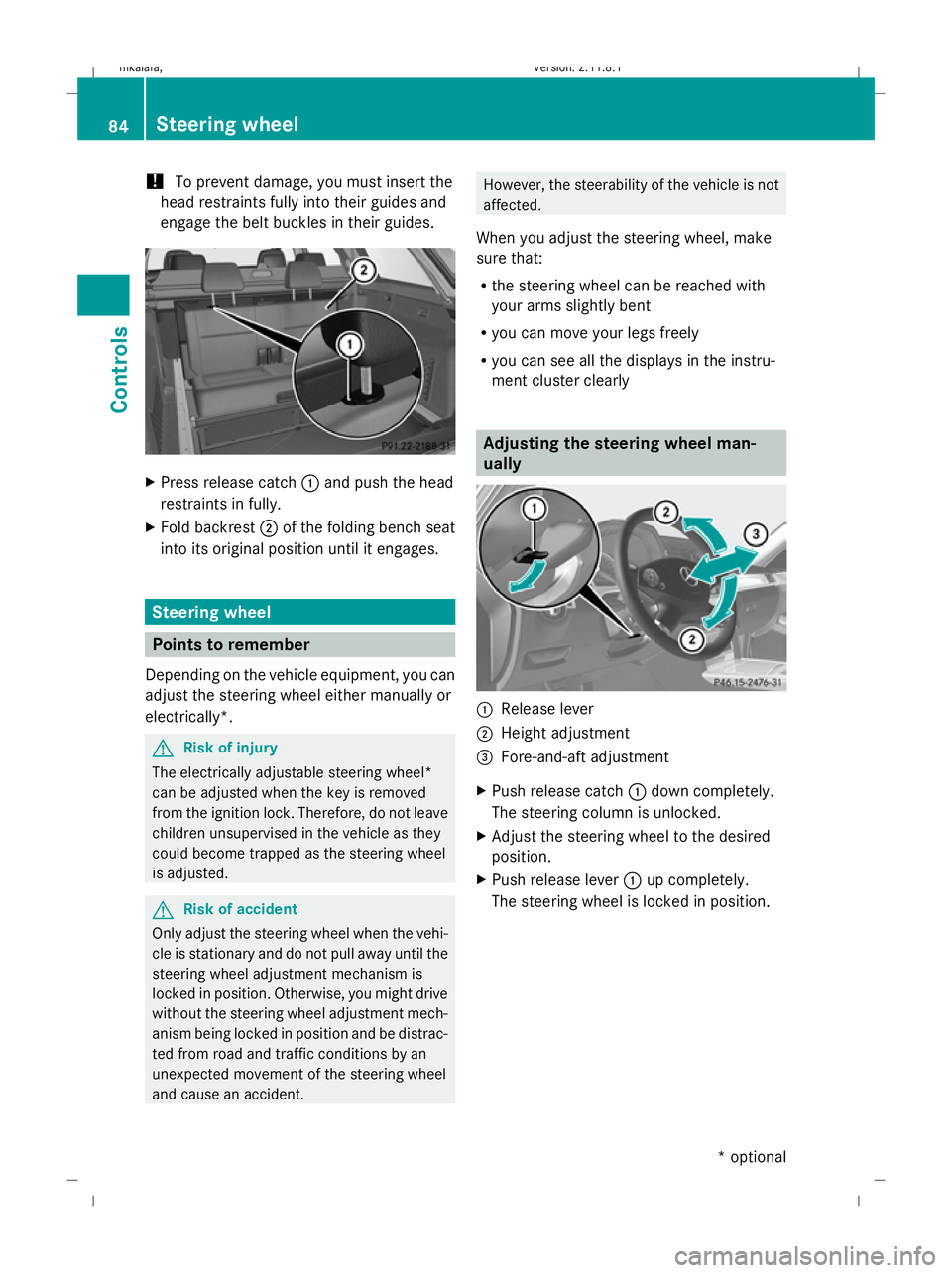
Press release catch :and push the head
restraints in fully.
X Fold backrest ;of the folding bench seat
into its original position until it engages. Steering wheel
Points to remember
Depending on the vehicle equipment, you can
adjust the steering wheel either manually or
electrically*. G
Risk of injury
The electrically adjustable steering wheel*
can be adjusted when the key is removed
from the ignition lock. Therefore, do not leave
children unsupervised in the vehicle as they
could become trapped as the steering wheel
is adjusted. G
Risk of accident
Only adjust the steering wheel when the vehi-
cle is stationary and do not pull away until the
steering wheel adjustment mechanism is
locked in position. Otherwise, you might drive
without the steering wheel adjustment mech-
anism being locked in position and be distrac-
ted from road and traffic conditions by an
unexpected movement of the steering wheel
and cause an accident. However, the steerability of the vehicle is not
affected.
When you adjust the steering wheel, make
sure that:
R the steering wheel can be reached with
your arms slightly bent
R you can move your legs freely
R you can see all the displays in the instru-
ment cluster clearly Adjusting the steering wheel man-
ually
:
Release lever
; Height adjustment
= Fore-and-aft adjustment
X Push release catch :down completely.
The steering column is unlocked.
X Adjust the steering wheel to the desired
position.
X Push release lever :up completely.
The steering wheel is locked in position. 84
Steering wheelControls
* optional
212_AKB; 2; 4, en-GB
mkalafa,
Version: 2.11.8.1 2009-05-05T14:17:16+02:00 - Seite 84
Dateiname: 6515346702_buchblock.pdf; erzeugt am 07. May 2009 14:15:55; WK
Page 94 of 373
Unfastening the belt
X
Press release button ?and guide belt
tongue ;back towards belt sash
guide :. Belt warning for driver and front
passenger
The 7 seat belt warning lamp in the instru-
ment cluster reminds you that all occupants
should fasten their seat belts. It is either lit
continuously or flashes. Additionally, there
may be a warning tone.
The 7 seat belt warning lamp goes out and
the warning tone ceases as soon as the driver
and front passenger have fastened their seat
belts.
For certain countries only: regardless of
whether the driver or the front passenger
already have their seat belt fastened, the
7 seat belt warning lamp lights up for six
seconds after the engine has been started. It
then goes out if both the driver and the front
passenger have fastened their seat belt.
i Further information about the 7seat
belt warning lamp (Y page 286). Belt height adjustment
You can adjust the seat belt height on the
driver's seat and the front-passenger seat.
Estate: you can also adjust the belt height on
the outer rear bench seats.
Adjust the belt to a height that allows it to be
routed across the middle of your shoulder. X
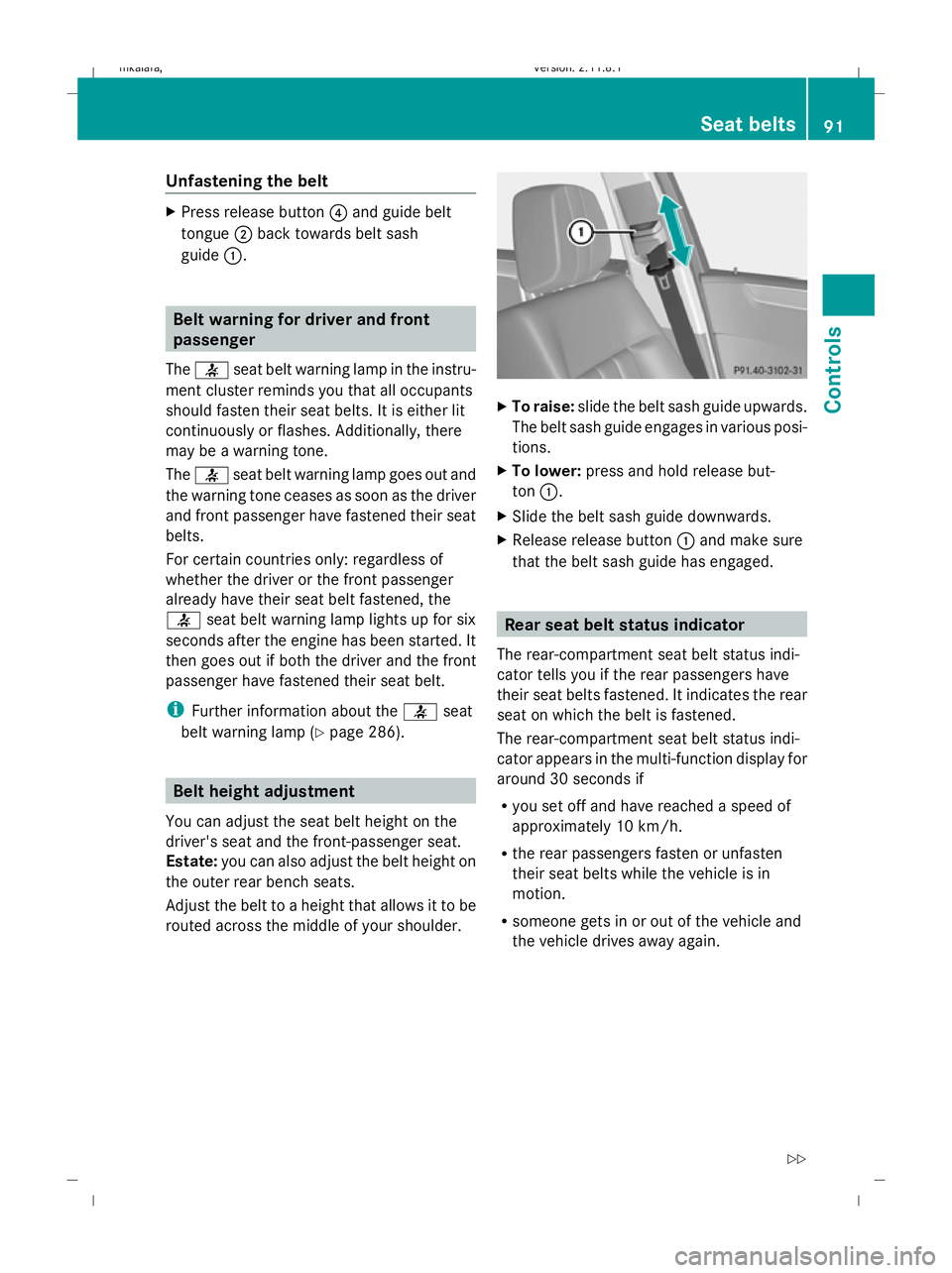
To raise: slide the belt sash guide upwards.
The belt sash guide engages in various posi-
tions.
X To lower: press and hold release but-
ton :.
X Slide the belt sash guide downwards.
X Release release button :and make sure
that the belt sash guide has engaged. Rear seat belt status indicator
The rear-compartment seat belt status indi-
cator tells you if the rear passengers have
their seat belts fastened. It indicates the rear
seat on which the belt is fastened.
The rear-compartment seat belt status indi-
cator appears in the multi-function display for
around 30 seconds if
R you set off and have reached a speed of
approximately 10 km/h.
R the rear passengers fasten or unfasten
their seat belts while the vehicle is in
motion.
R someone gets in or out of the vehicle and
the vehicle drives away again. Seat belts
91Controls
212_AKB; 2; 4, en-GB
mkalafa, Version: 2.11.8.1 2009-05-05T14:17:16+02:00 - Seite 91 Z
Dateiname: 6515346702_buchblock.pdf; erzeugt am 07. May 2009 14:15:57; WK
Page 95 of 373
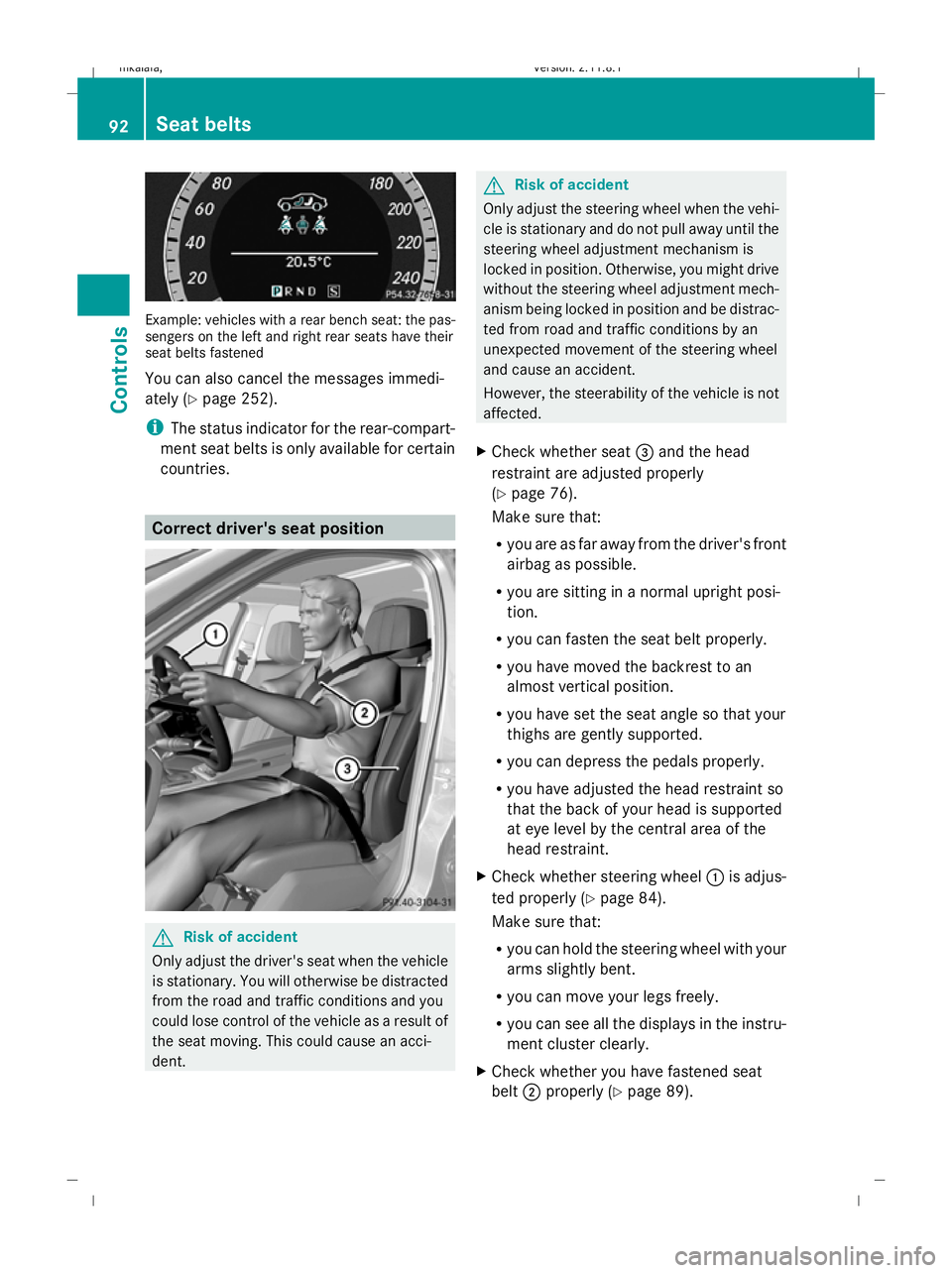
Example: vehicles with a rear bench seat: the pas-
sengers on the left and right rear seats have their
seat belts fastened
You can also cancel the messages immedi-
ately (Y page 252).
i The status indicator for the rear-compart-
ment seat belts is only available for certain
countries. Correct driver's seat position
G
Risk of accident
Only adjust the driver's seat when the vehicle
is stationary. You will otherwise be distracted
from the road and traffic conditions and you
could lose control of the vehicle as a result of
the seat moving. This could cause an acci-
dent. G
Risk of accident
Only adjust the steering wheel when the vehi-
cle is stationary and do not pull away until the
steering wheel adjustment mechanism is
locked in position. Otherwise, you might drive
without the steering wheel adjustment mech-
anism being locked in position and be distrac-
ted from road and traffic conditions by an
unexpected movement of the steering wheel
and cause an accident.
However, the steerability of the vehicle is not
affected.
X Check whether seat =and the head
restraint are adjusted properly
(Y page 76).
Make sure that:
R you are as far away from the driver's front
airbag as possible.
R you are sitting in a normal upright posi-
tion.
R you can fasten the seat belt properly.
R you have moved the backrest to an
almost vertical position.
R you have set the seat angle so that your
thighs are gently supported.
R you can depress the pedals properly.
R you have adjusted the head restraint so
that the back of your head is supported
at eye level by the central area of the
head restraint.
X Check whether steering wheel :is adjus-
ted properly (Y page 84).
Make sure that:
R you can hold the steering wheel with your
arms slightly bent.
R you can move your legs freely.
R you can see all the displays in the instru-
ment cluster clearly.
X Check whether you have fastened seat
belt ;properly (Y page 89). 92
Seat beltsControls
212_AKB; 2; 4, en-GB
mkalafa,
Version: 2.11.8.1 2009-05-05T14:17:16+02:00 - Seite 92
Dateiname: 6515346702_buchblock.pdf; erzeugt am 07. May 2009 14:15:58; WK
Page 109 of 373
Where possible, avoid spinning the drive
wheels when pulling away on slippery
roads. Otherwise, you could damage the
drive train.
! AMG vehicles: at low engine tempera-
tures (below +20 †), the maximum engine
speed is restricted in order to protect the
engine. Avoid driving at full throttle when
the engine is cold in order to protect the
engine and maintain smooth engine oper-
ation.
i It is only possible to move the selector
lever/DIRECT SELECT lever to the desired
position if you depress the brake pedal.
i The vehicle locks centrally once you have
pulled away. The locking knobs in the doors
drop down.
You can open the doors from the inside at
any time.
You can also switch off the automatic door
lock (Y page 134).
Manual transmission X
Depress the brake pedal and keep it
depressed.
X Depress the clutch pedal.
X Shift to either first or reverse gear.
X Release the parking brake (Y page 107).
X Release the brake pedal.
X Slowly release the clutch pedal and gently
depress the accelerator pedal.
! Change gear in good time and avoid spin-
ning the wheels. Otherwise, you could dam-
age the vehicle.
i BlueEFFICIENCY* vehicles: follow the
gearshift recommendations that appears in
the multi-function display, as these help to
improve fuel economy. Automatic transmission* X
Depress the brake pedal and keep it
depressed.
X Shift the transmission to position Dor R.
X Release the parking brake (Y page 107).
X Release the brake pedal.
X Carefully depress the accelerator pedal.
i Upshifts take place at higher engine
speeds after a cold start. This helps the
catalytic converter to reach its operating
temperature more quickly.
Hill start assist Hill start assist helps you when pulling away
forwards or in reverse on an uphill gradient.
It holds the vehicle for a short time after you
have removed your foot from the brake pedal.
This gives you time to move your foot from
the brake pedal to the accelerator pedal and
depress it before the vehicle begins to roll. G
Risk of accident
Never leave the vehicle when it is held by hill
start assist. After approximately one second,
hill start assist will no longer brake your vehi-
cle and it could roll away.
X Take your foot off the brake pedal.
i Once you have taken your foot off the
brake pedal, the vehicle is held for around
one second.
X Pull away.
Hill start assist will not function if:
R you are pulling away on a level road or a
downhill gradient.
R the transmission is in position Non vehi-
cles with automatic transmission*.
R the vehicle is secured with the parking
brake.
R ESP ®
is malfunctioning. 106
Driving and parkingControls
* optional
212_AKB; 2; 4, en-GB
mkalafa,
Version: 2.11.8.1 2009-05-05T14:17:16+02:00 - Seite 106
Dateiname: 6515346702_buchblock.pdf; erzeugt am 07. May 2009 14:16:04; WK
Page 111 of 373
Using the key
X
Turn the key to position 0(Y page 75) in
the ignition lock and remove it.
The immobiliser is activated.
i Vehicles with a selector lever: you can
only remove the key if the transmission is
in position P.
i Vehicles with a DIRECT SELECT lever:
if you switch off the engine with the trans-
mission in position Ror D, the automatic
transmission automatically shifts to N.
If you then open the driver's door or the
front-passenger door or remove the key
from the ignition, the automatic transmis-
sion shifts to P.
If you shift the automatic transmission to
N before switching off the engine, the auto-
matic transmission remains in Neven when
a door is opened.
Using KEYLESS GO*
X Press the Start/Stop button (Y page 75).
The engine stops and all the indicator
lamps in the instrument cluster go out
(Y page 27).
i Vehicles with a DIRECT SELECT lever:
if you switch off the engine using the Start/
Stop button, the automatic transmission
automatically shifts to N. If you open the
driver's or front-passenger door, the auto-
matic transmission shifts to P.
i The engine can be turned off while the
vehicle is in motion by pressing and holding
the Start/Stop button for three seconds.
This function operates independently from
the ECO Start/Stop automatic engine
switch-off function. ECO start/stop function
i The ECO Start/Stop function is only avail-
able for the A 200 CGI model with manual
transmission. The ECO Start/Stop function ensures that the
engine is switched off automatically under
certain conditions when the vehicle is moving
slowly.
The engine starts automatically when you pull
away again.
The ECO Start/Stop function thereby helps
you to reduce the fuel consumption and emis-
sions of your vehicle.
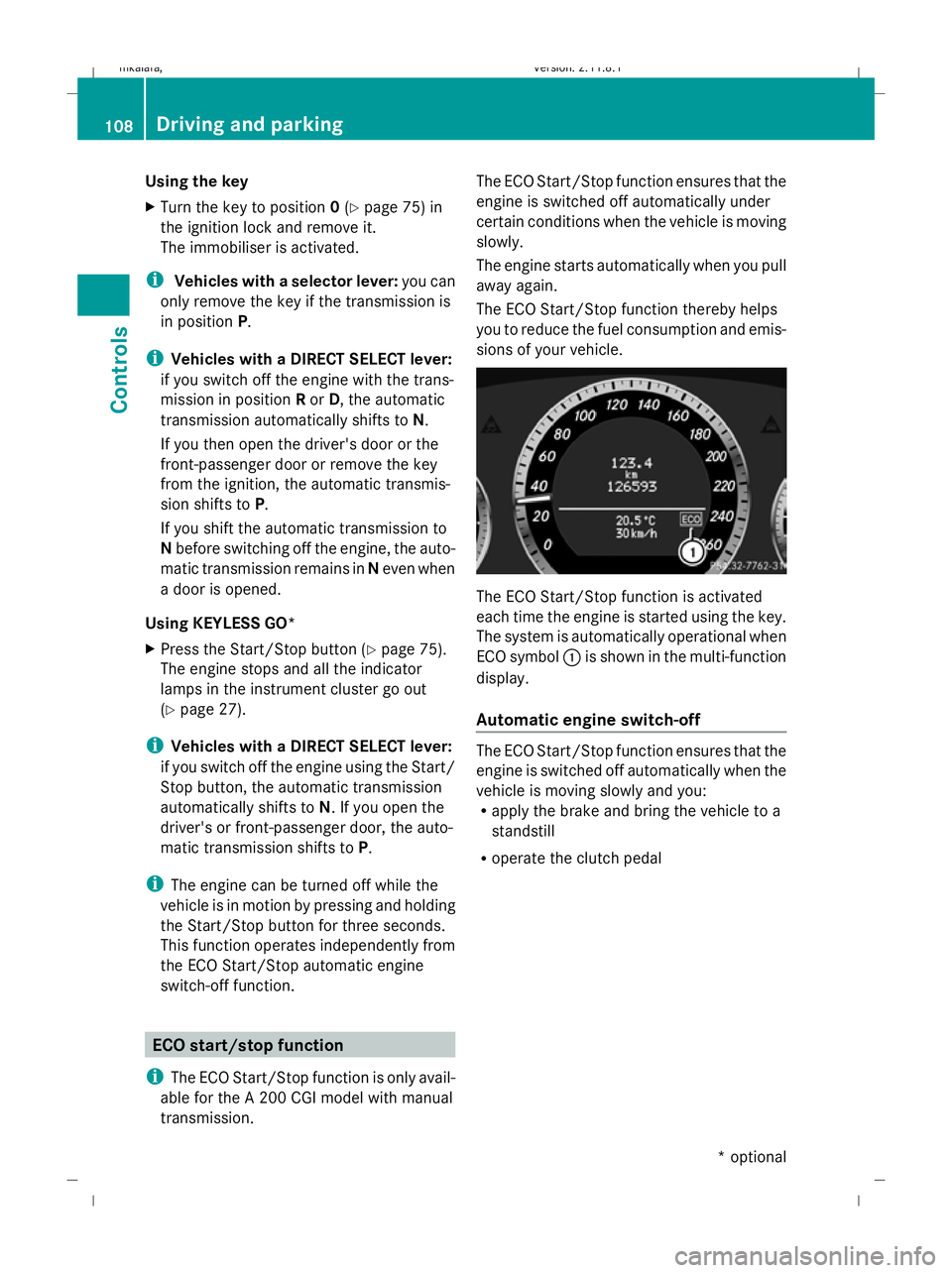
The ECO Start/Stop function is activated
each time the engine is started using the key.
The system is automatically operational when
ECO symbol
:is shown in the multi-function
display.
Automatic engine switch-off The ECO Start/Stop function ensures that the
engine is switched off automatically when the
vehicle is moving slowly and you:
R
apply the brake and bring the vehicle to a
standstill
R operate the clutch pedal 108
Driving and parkingControls
* optional
212_AKB; 2; 4, en-GB
mkalafa,
Version: 2.11.8.1 2009-05-05T14:17:16+02:00 - Seite 108
Dateiname: 6515346702_buchblock.pdf; erzeugt am 07. May 2009 14:16:05; WK
Page 114 of 373
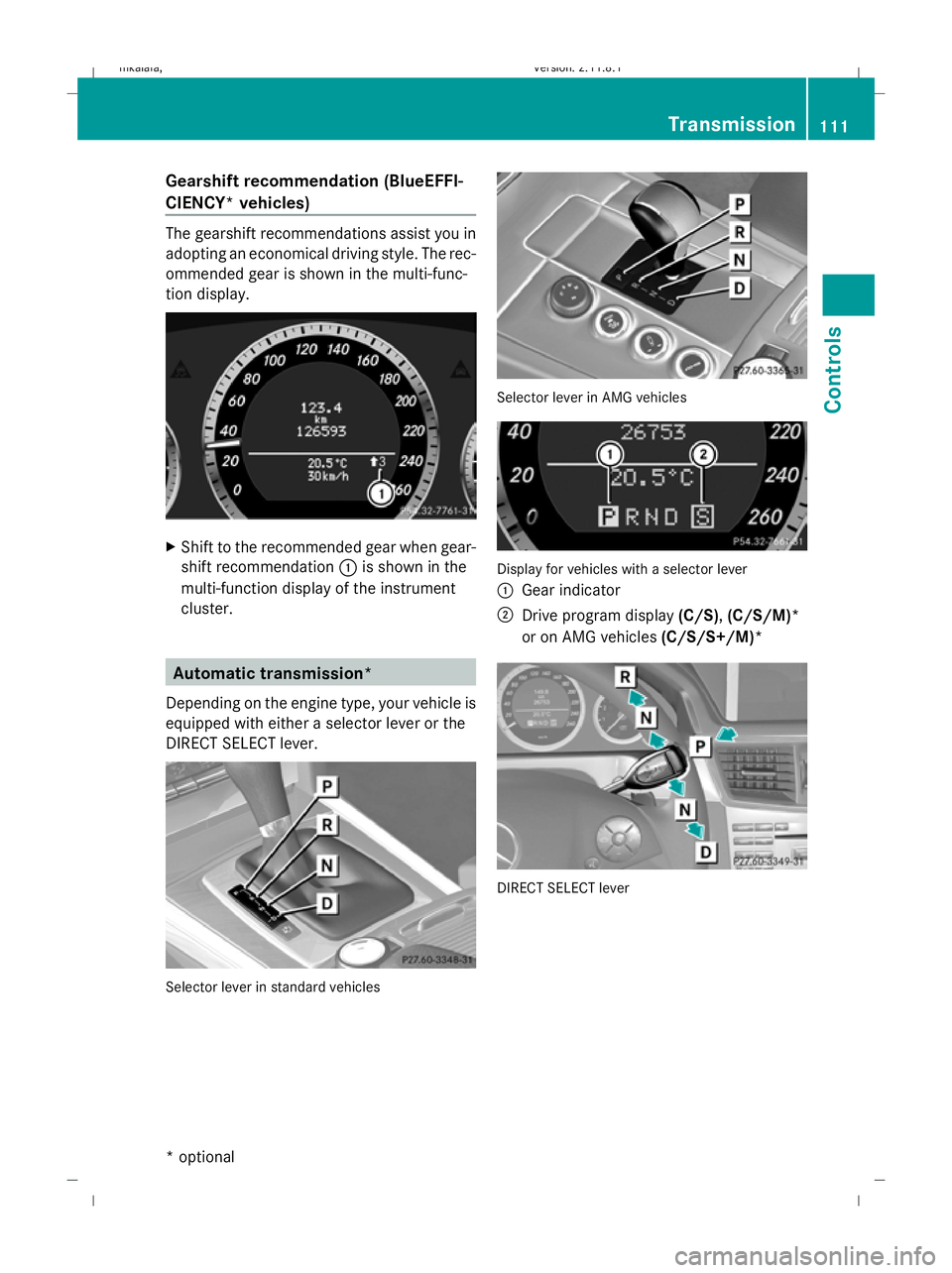
Gearshift recommendation (BlueEFFI-
CIENCY* vehicles)
The gearshift recommendations assist you in
adopting an economical driving style. The rec-
ommended gear is shown in the multi-func-
tion display.
X
Shift to the recommended gear when gear-
shift recommendation :is shown in the
multi-function display of the instrument
cluster. Automatic transmission*
Depending on the engine type, your vehicle is
equipped with either a selector lever or the
DIRECT SELECT lever. Selector lever in standard vehicles Selector lever in AMG vehicles
Display for vehicles with a selector lever
:
Gear indicator
; Drive program display (C/S),(C/S/M)*
or on AMG vehicles (C/S/S+/M)* DIRECT SELECT lever Transmission
111Controls
* optional
212_AKB; 2; 4, en-GB
mkalafa
,V ersion: 2.11.8.1
2009-05-05T14:17:16+02:00 - Seite 111 Z
Dateiname: 6515346702_buchblock.pdf; erzeugt am 07. May 2009 14:16:07; WK
Page 115 of 373
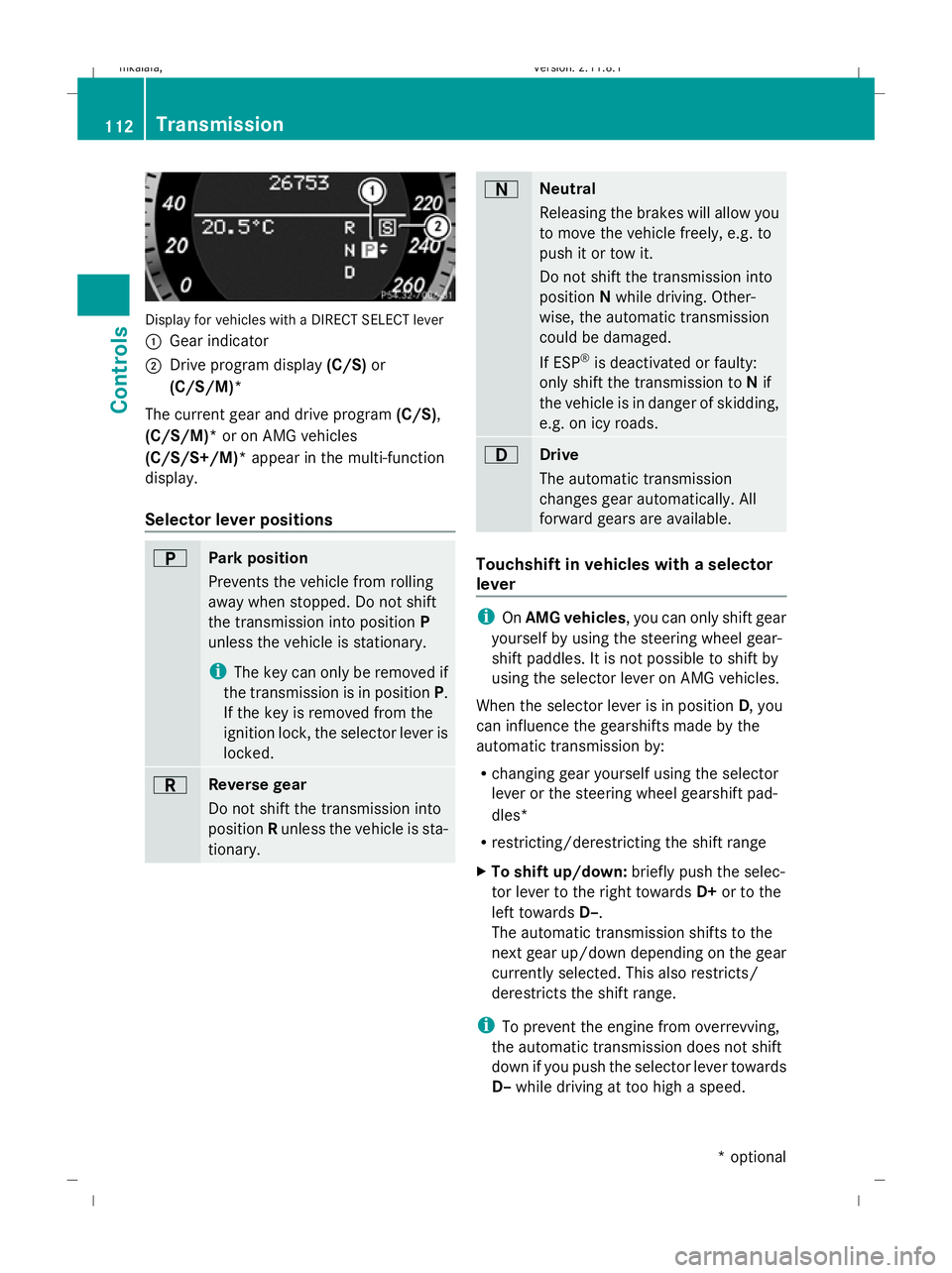
Display for vehicles with a DIRECT SELECT lever
: Gear indicator
; Drive program display (C/S)or
(C/S/M)*
The current gear and drive program (C/S),
(C/S/M)* or on AMG vehicles
(C/S/S+/M)* appear in the multi-function
display.
Selector lever positions B
Park position
Prevents the vehicle from rolling
away when stopped. Do not shift
the transmission into position P
unless the vehicle is stationary.
i The key can only be removed if
the transmission is in position P.
If the key is removed from the
ignition lock, the selector lever is
locked. C
Reverse gear
Do not shift the transmission into
position Runless the vehicle is sta-
tionary. A
Neutral
Releasing the brakes will allow you
to move the vehicle freely, e.g. to
push it or tow it.
Do not shift the transmission into
position
Nwhile driving. Other-
wise, the automatic transmission
could be damaged.
If ESP ®
is deactivated or faulty:
only shift the transmission to Nif
the vehicle is in danger of skidding,
e.g. on icy roads. 7
Drive
The automatic transmission
changes gear automatically. All
forward gears are available.
Touchshift in vehicles with a selector
lever
i
OnAMG vehicles , you can only shift gear
yourself by using the steering wheel gear-
shift paddles. It is not possible to shift by
using the selector lever on AMG vehicles.
When the selector lever is in position D, you
can influence the gearshifts made by the
automatic transmission by:
R changing gear yourself using the selector
lever or the steering wheel gearshift pad-
dles*
R restricting/derestricting the shift range
X To shift up/down: briefly push the selec-
tor lever to the right towards D+or to the
left towards D–.
The automatic transmission shifts to the
next gear up/down depending on the gear
currently selected. This also restricts/
derestricts the shift range.
i To prevent the engine from overrevving,
the automatic transmission does not shift
down if you push the selector lever towards
D– while driving at too high a speed. 112
TransmissionControls
* optional
212_AKB; 2; 4, en-GB
mkalafa,
Version: 2.11.8.1 2009-05-05T14:17:16+02:00 - Seite 112
Dateiname: 6515346702_buchblock.pdf; erzeugt am 07. May 2009 14:16:07; WK
Page 116 of 373
X
To derestrict the shift range: press and
hold the selector lever towards D+until D
is shown once more in the multi-function
display.
The automatic transmission shifts from the
current shift range directly to D.
X To select the most effective shift
range: press and hold the selector lever to
the left towards D–.
The automatic transmission shifts to a
range which allows ideal acceleration and
deceleration. To do this, the automatic
transmission shifts down one or more
gears.
Shift ranges i
OnAMG vehicles andvehicles with
steering wheel gearshift paddles*, you
can restrict or derestrict the shift range in
the same way as with Touchshift
(Y page 112).
When the automatic transmission is in posi-
tion D, it is possible to restrict or derestrict
the shift range.
X Briefly push the selector lever to the left/
right towards D+/D–.
The shift range selected is shown in the
multi-function display. The automatic
transmission shifts only as far as the selec-
ted gear.
i If the maximum engine speed for the shift
range is reached and you continue to accel-
erate, the automatic transmission shifts up
in order to prevent the engine from over-
revving, even if the shift range is restricted. Driving situations
=
The braking effect of the engine can
be used in this position 5
To use the braking effect of the
engine on downhill gradients and
for driving:
R
on steep mountain roads
R in mountainous terrain
R in arduous conditions 4
To use the braking effect of the
engine on extremely steep downhill
gradients and long downhill
stretches
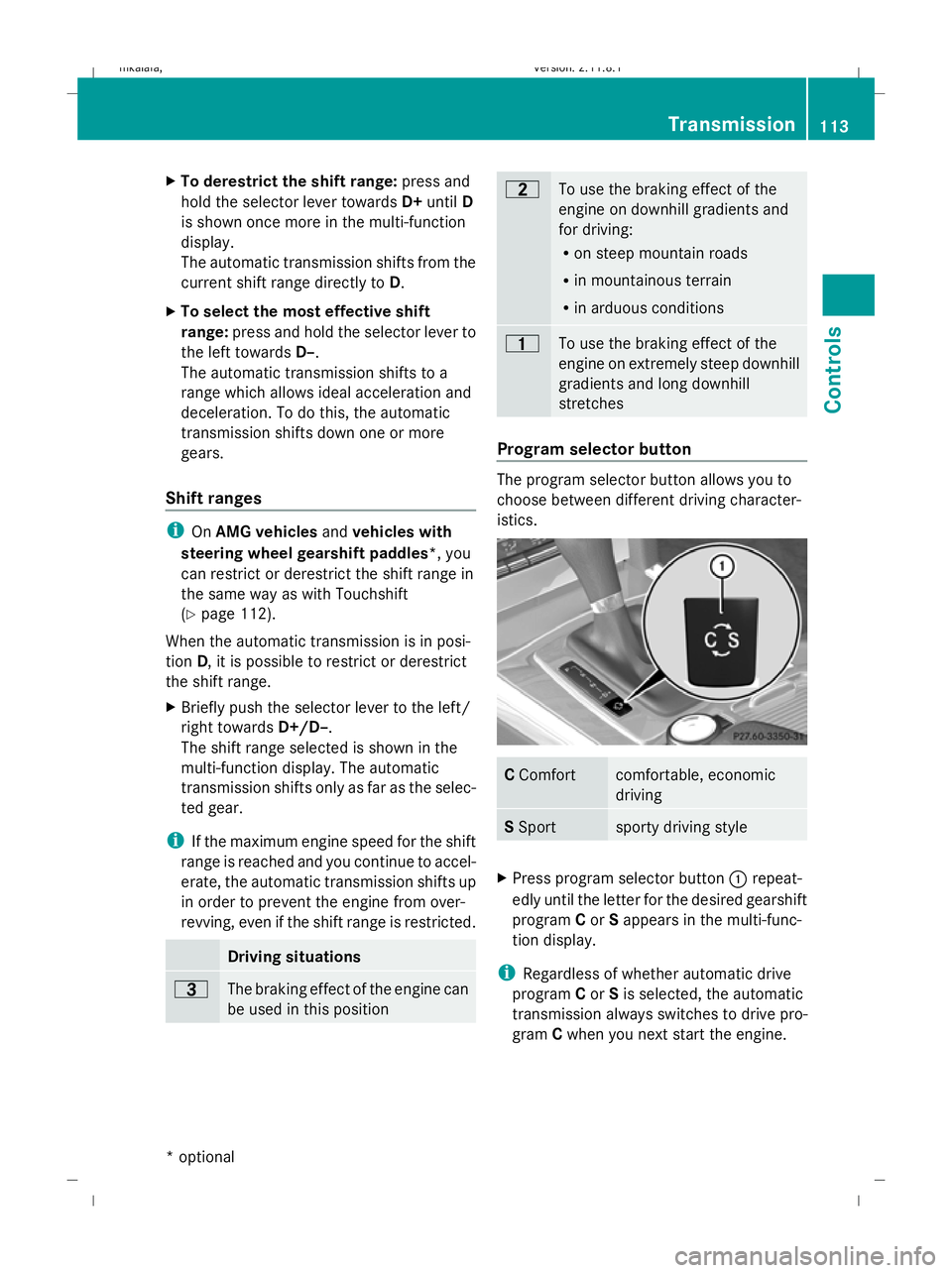
Program selector button
The program selector button allows you to
choose between different driving character-
istics.
C
Comfort comfortable, economic
driving
S
Sport sporty driving style
X
Press program selector button :repeat-
edly until the letter for the desired gearshift
program Cor Sappears in the multi-func-
tion display.
i Regardless of whether automatic drive
program Cor Sis selected, the automatic
transmission always switches to drive pro-
gram Cwhen you next start the engine. Transmission
113Controls
* optional
212_AKB; 2; 4, en-GB
mkalafa,
Version: 2.11.8.1 2009-05-05T14:17:16+02:00 - Seite 113 Z
Dateiname: 6515346702_buchblock.pdf; erzeugt am 07. May 2009 14:16:08; WK
Page 118 of 373
i
When the transmission is in position P,
N or R, you cannot change gear using the
steering wheel gearshift paddles.
Upshifting
X Pull right-hand paddle ;.
The automatic transmission shifts up to the
next gear.
If you are not driving in manual drive pro-
gram M, then the shift range will be deres-
tricted.
Downshifting
X Pull left-hand paddle :.
The automatic transmission shifts down to
the next gear.
If you are not driving in manual drive pro-
gram M, then the shift range will be restric-
ted.
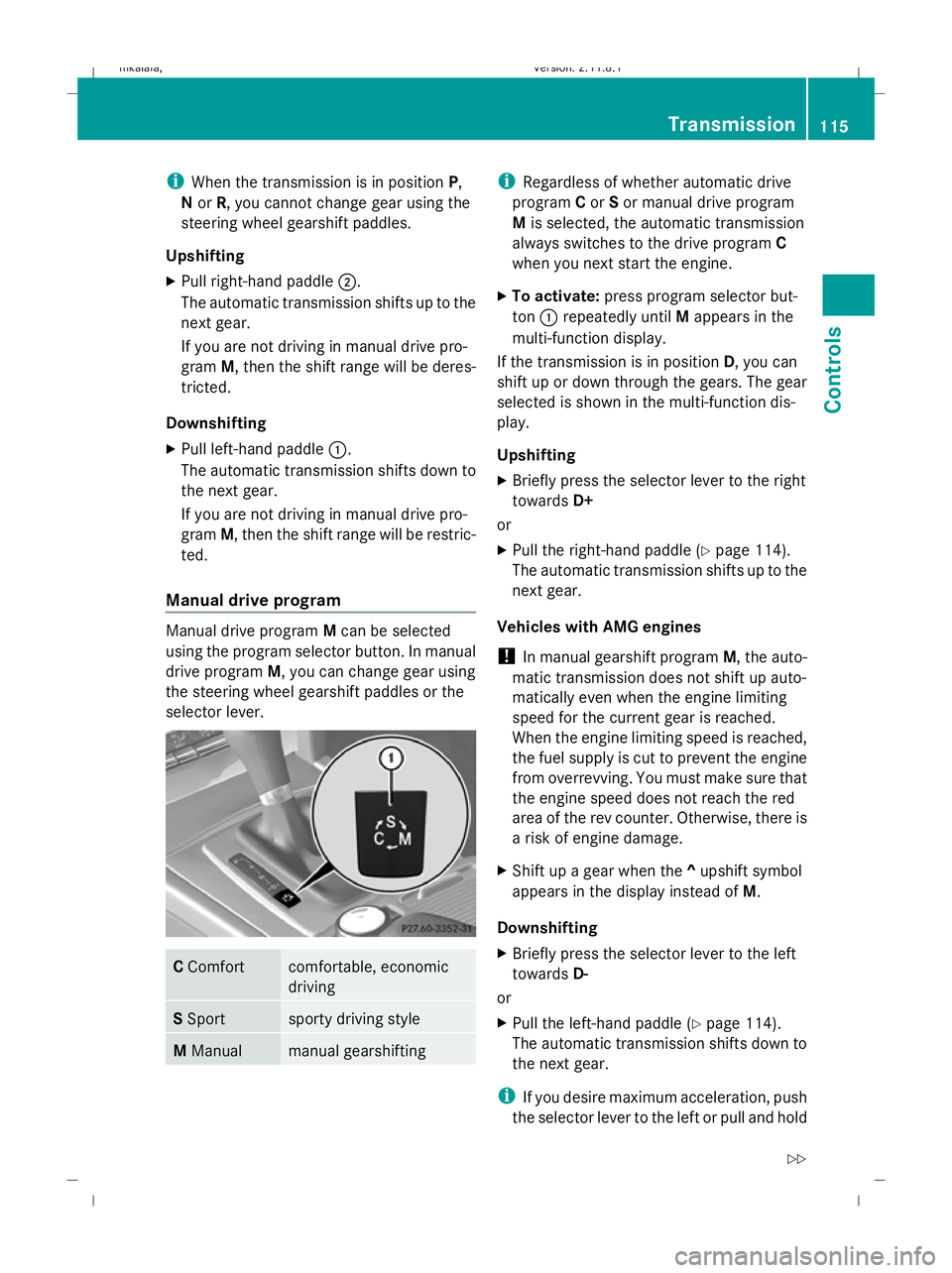
Manual drive program Manual drive program
Mcan be selected
using the program selector button. In manual
drive program M, you can change gear using
the steering wheel gearshift paddles or the
selector lever. C
Comfort comfortable, economic
driving
S
Sport sporty driving style
M
Manual manual gearshifting i
Regardless of whether automatic drive
program Cor Sor manual drive program
M is selected, the automatic transmission
always switches to the drive program C
when you next start the engine.
X To activate: press program selector but-
ton :repeatedly until Mappears in the
multi-function display.
If the transmission is in position D, you can
shift up or down through the gears. The gear
selected is shown in the multi-function dis-
play.
Upshifting
X Briefly press the selector lever to the right
towards D+
or
X Pull the right-hand paddle ( Ypage 114).
The automatic transmission shifts up to the
next gear.
Vehicles with AMG engines
! In manual gearshift program M, the auto-
matic transmission does not shift up auto-
matically even when the engine limiting
speed for the current gear is reached.
When the engine limiting speed is reached,
the fuel supply is cut to prevent the engine
from overrevving. You must make sure that
the engine speed does not reach the red
area of the rev counter. Otherwise, there is
a risk of engine damage.
X Shift up a gear when the ^upshift symbol
appears in the display instead of M.
Downshifting
X Briefly press the selector lever to the left
towards D-
or
X Pull the left-hand paddle ( Ypage 114).
The automatic transmission shifts down to
the next gear.
i If you desire maximum acceleration, push
the selector lever to the left or pull and hold Transmission
115Controls
212_AKB; 2; 4, en-GB
mkalafa, Version: 2.11.8.1 2009-05-05T14:17:16+02:00 - Seite 115 Z
Dateiname: 6515346702_buchblock.pdf; erzeugt am 07. May 2009 14:16:08; WK