ECO mode MERCEDES-BENZ E-CLASS ESTATE 2016 Owner's Manual
[x] Cancel search | Manufacturer: MERCEDES-BENZ, Model Year: 2016, Model line: E-CLASS ESTATE, Model: MERCEDES-BENZ E-CLASS ESTATE 2016Pages: 565, PDF Size: 11.34 MB
Page 370 of 565
Channel list
overview The
TVtuner sho wsthe cur rent programme on
th e digital TVchannels or radio stations with
adequate reception in its ownch annel list.
The order of thech annel lists is alphabetical or
countr y-specific.
The TVtuner requ ires a short amount of time to
update the information.
The channel lists show thefo llowing information:
R recei vable channel names
R program title
The information is shown under thefo llowing
conditions:
R it is broadcast bythe digital channel
R there ception conditions are adequate Favo
urites Overview of
favo urites
Yo u can create a total of 40 digital TVchannel
fa vo urites. Qui
ck-saving a TVchannel
Multimedia sy stem:
, Media .
à Devices .
TV #
In full-screen mode, press theto uchpad for
longer than thre e seconds.
The cur rent TV channel is stored in the
fa vo urites in the next available position.
St oring TVchannels
Multimedia sy stem:
, Media .
à Devi-
ces .
TV .
ß Favourites #
Select Save current station .
The cur rent channel is stored in thefa vo ur‐
ites in the next available position. #
Alternatively: highlight thech annel in the
ch annel list and store as a favo urite.
Moving channels in thefa vo urites #
Highlight a channel in thefa vo urites. #
Select ¥Move highlighted station. #
Highlight the new position. #
Confirm the position. Deleting
stations #
Highlight a channel in thefa vo urites. #
Select ¥Delete highlighted station. #
Select Yes.
Using a voice tag
Multimedia sy stem:
, Media .
à Devi-
ces .
TV .
ß Favourites #
Highlight a TVchannel in thefa vo urites. #
Select ¥Voice tag . #
Alternatively: use a voice tag inthech annel
list.
Creating a voice tag #
Select Add. #
Say a voice tag.
A message appears when thevo ice tag has
been created.
Lis tening toavo ice tag #
Select Listen. Multimedia sy
stem 367
Page 393 of 565
Flat ty
re Note
s onflat tyres &
WARNING Risk of accident due toaflat
tyre
A flat tyre se verely affects the driving charac‐
te rist ics as well as thesteering and braking
of theve hicle.
Ty res without run-flat characteristics: #
Do not drive on with a flat tyre. #
Chan getheflat tyre immediately with
th e emer gency spa rewheel or spare
wheel. Alternativel y,consult a qualified
specialist workshop.
Ty res with run-flat characteristics: #
Obse rveth e information and warning
no tes on MOExtended tyres (run-flat
tyres). In
theeve nt of a flat tyre, thefo llowing options
are available depending on your vehicle's equip‐
ment:
R Vehicles with MOExtended tyres: it is pos‐
sible tocontinue the journey for a short
period of time. Make sure you obse rvethe
no tes on MOExtended tyres (run-flat tyres)
(→ page 390).
R Vehicles with a TIREFIT kit: you can repair
th e tyre so that it is possible tocontinue the
jou rney for a short period of time. Todo this,
use the TIREFIT kit (→ page 392).
R Vehicles with a Mercedes-Benz emer‐
ge ncy call sy stem: intheeve nt of a flat
tyre, consult the Mercedes-Benz emer gency
call sy stem Cus tomer Assis tance Centre.
R Change the wheel (→ page 422).
% The emer gency spa rewheel is only available
in cer tain countries. MOExtended tyres (run-
flat tyres) Wi
th MOExtended tyres (run-flat tyres), you can
continue todrive your vehicle even if there is a tot
al loss of pressure in one or more tyres. How‐
eve r,th e tyre af fected must not show any clearly
visible damage.
Yo u can recognise MOExtended tyres bythe
MOExtended marking which appears onthe side
wa ll of the tyre.
Ve hicles with tyre pressure loss warning sys‐
te m: MOExtended tyres may only be used in
conjunction wi than activated tyre pressure loss
wa rning sy stem.
Ve hicles with tyre pressure monitoring sys‐
te m: MOExtended tyres may only be used in
conjunction wi than activated tyre pressure mon‐
itoring sy stem.
If a pressure loss warning message appears in
th e multifunction display:
R Check the tyres for dama ge
R If driving on, obser vethefo llowing no tes &
WARNING Risk of accident when driving
in run-flat mode
When driving in run-flat mode, the handling
ch aracteristics are impaired. e.g. when cor‐ 390
Breakdown assistance
Page 421 of 565
&
WARNING Risk of accident due toincor‐
re ct dimensions of wheels and tyres
If wheels and tyres of the wrong size are
used, the wheel brakes or wheel suspension
components may become damaged. #
Alw aysre place wheels and tyres with
th ose that fulfil the specifications of the
original part.
When replacing wheels, make sure tofit the
cor rect:
R Designation
R Type
When replacing tyres, make sure tofit the
cor rect:
R Designation
R Manufactu rer
R Type &
WARNING Risk of inju rythro ugh exceed‐
ing the specified tyre load-bearing capa‐
city or the permissible speed rating
Exceeding the specified tyre load-bearing
capacity or the permissible speed rating may
lead totyre dama geand tothe tyres bur st‐
ing. #
Therefore, only use tyre types and sizes
appr ovedfo ryo ur vehicle model. #
Obser vethe tyre load-bearing capacity
ra ting and speed rating requ iredfor
yo ur vehicle. *
NO
TEDama getovehicle and tyres due
to non-app rove d tyre types and sizes Fo
r saf etyre asons, on lyuse wheels, tyres
and accessories which ha vebeen appr oved
fo ryo ur vehicle byMercedes-Benz. These tyres ha
vebeen specially adap tedfor
use with the control sy stems, e.g. ABS or
ESP ®
, and are mar ked as follo ws:
R MO = Mercedes-Benz Original
R MOE = Mercedes-Benz Original Extended
(run-flat tyres only for cer tain wheels)
R MO1 = Mercedes-Benz Original (only cer‐
tain AMG tyres)
Cer tain characteristics, e.g. handling, vehicle
noise emissions or fuel consum ption, may
ot herwise be adversely af fected. In addition,
when driving wi tha load, tyre dimension var‐
iations could cause the tyres tocome into
contact wi th the body and axle components.
This could result in damage tothe tyres or
th eve hicle.
Only use tyres, wheels or accessories tested
and appr oved byMercedes-Benz. 41 8
Wheels and tyres
Page 440 of 565
Note
s on fuel consum ption
+ ENVIRONMENTAL
NOTEIncreased CO
2
‑emissions due toinc reased fuel con‐
sum ption Yo
ur vehicle's CO
2‑emissions are di
rectly
re lated tofuel consum ption. #
You can minimise your vehicle's CO
2
emissions bydriving carefully and hav‐
ing your vehicle serviced regular ly. %
Only for cer tain countries: you can find the
cur rent consu mption and emission values of
yo ur vehicle in theCO C documents (EU CER‐
TIFIC ATE OF CONFORMITY). These docu‐
ments are deli vered with your vehicle.
The consum ption figures weredeterm ined,
based on the cur rently applicable version of
th est andard:
R Vehicles that comply with standards up
to and including the EURO 4 standard:
EU Directive RL80/1268/EEC R
Vehicles that comply with or exceed the
EURO 5 standard: Regulation (EC) No.
71 5/2007
Ta nk capacity and reser vefuel le vel
The total capacity of the fuel tank may vary,
depending on theve hicle equipment.
Fi lling capacity Model
Total capacity
E 400 4M ATIC 66.0 l
or
80.0 l
All other models 50.0 l
or
66.0 l Model
Of whichreser ve
fuel
All model s7 .0 l Ad
blue ® Note
s onAdBlue ®
Obser vethe no tes on operating fluids
(→ page 433).
Ad Blue ®
is a wate r-soluble fluid forth eex haust
ga s af tertre atment of diesel engines.
* NO
TEDama gecaused bydiluting or mix‐
ing additives with AdBlue ® Diluting or mixing additives wi
th AdBlue®
can
destr oythe BlueTEC exhaust gas af tertre at‐
ment sy stem. #
Only use AdBlue ®
in acco rdance with
ISO 22 241. #
Do not use additives. #
Do not dilu teAd Blue ®
. Te
ch nical da ta437
Page 441 of 565
*
NO
TEDama geand malfunctions due to
impurities in AdBlue ® Impu
rities in AdBlue ®
lead to:
R Increased emissions values
R Damage tothe catalytic con verter
R Engine damage
R BlueTEC exhaust gas af tertre atment mal‐
functions #
Avoid impurities in AdBlue ®
. +
ENVI
RONMENTAL NOTEContamination
caused byAdBlue ® Ad
Blue ®
re sidues cr ystallise af ter a period of
time, and contamina tethe sur faces wi th
which they come into contact. #
Surfaces that ha vecome into contact
wi th Ad Blue®
while refilling must be
immediately rinsed wi thwa ter,or
Ad Blue ®
must be remo ved with a damp
clo thand cold water. If
Ad Blue ®
has al ready cr ystallised, clean it
with a spon geand cold water. When
you open theAd Blue ®
tank, small
amounts of ammonia vapour may escape. Do
not inhale any ammonia vapours that may be
re leased. Only fill th eAd Blue ®
tank in well-venti‐
lated areas.
Ad Blue ®
filling capacity
To tal capacity of AdBlue ®
tank Mode
lT otal capacity
All models 23.5 l Engine oil
Note
s on engine oil
Obser vethe no tes on operating fluids
(→ page 433). *
NO
TEEngine dama gecaused byan
incor rect oil filter, incor rect oil or addi‐
tives #
Do not use engine oils or oil filters
which do not cor respond tothe specifi‐
cations explicitly prescribed forthe
service inter vals. #
Do not alter the engine oil or oil filter in
order toachie velonger change inter vals
th an presc ribed. #
Do not use additives. #
Have the engine oil rene we d at regular
inter vals. 438
Tech nical da ta
Page 442 of 565
Mercedes-Benz
recommends that you ha vethe
oil change car ried out at a qualified specialist
wo rkshop.
Only Mercedes-Benz appr oved engine oils may
be used in Mercedes-Benz engines.
Fu rther information on engine oils and oil filters:
R Inthe Mercedes-Benz Specifications for
operating fluids at http://be vo.mercedes-
benz.co m (by en tering the designation)
R Ataqu alified specialist workshop
Pet rol engines: For cer tain countries, dif fere nt
engine oils can be used in conjunction wi th
re duced maintenance inter vals. For more infor‐
mation, please contact a qualified specialist
wo rkshop.
Quality and filling capacity of engine oil
MB- Freigabe or MB -Appr oval Pe
trol engine sM B-Freigabe or MB-
Appr oval
All models 229.5, 229.6 MB-F
reigabe or MB-Appr oval Diesel engine
sMB-Freigabe or MB-
Appr oval
E 350 d2 28.51,229.3 1,
229.5 1,229.52
All other models 228.51 , 229.31,
229.5 1,229.52,
229.71 If
th e engine oils lis ted in theta ble are not avail‐
able, you may add a maximum of 1.0 lof thefo l‐
lowing engine oils once only:
R Petrol engines: MB-Freigabe or MB-Appr oval
229.3 or ACEA A3/B3
R Diesel engines: MB-Freigabe or MB-
Appr oval 229.3, 229.5 or ACEA C3
The following values referto an oil change,
including the oil filter: Re
placement amount Mode
lR eplacement
amount
E 200
E 250 7.
0 l
E 200 4MATIC
E 400 4MATIC 6.5 l
E 350 d9 .0 l
All other models 6.3 l Note
s on brake fluid Obser
vethe no tes on operating fluids
(→ page 433). &
WARNING Risk of an accident due to
va pour poc kets form ing in the brake sys‐
tem
The brake fluid cons tantly absorbs moi sture
from the air. This lo wersthe boiling point of Te
ch nical da ta439
Page 472 of 565
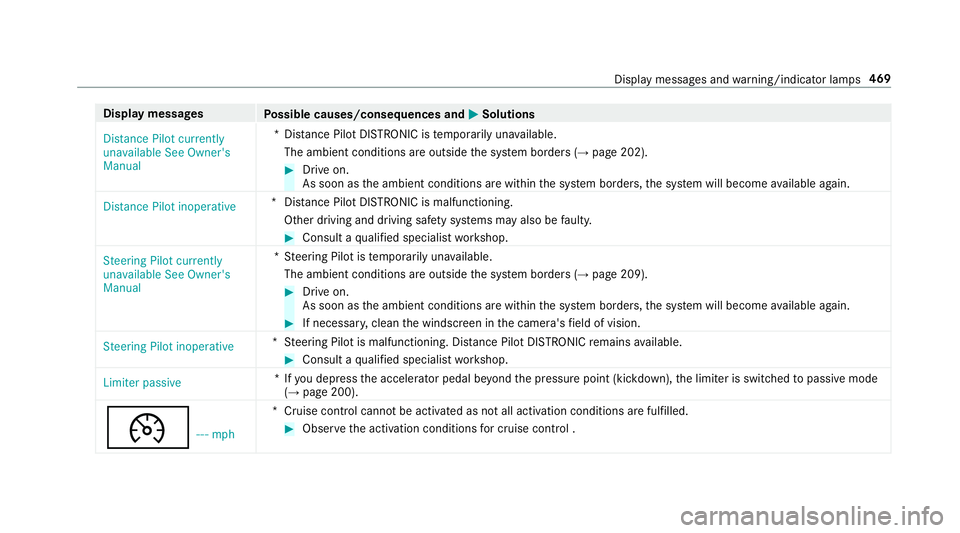
Display messages
Possible causes/consequences and M
MSolutions
Distance Pilot currently
unavailable See Owner's
Manual *D
ista nce Pilot DISTRONIC is temp orarily una vailable.
The ambient conditions are outside the sy stem borders (→ page 202). #
Drive on.
As soon as the ambient conditions are within the sy stem borders, the sy stem will become available again.
Distance Pilot inoperative *D
ista nce Pilot DISTRONIC is malfunctioning.
Other driving and driving sa fety sy stems may also be faulty. #
Consult a qualified specialist workshop.
Steering Pilot currently
unavailable See Owner's
Manual *S
teering Pilot is temp orarily una vailable.
The ambient conditions are outside the sy stem borders (→ page 209). #
Drive on.
As soon as the ambient conditions are within the sy stem borders, the sy stem will become available again. #
If necessar y,clean the windscreen in the camera's field of vision.
Steering Pilot inoperative *S
teering Pilot is malfunctioning. Dis tance Pilot DISTRONIC remains available. #
Consult a qualified specialist workshop.
Limiter passive *I
fyo u depress the accelera tor pedal be yond the pressure point (kickdown), the limiter is switched topassive mode
(→ page 200).
¯ ---mph *C
ruise control cannot be activated as not all activation conditions are fulfilled. #
Obser vethe activation conditions for cruise control . Display messa
ges and warning/indicator lamps 469
Page 523 of 565
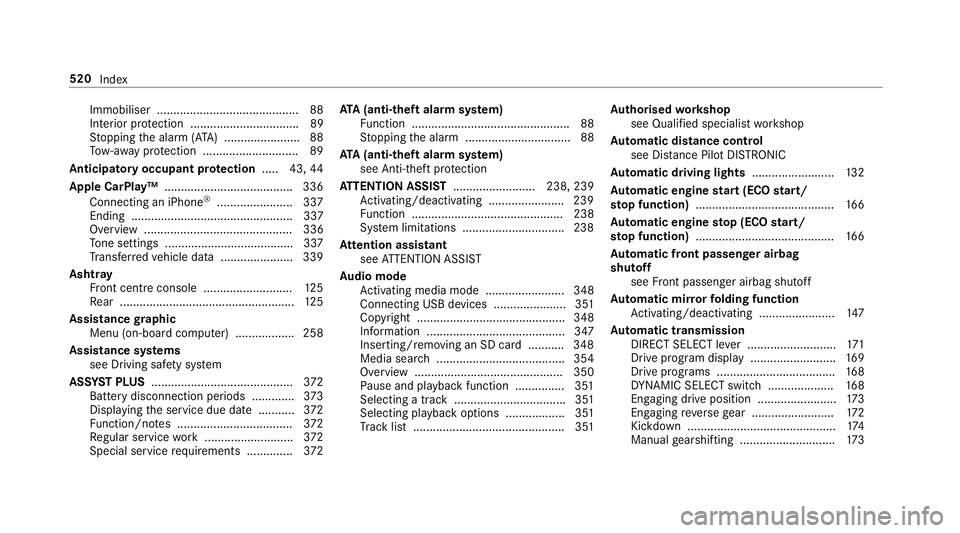
Immobiliser ...........................................88
Interior pr otection ................................. 89
St opping the alarm (A TA) .......................88
To w- aw ay protection ............................. 89
Anticipatory occupant pr otection .....4 3,44
Apple CarPlay™ ...................................... .336
Connecting an iPhone ®
....................... 337
Ending ................................................. 337
Overview ............................................. 336
To ne settings ....................................... 337
Tr ans ferred vehicle data ......................3 39
Ashtr ay
Fr ont centre console ........................... 12 5
Re ar .................................................... .125
Assistance graphic
Menu (on-boa rdcompu ter) .................. 258
Assistance sy stems
see Driving saf ety sy stem
ASS YST PLUS ........................................... 372
Battery disconnection periods ............. 373
Displ aying the service due date ........... 372
Fu nction/no tes ................................... 372
Re gular service work ........................... 372
Special service requirements .............. 372ATA
(anti-theft ala rmsystem)
Fu nction ................................................ 88
St opping the alarm ................................ 88
ATA (anti-theft ala rmsystem)
see Anti- theft pr otection
AT TENTION ASSI ST......................... 238, 239
Ac tivating/deactivating ...................... .239
Fu nction .............................................. 238
Sy stem limitations ...............................2 38
At tention assistant
see ATTENTION ASSIST
Au dio mode
Ac tivating media mode ........................ 348
Connecting USB devices ...................... 351
Co pyright ............................................. 348
Information .......................................... 347
Inserting/re moving an SD card .......... .348
Media sea rch ....................................... 354
Overview ............................................. 350
Pa use and playback function .............. .351
Selecting a track .................................. 351
Selecting pl ayback options .................. 351
Tr ack list .............................................. 351 Au
thorised workshop
see Qualified specialist workshop
Au tomatic distance control
see Dis tance Pilot DISTRONIC
Au tomatic driving lights .........................13 2
Au tomatic engine start (ECO start/
sto p function) .......................................... 16 6
Au tomatic engine stop (ECO start/
sto p function) .......................................... 16 6
Au tomatic front passen ger airbag
shu toff
see Front passenger airbag shutoff
Au tomatic mir rorfo lding function
Ac tivating/deactivating ...................... .147
Au tomatic transmission
DIRECT SELECT le ver ........................... 171
Drive program display .......................... 16 9
Drive programs .................................... 16 8
DY NA MIC SELECT switch .................... 16 8
Engaging drive position ........................ 173
Engaging reve rsege ar ........................ .172
Kickdown ............................................. 174
Manual gearshifting ............................ .173 520
Index
Page 535 of 565
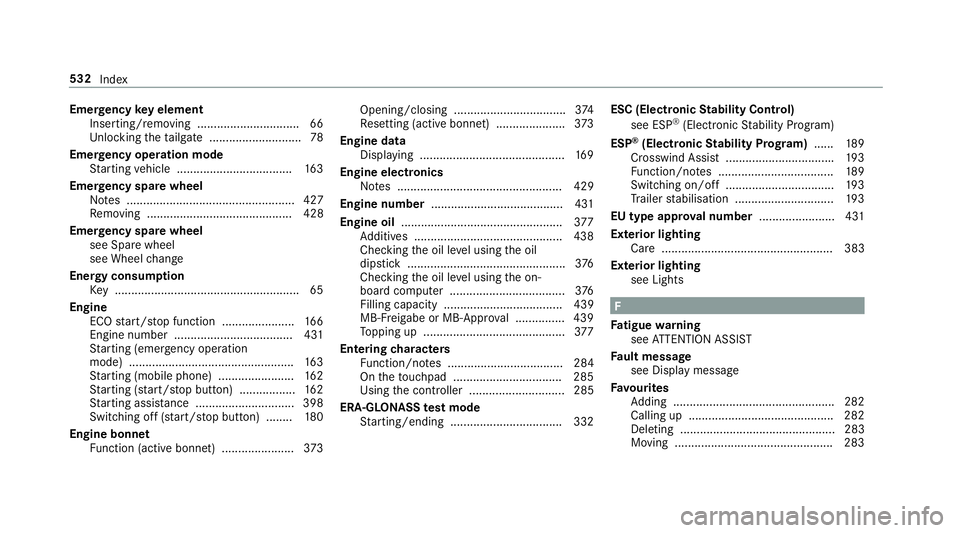
Emer
gency key element
Inserting/removing ............................... 66
Un locking theta ilgate ............................ 78
Emer gency operation mode
St arting vehicle ................................... 16 3
Emer gency spare wheel
No tes ................................................... 427
Re moving ............................................ 428
Emer gency spare wheel
see Spare wheel
see Wheel change
Energy consu mption
Ke y ........................................................ 65
Engine ECO start/ stop function ......................1 66
Engine number ................................... .431
St arting (eme rgency operation
mode) .................................................. 16 3
St arting (mobile phone) ...................... .162
St arting (s tart/s top button) .................1 62
St arting assis tance .............................. 398
Switching off (s tart/s top button) ........ 180
Engine bonnet Function (active bonnet) ...................... 373Opening/closing ..................................3
74
Re setting (active bonnet) ..................... 373
Engine data Displaying ............................................ 16 9
Engine electronics Notes .................................................. 429
Engine number ........................................4 31
Engine oil ................................................ .377
Ad ditives .............................................4 38
Che cking the oil le vel using the oil
dipstick ................................................ 376
Checking the oil le vel using the on-
board computer ................................... 376
Filling capacity .................................... 439
MB-F reigabe or MB-Appr oval .............. .439
To pping up ...........................................3 77
Entering characters
Fu nction/no tes ................................... 284
On theto uchpad ................................ .285
Using the controller ............................. 285
ERA-GLONASS test mode
St arting/ending .................................. 332 ESC (Elect
ronic Stability Control)
see ESP ®
(Electronic Stability Prog ram)
ESP ®
(Electronic Stability Prog ram) ...... 189
Crosswind Assist ................................ .193
Fu nction/no tes ................................... 189
Switching on/off ................................. 19 3
Tr ailer stabilisation .............................. 19 3
EU type appr oval number ....................... 431
Exterior lighting Care .................................................... 383
Ex terior lighting
see Lights F
Fa tigue warning
see ATTENTION ASSIST
Fa ult message
see Displ aymessa ge
Favo urites
Ad ding .................................................2 82
Calling up ............................................ 282
Deleting ............................................... 283
Moving ................................................ 283 532
Index
Page 537 of 565
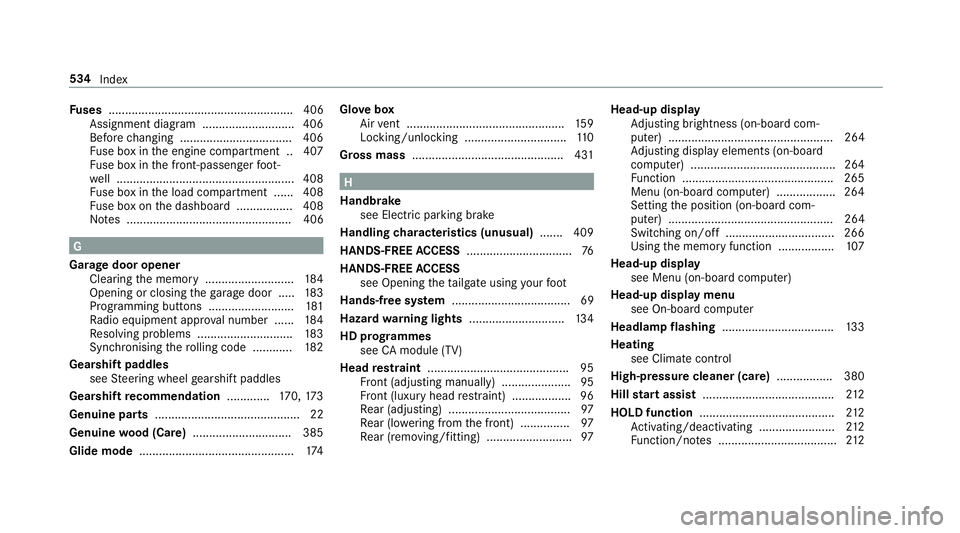
Fu
ses ........................................................ 406
Assignment diagram ............................4 06
Before changing .................................. 406
Fu se box in the engine compartment .. 407
Fu se box in the front-passen gerfo ot‐
we ll ...................................................... 408
Fu se box in the load compartment ...... 408
Fu se box on the dashboard ................. 408
No tes .................................................. 406 G
Garage door opener Cleari ngthe memory ........................... 184
Opening or closing thega rage door .....1 83
Programming buttons .......................... 181
Ra dio equipment appr oval number ...... 184
Re solving problems ............................. 183
Synchronising thero lling code ............ 182
Gearshift paddles see Steering wheel gearshift paddles
Gea rshift recommendation .............170, 173
Genuine parts ............................................ 22
Genuine wood (Care) .............................. 385
Glide mode .............................................. .174 Glo
vebox
Air vent ................................................ 15 9
Locking/unlocking ...............................1 10
Gross mass ............................................. .431 H
Handbrake see Electric parking brake
Handling characteristics (unusual) ....... 409
HANDS-FREE ACCESS ................................ 76
HANDS-FREE ACCESS
see Opening theta ilgate using your foot
Hands-free sy stem .................................... 69
Hazard warning lights ............................ .134
HD prog rammes
see CAmodule (TV)
Head restra int .......................................... .95
Fr ont (adjusting manually) ..................... 95
Fr ont (luxury head restra int) .................. 96
Re ar (adjusting) .................................... .97
Re ar (lo wering from the front) ............... 97
Re ar (removing/fitting) .......................... 97Head-up display
Adjusting brightness (on-board com‐
pu ter) .................................................. 264
Ad justing display elements (on-board
compu ter) ............................................ 264
Fu nction .............................................. 265
Menu (on-board compu ter) .................. 264
Setting the position (on-board com‐
puter) .................................................. 264
Switching on/off ................................. 266
Using the memory function ................. 107
Head-up display see Menu (on-boa rdcompu ter)
Head-up display menu see On-board computer
Headlamp flashing .................................. 13 3
Heating see Climate control
High-pressure cleaner (care) ................. 380
Hill start assi st........................................ 212
HOLD function ......................................... 212
Ac tivating/deactivating ...................... .212
Fu nction/no tes .................................... 212534
Index