radio MERCEDES-BENZ E-CLASS ESTATE 2017 User Guide
[x] Cancel search | Manufacturer: MERCEDES-BENZ, Model Year: 2017, Model line: E-CLASS ESTATE, Model: MERCEDES-BENZ E-CLASS ESTATE 2017Pages: 585, PDF Size: 11.8 MB
Page 280 of 585
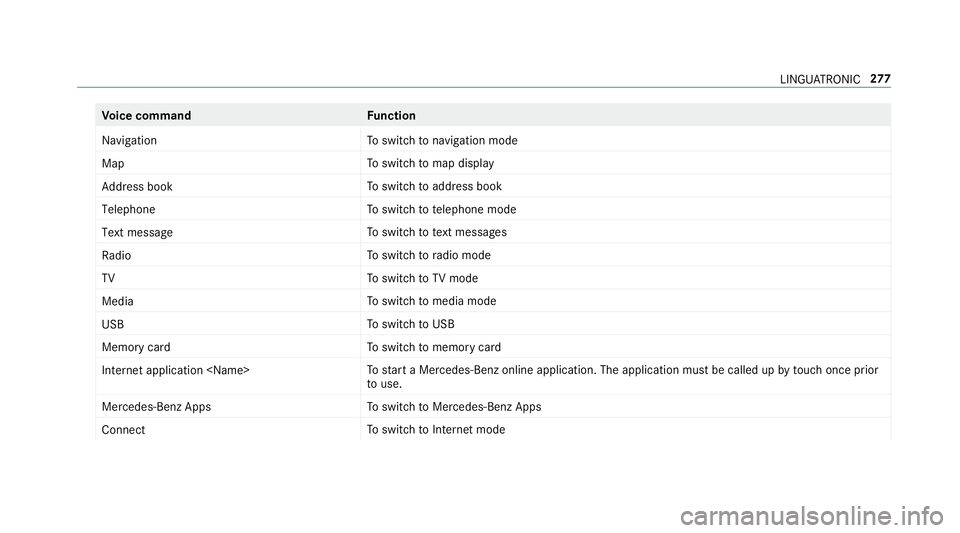
Vo
ice command Function
Navigation To
switc hton avigation mode
Map To
switc htom ap display
Address book To
switc htoa ddress book
Telephone To
switc htot elephone mode
Text message To
switc htot extm essa ges
Radio To
switc htor adio mode
TV To
switc htoTVm ode
Media To
switc htom edia mode
USB To
switc htoU SB
Memory card To
switc htom emorycard
Internet application
star taM ercedes-Ben zonline application. The applicatio nmustbec alledupbyt ouchoncep rior
to use.
Mercedes-Ben zApps To
switc htoM ercedes-BenzA pps
Connect To
switc htoInterne tmode LINGU
ATRO NIC 277
Page 284 of 585
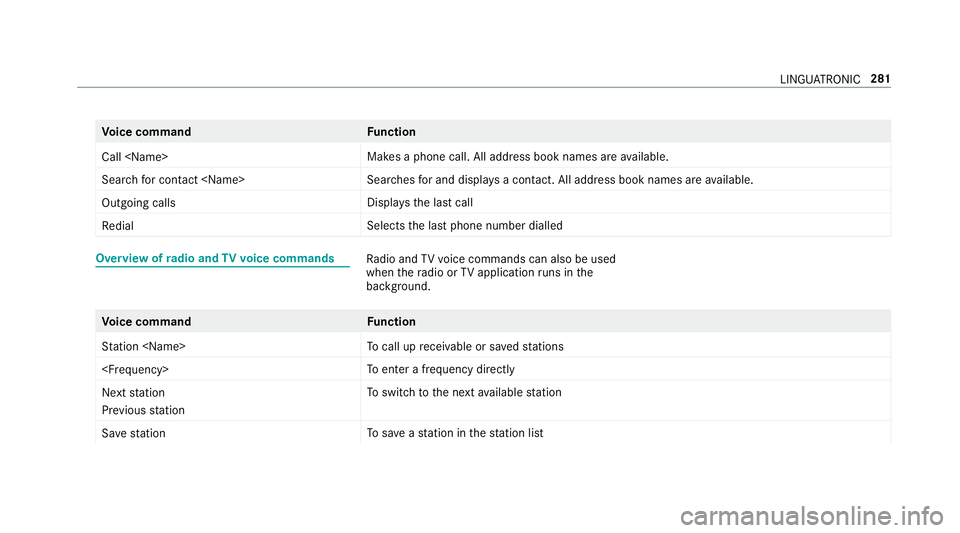
Vo
ice command Function
Call
aphone call. All address book names ar eavailable.
Search for contac t
ches fora nd displa ysac ontact. All address boo kname sareavailable.
Outgoin gcalls Displa
ys thelastc all
Redial Select
sthe las tphone number dialled Overvie
wofradio and TVvoice commands Ra
dio and TVvoice command scan also be used
when ther adio or TVapplicatio nruns in the
bac kground. Vo
ice command Function
Station
cal lupr eceivable or sa veds tations
enter afrequ ency directly
Next station
Previouss tation To
switc htot he next available station
Sav estation To
save as tatio nint hestatio nlist LINGU
ATRO NIC 281
Page 293 of 585
Setting
thes ensitivit yfor th etouchpad
Multimedia sy stem:
, System .
w Input #
Select Touchpad sensitivity .#
Select Fast,Medium orSlow . #
Tosetthe pressur esensitivit y:switch
Touchpad tap onO or off ª.
If th ef unction is switched on O,atap on
th et ouchpad is enough toselect amenu
item.
Handwriting recognition: swit ching ther ead-
alou dfunction on/off
Multimedi asystem:
, System .
õ Audio .
System feed-
back #
Switch Read out handwritin grecognition on
O or off ª. Ac
tivating/deactivatin ghaptic feedba ckfor
operation on thet ouchpad
Multimedia sy stem:
, System .
w Input
The function supports youw hen making entries
on thet ouchpad and when selecting menus. #
Switch Haptic operating feedback on or off.
When thef unction is activated, atactile feed‐
bac kint heform ofav ibration is ef fected
whe nthe touchpad is operated.
Selecting astatio nand trac kusingthe
to uchpad #
Press theD button on thet ouchpad.
or #
Swipe upwards using tw ofinger sont he
to uchpad.
The cont rolm enua ppear sfor thea udio
source that wa slasts elected. #
Use one finger toswipe up or down.
Ra dio: thep reviou sort he next statio niss et.
Media source: thep reviou sort he next music
tra ck is selec ted. #
Tohide thec ontrol menu: swipe down on
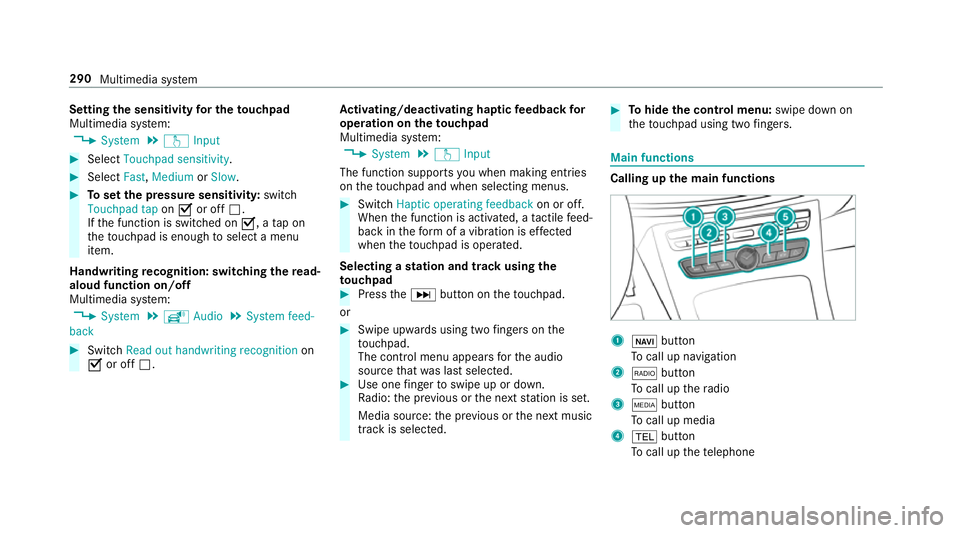
th et ouchpad using tw ofingers. Main functions
Calling up th
emain functions 1
ß button
To cal lupn avigation
2 $ button
To cal lupt heradio
3 Õ button
To cal lupm edia
4 % button
To cal lupt hetelephone 290
Multimedia sy stem
Page 296 of 585
#
Tomute: pressvolume control 1.
The 8 symbol appear sinthestatus line.
Yo uw ill also hear traf fica nnouncements and
navigation announcements even when the
sound is muted. #
Toswitc hon:chang ethe media source or
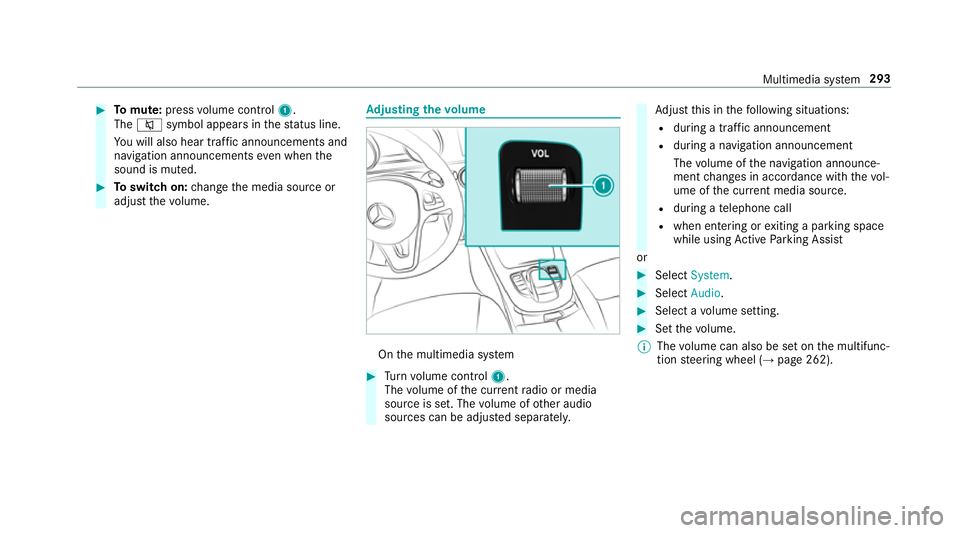
adjus tthe volume. Ad
justin gthe volume On
them ultimedia sy stem #
Turn volume control 1.
The volume of thec urrent radio or media
source is set. The volume of other audio
sources can be adjus teds eparatel y. Ad
jus tthis in thef ollowing situations:
R during atraf fica nnouncement
R during anavigation announcement
The volume of then avigation announce‐
ment changes in accordanc ewitht he vol‐
ume of thec urrent media sou rce.
R during atelephone call
R when entering or exitin gap arkin gspace
while using ActiveP arking Assist
or #
Select System. #
Select Audio. #
Selec tavolume setting. #
Setthe volume.
% The volume can also be se tonthe multifunc‐
tion steering wheel (→ page262). Multimedia sy
stem 293
Page 329 of 585
period of
thre ey ear sfromt he manufacturing
date.
The status of thes ubscription can be dis‐
pla yed( → pag e326).
Re gis tering Liv eTraffic In form ation
R The service is initially acti vatedf or three
months uponv ehicle handover.
R The service mus tberegistered
( → pag e326):
- Upon vehicle hando ver
- Within thre em onths
R This ensures thef ull, free usag eperiod.
R Registration is car ried out at aMercedes-
Benz Service Centr eonthe Mercedes me
we bsite.
R Ifre gistration is no tcomple tedw ithin this
tim eperiod, Liv eTraffic In form ation will be
deactivated. If Liv eTraffic In form ation is
used af tert his period, e.g. af ters ix months,
th er emaining time forf reeu sage is 2.5
ye ars. In
fo rm atio nont hevehicle's position is regularly
sent toDaimle rAG. Th edataisi mmediatel yren‐
dered anonymous byDaimle rAGandforw arded
to thet raffic dat aprovide r.Usin gthis data, traf‐
fi cr eports releva nt tothev ehicle's position are
sent tothev ehicle. The vehicle acts as asensor
fo rt he flow of traf fica nd helps toimpr ovet he
qu alit yoft he tra ffic reports.
If yo udon otwish totransmi tyour vehicle posi‐
tion, youc an ha vethis service deactivated at a
Mercedes-Benz Service Cent re.
Useful information on FM RDS-TMC:
R AFMR DS-TMC radio statio nbroadcasts traf‐
fi cr eports alongside ther adio prog ramme.
R FM RDS-TMC is no tavailable in all countries.
Displ aying subscription information
Re quirements:
R The vehicle is equipped wit hLiveT raffic
Information. Multimedia sy
stem:
, Navigation .
Z Options
The subscription expir yd ateisa utomaticall ydis‐
pla yed:
R one mont hbefor ethe expir yd ate
R one week befor ethe expir yd ate
R onthee xpirydate #
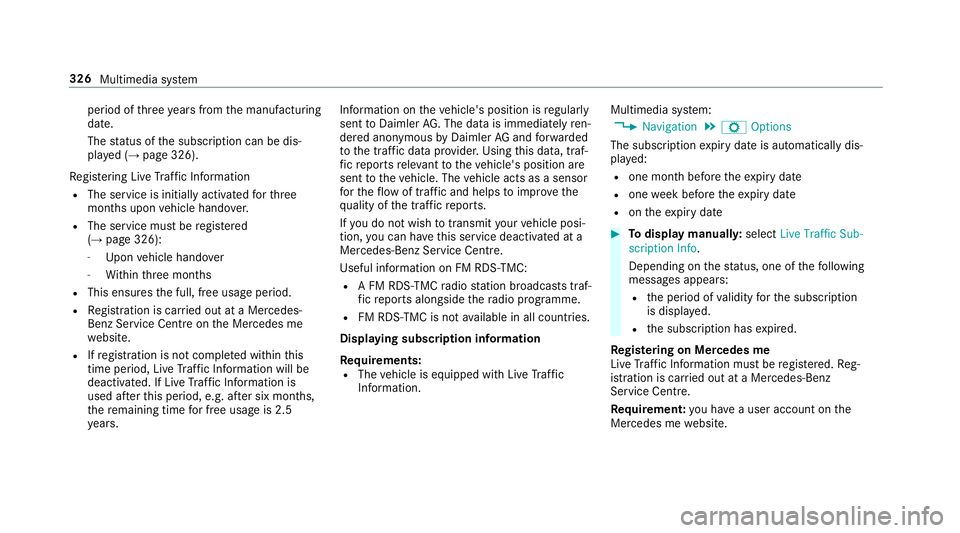
Todispl aymanuall y:select Live Traffic Sub-
scription Info.
Depending on thes tatus ,one ofthef ollowing
messages appears:
R thep eriod of validity fort he subscription
is displa yed.
R thes ubscription has expired.
Re gis tering on Mercedes me
Liv eT raffic In form ation mus tberegis tere d. Re g‐
istration is car ried out at aMercedes-Benz
Service Centre.
Requ irement: youh ave auser accoun tonthe
Mercedes me website. 326
Multimedia sy stem
Page 366 of 585
#
Activate Oor deacti vate ª thef unction.
Deleting br owser data
Multimedia sy stem:
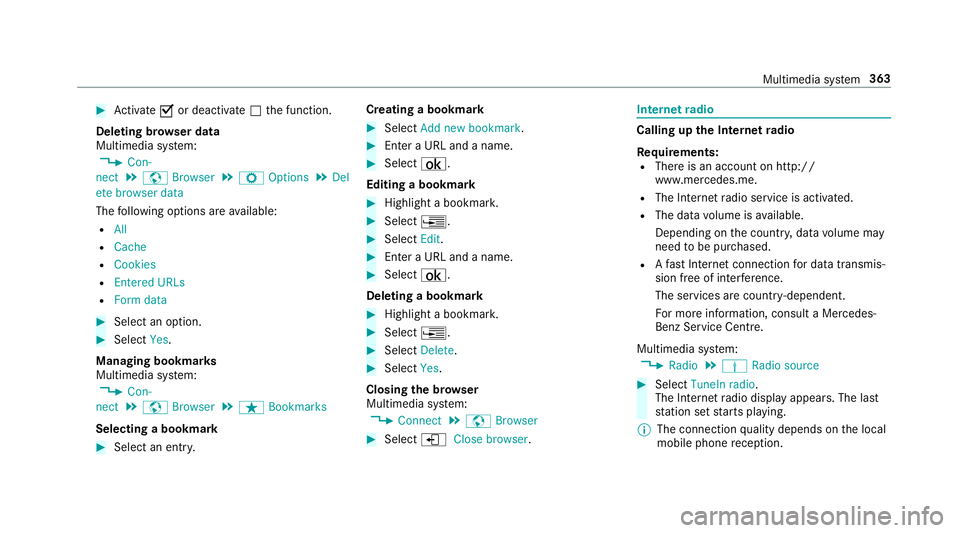
, Con-
nect .
z Browser .
Z Options .
Del
ete browser data
The following option sareavailable:
R All
R Cache
R Cookies
R Entered URLs
R Formd ata #
Select an option. #
Select Yes.
Managing bookmar ks
Multimedia sy stem:
, Con-
nect .
z Browser .
ß Bookmarks
Selecting abookmark #
Select an entry. Creating
abookmark #
Select Add new bookmark. #
EnteraU RL and aname. #
Select ¡.
Editin gabookmark #
Highlight abookmar k. #
Select ¥. #
Select Edit. #
Enter aURLand aname. #
Select ¡.
Deleting abookmark #
Highlight abookmar k. #
Select ¥. #
Select Delete. #
Select Yes.
Closin gthe br owser
Multimedia sy stem:
, Connect .
z Browser #
Select åClose browser . Interne
tradio Calling up the Interne
tradio
Re quirements:
R Ther eisana ccount on http://
www.me rcedes.me.
R The Interne tradio service is activated.
R The dat avolume is available.
Dependin gonthe countr y,dat avolume may
need tobe pur chased.
R AfastInterne tconnection ford atat ransmis‐
sion free of inter fere nce.
The service sarecountr y-dependent.
Fo rm orei nformation, consult aMercedes-
Benz Service Centre.
Multimedi asystem:
, Radio .
Þ Radio source #
Select TuneIn radio.
The Interne tradio displ ayappears. The last
st atio nsetstarts playing.
% The connectio nqualit ydepends on thel ocal
mobile phone reception. Multimedia sy
stem 363
Page 367 of 585
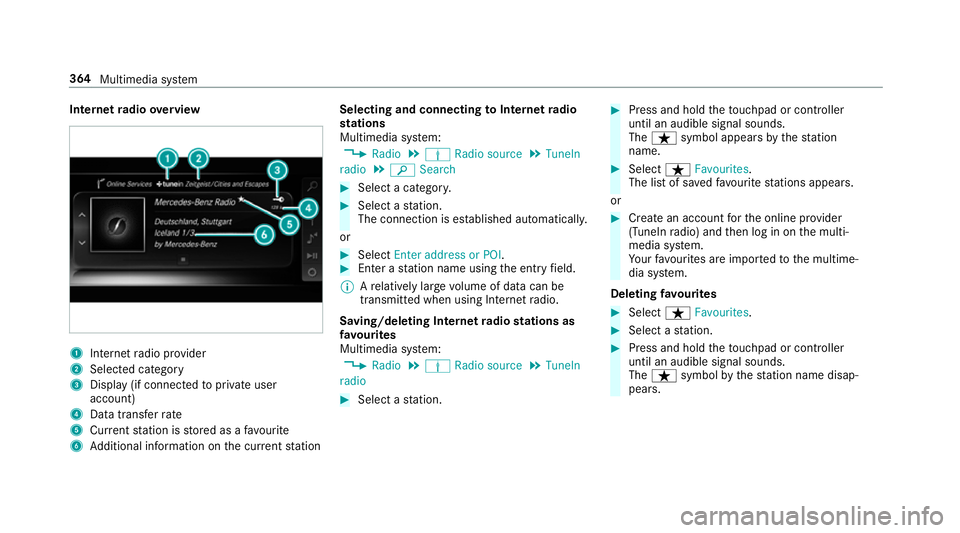
Interne
tradio overview 1
Inte rn et radio pr ovider
2 Selec tedc ategory
3 Displa y(if connec tedtop riva te user
account)
4 Datatransfer rate
5 Current statio niss tore dasaf avourite
6 Additional information on thec urrent station Selecting and connecting
toInterne tradio
st ations
Multimedi asystem:
, Radio .
Þ Radio source .
TuneIn
radio .
è Search #
Select acategor y. #
Select astation.
The connectio nisestablished automati cally.
or #
Select Enter address or POI. #
Enter astatio nn ameusingthe entr yfield.
% Arelativel ylarge volume of dat acan be
transmitte dwhen using Interne tradio.
Saving/deleting Interne tradio station sas
fa vo urites
Multimedi asystem:
, Radio .
Þ Radio source .
TuneIn
radio #
Select astation. #
Press and hold thet ouchpad or contro ller
until an audible signal sounds.
The ß symbol appear sbythestation
name. #
Select ßFavourites.
The lis tofsavedfavo uritestations appears.
or #
Crea tean accoun tfor theo nline pr ovider
(TuneIn radio) and then log in on them ulti‐
media sy stem.
Yo ur favo urites ar eimp ortedtot he multime‐
dia sy stem.
Deleting favo urites #
Select ßFavourites. #
Select astation. #
Press and hold thet ouchpad or contro ller
until an audible signal sounds.
The ß symbol bythes tatio nn amed isap‐
pears. 364
Multimedia sy stem
Page 368 of 585
Setting
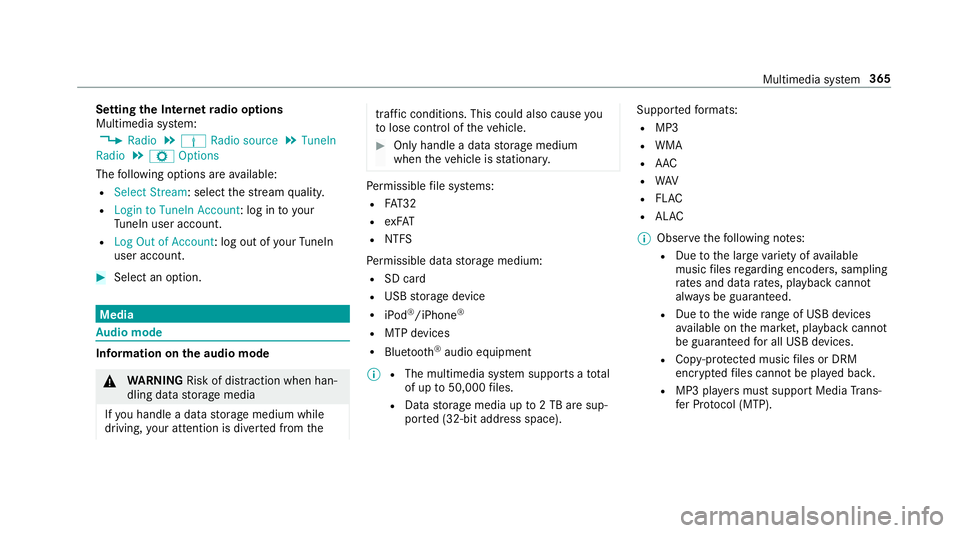
theI nterne tradio options
Multimedia sy stem:
, Radio .
Þ Radio source .
TuneIn
Radio .
Z Options
The following option sareavailable:
R Select Stream:s electthe stre am qualit y.
R Login to TuneIn Account :log in to your
Tu neIn user account.
R Log Ou tofAccount :log outofy ourTuneIn
user account. #
Select an option. Media
Au
dio mode In
fo rm ation on thea udio mode &
WARNING Risk of di stra ction whe nhan‐
dling da tastorag emedia
If yo uh andle adatas torage medium while
driving, your attentio nisdivertedf romt he traf
ficc onditions .Thisc ould also cause you
to lose control of thev ehicle. #
Onlyhandle adatas tora ge medium
when thev ehicle is stationar y. Pe
rm issible file sy stems:
R FAT32
R exFAT
R NTFS
Pe rm issible dat astorage medium:
R SD card
R USB storag edevice
R iPod ®
/iPhone ®
R MTP devices
R Blue tooth ®
audio equipment
% R
The multimedia sy stem supports atotal
of up to50,000 files.
R Dat astorage media up to2TBa resup‐
por ted( 32-bit address space). Suppor
tedf ormats:
R MP3
R WMA
R AAC
R WAV
R FLAC
R ALAC
% Obser vethef ollowing no tes:
R Due tothel arge variet yofa vailable
music files rega rding encoders, sampling
ra tesa nd dat arates, playba ckcannot
alw aysbeg uaranteed.
R Due tothew ide rang eofU SB devices
av ailable on them arke t, pl aybac kcann ot
be guaranteed fora ll USB devices.
R Cop y-pr otected music files or DRM
enc rypte dfiles canno tbeplaye db ack.
R MP3 pla yers mus tsuppor tMediaTrans‐
fe rP rotocol (MTP). Multimedia sy
stem 365
Page 380 of 585

Ac
tivatin gBluetooth ®
audio
Multimedi asystem:
, Media .
à Media sources #
Select áBluetoot haudio.
The multimedia sy stem activates thec onnec‐
te dB luetooth ®
audio equipment.
Selecting amusic pla yer
Multimedia sy stem:
, Media .
à Media sour-
ces .
á Bluetoot haudio #
Select aBluetooth ®
audio device.
If multiple music pla yers arep resen tont he
Blue tooth ®
audio equipment alista ppears. #
Select amusic pla yer.
Playbac kstarts.
Sear ching forat rack
Multimedia sy stem:
, Media .
à Media sour-
ces .
á Bluetoot haudio #
Select ª. #
Select acategor y.
At rack list appears. #
Select atrac k.
% The function is onl yavailable when the
mobil ephone and them usic pla yers elected
on them obile phone suppor tthis function.
Switching Blue tooth ®
audio equipment via
NFC
Requ irements:
R Obser vethen otes on using NFC
(→ pag e340).
R The Blue tooth®
audio overvie wisd isplayed
( → pag e377). #
Ligh tlyp ress theN FC area on them obile
phone (see them anufacturer's operating
instructions).
If th em obile phone has already been author‐
ised on them ultimedia sy stem as Blue tooth®
audio equipment ,itisnowconnec ted.
If th em obile phone is authorised on them ul‐
timedia sy stem as Blue tooth ®
audio equip‐ men
tfor thef irst time, it is connected af ter
confirming thei nstruction sfor them obile
phone (see them anufacturer's operating
instructions).
Disconnecting Blue tooth ®
audio equipment
Multimedi asystem:
, Telephone .
á Media sources #
Select aBluetooth ®
audio device. #
Select ¥Deauthorise. #
Select Yes. Ra
dio Switchin
gontheradio Multimedia sy
stem:
, Radio #
Alternatively: press the$ button.
The radio displa yappears. Youw ill hear the
las tstatio np laye dont he las tfrequ ency
band selected. Multimedia sy
stem 377
Page 381 of 585
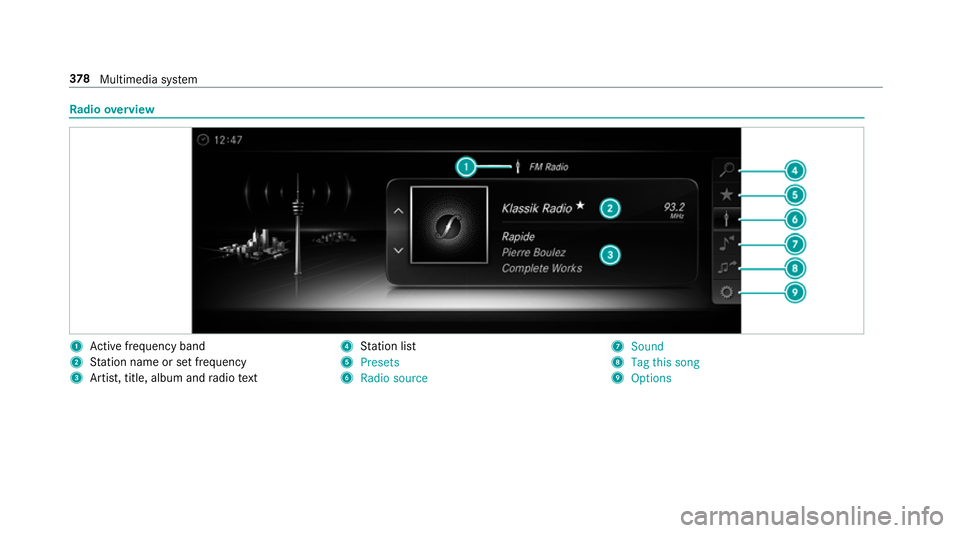
Ra
dio overview 1
Activef reque ncy band
2 Statio nnameors etfrequency
3 Artist, title, album and radio text 4
Statio nlist
5 Presets
6 Radio source 7
Sound
8 Tag this song
9 Options 378
Multimedia sy stem