wheel MERCEDES-BENZ E-CLASS ESTATE 2017 Workshop Manual
[x] Cancel search | Manufacturer: MERCEDES-BENZ, Model Year: 2017, Model line: E-CLASS ESTATE, Model: MERCEDES-BENZ E-CLASS ESTATE 2017Pages: 585, PDF Size: 11.8 MB
Page 266 of 585
#
Onlyoperat ethis equipment when the
traf fics ituation permits. #
Ifyo uc anno tbes ureoft his,stop the
ve hicle whils tpaying attention toroad
and traf ficc onditions and ope rate the
equipment wit hthe vehicle stationar y. Yo
um usto bse rvet he legal requirements fort he
countr yinwhich youa recur rentl yd riving when
operating theo n-boar dcomputer.
% The on-boar dcomputer displa ysappear on
th em ultifunction displa y(→pag e264). The on-boar
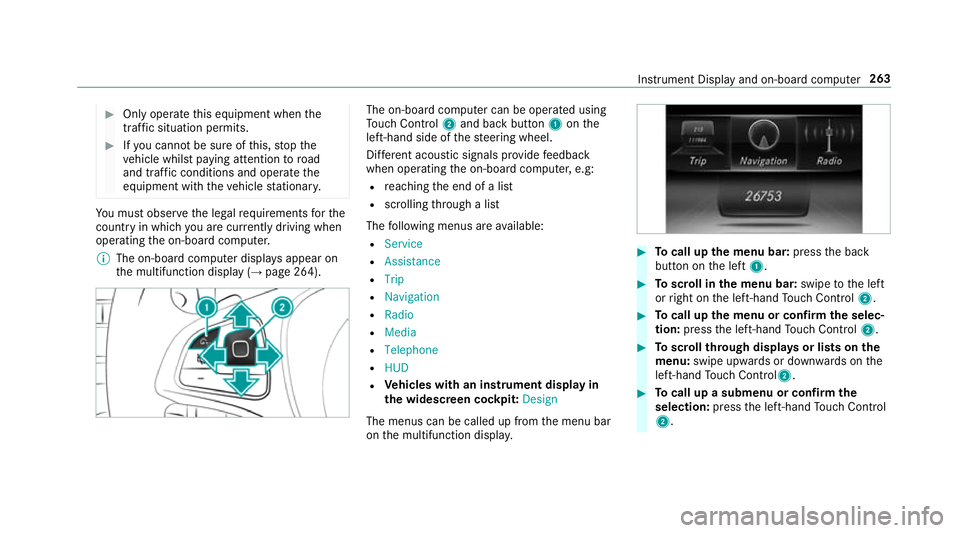
dcomputer can be operated using
To uc hC ontrol 2and bac kbutton 1onthe
left-hand side of thes teering wheel.
Dif fere nt acoustic signals pr ovide feedback
when operating theo n-boar dcomputer ,e.g:
R reachin gthe end of alist
R scrolling thro ugh alist
The following menus ar eavailable:
R Service
R Assistance
R Trip
R Navigation
R Radio
R Media
R Telephone
R HUD
R Vehicles with an instrument displa yin
th ew idescreen cockpit: Design
The menus can be called up from them enu bar
on them ultifunction displa y. #
Tocall up them enu bar: presstheb ack
button on thel eft 1. #
Toscroll in them enu bar: swipetothel eft
or right on thel eft-hand Touc hC ontrol 2. #
Tocall up them enu or confir mthe selec‐
tion: press thel eft-hand Touc hC ontrol 2. #
Toscroll through displa ysor lists on the
menu: swipe upwards or down wardsont he
left-hand Touc hC ontrol2. #
Tocall up asubmen uorconfirmthe
selection: pressthel eft-hand Touc hC ontrol
2. In
stru ment Displa yand on-boar dcomputer 263
Page 274 of 585
#
Onlyoperat ethis equipment when the
traf fics ituation permits. #
Ifyo uc anno tbes ureoft his,stop the
ve hicle whils tpaying attention toroad
and traf ficc onditions and ope rate the
equipment wit hthe vehicle stationar y. When
telephoning, youm usto bse rvet he legal
re qu irements fort he countr yinwhichyou are
cur rentl yd riving.
Ve hicles with theC OMAN DOnline multime‐
dia sy stem: them ostrecen ttelephone connec‐
tion s(dialled, recei veda nd missed calls) ar edis‐
pla yedont heTelephone menu. #
Select an entr y:swipe upwards or down‐
wa rdsont he left-hand touc hc ontrol. #
Pres sthe left-hand touc hc ontrol.
If ther eisonlyo ne telephone number
sa ve dtoane ntry:thet elephone number is
selected. #
Ifth erea remultiple telephone numbers
sa ve dtoane ntry:swipe upwards or down‐
wa rdsont he left-hand touc hc ontrol to
select thed esired telephon enumber. #
Press thel eft-hand touc hc ontrol.
Th et elephone number is dialled.
The following displa ysma yappear ins tead of the
te lephon enumber sdialled:
R Please wait... :the applicationiss tarting.
When aBluetooth ®
connection tothem obile
phone is no testablished, them enu for
authorisin gand connectin gamobile phon eis
displa yedint he multimedia sy stem
(→ pag e337)(→pag e338).
R Updating data...:t he call listisbeing upda‐
te d.
R Importing contacts... :the contacts from the
mobil ephone or from astorage medium are
being impor ted.
Ac cepting/rejecting acall
When your eceiv eacall,the Incoming call mes‐
sag eappear sonthe head-up displa y. #
Swipe up wardsord ownw ards on thel eft-
hand touc hc ontrol an dselect 6 (Accept)
or ~ (Reject). #
Press thel eft-hand touc hc ontrol. Th
ec all ma ybea ccepted/rejec tedu sing the
6 or~ buttons on thes teering wheel. Ad
justin gthe head-up displa ysettings via
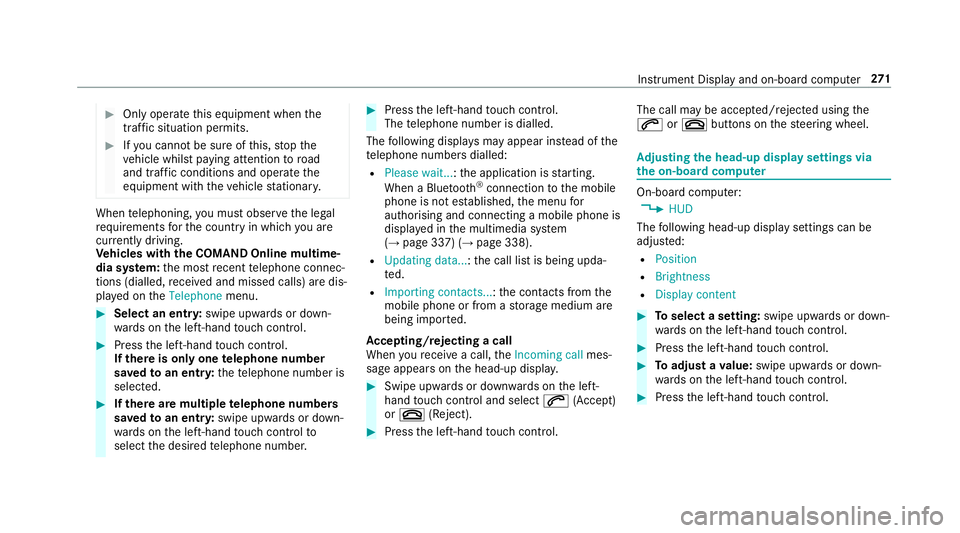
the on-boar dcom puter On-boar
dcomputer:
, HUD
The following head-up displa ysettings can be
adjus ted:
R Position
R Brightness
R Display content #
Toselect asetting: swipe upwards or down‐
wa rdsont he left-hand touc hc ontrol. #
Pres sthe left-hand touc hc ontrol. #
Toadjus tavalue: swipe upwards or down‐
wa rdsont he left-hand touc hc ontrol. #
Pres sthe left-hand touc hc ontrol. In
stru men tDispla yand on-boar dcomputer 271
Page 277 of 585
Note
sono perating saf ety &
WARNING Risk of di stra ction from infor‐
mation sy stems and communications
equipment
If yo uo perat einformation and communica‐
tio ne quipment integ ratedint hevehicle
when driving, youw ill be distracted from the
traf fics ituation. Thi scould also cause youto
lose control of thev ehicle. #
Onlyoperat ethis equipment when the
traf fics ituation permits. #
Ifyo uc anno tbes ureoft his,stop the
ve hicle whils tpaying attention toroad
and traf ficc onditions and ope rate the
equipment wit hthe vehicle stationar y. &
WARNING Risk of di stra ction from oper‐
ating mobil ecommunication equipment
while thev ehicle is in motion
If yo uo perat ecommun icationequipment
integrated in thev ehicle when driving, you
will be distracted from thet raffic situation. This could also cause
youtol ose control of
th ev ehicle.
Onl yoperat ethis equipment when thev ehi‐
cle is stationar y. Fo
ry our owns afet y, alwa ys obser vethef ollow‐
ing points when operating mobile communica‐
tions equipment and especiall yyour voice con‐
trol sy stem:
R Obser vethel egal requ irements fort he coun‐
tr yinw hichyou ar edriving.
R While driving, on ly operatem obile communi‐
cation sequipment and your voice control
sy stem when thet raffic condition spermit it.
Yo um ayotherwise be distracted from the
traf ficc onditions and cause an accident,
inju ring yourself and others.
R Do no tuse thev oice control sy stem in an
emer gency as your voice can chang eand
yo ur telephon ecall can be unnecessarily
dela yed.
R Familiarise yourself wit hthe voice control
sy stem function sbefor estartin gt he journe y. Operation
Operating
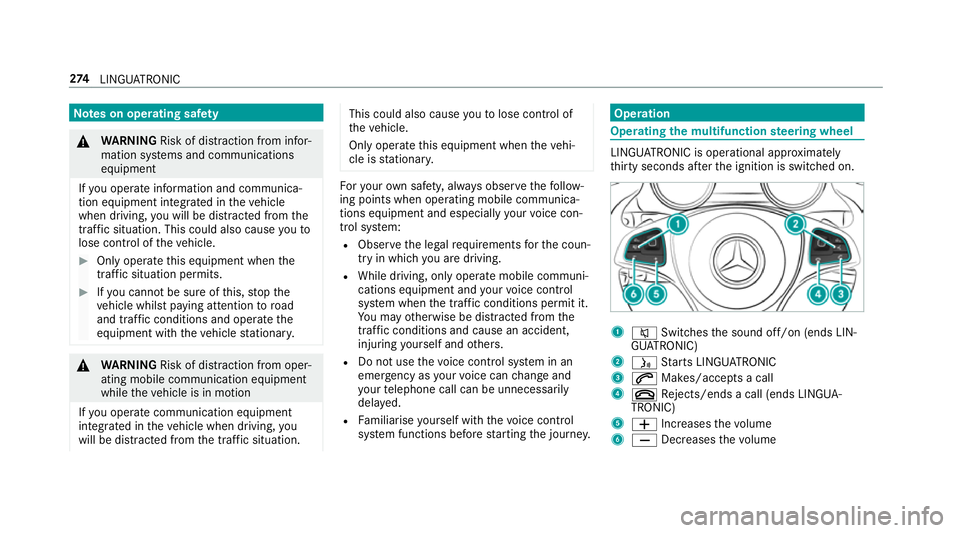
them ultifunction steering wheel LINGU
ATRO NIC is operational appr oximately
th irty seconds af tert he ignition is switched on. 1
8 Switches thes ound off/on (ends LIN‐
GU ATRO NIC)
2 ó Starts LINGU ATRO NIC
3 6 Makes/accepts acall
4 ~ Rejects/end sacall( en ds LINGUA‐
TRONIC)
5 W Increases thev olume
6 X Decreases thev olume 274
LINGU ATRO NIC
Page 278 of 585
Conductin
gadialogue #
Tostar torc ontinue adialogue: pressthe
ó button on them ultifunction steering
wheel.
Yo uc an sa yavoice command af teran
acou stic signal. #
Tocor rect an ent ry:sayt he Correction
vo ice command. #
Toselect an entr yfromt he selection lis t:
sa yt he line number or thec ontents. #
Tobrows ethe selection lis t:sa yt he Next
or Back voice command. #
Tointer rupt thed ialogue: sayt he Pause
vo ice command. #
Tocancel thed ialogue: sayt he Cancel
vo ice command or press the8 button on
th em ultifunction steering wheel. Operable functions
Yo
uc an use theL INGU ATRO NIC voice control
sy stem tooperat ethe following equipment
depending on thef eatures: R
Telephone
R Text messa ges
R Navigation
R Address book
R Radio
R Audio (memor ycard, Media Inter face, USB
and Blu etoo th®
audio)
R TV
R Vehicle Overvie
woftypes of voice commands Ad
istinction is made between thef ollowing
vo ice commands:
R Global voice commands can be said at any
time and rega rdless of thec urrent applica‐
tion, e.g .the voice commands Navigateto,
Call orText message to.
R Application-specific voice commands are
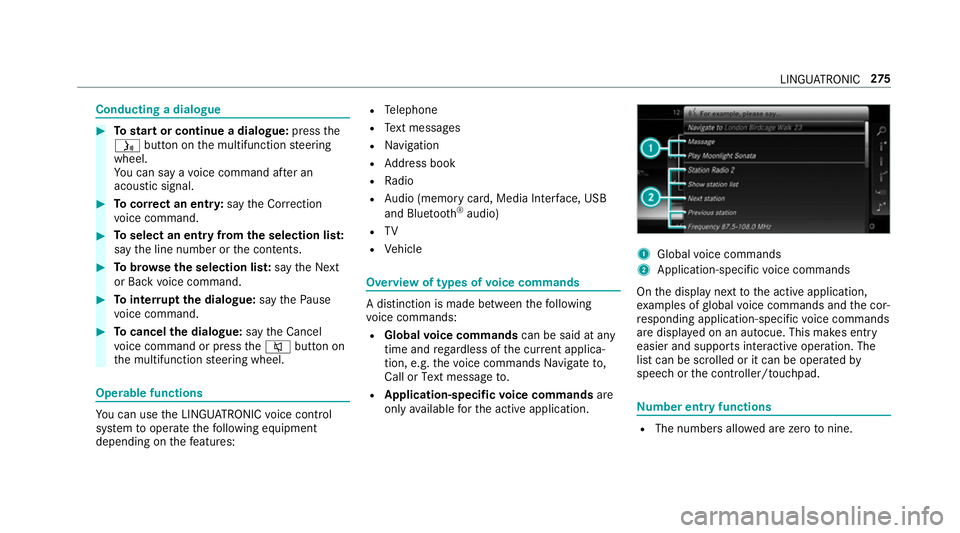
onl yavailable fort he activ eapplication. 1
Global voice commands
2 Application-specific voice commands
On thed ispla ynexttot he activ eapplication,
ex amples of global voice command sand thec or‐
re sponding application-specific voice commands
ar ed ispla yedonana utocue. This makes ent ry
easier and supports interactiv eoperation. The
lis tc an be scrolled or it can be operated by
speec horthe controller/touchpad. Nu
mbe rentry functions R
The numbe rsallo weda rezero tonine . LING
UATRONIC 275
Page 279 of 585
R
Telephon enumber scan be entered as single
digits. Information on
thel anguag esetting Yo
uc an chang ethe languag eofLINGUATRO NIC
via thes ysteml anguag esettings. If thes etsys‐
te ml anguag eisnotsuppor tedbyL INGUA‐
TRONIC, English willbes elected.
LINGU ATRO NIC is available in thef ollowing lan‐
guages:
R German
R English
R French
R Italian
R Dutch
R Polish
R Portuguese
R Russian
R Swedish
R Spanish
R Czech R
Turkish Using LINGU
ATRO NIC ef fectively Fe
atures of audibl ehelp functions Yo
ur eceiv einformatio nand help for:
R Optima loperation: sayt he Help voice con-
trol system voice command.
R Cur rent application: onthem ultifunction
st eering wheel, press theó rocker switch
up and sa ythe Help voice command.
R Continued dialogue: sayt he Help voice
command during avoice dialogue.
R Aspecific sy stem: sayt he voice commands
fo rt he desired sy stem, e.g. Help telephone. Note
sonh owtoimpr ovespeec hquality If LING
UATRONI Cdoesn otunde rstan dyou:
R onlyoperat eLINGU ATRO NIC from thed riv‐
er's seat.
R sayt he voice command scohe rently and
clear ly,b ut do no texaggerat ethe words. R
avoid loud noises, e.g. theb lowe r,th at cause
inter fere nce whil emakin gav oice command
entr y.
R sayt he voice tagw itht he same intonation
when creating voice tags.
If an addre ss book entr yvoice tag is no trec‐
ognised:
R onlycreates ensible address book entries in
th es ystem/mobile phone, e.g. enter sur‐
name and firs tn am eint he cor rect field.
R do no tuse an yabbr eviations, unnecessary
spaces or special characters.
If as tatio nliste ntr yisn otrecognised:
R sayt he Read out station list voice command. Essentia
lvoice commands Overvie
wofswitchvoice commands Swit
chvoice command scan be used toopen
cer tain applications .The voice command selec‐
tion can be used rega rdless of thea pplication
th at is cur rently acti ve. 276
LINGU ATRO NIC
Page 296 of 585
#
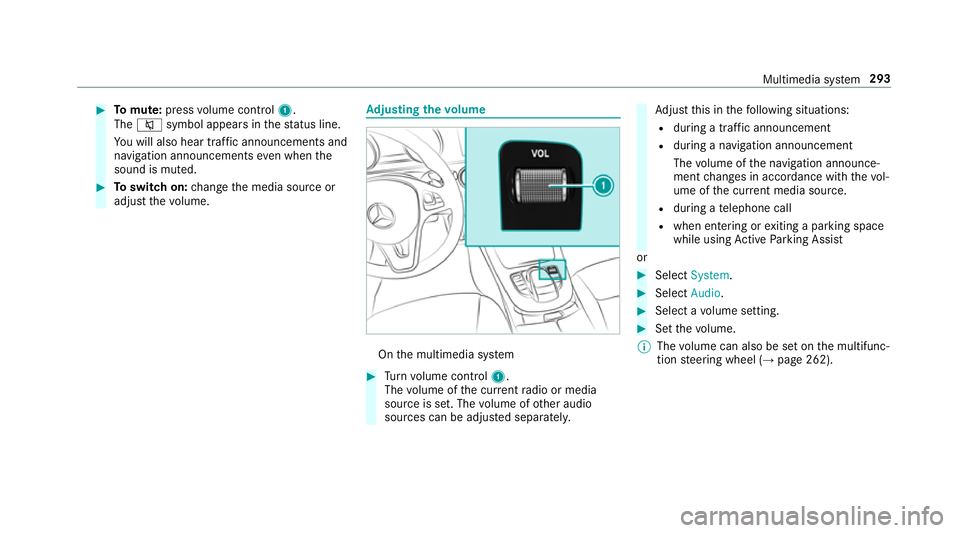
Tomute: pressvolume control 1.
The 8 symbol appear sinthestatus line.
Yo uw ill also hear traf fica nnouncements and
navigation announcements even when the
sound is muted. #
Toswitc hon:chang ethe media source or
adjus tthe volume. Ad
justin gthe volume On
them ultimedia sy stem #
Turn volume control 1.
The volume of thec urrent radio or media
source is set. The volume of other audio
sources can be adjus teds eparatel y. Ad
jus tthis in thef ollowing situations:
R during atraf fica nnouncement
R during anavigation announcement
The volume of then avigation announce‐
ment changes in accordanc ewitht he vol‐
ume of thec urrent media sou rce.
R during atelephone call
R when entering or exitin gap arkin gspace
while using ActiveP arking Assist
or #
Select System. #
Select Audio. #
Selec tavolume setting. #
Setthe volume.
% The volume can also be se tonthe multifunc‐
tion steering wheel (→ page262). Multimedia sy
stem 293
Page 310 of 585
ENERGIZIN
Gcomfort ENERGIZIN
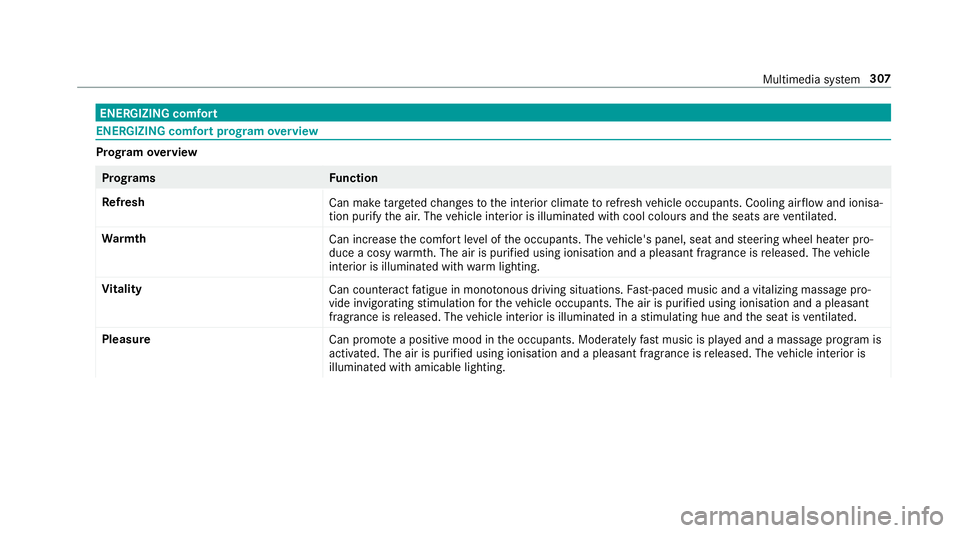
Gcomfor tprogram overview Prog
ramo verview Prog
rams Function
Re fresh
Can maketarget ed changes tothei nterior climat etorefresh vehicle occupants. Cooling air flow and ionisa‐
tio np urify thea ir.T he vehicle interior is illuminated wit hcool colour sand thes eats ar eventilated.
Wa rmth
Can increase thec omfor tleve loft he occupants. The vehicle's panel, seat and steering wheel heater pro‐
duce acosy warmth.T he ai risp urifie dusing ionisation and apleasant fragrance is released. The vehicle
interior is illuminated wit hwarml ighting.
Vi tality
Can countera ct fatigue in mono tonou sdriving situations. Fast-paced musi cand avitalizing massa gepro‐
vide invigorating stimulatio nfor thev ehicle occupants. The air is purified using ionisation and apleasant
fragrance is released. The vehicle interior is illuminated in astimulating hu eand thes eat is ventilated.
Pleasure Canp romo teap ositiv emoodint he occupants. Moderatel yfastm usicisp laye da nd am assag eprogram is
activated. The air is purified using ionisation and apleasant fragrance is released. The vehicle interior is
illuminated wit hamicable lighting. Multimedia sy
stem 307
Page 324 of 585
R
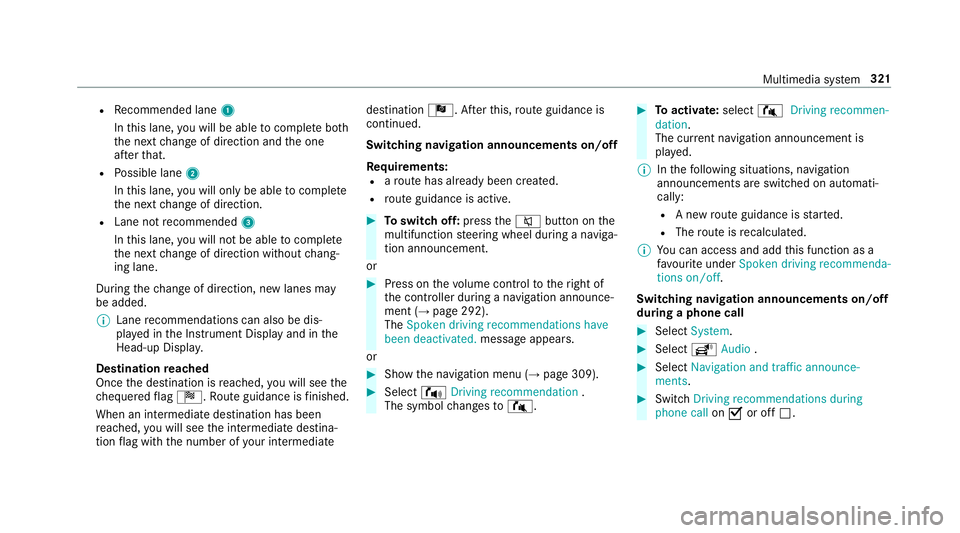
Recommended lane 1
In this lane, youw ill be able tocompl eteb oth
th en extc hang eofd irection and theo ne
af te rt hat.
R Possible lane 2
In this lane, youw ill on lybe able tocompl ete
th en extc hang eofd irection.
R Lan enotrecommended 3
In this lane, youw ill no tbea bletocompl ete
th en extc hang eofd irection without chang‐
ing lane.
During thec hang eofd irection ,new lane smay
be added.
% Lanerecommendations can also be dis‐
pla yedint he Instrument Displa yand in the
Head-up Displa y.
Destination reached
Once thed estination is reached, youw ill see the
ch equered flag Í.R outeguidance is finished.
Whe nani ntermedia tedestination has been
re ached, youw ill see thei ntermediat edestina‐
tion flag wit hthe number of your intermediate destination
Î.After this, routeg uidance is
continued.
Swit ching navigation announcement son/off
Re quirements:
R arout ehas already been created.
R routeg uidance is active. #
Toswitc hoff:press the8 button on the
multifunction steering wheel during anaviga‐
tion announcement.
or #
Press on thev olume control tother ight of
th ec ontroller during anavigation announce‐
ment (→ page292).
The Spoken driving recommendations have
been deactivated. messageappears.
or #
Sho wthe navigation menu (→ page309). #
Select !Drivingrecommendation .
The symbol changes to# . #
Toactivate: select#Driving recommen-
dation.
The cur rent navigation announcement is
pl ay ed.
% Inthef ollowing situations, navigation
announcements ar eswitched on automati‐
cally:
R Anew routeg uidance is star ted.
R The routeisr ecalculated.
% Youc an access and add this function as a
fa vo urit eunder Spoke ndriving recommenda-
tions on/off.
Swit ching navigation announcement son/off
during aphone call #
Select System. #
Select õAudio . #
Select Navigation and traffic announce-
ments. #
Swit chDriving recommendations during
phone call onO or off ª. Multimedia sy
stem 321
Page 325 of 585
Ad
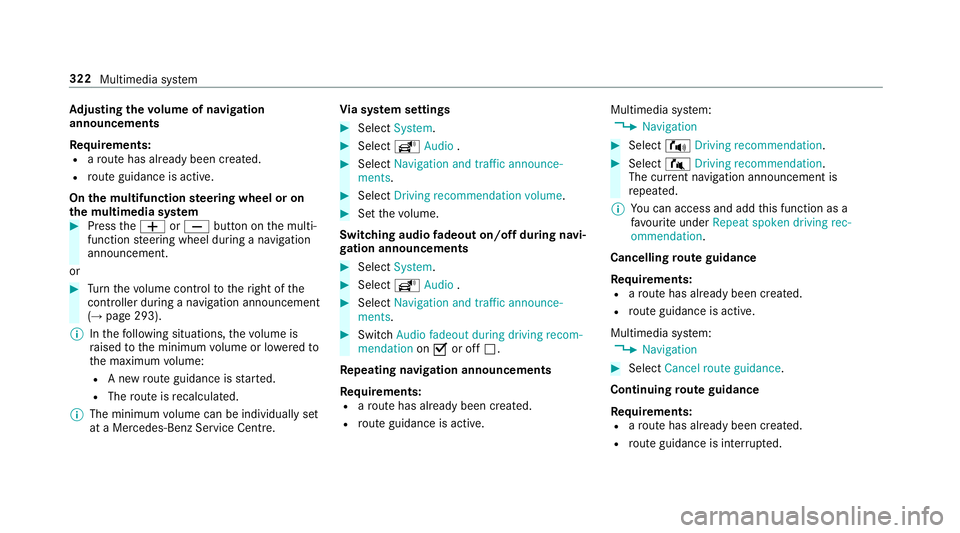
justin gthe volum eofn avigation
announcements
Re quirements:
R arout ehas already been created.
R routeg uidance is active.
On them ultifunction steering wheel or on
th em ultimedia sy stem #
Press theW orX button on them ulti‐
function steering wheel during anavigation
announcement.
or #
Turn thev olume control tother ight of the
controller du ring anavigation announcement
(→ page 293).
% Inthef ollowing situations, thev olume is
ra ised tothem inimum volume or lo weredto
th em aximum volume:
R Anew routeg uidance is star ted.
R The routeisr ecalculated.
% The minimum volume can be individuall yset
at aM ercedes-Benz Service Cent re.Vi
as ystems ettings #
Select System. #
Select õAudio . #
Select Navigation and traffic announce-
ments. #
Select Drivingrecommendation volume. #
Setthe volume.
Switching audio fadeout on/o ffduring navi‐
ga tio na nnouncements #
Select System . #
Select õAudio . #
Select Navigation and traffic announce-
ments . #
Switch Audio fadeou tduring driving recom-
mendation onO or off ª.
Re peating navigatio nannouncements
Re quirements:
R arout ehas already been created.
R routeg uidance is active. Multimedia sy
stem:
, Navigation #
Select !Drivingrecommendation . #
Select #Drivingrecommendation .
The cur rent navigation announcement is
re peated.
% Youc an access and add this function as a
fa vo urit eunder Repeat spoken driving rec-
ommendation .
Cancelling rout eg uidance
Re quirements:
R arout ehas already been created.
R routeg uidance is active.
Multimedia sy stem:
, Navigation #
Select Cancel route guidance .
Continuing rout eg uidance
Re quirements:
R arout ehas already been created.
R routeg uidance is inter rupte d. 322
Multimedia sy stem
Page 344 of 585
#
Tochang em obile phones: placetheN FC
area of them obile phone (see manufactur‐
er's operating instructions) on NFC logo 2.
If th em obile phone has already been author‐
ised on them ultimedia sy stem, it is no wcon‐
nected.
If th em obile phone is authorised on them ul‐
timedia sy stem fort he firs tt ime, it is connec‐
te da fter confirming them obile phone
instruction s(see them anufacturer's operat‐
ing instructions).
Fu rther information can be found at :http://
www.mercedes-benz.com/connect
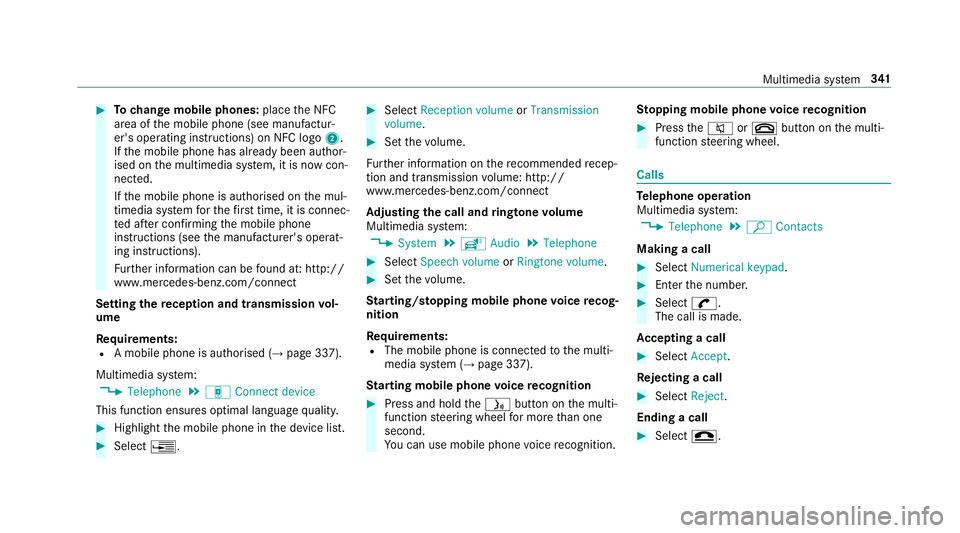
Setting ther eception and transmission vol‐
ume
Re quirements:
R Am obile phon eisauthorised (→ page337).
Multimedia sy stem:
, Telephone .
á Connec tdevice
This function ensures optimal languag equalit y. #
Highlight them obile phone in thed evice list. #
Select ¥. #
Select Reception volume orTransmission
volume . #
Setthe volume.
Fu rther information on ther ecommende drecep‐
tio na nd transmission volume: http://
www.me rcedes-benz.com/connect
Ad justin gthe call and ringtone volume
Multimedia sy stem:
, System .
õ Audio .
Telephone #
Select Speech volume orRington evolume . #
Setthe volume.
St arting/ stopping mobile phon evoice recog‐
nition
Re quirements:
R The mobile phon eisconnec tedtot he multi‐
media sy stem (→ page337).
St arting mobile phone voice recognition #
Press and hold theó button on them ulti‐
function steering wheel form oret han one
second.
Yo uc an use mobile phon evoice recognition. St
opping mobil ephone voice recognition #
Press the8 or~ button on them ulti‐
function steering wheel. Calls
Te
lephone operation
Multimedia sy stem:
, Telephone .
ª Contacts
Making acall #
Select Numerical keypad. #
Ente rthe number. #
Select w.
The call is made.
Ac ceptin gacall #
Select Accept.
Re jectin gacall #
Select Reject.
Endin gacall #
Select =. Multimedia sy
stem 341