ECO mode MERCEDES-BENZ E-CLASS ESTATE 2020 User Guide
[x] Cancel search | Manufacturer: MERCEDES-BENZ, Model Year: 2020, Model line: E-CLASS ESTATE, Model: MERCEDES-BENZ E-CLASS ESTATE 2020Pages: 489, PDF Size: 9.15 MB
Page 174 of 489
%
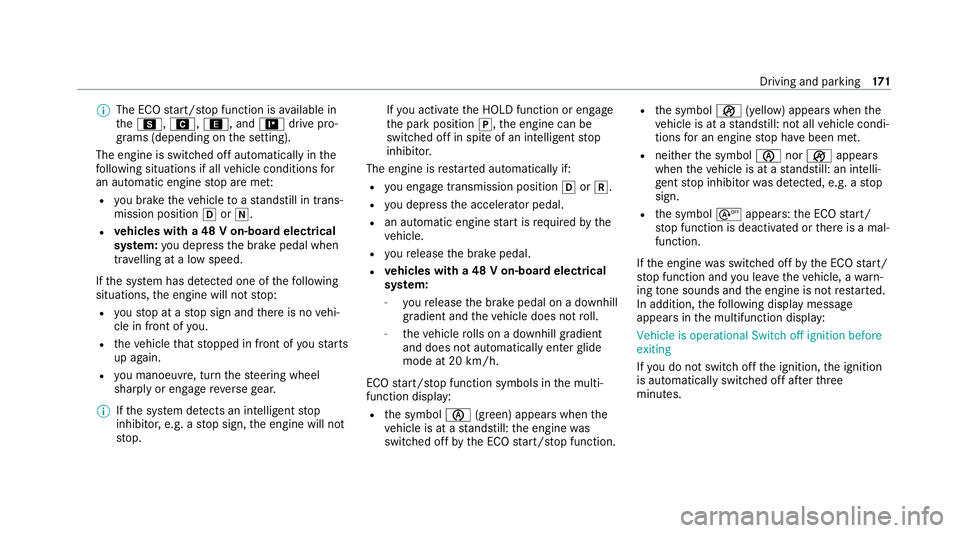
The ECO start/ stop function is available in
th eC, A,;, and =drive pro‐
grams (depending on the setting).
The engine is switched off automatically in the
fo llowing situations if all vehicle conditions for
an automatic engine stop are me t:
R you brake theve hicle toast andstill in trans‐
mission position hori.
R vehicles with a 48 V on-board electrical
sy stem: you depress the brake pedal when
tra velling at a low speed.
If th e sy stem has de tected one of thefo llowing
situations, the engine will not stop:
R youstop at a stop sign and there is no vehi‐
cle in front of you.
R theve hicle that stopped in front of youstarts
up again.
R you manoeuv re, turn thesteering wheel
sharply or engage reve rsege ar.
% Ifth e sy stem de tects an intelli gent stop
inhibitor, e.g. a stop sign, the engine will not
st op. If
yo u activate the HOLD function or engage
th e park position j,the engine can be
switched off in spite of an intelligent stop
inhibitor.
The engine is restar ted automatically if:
R you en gage transmission position hork.
R you depress the accelera tor pedal.
R an auto matic engine start is requ ired bythe
ve hicle.
R youre lease the brake pedal.
R vehicles with a 48 V on-board electrical
sy stem:
- youre lease the brake pedal on a downhill
gradient and theve hicle does not roll.
- theve hicle rolls on a downhill gradient
and does not automatically enter glide
mode at 20 km/h.
ECO start/ stop function symbols in the multi‐
function display:
R the symbol è(green) appears when the
ve hicle is at a standstill: the engine was
switched off bythe ECO start/ stop function. R
the symbol ç(yellow) appears when the
ve hicle is at a standstill: not all vehicle condi‐
tions for an engine stop ha vebeen met.
R neither the symbol ènorç appears
when theve hicle is at a standstill: an intelli‐
ge nt stop inhibitor was de tected, e.g. a stop
sign.
R the symbol sappears: the ECO start/
st op function is deactivated or there is a mal‐
function.
If th e engine was switched off bythe ECO start/
st op function and you lea vetheve hicle, a warn‐
ing tone sounds and the engine is not restar ted.
In addition, thefo llowing display message
appears in the multifunction display:
Vehicle is operational Switch off ignition before
exiting
If yo u do not swit choff the ignition, the ignition
is automatically switched off af terth ree
minutes. Driving and parking
171
Page 175 of 489
Deactivating or activating
the ECO start/
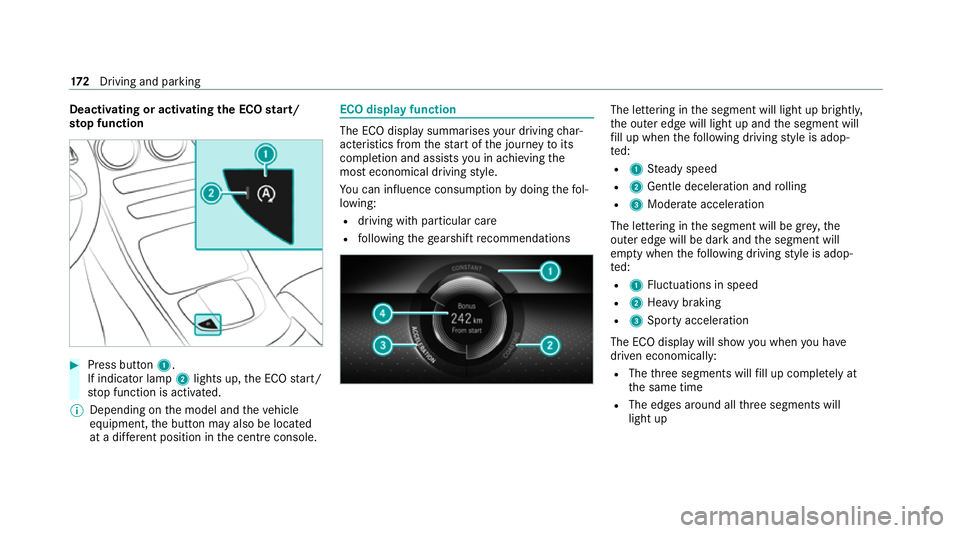
sto p function #
Press button 1.
If indicator la mp2lights up, the ECO start/
st op function is activated.
% Depending on the model and theve hicle
equipment, the button may also be located
at a dif fere nt position in the cent reconsole. ECO displ
ayfunction The ECO display summa
rises your driving char‐
acteristics from thest art of the journey toits
completion and assists you in achieving the
most economical driving style.
Yo u can influence consum ption bydoing thefo l‐
lowing:
R driving with particular care
R following thege arshift recommendations The lettering in
the segment will light up brightl y,
th e outer edge will light up and the segment will
fi ll up when thefo llowing driving style is adop‐
te d:
R 1 Steady speed
R 2 Gentle deceleration and rolling
R 3 Moderate acceleration
The lettering in the segment will be gr ey,the
outer edge will be dark and the segment will
em pty when thefo llowing driving style is adop‐
te d:
R 1 Fluctuations in speed
R 2 Heavy braking
R 3 Sporty acceleration
The ECO display will show you when you ha ve
driven economically:
R The thre e segments will fill up comple tely at
th e same time
R The edges around all thre e segments will
light up 17 2
Driving and pa rking
Page 183 of 489
The automatic transmission shifts up
tothe next
ge ar when the maximum engine speed is
re ached toprotect the engine from overrev ving. Glide mode function
*
NO
TEMercedes-AMG vehicles #
Obser vethe no tes in the Supplement.
Yo u could otherwise failto recognise
dangers. *
NO
TEPlug-in hybrid #
Obser vethe no tes in the Supplement.
Yo u could otherwise failto recognise
dangers. Wi
th an anticipatory driving style, Glide mode
helps youto reduce fuel consum ption.
Glide mode is characterised bythefo llowing:
R the combustion engine is disconnected from
th e driv etra in and continues torun in neutral.
R the transmission position display his
shown in green. R
Vehicles with 48 V on-board electrical
sy stem (EQ-Boost technology): the com‐
bustion engine can be switched off. All of the
ve hicle functions remain active.
Glide mode is activated if thefo llowing condi‐
tions are me t:
R drive program ;is selected.
R the speed is within a suitable range.
R thero ad's course is suitable, e.g. no steep
uphill or downhill inclines or tight bends.
R There is no trailer coupled tothe trailer hitch,
and no bicycle rack fitted.
R you do not depress the accelerator or brake
pedal (e xcept for light brake applications).
% Glide mode can also be activated if you ha ve
selected the "Eco" setting forth e drive in the
drive prog ram =.
Glide mode is deactivated again if one of the
conditions is no longer met.
Glide mode can also be pr evented bythefo llow‐
ing parame ters:
R incline R
Downhill gradient
R temp erature
R height
R Speed
R operating status of the engine
R traffic situation Fu
nction of the 4MATIC
4MATIC ensures that all four wheels are driven.
To get her with ESP ®
and 4ETS, 4MATIC impr oves
th e traction of your vehicle whene ver a driven
wheel spins due toinsuf ficient traction.
If yo ufa ilto adapt your driving style, 4MATIC can
neither reduce therisk of an accident nor over‐
ri de the la wsof ph ysics. 4MATIC cannot take
ac count of road, weather and traf fic conditions.
4MATIC is only an aid. You are responsible espe‐
cially for maintaining a safe dis tance from the
ve hicle in front, forve hicle speed, for braking in
good time and forst ay ing in lane. 18 0
Driving and pa rking
Page 196 of 489
R
the electric parking brake is not applied Note
s on parking up theve hicle If
yo u lea vetheve hicle par ked up for longer than
six weeks, it may suf fer dama gethro ugh disuse.
The 12V battery may also be impaired or dam‐
aged byheavy discharging.
% Further information can be obtained at a
qu alified specialist workshop.
* NO
TEPlug-in hybrid #
Obser vethe no tes about the high-volt‐
age battery in the Supplement. Yo u
could otherwise failto recognise dan‐
ge rs. St
andby mode (extension of the star ter bat‐
te ry 's period out of use) St
andby mode function
% This function is not available for all models. If
standby mode is activated, ene rgy loss will be
minimised during extended pe riods of non-oper‐
ation.
St andby mode is characterised bythefo llowing:
R thest ar ter battery is preser ved.
R the maximum non-operational time appears
in the media displa y.
R the connection toonline services is inter rup‐
te d.
R theAT A (anti-theft alarm sy stem) is not avail‐
able.
R the interior pr otection and tow- aw ay protec‐
tion functions are not available.
R the function for de tecting collisions on a
pa rked vehicle is not available.
If th efo llowing conditions are fulfilled, standby
mode can be activated or deactivated using the
multimedia sy stem:
R The engine is switched off.
R The ignition is switched on.
Exceeding theve hicle's displa yed non-opera‐
tional time may cause incon venience, i.e. it can‐ not be guaranteed
that thest ar ter battery will
re liably start the engine.
The star ter battery must be charge dfirs t in the
fo llowing situations:
R The vehicle's non-operational time must be
ex tended.
R The Battery charge insufficient for standby
mode messa geappears in the media displa y.
% Standby mode is automatically deactivated
when the ignition is switched on.
Ac tivating/deactivating standby mode (park‐
ing up theve hicle)
Re quirements:
R The engine is switched off.
Multimedia sy stem:
4 © 5
Settings 5
Vehicle #
Activate or deacti vate Standby mode. #
Select Yes. Driving and pa
rking 19 3
Page 200 of 489
Obser
vethefo llowing information:
R Warning and indicator lamps (/ page 436)
R Display messages (/ page379)
ETS/4ETS (Electronic Traction Sy stem)
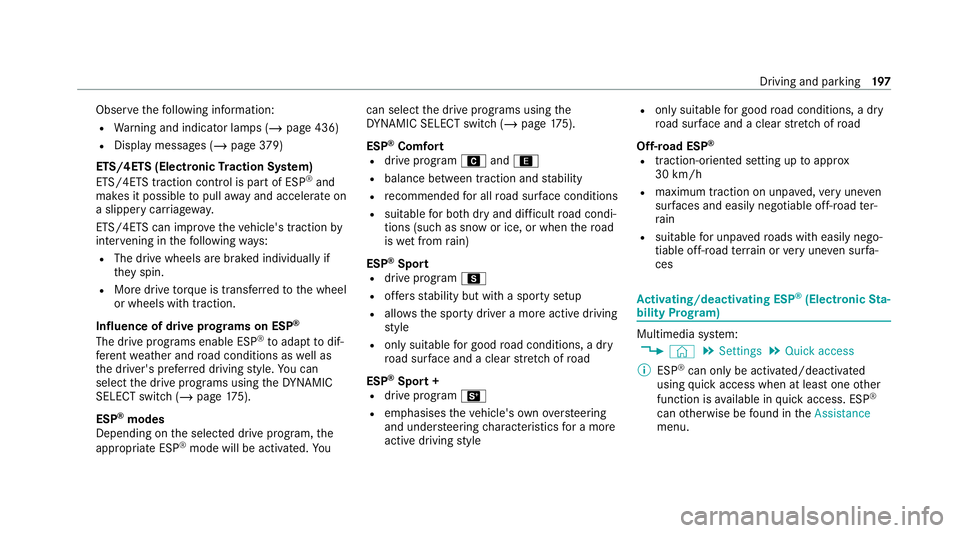
ETS/4E TStraction control is pa rtof ESP ®
and
makes it possible topull away and accelerate on
a slippe rycar riag ew ay.
ETS/4ETS can impr ovetheve hicle's traction by
inter vening in thefo llowing ways:
R The drive wheels are braked individually if
th ey spin.
R More drive torque is transferred tothe wheel
or wheels with traction.
Influence of drive prog rams on ESP ®
The drive programs enable ESP ®
to adapt todif‐
fe re nt we ather and road conditions as well as
th e driver's prefer red driving style. You can
select the drive prog rams using theDY NA MIC
SELECT switch (/ page175).
ESP ®
modes
Depending on the selected drive program, the
appropriate ESP ®
mode will be activated. Yo ucan select
the drive programs using the
DY NA MIC SELECT switch (/ page175).
ESP ®
Comfort
R drive program Aand;
R balance between traction and stability
R recommended for all road sur face conditions
R suitable for bo thdry and dif ficult road condi‐
tions (such as sn owor ice, or when thero ad
is we t from rain)
ESP ®
Sport
R drive prog ram C
R offers stability but with a sporty setup
R allowsthe sporty driver a more active driving
st yle
R only suitable for good road conditions, a dry
ro ad sur face and a clear stre tch of road
ESP ®
Spo rt +
R drive prog ram B
R emphasises theve hicle's ownove rste ering
and under steering characteristics for a more
active driving style R
only suitable for good road conditions, a dry
ro ad sur face and a clear stre tch of road
Off- road ESP ®
R traction-oriented setting up toappr ox
30 km/h
R maximum traction on unpa ved, very une ven
sur faces and easily negotiable off-road ter‐
ra in
R suitable for unpa vedro ads with easily nego‐
tiable off- road terrain or very une ven su rfa‐
ces Ac
tivating/deactivating ESP ®
(Electronic Sta‐
bility Prog ram) Multimedia sy
stem:
4 © 5
Settings 5
Quick access
% ESP®
can only be activated/deactivated
using quick access when at least one other
function is available in quick access. ESP ®
can otherwise be found in theAssistance
menu. Driving and parking
197
Page 207 of 489
tion,
the hazard warning lights switch on once
th eve hicle is stationar y.When you pull away
again, the hazard warning lights will switch off
automatically at appr oximately 10km/h. Yo u
can also switch off the hazard warning lights
using the hazard warning button. Cruise control and limiter
Fu
nction of cruise control
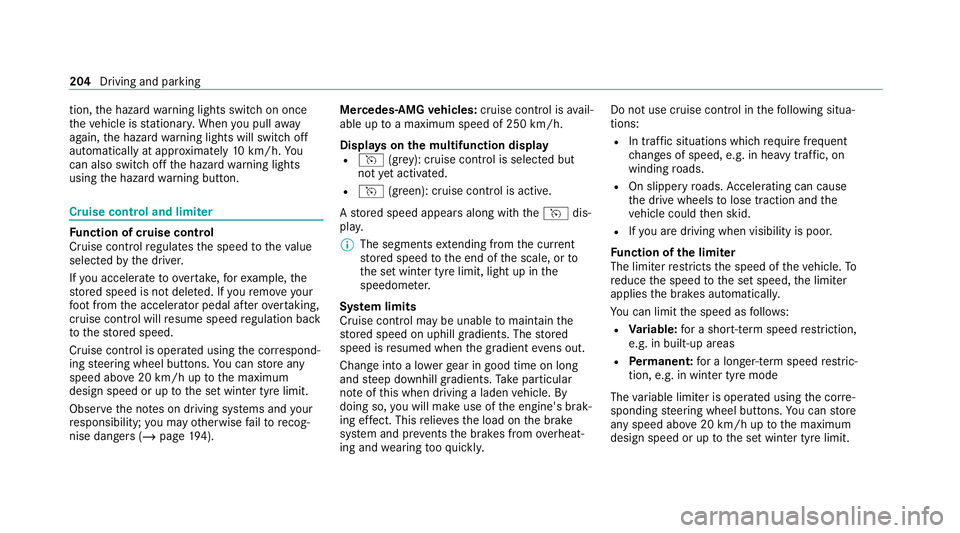
Cruise cont rolre gulates the speed totheva lue
selec tedby the driver.
If yo u accelerate toove rtake, forex ample, the
st ored speed is not dele ted. If youre mo veyour
fo ot from the accelerator pedal af terove rtaking,
cruise control will resume speed regulation back
to thestored speed.
Cruise contro l is operated using the cor respond‐
ing steering wheel buttons. You can store any
speed abo ve20 km/h up tothe maximum
design speed or up tothe set winter tyre limit.
Obser vethe no tes on driving sy stems and your
re sponsibility; you may otherwise failto recog‐
nise dangers (/ page 194). Me
rcedes‑AMG vehicles: cruise control is avail‐
able up toa maximum speed of 250 km/h.
Displ ays on the multifunction display
R h (gre y): cruise cont rol is selec ted but
not yet acti vated.
R h (green): cruise control is active.
A stored speed appears along with theh dis‐
pla y.
% The segments extending from the cur rent
st ored speed tothe end of the scale, or to
th e set winter tyre limit, light up in the
speedome ter.
Sy stem limits
Cruise control may be unable tomaintain the
st ored speed on uphill gradients. The stored
speed is resumed when the gradient evens out.
Change into a lo werge ar in good time on long
and steep downhill gradients. Take particular
no te ofthis when driving a laden vehicle. By
doing so, you will make use of the engine's brak‐
ing ef fect. This relie vesth e load on the brake
sy stem and pr events the brakes from overheat‐
ing and wearing tooqu ickl y. Do not use cruise control in
thefo llowing situa‐
tions:
R In traf fic situations whi chrequ ire frequent
ch anges of speed, e.g. in heavy traf fic, on
winding roads.
R On slippe ryroads. Accelerating can cause
th e drive wheels tolose traction and the
ve hicle could then skid.
R Ifyo u are driving when visibility is poor.
Fu nction of the limiter
The limiter restricts the speed of theve hicle. To
re duce the speed tothe set speed, the limiter
applies the brakes automaticall y.
Yo u can limit the speed as follo ws:
R Variable: for a short-term speed restriction,
e.g. in built-up areas
R Perm anen t:for a longer-term speed restric‐
tion, e.g. in winter tyre mode
The variable limiter is operated using the cor re‐
sponding steering wheel buttons. You can store
any speed abo ve20 km/h up tothe maximum
design speed or up tothe set winter tyre limit. 204
Driving and parking
Page 208 of 489
Yo
u can also per form settings while theve hicle
is stationary if theve hicle has been star ted.
Obser vethe no tes on driving sy stems and your
re sponsibility; you may otherwise failto recog‐
nise dangers (/ page 194).
Me rcedes‑AMG vehicles: the limiter is available
up toa maximum speed of 250 km/h.
Displ ays on the multifunction display
R È (grey):va riable limiter is selec ted but
not yet acti vated.
R È (green): variable limiter is activated.
A stored speed appears along with theÈ dis‐
pla y.The segments in the speedome ter light up,
up tothe cur rently stored speed.
% When the driving speed is greater than the
st ored speed, theÈ display flashes.
Kickd own
If yo u depress the accelerator pedal be yond the
pressure point (kickdown), theva riable limiter
swit ches topassive mode. The Limiter pas-
sivemessage appears in the multifunction dis‐
pla y. Af
ter completion of kickdown, theva riable lim‐
iter is activated again in thefo llowing situations:
R Ifth eve hicle speed drops below thestored
speed.
R Ifth estored speed is called up.
R Ifyo ustore a new speed.
Operating cruise control or theva riable lim‐
iter &
WARNING Risk of accident due tostored
speed
If yo u call up thestored speed and this is
lo we rth an your cur rent speed, theve hicle
decelerates. #
Take into account the tra ffic situation
before calling up thestored speed. Re
quirements:
Cruise control
R Cruise control is selected.
R ESP ®
must be activated, but not inter vening.
R The vehicle speed is at least 20 km/h. R
The transmission is in position h.
Va riable limiter
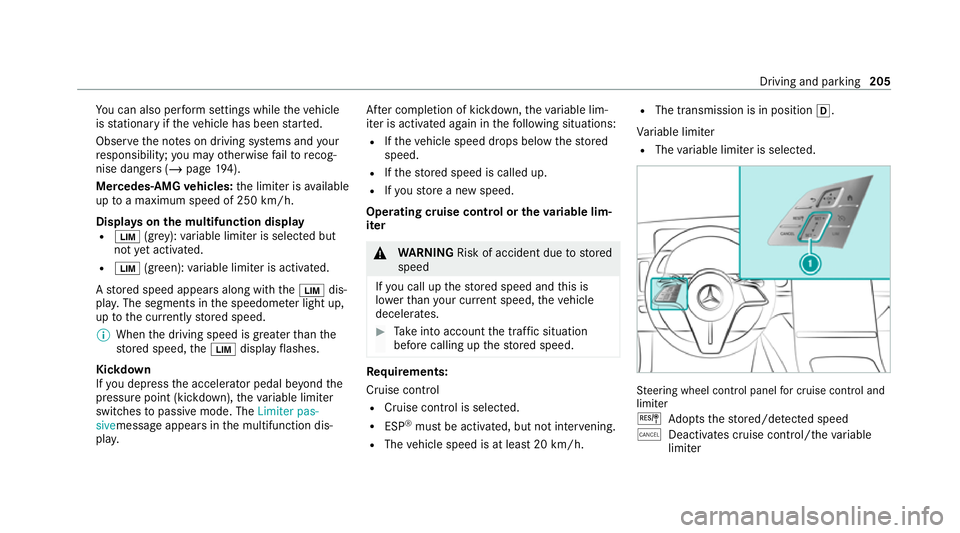
R The variable limiter is selec ted. St
eering wheel cont rol panel for cruise control and
limi ter
J Adopts thestored/de tected speed
± Deacti vates cruise contro l/thevariable
limiter Driving and parking
205
Page 210 of 489
#
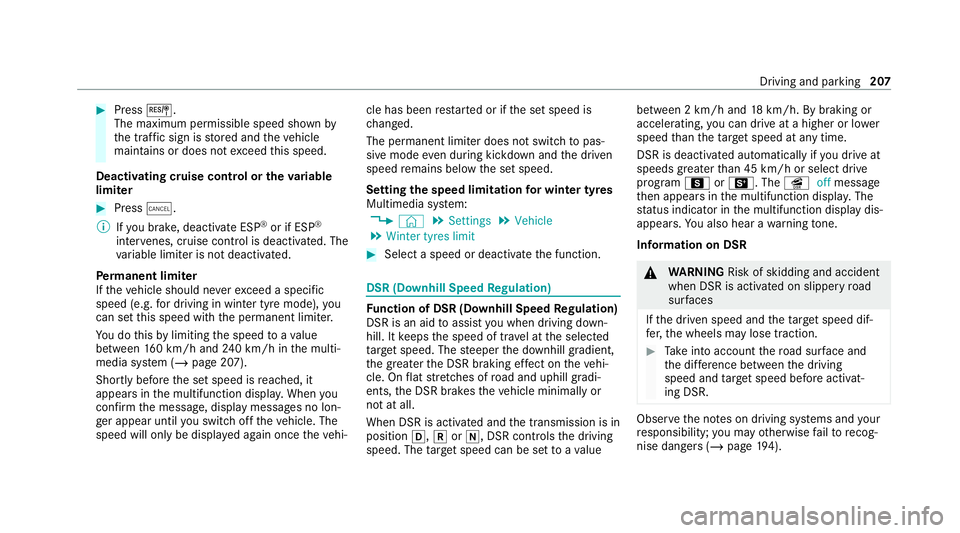
Press J.
The maximum permissible speed shown by
th e traf fic sign is stored and theve hicle
maintains or does not exceed this speed.
Deactivating cruise control or theva riable
limi ter #
Press ±.
% Ifyo u brake, deactivate ESP ®
or if ESP ®
inter venes, cruise control is deacti vated. The
va riable limiter is not deactivated.
Pe rm anent limi ter
If th eve hicle should ne verexc eed a specific
speed (e.g. for driving in winter tyre mode), you
can set this speed with the permanent limiter.
Yo u do this by limiting the speed toava lue
between 160 km/h and 240 km/h in the multi‐
media sy stem (/ page 207).
Shortly before the set speed is reached, it
appears in the multifunction displa y.When you
confirm the message, display messages no lon‐
ge r appear until you swit choff theve hicle. The
speed will only be displa yed again once theve hi‐ cle has been
restar ted or if the set speed is
ch anged.
The permanent limiter does not swit chtopas‐
sive mode even du ring kickdown and the driven
speed remains below the set speed.
Setting the speed limitation for winter tyres
Multimedia sy stem:
4 © 5
Settings 5
Vehicle
5 Winter tyres limit #
Select a speed or deactivate the function. DSR (Downhill Speed
Regulation) Fu
nction of DSR (Downhill Speed Regulation)
DSR is an aid toassist you when driving down‐
hill. It keeps the speed of tr avel at the selected
ta rget speed. The steeper the downhill gradient,
th e greater the DSR braking ef fect on theve hi‐
cle. On flat stre tches of road and uphill gradi‐
ents, the DSR brakes theve hicle minimally or
not at all.
When DSR is activated and the transmission is in
position h,kori, DSR controls the driving
speed. The target speed can be set toava lue between 2 km/h and
18km/h. By braking or
accele rating, you can drive at a higher or lo wer
speed than theta rget speed at any time.
DSR is deactivated automatically if you drive at
speeds greater than 45 km/h or select drive
program CorB. The îoffmessage
th en appears in the multifunction displa y.The
st atus indicator in the multifunction display dis‐
appears. You also hear a warning tone.
In fo rm ation on DSR &
WARNING Risk of skidding and accident
when DSR is acti vated on slippery road
sur faces
If th e driven speed and theta rget speed dif‐
fe r, th e wheels may lose traction. #
Take into account thero ad sur face and
th e dif fere nce between the driving
speed and target speed before activat‐
ing DSR. Obser
vethe no tes on driving sy stems and your
re sponsibility; you may otherwise failto recog‐
nise dangers (/ page 194). Driving and pa
rking 207
Page 216 of 489
Deactivating
Active Di stance Assist
DISTRO NIC &
WARNING Risk of an accident due to
Ac tive Dis tance Assi stDISTRONIC being
acti vewhen you lea vethe driver's seat
If yo u lea vethe driver's seat while theve hicle
is being braked byActive Dis tance Assi st
DISTRONIC only, theve hicle can rollaw ay. #
Alw ays deactivate Active Dis tance
Assi stDISTRONIC and secure theve hi‐
cle topreve nt it from rolling away
before you lea vethe driver's seat. #
Press ±.
% Ifyo u brake, deactivate ESP ®
or if ESP ®
inter venes, Active Dis tance Assi st
DISTRONIC is deacti vated. Fu
nction of Active Speed Limit Assi stIf speed limit
change between 20 km/h and
13 0 km/h is de tected and the automatic adop‐
tion of speed limits is active, it will be automati‐ cally adop
ted as thestored speed
(/ page 242).
The driven speed is adju sted when theve hicle is
le ve l with the traf fic sign at the latest. In the
case of signs indicating entry into an urban area,
th e speed is adap ted according tothe speed
permitted within the urban area. The speed limit
display in the Instrument Display is alw ays upda‐
te d when theve hicle is le vel with the tra ffic sign.
If th ere is no speed restriction on an unlimi ted
st re tch of road (e.g. on a mo torw ay),th ere com‐
mended speed is au tomatical lyadop ted as the
st ored speed. The sy stem uses the speed stored
on an unlimited stre tch of road as there com‐
mended speed. If you do not alter thestored
speed on an unlimited stre tch of road, there c‐
ommended speed is 130 km/h.
If Ac tive Dis tance Assi stDISTRONIC has been
put into passi vemode bypressing the accelera‐
to r pedal, only speed limits which are higher
th an the set speed are adop ted.
Obser vethe no tes on driving sy stems and your
re sponsibility; you may otherwise failto recog‐
nise dangers (/ page 194). Sy
stem limits
The sy stem limits of Traf fic Sign Assi stapply to
th e de tection of traf fic signs (/ page 241).
Speed limits bel ow20 km/h are not auto mati‐
cally adop tedby the sy stem as thestored speed.
Te mp orary speed restrictions (e.g. for a cer tain
time or due towe ather conditions) cannot be
proper ly detected bythe sy stem. The maximum
permissible speed applying toave hicle with a
trailer is not de tected bythe sy stem.
Ad just the speed in these situations. &
WARNING Risk of accident due toActive
Speed Limit Assi stadapting theve hicle's
speed
The speed adop tedby Active Speed Limit
Assi stmay be too high or incor rect in some
individual cases, su chas:
R at speed limits below 20 km/h
R inwe t conditions or in fog
R when towing a trailer Driving and parking
213
Page 219 of 489
Ste
ering and touch de tection
The driver is requiredtokeep their hands on the
st eering wheel at all times and be able tointer‐
ve ne at any time tocor rect the course of the
ve hicle and keep it in lane. The driver must
ex pect a change from active topassive mode or
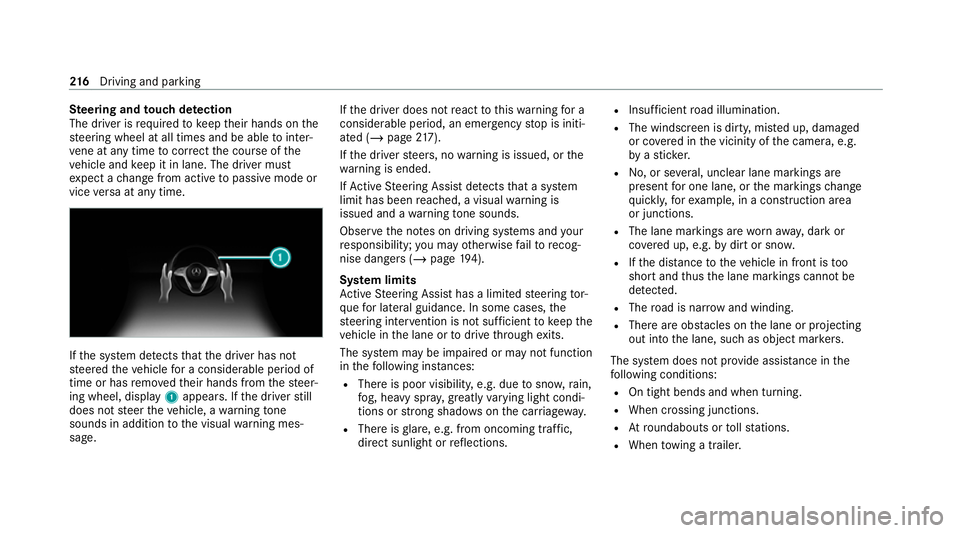
vice versa at any time. If
th e sy stem de tects that the driver has not
st eered theve hicle for a considerable period of
time or has remo vedth eir hands from thesteer‐
ing wheel, display 1appears. If the driver still
does not steer theve hicle, a warning tone
sounds in addition tothe visual warning mes‐
sage. If
th e driver does not react tothis wa rning for a
considerable period, an emergency stop is initi‐
ated (/ page217).
If th e driver steers, no warning is issued, or the
wa rning is ended.
If Ac tive Steering Assist de tects that a sy stem
limit has been reached, a visual warning is
issued and a warning tone sounds.
Obser vethe no tes on driving sy stems and your
re sponsibility; you may otherwise failto recog‐
nise dangers (/ page 194).
Sy stem limits
Ac tive Steering Assist has a limited steering tor‐
qu efo r lateral guidance. In some cases, the
st eering inter vention is not su fficient tokeep the
ve hicle in the lane or todrive thro ugh exits.
The sy stem may be impaired or may not function
in thefo llowing ins tances:
R The reis poor visibilit y,e.g. due tosno w,rain,
fo g, heavy spr ay,greatly varying light condi‐
tions or strong shado wsonthe car riag ew ay.
R There is glare, e.g. from oncoming traf fic,
di re ct sunlight or reflections. R
Insuf ficient road illumination.
R The windsc reen is dirty, mis ted up, damaged
or co vered in the vicinity of the camera, e.g.
by ast icke r.
R No, or se veral, unclear lane markings are
present for one lane, or the markings change
qu ickl y,forex ample, in a con stru ction area
or junctions.
R The lane markings are wornaw ay, dark or
co vered up, e.g. bydirt or sno w.
R Ifth e dis tance totheve hicle in front is too
short and thus the lane markings cann otbe
de tected.
R The road is nar row and winding.
R There are obs tacles on the lane or projecting
out into the lane, such as object mar kers.
The sy stem does not pr ovide assis tance in the
fo llowing conditions:
R On tight bends and when turning.
R When crossing junctions.
R Atroundabouts or tollst ations.
R When towing a trailer. 216
Driving and pa rking