display MERCEDES-BENZ E-CLASS SALOON 2009 User Guide
[x] Cancel search | Manufacturer: MERCEDES-BENZ, Model Year: 2009, Model line: E-CLASS SALOON, Model: MERCEDES-BENZ E-CLASS SALOON 2009Pages: 373, PDF Size: 12.37 MB
Page 17 of 373
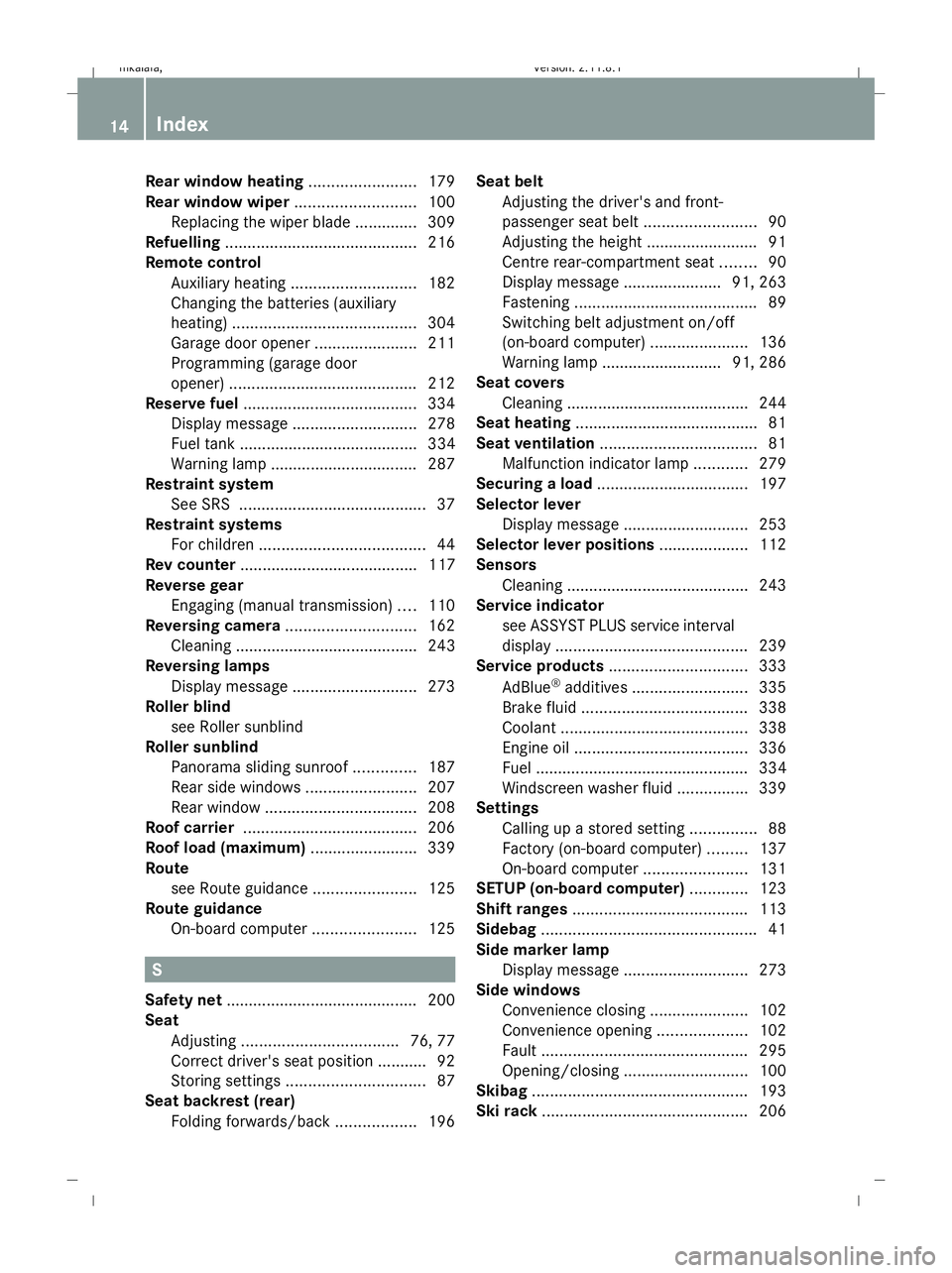
Rear window heating
........................179
Rear window wiper ...........................100
Replacing the wiper blade .............. 309
Refuelling ........................................... 216
Remote control Auxiliary heating ............................ 182
Changing the batteries (auxiliary
heating) ......................................... 304
Garage door opene r....................... 211
Programming (garage door
opener) .......................................... 212
Reserve fuel ....................................... 334
Display message ............................ 278
Fuel tank ........................................ 334
Warning lamp ................................. 287
Restraint system
See SRS .......................................... 37
Restraint systems
For children ..................................... 44
Rev counter ........................................ 117
Reverse gear Engaging (manual transmission) ....110
Reversing camera ............................. 162
Cleaning ......................................... 243
Reversing lamps
Display message ............................ 273
Roller blind
see Roller sunblind
Roller sunblind
Panorama sliding sunroo f.............. 187
Rear side windows .........................207
Rear window .................................. 208
Roof carrier ....................................... 206
Roof load (maximum) ........................339
Route see Route guidance .......................125
Route guidance
On-board computer .......................125 S
Safety net .......................................... .200
Seat Adjusting ................................... 76, 77
Correct driver's seat position ........... 92
Storing settings ............................... 87
Seat backrest (rear)
Folding forwards/back ..................196Seat belt
Adjusting the driver's and front-
passenger seat belt .........................90
Adjusting the height ......................... 91
Centre rear-compartment sea t........ 90
Display message ......................91, 263
Fastening ......................................... 89
Switching belt adjustment on/off
(on-board computer) ......................136
Warning lamp ........................... 91, 286
Seat covers
Cleaning ......................................... 244
Seat heating ........................................ .81
Seat ventilation ................................... 81
Malfunction indicator lamp ............279
Securing a load .................................. 197
Selector lever Display message ............................ 253
Selector lever positions ....................112
Sensors Cleaning ......................................... 243
Service indicator
see ASSYST PLUS service interval
displa y........................................... 239
Service products ............................... 333
AdBlue ®
additives .......................... 335
Brake fluid ..................................... 338
Coolant .......................................... 338
Engine oil ....................................... 336
Fuel ................................................ 334
Windscreen washer fluid ................339
Settings
Calling up a stored setting ...............88
Factory (on-board computer) .........137
On-board computer .......................131
SETUP (on-board computer) .............123
Shift ranges ....................................... 113
Sidebag ................................................ 41
Side marker lamp Display message ............................ 273
Side windows
Convenience closing ......................102
Convenience opening ....................102
Fault .............................................. 295
Opening/closing ............................ 100
Skibag ................................................ 193
Ski rack .............................................. 20614
Index 212_AKB; 2; 4, en-GB
mkalafa,
Version: 2.11.8.1 2009-05-05T14:17:16+02:00 - Seite 14Dateiname: 6515346702_buchblock.pdf; erzeugt am 07. May 2009 14:15:27; WK
Page 18 of 373
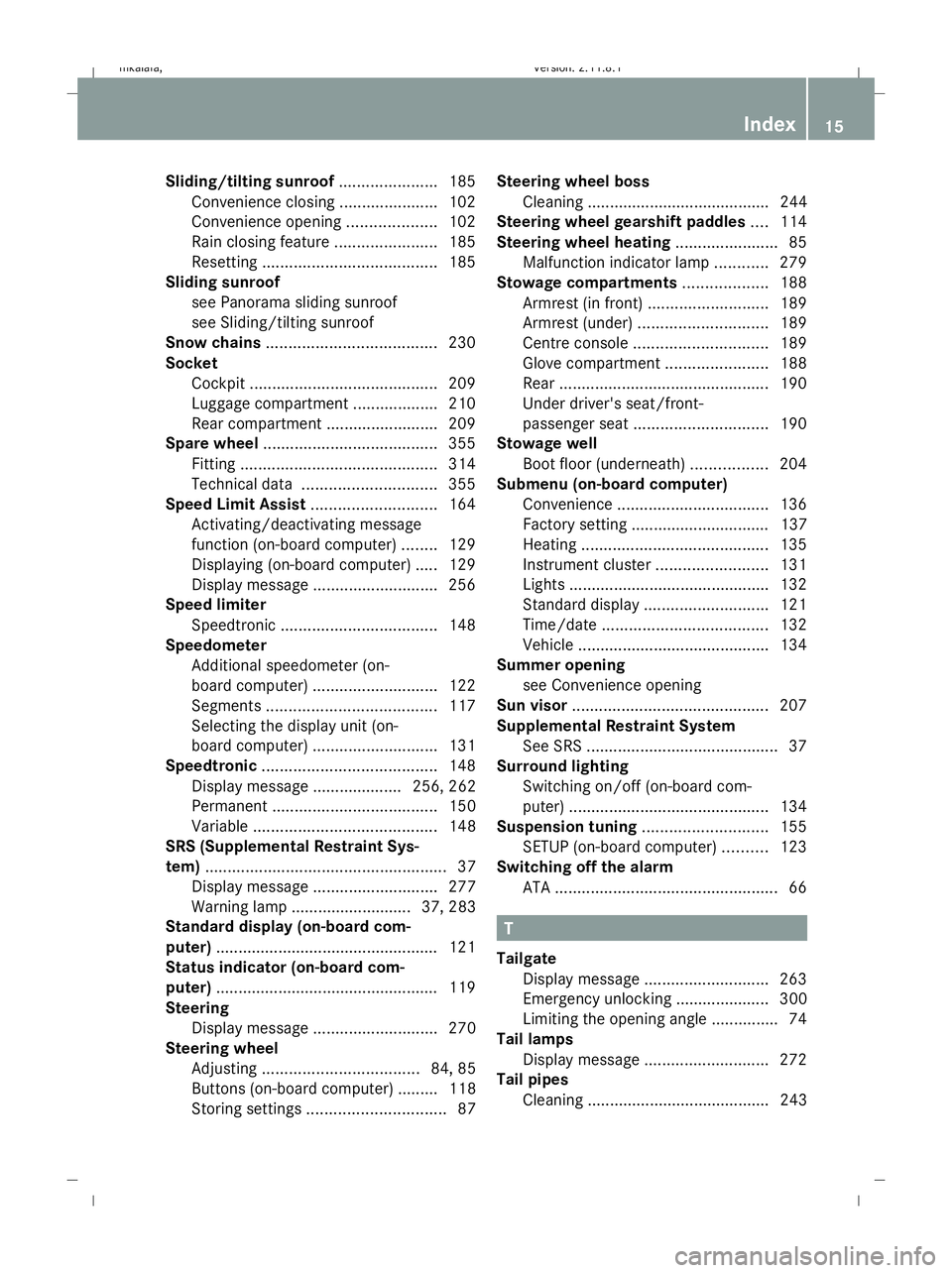
Sliding/tilting sunroof
......................185
Convenience closing ......................102
Convenience opening ....................102
Rain closing feature .......................185
Resetting ....................................... 185
Sliding sunroof
see Panorama sliding sunroof
see Sliding/tilting sunroof
Snow chains ...................................... 230
Socket Cockpit .......................................... 209
Luggage compartment ...................210
Rear compartment .........................209
Spare wheel ....................................... 355
Fitting ............................................ 314
Technical data .............................. 355
Speed Limit Assist ............................164
Activating/deactivating message
function (on-board computer) ........129
Displaying (on-board computer) ..... 129
Display message ............................ 256
Speed limiter
Speedtronic ................................... 148
Speedometer
Additional speedometer (on-
board computer) ............................ 122
Segments ...................................... 117
Selecting the display unit (on-
board computer) ............................ 131
Speedtronic ....................................... 148
Display message .................... 256, 262
Permanent ..................................... 150
Variabl e......................................... 148
SRS (Supplemental Restraint Sys-
tem) ...................................................... 37
Display message ............................ 277
Warning lamp ........................... 37, 283
Standard display (on-board com-
puter) ................................................. .121
Status indicator (on-board com-
puter) ................................................. .119
Steering Display message ............................ 270
Steering wheel
Adjusting ................................... 84, 85
Buttons (on-board computer) ......... 118
Storing settings ............................... 87Steering wheel boss
Cleaning ......................................... 244
Steering wheel gearshift paddles ....114
Steering wheel heating .......................85
Malfunction indicator lamp ............279
Stowage compartments ...................188
Armrest (in front) ........................... 189
Armrest (under) ............................. 189
Centre console .............................. 189
Glove compartment .......................188
Rear ............................................... 190
Under driver's seat/front-
passenger seat .............................. 190
Stowage well
Boot floor (underneath) .................204
Submenu (on-board computer)
Convenience .................................. 136
Factory setting ............................... 137
Heating .......................................... 135
Instrument cluster .........................131
Lights ............................................ .132
Standard displa y............................ 121
Time/date ..................................... 132
Vehicle .......................................... .134
Summer opening
see Convenience opening
Sun visor ............................................ 207
Supplemental Restraint System See SRS ........................................... 37
Surround lighting
Switching on/off (on-board com-
puter) ............................................. 134
Suspension tuning ............................155
SETUP (on-board computer) ..........123
Switching off the alarm
ATA .................................................. 66 T
Tailgate Display message ............................ 263
Emergency unlocking ..................... 300
Limiting the opening angle ...............74
Tail lamps
Display message ............................ 272
Tail pipes
Cleaning ......................................... 243 Index
15 212_AKB; 2; 4, en-GB
mkalafa,
Version: 2.11.8.1 2009-05-05T14:17:16+02:00 - Seite 15Dateiname: 6515346702_buchblock.pdf; erzeugt am 07. May 2009 14:15:27; WK
Page 19 of 373
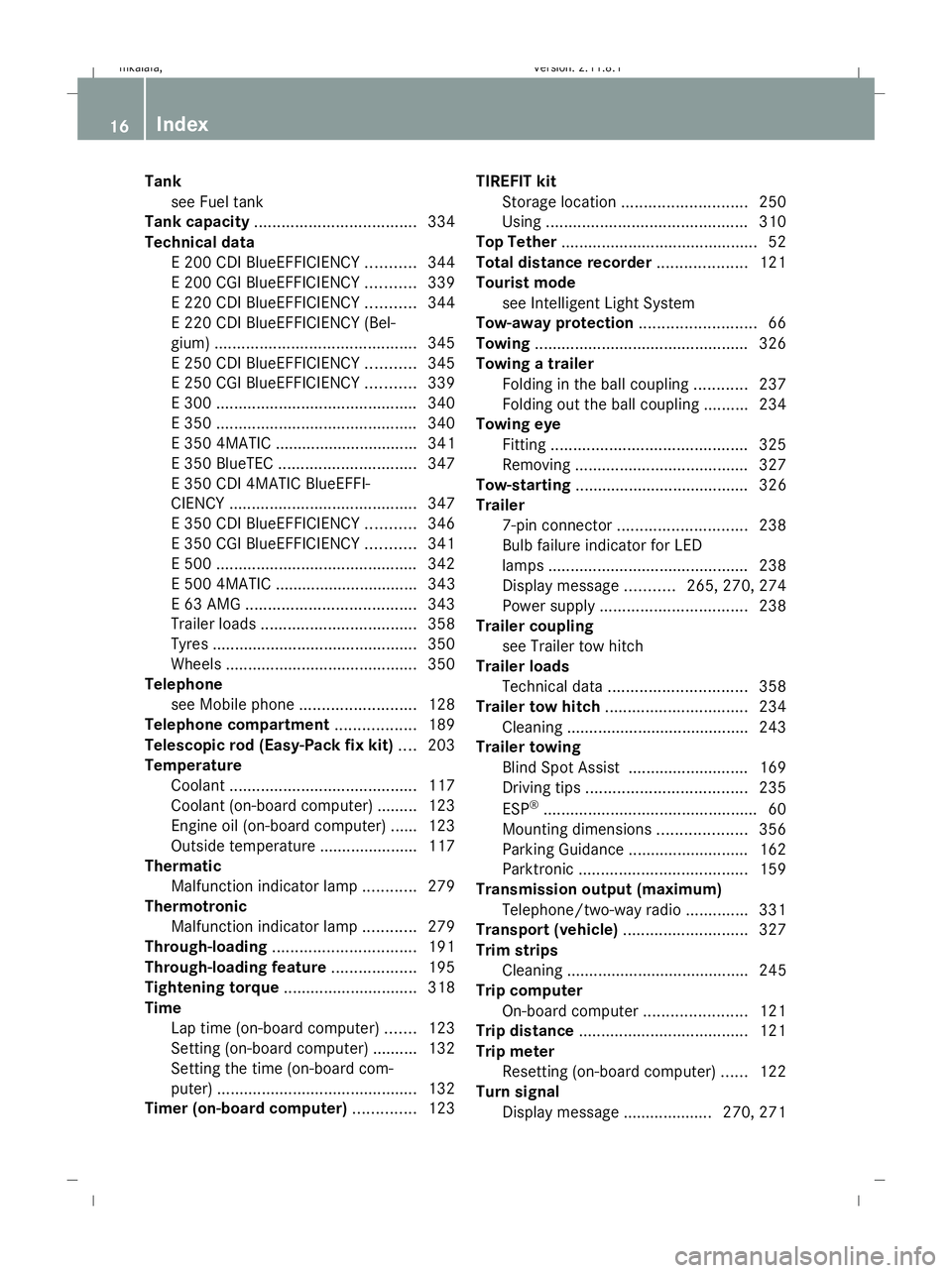
Tank
see Fuel tank
Tank capacity .................................... 334
Technical data E 200 CDI BlueEFFICIENCY ...........344
E 200 CGI BlueEFFICIENCY ...........339
E 220 CDI BlueEFFICIENCY ...........344
E 220 CDI BlueEFFICIENCY (Bel-
gium) ............................................. 345
E 250 CDI BlueEFFICIENCY ...........345
E 250 CGI BlueEFFICIENCY ...........339
E 300 ............................................. 340
E 350 ............................................. 340
E 350 4MATIC ................................ 341
E 350 BlueTEC ............................... 347
E 350 CDI 4MATIC BlueEFFI-
CIENCY .......................................... 347
E 350 CDI BlueEFFICIENCY ...........346
E 350 CGI BlueEFFICIENCY ...........341
E 500 ............................................. 342
E 500 4MATIC ................................ 343
E 63 AMG ...................................... 343
Trailer loads ................................... 358
Tyres .............................................. 350
Wheels ........................................... 350
Telephone
see Mobile phone .......................... 128
Telephone compartment ..................189
Telescopic rod (Easy-Pack fix kit) ....203
Temperature Coolant .......................................... 117
Coolant (on-board computer) ......... 123
Engine oil (on-board computer) ...... 123
Outside temperature ..................... .117
Thermatic
Malfunction indicator lamp ............279
Thermotronic
Malfunction indicator lamp ............279
Through-loading ................................ 191
Through-loading feature ...................195
Tightening torque .............................. 318
Time Lap time (on-board computer) .......123
Setting (on-board computer) .......... 132
Setting the time (on-board com-
puter) ............................................. 132
Timer (on-board computer) ..............123TIREFIT kit
Storage location ............................ 250
Using ............................................. 310
Top Tether ............................................ 52
Total distance recorder ....................121
Tourist mode see Intelligent Light System
Tow-away protection ..........................66
Towing ................................................ 326
Towing a trailer Folding in the ball coupling ............237
Folding out the ball coupling ..........234
Towing eye
Fitting ............................................ 325
Removing ....................................... 327
Tow-starting ....................................... 326
Trailer 7-pin connector ............................. 238
Bulb failure indicator for LED
lamps ............................................. 238
Display message ...........265, 270, 274
Power supply ................................. 238
Trailer coupling
see Trailer tow hitch
Trailer loads
Technical data ............................... 358
Trailer tow hitch ................................ 234
Cleaning ......................................... 243
Trailer towing
Blind Spot Assist ........................... 169
Driving tips .................................... 235
ESP ®
................................................ 60
Mounting dimensions ....................356
Parking Guidance ........................... 162
Parktroni c...................................... 159
Transmission output (maximum)
Telephone/two-way radio ..............331
Transport (vehicle) ............................327
Trim strips Cleaning ......................................... 245
Trip computer
On-board computer .......................121
Trip distance ...................................... 121
Trip meter Resetting (on-board computer) ......122
Turn signal
Display message .................... 270, 271 16
Index 212_AKB; 2; 4, en-GB
mkalafa,
Version: 2.11.8.1 2009-05-05T14:17:16+02:00 - Seite 16Dateiname: 6515346702_buchblock.pdf; erzeugt am 07. May 2009 14:15:27; WK
Page 20 of 373
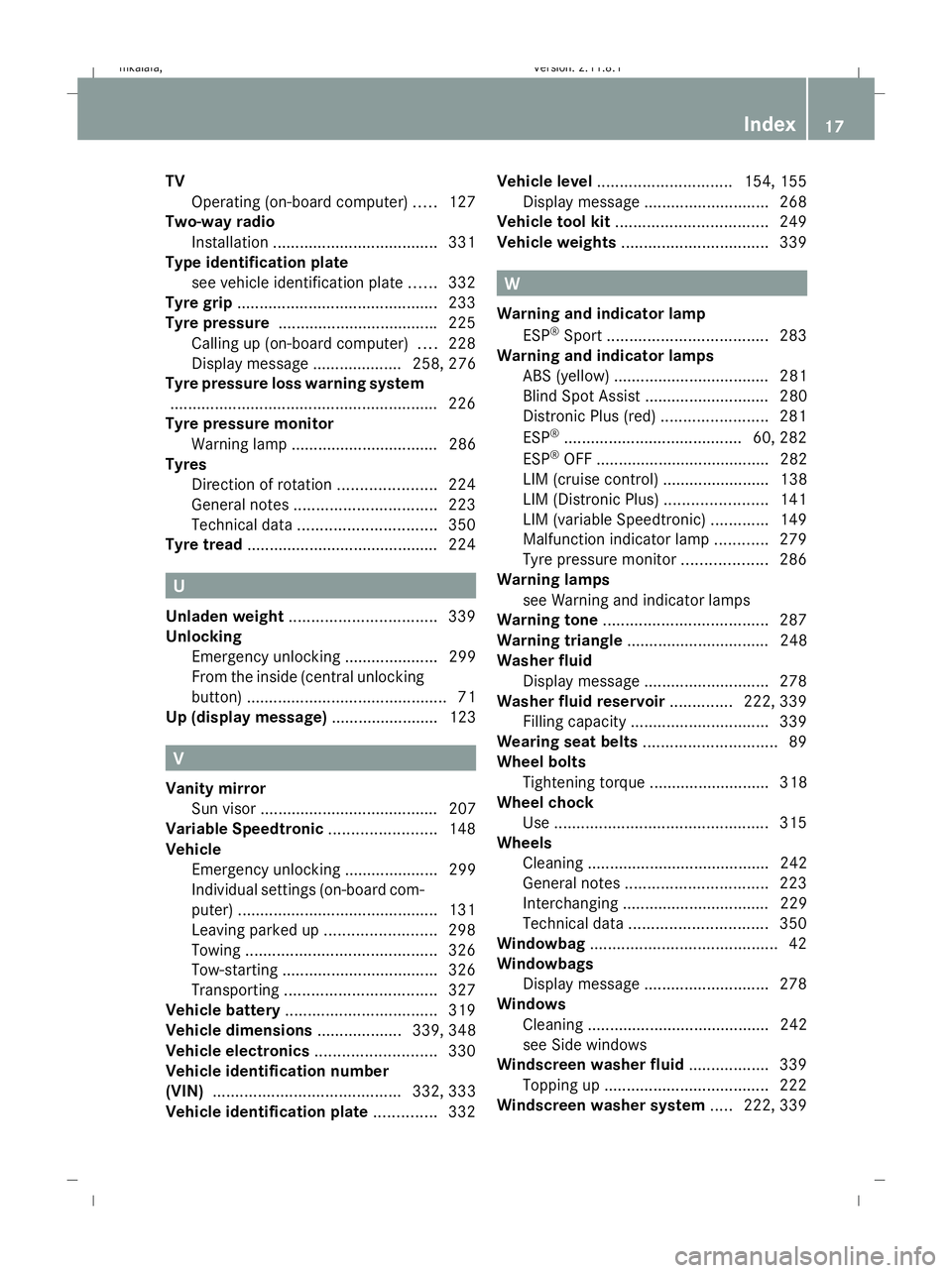
TV
Operating (on-board computer) .....127
Two-way radio
Installation ..................................... 331
Type identification plate
see vehicle identification plate ......332
Tyre grip ............................................. 233
Tyre pressure ................................... .225
Calling up (on-board computer) ....228
Display message .................... 258, 276
Tyre pressure loss warning system
............................................................ 226
Tyre pressure monitor
Warning lamp ................................. 286
Tyres
Direction of rotatio n...................... 224
General notes ................................ 223
Technical data ............................... 350
Tyre tread .......................................... .224 U
Unladen weight ................................. 339
Unlocking Emergency unlocking ..................... 299
From the inside (central unlocking
button) ............................................. 71
Up (display message) ........................ 123 V
Vanity mirror Sun visor ........................................ 207
Variable Speedtronic ........................148
Vehicle Emergency unlocking ..................... 299
Individual settings (on-board com-
puter) ............................................. 131
Leaving parked up .........................298
Towing ........................................... 326
Tow-starting ................................... 326
Transporting .................................. 327
Vehicle battery .................................. 319
Vehicle dimensions ...................339, 348
Vehicle electronics ...........................330
Vehicle identification number
(VIN) .......................................... 332, 333
Vehicle identification plate ..............332Vehicle level
.............................. 154, 155
Display message ............................ 268
Vehicle tool kit .................................. 249
Vehicle weights ................................. 339 W
Warning and indicator lamp ESP ®
Sport .................................... 283
Warning and indicator lamps
ABS (yellow) ................................... 281
Blind Spot Assist ............................ 280
Distronic Plus (red) ........................281
ESP ®
........................................ 60, 282
ESP ®
OFF ....................................... 282
LIM (cruise control) ........................ 138
LIM (Distronic Plus) .......................141
LIM (variable Speedtronic) .............149
Malfunction indicator lamp ............279
Tyre pressure monitor ...................286
Warning lamps
see Warning and indicator lamps
Warning tone ..................................... 287
Warning triangle ................................ 248
Washer fluid Display message ............................ 278
Washer fluid reservoir ..............222, 339
Filling capacity ............................... 339
Wearing seat belts .............................. 89
Wheel bolts Tightening torque ........................... 318
Wheel chock
Use ................................................ 315
Wheels
Cleaning ......................................... 242
General notes ................................ 223
Interchanging ................................. 229
Technical data ............................... 350
Windowbag .......................................... 42
Windowbags Display message ............................ 278
Windows
Cleaning ......................................... 242
see Side windows
Windscreen washer fluid ..................339
Topping up ..................................... 222
Windscreen washer system .....222, 339 Index
17 212_AKB; 2; 4, en-GB
mkalafa,
Version: 2.11.8.1 2009-05-05T14:17:16+02:00 - Seite 17Dateiname: 6515346702_buchblock.pdf; erzeugt am 07. May 2009 14:15:27; WK
Page 30 of 373
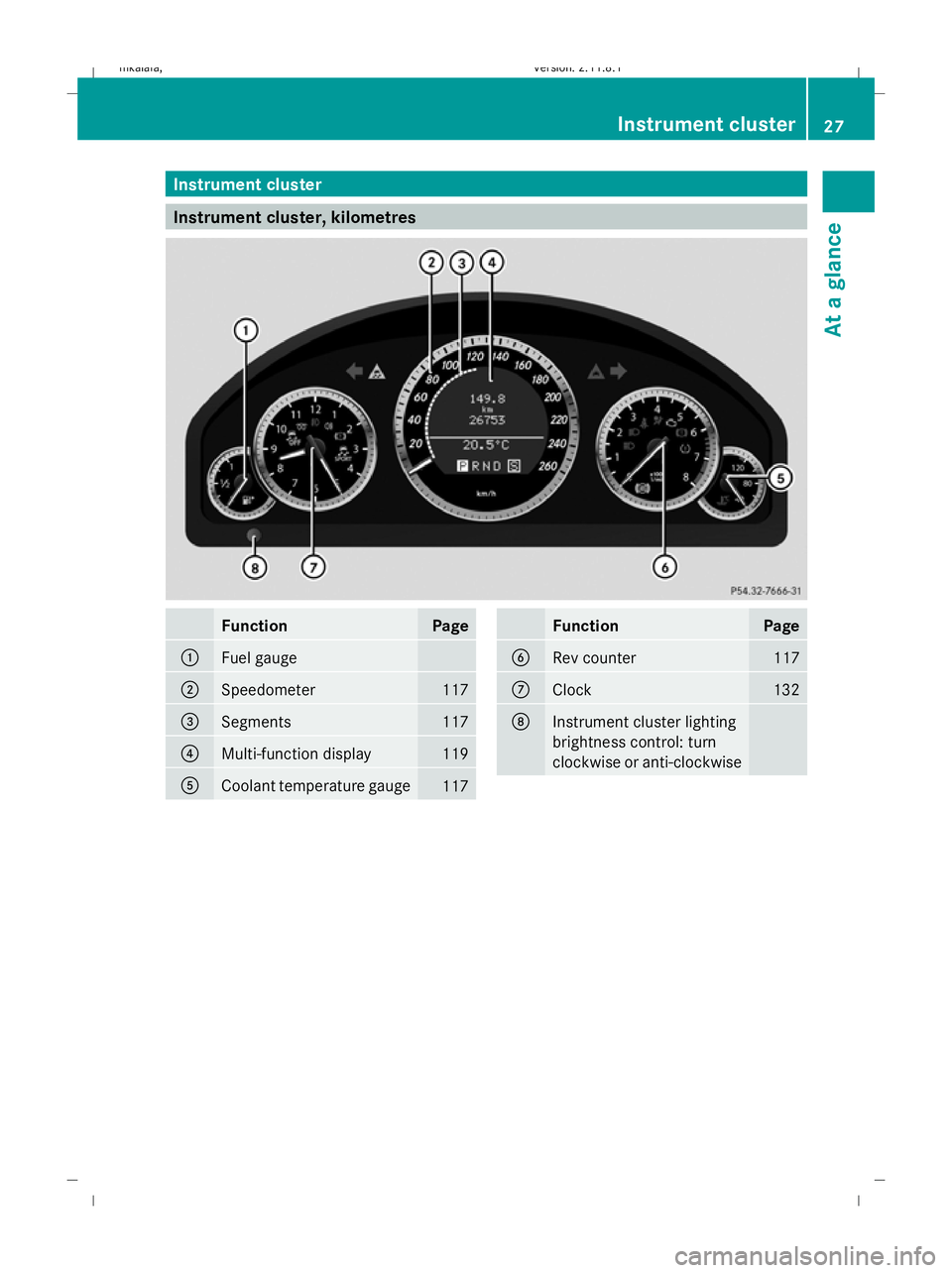
Instrument cluster
Instrument cluster, kilometres
Function Page
:
Fuel gauge
;
Speedometer 117
=
Segments 117
?
Multi-function display 119
A
Coolant temperature gauge
117 Function Page
B
Rev counter 117
C
Clock 132
D
Instrument cluster lighting
brightness control: turn
clockwise or anti-clockwise Instrument cluster
27At a glance
212_AKB; 2; 4, en-GB
mkalafa, Version: 2.11.8.1 2009-05-05T14:17:16+02:00 - Seite 27
Dateiname: 6515346702_buchblock.pdf; erzeugt am 07. May 2009 14:15:30; WK
Page 31 of 373
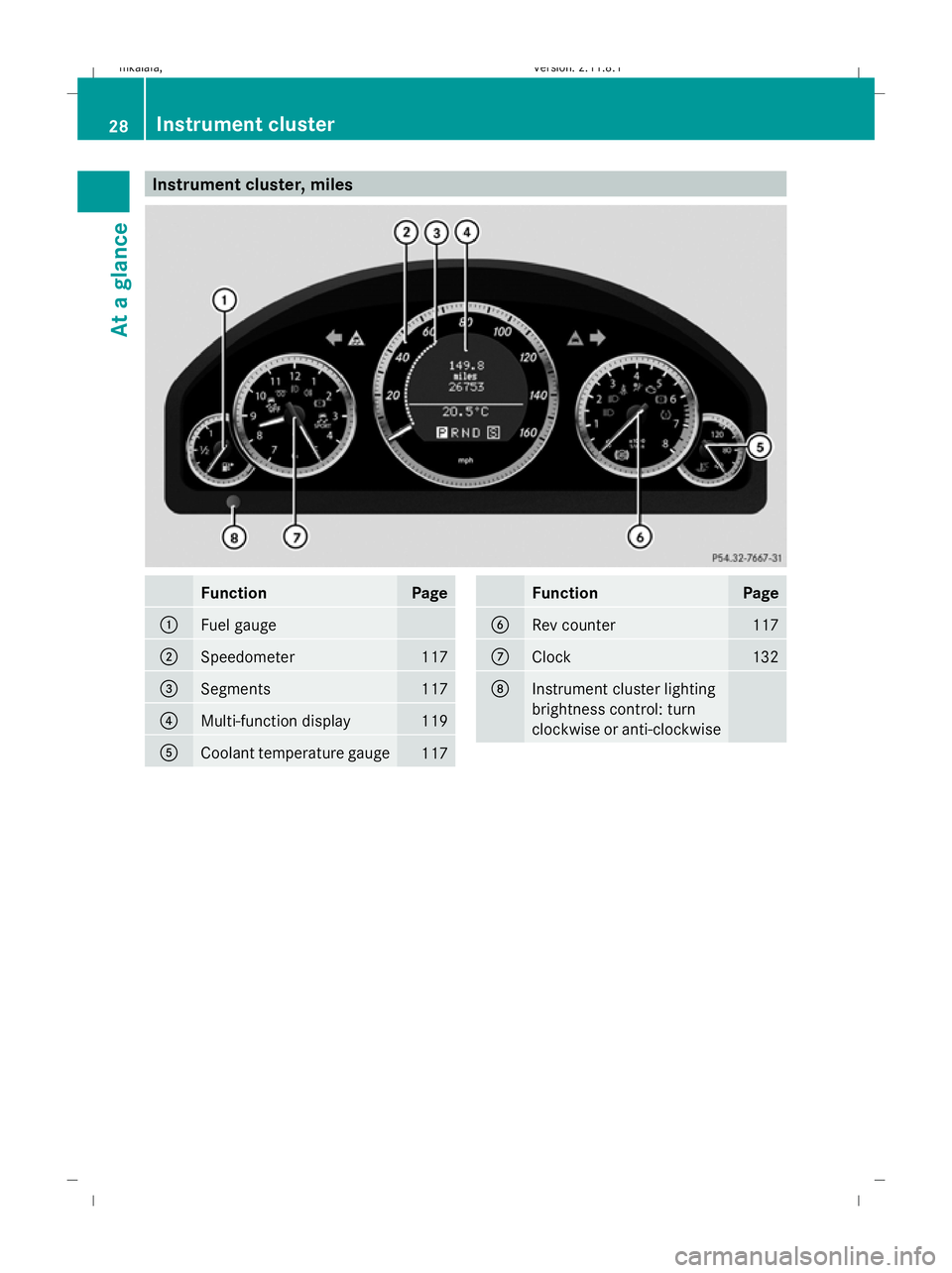
Instrument cluster, miles
Function Page
:
Fuel gauge
;
Speedometer 117
=
Segments 117
?
Multi-function display 119
A
Coolant temperature gauge
117 Function Page
B
Rev counter 117
C
Clock 132
D
Instrument cluster lighting
brightness control: turn
clockwise or anti-clockwise28
Instrument clusterAt a glance
212_AKB; 2; 4, en-GB
mkalafa,
Version: 2.11.8.1
2009-05-05T14:17:16+02:00 - Seite 28
Dateiname: 6515346702_buchblock.pdf; erzeugt am 07. May 2009 14:15:31; WK
Page 33 of 373
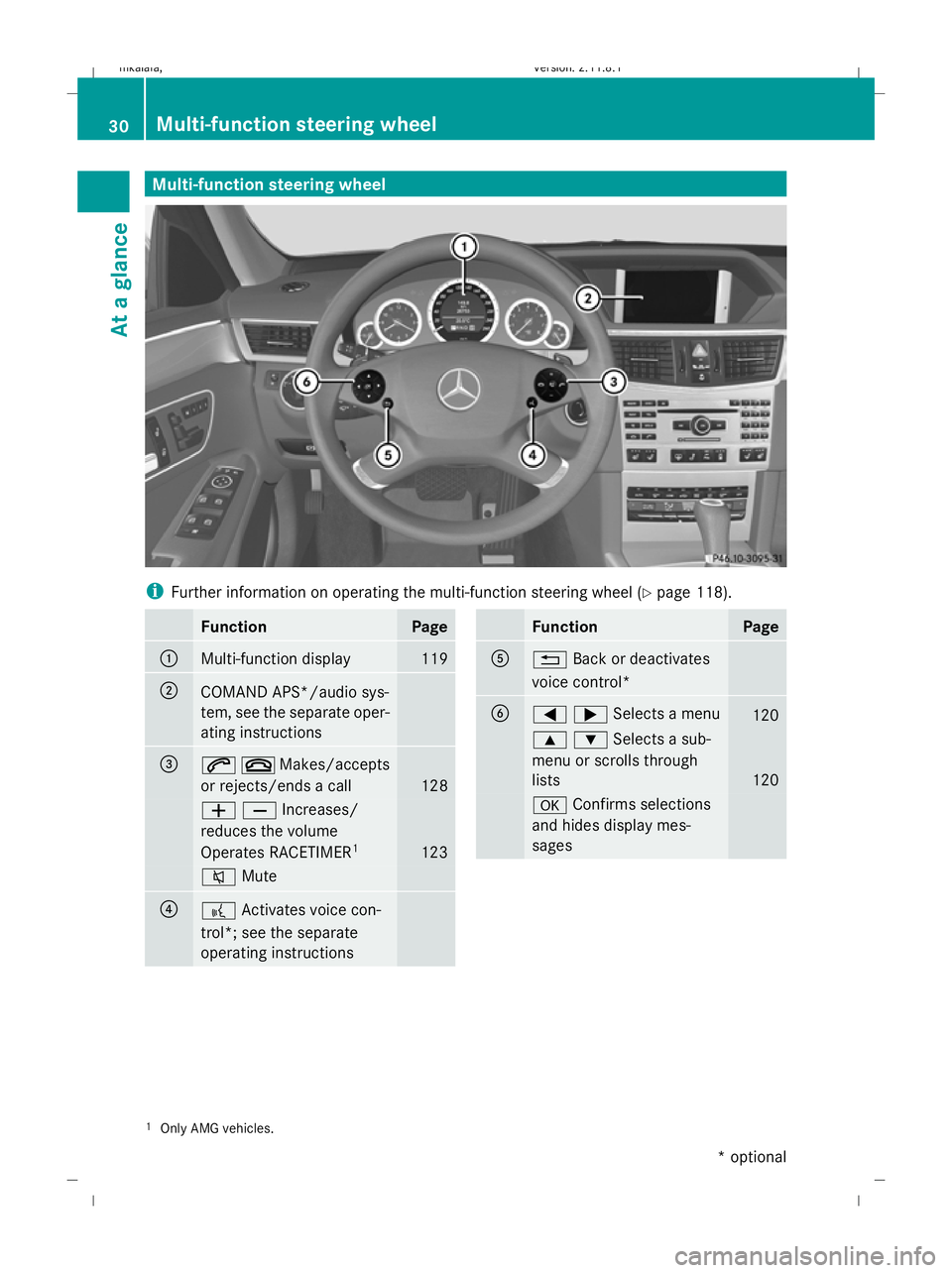
Multi-function steering wheel
i
Further information on operating the multi-function steering wheel (Y page 118).Function Page
:
Multi-function display 119
;
COMAND APS*/audio sys-
tem, see the separate oper-
ating instructions
=
6~Makes/accepts
or rejects/ends a call
128
WXIncreases/
reduces the volume
Operates RACETIMER
1 123
8
Mute ?
?
Activates voice con-
trol*; see the separate
operating instructions Function Page
A
%
Back or deactivates
voice control* B
=;Selects a menu
120
9:Selects a sub-
menu or scrolls through
lists
120
a
Confirms selections
and hides display mes-
sages 1
Only AMG vehicles. 30
Multi-function steering wheelAt a glance
* optional
212_AKB; 2; 4, en-GB
mkalafa
,V ersion: 2.11.8.1
2009-05-05T14:17:16+02:00 - Seite 30
Dateiname: 6515346702_buchblock.pdf; erzeugt am 07. May 2009 14:15:32; WK
Page 65 of 373
You should always adapt your driving style to
suit prevailing road and weather conditions.
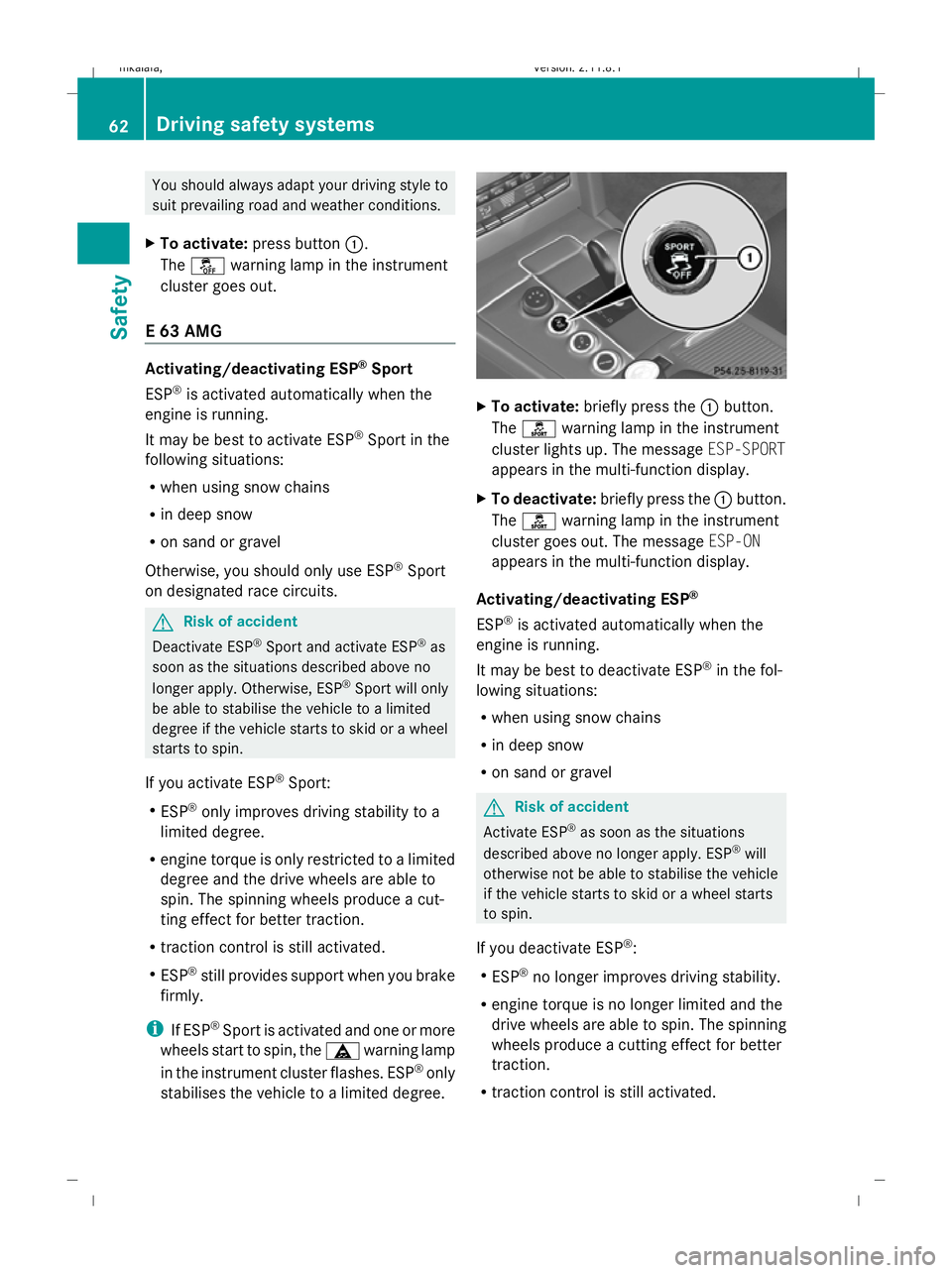
X To activate: press button :.
The å warning lamp in the instrument
cluster goes out.
E 63 AMG Activating/deactivating ESP
®
Sport
ESP ®
is activated automatically when the
engine is running.
It may be best to activate ESP ®
Sport in the
following situations:
R when using snow chains
R in deep snow
R on sand or gravel
Otherwise, you should only use ESP ®
Sport
on designated race circuits. G
Risk of accident
Deactivate ESP ®
Sport and activate ESP ®
as
soon as the situations described above no
longer apply. Otherwise, ESP ®
Sport will only
be able to stabilise the vehicle to a limited
degree if the vehicle starts to skid or a wheel
starts to spin.
If you activate ESP ®
Sport:
R ESP ®
only improves driving stability to a
limited degree.
R engine torque is only restricted to a limited
degree and the drive wheels are able to
spin. The spinning wheels produce a cut-
ting effect for better traction.
R traction control is still activated.
R ESP ®
still provides support when you brake
firmly.
i If ESP ®
Sport is activated and one or more
wheels start to spin, the äwarning lamp
in the instrument cluster flashes. ESP ®
only
stabilises the vehicle to a limited degree. X
To activate: briefly press the :button.
The ì warning lamp in the instrument
cluster lights up. The message ESP-SPORT
appears in the multi-function display.
X To deactivate: briefly press the :button.
The ì warning lamp in the instrument
cluster goes out. The message ESP-ON
appears in the multi-function display.
Activating/deactivating ESP ®
ESP ®
is activated automatically when the
engine is running.
It may be best to deactivate ESP ®
in the fol-
lowing situations:
R when using snow chains
R in deep snow
R on sand or gravel G
Risk of accident
Activate ESP ®
as soon as the situations
described above no longer apply. ESP ®
will
otherwise not be able to stabilise the vehicle
if the vehicle starts to skid or a wheel starts
to spin.
If you deactivate ESP ®
:
R ESP ®
no longer improves driving stability.
R engine torque is no longer limited and the
drive wheels are able to spin. The spinning
wheels produce a cutting effect for better
traction.
R traction control is still activated. 62
Driving safety systemsSafety
212_AKB; 2; 4, en-GB
mkalafa,
Version: 2.11.8.1 2009-05-05T14:17:16+02:00 - Seite 62
Dateiname: 6515346702_buchblock.pdf; erzeugt am 07. May 2009 14:15:43; WK
Page 66 of 373
R
ESP ®
still provides support when you brake
firmly.
R PRE-SAFE ®
is not available. It will also not
be activated if you brake firmly with the
assistance of ESP.
R PRE-SAFE ®
Brake* is not available. It will
also not be activated if you brake firmly
with the assistance of ESP ®
.
i If ESP ®
is deactivated and one or more
wheels start to spin, the äwarning lamp
in the instrument cluster does not flash. In
such situations, ESP ®
will not stabilise the
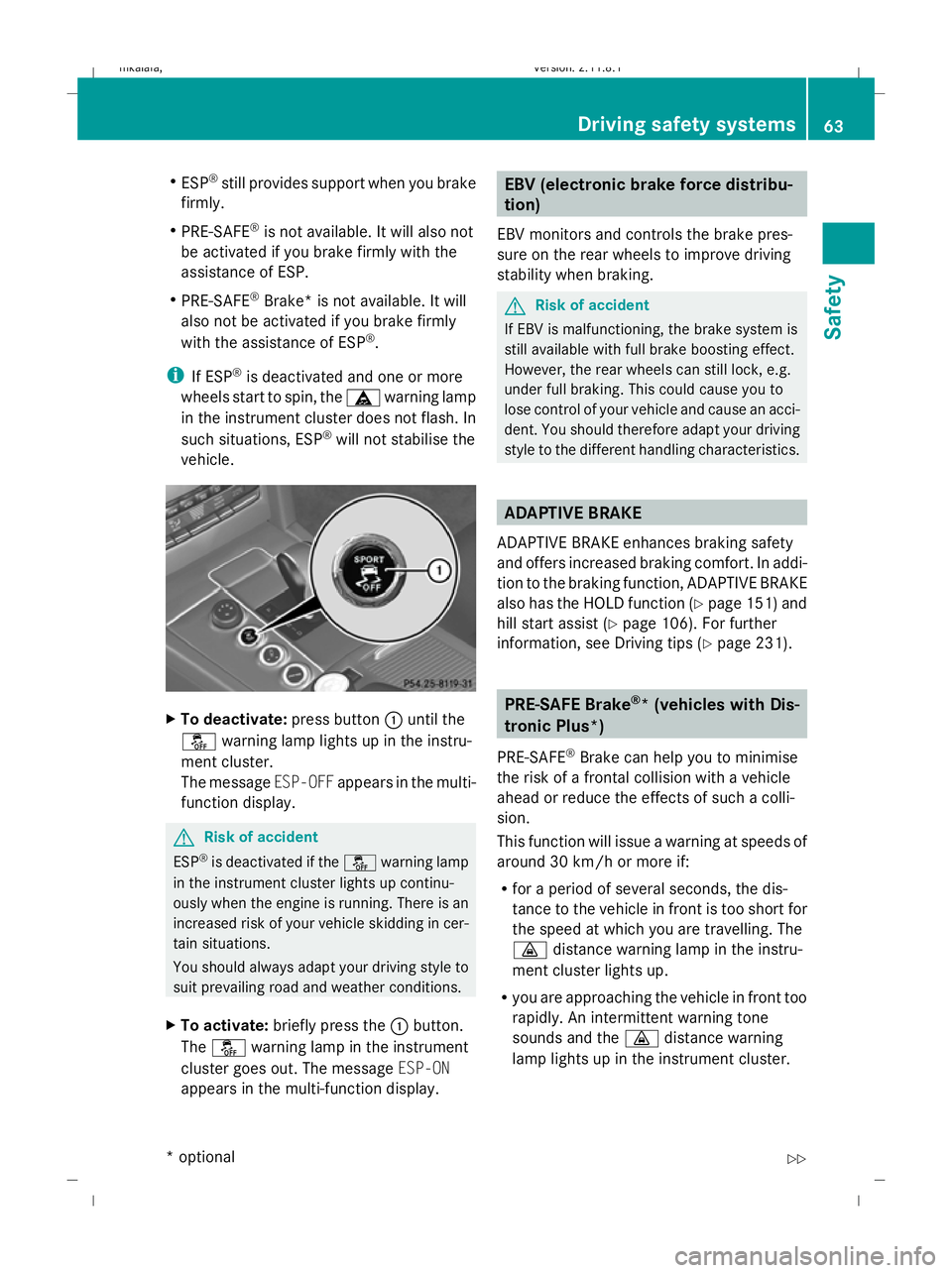
vehicle. X
To deactivate: press button:until the
å warning lamp lights up in the instru-
ment cluster.
The message ESP-OFFappears in the multi-
function display. G
Risk of accident
ESP ®
is deactivated if the åwarning lamp
in the instrument cluster lights up continu-
ously when the engine is running. There is an
increased risk of your vehicle skidding in cer-
tain situations.
You should always adapt your driving style to
suit prevailing road and weather conditions.
X To activate: briefly press the :button.
The å warning lamp in the instrument
cluster goes out. The message ESP-ON
appears in the multi-function display. EBV (electronic brake force distribu-
tion)
EBV monitors and controls the brake pres-
sure on the rear wheels to improve driving
stability when braking. G
Risk of accident
If EBV is malfunctioning, the brake system is
still available with full brake boosting effect.
However, the rear wheels can still lock, e.g.
under full braking. This could cause you to
lose control of your vehicle and cause an acci-
dent. You should therefore adapt your driving
style to the different handling characteristics. ADAPTIVE BRAKE
ADAPTIVE BRAKE enhances braking safety
and offers increased braking comfort. In addi-
tion to the braking function, ADAPTIVE BRAKE
also has the HOLD function (Y page 151) and
hill start assist (Y page 106). For further
information, see Driving tips (Y page 231). PRE-SAFE Brake
®
* (vehicles with Dis-
tronic Plus*)
PRE-SAFE ®
Brake can help you to minimise
the risk of a frontal collision with a vehicle
ahead or reduce the effects of such a colli-
sion.
This function will issue a warning at speeds of
around 30 km/h or more if:
R for a period of several seconds, the dis-
tance to the vehicle in front is too short for
the speed at which you are travelling. The
· distance warning lamp in the instru-
ment cluster lights up.
R you are approaching the vehicle in front too
rapidly. An intermittent warning tone
sounds and the ·distance warning
lamp lights up in the instrument cluster. Driving safety systems
63Safety
* optional
212_AKB; 2; 4, en-GB
mkalafa,
Version: 2.11.8.1 2009-05-05T14:17:16+02:00 - Seite 63 Z
Dateiname: 6515346702_buchblock.pdf; erzeugt am 07. May 2009 14:15:43; WK
Page 67 of 373
Due to the nature of the system, particularly
complicated driving conditions may cause the
system to display an unnecessary warning. G
Risk of accident
Pay particular attention to the traffic condi-
tions if the ·distance warning lamp in the
instrument cluster lights up or an intermittent
warning tone sounds. If necessary, brake or
manoeuvre to avoid an obstacle.
If the driver and passengers have fastened
their seat belts, PRE-SAFE ®
Brake can also
can also perform the following at speeds of
above approximately 30 km/h:
R brake the vehicle automatically from a
speed of up to around 200 km/h
R trigger preventative passenger protection
measures (PRE-SAFE ®
) G
Risk of accident
PRE-SAFE ®
Brake is only an aid to assist you
when driving. You are responsible for main-
taining a safe distance from other vehicles,
the vehicle's speed and for braking in good
time. Always pay attention to the traffic con-
ditions. Otherwise, you may recognise dan-
gers too late, cause an accident and injure
yourself and others.
With the help of the radar sensor system,
PRE-SAFE ®
Brake can detect obstacles that
are in front of your vehicle for an extended
period of time. If you approach an obstacle
and PRE-SAFE ®
Brake detects a risk of a col-
lision, the system will initially alert you both
visually and acoustically. If you do not brake
or steer, the vehicle will at first automatically
brake slightly. In the event of an increased
risk of a collision, PRE-SAFE ®
is activated
(Y page 42). If the risk of collision persists and
you do not brake, manoeuvre or accelerate
significantly yourself, an automatic full brake
application may be carried out. G
Risk of accident
Only clearly identified obstacles will trigger a
warning and initiate braking assistance by
PRE-SAFE ®
Brake.
In particular, the detection of obstacles can
be restricted if there is:
R dirt on the sensors or the sensors are cov-
ered
R snow or heavy rain
R interference by other radar sources
R the possibility of strong radar reflections,
for example in multi-storey car parks
PRE-SAFE ®
Brake does not react to persons,
animals, oncoming vehicles, crossing traffic
or when cornering.
PRE-SAFE ®
Brake may not detect narrow
vehicles such as motorcycles and vehicles
driving on a different line. G
Risk of accident
Depending on the current speed, PRE-SAFE ®
Brake decelerates your vehicle by up to
4 m/s 2
before performing possible emer-
gency braking. This is equivalent to approx-
imately 40 % of the maximum braking power
of the vehicle. You must also apply the brakes
yourself to limit the effects of the collision or
to avoid the collision. Automatic emergency
braking is not performed until immediately
prior to an accident in the event that you are
unable to avoid one by, for instance, taking
evasive action.
In order to maintain the appropriate distance
to the vehicle in front and thus prevent a
crash, you must apply the brakes yourself.
At speeds up to approximately 70 km/h,
PRE-SAFE ®
Brake can also detect stationary
obstacles, for example stopped or parked
vehicles. 64
Driving safety systemsSafety
212_AKB; 2; 4, en-GB
mkalafa,
Version: 2.11.8.1 2009-05-05T14:17:16+02:00 - Seite 64
Dateiname: 6515346702_buchblock.pdf; erzeugt am 07. May 2009 14:15:44; WK