technical data MERCEDES-BENZ E-CLASS SALOON 2009 Owners Manual
[x] Cancel search | Manufacturer: MERCEDES-BENZ, Model Year: 2009, Model line: E-CLASS SALOON, Model: MERCEDES-BENZ E-CLASS SALOON 2009Pages: 373, PDF Size: 12.37 MB
Page 6 of 373
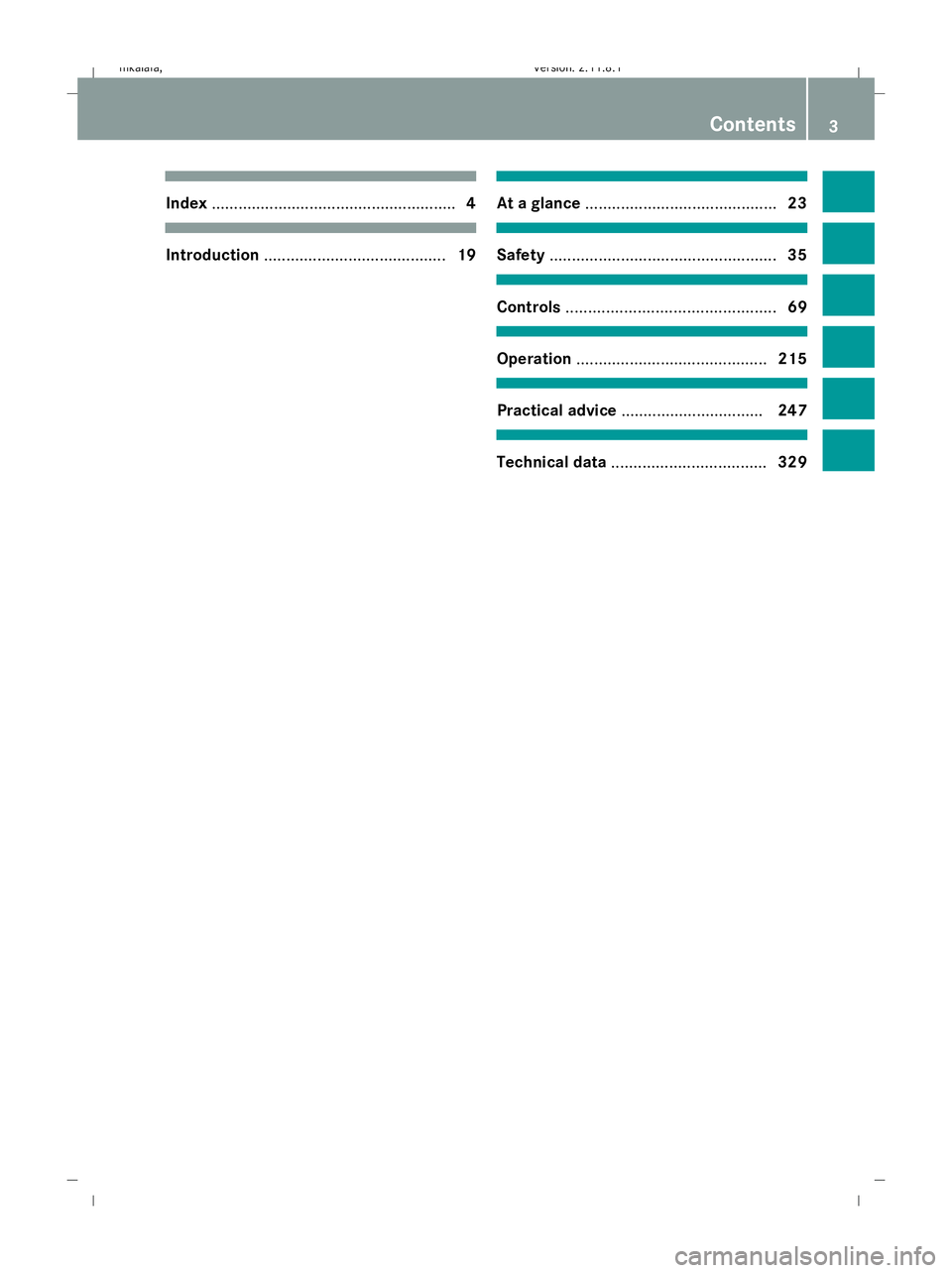
Index
....................................................... 4Introduction
......................................... 19 At a glance
........................................... 23 Safety
................................................... 35 Controls
............................................... 69 Operation
........................................... 215 Practical advice
................................ 247 Technical data
................................... 329 Contents
3 212_AKB; 2; 4, en-GB
mkalafa, Version: 2.11.8.1 2009-05-05T14:17:16+02:00 - Seite 3Dateiname: 6515346702_buchblock.pdf; erzeugt am 07. May 2009 14:15:26; WK
Page 15 of 373
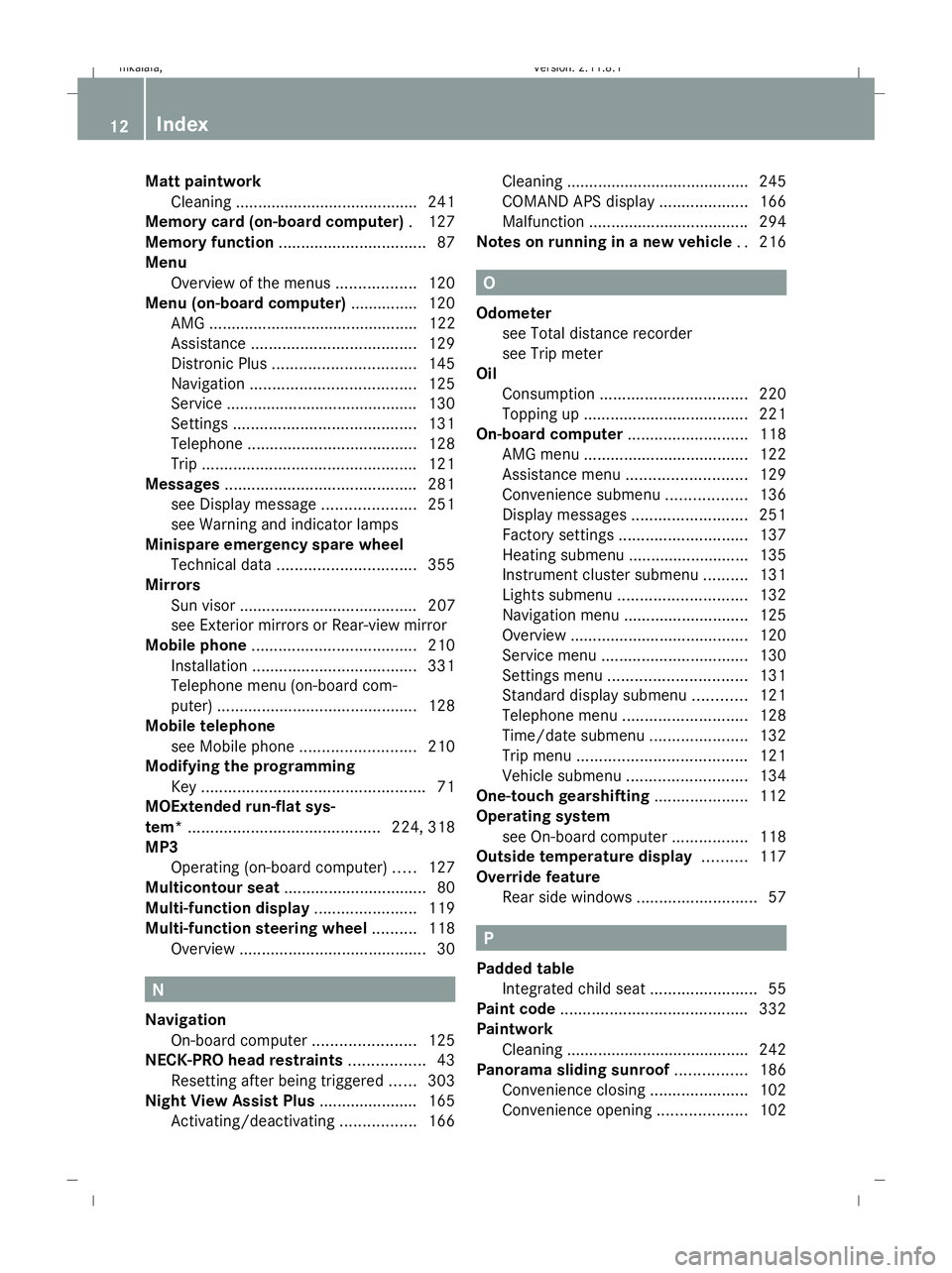
Matt paintwork
Cleaning ........................................ .241
Memory card (on-board computer) .127
Memory function ................................. 87
Menu Overview of the menus ..................120
Menu (on-board computer) ...............120
AMG ............................................... 122
Assistance ..................................... 129
Distronic Plus ................................ 145
Navigation ..................................... 125
Service .......................................... .130
Settings ......................................... 131
Telephone ...................................... 128
Trip ................................................ 121
Messages ........................................... 281
see Display message .....................251
see Warning and indicator lamps
Minispare emergency spare wheel
Technical data ............................... 355
Mirrors
Sun visor ........................................ 207
see Exterior mirrors or Rear-view mirror
Mobile phone ..................................... 210
Installation ..................................... 331
Telephone menu (on-board com-
puter) ............................................. 128
Mobile telephone
see Mobile phone .......................... 210
Modifying the programming
Key .................................................. 71
MOExtended run-flat sys-
tem* ........................................... 224, 318
MP3 Operating (on-board computer) .....127
Multicontour seat ................................ 80
Multi-function display .......................119
Multi-function steering wheel ..........118
Overview .......................................... 30N
Navigation On-board computer .......................125
NECK-PRO head restraints .................43
Resetting after being triggered ......303
Night View Assist Plus ......................165
Activating/deactivating .................166Cleaning ......................................... 245
COMAND APS display ....................166
Malfunction ................................... .294
Notes on running in a new vehicle ..216 O
Odometer see Total distance recorder
see Trip meter
Oil
Consumption ................................. 220
Topping up ..................................... 221
On-board computer ...........................118
AMG menu ..................................... 122
Assistance menu ........................... 129
Convenience submenu ..................136
Display messages ..........................251
Factory settings ............................. 137
Heating submenu ........................... 135
Instrument cluster submenu ..........131
Lights submenu ............................. 132
Navigation menu ............................ 125
Overview ........................................ 120
Service menu ................................. 130
Settings menu ............................... 131
Standard display submenu ............121
Telephone menu ............................ 128
Time/date submenu ......................132
Trip menu ...................................... 121
Vehicle submenu ........................... 134
One-touch gearshifting .....................112
Operating system see On-board computer .................118
Outside temperature display ..........117
Override feature Rear side windows ...........................57 P
Padded table Integrated child seat ........................55
Paint code .......................................... 332
Paintwork Cleaning ......................................... 242
Panorama sliding sunroof ................186
Convenience closing ......................102
Convenience opening ....................102 12
Index 212_AKB; 2; 4, en-GB
mkalafa,
Version: 2.11.8.1 2009-05-05T14:17:16+02:00 - Seite 12Dateiname: 6515346702_buchblock.pdf; erzeugt am 07. May 2009 14:15:27; WK
Page 18 of 373
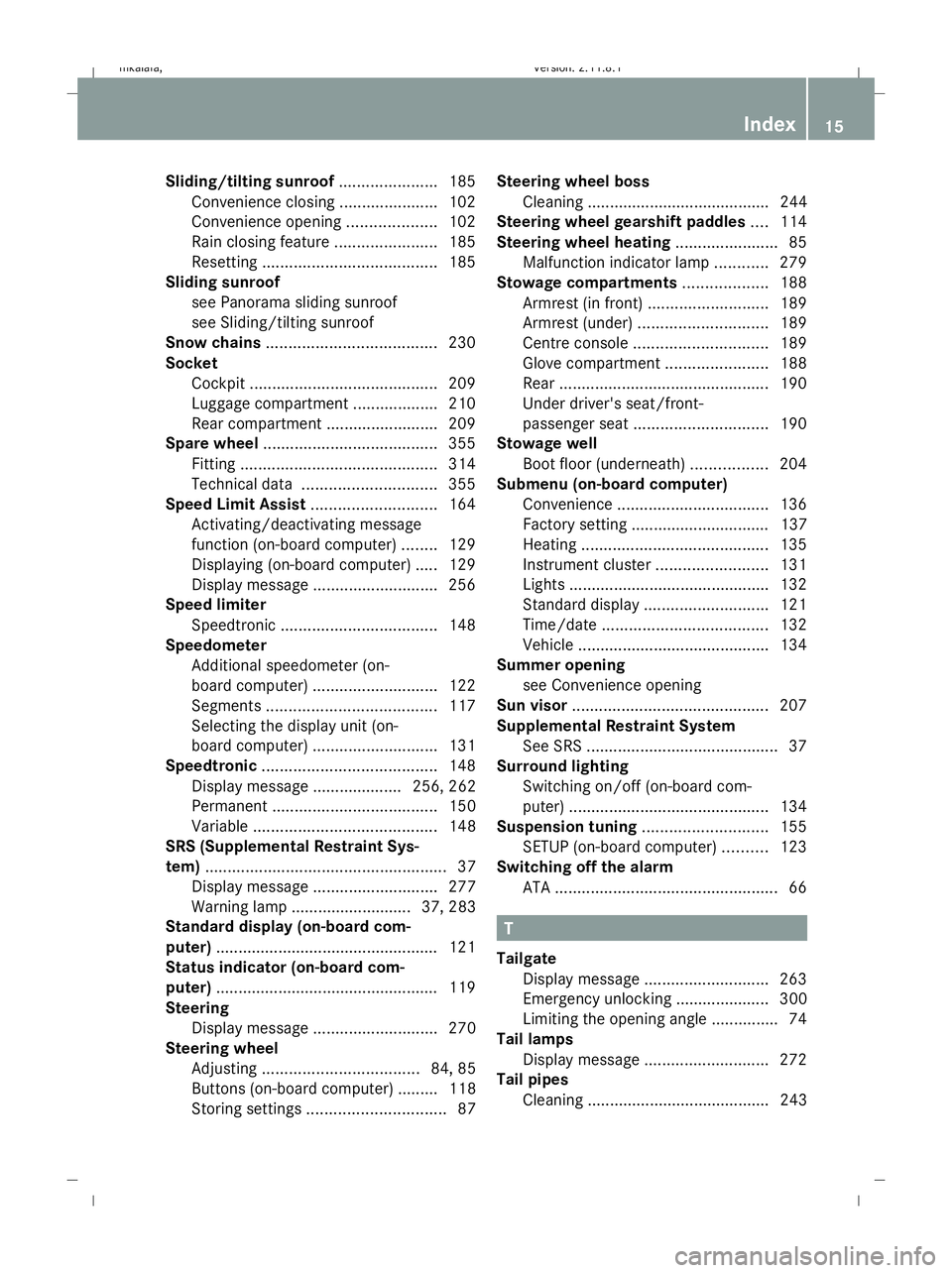
Sliding/tilting sunroof
......................185
Convenience closing ......................102
Convenience opening ....................102
Rain closing feature .......................185
Resetting ....................................... 185
Sliding sunroof
see Panorama sliding sunroof
see Sliding/tilting sunroof
Snow chains ...................................... 230
Socket Cockpit .......................................... 209
Luggage compartment ...................210
Rear compartment .........................209
Spare wheel ....................................... 355
Fitting ............................................ 314
Technical data .............................. 355
Speed Limit Assist ............................164
Activating/deactivating message
function (on-board computer) ........129
Displaying (on-board computer) ..... 129
Display message ............................ 256
Speed limiter
Speedtronic ................................... 148
Speedometer
Additional speedometer (on-
board computer) ............................ 122
Segments ...................................... 117
Selecting the display unit (on-
board computer) ............................ 131
Speedtronic ....................................... 148
Display message .................... 256, 262
Permanent ..................................... 150
Variabl e......................................... 148
SRS (Supplemental Restraint Sys-
tem) ...................................................... 37
Display message ............................ 277
Warning lamp ........................... 37, 283
Standard display (on-board com-
puter) ................................................. .121
Status indicator (on-board com-
puter) ................................................. .119
Steering Display message ............................ 270
Steering wheel
Adjusting ................................... 84, 85
Buttons (on-board computer) ......... 118
Storing settings ............................... 87Steering wheel boss
Cleaning ......................................... 244
Steering wheel gearshift paddles ....114
Steering wheel heating .......................85
Malfunction indicator lamp ............279
Stowage compartments ...................188
Armrest (in front) ........................... 189
Armrest (under) ............................. 189
Centre console .............................. 189
Glove compartment .......................188
Rear ............................................... 190
Under driver's seat/front-
passenger seat .............................. 190
Stowage well
Boot floor (underneath) .................204
Submenu (on-board computer)
Convenience .................................. 136
Factory setting ............................... 137
Heating .......................................... 135
Instrument cluster .........................131
Lights ............................................ .132
Standard displa y............................ 121
Time/date ..................................... 132
Vehicle .......................................... .134
Summer opening
see Convenience opening
Sun visor ............................................ 207
Supplemental Restraint System See SRS ........................................... 37
Surround lighting
Switching on/off (on-board com-
puter) ............................................. 134
Suspension tuning ............................155
SETUP (on-board computer) ..........123
Switching off the alarm
ATA .................................................. 66 T
Tailgate Display message ............................ 263
Emergency unlocking ..................... 300
Limiting the opening angle ...............74
Tail lamps
Display message ............................ 272
Tail pipes
Cleaning ......................................... 243 Index
15 212_AKB; 2; 4, en-GB
mkalafa,
Version: 2.11.8.1 2009-05-05T14:17:16+02:00 - Seite 15Dateiname: 6515346702_buchblock.pdf; erzeugt am 07. May 2009 14:15:27; WK
Page 19 of 373
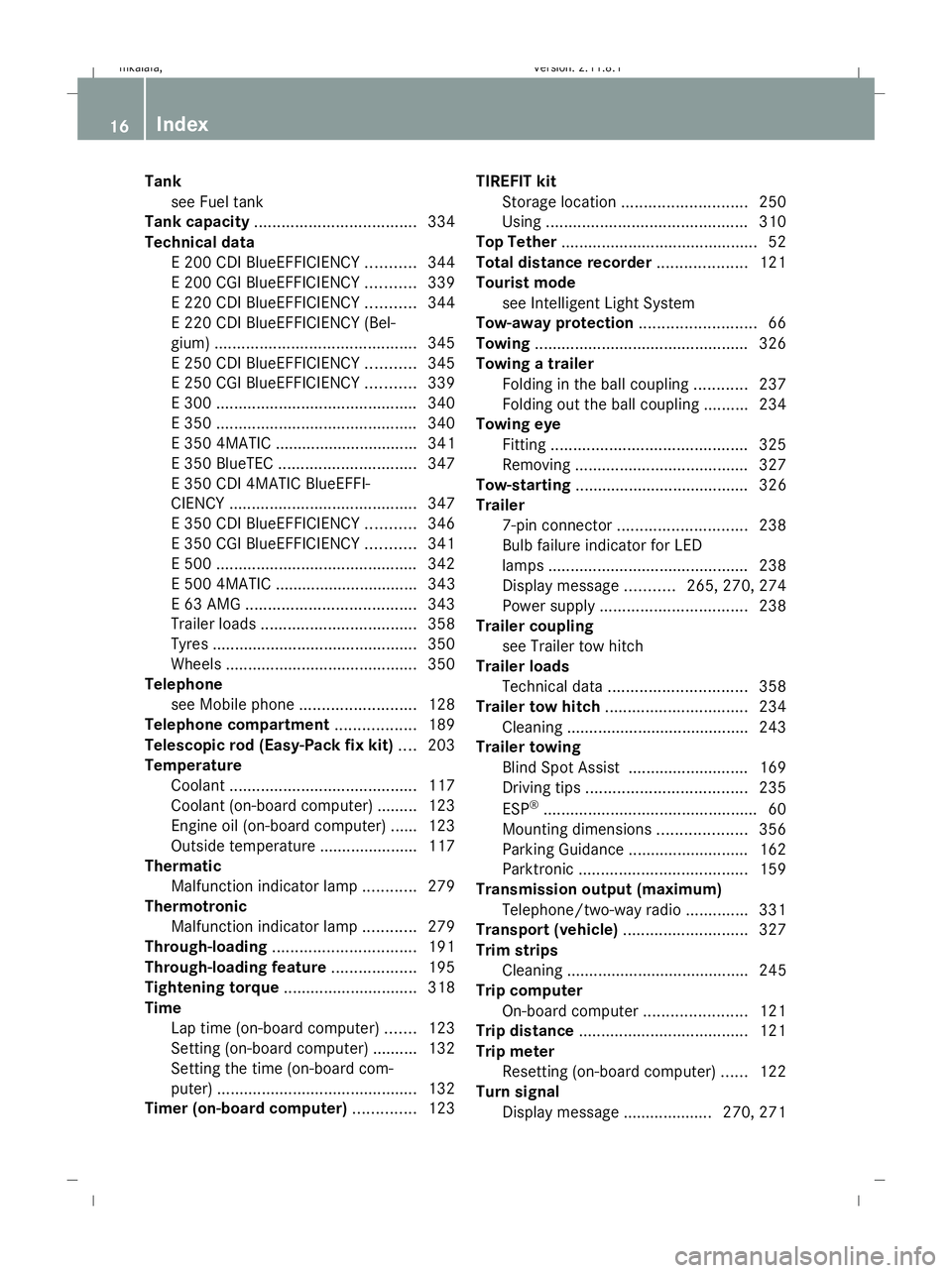
Tank
see Fuel tank
Tank capacity .................................... 334
Technical data E 200 CDI BlueEFFICIENCY ...........344
E 200 CGI BlueEFFICIENCY ...........339
E 220 CDI BlueEFFICIENCY ...........344
E 220 CDI BlueEFFICIENCY (Bel-
gium) ............................................. 345
E 250 CDI BlueEFFICIENCY ...........345
E 250 CGI BlueEFFICIENCY ...........339
E 300 ............................................. 340
E 350 ............................................. 340
E 350 4MATIC ................................ 341
E 350 BlueTEC ............................... 347
E 350 CDI 4MATIC BlueEFFI-
CIENCY .......................................... 347
E 350 CDI BlueEFFICIENCY ...........346
E 350 CGI BlueEFFICIENCY ...........341
E 500 ............................................. 342
E 500 4MATIC ................................ 343
E 63 AMG ...................................... 343
Trailer loads ................................... 358
Tyres .............................................. 350
Wheels ........................................... 350
Telephone
see Mobile phone .......................... 128
Telephone compartment ..................189
Telescopic rod (Easy-Pack fix kit) ....203
Temperature Coolant .......................................... 117
Coolant (on-board computer) ......... 123
Engine oil (on-board computer) ...... 123
Outside temperature ..................... .117
Thermatic
Malfunction indicator lamp ............279
Thermotronic
Malfunction indicator lamp ............279
Through-loading ................................ 191
Through-loading feature ...................195
Tightening torque .............................. 318
Time Lap time (on-board computer) .......123
Setting (on-board computer) .......... 132
Setting the time (on-board com-
puter) ............................................. 132
Timer (on-board computer) ..............123TIREFIT kit
Storage location ............................ 250
Using ............................................. 310
Top Tether ............................................ 52
Total distance recorder ....................121
Tourist mode see Intelligent Light System
Tow-away protection ..........................66
Towing ................................................ 326
Towing a trailer Folding in the ball coupling ............237
Folding out the ball coupling ..........234
Towing eye
Fitting ............................................ 325
Removing ....................................... 327
Tow-starting ....................................... 326
Trailer 7-pin connector ............................. 238
Bulb failure indicator for LED
lamps ............................................. 238
Display message ...........265, 270, 274
Power supply ................................. 238
Trailer coupling
see Trailer tow hitch
Trailer loads
Technical data ............................... 358
Trailer tow hitch ................................ 234
Cleaning ......................................... 243
Trailer towing
Blind Spot Assist ........................... 169
Driving tips .................................... 235
ESP ®
................................................ 60
Mounting dimensions ....................356
Parking Guidance ........................... 162
Parktroni c...................................... 159
Transmission output (maximum)
Telephone/two-way radio ..............331
Transport (vehicle) ............................327
Trim strips Cleaning ......................................... 245
Trip computer
On-board computer .......................121
Trip distance ...................................... 121
Trip meter Resetting (on-board computer) ......122
Turn signal
Display message .................... 270, 271 16
Index 212_AKB; 2; 4, en-GB
mkalafa,
Version: 2.11.8.1 2009-05-05T14:17:16+02:00 - Seite 16Dateiname: 6515346702_buchblock.pdf; erzeugt am 07. May 2009 14:15:27; WK
Page 20 of 373
TV
Operating (on-board computer) .....127
Two-way radio
Installation ..................................... 331
Type identification plate
see vehicle identification plate ......332
Tyre grip ............................................. 233
Tyre pressure ................................... .225
Calling up (on-board computer) ....228
Display message .................... 258, 276
Tyre pressure loss warning system
............................................................ 226
Tyre pressure monitor
Warning lamp ................................. 286
Tyres
Direction of rotatio n...................... 224
General notes ................................ 223
Technical data ............................... 350
Tyre tread .......................................... .224 U
Unladen weight ................................. 339
Unlocking Emergency unlocking ..................... 299
From the inside (central unlocking
button) ............................................. 71
Up (display message) ........................ 123 V
Vanity mirror Sun visor ........................................ 207
Variable Speedtronic ........................148
Vehicle Emergency unlocking ..................... 299
Individual settings (on-board com-
puter) ............................................. 131
Leaving parked up .........................298
Towing ........................................... 326
Tow-starting ................................... 326
Transporting .................................. 327
Vehicle battery .................................. 319
Vehicle dimensions ...................339, 348
Vehicle electronics ...........................330
Vehicle identification number
(VIN) .......................................... 332, 333
Vehicle identification plate ..............332Vehicle level
.............................. 154, 155
Display message ............................ 268
Vehicle tool kit .................................. 249
Vehicle weights ................................. 339 W
Warning and indicator lamp ESP ®
Sport .................................... 283
Warning and indicator lamps
ABS (yellow) ................................... 281
Blind Spot Assist ............................ 280
Distronic Plus (red) ........................281
ESP ®
........................................ 60, 282
ESP ®
OFF ....................................... 282
LIM (cruise control) ........................ 138
LIM (Distronic Plus) .......................141
LIM (variable Speedtronic) .............149
Malfunction indicator lamp ............279
Tyre pressure monitor ...................286
Warning lamps
see Warning and indicator lamps
Warning tone ..................................... 287
Warning triangle ................................ 248
Washer fluid Display message ............................ 278
Washer fluid reservoir ..............222, 339
Filling capacity ............................... 339
Wearing seat belts .............................. 89
Wheel bolts Tightening torque ........................... 318
Wheel chock
Use ................................................ 315
Wheels
Cleaning ......................................... 242
General notes ................................ 223
Interchanging ................................. 229
Technical data ............................... 350
Windowbag .......................................... 42
Windowbags Display message ............................ 278
Windows
Cleaning ......................................... 242
see Side windows
Windscreen washer fluid ..................339
Topping up ..................................... 222
Windscreen washer system .....222, 339 Index
17 212_AKB; 2; 4, en-GB
mkalafa,
Version: 2.11.8.1 2009-05-05T14:17:16+02:00 - Seite 17Dateiname: 6515346702_buchblock.pdf; erzeugt am 07. May 2009 14:15:27; WK
Page 23 of 373
Operating safety
Safety notes
G
Risk of accident and injury
Always have work on the vehicle carried out
by a qualified specialist workshop. In particu-
lar, work relevant to safety or on safety-rela-
ted systems as well as maintenance work
must be carried out at a qualified specialist
workshop. The workshop must have the nec-
essary specialist knowledge and tools to carry
out the work required. Mercedes-Benz rec-
ommends that you use a Mercedes-Benz
Service Centre for this purpose. G
Risk of accident and injury
Some safety systems only function when the
engine is running. Therefore, do not switch off
the engine when driving. Otherwise, the
safety systems in your vehicle may no longer
function correctly and thereby not provide
you or others with the intended degree of pro-
tection. This also increases the danger of your
losing control of your vehicle and thereby the
risk of causing an accident. G
Risk of accident and injury
Work carried out incorrectly, or alterations
made to the vehicle, e.g. re-routing of cables
under coverings, could cause the safety sys-
tems of your vehicle to stop working properly.
The safety systems would thus no longer pro-
tect you and other persons as intended. In
addition, there is a risk that you may lose con-
trol of your vehicle and thus cause an acci-
dent.
All work and alterations to the vehicle, e.g.
installations or modifications, should there-
fore be carried out at a qualified specialist
workshop. G
Risk of accident
If you drive over obstacles at high speed or if
the vehicle bottoms out in rough terrain, it
could cause heavy impacts to the vehicle
underbody, tyres or wheels. This could cause your vehicle to be damaged, which in turn
might lead to an accident. This also applies to
vehicles which are equipped with underbody
protection.
You should therefore drive over obstacles
slowly and prevent the vehicle from bottom-
ing out when driving off-road. If necessary,
have your vehicle inspected at a qualified spe-
cialist workshop. G
Risk of accident
If work on electronic equipment and its soft-
ware is carried out incorrectly, this equipment
could stop functioning. The electronic sys-
tems are networked via interfaces. Tampering
with these electronic systems could cause
malfunctions in systems which have not been
modified. Such malfunctions can seriously
jeopardise the vehicle's operating safety and
your own safety as well.
Therefore, have all work on and modifications
to electronic components carried out at a
qualified workshop. Vehicle registration
Mercedes-Benz may ask its Service Centres
to carry out technical inspections on certain
vehicles to improve their quality or safety.
If you did not purchase your vehicle from an
authorised specialist dealer and your vehicle
has never been inspected at a Mercedes-
Benz Service Centre, it is possible that your
vehicle is not registered in your name with
Mercedes-Benz. Mercedes-Benz can only
inform you about vehicle checks if it has your
registration data.
It is advisable to register your vehicle with a
Mercedes-Benz Service Centre.
Inform Mercedes-Benz as soon as possible
about any change in address or vehicle own-
ership. 20
Introduction 212_AKB; 2; 4, en-GB
mkalafa, Version: 2.11.8.1 2009-05-05T14:17:16+02:00 - Seite 20Dateiname: 6515346702_buchblock.pdf; erzeugt am 07. May 2009 14:15:28; WK
Page 24 of 373
Correct use
Observe the following information when using
your vehicle:
R the safety notes in this manual
R the "Technical data" section in this manual
R national road traffic regulations
R national road traffic licensing regulations G
Risk of injury
Various warning stickers are affixed to your
vehicle. Their purpose is to draw your atten-
tion, and the attention of others, to various
dangers. Therefore, do not remove any warn-
ing stickers unless the sticker clearly states
that you may do so.
If you remove the warning stickers, you or
others could be injured by failing to recognise
certain dangers. Data stored in the vehicle
Fault data
Components critical for vehicle operation are
equipped with fault data memories as stand-
ard. There are also memories dedicated to
storing the technical reactions of vehicle
components to driving situations (e.g. the
triggering of an airbag, ESP ®
intervention).
This data is used exclusively to:
R assist in the rectification of faults and
defects
R help Mercedes-Benz optimise and develop
vehicle functions.
The data cannot be used to trace the vehicle's
movements.
When your vehicle is serviced by Mercedes-
Benz, this technical information can be read
from the fault memories. This is performed by
authorised employees of the Mercedes-Benz
service network using special diagnostic
computers. After a fault has been rectified, the informa-
tion is deleted from the memory. Other mem-
ory data is constantly overwritten. Other devices that store data
Depending on its equipment, your vehicle
may feature communications and/or enter-
tainment systems (e.g. navigation devices,
telephone systems). These allow you to save
and edit data required for the operation of the
respective device.
Further information on operation (e.g. on
deleting data) can be found in the separate
operating instructions. Introduction
21212_AKB; 2; 4, en-GB
mkalafa
,V ersion: 2.11.8.1
2009-05-05T14:17:16+02:00 - Seite 21 ZDateiname: 6515346702_buchblock.pdf; erzeugt am 07. May 2009 14:15:28; WK
Page 228 of 373
Thus, you should replace tyres that have
insufficient tread.
R winter tyres should be replaced when the
tread depth is 4 mm or less as they will no
longer provide adequate grip.
R the tread on a tyre may not wear evenly.
Thus, you should regularly check the tread
depth and the condition of the tread across
the entire width of all tyres. If necessary,
turn the front wheels to full lock in order to
inspect the tyre tread more easily.
Otherwise, you could lose control of the vehi-
cle and cause an accident due to the reduced
grip of the tyres on the road. Tyre pressures
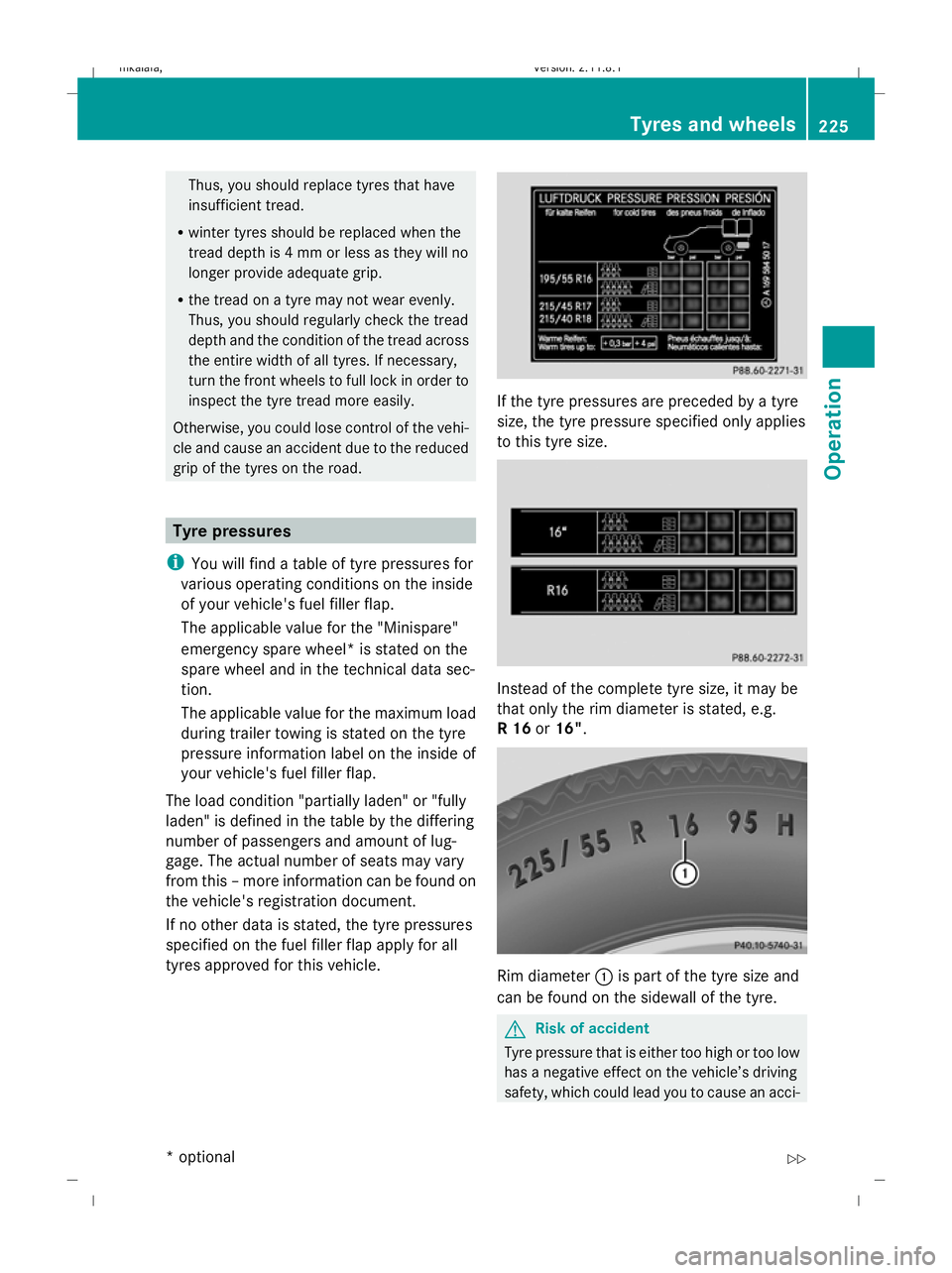
i You will find a table of tyre pressures for
various operating conditions on the inside
of your vehicle's fuel filler flap.
The applicable value for the "Minispare"
emergency spare wheel* is stated on the
spare wheel and in the technical data sec-
tion.
The applicable value for the maximum load
during trailer towing is stated on the tyre
pressure information label on the inside of
your vehicle's fuel filler flap.
The load condition "partially laden" or "fully
laden" is defined in the table by the differing
number of passengers and amount of lug-
gage. The actual number of seats may vary
from this – more information can be found on
the vehicle's registration document.
If no other data is stated, the tyre pressures
specified on the fuel filler flap apply for all
tyres approved for this vehicle. If the tyre pressures are preceded by a tyre
size, the tyre pressure specified only applies
to this tyre size.
Instead of the complete tyre size, it may be
that only the rim diameter is stated, e.g.
R 16
or16". Rim diameter
:is part of the tyre size and
can be found on the sidewall of the tyre. G
Risk of accident
Tyre pressure that is either too high or too low
has a negative effect on the vehicle’s driving
safety, which could lead you to cause an acci- Tyres and wheels
225Operation
* optional
212_AKB; 2; 4, en-GB
mkalafa,
Version: 2.11.8.1 2009-05-05T14:17:16+02:00 - Seite 225 Z
Dateiname: 6515346702_buchblock.pdf; erzeugt am 07. May 2009 14:16:57; WK
Page 234 of 373
and wheels" section in the "Technical data"
chapter.
R snow chains must not be fitted to emer-
gency spare wheels, e.g. a "Minispare"
emergency spare wheel.
R Only fit snow chains in pairs and to the rear
wheels, even on vehicles with 4MATIC*.
Comply with the manufacturer's installa-
tion instructions.
On vehicles with AIRMATIC*, if snow chains
have been fitted, you may only drive at raised
vehicle level (Y page 154).
Do not exceed the maximum permissible
speed of 50 km/h.
i You may wish to deactivate ESP ®
when
pulling away with snow chains fitted
(Y page 60). This way, you can allow the
wheels to spin in a controlled manner, ach-
ieving an increased driving force (cutting
action). Winter driving
G
Risk of accident
Do not shift down for additional engine brak-
ing on a slippery road surface. This could
cause the drive wheels to lose their grip and
the vehicle could skid.
You should drive particularly carefully on slip-
pery road surfaces. Avoid sudden accelera-
tion, steering and braking manoeuvres.
If the vehicle threatens to skid or cannot be
stopped when moving at low speed:
X Vehicles with manual transmission: engage
neutral.
X Vehicles with automatic transmission*:
shift the selector lever to N.
X Try to bring the vehicle under control by
using corrective steering. Driving tips
Rolling with the engine switched off
G
Risk of accident
Never switch the engine off while the vehicle
is in motion.
There is no power assistance for the steering
and the service brake when the engine is not
running.
You will require considerably more effort to
steer and brake and you could therefore lose
control of the vehicle and cause an accident. Brakes
G
Risk of accident
Do not change down for additional engine
braking on a slippery road surface. This could
cause the drive wheels to lose their grip and
the vehicle could skid. G
Risk of accident
Make sure that other road users are not
endangered by your braking.
Downhill gradients On long and steep downhill stretches, espe-
cially if the vehicle is laden or towing a trailer,
you must shift to a lower gear in good time or,
on vehicles with automatic transmission*,
select shift range 1,2or 3.
i This also applies if you have activated
cruise control, Speedtronic or Distronic
Plus*.
This will use the braking effect of the engine,
so less braking will be required to maintain
the speed. This relieves the load on the brake
system and prevents the brakes from over-
heating and wearing too quickly. If you need
additional braking, depress the brake pedal
repeatedly rather than continuously. Driving tips
231Operation
* optional
212_AKB; 2; 4, en-GB
mkalafa
,V ersion: 2.11.8.1
2009-05-05T14:17:16+02:00 - Seite 231 Z
Dateiname: 6515346702_buchblock.pdf; erzeugt am 07. May 2009 14:16:58; WK
Page 238 of 373
X
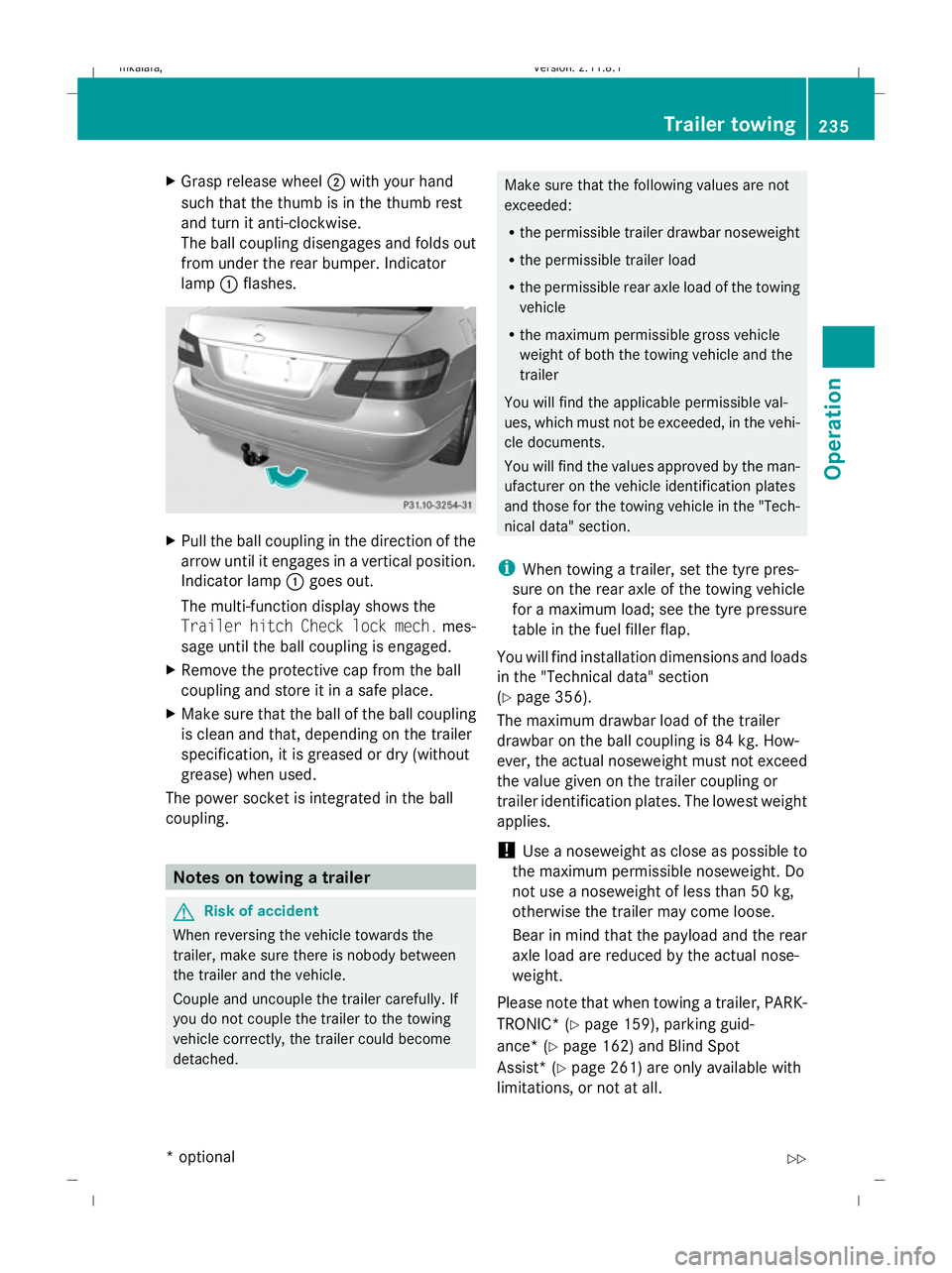
Grasp release wheel ;with your hand
such that the thumb is in the thumb rest
and turn it anti-clockwise.
The ball coupling disengages and folds out
from under the rear bumper. Indicator
lamp :flashes. X
Pull the ball coupling in the direction of the
arrow until it engages in a vertical position.
Indicator lamp :goes out.
The multi-function display shows the
Trailer hitch Check lock mech. mes-
sage until the ball coupling is engaged.
X Remove the protective cap from the ball
coupling and store it in a safe place.
X Make sure that the ball of the ball coupling
is clean and that, depending on the trailer
specification, it is greased or dry (without
grease) when used.
The power socket is integrated in the ball
coupling. Notes on towing a trailer
G
Risk of accident
When reversing the vehicle towards the
trailer, make sure there is nobody between
the trailer and the vehicle.
Couple and uncouple the trailer carefully. If
you do not couple the trailer to the towing
vehicle correctly, the trailer could become
detached. Make sure that the following values are not
exceeded:
R
the permissible trailer drawbar noseweight
R the permissible trailer load
R the permissible rear axle load of the towing
vehicle
R the maximum permissible gross vehicle
weight of both the towing vehicle and the
trailer
You will find the applicable permissible val-
ues, which must not be exceeded, in the vehi-
cle documents.
You will find the values approved by the man-
ufacturer on the vehicle identification plates
and those for the towing vehicle in the "Tech-
nical data" section.
i When towing a trailer, set the tyre pres-
sure on the rear axle of the towing vehicle
for a maximum load; see the tyre pressure
table in the fuel filler flap.
You will find installation dimensions and loads
in the "Technical data" section
(Y page 356).
The maximum drawbar load of the trailer
drawbar on the ball coupling is 84 kg. How-
ever, the actual noseweight must not exceed
the value given on the trailer coupling or
trailer identification plates. The lowest weight
applies.
! Use a noseweight as close as possible to
the maximum permissible noseweight. Do
not use a noseweight of less than 50 kg,
otherwise the trailer may come loose.
Bear in mind that the payload and the rear
axle load are reduced by the actual nose-
weight.
Please note that when towing a trailer, PARK-
TRONIC* ( Ypage 159), parking guid-
ance* (Y page 162) and Blind Spot
Assist* (Y page 261) are only available with
limitations, or not at all. Trailer towing
235Operation
* optional
212_AKB; 2; 4, en-GB
mkalafa
,V ersion: 2.11.8.1
2009-05-05T14:17:16+02:00 - Seite 235 Z
Dateiname: 6515346702_buchblock.pdf; erzeugt am 07. May 2009 14:16:59; WK