steering MERCEDES-BENZ E-CLASS SALOON 2015 Repair Manual
[x] Cancel search | Manufacturer: MERCEDES-BENZ, Model Year: 2015, Model line: E-CLASS SALOON, Model: MERCEDES-BENZ E-CLASS SALOON 2015Pages: 497, PDF Size: 16.23 MB
Page 262 of 497
spot monitoring range from behind or from
the side. When you overtake avehicle, the
warning only occurs if the difference in speed
is less than 12 km/h.
The yellow indicator lamp goes out if reverse gear is engaged. Blind Spot Assist is then
deactivated.
The brightness of the indicator or warning
lamps is adjusted automaticallya ccording to
the ambient light.
Collision warning
If av ehicle is detected in the monitoring range
of Blind Spot Assist and you switch on the
corresponding turn signal, adoublew arning
tone sounds. Red warning lamp :flashes. If
the turn signal remains on, detected vehicles
are indicated by the flashing of red warning
lamp :.There are no further warning tones.
Activating Blind Spot Assist X Make sure that Blind Spot Assist is activa-
ted in the on-board computer
(Y page 288).
X Turn the key to position 2in the ignition
lock.
Warning lamps :in the exterior mirrors
light up red for approximately 1.5 seconds
and then turn yellow.
Towing atrailer
If you couple up atrailer, make sure that you
have correctly established the electrical con- nection. This can be accomplished by check-
ing the trailer lighting. Blind Spot Assist is
then deactivated. The indicator lamps in the
exterior mirrors light up yellow and the
Blind
Blind Spot SpotAssist
Assist not
notavailable
available when
when
towing atrailer See Owner's Manual
towing atrailer See Owner's Manual
message appears in the multifunction dis-
play.
i You can deactivate the indicator lamps in
the exterior mirrors. To do so, you will need to deactivate Blind
Spot Assist if:
R the key is in position 2in the ignition lock
R the engine is not running
R the electrical connection to the trailer
has been established
Lane Keeping Assist General notes
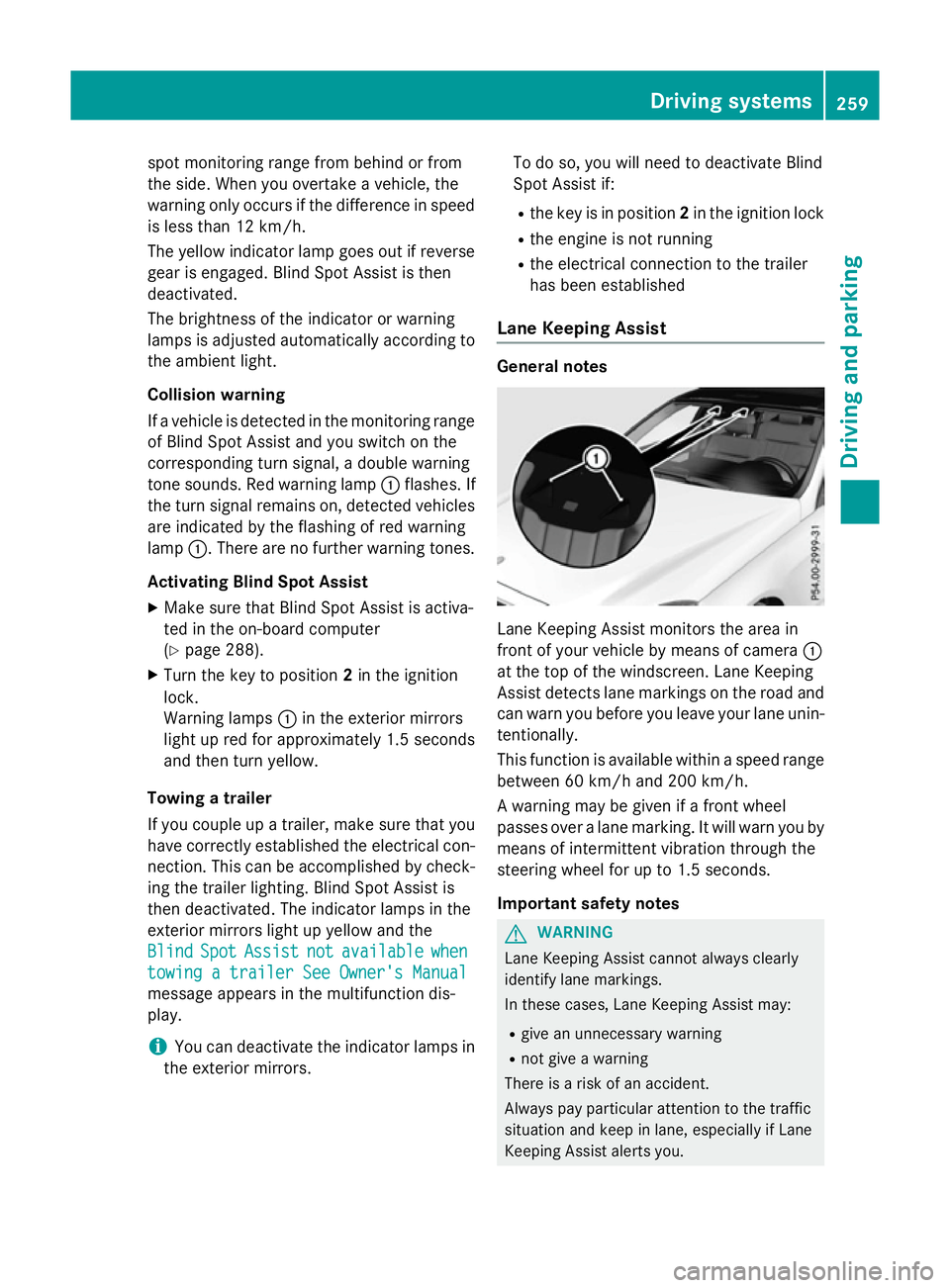
Lane Keeping Assist monitors the area in
front of your vehicle by means of camera
:
at the top of the windscreen. Lane Keeping
Assist detects lane markings on the road and
can warn you before you leave your lane unin-
tentionally.
This function is available within aspeed range
between 60 km/h and 200 km/h.
Aw arning may be given if afront wheel
passes over alane marking. It will warn you by
means of intermittent vibration through the
steering wheel for up to 1.5 seconds.
Important safety notes G
WARNING
Lane Keeping Assist cannot always clearly
identify lane markings.
In these cases, Lane Keeping Assist may:
R give an unnecessary warning
R not give awarning
There is arisk of an accident.
Always pay particular attention to the traffic
situation and keep in lane, especiallyifL ane
Keeping Assist alerts you. Driving systems
259Driving and parking Z
Page 267 of 497
rear and side of yourv
ehicleare alsom oni-
tored with the aid of the rada rsensor system.
Active Lane Keeping Assist detects lane
markings on the road and can warn you
before you leave yourl ane unintentionally.If
you do not react to the warning, alane-cor-
recting application of the brakes can bring the
vehicl eback into the original lane.
This function is available withi naspeedrange
between 60 km/h and 200 km/h.
For Active Lane Keeping Assist to assist you
when driving, the rada rsensor system must
be operational.
Important safety notes
If you fail to adapt yourd riving style,Active
Lane Keeping Assist can neither reduce the
risk of an accident nor overrid ethe lawsof
physics. Active Lane Keeping Assist cannot
take account of road and weather conditions.
It may not detect traffic situations. Active
Lane Keeping Assist is only an aid.Y ou are
responsible for the distance to the vehicl ein
front, for vehicl espeed, for braking in good
time, and for staying in lane.
Active Lane Keeping Assist cannot continu-
ousl ykeep yourv ehicleini ts lane. G
WARNING
Active Lane Keeping Assist cannot always
clearly detect lane markings.
In such cases, Active Lane Keeping Assist
can:
R give an unnecessary warning and then
make acourse-correcting brake application
to the vehicle
R neither give awarning nor intervene
There is arisk of an accident.
Always pay particular attention to the traffic
situation and keep withi nthe lane, especially
if Active Lane Keeping Assist alerts you.T er-
minate the intervention in anon-critical driv-
ing situation. The system may be impaired or may not func-
tion if:
R there is poor visibility, e.g. due to insuffi-
cient illumination of the road ,ordue to
snow, rain, fog or spray
R there is glare, e.g. from oncoming traffic,
the sun or reflectio nfrom other vehicles
(e.g. if the road surface is wet)
R the windscreen is dirty ,misted up, dam-
agedorc overed, for instance by asticker,
in the vicinity of the camera
R the rada rsensors in the front or rear bump-
ers or the radiator trim are dirty ,e.g.
obscured by snow
R no or several, unclea rlane markings are
present for one lane, e.g. in aconstruction
area
R the lane markings are worn away,d ark or
covered up, e.g. by dirt or snow
R the distance to the vehicl einfront is too
smal land the lane markings thus cannot be
detected
R the lane markings change quickly, e.g.
lanes branch off, cross one another or
merge
R the road is narrow and winding
R there are highly variable shad econditions
on the road
If no vehicl eisdetected in the adjacent lane
and broken lane markings are detected, no
lane-correcting brake application is made.
Warning vibratio nthrough the steering
wheel
Aw arning may be given if afront wheel
passes over alane marking. It willw arny ou by
means of intermittent vibration in the steer-
ing whee lfor up to 1.5 seconds.
Lane-correcting brake application G
WARNING
Al ane-correcting brake application cannot
alwaysb ring the vehicl eback into the original
lane. There is arisk of an accident. 264
Driving systemsDriving and parking
Page 268 of 497
Alway
ssteer, brake or accelerate yourself,
especially if Active Lane Keeping Assist warns
yo uorm akes alan e-correcting brake appli-
cation. G
WARNING
Active Lane Keeping Assist onl ydetects traf-
fic conditions or roa dusers to alim ited
extent. In ver yrarec ases, the system may
make an inappropriate brake application, e.g. afte rintentionally driving ove rasolid lane
marking .There is ariskofana ccident.
An inappropriate brake applicatio nmaybe
interrupte datany time if yo ustee rslightly in
the opposite direction. Alway smakes uret hat
ther eiss ufficient distance to the side for
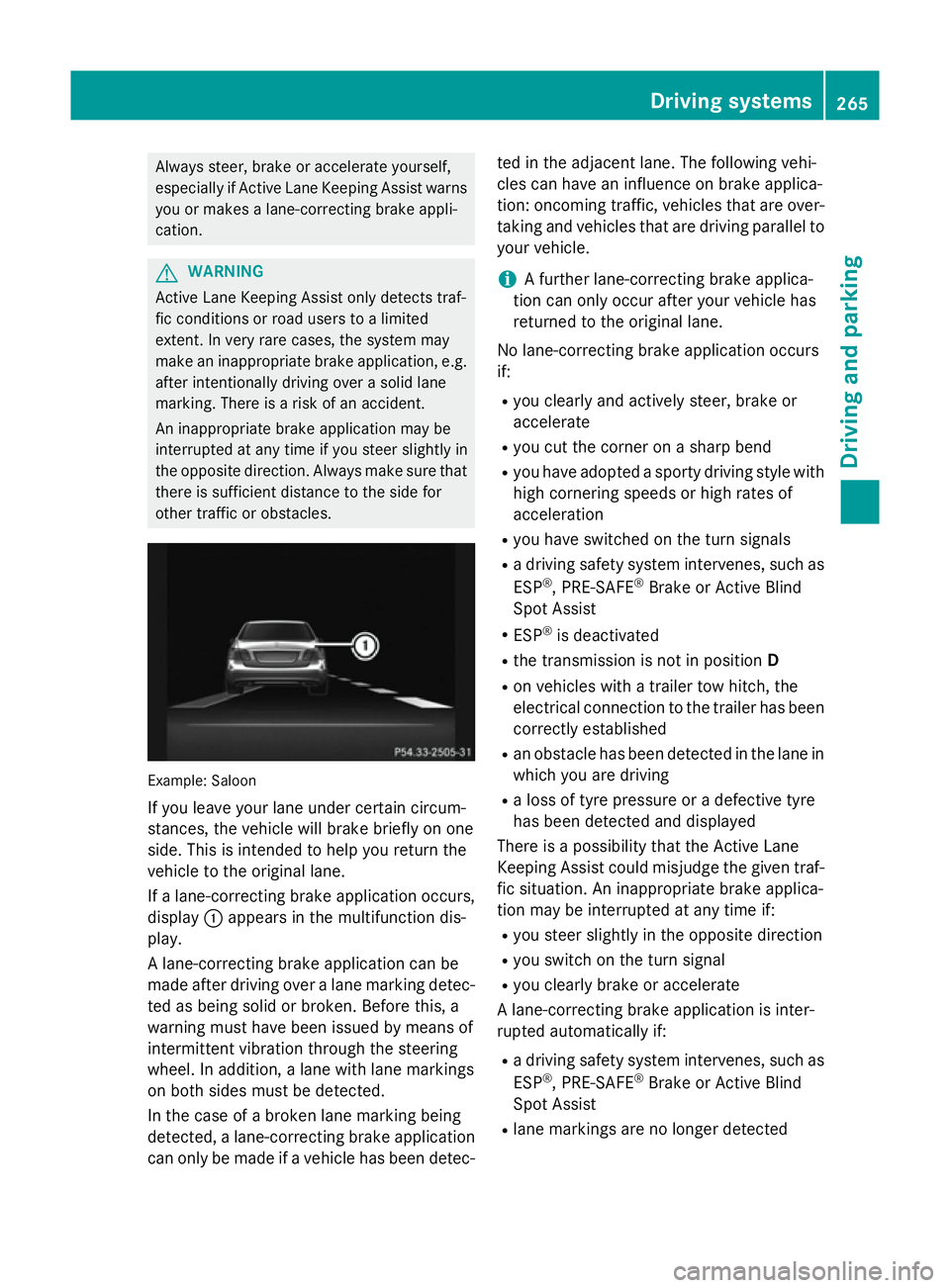
othe rtraffic or obstacles. Example: Saloon
If yo uleave your lane under certain circum-
stances, the vehicl ewillb rake briefl yonone
side .Thisisi ntende dtohelpy ou return the
vehicl etothe original lane.
If al an e-correcting brake applicatio noccurs,
display :appear sinthe multifunctio ndis-
play.
Al ane-correcting brake applicatio ncan be
made afte rdriving ove ralanem arking detec-
ted as being solid or broken. Before this, a
warning must have been issued by means of
intermittent vibratio nthroug hthe steering
wheel. In addition, alan ew ithl an em arkings
on both side smustbed etected.
In the cas eofabroken lane marking being
detected, alan e-correcting brake application
can onl ybemadeifav ehiclehasbeen detec- ted in the adjacent lane. The following vehi-
cle scan have an influence on brake applica-
tion: oncoming traffic, vehicles tha tare over-
taking and vehicles tha tare driving parallel to
your vehicle.
i Af
urthe rlan e-correcting brake applica-
tio nc an onl yoccu rafte ryourv ehicl ehas
returned to the original lane.
No lane-correcting brake applicatio noccurs
if:
R yo uc learly and activel ysteer, brake or
accelerate
R yo uc ut the corne ronasharp bend
R yo uh avea dopt edasporty driving style with
high cornering speed sorhighr ates of
acceleration
R yo uh aves witched on the turn signals
R ad riving safety system intervenes, such as
ESP ®
,P RE -SAFE ®
Brake or Active Blind
Spo tAssist
R ESP ®
is deactivated
R the transmission is not in position D
R on vehicles with atraile rtow hitch, the
electrical connectio ntothe traile rhas been
correctl yestablished
R an obstacle ha sbeend etecte dint he lane in
which yo uaredriving
R al ossoft yrep ressure or adefective tyre
ha sb eend etecte dand displayed
There is apossibility tha tthe Active Lane
Keeping Assist could misjudge the given traf-
fic situation. An inappropriate brake applica-
tio nm aybe interrupte datany time if:
R yo us tee rslightly in the opposite direction
R yo us witch on the turn signal
R yo uc learly brake or accelerate
Al ane-correcting brake applicatio nisinter-
rupte dautomaticall yif:
R ad riving safety system intervenes, such as
ESP ®
,P RE -SAFE ®
Brake or Active Blind
Spo tAssist
R lane marking sareno longe rdetected Driving systems
265Driving andparking Z
Page 270 of 497
To avoid hazardous situations:
R make sure to check the noseweight before
each journey
R use adrawbar noseweight as close as pos-
sible to the maximum noseweight
R do not exceed the maximum permissible
noseweight
R do not use anoseweight lower than the
minimum noseweight
When reversin gthe vehicle towards the
trailer, make sure there is nobody between
the trailer and the vehicle.
Couple and uncouple the trailer carefully. If
you do not couple the trailer to the towing
vehicle correctly, the trailer could become
detached.
Make sure that the following values are not
exceeded:
R the permissible trailer drawbar noseweight
R the permissible trailer load
R the permissible rear axle load of the towing
vehicle
R the maximum permissible gross vehicle
weight of both the towing vehicle and the
trailer
You will find the applicable permissible val-
ues, which must not be exceeded, in the vehi-
cle documents.
You will find the values approved by the man- ufacturer on the vehicle identification plates
and those for the towing vehicle under "Tech-
nical data" (Y page 484).
When towing atrailer, your vehicle's handling
characteristics will be different in comparison to when driving without atrailer.
The vehicle/trailer combination:
R is heavier
R is restricted in its acceleration and gradi-
ent-climbin gcapability
R has an increased braking distance
R is affected more by stron gcrosswinds
R demands more sensitive steering
R has alarger turnin gcircle This can impair the vehicle's handling char-
acteristics. Adapt your driving style accord-
ingly. Maintain
asafe distance. Drive care-
fully.
When towing atrailer, alway sadjust your
speed to the curren troad and weather con-
ditions. Do not exceed the maximum permis- sible speed for your vehicle/trailer combina-
tion. Notes on towing
atrailer
General notes Trailer towing is not permissible on the fol-
lowing models:
R E2 20 BlueTEC BlueEFFICIENCY Edition
R E1 80
R E63A MG
R E63A MG S-MODEL
R E63A MG 4MATIC
R E63A MG S-MODEL4 MATIC
i When towing
atrailer, set the tyre pres-
sure on the rear axle of the towing vehicle
for am aximum load; see the tyre pressure
table in the fuel filler flap (Y page 420).
Please notet hat when towing atrailer,
PARKTRONIC (Y page 235), Active Parking
Assist (Y page 239) and Blind Spot Assist
(Y page 257) are only available with limita-
tions, or not at all.
i On vehicles without level control, the
height of the ball coupling will alter accord-
ing to the load placed on the vehicle. If nec- essary, use atrailer with aheight-adjusta-
ble drawbar.
You will find fitting dimensions and loads
under "Technical data" (Y page 482).
Driving tips i
Observe the notes on ESP ®
trailer stabi-
lisation (Y page 86). Towing
atrailer
267Driving and parking Z
Page 280 of 497
Outsid
etemperature display
You should pay special attention to road con-
ditions when temperatures are around the
freezing point.
Bear in mind that the outside temperature
display indicates the temperature measured
and does not recor dthe road temperature.
The outside temperature display is in the mul- tifunction display (Y page 279).
Changes in the outside temperature are dis-
played after ashort delay. Speedometer with segments
The segments in the speedometer indicate
which speed range is available.
R Cruise control activated (Y page 212):
The segments light up from the stored
speed to the maximum speed.
R Variable SPEEDTRONIC activated
(Y page 215):
The segments light up from the start of the
scale to the selected limit speed.
R DISTRONIC PLUS activated (Y page 217):
One or two segments in the set speed
range light up.
R DISTRONIC PLUS detects avehicle in front:
The segments between the speed of the
vehicle in fron tand the stored speed light
up. Operating the on-board computer
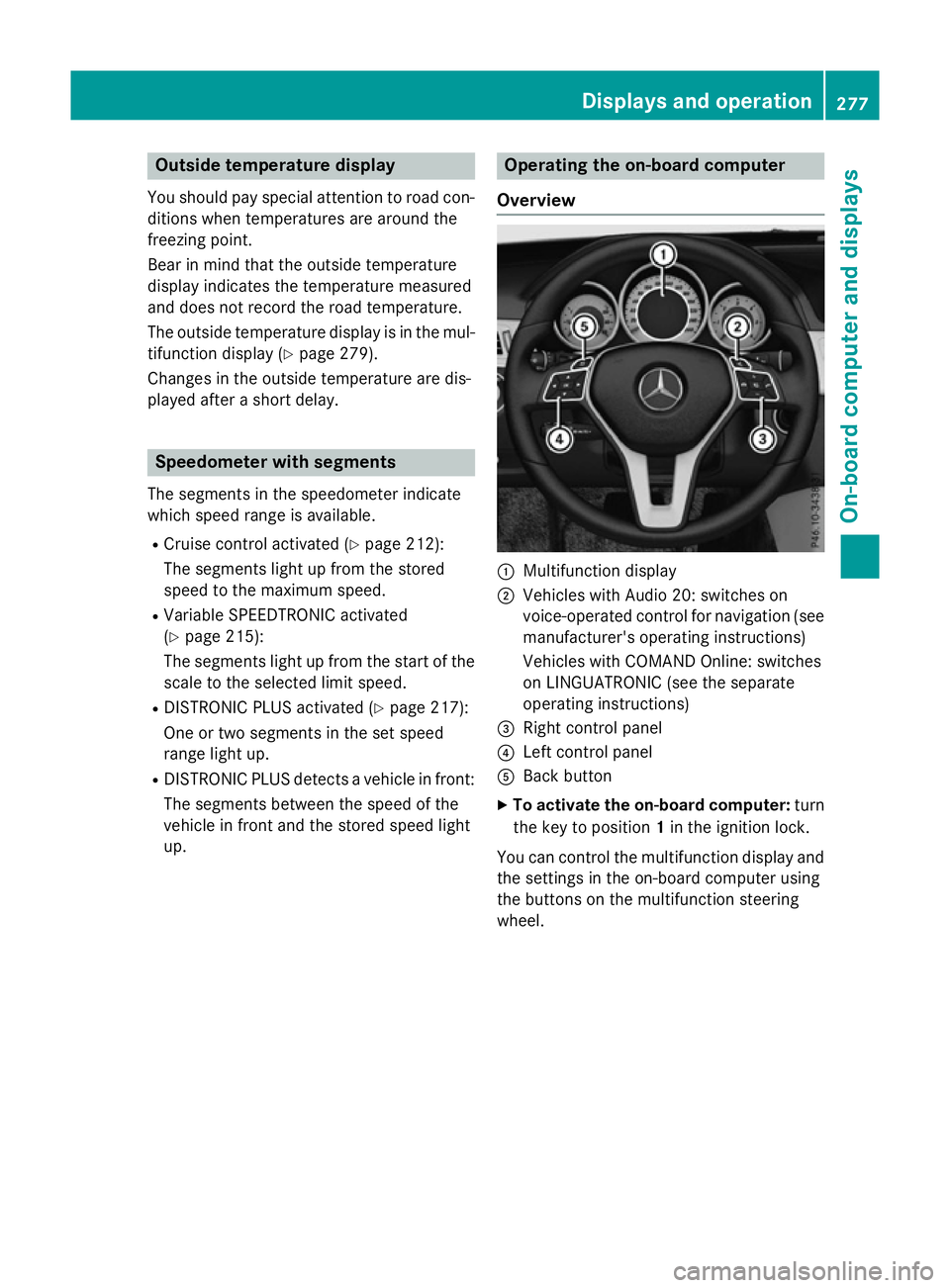
Overview :
Multifunction display
; Vehicles with Audio 20: switches on
voice-operated control for navigation (see
manufacturer's operatin ginstructions)
Vehicles with COMAND Online: switches
on LINGUATRONIC (see the separate
operatin ginstructions)
= Right control panel
? Left control panel
A Back button
X To activate the on-board computer: turn
the key to position 1in the ignition lock.
You can control the multifunction display and
the settings in the on-board computer using
the button sonthe multifunction steering
wheel. Displays and operation
277On-boardcomputer and displays Z
Page 282 of 497
Back button
% Press briefly:
R Back
R Vehicles with Audio 20:
Switches off voice-operated con-
trol for navigatio n(seem anufac-
turer's operating instructions)
R Vehicles with COMAND Online:
Switches off LINGUATRONIC
(se ethe separate operating
instructions)
R Hides display messages or calls
up the last Trip Tripmenu function
used
R Exits the telephone book/redial
memory % Press and hold:
R Call supt he standard display in
the Trip
Trip menu Multifunctio
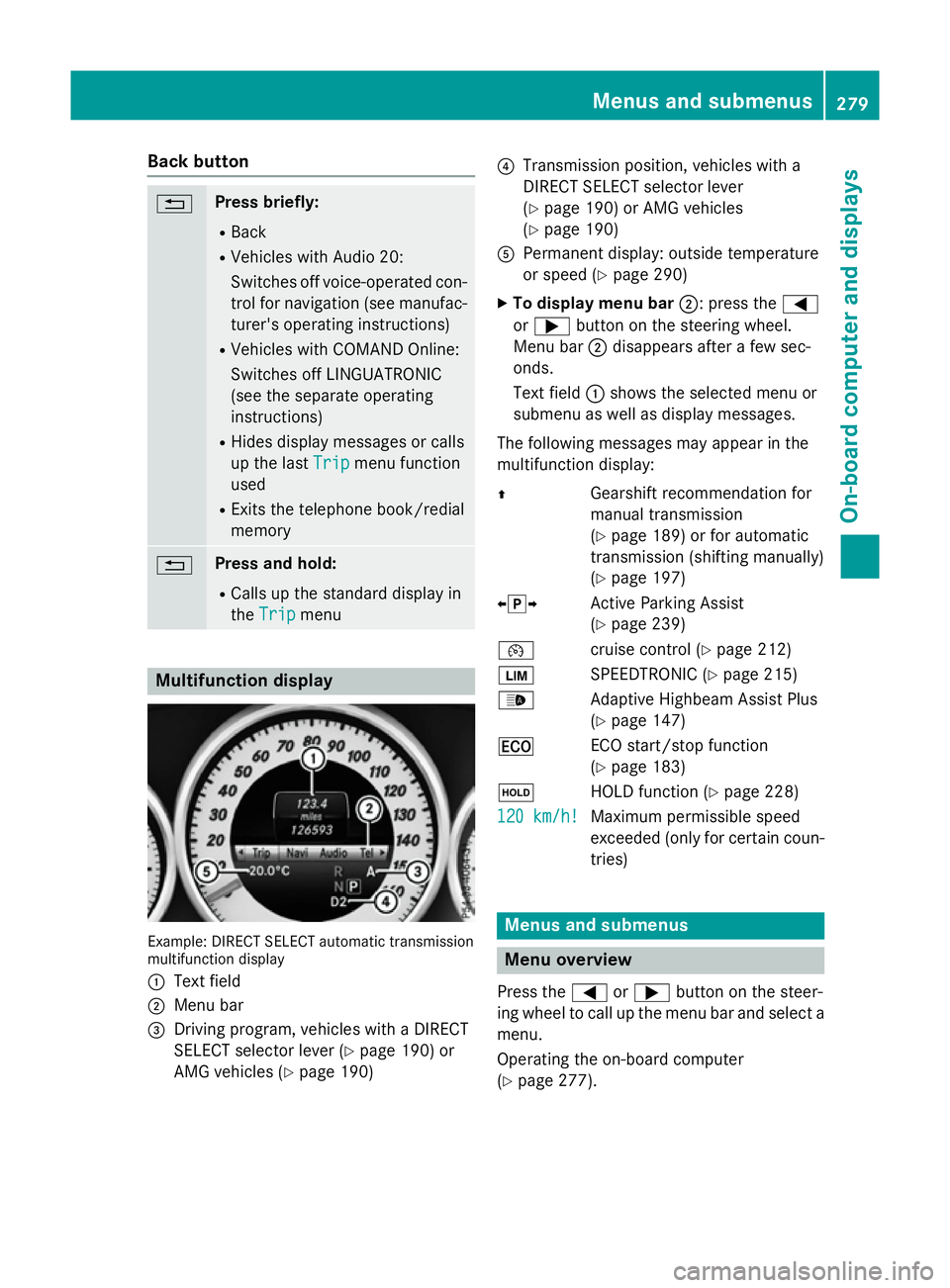
ndisplay Example: DIRECT SELEC
Tautomatic transmission
multifunctio ndisplay
: Text field
; Menu bar
= Driving program, vehicles with aDIRECT
SELECT selector lever (Y page 190)or
AMG vehicles (Y page 190) ?
Transmission position, vehicles with a
DIRECT SELECT selector lever
(Ypage 190 )orAMG vehicles
(Y page 190)
A Permanent display :outsid etemperature
or speed (Y page 290)
X To display men ubar;:p ress the =
or ; button on the steering wheel.
Menu bar ;disappears afte rafew sec-
onds.
Text field :shows the selecte dmenu or
submenu as well as display messages.
The following messages ma yappea rinthe
multifunctio ndisplay:
Z Gearshift recommendatio nfor
manua ltransmission
(Y page 189 )orfor automatic
transmission (shifting manually)
(Y page 197)
XjY Active Parking Assist
(Ypage 239)
¯ cruisecontro l(Ypage 212)
È SPEEDTRONIC (Y page 215)
_ Adaptive Highbeam Assist Plus
(Ypage 147)
¤ ECO start/sto pfunction
(Y page 183)
ë HOLD functio n(Ypage 228)
120 km/h! 120 km/h! Maximu
mpermissibl espeed
exceeded (only for certain coun-
tries) Menus and submenus
Men
uoverview
Press the =or; button on the steer-
ing whee ltocallupt he menu ba rand select a
menu.
Operating the on-boar dcomputer
(Y page 277). Menus and submenus
279On-board computer and displays Z
Page 283 of 497
Depending on the equipment fitte
dinthe
vehicle, yo ucan cal lupthe following menus:
R Trip
Trip menu (Y page 280)
R Navi
Navi menu (navigatio ninstructions)
(Y page 281)
R Audio
Audio menu (Y page 283)
R Tel
Tel menu (telephone )(Ypage 284)
R Assist.
Assist. menu (assistance) (Y page 286)
R Serv.
Serv. menu (Y page 288)
R Settings
Settings menu (settings )(Y page 289)
R AMG
AMG menu in AMG vehicles (Y page 296)
The Audio
Audio, Navi
NaviandTel
Tel menu sdiffe rs ligh tly
in vehicles with Audio 20 and in vehicles with
COMAND Online .The examples given in this
Owner' sManualapply to vehicles equipped
with COMAND Online. Trip menu
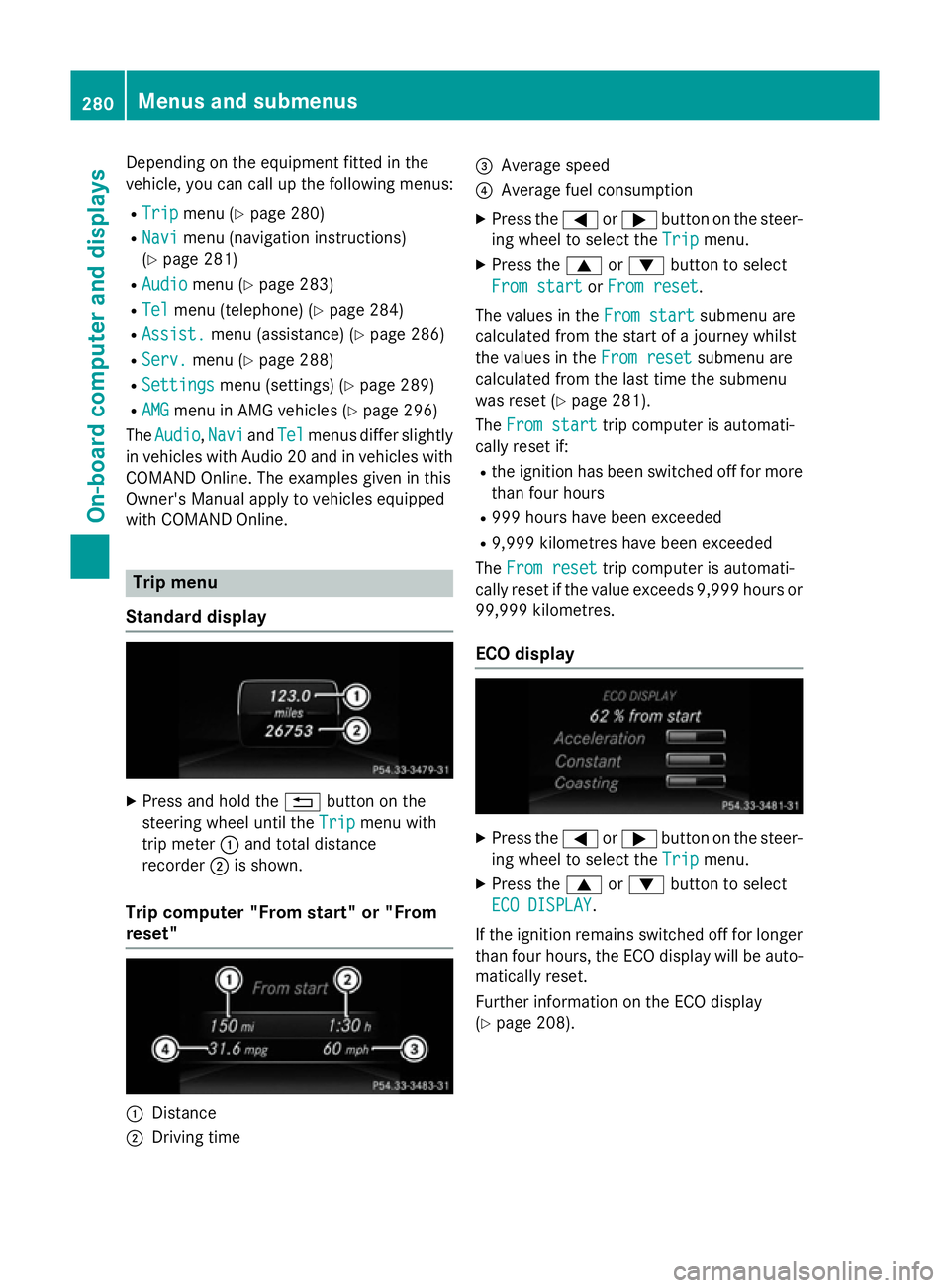
Standard display X
Press and hold the %button on the
steering whee lunti lthe Trip Trip menu with
tri pm eter :and tota ldistance
recorder ;is shown.
Trip compute r"From start" or "From
reset" :
Distance
; Driving time =
Averag espeed
? Averag efuelconsumption
X Press the =or; button on the steer-
ing whee ltoselect theTrip Trip menu.
X Press the 9or: button to select
Fro mstart
Fro mstart orFro mreset
Fro mreset.
Th ev alues in the Fromstart
Fro mstart submenu are
calculate dfromt he start of ajourney whilst
the values in the Fromreset
Fro mreset submenu are
calculate dfromt he last tim ethe submenu
wa sreset (Y page 281).
The Fromstart
Fro mstart tripc ompute risautomati-
cally reset if:
R the ignition ha sbeens witched off for more
tha nfourh ours
R 999 hour shaveb eene xceeded
R 9,999 kilometres have been exceeded
The Fromreset
Fro mreset tripc ompute risautomati-
cally reset if the valu eexceed s9,999 hour sor
99,999 kilometres.
EC Od isplay X
Press the =or; button on the steer-
ing whee ltoselect theTrip Trip menu.
X Press the 9or: button to select
ECO DISPLAY
ECO DISPLAY.
If the ignition remains switched off for longer
tha nfourh ours, the ECO displa ywillbea uto-
maticall yreset.
Furthe rinformation on the ECO display
(Y page 208). 280
Menus and submenusOn-board computer and displays
Page 288 of 497
You will see one of the followin
gdisplay mes-
sages in the multifunction display:
R Telephon eready
Telephon eready or the name of the net-
work provider: the mobile phon ehas found
an etwork and is ready to receive.
R Telephon eNoservice
Telephon eNoservice:t here is no net-
work available or the mobile phon eis
searching for anetwork.
i You can obtain further information about
suitable mobile phones and connecting
mobile phones via Bluetooth ®
:
R fro ma ny Mercedes-Ben zService Centre
R on the Internet at http://
www.mercedes-benz.com/connect
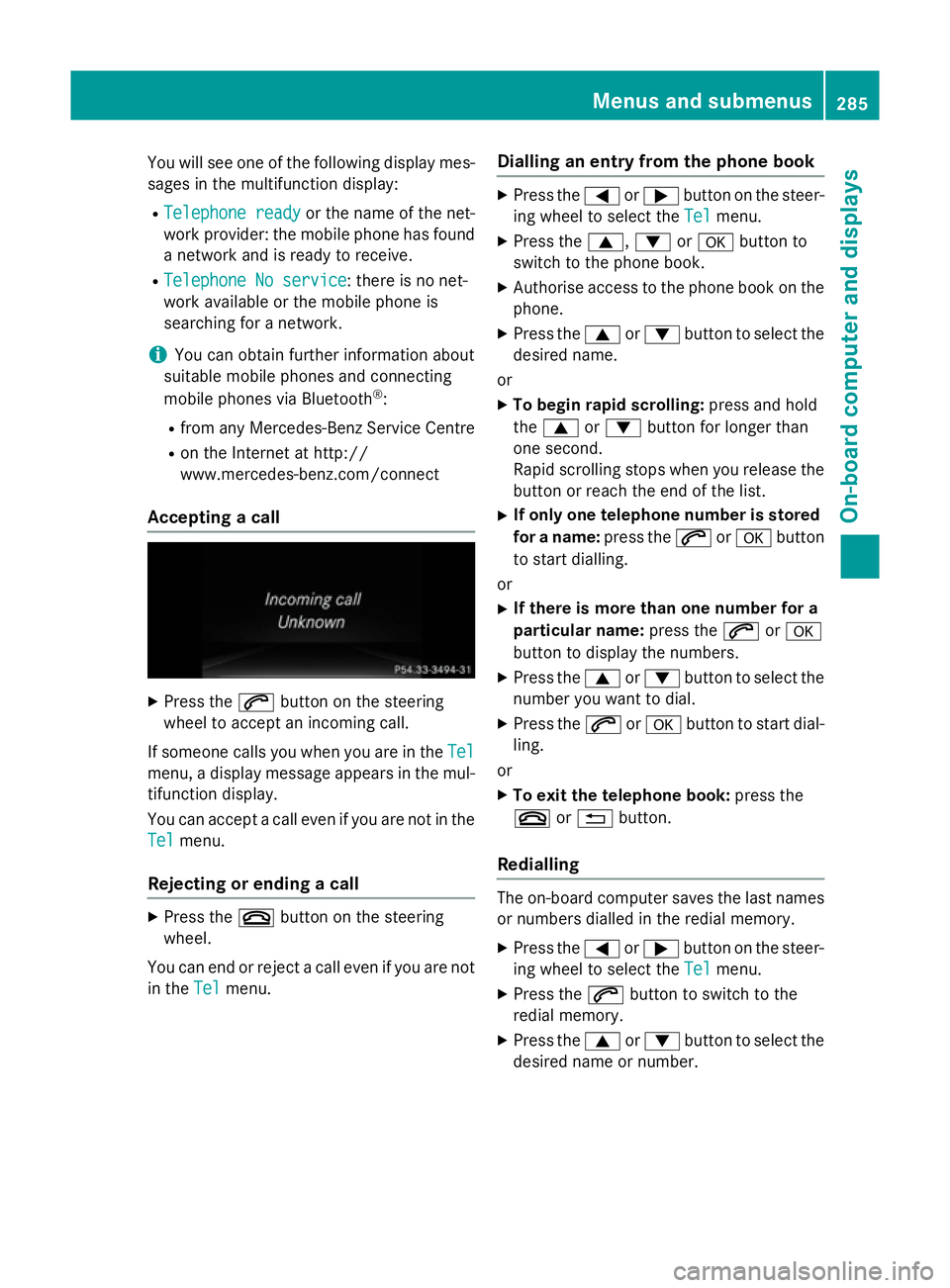
Accepting acall X
Press the 6button on the steering
wheel to accept an incomin gcall.
If someone calls you when you are in the Tel Tel
menu, adisplay message appears in the mul-
tifunction display.
You can accept acall even if you are not in the
Tel
Tel menu.
Rejecting or ending acall X
Press the ~button on the steering
wheel.
You can end or reject acall even if you are not
in the Tel
Tel menu. Dialling an entr
yfromt hephone book X
Press the =or; button on the steer-
ing wheel to selec tthe Tel Tel menu.
X Press the 9,:ora button to
switc htot he phon ebook.
X Authoris eaccess to the phon ebook on the
phone.
X Press the 9or: button to selec tthe
desired name.
or
X To begin rapid scrolling: press and hold
the 9 or: button for longer than
one second.
Rapid scrolling stops when you release the
button or reach the end of the list.
X If only one telephone number is stored
for aname: press the 6ora button
to star tdialling.
or
X If there is mor ethano ne number for a
particular name: press the6ora
button to display the numbers.
X Press the 9or: button to selec tthe
number you want to dial.
X Press the 6ora button to star tdial-
ling.
or
X To exit th etelephone book: press the
~ or% button.
Redialling The on-board computer saves the last names
or numbers dialled in the redial memory.
X Press the =or; button on the steer-
ing wheel to selec tthe Tel Tel menu.
X Press the 6button to switc htothe
redial memory.
X Press the 9or: button to selec tthe
desired name or number. Menus and submenus
285On-board computer and displays Z
Page 289 of 497
X
Press the 6ora button to start dial-
ling.
or
X To exit the redial memory: press the
~ or% button. Assistance menu
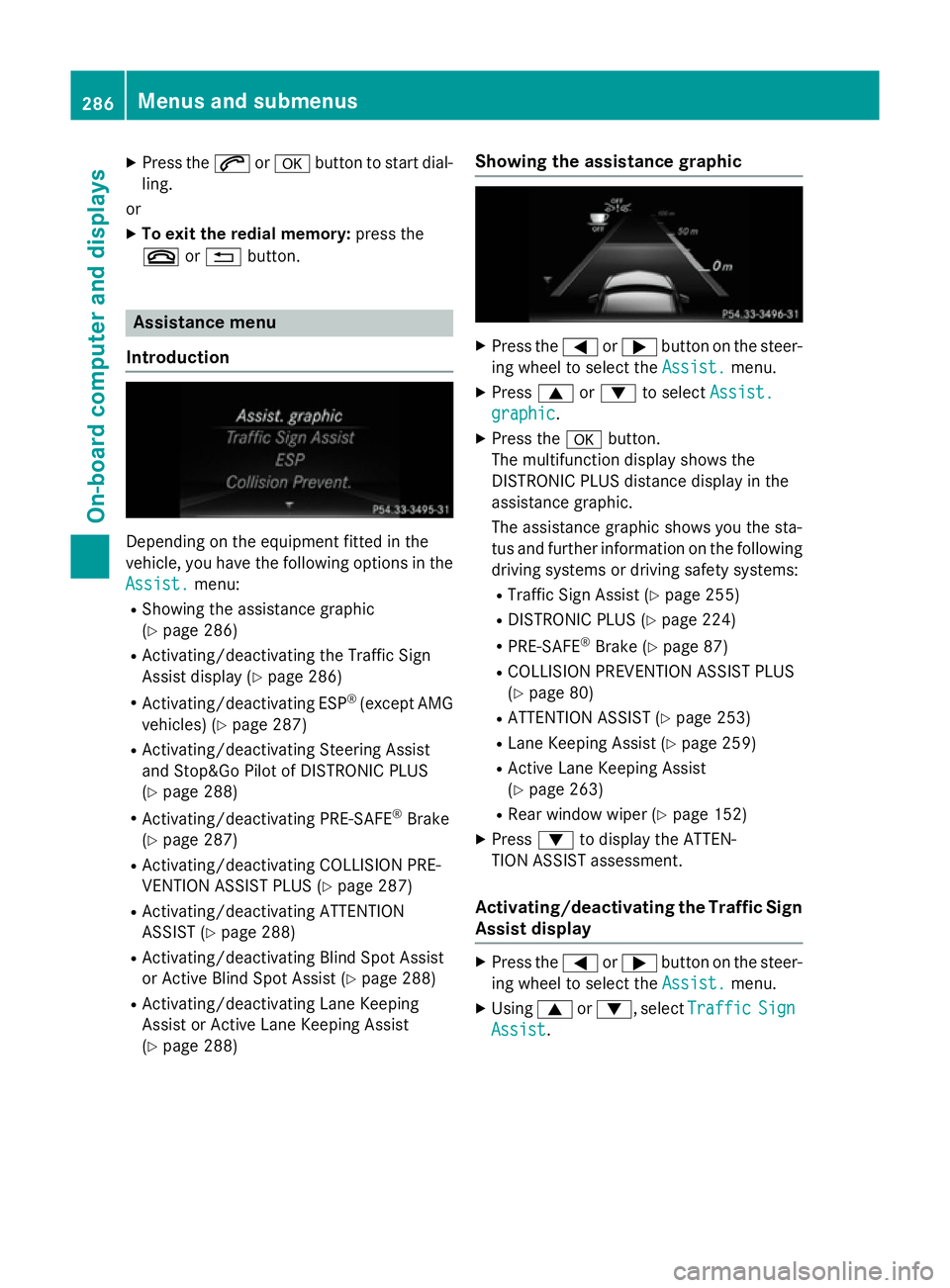
Introduction Dependin
gonthe equipment fitted in the
vehicle, you have the following options in the
Assist.
Assist. menu:
R Showing the assistanc egraphic
(Y page 286)
R Activating/deactivatin gthe Traffic Sign
Assist display (Y page 286)
R Activating/deactivatin gESP®
(except AMG
vehicles) (Y page 287)
R Activating/deactivatin gSteering Assist
and Stop&Go Pilot of DISTRONIC PLUS
(Y page 288)
R Activating/deactivatin gPRE-SAFE ®
Brake
(Y page 287)
R Activating/deactivatin gCOLLISION PRE-
VENTION ASSIST PLUS (Y page 287)
R Activating/deactivatin gATTENTION
ASSIST (Y page 288)
R Activating/deactivatin gBlind Spot Assist
or Active Blind Spot Assist (Y page 288)
R Activating/deactivatin gLane Keeping
Assist or Active Lane Keeping Assist
(Y page 288) Showing the assistance graphic X
Press the =or; button on the steer-
ing wheel to select the Assist. Assist.menu.
X Press 9or: to select Assist.
Assist.
graphic
graphic.
X Press the abutton.
The multifunction display shows the
DISTRONIC PLUS distanc edisplay in the
assistanc egraphic.
The assistanc egraphic shows you the sta-
tus and further information on the following
driving systems or driving safety systems:
R Traffic Sign Assist (Y page 255)
R DISTRONIC PLUS (Y page 224)
R PRE-SAFE ®
Brake (Y page 87)
R COLLISION PREVENTION ASSIST PLUS
(Y page 80)
R ATTENTION ASSIST (Y page 253)
R Lane Keeping Assist (Y page 259)
R Active Lane Keeping Assist
(Y page 263)
R Rear window wiper (Y page 152)
X Press :to display the ATTEN-
TION ASSIST assessment.
Activating/deactivating the Traffic Sign
Assist display X
Press the =or; button on the steer-
ing wheel to select the Assist. Assist.menu.
X Using 9or:,s electTraffic
Traffic Sign
Sign
Assist
Assist. 286
Menus and submenusOn-board computer and displays
Page 291 of 497
Activating/deactivating Steering
Assis tand Stop&Go Pilot X
Press the =or; buttononthesteer-
ing whee ltos elect the Assist.
Assist. menu.
X Using 9or:,s electDTR+:
DTR+: steer.
steer.
asst.
asst.
X Press the abutton.
The curren tselection is displayed.
X To activate/deactivate: press thea
butto nagain.
When Steering Assis tand Stop&Go Pilot
are activated, th emultifunction display
shows the DTR+: steering assistant
DTR+: steering assistant
On
On message.
Further information about DISTRONI CPLUS
wit hS teering Assis tand Stop&Go Pilot
(Y page 226).
Activating/deactivating ATTENTION
ASSIST X
Press the =or; buttononthesteer-
ing whee ltos elect the Assist.
Assist. menu.
X Press the 9or: buttontos elect
Attention Assist
Attention Assist .
X Press the abutton.
The curren tselection is displayed.
X Press ato confirm.
X Press the :or9 buttontos etOff Off ,
Standard
Standard orSensitive
Sensitive .
X Press the abuttontos avet he setting.
When ATTENTION ASSIST is deactivated,
the é symbol appear sinthemultifunc-
tion display in th eassistanc egraphic dis-
play.
Fo rfurther information about ATTENTION
ASSIST ,see (Y page 253).
Activating/deactivating Blind Spot
Assist X
Press the =or; buttononthesteer-
ing whee ltos elect the Assist.
Assist. menu.
X Press the 9or: buttontos elect
Blind Spo tAssist
Blind Spo tAssist . X
Press the abutton.
The curren tselection appears.
X To activate/deactivate: press thea
butto nagain.
Further information about Blind Spot Assist
(Y page 257).
Further information about Active Blind Spot
Assis t(Y page 261).
Activating/deactivating Lan eKeeping
Assist X
Press the =or; buttononthesteer-
ing whee ltos elect the Assist. Assist.menu.
X Press the 9or: buttontos elect
Lan eK eep. Assist
Lan eK eep. Assist .
X Press the abutton.
The curren tselection appears.
X Press ato confirm.
X Press the :or9 buttontos etOff
Off ,
Standard
Standard orAdaptive
Adaptive.
X Press the abuttontos avet he setting.
When Lan eKeepin gAssistorA ctiveLane
Keepin gAssistisa ctivated, th emultifunc-
tion display shows th elan em arking sas
bright lines in th eassistanc egraphic.
Further information about Lan eKeeping
Assis t(Ypage 259).
Further information about Active Lan eKeep-
ing Assis t(Y page 263). Service menu
Dependin
gontheequipmen tfitte dint he
vehicle, you hav ethe followin goption sinthe
Serv.
Serv. menu: 288
Menu
sand sub menusOn-boardcomputer an ddisplays