ECU MERCEDES-BENZ E-CLASS SALOON 2016 Workshop Manual
[x] Cancel search | Manufacturer: MERCEDES-BENZ, Model Year: 2016, Model line: E-CLASS SALOON, Model: MERCEDES-BENZ E-CLASS SALOON 2016Pages: 557, PDF Size: 11.09 MB
Page 423 of 557
Ve
hicles with a tyre pressure monitoring
sy stem: If an emer gency spa rewheel is fit‐
te dth e tyre pressure monitoring sy stem can‐
not function reliabl y.Only restart the sy stem
again when the emer gency spa rewheel has
been replaced with a new wheel.
Ve hicles with a tyre pressure monitoring
sy stem: For a few minutes af ter an emer‐
ge ncy spa rewheel is fitted, the sy stem may
st ill display the tyre pressure of there mo ved
wheel.
Be sure toalso obse rveth efo llowing fur ther
re lated subjects:
R Notes on tyre pressure (→ page 402)
R Tyre pressure table (→ page 403) Re
moving the eme rgency spa rewheel The eme
rgency spare wheel is secured in the
emer gency spa rewheel bag in the boot. #
Obser vethe information on mounting tyres
(→ page 409). #
Open the boot. #
Detach thefast ening stra ps. #
Unhook there taining spring hooks of thefa s‐
te ning stra ps from the brac kets. #
Remo vethe emer gency spa rewheel bag with
th e emer gency spa rewheel. #
Open the emer gency spa rewheel bag and
re mo vethe emer gency spa rewheel. 420
Wheels and tyres
Page 456 of 557
Display messages
Possible causes/consequences and M
MSolutions
Front-passenger airbag
enabled See Owner's Man-
ual *T
he front passenger airbag is enabled while theve hicle is in motion:
R Even when a child, a small adult or an object weighing less than the sy stem weight thre shold is located on the
front passenger seat.
R Even when the front passenger seat is not occupied.
The sy stem may de tect objects or forc es that are adding tothewe ight applied tothe seat. &
WARNING ‑ Risk of inju ryor even fata l injury from using a child restra int sy stem when the front passenger
airbag is enabled
If yo u secure a child in a child restra int sy stem on the front passenger seat and the front passenger airbag is
enabled, the front passenger airbag can deploy in theev ent of an accident.
The child could be stru ck bythe airbag. #
Beaware of thest atus of the front passenger airbag bo thbefore and during the journe y. #
Pull over and stop theve hicle safely as soon as possible, paying attention toroad and traf fic conditions. #
Check thest atus of the automatic front passenger airbag shutoff . #
If necessar y,consult a qualified specialist workshop immediatel y. Displ
aymessa ges and warning/indicator lamps 453
Page 484 of 557
Display messages
Possible causes/consequences and M
MSolutions
j Check trailer hitch lock *T
he trailer hitch is not operational. &
WARNING Risk of an accident if the ball neck is not loc ked
If th e ball neck is not in the loc ked position, the trailer may come loose. #
Pull over and stop theve hicle safely as soon as possible, paying attention toroad and traf fic conditions.
Do not continue driving under any circums tances. #
Uncouple the trailer and secure it against rolling away. #
Initiate a new swivelling procedure and do not re-couple the trailer until the display message disappears. #
Stop theve hicle immediately, paying attention toroad and traf fic conditions, and switch off the engine. #
Uncouple the trailer and safeguard it against rolling away. #
Initiate a new swivelling procedure . #
When the display message disappears, couple up the trailer and drive on.
If th e display message does not disappear, the trailer hitch is defective and the ball neck is not loc ked. #
Do not couple up the trailer. Drive on without the trailer. Pay attention tothere duced ground clearance due to
th e unloc ked ball nec k. #
Consult a qualified specialist workshop.
Apply brake to deselect
Park (P) position *
Yo u ha veattem ptedto shift the transmission out of position jand into ano ther transmission position. #
Depress the brake pedal. Display messages and
warning/indicator lamps 481
Page 506 of 557
Ve
hicle Wa
rning/indicator lamp
Possible causes/consequences and M
MSolutions
j Tr ailer hit chwarning lamp The
red trailer hitch warning lamp is on.
The trailer hitch is not operational or swivels. &
WARNING Risk of an accident if the ball neck is not loc ked
If th e ball neck is not in the loc ked position, the trailer may come loose. #
Pull over and stop theve hicle safely as soon as possible, paying attention toroad and traf fic conditions. Do
not continue driving under any circums tances. #
Uncouple the trailer and secure it against rolling away. #
Initiate a new swivelling procedure and do not re-couple the trailer until the display message disappears. #
Obser vethe messages in the multifunction displa y.
If th e trailer hitch swivels: #
Wait until the ball neck has reached the operational position. Display messages and
warning/indicator lamps 503
Page 519 of 557

Fr
ont passenger seat (rear ward-
fa cing/for ward-facing) .......................... 52
Fr ont passenger seat (without airbag
shutoff) .................................................. 51
ISOFIX/i-Size (fitting) ............................ 48
ISOFIX/i-Size (no tes) ............................. 47
No tes ..................................................... 45
Re commended child restra int sys‐
te ms ...................................................... 59
Seats suita blefor belt-secu redch ild
re stra int sy stems ................................... 53
Seats suitable for i‑Size child
re stra int sy stems ................................... 58
Seats suitable for ISOFIX child
re stra int sy stems ................................... 56
To pTe ther ..............................................49
Child ren
Re stra int sy stems ..................................45
Chock Storage location ................................... 413
Chock see Wheel chock
Cigar ette lighter ...................................... .118
City lighting .............................................. 12 8Cleaning
see Care
Climate control ........................................ 141
Ac tivating/deactivating the A/C
function (cont rol panel) ...................... .143
Ac tivating/deactivating the A/C
function (multimedia sy stem) .............. 14 3
Ac tivating/deactivating the synchro‐
nisation function (cont rol panel) .......... 14 4
Ac tivating/deactivating the synchro‐
nisation function (multimedia sys‐
te m) ..................................................... 14 4
Ad justing the air vents ......................... 151
Air di stribution settings .......................1 43
Air-recirculation mode ......................... 14 4
Au tomatic control ................................ 14 3
Climate style function .......................... 14 3
Demi sting the windo ws....................... 14 4
Demi sting the windscreen ...................1 41
Glo vebox air vent ................................ 151
Inserting/removing theflacon (fra‐
gr ance sy stem) .................................... 14 5
ionisation ............................................ .145
Re ar air vents ....................................... 151
Re ar operating unit .............................. 141Re
sidual heat ....................................... 14 4
Setting the air distribution ...................1 41
Setting the air flow ............................... 141
Setting the climate style ......................1 43
Setting the fragrance sy stem ............... 14 5
Setting thete mp erature ....................... 141
St ationary heater/ ventilation .............. 14 6
Switching on/off ................................. 14 2
Switching there ar wind owheater
on/off .................................................. 141
THERMATIC contro l panel .................... 141
THERMOTRONIC contro l panel ............141
Wi ndsc reen heater .............................. 14 6
Climate style
Fu nction .............................................. 14 3
Setting ................................................. 14 3
Cockpit ........................................................ .6
Overview .................................................6
COMAND Online see Multimedia sy stem
COMAND Touch ....................................... 281
Auth orising a device ............................2 80
Child saf ety lock .................................. 281 516
Index
Page 530 of 557
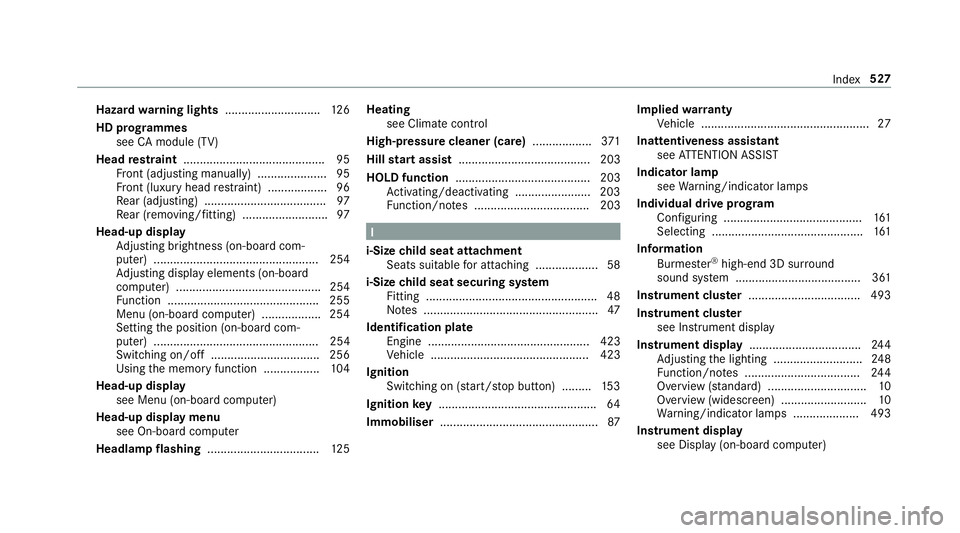
Hazard
warning lights ............................ .126
HD prog rammes
see CAmodule (TV)
Head restra int .......................................... .95
Fr ont (adjusting manually) ..................... 95
Fr ont (luxury head restra int) .................. 96
Re ar (adjusting) .................................... .97
Re ar (removing/fitting) .......................... 97
Head-up display Adjusting brightness (on-board com‐
pu ter) .................................................. 254
Ad justing display elements (on-board
compu ter) ............................................ 254
Fu nction .............................................. 255
Menu (on-board compu ter) .................. 254
Setting the position (on-board com‐
puter) .................................................. 254
Switching on/off ................................. 256
Using the memory function ................. 104
Head-up display see Menu (on-boa rdcompu ter)
Head-up display menu see On-board computer
Headlamp flashing .................................. 12 5Heating
see Climate control
High-pressure cleaner (care) ..................371
Hill start assi st........................................ 203
HOLD function ......................................... 203
Ac tivating/deactivating ...................... .203
Fu nction/no tes ................................... 203 I
i-Size child seat attachment
Seats suitable for attaching ................... 58
i-Size child seat securing sy stem
Fitting .................................................... 48
No tes ..................................................... 47
Identification pla te
Engine ................................................. 423
Ve hicle ................................................ 423
Ignition Switching on (s tart/s top button) .........1 53
Ignition key................................................ 64
Immobiliser ................................................ 87Implied
warranty
Ve hicle ................................................... 27
Inat tentiveness assistant
see ATTENTION ASSIST
Indicator lamp see Warning/indicator lamps
Individual drive prog ram
Con figuring .......................................... 161
Selecting .............................................. 161
Information Burmes ter®
high-end 3D sur round
sound sy stem ...................................... 361
Instrument clus ter .................................. 493
In stru ment clus ter
see Instrument display
Instrument display ..................................2 44
Ad justing the lighting ........................... 24 8
Fu nction/no tes ................................... 24 4
Overview (s tanda rd) .............................. 10
Overview (widescreen) .......................... 10
Wa rning/indicator lamps .................... 493
Instrument display see Display (on-board computer) Index
527
Page 531 of 557

see Instrument clus
ter
Instrument lighting .................................248
Instrument lighting see Dashboard lighting
Intelligent Light Sy stem .......................... 12 6
Ad aptive Highbeam Assist Plus .......... .128
Ad versewe ather light .......................... 12 8
City lighting ........................................ .128
Cornering light ..................................... 127
Fo g light (extended range) ................... 127
Mo torw ay mode ................................... 127
Overview ............................................. 12 6
Switching on/off ................................. 12 8
Interior lighting ........................................ 13 0
Ambient lighting .................................. 13 0
Setting ................................................. 13 0
Switch-off del aytime ........................... 131
Interior lighting see In terior lighting
see Lighting
see Lights
Interior pr otection
Fu nction ................................................ 89
Switching on/o ff................................... 89 In
term ediatedestination ........................ 289
Calculating a route with intermediate
destinations ........................................ 289
Editing ................................................ .289
Entering ............................................... 289
St arting an automatic filling station
sear ch................................................. 290
In tern et
Del eting favo urites .............................. 335
Deleting his tory ................................... 335
Setting favo urites ................................ 335
Internet connection Cancelling permission ........................ .332
Connection status .............................. .333
Displ aying the connection status ........ 333
Editing the access data ....................... 332
Es tablishing .........................................3 32
Mobile phone de tails .......................... .332
Re strictions ......................................... 329
Setting access da ta............................. 330
Setting up ............................................ 330
Switching Blu etoo th®
profile (DUN/
PA N) .................................................... 332
Vi a Blue tooth®
..................................... 330
Vi a communication module ................ .330 Vi
aWi -Fi .............................................. 330
In tern etradio
Calling up ............................................ 335
Deleting stations ................................ .336
Logging in ............................................ 337
Logging out ......................................... 337
Overview ............................................. 336
Saving stations .................................... 336
Selecting and connecting toast ation
............................................................ .336
Selecting stre am ................................ .337
Setting options .................................... 337
Te rm s of use ........................................3 37
Ionisation ................................................ .145
iPhone ®
see Apple CarPlay™
ISOFIX child seat attachment
Seats suitable for attaching ................... 56
ISOFIX child seat securing sy stem
Fitting .................................................... 48
No tes ..................................................... 47528
Index
Page 533 of 557

Light switch .........................................1
23
Main beam .......................................... .125
Mo torw ay mode ................................... 127
Pa rking lights ...................................... .123
Re ar fog light ....................................... 124
Re sponsibility for lighting sy stems .......1 23
Setting the dipped beam ..................... 12 9
Setting the sur round lighting .............. .130
St anding lights .................................... .123
Tu rn signal light ................................... 12 5
Limiter ...................................................... 19 0
Ac tivating ............................................ .191
Calling up a speed .............................. .191
Deactivating ......................................... 191
Fu nction .............................................. 19 0
Le ver .................................................... 191
Pa ssive mode ...................................... 19 0
Pe rm anent setting .............................. .193
Re quirements ...................................... 191
Selecting .............................................. 191
Setting a speed .................................... 191
St oring a speed .................................... 191
Sy stem limits ....................................... 19 0
Limiting speed see Limiter LINGU
ATRO NIC ........................................ 257
Application-speci fic command ............ 258
Au dible help functions .........................2 59
Command types .................................. 258
Entering numbe rs................................ 258
Global command ................................. 258
Impr oving speech quality .................... 259
Language setting ................................ .259
Media pla yer commands .................... .265
Messa gecommands ........................... 265
Multifunction steering wheel (operat‐
ing) ...................................................... 257
Na vigation commands ........................ .261
Operable functions .............................. 258
Operating saf ety .................................. 257
Ra dio commands .................................2 64
Switch commands ............................... 259
Te lephone commands ........................ .263
Te xt messa gecommands .................... 265
TV commands ..................................... 264
Ve hicle commands .............................. 266
Vo ice prom pting .................................. 258
Live Traf fic Information
Displaying subsc ript ion information .... 299
Re gis tering on Mercedes me ............... 299 Loading guidelines
.................................. 105
Loads Securing .............................................. 105
Locking ...................................................... .64
Locking/unlocking ........................ 68, 69, 73
Lo weri ng
Ve hicle .................................................4 18
Lu bricant additives
see Additives
Lu ggage
Securing .............................................. 105
Lu mbar support
see Lumbar support (4-w ay)
Lu mbar support (4-w ay).......................... .95 M
Main beam Adaptive Highbeam Assist Plus .......... .128
Changing bulbs ................................... .132
Switching on/off ................................. 12 5
Maintenance see ASS YST PLUS 530
Index
Page 545 of 557

T
Ta ilgate
see Boot lid
Ta ilpipes (Care) ........................................ 374
Ta ke -back of end-of-life vehicles .............. 21
Ta nk capacity
Ad Blue ®
............................................... 430
Fu el ..................................................... 429
Re ser ve(fuel) ...................................... 429
Te ch nical data .......................................... 421
Axle load (trailer operation) ................. 436
Information .......................................... 421
No tes (trailer hitch) ............................. 435
To ngue weight .................................... .436
To wing weight (t owing a trailer) .......... .435
Ty re pressure monitoring sy stem ........ 406
Ve hicle identification plate .................. 423
Te lephone ................................................ .307
Ac tivating functions du ring a call ......... 311
Auth orising a mobile phone (Remo te
Pa rking Pilot) ...................................... .226
Call and ringtone volume .................... .310
Calls with se veral participants ............ .311 Commands (LINGU
ATRO NIC) .............. 263
Connecting a mobile phone (Near Field Communication (NFC)) ............... 309
Connecting a mobile phone (Pass‐
ke y) .................................................... .308
Connecting a mobile phone (Secu re
Simple Pairing) .................................... 308
Disconnecting the mobile phone ......... 309
Incoming call during an existing call .... 312
Locking theve hicle (mobile phone) .......69
Menu (on-board computer) .................. 253
Mobile phone voice recognition ........... 311
No tes ................................................... 307
Re ception and transmission volume .... 310
St arting theve hicle (mobile phone) ..... 154
Switching mobile phones .................... 309
Switching mobile phones (Near Field
Communication (NFC)) ........................ 309
Te lephone menu overview .................. .307
Te lephone operation ............................ 311
Unlocking theve hicle (mobile phone) ....69
Using Near Field Communication
(NFC) ................................................... 309
Wi reless charging (mobile phone) ........ 121Te
lephone
see Mobile phone
Te lephone module
Ac tivating/deactivating ...................... .322
Ac tivating/deactivating caller ID
transmission ........................................ 324
Ac tivating/deactivating da taroam‐
ing ...................................................... .324
Ac tivating/deactivating network pro‐
vider restriction ................................... 324
Ac tivating/deactivating text mes‐
sa ge trans fer ....................................... 324
Ad justing the brightness ......................3 24
Charging a mobile phone .................... 326
Connecting .......................................... 322
Deleting call lists ................................ .325
Disconnecting ..................................... 326
Es tablishing a connection tothe
mobile phone ...................................... 323
Fitting/removing ................................. 322
Inserting/removing a SIM card .......... .323
No tes on receiving text messa ges .......3 25
Re setting tofactory settings ............... 326
Setting theringtone ............................ 325
Settings ............................................... 324 542
Index