phone MERCEDES-BENZ E-CLASS SALOON 2017 Workshop Manual
[x] Cancel search | Manufacturer: MERCEDES-BENZ, Model Year: 2017, Model line: E-CLASS SALOON, Model: MERCEDES-BENZ E-CLASS SALOON 2017Pages: 497, PDF Size: 10.38 MB
Page 289 of 497
#
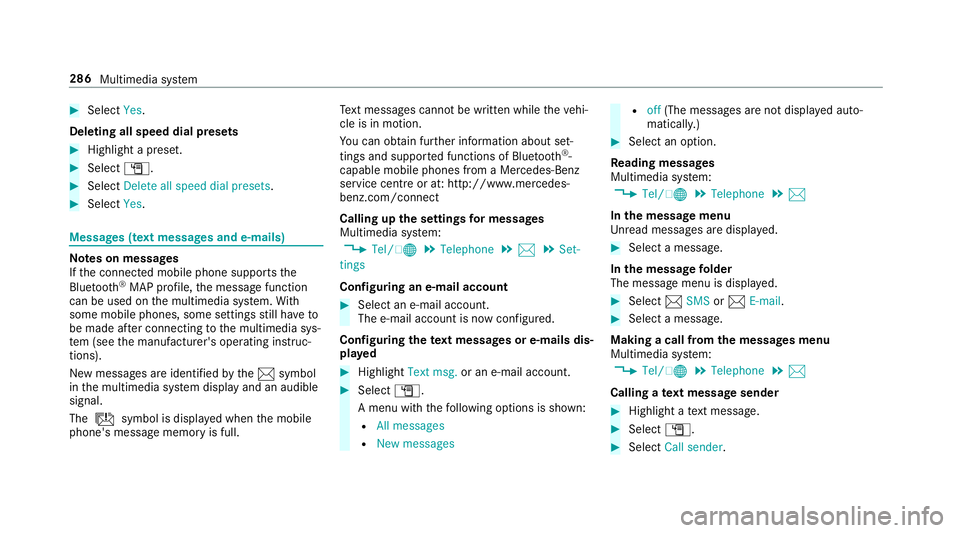
Select Yes.
Deleting all speed dial pres ets#
Highlight a preset. #
Select G. #
Select Delete all speed dial presets .#
Select Yes. Messages (t
ext messages and e-mails) Note
s on messages
If th e connected mobile phone supports the
Blu etoo th®
MAP profile, the message function
can be used on the multimedia sy stem. With
some mobile phones, some settings still ha veto
be made af ter connecting tothe multimedia sys‐
te m (see the manufacturer's operating instruc‐
tions).
New messages are identified bythe1 symbol
in the multimedia sy stem display and an audible
signal.
The ú symbol is displa yed when the mobile
phone's message memory is full. Te
xt messa ges cannot be written while theve hi‐
cle is in motion.
Yo u can obtain fur ther information about set‐
tings and suppor ted functions of Blue tooth®
-
capable mobile phones from a Mercedes-Benz
service centre or at: http://www.mercedes-
benz.com/connect
Calling up the settings for messages
Multimedia sy stem:
, Tel/ ®.
Telephone .
1 .
Set-
tings
Configuring an e-mail account #
Select an e-mail account.
The e-mail account is now confi gured.
Configuring thete xt messages or e-mails dis‐
pla yed #
Highlight Text msg. or an e-mail account. #
Select G.
A menu wi th thefo llowing options is shown:
R All messages
R New messages R
off(The messages are not displa yed auto‐
maticall y.) #
Select an option.
Re ading messages
Multimedia sy stem:
, Tel/ ®.
Telephone .
1
In the message menu
Unr ead messages are displa yed. #
Select a message.
In the message folder
The message menu is displa yed. #
Select 1SMS or1 E-mail. #
Select a message.
Making a call from the messages menu
Multimedia sy stem:
, Tel/ ®.
Telephone .
1
Calling a text message sender #
Highlight a text messa ge. #
Select G. #
Select Call sender. 286
Multimedia sy stem
Page 290 of 497
Calling phone numbers from a message
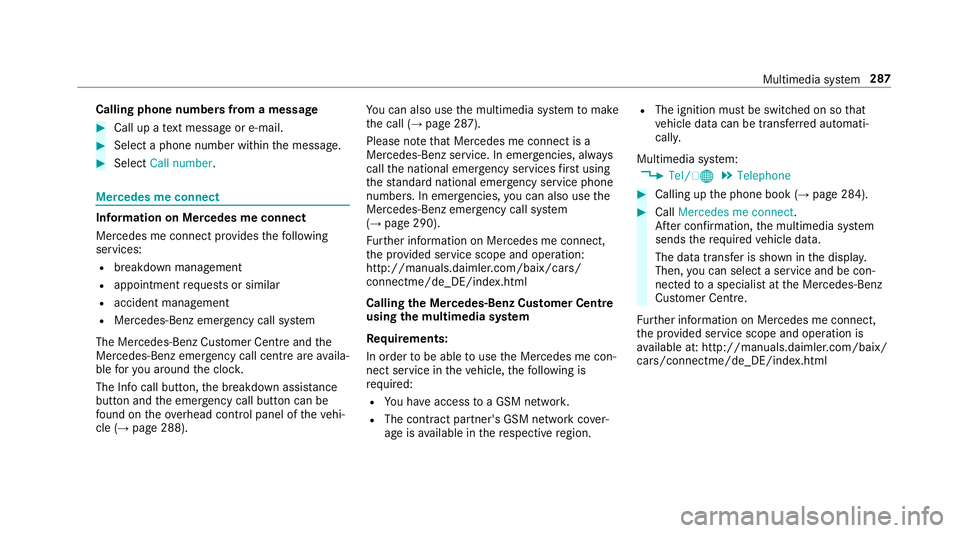
#
Call up a text messa geor e-mail. #
Select a phone number within the message. #
Select Call number . Mercedes me connect
Information on Mercedes me connect
Mercedes me connect pr
ovides thefo llowing
services:
R breakdown management
R appointment requests or similar
R accident management
R Mercedes-Benz emer gency call sy stem
The Mercedes-Benz Cus tomer Centre and the
Mercedes-Benz emer gency call centre are availa‐
ble foryo u around the cloc k.
The Info call button, the breakdown assis tance
button and the emer gency call button can be
fo und on theove rhead control panel of theve hi‐
cle (→ page 288). Yo
u can also use the multimedia sy stem tomake
th e call (→ page 287).
Please no tethat Mercedes me connect is a
Mercedes-Benz service. In emer gencies, al ways
call the national emer gency services firs t using
th est andard national emer gency service phone
numbe rs. In emergencies, you can also use the
Mercedes-Benz emer gency call sy stem
(→ page 290).
Fu rther information on Mercedes me connect,
th e pr ovided service scope and operation:
http://manuals.daimler.com/baix/cars/
connectme/de_DE/index.html
Calling the Mercedes-Benz Cus tomer Centre
using the multimedia sy stem
Requ irements:
In order tobe able touse the Mercedes me con‐
nect service in theve hicle, thefo llowing is
requ ired:
R You ha veaccess toa GSM networ k.
R The contra ct partner's GSM network co ver‐
age is available in there spective region. R
The ignition must be switched on so that
ve hicle data can be transfer red automati‐
call y.
Multimedia sy stem:
, Tel/ ®.
Telephone #
Calling up the phone book (→ page 284). #
Call Mercedes me connect.
Af ter confirmation, the multimedia sy stem
sends there qu ired vehicle data.
The data transfer is shown in the displa y.
Then, you can select a service and be con‐
nected toa specialist at the Mercedes-Benz
Cus tomer Centre.
Fu rther information on Mercedes me connect,
th e pr ovided service scope and operation is
av ailable at: http://manuals.daimler.com/baix/
cars/connectme/de_DE/ind ex.html Multimedia sy
stem 287
Page 291 of 497
Making a call via
theove rhead control panel
Re quirements:
In order tobe able touse the Mercedes me con‐
nect service in theve hicle, thefo llowing is
re qu ired:
R You ha veaccess toa GSM networ k.
R The contra ct partner's GSM network co ver‐
age is available in there spective region.
R The ignition must be switched on so that
ve hicle data can be transfer red automati‐
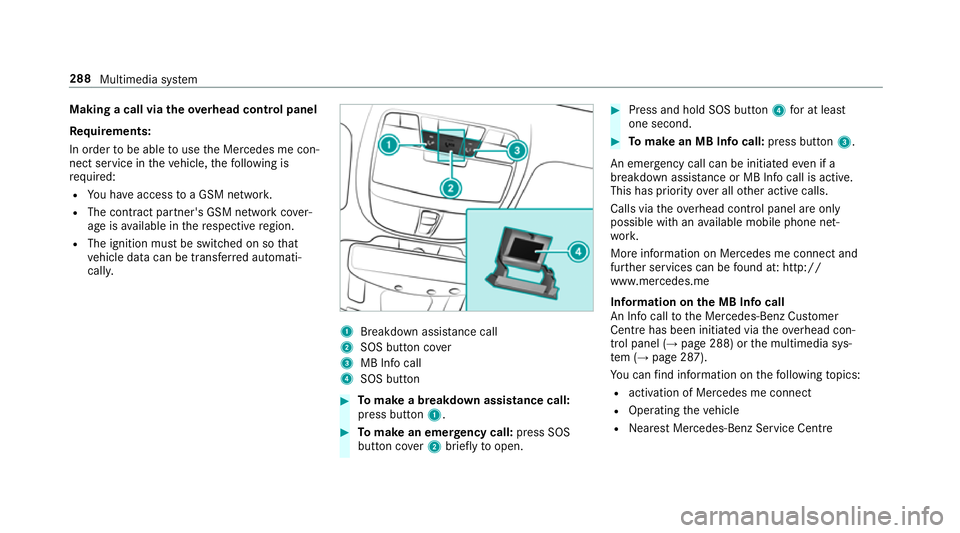
call y. 1
Breakdown assis tance call
2 SOS button co ver
3 MB Info call
4 SOS button #
Tomake a breakdown assistance call:
press button 1. #
Tomake an eme rgency call: press SOS
button co ver2 briefly toopen. #
Press and hold SOS button 4for at least
one second. #
Tomake an MB In focall: press button 3.
An emer gency call can be initia tedeve n if a
breakdown assi stance or MB In focall is acti ve.
This has priority over all other active calls.
Calls via theove rhead control panel are only
possible with an available mobile phone net‐
wo rk.
More information on Mercedes me connect and
fur ther services can be found at: http://
www.mercedes.me
Information on the MB Info call
An In focall tothe Mercedes-Benz Cus tomer
Centre has been initia ted via theove rhead con‐
trol panel (→ page 288) orthe multimedia sys‐
te m (→ page 287).
Yo u can find information on thefo llowing topics:
R activation of Mercedes me connect
R Operating theve hicle
R Nearest Mercedes-Benz Service Centre 288
Multimedia sy stem
Page 293 of 497
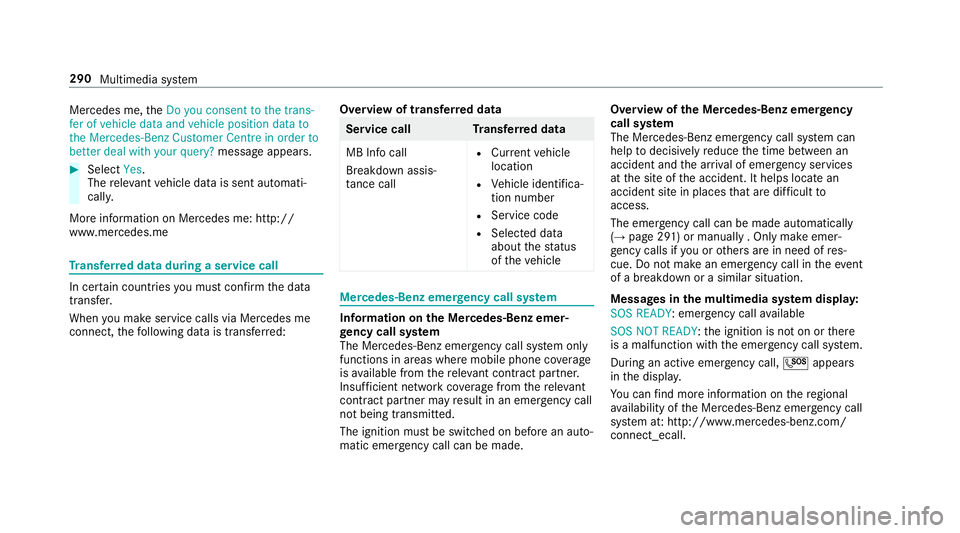
Mercedes me,
theDo you consent to the trans-
fer of vehicle data and vehicle position data to
the Mercedes-Benz Customer Centre in order to
better deal with your query? message appears.#
Select Yes.
The releva nt vehicle data is sent automati‐
call y.
More information on Mercedes me: http://
www.mercedes.me Tr
ansfer red data during a se rvice call In cer
tain countries you must confirm the data
transfer.
When you make service calls via Mercedes me
connect, thefo llowing data is transfer red: Overview of transfer
red data Service cal
lT ransfer red data
MB Info call
Breakdown assis‐
ta nce call R
Current vehicle
location
R Vehicle identifica‐
tion number
R Service code
R Selected data
about thest atus
of theve hicle Mercedes-Benz emer
gency call sy stem Information on
the Mercedes-Benz emer‐
ge ncy call sy stem
The Mercedes-Benz emer gency call sy stem only
functions in areas where mobile phone co verage
is available from there leva nt contract pa rtner.
Insu fficient network co verage from there leva nt
contract pa rtner may result in an emer gency call
not being transmitted.
The ignition mu stbe switched on before an auto‐
matic emer gency call can be made. Overvi
ewofthe Mercedes-Benz emer gency
call sy stem
The Mercedes-Benz emer gency call sy stem can
help todecisively reduce the time between an
accident and the ar riva l of emer gency services
at the site of the accident. It helps locate an
accident site in places that are dif ficult to
access.
The emer gency call can be made au tomatical ly
( → page 291) or manually . Only make emer‐
ge ncy calls if you or others are in need of res‐
cue. Do not make an emer gency call in theeve nt
of a breakdown or a similar situation.
Messages in the multimedia sy stem displa y:
SOS READY : emergency call available
SOS NOT READY: the ignition is not on or there
is a malfunction with the emer gency call sy stem.
During an active emer gency call, Gappears
in the displa y.
Yo u can find more information on there gional
av ailability of the Mercedes-Benz emer gency call
sy stem at: http://www.mercedes-benz.com/
connect_ecall. 290
Multimedia sy stem
Page 294 of 497
%
If an emergency call is una vailable, a mes‐
sage tothis ef fect also appea rsinthe multi‐
function display of the instrument clus ter.
Au tomatic eme rgency call
Re quirements:
R The ignition is switched on.
R The star ter battery has suf ficient charge.
If re stra int sy stems such as airbags or seat belt
te nsioners ha vebeen activated af ter an acci‐
dent, the Mercedes-Benz emer gency call sy stem
may automatically initiate an emer gency call.
The emergency call has been made:
R Avo ice connection is made tothe Mercedes-
Benz emer gency call centre.
R A messa gewith accident data is transmitted
to the Mercedes-Benz emer gency call centre.
The Mercedes-Benz emergency call centre
can transmit theve hicle position data toone
of the public emer gency services call cen‐
tres. R
In cer tain situations data is also transmitted
in the speech channel tothe Mercedes-Benz
emer gency call centre.
This allo wsmeasu resfo rre scue, reco very or
to wing toa Mercedes-Benz Service Cent reto
be initiated quickl y.
If yo ur vehicle is equipped with an SOS button in
th eove rhead control panel, it flashes until the
emer gency call has been compl eted.
It is not possible toimmediately end an auto‐
matic emer gency call.
If th e Mercedes-Benz emer gency call sy stem
cann otconnect tothe Mercedes-Benz emer‐
ge ncy call centre, the emer gency call is au tomat‐
ical lysent tothe public emer gency services call
centre.
If no connection can be made tothe public
emer gency services, a cor responding message
appears inthe displa y. #
Dial the emer gency call number 999 or 11 2
on your mobile phone. If an eme
rgency call has been initiated:
R Remain in theve hicle if thero ad and traf fic
conditions permit youto do so until a voice
connection is es tablished with the emer‐
ge ncy call centre operator.
R Onthe basis of the call, the operator decides
whe ther it is necessary tocall rescue teams
and/or the police tothe accident site.
R If no vehicle occupant answers, an ambu‐
lance is sent totheve hicle immediately.
Manual emer gency call #
Ifth eve hicle has an SOS button in theove r‐
head control panel: press and hold the but‐
to nfo r at least one second.
The emer gency call has been made:
R Avo ice connection is made tothe Mercedes-
Benz emer gency call centre.
R Remain in theve hicle if thero ad and traf fic
conditions permit youto do so until a voice
connection is es tablished with the emer‐
ge ncy call centre operator. Multimedia sy
stem 291
Page 295 of 497
R
Onthe basis of the call, the operator decides
whe ther it is necessary tocall rescue teams
and/or the police tothe accident site.
R A message with accident data is transmit ted
to the Mercedes-Benz emer gency call centre.
The Mercedes-Benz emergency call centre
can transmit theve hicle position data toone
of the public emer gency services call cen‐
tres.
R In cer tain situations data is also transmitted
in the speech channel tothe Mercedes-Benz
emer gency call centre.
This allo wsmeasu resfo rre scue, reco very or
to wing toa Mercedes-Benz Service Cent reto
be initiated quickl y.
If th e Mercedes-Benz emer gency call sy stem
cann otconnect tothe Mercedes-Benz emer‐
ge ncy call centre, the emer gency call is au tomat‐
ical lysent tothe public emer gency services call
centre.
If no connection can be made tothe public
emer gency services, a cor responding message
appears inthe displa y. #
Dial the emer gency number 999 or 112 on
yo ur mobile phone.
Ending an unin tentional emer gency call #
Select ~onthe multifunction steering
wheel.
Tr ansmitted data with th e Mercedes-Benz
emer gency call sy stem
The following data is transmitte dto the
Mercedes-Benz emer gency call centre:
R theve hicle's GPS position data
R the last GPS position data on thero ute (a few
hundred metres before the incident)
R direction of tr avel
R vehicle identification number
R theve hicle drive type
R the estimated number of people in theve hi‐
cle
R whe ther Mercedes me connect is available or
not
R whe ther the emer gency call was initiated
manually or automatically R
the time of the accident
R the language setting on the multimedia sys‐
tem
Fo r accident clarification purposes, thefo llowing
measures can be take n up toan hour af terthe
emer gency call has been initia ted:
R the cur rent vehicle position can be called up
R avo ice connection totheve hicle occupants
can be es tablished
% ForRu ssia: various functions, e.g. receiving
traf fic information, cannot be used for up to
two hou rsafte r sending an emergency call. 292
Multimedia sy stem
Page 296 of 497
Online and Internet functions
Internet connection
Internet connection
restrictions &
WARNING Risk of di stra ction from infor‐
mation sy stems and communications
equipment
If yo u operate information and communica‐
tion equipment integ rated in theve hicle
when driving, you will be distracted from the
traf fic situation. This could also cause youto
lose control of theve hicle. #
Only operate this equipment when the
traf fic situation permits. #
Ifyo u cannot be sure of this, stop the
ve hicle whilst paying attention toroad
and traf fic conditions and ope rate the
equipment with theve hicle stationar y. Yo
u must obse rveth e legal requirements forthe
country in whi chyou are cur rently driving when
operating the multimedia sy stem. Internet access may be
restricted or not function
if:
R the mobile phone is switched off
R the mobile phone network co verage is insuf‐
fi cient
R the mobile phone is not enabled for Internet
access
R the Blue tooth®
function is switched off on
th e multimedia sy stem and the desired tele‐
phone is tobe connec ted via Blue tooth®
R the Blue tooth®
function is switched off on
th e mobile phone and thete lephone is tobe
connec ted via Blue tooth®
R neither the mobile phone network nor the
mobile phone allow simultaneous use of a
te lephone and an Internet connection
R the mobile phone has not been enabled for
Internet access via Blue tooth®
The Internet functions can only be used toa limi‐
te d deg ree whilst driving. Setting up an Internet connection
Re quirements:
R A mobile phone is connec tedto the multime‐
dia sy stem via Blue tooth®
(→ page 279).
To do so, the mobile phone must support one
of thefo llowing Blue tooth®
profiles:
- DUN (Dial-Up Networking)
- PAN (Personal Area Network)
R Set the access data of the mobile phone net‐
wo rkprov ider forth e connected mobile
phone in the multimedia sy stem. If you use
incor rect access da ta, additional costs may
be incur red.
Yo u can obtain more de tailed information at
http://www.me rcedes-benz.com/connect or
from a Mercedes-Benz service cent re.
Multimedia sy stem:
, Tel/ ®.
Tel/ ®.
Inter-
net .
Settings .
Manage Internet set- Multimedia sy
stem 293
Page 297 of 497
tings
.
Search for Internet devices .
Start
search #
Select the mobile phone.
If th e mobile phone supports the Blue tooth®
PA N profile, Internet access is set up. Yo u
can use the Internet functions. If the mobile
phone does not support the named Blue‐
tooth ®
profile, predefined or manual access
data must be set.
Selecting the predefined access data of the
mo bile phone network pr ovider #
Select Predefined settings.
A list of countries appears. #
Select the count ryofyour mobile phone net‐
wo rkprov ider.
The list of available pr oviders appears. #
Select your mobile phone network pr ovider.
An ove rview of the pr ovider settings appears. #
Select Confirm settings. Manually setting
the access data of the
mo bile phone network pr ovider #
Select Manual settings.
An ove rview of the pr ovider settings appears. #
Set access data. #
Select Confirm settings.
% Set the access data in accordance with your
data pac kage .Yo u can contact your mobile
phone network pr ovider toobtain the precise
access data.
Editing access data
Multimedia sy stem:
, Tel/ ®.
Tel/ ®.
Inter-
net .
Settings .
Manage Internet settings #
Highlight a mobile phone. #
Select G. #
Select Change configuration . #
Select Predefined settings orManual set-
tings.
The pr ovider settings are displa yed. #
Set the access data. Cancelling Internet access permission
for a
mobile phone
Multimedia sy stem:
, Tel/ ®.
Tel/ ®.
Inter-
net .
Settings .
Manage Internet settings #
Highlight a mobile phone. #
Select G. #
Select Delete configuration. #
Select Yes.
Displaying mobile phone details
Multimedia sy stem:
, Tel/ ®.
Tel/ ®.
Inter-
net .
Settings .
Manage Internet settings #
Highlight a mobile phone. #
Select G. #
Select Details.
Establishing an Internet connection
Re quirements:
R Your connection device is activated and
operational. 294
Multimedia sy stem
Page 298 of 497
R
Your connection device recei ves a signal and
has a data connection.
Multimedia sy stem:
, Tel/ ®.
Tel/ ®.
Internet #
Forex ample, call up the Mercedes-Benz
mobile website. #
Toshow the menu: pressthe% button. #
Toend the connection: select©. Connection
status Connection
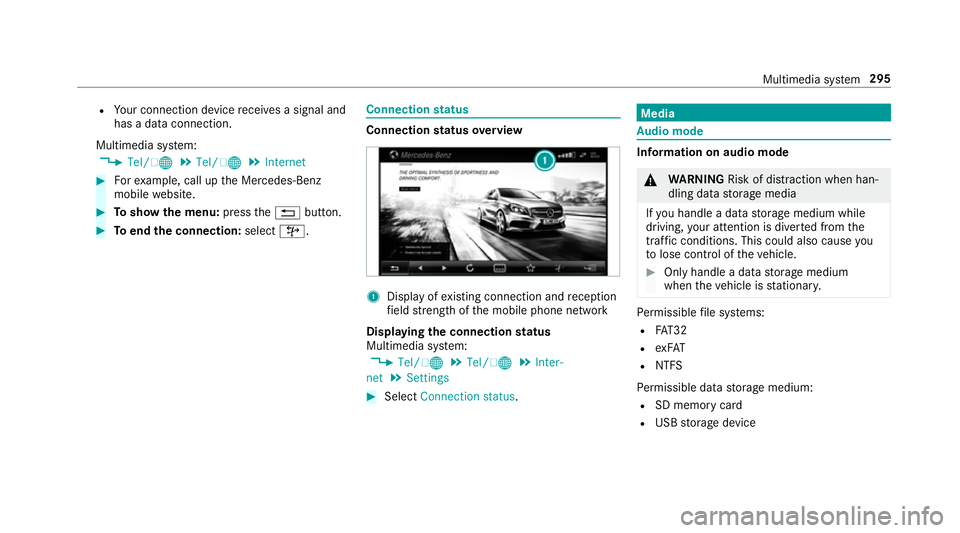
status overview 1
Display of existing connection and reception
fi eld stre ngth of the mobile phone network
Displaying the connection status
Multimedia sy stem:
, Tel/ ®.
Tel/ ®.
Inter-
net .
Settings #
Select Connection status . Media
Au
dio mode In
fo rm ation on audio mode &
WARNING Risk of di stra ction when han‐
dling da tastorage media
If yo u handle a data storage medium while
driving, your attention is diver ted from the
traf fic conditions. This could also cause you
to lose control of theve hicle. #
Only handle a data storage medium
when theve hicle is stationar y. Pe
rm issible file sy stems:
R FAT32
R exFAT
R NTFS
Pe rm issible data storage medium:
R SD memory card
R USB storage device Multimedia sy
stem 295
Page 301 of 497
Skip
totime #
Select Skip to time .
A menu appears. #
Set the time.
Showing track information #
Switch Show track information onO or off
ª.
Pa use and playback function
Multimedia sy stem:
, Media
Pa using playback #
Navigate down wards. #
Select Ë.
Continuing playback #
Select Ì. Media sear
ch St
arting the media sear ch
Multimedia sy stem:
, Media .
Search
Depending on the connected media sources and
fi les, thefo llowing categories are lis ted:
R Current track list
R Folder
R Keyword search
R Playlists
R Artists
R Albums
R Tracks
R Genres
R Year
R Composers
R iTunes U (Apple®
devices)
R Genius mixes (Apple®
devices)
R Podcasts (Apple®
devices)
R Audiobooks (Apple®
devices) #
Select a categor y. Media Inter
face Information about
the Media Inter face
Media In terface is a universal inter face forthe
connection of mobile audio equipment. The mul‐
timedia sy stem has two USB ports. The USB
ports are located in thestow age compartment
under the armrest.
Suppor ted devices
The Media Inter face allo wsyouto connect the
fo llowing data storage media:
R iPod ®
R iPhone ®
R MP3 pla yer
R USB devices
Fo r de tails and a list of suppor ted devices, visit
our website at http://www.mercedes-
benz.com/connect. Follow the instructions in
th e "Media Inter face" section. 298
Multimedia sy stem