phone MERCEDES-BENZ E-CLASS SALOON 2017 Repair Manual
[x] Cancel search | Manufacturer: MERCEDES-BENZ, Model Year: 2017, Model line: E-CLASS SALOON, Model: MERCEDES-BENZ E-CLASS SALOON 2017Pages: 497, PDF Size: 10.38 MB
Page 303 of 497
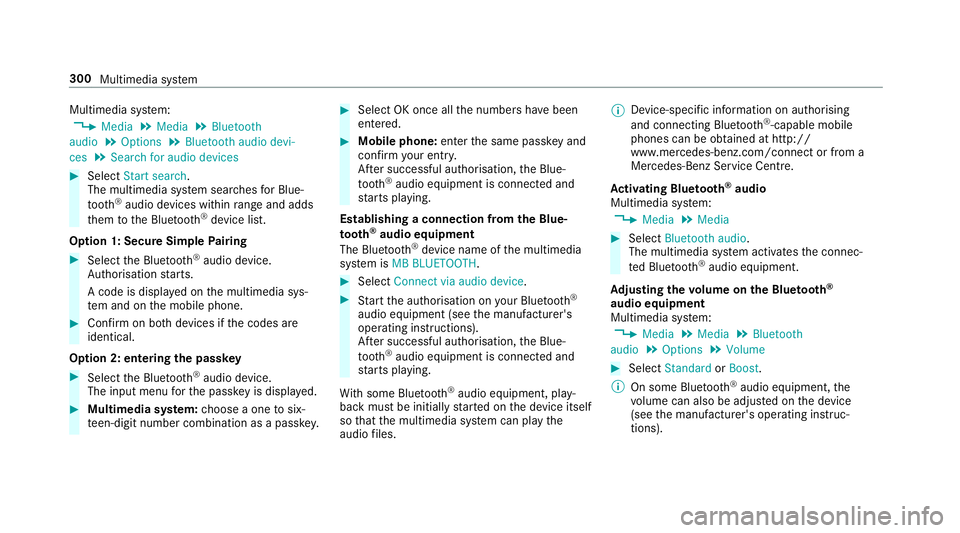
Multimedia sy
stem:
, Media .
Media .
Bluetooth
audio .
Options .
Bluetooth audio devi-
ces .
Search for audio devices #
Select Start search.
The multimedia sy stem sear ches for Blue‐
tooth ®
audio devices within range and adds
th em tothe Blue tooth ®
device list.
Option 1: Secure Simple Pairing #
Select the Blue tooth®
audio device.
Auth orisation starts.
A code is displa yed on the multimedia sys‐
te m and on the mobile phone. #
Confirm on bo thdevices if the codes are
identical.
Option 2: entering the passk ey #
Select the Blue tooth®
audio device.
The input menu forth e passk eyis displa yed. #
Multimedia sy stem: choose a one tosix‐
te en-digit number combination as a passk ey. #
Select OK once all the numbers ha vebeen
entered. #
Mobile phone: enterthe same passk eyand
con firm your entr y.
Af ter successful auth orisation,the Blue‐
tooth ®
audio equipment is connec ted and
st arts playing.
Establishing a connection from the Blue‐
to oth ®
audio equipment
The Blue tooth®
device name of the multimedia
sy stem is MB BLUETOOTH. #
Select Connect via audio device . #
Start the authorisation on your Blue tooth®
audio equipment (see the manufacturer's
operating instructions).
Af ter successful auth orisation,the Blue‐
tooth ®
audio equipment is connec ted and
st arts playing.
Wi th some Blue tooth®
audio equipment, play‐
back must be initially star ted on the device itself
so that the multimedia sy stem can play the
audio files. %
Device-specific information on authorising
and connecting Blue tooth®
-capable mobile
phones can be obtained at http://
ww w.mercedes-benz.com/connect or from a
Mercedes-Benz Service Centre.
Ac tivating Blue tooth ®
audio
Multimedia sy stem:
, Media .
Media #
Select Bluetooth audio.
The multimedia sy stem activates the connec‐
te d Blue tooth®
audio equipment.
Ad justing the volume on the Blu etoo th®
audio equipment
Multimedia sy stem:
, Media .
Media .
Bluetooth
audio .
Options .
Volume #
Select Standard orBoost .
% On some Blue tooth®
audio equipment, the
vo lume can also be adjus ted on the device
(see the manufacturer's operating instruc‐
tions). 300
Multimedia sy stem
Page 332 of 497
If, af
terte n minutes, a tyre pressure of
200 kPa (2.0 bar/29 psi) has been achie ved: &
WARNING Risk of accident from driving
wi th sealed tyres
A tyre temp orarily sealed with tyre sealant
impairs handling characteristics and is not
suitable for higher speeds. #
Adapt your driving style according lyand
drive carefull y. #
Do not exceed the specified maximum
speed with a tyre that has been sealed
using tyre sealant. #
Obse rveth e maximum permissible speed for
a tyre sealed with tyre sealant 80 km/h. #
Fasten the upper section of the TIREFIT
st icke rto the instrument clus ter where it will
be easi lyseen bythe driver.
* NO
TEStaining from leaking tyre sealant Af
ter use, excess tyre sealant may leak out
from thefilling hose. #
Therefore, place thefilling hose in the
plastic bag that con tained the TIREFIT
kit. +
ENVIRONMEN
TALNO TEEnvironmental
pollution caused byenvironmen tally ir re‐
sponsible disposal Ty
re sealant contains polluta nts. #
Have the tyre sealant bottle disposed of
professionall y,e.g. at a Mercedes-Benz
Service Centre. #
Switch off the tyre inflation compressor. #
Unscr ew thefiller hose from theva lve of the
defective tyre. #
Store the tyre sealant bottle, the tyre infla‐
tion compressor and thewa rning triangle. #
Pull away immediatel y. #
Stop af ter driving for appro ximately ten
minutes and check the tyre pressure using
th e tyre inflation compressor.
The tyre pressure must now be at least
13 0 kPa (1.3 bar/19 psi). &
WARNING Risk of accident due tothe
specified tyre pressure not being ach‐
ie ved
If th e specified tyre pressure is not achie ved
af te r a brief drive, the tyre is too badly dam‐
aged. The tyre sealant cannot repair the tyre
in this ins tance.
Dama ged tyres and a tyre pressure that is
to o low can significantly impair braking and
handling characteristics. #
Do not drive on. #
Consult a qualified specialist workshop. Countries
that ha veMercedes-Benz
Service24h: ast icke r with the phone number
can also be found in your vehicle, e.g. on the
B‑pillar on the driver's side. #
Cor rect the tyre pressure if it is still at least
13 0 kPa (1.3 bar/19 psi). See the tyre pres‐
sure table on the fuel filler flap forva lues. #
Toincrease the ty repressure: switch on
th e tyre inflation compressor. Breakdown assis
tance 329
Page 369 of 497
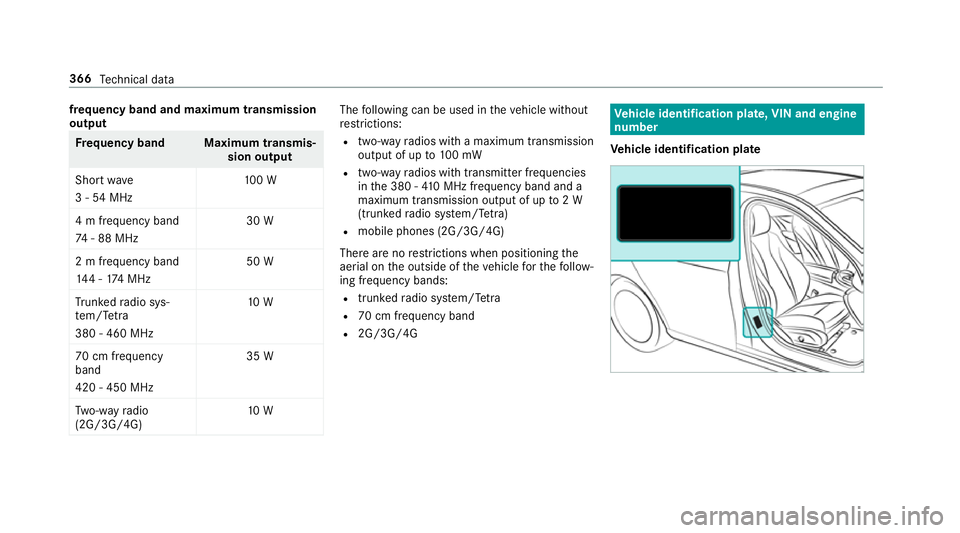
frequency band and maximum transmission
output
Fr
equency band Maximum transmis‐
sion output
Sho rtwa ve
3 - 54 MHz 10
0 W
4 m frequency band
74 - 88 MHz 30 W
2 m frequency band
14 4 - 174 MHz 50 W
Tr unked radio sys‐
te m/T etra
380 - 460 MHz 10 W
70 cm frequency
band
420 - 450 MHz 35 W
Tw o-w ayradio
(2G/3G/4G) 10 W The
following can be used in theve hicle without
re strictions:
R two-w ayradios with a maximum transmission
output of up to100 mW
R two-w ayradios with transmit ter frequencies
in the 380 - 410 MHz frequency band and a
maximum transmission output of up to2 W
(trunked radio sy stem/T etra)
R mobile phones (2G/3G/4G)
There are no restrictions when positioning the
aerial on the outside of theve hicle forth efo llow‐
ing frequency bands:
R trunked radio sy stem/T etra
R 70 cm frequency band
R 2G/3G/4G Ve
hicle identification plate, VIN and engine
number
Ve hicle identification plate 366
Tech nical da ta
Page 415 of 497
Display messages
Possible causes/consequences and M
MSolutions
4 Engine oil level Stop vehi-
cle Switch engine off *D
isplay message only for cer tain engines:
The engine oil le vel is too lo w.
* NO
TEEngine dama gecaused bydriving with insuf ficient engine oil #
Avoid long journe yswith insuf ficient engine oil. #
Pull over and stop theve hicle safely as soon as possible, paying attention toroad and traf fic conditions. Do not
continue driving under any circums tances. #
Switch off the engine. #
Check the engine oil le vel.
To p up the engine oil (→ page311).
No tes on engine oil (→ page373).
4 Engine oil level Reduce oil
level *D
isplay message only for cer tain engines:
The engine oil le vel is too high.
* NO
TEEngine dama gecaused bydriving with excess engine oil #
Avoid long journe yswith excess engine oil. #
Consult a qualified specialist workshop immediately and ha vethe engine oil siphoned off. 412
Displaymessa ges and warning/indicator lamps
Page 424 of 497
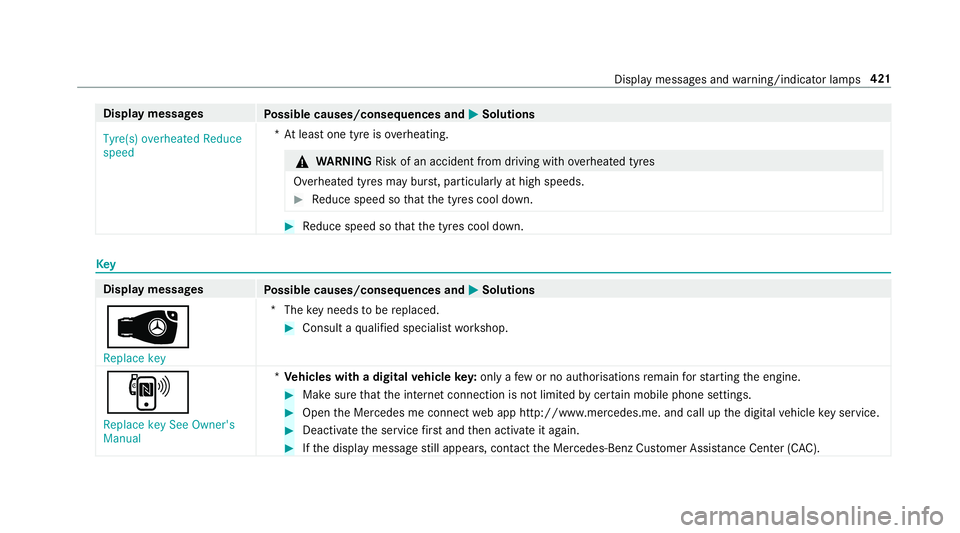
Display messages
Possible causes/consequences and M
MSolutions
Tyre(s) overheated Reduce
speed *A
t least one tyre is overheating. &
WARNING Risk of an accident from driving wi thove rheated tyres
Overheated tyres may bur st, particularly at high speeds. #
Reduce speed so that the tyres cool down. #
Reduce speed so that the tyres cool down. Key
Display messages
Possible causes/consequences and M MSolutions
 Replace key *T
hekey needs tobe replaced. #
Consult a qualified specialist workshop.
, Replace key See Owner's
Manual *
Ve hicles with a digital vehicle key:only a few or no authorisations remain forst arting the engine. #
Make sure that the internet connection is not limited bycer tain mobile phone settings. #
Open the Mercedes me connect web app http://www.mercedes.me. and call up the digital vehicle key service. #
Deactivate the service firs t and then activate it again. #
Ifth e display message still appears, con tact the Mercedes-Benz Cus tomer Assis tance Center (C AC). Display messages and
warning/indicator lamps 421
Page 464 of 497
Ending a call ........................................ 282
Incoming call du
ring an existing call .... 283
Making ................................................ 282
Vi ath eove rhead control panel
(Mercedes me connect) ......................2 88
Camera see 360° Camera
see Reversing camera
Car key
see Key
Car wash
see Care
Car wash (care) ........................................3 14
Care .......................................................... .319
AIR PANEL ............................................ 317
Car wash ..............................................3 14
Carpet .................................................. 319
Displ ay................................................. 319
EAS Y-PA CK boot box ............................ 319
Exhaust pipes ...................................... 317
Exterior lighting .................................... 317
Genuine wood/trim elements .............. 319
High-pressu recleaner .......................... 314
Matt finish ........................................... 316Pa
int wo rk ............................................. 316
Plastic trim ...........................................3 19
Re versing camera/360° Camera ........ .317
Ro of lining ............................................ 319
Seat belt .............................................. 319
Seat co ver ............................................ 319
Senso rs................................................ 317
Tr ailer tow hit ch................................... 317
Wa shing byhand ..................................3 15
Wheels/rims ........................................3 17
Wi ndo ws .............................................. 317
Wi per blades ........................................ 317
Carpet (Care) ............................................ 319
Changing bulbs ........................................ 137
Dipped beam ....................................... 13 8
Fitting/removing co ver (front wheel
ar ch ) .................................................... 13 8
Main beam ...........................................1 38
No tes ................................................... 137
Opening/closing the side trim pan‐
els .......................................................1 39
Overview .............................................. 137
Re versing light .................................... .139
Tu rn signal light (front) ........................ 13 8
Tu rn signal light (rear) .......................... 13 9Changing hub caps
.................................. 357
Changing the lights
Driving abroad (symm etrical dipped
beam) .................................................. 127
Channel tracking Setting ................................................ .303
Charging Battery (vehicle) .................................. 332
Mobile phone (wi reless) ...................... .124
USB port ..............................................1 24
Chassis le vel (AIR BODY CONT ROL)
Setting ................................................ .215
Child saf ety lock
Re ar side wind ows................................. 65
Child seat Attach ing (no tes) ................................... 54
Fr ont passenger seat (no tes) ................. 52
Fr ont passenger seat (rear ward-
fa cing/for ward-facing) .......................... 54
Fr ont passenger seat (without airbag
shutoff) .................................................. 53
ISOFIX/i-Size (fitting) ............................50
No tes ..................................................... 46
Re commended child restra int sy stems .. 61 Index
461
Page 473 of 497
Emer
gency spare wheel .........................3 62
No tes .................................................. 362
Re moving ............................................ 363
Energ y consum ption
Ke y ........................................................ 68
Engine ECO start/ stop function ......................1 66
Engine number ................................... .366
St arting (Digital Car Keyst icke r) .......... 161
St arting (eme rgency operation
mode) .................................................. 16 2
St arting (mobile phone) ...................... .161
St arting (Remo teOnline) ..................... 16 3
St arting (s tart/s top button) .................1 60
St arting assis tance .............................. 332
Switching off (s tart/s top button) .........1 81
Engine bonnet Function (active bonnet) ...................... 307
Opening/closing ................................. 308
Re setting (active bonnet) ..................... 307
Engine electronics Notes ................................................... 364
Engine number ........................................3 66Engine oil
................................................. .311
Ad ditives .............................................. 373
Checking the oil le vel using the oil
dipstick ................................................ 310
Checking the oil le vel using the on-
board computer ................................... 310
Filling capacity ..................................... 374
MB-F reigabe or MB-Appr oval .............. .374
Quality ................................................. 374
To pping up ...........................................3 11
Entering characters
Fu nction/no tes .................................... 271
On theto uchpad .................................. 272
Using the controller ............................. 272
ESC (Electronic Stability Control)
see ESP ®
(Electronic Stability Prog ram)
ESP ®
Crosswind Assist ................................. 19 5
Tr ailer stabilisation .............................. 19 5
ESP ®
(Electronic Stability Prog ram) ...... 19 2
Fu nction/no tes ................................... 19 2
Switching on/off ................................. 19 5
EU general operating permit number ....366 Exhaust pipes (Care)
...............................317
Exterior lighting Care .................................................... .317
Exterior lighting see Lights F
Fa tigue de tection
see ATTENTION ASSIST
Fa ult message
see Displ aymessa ge
Favo urites
Ad ding .................................................2 70
Calling up ............................................ 269
Deleting ............................................... 270
Moving ................................................ 270
Overview ............................................. 269
Re naming ............................................ 270
Fi re extinguisher ..................................... 324
Firs t-aid kit (soft sided) .......................... 323
Flacon Inse rting/ removing .............................. 15147 0
Index
Page 474 of 497
Flat ty
re.................................................... 324
MOExtended tyres ............................... 325
No tes ................................................... 324
TIREFIT kit ...........................................3 26
Wheel change ...................................... 357
Floor mats ................................................ 12 6
Fo g light (extended range) ......................1 32
Fr ag rance
see Fragrance sy stem
Fr ag rance sy stem .................................... 151
Ad justing the fragrance intensity ......... 151
Inserting/removing theflacon ............ .151
Switching on/off .................................. 151
Fr ee software ............................................ 30
Fr equencies
Mobile phone ...................................... 365
Tw o-w ayradio ...................................... 365
Fr equency band
Selecting (on-board computer) ............ 259
Fr ont airbag (driver, front passenger) .....38
Fr ont passenger seat
Ad justing from the driver's seat ............ 98 Fr
ont passenger seat
see Seat
Fr ont wheel ar ch
Fitting/removing the co ver .................. 13 8
Fr ont wheel ar chcover
Fitting/removing ................................. 13 8
Fu el
E10 ...................................................... 370
Pe trol ................................................... 370
Quality (petrol) .................................... 370
Re ser vefuel le vel ................................ 372
Sulphur content ................................... 370
Ta nk capacity ....................................... 372
Fu el consum ption
On-board computer ............................ .257
Fu elling .................................................... .371
Ad ditives .............................................. 371
Diesel .................................................. 371
Low outside temp eratures ...................3 71
Quality (diesel) ..................................... 371
Re fuelling ............................................. 176
Fu nction seat
see Door cont rol panel Fu
se insert
see Fuses
Fu ses ........................................................ 341
Assignment diagram ............................3 41
Before replacing a fuse ........................ 341
Fu se box in the boot ............................3 43
Fu se box in the engine compartment .. 342
Fu se box in the front-passen gerfo ot‐
we ll ...................................................... 343
Fu se box on the dashboard ................. 343
No tes ................................................... 341 G
Garage door opener Cleari ngthe memory ........................... 185
Opening/closing thega rage door ........ 184
Programming buttons .......................... 182
Ra dio equipment appr oval numbers .... 185
Re solving problems ............................. 184
Synchronising thero lling code ............ 183
Garmin ®
MAP PIL OTnavigation mod‐
ule
Activating ............................................ 277
Overview ..............................................2 76 Index
471
Page 476 of 497
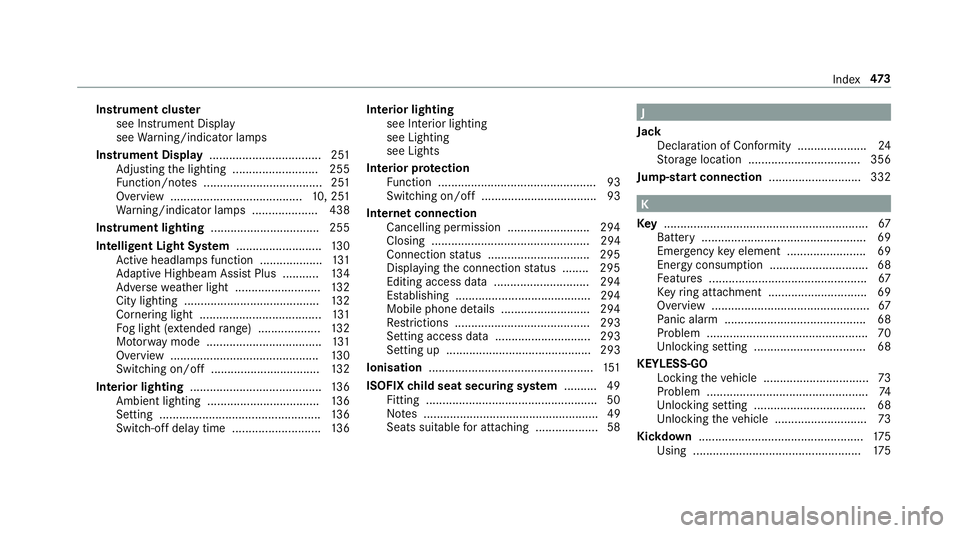
Instrument clus
ter
see Instrument Display
see Warning/indicator lamps
Instrument Display .................................. 251
Ad justing the lighting .......................... 255
Fu nction/no tes .................................... 251
Overview ........................................1 0, 251
Wa rning/indicator lamps .................... 438
Instrument lighting .................................255
Intelligent Light Sy stem .......................... 13 0
Ac tive headla mps function ...................1 31
Ad aptive Highbeam Assist Plus .......... .134
Ad versewe ather light .......................... 13 2
City lighting ........................................ .132
Cornering light ..................................... 131
Fo g light (extended range) ................... 13 2
Mo torw ay mode ................................... 131
Overview ............................................. 13 0
Switching on/off ................................. 13 2
Interior lighting ........................................ 13 6
Ambient lighting .................................. 13 6
Setting ................................................. 13 6
Switch-off del aytime ........................... 13 6Interior lighting
see In terior lighting
see Lighting
see Lights
Interior pr otection
Fu nction ................................................ 93
Switching on/o ff................................... 93
In tern etconnection
Cancelling permission ........................ .294
Closing ................................................ 294
Connection status .............................. .295
Displ aying the connection status ........ 295
Editing access data ............................ .294
Es tablishing .........................................2 94
Mobile phone de tails .......................... .294
Re strictions ......................................... 293
Setting access da ta............................. 293
Setting up ............................................ 293
Ionisation .................................................. 151
ISOFIX child seat securing sy stem .......... 49
Fitting .................................................... 50
No tes ..................................................... 49
Seats suitable for attaching ................... 58 J
Jack Declaration of Conformity .................... .24
St orage location ..................................3 56
Jump-start connection ............................ 332 K
Ke y.............................................................. 67
Battery .................................................. 69
Emer gency key element ........................ 69
Energy consum ption .............................. 68
Fe atures ................................................ 67
Ke yring attachment .............................. 69
Overview ................................................ 67
Pa nic alarm ........................................... 68
Problem ................................................ .70
Un locking setting .................................. 68
KEYLESS-GO Locking theve hicle ................................ 73
Problem .................................................74
Un locking setting .................................. 68
Un locking theve hicle ............................73
Kickd own.................................................. 175
Using ................................................... 175 Index
473
Page 478 of 497
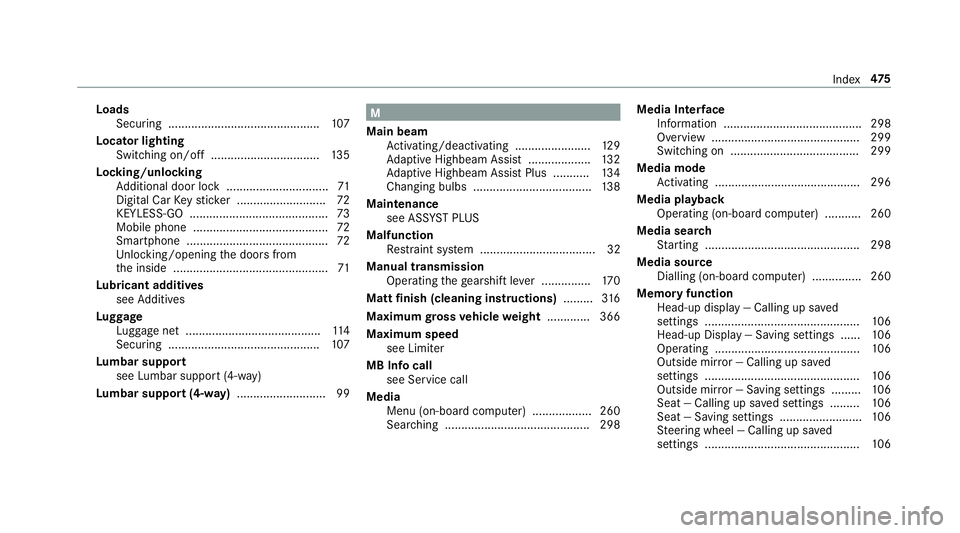
Loads
Securing .............................................. 107
Locator lighting Swit ching on/off ................................ .135
Lock ing/unlocking
Ad ditional door lock ...............................71
Digital Car Keyst icke r ........................... 72
KEYLESS-GO .......................................... 73
Mobile phone ......................................... 72
Smartphone ........................................... 72
Un locking/opening the doors from
th e inside ............................................... 71
Lu bricant additives
see Additives
Lu ggage
Lu ggage net ......................................... 11 4
Secu ring .............................................. 107
Lu mbar support
see Lumbar support (4-w ay)
Lu mbar support (4-w ay).......................... .99 M
Main beam Activating/deactivating ...................... .129
Ad aptive Highbeam Assist .................. .132
Ad aptive Highbeam Assist Plus .......... .134
Changing bulbs ................................... .138
Maintenance see ASS YST PLUS
Malfunction Restra int sy stem ................................... 32
Manual transmission Operating thege arshift le ver ............... 17 0
Matt finish (cleaning instructions) .........316
Maximum gross vehicle weight ............ .366
Maximum speed see Limi ter
MB Info call see Service call
Media Menu (on-boa rdcompu ter) .................. 260
Sear ching ............................................ 298 Media Inter
face
In fo rm ation .......................................... 298
Overview ............................................ .299
Switching on ....................................... 299
Media mode Activating ............................................ 296
Media playba ck
Operating (on-board computer) ........... 260
Media sear ch
St arting .............................................. .298
Media source Dialling (on-boa rdcompu ter) ............... 260
Memory function Head-up display — Calling up sa ved
settings ............................................... 106
Head-up Display — Saving settings ...... 106
Operating ............................................ 106
Outside mir ror — Calling up sa ved
settings ............................................... 106
Outside mir ror — Saving settings ......... 106
Seat — Calling up sa ved settings .........1 06
Seat — Saving settings ......................... 106
St eering wheel — Calling up sa ved
settings ............................................... 106 Index
475