Hold function MERCEDES-BENZ E-Class SEDAN 2013 W212 Owner's Guide
[x] Cancel search | Manufacturer: MERCEDES-BENZ, Model Year: 2013, Model line: E-Class SEDAN, Model: MERCEDES-BENZ E-Class SEDAN 2013 W212Pages: 420, PDF Size: 14.26 MB
Page 199 of 420
R
the driver's door is closed or your seat belt
is fastened.
R the parking brake is released.
R the hood is closed.
R the transmission is in position D, R or N.
R DISTRONIC PLUS is deactivated.
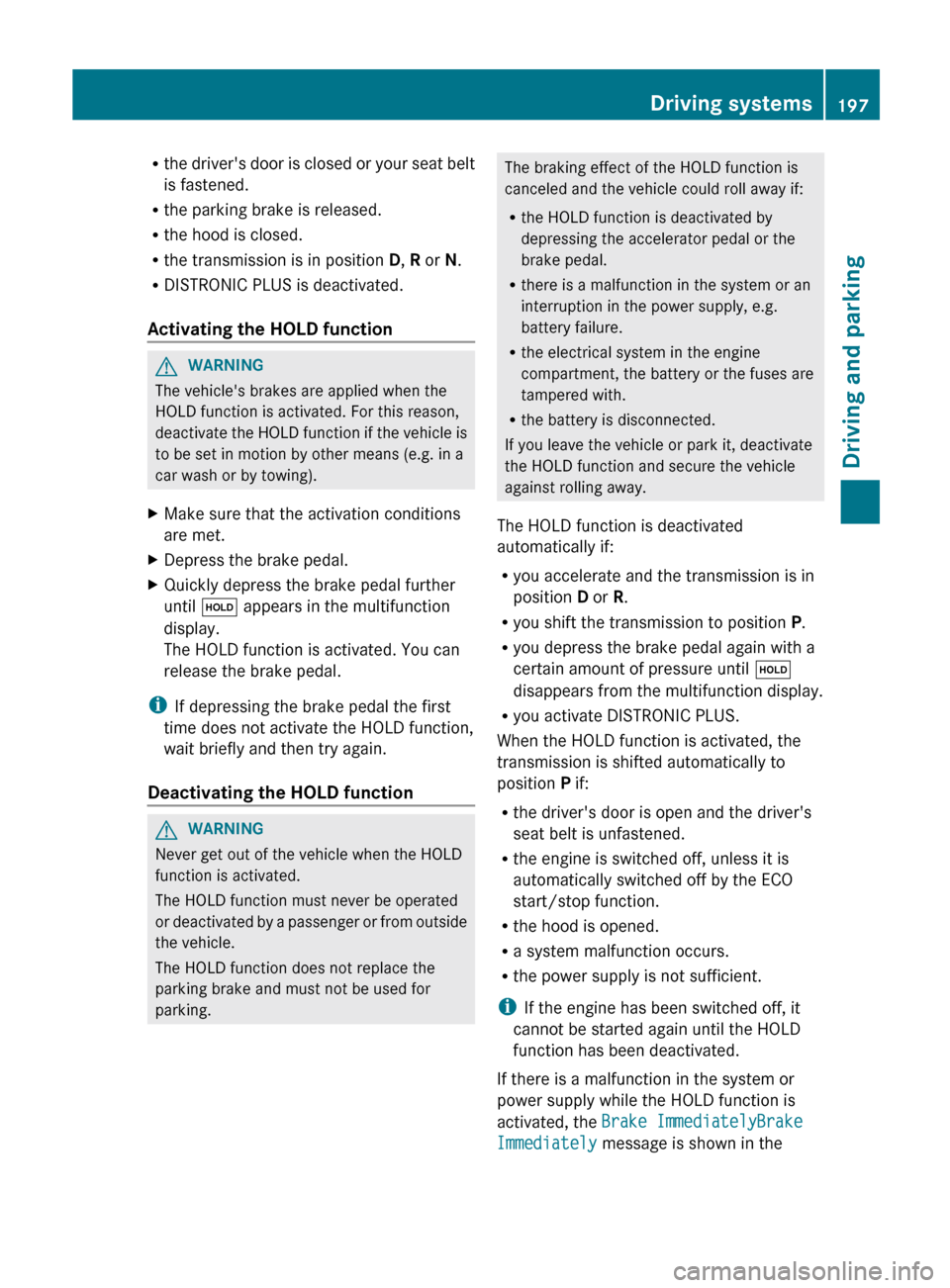
Activating the HOLD function G
WARNING
The vehicle's brakes are applied when the
HOLD function is activated. For this reason,
deactivate
the HOLD function if the vehicle is
to be set in motion by other means (e.g. in a
car wash or by towing).
X Make sure that the activation conditions
are met.
X Depress the brake pedal.
X Quickly depress the brake pedal further
until ë appears in the multifunction
display.
The HOLD function is activated. You can
release the brake pedal.
i If depressing the brake pedal the first
time does not activate the HOLD function,
wait briefly and then try again.
Deactivating the HOLD function G
WARNING
Never get out of the vehicle when the HOLD
function is activated.
The HOLD function must never be operated
or
deactivated by a passenger or from outside
the vehicle.
The HOLD function does not replace the
parking brake and must not be used for
parking. The braking effect of the HOLD function is
canceled and the vehicle could roll away if:
R
the HOLD function is deactivated by
depressing the accelerator pedal or the
brake pedal.
R there is a malfunction in the system or an
interruption in the power supply, e.g.
battery failure.
R the electrical system in the engine
compartment, the battery or the fuses are
tampered with.
R the battery is disconnected.
If you leave the vehicle or park it, deactivate
the HOLD function and secure the vehicle
against rolling away.
The HOLD function is deactivated
automatically if:
R you accelerate and the transmission is in
position D or R.
R you shift the transmission to position P.
R you depress the brake pedal again with a
certain amount of pressure until ë
disappears from the multifunction display.
R you activate DISTRONIC PLUS.
When the HOLD function is activated, the
transmission is shifted automatically to
position P if:
R the driver's door is open and the driver's
seat belt is unfastened.
R the engine is switched off, unless it is
automatically switched off by the ECO
start/stop function.
R the hood is opened.
R a system malfunction occurs.
R the power supply is not sufficient.
i If the engine has been switched off, it
cannot be started again until the HOLD
function has been deactivated.
If there is a malfunction in the system or
power supply while the HOLD function is
activated, the Brake ImmediatelyBrake
Immediately message is shown in the Driving systems
197
Driving and parking Z
Page 231 of 420
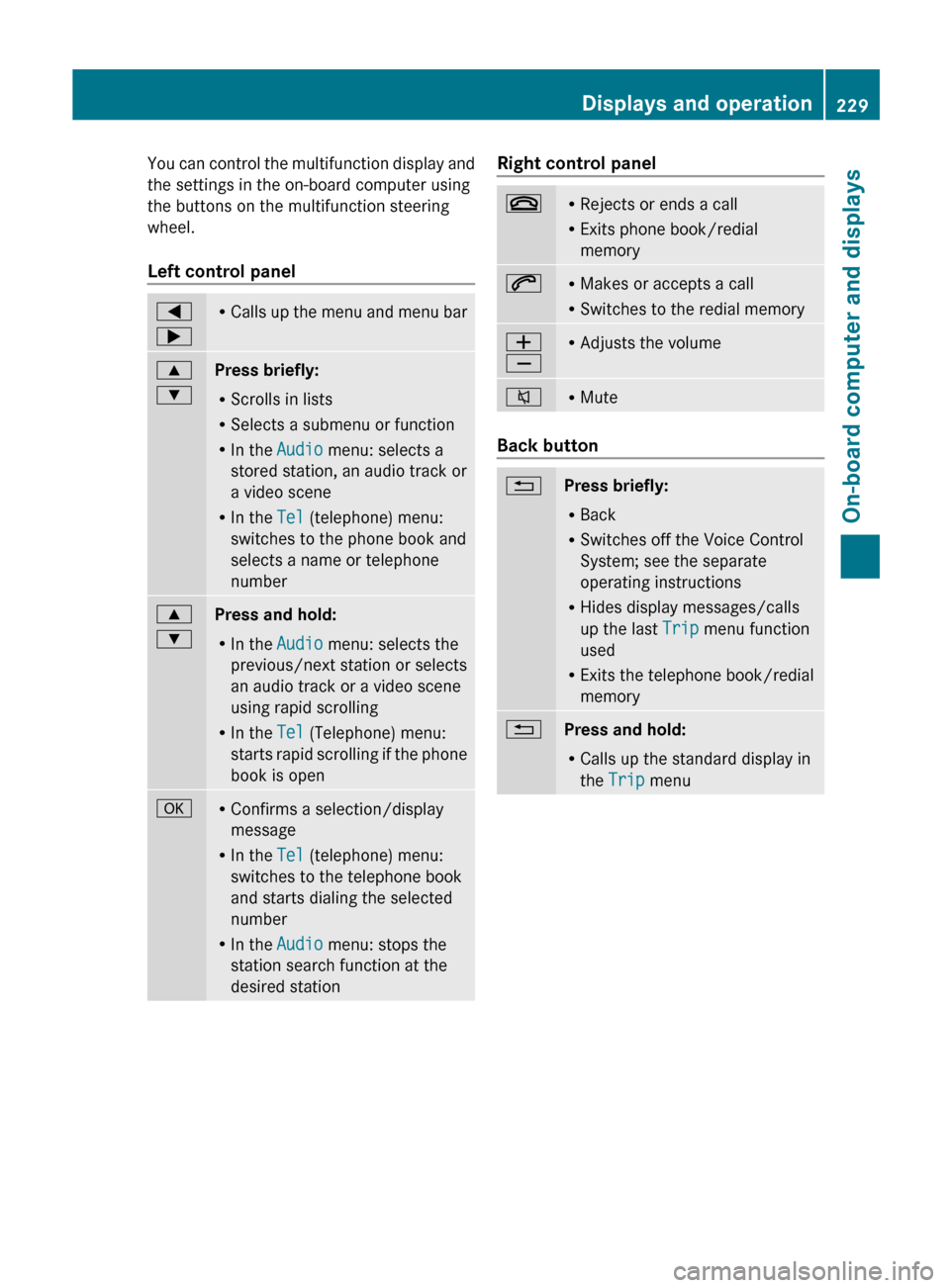
You can control the multifunction display and
the settings in the on-board computer using
the buttons on the multifunction steering
wheel.
Left control panel
=
; R
Calls up the menu and menu bar 9
:
Press briefly:
R
Scrolls in lists
R Selects a submenu or function
R In the Audio menu: selects a
stored station, an audio track or
a video scene
R In the Tel (telephone) menu:
switches to the phone book and
selects a name or telephone
number 9
:
Press and hold:
R
In the Audio menu: selects the
previous/next station or selects
an audio track or a video scene
using rapid scrolling
R In the Tel (Telephone) menu:
starts
rapid scrolling if the phone
book is open a R
Confirms a selection/display
message
R In the Tel (telephone) menu:
switches to the telephone book
and starts dialing the selected
number
R In the Audio menu: stops the
station search function at the
desired station Right control panel
~ R
Rejects or ends a call
R Exits phone book/redial
memory 6 R
Makes or accepts a call
R Switches to the redial memory W
X R
Adjusts the volume 8 R
Mute Back button
%
Press briefly:
R
Back
R Switches off the Voice Control
System; see the separate
operating instructions
R Hides display messages/calls
up the last Trip menu function
used
R Exits the telephone book/redial
memory %
Press and hold:
R
Calls up the standard display in
the Trip menu Displays and operation
229
On-board computer and displays Z
Page 232 of 420
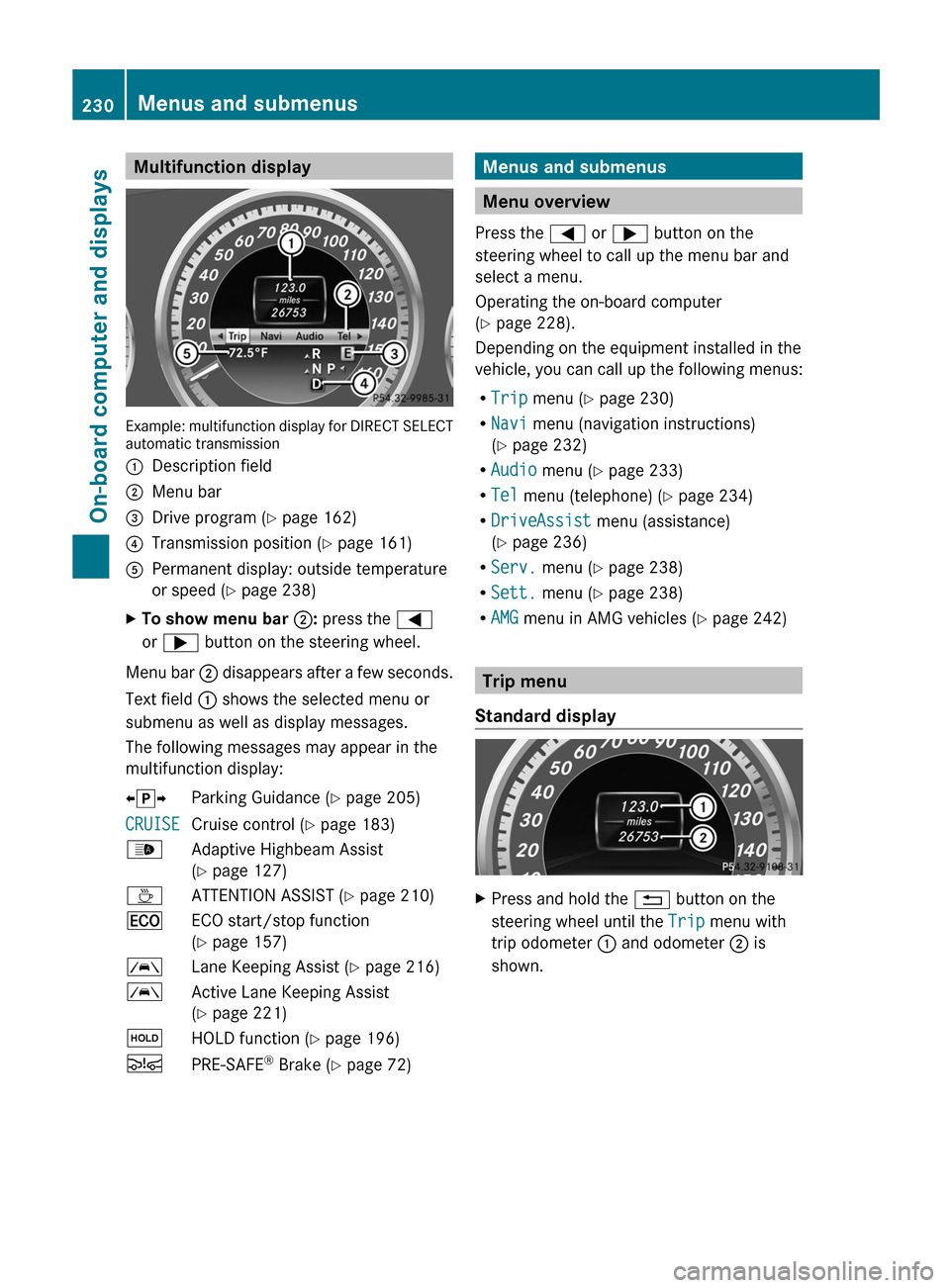
Multifunction display
Example: multifunction display for DIRECT SELECT
automatic transmission
:
Description field
; Menu bar
= Drive program (Y page 162)
? Transmission position ( Y page 161)
A Permanent display: outside temperature
or speed ( Y page 238)
X To show menu bar ;: press the =
or ; button on the steering wheel.
Menu bar ; disappears after a few seconds.
Text field : shows the selected menu or
submenu as well as display messages.
The following messages may appear in the
multifunction display:
XjY Parking Guidance (Y page 205)
CRUISE Cruise control (
Y page 183)
_ Adaptive Highbeam Assist
(Y page 127)
À ATTENTION ASSIST (Y page 210)
¤ ECO start/stop function
(Y page 157)
à Lane Keeping Assist (Y page 216)
à Active Lane Keeping Assist
(Y page 221)
ë HOLD function ( Y page 196)
Ä PRE-SAFE ®
Brake (Y page 72) Menus and submenus
Menu overview
Press the = or ; button on the
steering wheel to call up the menu bar and
select a menu.
Operating the on-board computer
(Y page 228).
Depending on the equipment installed in the
vehicle, you can call up the following menus:
R Trip menu (Y page 230)
R Navi menu (navigation instructions)
(Y page 232)
R Audio menu (Y page 233)
R Tel menu (telephone) ( Y page 234)
R DriveAssist menu (assistance)
(Y page 236)
R Serv. menu (Y page 238)
R Sett. menu (Y page 238)
R AMG menu in AMG vehicles ( Y page 242) Trip menu
Standard display X
Press and hold the % button on the
steering wheel until the Trip menu with
trip odometer : and odometer ; is
shown. 230
Menus and submenus
On-board computer and displays
Page 235 of 420
to the top of the display as you approach the
point of the announced change of direction.
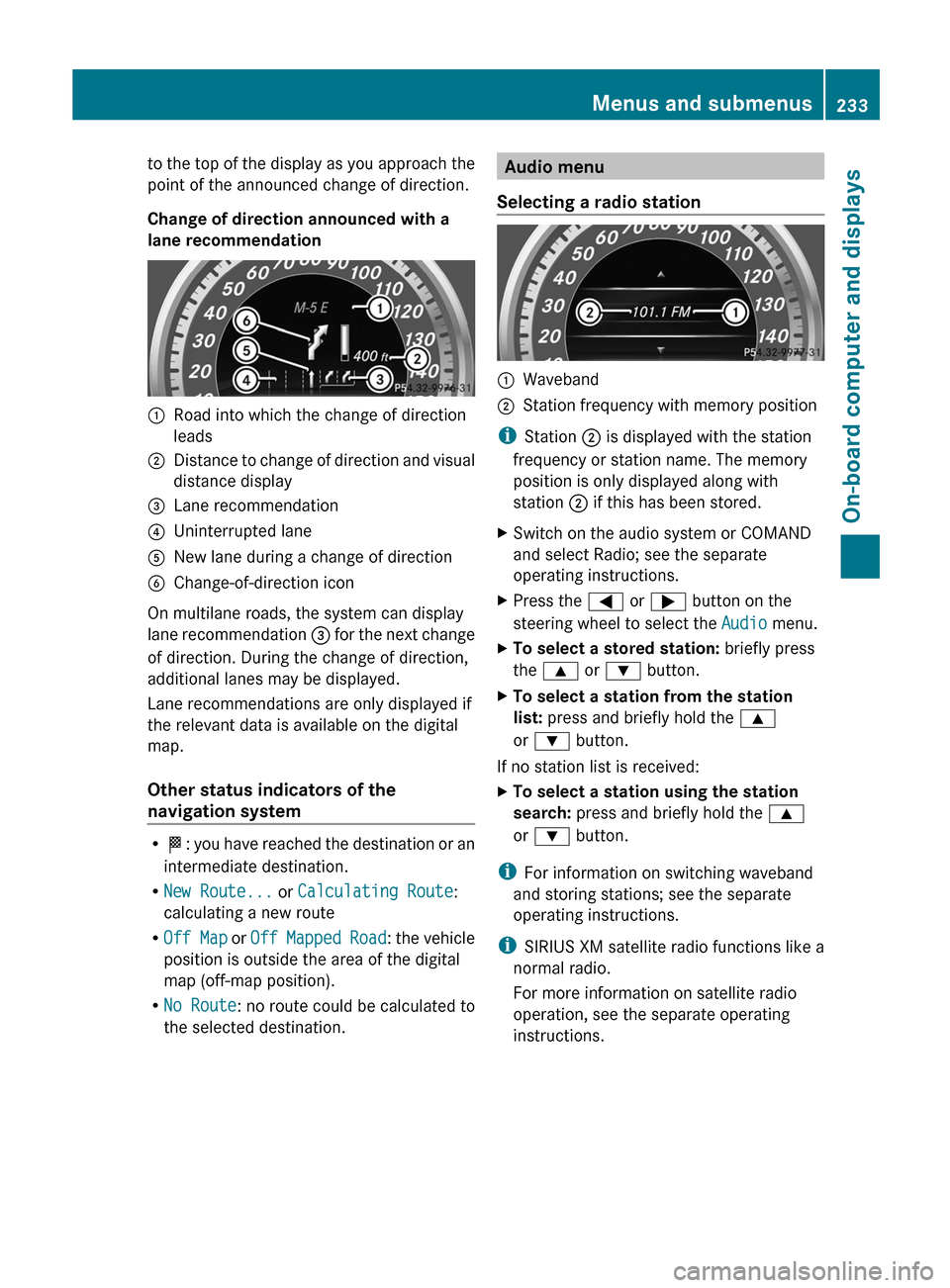
Change of direction announced with a
lane recommendation
:
Road into which the change of direction
leads
; Distance to change of direction and visual
distance display
= Lane recommendation
? Uninterrupted lane
A New lane during a change of direction
B Change-of-direction icon
On multilane roads, the system can display
lane recommendation = for the next change
of direction. During the change of direction,
additional lanes may be displayed.
Lane recommendations are only displayed if
the relevant data is available on the digital
map.
Other status indicators of the
navigation system R
O:
you have reached the destination or an
intermediate destination.
R New Route... or Calculating Route:
calculating a new route
R Off Map or Off Mapped Road : the vehicle
position is outside the area of the digital
map (off-map position).
R No Route : no route could be calculated to
the selected destination. Audio menu
Selecting a radio station :
Waveband
; Station frequency with memory position
i Station ; is displayed with the station
frequency or station name. The memory
position is only displayed along with
station ; if this has been stored.
X Switch on the audio system or COMAND
and select Radio; see the separate
operating instructions.
X Press the = or ; button on the
steering wheel to select the Audio menu.
X To select a stored station: briefly press
the 9 or : button.
X To select a station from the station
list: press and briefly hold the 9
or : button.
If no station list is received:
X To select a station using the station
search: press and briefly hold the 9
or : button.
i For information on switching waveband
and storing stations; see the separate
operating instructions.
i SIRIUS XM satellite radio functions like a
normal radio.
For more information on satellite radio
operation, see the separate operating
instructions. Menus and submenus
233
On-board computer and displays Z
Page 236 of 420
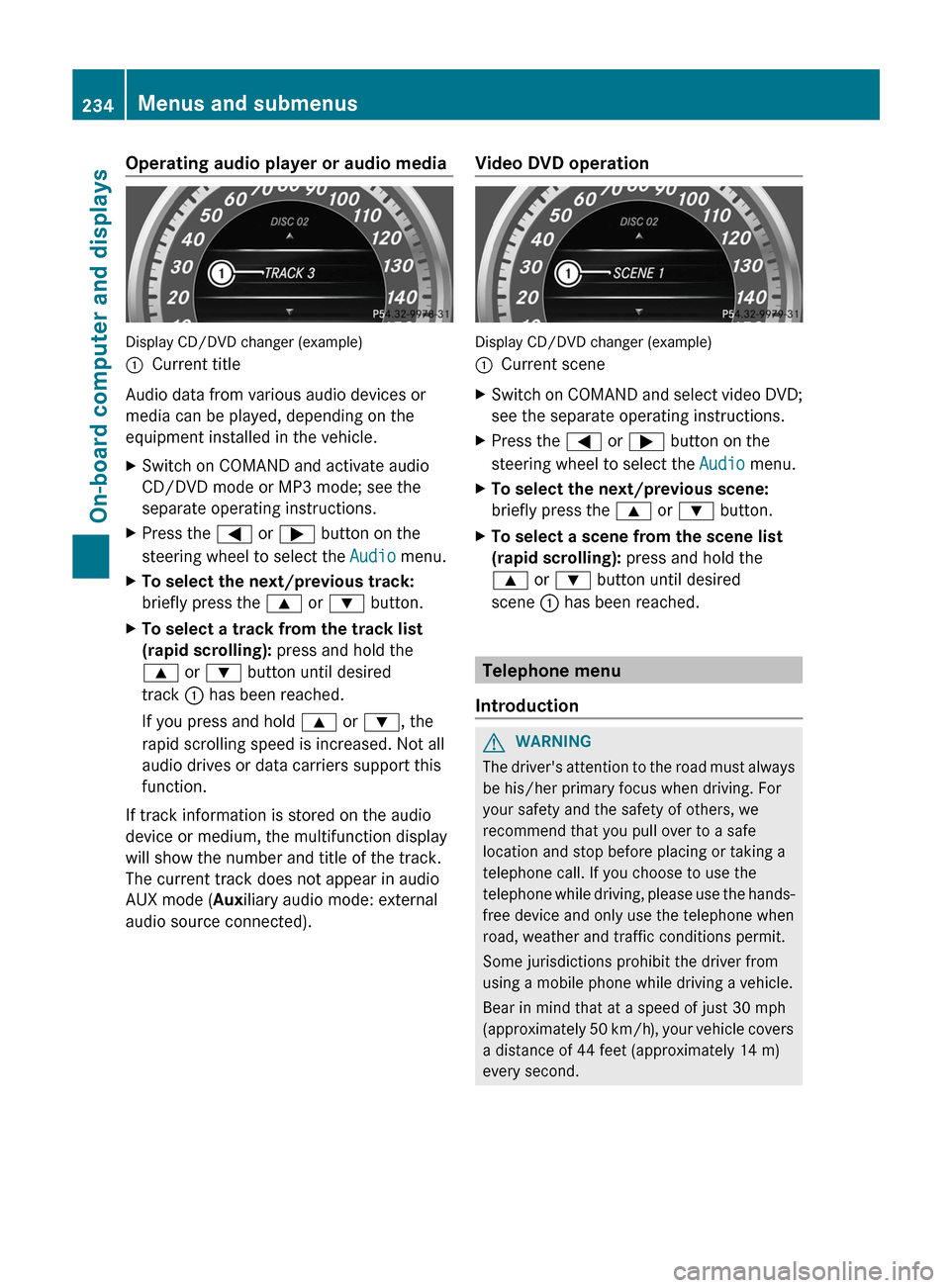
Operating audio player or audio media
Display CD/DVD changer (example)
:
Current title
Audio data from various audio devices or
media can be played, depending on the
equipment installed in the vehicle.
X Switch on COMAND and activate audio
CD/DVD mode or MP3 mode; see the
separate operating instructions.
X Press the = or ; button on the
steering wheel to select the Audio menu.
X To select the next/previous track:
briefly press the 9 or : button.
X To select a track from the track list
(rapid scrolling): press and hold the
9 or : button until desired
track : has been reached.
If you press and hold 9 or :, the
rapid scrolling speed is increased. Not all
audio drives or data carriers support this
function.
If track information is stored on the audio
device or medium, the multifunction display
will show the number and title of the track.
The current track does not appear in audio
AUX mode (Auxiliary audio mode: external
audio source connected). Video DVD operation Display CD/DVD changer (example)
:
Current scene
X Switch on COMAND and select video DVD;
see the separate operating instructions.
X Press the = or ; button on the
steering wheel to select the Audio menu.
X To select the next/previous scene:
briefly press the 9 or : button.
X To select a scene from the scene list
(rapid scrolling): press and hold the
9 or : button until desired
scene : has been reached. Telephone menu
Introduction G
WARNING
The driver's attention to the road must always
be his/her primary focus when driving. For
your safety and the safety of others, we
recommend that you pull over to a safe
location and stop before placing or taking a
telephone call. If you choose to use the
telephone
while driving, please use the hands-
free device and only use the telephone when
road, weather and traffic conditions permit.
Some jurisdictions prohibit the driver from
using a mobile phone while driving a vehicle.
Bear in mind that at a speed of just 30 mph
(approximately 50 km/h), your vehicle covers
a distance of 44 feet (approximately 14 m)
every second. 234
Menus and submenus
On-board computer and displays
Page 237 of 420
X
Switch on the mobile phone (see the
separate operating instructions).
X Switch on COMAND (see the separate
operating instructions).
X Establish a Bluetooth ®
connection to
COMAND; see the separate operating
instructions.
X Press the = or ; button on the
steering wheel to select the Tel menu.
You will see one of the following display
messages in the multifunction display:
R Phone READY or the name of the network
provider: the mobile phone has found a
network and is ready to receive.
R Phone No Service: there is no network
available or the mobile phone is searching
for a network.
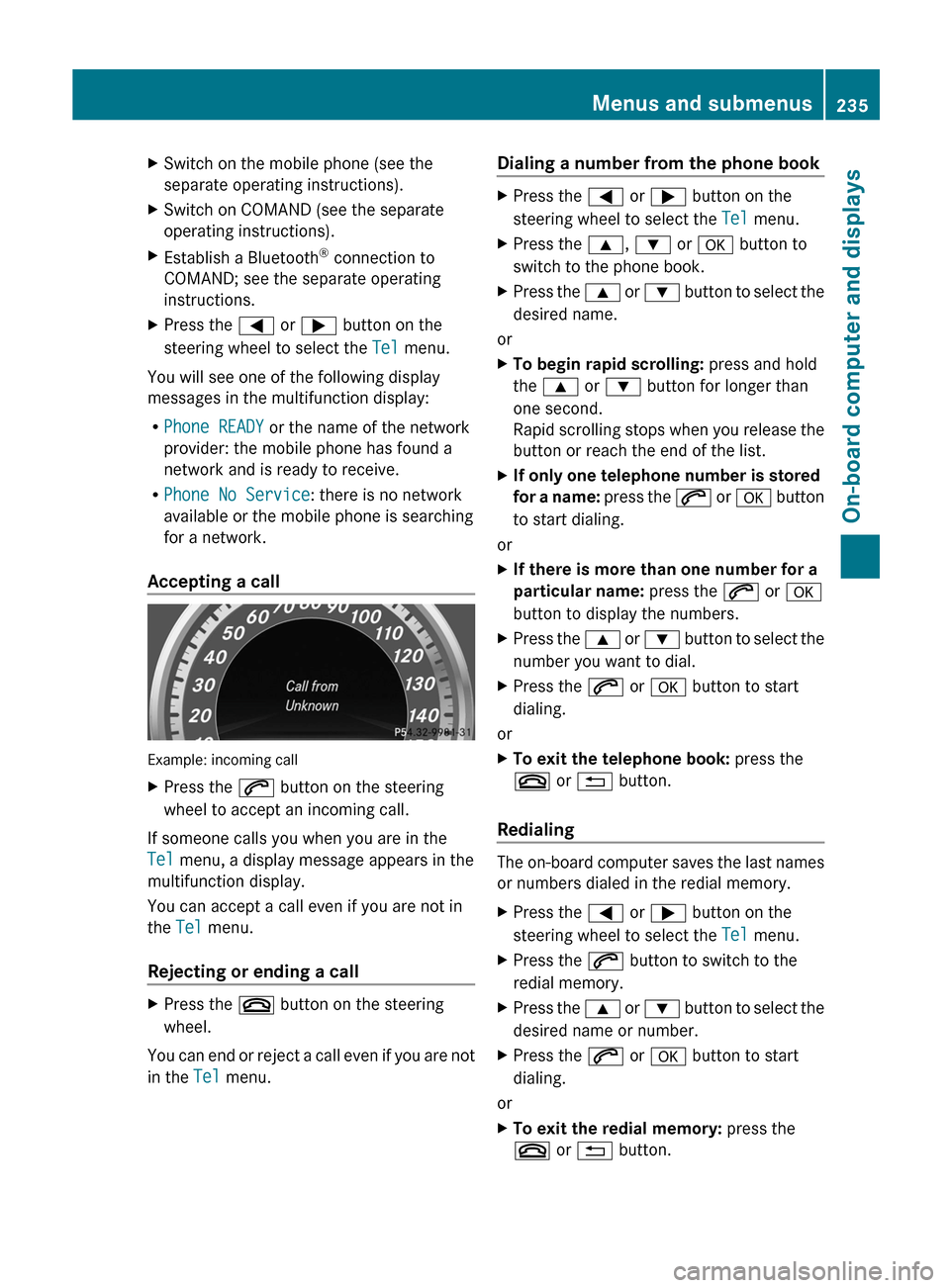
Accepting a call Example: incoming call
X
Press the 6 button on the steering
wheel to accept an incoming call.
If someone calls you when you are in the
Tel menu, a display message appears in the
multifunction display.
You can accept a call even if you are not in
the Tel menu.
Rejecting or ending a call X
Press the ~ button on the steering
wheel.
You can end or reject a call even if you are not
in the Tel menu. Dialing a number from the phone book X
Press the = or ; button on the
steering wheel to select the Tel menu.
X Press the 9, : or a button to
switch to the phone book.
X Press the 9 or : button to select the
desired name.
or
X To begin rapid scrolling: press and hold
the 9 or : button for longer than
one second.
Rapid
scrolling stops when you release the
button or reach the end of the list.
X If only one telephone number is stored
for
a name: press the 6 or a button
to start dialing.
or
X If there is more than one number for a
particular name: press the 6 or a
button to display the numbers.
X Press the 9
or : button to select the
number you want to dial.
X Press the 6 or a button to start
dialing.
or
X To exit the telephone book: press the
~ or % button.
Redialing The on-board computer saves the last names
or numbers dialed in the redial memory.
X
Press the = or ; button on the
steering wheel to select the Tel menu.
X Press the 6 button to switch to the
redial memory.
X Press the 9
or : button to select the
desired name or number.
X Press the 6 or a button to start
dialing.
or
X To exit the redial memory: press the
~ or % button. Menus and submenus
235
On-board computer and displays Z
Page 239 of 420
Activating/deactivating PRE-SAFE
®
Brake PRE-SAFE
®
Brake is only available in vehicles
with DISTRONIC PLUS.
X Press = or ; on the steering wheel
to select the DriveAssist menu.
X Press the 9 or : button to select
PRE-SAFE Brake.
X Press the a button.
The current selection is displayed.
X To activate/deactivate: press the a
button again.
When PRE-SAFE ®
Brake is activated, the
multifunction
display shows the Ä symbol
as long as the HOLD function is not activated
(Y page 196).
Vehicles with Parking Guidance: if
PARKTRONIC is activated and you are driving
at a speed under 22 mph (35km/h) the j
symbol for Parking Guidance is displayed
instead of the Ä symbol ( Y page 205)
If the PRE-SAFE Brake: Sensors
Deactivated message appears, the radar
sensor system is deactivated.
X Switch on the radar sensor system
(Y page 241).
For more information on PRE-SAFE ®
Brake,
see ( Y page 72).
Activating/deactivating ATTENTION
ASSIST X
Press = or ; on the steering wheel
to select the DriveAssist menu.
X Press 9 or : to select Attention
Assist.
X Press the a button.
The current selection is displayed.
X To activate/deactivate: press the a
button again.
When ATTENTION ASSIST is activated, the
À symbol appears in the multifunction
display when the ignition is on. For further information about ATTENTION
ASSIST, see (
Y page 210).
Activating/deactivating Blind Spot
Assist X
Press = or ; on the steering wheel
to select the DriveAssist menu.
X Press the 9 or : button to select
Blind Spot Asst..
X Press the a button.
The current selection is displayed.
X To activate/deactivate: press the a
button again.
If the Blind Spot Assist Sensors
Deactivated or Act. Blind Spot Asst.
Sensors Deactivated message appears,
the radar sensor system is deactivated.
X Switch on the radar sensor system
(Y page 241).
For further information about Blind Spot
Assist, see (Y page 214).
For further information about Active Blind
Spot Assist, see (Y page 218).
Activating/deactivating Lane Keeping
Assist X
Press = or ; on the steering wheel
to select the DriveAssist menu.
X Press the 9 or : button to select
Lane Keep. Asst.
X Press the a button.
The current selection is displayed.
X Press a to confirm.
When Lane Keeping Assist or Active Lane
Keeping
Assist is activated, the à symbol
appears in the multifunction display when the
ignition is on.
For further information about Active Lane
Keeping Assist, see ( Y page 221). Menus and submenus
237
On-board computer and displays Z
Page 248 of 420
Display messages
Introduction
General notes Display messages appear in the multifunction display.
Display messages with graphic displays may be shown in simplified form in the Operator's
Manual and may differ from the messages shown in the multifunction display.
Please respond in accordance with the display messages and follow the additional notes in
this Operator's Manual.
Certain
display messages are accompanied by an audible warning tone or a continuous tone.
When the ignition is switched off, all display messages are deleted, apart from some high-
priority display messages. Once the causes of the high-priority display messages have been
rectified, the corresponding display messages are also deleted.
When you stop and park the vehicle, please observe the notes on:
R HOLD function ( Y page 196)
R Parking (Y page 175)
Hiding display messages X
Press the a or % button on the steering wheel to hide the display message.
The display message is cleared.
The multifunction display shows high-priority display messages in red. Some high-priority
display messages cannot be hidden.
The multifunction display shows these messages continuously until the causes for the
messages have been remedied.
Message memory The on-board computer saves certain display messages in the
message memory. You can
call up the display messages:
X Press the = or ; button on the steering wheel to select the Serv. menu.
If there are display messages, the multifunction display shows 2 Messages, for example.
X Press the 9 or : button to select the entry, e.g. 2 Messages.
X Press a to confirm.
X Press the 9 or : button to scroll through the display messages.246
Display messages
On-board computer and displays
Page 249 of 420
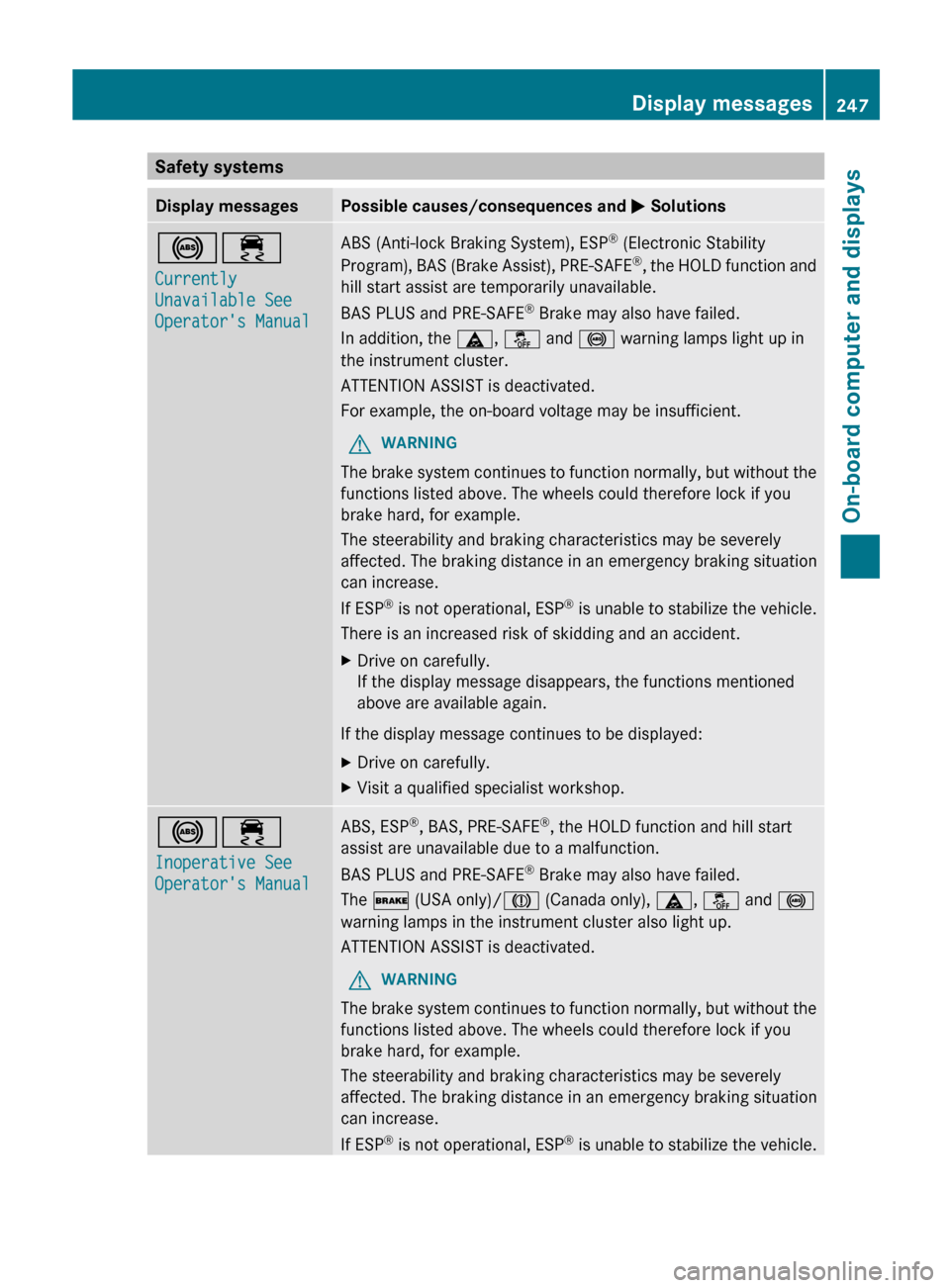
Safety systems
Display messages Possible causes/consequences and
M Solutions!÷
Currently
Unavailable See
Operator's Manual ABS (Anti-lock Braking System), ESP
®
(Electronic Stability
Program), BAS (Brake Assist), PRE-SAFE ®
, the HOLD function and
hill start assist are temporarily unavailable.
BAS PLUS and PRE-SAFE ®
Brake may also have failed.
In addition, the ä, å and ! warning lamps light up in
the instrument cluster.
ATTENTION ASSIST is deactivated.
For example, the on-board voltage may be insufficient.
G WARNING
The brake system continues to function normally, but without the
functions listed above. The wheels could therefore lock if you
brake hard, for example.
The steerability and braking characteristics may be severely
affected. The braking distance in an emergency braking situation
can increase.
If ESP ®
is not operational, ESP ®
is unable to stabilize the vehicle.
There is an increased risk of skidding and an accident.
X Drive on carefully.
If the display message disappears, the functions mentioned
above are available again.
If the display message continues to be displayed:
X Drive on carefully.
X Visit a qualified specialist workshop. !÷
Inoperative See
Operator's Manual ABS, ESP
®
, BAS, PRE-SAFE ®
, the HOLD function and hill start
assist are unavailable due to a malfunction.
BAS PLUS and PRE-SAFE ®
Brake may also have failed.
The $ (USA only)/J (Canada only), ä, å and !
warning lamps in the instrument cluster also light up.
ATTENTION ASSIST is deactivated.
G WARNING
The brake system continues to function normally, but without the
functions listed above. The wheels could therefore lock if you
brake hard, for example.
The steerability and braking characteristics may be severely
affected. The braking distance in an emergency braking situation
can increase.
If ESP ®
is not operational, ESP ®
is unable to stabilize the vehicle. Display messages
247
On-board computer and displays Z
Page 250 of 420
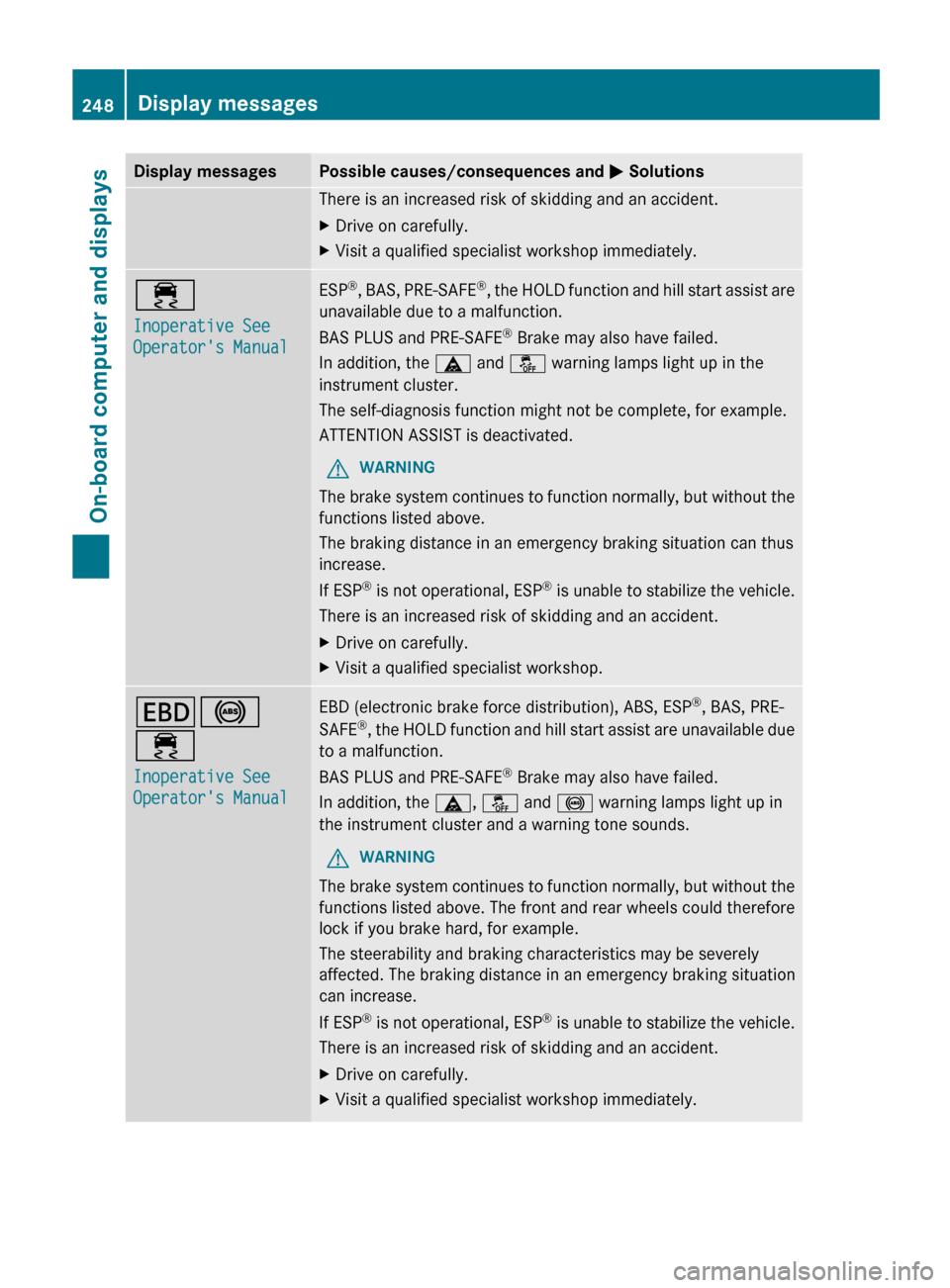
Display messages Possible causes/consequences and
M SolutionsThere is an increased risk of skidding and an accident.
X
Drive on carefully.
X Visit a qualified specialist workshop immediately. ÷
Inoperative See
Operator's Manual ESP
®
, BAS, PRE-SAFE ®
, the HOLD function and hill start assist are
unavailable due to a malfunction.
BAS PLUS and PRE-SAFE ®
Brake may also have failed.
In addition, the ä and å warning lamps light up in the
instrument cluster.
The self-diagnosis function might not be complete, for example.
ATTENTION ASSIST is deactivated.
G WARNING
The brake system continues to function normally, but without the
functions listed above.
The braking distance in an emergency braking situation can thus
increase.
If ESP ®
is not operational, ESP ®
is unable to stabilize the vehicle.
There is an increased risk of skidding and an accident.
X Drive on carefully.
X Visit a qualified specialist workshop. T!
÷
Inoperative See
Operator's Manual EBD (electronic brake force distribution), ABS, ESP
®
, BAS, PRE-
SAFE ®
,
the HOLD function and hill start assist are unavailable due
to a malfunction.
BAS PLUS and PRE-SAFE ®
Brake may also have failed.
In addition, the ä, å and ! warning lamps light up in
the instrument cluster and a warning tone sounds.
G WARNING
The brake system continues to function normally, but without the
functions listed above. The front and rear wheels could therefore
lock if you brake hard, for example.
The steerability and braking characteristics may be severely
affected. The braking distance in an emergency braking situation
can increase.
If ESP ®
is not operational, ESP ®
is unable to stabilize the vehicle.
There is an increased risk of skidding and an accident.
X Drive on carefully.
X Visit a qualified specialist workshop immediately.248
Display messages
On-board computer and displays