assyst plus MERCEDES-BENZ E-Class SEDAN 2017 W213 Owner's Manual
[x] Cancel search | Manufacturer: MERCEDES-BENZ, Model Year: 2017, Model line: E-Class SEDAN, Model: MERCEDES-BENZ E-Class SEDAN 2017 W213Pages: 446, PDF Size: 6.23 MB
Page 200 of 446
Menus and submenus
Functions in theS ervice menu of theo n-
boar dcompu ter
On-boar dcomputer:,Service
% The spelling ma ydiffe rint he main menu dis‐
pla yed. Therefore, obser vethem enu over‐
vie wf orthei nstrument displa yinthe wide‐
screen cockpit (
→pag e195).
#To select thef unction: swipe upwards or
down wardsont he left-hand side of Touch
Control.
#Press thel eft-hand side of Touc hC ontrol.
Fu nctions in theService menu:
RMessagememor y(→page352)
RTire Pressure :
-Checkingthet irep ressur ewitht he tire
pressur emonitoring sy stem (→pag e317)
-Re startin gthe tir epressur emonitoring
sy stem (→pag e318)
RASSYST PLUS :calling up thes ervice due
dat e(→pag e277)
Calling up theA ssistance graphic display
On-board computer:,Assistance
% The spelling ma ydiffe rint he main menu dis‐
pla yed. Therefore, obser vethem enu over‐
vie wf ortheI nstrument Displa yintheWide‐
screen Cockpit (
→pag e195). When you
ha ve setthe progressiv edispla ysetting, the
assis tance graphicc an be viewedint he
Disp. Content menu.
The following displa ysarea vailable from the
Assi stanc egraphic menu:
RAssis tance graphic
RAt tentio nleve l(→pag e184)
#To switc hbetwe en thed ispla ys:swipe
up wa rdsord ownw ards on thel eft-hand side
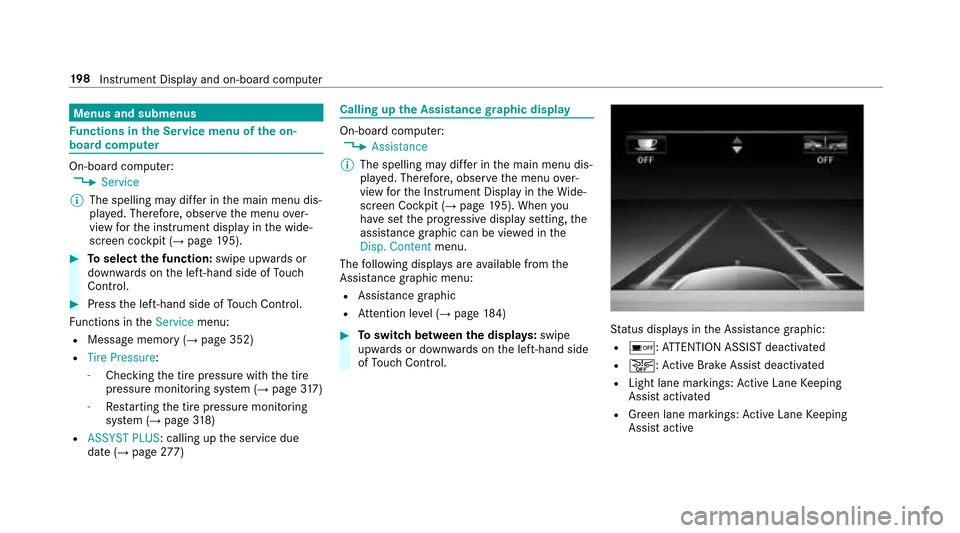
of Touc hC ontrol.Status displa ysintheA ssis tance graphic:
Ré:A TTENTION ASSIS Tdeactivated
Ræ:A ctiveBrake Assi stdeactivated
RLight lane markings: ActiveL aneK eeping
Assis tactivated
RGreen lane markings :Activ eLaneK eeping
Assis tactive
19 8
Instrument Displa yand on-boar dcomputer
Page 279 of 446
ASSYSTP LUSs ervice in terv al display
Fu nction of theA SSYSTP LUSs ervice in terv al
display
The ASS YSTP LUSs ervice inter vald ispla yint he
instrument displ ayprov ides informatio nonthe
re maining time or dis tance be fore then ext
service due date.
Yo uc an hide this service messag eusing the
bac kbutton on thel eft-hand side of thes teering
wheel.
Yo uc an obtain fur ther information concerning
th es ervicing of your vehicle from aqualified
specialis tworks hop, e.g. an authorized
Mercedes-Benz service center.
Displaying thes ervice du edate
On-boa rdcomputer:,Service.ASSYST PLUS
The next service due dat eisdisplayed.
#To exitth ed ispla y:press theb ackb utton
on thel eft-hand side of thes teering wheel. Mak
esuretoo bservethef ollowing fur ther rela‐
te ds ubjec t:
ROperating theo n-boar dcomputer
(→pag e195).
Car rying out service workatregular inter‐
va ls
* NO
TEPrematur ewear thro ugh failur eto
obser veservice due dates
Service workwhic hisn otcar ried out at the
ri ght time or incomple tely can lead to
inc reased wear and damag etothevehicle.
#Alw ayso bser vethep rescribed service
inter vals.
#Alw aysh ave thep rescribed service
wo rkcar ried out at aqualified specialist
wo rkshop.
Special service requ irements
The prescribed service inter valisb ased on nor‐
mal operation of thev ehicle. Service workwill
nee dtobep erform ed mor eoften if thev ehicle
is operated under arduous conditions or
increased loads, fore xamp le:
Rregular city driving wit hfrequ ent intermedi‐
at es tops.
Rifth ev ehicle is primaril yused totrave lshort
dis tances.
Rforf requent operation in mountainou sterrain
or on poor road sur faces.
Rif th ee ngine is of tenl eftidling forl ong peri‐
ods.
Rin particula rlyd usty condition sand/o rifair-
re circulation modeisf requently used.
In these or similar operating conditions ,have ,for
ex ample, thei nterior air filter ,engin eairfilter,
engin eoil and oil filter changed mor efrequ ent ly.
The tires mus tbecheckedm oref requ entl yift he
ve hicle is operated under increased loads. Fur‐
th er information can be obtained at aqualified
specialis tworks hop.
Maintenance and care 27
7