phone MERCEDES-BENZ E-Class WAGON 2011 S212 Comand Manual
[x] Cancel search | Manufacturer: MERCEDES-BENZ, Model Year: 2011, Model line: E-Class WAGON, Model: MERCEDES-BENZ E-Class WAGON 2011 S212Pages: 234, PDF Size: 8.64 MB
Page 137 of 234
i
You canusethe"New entry" or"Add no."
func tionstos ave this telep honenumber or
to add itto an exis tinge ntry.
Stor ingthes ender asan ew address
book entry This
function isnot possible ifthe sender’s
telep honenumbe risa lrea dystored inthe
address book.
X Press Wthe COMAND controller while the
text message isbeing displayed.
X Select SaveNumber and
press Wto
confirm.
X Select New entry and
press Wtoconfirm.
X Proceed asdescribed inthe "Storing asa
new entry inthe address book"section
(Y page 130).
Storing atext mes sage senderinan
exist ingaddress book entry X
Pres sW theC OMA NDcontroller while the
te xt mes sage isbein gdisplayed .
X Sele ctSav eN umber and
pres sW to
con firm.
X Sele ctAdd PhoneNo. and
pres sW to
con firm.
X Proc eedfrom thes tep" Sele ctan um ber
cat egor y"inthe" Add ingtelepho ne
num bers toan existing phon ebook entry"
sec tion(Ypage 128).
Deleting atext mes sage (SMS) X
Sele ctat extm essage inthet extm essage
inbo xbyturning cVd theC OMA ND
co ntro ller .
X Se lec tthe list symbol tothe right ofthe text
message bysliding VYtheCOMAND
cont roller andpress Wtoconfirm .
X Select Delete and
press Wtoconfirm .
Ad eletion prompt appears.
X Select Yes or
No and
press Wtocon firm.
If you select Yes ,t
he tex tm essage is
deleted. If
you select No ,t
he process willbeaborted.
i This delete function isnot supported by
all mobile phones. TheDeletio n Procedu
reFailed message
appears. Using
theaddress book Introd
uction G
WARN
ING
Please devote youratten tionfirst and
foremo stto the traff icsituation youarein.
Befor eyour journ ey,please familiarize
yourself withtheaddress bookfunctions.
Only usetheCOMAND whenroadandtraffic
con ditions permityoutodo so. Other wiseyou
could beinvolved inan acciden tinw hich you
or others couldbeinjured.
The address bookorganizes andstores
entr ieswhich areentered fromdifferent
sources (mobilephone,memory card,USB
device, COMAND telephone book,navigation
system).
You canusethese entriestomake telephone
calls andfornavigation.
i Num berofcontacts inthe addr ess
book: theaddress bookcanstore atotal of
4000 contacts. 1500 entriesare reserved
in the address bookformobile phone
cont acts and1500 forcont acts youcreate
in COMAND orimport fromother sources.
The remaining 1000entriesare assigned
by COMAND asnecessary.
i Display ofmobile phonecontacts:
cont acts downloaded fromthemobile
phone remain inthe address bookevenif
the mobile phoneisdisconnec tedfrom
COMAND. Thismeans thatcontacts which
have previously beenavaila blecan be
displa yedassoon asthe mobile phoneis
reconn ected.Thecont acts aredownloaded
again sothat anynew contacts thathave
been added tothe mobile phonecanbe
displa yed. Using
theaddress book
135Telephone Z
Page 138 of 234

When
anew mobile phoneiscon nect edto
COMAND ,allthe contact sfrom the
previous mobilephonearedeleted fromthe
address book.
If am obile phone isnot (yet) connect edto
COMAND ,the con tact sfrom that mobile
phone willnot(yet) beshown inthe address
book.
Address bookentries remain storedwhen
the mobile phoneisdisconn ected.
Therefor e,you should deleteyourpersonal
data using thereset function before selling
your vehicle, forexample (Ypage 47). Calling
upthe address book
Option 1:
X Press the% function button .
You seethetelephon ebasic menu orthe
address bookifit was open previously.
X When thetelephon ebasic menu is
displayed, pressthe% function button
again.
Option 2:
X With thetelephon ebasic menu shown,
select Phone by
sliding VZtheCOMAND
con troller andpress Wtocon firm.
X Select Address Book from
themenu and
press Wtocon firm. Address
bookwithaddress bookentry¥ and
navigable data¤
i Anaddress bookentrycan contain the
following information :surn ame, first nam e, co
mpan y,two addr esses, geo- coord inat es
and uptofivet eleph onen um ber s.
X To browse inthea ddress book: turn
cVd theC OMA NDcontrol ler.
X To close thea ddress book: pressthe
% button. Sea
rching foranaddress book entry
X Call upthea ddr ess book (Ypage 136).
X Se lec tSea rch in
thea ddr ess book by
slidi ngVÆ andturnin gcVd theC OMA ND
co ntrol ler and pressW toconfirm .
If th ere aremor ethane ightentrie s,the
sear chmen uand thec harac terb arappear . Sea
rchm enuw ithc harac terb ar
: ¥Sym bolforaddre ssbook entry
; ¤Sym bolforcomple teaddre ssdat a
fr om then avigat ionsyst em
= Charac terb ar
? d Sym bolforphon ebook entryf romt he
mob ilephon e
A Entryw ithv oic etag
Ad dition alsymb olsare desc ribedint he
"Symbol overview" section(Ypage 126).
X Proceed asdescribed under"Searching for
ap hone book entry"(Y page 126). 136
Using
theaddress bookTelephone
Page 139 of 234

Crea
tingan ewentryinthea ddress
book
You canentera ddress datadirect lyint ot he
address book.Ifyou storetelephon e
numbers inthe COMAND phonebook,these
are also saved inthe address book.Ifyou
stor ean avigat iondestin ation, COMAND
creat esan address bookentrywhich includes
the complet enavigable addressdata.
X Call upthe address book(Ypage 136).
X Select New in
the address bookbysliding
VÆ andturningcVd theCOMAND
con troller and press Wtocon firm.
An input menu withdata fields appears. Input
menu withdata fields
: Select eddata fieldwithcursor
; Character bar
X En ter charac tersandsave theentry.
Procee dasdescr ibed under "Entering
charac ters"int he "Ent ering charac tersin
the address andphone books" section
(Y page 31). Deleting
anadd ress book entry
X Opt ion1:select Delete by
sliding VÆand
turn ingcVd theCOMAND controller and
press Wtocon firm. X
Opt ion2:search foranaddress bookentry
(Y page 136).
X Select thelistsymbol tothe right ofthe
ent ryby sliding VYtheCOMAND
con troller and press Wtocon firm.
X Select Delete and
press Wtocon firm.
Irres pectiveofthe option chosen ,aprompt
will appear.
X Select Yes or
No and
press Wtocon firm.
If you select Yes ,t
he ent rywill bedeleted.
If you select No ,t
he proces swillbe
canc eled. Displaying
thedeta iledview foran
add ress book entry
Selecting anentr y X
Searc hfor an address bookentryand turn
cVd theCOMAND controller toselect itin
the select ionlist(Ypage 136).
or
X Select anaddress bookentryby browsing
(Y page 136).
X In both cases, pressW.
The detailed viewappears. Det
ailed display forbusiness details
: Return stot he previous menu
; \Symbol forbusiness details
= Calls upoption s Using
thea ddres sbook
137Teleph one Z
Page 140 of 234

Star
ting route guidance toan add ress X
Select theaddress datafieldbyturnin g
cVd theCOMAND controller andpress
W toconf irm.
The route tothe destination addressis
calculated androute guidancestarts
(Y page 57).
Calling ateleph onenum ber X
Sele ctthep hon enum ber data fieldby
tur nin gcVd theC OMA NDcontroller and
pres sW tocon firm.
This initiate sdialin gand you can then mak e
your call(Ypage 122).
Showing thed etails ofan address book
entr y X
Sele ctthel ist symbo ltot he righ tofthe
entr ybysliding VYtheCOMAND
cont roller andpress Wtoconfirm .
X Select Details and
press Wtoconfirm .
The displa yiss hown infull.
X To close thedetailed display:pressthe
% button. Changing
anadd ress book entry
Changing anentry X
Option 1:search foranaddress bookentry
and turn cVd theCOMAND controller to
select itin the selection list(Ypage 136).
X Select thelistsymbol tothe right ofthe
entr ybysliding VYtheCOMAND
cont roller andpress Wtoconfirm .
Am enu appears. X
Select Edit and
press Wtocon firm.
X Opt ion 2:call upthe detailed viewforan
address bookentry(Y page 137).
X Select thelistsymbol tothe right ofthe
ent ryby sliding VYtheCOMAND
con troller andpress Wtocon firm.
X Select Edit and
press Wtocon firm.
Irrespec tiveofthe option ,the input menu
con tainin gdata fields appears.
X Proceed asdescribed under"Entering
charact ers"inthe "Ent ering charact ersin
the address andphone books" section
(Y page 31).
Changing thecategory ofat elephone
number datafield X
Display thedetailed viewforanaddress
book entry(Y page 137)and highlight the
telephon enumber datafield.
X Select thelistsymbol tothe right ofthe
ent ryby sliding VYtheCOMAND
con troller andpress Wtocon firm.
X Select Change Categor y and
press Wto
con firm.
X Select anumber categor y,e.g. Home .
X Select atelephon ecategor y,e.g. Mobile .
X Ifdesired, selectPreferr ed and
press W
to con firm.
Depen dingonthe previous status,you
switch theoption onO oroff ª.T he
phone number isdispla yedasthe first 138
Using
theaddress bookTelephone
Page 141 of 234

num
berint he phone bookandcanbe
diale dimmediately.
X Select Save and
press Wtoconfirm .
The new category isstored. Calling
anumber storedinan entry
Co nditio ns The
mobi lephone mustbeconnected viathe
Blue tooth ®
interface .
Option 1 X
Displ aydetai lsfor anadd ress book entry
(Y pag e137).
X Select thephone numbe rdata fieldb y
tur nin gcVd theC OMA NDcontroll erand
pres sW toconfirm .
The telepho nemak esthec all. The displ ay
swit ches totelepho nemod e.
Opt ion 2 X
Dis play details foranaddre ssbook entry.
X Sel ect thep hon enum ber datafieldb y
tur nin gcVd theC OMA NDcontroll er.
X Sel ect thel ist symb olto ther igh tofthe
data fieldbysliding VYtheCOMAND
cont roller andpress Wtoconfirm .
X Select Call and
press Wtoconfirm .
The telephone makesthecall. Storing
thephone number asas pee d
dial numb er
X Disp layd etails for anaddre ssboo kentry .
X Sel ect the phone num berd ata fieldb y
tur nin gcVd theC OMA NDcontroll er. X
Sel ect thel ist symb olto ther igh tofthe
data fieldbysliding VYtheCOMAND
cont roller andpress Wtoconfirm .
X Select Speed Dial and
press Wto
confirm .
You cannow store thenumber inone ofthe
ten speed dialpresets. Star
ting route guidance toan entry
Note This
funct ionisavaila bleassoon asyou have
stored adestination inthe destination
memory (Ypage 95).COMAND alsosaves
destinations inthe address booktogether
with allthe data required forroute guidance.
Option 1 X
Search foranaddress bookentry
(Y page 136)withtheLicon andselect it
from thelist.
X Display detailsforanaddress bookentry
(Y page 138).
X Select theaddress datafieldbyturning
cVd theCOMAND controller andpress
W toconfirm .
Option 2 X
Search foranaddress bookentry
(Y page 136)withtheLicon andselect it
from thelist.
X Select thelistsymbol tothe right ofthe
entr ybysliding VYtheCOMAND
cont roller andpress Wtoconfirm .
X Select Navigate and
press Wtoconfirm .
Irrespect iveofthe option chosen, route
guida ncestarts.
Option 3 Route
guidancecanalso bestarted foran
address bookentrywithout the¤symbol. If
the address dataordesignations donot Using
theaddress book
139Telephone Z
Page 142 of 234
match
thedigitalmap, COMAND promptsyou
to re-enter theaddress.
i Itis best then tostore thenew address
under theaddress book entry. Thiswill
provid eyou with anadd ress book entry that
is sui table fornaviga tion.
X Enter thedestina tionaddress (Ypag e54).
X Select Save from
theaddress entry menu
and press Wtoconfirm.
X Assigning adestina tiontoan add ress book
entry (Ypag e96). Voic
etags
Adding orchang ingavoice tag You
canentervoic etagsv iatheV oiceC ont rol
Syst em(see thes epar ateoper ating
ins truct ions).Onceyou have assign edavoic e
tag toan addre ssbook entry,you can callup
th is ent rywith avoic ec om man dand dial a
phon enum ber, forexam ple.You canadd one
voic etag per addre ssbook entry.
X Sear chfor anaddre ssbook entrywith or
with outavoic etag (¦ symbo l)
(Y page 136).
X Sele ctthel ist symbo ltot he righ tofthe
entr ybysliding VYtheCOMAND
cont roller andpress Wtoconfirm .
X Select Voice Name and
press Wto
confirm .
X Select Add or
Change and
press Wto
confirm .
Subsequent operationisvoice-con trolled.
The Voice Control System guidesyou
through thedialo gs.
Dele ting avoice tag X
Sear chfor anaddre ssbook entrywith a
voic etag (Ypage 136).
X Sele ctthel ist symbo ltot he righ tofthe
entr ybysliding VYtheCOMAND
cont roller andpress Wtoconfirm . X
Select Voice Name and
press Wto
confirm .
X Select Delete and
press Wtoconfirm .
Ad eletion prompt appears.
X Select Yes or
No and
press the9button
to con firm.
If you select Yes ,C
OMAND deletesthe
voice tag.
If you select No ,t
he process willbeaborted.
Listening toav oice tag X
Sear chfor anaddre ssbook entrywith a
voic etag (Ypage 136).
X Sele ctthel ist symbo ltot he righ tofthe
entr ybysliding VYtheCOMAND
cont roller andpress Wtoconfirm .
X Select Voice Name and
press Wto
confirm .
X Select Listen and
press Wtoconfirm .
You hear thevoice tag. Storing
aphone book entry fromthe
mobile phoneinthe address book
Using thisfunct ionyou can save imported
phone bookentriesinthe address book.
The following canbeused asas ource:
R the mobile phone
R the memory card
R the USB device
R the Bluetooth ®
Int erface
Imported phonebookentriesare indicated in
the phone bookbydifferent icons
(Y page 126). 140
Using
theaddress bookTelephone
Page 143 of 234
X
Sea rch foranentry inthe phoneboo kon
the mob ilep hone d (Ypage 126) .
X Sel ect the list symbo ltot he right ofthe
entry bysliding VY theCOMAND
control lera nd pre ssW toconfi rm.
X Sel ect SaveEntry and
pressW to
confi rm.
The Saving Proced ure Successful mes
sage appe ars. The phone book entry is
now saved asan addre ssbook entry .
The diconisr eplaced bythe ¥icon. Importing
contacts
Information andrequirem ents You
canimport contacts (vCards) fromthe
memory cardandaUSBdevice intothe
address book,orreceive vCardsvia
Bluetooth ®
.
i Upto2500 entries canbeimported into
the address book.Amessage notifies you
when themaximum numberisreached.
You now have todelete existingentries
(Y page 137)ino rder toimport newentries.
Dependi ngon the source ofthe contact data,
differe ntrequ ireme ntsapply: Source Con
dition s Memory
card The
SDmemory cardmust
be inserted (Ypag e157)
and must contain
importa blecontact data. USB
device The
USB devicemust be
inserted inthe USB port
and must contain
importa blecontact data. Requiremen
tsfor rece ivingvCards via
Bluetoo th®
You canreceive vCards from devices(e.g.
from aPC)whi chsup port thesending of
vCa rds viaBlue tooth ®
. It
is not necessary toauthorize thedevi cein
COMAND todo so.
Plea sebea rthe following inmind:
R Bluetooth ®
must beactivated inCOMAND
and onthe Bluetooth ®
device (see
operating instructionsforthe device).
R the Bluetooth ®
device mustbeable tosend
vCards viaBluetooth ®
(see operating
instruct ionsforthe device).
R the Bluetooth ®
device inthe vehicle must
be switched on.
Import ingfrom thememory cardorUSB
device Ent
ries imported fromthememory cardor
from aUSBdevice havethe¯ symbol.
The following conditionsmust befulfilled in
order toimport vCards:
R vCards (vcffiles) maybelocated inthe main
directory orinfolders. COMAND allowsfor
at argeted selection ofthe corresponding
directories.
R vCards musthavethefileexten sion".vcf".
i Avcffilec an also contai nseveral vCards.
COMAND supportsvCardsinversion s2.1
and 3.0.
X Select Address Book in
the address book
or, ifthe telephon ebasic menu isshown,
select Phone by
sliding VÆandturning
cVd theCOMAND controller andpress
W tocon firm.
X Select Downloa dContact s and
press W
to con firm.
Am enu appears.
X Select FromTheMemory Card or
From USB
Device in
the menu byturn ingcVd
the COMAND controller andpress Wto
con firm.
X Select Add or
Overwri te and
press Wto
con firm.
Add import
sthe ent ries from thememory
card orUSB device intot he address book. Using
thea ddress book
141Telephone Z
Page 144 of 234
Overwrite imports
theentries fromthe
memory cardorUSB device andoverwrites
all entries inthe address bookwiththe
¯ symbol. Theprevious entriesarethen
no longer available.
Aft erthe cont actdata hasbeen imported
successfully ,you will see amessage tothis
effec t.The address bookorthe respect ive
telephon ebasic menu isdisplayed.
i You canselect theOverwri te menu
item
if the address bookalready contains
corr espondin gentries. Amessage notifies
you when theaddress bookisfull.
Receiving vCardsviaBluet ooth® Received
vCardsareidentif iedbythe ®
symbol inthe address book.
i Ifyou switch toanoth ermain function,
e.g. navigation ,while receivin gvCards, the
recept ionofvCards willbeterm inated.
X Select Address Book in
the address book
or, ifthe telephon ebasic menu isshown,
select Phone by
sliding VÆandturning
cVd theCOMAND controller andpress
W tocon firm.
Am enu appears.
X Select Downloa dContact s and
press W
to con firm.
X Select Receive dBusines sCards in
the
menu byturn ingcVd theCOMAND
con troller andpress Wtocon firm.
This interrupts theBluetoot h®
con nection
between COMAND andyour active mobile
phone. COMAND is,however, readyto
receive vCardsfromanoth erBluetoot h®
device (PC,mobile phone).
X Start the data transfer onthe external
Bluetoot h®
device (seetheoperatin g
inst ruct ions forthe device).
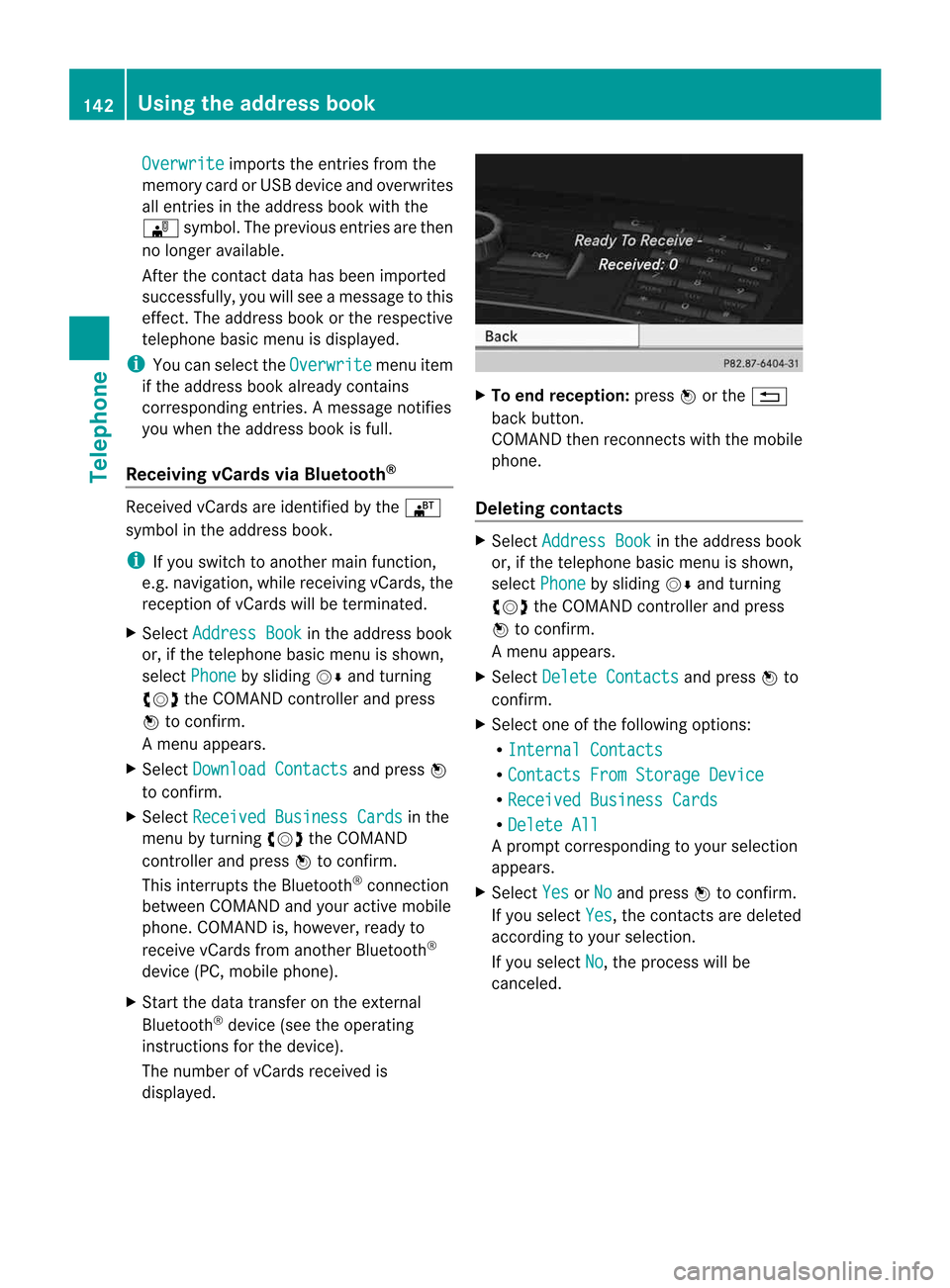
The number ofvCards received is
displayed. X
To end recept ion:press Worthe %
back button .
COMAND thenrecon nectswith themobile
phone.
Deleting contacts X
Select Address Book in
the address book
or, ifthe telephon ebasic menu isshown,
select Phone by
sliding VÆandturning
cVd theCOMAND controller andpress
W tocon firm.
Am enu appears.
X Select Delete Contact s and
press Wto
con firm.
X Select oneofthe following options:
R Interna lContact s R
Contact sFrom Storage Device R
Receive dBusines sCards R
Delete All Ap
rompt correspo ndingtoyou rselection
appears.
X Select Yes or
No and
press Wtocon firm.
If you select Yes ,t
he con tact saredeleted
accor dingtoyour select ion.
If you select No ,t
he process willbe
canc eled. 142
Using
thea ddress bookTelephone
Page 151 of 234
envir
onmen talortopogr aphical conditions
as well asother issues beyond thecontrol
of Mercedes- BenzUSA,LLC. Operation
may alsobeimpaired incert ainlocation s
(e.g. tunnels,multi-s toreycarparks or
within aswell asclose tobuildings).
i SIRIUS XMRadio offersmore than 130
digital-quality radiochann elsproviding
100 %comm ercial-f reemusic, sports,news
and entertain ment.
SIRIUS XMRadio employs afleet ofhigh-
perform ancesatellites tobroadcast around
the clock throughout theUSA andCanada.
The satellite radioprogram isavailable for
am onthly fee. Details areavailable from
the SIRIUS XMServ iceCenter andat
htt p://www.sirius.com (USA)or
htt p://www.siri uscanada .com
(Canada). Register
ingsatellit eradio
X Switc honsatellite radiomode
(Y page 149).
The satellite radiomainmenu appears
showing theweather channel.You cann ot
select anyother stations.
X Select SatRadio in
the lower menu bar
and press Wtocon firm.
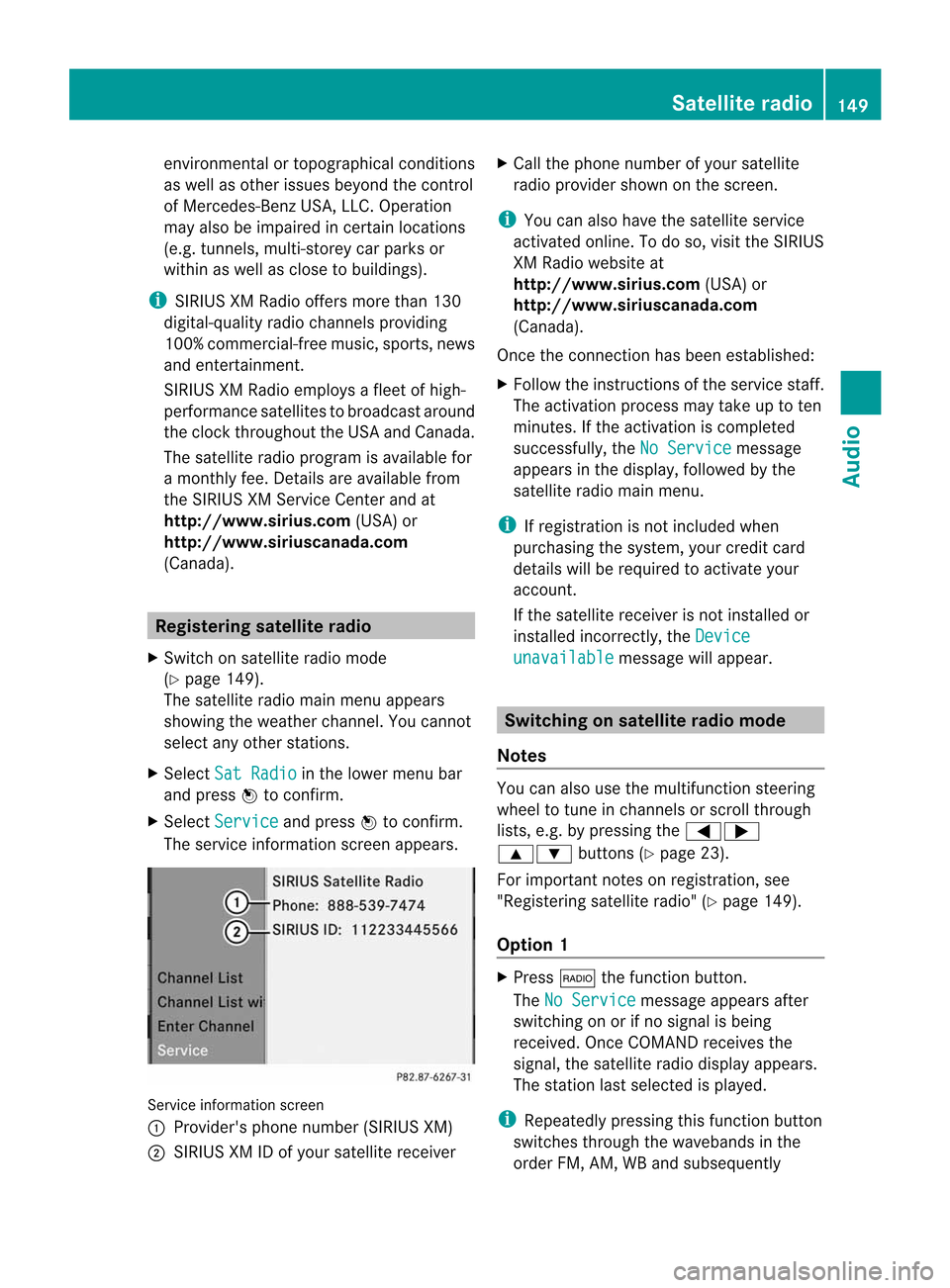
X Select Service and
press Wtocon firm.
The servic einfor mation screenappears. Serv
iceinfor mation screen
1 Provider's phonenumber (SIRIUSXM)
2 SIRIUS XMIDofyour satellite receiver X
Call thephone number ofyour satellite
radio provider shownonthe screen .
i You canalso have thesatellite service
activ ated online. Todo so, visit theSIRIUS
XM Radio website at
htt p://www.sirius.com (USA)or
htt p://ww w.siriu scanada .com
(Canada).
Onc ethe con nection hasbeen established:
X Follow theinstruct ions ofthe servic estaff .
The activ ation process maytake uptoten
minut es.Ifthe activ ation iscomplet ed
success fully,theNoService message
appears inthe display, followed bythe
satellite radiomainmenu.
i Ifregistr ationisnot included when
purchasing thesystem, yourcredit card
details willberequired toactivat eyour
accoun t.
If the satellite receiver isnot installed or
inst alled incorrectly,the Device unavail
able message
willappear. Switching
onsatellit eradiomode
Notes You
canalso usethemultifunc tionsteer ing
wheel totune inchann elsorscroll through
lists, e.g.bypressing the=;
9: buttons(Ypage 23).
For import antnoteson registr ation,see
"Registering satelliteradio"(Y page 149).
Opt ion 1 X
Press $thefunc tion button .
The NoService message
appearsafter
switch ingonorifno signal isbeing
received. OnceCOMAND receives the
signal, thesatellite radiodisplay appears.
The stationlast select edisplayed.
i Repeatedly pressingthisfunc tion button
switch esthrough thewavebands inthe
order FM,AM, WBand subsequently Sat
ellite radio
149Audio
Page 155 of 234

Selec
tingachanne lfrom thepreset list
X To call upthe preset list:sele ct
Presets in
the submenu barbyturning
cVd theCOMAND controllerand press
W toconfirm.
The channel presetlist appears.
X To set achanne l:sele ctap rese tby
tur ning cVd theCOMAND controllera nd
pre ssW toconf irm.
or
X Pre ssan um berk ey, such asn.
Displaying information X
Select Info in
the submenu barbyturn ing
cVd theCOMAND controller andpress
W tocon firm.
Inf ormation onthe curren tlyreceived
program isdisplayed. If
available, yousee:
R the complet echann elname
R the artist ofthe curren tlyplayed track
R the curren tlyplayed track
X To retu rntothe radiodispla y:con firm
Info by
pressing W.
X Slide ZVtheCOMAND controller up.
Displaying serviceinformation The
provider's customerservicecenter is
available byphone atany time toanswer any
general questions orquestions onthe
version savailable. X
Select Satradio in
the submenu barby
turn ingcVd theCOMAND controller and
press Wtocon firm.
X Select Service and
press Wtocon firm.
The provider's detailsappear. 1
Provider's phonenumber (SIRIUSXM)or
Call Service Provider 2
SIRIUS IDofyour satellite receiver
X To retu rntothe SatR adio main displa y:
slide XVY theCOMAND controller.
Channel listupd ates When
receivin ganewchann ellist, thedisplay
shows theUpdatin gChannel s... message.
The stationlast select edisswitch edtomute
until theupdate hasbeen complet ed.
Satellit eradio mode isnot available during
this process .
Onc ethe update hasbeen complet ed,the
satellite radiomainmenu appears. The
stat ionlast select edisplayed.
Sound settings You
willfind details onthe sound settings in
the "Ataglance" section(Ypage 34). Sat
ellite radio
153Audio