towing MERCEDES-BENZ E-CLASS WAGON 2018 Service Manual
[x] Cancel search | Manufacturer: MERCEDES-BENZ, Model Year: 2018, Model line: E-CLASS WAGON, Model: MERCEDES-BENZ E-CLASS WAGON 2018Pages: 506, PDF Size: 6.73 MB
Page 121 of 506
Usingthe11 5 V soc ket in the rear passenger
co mp artment
&
DANG ER Risk of fata l injury due todam‐
aged connecting cables or soc kets
If a suitable device is connected, the11 5 V
soc ket will be car rying a high voltage. If the
connecting cable or the11 5 V soc ket is
pulled out of the trim or is damaged or wet,
yo u could receive an electric shoc k.
#Only use dry and damage-free connect‐
ing cables.
#Whenthe ignition is switched off,
ensure that the11 5 V soc ket is dr y.
#Ifth e11 5 V soc ket is damage d orgets
pulled out of the paneling, immediately
ha ve the soc ketch ecked or replaced at
a qu alified specialized workshop.
#Ne ver plug the connecting cable into a
11 5 V soc ketth at is damaged or has
been pulled out of the trim.
&
DANG ER Risk of fata l injury due toincor‐
re ct handling of the soc ket
Yo u could receive an electric shock:
Rifyo ure ach into the soc ket.
Rifyo u insert unsuitable devices or objects
into the soc ket.
#Only connect suitable devices tothe
soc ket.
Re quirements:ROnly connect devices with a suitable plug
which con form sto thest andards specific to
th e count ryyou are in.
ROnly connect device s uptoa maximum of
15 0wa tts.
RDo not use multiple soc ket outlets.
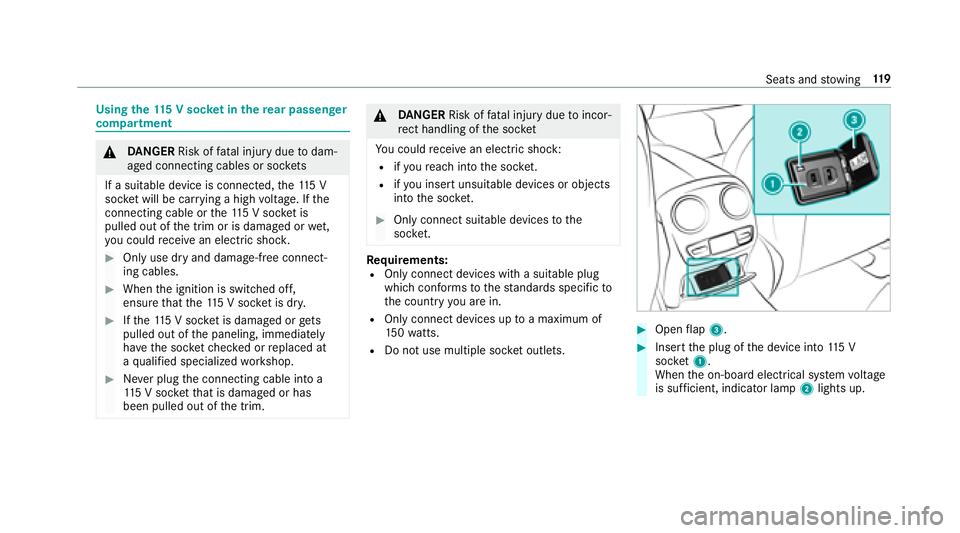
#Open flap 3.
#Insert the plug of the device into 115 V
soc ket1.
When the on-board electrical sy stem voltage
is suf ficient, indicator la mp2lights up.
Seats and stowing 11
9
Page 122 of 506
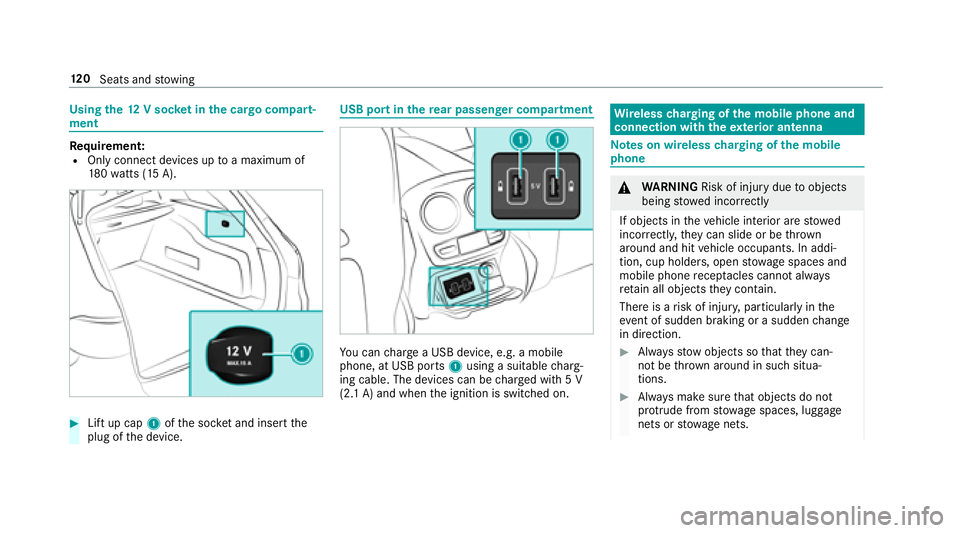
Usingthe12 V sock etinthe cargo compa rt‐
ment
Re quirement:ROnly connect devices up toa maximum of
18 0wa tts (15 A).
#Lift up cap 1ofthe soc ket and insert the
plug of the device.
USB port in there ar passenger co mpartment
You can charge a USB device, e.g. a mobile
phone, at USB ports 1using a suitable charg‐
ing cable. The devices can be charge d with 5 V
(2.1 A) and when the ignition is switched on.
Wire lesscharging of the mobile phone and
connection with theex terior antenna
Note s on wireless charging of the mobile
phone
& WARNING Risk of injury duetoobjects
being stowed inco rrectly
If objects in theve hicle interior are stowed
incor rectly, they can slide or be throw n
around and hit vehicle occupants. In addi‐
tion, cup holders, open stowage spaces and
mobile phone recep tacles cannot al ways
re tain all objects they contain.
There is arisk of injur y,particularly in the
ev ent of sudden braking or a sudden change
in direction.
#Alw aysstow objects so that they can‐
not be throw n around in such situa‐
tions.
#Alw ays make sure that objects do not
pr otru de from stowage spaces, luggage
nets or stowage nets.
120
Seats and stowing
Page 123 of 506
#Closethe loc kable stow age spaces
before starting a journe y.
#Alwaysstow and secure heavy, hard,
pointe d, sharp-edged, fragile or bulky
objects in the trunk/load compartment.
Obser vethe no tes on loading theve hicle.
&
WARNING Risk offire from placing
objects in the mobile phone stowage
compartment
If yo uplac e objects inthe mobile phone
stow age compartment, they may heat up
exc essively and even catch fire .
#Do not place additional objects, espe‐
cially those mode of me tal, in the
mobile phone stowage compartment.
* NO
TEDama getoobjects caused by
placing them in the mobile phone stow‐
age compartment
If yo u place objects in the mobile phone
stow age compartment, these may be dam‐
aged byelectromagnetic fields.
#Do not place credit cards, storage
media or other objects sensitive to
electromagnetic fields in the mobile
phone stowage compartment.
* NO
TEDama getothe mobile phone
stow age compartment caused byliquids
If liquids enter the mobile phone stowage
compartment, the compartment may be
damaged.
#Ensure that no liquids enter the mobile
phone stowage compartment.
RDepending on theve hicle equipment, the
mobile phone is connected totheve hicle's
ex terior antenna via thech arging module.
RThe charging function and wireless connec‐
tion of the mobile phone totheve hicle's
ex terior antenna are only available if the igni‐
tion is switched on.
RSmall mobile phones may not be able tobe
ch arge d in every position of the mobile
phone stowage compartment.
RLargemobile phones which do not rest flat in
th e mobile phone stowage compartment may
not be able tobe charge d or connec ted with
th eve hicle's exterior antenna.
RThe mobile phone may heat up during the
ch arging process. The mobile phone can be
cooled in the mobile phone stowage com‐
partment when the air conditioning sy stem is
switched on. The cooling output in the
mobile phone stowage compartment is high‐
est when the controller in theglov e box is
closed.
RTo ensure more ef ficient charging and con‐
nection with theve hicle's exterior antenna,
re mo vethe pr otective co ver from the mobile
phone.
Seats and stowing 12
1
Page 124 of 506

RWhencharging, the mat should be used if
possible.
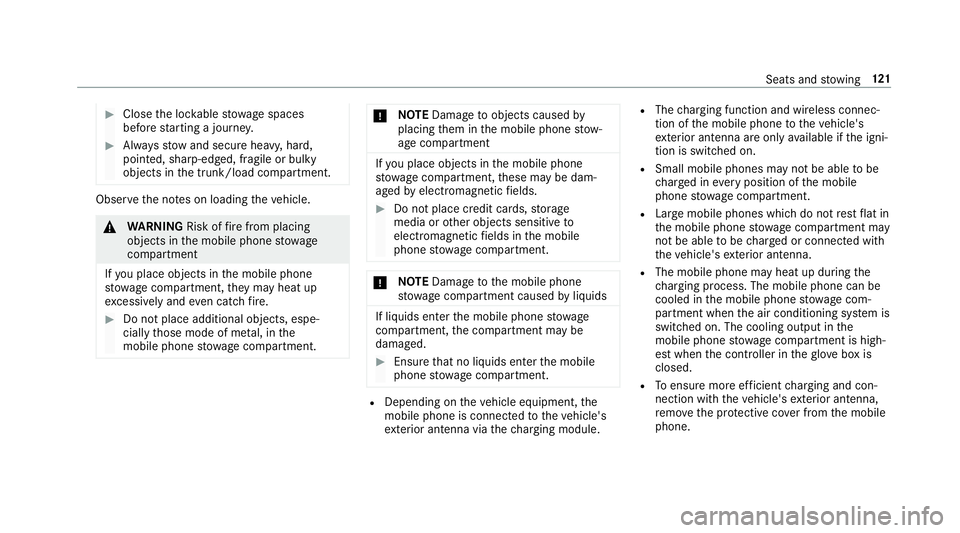
Wire lesscharging of the mobile phone
Requ irement:RThe mobile phone must be suitable for wire‐
less charging (Qi-compatible mobile phone).
Yo u can find a li stof Qi-compatible mobile
phones at:
http://www.mercedes-benz.com/connect
#Place the mobile phone as close tothe cen‐
te r of mat 1as possible with the display
fa cing up wards.
When thech arging symbol is shown in the
multimedia sy stem, the mobile phone is
being charge d.
Malfunctions during thech arging process are
shown in the multimedia sy stem displa y.
% Toclean, the mat can be remo ved.
Installing/removing thefloor mats
&
WARNING Risk of accident due to
objects in the driver's foot we ll
Objects in the driver's foot we ll may impede
pedal tr avel or block a depressed pedal.
This jeopardizes the operating and road
saf etyof theve hicle.
#Stow all objects in theve hicle securely
so that they cannot getinto the driver's
fo ot we ll.
#Alw ays ins tallth efloor mats securely
and as prescribed in order toensure
that there is alw ays suf ficient room for
th e pedals.
#Do not use loose floor mats and do not
place floor mats on top of one ano ther.
#To install: pressstuds 1onto holders 2.
#Toremo ve:pull thefloor mat off holders 2.
122
Seats and stowing
Page 186 of 506
RIfth e lane markings change quickl y,e.g.
lanes branch off, cross one ano ther or
mer ge.
RThe road is nar row and winding.
RIfth ere are highly variable shade conditions
on thero ad.
RIfth ere are obs tacles such as object mar kers
on the lane or projecting out into the lane.
The sy stem does not pr ovide assis tance in the
fo llowing conditions:
ROn very sharp bends.
RWhen towing a trailer.
RIfyo u act ively change lane without switch ing
on the turn signal indicator.
RIfyo uswit chon the turn signal indicator and
th e conditions for activating Active Lane
Change Assi stare not fulfilled.
Ac tivating Active Steering Assist
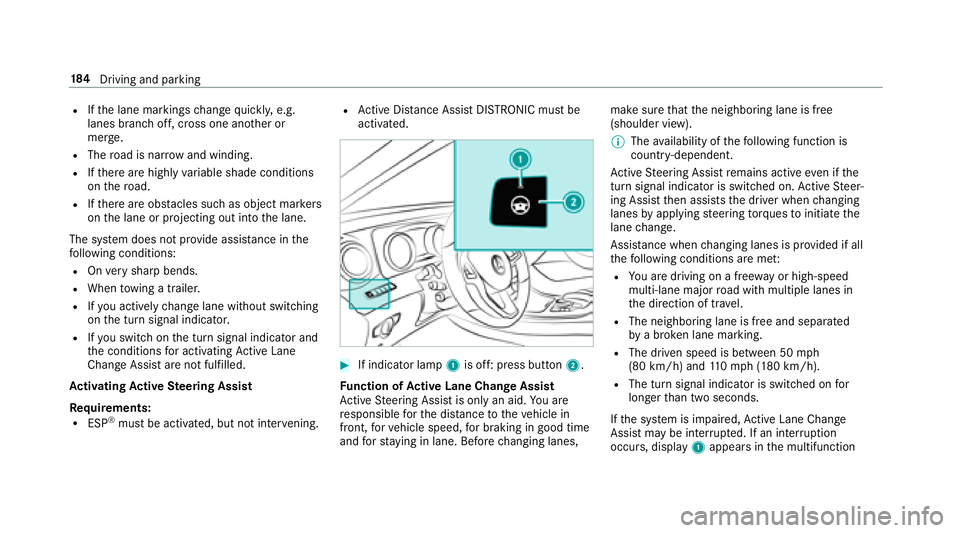
Requ irements:
RESP®must be activated, but not inter vening.
RAc tive Dis tance Assist DISTRONIC must be
activated.
#If indicator lamp 1is off: press button 2.
Fu nction of Active Lane Change Assi st
Ac tive Steering Assist is only an aid. You are
re sponsible forth e dis tance totheve hicle in
front, forve hicle speed, for braking in good time
and forst ay ing in lane. Before changing lanes, make sure
that the neighboring lane is free
(shoulder view).
% The availability of thefo llowing function is
countr y-dependent.
Ac tive Steering Assist remains active even if the
turn signal indica tor is switched on. Active Steer‐
ing Assist then assists the driver when changing
lanes byapplying steering torques toinitiate the
lane change.
Assis tance when changing lanes is pr ovided if all
th efo llowing conditions are me t:
RYou are driving on a free wayor high-speed
multi-lan emajo rro ad with multiple lanes in
th e direction of tr avel.
RThe neighboring lane is free and separated
bya broken lane marking.
RThe driven speed is between 50 mph
(80 km/h) and 110mp h(1 80 km/h).
RThe turn signal indicator is switched on for
longer than two seconds.
If th e sy stem is impaired, Active Lane Change
Assi stmay be inter rupte d. If an inter ruption
occurs, display 1appears in the multifunction
18 4
Driving and pa rking
Page 188 of 506
pedal. Never attem pttolea vetheve hi‐
cle if it is being held byHill Start Assist.
HOLD function
HOLD function
The HOLD function holds theve hicle at a stand‐
st ill without requ iring youto depress the brake
pedal, e.g. when pulling away on steep slopes.
Sy stem limitations
The incline must not be greaterth an 30%.
Ac tivating/deactivating the HOLD function
&
WARNING Risk of an accident due tothe
HOLD function being activated when you
lea vetheve hicle
If yo u lea vetheve hicle while only the HOLD
function is braking theve hicle, theve hicle
can rollaw ay inthefo llowing situations:
RIf th ere is a malfunction in the sy stem or
in the po wer supp ly.
RIf th e HOLD function is deactivated by
depressing the accelera tor pedal or the
brake pedal, e.g. byave hicle occupant.
RIfth e electrics in the engine compart‐
ment, the battery or the fuses are tam‐
pered with or if the battery is disconnec‐
te d.
#Alw ays deactivate the HOLD function
and secure theve hicle against rolling
aw ay before leaving theve hicle.
* NO
TEDama gefrom au tomatic braking
When Active Brake Assi st,Ac tive Dis tance
Assist DISTRONIC or the HOLD function are
activated, theve hicle brakes autonomously
in cer tain situations.
To avo id damage totheve hicle, deactivate
th ese sy stems in thefo llowing or similar sit‐
uations:
#During towing
#In a car wash
Requirements:RThe vehicle is stationar y.
RThe driver's door is closed or the seat belt on
th e driver's side is fastened.
RThe engine is running or has been au tomati‐
cally switched off bythe ECO start/ stop
function.
RThe electric parking brake is released.
RAc tive Dis tance Assist DISTRONIC is not acti‐
va ted.
RThe transmission is in position h,kori.
Ac tivating the HOLD function
#Dep ress the brake pedal and af ter a short
time depress fur ther until theë display
appears in the multifunction displa y.
#Release the brake pedal.
Deactivating the HOLD function
#Depress the accelerator pedal topull away.
or
#Depress the brake pedal until theë dis‐
play disappears from the multifunction dis‐
pla y.
186
Driving and pa rking
Page 336 of 506
RThe blowerfo rth eve ntilation/heating is
switched off.
RThe windshield wiper switch is in position
g.
RIn car washes with a towing mechanism: neu‐
tral iis engaged.
RThe SmartK eyis at a dis tance of at least
10 ft(3 m) away from theve hicle, otherwise
th eta ilgate could open unin tentionally.
% If, af terth e car wash, youre mo vethewa x
from the windshield and wiper rubber, this
will pr event smearing and reduce wiper
noise.
Information on using a po werwa sher
&
WARNING Risk of accident when using
high-pressure cleaning equipment wi th
ro und-s pray nozzles
The wate r jet from a round-s pray nozzle (dirt
grinder) may cause damage totires and sus‐
pension components that is not visible.
Components damaged in this wa yma yfa il
unexpec tedly.
#Do not use high-pressure cleaning
equipment wi thround-spr aynozzles to
clean your vehicle.
#Damaged tires or suspension compo‐
nents must be replaced immediatel y.
Toavo id damage to yourvehicle, obser vethefo l‐
lowing when using a po werwa sher:
RKeep the SmartK eyat least 10ft(3 m) away
from theve hicle. Otherwise theta ilgate
could open unin tentional ly.
RMaintain a dis tance of at least 11.8 in
(30 cm) totheve hicle.
RVe hicles with deco rative foil: parts of your
ve hicle are co vered with a decorative foil.
Maintain a dis tance of at least 27.6 in
(70 cm) between thefo il-c ove red parts of the
ve hicle and the nozzle of the po werwa sher.
Mo vethe po werwa sher cleaner nozzle
around whilst cleaning.
RObser vethe information on the cor rect dis‐
ta nce in the equipment manufacturer's oper‐
ating instructions.
RDo not point the nozzle of the po werwa sher
directly at sensitive parts such as tires, slits,
electrical component parts, batteries, light
sources and ventilation slot s.
Washing the vehicle byhand
Obser vethe legal requirements, e.g. in a number
of countries, washing byhand is only permitted
in specially designated washing areas.
#Use a mild cleaning agent, e.g. car shampoo.
#Wa shtheve hicle with luk ewarmwate r using
a soft car sponge. When doing so, do not
ex pose theve hicle todirect sunlight.
#Carefully hose theve hicle off with water and
dry using a chamois. Take care not topoint
th ewate r jet directly towa rdsth e air inlet
grille.
334 Maintenance and care
Page 353 of 506
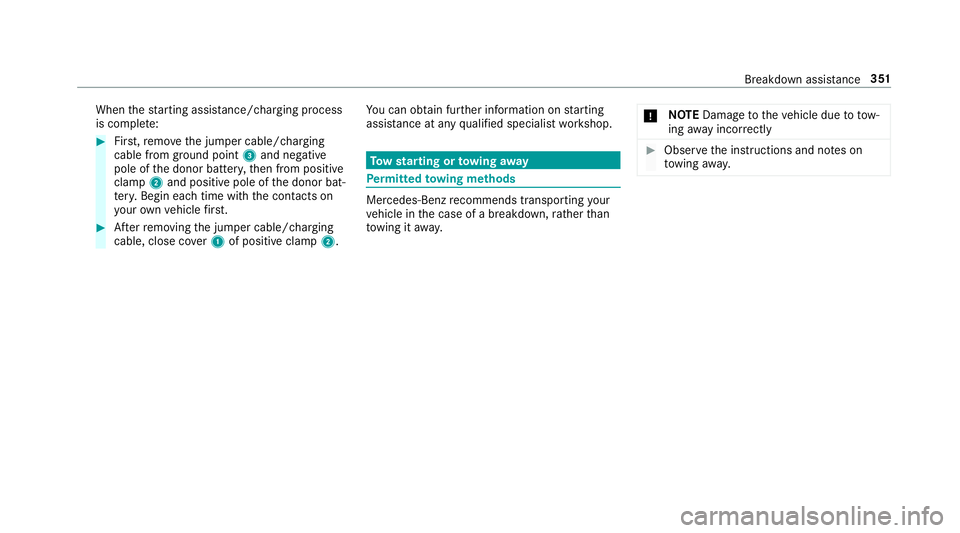
Whenthest arting assis tance/charging process
is compl ete:
#Fir st,re mo vethe jumper cable/charging
cable from ground point 3and negative
pole of the donor batter y,then from positive
clamp 2and positive pole of the donor bat‐
te ry. Begin each time with the conta cts on
yo ur ow nve hicle firs t.
#Af terre moving the jumper cable/charging
cable, close co ver1 of positive clamp 2.Yo
u can obtain fur ther information on starting
assis tance at any qualified specialist workshop.
To w starting or towing away
Perm itted towing me thods
Mercedes-Benz recommends transporting your
ve hicle in the case of a breakdown, rath er than
to wing it away. *
NO
TEDama getotheve hicle due to tow‐
ing away incor rectly
#Obser vethe instructions and no tes on
to wing away.
Breakdown assis tance 351
Page 354 of 506
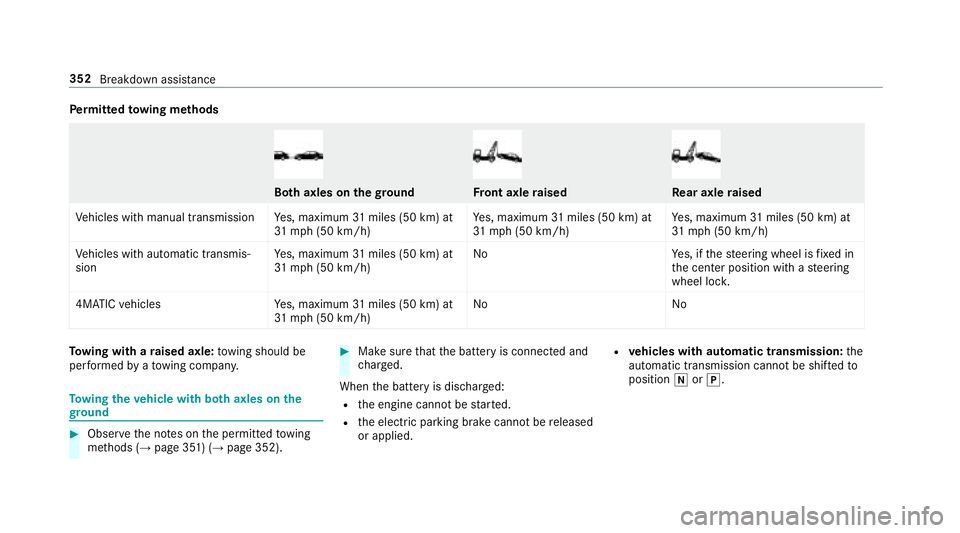
Perm itted towing me thods
Bo th axles on thegr oundFront axle raisedRe ar axle raised
Ve hicles with manual transmission Yes, maximum 31miles (50 km) at
31 mp h (50 km/h) Ye
s, maximum 31miles (50 km) at
31 mp h (50 km/h) Ye
s, maximum 31miles (50 km) at
31 mp h (50 km/h)
Ve hicles with automatic transmis‐
sion Ye
s, maximum 31miles (50 km) at
31 mp h (50 km/h) No
Yes, if thesteering wheel is fixe d in
th e center position with a steering
wheel loc k.
4MATIC vehicles Yes, maximum 31miles (50 km) at
31 mp h (50 km/h) No
No
Towing wit h araised axle: towing should be
per form ed byato wing compan y.
Towing theve hicle with bo thaxles on the
gr ound
#Obser vethe no tes on the permitted towing
me thods (→page 351) (→page 352).
#Make sure that the battery is connected and
ch arge d.
When the battery is dischar ged:
Rthe engine cannot bestar ted.
Rth e electric parking brake cannot bereleased
or applied.
Rve hicles with automatic transmission: the
automatic transmission cannot be shif tedto
position iorj.
352
Breakdown assis tance
Page 355 of 506
%Vehicles with automatic transmission: if
th e automatic transmission cannot be shif‐
te dto position i, havetheve hicle trans‐
por tedaw ay (
→page 354). A towing vehicle
with lifting equipment is requiredforve hicle
transpor tation.
* NO
TEDama gedue to to wing away at
exc essively high speeds or over long dis‐
ta nces
The driv etra in could be damaged when tow‐
ing at excessively high speeds or over long
dis tances.
#A towing speed of 30 mph (50 km/h)
must not be exceeded.
#Atowing dis tance of 30 miles (50 km)
must not be exceeded.
&
WARNING Risk of accident when towing
a ve hicle which is too heavy
If th eve hicle being tow- star ted or towe d
aw ay is heavier than the permissible gross
mass of your vehicle, thefo llowing situations
can occur:
RThe towing eye may become de tach ed.
RThe vehicle/trailer combination may
swer veoreve nov erturn.
#If ano ther vehicle is tow- star ted or
to we daw ay, its weight must not exceed
th e permissible gross mass of your ow n
ve hicle.
If a vehicle must be tow star ted or towe daw ay,
its weight must not exceed the permissible gross
mass of theto wing vehicle.
#Information on the permissible gross mass of
th eve hicle can be found on theve hicle iden‐
tification plate .
#Ve hicles with automatic transmission: do
not open the driver's door or front passenger
door, otherwise the automatic transmission
automatically shifts toposition j.
#Installth eto wing eye (→page 356).
#Attach theto w bar.
* NO
TEDama gedue toincor rect connec‐
tion
#Only connect theto w rope or tow bar to
th eto wing eyes.
#Deactivate the automatic locking mechanism
(→page 63).
#Do not activate the HOLD function.
#Deactivate Active Brake Assi st(→page 174).
#Ve hicles with automatic transmission:
shift the automatic transmission toposition
i.
#Re lease the electric parking brake.
Breakdown assis tance 353