phone MERCEDES-BENZ G-Class 2010 W251 Comand Manual
[x] Cancel search | Manufacturer: MERCEDES-BENZ, Model Year: 2010, Model line: G-Class, Model: MERCEDES-BENZ G-Class 2010 W251Pages: 224, PDF Size: 7 MB
Page 191 of 224
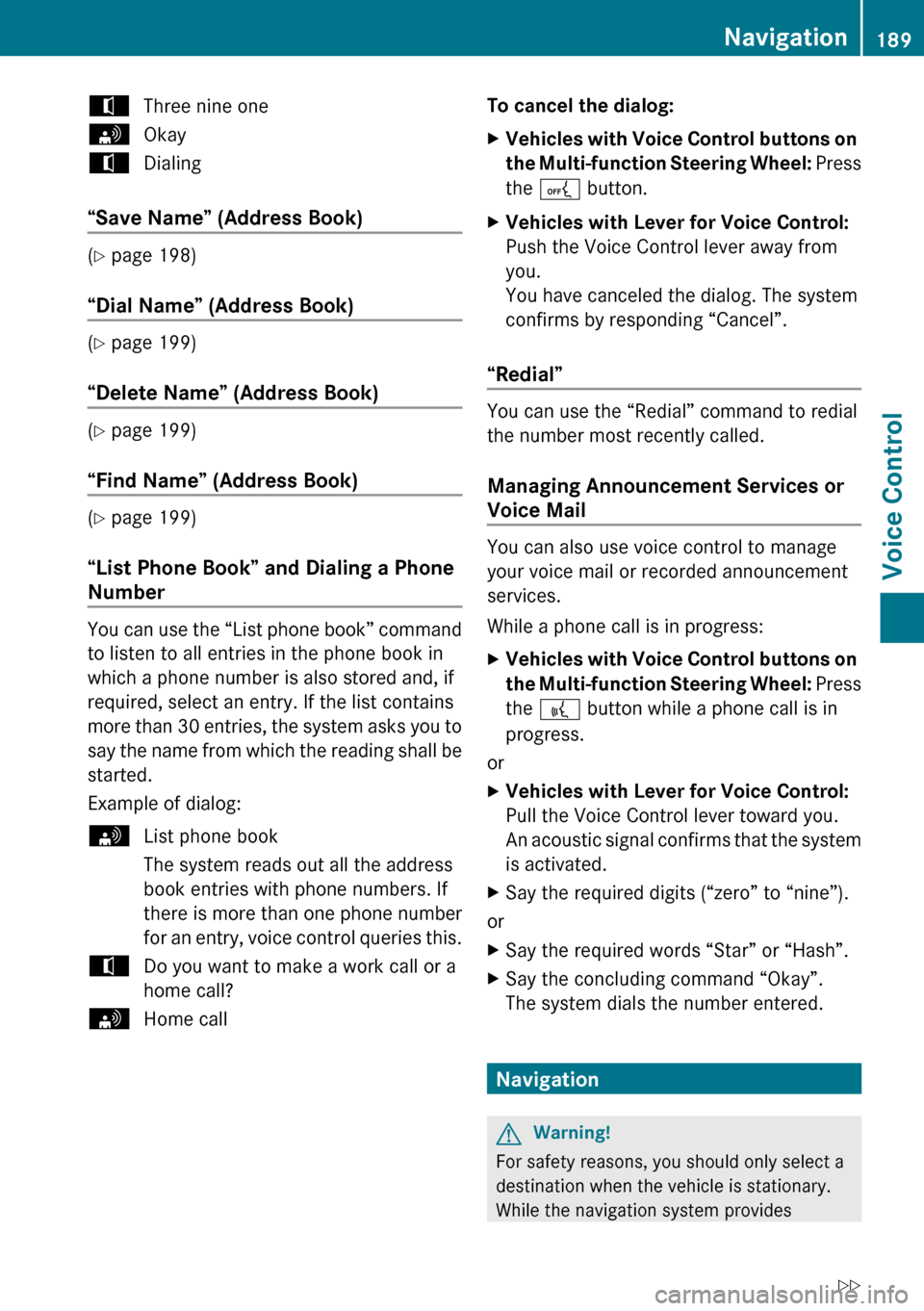
tThree nine onesOkaytDialing
“Save Name” (Address Book)
(Y page 198)
“Dial Name” (Address Book)
( Y page 199)
“Delete Name” (Address Book)
( Y page 199)
“Find Name” (Address Book)
( Y page 199)
“List Phone Book” and Dialing a Phone
Number
You can use the “List phone book” command
to listen to all entries in the phone book in
which a phone number is also stored and, if
required, select an entry. If the list contains
more than 30 entries, the system asks you to
say the name from which the reading shall be
started.
Example of dialog:
sList phone book
The system reads out all the address
book entries with phone numbers. If
there is more than one phone number
for an entry, voice control queries this.tDo you want to make a work call or a
home call?sHome callTo cancel the dialog: XVehicles with Voice Control buttons on
the Multi-function Steering Wheel: Press
the A button.XVehicles with Lever for Voice Control:
Push the Voice Control lever away from
you.
You have canceled the dialog. The system
confirms by responding “Cancel”.
“Redial”
You can use the “Redial” command to redial
the number most recently called.
Managing Announcement Services or
Voice Mail
You can also use voice control to manage
your voice mail or recorded announcement
services.
While a phone call is in progress:
XVehicles with Voice Control buttons on
the Multi-function Steering Wheel: Press
the ? button while a phone call is in
progress.
or
XVehicles with Lever for Voice Control:
Pull the Voice Control lever toward you.
An acoustic signal confirms that the system
is activated.XSay the required digits (“zero” to “nine”).
or
XSay the required words “Star” or “Hash”.XSay the concluding command “Okay”.
The system dials the number entered.
Navigation
GWarning!
For safety reasons, you should only select a
destination when the vehicle is stationary.
While the navigation system provides
Navigation189Voice ControlZ
Page 192 of 224
directional assistance, the driver must remain
focused on safe driving behavior, especially
pay attention to traffic and street signs, and
should utilize the system’s audio cues while
driving.
The navigation system does not supply any
information on stop signs, yield signs, traffic
regulations or traffic safety rules. Their
observance always remains in the driver’s
personal responsibility. DVD maps do not
cover all areas nor all routes within an area.
Traffic regulations always have priority over
any route recommendations given. Bear in
mind that at a speed of just 30 mph
(approximately 50 km/h), your vehicle is
covering a distance of 44 feet (approximately
14 m) every second.
During route guidance, you will not receive
information on:
R traffic lights
R stop and yield signs
R parking or stopping zones
R one-way streets
R narrow bridges
R other traffic regulation data
You should therefore always strictly observe
traffic regulations while driving. Drive
carefully and always obey traffic laws and
road signs, even if they contradict navigation
system instructions.GWarning
Navigation announcements are intended to
direct you while driving without diverting your
attention from the road and driving.
Please always use this feature instead of
consulting the map display for directions.
Consulting the symbols or map display for
directions may cause you to divert your
attention from driving and increase your risk
of an accident.
GWarning!
Please do not use the Voice Control System
in an emergency, as the tone of your voice
may change in a stressful situation. This could
cause a delay in completing your phone call
in a timely manner. This could distract you in
an emergency situation and cause you to be
involved in an accident.
Operation
You can use voice control to:
R enter a state
R enter a province
R enter a city
R enter a district (center)
R enter a street
R enter an intersection
R enter a house number
R enter an entire address
R enter a zip code
R find address
R enter a point of interest
R select one of your previous destinations
R call up route information
R store a destination
R display the map
R enlarge/reduce the size of the map
R listen to the destination memory
R start and stop route guidance
R switch the guidance instructions on and off
To select the navigation application:
XVehicles with Voice Control buttons on
the Multi-function Steering Wheel: Press
the ? button.
or
XVehicles with Lever for Voice Control:
Pull the Voice Control lever toward you.190NavigationVoice Control
Page 199 of 224
“Zoom In Completely”/“Zoom Out
Completely”
You can use these commands to set the map
display directly to the smallest or largest
scale.
“List Destination Memory”
You can use the “List destination memory”
command to listen to the entries from the
address book’s destination memory and, if
required, navigate to one of them. If the list
contains more than 30 entries, the system
asks you to say the name from which the
reading shall be started.
Example of dialog:
sList destination memory
The system reads out all entries, from
the address book destination memory.
To select an entry and set an address:
XVehicles with Voice Control buttons on
the Multi-function Steering Wheel:
Press the ? button at the selected
entry.
or
XVehicles with Lever for Voice Control:
Pull the Voice Control lever toward you at
the selected entry.
If there is more than one address, the system
asks
tDo you want to navigate to Smith home
or work?sHometSmith home. Starting route guidance
The system starts route guidance.
To cancel the dialog:XVehicles with Voice Control buttons on
the Multi-function Steering Wheel:
Press the A button.
or
XVehicles with Lever for Voice Control:
Push the Voice Control lever away from
you.
You have canceled the dialog. The system
confirms by responding “Cancel”.
Address Book
GWarning!
Please devote your attention first and
foremost to the traffic situation you are in.
Before your journey, please familiarize
yourself with the address book functions.
Only use the Voice Control System when road
and traffic conditions permit you to do so.
Otherwise you could be involved in an
accident in which you or others could be
injured.
Overview
The address book gives you the option of
storing information about people in the form
of entries.
Using voice control, you can dial a phone
number stored in the address book or start
route guidance for a stored address.
Apart from the speaker-dependent voice tags
stored in the address book, voice control can
recognize all the entries in the name fields of
the address book. Recognition of the entries
in the address book depends on the text that
was entered. To make a call you must say the
text of the entry.
Check the address book entries for the
following:
Address Book197Voice ControlZ
Page 200 of 224
RThe name entries, e.g. last name and first
name, are in the right fields.
R Do not use abbreviations or acronyms.
R Avoid unnecessary spaces in names.
R Do not use special characters.
You can improve voice recognition by saving
a speaker-dependent voice tag for address
book entries.
Use a speaker-dependent voice tag:
R for names which are difficult to pronounce
R to distinguish names which sound similar
R for names which are not pronounced as
they are written
Voice control can store up to 50 of these
address book entries by means of a speaker-
dependent voice tag.
Operation
You can use voice control at any time to:
R save a name
R select a name
R delete a name
R list the address book
R delete the address book
R open the address book
R open an entry from the address book
R list the phone book
R list the destination memory
To open the address book:
XVehicles with Voice Control buttons on
the Multi-function Steering Wheel: Press
the ? button.
or
XVehicles with Lever for Voice Control:
Pull the Voice Control lever toward you.XGive the “Address book” command.XVehicles with Voice Control buttons on
the Multi-function Steering Wheel: Press
the ? button.
or
XVehicles with Lever for Voice Control:
Pull the Voice Control lever toward you.XGive one of the address book commands
explained below.
Commands
“Address Book”
XTo open the address book: Say the
command “Address book”.
“Help Address Book”
XUsing the “Help address book” command,
you can have all the essential commands
for the address book read out.
“Save Name”
Use the “Save name” command to save a
phone number with a voice tag for a specific
speaker. Use this command for a name which
is complicated or which is pronounced
differently as it is spelled, for example,
because it is a foreign name. When you have
given the command “Save Name”, voice
control prompts you to enter a phone
number.
i This function is only possible if a mobile
phone is connected to COMAND.
The digits 0 to 9 and the word “Plus” are
permitted.
“ Plus” replaces the international dialing code,
e.g. “00”.
Say the phone number in the form of a
continuous string of digits or as blocks of
digits, e.g. three to five digits.
Voice control repeats the digits it recognizes
after each block of digits (with a pause of
198Address BookVoice Control
Page 201 of 224
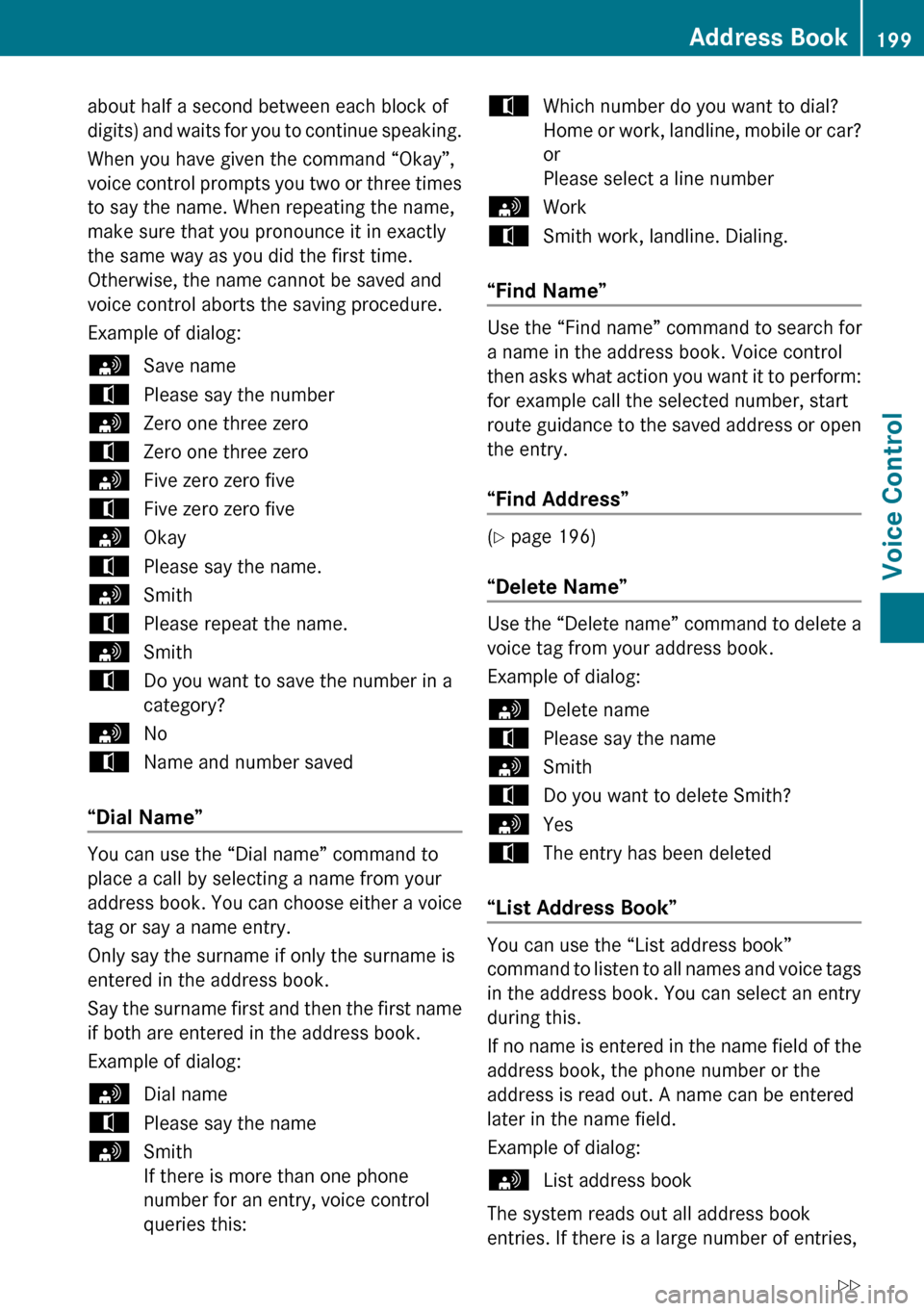
about half a second between each block of
digits) and waits for you to continue speaking.
When you have given the command “Okay”,
voice control prompts you two or three times
to say the name. When repeating the name,
make sure that you pronounce it in exactly
the same way as you did the first time.
Otherwise, the name cannot be saved and
voice control aborts the saving procedure.
Example of dialog:sSave nametPlease say the numbersZero one three zerotZero one three zerosFive zero zero fivetFive zero zero fivesOkaytPlease say the name.sSmithtPlease repeat the name.sSmithtDo you want to save the number in a
category?sNotName and number saved
“Dial Name”
You can use the “Dial name” command to
place a call by selecting a name from your
address book. You can choose either a voice
tag or say a name entry.
Only say the surname if only the surname is
entered in the address book.
Say the surname first and then the first name
if both are entered in the address book.
Example of dialog:
sDial nametPlease say the namesSmith
If there is more than one phone
number for an entry, voice control
queries this:tWhich number do you want to dial?
Home or work, landline, mobile or car?
or
Please select a line numbersWorktSmith work, landline. Dialing.
“Find Name”
Use the “Find name” command to search for
a name in the address book. Voice control
then asks what action you want it to perform:
for example call the selected number, start
route guidance to the saved address or open
the entry.
“Find Address”
( Y page 196)
“Delete Name”
Use the “Delete name” command to delete a
voice tag from your address book.
Example of dialog:
sDelete nametPlease say the namesSmithtDo you want to delete Smith?sYestThe entry has been deleted
“List Address Book”
You can use the “List address book”
command to listen to all names and voice tags
in the address book. You can select an entry
during this.
If no name is entered in the name field of the
address book, the phone number or the
address is read out. A name can be entered
later in the name field.
Example of dialog:
sList address book
The system reads out all address book
entries. If there is a large number of entries,
Address Book199Voice ControlZ
Page 202 of 224
the system asks from which entry it should
start the reading.
i If you do not say a name, voice control
reads out all address book entries.
To select an address book entry: XVehicles with Voice Control buttons on
the Multi-function Steering Wheel:
Press the ? button at the selected
entry.
or
XVehicles with Lever for Voice Control:
Pull the Voice Control lever toward you.
The entry is selected and shown on the
display. Voice control asks whether the
selected entry should be called, navigated
to or opened.XTo select an address book entry:
Press the ? button at the selected
entry.
The entry is selected and shown on the
display. Voice control asks whether the
selected entry should be called, navigated
to or opened.
To cancel the dialog:
XVehicles with Voice Control buttons on
the Multi-function Steering Wheel:
Press the A button.
or
XVehicles with Lever for Voice Control:
Push the Voice Control lever away from you
You have cancelled the dialog. The system
confirms by responding “Cancel”.
“List Phone Book” and Dialing a Phone
Number
( Y page 189)
“Delete Address Book”
You can use the “Delete address book”
command to delete individual voice tags or all
the voice tags in the address book. The
address data is not deleted.
“Open Entry”
You can use the “Open entry” command to
open any address book entry.
Example of dialog:
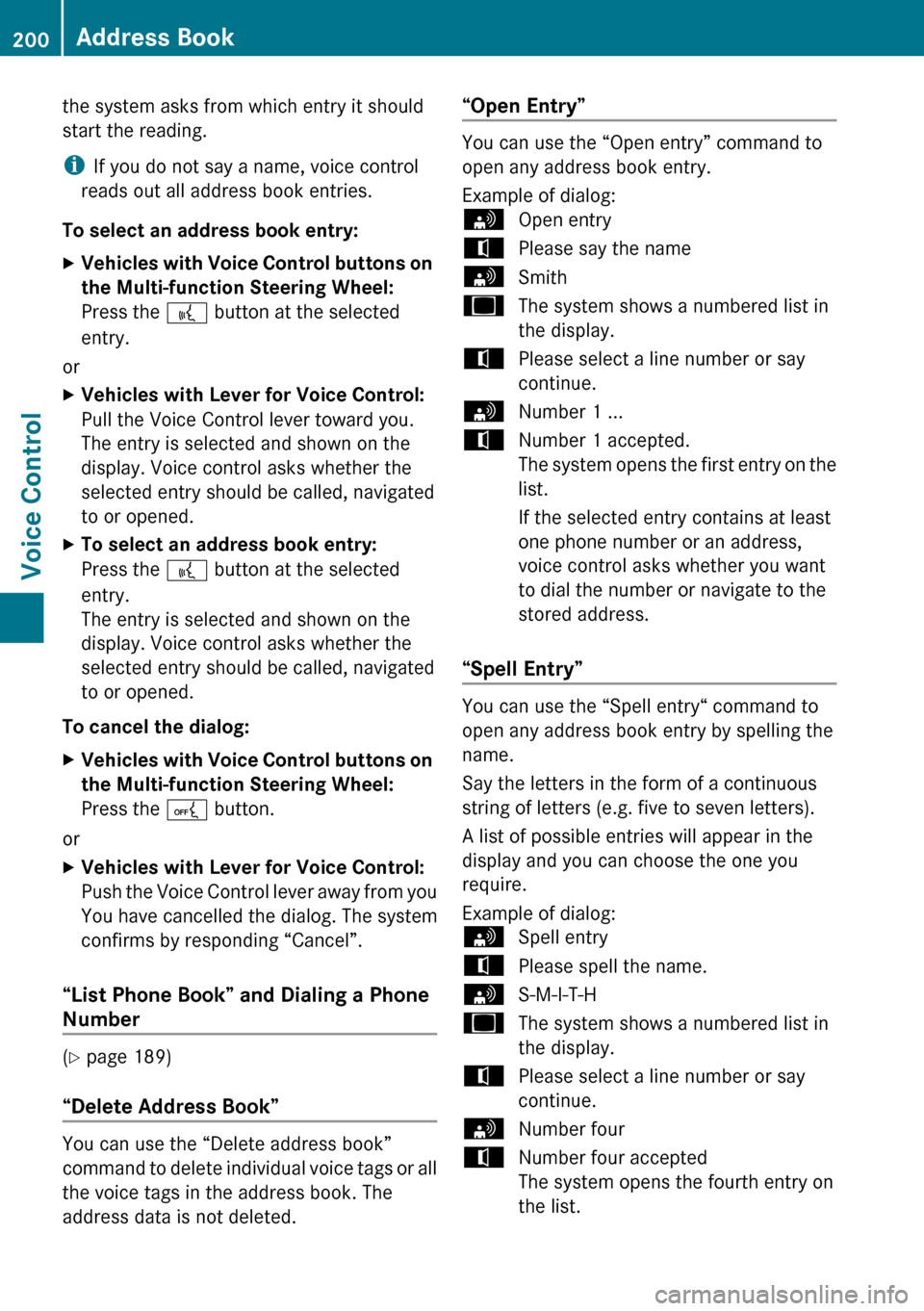
sOpen entrytPlease say the namesSmithuThe system shows a numbered list in
the display.tPlease select a line number or say
continue.sNumber 1 ...tNumber 1 accepted.
The system opens the first entry on the
list.
If the selected entry contains at least
one phone number or an address,
voice control asks whether you want
to dial the number or navigate to the
stored address.
“Spell Entry”
You can use the “Spell entry“ command to
open any address book entry by spelling the
name.
Say the letters in the form of a continuous
string of letters (e.g. five to seven letters).
A list of possible entries will appear in the
display and you can choose the one you
require.
Example of dialog:
sSpell entrytPlease spell the name.sS-M-I-T-HuThe system shows a numbered list in
the display.tPlease select a line number or say
continue.sNumber fourtNumber four accepted
The system opens the fourth entry on
the list.200Address BookVoice Control
Page 203 of 224
If the selected entry contains at least
one phone number or an address,
voice control asks whether you want
to dial the number or navigate to the
stored address.
i You can use the “Next page” or “Previous
page” commands to scroll through the list.
You can use the “Correction” command to
spell the name again.
Radio and Satellite Radio
GWarning!
Please devote your attention first and
foremost to the traffic situation you are in.
Before your journey, please familiarize
yourself with the radio functions.
Only use the Voice Control System when road
and traffic conditions permit you to do so.
Otherwise you could be involved in an
accident in which you or others could be
injured.
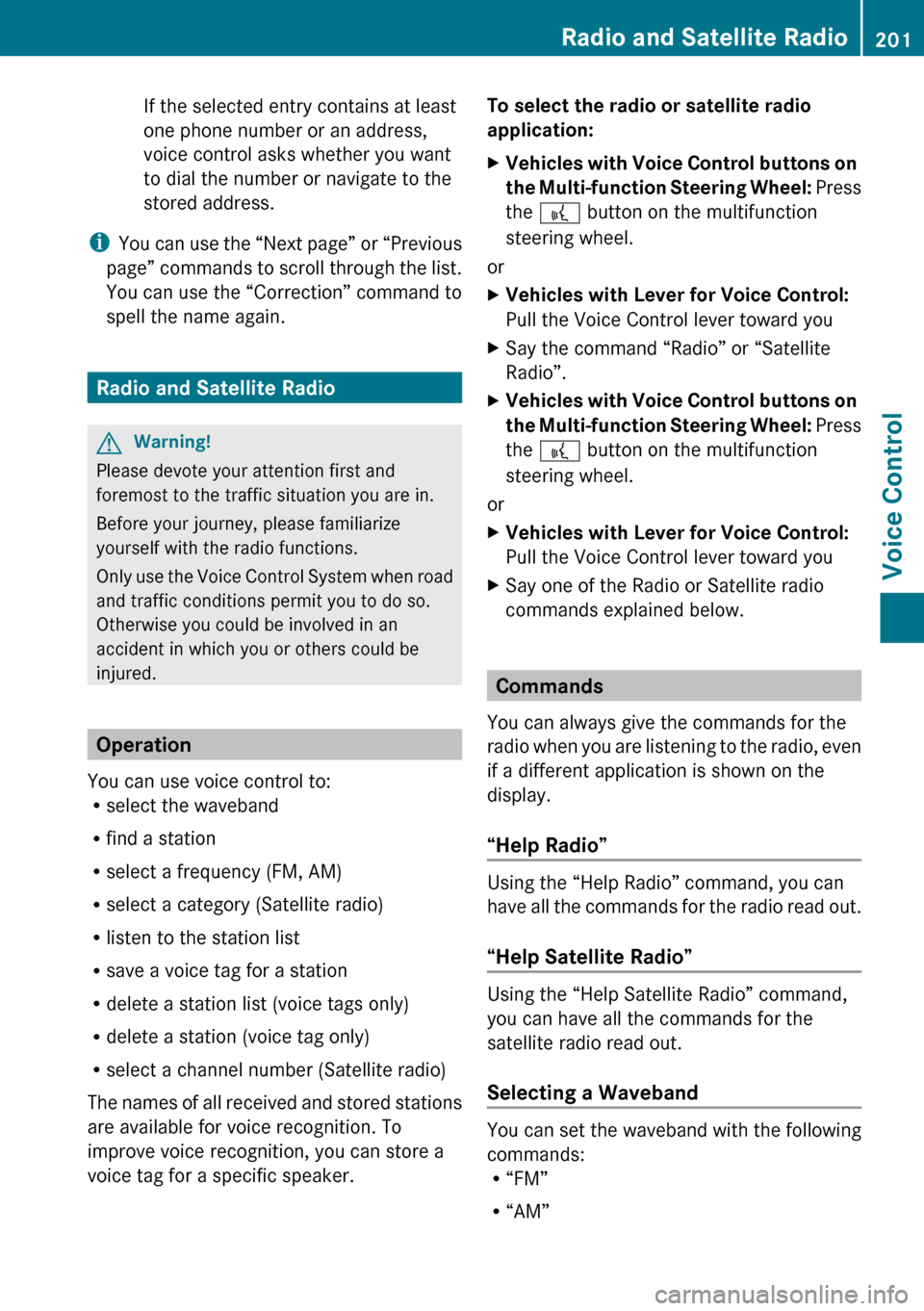
Operation
You can use voice control to:
R select the waveband
R find a station
R select a frequency (FM, AM)
R select a category (Satellite radio)
R listen to the station list
R save a voice tag for a station
R delete a station list (voice tags only)
R delete a station (voice tag only)
R select a channel number (Satellite radio)
The names of all received and stored stations
are available for voice recognition. To
improve voice recognition, you can store a
voice tag for a specific speaker.
To select the radio or satellite radio
application: XVehicles with Voice Control buttons on
the Multi-function Steering Wheel: Press
the ? button on the multifunction
steering wheel.
or
XVehicles with Lever for Voice Control:
Pull the Voice Control lever toward youXSay the command “Radio” or “Satellite
Radio”.XVehicles with Voice Control buttons on
the Multi-function Steering Wheel: Press
the ? button on the multifunction
steering wheel.
or
XVehicles with Lever for Voice Control:
Pull the Voice Control lever toward youXSay one of the Radio or Satellite radio
commands explained below.
Commands
You can always give the commands for the
radio when you are listening to the radio, even
if a different application is shown on the
display.
“Help Radio”
Using the “Help Radio” command, you can
have all the commands for the radio read out.
“Help Satellite Radio”
Using the “Help Satellite Radio” command,
you can have all the commands for the
satellite radio read out.
Selecting a Waveband
You can set the waveband with the following
commands:
R “FM”
R “AM”
Radio and Satellite Radio201Voice ControlZ
Page 208 of 224
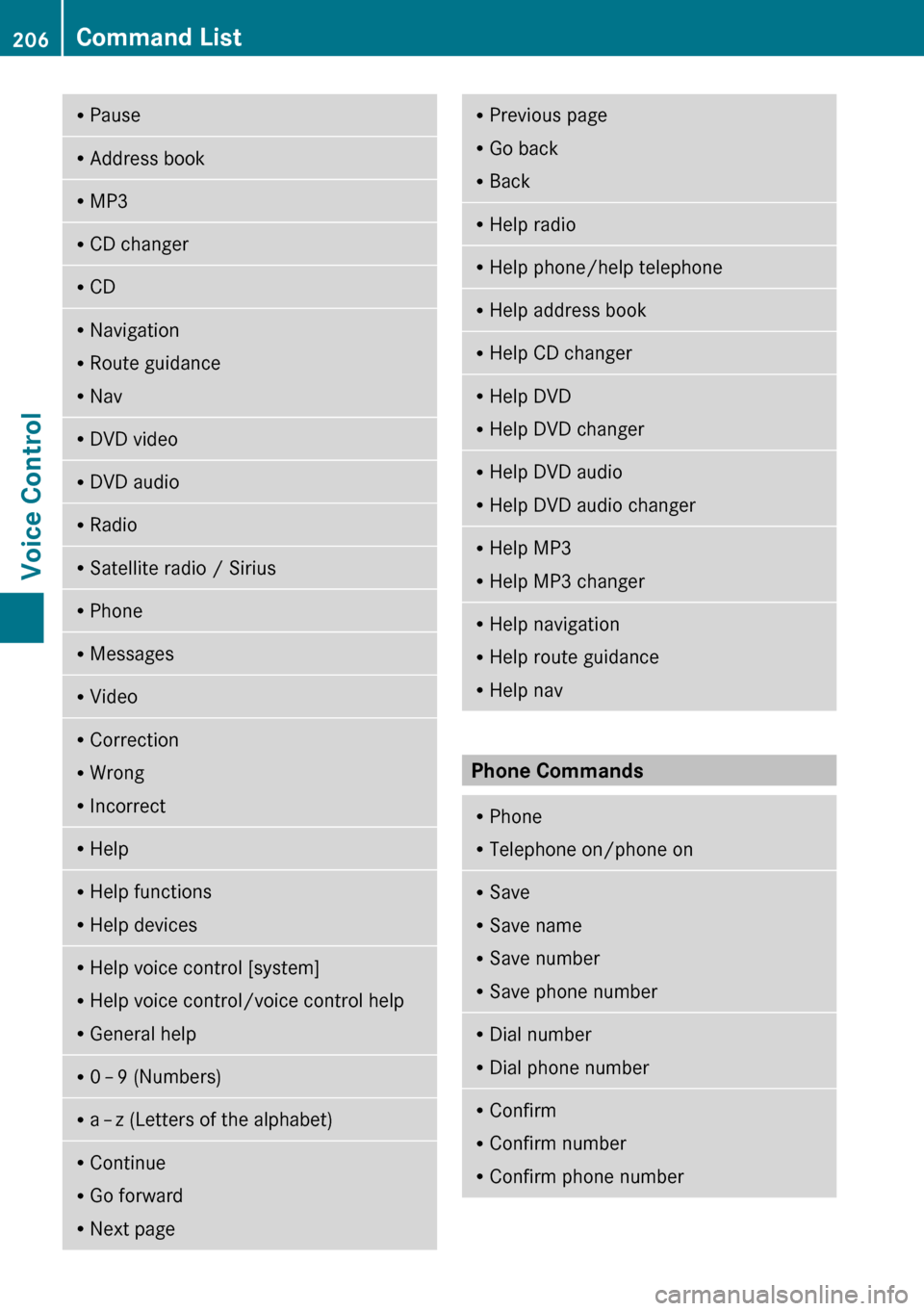
RPauseRAddress bookRMP3RCD changerRCDRNavigation
R Route guidance
R NavRDVD videoRDVD audioRRadioRSatellite radio / SiriusRPhoneRMessagesRVideoRCorrection
R Wrong
R IncorrectRHelpRHelp functions
R Help devicesRHelp voice control [system]
R Help voice control/voice control help
R General helpR0 – 9 (Numbers)R
a – z (Letters of the alphabet)R
Continue
R Go forward
R Next pageRPrevious page
R Go back
R BackRHelp radioRHelp phone/help telephoneRHelp address bookRHelp CD changerRHelp DVD
R Help DVD changerRHelp DVD audio
R Help DVD audio changerRHelp MP3
R Help MP3 changerRHelp navigation
R Help route guidance
R Help nav
Phone Commands
R
Phone
R Telephone on/phone onRSave
R Save name
R Save number
R Save phone numberRDial number
R Dial phone numberRConfirm
R Confirm number
R Confirm phone number206Command ListVoice Control
Page 209 of 224
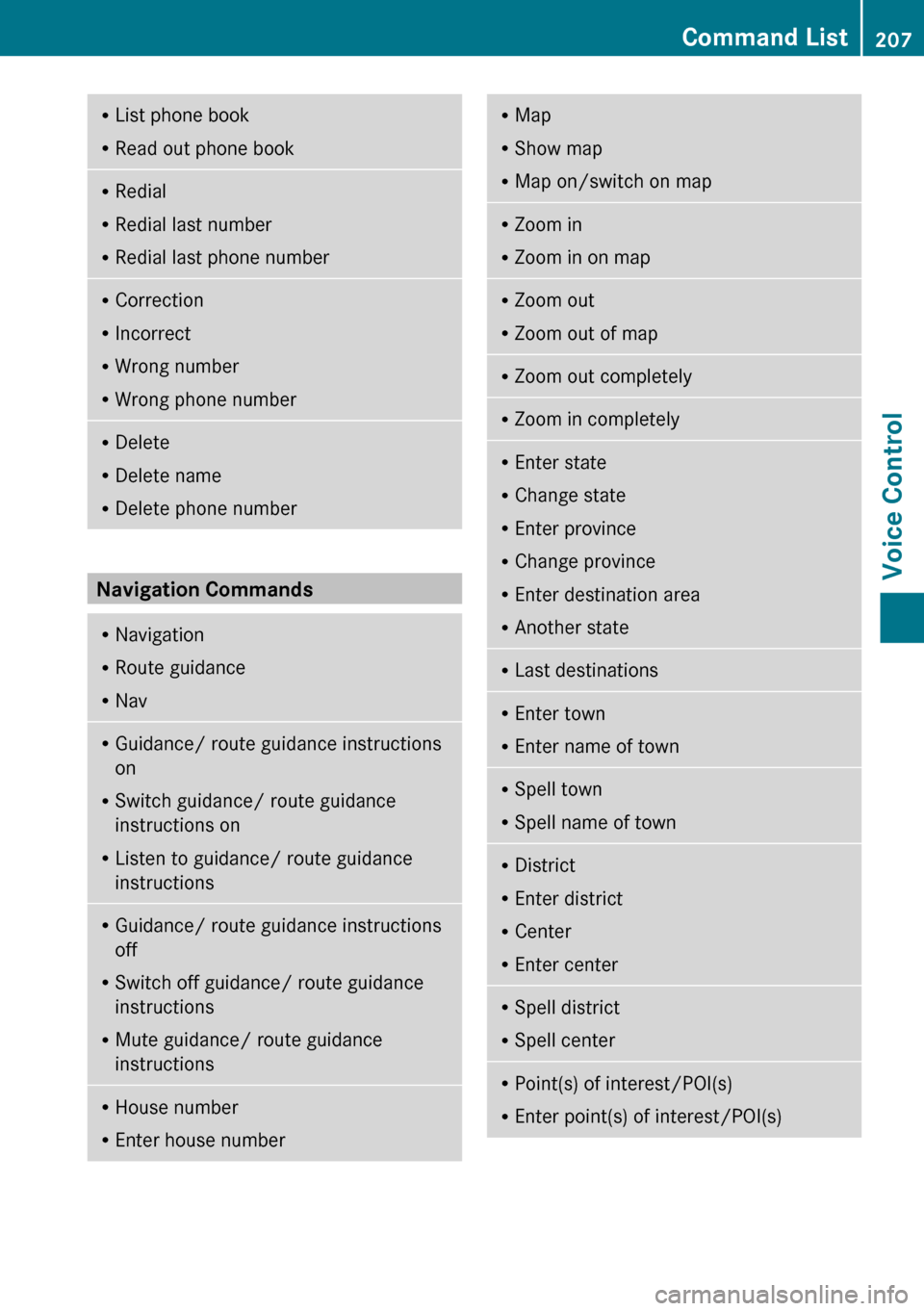
RList phone book
R Read out phone bookRRedial
R Redial last number
R Redial last phone numberRCorrection
R Incorrect
R Wrong number
R Wrong phone numberRDelete
R Delete name
R Delete phone number
Navigation Commands
RNavigation
R Route guidance
R NavRGuidance/ route guidance instructions
on
R Switch guidance/ route guidance
instructions on
R Listen to guidance/ route guidance
instructionsR Guidance/ route guidance instructions
off
R Switch off guidance/ route guidance
instructions
R Mute guidance/ route guidance
instructionsR House number
R Enter house numberRMap
R Show map
R Map on/switch on mapRZoom in
R Zoom in on mapRZoom out
R Zoom out of mapRZoom out completelyRZoom in completelyREnter state
R Change state
R Enter province
R Change province
R Enter destination area
R Another stateRLast destinationsR
Enter town
R Enter name of townRSpell town
R Spell name of townRDistrict
R Enter district
R Center
R Enter centerRSpell district
R Spell centerRPoint(s) of interest/POI(s)
R Enter point(s) of interest/POI(s)Command List207Voice ControlZ
Page 210 of 224
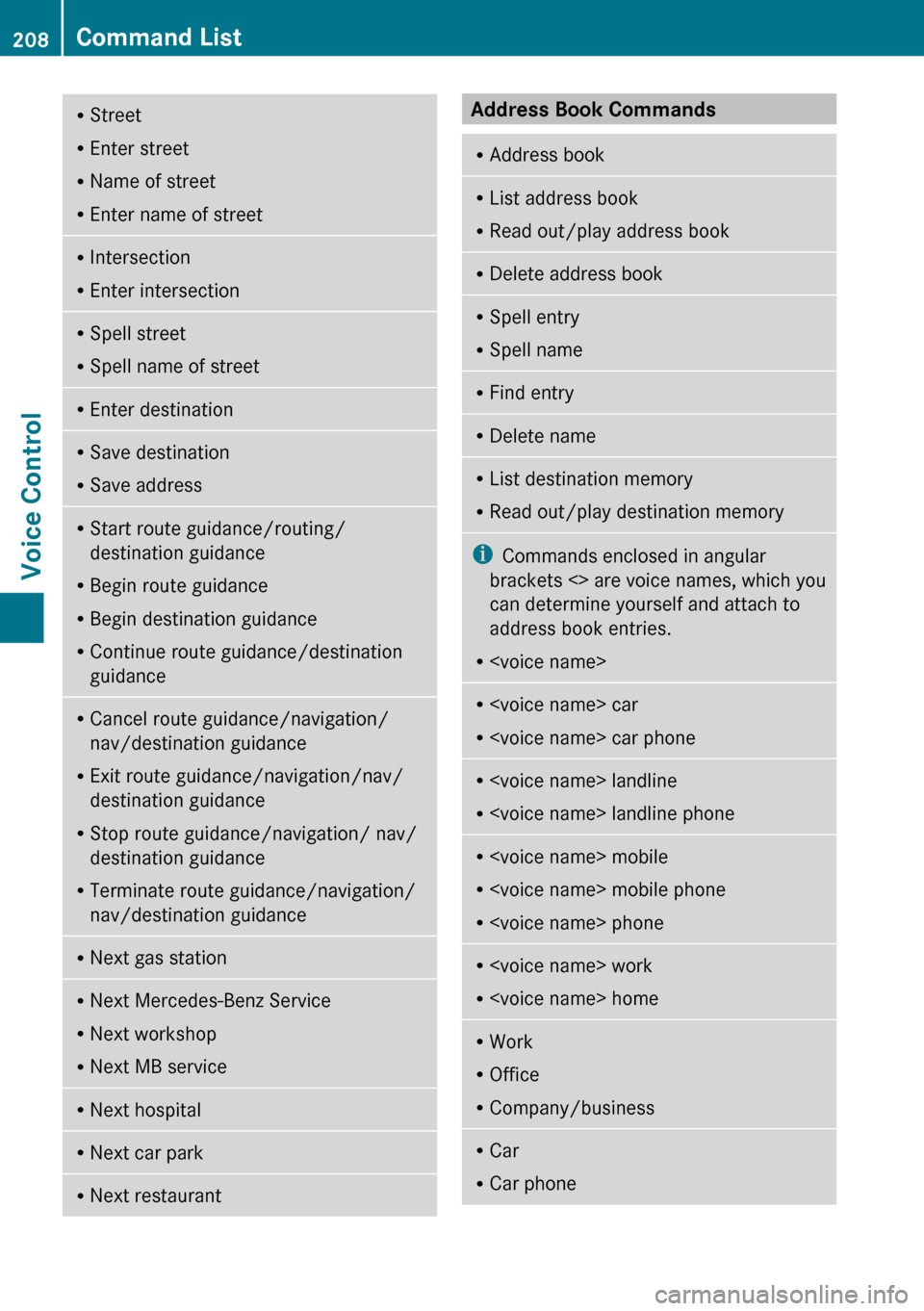
RStreet
R Enter street
R Name of street
R Enter name of streetRIntersection
R Enter intersectionRSpell street
R Spell name of streetREnter destinationRSave destination
R Save addressRStart route guidance/routing/
destination guidance
R Begin route guidance
R Begin destination guidance
R Continue route guidance/destination
guidanceR Cancel route guidance/navigation/
nav/destination guidance
R Exit route guidance/navigation/nav/
destination guidance
R Stop route guidance/navigation/ nav/
destination guidance
R Terminate route guidance/navigation/
nav/destination guidanceR Next gas stationR
Next Mercedes-Benz Service
R Next workshop
R Next MB serviceRNext hospitalRNext car parkRNext restaurantAddress Book Commands RAddress bookRList address book
R Read out/play address bookRDelete address bookRSpell entry
R Spell nameRFind entryRDelete nameRList destination memory
R Read out/play destination memoryi Commands enclosed in angular
brackets <> are voice names, which you
can determine yourself and attach to
address book entries.
R
R
R
R
R
R
R Office
R Company/businessRCar
R Car phone208Command ListVoice Control