light MERCEDES-BENZ G-CLASS 2018 COMAND Manual
[x] Cancel search | Manufacturer: MERCEDES-BENZ, Model Year: 2018, Model line: G-CLASS, Model: MERCEDES-BENZ G-CLASS 2018Pages: 198, PDF Size: 4.53 MB
Page 103 of 198
Phone book
Introduction
The phone book displays the contacts from the
address book which have a phone number.
The phone book of the mobile phone is auto-
matically displayed in the multimedia system
after the connection is established (default set-
ting). You can deactivate automatic calling up
(
Ypage 108).
In the telephone book, you can:
RCreate new contacts (Ypage 102)
RAdd information to contacts (Ypage 103)
RSearch for contacts (Ypage 101)
RStore contacts (Ypage 104)
RDelete contacts (Ypage 104)
Further information on importing contacts
(
Ypage 109).
When you import, save, edit or add contacts,
they will be permanently saved in the multime-
dia system. These contacts will remain available
even when you connect the multimedia system
to a different mobile phone. You can view these contacts even without a mobile phone.
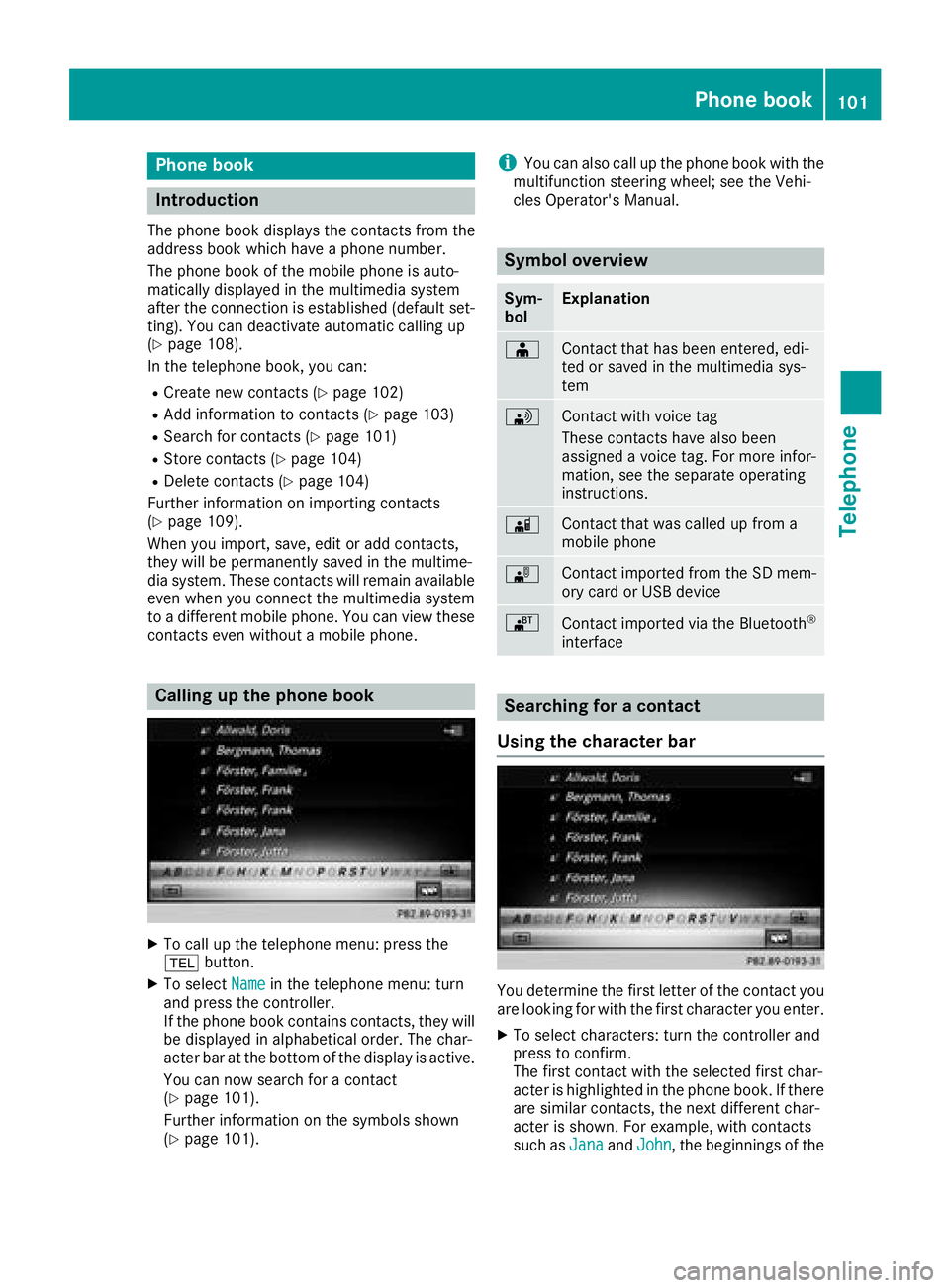
Calling up the phone book
XTo call up the telephone menu: press the
% button.
XTo select Namein the telephone menu: turn
and press the controller.
If the phone book contains contacts, they will
be displayed in alphabetical order. The char-
acter bar at the bottom of the display is active.
You can now search for a contact
(
Ypage 101).
Further information on the symbols shown
(
Ypage 101).
iYou can also call up the phone book with the
multifunction steering wheel; see the Vehi-
cles Operator's Manual.
Symbol overview
Sym-
bolExplanation
ÆContact that has been entered, edi-
ted or saved in the multimedia sys-
tem
\Contact with voice tag
These contacts have also been
assigned a voice tag. For more infor-
mation, see the separate operating
instructions.
ÃContact that was called up from a
mobile phone
¯Contact imported from the SD mem-
ory card or USB device
®Contact imported via the Bluetooth®
interface
Searching for a contact
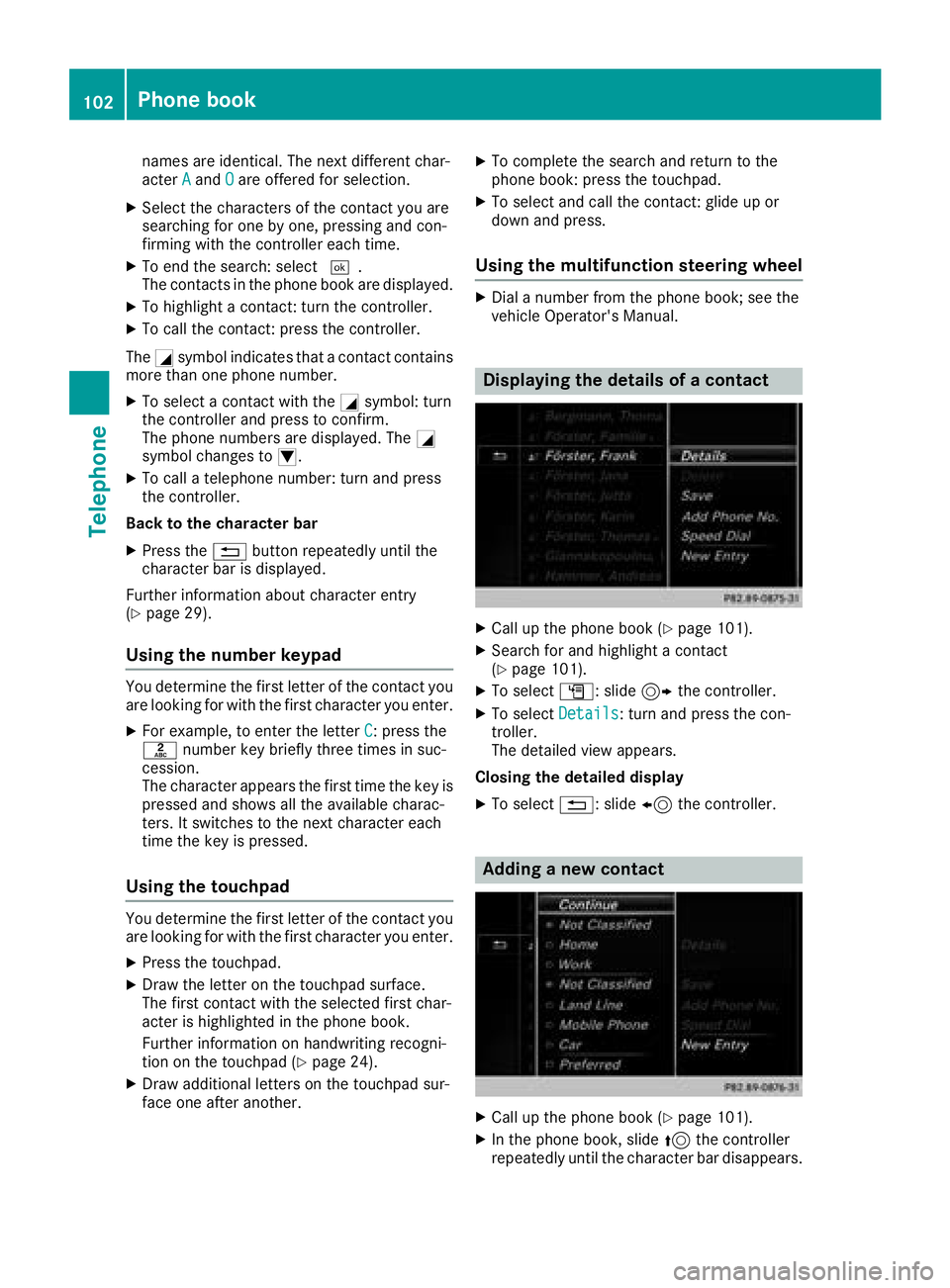
Using the character bar
You determine the first letter of the contact you
are looking for with the first character you enter.
XTo select characters: turn the controller and
press to confirm.
The first contact with the selected first char-
acter is highlighted in the phone book. If there
are similar contacts, the next different char-
acter is shown. For example, with contacts
such as Jana
andJohn, the beginnings of the
Phone book101
Telephone
Z
Page 104 of 198
names are identical. The next different char-
acterAandOare offered for selection.
XSelect the characters of the contact you are
searching for one by one, pressing and con-
firming with the controller each time.
XTo end the search: select ¬.
The contacts in the phone book are displayed.
XTo highlight a contact: turn the controller.
XTo call the contact: press the controller.
The Gsymbol indicates that a contact contains
more than one phone number.
XTo select a contact with the Gsymbol: turn
the controller and press to confirm.
The phone numbers are displayed. The G
symbol changes to I.
XTo call a telephone number: turn and press
the controller.
Back to the character bar
XPress the %button repeatedly until the
character bar is displayed.
Further information about character entry
(
Ypage 29).
Using the number keypad
You determine the first letter of the contact you
are looking for with the first character you enter.
XFor example, to enter the letter C: press the
l number key briefly three times in suc-
cession.
The character appears the first time the key is
pressed and shows all the available charac-
ters. It switches to the next character each
time the key is pressed.
Using the touchpad
You determine the first letter of the contact you
are looking for with the first character you enter.
XPress the touchpad.
XDraw the letter on the touchpad surface.
The first contact with the selected first char-
acter is highlighted in the phone book.
Further information on handwriting recogni-
tion on the touchpad (
Ypage 24).
XDraw additional letters on the touchpad sur-
face one after another.
XTo complete the search and return to the
phone book: press the touchpad.
XTo select and call the contact: glide up or
down and press.
Using the multifunction steering wheel
XDial a number from the phone book; see the
vehicle Operator's Manual.
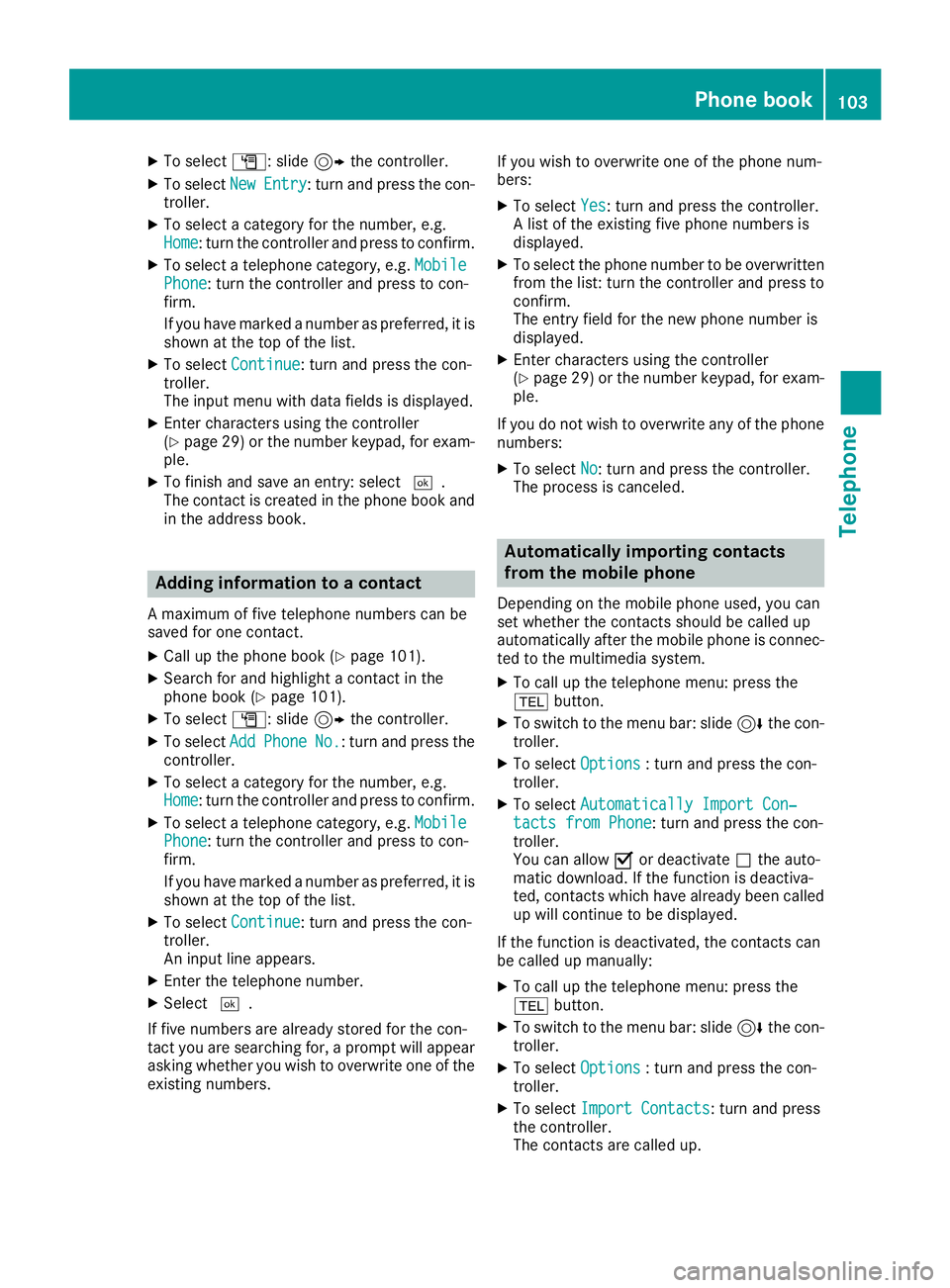
Displaying the details of a contact
XCall up the phone book (Ypage 101).
XSearch for and highlight a contact
(Ypage 101).
XTo select G: slide 9the controller.
XTo select Details: turn and press the con-
troller.
The detailed view appears.
Closing the detailed display
XTo select %: slide 8the controller.
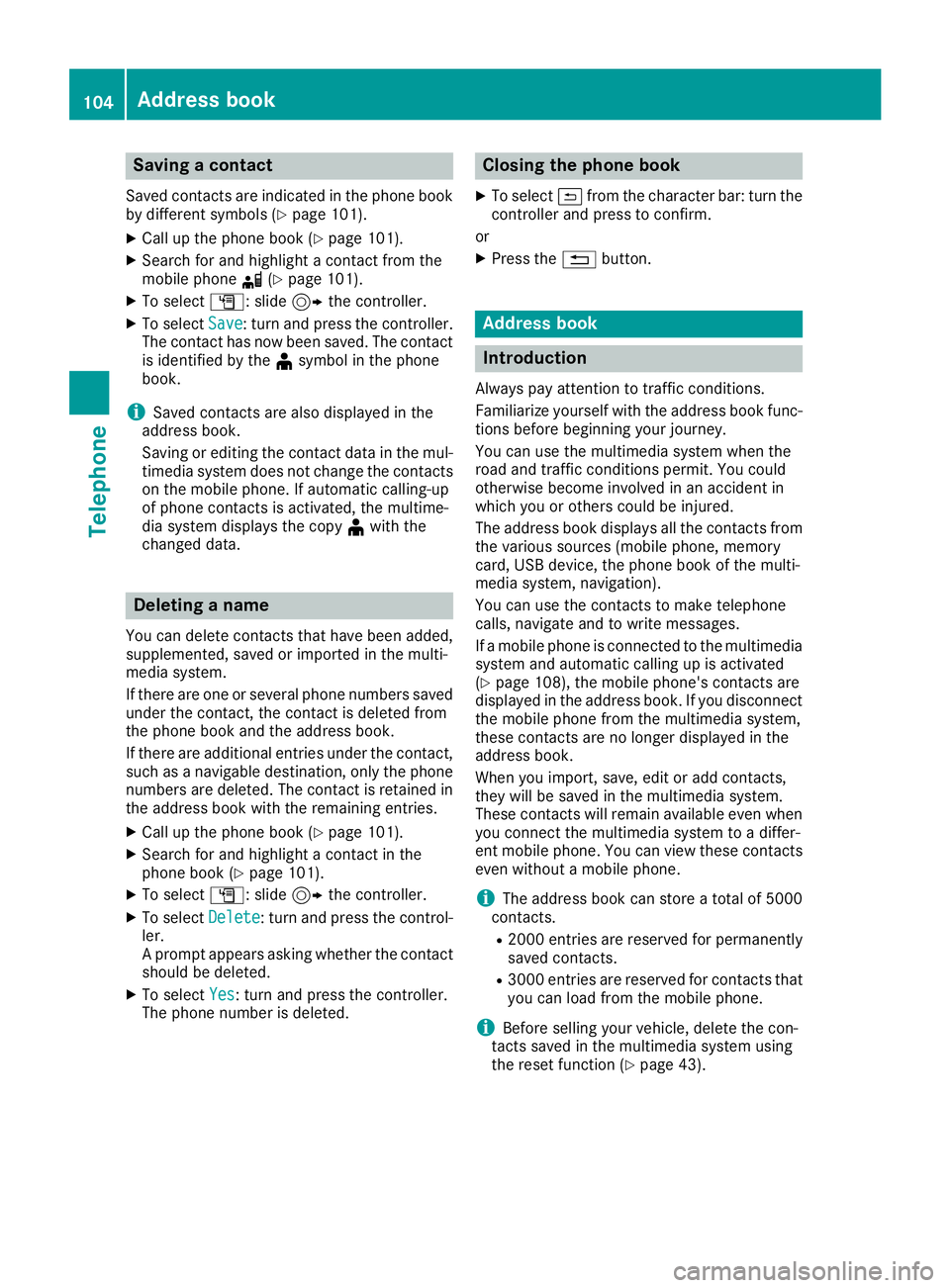
Adding a new contact
XCall up the phone book (Ypage 101).
XIn the phone book, slide 5the controller
repeatedly until the character bar disappears.
102Phone book
Telephone
Page 105 of 198
XTo selectG: slide 9the controller.
XTo select NewEntry: turn and press the con-
troller.
XTo select a category for the number, e.g.
Home: turn the controller and press to confirm.
XTo select a telephone category, e.g. MobilePhone: turn the controller and press to con-
firm.
If you have marked a number as preferred, it is
shown at the top of the list.
XTo select Continue: turn and press the con-
troller.
The input menu with data fields is displayed.
XEnter characters using the controller
(Ypage 29) or the number keypad, for exam-
ple.
XTo finish and save an entry: select ¬.
The contact is created in the phone book and in the address book.
Adding information to a contact
A maximum of five telephone numbers can be
saved for one contact.
XCall up the phone book (Ypage 101).
XSearch for and highlight a contact in the
phone book (Ypage 101).
XTo select G: slide 9the controller.
XTo select AddPhoneNo.: turn and press the
controller.
XTo select a category for the number, e.g.
Home: turn the controller and press to confirm.
XTo select a telephone category, e.g. MobilePhone: turn the controller and press to con-
firm.
If you have marked a number as preferred, it is
shown at the top of the list.
XTo select Continue: turn and press the con-
troller.
An input line appears.
XEnter the telephone number.
XSelect ¬.
If five numbers are already stored for the con-
tact you are searching for, a prompt will appear
asking whether you wish to overwrite one of the
existing numbers. If you wish to overwrite one of the phone num-
bers:
XTo select
Yes: turn and press the controller.
A list of the existing five phone numbers is
displayed.
XTo select the phone number to be overwritten
from the list: turn the controller and press to
confirm.
The entry field for the new phone number is
displayed.
XEnter characters using the controller
(Ypage 29) or the number keypad, for exam-
ple.
If you do not wish to overwrite any of the phone
numbers:
XTo select No: turn and press the controller.
The process is canceled.
Automatically importing contacts
from the mobile phone
Depending on the mobile phone used, you can
set whether the contacts should be called up
automatically after the mobile phone is connec-
ted to the multimedia system.
XTo call up the telephone menu: press the
% button.
XTo switch to the menu bar: slide 6the con-
troller.
XTo select Options: turn and press the con-
troller.
XTo select Automatically Import Con‐tacts from Phone: turn and press the con-
troller.
You can allow Oor deactivate ªthe auto-
matic download. If the function is deactiva-
ted, contacts which have already been called
up will continue to be displayed.
If the function is deactivated, the contacts can
be called up manually:
XTo call up the telephone menu: press the
% button.
XTo switch to the menu bar: slide 6the con-
troller.
XTo select Options: turn and press the con-
troller.
XTo select Import Contacts: turn and press
the controller.
The contacts are called up.
Phone book103
Telephone
Z
Page 106 of 198
Saving a contact
Saved contacts are indicated in the phone book
by different symbols (Ypage 101).
XCall up the phone book (Ypage 101).
XSearch for and highlight a contact from the
mobile phoned(Ypage 101).
XTo select G: slide 9the controller.
XTo select Save: turn and press the controller.
The contact has now been saved. The contact
is identified by the ¥symbol in the phone
book.
iSaved contacts are also displayed in the
address book.
Saving or editing the contact data in the mul-
timedia system does not change the contacts
on the mobile phone. If automatic calling-up
of phone contacts is activated, the multime-
dia system displays the copy ¥with the
changed data.
Deleting a name
You can delete contacts that have been added,
supplemented, saved or imported in the multi-
media system.
If there are one or several phone numbers saved under the contact, the contact is deleted from
the phone book and the address book.
If there are additional entries under the contact,
such as a navigable destination, only the phone
numbers are deleted. The contact is retained in the address book with the remaining entries.
XCall up the phone book (Ypage 101).
XSearch for and highlight a contact in the
phone book (Ypage 101).
XTo select G: slide 9the controller.
XTo select Delete: turn and press the control-
ler.
A prompt appears asking whether the contact
should be deleted.
XTo select Yes: turn and press the controller.
The phone number is deleted.
Closing the phone book
XTo select &from the character bar: turn the
controller and press to confirm.
or
XPress the %button.
Address book
Introduction
Always pay attention to traffic conditions.
Familiarize yourself with the address book func-
tions before beginning your journey.
You can use the multimedia system when the
road and traffic conditions permit. You could
otherwise become involved in an accident in
which you or others could be injured.
The address book displays all the contacts from
the various sources (mobile phone, memory
card, USB device, the phone book of the multi-
media system, navigation).
You can use the contacts to make telephone
calls, navigate and to write messages.
If a mobile phone is connected to the multimedia
system and automatic calling up is activated
(
Ypage 108), the mobile phone's contacts are
displayed in the address book. If you disconnect
the mobile phone from the multimedia system,
these contacts are no longer displayed in the
address book.
When you import, save, edit or add contacts,
they will be saved in the multimedia system.
These contacts will remain available even when
you connect the multimedia system to a differ-
ent mobile phone. You can view these contacts
even without a mobile phone.
iThe address book can store a total of 5000
contacts.
R2000 entries are reserved for permanently
saved contacts.
R3000 entries are reserved for contacts that
you can load from the mobile phone.
iBefore selling your vehicle, delete the con-
tacts saved in the multimedia system using
the reset function (
Ypage 43).
104Address book
Telephone
Page 107 of 198
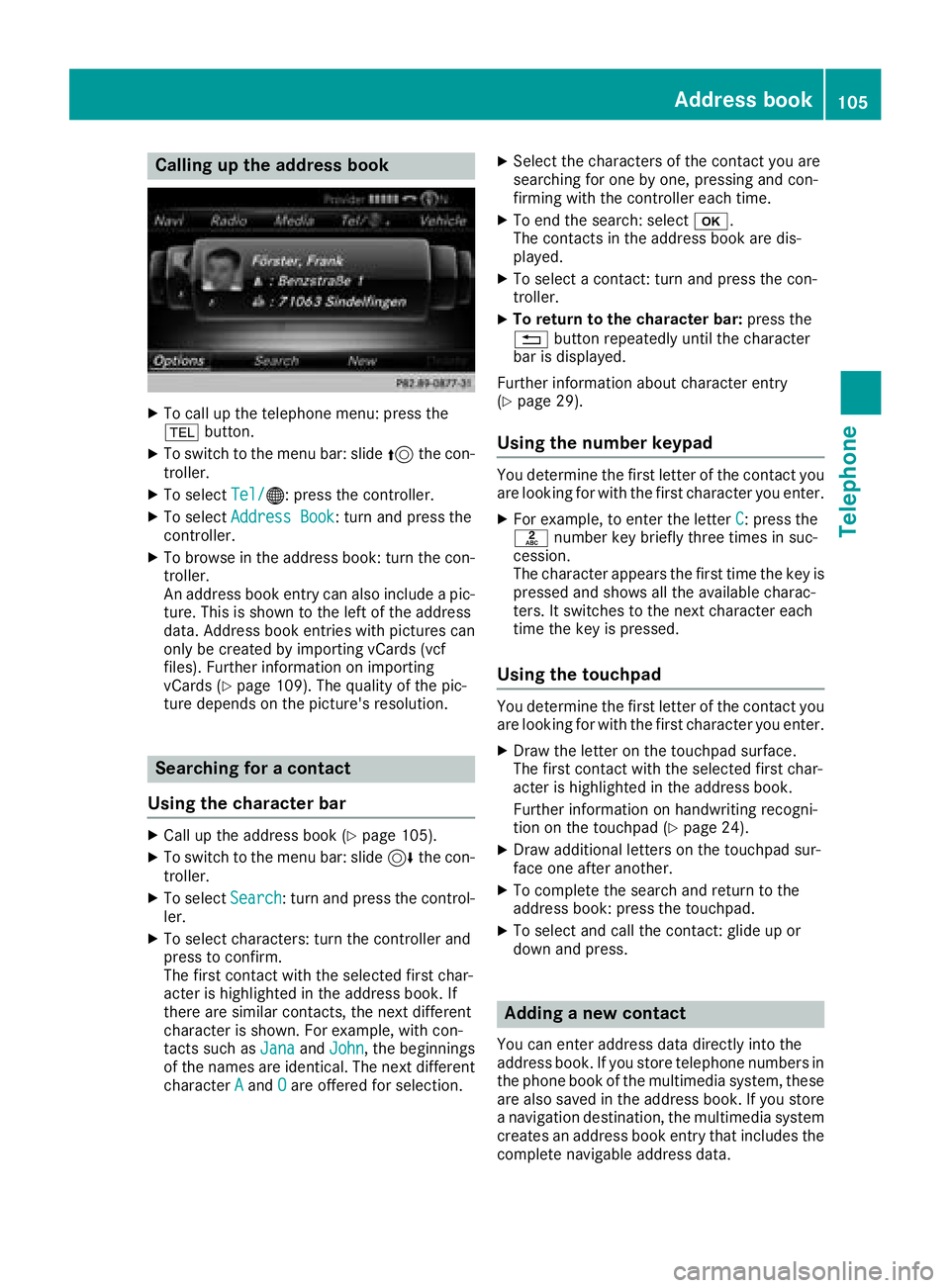
Calling up the address book
XTo call up the telephone menu: press the
%button.
XTo switch to the menu bar: slide 5the con-
troller.
XTo select Tel/®: press the controller.
XTo selectAddress Book: turn and press the
controller.
XTo browse in the address book: turn the con- troller.
An address book entry can also include a pic-
ture. This is shown to the left of the address
data. Address book entries with pictures can
only be created by importing vCards (vcf
files). Further information on importing
vCards (
Ypage 109). The quality of the pic-
ture depends on the picture's resolution.
Searching for a contact
Using the character bar
XCall up the address book (Ypage 105).
XTo switch to the menu bar: slide 6the con-
troller.
XTo select Search: turn and press the control-
ler.
XTo select characters: turn the controller and
press to confirm.
The first contact with the selected first char-
acter is highlighted in the address book. If
there are similar contacts, the next different
character is shown. For example, with con-
tacts such as Jana
andJohn, the beginnings
of the names are identical. The next different
character A
andOare offered for selection.
XSelect the characters of the contact you are
searching for one by one, pressing and con-
firming with the controller each time.
XTo end the search: select b.
The contacts in the address book are dis-
played.
XTo select a contact: turn and press the con-
troller.
XTo return to the character bar: press the
% button repeatedly until the character
bar is displayed.
Further information about character entry
(
Ypage 29).
Using the number keypad
You determine the first letter of the contact you
are looking for with the first character you enter.
XFor example, to enter the letter C: press the
l number key briefly three times in suc-
cession.
The character appears the first time the key is
pressed and shows all the available charac-
ters. It switches to the next character each
time the key is pressed.
Using the touchpad
You determine the first letter of the contact you
are looking for with the first character you enter.
XDraw the letter on the touchpad surface.
The first contact with the selected first char-
acter is highlighted in the address book.
Further information on handwriting recogni-
tion on the touchpad (
Ypage 24).
XDraw additional letters on the touchpad sur-
face one after another.
XTo complete the search and return to the
address book: press the touchpad.
XTo select and call the contact: glide up or
down and press.
Adding a new contact
You can enter address data directly into the
address book. If you store telephone numbers in the phone book of the multimedia system, these
are also saved in the address book. If you store
a navigation destination, the multimedia system
creates an address book entry that includes the
complete navigable address data.
Address book105
Telephone
Z
Page 109 of 198
Making a call
XCall up the address book (Ypage 105).
XTo select a contact: turn and press the con-
troller.
The details for the contact are displayed.
XTo select a telephone number: turn and press
the controller.
The number is dialed. Further information
about the functions during a call (
Ypage 98).
Sending text messages
XCall up the address book (Ypage 105).
XTo select a contact: turn and press the con-
troller.
The details for the contact are displayed.
XTo highlight the telephone number: turn the
controller.
XTo selectG: slide 9the controller.
XTo select Send Text Message: turn and
press the controller.
The entry fields for a text message are dis-
played.
Observe the requirements for the message func-
tion (
Ypage 113).
Sending an e-mail
XCall up the address book (Ypage 105).
XSelect an entry: turn and press the controller.
The details for the contact are displayed.
XTo select an e-mail address: turn and press
the controller.
The entry fields for an e-mail are displayed
(
Ypage 117).
Observe the requirements for the message func-
tion (
Ypage 113).
Displaying sub-entry information
XCall up the address book (Ypage 105).
XSelect an entry: turn and press the controller.
The details for the contact are displayed.
XTo highlight the desired entry: turn the con-
troller.
XTo select G: slide 9the controller.
XTo select Details: turn and press the con-
troller.
The display is shown in full.
XTo close the detailed display: press the
% button.
Editing a contact
XCall up the address book (Ypage 105).
XTo select a contact: turn and press the con-
troller.
The details for the contact are displayed.
XTo highlight the desired entry: turn the con-
troller.
XTo select G: slide 9the controller.
XTo select Edit: turn and press the controller.
The entry field for the selected entry is dis-
played.
Further information about character entry
(
Ypage 29).
Changing the category of an entry
XCall up the address book (Ypage 105).
XSelect an entry: turn and press the controller.
The details for the contact are displayed.
XTo highlight the desired entry: turn the con-
troller.
XTo select G: slide 9the controller.
XTo select Change Category: turn and press
the controller.
XTo select a category: turn the controller and
press to confirm.
XSelect Save.
Storing the phone number as a speed
dial number
XCall up the address book (Ypage 105).
XSelect an entry: turn and press the controller.
The details for the contact are displayed.
XTo highlight the desired telephone number:
turn the controller.
XTo select G: slide 9the controller.
XTo select Speed Dial: turn and press the
controller.
Address book107
Telephone
Z
Page 113 of 198
Call lists
Introduction
If your mobile phone supports the PBAP Blue-
tooth®profile, the call lists from the mobile
phone are displayed in the multimedia system.
If the mobile phone call lists cannot be dis-
played, the multimedia system generates its
own call lists. These are not the same as the call
lists in your mobile phone.
The Call
Listsoption is not available unless a
mobile phone is connected to the multimedia
system.
If the contact for an incoming call is not saved in
the address book, you can use the call list to
save the telephone number. You can save this
telephone number as a new contact in the
address book or add it to an existing contact
(
Ypage 111).
iIf you connect a different mobile phone to
the multimedia system, the call lists from the new mobile phone are displayed.
Opening the call list and selecting an
entry
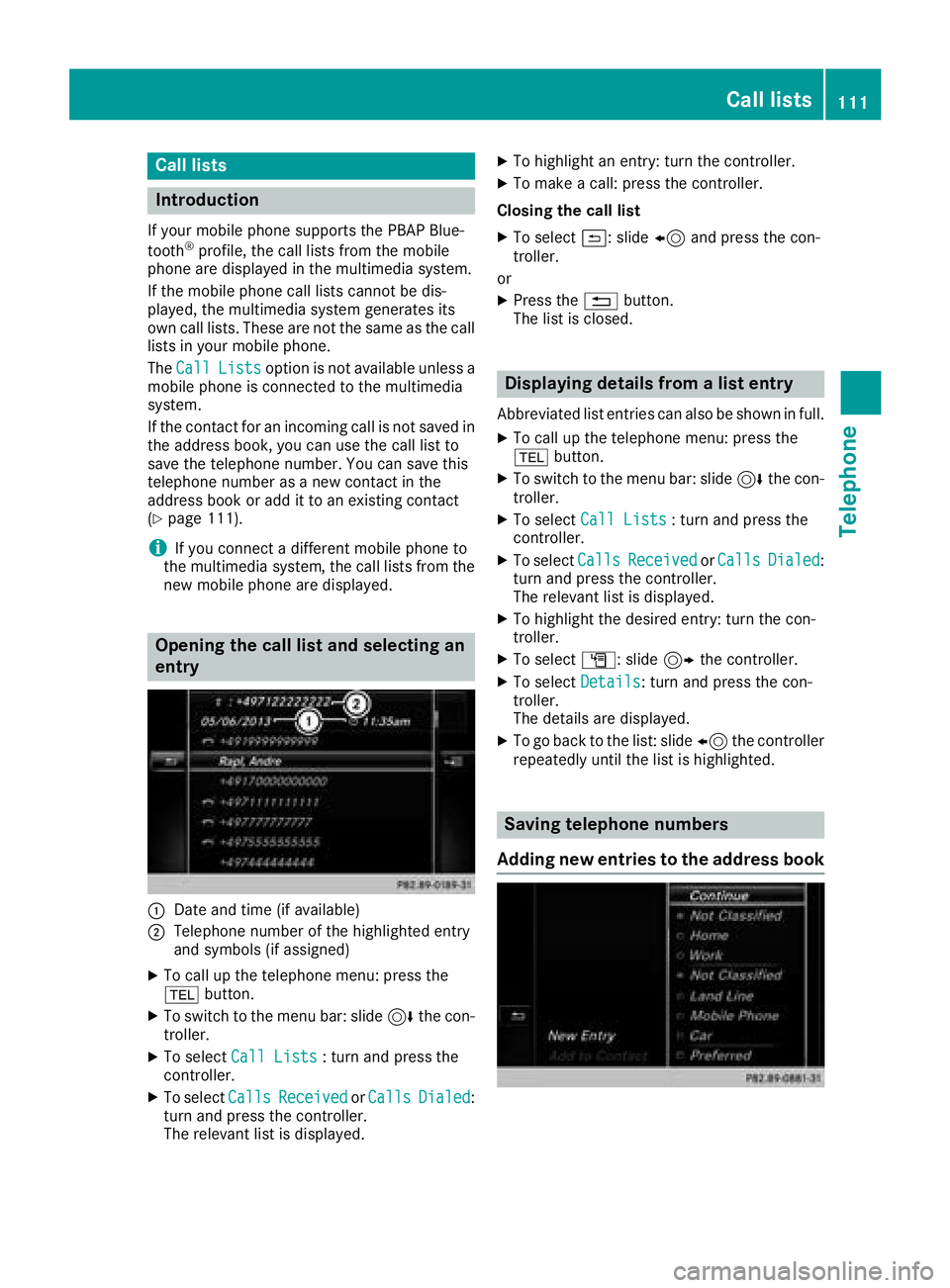
:Date and time (if available)
;Telephone number of the highlighted entry
and symbols (if assigned)
XTo call up the telephone menu: press the
% button.
XTo switch to the menu bar: slide 6the con-
troller.
XTo select Call Lists: turn and press the
controller.
XTo select CallsReceivedorCallsDialed:
turn and press the controller.
The relevant list is displayed.
XTo highlight an entry: turn the controller.
XTo make a call: press the controller.
Closing the call list
XTo select &: slide 8and press the con-
troller.
or
XPress the %button.
The list is closed.
Displaying details from a list entry
Abbreviated list entries can also be shown in full.
XTo call up the telephone menu: press the
% button.
XTo switch to the menu bar: slide 6the con-
troller.
XTo select Call Lists: turn and press the
controller.
XTo select CallsReceivedorCallsDialed:
turn and press the controller.
The relevant list is displayed.
XTo highlight the desired entry: turn the con-
troller.
XTo select G: slide 9the controller.
XTo select Details: turn and press the con-
troller.
The details are displayed.
XTo go back to the list: slide 8the controller
repeatedly until the list is highlighted.
Saving telephone numbers
Adding new entries to the address book
Call lists111
Telephone
Z
Page 114 of 198
XTo call up the telephone menu: press the
%button.
XTo switch to the menu bar: slide 6the con-
troller.
XTo select Call Lists: turn and press the
controller.
XTo select CallsReceivedorCallsDialed:
turn and press the controller.
The relevant list is displayed.
XTo highlight the desired telephone number:
turn the controller.
XTo select G: slide 9the controller.
XTo select Save: turn and press the controller.
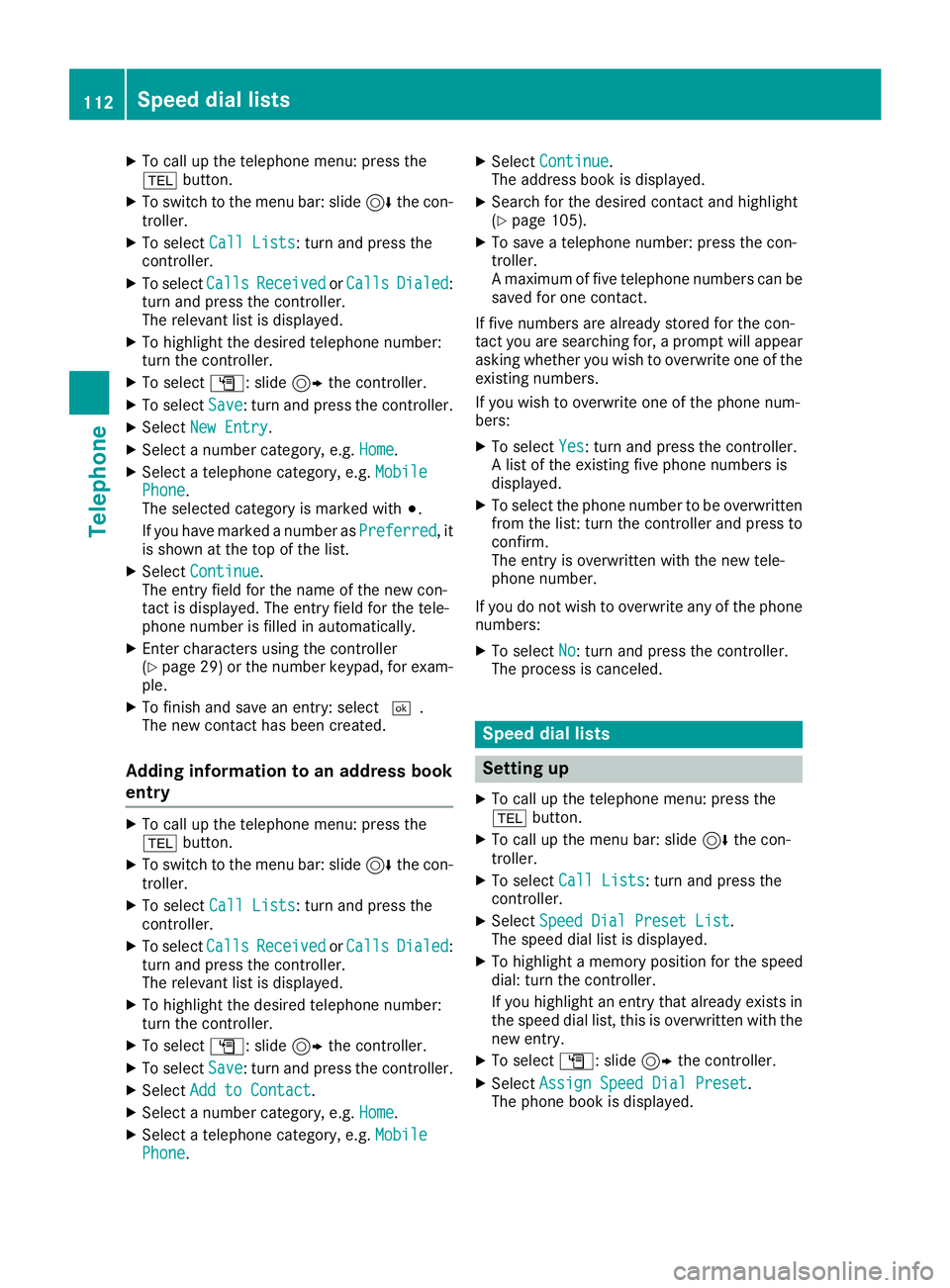
XSelectNew Entry.
XSelect a number category, e.g. Home.
XSelect a telephone category, e.g. MobilePhone.
The selected category is marked with #.
If you have marked a number as Preferred
, it
is shown at the top of the list.
XSelect Continue.
The entry field for the name of the new con-
tact is displayed. The entry field for the tele-
phone number is filled in automatically.
XEnter characters using the controller
(Ypage 29) or the number keypad, for exam-
ple.
XTo finish and save an entry: select ¬.
The new contact has been created.
Adding information to an address book
entry
XTo call up the telephone menu: press the
% button.
XTo switch to the menu bar: slide 6the con-
troller.
XTo select Call Lists: turn and press the
controller.
XTo select CallsReceivedorCallsDialed:
turn and press the controller.
The relevant list is displayed.
XTo highlight the desired telephone number:
turn the controller.
XTo select G: slide 9the controller.
XTo select Save: turn and press the controller.
XSelectAdd to Contact.
XSelect a number category, e.g. Home.
XSelect a telephone category, e.g. MobilePhone.
XSelectContinue.
The address book is displayed.
XSearch for the desired contact and highlight
(Ypage 105).
XTo save a telephone number: press the con-
troller.
A maximum of five telephone numbers can be
saved for one contact.
If five numbers are already stored for the con-
tact you are searching for, a prompt will appear
asking whether you wish to overwrite one of the
existing numbers.
If you wish to overwrite one of the phone num-
bers:
XTo select Yes: turn and press the controller.
A list of the existing five phone numbers is
displayed.
XTo select the phone number to be overwritten
from the list: turn the controller and press to
confirm.
The entry is overwritten with the new tele-
phone number.
If you do not wish to overwrite any of the phone
numbers:
XTo select No: turn and press the controller.
The process is canceled.
Speed dial lists
Setting up
XTo call up the telephone menu: press the
% button.
XTo call up the menu bar: slide 6the con-
troller.
XTo select Call Lists: turn and press the
controller.
XSelect Speed Dial Preset List.
The speed dial list is displayed.
XTo highlight a memory position for the speed
dial: turn the controller.
If you highlight an entry that already exists in the speed dial list, this is overwritten with the
new entry.
XTo select G: slide 9the controller.
XSelect Assign Speed Dial Preset.
The phone book is displayed.
112Speed dial lists
Telephone
Page 115 of 198
XSearch for a contact (Ypage 101).
XTo select a contact: turn and press the con-
troller.
The phone number has been saved as a speed
dial.
Deleting
Deleting a speed dial preset
XTo call up the telephone menu: press the
% button.
XTo call up the menu bar: slide 6the con-
troller.
XTo select Call Lists: turn and press the
controller.
XSelect Speed Dial Preset List.
The speed dial list is displayed.
XTo highlight the memory position you want to
delete: turn the controller.
XTo select G: slide 9the controller.
XTo select DeleteSpeedDialPreset: turn
and press the controller.
XTo select Yes: turn and press the controller.
The speed dial preset has been deleted.
Deleting all speed dial presets
XTo call up the telephone menu: press the
% button.
XTo call up the menu bar: slide 6the con-
troller.
XTo select Call Lists: turn and press the
controller.
XSelect Speed Dial Preset List.
The speed dial list is displayed.
XTo select G: slide 9the controller.
XTo select Delete All Speed Dial Pre‐sets: turn and press the controller.
XTo selectYes: turn and press the controller.
All speed dials are deleted.
Messages (text messages and e-
mails)
General notes
New messages are identified by the /sym-
bol in the display of the multimedia system and an audible signal. Once you have read all the
messages, the symbol is no longer displayed.
The multimedia system displays the 100 newest
text messages and e-mails.
The
ú symbol is displayed when the mobile
phone's message memory is full. The symbol is
no longer displayed if you delete messages.
Function restrictions
Text messages cannot be written while the vehi-
cle is in motion.
Requirements
To use the message functions, the connected
mobile phone must support the MAP Bluetooth®
profile. When connecting the mobile phone, you
may have to accept the prompt for the MAP
Bluetooth
®profile.
With some mobile phones, some settings still
have to be made after connecting to the multi-
media system (see the manufacturer's operat-
ing instructions). The messages are then dis-
played the next time you connect to the multi-
media system.
An e-mail account must be set up on the mobile
phone for the e-mail function (see the manufac-
turer’s operating instructions).
To read and write e-mails in the multimedia sys- tem, the e-mail account first needs to be con-
figured (
Ypage 114).
Some mobile phones with the MAP Bluetooth®
profile:
Ronly show new text messages
Rdo not support the deleting or editing of text
messages
Rdo not support the drafts folder for text mes- sages
Rdo not support the sending of text messages
Rdo not support the e-mail function
Rdo not send messages when in a locked sta-
tus
Not all mobile phones available on the market
are equally suitable. Further information about
settings and supported functions of Bluetooth
®-
capable mobile phones can be found on the
Internet at
http://www.mercedes-benz.com/connect .
You can also obtain more information by calling.
Messages (text messages and e-mails)113
Telephone
Z
Page 116 of 198
In the USA, you can get in touch with the
Mercedes-Benz Customer Assistance Center on
1-800-FOR-MERCedes (1-800-367-6372).
In Canada, you can get in touch with the Cus-
tomer Relations Center on 1-800-387-0100.
Settings
Calling up the settings menu for mes-
sages
XTo call up the telephone menu: press the
% button.
XTo switch to the menu bar: slide 6the con-
troller.
XTo select 1: turn and press the controller.
The message menu is displayed.
XTo switch to the menu bar: slide 6the con-
troller.
XTo select Settings: turn and press the con-
troller.
The text message settings and the available e-
mail accounts of the connected mobile phone
will be displayed.
Configuring the text messages dis-
played
XCall up the settings menu for messages
(Ypage 114).
XTo highlight Text Message: turn the control-
ler.
XTo select G: slide 9the controller.
A menu with the following options is shown:
RAll Messages
All the messages are displayed.
RNew Messages
Only the messages that are new on the
mobile phone are displayed.
ROff
The messages are not displayed automati-
cally. You can display the 100 newest text
messages from the mobile phone using the
Download
option in the message menu.
XTo select the required option: turn and press
the controller.
Configuring the e-mails displayed
XCall up the settings menu for messages
(Ypage 114).
XTo highlight an e-mail account: turn the con-
troller.
XTo select G: slide 9the controller.
XTo select Automatic Download: turn and
press the controller.
A menu with the following options is shown:
RAll Messages
All the messages are displayed.
RNew Messages
Only the messages that are new on the
mobile phone are displayed.
ROff
The messages are not displayed automati-
cally. You can display the 100 newest e-
mails from the mobile phone using the
Download
option in the message menu.
XTo select the required option: turn and press
the controller.
Configuring an e-mail account
XCall up the settings menu for messages
(Ypage 114).
XTo select an e-mail account: turn and press
the controller.
The e-mail account is now configured. E-mails
can now be received and sent in the multi-
media system.
Deactivating the e-mail function
XCall up the settings menu for messages
(Ypage 114).
XTo select E-Mail Off: turn and press the
controller.
E-mail reception is deactivated.
Changing the displayed name of the e-
mail account
XCall up the settings menu for messages
(Ypage 114).
XTo highlight an e-mail account: turn the con-
troller.
114Messages (text messages and e-mails)
Telephone