stop start MERCEDES-BENZ G-CLASS SUV 2013 User Guide
[x] Cancel search | Manufacturer: MERCEDES-BENZ, Model Year: 2013, Model line: G-CLASS SUV, Model: MERCEDES-BENZ G-CLASS SUV 2013Pages: 364, PDF Size: 9.62 MB
Page 144 of 364
The ECO start/stop function is activated each
time the engine is switched on.
The ECO start/stop
function
is only available
in drive program C.
The system is operational when the 00A7
symbol is shown in green in the multifunction
display.
The system is operational if all conditions for
automatic engine switch-off have been
fulfilled ( Y page 142) and the 00A7 symbol is
shown in green in the multifunction display.
In addition, the Stop/Start active
message is shown in the AMG menu in the
multifunction display.
If not all conditions for automatic engine
switch-off ( Y page 142) are fulfilled, the
00A7 symbol is shown in yellow in the
multifunction display.
In addition, the Stop/Start inactive
message is shown in the AMG menu in the
multifunction display.
If the ECO start/stop function has been
manually deactivated ( Y page 142) or a
malfunction has caused the system to be
deactivated, the 00A7 symbol is not
displayed.
The Stop/Start active or Stop/Start
inactive message in the AMG menu in the
multifunction display goes out.
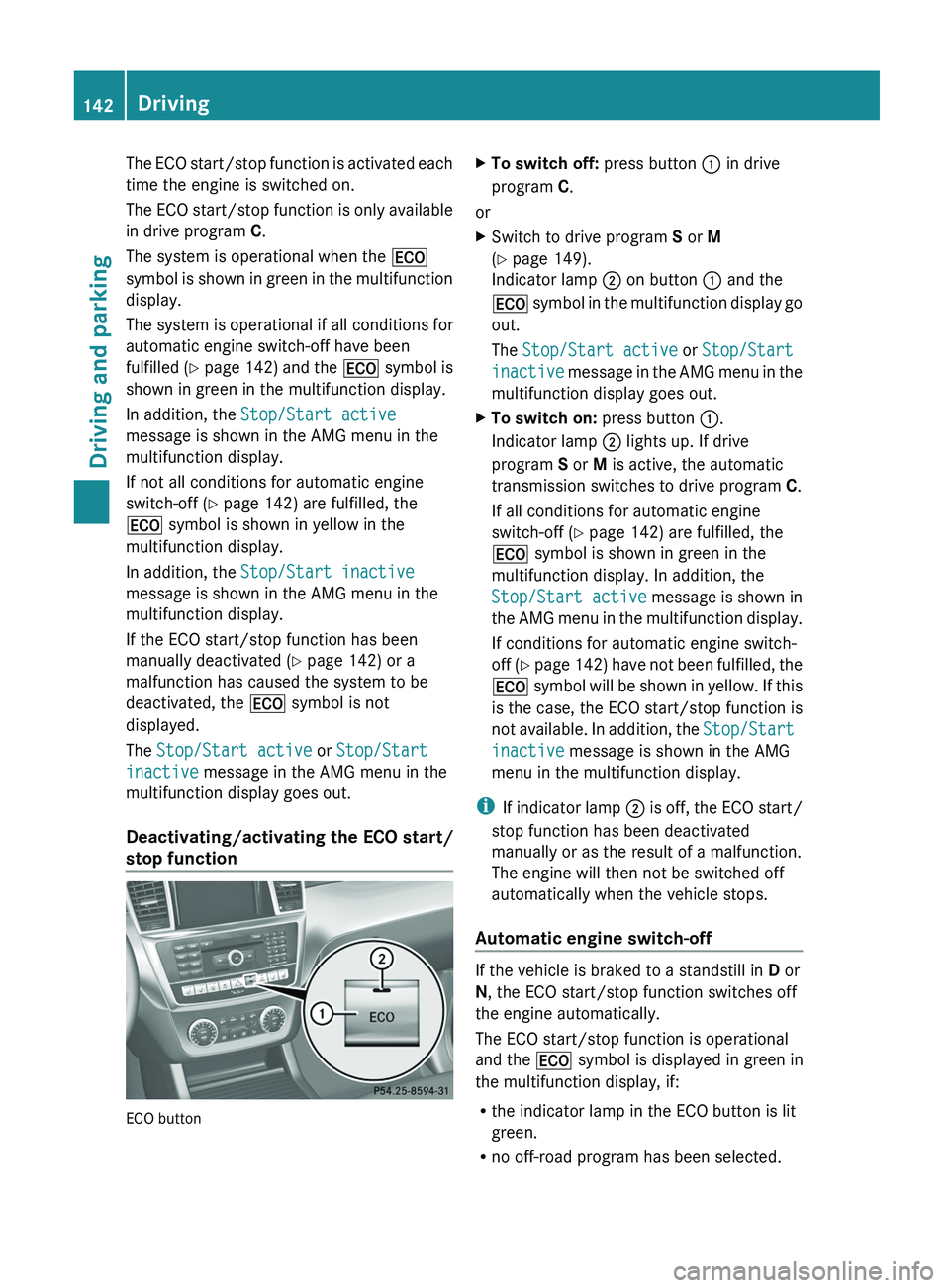
Deactivating/activating the ECO start/
stop function ECO button X
To switch off: press button 0043 in drive
program C.
or
X Switch to drive program S or M
(Y page 149).
Indicator lamp 0044 on button 0043 and the
00A7 symbol in the
multifunction display go
out.
The Stop/Start active or Stop/Start
inactive message in the AMG menu in the
multifunction display goes out.
X To switch on: press button 0043.
Indicator lamp 0044 lights up. If drive
program S or M is active, the automatic
transmission switches to drive program C.
If all conditions for automatic engine
switch-off ( Y page 142) are fulfilled, the
00A7 symbol is shown in green in the
multifunction display. In addition, the
Stop/Start active message
is shown
in
the AMG menu in the multifunction display.
If conditions for automatic engine switch-
off (Y page 142) have not been fulfilled, the
00A7 symbol will be shown in yellow. If this
is the case, the ECO start/stop function is
not available. In addition, the Stop/Start
inactive message is shown in the AMG
menu in the multifunction display.
i If indicator lamp
0044
is off, the ECO start/
stop function has been deactivated
manually or as the result of a malfunction.
The engine will then not be switched off
automatically when the vehicle stops.
Automatic engine switch-off If the vehicle is braked to a standstill in
D or
N, the ECO start/stop function switches off
the engine automatically.
The ECO start/stop function is operational
and the 00A7 symbol is displayed in green in
the multifunction display, if:
R the indicator lamp in the ECO button is lit
green.
R no off-road program has been selected.142
Driving
Driving and parking
Page 145 of 364
R
the vehicle is stationary.
R the outside temperature is within the
comfort range.
R the engine is at normal operating
temperature.
R the set temperature for
the vehicle interior
has been reached.
R the battery is sufficiently charged.
R the system detects that the windshield is
not fogged up when the air-conditioning
system is switched on.
R the hood is closed.
R the driver's door is closed and the driver's
seat belt is fastened.
If conditions for automatic engine switch-off
have not been fulfilled, the 00A7 symbol will
be shown in yellow.
In addition, the Stop/Start inactive
message is shown in the AMG menu in the
multifunction display.
i If you shift the transmission from R to D,
the ECO start/stop function is available
again once the 00A7 symbol reappears in
green in the multifunction display.
i The engine can be automatically switched
off an unlimited number of times.
i You can still activate the HOLD function
when the vehicle is stationary, even if the
engine has been switched off
automatically. It is then not necessary to
continue applying the brakes during the
automatic stop phase. When you depress
the accelerator pedal, the engine starts
automatically and the braking effect of the
HOLD function is deactivated. Depress the
accelerator pedal carefully, as the engine
must be started first.
i During automatic engine switch-off, the
climate control system only operates at a
reduced capacity. If you require full climate
control capacity, the ECO start/stop
function can be deactivated by pressing the
ECO button ( Y page 142). Automatic engine start The engine starts automatically if:
R
In general:
-you switch off the ECO start/stop
function by pressing the ECO button.
- you release the brakes when in
transmission position D or N and when
the HOLD function is not active.
R By the driver:
-you release the brakes when in
transmission position D or N.
- you depress the accelerator pedal.
- you engage reverse gear R.
- you move the transmission out of
position P.
- you switch to drive program S or M.
- you unfasten your seat belt or open the
driver's door.
R By the system:
-the vehicle starts to roll.
- the brake system requires this.
- the temperature in the vehicle interior
deviates from the set range.
- the system detects moisture on the
windshield when the air-conditioning
system is switched on.
- the charge level of
the battery is too low.
i Shifting the transmission to position P
does not start the engine. Driving
143
Driving and parking Z
Page 149 of 364
X
When the vehicle is stationary, depress the
brake pedal and keep it depressed.
X Push the selector lever forwards past the
first point of resistance.
Transmission position R is engaged.
i For AMG vehicles: when reverse gear is
engaged and the ECO start/stop function
is switched on, the engine starts up
automatically ( Y page 141).
Shifting to neutral N G
WARNING
When leaving the SmartKey in the starter
switch, do not leave children unattended in
the vehicle. It is
possible for children to switch
on the ignition which could result in
unsupervised use of vehicle equipment.
Unsupervised use of vehicle equipment could
result in an accident and/or serious personal
injury.
If the vehicle is stationary:
X Depress the brake pedal.
X Depending on the current transmission
position, press the selector lever forwards
or backwards to the first point of
resistance.
The automatic transmission shifts to N.
If the engine has been switched off, the
automatic transmission automatically shifts
to N.
i For AMG vehicles: the ECO start/stop
function switches the engine off
automatically if the vehicle is braked to a
standstill when in neutral N and the brake
is still depressed (Y page 141). Remaining in neutral N G
WARNING
If children are left unsupervised in the vehicle,
they could:
R open the doors, thus endangering other
people or road users.
R get out and disrupt traffic.
R operate the vehicle's equipment.
Additionally, children could set the vehicle in
motion if, for example, they:
R release the parking brake.
R shift the automatic transmission out of
parking position P.
R starting the engine.
There is a risk of an accident and injury.
When leaving the vehicle, always take the
SmartKey with you and
lock the vehicle. Never
leave children or animals unattended in the
vehicle. Always keep the SmartKey out of
reach of children.
X Make sure that the ignition is switched on.
X When the vehicle is stationary, depress the
brake pedal and keep it depressed.
X Shift to neutral N.
X Release the brake pedal.
X If the parking brake is applied, release it.
X Switch off the ignition and leave the
SmartKey in the ignition lock.
Shifting to transmission position D X
When the vehicle is stationary, depress the
brake pedal and keep it depressed.
X Push the selector lever back past the first
point of resistance.
Transmission position D is engaged.
i For AMG vehicles: the ECO start/stop
function switches the engine off
automatically if the vehicle is braked to a
standstill when in transmission position D
and the brake is still depressed
(Y page 141). Automatic transmission
147
Driving and parking Z
Page 155 of 364
Problems with the automatic transmission
Problem Possible causes/consequences and
0050 SolutionsThe acceleration ability
is deteriorating.
The transmission no
longer changes gear. The transmission is in emergency mode.
It is only possible to shift into second
gear and reverse gear.
X Stop the vehicle.
X Shift the transmission to position P.
X Turn the SmartKey to position 0 in the ignition lock.
X Wait at least ten seconds before restarting the engine.
X Shift the transmission to position D or R.
If D
is selected, the
transmission shifts into second gear; if R is
selected, the transmission shifts into reverse gear.
X Have the transmission checked at a qualified specialist
workshop immediately. You hear a warning
tone. You have:
R
switched off the engine
R opened the driver's door
R not moved the selector lever to position P
X Move the selector lever to position P. Refueling
Important safety notes
G
WARNING
Gasoline is highly flammable and poisonous.
It burns violently and can cause serious
personal injury.
Never allow sparks, flames or smoking
materials near gasoline.
Turn off the engine before refueling.
Whenever you are around gasoline, avoid
inhaling fumes and any skin or clothing
contact.
Direct skin contact with fuels and the
inhalation of fuel vapors
are damaging to your
health.
! Do not use diesel to refuel vehicles with a
gasoline engine. Even small amounts of the
wrong fuel result in damage to the fuel
system and engine. !
Do not switch on the ignition if you
accidentally refuel with the wrong fuel.
Otherwise, the fuel will
enter the fuel lines.
Notify a qualified specialist workshop and
have the fuel tank and fuel lines drained
completely.
! Overfilling the fuel tank could damage the
fuel system.
! Take care not to spill any fuel on painted
surfaces. You could otherwise damage the
paintwork.
! Use a filter when refueling from a fuel can.
Otherwise, the fuel lines and/or injection
system could be blocked by particles from
the fuel can.
If you overfill the fuel tank, pressure may build
up in the fuel tank. This could cause fuel to
spray out when the fuel pump nozzle is
removed. There is a risk of injury. The fuel
tank is full when the fuel pump nozzle first
switches off. End the refueling process. Refueling
153
Driving and parking Z
Page 167 of 364
The following driving systems are specially
adapted to off-road driving:
R
4ETS ( Y page 62)
R Transfer case (Y page 198)
R Differential locks ( Y page 201)
Observe the following notes:
R stop your vehicle and,
if necessary, shift the
transfer case to LOW
RANGE(Y page 199) before driving off-
road.
R AMG vehicles: to shift the transfer case to
LOW RANGE, deactivate the ECO start/
stop function (Y page 142).
R engage the differential locks, if necessary
(Y page 201)
i ABS, 4ETS, ESP ®
and BAS are deactivated
when the differential locks are activated.
This allows the front wheels to lock briefly,
so that these can dig into a loose surface.
However, please note that locked wheels
skid and can no longer steer.
R Check that items of luggage and loads are
stowed safely and are well secured
(Y page 267).
R To avoid damaging the vehicle, make sure
there is always sufficient ground clearance.
R Always keep the engine running and in gear
when driving on a downhill gradient.
R Always keep the engine running and in gear
when driving on a slope.
R Drive slowly and evenly, if necessary at a
walking pace.
R Ensure that the wheels are in contact with
the ground at all times.
R Drive with extreme care on unknown off-
road routes where visibility is poor. For
safety reasons, get out of the vehicle first
and survey the off-road route.
R Check the depth of water before fording
rivers and streams.
R When fording, do not stop and do not
switch off the engine. R
Look out for obstacles
such as rocks, holes,
tree stumps and furrows.
R Always keep the doors, rear door, side
windows and the sliding sunroof closed
while the vehicle is in motion.
R Switch off cruise control.
R Do not stray from marked routes or paths.
R Adapt your speed to the terrain. The
rougher, steeper or more ruts on the
terrain, the slower your speed should be.
R Drive slowly and at an even speed through
the water. Ensure that a bow wave does not
form as you drive.
R On sand, drive quickly to overcome the
rolling resistance. Otherwise, the vehicle
could dig itself into the sand.
R Do not jump with the vehicle as this will
interrupt the vehicle's propulsion.
R Avoid high engine speeds. Drive at
appropriate engine speeds (maximum
3,000 rpm).
R Do not shift the automatic transmission to
transmission position N.
R Always check the vehicle for damage after
off-road driving.
i Information about retrofitting special all-
terrain tires is available from any qualified
specialist workshop.
i Do not use the HOLD function when
driving off-road, on steep uphill or downhill
gradients or on slippery or loose surfaces.
The HOLD function cannot hold the vehicle
on such surfaces.
Checklist before driving off-road !
If the engine oil warning lamp lights up
while the vehicle is in motion, stop the
vehicle in a safe
place as soon as possible.
Check the engine oil level. The engine oil
warning lamp warning must not be ignored.
Continuing the journey while the symbol is
displayed could lead to engine damage. Driving tips
165
Driving and parking Z
Page 194 of 364
There will be either no or only a weak course-
correcting brake application if:
R
there are vehicles or obstacles, e.g. crash
barriers, located on both sides of your
vehicle.
R a vehicle approaches you
too closely at the
side.
R you have adopted a sporty driving style with
high cornering speeds.
R you clearly brake or accelerate.
R a driving safety system intervenes, e.g.
ESP ®
.
R ESP ®
is switched off.
R the LOW RANGE off-road gear is activated.
R a loss of tire pressure has been detected.
Switching on Active Blind Spot Assist X
Make sure that active Blind Spot Assist
(Y page 218) is activated in the on-board
computer.
X Turn the SmartKey to position 2 in the
ignition lock.
Warning lamps 0043 in the exterior mirrors
light up red for approximately
1.5 seconds and then turn yellow.
Towing a trailer When you attach a trailer, make sure you have
correctly established the electrical
connection. This can be accomplished by
checking the trailer lighting.
Active Blind Spot
Assist is then deactivated. The indicator lamp
lights up yellow in the exterior mirrors and the Active Blind Spot Assist Currently
Unavailable See Operator's Manual
message appears in the multifunction
display.
HOLD function
General notes The HOLD function can assist the driver in the
following situations:
R
when pulling away, especially on steep
slopes
R when maneuvering on steep slopes
R when waiting in traffic
The vehicle is kept stationary without the
driver having to depress the brake pedal.
The braking effect is
canceled and the HOLD
function deactivated when you depress the
accelerator pedal to pull away.
i Do not use the HOLD function when
driving off-road, on steep uphill or downhill
gradients or on slippery or loose surfaces.
The HOLD function cannot hold the vehicle
on such surfaces.
Activation conditions You can activate the HOLD function if:
R
the vehicle is stationary.
R the engine is running or it has been
switched off by the ECO start/stop
function (AMG vehicles).
R the engine is running.
R the driver's
door is
closed or your seat belt
is fastened.
R the transmission is in position D, R or N.
R DISTRONIC PLUS is deactivated.
Activating the HOLD function The vehicle's brakes are applied when the
HOLD function is activated. For this reason,
deactivate the HOLD
function
while in the car
wash or while towing. 192
Driving systems
Driving and parking
Page 202 of 364
i
AMG vehicles: to shift the transfer case
to LOW RANGE, deactivate the
ECO start/
stop function (Y page 142).
X Press LOW RANGE button 0044.
When the shift procedure is complete, the
LOW RANGE transfer case position appears
in the multifunction display.
Indicator lamp 0043 lights up.
X Shift the transmission to position D.
Switching off the off-road gear ratio G
WARNING
When the transfer case is in the neutral
position, power transmission to the driven
wheels is interrupted. As
a result, the vehicle
could roll away. There is a risk of an accident.
Secure the vehicle with the parking brake, and
on uphill or downhill gradients, also secure it
with a device such as a wheel chock.
! Only carry out the gear selection if:
R the engine is running.
R the vehicle is rolling.
R the automatic transmission is in selector
lever position N.
R you are driving no faster than 43 mph
(70 km/h).
You could otherwise damage the transfer
case.
X Press button 0044.
When the shift procedure is complete, the
HIGH RANGE
transfer
case position appears
in the multifunction display.
Indicator lamp 0043 goes out.
If the gear change is not completed, the
following messages could appear in the
display:
R TC Shift Conditions Not Fulfilled
You have not met one or more shift
conditions.
R TC NEUTRAL On
The transfer case has canceled the gear
change process and is in N. The N transfer case position appears in the multifunction
display.
R TC Shift Canceled
The transfer case has not performed the
gear change process.
X Carry out the gear change process again.
Make sure to meet all conditions for
changing gears.
R TC Malfunction Visit Workshop
There is
a malfunction
in the transfer case.
X Do not shift the transfer case.
X Have the vehicle checked as soon as
possible at a qualified
specialist workshop.
Shifting to neutral G
WARNING
When the transfer case is in the neutral
position, power transmission to the driven
wheels is interrupted. As
a result, the vehicle
could roll away. There is a risk of an accident.
Secure the vehicle with the parking brake, and
on uphill or downhill gradients, also secure it
with a device such as a wheel chock.
X Turn the SmartKey to position
2 (Y page 139) in the ignition lock.
X Apply the parking brake.
X Depress the brake pedal.
X Move the selector lever to position
N(Y page 145).
X Press and hold LOW RANGE button 0044 for
approximately 10 seconds.
Once the gear change procedure is
complete, TC Neutral On message
appears in the multifunction display for
approximately
5 seconds.
If the gear change is not completed, the
following messages could appear in the
display (
Y page 238).
i If the transfer case is in Neutral, the
SmartKey is in the ignition lock and you
open the driver's door, the TC Neutral
On
message appears in the multifunction200
Off-road driving systems
Driving and parking
Page 213 of 364
X
To activate the on-board computer: turn
the SmartKey to position 1(Y
page 139) in
the ignition lock.
You can control the multifunction display and
the settings in the on-board computer using
the buttons on the multifunction steering
wheel.
Left control panel 0059
0065 R
Calls up the menu
and menu bar0063
0064
Press briefly:
R
Scrolls in lists
R Selects a submenu or function
R In the Audio menu: selects a
stored station, an audio track or
a video scene
R In the Tel (telephone) menu:
switches to the phone book and
selects a name or telephone
number 0063
0064
Press and hold:
R
In the Audio menu: selects the
previous/next station or selects
an audio track or a video scene
using rapid scrolling
R In the Tel (telephone) menu:
starts rapid scrolling
if
the phone
book is open 0076 R
Confirms a selection/display
message
R In the Tel (telephone) menu:
switches to the telephone book
and starts dialing the selected
number
R In the Audio menu: stops the
station search function at the
desired station Right control panel
007F R
Rejects or ends a call
R Exits phone book/redial
memory 006A R
Makes or accepts a call
R Switches to the redial memory 0081
0082 R
Adjusts the volume 006C R
Mute Back button
0041
Press briefly:
R
Back
R Switches off the Voice Control
System; see the separate
operating instructions
R Hides display messages/calls
up the last Trip menu function
used
R Exits the telephone book/redial
memory 0041
Press and hold:
R
Calls up the standard display in
the Trip menu Displays and operation
211
On-board computer and displays Z
Page 214 of 364
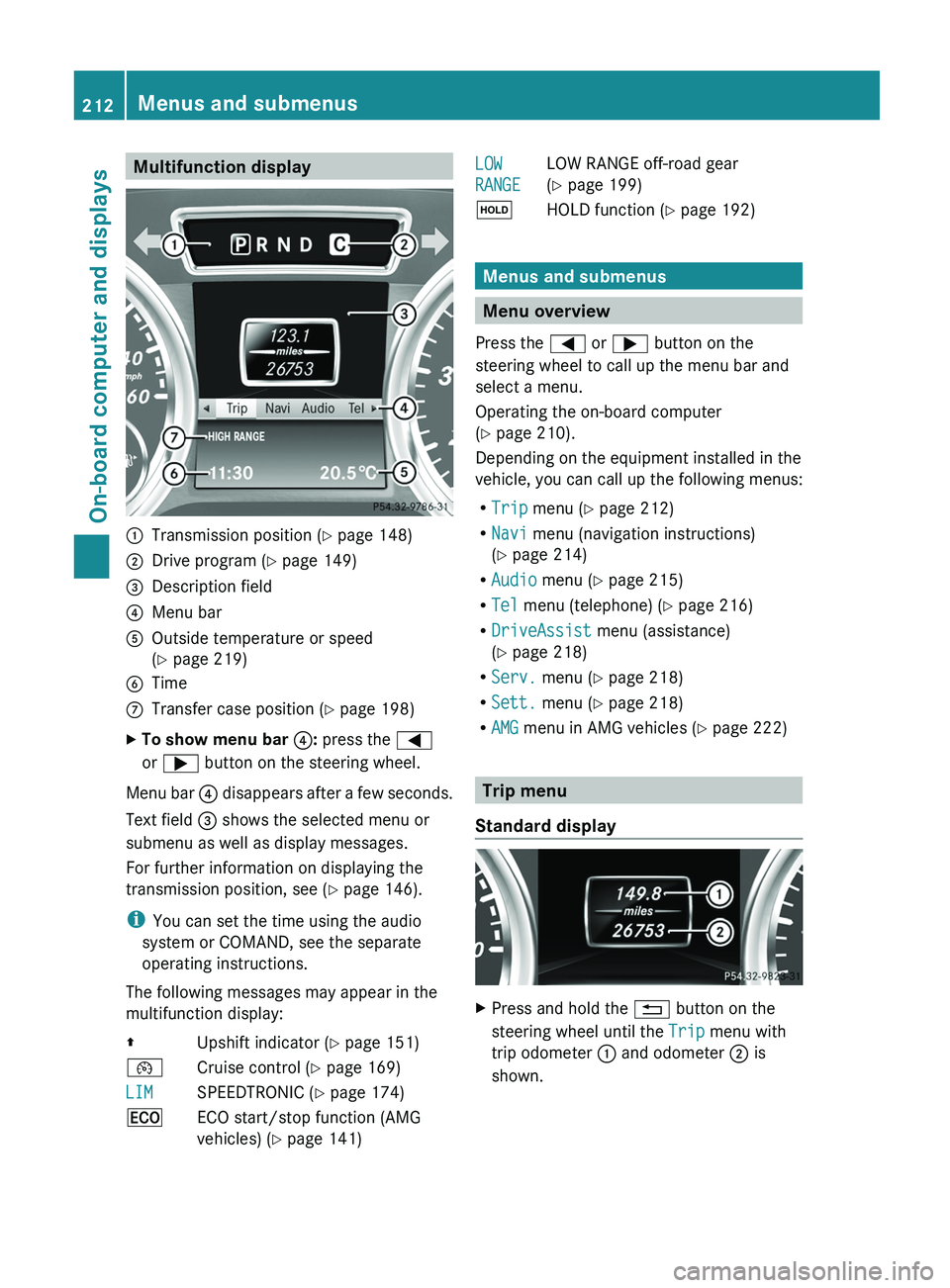
Multifunction display
0043
Transmission position ( Y page 148)
0044 Drive program (Y page 149)
0087 Description field
0085 Menu bar
0083 Outside temperature or speed
(Y page 219)
0084 Time
006B Transfer case position ( Y page 198)
X To show menu bar 0085: press the 0059
or 0065 button on the steering wheel.
Menu bar 0085 disappears after
a few seconds.
Text field 0087 shows the selected menu or
submenu as well as display messages.
For further information on displaying the
transmission position, see ( Y page 146).
i You can set the time using the audio
system or COMAND, see the separate
operating instructions.
The following messages may appear in the
multifunction display:
00A0 Upshift indicator (Y page 151)
00B2 Cruise control ( Y page 169)
LIM SPEEDTRONIC (
Y page 174)
00A7 ECO start/stop function (AMG
vehicles) ( Y page 141) LOW
RANGE
LOW RANGE off-road gear
(Y page 199)
00D9 HOLD function ( Y page 192) Menus and submenus
Menu overview
Press the 0059 or 0065 button on the
steering wheel to call up the menu bar and
select a menu.
Operating the on-board computer
(Y page 210).
Depending on the equipment installed in the
vehicle, you can call up the following menus:
R Trip menu (Y page 212)
R Navi menu (navigation instructions)
(Y page 214)
R Audio menu (Y page 215)
R Tel menu (telephone) ( Y page 216)
R DriveAssist menu (assistance)
(Y page 218)
R Serv. menu (Y page 218)
R Sett. menu (Y page 218)
R AMG menu in AMG vehicles ( Y page 222) Trip menu
Standard display X
Press and hold the 0041 button on the
steering wheel until the Trip menu with
trip odometer 0043 and odometer 0044 is
shown. 212
Menus and submenus
On-board computer and displays
Page 219 of 364
X
Switch on the mobile phone (see the
separate operating instructions).
X Switch on COMAND (see the separate
operating instructions).
X Establish a Bluetooth ®
connection to
COMAND; see the separate operating
instructions.
X Press the 0059 or 0065 button on the
steering wheel to select the Tel menu.
You will see one of the following display
messages in the multifunction display:
R Phone READY or the name of the network
provider: the mobile phone has found a
network and is ready to receive.
R Phone No Service: there is no network
available or the mobile phone is searching
for a network.
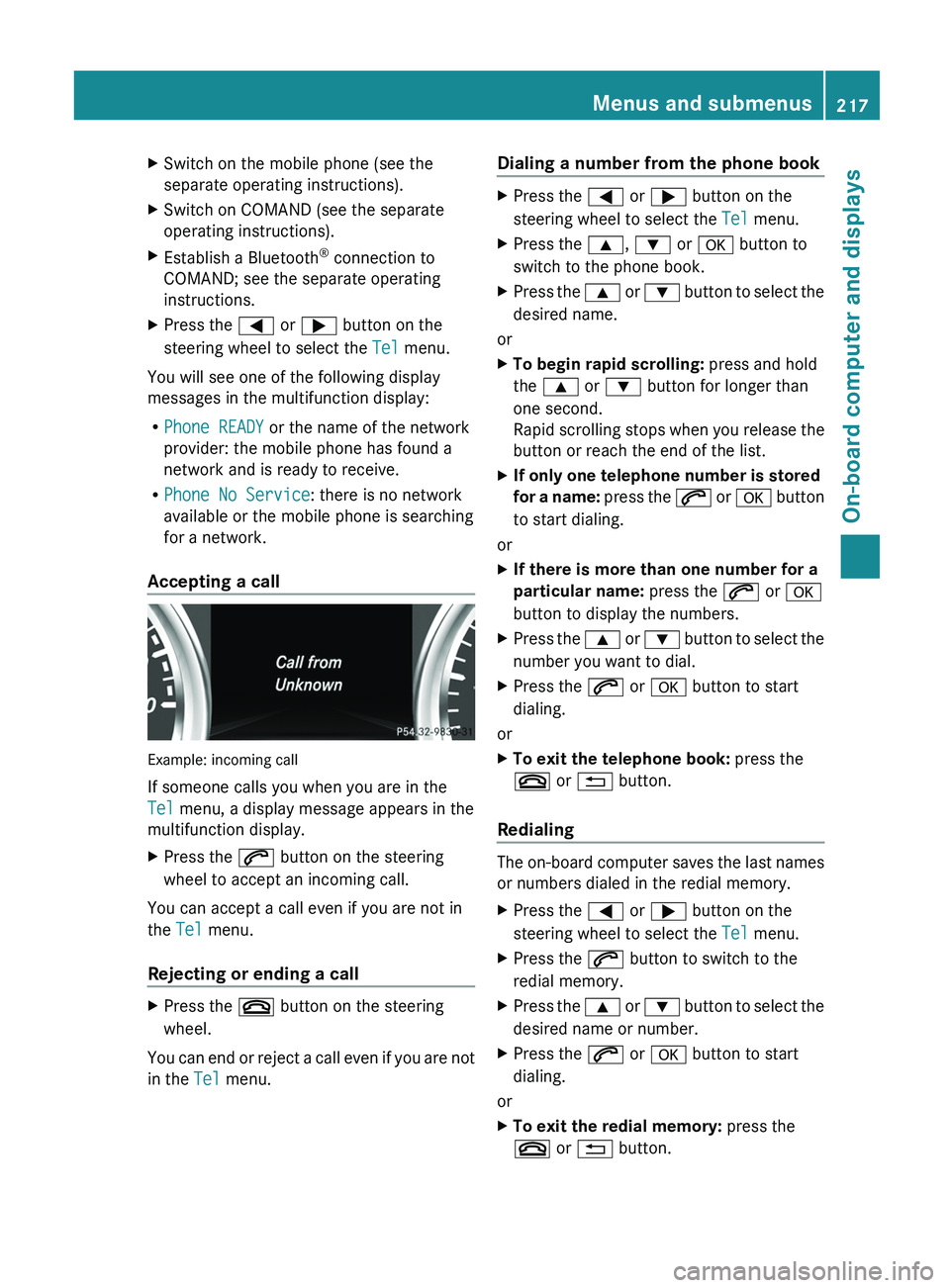
Accepting a call Example: incoming call
If someone calls you when you are in the
Tel menu, a display message appears in the
multifunction display.
X
Press the 006A button on the steering
wheel to accept an incoming call.
You can accept a call even if you are not in
the Tel menu.
Rejecting or ending a call X
Press the 007F button on the steering
wheel.
You can end or reject a call even if you are not
in the Tel menu. Dialing a number from the phone book X
Press the 0059 or 0065 button on the
steering wheel to select the Tel menu.
X Press the 0063, 0064 or 0076 button to
switch to the phone book.
X Press the 0063 or 0064 button to select the
desired name.
or
X To begin rapid scrolling: press and hold
the 0063 or 0064 button for longer than
one second.
Rapid scrolling stops when
you release the
button or reach the end of the list.
X If only one telephone number is stored
for a name:
press
the 006A or 0076 button
to start dialing.
or
X If there is more than one number for a
particular name: press the 006A or 0076
button to display the numbers.
X Press the 0063
or 0064 button
to select the
number you want to dial.
X Press the 006A or 0076 button to start
dialing.
or
X To exit the telephone book: press the
007F or 0041 button.
Redialing The on-board computer saves the last names
or numbers dialed in the redial memory.
X
Press the 0059 or 0065 button on the
steering wheel to select the Tel menu.
X Press the 006A button to switch to the
redial memory.
X Press the 0063
or 0064
button
to select the
desired name or number.
X Press the 006A or 0076 button to start
dialing.
or
X To exit the redial memory: press the
007F or 0041 button. Menus and submenus
217
On-board computer and displays Z