steering MERCEDES-BENZ G-CLASS SUV 2014 Owner's Guide
[x] Cancel search | Manufacturer: MERCEDES-BENZ, Model Year: 2014, Model line: G-CLASS SUV, Model: MERCEDES-BENZ G-CLASS SUV 2014Pages: 272, PDF Size: 39.13 MB
Page 145 of 272
R
Multifunction display
R Outside temperature display Operating the on-board computer
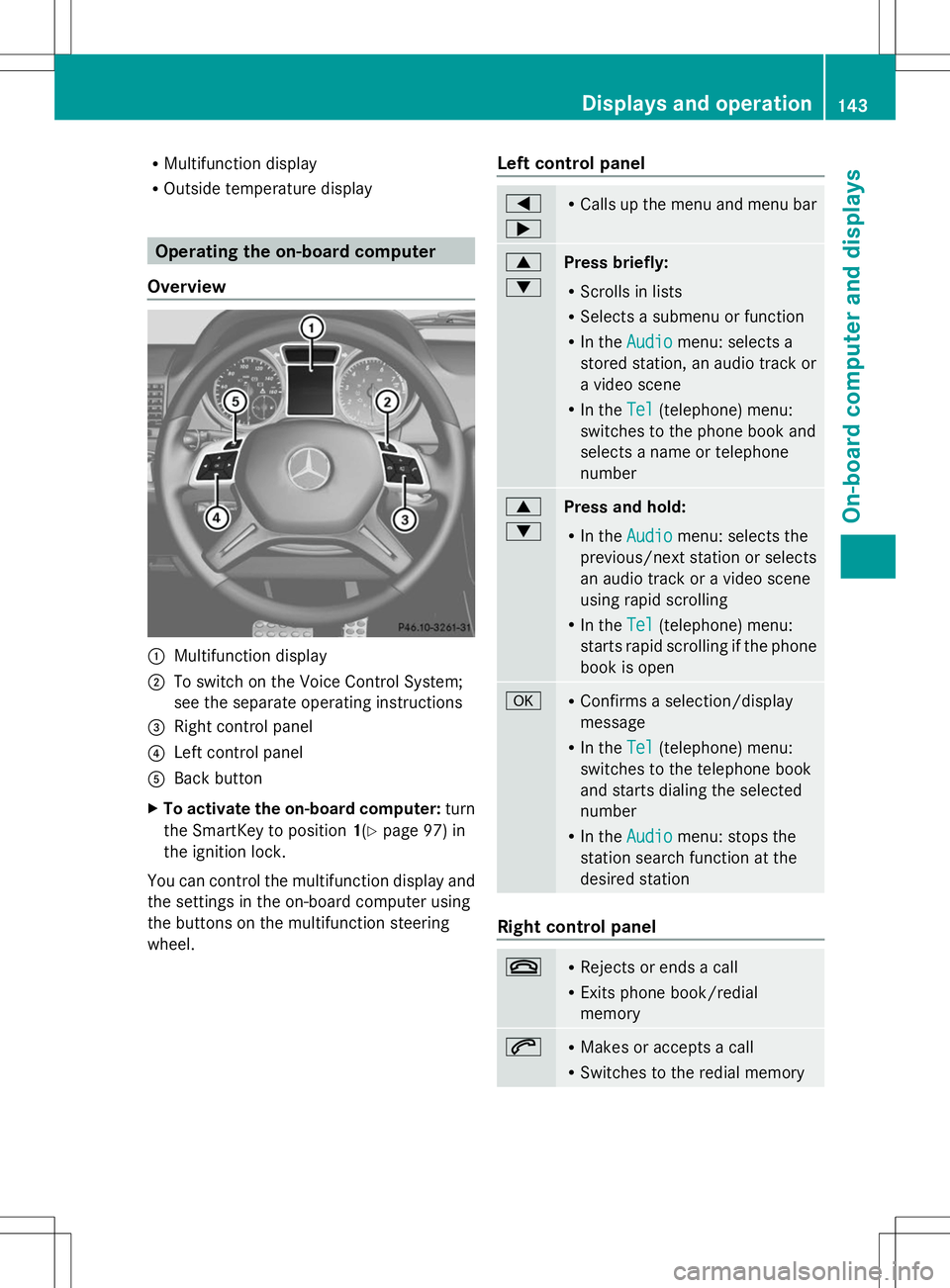
Overview :
Multifunction display
; To switch on the Voice Control System;
see the separate operating instructions
= Right control panel
? Left control panel
A Back button
X To activate the on-board computer: turn
the SmartKey to position 1(Ypage 97) in
the ignition lock.
You can control the multifunction display and
the settings in the on-board computer using
the buttons on the multifunction steering
wheel. Left control panel =
; R
Calls up the menu and menu bar 9
:
Press briefly:
R
Scrolls in lists
R Selects a submenu or function
R In the Audio
Audio menu: selects a
stored station, an audio track or
a video scene
R In the Tel Tel(telephone) menu:
switches to the phone book and
selects a name or telephone
number 9
:
Press and hold:
R
In the Audio Audio menu: selects the
previous/next station or selects
an audio track or a video scene
using rapid scrolling
R In the Tel Tel(telephone) menu:
starts rapid scrolling if the phone
book is open a R
Confirms a selection/display
message
R In the Tel Tel(telephone) menu:
switches to the telephone book
and starts dialing the selected
number
R In the Audio Audio menu: stops the
station search function at the
desired station Right control panel
~ R
Rejects or ends a call
R Exits phone book/redial
memory 6 R
Makes or accepts a call
R Switches to the redial memory Displays and operation
143On-board computer and displays Z
Page 146 of 272
W
X R
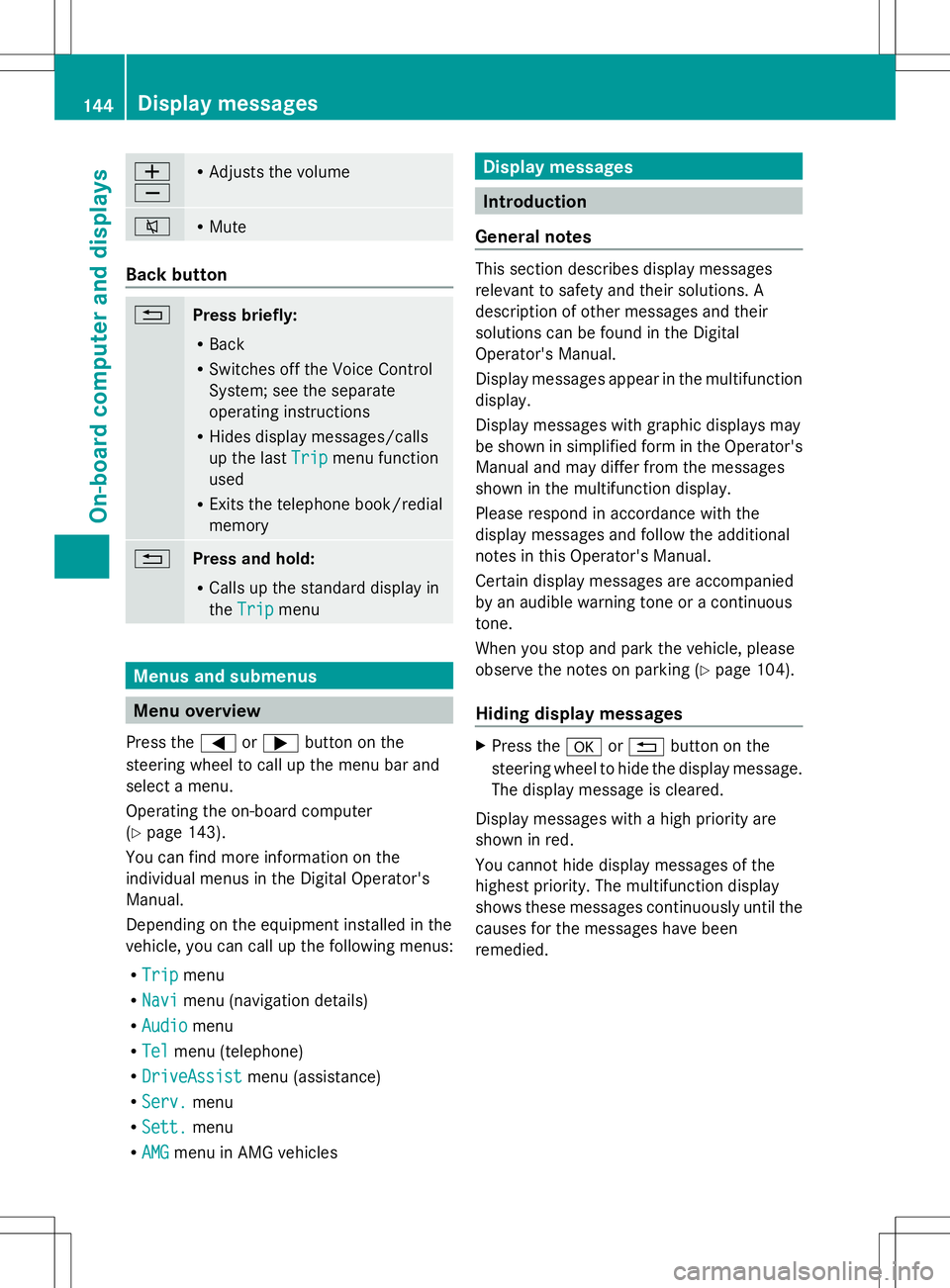
Adjusts the volume 8 R
Mute Back button
%
Press briefly:
R
Back
R Switches off the Voice Control
System; see the separate
operating instructions
R Hides display messages/calls
up the last Trip
Trip menu function
used
R Exits the telephone book/redial
memory %
Press and hold:
R
Calls up the standard display in
the Trip Trip menu Menus and submenus
Menu overview
Press the =or; button on the
steering wheel to call up the menu bar and
select a menu.
Operating the on-board computer
(Y page 143).
You can find more information on the
individual menus in the Digital Operator's
Manual.
Depending on the equipment installed in the
vehicle, you can call up the following menus:
R Trip
Trip menu
R Navi Navi menu (navigation details)
R Audio
Audio menu
R Tel
Tel menu (telephone)
R DriveAssist
DriveAssist menu (assistance)
R Serv.
Serv. menu
R Sett.
Sett. menu
R AMG
AMG menu in AMG vehicles Display messages
Introduction
General notes This section describes display messages
relevant to safety and their solutions. A
description of other messages and their
solutions can be found in the Digital
Operator's Manual.
Display messages appear in the multifunction
display.
Display messages with graphic displays may
be shown in simplified form in the Operator's
Manual and may differ from the messages
shown in the multifunction display.
Please respond in accordance with the
display messages and follow the additional
notes in this Operator's Manual.
Certain display messages are accompanied
by an audible warning tone or a continuous
tone.
When you stop and park the vehicle, please
observe the notes on parking ( Ypage 104).
Hiding display messages X
Press the aor% button on the
steering wheel to hide the display message.
The display message is cleared.
Display messages with a high priority are
shown in red.
You cannot hide display messages of the
highest priority. The multifunction display
shows these messages continuously until the
causes for the messages have been
remedied. 144
Display messagesOn-board computer and displays
Page 147 of 272
Message memory menu
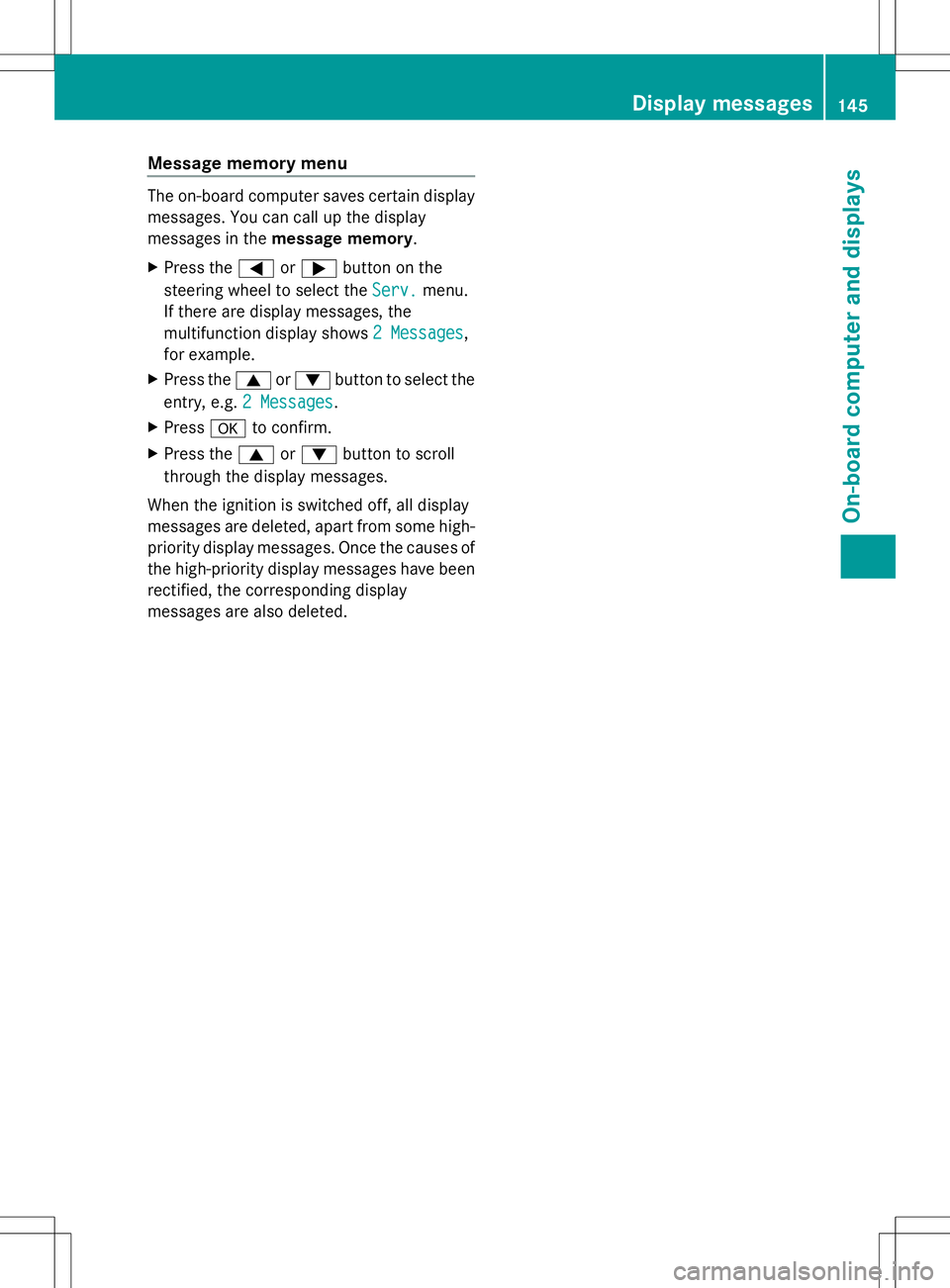
The on-board computer saves certain display
messages. You can call up the display
messages in the message memory.
X Press the =or; button on the
steering wheel to select the Serv.
Serv.menu.
If there are display messages, the
multifunction display shows 2 Messages 2 Messages,
for example.
X Press the 9or: button to select the
entry, e.g. 2 Messages
2 Messages.
X Press ato confirm.
X Press the 9or: button to scroll
through the display messages.
When the ignition is switched off, all display
messages are deleted, apart from some high-
priority display messages. Once the causes of
the high-priority display messages have been
rectified, the corresponding display
messages are also deleted. Display messages
145On-board computer and displays Z
Page 148 of 272
Safety systems
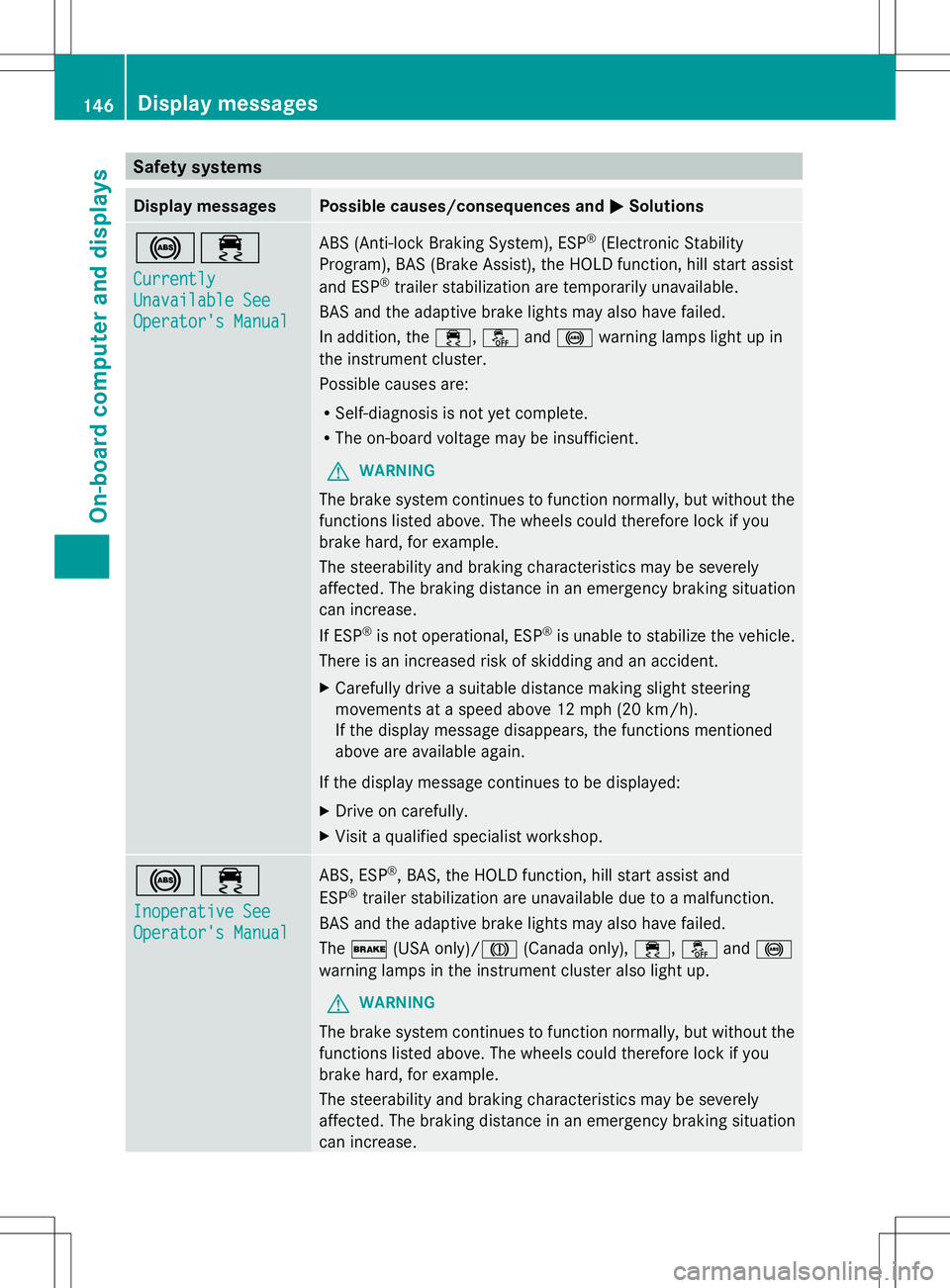
Display messages Possible causes/consequences and
M
MSolutions !÷
Currently Currently
Unavailable See Unavailable See
Operator's Manual Operator's Manual ABS (Anti-lock Braking System), ESP
®
(Electronic Stability
Program), BAS (Brake Assist), the HOLD function, hill start assist
and ESP ®
trailer stabilization are temporarily unavailable.
BAS and the adaptive brake lights may also have failed.
In addition, the ÷,åand! warning lamps light up in
the instrument cluster.
Possible causes are:
R Self-diagnosis is not yet complete.
R The on-board voltage may be insufficient.
G WARNING
The brake system continues to function normally, but without the
functions listed above. The wheels could therefore lock if you
brake hard, for example.
The steerability and braking characteristics may be severely
affected. The braking distance in an emergency braking situation
can increase.
If ESP ®
is not operational, ESP ®
is unable to stabilize the vehicle.
There is an increased risk of skidding and an accident.
X Carefully drive a suitable distance making slight steering
movements at a speed above 12 mph (20 km/h).
If the display message disappears, the functions mentioned
above are available again.
If the display message continues to be displayed:
X Drive on carefully.
X Visit a qualified specialist workshop. !÷
Inoperative See Inoperative See
Operator's Manual Operator's Manual ABS, ESP
®
, BAS, the HOLD function, hill start assist and
ESP ®
trailer stabilization are unavailable due to a malfunction.
BAS and the adaptive brake lights may also have failed.
The $ (USA only)/J (Canada only),÷,åand!
warning lamps in the instrument cluster also light up.
G WARNING
The brake system continues to function normally, but without the
functions listed above. The wheels could therefore lock if you
brake hard, for example.
The steerability and braking characteristics may be severely
affected. The braking distance in an emergency braking situation
can increase. 146
Display messagesOn-board computer and displays
Page 149 of 272
Display messages Possible causes/consequences and
M
MSolutions If ESP
®
is not operational, ESP ®
is unable to stabilize the vehicle.
There is an increased risk of skidding and an accident.
X Drive on carefully.
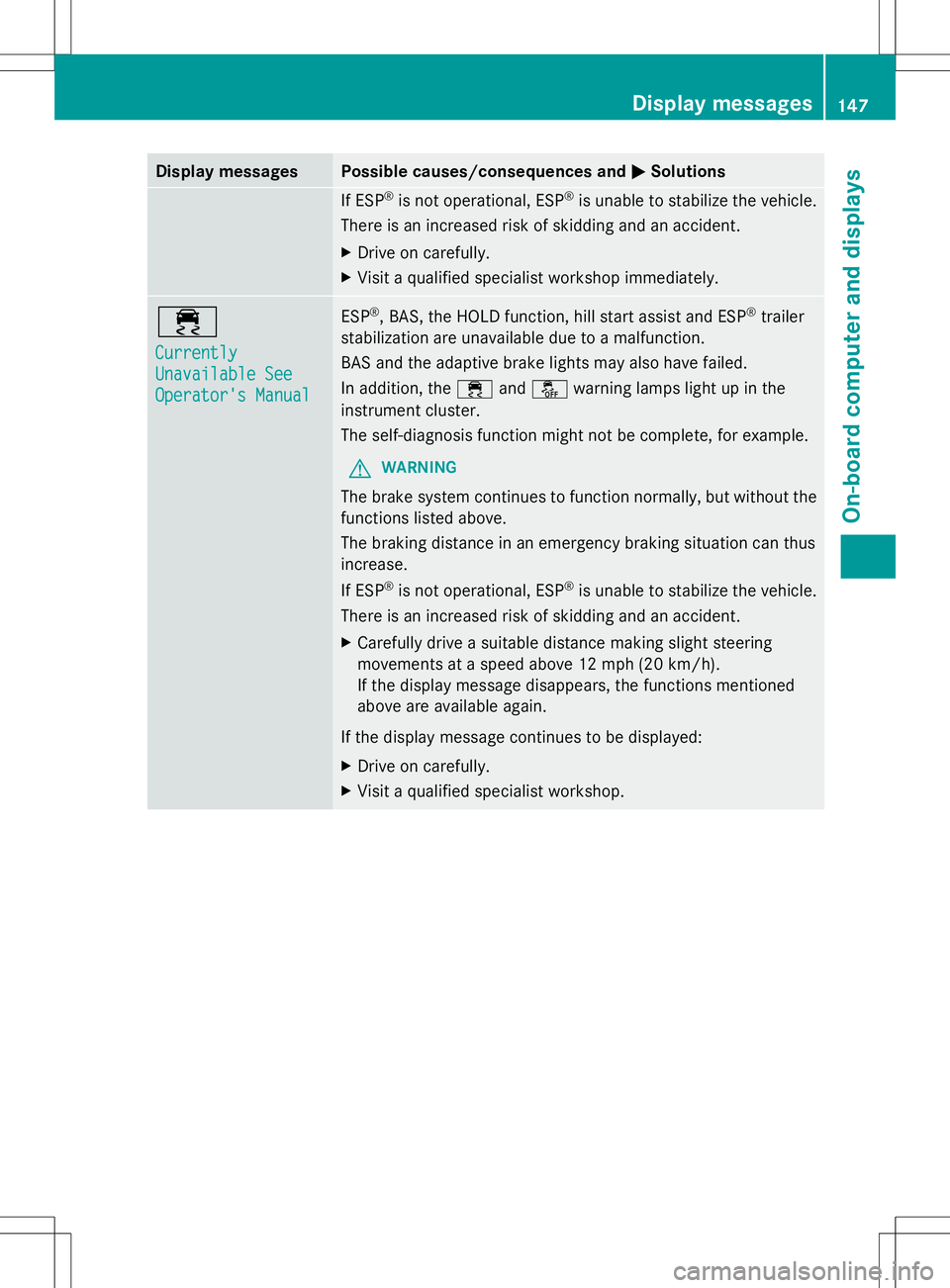
X Visit a qualified specialist workshop immediately. ÷
Currently Currently
Unavailable See Unavailable See
Operator's Manual Operator's Manual ESP
®
, BAS, the HOLD function, hill start assist and ESP ®
trailer
stabilization are unavailable due to a malfunction.
BAS and the adaptive brake lights may also have failed.
In addition, the ÷andå warning lamps light up in the
instrument cluster.
The self-diagnosis function might not be complete, for example.
G WARNING
The brake system continues to function normally, but without the
functions listed above.
The braking distance in an emergency braking situation can thus
increase.
If ESP ®
is not operational, ESP ®
is unable to stabilize the vehicle.
There is an increased risk of skidding and an accident.
X Carefully drive a suitable distance making slight steering
movements at a speed above 12 mph (20 km/h).
If the display message disappears, the functions mentioned
above are available again.
If the display message continues to be displayed:
X Drive on carefully.
X Visit a qualified specialist workshop. Display
messages
147On-board computer and displays Z
Page 157 of 272
Tires
Display messages Possible causes/consequences and
M
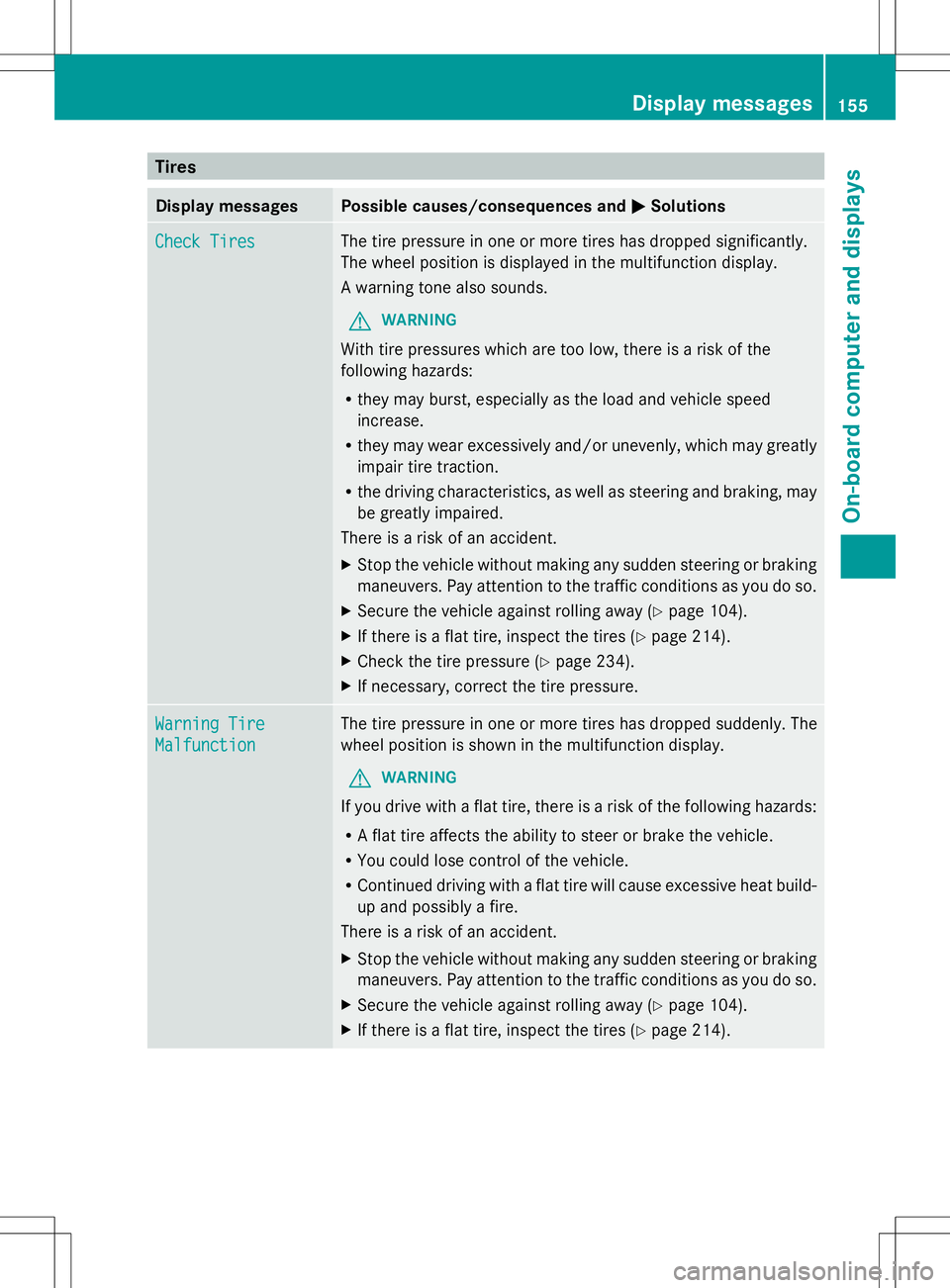
MSolutions Check Tires
Check Tires The tire pressure in one or more tires has dropped significantly.
The wheel position is displayed in the multifunction display.
A warning tone also sounds.
G WARNING
With tire pressures which are too low, there is a risk of the
following hazards:
R they may burst, especially as the load and vehicle speed
increase.
R they may wear excessively and/or unevenly, which may greatly
impair tire traction.
R the driving characteristics, as well as steering and braking, may
be greatly impaired.
There is a risk of an accident.
X Stop the vehicle without making any sudden steering or braking
maneuvers. Pay attention to the traffic conditions as you do so.
X Secure the vehicle against rolling away (Y page 104).
X If there is a flat tire, inspect the tires ( Ypage 214).
X Check the tire pressure (Y page 234).
X If necessary, correct the tire pressure. Warning Tire Warning Tire
Malfunction Malfunction The tire pressure in one or more tires has dropped suddenly. The
wheel position is shown in the multifunction display.
G WARNING
If you drive with a flat tire, there is a risk of the following hazards:
R A flat tire affects the ability to steer or brake the vehicle.
R You could lose control of the vehicle.
R Continued driving with a flat tire will cause excessive heat build-
up and possibly a fire.
There is a risk of an accident.
X Stop the vehicle without making any sudden steering or braking
maneuvers. Pay attention to the traffic conditions as you do so.
X Secure the vehicle against rolling away (Y page 104).
X If there is a flat tire, inspect the tires ( Ypage 214). Display
messages
155On-board computer and displays Z
Page 158 of 272
Display messages Possible causes/consequences and
M
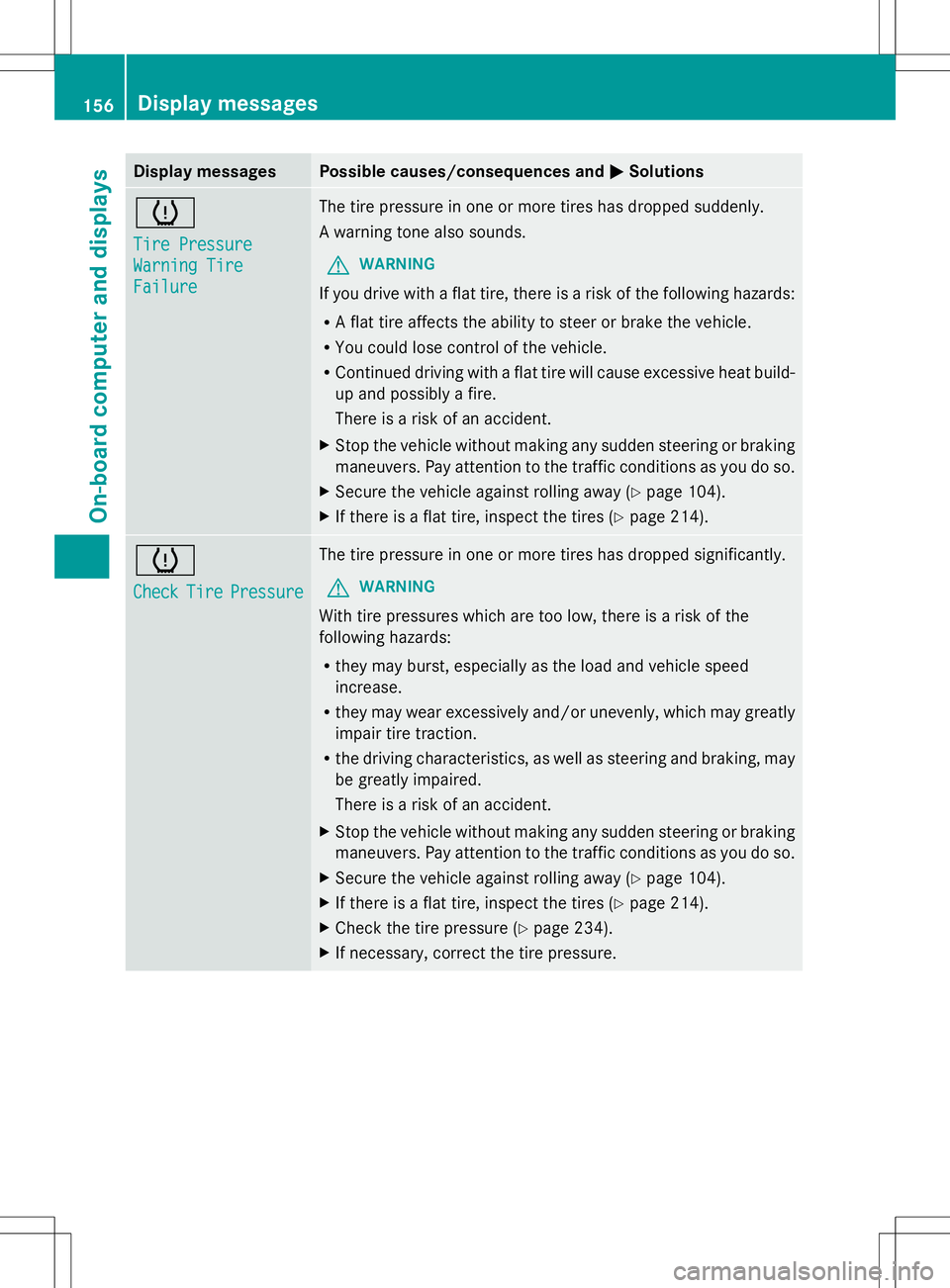
MSolutions h
Tire Pressure Tire Pressure
Warning Tire Warning Tire
Failure Failure The tire pressure in one or more tires has dropped suddenly.
A warning tone also sounds.
G WARNING
If you drive with a flat tire, there is a risk of the following hazards:
R A flat tire affects the ability to steer or brake the vehicle.
R You could lose control of the vehicle.
R Continued driving with a flat tire will cause excessive heat build-
up and possibly a fire.
There is a risk of an accident.
X Stop the vehicle without making any sudden steering or braking
maneuvers. Pay attention to the traffic conditions as you do so.
X Secure the vehicle against rolling away ( Ypage 104).
X If there is a flat tire, inspect the tires (Y page 214).h
Check Check
Tire
TirePressure
Pressure The tire pressure in one or more tires has dropped significantly.
G WARNING
With tire pressures which are too low, there is a risk of the
following hazards:
R they may burst, especially as the load and vehicle speed
increase.
R they may wear excessively and/or unevenly, which may greatly
impair tire traction.
R the driving characteristics, as well as steering and braking, may
be greatly impaired.
There is a risk of an accident.
X Stop the vehicle without making any sudden steering or braking
maneuvers. Pay attention to the traffic conditions as you do so.
X Secure the vehicle against rolling away ( Ypage 104).
X If there is a flat tire, inspect the tires (Y page 214).
X Check the tire pressure (Y page 234).
X If necessary, correct the tire pressure. 156
Display
messagesOn-board computer and displays
Page 159 of 272
Vehicle
Display messages Possible causes/consequences and
M
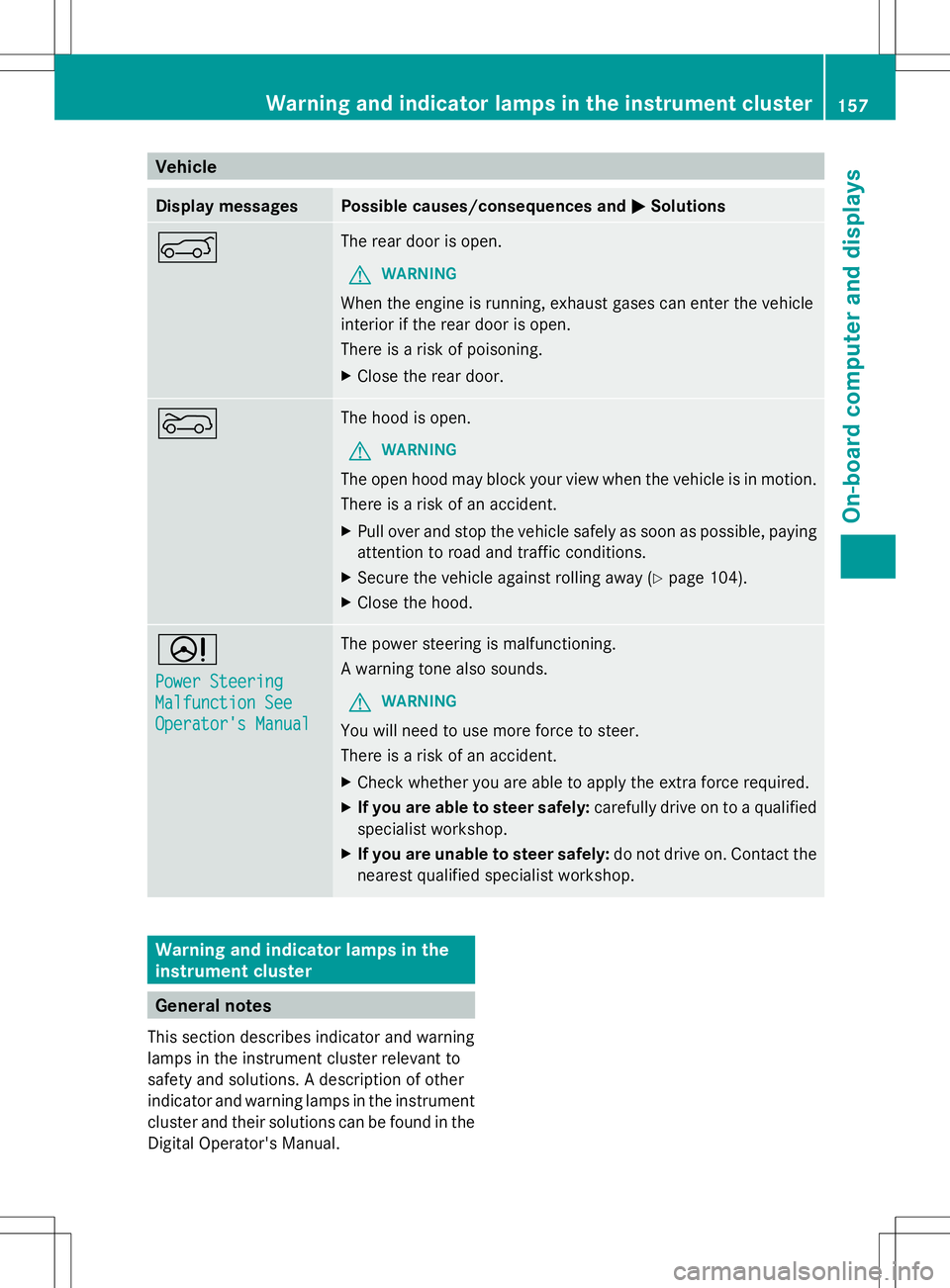
MSolutions A The rear door is open.
G WARNING
When the engine is running, exhaust gases can enter the vehicle
interior if the rear door is open.
There is a risk of poisoning.
X Close the rear door. ? The hood is open.
G WARNING
The open hood may block your view when the vehicle is in motion.
There is a risk of an accident.
X Pull over and stop the vehicle safely as soon as possible, paying
attention to road and traffic conditions.
X Secure the vehicle against rolling away (Y page 104).
X Close the hood. D
Power Steering Power Steering
Malfunction See Malfunction See
Operator's Manual Operator's Manual The power steering is malfunctioning.
A warning tone also sounds.
G WARNING
You will need to use more force to steer.
There is a risk of an accident.
X Check whether you are able to apply the extra force required.
X If you are able to steer safely: carefully drive on to a qualified
specialist workshop.
X If you are unable to steer safely: do not drive on. Contact the
nearest qualified specialist workshop. Warning and indicator lamps in the
instrument cluster General notes
This section describes indicator and warning
lamps in the instrument cluster relevant to
safety and solutions. A description of other
indicator and warning lamps in the instrument
cluster and their solutions can be found in the
Digital Operator's Manual. Warning and indicator lamps in the instrument cluster
157On-board computer and displays Z
Page 163 of 272
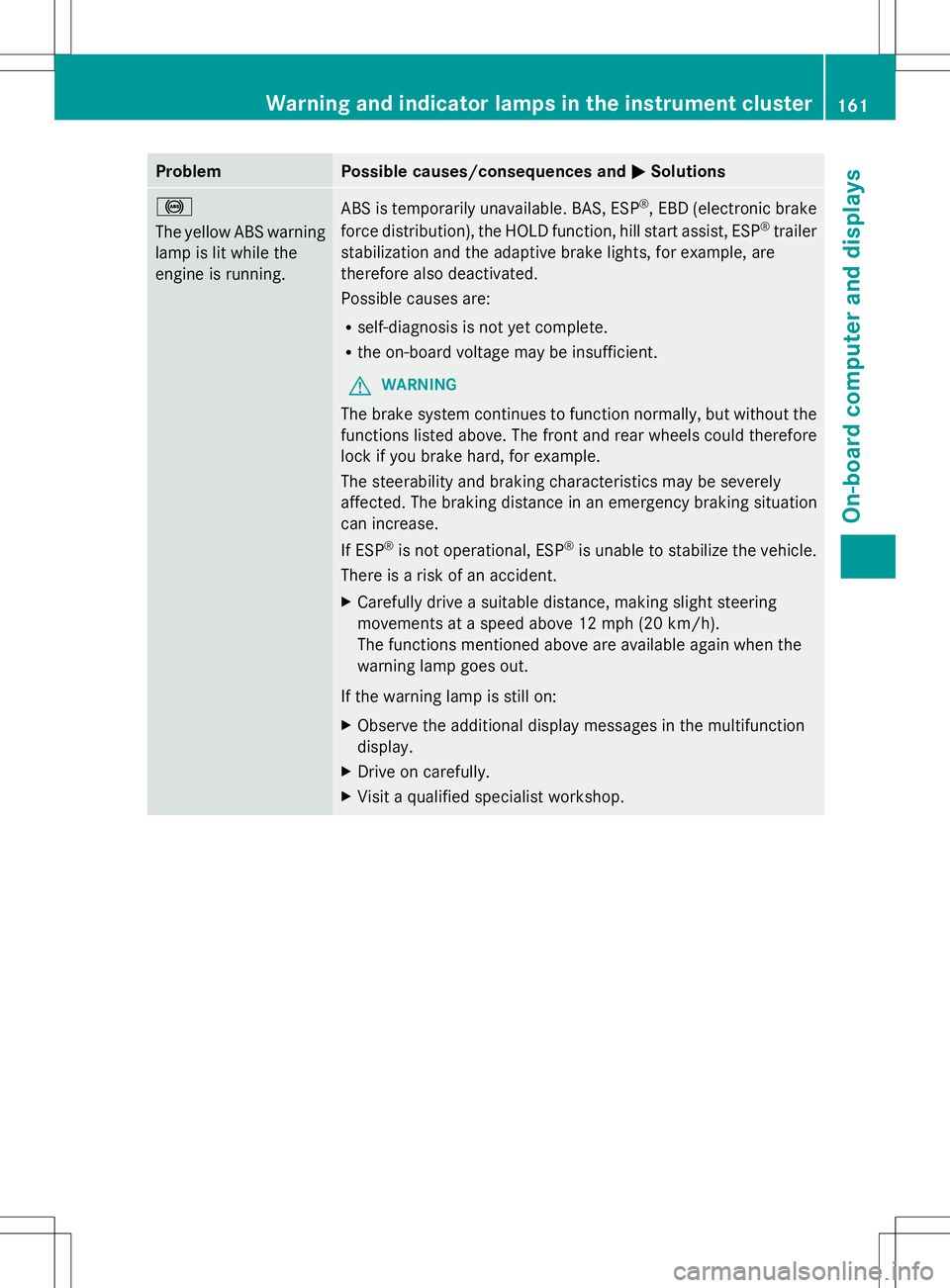
Problem Possible causes/consequences and
M
MSolutions !
The yellow ABS warning
lamp is lit while the
engine is running.
ABS is temporarily unavailable. BAS, ESP
®
, EBD (electronic brake
force distribution), the HOLD function, hill start assist, ESP ®
trailer
stabilization and the adaptive brake lights, for example, are
therefore also deactivated.
Possible causes are:
R self-diagnosis is not yet complete.
R the on-board voltage may be insufficient.
G WARNING
The brake system continues to function normally, but without the
functions listed above. The front and rear wheels could therefore
lock if you brake hard, for example.
The steerability and braking characteristics may be severely
affected. The braking distance in an emergency braking situation
can increase.
If ESP ®
is not operational, ESP ®
is unable to stabilize the vehicle.
There is a risk of an accident.
X Carefully drive a suitable distance, making slight steering
movements at a speed above 12 mph (20 km/h).
The functions mentioned above are available again when the
warning lamp goes out.
If the warning lamp is still on:
X Observe the additional display messages in the multifunction
display.
X Drive on carefully.
X Visit a qualified specialist workshop. Warning and indicator lamps in the instrument cluster
161On-board computer and displays Z
Page 166 of 272
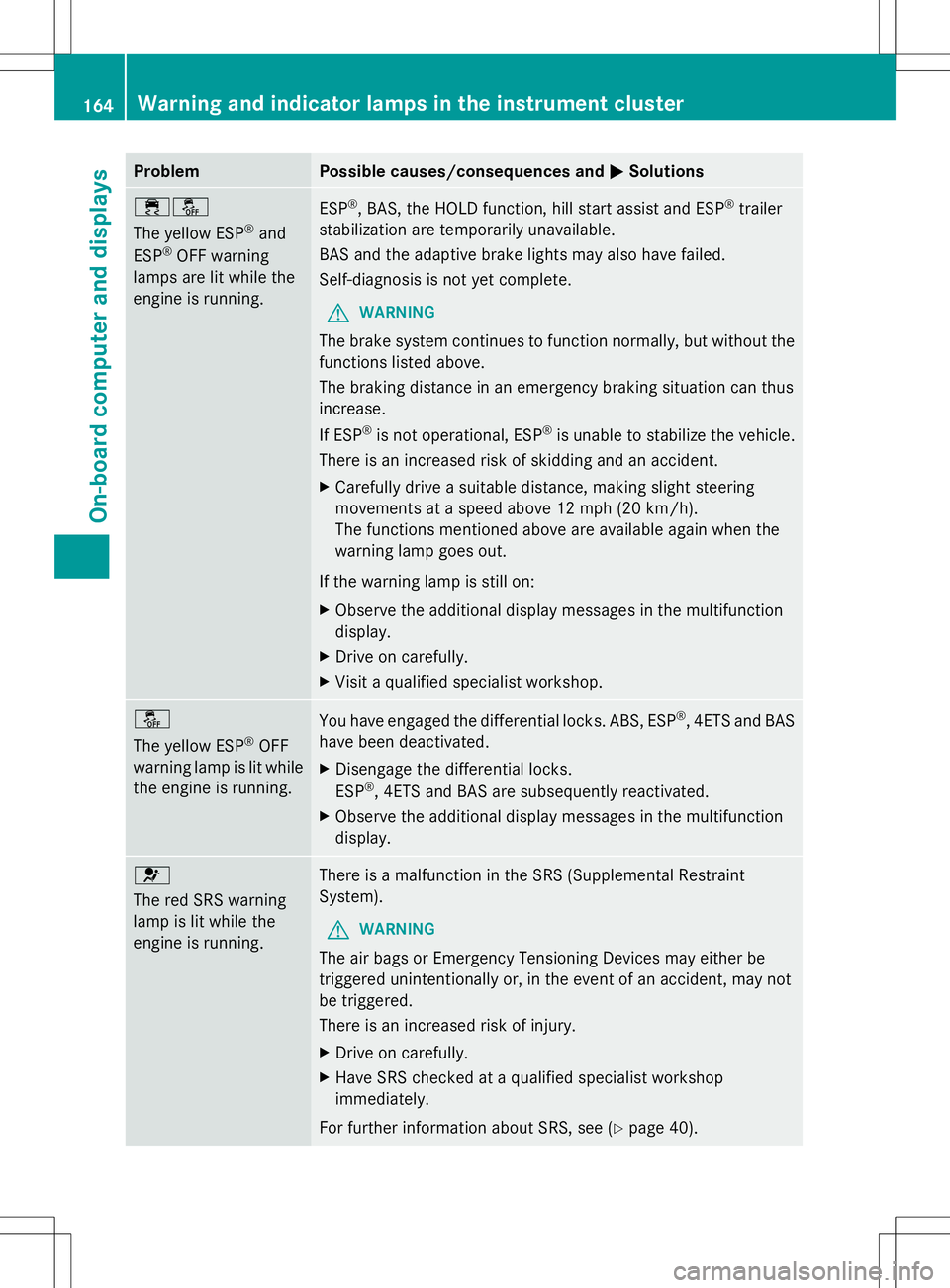
Problem Possible causes/consequences and
M
MSolutions ֌
The yellow ESP
®
and
ESP ®
OFF warning
lamps are lit while the
engine is running. ESP
®
, BAS, the HOLD function, hill start assist and ESP ®
trailer
stabilization are temporarily unavailable.
BAS and the adaptive brake lights may also have failed.
Self-diagnosis is not yet complete.
G WARNING
The brake system continues to function normally, but without the
functions listed above.
The braking distance in an emergency braking situation can thus
increase.
If ESP ®
is not operational, ESP ®
is unable to stabilize the vehicle.
There is an increased risk of skidding and an accident.
X Carefully drive a suitable distance, making slight steering
movements at a speed above 12 mph (20 km/h).
The functions mentioned above are available again when the
warning lamp goes out.
If the warning lamp is still on:
X Observe the additional display messages in the multifunction
display.
X Drive on carefully.
X Visit a qualified specialist workshop. å
The yellow ESP
®
OFF
warning lamp is lit while
the engine is running. You have engaged the differential locks. ABS, ESP
®
, 4ETS and BAS
have been deactivated.
X Disengage the differential locks.
ESP ®
, 4ETS and BAS are subsequently reactivated.
X Observe the additional display messages in the multifunction
display. 6
The red SRS warning
lamp is lit while the
engine is running.
There is a malfunction in the SRS (Supplemental Restraint
System).
G WARNING
The air bags or Emergency Tensioning Devices may either be
triggered unintentionally or, in the event of an accident, may not
be triggered.
There is an increased risk of injury.
X Drive on carefully.
X Have SRS checked at a qualified specialist workshop
immediately.
For further information about SRS, see (Y page 40).164
Warning and indicator lamps in the instrument clusterOn-board computer and displays