maintenance MERCEDES-BENZ G-CLASS SUV 2014 Owners Manual
[x] Cancel search | Manufacturer: MERCEDES-BENZ, Model Year: 2014, Model line: G-CLASS SUV, Model: MERCEDES-BENZ G-CLASS SUV 2014Pages: 272, PDF Size: 39.13 MB
Page 3 of 272
Welcome to the world of Mercedes-Benz
We urge you to read this Operator's Manual
carefully and familiarize yourself with the
vehicle before driving. For your own safety
and a longer vehicle life, follow the
instructions and warning notices in this
manual. Ignoring them could result in damage
to the vehicle or personal injury to you or
others.
Vehicle damage caused by failure to follow
instructions is not covered by the Mercedes-
Benz Limited Warranty.
This Operator's Manual provides information
on the most important functions of your
vehicle.
Additional information on convenience
functions can be found in COMAND in your
Digital Operator's Manual.
The equipment or product designation of your
vehicle may vary depending on:
R Model
R order
R country specification
R availability
Mercedes-Benz therefore reserves the right
to introduce changes in the following areas:
R design
R Equipment
R technical features
The equipment in your vehicle may therefore
differ from that shown in the descriptions and
illustrations.
The following are integral components of the
vehicle:
R Digital Operator's Manual
R Operator's Manual
R Maintenance Booklet
R Equipment-dependent supplements
Keep printed copies of the documents in the
vehicle at all times. If you sell the vehicle,
always pass the documents on to the new
owner. The technical documentation team at
Daimler AG wishes you safe and pleasant
motoring.
Mercedes-Benz USA, LLC
Mercedes-Benz Canada, Inc.
A Daimler Company
4635843900 É4635843900UËÍ
Page 5 of 272
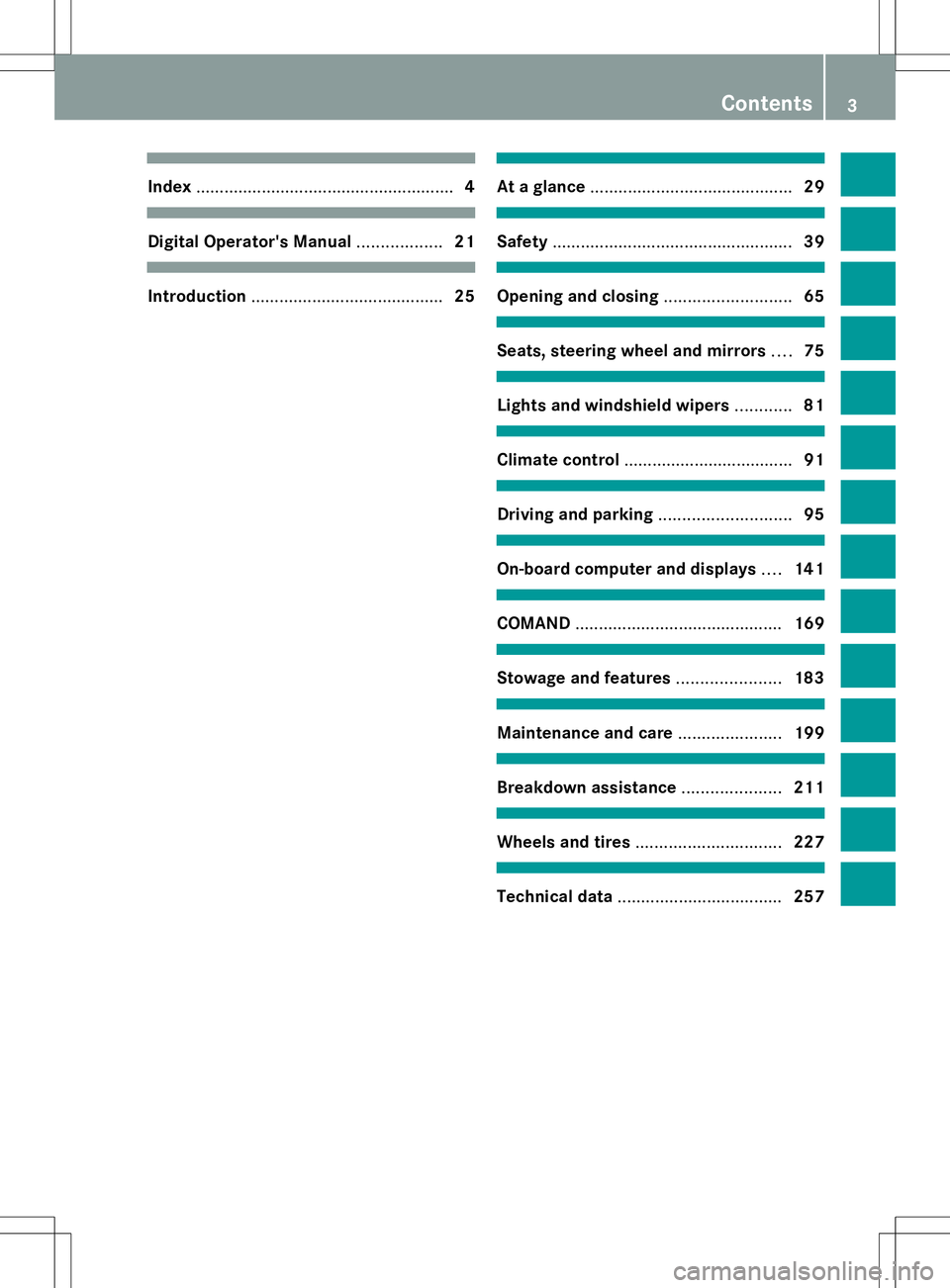
Index
....................................................... 4Digital Operator's Manual
..................21 Introduction
......................................... 25 At a glance
........................................... 29 Safety
................................................... 39 Opening and closing
...........................65 Seats, steering wheel and mirrors
....75 Lights and windshield wipers
............81 Climate control
.................................... 91 Driving and parking
............................95 On-board computer and displays
....141 COMAND
............................................ 169 Stowage and features
......................183 Maintenance and care
......................199 Breakdown assistance
.....................211 Wheels and tires
............................... 227 Technical data
................................... 257 Contents
3
Page 7 of 272
Steering wheel paddle shifters
......101
Transmission position
displa y................................... 100, 101
Auxiliary ventilation
Activating/deactivating ...................94
Activating/deactivating (on the
center console) ................................ 94
Problem (display message) ..............94
Axle load, permissible (trailer
towing) ............................................... 266B
Back button ....................................... 178
Backup lamp Display message ............................ 144
Ball coupling
Installing ........................................ 137
BAS (Brake Assist System) .................60
Battery Checking (SmartKey) .......................68
Important safety guidelines
(SmartKey) ....................................... 67
Replacing (SmartKey) ......................68
Battery (vehicle)
Charging ........................................ 217
Display message ............................ 144
Important safety notes ..................215
Jump starting ................................. 219
Overview ........................................ 215
Blind Spot Assist
Activating/deactivating .................144
Display message ............................ 144
Notes/function .............................. 121
Bluetooth ®
see also Digital Operator's Manual 170
Brake fluid
Display message .................... 144, 149
Notes ............................................. 261
Brake fluid level ................................ 204
Brake lamps Adaptive .......................................... .61
Display message ............................ 144
Brakes
ABS .................................................. 60
BAS .................................................. 60
Brake fluid (notes) .........................261
Display message .................... 144, 146 High-performance brake system
....106
Important safety notes ..................106
Maintenance .................................. 106
Parking brake ................................ 105
Riding tips ...................................... 106
Warning lamp ................................. 159
Breakdown
see Flat tire
see Towing away
Brush guard ....................................... 193
Bulbs see Replacing bulbs
Buttons on the COMAND controller 178 C
Calling up a malfunction see Display messages
Care
Carpets .......................................... 210
Car wash ........................................ 206
Chrome parts ................................. 210
Display ........................................... 210
Gear or selector lever ....................210
Headlamps ............................ 206, 209
Interior ........................................... 210
Matte finish ........................... 206, 208
Notes ............................................. 206
Paint ...................................... 206, 208
Plastic trim .................................... 210
Power washer ........................ 206, 207
Rear view camera ..................206, 210
Roof lining ...................................... 210
Seat belt ........................................ 210
Seat cover ..................................... 210
Sensors ................................. 206, 209
Soft top .......................................... 206
Tail pipes ............................... 206, 210
Trim pieces .................................... 210
Washing by hand ...................206, 207
Wheels ................................... 206, 208
Windows ................................ 206, 209
Wiper blades .......................... 206, 209
Wooden trim .................................. 210
Cargo compartment cover
Installing/removing .......................188
Notes/how to use .........................188
Opening and closing ......................188 Index
5
Page 23 of 272
Introduction
In addition to the printed Operator's Manual,
the vehicle document wallet also contains
further operating instructions, such as:
R Digital Operator's Manual on CD
R Maintenance Booklet
R Equipment-dependent supplements
The printed Operator's Manual gives you a
fast, concise overview of your vehicle's most
important functions.
You can also access the Digital Operator's
Manual via COMAND. If you have further
questions that are not covered in the printed
Operator's Manual, please consult the Digital
Operator's Manual.
i You will not incur any costs when calling
up the Digital Operator's Manual. It works
without connecting to the Internet.
In the following sections you will find further
information about:
R how to install the Digital Operator's Manual
on your COMAND (Y page 21)
R how to access and operate the Digital
Operator's Manual
R the differing access options from the basic
menu
There are three options for accessing via the
basic menu of the Digital Operator's Manual:
R Visual search
R Keyword search
R Contents Installation
Check whether or not the Digital Operator's
Manual has already been installed. To do so,
call up the Digital Operator's Manual via
COMAND as follows: X
Using the COMAND controller, select the
® symbol from the menu bar in the
COMAND display and press Wto confirm.
X Choose the "Operator's Manual" selection
card and confirm with W.
There are two possibilities:
1. The Digital Operator's Manual is
installed. The basic menu for the Digital
Operator's Manual opens.
2. The Digital Operator's Manual is not
installed. The following message appears:
The Operator's Manual has not yet
The Operator's Manual has not yet
been installed. Please insert the been installed. Please insert the
correct disc. correct disc.
If the Digital Operator's Manual has not yet
been installed, you have the option of
installing it yourself. You will find the
installation CD required in the vehicle
document wallet.
The duration of the installation process may
vary.
The installation process takes approximately
five minutes. This timespan only applies if you
install the Digital Operator's Manual while the
vehicle is at a standstill and no other
COMAND functions are in use at the time. The
duration of the installation process may
increase accordingly if other COMAND
functions such as navigation or telephony are
in use at the time.
If you encounter any problems during
installation, please contact your authorized
Mercedes-Benz Center.
X To install the Digital Operator's
Manual: stop the vehicle safely, paying
attention to road and traffic conditions.
X Turn the SmartKey to position 2in the
ignition lock.
X Switch on COMAND.
X Insert the installation CD into the CD/DVD
drive.
X Follow the installation steps on the
COMAND display.
i If the check was not successful, a
message appears, e.g. The Operator's
The Operator's Digital Operator's Manual
21
Page 28 of 272
accessories that have been specifically
approved for your vehicle.
Genuine Mercedes-Benz parts are subject to
strict quality control. Every part has been
specifically developed, manufactured or
selected for and adapted to Mercedes-Benz
vehicles. Only genuine Mercedes-Benz parts
should therefore be used.
More than 300,000 different genuine
Mercedes-Benz parts are available for
Mercedes-Benz models.
All authorized Mercedes-Benz Centers
maintain a supply of genuine Mercedes-Benz
parts for necessary service and repair work.
In addition, strategically located parts
delivery centers provide quick and reliable
parts service.
Always specify the vehicle identification
number (VIN) when ordering genuine
Mercedes-Benz parts (Y page 258).Operator's Manual
Vehicle equipment
This Operator's Manual describes all models
and all standard and optional equipment of
your vehicle available at the time of going to
print. Country-specific differences are
possible. Please note that your vehicle may
not be equipped with all features described.
This also applies to safety-related systems
and functions. The equipment in your vehicle
may therefore differ from some of the
descriptions or illustrations.
The original purchase agreement lists all
systems installed in your vehicle.
Contact an authorized Mercedes-Benz Center
if you have any questions about equipment or
operation.
The Operator's Manual and the Maintenance
Booklet are important documents and should
be kept in the vehicle. Operating safety
Important safety notes
G
WARNING
If you do not have the prescribed service/
maintenance work or any required repairs
carried out, this can result in malfunctions or
system failures. There is a risk of an accident.
Always have the prescribed service/
maintenance work as well as any required
repairs carried out at a qualified specialist
workshop. G
WARNING
Modifications to electronic components, their
software as well as wiring can impair their
function and/or the function of other
networked components. In particular,
systems relevant to safety could also be
affected. As a result, these may no longer
function as intended and/or jeopardize the
operating safety of the vehicle. There is an
increased risk of an accident and injury.
Never tamper with the wiring as well as
electronic components or their software. You
should have all work to electrical and
electronic equipment carried out at a qualified
specialist workshop.
Tampering with the electronic components,
their software or wiring can render the
operating permit invalid. Declarations of conformity
Vehicle components which receive
and/or transmit radio waves USA:
"The wireless devices of this vehicle
comply with Part 15 of the FCC Rules.
Operation is subject to the following two
conditions: 1) These devices may not cause
harmful interference, and 2) These devices
must accept any interference received,
including interference that may cause
undesired operation. Changes or
modifications not expressly approved by the 26
Introduction
Page 29 of 272
party responsible for compliance could void
the user’s authority to operate the
equipment."
Canada: "The wireless devices of this vehicle
comply with Industry Canada license-exempt
RSS standard(s). Operation is subject to the
following two conditions: (1) These devices
may not cause interference, and (2) These
devices must accept any interference,
including interference that may cause
undesired operation of the device." Qualified specialist workshop
An authorized Mercedes-Benz Center is a
qualified specialist workshop. It has the
necessary specialist knowledge, tools and
qualifications to correctly carry out the work
required on your vehicle. This is especially the
case for work relevant to safety.
Observe the notes in the Maintenance
Booklet.
Always have the following work carried out at
an authorized Mercedes-Benz Center:
R work relevant to safety
R service and maintenance work
R repair work
R alterations, installation work and
modifications
R work on electronic components Correct use
Observe the following information when
driving your vehicle:
R the safety notes in this manual
R the Technical Data section in this manual
R traffic rules and regulations
R laws and safety standards pertaining to
motor vehicles
If you remove any warning stickers, you or
others could fail to recognize certain dangers.
Leave warning stickers in position. Limited Warranty
! Follow the instructions in this manual
about the proper operation of your vehicle
as well as about possible vehicle damage.
Damage to your vehicle that arises from
culpable contraventions against these
instructions is not covered either by the
Mercedes-Benz Limited Warranty or by the
New or Used-Vehicle Warranty. Data stored in the vehicle
Information about electronic data
acquisition in the vehicle
(Including notice pursuant to California Code
§ 9951)
Please note that your vehicle is equipped with
devices that can record vehicle systems data.
If your vehicle is equipped with mbrace
(Canada: TELE AID), data is transmitted in the
event of an accident.
This information helps, for example, to test
vehicle systems after an accident and to
continually improve vehicle safety.
Daimler AG can access these data and submit
them:
R for safety research or vehicle diagnosis
purposes
R with the consent of the vehicle owner
R on the instruction of prosecuting
authorities
R for use in arbitration of disputes that
involve Daimler AG, its subsidiaries or its
sales and service organizations
R as otherwise required or permitted by law
Please check your mbrace (Canada: TELE
AID) purchase agreement to find out more
about data that can be recorded and
transmitted by this system. Introduction
27 Z
Page 94 of 272
Useful information
i This Operator's Manual describes all
models and all standard and optional
equipment of your vehicle available at the
time of publication of the Operator's
Manual. Country-specific differences are
possible. Please note that your vehicle may
not be equipped with all features
described. This also applies to safety-
related systems and functions.
i Read the information on qualified
specialist workshops: (Y page 27).Overview of climate control systems
Important safety notes
G
WARNING
Severe conditions (e.g. strong air pollution)
may require replacement of the filter before
its scheduled replacement interval. A clogged
filter will reduce the air volume to the interior
and the windows could fog up, impairing
visibility and endangering you and others.
Have a blocked filter replaced at a Mercedes-
Benz Center as soon as possible.
Observe the settings recommended on the
following pages. The windows could
otherwise fog up. This could prevent you from
observing the traffic conditions, thereby
causing an accident.
Dual-zone automatic climate control
regulates the temperature and the humidity
in the vehicle interior and filters undesirable
substances from the air.
Automatic climate control is only operational
when the engine is running. Optimum
operation is only achieved if you drive with the
side windows and sliding sunroof closed.
The climatic comfort deteriorates whilst the
sliding sunroof is open. The automatic climate
control cannot maintain the set temperature
with the sliding sunroof open. You have to
adjust the climate control manually. i
The residual heat function can only be
activated or deactivated with the ignition
switched off.
i Ventilate the vehicle for a brief period
during warm weather, e.g. using the
convenience opening feature (Y page 71).
This will speed up the cooling process and
the desired vehicle interior temperature
will be reached more quickly.
i The integrated filter can filter out most
particles of dust, and completely filters out
pollen. A clogged filter reduces the amount
of air supplied to the vehicle interior. For
this reason, you should always observe the
interval for replacing the filter, which is
specified in the Maintenance Booklet. As it
depends on environmental conditions, e.g.
heavy air pollution, the interval may be
shorter than stated in the Maintenance
Booklet. 92
Overview of climate control systemsClimate control
Page 144 of 272
Useful information
i This Operator's Manual describes all
models and all standard and optional
equipment of your vehicle available at the
time of publication of the Operator's
Manual. Country-specific differences are
possible. Please note that your vehicle may
not be equipped with all features
described. This also applies to safety-
related systems and functions.
i Read the information on qualified
specialist workshops: (Y page 27).Important safety notes
G
WARNING
The driver's concentration must always be
directed primarily at road traffic.
For your safety and the safety of others,
selecting features through the multifunction
steering wheel should only be done by the
driver when traffic and road conditions permit
it to be done safely.
Bear in mind that at a speed of only 30 mph
(approximately 50 km/h), the vehicle covers
a distance of 44 feet (approximately 14 m) per
second. G
WARNING
No messages will be displayed if either the
instrument cluster or the multifunction
display is inoperative.
As a result, you will not be able to see
information about your driving conditions,
such as
R speed
R outside temperature
R warning/indicator lamps
R malfunction/warning messages
R failure of any systems
Driving characteristics may be impaired. If you must continue to drive, do so with added
caution. Contact an authorized Mercedes-
Benz Center as soon as possible.
G
WARNING
Malfunction and warning messages are only
displayed for certain systems and are
intentionally not very detailed. The
malfunction and warning messages are
simply a reminder with respect to the
operation of certain systems. They do not
replace the owner's and/or driver's
responsibility to maintain the vehicle's
operating safety. Have all required
maintenance services and safety checks
performed on the vehicle. Bring the vehicle to
an authorized Mercedes-Benz Center to
address the malfunction and warning
messages. G
WARNING
All categories of messages contain important
information which should be taken note of
and, where a malfunction is indicated,
addressed as soon as possible at an
authorized Mercedes-Benz Center.
Failure to repair the condition noted may
cause damage not covered by the Mercedes-
Benz Limited Warranty, or result in property
damage or personal injury.
For an illustration of the instrument cluster,
see (Y page 142). Displays and operation
Information in the Digital Operator's
Manual
In the Digital Operator's Manual you will find
information on the following topics:
R Instrument cluster
R Instrument lighting
R Coolant temperature display
R Tachometer
R Speedometer with segments 142
Displays and operationOn-board computer and displays
Page 172 of 272
Useful information
i These operating instructions describe all
the standard and optional equipment of
your COMAND system, as available at the
time of going to print. Country-specific
differences are possible. Please note that
your COMAND system may not be
equipped with all the features described.
This also applies to safety-related systems
and functions.
i Read the information on qualified
specialist workshops: (Y page 27).General notes
The COMAND section in these operating
instructions describes the basic principles for
operating your COMAND and the online and
Internet functions. More information can be
found in the Digital Operator's Manual.
The COMAND section in these operating
instructions describes the basic principles for
operating your COMAND. More information
can be found in the Digital Operator's Manual. Important safety notes
G
WARNING
Making alterations to electronic components
can cause malfunctions.
Radio, satellite radio, amplifier, DVD changer,
navigation module, phone and voice control
are networked. If one component is not
functional or if it has been incorrectly
removed/replaced, this could impair the
operation of other components.
This could seriously jeopardize the
operational safety of your vehicle.
We recommend that you always have
maintenance work on electronic components
carried out at an authorized Mercedes-Benz
Center. G
WARNING
In order to avoid distraction which could lead
to an accident, the driver should only enter
system settings with the vehicle at a standstill
and operate the system only when road,
weather and traffic conditions permit.
Bear in mind that at a speed of only 30 mph
(approximately 50 km/h), the vehicle covers
a distance of 44 feet (approximately 14 m) per
second.
COMAND delivers information to simplify
your choice of route and guide you
comfortably and safely to your destination.
For safety reasons, we recommend that you
bring your vehicle to a standstill, paying
attention to road and traffic conditions,
before making or accepting a telephone call
or viewing navigation maps, instructions or
downloaded information on the COMAND
screen. G
WARNING
While the navigation system provides
directional assistance, the driver must remain
focused on safe driving behavior, especially
attention to traffic and street signs, and
should utilize the system's audio cues while
driving.
The navigation system does not supply any
information on stop signs, yield signs, traffic
regulations or traffic safety rules. Their
observance always remains in the driver's
personal responsibility. DVD maps do not
cover all areas nor all routes within an area. G
WARNING
This equipment complies with FCC radiation
exposure limits set forth for uncontrolled
equipment and meets the FCC radio
frequency (RF) Exposure Guidelines in
Supplement C to OET65.
This equipment has very low levels of RF
energy that is deemed to comply without
maximum permissive exposure evaluation
(MPE). But it is desirable that it should be
installed and operated with at least 8inches 170
Important safety notesCOMAND
Page 190 of 272
Do not tamper with or repair cargo tie-down
point, cargo tie down rings or tie downs. Have
maintenance work as well as modifications,
installations and conversions carried out at a
qualified specialist workshop (Y page 27).
Observe the following notes on securing
loads:
R Secure the load using the cargo tie-down
rings.
R Do not use elastic straps or nets to secure
a load, as these are only intended as an
anti-slip protection for light loads.
R Do not route tie-downs across sharp edges
or corners.
R Pad sharp edges for protection.
R Only use tie downs that have been checked
in accordance with applicable standards,
e.g. lashing nets or lashing straps.
R Fill the spaces between the load and the
cargo compartment walls and the wheel
mountings in a form-locking way. Only use
dimensionally stable transportation aids
for this, such as chocks, wooden fixings or
padding.
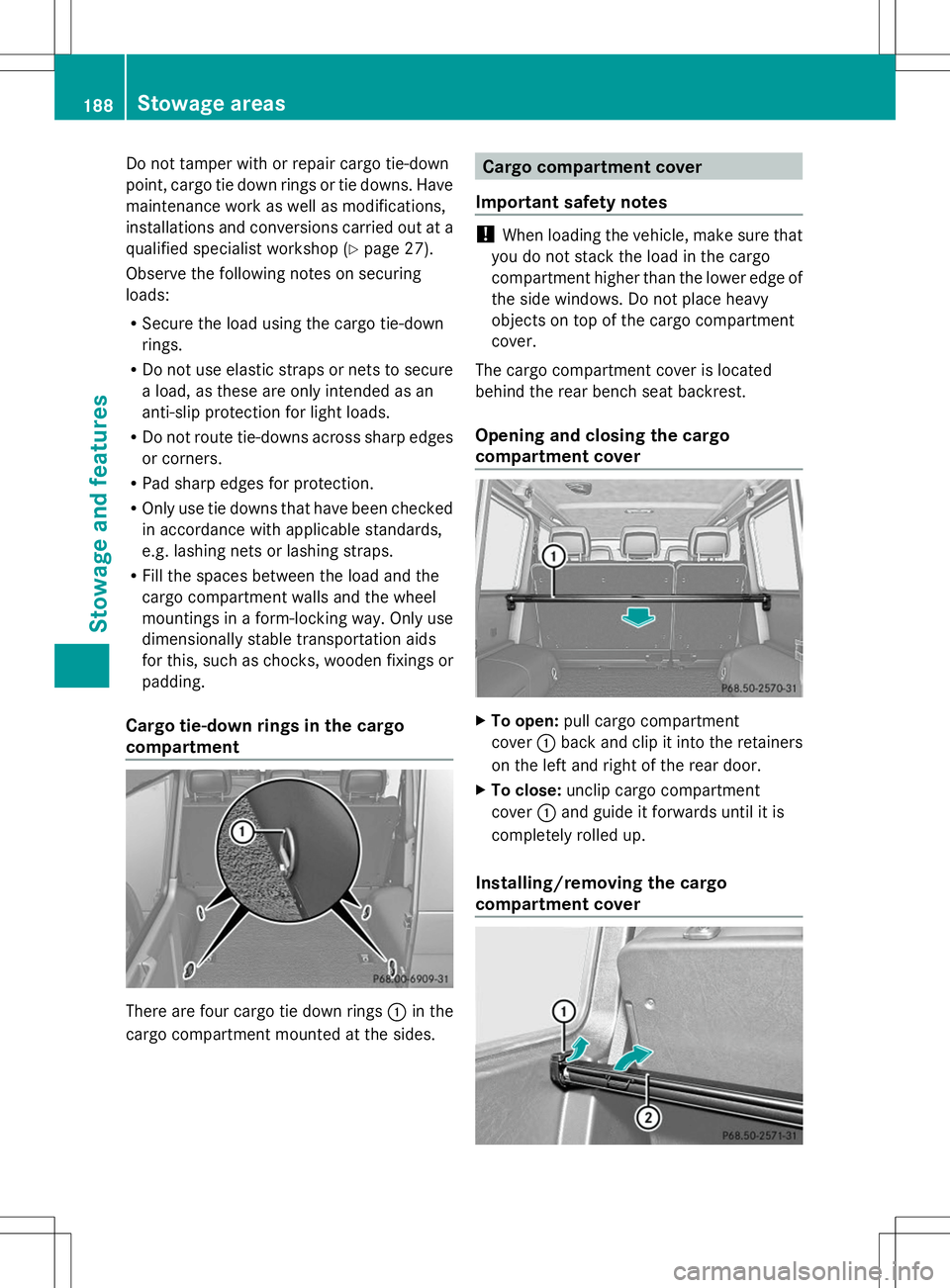
Cargo tie-down rings in the cargo
compartment There are four cargo tie down rings
:in the
cargo compartment mounted at the sides. Cargo compartment cover
Important safety notes !
When loading the vehicle, make sure that
you do not stack the load in the cargo
compartment higher than the lower edge of
the side windows. Do not place heavy
objects on top of the cargo compartment
cover.
The cargo compartment cover is located
behind the rear bench seat backrest.
Opening and closing the cargo
compartment cover X
To open: pull cargo compartment
cover :back and clip it into the retainers
on the left and right of the rear door.
X To close: unclip cargo compartment
cover :and guide it forwards until it is
completely rolled up.
Installing/removing the cargo
compartment cover 188
Sto
wage areasStowage an d features