stop start MERCEDES-BENZ G-CLASS SUV 2015 Owners Manual
[x] Cancel search | Manufacturer: MERCEDES-BENZ, Model Year: 2015, Model line: G-CLASS SUV, Model: MERCEDES-BENZ G-CLASS SUV 2015Pages: 274, PDF Size: 31.95 MB
Page 6 of 274
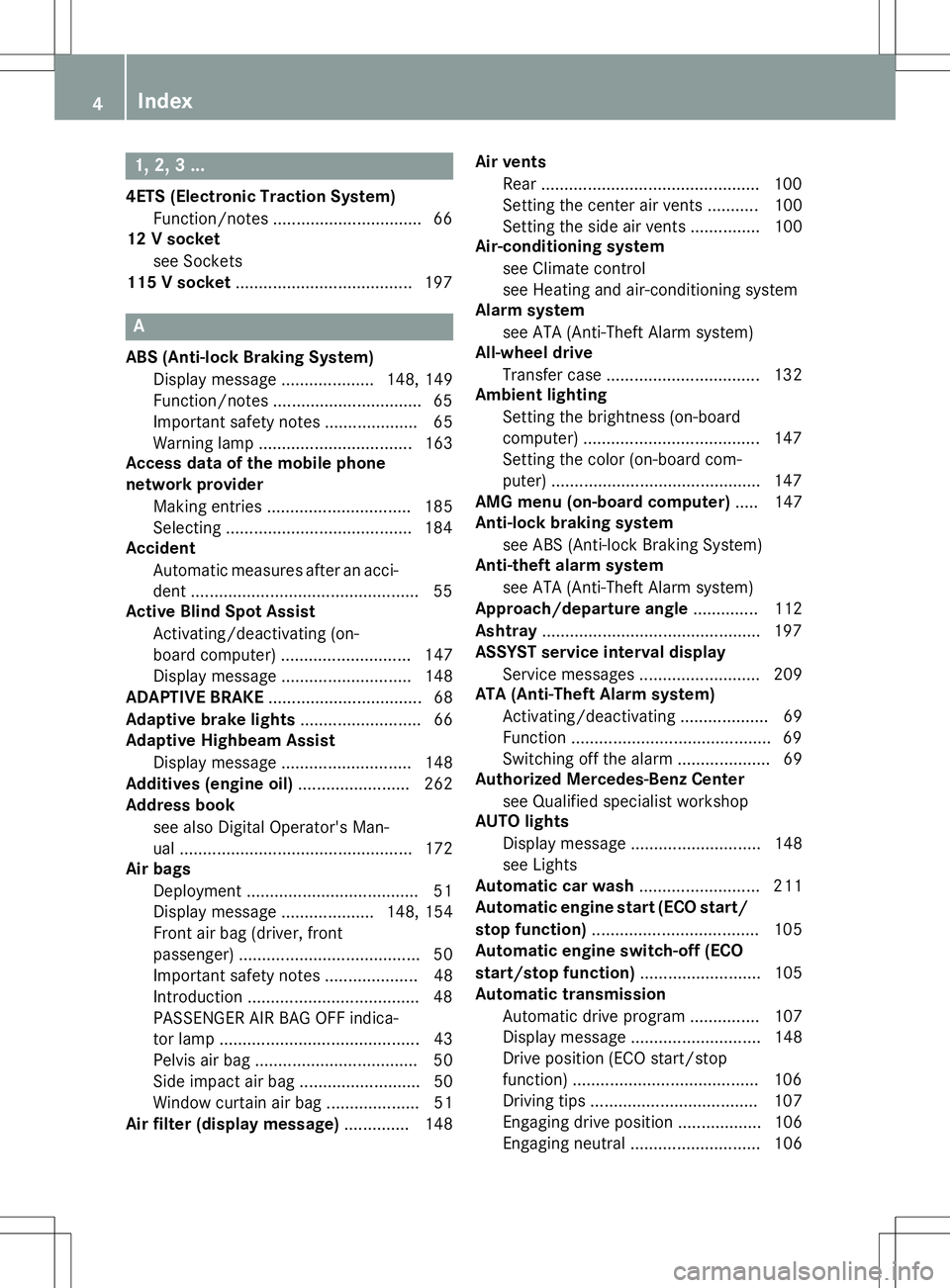
1, 2, 3 ...
4ETS (Electronic Traction System)Function/notes ................................ 66
12 V socket
see Sockets
115 V socket ...................................... 197
A
ABS (Anti-lock Braking System)
Display message .................... 148, 149
Function/notes ................................ 65
Important safety notes .................... 65
Warning lamp ................................ .163
Access data of the mobile phone
network provider
Making entries ............................... 185
Selecting ........................................ 184
Accident
Automatic measures after an acci-
dent ................................................. 55
Active Blind Spot Assist
Activating/deactivating (on-
board computer) ............................ 147
Display message ............................ 148
ADAPTIVE BRAKE ................................. 68
Adaptive brake lights .......................... 66
Adaptive Highbeam Assist
Display message ............................ 148
Additives (engine oil) ........................ 262
Address book
see also Digital Operator's Man-
ual ................................................. .172
Air bags
Deployment ..................................... 51
Display message .................... 148, 154
Front air bag (driver, front
passenger) ....................................... 50
Important safety notes .................... 48
Introduction ..................................... 48
PASSENGER AIR BAG OFF indica-
tor lamp .......................................... .43
Pelvis air bag ................................... 50
Side impact air bag .......................... 50
Window curtain air bag .................... 51
Air filter (display message) .............. 148Air vents
Rear ............................................... 100
Setting the center air vent s........... 100
Setting the side air vents ............... 100
Air-conditioning system
see Climate control
see Heating and air-conditioning system
Alarm system
see ATA (Anti-Theft Alarm system)
All-wheel drive
Transfer case ................................. 132
Ambient lighting
Setting the brightness (on-board
computer) ...................................... 147
Setting the color (on-board com-
puter) ............................................. 147
AMG menu (on-board computer) ..... 147
Anti-lock braking system
see ABS (Anti-lock Braking System)
Anti-theft alarm system
see ATA (Anti-Theft Alarm system)
Approach/departure angle .............. 112
Ashtray ............................................... 197
ASSYST service interval display
Service messages .......................... 209
ATA (Anti-Theft Alarm system)
Activating/deactivating ................... 69
Function ........................................... 69
Switching off the alarm .................... 69
Authorized Mercedes-Benz Center
see Qualified specialist workshop
AUTO lights
Display message ............................ 148
see Lights
Automatic car wash .......................... 211
Automatic engine start (ECO start/
stop function) .................................... 105
Automatic engine switch-off (ECO
start/stop function) .......................... 105
Automatic transmission
Automatic drive program ............... 107
Display message ............................ 148
Drive position (ECO start/stop
function) ........................................ 106
Driving tip s.................................... 107
Engaging drive position .................. 106
Engaging neutral ............................ 106
4Index
Page 7 of 274
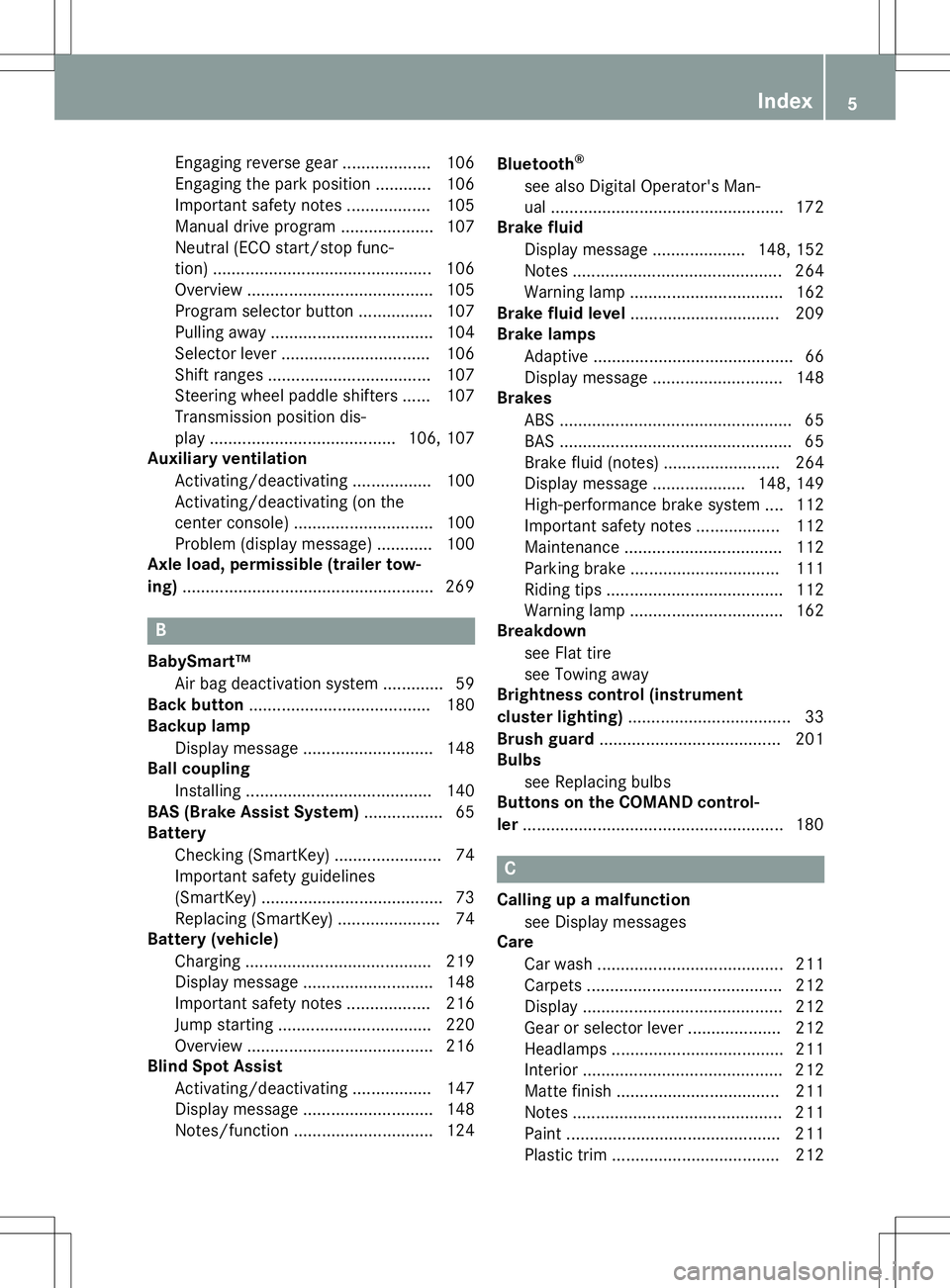
Engaging reverse gear ................... 106
Engaging the park position ............ 106
Important safety notes.................. 105
Manual drive progra m.................... 107
Neutral (ECO start/stop func-
tion) ............................................... 106
Overview ........................................ 105
Program selector button ................ 107
Pulling away ................................... 104
Selector lever ................................ 106
Shift ranges ................................... 107
Steering wheel paddle shifters ...... 107
Transmission position dis-
play ........................................ 106, 107
Auxiliary ventilation
Activating/deactivating ................. 100
Activating/deactivating (on the
center console ).............................. 100
Problem (display message) ............ 100
Axle load, permissible (trailer tow-
ing) ...................................................... 269
B
BabySmart™
Air bag deactivation system ............. 59
Back button ....................................... 180
Backup lamp
Display message ............................ 148
Ball coupling
Installing ........................................ 140
BAS (Brake Assist System) ................. 65
Battery
Checking (SmartKey) ....................... 74
Important safety guidelines
(SmartKey) ....................................... 73
Replacing (SmartKey) ...................... 74
Battery (vehicle)
Charging ........................................ 219
Display message ............................ 148
Important safety notes .................. 216
Jump starting ................................. 220
Overview ........................................ 216
Blind Spot Assist
Activating/deactivating ................. 147
Display message ............................ 148
Notes/function .............................. 124 Bluetooth
®
see also Digital Operator's Man-
ual .................................................. 172
Brake fluid
Display message .................... 148, 152
Notes ............................................. 264
Warning lamp ................................. 162
Brake fluid level ................................ 209
Brake lamps
Adaptive ........................................... 66
Display message ............................ 148
Brakes
ABS .................................................. 65
BAS .................................................. 65
Brake fluid (notes) ......................... 264
Display message .................... 148, 149
High-performance brake system .... 112
Important safety notes .................. 112
Maintenance .................................. 112
Parking brake ................................ 111
Riding tips ...................................... 112
Warning lamp ................................. 162
Breakdown
see Flat tire
see Towing away
Brightness control (instrument
cluster lighting) ................................... 33
Brush guard ....................................... 201
Bulbs
see Replacing bulbs
Buttons on the COMAND control-
ler ........................................................ 180
C
Calling up a malfunction
see Display messages
Care
Car wash ........................................ 211
Carpets .......................................... 212
Display ........................................... 212
Gear or selector lever .................... 212
Headlamps ..................................... 211
Interior ........................................... 212
Matte finish ................................... 211Note s............................................. 211
Paint .............................................. 211
Plastic trim .................................... 212
Index5
Page 11 of 274
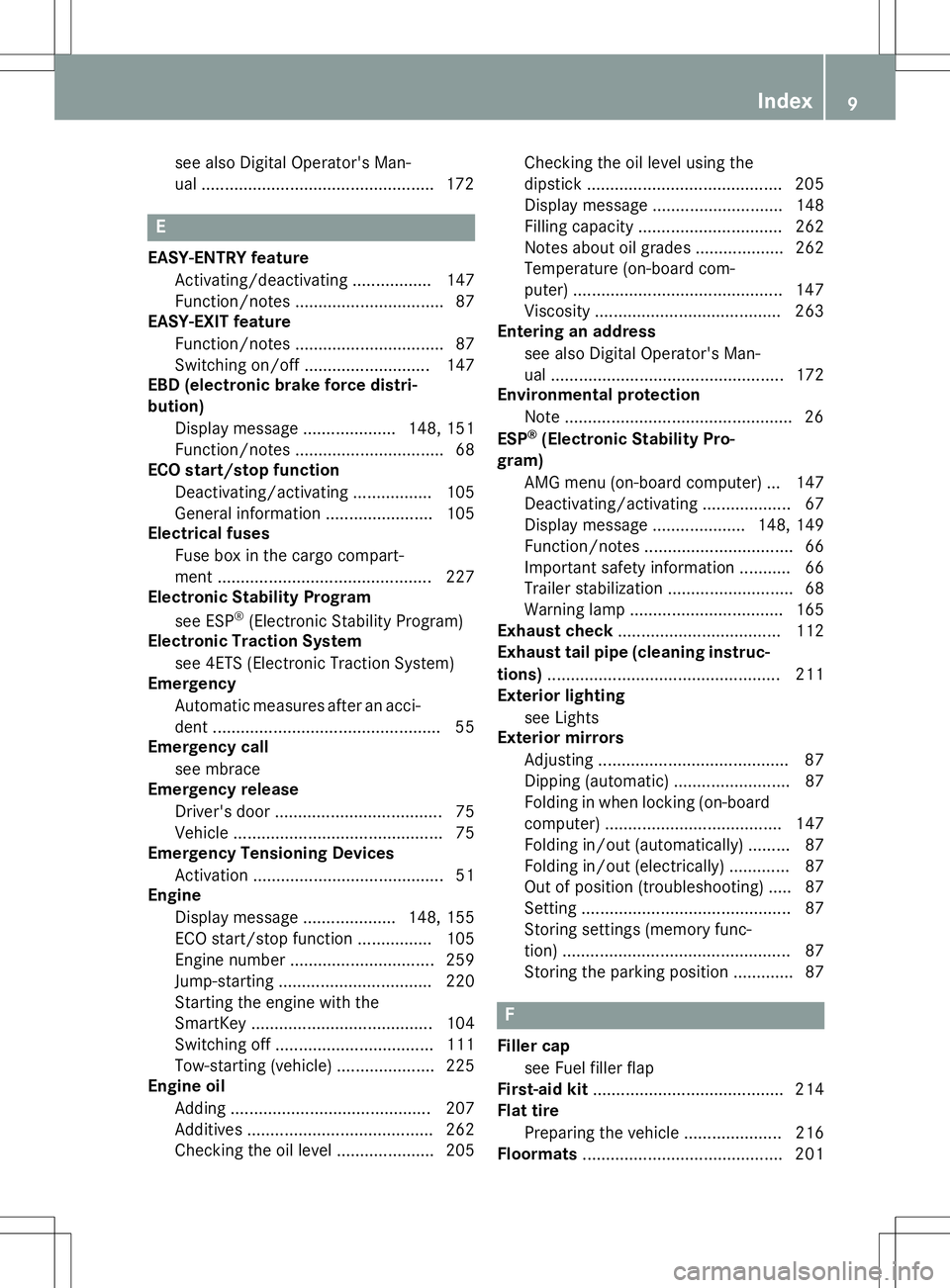
see also Digital Operator's Man-
ual .................................................. 172
E
EASY-ENTRY featureActivating/deactivating ................. 147
Function/notes ................................ 87
EASY-EXIT feature
Function/notes ................................ 87
Switching on/off ........................... 147
EBD (electronic brake force distri-bution)
Display message .................... 148, 151
Function/notes ................................ 68
ECO start/stop function
Deactivating/activating ................. 105
General information ....................... 105
Electrical fuses
Fuse box in the cargo compart-
ment ............................................. .227
Electronic Stability Program
see ESP ®
(Electronic Stability Program)
Electronic Traction System
see 4ETS (Electronic Traction System)
Emergency
Automatic measures after an acci-
dent ................................................. 55
Emergency call
see mbrace
Emergency release
Driver's door ................................... .75
Vehicle ............................................ .75
Emergency Tensioning Devices
Activation ........................................ .51
Engine
Display message .................... 148, 155
ECO start/stop function ................ 105
Engine number .............................. .259
Jump-starting ................................. 220
Starting the engine with the
SmartKey ....................................... 104
Switching off .................................. 111
Tow-starting (vehicle) ..................... 225
Engine oil
Adding .......................................... .207
Additives ........................................ 262
Checking the oil level ..................... 205 Checking the oil level using the
dipstick .......................................... 205
Display message ............................ 148
Filling capacity ............................... 262
Notes about oil grades ................... 262
Temperature (on-board com-
puter) ............................................. 147
Viscosity ........................................ 263
Entering an address
see also Digital Operator's Man-
ual ................................................. .172
Environmental protection
Note ................................................. 26
ESP ®
(Electronic Stability Pro-
gram)
AMG menu (on-board computer) ... 147
Deactivating/activating ................... 67
Display message .................... 148, 149
Function/notes ................................ 66
Important safety information ........... 66
Trailer stabilization ........................... 68
Warning lamp ................................. 165
Exhaust check ................................... 112
Exhaust tail pipe (cleaning instruc-
tions) ................................................. .211
Exterior lighting
see Lights
Exterior mirrors
Adjusting ......................................... 87
Dipping (automatic) ......................... 87
Folding in when locking (on-boardcomputer) ...................................... 147
Folding in/out (automatically )......... 87
Folding in/out (electrically) ............. 87
Out of position (troubleshooting) ..... 87
Setting ............................................. 87
Storing settings (memory func-
tion) ................................................. 87
Storing the parking position ............. 87
F
Filler cap
see Fuel filler flap
First-aid kit ......................................... 214
Flat tire
Preparing the vehicle ..................... 216
Floormats ........................................... 201
Index9
Page 19 of 274
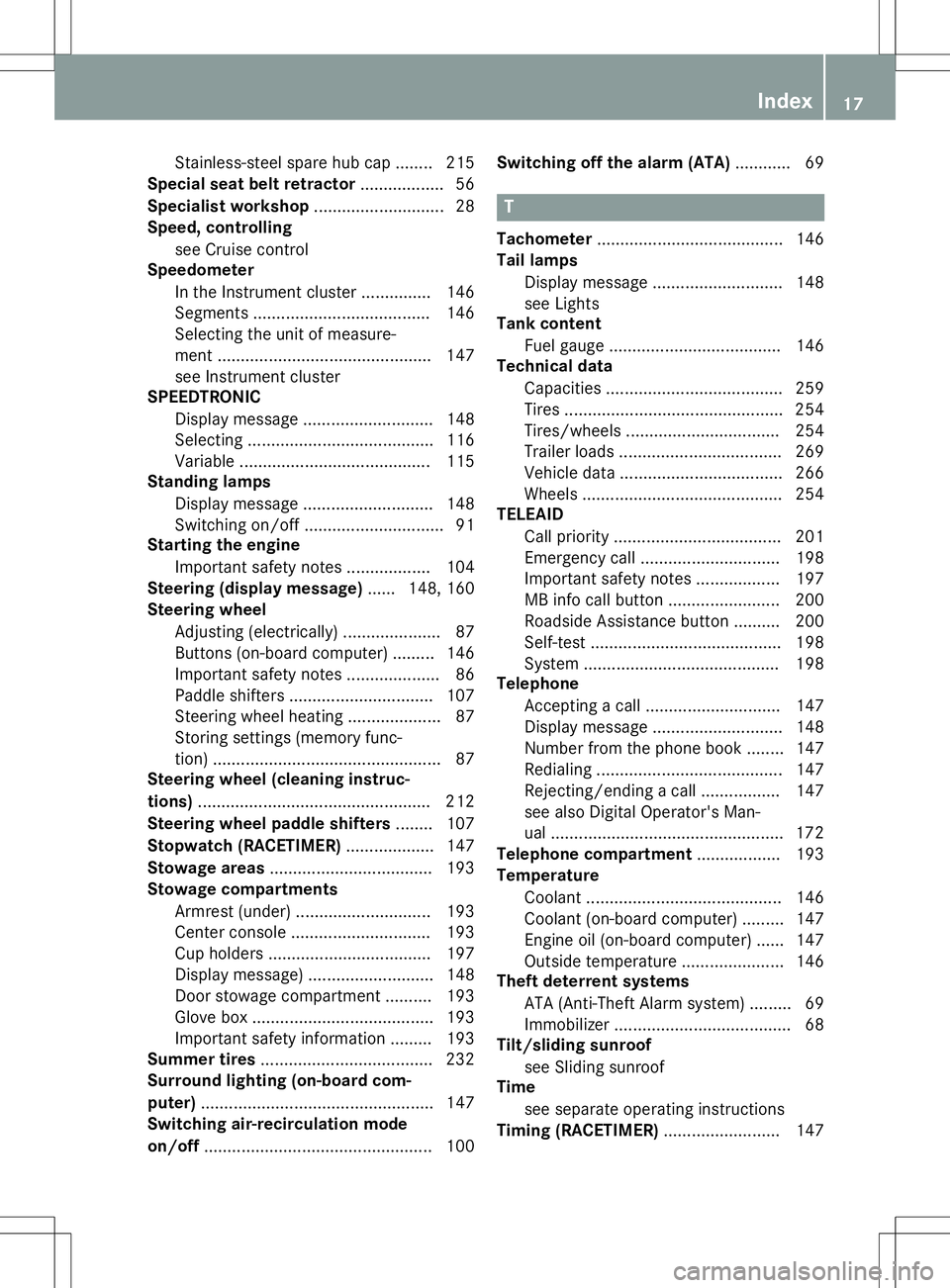
Stainless-steel spare hub cap ........ 215
Special seat belt retractor .................. 56
Specialist workshop ............................ 28
Speed, controlling
see Cruise control
Speedometer
In the Instrument cluster ............... 146
Segments ...................................... 146
Selecting the unit of measure-
ment .............................................. 147
see Instrument cluster
SPEEDTRONIC
Display message ............................ 148
Selecting ........................................ 116
Variabl e......................................... 115
Standing lamps
Display message ............................ 148
Switching on/of f.............................. 91
Starting the engine
Important safety notes .................. 104
Steering (display message) ...... 148, 160
Steering wheel
Adjusting (electrically) ..................... 87
Buttons (on-board computer) ......... 146
Important safety notes .................... 86
Paddle shifters ............................... 107
Steering wheel heating .................... 87
Storing settings (memory func-
tion) ................................................. 87
Steering wheel (cleaning instruc-
tions) .................................................. 212
Steering wheel paddle shifters ........ 107
Stopwatch (RACETIMER) ................... 147
Stowage areas ................................... 193
Stowage compartments
Armrest (under) ............................. 193
Center console .............................. 193
Cup holders ................................... 197
Display message) ........................... 148
Door stowage compartment .......... 193
Glove box ....................................... 193
Important safety information ......... 193
Summer tires ..................................... 232
Surround lighting (on-board com- puter) .................................................. 147
Switching air-recirculation mode
on/off ................................................. 100 Switching off the alarm (ATA)
............ 69
T
Tachometer........................................ 146
Tail lamps
Display message ............................ 148
see Lights
Tank content
Fuel gaug e..................................... 146
Technical data
Capacities ...................................... 259
Tires ............................................... 254
Tires/wheels ................................. 254
Trailer load s................................... 269
Vehicle data ................................... 266
Wheels ........................................... 254
TELEAID
Call priority .................................... 201
Emergency call .............................. 198
Important safety notes .................. 197
MB info call button ........................ 200
Roadside Assistance button .......... 200
Self-test ......................................... 198
System .......................................... 198
Telephone
Accepting a call ............................. 147
Display message ............................ 148
Number from the phone book ........ 147
Redialing ........................................ 147
Rejecting/ending a call ................. 147
see also Digital Operator's Man-ual.................................................. 172
Telephone compartment .................. 193
Temperature
Coolant .......................................... 146
Coolant (on-board computer) ......... 147
Engine oil (on-board computer) ...... 147
Outside temperature ...................... 146
Theft deterrent systems
ATA (Anti-Theft Alarm system )......... 69
Immobilizer ...................................... 68
Tilt/sliding sunroof
see Sliding sunroof
Time
see separate operating instructions
Timing (RACETIMER) ......................... 147
Index17
Page 38 of 274
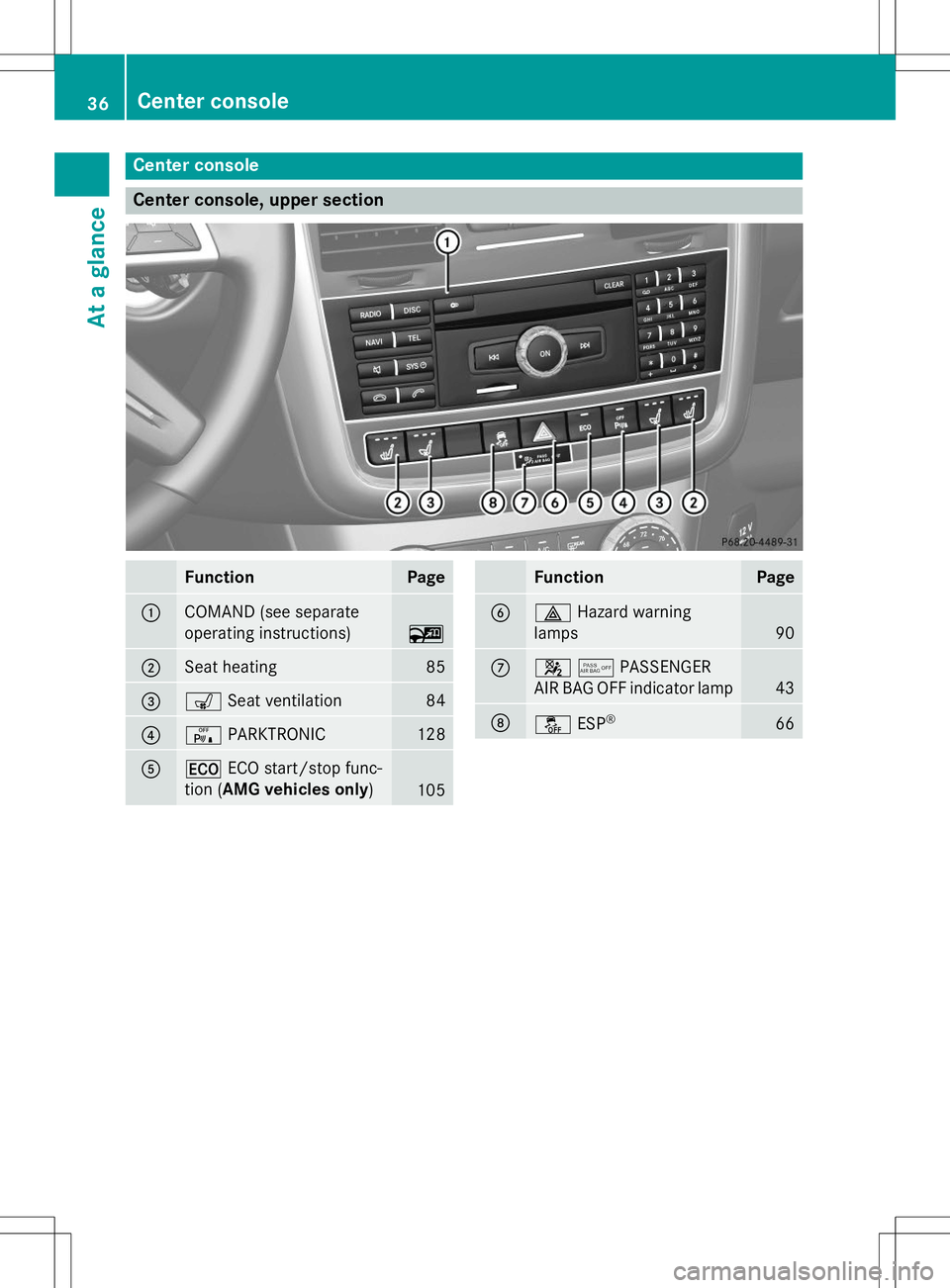
Center console
Center console, upper section
FunctionPage
:COMAND (see separate
operating instructions)
~
;Seat heating85
=sSeat ventilation84
?cPARKTRONIC128
A¤ECO start/stop func-
tion ( AMG vehicles only )
105
FunctionPage
B£Hazard warning
lamps
90
C45 PASSENGER
AIR BAG OFF indicator lamp
43
Då ESP®66
36Center console
At a glance
Page 50 of 274
mechanism. This could damage the door,
the door trim panel and the seat belt. Dam-aged seat belts can no longer fulfill their
protective function and must be replaced.
Visit a qualified specialist workshop.
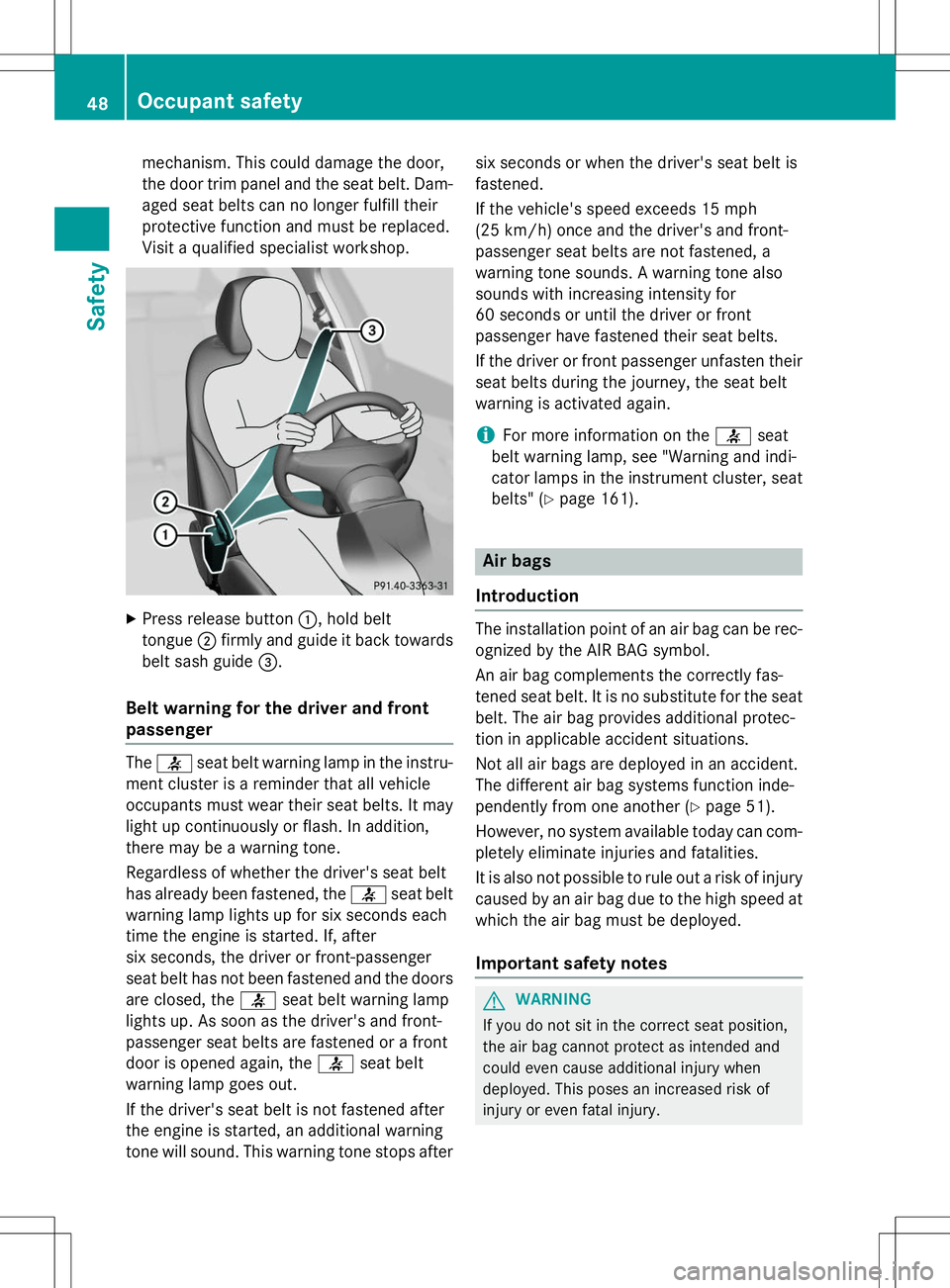
X Press release button :, hold belt
tongue ;firmly and guide it back towards
belt sash guide =.
Belt warning for the driver and front
passenger
The 7 seat belt warning lamp in the instru-
ment cluster is a reminder that all vehicle
occupants must wear their seat belts. It may
light up continuously or flash. In addition,
there may be a warning tone.
Regardless of whether the driver's seat belt
has already been fastened, the 7seat belt
warning lamp lights up for six seconds each
time the engine is started. If, after
six seconds, the driver or front-passenger
seat belt has not been fastened and the doors
are closed, the 7seat belt warning lamp
lights up. As soon as the driver's and front-
passenger seat belts are fastened or a front
door is opened again, the 7seat belt
warning lamp goes out.
If the driver's seat belt is not fastened after
the engine is started, an additional warning
tone will sound. This warning tone stops after six seconds or when the driver's seat belt isfastened.
If the vehicle's speed exceeds 15 mph
(25 km/h) once and the driver's and front-
passenger seat belts are not fastened, a
warning tone sounds. A warning tone also
sounds with increasing intensity for
60 seconds or until the driver or front
passenger have fastened their seat belts.
If the driver or front passenger unfasten their
seat belts during the journey, the seat belt
warning is activated again.
iFor more information on the 7seat
belt warning lamp, see "Warning and indi-
cator lamps in the instrument cluster, seat
belts" ( Ypage 161).
Air bags
Introduction
The installation point of an air bag can be rec-
ognized by the AIR BAG symbol.
An air bag complements the correctly fas-
tened seat belt. It is no substitute for the seat
belt. The air bag provides additional protec-
tion in applicable accident situations.
Not all air bags are deployed in an accident.
The different air bag systems function inde-
pendently from one another ( Ypage 51).
However, no system available today can com- pletely eliminate injuries and fatalities.
It is also not possible to rule out a risk of injury
caused by an air bag due to the high speed at which the air bag must be deployed.
Important safety notes
GWARNING
If you do not sit in the correct seat position,
the air bag cannot protect as intended and
could even cause additional injury when
deployed. This poses an increased risk of
injury or even fatal injury.
48Occupant safety
Safety
Page 69 of 274
XIf appropriate for the driving conditions,
engage the LOW RANGE off-road gear
( Y page 132).
Traction control is part of ESP ®
.
Traction control brakes the drive wheels indi-
vidually if they spin. This enables you to pull
away and accelerate on slippery surfaces, for
example if the road surface is slippery on one
side. In addition, more drive torque is trans-
ferred to the wheel or wheels with traction.
Traction control remains active, even if you
deactivate ESP ®
.
Traction control is no longer active above a
speed of approximately 37 mph (60 km/h).
Traction control brakes the drive wheels indi-
vidually if they spin. This enables you to pull
away and accelerate on slippery surfaces, for
example if the road surface is slippery on one
side. In addition, more drive torque is trans-
ferred to the wheel or wheels with traction.
Deactivating/activating ESP®
iObserve the "Important safety notes" sec-
tion ( Ypage 64).
GWARNING
If you deactivate ESP ®
, ESP ®
no longer sta-
bilizes the vehicle. There is an increased risk
of skidding and an accident.
Only deactivate ESP ®
in the situations descri-
bed in the following.
!Avoid spinning the driven wheels for an
extended period with ESP ®
deactivated.
You could otherwise damage the drivetrain.
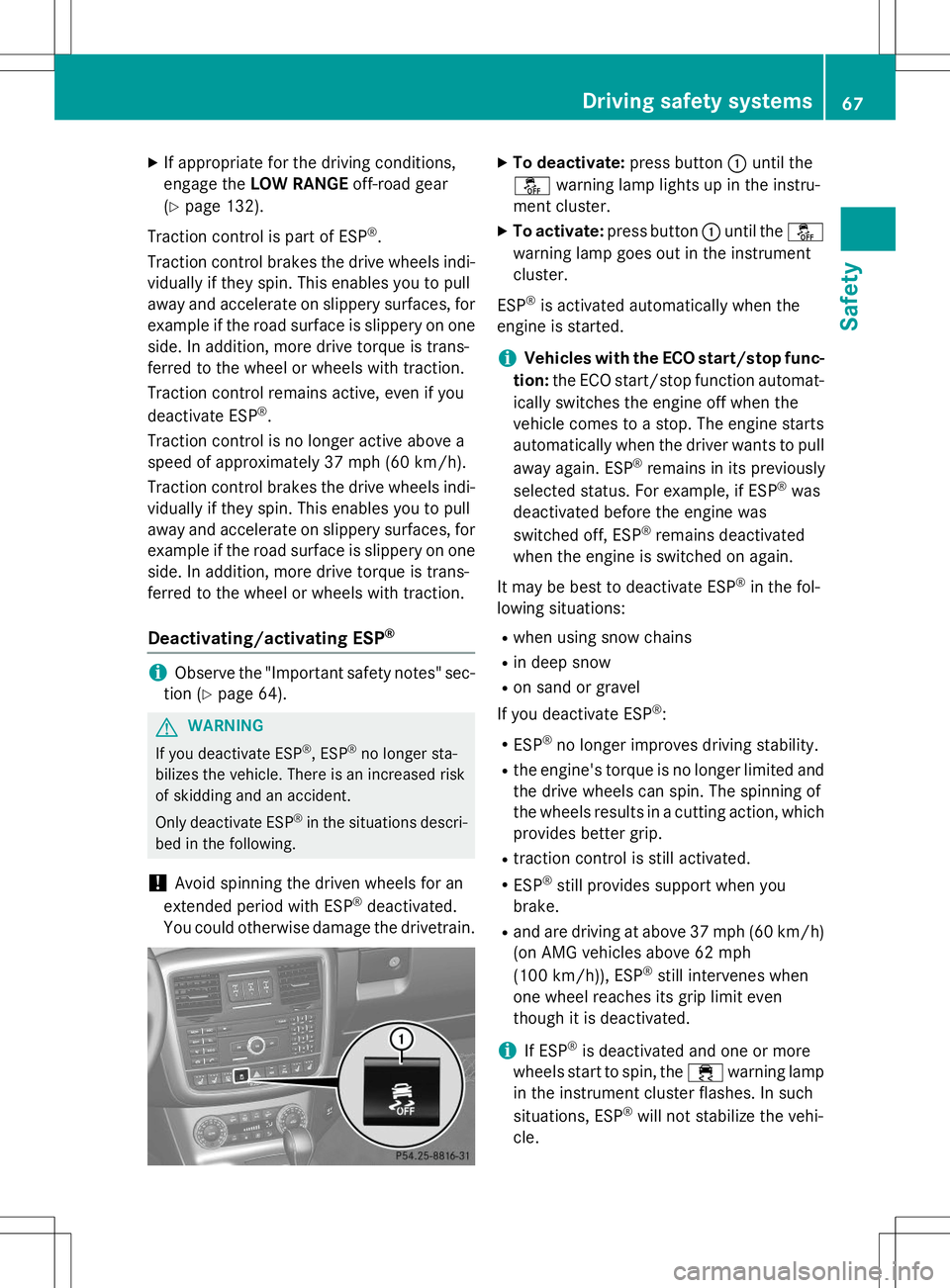
X To deactivate: press button:until the
å warning lamp lights up in the instru-
ment cluster.
X To activate: press button :until the å
warning lamp goes out in the instrument cluster.
ESP ®
is activated automatically when the
engine is started.
iVehicles with the ECO start/stop func-
tion: the ECO start/stop function automat-
ically switches the engine off when the
vehicle comes to a stop. The engine starts
automatically when the driver wants to pull
away again. ESP ®
remains in its previously
selected status. For example, if ESP ®
was
deactivated before the engine was
switched off, ESP ®
remains deactivated
when the engine is switched on again.
It may be best to deactivate ESP ®
in the fol-
lowing situations:
R when using snow chains
R in deep snow
R on sand or gravel
If you deactivate ESP ®
:
R ESP ®
no longer improves driving stability.
R the engine's torque is no longer limited and
the drive wheels can spin. The spinning of
the wheels results in a cutting action, which
provides better grip.
R traction control is still activated.
R ESP ®
still provides support when you
brake.
R and are driving at above 37 mph (60 km/h)
(on AMG vehicles above 62 mph
(100 km/h)), ESP ®
still intervenes when
one wheel reaches its grip limit even
though it is deactivated.
iIf ESP ®
is deactivated and one or more
wheels start to spin, the ÷warning lamp
in the instrument cluster flashes. In such
situations, ESP ®
will not stabilize the vehi-
cle.
Driving safety systems67
Safety
Z
Page 107 of 274
!If a warning tone sounds and the
Release Park. BrakeRelease Park. Brakemessage appears
in the multifunction display, the parking
brake is still applied. Release the parkingbrake.
X Depress the brake pedal and keep itdepressed.
X Shift the automatic transmission to posi-tion Dor R.
iBefore driving off, wait until the gear
change is fully completed.
X Release the parking brake ( Ypage 111).
X Release the brake pedal.
X Carefully depress the accelerator pedal.
iIt is only possible to shift the automatic
transmission from position Pto a different
position if you depress the brake pedal.
Only then is the selector lever lock
released.
iThe vehicle locks centrally once you have
pulled away. The locking knobs in the doors
drop down.
You can open the doors from the inside at
any time.
You can also deactivate the automatic lock- ing feature ( Ypage 147).
iUpshifts take place at higher engine
speeds after a cold start. This helps the
catalytic converter to reach its operating
temperature more quickly.
Hill start assist
GWARNING
After a short time, hill start assist will no lon-
ger brake your vehicle and it could roll away.
There is a risk of an accident and injury.
Therefore, quickly move your foot from the
brake pedal to the accelerator pedal. Never
leave the vehicle when it is held by hill startassist.
Hill start assist helps you when pulling away
forwards or in reverse on an uphill gradient. It holds the vehicle for a short time after you
have removed your foot from the brake pedal.
This gives you enough time to move your footfrom the brake pedal to the accelerator pedal
and to depress it before the vehicle begins to
roll.
X Take your foot off the brake pedal.
iOnce you have taken your foot off the
brake pedal, the vehicle is held for around
one second.
X Pull away.
Hill start assist will not function if: R you are pulling away on a level road or on a
downhill gradient.
R the transmission is in position N.
R the parking brake is applied.
R ESP ®
is malfunctioning.
ECO start/stop function (AMG vehi-
cles)
In the Digital Operator's Manual, you will find
general notes on and information about: R Deactivating/activating the ECO start/
stop function
R Automatic engine switch-off/engine start
Automatic transmission
Important safety notes
GWARNING
If the engine speed is above the idling speed
and you engage transmission position Dor R,
the vehicle could pull away suddenly. There is a risk of an accident.
When engaging transmission position Dor R,
always firmly depress the brake pedal and do not simultaneously accelerate.
GWARNING
The automatic transmission switches to neu-
tral position Nwhen you switch off the engine.
Automatic transmission105
Driving and parking
Z
Page 108 of 274
The vehicle may roll away. There is a risk of anaccident.
After switching off the engine, always switch
to parking position P. Prevent the parked vehi-
cle from rolling away by applying the parkingbrake.
iBear in mind that the power transmission
between the engine and the transmission is interrupted when the engine is switched
off. For this reason, shift the automatic
transmission to Pwhen the engine is
switched off and the vehicle is at a stand-
still. Apply the parking brake to prevent the vehicle from rolling away.
Selector lever
Overview of transmission positions
!If the engine speed is too high or if the
vehicle is rolling, do not shift the transmis-
sion directly from Dto R, from Rto Dor
directly to P.
Do not open the driver's door while the
vehicle is in motion. At low speeds in trans-
mission position Dor R, park position Pis
otherwise engaged automatically.
The transmission could be damaged.
Selector lever j
Park position
kReverse gear
iNeutral
hDrive In the Digital Operator's Manual you will find
information on the following topics: R
Engaging park position P
R Engaging reverse gear R
R Engaging neutral N
R Neutral Nin the ECO start/stop function
(AMG vehicles)
R Shifting to transmission position D
R Transmission position Din the ECO start/
stop function (AMG vehicles)
Transmission position and drive pro-
gram display
!If the transmission position display in the
multifunction display is not working, you
should pull away carefully to check whether the desired transmission position is
engaged. Select transmission position D.
Do not restrict the shift range.
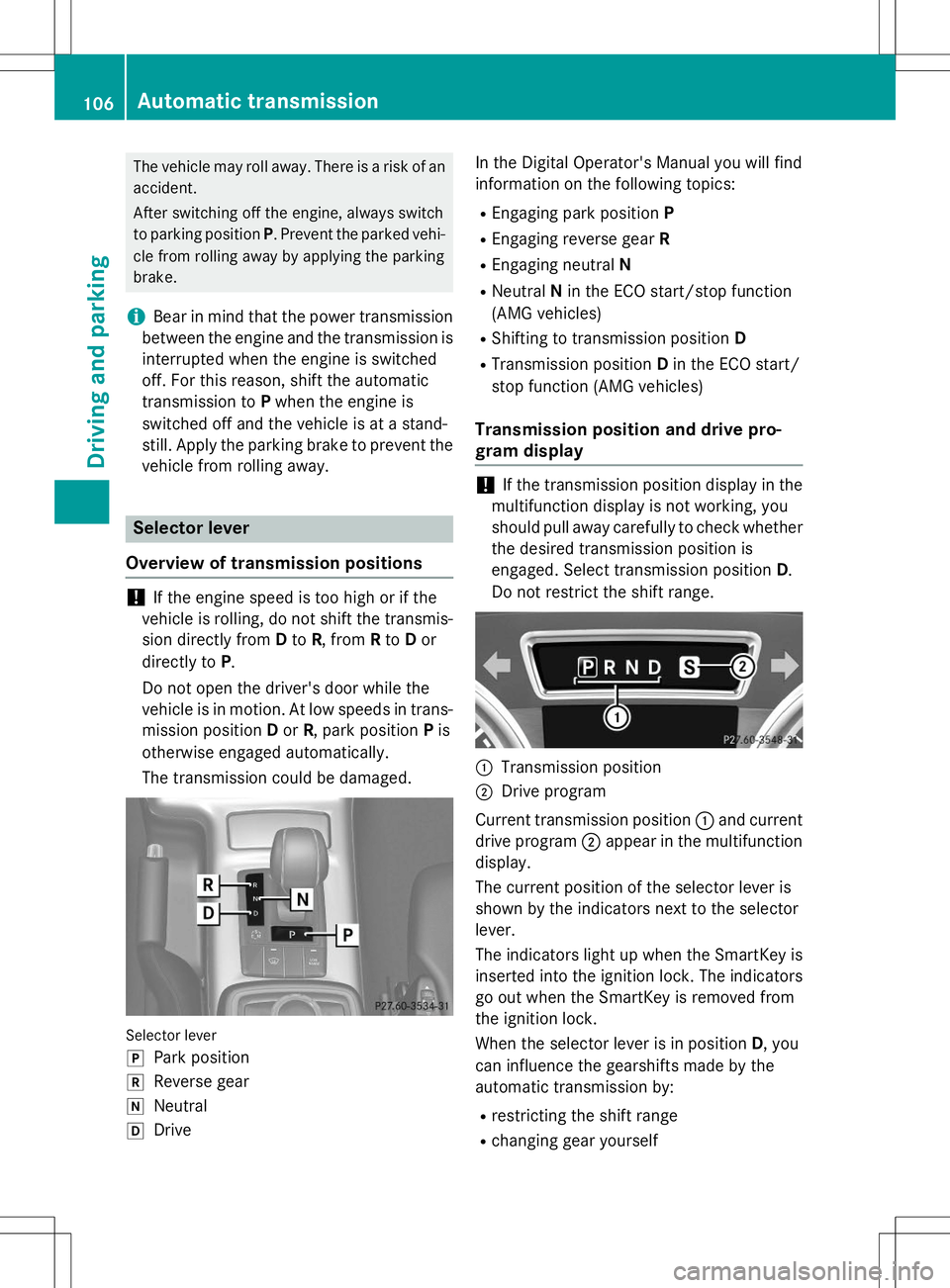
:Transmission position
;Drive program
Current transmission position :and current
drive program ;appear in the multifunction
display.
The current position of the selector lever is
shown by the indicators next to the selectorlever.
The indicators light up when the SmartKey is inserted into the ignition lock. The indicators go out when the SmartKey is removed from
the ignition lock.
When the selector lever is in position D, you
can influence the gearshifts made by the
automatic transmission by:
R restricting the shift range
R changing gear yourself
106Automatic transmission
Driving and parking
Page 128 of 274
If a vehicle is detected in the monitoring range
of Blind Spot Assist and you switch on the
corresponding turn signal, a double warning
tone sounds. Red warning lamp :flashes. If
the turn signal remains on, vehicles detected
are indicated by the flashing of red warninglamp :. There are no further warning tones.
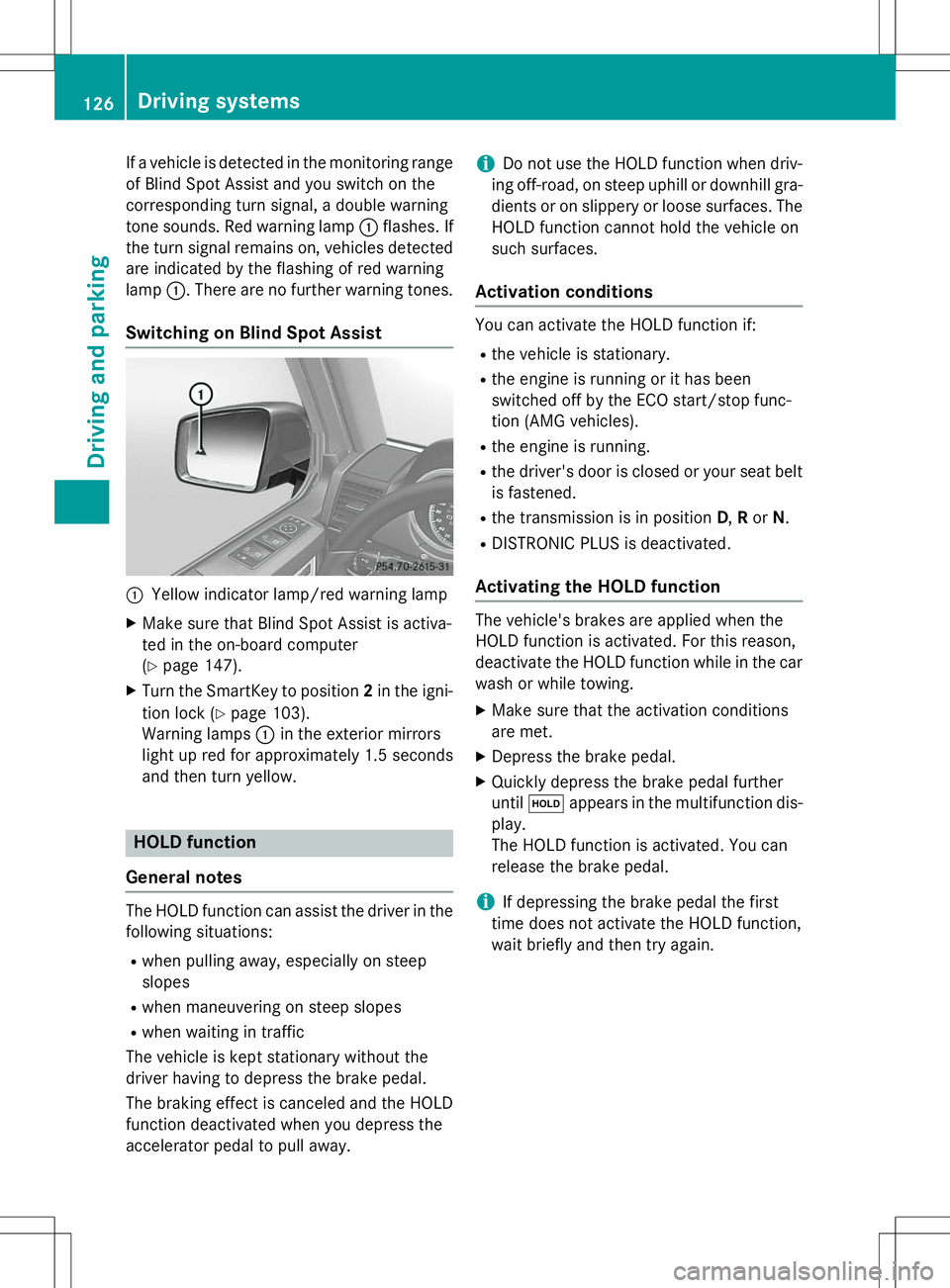
Switching on Blind Spot Assist
:Yellow indicator lamp/red warning lamp
X Make sure that Blind Spot Assist is activa-
ted in the on-board computer(Y page 147).
X Turn the SmartKey to position 2in the igni-
tion lock ( Ypage 103).
Warning lamps :in the exterior mirrors
light up red for approximately 1.5 seconds
and then turn yellow.
HOLD function
General notes
The HOLD function can assist the driver in the
following situations: R when pulling away, especially on steep
slopes
R when maneuvering on steep slopes
R when waiting in traffic
The vehicle is kept stationary without the
driver having to depress the brake pedal.
The braking effect is canceled and the HOLD
function deactivated when you depress the
accelerator pedal to pull away.
iDo not use the HOLD function when driv-
ing off-road, on steep uphill or downhill gra- dients or on slippery or loose surfaces. The
HOLD function cannot hold the vehicle on
such surfaces.
Activation conditions
You can activate the HOLD function if: R the vehicle is stationary.
R the engine is running or it has been
switched off by the ECO start/stop func-
tion (AMG vehicles).
R the engine is running.
R the driver's door is closed or your seat belt
is fastened.
R the transmission is in position D,R or N.
R DISTRONIC PLUS is deactivated.
Activating the HOLD function
The vehicle's brakes are applied when the
HOLD function is activated. For this reason,
deactivate the HOLD function while in the car
wash or while towing.
X Make sure that the activation conditions
are met.
X Depress the brake pedal.
X Quickly depress the brake pedal furtheruntil ë appears in the multifunction dis-
play.
The HOLD function is activated. You can
release the brake pedal.
iIf depressing the brake pedal the first
time does not activate the HOLD function,
wait briefly and then try again.
126Driving systems
Driving and parking