warning lights MERCEDES-BENZ G-CLASS SUV 2015 Owners Manual
[x] Cancel search | Manufacturer: MERCEDES-BENZ, Model Year: 2015, Model line: G-CLASS SUV, Model: MERCEDES-BENZ G-CLASS SUV 2015Pages: 274, PDF Size: 31.95 MB
Page 6 of 274
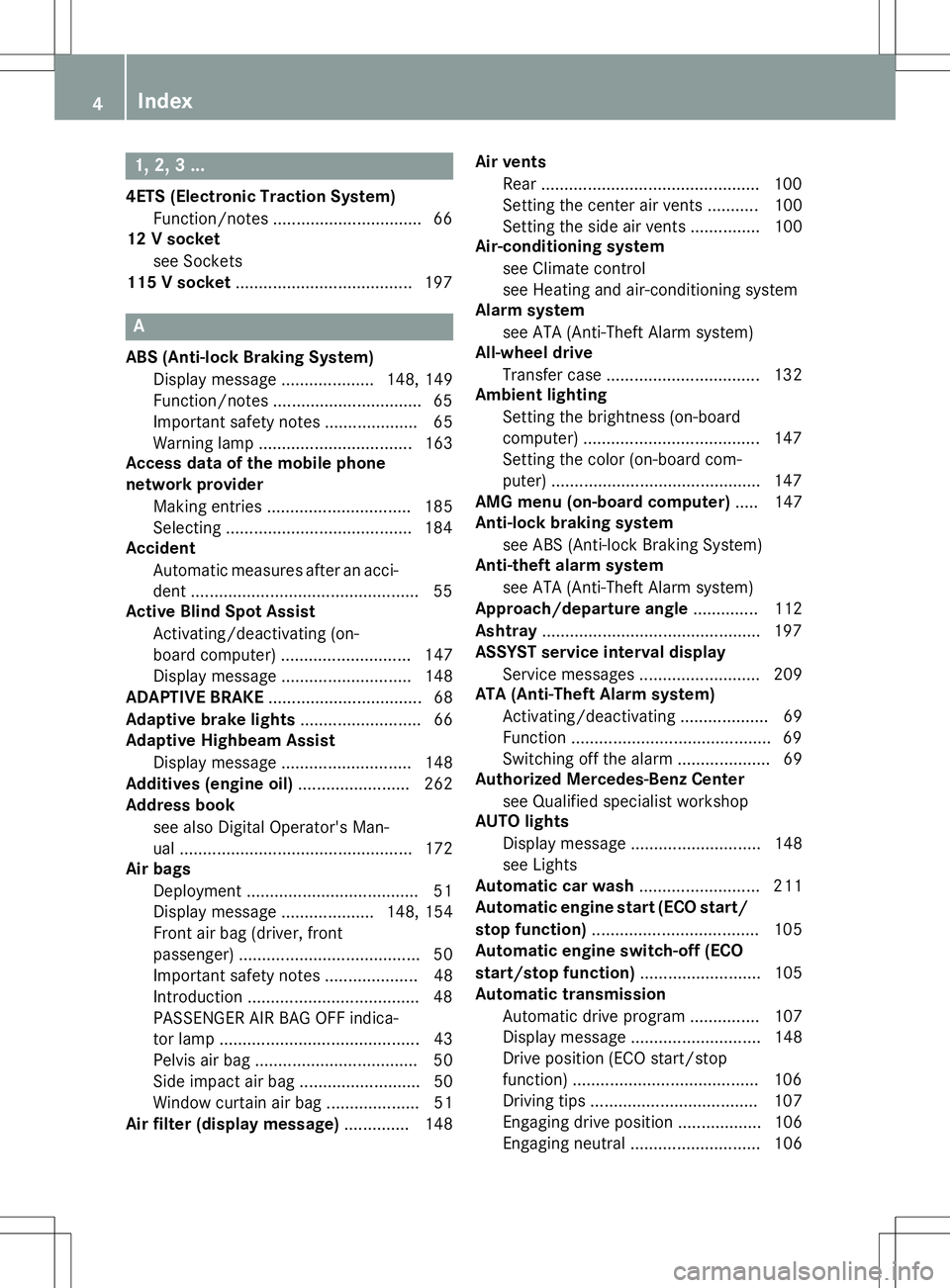
1, 2, 3 ...
4ETS (Electronic Traction System)Function/notes ................................ 66
12 V socket
see Sockets
115 V socket ...................................... 197
A
ABS (Anti-lock Braking System)
Display message .................... 148, 149
Function/notes ................................ 65
Important safety notes .................... 65
Warning lamp ................................ .163
Access data of the mobile phone
network provider
Making entries ............................... 185
Selecting ........................................ 184
Accident
Automatic measures after an acci-
dent ................................................. 55
Active Blind Spot Assist
Activating/deactivating (on-
board computer) ............................ 147
Display message ............................ 148
ADAPTIVE BRAKE ................................. 68
Adaptive brake lights .......................... 66
Adaptive Highbeam Assist
Display message ............................ 148
Additives (engine oil) ........................ 262
Address book
see also Digital Operator's Man-
ual ................................................. .172
Air bags
Deployment ..................................... 51
Display message .................... 148, 154
Front air bag (driver, front
passenger) ....................................... 50
Important safety notes .................... 48
Introduction ..................................... 48
PASSENGER AIR BAG OFF indica-
tor lamp .......................................... .43
Pelvis air bag ................................... 50
Side impact air bag .......................... 50
Window curtain air bag .................... 51
Air filter (display message) .............. 148Air vents
Rear ............................................... 100
Setting the center air vent s........... 100
Setting the side air vents ............... 100
Air-conditioning system
see Climate control
see Heating and air-conditioning system
Alarm system
see ATA (Anti-Theft Alarm system)
All-wheel drive
Transfer case ................................. 132
Ambient lighting
Setting the brightness (on-board
computer) ...................................... 147
Setting the color (on-board com-
puter) ............................................. 147
AMG menu (on-board computer) ..... 147
Anti-lock braking system
see ABS (Anti-lock Braking System)
Anti-theft alarm system
see ATA (Anti-Theft Alarm system)
Approach/departure angle .............. 112
Ashtray ............................................... 197
ASSYST service interval display
Service messages .......................... 209
ATA (Anti-Theft Alarm system)
Activating/deactivating ................... 69
Function ........................................... 69
Switching off the alarm .................... 69
Authorized Mercedes-Benz Center
see Qualified specialist workshop
AUTO lights
Display message ............................ 148
see Lights
Automatic car wash .......................... 211
Automatic engine start (ECO start/
stop function) .................................... 105
Automatic engine switch-off (ECO
start/stop function) .......................... 105
Automatic transmission
Automatic drive program ............... 107
Display message ............................ 148
Drive position (ECO start/stop
function) ........................................ 106
Driving tip s.................................... 107
Engaging drive position .................. 106
Engaging neutral ............................ 106
4Index
Page 9 of 274
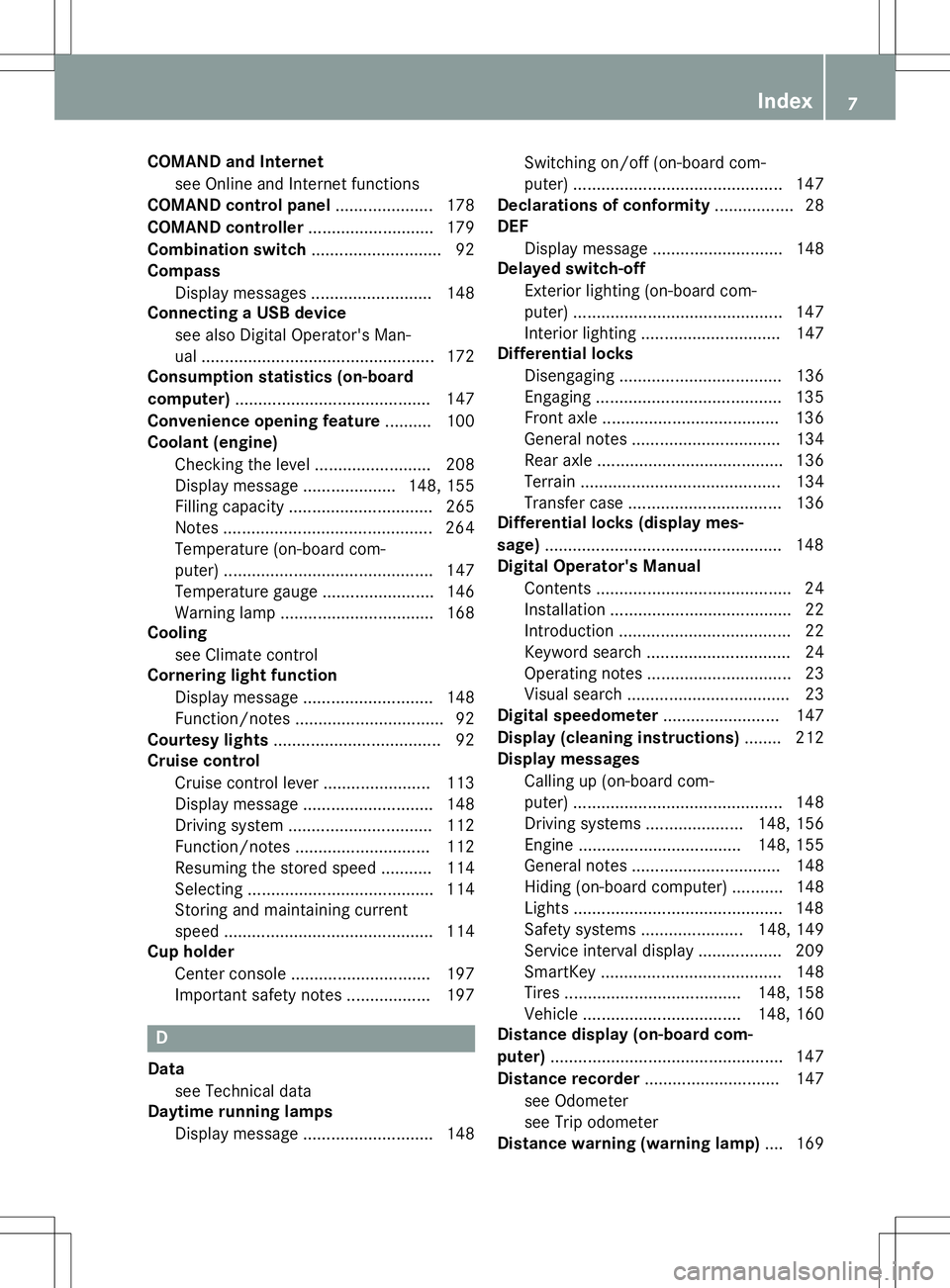
COMAND and Internetsee Online and Internet functions
COMAND control panel .....................178
COMAND controller ........................... 179
Combination switch ............................ 92
Compass
Display messages .......................... 148
Connecting a USB device
see also Digital Operator's Man-
ual ................................................. .172
Consumption statistics (on-board
computer) .......................................... 147
Convenience opening feature .......... 100
Coolant (engine)
Checking the level ......................... 208
Display message .................... 148, 155
Filling capacity ............................... 265
Notes ............................................. 264
Temperature (on-board com-
puter) ............................................. 147
Temperature gauge ........................ 146
Warning lamp ................................. 168
Cooling
see Climate control
Cornering light function
Display message ............................ 148
Function/notes ................................ 92
Courtesy lights ................................... .92
Cruise control
Cruise control leve r .......................113
Display message ............................ 148
Driving system ............................... 112
Function/notes ............................ .112
Resuming the stored speed ........... 114
Selecting ........................................ 114
Storing and maintaining current
speed ............................................. 114
Cup holder
Center console .............................. 197
Important safety notes .................. 197
D
Datasee Technical data
Daytime running lamps
Display message ............................ 148 Switching on/off (on-board com-
puter) ............................................. 147
Declarations of conformity ................. 28
DEF
Display message ............................ 148
Delayed switch-off
Exterior lighting (on-board com-
puter) ............................................. 147
Interior lighting .............................. 147
Differential locks
Disengaging ................................... 136
Engaging ........................................ 135
Front axle ...................................... 136
General notes ................................ 134
Rear axle ........................................ 136
Terrain .......................................... .134
Transfer case ................................. 136
Differential locks (display mes-
sage) ................................................... 148
Digital Operator's Manual
Contents .......................................... 24
Installation ....................................... 22
Introduction ..................................... 22
Keyword search ............................... 24
Operating notes ............................... 23
Visual search ................................... 23
Digital speedometer ......................... 147
Display (cleaning instructions) ........212
Display messages
Calling up (on-board com-
puter) ............................................. 148
Driving systems ..................... 148, 156
Engine ................................... 148, 155
General notes ................................ 148
Hiding (on-board computer) ........... 148
Lights ............................................. 148
Safety systems ..................... .148, 149
Service interval displa y.................. 209
SmartKey ....................................... 148
Tires ...................................... 148, 158
Vehicle .................................. 148, 160
Distance display (on-board com- puter) .................................................. 147
Distance recorder ............................. 147
see Odometer
see Trip odometer
Distance warning (warning lamp) .... 169
Index7
Page 10 of 274
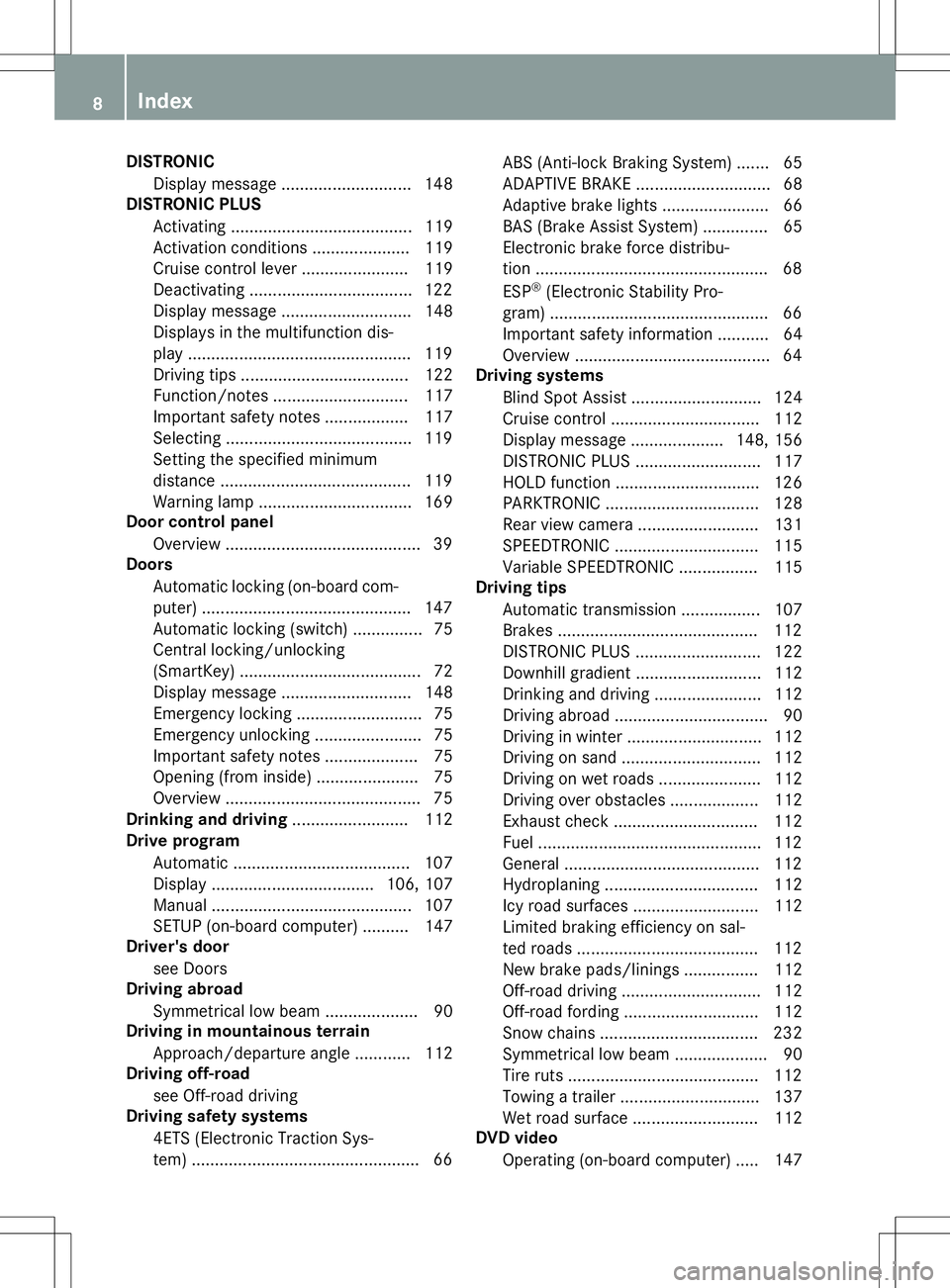
DISTRONICDisplay message ............................ 148
DISTRONIC PLUS
Activating ...................................... .119
Activation conditions ..................... 119
Cruise control lever ....................... 119
Deactivating ................................... 122
Display message ............................ 148
Displays in the multifunction dis-
play ................................................ 119
Driving tips ................................... .122
Function/notes ............................ .117
Important safety notes .................. 117
Selecting ........................................ 119
Setting the specified minimum
distance ......................................... 119
Warning lamp ................................. 169
Door control panel
Overview .......................................... 39
Doors
Automatic locking (on-board com-
puter) ............................................. 147
Automatic locking (switch) .............. .75
Central locking/unlocking
(SmartKey) ...................................... .72
Display message ............................ 148
Emergency locking ........................... 75
Emergency unlocking ....................... 75
Important safety note s.................... 75
Opening (from inside) ...................... 75
Overview .......................................... 75
Drinking and driving ......................... 112
Drive program
Automatic ...................................... 107
Display ................................... 106, 107
Manual ........................................... 107
SETUP (on-board computer) .......... 147
Driver's door
see Doors
Driving abroad
Symmetrical low beam .................... 90
Driving in mountainous terrain
Approach/departure angle ............ 112
Driving off-road
see Off-road driving
Driving safety systems
4ETS (Electronic Traction Sys-
tem) ................................................. 66 ABS (Anti-lock Braking System) ....... 65
ADAPTIVE BRAK
E............................. 68
Adaptive brake lights ....................... 66
BAS (Brake Assist System) .............. 65
Electronic brake force distribu-
tion .................................................. 68 ESP ®
(Electronic Stability Pro-
gram) ............................................... 66
Important safety information ........... 64
Overview .......................................... 64
Driving systems
Blind Spot Assist ............................ 124
Cruise control ................................ 112
Display message .................... 148, 156
DISTRONIC PLUS ........................... 117
HOLD function ............................... 126
PARKTRONIC ................................. 128
Rear view camera .......................... 131
SPEEDTRONIC ............................... 115
Variable SPEEDTRONIC ................. 115
Driving tips
Automatic transmission ................. 107
Brakes ........................................... 112
DISTRONIC PLUS ........................... 122
Downhill gradient ........................... 112
Drinking and driving ....................... 112
Driving abroad ................................. 90
Driving in winter ............................. 112
Driving on sand .............................. 112
Driving on wet roads ...................... 112
Driving over obstacles ................... 112
Exhaust check ............................... 112
Fuel ................................................ 112
General .......................................... 112
Hydroplaning ................................. 112
Icy road surfaces ........................... 112
Limited braking efficiency on sal-
ted roads ....................................... 112
New brake pads/linings ................ 112
Off-road driving .............................. 112
Off-road fording ............................. 112
Snow chains .................................. 232
Symmetrical low beam .................... 90
Tire ruts ......................................... 112
Towing a trailer .............................. 137
Wet road surface ........................... 112
DVD video
Operating (on-board computer) ..... 147
8Index
Page 11 of 274
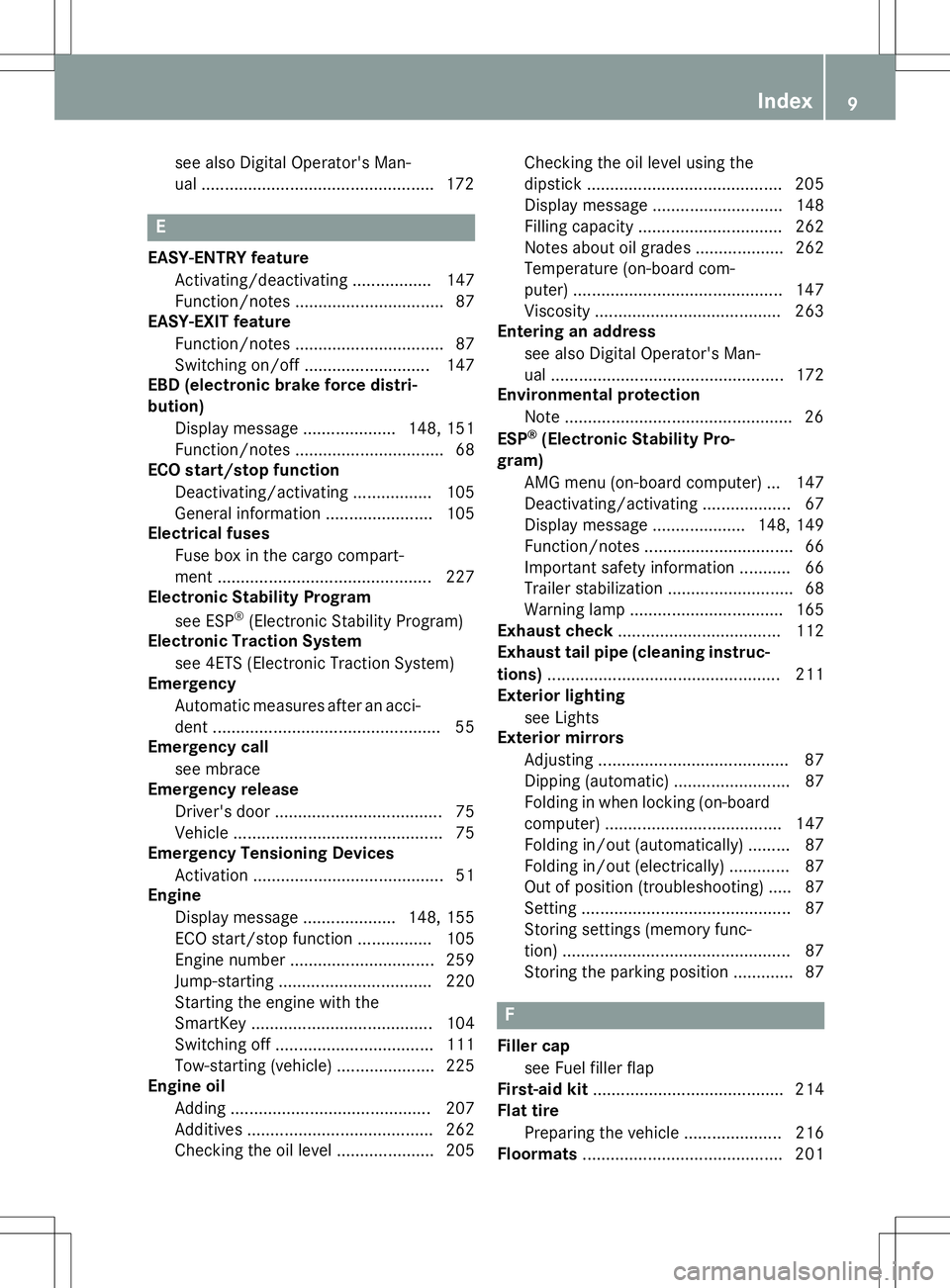
see also Digital Operator's Man-
ual .................................................. 172
E
EASY-ENTRY featureActivating/deactivating ................. 147
Function/notes ................................ 87
EASY-EXIT feature
Function/notes ................................ 87
Switching on/off ........................... 147
EBD (electronic brake force distri-bution)
Display message .................... 148, 151
Function/notes ................................ 68
ECO start/stop function
Deactivating/activating ................. 105
General information ....................... 105
Electrical fuses
Fuse box in the cargo compart-
ment ............................................. .227
Electronic Stability Program
see ESP ®
(Electronic Stability Program)
Electronic Traction System
see 4ETS (Electronic Traction System)
Emergency
Automatic measures after an acci-
dent ................................................. 55
Emergency call
see mbrace
Emergency release
Driver's door ................................... .75
Vehicle ............................................ .75
Emergency Tensioning Devices
Activation ........................................ .51
Engine
Display message .................... 148, 155
ECO start/stop function ................ 105
Engine number .............................. .259
Jump-starting ................................. 220
Starting the engine with the
SmartKey ....................................... 104
Switching off .................................. 111
Tow-starting (vehicle) ..................... 225
Engine oil
Adding .......................................... .207
Additives ........................................ 262
Checking the oil level ..................... 205 Checking the oil level using the
dipstick .......................................... 205
Display message ............................ 148
Filling capacity ............................... 262
Notes about oil grades ................... 262
Temperature (on-board com-
puter) ............................................. 147
Viscosity ........................................ 263
Entering an address
see also Digital Operator's Man-
ual ................................................. .172
Environmental protection
Note ................................................. 26
ESP ®
(Electronic Stability Pro-
gram)
AMG menu (on-board computer) ... 147
Deactivating/activating ................... 67
Display message .................... 148, 149
Function/notes ................................ 66
Important safety information ........... 66
Trailer stabilization ........................... 68
Warning lamp ................................. 165
Exhaust check ................................... 112
Exhaust tail pipe (cleaning instruc-
tions) ................................................. .211
Exterior lighting
see Lights
Exterior mirrors
Adjusting ......................................... 87
Dipping (automatic) ......................... 87
Folding in when locking (on-boardcomputer) ...................................... 147
Folding in/out (automatically )......... 87
Folding in/out (electrically) ............. 87
Out of position (troubleshooting) ..... 87
Setting ............................................. 87
Storing settings (memory func-
tion) ................................................. 87
Storing the parking position ............. 87
F
Filler cap
see Fuel filler flap
First-aid kit ......................................... 214
Flat tire
Preparing the vehicle ..................... 216
Floormats ........................................... 201
Index9
Page 14 of 274
License plate lampDisplay message ............................ 148
License plate lamp (display mes- sage) .................................................. .148
Light sensor (display mes-
sage) ................................................... 148
Lights
Activating/deactivating the inte-
rior lighting delayed switch-off ....... 147
Cornering light function ................... 92
Courtesy lights ................................. 92
Driving abroad ................................. 90
Fog lamps ........................................ 91
Hazard warning lamps ..................... 90
High beam flasher ............................ 92
High-beam headlamps ..................... 92
Light switch ..................................... 90
Low-beam headlamps ..................... .91
Parking lamps ................................. .91
Rear fog lamp .................................. 91
Setting the brightness of the
ambient lighting (on-board com-
puter) ............................................ .147
Setting the color of the ambient
lighting (on-board computer) ......... 147
Standing lamps ................................ 91
Switching the daytime running
lamps on/off (on-board com-
puter) ............................................. 147
Switching the exterior lighting
delayed switch-off on/off (on-
board computer) ............................ 147
Switching the surround lighting
on/off (on-board computer) .......... 147
Turn signals ..................................... 92
see Replacing bulbs
LIM indicator lamp
Cruise control ................................ 113
DISTRONIC PLUS ........................... 119
Variable SPEEDTRONIC ................. 116
Limit speed
Variable SPEEDTRONIC ................. 115
List of access data
New provider ................................. 185
List of mobile phone network pro-
viders
Empty ............................................ 183
With the selected provider ............. 184 Load anchorage
................................. 195
Loading guidelines ............................ 192
Locking
From inside the vehicle (central
locking button) ................................. 75
see Central locking
Locking (doors)
Automatic ........................................ 75
Emergency locking ........................... 75
From inside (central locking but-
ton) ................................................. .75
Locking centrally
see Central locking
Locking verification signal (on-
board computer) .............................. .147
LOW RANGE
Display message ............................ 148
LOW RANGE off-road gear ................ 132
Low-beam headlamps
Display message ............................ 148
Setting for driving abroad (sym-
metrical) .......................................... 90
Switching on/off .............................. 91
Lumbar support
Adjusting the 4-way lumbar sup-
port ................................................. .84
Luxury head restraints .......................84
M
M+S tires............................................ 232
Malfunction message
see Display messages
Matte finish (cleaning instruc-
tions) .................................................. 211
mbrace
Call priority ................................... .201
Display message ............................ 148
Emergency call .............................. 198
Important safety notes .................. 197
MB info call button ........................ 200
Roadside Assistance button .......... 200
Self-test ......................................... 198
System .......................................... 198
Mechanical key
Function/notes ................................ 73
General notes .................................. 73
Locking vehicle ................................ 75
12Index
Page 17 of 274

Opening ...........................................76
Rear fog lamp
Display messag e............................ 148
Switching on/of f.............................. 91
Rear lamps
see Lights
Rear seat bench
Folding into an upright position ..... 195
Rear seats
Display message ............................ 148
Rear view camera
Cleaning instructions ..................... 211
Function/note s............................. 131
Rear window defroster ..................... 100
Problem (malfunction) ................... 100
Switching on/of f........................... 100
Rear window wiper
Switching on/of f.............................. 95
Rear-view mirror
Anti-glare (manual) .......................... 87
Dipping (automatic) ......................... 87
Refrigerant (air-conditioning sys-tem)
Important safety notes .................. 263
Refueling
Fuel gaug e..................................... 146
Important safety notes .................. 107
Refueling process .......................... 108
see Fuel
Remote control
Programming (garage door
opener) .......................................... 197
Replacing bulbs
Important safety notes .................... 92
Overview of bulb types .................... 94
Rescue card ......................................... 29
Reserve (fuel tank)
see Fuel
Reserve fuel
Display message ............................ 148
Residual heat
Switching on/of f........................... 100
Restraint system
Display message ............................ 152
Introduction ..................................... 42
Warning lamp ................................. 167
Warning lamp (function) ................... 42 Reversing lamps (display mes-
sage)
................................................... 148
Roof
Display message ............................ 148
Roof lining and carpets (cleaning
guidelines) ......................................... 212
Route (navigation)
see Route guidance (navigation)
Route guidance
see also Digital Operator's Man-
ual .................................................. 172
Route guidance (navigation) ............ 147
S
Safety
Children in the vehicle ..................... 55
Safety system
see Driving safety systems
SD memory card
see also Digital Operator's Man-
ual .................................................. 172
Search & Send
see also Digital Operator's Man-
ual .................................................. 172
Seat backrest
Folding back .................................. 194
Seat belts
Adjusting the height ......................... 46
center rear-compartment sea t......... 46
Cleaning ......................................... 212
Correct usage .................................. 45
Display message ............................ 148
Fastening ......................................... 46
Important safety guidelines ............. 44
Introduction ..................................... 43
Releasing ......................................... 47
Switching belt adjustment on/off
(on-board computer) ...................... 147
Warning lamp ................................. 161
Warning lamp (function) ................... 48
Seat heating
Indicator lamp (malfunction) ............ 86
Seats
Adjusting (electrically) ..................... 84
Adjusting the 4-way lumbar sup-
port .................................................. 84
Adjusting the head restraint ............ 84
Index15
Page 45 of 274
ning. Therefore, malfunctions can be detec-
ted in good time. The6 restraint system warning lamp in
the instrument cluster lights up when the igni- tion is switched on. It goes out no later than afew seconds after the vehicle is started. The
components of the restraint system are in
operational readiness.
A malfunction has occurred if the 6
restraint system warning lamp:
R does not light up after the ignition is
switched on
R does not go out after a few seconds with
the engine running
R lights up again while the engine is running
GWARNING
If restraint system is malfunctioning, restraint
system components may be triggered unin-
tentionally or might not be triggered at all in
the event of an accident with a high rate of
vehicle deceleration. This can affect the Emer- gency Tensioning Device or air bag, for exam-
ple. This poses an increased risk of injury or
even fatal injury.
Have the restraint system checked and
repaired in a qualified specialist workshop as
soon as possible.
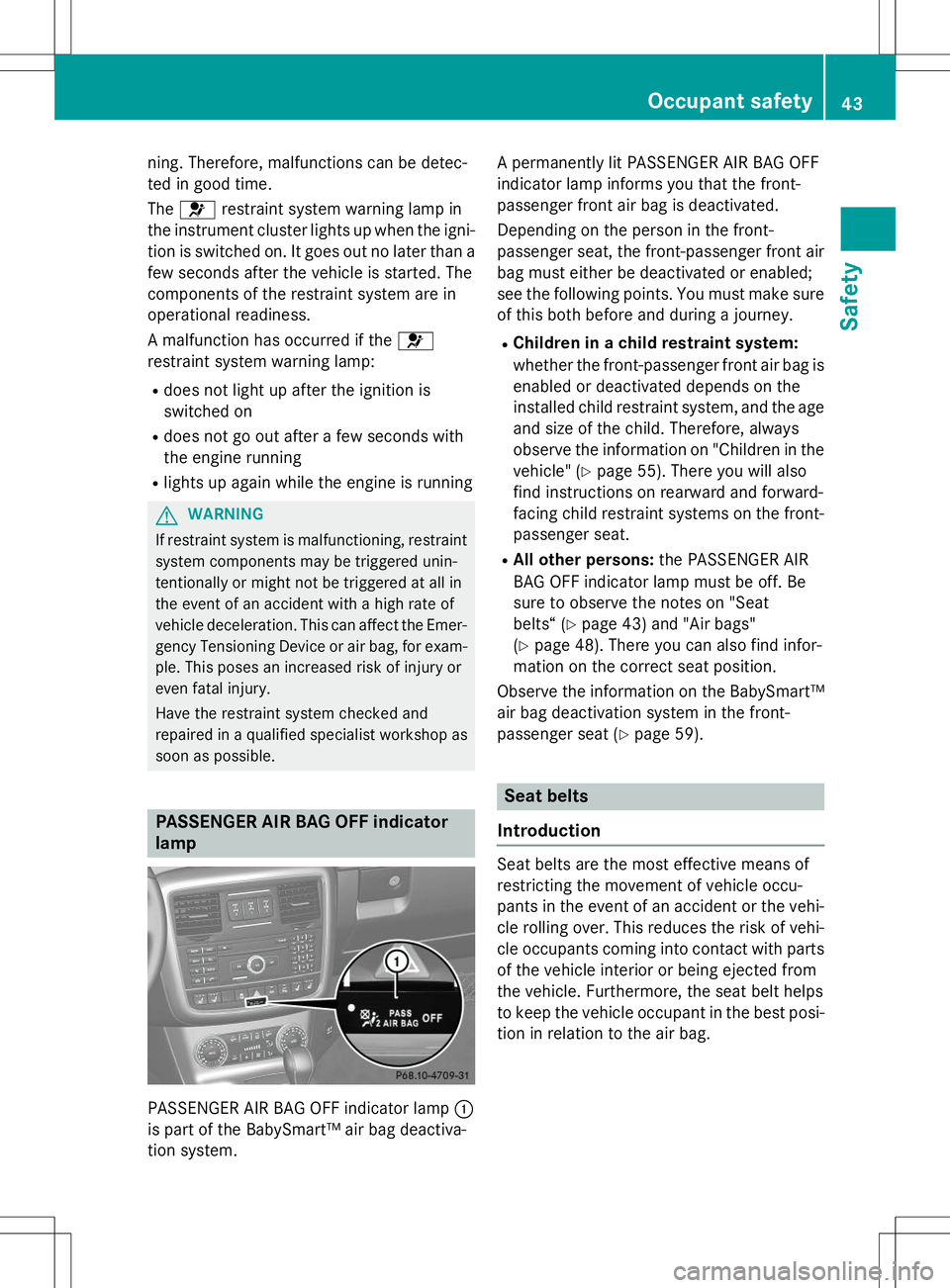
PASSENGER AIR BAG OFF indicator lamp
PASSENGER AIR BAG OFF indicator lamp :
is part of the BabySmart™ air bag deactiva-
tion system. A permanently lit PASSENGER AIR BAG OFF
indicator lamp informs you that the front-
passenger front air bag is deactivated.
Depending on the person in the front-
passenger seat, the front-passenger front air
bag must either be deactivated or enabled;
see the following points. You must make sure
of this both before and during a journey.
R Children in a child restraint system:
whether the front-passenger front air bag is
enabled or deactivated depends on the
installed child restraint system, and the age and size of the child. Therefore, always
observe the information on "Children in the
vehicle" ( Ypage 55). There you will also
find instructions on rearward and forward-
facing child restraint systems on the front-
passenger seat.
R All other persons: the PASSENGER AIR
BAG OFF indicator lamp must be off. Be
sure to observe the notes on "Seat
belts“ ( Ypage 43) and "Air bags"
( Y page 48). There you can also find infor-
mation on the correct seat position.
Observe the information on the BabySmart™
air bag deactivation system in the front-
passenger seat ( Ypage 59).
Seat belts
Introduction
Seat belts are the most effective means of
restricting the movement of vehicle occu-
pants in the event of an accident or the vehi-
cle rolling over. This reduces the risk of vehi- cle occupants coming into contact with parts
of the vehicle interior or being ejected from
the vehicle. Furthermore, the seat belt helps
to keep the vehicle occupant in the best posi- tion in relation to the air bag.
Occupant safety43
Safety
Z
Page 50 of 274
mechanism. This could damage the door,
the door trim panel and the seat belt. Dam-aged seat belts can no longer fulfill their
protective function and must be replaced.
Visit a qualified specialist workshop.
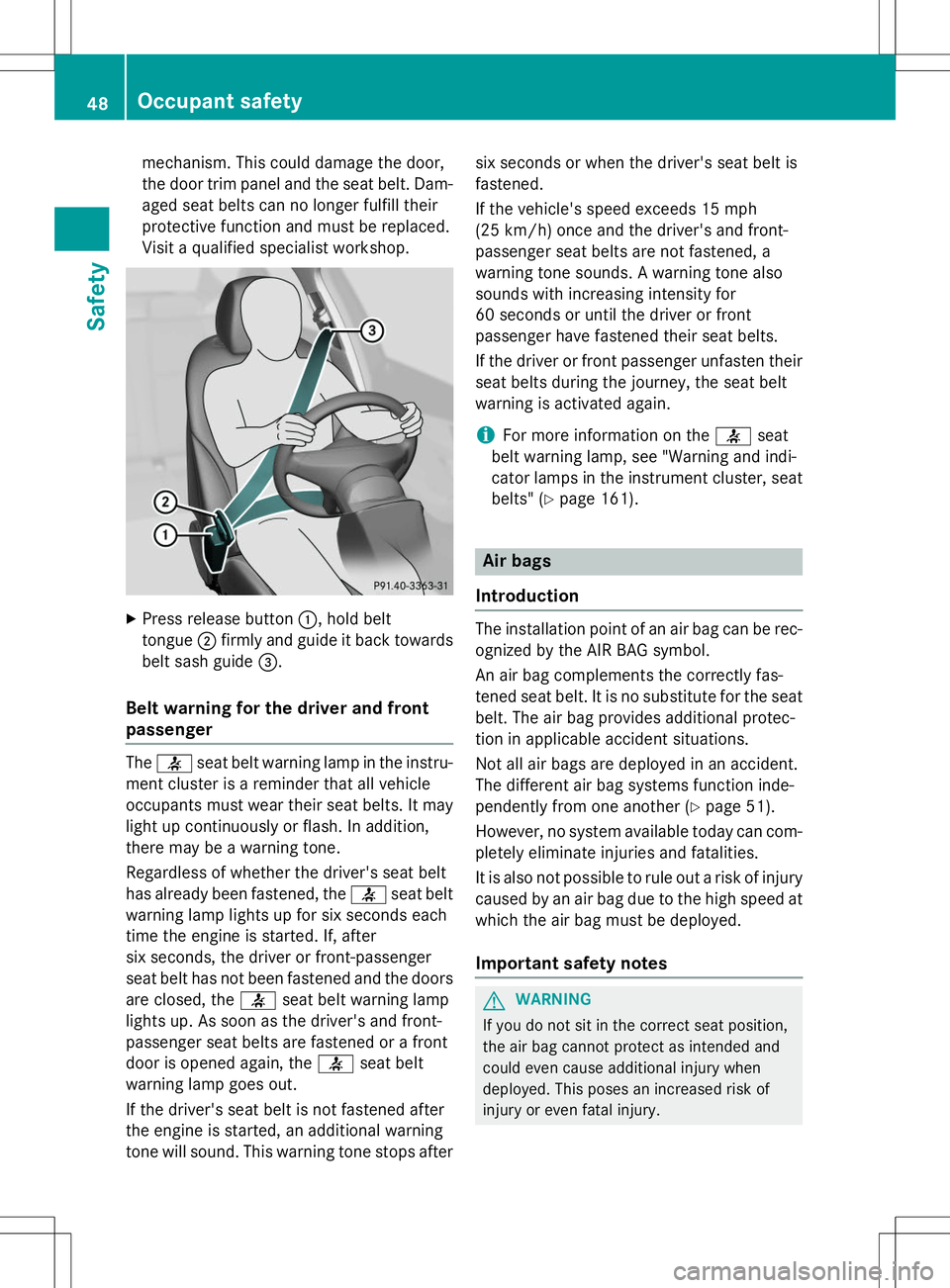
X Press release button :, hold belt
tongue ;firmly and guide it back towards
belt sash guide =.
Belt warning for the driver and front
passenger
The 7 seat belt warning lamp in the instru-
ment cluster is a reminder that all vehicle
occupants must wear their seat belts. It may
light up continuously or flash. In addition,
there may be a warning tone.
Regardless of whether the driver's seat belt
has already been fastened, the 7seat belt
warning lamp lights up for six seconds each
time the engine is started. If, after
six seconds, the driver or front-passenger
seat belt has not been fastened and the doors
are closed, the 7seat belt warning lamp
lights up. As soon as the driver's and front-
passenger seat belts are fastened or a front
door is opened again, the 7seat belt
warning lamp goes out.
If the driver's seat belt is not fastened after
the engine is started, an additional warning
tone will sound. This warning tone stops after six seconds or when the driver's seat belt isfastened.
If the vehicle's speed exceeds 15 mph
(25 km/h) once and the driver's and front-
passenger seat belts are not fastened, a
warning tone sounds. A warning tone also
sounds with increasing intensity for
60 seconds or until the driver or front
passenger have fastened their seat belts.
If the driver or front passenger unfasten their
seat belts during the journey, the seat belt
warning is activated again.
iFor more information on the 7seat
belt warning lamp, see "Warning and indi-
cator lamps in the instrument cluster, seat
belts" ( Ypage 161).
Air bags
Introduction
The installation point of an air bag can be rec-
ognized by the AIR BAG symbol.
An air bag complements the correctly fas-
tened seat belt. It is no substitute for the seat
belt. The air bag provides additional protec-
tion in applicable accident situations.
Not all air bags are deployed in an accident.
The different air bag systems function inde-
pendently from one another ( Ypage 51).
However, no system available today can com- pletely eliminate injuries and fatalities.
It is also not possible to rule out a risk of injury
caused by an air bag due to the high speed at which the air bag must be deployed.
Important safety notes
GWARNING
If you do not sit in the correct seat position,
the air bag cannot protect as intended and
could even cause additional injury when
deployed. This poses an increased risk of
injury or even fatal injury.
48Occupant safety
Safety
Page 54 of 274
immediately replaced at a qualified specialistworkshop.
If Emergency Tensioning Devices are trig-
gered or air bags are deployed, you will hear a bang, and a small amount of powder may also
be released. The 6restraint system warn-
ing lamp lights up.
Only in rare cases will the bang affect your
hearing. The powder that is released gener-
ally does not constitute a health hazard, but it
may cause short-term breathing difficulties in
people with asthma or other respiratory prob-
lems. To avoid this, you may wish to get out of
the vehicle or open the windows as soon as it is safe to do so.
Air bags and pyrotechnic Emergency Tension-
ing Devices (ETDs) contain perchlorate mate- rial, which may require special handling and
regard for the environment. National guide-
lines must be observed during disposal. In
California, see www.dtsc.ca.gov/
HazardousWaste/Perchlorate/
index.cfm .
Method of operation
During the first stage of a collision, the
restraint system control unit evaluates impor-
tant physical data relating to vehicle deceler- ation or acceleration, such as:
R duration
R direction
R intensity
Based on the evaluation of this data, the
restraint system control unit triggers the
Emergency Tensioning Devices during a fron- tal or rear collision.
An Emergency Tensioning Device can only be
triggered, if:
R the ignition is switched on
R the components of the restraint system are
operational; see "Restraint system warning lamp" ( Ypage 42)
R the belt tongue is engaged in the buckle on
the respective front-passenger seat The Emergency Tensioning Devices in the
rear compartment are triggered independ-
ently of the lock status of the seat belts.
If the restraint system control unit detects a
more severe accident, further components of
the restraint system are activated independ-
ently of each other in certain frontal collision
situations:
R Driver's air bag
R Front-passenger front air bag
The front-passenger front air bag is activated or deactivated depending on the person on
the front-passenger seat. The front-
passenger front air bag can only deploy in an
accident if the PASSENGER AIR BAG OFF indi- cator lamp is off. Observe the information on
the PASSENGER AIR BAG OFF indicator lamp ( Y page 43).
Your vehicle has a two-stage driver's air bag.
During the first deployment stage the driver's air bag fills with sufficient propellant gas to
reduce the risk of injuries. The front air bag is
fully deployed with the maximum amount of
propellant gas if a second deployment thresh- old is reached within a few milliseconds.
The activation threshold of the Emergency
Tensioning Devices and the air bag are deter- mined by evaluating the rate of vehicle decel-
eration or acceleration which occurs at vari-
ous points in the vehicle. This process is pre-
emptive in nature. Deployment should take
place in good time at the start of the collision.
The rate of vehicle deceleration or accelera-
tion and the direction of the force are essen- tially determined by:
R the distribution of forces during the colli-sion
R the collision angle
R the deformation characteristics of the vehi-
cle
R the characteristics of the object with which
the vehicle has collided
Factors which can only be seen and measured after a collision has occurred do not play a
decisive role in the deployment of an air bag.
52Occupant safety
Safety
Page 61 of 274
XRoute Top Tether belt =under the head
restraint between the two head restraint
bars.
X Hook Top Tether hook :of Top Tether belt
= into Top Tether anchorage ;.
Make sure that Top Tether belt Bis not
twisted.
X Tension Top Tether belt =. Always comply
with the child restraint system manufactur-
er's installation instructions when doing so.
X Move head restraint back down again
slightly if necessary ( Ypage 85). Make
sure that you do not interfere with the cor-
rect routing of Top Tether belt =.
BabySmart™ air bag deactivation sys-
tem
The BabySmart™ air bag deactivation sys-
tem's sensor system in the front-passenger
seat detects whether a special Mercedes-
Benz child restraint system with a trans-
ponder for the BabySmart™ air bag deactiva-
tion system has been installed. In this case,
the PASSENGER AIR BAG OFF indicator lamp lights up and remains lit. The front-passengerfront air bag is deactivated.
When the SmartKey is removed from the igni-
tion lock or is in position 0, the PASSENGER
AIR BAG OFF indicator lamp is not lit.
iIf the front-passenger front air bag is
deactivated by the BabySmart™ air bag
deactivation system, the following remain
enabled on the front-passenger side:
R the side impact air bag
R the pelvis air bag
R the window curtain air bag
R the Emergency Tensioning Device
GWARNING
If you secure a child in a child restraint system
on the front-passenger seat and the
PASSENGER AIR BAG OFF indicator lamp is
off, the front-passenger front air bag can
deploy in the event of an accident. The child
could be struck by the air bag. This poses an
increased risk of injury or even fatal injury.
Make sure that the front-passenger front air
bag has been disabled. The PASSENGER AIR
BAG OFF indicator lamp must be lit.
GWARNING
If the PASSENGER AIR BAG OFF indicator
lamp is lit, the front-passenger front air bag isdeactivated. It will not be deployed in the
event of an accident and cannot perform its
intended protective function. A person in the
front-passenger seat could then, for example, come into contact with the vehicle's interior,
especially if the person is sitting too close to
the dashboard. This poses an increased risk of injury or even fatal injury.
In this case the front-passenger seat may notbe used. You may only transport a child on the
front-passenger seat if they are seated in a
suitable rearward or forward-facing child
restraint system. Always observe the child
restraint system manufacturer's installation
instructions.
GWARNING
If you secure a child in a forward-facing child
restraint system on the front-passenger seat
and you position the front-passenger seat too close to the dashboard, in the event of an
accident, the child could:
R come into contact with the vehicle's inte-
rior if the PASSENGER AIR BAG OFF indi-
cator lamp is lit, for example
R be struck by the air bag if the PASSENGER
AIR BAG OFF indicator lamp is off
This poses an increased risk of injury or even fatal injury.
Move the front-passenger seat as far back as
possible. Always make sure that the shoulder belt strap is correctly routed from the vehicle
belt sash guide to the shoulder belt guide on
the child restraint system. The shoulder belt
strap must be routed forwards and down-
wards from the belt sash guide. If necessary,
adjust the belt sash guide and the front-
Child ren in the vehi cle59
Safety
Z