display MERCEDES-BENZ G-CLASS SUV 2016 User Guide
[x] Cancel search | Manufacturer: MERCEDES-BENZ, Model Year: 2016, Model line: G-CLASS SUV, Model: MERCEDES-BENZ G-CLASS SUV 2016Pages: 261, PDF Size: 6.01 MB
Page 16 of 261
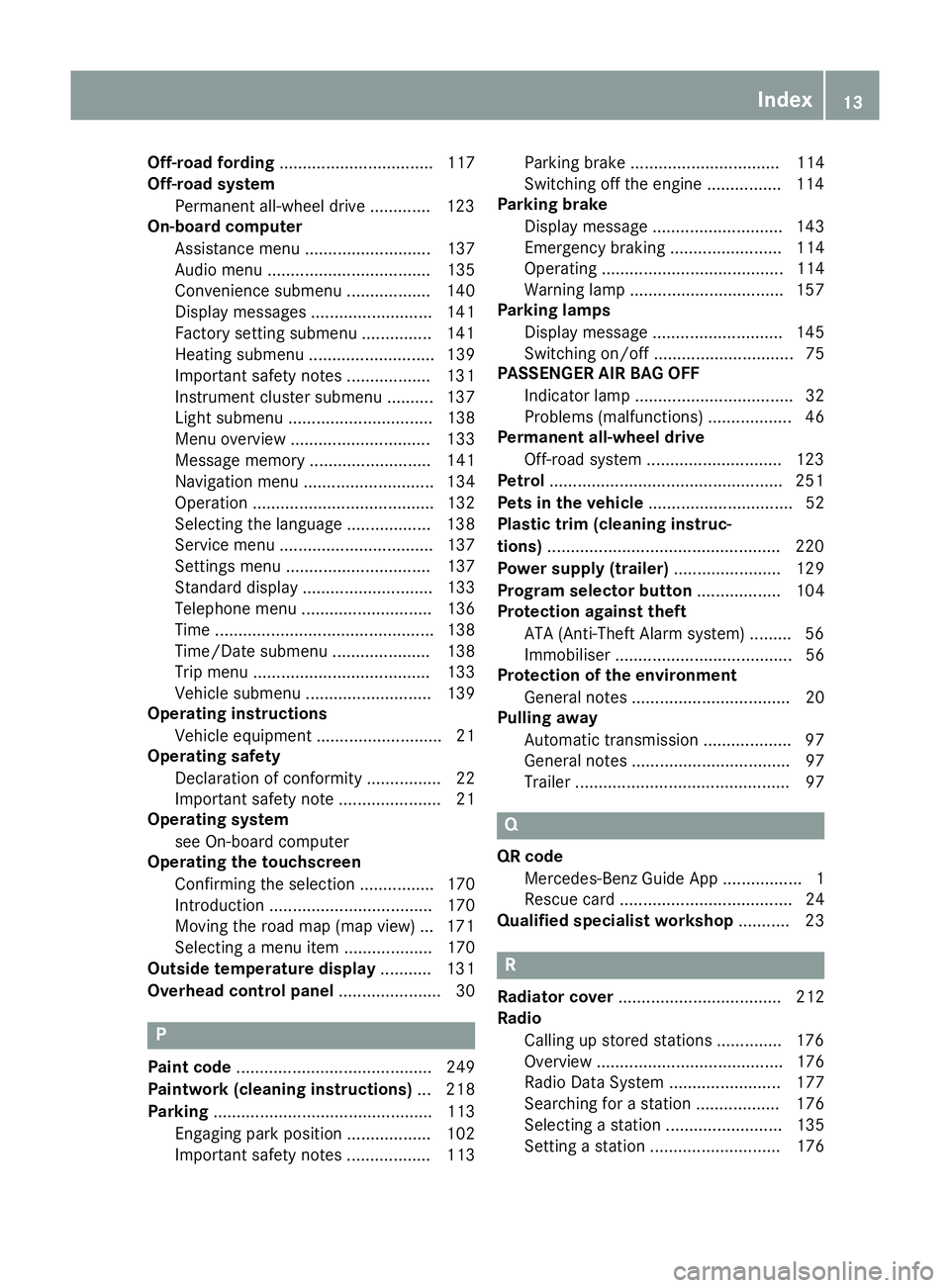
Off-road fording
................................. 117
Off-road system
Permanen tall-wheel drive .............1 23
On-board computer
Assistance menu ........................... 137
Audi omenu ................................... 135
Convenience submenu .................. 140
Display messages .......................... 141
Factory setting submenu .............. .141
Heating submenu ........................... 139
Important safety notes .................. 131
Instrument cluster submenu .......... 137
Ligh tsubmenu ............................... 138
Menu overview .............................. 133
Message memory .......................... 141
Navigation menu ............................ 134
Operation ....................................... 132
Selecting the language .................. 138
Service menu ................................. 137
Settings menu ............................... 137
Standard displa y............................ 133
Telephone menu ............................ 136
Time ............................................... 138
Time/Date submenu ..................... 138
Tri pm enu ...................................... 133
Vehicl esubmenu ........................... 139
Operatin ginstructions
Vehicl eequipment ........................... 21
Operatin gsafety
Declaration of conformity ................ 22
Important safety note ...................... 21
Operatin gsystem
see On-board computer
Operatin gthe touchscreen
Confirming the selection ................ 170
Introduction ................................... 170
Moving the roa dmap (ma pview) ... 171
Selecting amenu ite m................... 170
Outside temperature display ........... 131
Overhead contro lpanel ...................... 30 P
Paint code .......................................... 249
Paintwork (clea ning instructions) ... 218
Parking ............................................... 113
Engaging park position .................. 102
Important safety notes .................. 113 Parking brake ................................ 114
Switching off the engine ................1
14
Parking brake
Display message ............................ 143
Emergency braking ........................ 114
Operating ....................................... 114
Warning lamp ................................. 157
Parking lamps
Display message ............................ 145
Switching on/off .............................. 75
PASSENGE RAIRBAG OFF
Indicator lamp .................................. 32
Problems (malfunctions) .................. 46
Permanent all-whee ldrive
Off-road system ............................ .123
Petrol ................................................. .251
Pets in the vehicle ............................... 52
Plastic trim (cleaning instruc-
tions) ................................................. .220
Power supply (trailer) ....................... 129
Program selector button .................. 104
Protection against theft
ATA (Anti-Theft Alarm system) ......... 56
Immobiliser ...................................... 56
Protection of the environment
General notes .................................. 20
Pulling away
Automatic transmission ................... 97
General notes .................................. 97
Trailer .............................................. 97 Q
QR code Mercedes-Benz GuideA pp ................. 1
Rescue card .....................................24
Qualified specialist workshop ........... 23 R
Radiator cover ................................... 212
Radio
Calling up stored stations .............. 176
Overview ........................................ 176
Radio Dat aSystem ........................ 177
Searching for astation .................. 176
Selecting astation ......................... 135
Setting astation ............................ 176 Index
13
Page 17 of 261
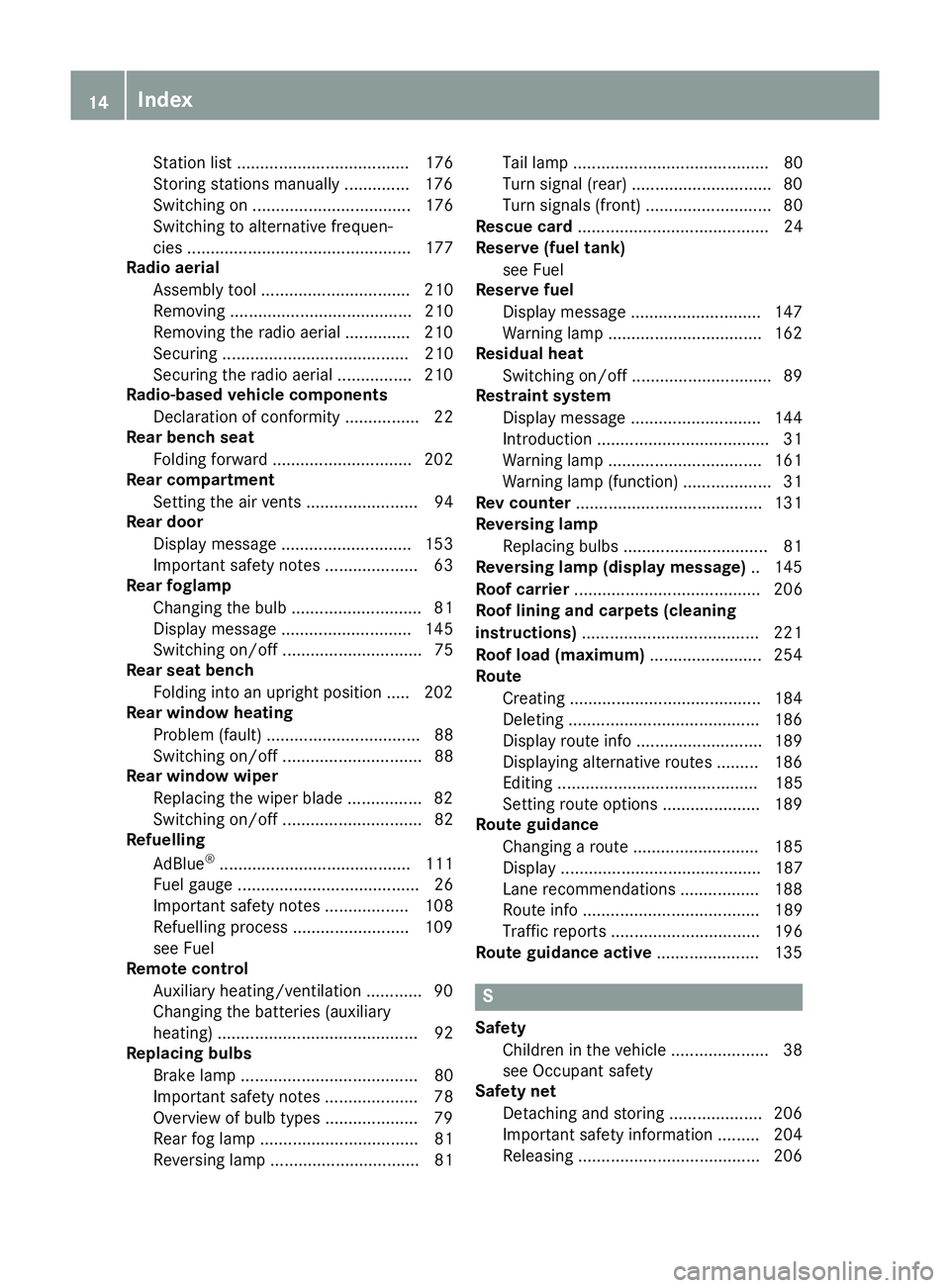
Station list ..................................... 176
Storing stations manually .............. 176
Switching on .................................. 176
Switching to alternative frequen-
cie s................................................ 177
Radio aerial
Assembl ytool ................................ 210
Removing ....................................... 210
Removing the radio aeria l.............. 210
Securing ........................................ 210
Securing the radio aeria l................ 210
Radio-based vehicle components
Declaration of conformity ................ 22
Rear benc hseat
Folding forward .............................. 202
Rear compartment
Setting the ai rvents ........................ 94
Rear door
Displa ymessage ............................ 153
Important safety notes .................... 63
Rear foglamp
Changing the bulb ............................ 81
Displa ymessage ............................ 145
Switching on/of f.............................. 75
Rear seat bench
Folding into an upright position ..... 202
Rear windo wheating
Problem (fault) ................................. 88
Switching on/of f.............................. 88
Rear windo wwiper
Replacing the wipe rblade ................ 82
Switching on/of f.............................. 82
Refuelling
AdBlue ®
......................................... 111
Fue lgauge ....................................... 26
Important safety notes .................. 108
Refuelling process ......................... 109
see Fuel
Remote control
Auxiliary heating/ventilation ............ 90
Changing the batteries (auxiliary
heating) ........................................... 92
Replacing bulbs
Brake lamp ...................................... 80
Important safety notes .................... 78
Overview of bulb types .................... 79
Rear fog lamp .................................. 81
Reversing lamp ................................ 81 Tai
llamp .......................................... 80
Turn signal (rear) .............................. 80
Turn signals (front )........................... 80
Rescue card ......................................... 24
Reserve (fuel tank)
see Fuel
Reserve fuel
Display message ............................1 47
Warning lamp ................................. 162
Residual heat
Switching on/off .............................. 89
Restrain tsystem
Display message ............................ 144
Introduction ..................................... 31
Warning lamp ................................. 161
Warning lamp (function) ................... 31
Rev counter ........................................ 131
Reversing lamp
Replacing bulbs ............................... 81
Reversing lamp (display message) .. 145
Roof carrier ........................................ 206
Roof lining and carpets (cleaning
instructions) ...................................... 221
Roof load (maximum) ........................ 254
Route
Creating ......................................... 184
Deleting ......................................... 186
Display route info ........................... 189
Displaying alternative route s......... 186
Editing ........................................... 185
Setting route options ..................... 189
Route guidance
Changing aroute ........................... 185
Displa y........................................... 187
Lane recommendations ................. 188
Route info ...................................... 189
Traffi creports ................................ 196
Route guidanc eactive ...................... 135 S
Safety Children in the vehicl e..................... 38
see Occupant safety
Safety net
Detachinga nd storing .................... 206
Important safety information ......... 204
Releasing ....................................... 206 14
Index
Page 19 of 261
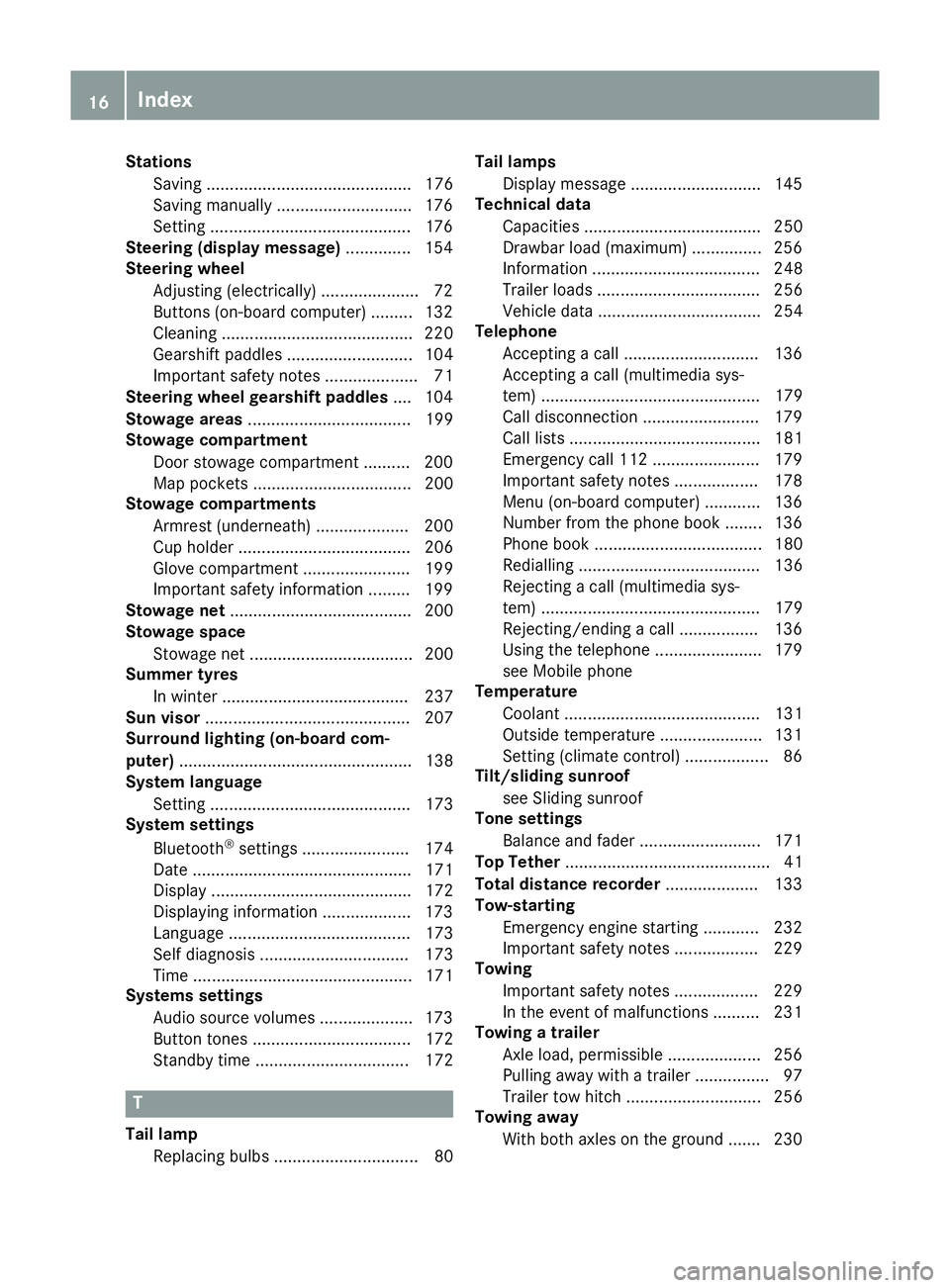
Stations
Saving ............................................ 176
Saving manually ............................. 176
Setting ...........................................1 76
Steering (display message) .............. 154
Steering wheel
Adjusting (electrically). .................... 72
Buttons (on-board computer) ......... 132
Cleaning ......................................... 220
Gearshift paddle s........................... 104
Important safety notes .................... 71
Steering whee lgearshift paddles .... 104
Stowag eareas ................................... 199
Stowag ecom partment
Door stowag ecompartment .......... 200
Ma pp ockets .................................. 200
Stowag ecom partments
Armrest (underneath) .................... 200
Cu ph olde r..................................... 206
Glove compartment ....................... 199
Important safety information ......... 199
Stowag enet....................................... 200
Stowag espace
Stowag enet ................................... 200
Summe rtyres
In winter ........................................ 237
Sun visor ............................................ 207
Surround lighting (on-board com-
puter) .................................................. 138
System language
Setting ........................................... 173
System settings
Bluetooth ®
settings ....................... 174
Date ............................................... 171
Displa y........................................... 172
Displaying information ................... 173
Languag e....................................... 173
Sel fdiagn osis................................ 173
Time ............................................... 171
Systems settings
Audio source volume s.................... 173
Butto ntones .................................. 172
Standby time ................................. 172 T
Tail lamp Replacing bulb s............................... 80 Tail lamps
Display message ............................ 145
Technical data
Capacities ...................................... 250
Drawbar load (maximum) ............... 256
Information .................................... 248
Trailer load s................................... 256
Vehicl edata. .................................. 254
Telephone
Accepting acall. ............................ 136
Accepting acall( multimedia sys-
tem) ............................................... 179
Call disconnectio n......................... 179
Call lists ......................................... 181
Emergency cal l112 ....................... 179
Important safety notes .................. 178
Menu (on-board computer) ............ 136
Numbe rfrom the phone boo k........ 136
Phone boo k.................................... 180
Redialling ....................................... 136
Rejecting acall( multimedia sys-
tem) ............................................... 179
Rejecting/ending acall. ................ 136
Using the telephone ....................... 179
see Mobil ephone
Temperature
Coolant .......................................... 131
Outsid etemperature ...................... 131
Setting (climate control ).................. 86
Tilt/slidin gsunroof
see Sliding sunroof
Ton esettings
Balance and fader .......................... 171
Top Tether ............................................ 41
Total distanc erecorder .................... 133
Tow-starting
Emergency engine starting ............ 232
Important safety notes .................. 229
Towing
Important safety notes .................. 229
In the event of malfunctions .......... 231
Towin gatrailer
Axle load ,permissibl e.................... 256
Pulling away with atraile r................ 97
Trailer tow hitch ............................. 256
Towin gaway
With both axles on the ground ....... 230 16
Index
Page 20 of 261
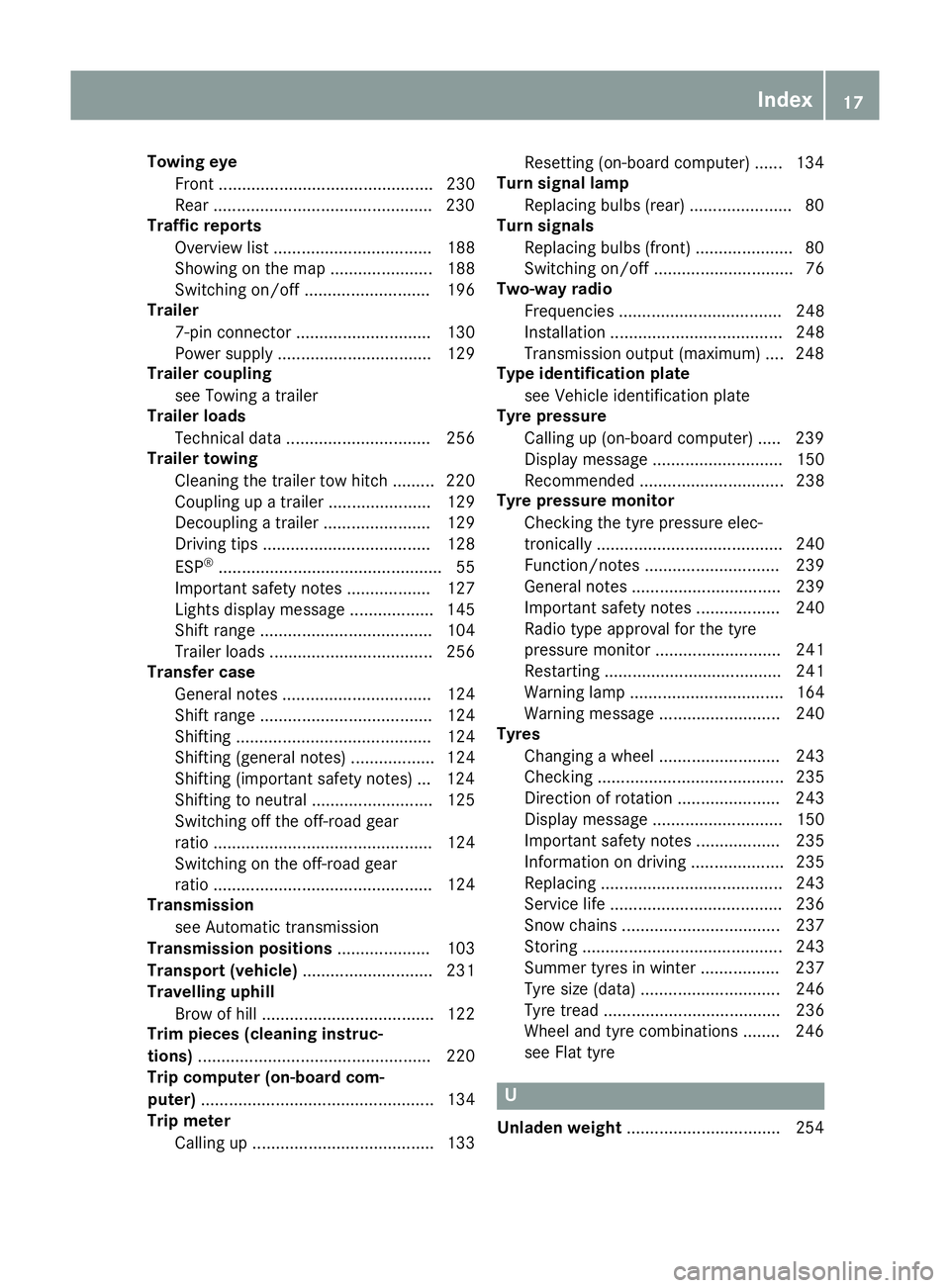
Towin
geye
Front .............................................. 230
Rear .............................................. .230
Traffic reports
Overview lis t.................................. 188
Showing on the map ...................... 188
Switching on/of f........................... 196
Trailer
7-pi nconnecto r............................. 130
Power supply ................................. 129
Trailer coupling
see Towing atrailer
Trailer loads
Technica ldata. .............................. 256
Trailer towing
Cleaning the traile rtow hitch ......... 220
Coupling up atraile r...................... 129
Decoupling atraile r....................... 129
Driving tip s.................................... 128
ESP ®
................................................ 55
Important safety notes .................. 127
Lights display message .................. 145
Shift rang e..................................... 104
Trailer load s................................... 256
Transfer case
Genera lnotes ................................ 124
Shift rang e..................................... 124
Shifting .......................................... 124
Shifting (general notes ).................. 124
Shifting (important safety notes )... 124
Shifting to neutral .......................... 125
Switching off the off-road gear
rati o............................................... 124
Switching on the off-road gear
rati o............................................... 124
Transmission
see Automati ctransmission
Transmissio npositions .................... 103
Transport (vehicle) ............................ 231
Travellin guphill
Brow of hill ..................................... 122
Trim piece s(clea ning instruc-
tions) .................................................. 220
Trip computer (on-board com-
puter) .................................................. 134
Trip meter
Calling up ....................................... 133 Reset
ting(on-boar dcom puter) ...... 134
Turn signal lamp
Replacin gbulbs (rear) ...................... 80
Turn signals
Replacin gbulbs (front) .................... .80
Switching on/of f.............................. 76
Two-wa yradio
Frequencie s................................... 248
Installation ..................................... 248
Transmission outpu t(maximum) .... 248
Type identificatio nplate
see Vehicl eide ntification plate
Tyre pressure
Calling up (on-board computer) ..... 239
Displa ymessage ............................ 150
Recommended ............................... 238
Tyre pressure monitor
Checking the tyre pressure elec-
tronically ........................................ 240
Function/note s............................. 239
Genera lnotes ................................ 239
Important safety notes .................. 240
Radi otypea pproval for the tyre
pressure monitor ........................... 241
Restarting ...................................... 241
Warning lamp ................................. 164
Warning message .......................... 240
Tyres
Changing awheel .......................... 243
Checking ........................................ 235
Directio nofrotation ...................... 243
Displa ymessage ............................ 150
Important safety notes .................. 235
Information on driving .................... 235
Replacing ....................................... 243
Service life ..................................... 236
Snow chains .................................. 237
Storing ........................................... 243
Summer tyre sinwinter ................. 237
Tyre size (data ).............................. 246
Tyre trea d...................................... 236
Wheel and tyre combinations ........ 246
see Fla ttyre U
Unlade nweight .................................2 54 Index
17
Page 21 of 261
Unlocking
Emergenc yunlocking .......................62
From inside the vehicle (central
unlocking button) ............................. 62
Updatin gthe digital map .................. 197
USB (audio)
Connecting adevice ...................... 177
Selecting ........................................ 177 V
Vanity mirror Sun visor ........................................ 208
Vehicle
Correct us e...................................... 23
Data acquisition ............................... 24
Displa ymessage ............................ 153
Electronics ..................................... 248
Equipment ....................................... 21
Implied warranty .............................. 23
Individua lsettings .......................... 137
Leaving parked up ......................... 115
Locking (i nanemergency) ............... 62
Locking (key) ................................... 57
Lowering ........................................ 246
Parking .......................................... 113
Pulling away ..................................... 97
Raising ........................................... 244
Registration ..................................... 23
Securing from rolling away ............ 244
Tow-starting ................................... 232
Towing ........................................... 229
Transporting .................................. 231
Unlocking (i nanemergency) ........... 62
Unlocking (key) ................................ 57
Vehicl edata. .................................. 254
Vehicl edata ....................................... 254
Vehicl edata (off-road driving)
Approach/departure angle ............ 255
Fording depth ................................ 255
Maximu mgradient climbing abil-
ity .................................................. 255
Vehicl edimensions ........................... 254
Vehicl eemergenc yloc king ................ 62
Vehicl eidentificatio nnumber
see VIN
Vehicl eidentificatio nplate .............. 249
Vehicl etoolkit.................................. 223 Vehicl
etoolkit pocket ...................... 223
Vehicl eweigh ts................................. 254
Ventilation
Setting the airflow ........................... 87
VIN
Type plate ...................................... 249
Volume
Adjusting ....................................... 170 W
Warning and indicator lamps ABS ................................................ 158
Brake s.......................................... .157
ESP ®
.............................................. 159
ESP ®
OFF ....................................... 160
Fuel tank ........................................ 162
General notes ................................ 155
Overview .......................................... 26
Parking brake ................................ 157
PASSENGER AIR BAG OFF .............. .32
Reserv efuel .................................. .162
Seat bel t........................................ 155
Tyr ep ressure monitor ................... 164
Warning triangle ................................ 222
Washer fluid
Display message ............................ 154
Whee land tyre combinations
Tyres .............................................. 246
Whee lboltt ightening torque ........... 246
Wheels
Changing awheel .......................... 243
Changing/replacing ....................... 243
Checking ........................................ 235
Cleaning ......................................... 218
Fitting anew wheel ........................ 245
Fitting awheel ............................... 243
Important safety notes .................. 235
Information on driving .................... 235
Removing awheel .......................... 245
Snow chains .................................. 237
Storing .......................................... .243
Tightening torqu e........................... 246
Whee lsize/tyre size ..................... .246
Winch ................................................. 210
Windscreen
Demisting ........................................ 87
Windscreen heating ............................ 8818
Index
Page 29 of 261
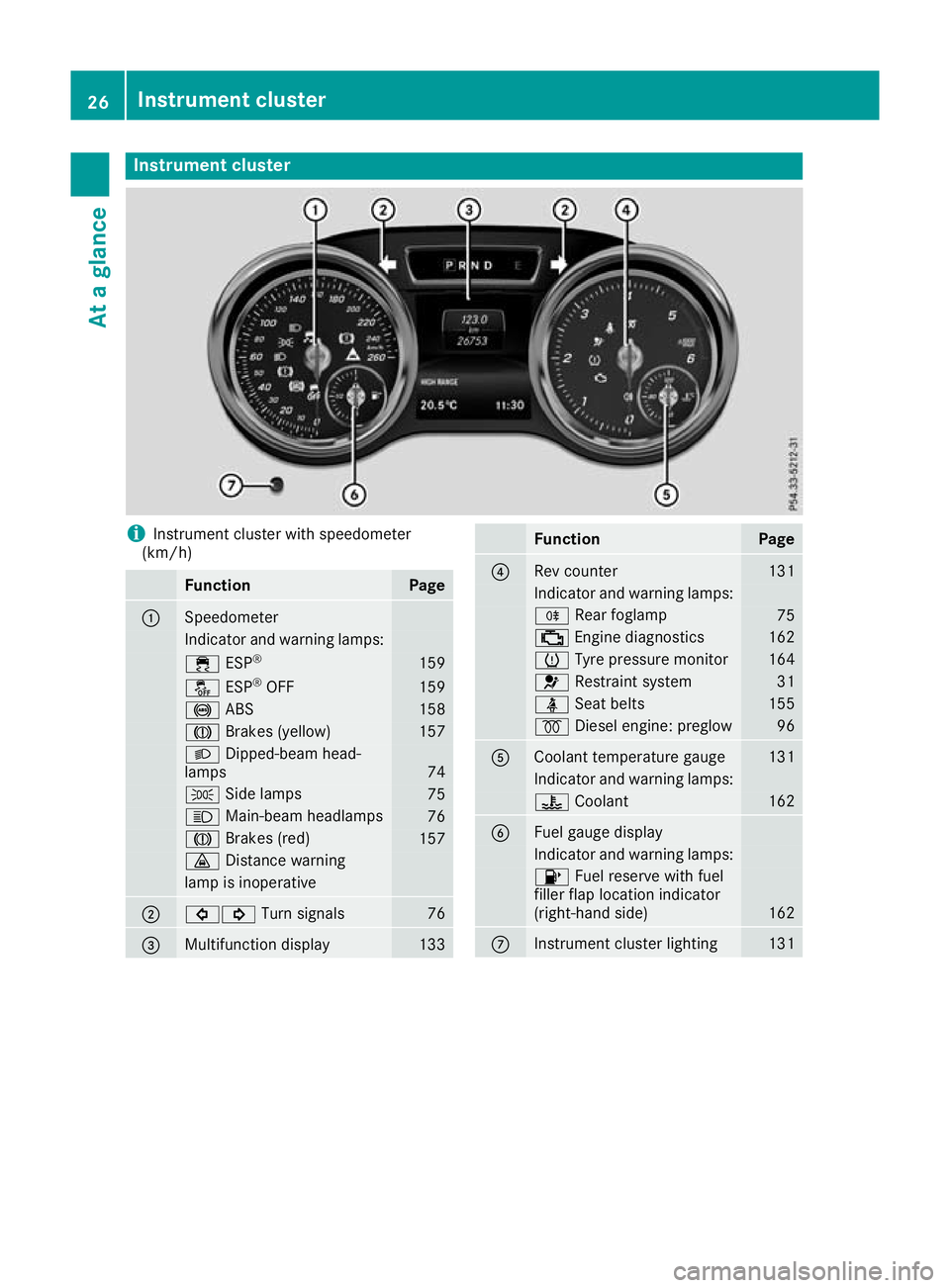
Instrumen
tcluster i
Instrument cluste
rwith speedometer
(km/h) Function Page
:
Speedometer
Indicator and warning lamps:
÷
ESP® 159
å
ESP®
OFF 159
!
ABS 158
J
Brakes (yellow) 157
L
Dipped-bea mhead-
lamps 74
T
Sidelam ps 75
K
Main-beam headlamps 76
J
Brakes(red) 157
·
Distance warning lamp is inoperative
;
#!
Turn signals 76
=
Multifunctio
ndisplay 133 Function Page
?
Rev counter 131
Indicato
rand warning lamps: R
Rear foglamp 75
;
Engine diagnost ics 162
h
Tyre pressure monitor 164
6
Restraint system 31
ü
Seat belts 155
%
Diesel engine: preglow 96
A
Coolant temperature gauge 131
Indicator and warning lamps:
?
Coolant 162
B
Fuel gaug
edisplay Indicator and warnin
glamps: 8
Fuel reserve with fuel
filler flap location indicator
(right-hand side) 162
C
Instrument cluster lighting 13126
Instrument clusterAt
ag lance
Page 30 of 261
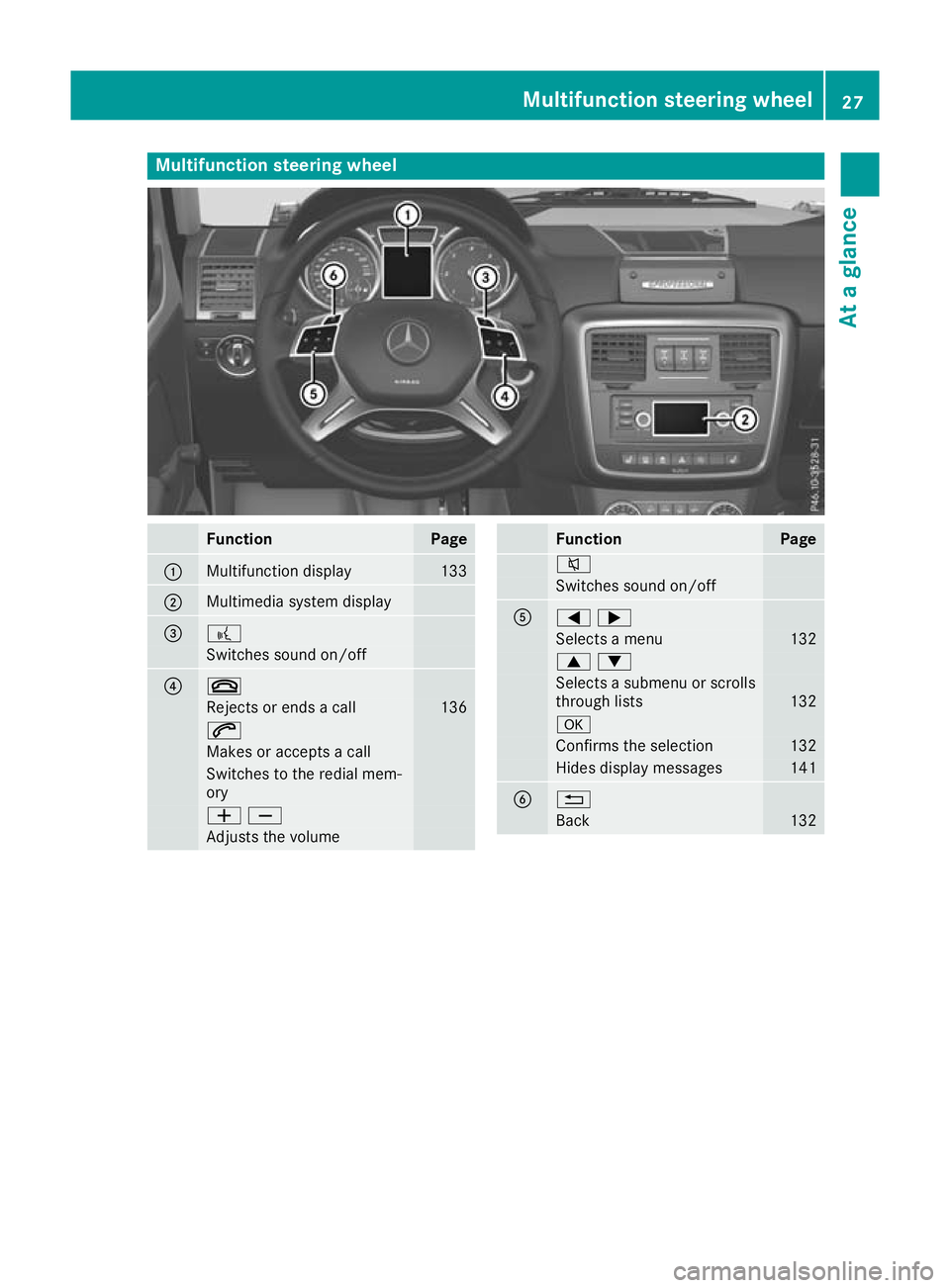
Multifunction steering wheel
Func
tion Page
:
Multifunctio
ndisplay 133
;
Multimedia system display
= ?
Switche
ssound on/off ? ~
Rejects or end
sacall 136
6
Makes or accept
sacall Switche
stothe redia lmem-
ory WX
Adjusts the volume Function Page
8
Switches sound on/off
A
=;
Selects
amenu 132
9:
Selects
asubmenu or scrolls
through lists 132
a
Confirms the selection 132
Hide
sdispla ymessages 141
B %
Back 132Multifunction steering wheel
27Atag lance
Page 55 of 261
Pets in the vehicle
G
WARNING
If you leave animals unsupervised or unse-
cured in the vehicle, they may push abutton
or as witch, for example.
They could:
R activate vehicl eequipment and become
trapped, for example
R switch vehicl esystems on or off, thus
endangering other road users
In the event of an accident, sudden braking or
abrupt changes of direction, unsecured ani-
mals coul dbeflung around the vehicle, injur-
ing the vehicl eoccupants. There is arisk of an
accident and injury.
Never leave animals unattended in the vehi-
cle. Always secure animals correctly during a
journey ,e.g. in an anima ltransport box. Driving safe
tysystems Drivin
gsafet ys ystems overview
In this section ,you will fin dinformati on about
th ef ollowin gdrivin gsafet ysystems:
R AB S(Anti-lock Braking System)
(Y page 52)
R BA S(Brake Assist System) (Y page 53)
R Adaptive brake lights (Y page 53)
R ESP ®
(Electronic Stability Program)
(Y page 53)
R EB D( electronic brak eforce distributi on)
(Y page 55)
R ADAPTIV EBRAKE (Y page 56) Important safety notes
If you fail to adapt your driving style or if you are
inattentive, th edriving safet ysystems can nei-
ther reduce th eriskofana ccidentnor override
th el aws of physics .Drivin gs afet ysystems are
merely aids designed to assist driving .You are
responsible for maintainin gthe distanc etothe
vehicl einfront,for vehicl espeed, for braking in
goo dtime, and for staying in lane. Always adapt
your driving style to suit th eprevailing road and weather conditions and maintain
asafe distance
fro mt hevehicle in front .Drive carefully.
The driving safet ysystems described work as
effectively as possible only when there is ade-
quate contac tbetween th etyres and th eroad
surface. Pay particular attention to th einforma-
tio nr egarding tyres, recommended minimum
tyr etread depths etc .inthe"Wheels and tyres"
sectio n(Ypage 235).
In wintry driving conditions ,always use winter
tyres (M+S tyres) and, if necessary, snow
chains. Only in this way will th edriving safety
systems described in this sectio nwork as effec-
tively as possible. ABS (Anti-lock Braking System)
Genera linformation AB
Sregulate sbrake pressure in such awaythat
the wheels do not lock when yo ubrake. This
allows yo utocontinue steering the vehicl ewhen
braking.
The yellow !ABS warning lamp in the instru-
ment cluster lights up when the ignition is
switched on. It goe soutwhen the engine is run-
ning.
ABS works from aspeed of abou t8km/h,
regardless of road-surface conditions. ABS
works on slippery surfaces ,evenw heny ou
brake onl ygently.
Important safety notes i
Observ
ethe "Important safety notes" sec-
tion (Y page 52). G
WARNING
If ABS is faulty, the wheels could lock when
braking. The steerability and braking charac-
teristics may be severely impaired.A ddition-
ally, further driving safety systems are deac-
tivated. There is an increased dange rofskid-
ding and accidents.
Drive on carefully.H ave ABS checked imme-
diately at aqualified specialist workshop.
If ABS is malfunctioning, other systems ,includ-
ing driving safety systems ,willa lsob ecome
inoperative. Observe the information on the ABS warning lamp (Y page158) and display mes- 52
Driving safety systemsSafety
Page 57 of 261
4ETS (Electronic Traction System)
i
Observ
ethe "Important safety notes" sec-
tion (Y page 52).
4ETS traction control is part of ESP ®
.
4ETS traction control is no longer active above a
speed of approximately 60 km/h.
Traction control brakes the drive wheels indi-
vidually if they spin. This enables you to pull
awaya nd accelerate on slippery surfaces, e.g. if
the road surface is slippery on one side. In addi-
tion, more drive torque is transferred to the
wheel or wheels with traction.
Traction control remains active if you deactivate
ESP ®
.
Important safety notes i
Observe the "Important safety notes" sec-
tion (Y page 52). G
WARNING
If ESP ®
is malfunctioning, ESP ®
is unable to
stabilise the vehicle. In addition, other driving
safety systems are switched off. This increa-
ses the risk of skidding and an accident.
Drive on carefully.H ave ESP®
checked at a
qualified specialist workshop.
! Only operate the vehicl
efor am aximu mof
ten seconds on abrake dynamometer. Switch
off the ignition.
Application of the brakes by ESP ®
may oth-
erwise destroy the brake system.
! Af
unction or performance test should only
be carrie dout on atwin-axle dynamometer.
Before you operate the vehicl eonsuch a
dynamometer, please consult aqualified
workshop. You coul dotherwise damage the
drive train or the brake system.
If the å ESP®
OFF warning lamp lights up
continuously,E SP®
is deactivated.
If the ÷ ESP®
warning lamp lights up contin-
uously,E SP®
is not available due to amalfunc-
tion.
Observe the information on warning lamps
(Y page1 59) and display messages which may
be displayed in the instrument cluster
(Y page1 42). Use only wheels with the recommended tyre
sizes. Only then will ESP ®
functio nproperly.
If differential locks are switched on, ABS,B AS
and ESP ®
switch off automatically.
Characteristics of ESP ® General information
If the ÷ ESP warning lamp goes out before
you begin the journey, ESP ®
is automatically
active.
If ESP ®
intervenes,t he÷ ESP®
warning lamp
flashes on the instrument cluster.
If ESP ®
intervenes:
X Do not deactivate ESP ®
under any circum-
stances.
X When pulling away, depress the accelerator
pedalo nly as far as is necessary.
X Adapt yourd riving style to suit the prevailing
road and weather conditions.
ECO start/stop function
The ECO start/stop function switches the
engine off automaticall yifthe vehicle stops
moving. When the vehicle pulls awaya gain, the
engine starts automatically. ESP ®
remains in its
previously selected status, e.g. if ESP ®
was
deactivated before the engine was automati-
callys witched off.
Deactivating/activating ESP ® Im
portant safety notes
i Observ
ethe "Importan tsafety notes" sec-
tio n(Ypage 52).
You can select between th efollowin gESP®
sta-
tuses:
R ESP ®
is activated
R ESP ®
is deactivated G
WARNING
If yo udeactivate ESP ®
,E SP ®
no longer sta-
bilises the vehicle. There is an increased risk
of skidding and an accident.
Only deactivate ESP ®
in the situations descri-
bed in the following. 54
Driving safety systemsSafety
Page 70 of 261
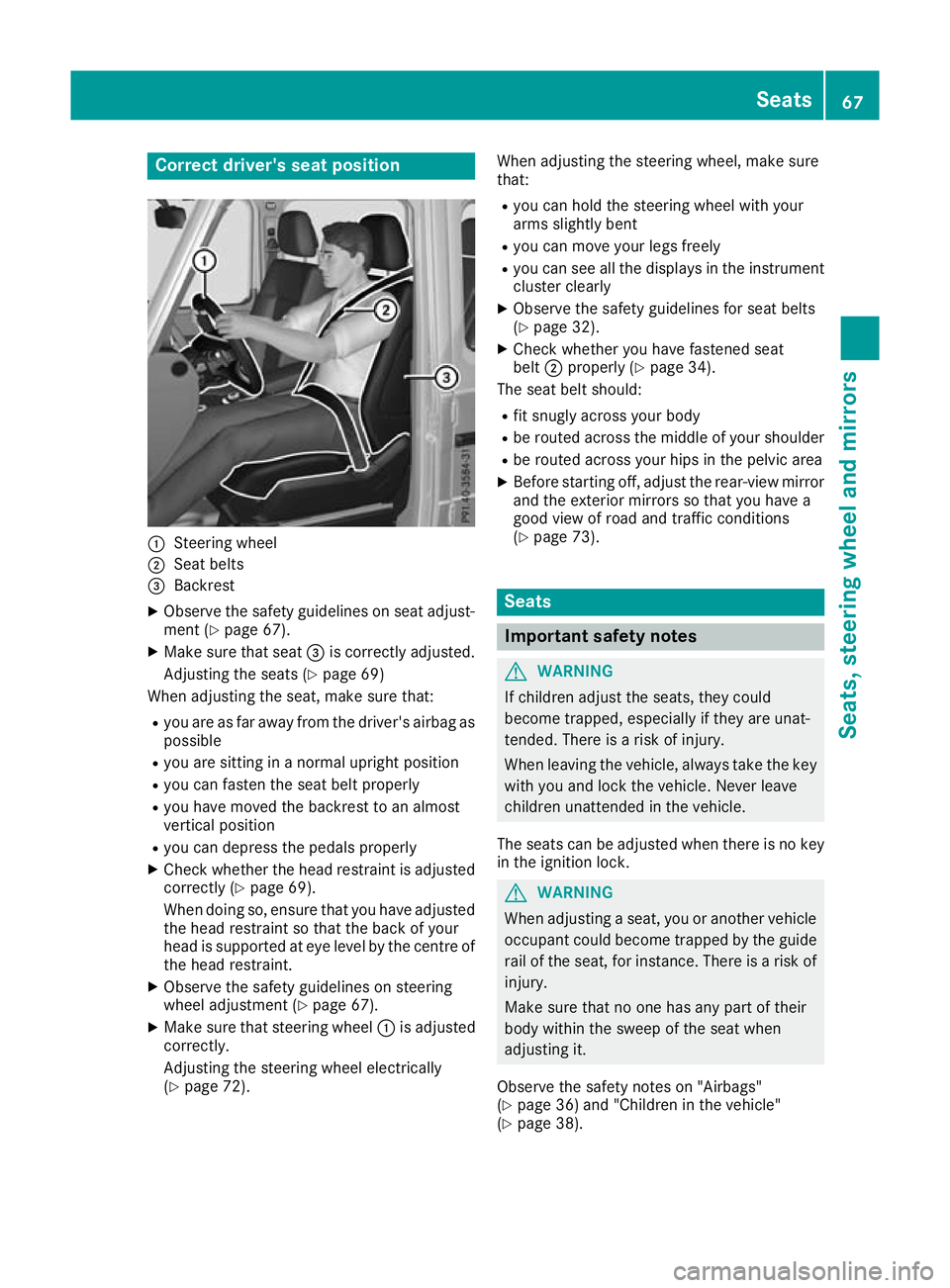
Correct driver's seat position
:
Steerin gwheel
; Seatbelts
= Backrest
X Observe the safety guideline sonseata djust-
ment (Y page 67).
X Make sure that seat =is correctly adjusted.
Adjusting the seats (Y page 69)
Whe nadjusting the seat, make sure that:
R youa re as far away from the driver' sairba gas
possible
R youa re sitting in anorma lupright position
R youc an fasten the sea tbeltp roperly
R youh avem ovedthe backrest to an almost
vertical position
R youc an depress the pedal sproperly
X Check whethe rthe hea drestraint is adjusted
correctly (Y page 69).
Whe ndoing so, ensure that yo uhavea djusted
the hea drestraint so that the back of your
hea diss upported at ey elev el by the centre of
the hea drestraint.
X Observe the safety guideline sonsteering
wheel adjustment (Y page 67).
X Make sure that steering wheel :is adjusted
correctly.
Adjusting the steering wheel electrically
(Y page 72). Whe
nadjustin gthe steerin gwheel, make sure
that:
R you can hold the steerin gwheel with your
arms slightly bent
R you can move your legs freely
R you can see all the displays in the instrument
cluster clearly
X Observe the safety guidelines for seat belts
(Y page 32).
X Check whether you have fastened seat
belt ;properly (Y page 34).
The seat belt should:
R fit snugly across your body
R be routed across the middle of your shoulder
R be routed across your hips in the pelvic area
X Befor estarting off, adjust the rear-view mirror
and the exterior mirrors so that you have a
good view of road and traffic conditions
(Y page 73). Seats
Important safety notes
G
WARNING
If children adjust the seats, they could
become trapped, especially if they are unat-
tended. Ther eisarisk of injury.
When leaving the vehicle, alwayst ake the key
with you and lock the vehicle. Never leave
children unattended in the vehicle.
The seats can be adjusted when there is no key
in the ignitio nlock. G
WARNING
When adjusting aseat, you or another vehicle
occupant coul dbecome trappe dbythe guide
rail of the seat, for instance. There is arisk of
injury.
Make sure that no one has any part of their
body withi nthe swee pofthe seat when
adjusting it.
Observe the safety notes on "Airbags"
(Y page3 6) and "Children in the vehicle"
(Y page3 8). Seats
67Seats,steering wheela nd mirrors Z