display MERCEDES-BENZ GL 2013 Owners Manual
[x] Cancel search | Manufacturer: MERCEDES-BENZ, Model Year: 2013, Model line: GL, Model: MERCEDES-BENZ GL 2013Pages: 454, PDF Size: 6.31 MB
Page 255 of 454
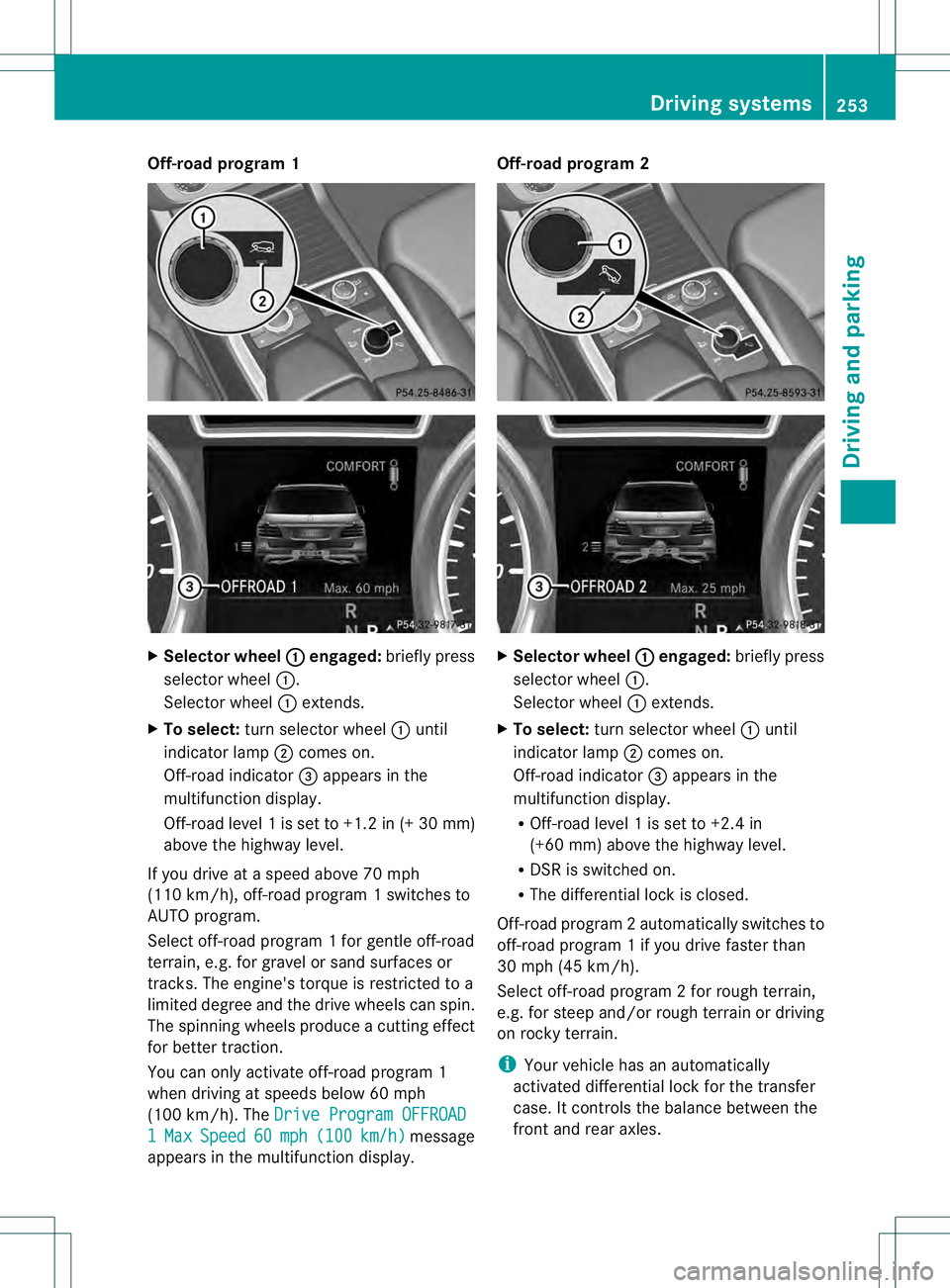
Off-road program 1
X
Selector wheel 0002 engaged:
briefly press
selector wheel 0002.
Selector wheel 0002extends.
X To select: turn selector wheel 0002until
indicator lamp 0003comes on.
Off-road indicator 0021appears in the
multifunction display.
Off-road level 1 is set to +1.2 in (+30 mm)
above the highway level.
If you drive at a speed above 70 mph
(110 km/h), off-road program 1 switches to
AUTO program.
Select off-road program 1 for gentle off-road
terrain, e.g. for gravel or sand surfaces or
tracks. The engine's torque is restricted to a
limited degree and the drive wheels can spin.
The spinning wheels produce acutting effect
for better traction.
You can only activate off-road program 1
when driving at speeds below 60 mph
(100 km/h). The Drive Program OFFROAD 1 Max Speed 60 mph (100 km/h ) message
appears in the multifunction display. Off-road program 2
X
Selector wheel 0002 engaged:
briefly press
selector wheel 0002.
Selecto rwheel 0002extends.
X To select: turn selector wheel 0002until
indicator lamp 0003comes on.
Off-road indicator 0021appears in the
multifunction display.
R Off-road level 1 is set to +2.4 in
(+60 mm) above the highway level.
R DSR is switched on.
R The differential lock is closed.
Off-road program 2automatically switches to
off-road program 1 if you drive faster than
30 mph (45 km/h).
Select off-road program 2 for rough terrain,
e.g. for steep and/o rrough terrain or driving
on rocky terrain.
i Your vehicle has an automatically
activated differential lock for the transfer
case. It controls the balance between the
front and rear axles. Driving systems
253Driving and parking Z
Page 257 of 454
Further information about "Driving off-road"
(Y page 191) .You will find information about
driving safety systems in conjunction with
LOW RANGE in the "Safety" section
(Y page 66).
From HIGH RANGE to LOW RANGE
! Only change from LOW RANGE to HIGH
RANGE if:
R the engine is running.
R the transmission is in position N
R you are driving at a speed below
40 km/h
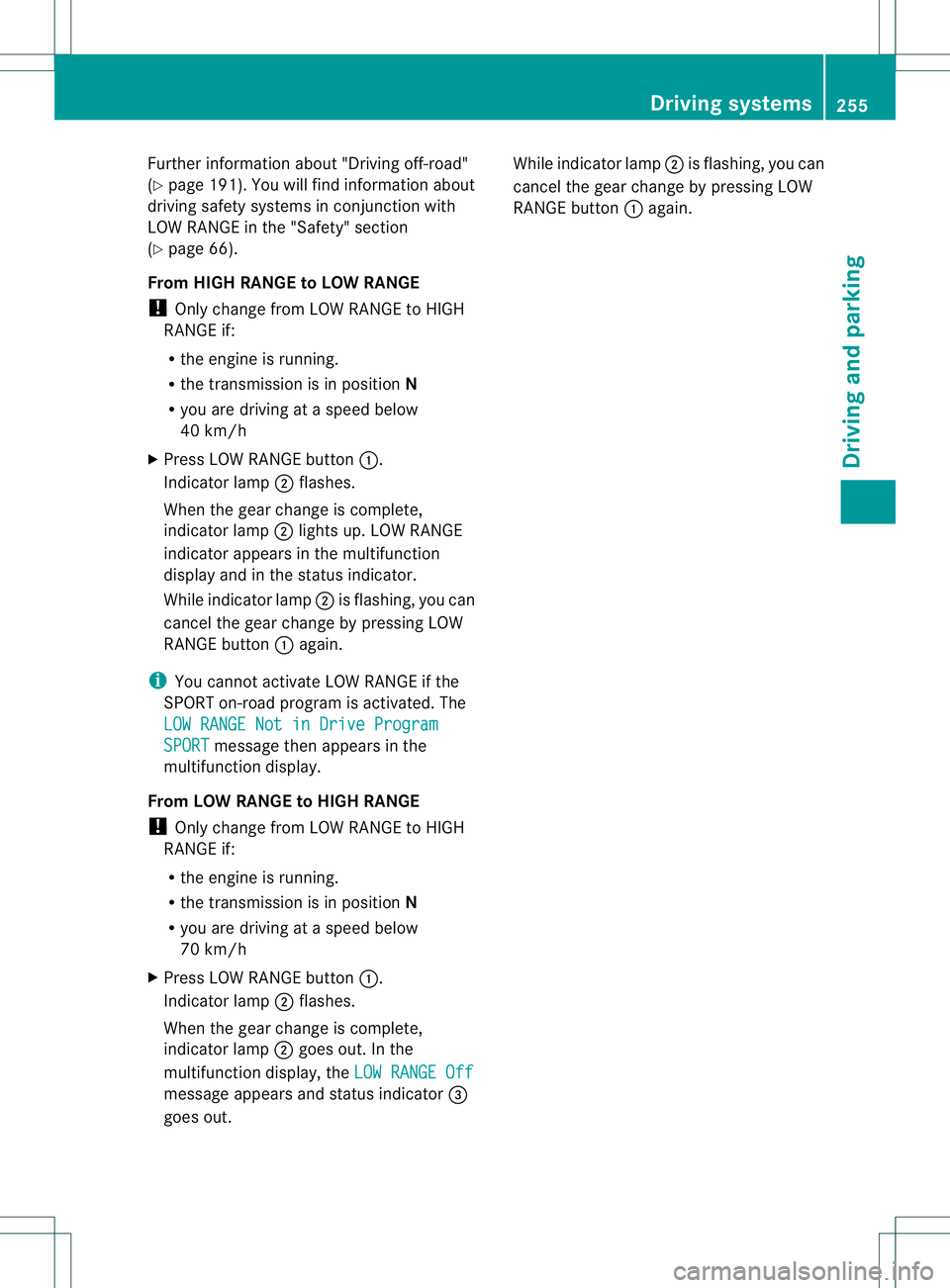
X Press LOW RANGE button 0002.
Indicator lamp 0003flashes.
When the gear change is complete,
indicator lamp 0003lights up. LOW RANGE
indicator appears in the multifunction
display and in the status indicator.
While indicator lamp 0003is flashing, you can
cancel the gear change by pressing LOW
RANGE button 0002again.
i You cannot activate LOW RANGE if the
SPORT on-road program is activated. The
LOW RANGE Not in Drive Program SPORT message then appears in the
multifunction display.
From LOW RANGE to HIGH RANGE
! Only change from LOW RANGE to HIGH
RANGE if:
R the engine is running.
R the transmission is in position N
R you are driving at a speed below
70 km/h
X Press LOW RANGE button 0002.
Indicator lamp 0003flashes.
When the gear change is complete,
indicator lamp 0003goes out. In the
multifunction display, the LOW RANGE Offmessage appears and status indicator
0021
goes out. While indicator lamp
0003is flashing, you can
cancel the gear change by pressing LOW
RANGE button 0002again. Driving systems
255Driving and parking Z
Page 258 of 454
Messages in the multifunction display
If a gearc
hange process has not been successful, the following messages may be displayed
in the multifunction display: Display messages Possible causes/consequences and
0001 Solutions
LOW RANGE Max.
Speed 40 km/h You have been driving faster than 40 km/h. Additionally, the
indicator lamp on the button in the center console blinks.
X
Drive more slowly to carry out the gear change process. LOW RANGE Shift to
Position N Briefly The transmission is in position
Dand you are driving at below
40 km/h.
X Shift the transmission to Nto complete the gear change
process. LOW RANGE Shifting
Canceled Please
Reactivate The gear change process was not carried out.
X
Ensure that all gear change conditions are fulfilled and carry out
the gear change process again. LOW RANGE Stop
Apply Parking Brake Aw
arning tone also sounds. The gear change proces shas no tbeen
completed. LOW RANGE is in the neutral position .There is no
connection between the engine and the drive wheels.
! Do not drive any further. You could otherwise damage the
vehicle's drive train.
X Stop the vehicle. Take into account the road and traffic
conditions when doing this.
X Depress the electric parking brake (Y page 184).
X Carry out the gear change process again.
If the gear change process has been carried out, the LOW RANGE
Stop Apply Parking Brake message disappears.
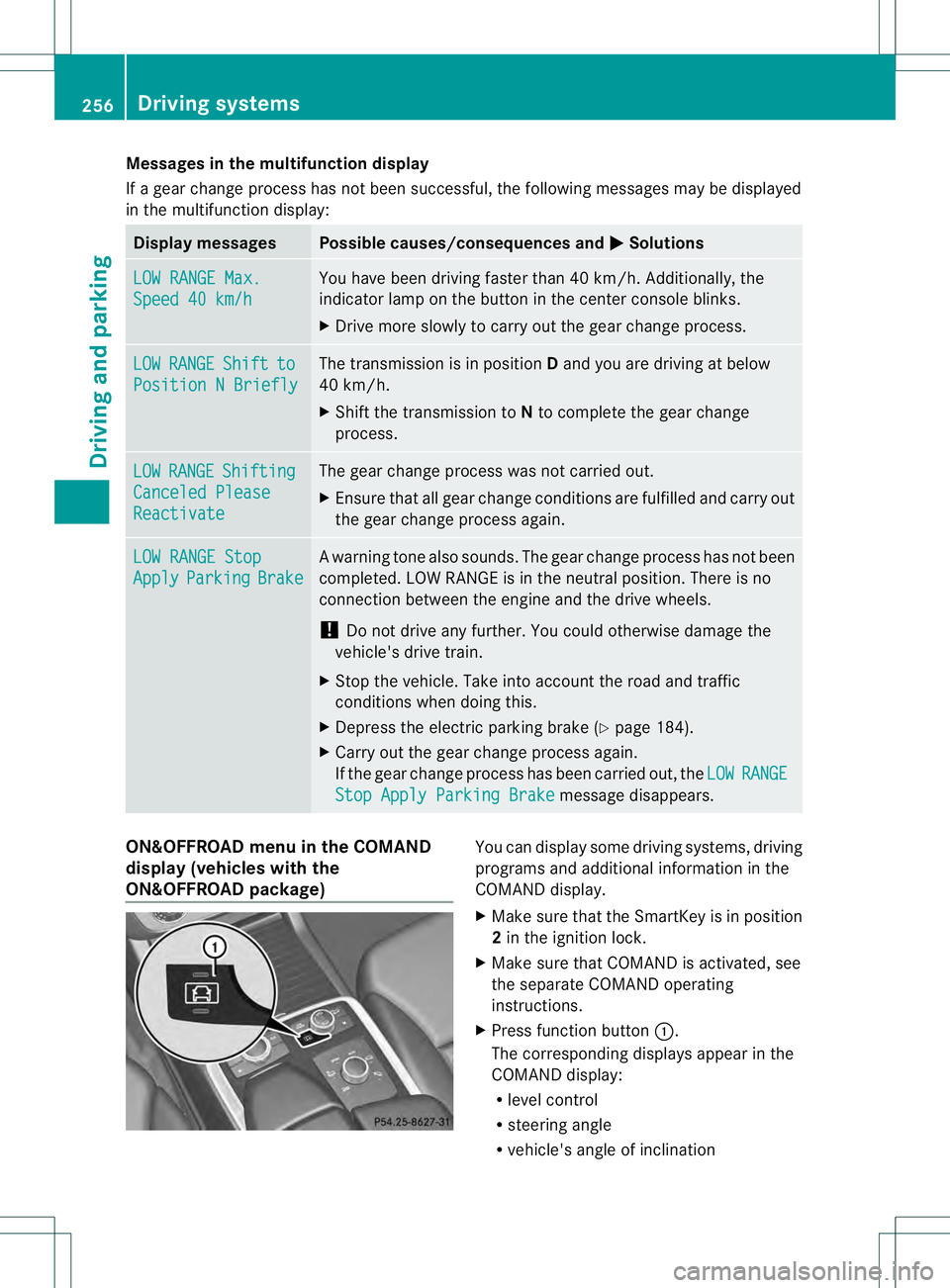
ON&OFFROAD menu in the COMAND
display (vehicles with the
ON&OFFROAD package) You can display some driving systems, driving
programs and additional information in the
COMAND display.
X Make sure that the SmartKey is in position
2in the ignition lock.
X Make sure that COMAND is activated, see
the separate COMAND operating
instructions.
X Press function button 0002.
The corresponding displays appearint he
COMAND display:
R level control
R steering angle
R vehicle's angle of inclination 256
Driving systemsDriving and parking
Page 267 of 454
Useful information
............................266
Important safety notes ....................266
Displays and operation ....................267
Menus and submenus ......................270
Display messages ............................. 286
Warning and indicator lamps in the
instrument cluster ............................320 265On-board computer and displays
Page 268 of 454
Useful information
i This Operator's Manual describes all
models and all standard and optional
equipment of your vehicle available at the
time of publication of the Operator's
Manual. Country-specific differences are
possible. Please note that your vehicle may
not be equipped with all features
described. This also applies to safety-
related systems and functions.
i Read the information on qualified
specialist workshops: (Y page 28).Important safety notes
G
WARNING
If you operate information systems and
communication equipment integrated in the
vehicle while driving, you will be distracted
from traffic conditions. You could also lose
control of the vehicle. There is a risk of an
accident.
Only operate the equipment when the traffic
situatio npermits .Ifyou are not sure that this
is possible, park the vehicle paying attention
to traffic conditions and operate the
equipment when the vehicle is stationary. G
WARNING
If the instrument cluster has failed or
malfunctioned, you may not recognize
function restrictions in systems relevant to
safety. The operating safety of your vehicle
may be impaired. There is a risk of an
accident.
Drive on carefully. Have the vehicle checked
at a qualified specialist workshop
immediately.
You must observe the legal requirements for
the country in which you are currently driving
when operating the on-board computer.
The on-board computer only shows messages
or warnings from certain systems in the multifunction display
.You should therefore
make sure your vehicle is operating safely at
all times. Otherwise, a vehicle that is not
operating safely may cause an accident.
For an overview, see the instrument panel
illustration (Y page 33).266
Important safety notesOn-board computer and displays
Page 269 of 454
Displays and operation
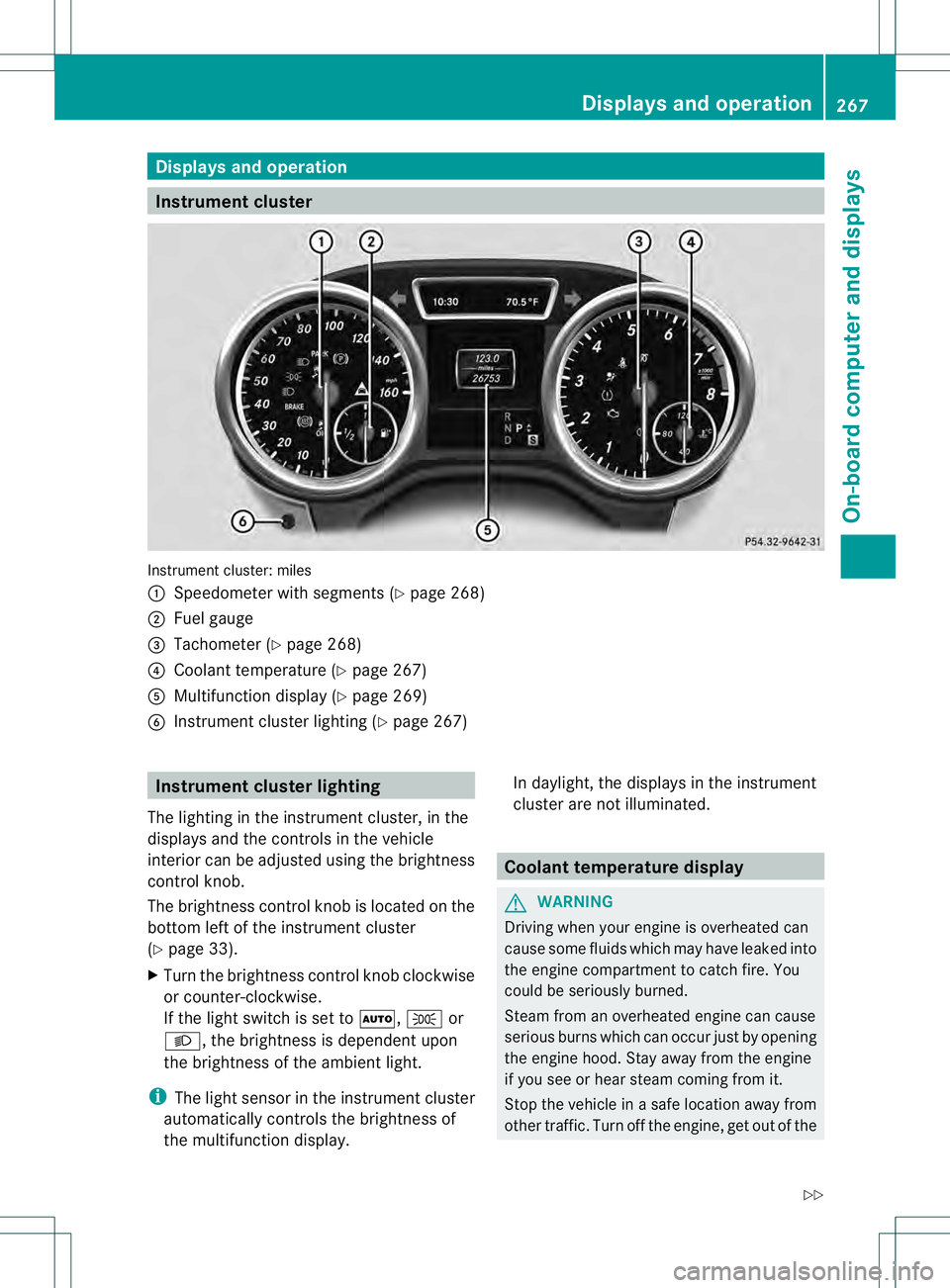
Instrument cluster
Instrument cluster: miles
0002
Speedometer with segments (Y page 268)
0003 Fuel gauge
0021 Tachometer (Y page 268)
0020 Coolant temperature ( Ypage 267)
001E Multifunction display (Y page 269)
001F Instrumen tcluster lighting (Y page 267) Instrument cluster lighting
The lighting in the instrumen tcluster, in the
displays and the controls in the vehicle
interior can be adjusted using the brightness
control knob.
The brightness control knob is located on the
bottom left of the instrument cluster
(Y page 33).
X Turn the brightness control knob clockwise
or counter-clockwise.
If the light switch is set to 0006,0016or
000D, the brightness is dependent upon
the brightness of the ambien tlight.
i The light sensor in the instrumen tcluster
automatically controls the brightness of
the multifunction display. In daylight, the displays in the instrument
cluster are not illuminated. Coolant temperature display
G
WARNING
Driving when your engine is overheated can
cause some fluids which may have leaked into
the engine compartment to catch fire. You
could be seriously burned.
Steam from an overheated engine can cause
serious burns which can occur just by opening
the engine hood. Stay away fro mthe engine
if you see or hear steam coming from it.
Stop the vehicle in a safe location away from
other traffic. Turn off the engine, get out of the Displays and operation
267On-board computer and displays
Z
Page 270 of 454
vehicle and do not stand near the vehicle until
the engine has cooled down.
! Adisplay message is shown if the coolant
temperature is too high.
If the coolant temperature is over
248 ‡(120 †), do not continue driving. The
engine will otherwise be damaged.
The coolan ttemperature gauge is in the
instrument cluster on the right-hand side
(Y page 33).
Under normal operating conditions and with
the specified coolant level, the coolant
temperature may rise to 248 ‡ (120 †). Tachometer
! Do not drive in the overrevving range, as
this could damage the engine.
The red band in the tachometer indicates the
engine's overrevving range.
The fuel supply is interrupted to protec tthe
engine when the red band is reached. Outside temperature display
You should pay special attention to road
conditions when temperatures are around
freezing point.
The outside temperature display is in the
multifunction display (Y page 269).
Changes in the outside temperature are
displayed after a short delay. Speedometer with segments
The segments in the speedometer indicate
which speed range is available.
R Cruise control activated (Y page 195):
The segments light up from the stored
speed to the maximum speed.
R DISTRONIC PLUS activated (Y page 198):One or two segments in the set speed
range light up.
R DISTRONIC PLUS detectsav ehicle in front:
The segments between the speed of the
vehicle in fron tand the stored speed light
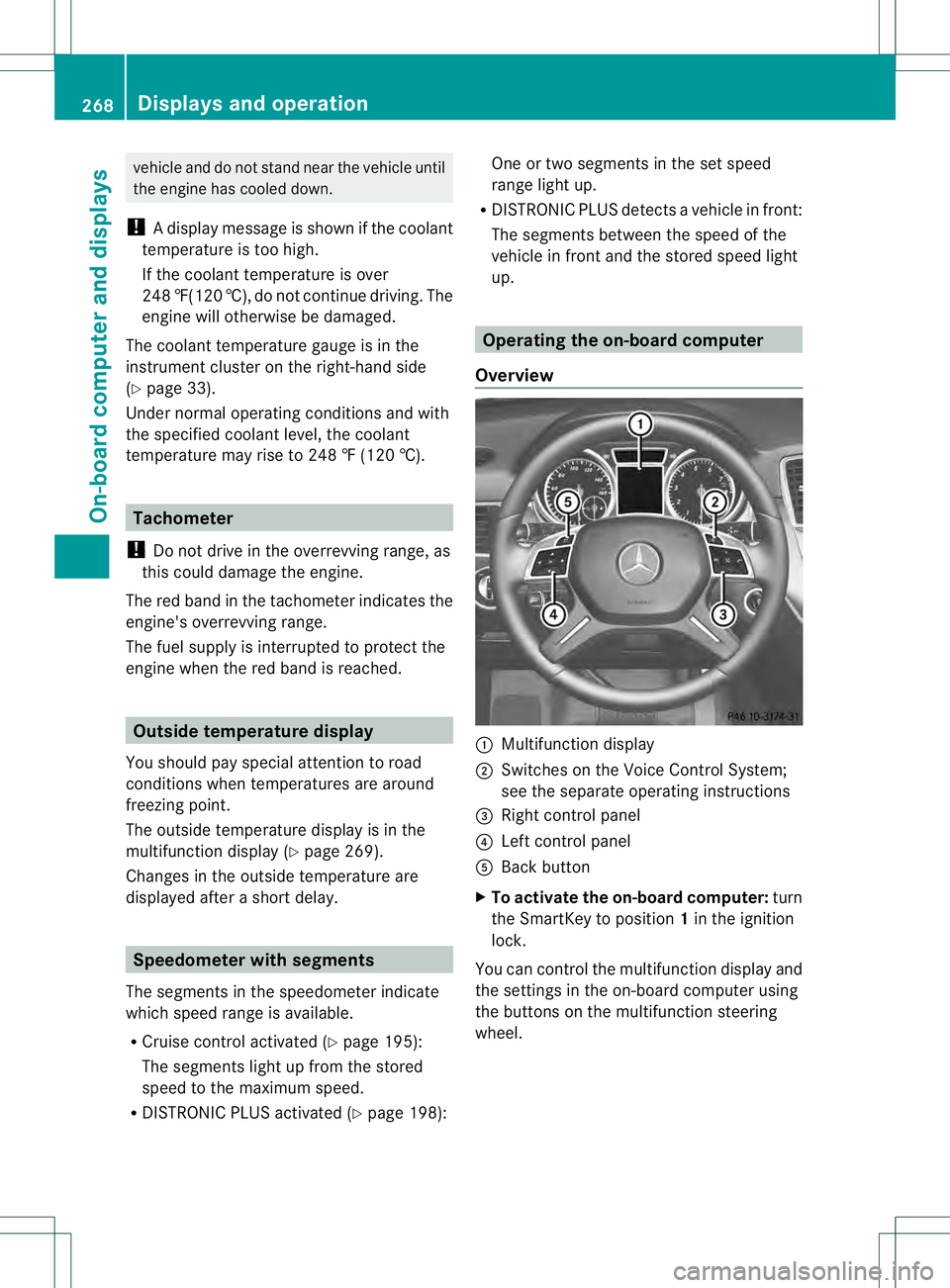
up. Operating the on-board computer
Overview 0002
Multifunctio ndisplay
0003 Switches on the Voice Control System;
see the separate operating instructions
0021 Right control panel
0020 Left control panel
001E Back button
X To activat ethe on-board computer: turn
the SmartKey to position 1in the ignition
lock.
You can control the multifunction display and
the settings in the on-board computer using
the buttons on the multifunction steering
wheel. 268
Displays and operationOn-board computer and displays
Page 271 of 454
Left control panel
0002
0005 R
Calls up the menu and menu bar 0003
0004
Press briefly:
R
Scrolls in lists
R Selects a submenu or function
R In the Audio menu: selects a
stored station, an audio track or
a video scene
R In the Tel (telephone) menu:
switches to the phone book and
selects a name or telephone
number 0003
0004
Press and hold:
R
In the Audio menu: selects the
previous/nex tstation or selects
an audio track or a video scene
using rapid scrolling
R In the Tel (Telephone) menu:
starts rapid scrolling if the phone
book is open 000B R
Confirms a selection/display
message
R In the Tel (telephone) menu:
switches to the telephone book
and starts dialing the selected
number
R In the Audio menu: stops the
station search function at the
desired station Right control panel
000D R
Rejects or ends a call
R Exits phone book/redial
memory 0004 R
Makes or accepts a call
R Switches to the redial memory 0009
000A R
Adjusts the volume 0006 R
Mute Back button
0007
Press briefly:
R Back
R Switches off the Voice Control
System; see the separate
operating instructions
R Hides display messages/calls
up the last Trip menu function
used
R Exits the telephone book/redial
memory 0007
Press and hold:
R Calls up the standard display in
the Trip menu
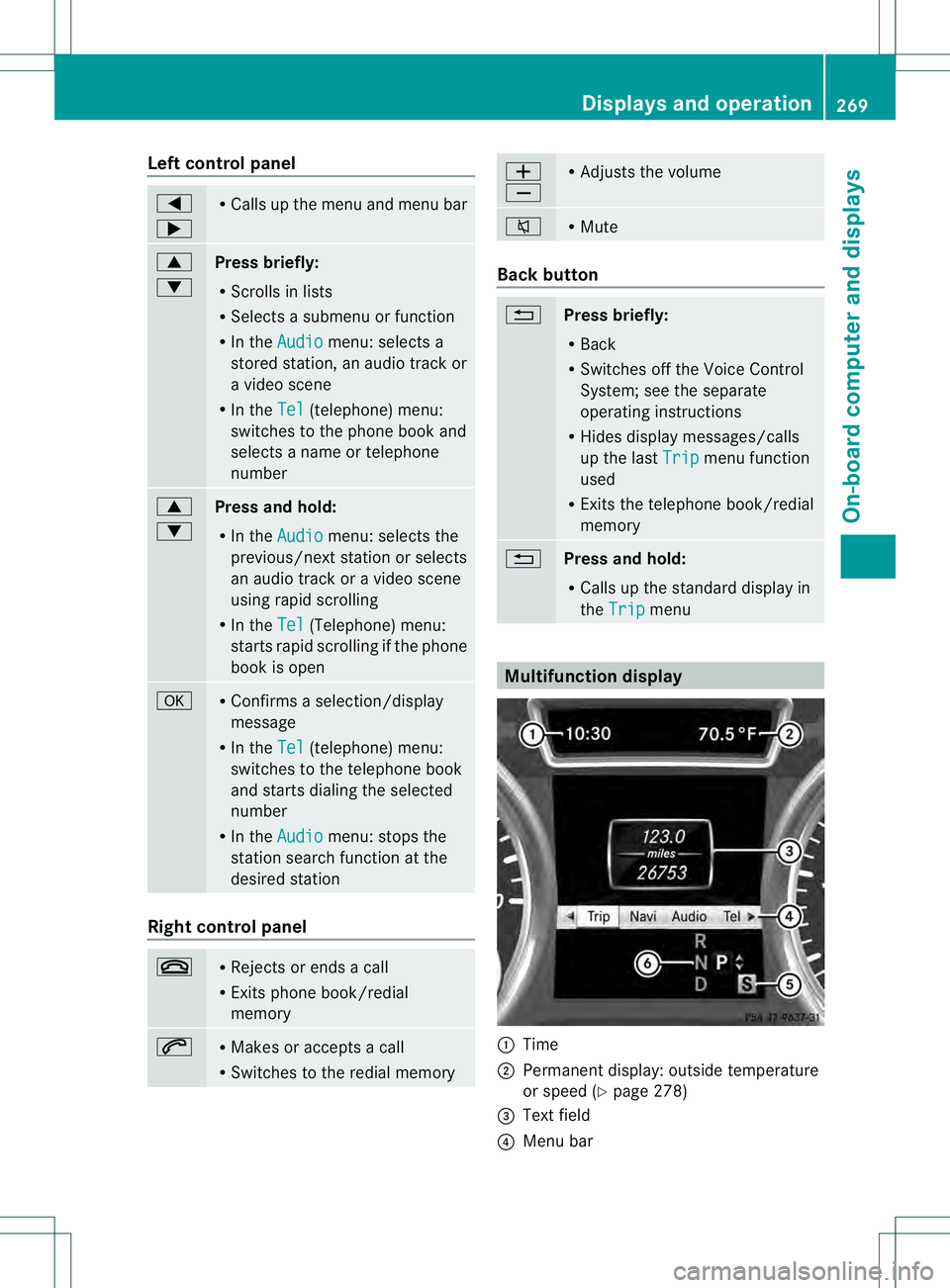
Multifunction display
0002
Time
0003 Permanent display: outside temperature
or speed (Y page 278)
0021 Text field
0020 Menu bar Displays and operation
269On-boardcompu ter and displays Z
Page 272 of 454
001E
Drive program (Y page 169)
001F Transmission positio n(Ypage 169)
X To show menu bar 0020:press the 0002
or 0005 button on the steering wheel.
Menu bar 0020disappears after a few seconds.
Text field 0021shows the selected menu or
submenu as well as display messages.
i You can set the time using the audio
system or COMAND; see the separate
operating instructions.
The following messages may appear in the
multifunction display:
00090011000A Active Parking Assist
(Ypage 221)
CRUISE Cruise control (Y
page 195)
000BDSR DSR (Y
page 250)
0006 Off-road program (vehicles
without the ON&OFFROAD
package) (Y page 252)
0006 Off-road program (vehicles with
the ON&OFFROA Dpackage)
(Y page 252)
LOW RANGE LOW RANGE off-road gear
(Y
page 254)
0005 Adaptive Highbeam Assist
(Ypage 130)
0003 ATTENTION ASSIST
(Ypage 234)
0001 Lane Keeping Assist
(Ypage 239)
0001 Active Lane Keeping Assist
(Ypage 245)
0001 HOLD function (Y page 211)
0003 Distance warning function
(Ypage 68)
0003 PRE-SAFE®
Brake (Y page 73) Menus and submenus
Menu overview
Press the 0002or0005 button on the
steering wheel to call up the menu bar and
selec tamenu.
Operating the on-board computer
(Y page 268).
Depending on the equipment installed in the
vehicle, you can call up the following menus:
R Trip menu (Y
page 270)
R Navi menu (navigatio
ninstructions)
(Y page 272)
R Audio menu (Y
page 273)
R Tel menu (telephone) (Y
page 274)
R DriveAssist menu (assistance)
(Y page 276)
R Service menu (Y
page 277)
R Settings menu (settings) (Y
page 278)
R ON&OFFROAD menu (Y
page 282)
R AMG menu in AMG vehicles (Y
page 282) Trip menu
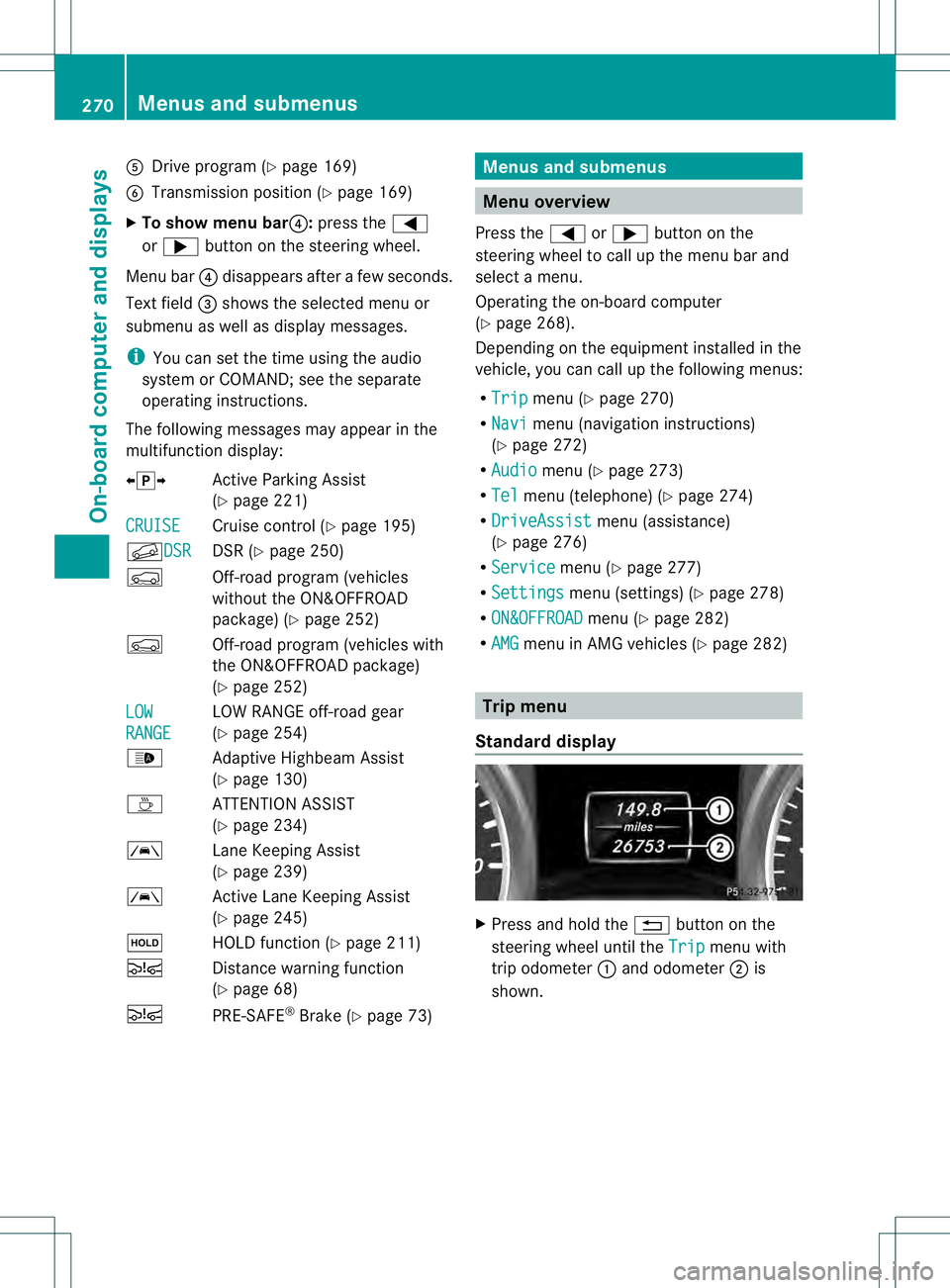
Standard display X
Press and hold the 0007button on the
steering wheel until the Trip menu with
trip odometer 0002and odometer 0003is
shown. 270
Menus and submenusOn-board computer and displays
Page 273 of 454
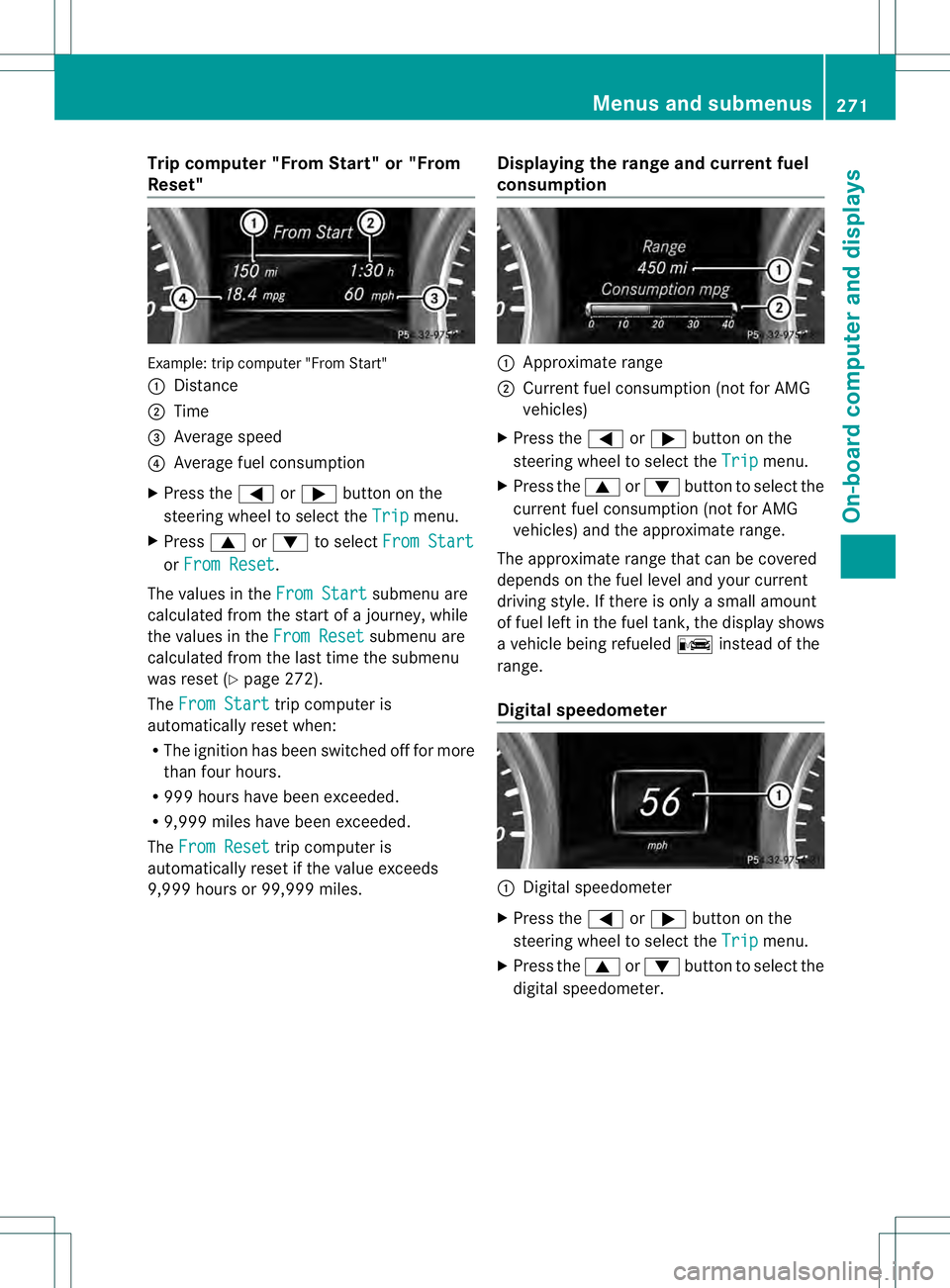
Trip computer "From Start" or "From
Reset" Example: trip computer "From Start"
0002
Distance
0003 Time
0021 Average speed
0020 Average fuel consumption
X Press the 0002or0005 button on the
steering wheel to select the Trip menu.
X Press 0003or0004 to select From Start or
From Reset .
The values in the From Start submenu are
calculated fro mthe start of a journey, while
the values in the From Reset submenu are
calculated from the last time the submenu
was reset (Y page 272).
The From Start trip computer is
automatically reset when:
R The ignition has been switched off for more
than four hours.
R 999 hours have been exceeded.
R 9,999 miles have been exceeded.
The From Reset trip computer is
automatically reset if the value exceeds
9,999 hours or 99,999 miles. Displaying the range and current fuel
consumption 0002
Approximate range
0003 Current fuel consumption (not for AMG
vehicles)
X Press the 0002or0005 button on the
steering wheel to select the Trip menu.
X Press the 0003or0004 button to select the
current fuel consumption (not for AMG
vehicles) and the approximate range.
The approximate range that can be covered
depends on the fuel level and your current
driving style. If there is only a small amount
of fuel left in the fuel tank, the display shows
a vehicle being refueled 000Ainstead of the
range.
Digital speedometer 0002
Digital speedometer
X Press the 0002or0005 button on the
steering wheel to select the Trip menu.
X Press the 0003or0004 button to select the
digital speedometer. Menus and submenus
271On-board computer and displays Z