warning MERCEDES-BENZ GL 2013 Owners Manual
[x] Cancel search | Manufacturer: MERCEDES-BENZ, Model Year: 2013, Model line: GL, Model: MERCEDES-BENZ GL 2013Pages: 454, PDF Size: 6.31 MB
Page 267 of 454
Useful information
............................266
Important safety notes ....................266
Displays and operation ....................267
Menus and submenus ......................270
Display messages ............................. 286
Warning and indicator lamps in the
instrument cluster ............................320 265On-board computer and displays
Page 268 of 454
Useful information
i This Operator's Manual describes all
models and all standard and optional
equipment of your vehicle available at the
time of publication of the Operator's
Manual. Country-specific differences are
possible. Please note that your vehicle may
not be equipped with all features
described. This also applies to safety-
related systems and functions.
i Read the information on qualified
specialist workshops: (Y page 28).Important safety notes
G
WARNING
If you operate information systems and
communication equipment integrated in the
vehicle while driving, you will be distracted
from traffic conditions. You could also lose
control of the vehicle. There is a risk of an
accident.
Only operate the equipment when the traffic
situatio npermits .Ifyou are not sure that this
is possible, park the vehicle paying attention
to traffic conditions and operate the
equipment when the vehicle is stationary. G
WARNING
If the instrument cluster has failed or
malfunctioned, you may not recognize
function restrictions in systems relevant to
safety. The operating safety of your vehicle
may be impaired. There is a risk of an
accident.
Drive on carefully. Have the vehicle checked
at a qualified specialist workshop
immediately.
You must observe the legal requirements for
the country in which you are currently driving
when operating the on-board computer.
The on-board computer only shows messages
or warnings from certain systems in the multifunction display
.You should therefore
make sure your vehicle is operating safely at
all times. Otherwise, a vehicle that is not
operating safely may cause an accident.
For an overview, see the instrument panel
illustration (Y page 33).266
Important safety notesOn-board computer and displays
Page 269 of 454
Displays and operation
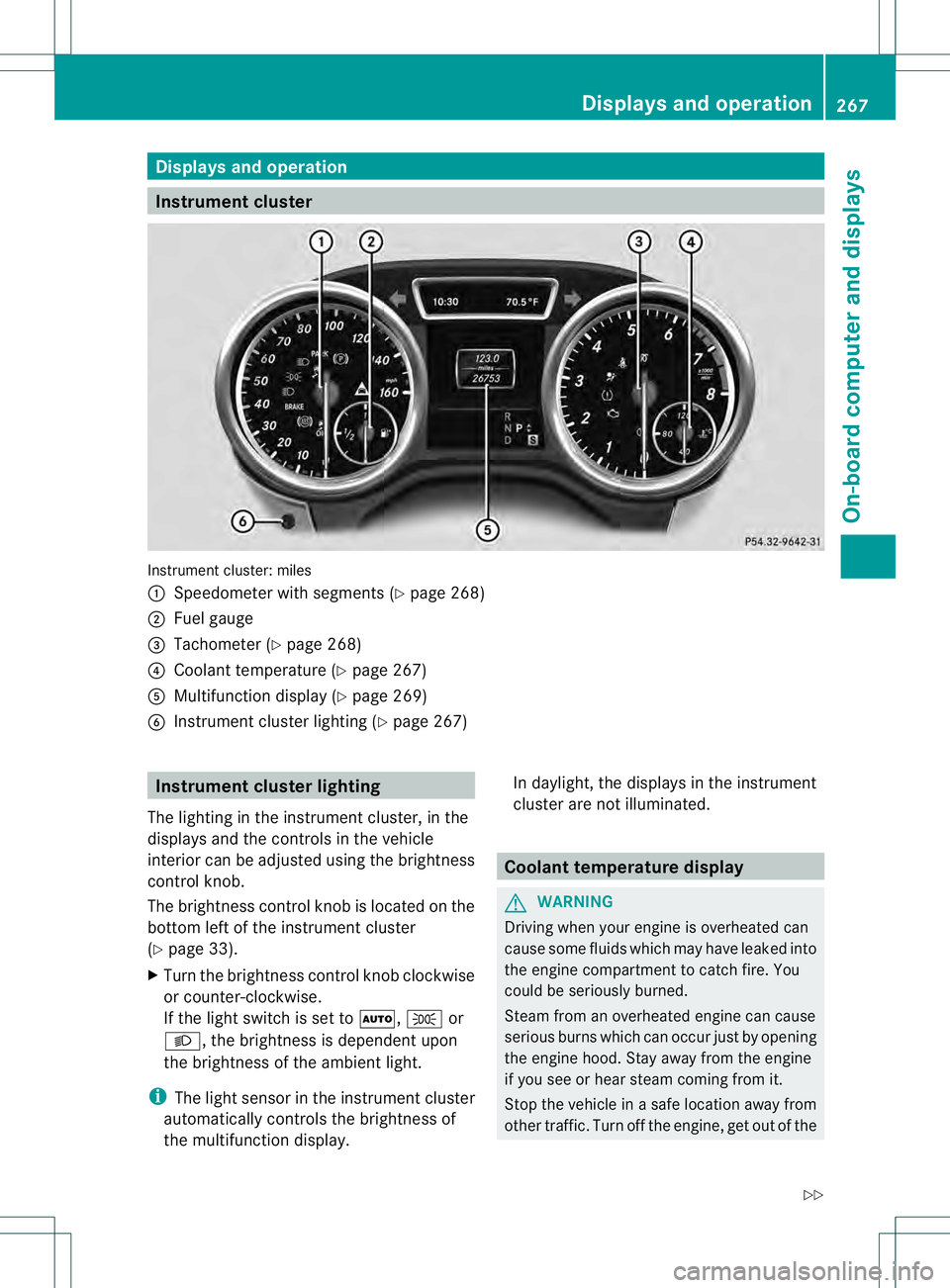
Instrument cluster
Instrument cluster: miles
0002
Speedometer with segments (Y page 268)
0003 Fuel gauge
0021 Tachometer (Y page 268)
0020 Coolant temperature ( Ypage 267)
001E Multifunction display (Y page 269)
001F Instrumen tcluster lighting (Y page 267) Instrument cluster lighting
The lighting in the instrumen tcluster, in the
displays and the controls in the vehicle
interior can be adjusted using the brightness
control knob.
The brightness control knob is located on the
bottom left of the instrument cluster
(Y page 33).
X Turn the brightness control knob clockwise
or counter-clockwise.
If the light switch is set to 0006,0016or
000D, the brightness is dependent upon
the brightness of the ambien tlight.
i The light sensor in the instrumen tcluster
automatically controls the brightness of
the multifunction display. In daylight, the displays in the instrument
cluster are not illuminated. Coolant temperature display
G
WARNING
Driving when your engine is overheated can
cause some fluids which may have leaked into
the engine compartment to catch fire. You
could be seriously burned.
Steam from an overheated engine can cause
serious burns which can occur just by opening
the engine hood. Stay away fro mthe engine
if you see or hear steam coming from it.
Stop the vehicle in a safe location away from
other traffic. Turn off the engine, get out of the Displays and operation
267On-board computer and displays
Z
Page 272 of 454
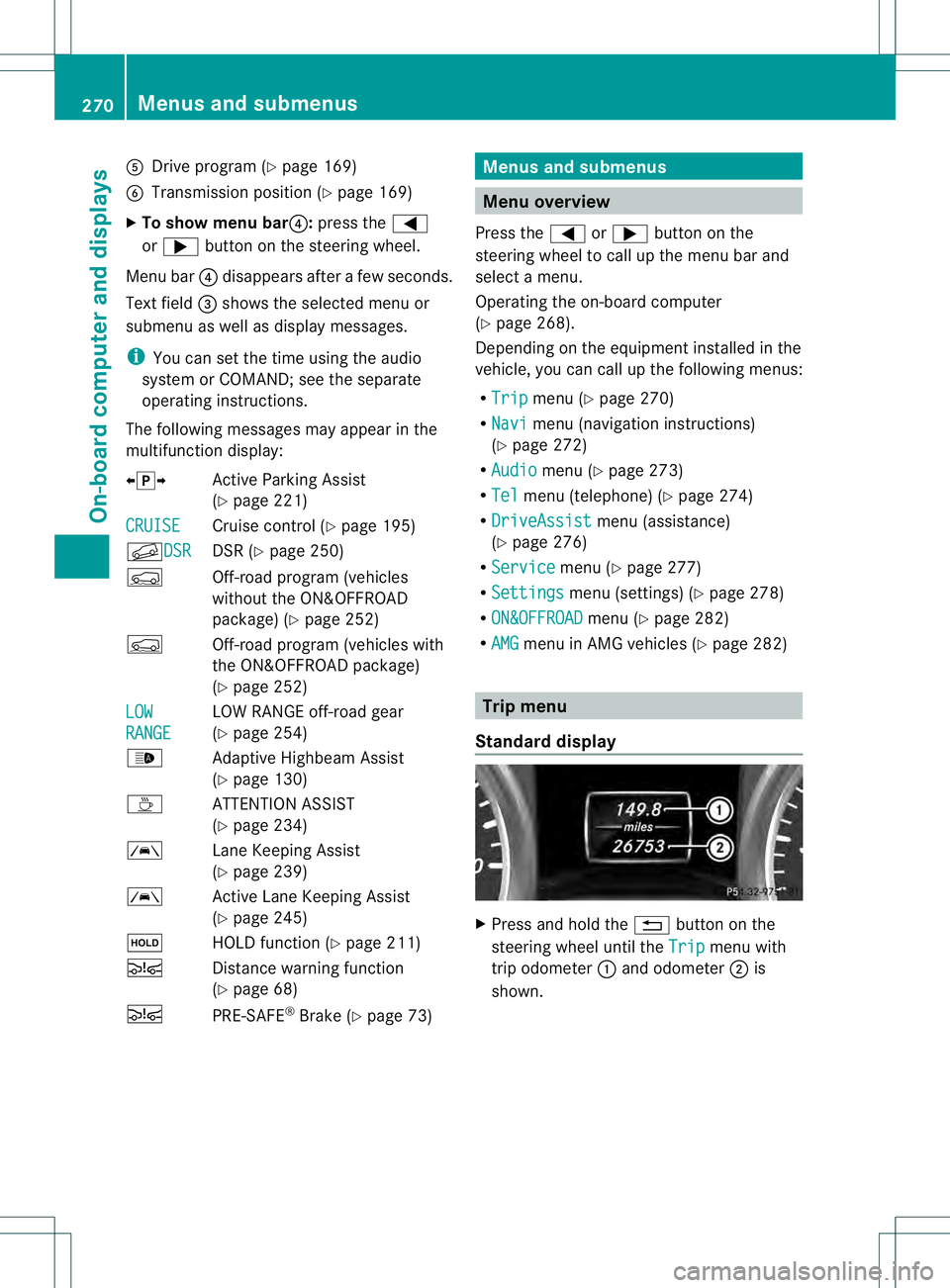
001E
Drive program (Y page 169)
001F Transmission positio n(Ypage 169)
X To show menu bar 0020:press the 0002
or 0005 button on the steering wheel.
Menu bar 0020disappears after a few seconds.
Text field 0021shows the selected menu or
submenu as well as display messages.
i You can set the time using the audio
system or COMAND; see the separate
operating instructions.
The following messages may appear in the
multifunction display:
00090011000A Active Parking Assist
(Ypage 221)
CRUISE Cruise control (Y
page 195)
000BDSR DSR (Y
page 250)
0006 Off-road program (vehicles
without the ON&OFFROAD
package) (Y page 252)
0006 Off-road program (vehicles with
the ON&OFFROA Dpackage)
(Y page 252)
LOW RANGE LOW RANGE off-road gear
(Y
page 254)
0005 Adaptive Highbeam Assist
(Ypage 130)
0003 ATTENTION ASSIST
(Ypage 234)
0001 Lane Keeping Assist
(Ypage 239)
0001 Active Lane Keeping Assist
(Ypage 245)
0001 HOLD function (Y page 211)
0003 Distance warning function
(Ypage 68)
0003 PRE-SAFE®
Brake (Y page 73) Menus and submenus
Menu overview
Press the 0002or0005 button on the
steering wheel to call up the menu bar and
selec tamenu.
Operating the on-board computer
(Y page 268).
Depending on the equipment installed in the
vehicle, you can call up the following menus:
R Trip menu (Y
page 270)
R Navi menu (navigatio
ninstructions)
(Y page 272)
R Audio menu (Y
page 273)
R Tel menu (telephone) (Y
page 274)
R DriveAssist menu (assistance)
(Y page 276)
R Service menu (Y
page 277)
R Settings menu (settings) (Y
page 278)
R ON&OFFROAD menu (Y
page 282)
R AMG menu in AMG vehicles (Y
page 282) Trip menu
Standard display X
Press and hold the 0007button on the
steering wheel until the Trip menu with
trip odometer 0002and odometer 0003is
shown. 270
Menus and submenusOn-board computer and displays
Page 276 of 454
Operating an audio player or audio
media
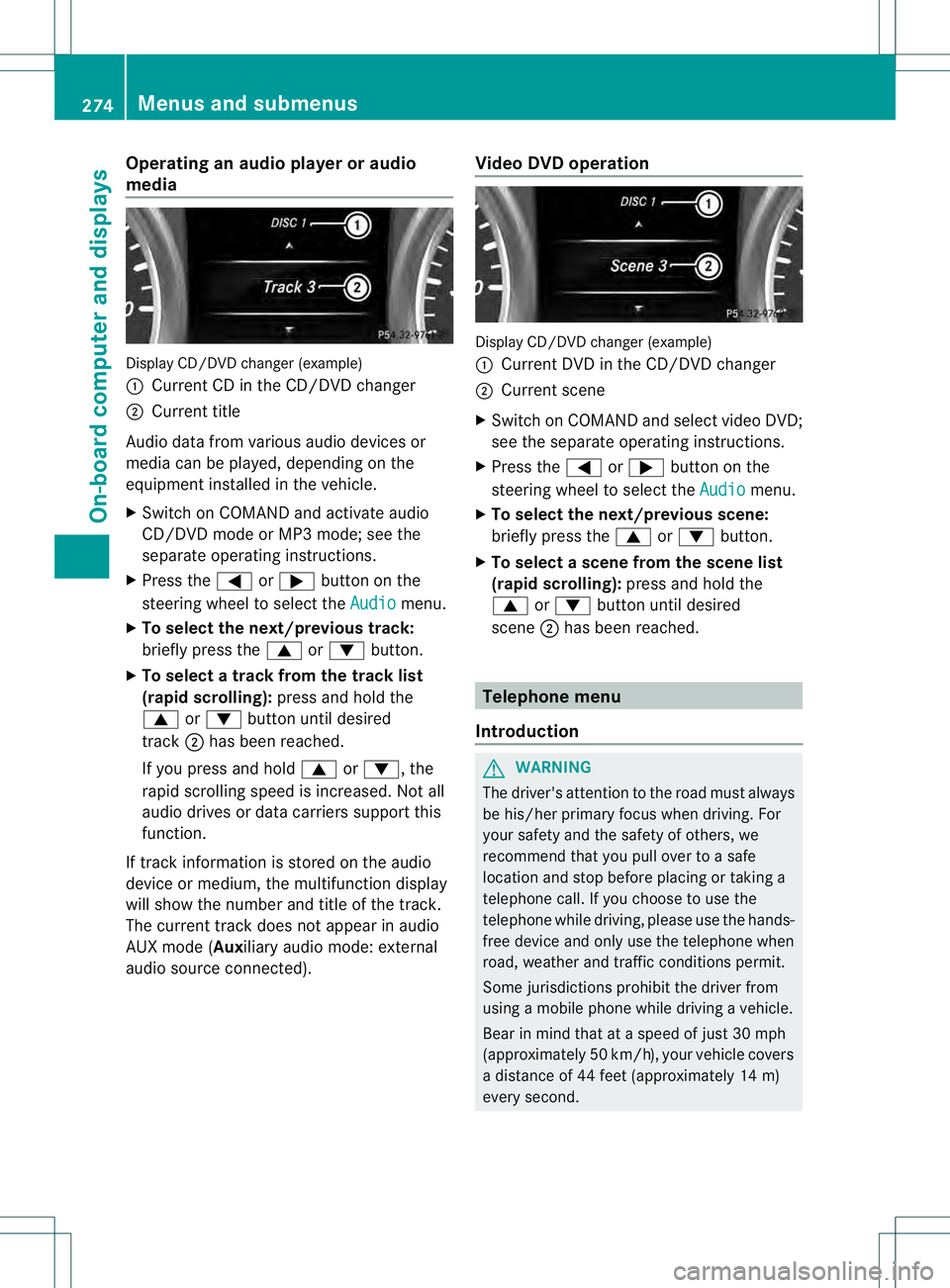
Display CD/DVD changer (example)
0002
Current CD in the CD/DVD changer
0003 Current title
Audio data from various audio devices or
media can be played, depending on the
equipment installed in the vehicle.
X Switch on COMAND and activate audio
CD/DVD mode or MP3 mode; see the
separate operating instructions.
X Press the 0002or0005 button on the
steering wheel to select the Audio menu.
X To select the next/previous track:
briefly press the 0003or0004 button.
X To select a track from the track list
(rapid scrolling): press and hold the
0003 or0004 button until desired
track 0003has been reached.
If you press and hold 0003or0004, the
rapid scrolling speed is increased. Not all
audio drives or data carriers support this
function.
If track information is stored on the audio
device or medium, the multifunction display
will show the number and title of the track.
The curren ttrack does not appear in audio
AUX mode (Auxiliary audio mode: external
audio source connected). Video DVD operation Display CD/DVD changer (example)
0002
Current DVD in the CD/DVD changer
0003 Current scene
X Switch on COMAND and select video DVD;
see the separate operating instructions.
X Press the 0002or0005 button on the
steering wheel to select the Audio menu.
X To selectt he next/previous scene:
briefly press the 0003or0004 button.
X To selectas cene from the scene list
(rapid scrolling): press and hold the
0003 or0004 buttonuntil desired
scene 0003has been reached. Telephone menu
Introduction G
WARNING
The driver's attentio nto the road must always
be his/her primary focus when driving. For
your safety and the safety of others, we
recommend that you pull over to a safe
location and stop before placing or taking a
telephone call. If you choose to use the
telephone while driving, please use the hands-
free device and only use the telephone when
road, weather and traffic conditions permit.
Some jurisdictions prohibit the driver from
using a mobile phone while driving a vehicle.
Bear in mind that at a speed of just 30 mph
(approximately 50 km/h) , your vehicle covers
a distance of 44 feet (approximately 14 m)
every second. 274
Menus and submenusOn-board computer and displays
Page 278 of 454
Assistance menu
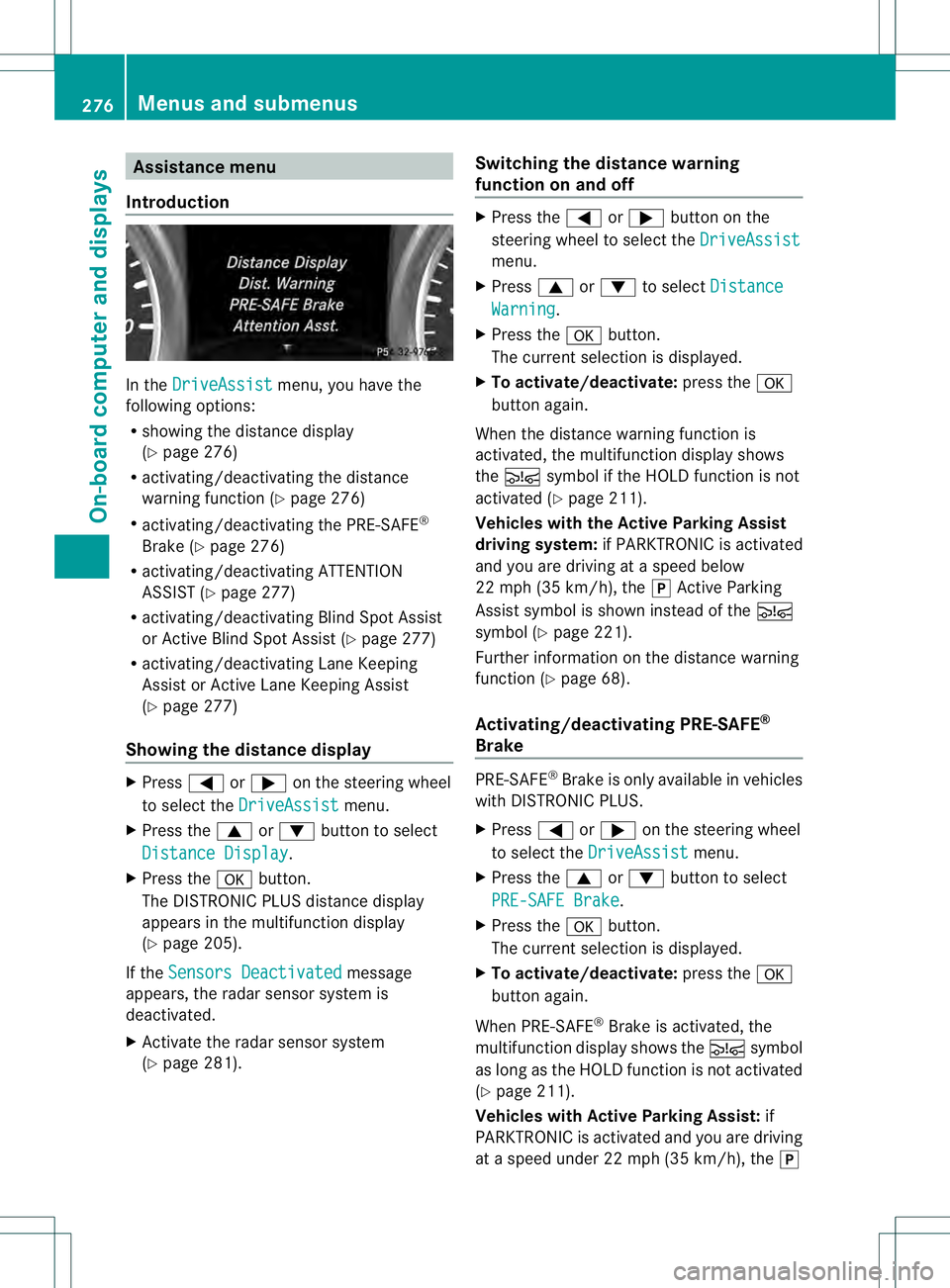
Introduction In the
DriveAssist menu, you have the
following options:
R showing the distance display
(Y page 276)
R activating/deactivating th edistance
warning function (Y page 276)
R activating/deactivating the PRE-SAFE ®
Brake (Y page 276)
R activating/deactivating ATTENTION
ASSIS T(Ypage 277)
R activating/deactivating Blind Spot Assist
or Active Blind Spot Assist (Y page 277)
R activating/deactivating Lane Keeping
Assist or Active Lane Keeping Assist
(Y page 277)
Showing the distance display X
Press 0002or0005 on the steering wheel
to select the DriveAssist menu.
X Press the 0003or0004 button to select
Distance Display .
X Press the 000Bbutton.
The DISTRONIC PLUS distance display
appears in the multifunction display
(Y page 205).
If the Sensors Deactivated message
appears, the radar senso rsystem is
deactivated.
X Activate the rada rsensor system
(Y page 281). Switching the distance warning
function on and off X
Press the 0002or0005 button on the
steering wheel to select the DriveAssist menu.
X Press 0003or0004 to select Distance Warning .
X Press the 000Bbutton.
The curren tselection is displayed.
X To activate/deactivate: press the000B
button again.
When the distance warning function is
activated, the multifunction display shows
the 0003 symbol if the HOLD function is not
activated (Y page 211).
Vehicles with the Active Parking Assist
driving system: if PARKTRONIC is activated
and you are driving at aspeed below
22 mph (35 km/h), the 0011Active Parking
Assist symbol is shown instead of the 0003
symbol ( Ypage 221).
Further information on the distance warning
function (Y page 68).
Activating/deactivating PRE-SAFE ®
Brake PRE-SAFE
®
Brake is only available in vehicles
with DISTRONIC PLUS.
X Press 0002or0005 on the steering wheel
to select the DriveAssist menu.
X Press the 0003or0004 button to select
PRE-SAFE Brake .
X Press the 000Bbutton.
The curren tselection is displayed.
X To activate/deactivate: press the000B
button again.
When PRE-SAFE ®
Brake is activated, the
multifunction display shows the 0003symbol
as long as the HOLD function is not activated
(Y page 211).
Vehicles with Active Parking Assist: if
PARKTRONIC is activated and you are driving
at a speed under 22 mph (35 km/h), the 0011276
Menus and submenusOn-board computer and displays
Page 279 of 454
Active Parking Assist symbol is shown instead
of the 0003symbol (Y page 221).
If the PRE-SAFE Brake: Sensors Deactivated message appears, the radar
sensor system is deactivated.
X Activate the rada rsensor system
(Y page 281).
For more information on PRE-SAFE ®
Brake,
see (Y page 73).
Activating/deactivating ATTENTION
ASSIST X
Press 0002or0005 on the steering wheel
to select the DriveAssist menu.
X Press the 0003or0004 button to select
Attention Asst. X
Press the 000Bbutton.
The curren tselection is displayed.
X To activate/deactivate: press the000B
button again.
When ATTENTION ASSIST is activated, the
0003 symbol appears in the multifunction
display when the ignition is on.
For further information about ATTENTION
ASSIST, see (Y page 234).
Activating/deactivating Blind Spot
Assist X
Press 0002or0005 on the steering wheel
to select the DriveAssist menu.
X Press the 0003or0004 button to select
Blind Spot Asst. .
X Press the 000Bbutton.
The curren tselection is displayed.
X To activate/deactivate: press the000B
button again.
If the Blind Spot Assist Sensors Deactivated or
Active Blind Spot Assist Sensors Deactivated message
appears, the radar sensor system is
deactivated. X
Activate the radar sensor system
(Y page 281).
For further information about Blind Spot
Assist, see (Y page 237).
For further information about Active Blind
Spot Assist, see (Y page 241).
Activating/deactivating Lane Keeping
Assist X
Press 0002or0005 on the steering wheel
to select the DriveAssist menu.
X Press the 0003or0004 button to select
Lane Keep. Asst. X
Press the 000Bbutton.
The curren tselection is displayed.
X Press 000Bto confirm.
X Press 0004or0003 to set Off ,
Standard or
Adaptive .
X Press the 000Bbutton to save the setting.
When Lane Keeping Assist or Active Lane
Keeping Assist is activated, the 0001symbol
appears in the multifunction display when the
ignition is on.
For further information about Lane Keeping
Assist, see (Y page 239).
For further information about Active Lane
Keeping Assist, see (Y page 245). Maintenance menu
In the
Serv menu, you have the following
options:
R call up display messages in message
memory (Y page 286)
R restart the tire pressure loss warning
system (Y page 408) Menus and submenus
277On-board computer and displays Z
Page 283 of 454
Activating/deactivating the rada
rsensor
system
X Press the 0002or0005 button on the
steering wheel to selec tthe Sett. menu.
X Press 0004or0003 to select the Vehicle submenu.
X Press 000Bto confirm.
X Press the 0003or0004 button to select
Radar Sensor (See Oper. Manual): .
You will see the selected setting: Enabledor
Disabled .
X Press the 000Bbutton to save the setting.
The following systems are switched off when
the radar sensor system is deactivated:
R DISTRONIC PLUS (Y page 198)
R BAS PLUS (Y page 67)
R PRE-SAFE ®
Brake (Y page 73)
R Blind Spot Assist (Y page 237)
R Active Blind Spot Assist (Y page 241)
Convenience submenu Activating/deactivating the EASY-
ENTRY/EXIT feature
G
WARNING
You must make sure no one can become
trapped or injured by the moving steering
wheel when the easy-entry/exit feature is
activated.
To stop steering wheel movement, move
steering wheel adjustment lever or press one
of the memory position buttons.
Do not leave children unattended in the
vehicle, or with access to an unlocked vehicle.
Children could open the driver's door and
unintentionally activate the easy-entry/exit
feature, which could result in an accident
and/or serious personal injury.
X Press the 0002or0005 button on the
steering wheel to select the Sett. menu.
X Press the 0004or0003 button to select the
Convenience submenu.X
Press 000Bto confirm.
X Press 0004or0003 to select the Easy Entry/Exit function.
If the Easy Entry/Exit function is
activated, the vehicle steering wheel is
displayed in red in the multifunction
display.
X Press the 000Bbutton to save the setting.
Further information on the EASY-ENTRY/EXIT
feature (Y page 117).
Switching the belt adjustment on/off
X Press the 0002or0005 button on the
steering wheel to select the Sett. menu.
X Press the 0004or0003 button to select the
Convenience submenu.
X Press 000Bto confirm.
X Press the 0004or0003 button to select the
Belt Adjustment function.
When the Belt Adjustment function is
activated, the vehicle seat belt is displayed
in red in the multifunction display.
X Press the 000Bbutton to save the setting.
For further information on belt adjustment,
see (Y page 57).
Switching the fold-in mirrors with the
locking feature on/off
This function is only available on vehicles with
the memory function (Y page 121).
When you activate the Auto. Mirror Folding function, the exterior mirrors are
folded in when the vehicle is locked. If you
unlock the vehicle and then open a door, the
exterior mirrors fold out again.
X Press the 0002or0005 button on the
steering wheel to select the Sett. menu.
X Press the 0004or0003 button to select the
Convenience submenu.
X Press 000Bto confirm. Menus and submenus
281On-board computer and displays Z
Page 288 of 454
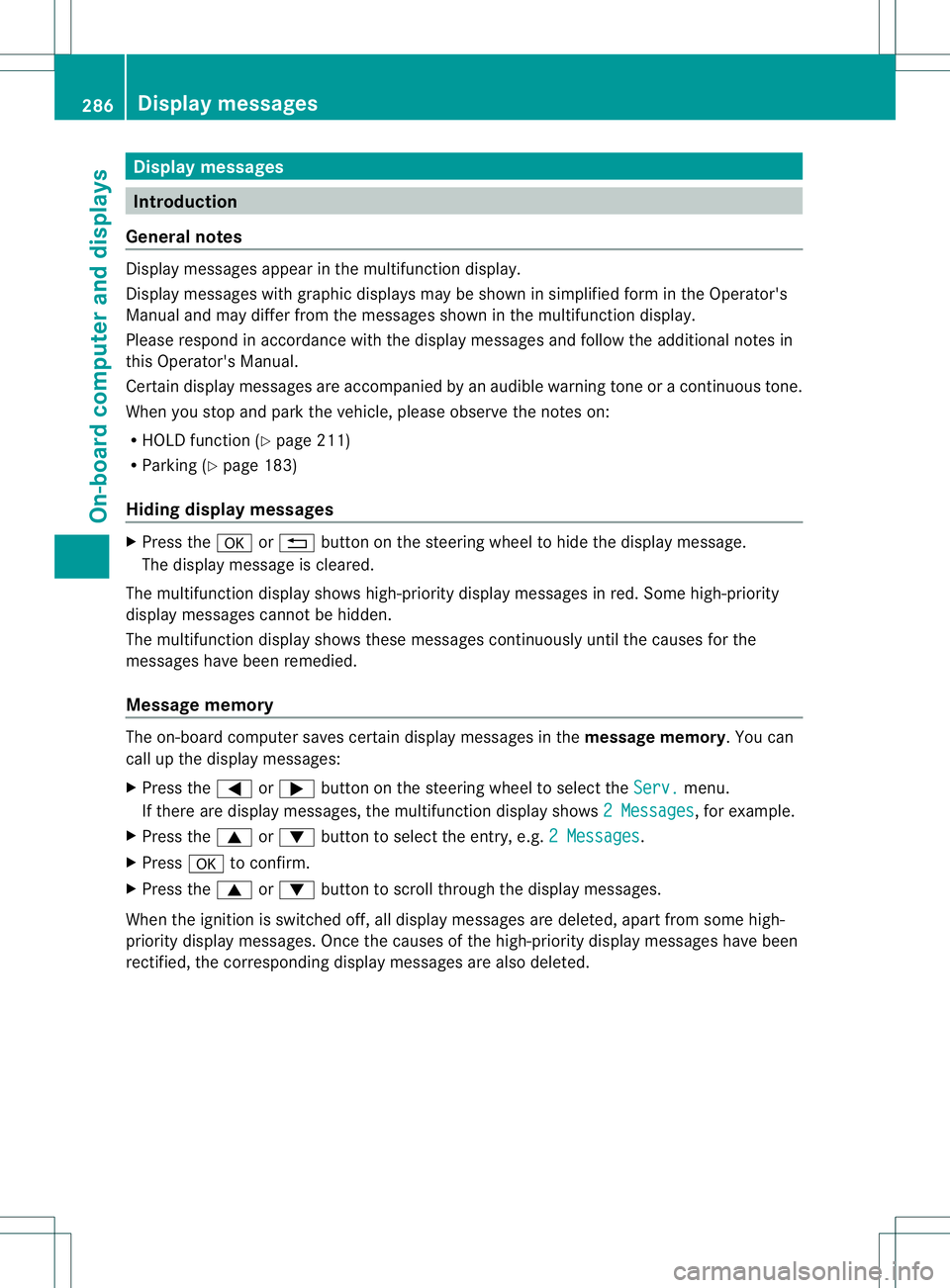
Display messages
Introduction
General notes Display messages appear in th
emultifunction display.
Display messages with graphic displays may be shown in simplified for minthe Operator's
Manual and may differ from the messages shown in the multifunction display.
Please respond in accordance with the display messages and follow the additional notes in
this Operator's Manual.
Certain display messages are accompanied by an audible warning tone or a continuous tone.
When you stop and park the vehicle, please observe the notes on:
R HOLD function (Y page 211)
R Parking (Y page 183)
Hiding display messages X
Press the 000Bor0007 button on the steering wheel to hide the display message.
The display message is cleared.
The multifunction display shows high-priority display messages in red. Some high-priority
display messages cannot be hidden.
The multifunction display shows these messages continuously until the causes for the
messages have been remedied.
Message memory The on-board computer saves certain display messages in the
message memory.You can
call up the display messages:
X Press the 0002or0005 button on the steering wheel to select the Serv. menu.
If there are display messages, the multifunction display shows 2 Messages , for example.
X Press the 0003or0004 button to select the entry, e.g. 2 Messages .
X Press 000Bto confirm.
X Press the 0003or0004 button to scroll through the display messages.
When the ignition is switched off, all display messages are deleted, apart from some high-
priority display messages. Once the causes of the high-priority display messages have been
rectified, the corresponding display messages are also deleted. 286
Display messagesOn-board computer and displays
Page 289 of 454
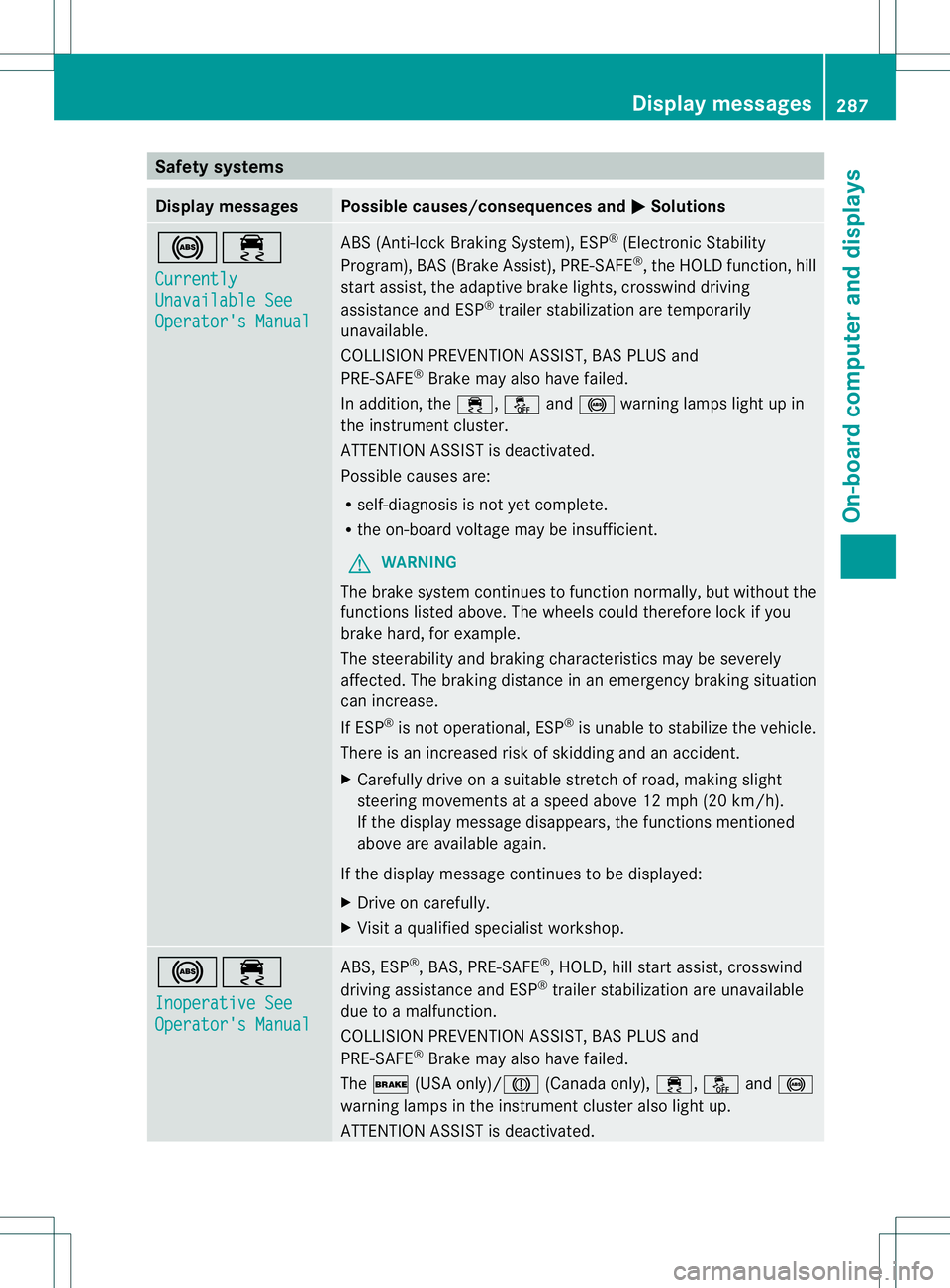
Safety systems
Display messages Possible causes/consequences and
0001 Solutions
0019000F
Currently
Unavailable See
Operator's Manual ABS (Anti-lock Braking System), ESP
®
(Electronic Stability
Program), BAS (Brake Assist), PRE-SAFE ®
, the HOLD function, hill
start assist, the adaptive brake lights, crosswind driving
assistance and ESP ®
trailer stabilization are temporarily
unavailable.
COLLISION PREVENTION ASSIST, BAS PLUS and
PRE-SAFE ®
Brake may also have failed.
In addition, the 000F,0017and0019 warning lamps light up in
the instrument cluster.
ATTENTION ASSIST is deactivated.
Possible causes are:
R self-diagnosis is not yet complete.
R the on-board voltage may be insufficient.
G WARNING
The brake system continues to function normally, but without the
functions listed above. The wheels could therefore lock if you
brake hard, for example.
The steerability and braking characteristics may be severely
affected. The braking distance in an emergency braking situation
can increase.
If ESP ®
is not operational, ESP ®
is unable to stabilize the vehicle.
There is an increased risk of skidding and an accident.
X Carefully drive on a suitable stretch of road, making slight
steering movements at a speed above 12 mph (20 km/h).
If the display message disappears, the functions mentioned
above are available again.
If the display message continues to be displayed:
X Drive on carefully.
X Visit a qualified specialist workshop. 0019000F
Inoperative See
Operator's Manual ABS, ESP
®
, BAS, PRE-SAFE ®
, HOLD, hill start assist, crosswind
driving assistance and ESP ®
trailer stabilization are unavailable
due to a malfunction.
COLLISION PREVENTION ASSIST, BAS PLUS and
PRE-SAFE ®
Brake may also have failed.
The 0012 (USA only)/0009 (Canada only),000F,0017and0019
warning lamps in the instrumen tcluster also light up.
ATTENTION ASSIST is deactivated. Display messages
287On-board computer and displays Z