trailer MERCEDES-BENZ GL 2013 User Guide
[x] Cancel search | Manufacturer: MERCEDES-BENZ, Model Year: 2013, Model line: GL, Model: MERCEDES-BENZ GL 2013Pages: 454, PDF Size: 6.31 MB
Page 22 of 454
Tread wear
..................................... 416
TWR (permissible trailer drawbar
noseweight) (definition) .................423
Uniform Tire Quality Grading
Standard s...................................... 415
Uniform Tire Quality Grading
Standard s(definition) .................... 421
Unladen weight (definition) ............422
Wea rindicato r(definition) .............423
Whee lrim (definition ).................... 421
see Flat tire
Top Tether ............................................ 63
Towing Important safety guidelines ...........393
Installing the towing eye ................394
Removing the towing eye. ..............395
Towing atrailer
Activ eParking Assist ..................... 225
Axle load, permissible ....................449
Cleaning the trailer tow hitch ......... 376
Coupling up atrailer ...................... 260
Decoupling atrailer ....................... 262
Driving tips .................................... 257
ESP ®
(Electronic Stability Program) .72
Important safety notes ..................257
Installing the ball coupling .............259
Mounting dimensions ....................448
Power supply ................................. 264
Pulling away with a trailer ..............166
Removing the ball coupling ............263
Shift range ..................................... 172
Storing the ball coupling ................263
Trailer drive program .....................249
Trailer loads ................................... 449
Towing away
With both axles on the ground .......395
Tow-starting
Emergency engine starting ............396
Important safety notes ..................393
Trailer coupling
see Towing atrailer
Trailer loads and drawbar
noseweights ...................................... 263
Trailer towing Active Blind Spot Assist .................244
Active Lane Keeping Assist ............247
Blind Spot Assist ............................ 239 PARKTRONI
C................................. 220
Permissible trailer loads and
drawba rnoseweights ..................... 263
Transfer case ..................................... 177
Transmission see Automatic transmission
Transmission position display .........169
Transmission position display
(DIRECT SELECTl ever)...................... 169
Transporting the vehicle ..................395
Traveling uphill Brow of hill ..................................... 195
Driving downhill ............................. 195
Maximum gradient-climbing
capability ....................................... 195
Trim pieces (cleaning instructions) .378
Trip computer (on-board computer) 271
Trip odometer Calling up ....................................... 270
Resetting (on-board computer) ......272
see Trip odometer
Trunk
see Tailgate
Turn signals
Display message ............................ 299
Switching on/off ........................... 127
TWR (Tongue Weight Rating)
(definition) ......................................... 423
Type identification plate see Vehicle identification plate U
Unlocking Emergency unlocking .......................86
From inside the vehicle (central
unlocking button) ............................. 85 V
Vanity mirror (in the sun visor) ........346
Vehicle Correct use ...................................... 28
Data acquisition ............................... 29
Display message ............................ 316
Equipment ....................................... 24
Individua lsettings .......................... 278
Limited Warranty ............................. 2920
Index
Page 74 of 454
Deactivating/activating ESP
®Important safety notes
You can selec
tbetween the following states
of ESP ®
:
R ESP ®
is activated.
R ESP ®
is deactivated. G
WARNING
If you deactivate ESP ®
, ESP ®
no longer
stabilizes the vehicle. There is an increased
risk of skidding and an accident.
Only deactivate ESP ®
in the situations
described in the following.
It may be best to deactivate ESP ®
in the
following situations:
R when using snow chains
R in deep snow
R on sand or gravel
i Activate ESP ®
as soon as the situations
described above no longer apply. ESP ®
will
otherwise not be able to stabilize the
vehicle if the vehicle starts to skid or a
wheel starts to spin.
! Avoid spinning the driven wheels for an
extended period with ESP ®
deactivated.
You could otherwise damage the drivetrain.
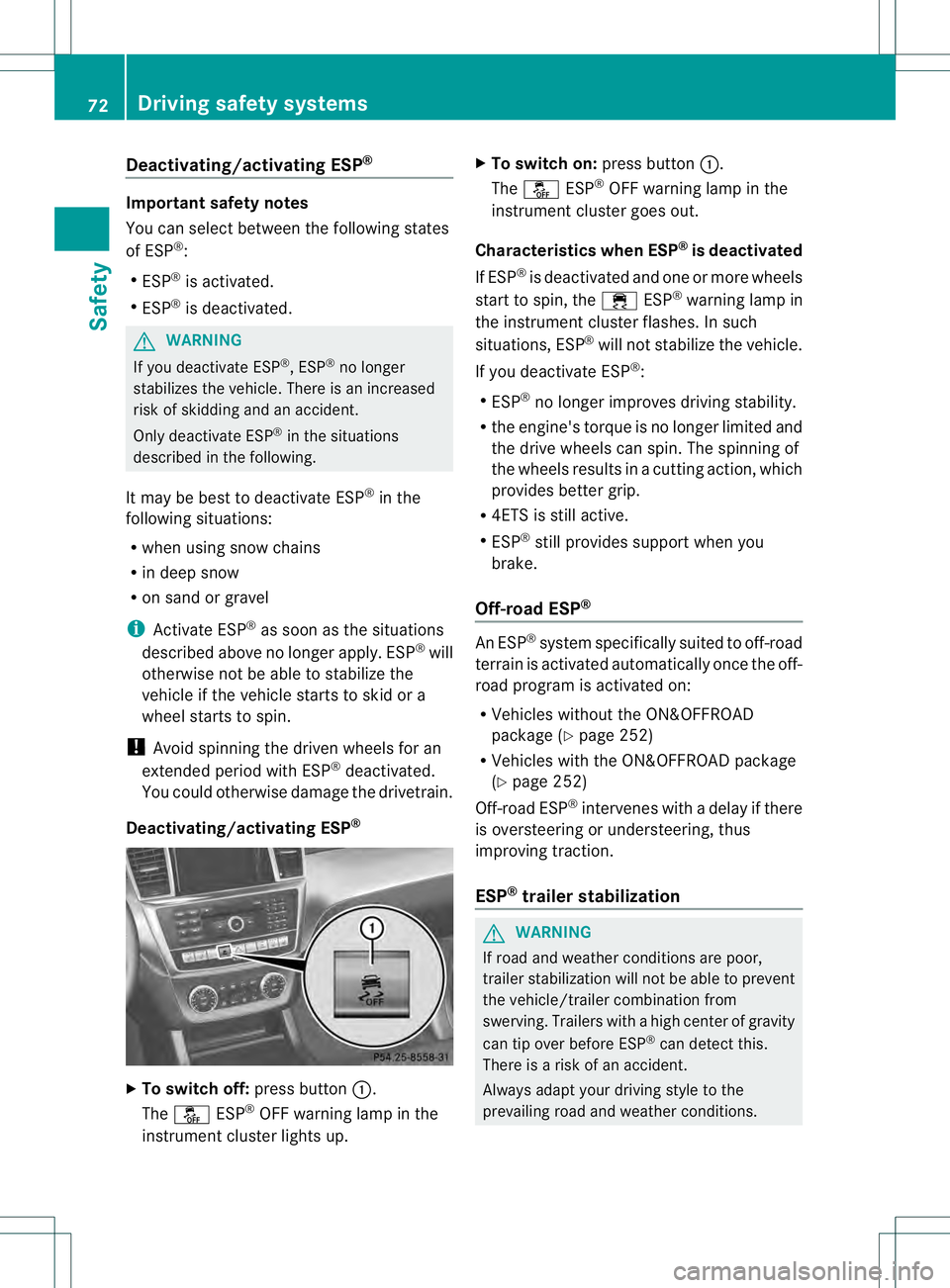
Deactivating/activating ESP ®X
To switch off: press button0002.
The 0017 ESP®
OFF warning lamp in the
instrument cluster lights up. X
To switch on: press button0002.
The 0017 ESP®
OFF warning lamp in the
instrument cluster goes out.
Characteristics when ESP ®
is deactivated
If ESP ®
is deactivated and one or more wheels
start to spin, the 000FESP®
warning lamp in
the instrument cluster flashes. In such
situations, ESP ®
will not stabilize the vehicle.
If you deactivate ESP ®
:
R ESP ®
no longer improves driving stability.
R the engine's torque is no longer limited and
the drive wheels can spin. The spinning of
the wheels results in a cutting action, which
provides better grip.
R 4ETS is still active.
R ESP ®
still provides support when you
brake.
Off-road ESP ® An ESP
®
system specifically suited to off-road
terrain is activated automatically once the off-
road program is activated on:
R Vehicles without the ON&OFFROAD
package (Y page 252)
R Vehicles with the ON&OFFROAD package
(Y page 252)
Off-road ESP ®
intervenes with a delay if there
is oversteering or understeering, thus
improving traction.
ESP ®
trailer stabilization G
WARNING
If road and weather conditions are poor,
trailer stabilization will not be able to prevent
the vehicle/trailer combination from
swerving .Trailers with a high center of gravity
can tip over before ESP ®
can detect this.
There is a risk of an accident.
Always adapt yourd riving style to the
prevailing road and weather conditions. 72
Driving safety systemsSafety
Page 75 of 454
If yourv
ehicle with trailer (vehicle/trailer
combination) begins to lurch, you can only
stabilize the vehicle/trailer combination by
depressing the brake firmly.
In this situation, ESP ®
assists you and can
detec tifthe vehicle/trailer combination
begins to lurch. ESP ®
slows the vehicle down
by braking and limiting the engine output until
the vehicle/trailer combination has
stabilized.
Trailer stabilization is active above speeds of
about 37 mph (60 km/h).
Trailer stabilization does not work if ESP ®
is
deactivated because of a malfunction.
Crosswindd riving assistance Strong crosswinds ca
ncause your vehicle to
deviate from a straigh tcourse. The crosswind
driving assistance function integrated into
ESP ®
significantly reduces these effects.
ESP ®
intervenes automatically according to
the direction and intensity of the crosswinds
affecting your vehicle.
When driving on straight roads or gentle
bends, your vehicle is kept safely on course
by a stabilizing brake intervention.
Crosswind driving assistance is active above
a vehicle speed of 80 km/h.
Crosswind driving assistance does not work
if ESP ®
is deactivated or disabled because of
a malfunction. EBD (electronic brake force
distribution)
i Observe the "Important safety notes"
section (Y page 66). G
WARNING
If EBD has malfunctioned, the rear wheels can
still lock, e.g. under full braking. This
increases the risk of skidding and an accident.
You should therefore adapt your driving style
to the different handling characteristics. Have the brake system checked at a qualified
specialist workshop.
Observe information regarding indicator and
warning lamps (Y page 323) as well as
display messages (Y page 289).
EBD monitors and controls the brake
pressure on the rear wheels to improve
driving stability while braking. ADAPTIVE BRAKE
ADAPTIVE BRAKE enhances braking safety
and offers increased braking comfort. In
addition to the braking function, ADAPTIVE
BRAKE also has the HOLD function
(Y page 211) and hill start assist
(Y page 166). PRE-SAFE
®
Brake
i Observe the "Important safety notes"
section (Y page 66).
PRE-SAFE ®
Brake is only available in vehicles
with DISTRONIC PLUS.
If PRE-SAFE ®
Brake is to aid you, the radar
sensor system must be:
R activated (Y page 281)
R operational
With the help of the radar sensor system,
PRE-SAFE ®
Brake can detect obstacles that
are in front of your vehicle for an extended
period of time.
PRE-SAFE ®
Brake can help you to minimize
the risk of a collision with a vehicle ahead or
reduce the effects of such a collision. If PRE-
SAFE ®
Brake has detected a risk of collision,
you will be warned visually and acoustically
as well as by automatic braking. PRE-SAFE ®
Brake cannot prevent a collision without your
intervention.
Starting at a speed of around
4 mph (7 km/h), this function warns you if
you very quickly approach a vehicle in front. Driving safety systems
73Safety Z
Page 163 of 454
Useful information
............................162
Notes on breaking-in anew vehicle 162
Driving ............................................... 162
Automatic transmission ...................169
Refueling ............................................ 177
Parking ............................................... 183
Driving tips ........................................ 186
Driving systems ................................ 195
Towing atrailer ................................. 257 161Driving and parking
Page 168 of 454
When engaging transmission position
Dor R,
always firmly depress the brake pedal and do
not simultaneously accelerate.
X Depress the brake pedal and keep it
depressed.
X Shift the transmission to position Dor
R(Y page 169).
X Release the brake pedal.
X Carefully depress the accelerator pedal.
The electric parking brake (Y page 184) is
automatically released.
The red 0008(USA only) or 000D(Canada
only) indicator lamp in the instrument
cluster goes out.
i It is only possible to shift the transmission
from position Pto the desired position if
you depress the brake pedal. Only then is
the parking lock released. If you do not
depress the brake pedal, you can move the
DIRECT SELECT lever but the parking lock
remains engaged.
i The vehicle locks centrally once you have
pulled away .The locking knobs in the doors
drop down.
You can open the doors from the inside at
any time.
You can also deactivate the automatic
locking feature (Y page 280).
i Upshifts take place at higher engine
speeds after a cold start. This helps the
catalytic converter to reach its operating
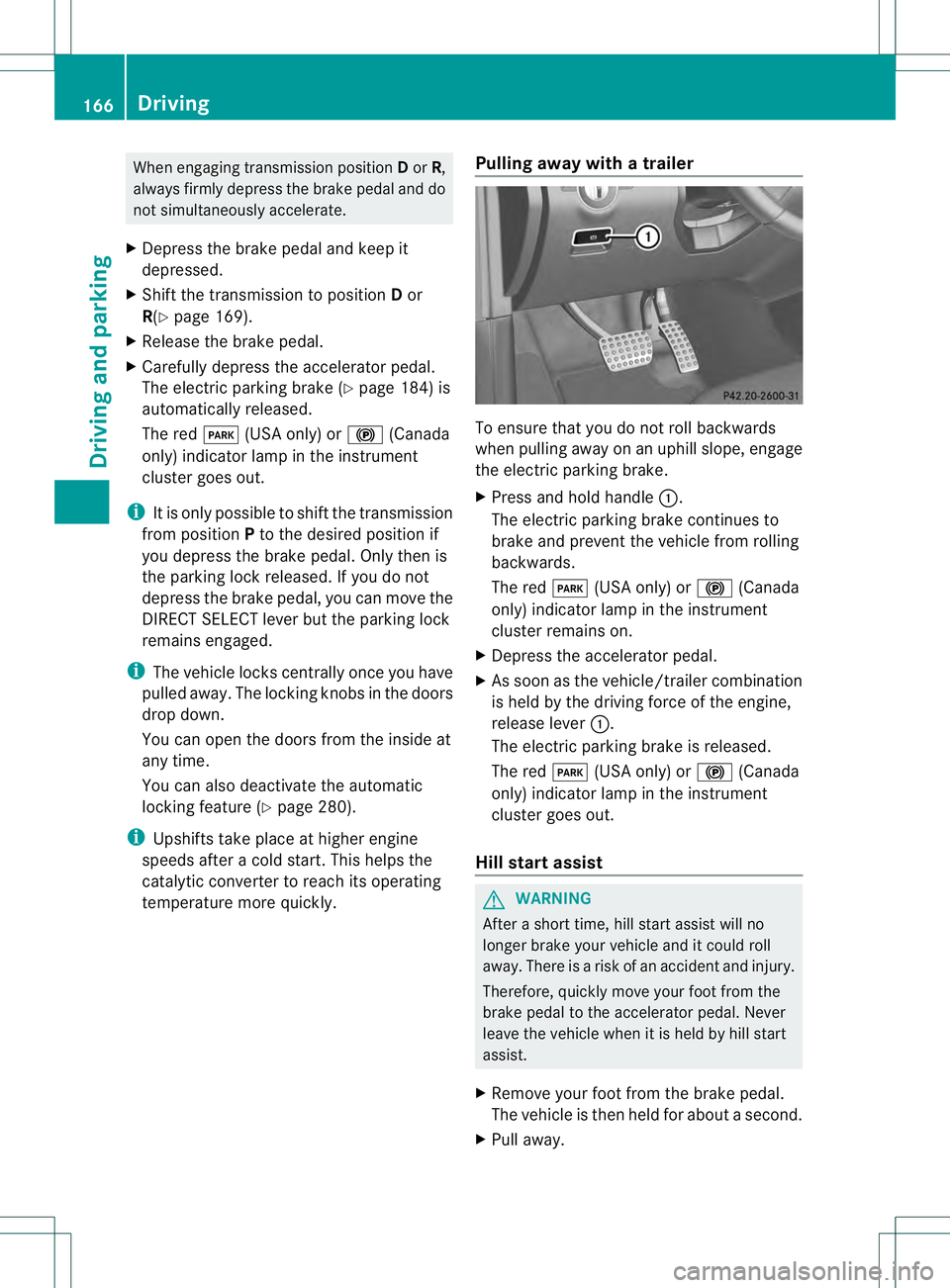
temperature more quickly. Pulling away with a trailer To ensure that you do not roll backwards
when pulling away on an uphill slope, engage
the electric parking brake.
X Press and hold handle 0002.
The electric parking brake continues to
brake and prevent the vehicle from rolling
backwards.
The red 0008(USA only) or 000D(Canada
only) indicator lamp in the instrument
cluster remains on.
X Depress the accelerator pedal.
X As soon as the vehicle/trailer combination
is held by the driving force of the engine,
release lever 0002.
The electric parking brake is released.
The red 0008(USA only) or 000D(Canada
only) indicator lamp in the instrument
cluster goes out.
Hill starta ssist G
WARNING
After a short time, hill start assist will no
longer brake your vehicle and it could roll
away. There is a risk of an accident and injury.
Therefore, quickly move your foot from the
brake pedal to the accelerator pedal. Never
leave the vehicle when it is held by hill start
assist.
X Remove your foot from the brake pedal.
The vehicle is then held for about a second.
X Pull away. 166
DrivingDriving and parking
Page 174 of 454
0004
Neutral
Do not shift the transmission to
N
while driving. Otherwise, the
automatic transmission could be
damaged.
No power is transmitted from the
engine to the drive wheels.
Releasing the brakes will allow you
to move the vehicle freely, e.g .to
push it or tow it.
If ESP ®
is deactivated or faulty:
only shift the transmission to
position Nif the vehicle is in danger
of skidding, e.g. on icy roads.
If you switch off the engine using
the SmartKey or the Start/Stop
button, the automatic transmission
shifts to neutral Nautomatically.
! Rolling in neutral Ncan damage
the drive train. 000C
Drive
The automatic transmission
changes gear automatically. All
forward gears are available.
Changing gear
The automatic transmission shifts to the
individual gears automatically when it is in
transmission position D.This automatic
gearshifting behavior is determined by:
R a possible limitation of the shift range
R the position of the accelerator pedal
R the road speed Driving tips
Kickdown Use kickdown for maximum acceleration:
X
Depress the accelerator pedal beyond the
pressure point.
The transmission shifts to a lower gear
depending on the engine speed.
X Ease off the accelerator pedal once the
desired speed is reached.
The automatic transmission shifts back up.
Rocking the vehicle free Shifting the transmission repeatedly between
gears
Dand Rmay help to free the vehicle if
it has become stuck in slush or snow. The
vehicle's engine management restricts
repeated shifting between gears up to a
maximum speed of 5 mph (9 km/h). To shift
back and forth between transmission
positions Dand R, move the selector lever up
and down beyond the pressure point.
Towing atrailer X
Drive in the middle of the engine speed
range on uphill gradients.
X Shift down to shift range 3or
2(Y page 174) depending on the uphill or
downhill gradient, eve nifcruise control,
cruise control or DISTRONIC PLUS is
activated. 172
Automatic transmissionDriving and parking
Page 198 of 454

to lose tractio
nand the vehicle could then
skid
R when there is poor visibility, e.g .due to fog,
heavy rain or snow
If there is a change of drivers, advise the new
driver of the speed stored.
General notes Cruise control maintains a constant road
speed for you. It brakes automatically in order
to avoid exceeding the set speed. On long and
steep downhill gradients, especially if the
vehicle is laden or towing a trailer, you must
select shif trange 1,2or 3in good time. By
doing so, you will make use of the braking
effect of the engine, which relieves the load
on the brake system and prevents the brakes
from overheating and wearing too quickly.
Use cruise control only if road and traffic
conditions make it appropriate to maintain a
steady speed for a prolonged period. You can
store any road speed above 20 mph
(30 km/h).
i Cruise control should no tbeactivated
during off-road driving.
Cruise control lever 0002
To activate or increase speed
0003 To activate or reduce speed
0021 To deactivate cruise control
0020 To activate at the current speed/last
stored speed
Whe nyou activate cruise control, the stored
speed is shown in the multifunction display for five seconds. In the multifunction display,
the segments between the stored speed and
the maximum speed light up.
Activation conditions To activate cruise control, all of the following
activation conditions must be fulfilled:
R
the electric parking brake must be
released.
R you are driving faster than 20mph
(30 km/h).
R ESP ®
must be active, but not intervening.
R the transmission must be in position D.
R DSR must be deactivated.
R off-road program 2 must be deactivated
(vehicles with the ON&OFFROAD package).
Storing, maintaining and calling up a
speed Storing and maintaining
aspeed X
Accelerate the vehicle to the desired
speed.
X Briefly press the cruise control lever
up 0002 or down 0003.
X Remove your foot from the accelerator
pedal.
Cruise control is activated. The vehicle
automatically maintains the stored speed.
You can accept the current speed if you are
driving faster than 20 mph (30 km/h).
i Cruise control may be unable to maintain
the stored speed on uphill gradients. The 196
Driving systemsDriving and parking
Page 201 of 454
front, for vehicle speed, for braking in good
time and for staying in you
rlane.
Do not use DISTRONIC PLUS:
R in road and traffic conditions which do not
allow you to maintain a constan tspeed e.g.
in heavy traffic or on winding roads
R on slippery road surfaces .Braking or
accelerating could cause the drive wheels
to lose traction and the vehicle could then
skid
R when there is poor visibility, e.g. due to fog,
heavy rain or snow
DISTRONIC PLUS may not detect narrow
vehicles driving in front, e.g. motorcycles, or
vehicles driving on a different line.
In particular, the detection of obstacles can
be impaired if:
R dirt on the sensors or anything else
covering the sensors
R snow or heavy rain
R interference by other rada rsources
R strong radar reflections, for example, in
parking garages
If DISTRONIC PLUS no longer detects a
vehicle in front, DISTRONIC PLUS may
unexpectedly accelerate the vehicle to the
stored speed.
This speed may:
R be too high if you are driving in a filter lane
or an exit lane
R be so high when driving in the right-hand
lane that you overtake vehicles in the left-
hand lane
R be so high when driving in the left-hand lane
that you overtake vehicles in the right-hand
lane
If there is a change of drivers, advise the new
driver of the speed stored.
General notes DISTRONIC PLUS regulates the speed and
automatically helps you maintain the
distance to the vehicle detected in front. DISTRONIC PLUS brakes automatically so
that the set speed is not exceeded.
On long and steep downhill gradients,
especially if the vehicle is laden or towing a
trailer, you must select shift range
1,2or 3
in good time. By doing so, you will make use
of the braking effect of the engine, This
relieves the load on the brake system and
prevents the brakes from overheating and
wearing too quickly.
If DISTRONIC PLUS detects a slower-moving
vehicle in front, your vehicle is braked in order
to maintain the preset distance to the vehicle
in front.
If DISTRONIC PLUS detects that there is a risk
of a collision, you will be warned visually and
acoustically. DISTRONIC PLUS cannot
prevent a collision without your intervention.
An intermittent warning tone will then sound
and the distance warning lamp will light up in
the instrument cluster. Brake immediately in
order to increase the distance to the vehicle
in front or take evasive action provided it is
safe to do so.
For DISTRONIC PLUS to assist you when
driving, the radar sensor system must be:
R activated (Y page 281)
R operational
If there is no vehicle in front, DISTRONIC
PLUS operates in the same way as cruise
control in the speed range between 20 mph
(Canada: 30 km/h) and120 mph (Canada:
200 km/h). If a vehicle is driving in front of
you, it operates in the speed range between
0 mph (0 km/h) and 120 mph (Canada:
200 km/h).
Do not use DISTRONIC PLUS while driving on
roads with steep gradients.
As DISTRONIC PLUS transmits radar waves,
it can resemble the radar detectors of the
responsible authorities. You can refer to the
relevant chapter in the Operator's Manual if
questions are asked about this.
i USA only: Driving systems
199Driving and parking Z
Page 214 of 454
Activating the HOLD function
X
Make sure that the activation conditions
are met.
X Depress the brake pedal.
X Quickly depress the brake pedal further
until 0001 appears in the multifunction
display.
The HOLD function is activated. You can
release the brake pedal.
i If depressing the brake pedal the first
time does not activate the HOLD function,
wait briefly and then try again.
Deactivating the HOLD function The HOLD function is deactivated
automatically if:
R you accelerate and the transmission is in
position Dor R
R you shif tthe transmission to position P
R you depress the brake pedal again with a
certain amount of pressure until 0001
disappears from the multifunction display
R you secure the vehicle using the electric
parking brake
R you activate DISTRONIC PLUS
i After a time, the electric parking brake
secures the vehicle and relieves the service
brake.
The electric parking brake automatically
secures the vehicle if the HOLD function is
activated and:
R the driver's door is open and the driver's
seat belt is unfastened.
R the engine is switched off.
R a system malfunction occurs.
R the power supply is not sufficient.
On steep uphill or downhill inclines or if there
is a malfunction, the transmission may also
be automatically shifted into position P. AIRMATIC package
General notes AIRMATIC regulates the level of your vehicle.
As well as level control (Y
page 213), your
vehicle can be equipped with ADS (Adaptive
Damping System) (Y page 212) and ACTIVE
CURVE SYSTEM (Y page 213).
Observe the notes on driving with a trailer
(Y page 257).
ADS (Adaptive Damping System) General notes
ADS adapts the damping characteristics to
the current operating and driving situation.
This depends on:
R
your driving style
R the road surface conditions
R the ADS setting
R the vehicle level setting
Your selection remains stored even if you
remove the SmartKey from the ignition lock.
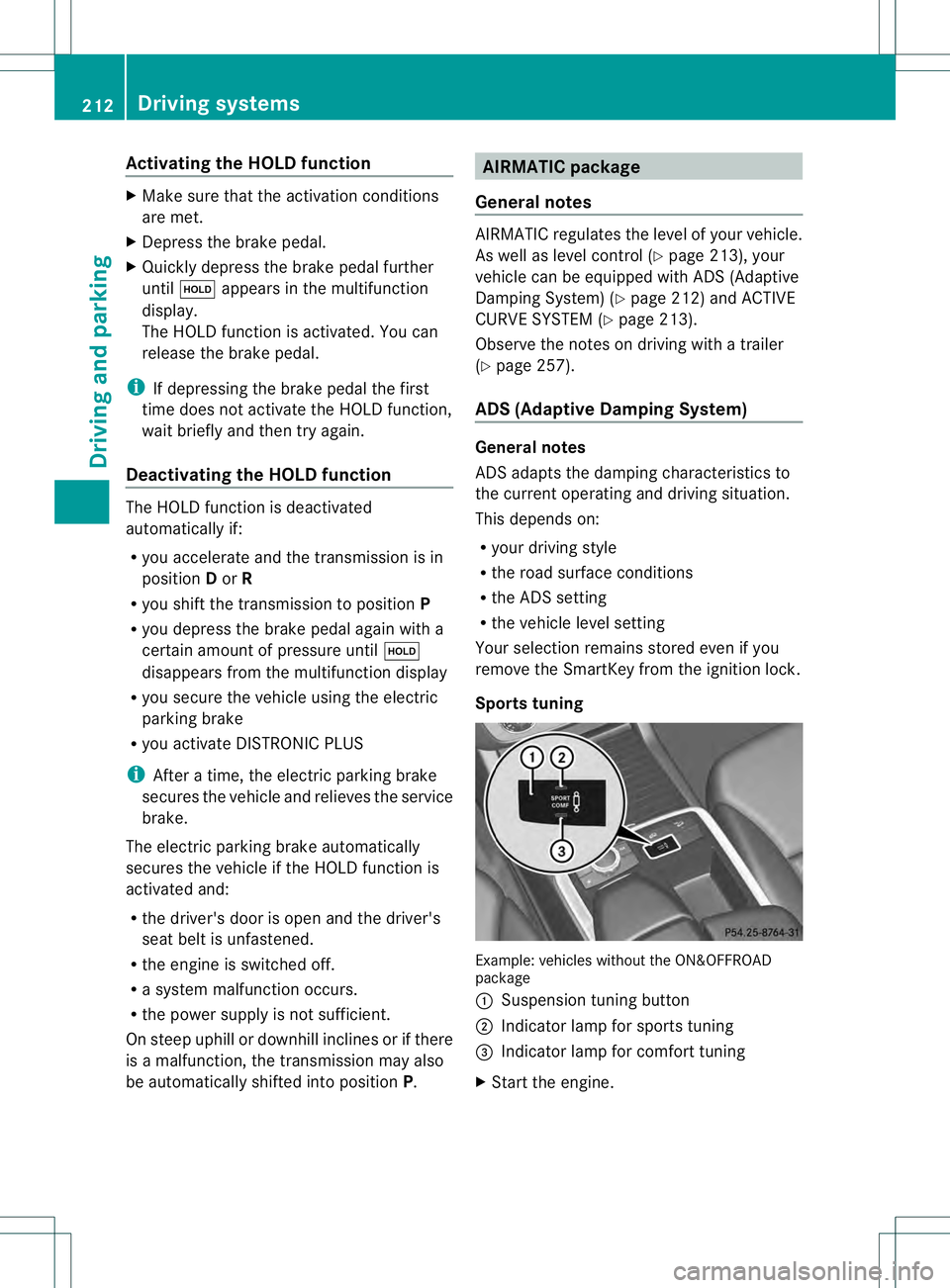
Sports tuning Example: vehicles without the ON&OFFROAD
package
0002
Suspension tuning button
0003 Indicator lamp for sports tuning
0021 Indicator lamp for comfort tuning
X Start the engine. 212
Driving systemsDriving and parking
Page 220 of 454
maneuvering, parking or pulling out of a
parking space, make sure that there are no
persons, animals or objects in the area in
which you are maneuvering.
! When parking, pay particular attention to
objects above or below the sensors, such
as flower pots or trailer drawbars.
PARKTRONIC does not detect such objects
when they are in the immediate vicinity of
the vehicle. You could damage the vehicle
or the objects.
The sensors may not detect snow and other
objects that absorb ultrasonic waves.
Ultrasonic sources such as an automatic
car wash, the compressed-air brakes on a
truck or a pneumatic drill could cause
PARKTRONIC to malfunction.
PARKTRONIC may not function correctly on
uneven terrain.
PARKTRONIC is activated automatically when
you:
R switch on the ignition
R shift the transmission to position D,Ror N
R release the electric parking brake
PARKTRONIC is deactivated at speeds above
11 mph (18km/h). It is reactivated at lower
speeds.
PARKTRONIC monitors the area around your
vehicle using six sensors in the front bumper
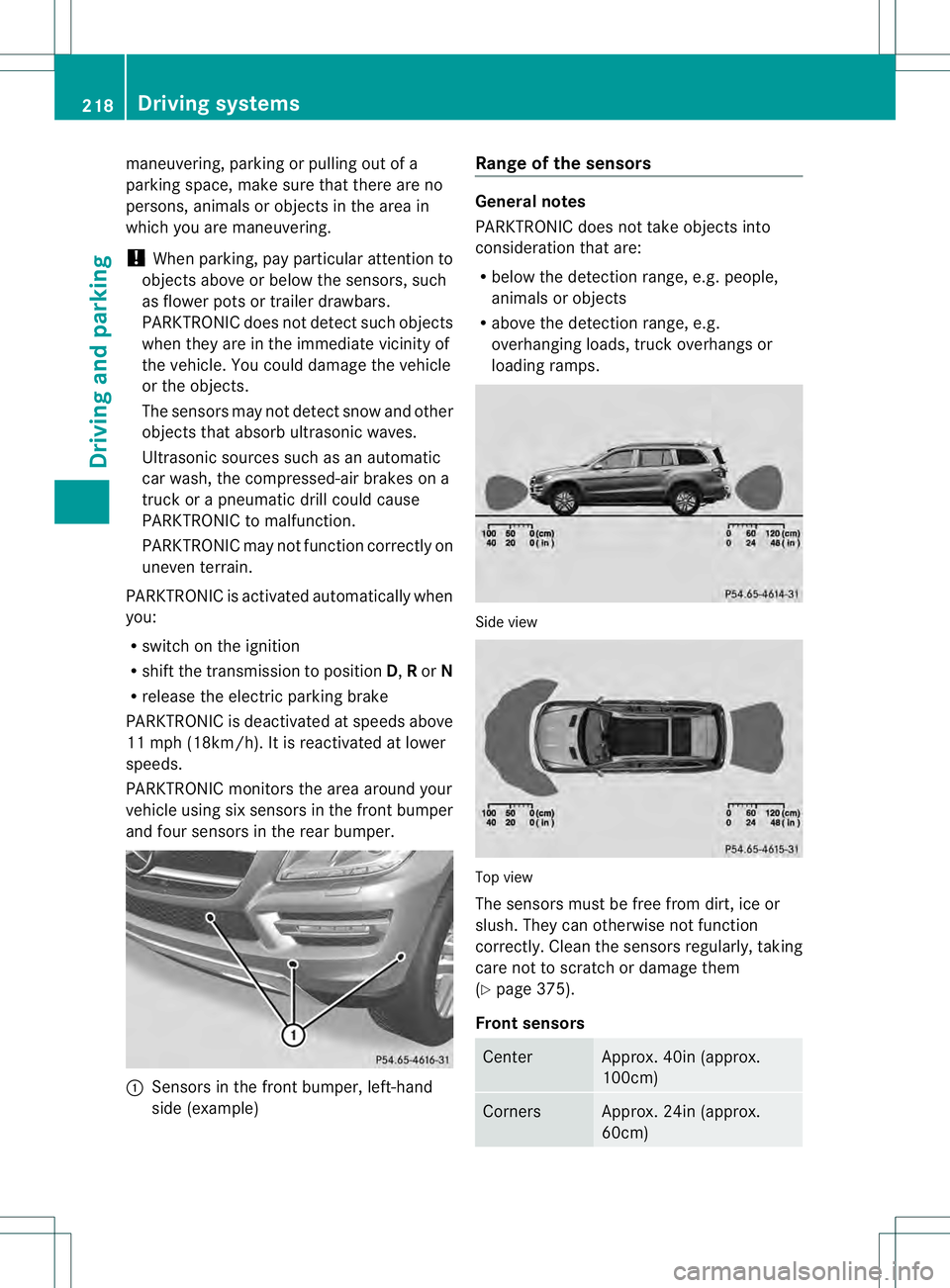
and four sensors in the rear bumper. 0002
Sensors in the front bumper, left-hand
side (example) Range of the sensors General notes
PARKTRONIC does not take objects into
consideration that are:
R
below the detection range, e.g. people,
animals or objects
R above the detection range, e.g.
overhanging loads, truck overhangs or
loading ramps. Side view
Top view
The sensors must be free from dirt, ice or
slush. They can otherwise not function
correctly. Clean the sensors regularly, taking
care not to scratch or damage them
(Y
page 375).
Front sensors Center Approx. 40i
n(approx.
100cm) Corners Approx. 24in (approx.
60cm)218
Driving systemsDriving and parking