ABS MERCEDES-BENZ GL 2016 User Guide
[x] Cancel search | Manufacturer: MERCEDES-BENZ, Model Year: 2016, Model line: GL, Model: MERCEDES-BENZ GL 2016Pages: 462, PDF Size: 12.66 MB
Page 70 of 462
Drivin g safet y systems
Overview of drivin g safet y systemsIn this section , you will fin d information about
th e following drivin g safet y systems :R
AB S ( A nti-loc k B rakin g S ystem)
( Y
page 68) R
BA S ( B rake A ssist S ystem) ( Y
page 69 )R
BA S PLU S ( B rake A ssist S ystem Plus )
( Y
page 69 )R
COLLISION PREVENTION ASSIST PLU S
(distanc e warnin g function and Adaptive
Brak e Assist) ( Y
page 70 )R
ES P ®
( E lectronic S t ability P r ogram)
( Y
page 73) R
EB D ( E lectroni c B r ak e forc e D i stribution )
( Y
page 75) R
ADAPTIV E BRAKE ( Y
page 76 )R
PRE-SAF E ®
Brak e ( Y
page 76)R
STEE R CONTROL ( Y
page 77)
Important safet y notes
If you fail to adapt your drivin g style or if you
are inattentive , th e drivin g safet y systems can
neither reduce th e ris k of an acciden t no r
override th e laws of physics. Driving safet y
systems are merely aids designed to assist
driving. You are responsible fo r maintainin g
th e distanc e to th e vehicle in front, fo r vehicle
speed, fo r braking in goo d time, and fo r stay-
in g in lane. Always adapt your drivin g style to
suit th e prevailin g road and weather condi-
tion s and maintain a saf e distanc e from th e
vehicle in front. Drive carefully.
The drivin g safet y systems described only
wor k as effectively as possible when there is
adequat e contact between th e tires and th e
road surface. Please pay special attention to
th e note s on tires , recommended minimum
tire tread depths, etc. ( Y
page 404).
In wintr y drivin g conditions, always use winte r
tires (M+ S tires ) and if necessary, snow
chains. Only in this way will th e drivin g safet y systems described in this section wor k as
effectively as possible.
ABS (Anti-lock Braking System)
General information AB S regulates brake pressure in suc h a way
that th e wheels do no t loc k when you brake .
Thi s allow s you to continue steerin g th e vehi-
cl e when braking .
The % AB S warnin g lamp in th e instrumen t
cluster lights up when th e ignition is switched
on . It goe s out when th e engin e is running .
AB S works from a speed of about 5 mph
(8 km/h), regardles s of road-surfac e condi-
tions. AB S works on slipper y surfaces, eve n
when you only brake gently.
Important safet y notes
i Observ e th e "Important safet y notes" sec -
tion ( Y
page 68) .
G WARNING
If AB S is faulty, th e wheels could loc k when
braking . The steerability and braking charac -
teristics may be severely impaired. Addition -
ally, further drivin g safet y systems are deac -
tivated. There is an increase d danger of skid-
din g and accidents .
Drive on carefully. Hav e AB S checke d imme-
diately at a qualified specialis t workshop .
Whe n AB S is malfunctioning, other systems ,
includin g drivin g safet y systems , will also
becom e inoperative . Observ e th e information
on th e AB S warnin g lamp ( Y
page 327) and
display message s whic h may be shown in th e
instrumen t cluster ( Y
page 291).
Braking X
If ABS intervenes: continue to depress th e
brake peda l vigorousl y until th e braking sit -
uation is over. X
To make a full brak e application:
depress th e brake peda l wit h full force.68
Driving safety systems
Safety
Page 71 of 462
If ABS intervenes when braking, you will feel a
pulsing in the brake pedal.
The pulsating brake pedal can be an indica-
tion of hazardous road conditions, and func-
tions as a reminder to take extra care while
driving.
Off-road ABS A 4ETS system specifically suited to off-road
terrain is activated automatically once the off-
road program is activated ( Y
page 258).
At speeds below 20 mph (30 km/h), the front
wheels lock cyclically during braking. The dig-
ging-in effect achieved in the process reduces
the stopping distance on off-road terrain. This
limits steering capability.
BAS (Brake Assist System)
General information BAS operates in emergency braking situa-
tions. If you depress the brake pedal quickly,
BAS automatically boosts the braking force,
thus shortening the stopping distance.
Important safety notes
i Observe the "Important safety notes" sec-
tion ( Y
page 68).
G WARNING
If BAS is malfunctioning, the braking distance
in an emergency braking situation is
increased. There is a risk of an accident.
In an emergency braking situation, depress
the brake pedal with full force. ABS prevents
the wheels from locking.
Braking X
Keep the brake pedal firmly depressed until
the emergency braking situation is over.
ABS prevents the wheels from locking.
The brakes will function as usual once you
release the brake pedal. BAS is deactivated. BAS PLUS (Brake Assist System
PLUS)
General information BAS PLUS can help you to minimize the risk of
a collision with a vehicle or reduce the effects
of such a collision. If BAS PLUS detects a
danger of collision, you are assisted when
braking.
i Observe the "Important safety notes" sec-
tion ( Y
page 68).
BAS PLUS is only available in vehicles equip-
ped with DISTRONIC PLUS.
For BAS PLUS to assist you, the radar sensor
system must be operational.
With the help of the radar sensor system, BAS
PLUS can detect obstacles that are in the
path of your vehicle for an extended period of
time.
If the radar sensor system is malfunctioning,
BAS PLUS will not be available. The brake
system is still available with complete brake
boosting effect and BAS.
Important safety notes
G WARNING
BAS PLUS cannot always clearly identify
objects and complex traffic situations.
In such cases, BAS PLUS may: R
intervene unnecessarily R
not intervene
There is a risk of an accident.
Always pay careful attention to the traffic sit-
uation and be ready to brake. Terminate the
intervention in a non-critical driving situation.
G WARNING
BAS PLUS does not react: R
to people or animals R
to oncoming vehicles R
to crossing traffic R
when corneringDriving safety systems 69
Safety Z
Page 72 of 462
As a result, BAS PLUS may not intervene in all
critical situations. There is a risk of an acci-
dent.
Always pay careful attention to the traffic sit-
uation and be ready to brake.
In the event of snowfall or heavy rain, the rec-
ognition can be impaired.
Recognition by the radar sensor system is
also impaired in the event of: R
there is dirt on the sensors or anything else
covering the sensors R
there is interference by other radar sources R
there are strong radar reflections, for
example in parking garages R
a narrow vehicle traveling in front, e.g. a
motorbike R
a vehicle traveling in front on a different line
relative to the center of your vehicle
Following damage to the front end of the vehi-
cle, have the configuration and operation of
the radar sensors checked at a qualified spe-
cialist workshop. This also applies to colli-
sions at low speeds where there is no visible
damage to the front of the vehicle.
Function
To avoid a collision, BAS PLUS calculates the
brake force necessary if: R
you approach an obstacle, and R
BAS PLUS has detected a risk of collision
When driving at a speed under 20 mph
(30 km/h) : if you depress the brake pedal,
BAS PLUS is activated. The increase in brake
pressure will be carried out at the last possi-
ble moment.
When driving at a speed above 20 mph
(30 km/h) : if you depress the brake pedal
sharply, BAS PLUS automatically raises the
brake pressure to a value adapted to the traf-
fic situation.
BAS PLUS provides braking assistance in haz-
ardous situations with vehicles in front within a speed range between 4 mph (7 km/h) and
155 mph (250 km/h).
At speeds of up to approximately 40 mph
(70 km/h), BAS PLUS can also react to sta-
tionary objects. Examples of stationary
objects are stopped or parked vehicles.
i If BAS PLUS demands particularly high
braking force, preventative passenger pro-
tection measures (PRE-SAFE ®
) are activa-
ted simultaneously. X
Keep the brake pedal depressed until the
emergency braking situation is over.
ABS prevents the wheels from locking.
BAS PLUS is deactivated and the brakes func-
tion as usual again, if: R
you release the brake pedal. R
there is no longer a risk of collision. R
no obstacle is detected in front of your
vehicle.
If you have activated DSR ( Y
page 257), BAS
PLUS is likewise deactivated.
COLLISION PREVENTION ASSIST
General notes
COLLISION PREVENTION ASSIST consists of
Adaptive Brake Assist and the distance warn-
ing function, which are described in the fol-
lowing.
Distance warning function
Important safety notes
i Observe the "Important safety notes" sec-
tion ( Y
page 68).
G WARNING
The distance warning function does not react: R
to people or animals R
to oncoming vehicles R
to crossing traffic R
when cornering70
Driving safety systems
Safety
Page 201 of 462
specialist workshop as soon as possible.
Adapt your driving style to the different brak-
ing characteristics.
Driving off-road increases the likelihood of
damage to the vehicle, which, in turn, can lead
to failure of the mechanical assembly or sys-
tems. Adapt your driving style to suit the ter-
rain conditions. Drive carefully. Have damage
to the vehicle rectified immediately at a quali-
fied specialist workshop.
Do not switch to transmission position N
when driving off-road. If you try to brake the
vehicle using the service brake, you could
lose control of the vehicle. If the gradient is
too steep for your vehicle, drive back down in
reverse gear.
General notes Read this section carefully before driving your
vehicle off-road. Practice by driving over more
gentle off-road terrain first.
Familiarize yourself with the characteristics
of your vehicle and the gear shift operation
before driving through difficult terrain.
The following driving systems are specially
adapted to off-road driving: R
Off-road program 1 and 2 (vehicles with the
ON&OFFROAD package) ( Y
page 258)R
LOW RANGE off-road gear (vehicles with
the ON&OFFROAD package)
( Y
page 259) R
Differential lock (vehicles with the
ON&OFFROAD package) ( Y
page 259)R
Off-road ABS ( Y
page 69)R
Off-road 4ETS ( Y
page 73)R
AIRMATIC package (vehicle level)
( Y
page 218) R
DSR (Downhill Speed Regulation)
( Y
page 257)
Observe the following notes: R
Stop the vehicle before starting to drive
along an off-road route. R
Select a vehicle level that is suitable for the
terrain. To avoid damaging the vehicle, make sure there is always sufficient ground
clearance. R
Check that items of luggage and loads are
stowed safely and are well secured
( Y
page 345). R
Always keep the engine running and in gear
when driving on a downhill gradient. Acti-
vate DSR ( Y
page 257). R
Always keep the engine running and in gear
when driving on a slope. R
Adapt your speed to the terrain. The
rougher, steeper or more ruts on the ter-
rain, the slower your speed should be. R
Do not jump with the vehicle as this will
interrupt the vehicle's propulsion. R
Drive with extreme care on unfamiliar off-
road routes where visibility is poor. For
safety reasons, get out of the vehicle first
and survey the off-road route. R
Look out for obstacles, such as rocks,
holes, tree stumps and furrows. R
Always keep the doors, the tailgate, the
side windows and the sliding sunroof
closed while the vehicle is in motion. R
Do not shift the automatic transmission to
transmission position N .R
Observe the notes on off-road fording
( Y
page 197).
i Do not use the HOLD function when driv-
ing off-road, on steep uphill or downhill gra-
dients or on slippery or loose surfaces. The
HOLD function cannot hold the vehicle on
such surfaces.
Checklist before driving off-road
! If the engine oil warning lamp lights up
while the vehicle is in motion, stop the vehi-
cle in a safe place as soon as possible.
Check the engine oil level. The engine oil
warning lamp warning must not be ignored.
Continuing the journey while the symbol is
displayed could lead to engine damage. X
Engine oil level: check the engine oil level
and add oil if necessary. Driving tips 199
Driving and parking Z
Page 204 of 462
R
Before driving on extreme uphill and down-
hill gradients, select the LOW RANGE off-
road gear ( Y
page 259).R
Drive slowly. R
Avoid high engine speeds. Drive at appro-
priate engine speeds (maximum
3,000 rpm). R
Use the left-hand steering wheel paddle
shifter to shift into a lower gear in good time
on long and steep downhill gradients. R
Check the brakes after prolonged off-road
driving.
Hill start assist will aid you when pulling away
on a hill. For further information about hill
start assist, see ( Y
page 168).
Do not switch to transmission position N
when driving off-road. If you try to brake the
vehicle using the service brake, you could
lose control of the vehicle. If the gradient is
too steep for your vehicle, drive back down in
reverse gear.
Always observe the approach/departure
angle values ( Y
page 456).
Maximum gradient-climbing capability
Always observe the maximum gradient climb-
ing ability values ( Y
page 456).
Hilltops
When driving up an uphill gradient, slightly
reduce pressure on the accelerator immedi-
ately before reaching the brow of the hill.
Make use of the vehicle's own impetus to
travel over the brow.
This style of driving prevents: R
the vehicle from lifting off the ground on the
brow of a hill R
the vehicle from traveling too quickly down
the other side
Driving downhill R
Drive slowly. R
Do not drive at an angle down steep
inclines. Steer into the line of fall and drive with the front wheels aligned straight. Oth-
erwise, the vehicle could slip sideways, tip
and rollover. R
Shift to a lower gear using the left-hand
paddle shifter before tackling steep down-
hill gradients. R
Activate DSR. If this is not sufficient, brake
gently. When doing so, make sure that the
vehicle is facing in the direction of the line
of fall. R
Check that the brakes are working normally
after a long downhill stretch.
i The special off-road ABS setting enables a
precise, brief and repeated locking of the
front wheels. This causes them to dig into
loose earth. Be aware that the front wheels
easily skid across the ground surface if
completely braked and therefore lose their
ability to steer.
Driving systems
Intelligent Drive
Mercedes-Benz Intelligent Drive stands for
innovative driver assistance and safety sys-
tems which enhance comfort and support the
driver in critical situations. With these intelli-
gent co-ordinated systems Mercedes-Benz
has set a milestone on the path towards
autonomous driving.
Mercedes-Benz Intelligent Drive embraces all
elements of active and passive safety in one
well thought out system – for the safety of the
vehicle occupants and that of other road
users.
Further information on driving safety systems
( Y
page 68).
Cruise control
General notes
Cruise control maintains a constant road
speed for you. It brakes automatically in order
to avoid exceeding the set speed. You must202
Driving systems
Driving and parking
Page 226 of 462
PARKTRONIC
Important safety notes PARKTRONIC is an electronic parking aid with
ultrasonic sensors. It monitors the area
around your vehicle using six sensors in the
front bumper and four sensors in the rear
bumper. PARKTRONIC indicates visually and
audibly the distance between your vehicle
and an object.
PARKTRONIC is only an aid. It is not a replace-
ment for your attention to your immediate
surroundings. You are always responsible for
safe maneuvering, parking and exiting a park-
ing space. When maneuvering, parking or
pulling out of a parking space, make sure that
there are no persons, animals or objects in
the area in which you are maneuvering.
! When parking, pay particular attention to
objects above or below the sensors, such
as flower pots or trailer drawbars.
PARKTRONIC does not detect such objects
when they are in the immediate vicinity of
the vehicle. You could damage the vehicle
or the objects.
The sensors may not detect snow and other
objects that absorb ultrasonic waves.
Ultrasonic sources such as an automatic
car wash, the compressed-air brakes on a
truck or a pneumatic drill could cause
PARKTRONIC to malfunction.
PARKTRONIC may not function correctly on
uneven terrain.
PARKTRONIC is activated automatically when
you: R
switch on the ignition R
shift the transmission to position D , R or NR
release the electric parking brake
PARKTRONIC is deactivated at speeds above
11 mph (18 km/h). It is reactivated at lower
speeds. Range of the sensors General notes
PARKTRONIC does not take objects into con-
sideration that are: R
below the detection range, e.g. people, ani-
mals or objects. R
above the detection range, e.g. overhang-
ing loads, truck overhangs or loading
ramps.
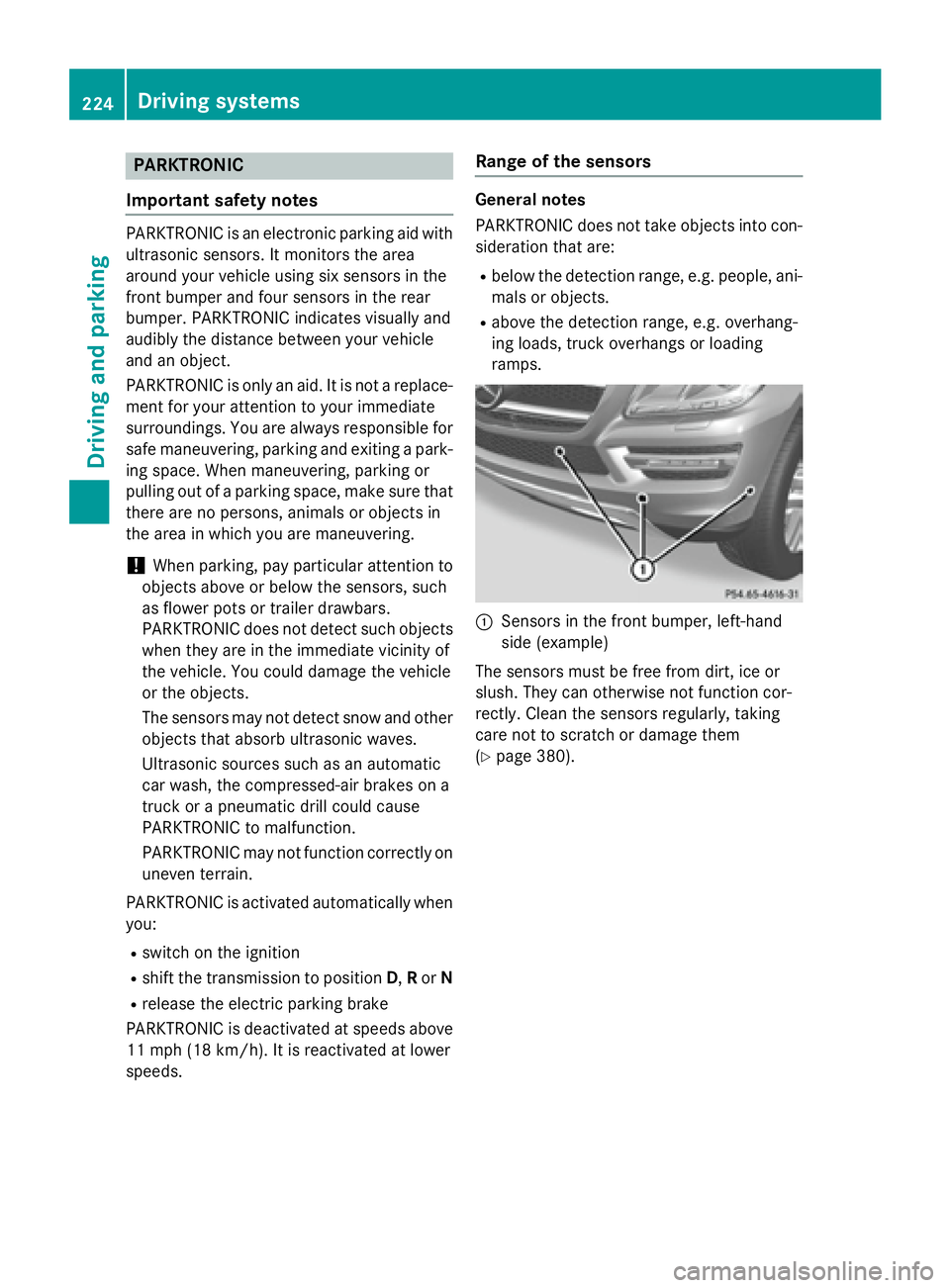
C
Sensors in the front bumper, left-hand
side (example)
The sensors must be free from dirt, ice or
slush. They can otherwise not function cor-
rectly. Clean the sensors regularly, taking
care not to scratch or damage them
( Y
page 380).224
Driving systems
Driving and parking
Page 249 of 462
the road and can warn you before you leave
your lane unintentionally.
This function is available in the range between
40 mph and 120 mph (60 km/h and
200 km/h).
A warning may be given if a front wheel
passes over a lane marking. It will warn you by
means of intermittent vibration in the steer-
ing wheel for up to 1.5 second s.
Im portant safety notes
G WARNING
Lane Keeping Assist may not always clearly
recognize lane markings.
In this case, Lane Keeping Assist may: R
give an unnecessary warning R
not give a warning
There is a risk of an accident.
Always pay particular attention to the traffic
situation and stay in lane, in particular if
warned by Lane Keeping Assist.
G WARNING
The Lane Keeping Assist warning does not
return the vehicle to the original lane. There is
a risk of an accident.
You should always steer, brake or accelerate
yourself, in particular if warned by Lane Keep-
ing Assist.
If you fail to adapt your driving style, Lane
Keeping Assist can neither reduce the risk of
an accident nor override the laws of physics.
Lane Keeping Assist cannot take into account
the road, traffic and weather conditions. Lane
Keeping Assist is merely an aid. You are
responsible for the distance to the vehicle in
front, for vehicle speed, for braking in good
time and for staying in your lane.
The Lane Keeping Assist does not keep the
vehicle in the lane. The system may be impaired or may not func-
tion if: R
there is poor visibility, e.g. due to insuffi-
cient illumination of the road, or due to
snow, rain, fog or spray R
there is glare, e.g. from oncoming traffic,
the sun or reflections (e.g. when the road
surface is wet) R
the windshield is dirty, fogged up, damaged
or covered, for instance by a sticker, in the
vicinity of the camera R
there are no, several or unclear lane mark-
ings for a lane, e.g. in areas with road con-
struction work R
the lane markings are worn away, dark or
covered up, e.g. by dirt or snow R
the distance to the vehicle in front is too
small and the lane markings thus cannot be
d e tected R
the lane markings change quickly, e.g.
lanes branch off, cross one another or
merge R
the road is narrow and winding R
there are strong shadows cast on the road
Switching on Lane Keeping Assist X
Switch on Active Lane Keeping Assist using
the on-board computer; to do so, select
Standard
or Adaptive ( Y
page 282).
If you drive at speeds above 40 mph
(60 km/h) and lane markings are detected,
the lines in the assistance graphics display
( Y
page 281) are shown in green. Lane
Keeping Assist is ready for use.
Standard
If Standard is selected, no warning vibration
occurs if: R
you switch on the turn signals. In this event,
the warnings are suppressed for a certain
period of time. R
a driving safety system intervenes, such as
ABS, BAS or ESP ®
.Driving systems 247
Driving and parking Z
Page 255 of 462
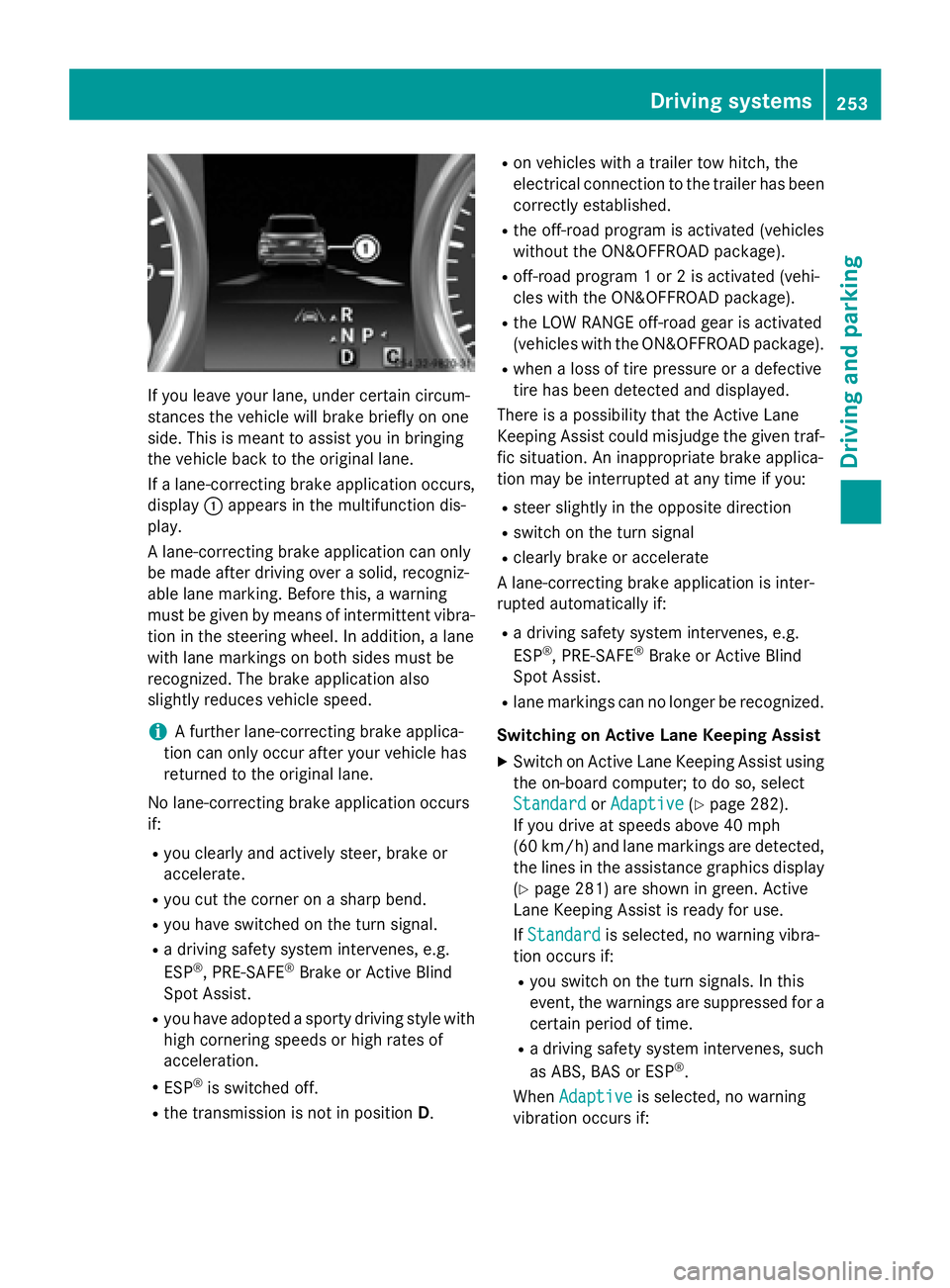
If you leave your lane, under certain circum-
stances the vehicle will brake briefly on one
side. This is meant to assist you in bringing
the vehicle back to the original lane.
If a lane-correcting brake application occurs,
display C appears in the multifunction dis-
play.
A lane-correcting brake application can only
be made after driving over a solid, recogniz-
able lane marking. Before this, a warning
must be given by means of intermittent vibra-
tion in the steering wheel. In addition, a lane
with lane markings on both sides must be
recognized. The brake application also
slightly reduces vehicle speed.
i A further lane-correcting brake applica-
tion can only occur after your vehicle has
returned to the original lane.
No lane-correcting brake application occurs
if: R
you clearly and actively steer, brake or
accelerate. R
you cut the corner on a sharp bend. R
you have switched on the turn signal. R
a driving safety system intervenes, e.g.
ESP ®
, PRE-SAFE ®
Brake or Active Blind
Spot Assist. R
you have adopted a sporty driving style with
high cornering speeds or high rates of
acceleration. R
ESP ®
is switched off.R
the transmission is not in position D . R
on vehicles with a trailer tow hitch, the
electrical connection to the trailer has been
correctly established. R
the off-road program is activated (vehicles
without the ON&OFFROAD package). R
off-road program 1 or 2 is activated (vehi-
cles with the ON&OFFROAD package). R
the LOW RANGE off-road gear is activated
(vehicles with the ON&OFFROAD package). R
when a loss of tire pressure or a defective
tire has been detected and displayed.
There is a possibility that the Active Lane
Keeping Assist could misjudge the given traf-
fic situation. An inappropriate brake applica-
tion may be interrupted at any time if you: R
steer slightly in the opposite direction R
switch on the turn signal R
clearly brake or accelerate
A lane-correcting brake application is inter-
rupted automatically if: R
a driving safety system intervenes, e.g.
ESP ®
, PRE-SAFE ®
Brake or Active Blind
Spot Assist. R
lane markings can no longer be recognized.
Switching on Active Lane Keeping Assist X
Switch on Active Lane Keeping Assist using
the on-board computer; to do so, select
Standard
or Adaptive ( Y
page 282).
If you drive at speeds above 40 mph
(60 km/h) and lane markings are detected,
the lines in the assistance graphics display
( Y
page 281) are shown in green. Active
Lane Keeping Assist is ready for use.
If Standard is selected, no warning vibra-
tion occurs if: R
you switch on the turn signals. In this
event, the warnings are suppressed for a
certain period of time. R
a driving safety system intervenes, such
as ABS, BAS or ESP ®
.
When Adaptive is selected, no warning
vibration occurs if: Driving systems 253
Driving and parking Z
Page 256 of 462
R
you switch on th e tur n signals. In this
event , th e warnings are suppressed fo r a
certain period of time. R
a drivin g safet y system intervenes, e.g.
ABS, BA S or ES P ®
.R
you accelerat e hard, e.g. kickdown .R
you brak e hard.R
you steer actively, e.g. swerve to avoid an
obstacle or chang e lanes quickly.R
you cut th e corner on a shar p bend.
Towing a trailer
Whe n you attach a trailer , mak e sur e you hav e
correctl y established th e electrica l connec -
tion . This can be accomplished by checking
th e trailer lighting . Lane-correcting brak e
application doe s no t take plac e when towin g
a trailer . Active Lan e Keepin g Assis t is no t
activated and th e lines in th e assistanc e
graphi c are gray.
On-road program s (vehicles wit h th e
ON&OFFROAD package)
General notes
The on-road programs assist you during on -
road drivin g and th e off-road programs when
drivin g off-road ( Y
page 258).
The following program message s remain in
th e multifunction display until th e corre-
spondin g vehicl e level has been set . Up to off-
road level 2, you can hide th e program mes -
sage s usin g th e 8 or v butto n on th e
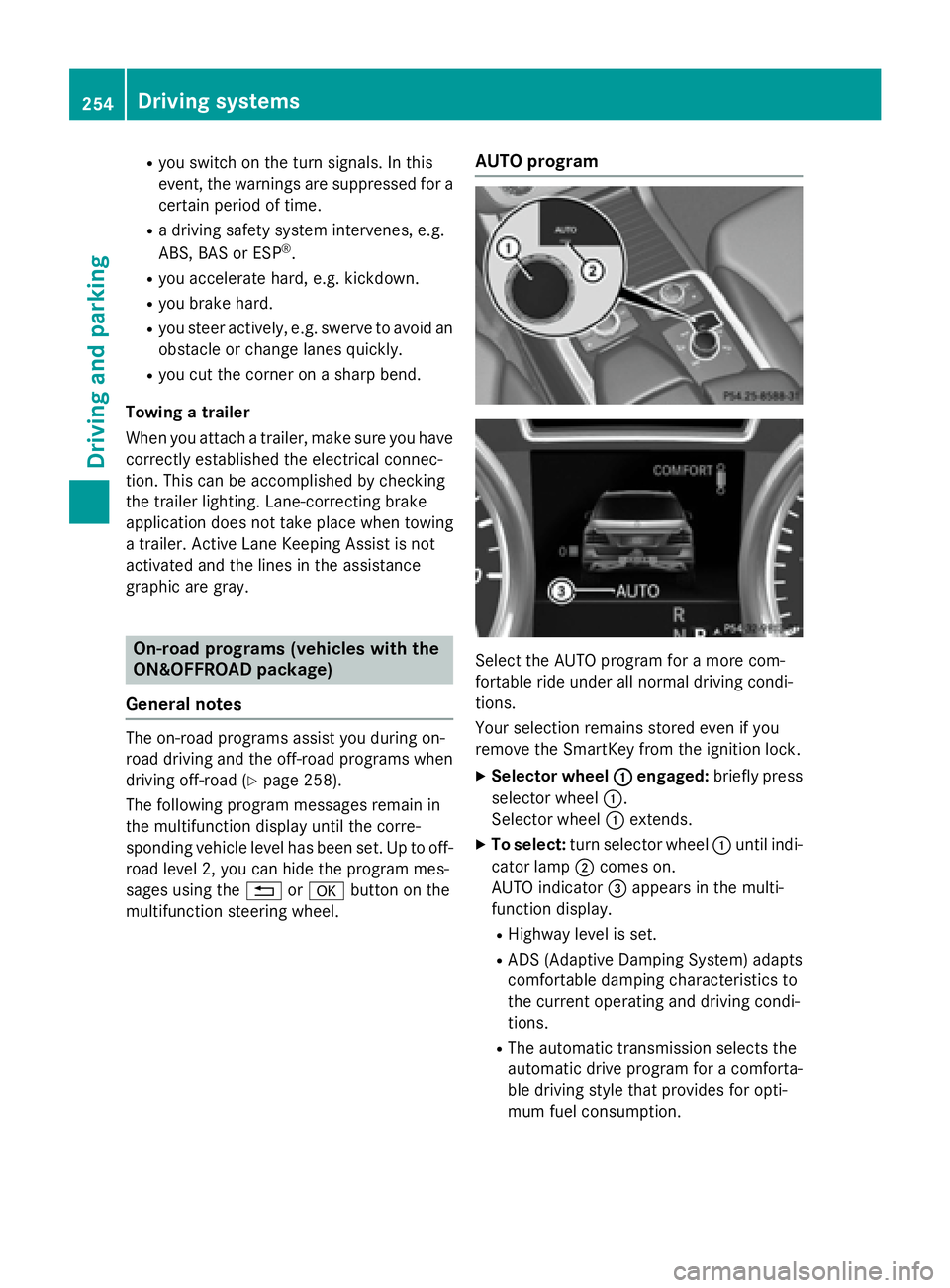
multifunction steerin g wheel. AUT O program
Selec t th e AUTO program fo r a mor e com-
fortable rid e under all normal drivin g condi-
tions.
Your selection remain s stored eve n if you
remov e th e SmartKey from th e ignition lock.X
Selecto r wheel C engaged : briefl y press
selector whee l C .
Selecto r whee l C extends. X
To select : tur n selector whee l C until indi-
cator lamp D comes on .
AUTO indicator
Page 329 of 462
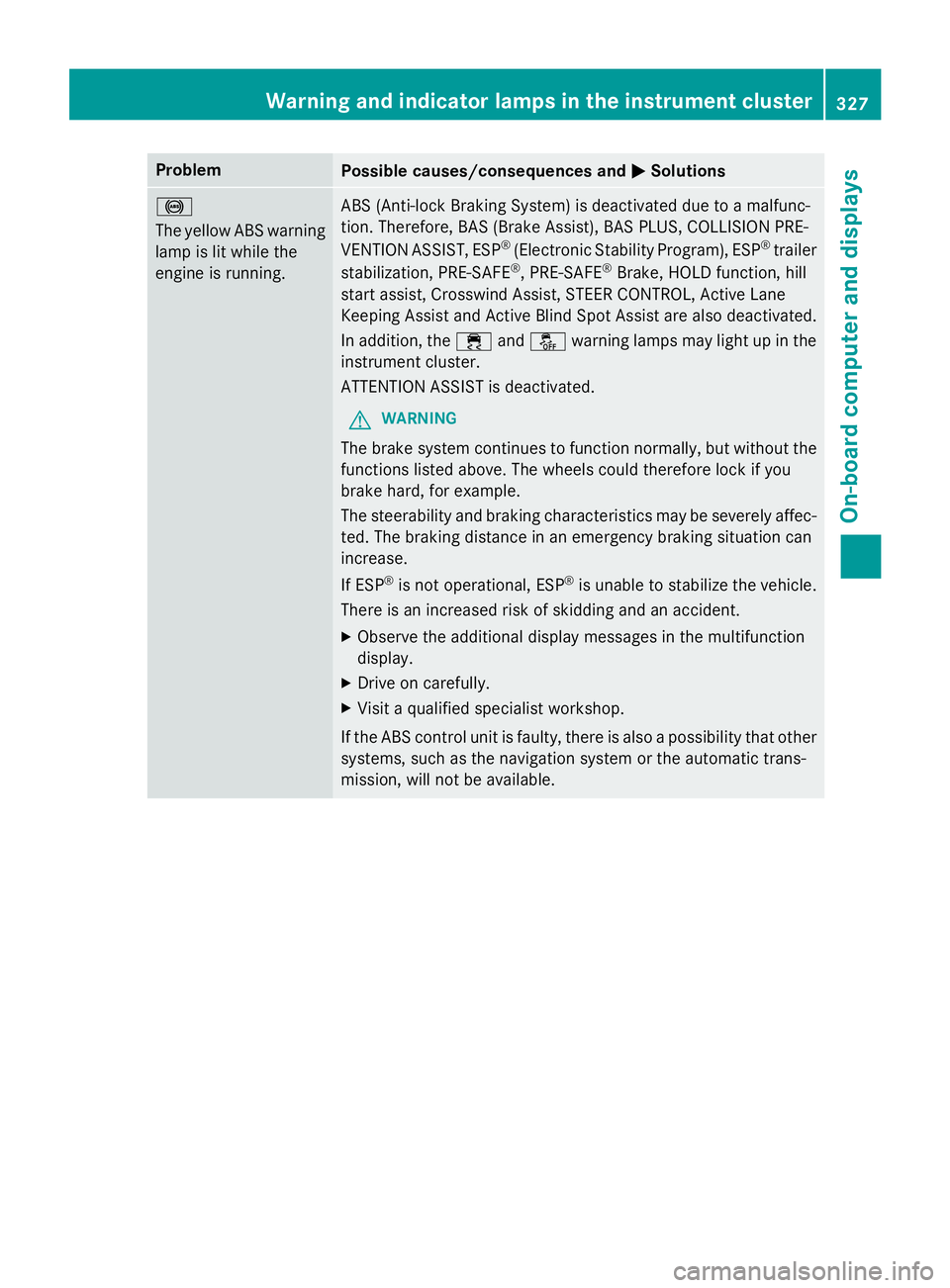
Problem
Possible causes/consequences and P Solutions
%
The yellow ABS warning
lamp is lit while the
engine is running. ABS (Anti-lock Braking System) is deactivated due to a malfunc-
tion. Therefore, BAS (Brake Assist), BAS PLUS, COLLISION PRE-
VENTION ASSIST, ESP ®
(Electronic Stability Program), ESP ®
trailer
stabilization, PRE ‑ SAFE ®
, PRE ‑ SAFE ®
Brake, HOLD function, hill
start assist, Crosswind Assist, STEER CONTROL, Active Lane
Keeping Assist and Active Blind Spot Assist are also deactivated.
In addition, the