Button MERCEDES-BENZ GL-Class 2012 X164 Manual PDF
[x] Cancel search | Manufacturer: MERCEDES-BENZ, Model Year: 2012, Model line: GL-Class, Model: MERCEDES-BENZ GL-Class 2012 X164Pages: 384, PDF Size: 15.71 MB
Page 212 of 384
computer, the message disappears after
about five seconds.
The differential locks are not controlled
automatically. The steerability of the vehicle
is restricted considerably. Drive carefully and
accelerate gently for optimum traction.
! If the differential locks are activated
manually, the wheels scuff on the road
when cornering since the rotation
difference between the wheels is no longer
balanced out.
You can switch back to automatic mode at
any time. For safety reasons, the differential
locks are deactivated automatically at speeds
over 31 mph (50 km/h). If you stop the
vehicle and switch off the ignition for longer
than ten seconds, the differential locks
switch back to automatic mode.
Message in the multifunction display
Diff. lock system overheated.
Wait briefly.
The differential lock system has overheated
and briefly disengaged.XContinue driving.
The differential locks cool off and are soon
available once again.
Trailer towing
Notes on towing a trailer
Important safety notes
GWARNING
When towing a trailer, incorrect equipment
and driving style could cause you to lose
control of the vehicle.
Towing incorrectly or not observing this
Operator's Manual could lead to damage to
the vehicle and/or serious injuries. Observe
the following guidelines to ensure safe trailer
towing.
Contact a Mercedes-Benz Center if you need
further explanation of the information
contained in this Operator's Manual.
General information
R Only install an approved trailer coupling on
your vehicle.
Further information on availability and on
installation is available from any authorized
Mercedes-Benz Center.
R The bumpers of your vehicle are not
suitable for installing detachable trailer
couplings.
R Do not install hired trailer couplings or
other detachable trailer couplings on the
bumpers of your vehicle.
R To reduce the risk of damage to the ball
coupling, remove it from the ball coupling
recess when not in use.
Coupling up a trailer
GWARNING
While you are coupling or decoupling a trailer,
make sure nobody locks or unlocks the
vehicle and/or opens or closes doors or the
tailgate.
The vehicle's level could change and you
could endanger yourself and/or others as a
result.
Make sure that you do not operate the ADS
button or the vehicle level control system
when coupling/decoupling the trailer.
Observe the maximum permissible trailer
dimensions (width and length).
Most federal states and all Canadian
provinces require by law:
R safety chains between the towing vehicle
and the trailer. The chains should be cross-
wound under the trailer drawbar. They must
be fastened to the vehicle's trailer
coupling, not to the bumper or the axle.
210Trailer towingDriving and parking
Page 214 of 384
driving without one. Avoid sudden steering
movements.
R The vehicle/trailer combination is heavier,
accelerates more slowly, has a decreased
gradient climbing capability and a longer
braking distance.
It is more susceptible to side winds and
requires more careful steering.
R If possible, avoid abrupt braking. Depress
the brake pedal moderately at first, so that
the trailer can activate its own brakes. Then
increase the pressure on the brake pedal.
R If the automatic transmission continues to
shift back and forth between two gears
when driving up or downhill, restrict the
shift range. Select shift range 4, 3, 2, or 1.
A lower gear and lower speed reduce the
risk of engine failure.
R On long and steep gradients that are
difficult to drive down in shift range 1,
switch to the off-road drive program or
engage the LOW RANGE off-road gear.
R When driving downhill, shift to a lower gear
to utilize the engine's braking effect.
Avoid continuous brake application as this
may overheat the vehicle brakes and, if
installed, the trailer brakes.
R If the coolant temperature increases
dramatically while the air-conditioning
system is switched on, switch off the air-
conditioning system.
Coolant heat can additionally be dissipated
by opening the windows and by setting the
blower fan and the interior temperature to
maximum.
R When overtaking, pay particular attention
to the extended length of your vehicle/
trailer combination.
Due to the length of your vehicle/trailer
combination, you will have to travel an
additional distance beyond the vehicle you
are overtaking before returning to the
previous lane.Decoupling a trailerGWARNING
While you are coupling or decoupling a trailer,
make sure nobody locks or unlocks the
vehicle and/or opens or closes doors or the
tailgate.
The vehicle's level could change and you
could endanger yourself and/or others as a
result.
Make sure that you do not operate the ADS
button or the vehicle level control system
when coupling/decoupling the trailer.
XMake sure that the automatic transmission
is set to position P.XApply the vehicle's parking brake.XStart the engine.XClose all doors and the tailgate.XApply the trailer's parking brake.GWARNING
As soon as you disconnect the electrical
connection between the trailer and the
vehicle, the vehicle will lower. To help avoid
personal injury, make sure no one is near the
wheel housing or underneath the vehicle
before the electrical connection is
disconnected.
When you decouple the trailer, the vehicle is
temporarily raised because the springs are
relieved of load. Be especially careful during
this process, as you could otherwise injure
yourself and/or others. Make sure that any
persons remaining in the vehicle do not press
the switches for vehicle level control or the
ADS.
XRemove the trailer cable and decouple the
trailer.XSwitch off the engine.212Trailer towingDriving and parking
Page 219 of 384
surface is free of ice. The road may still be icy,
especially in wooded areas or on bridges.
Changes in the outside temperature are
displayed after a short delay.
Speedometer with segments
The segments in the speedometer indicate
which speed range is available.
DISTRONIC ( Y page 182) activated:
One or two segments in the set speed range
light up.
DISTRONIC detects a vehicle in front:
The segments between the speed of the
vehicle in front and the stored speed light up.
Operating the on-board computer
The on-board computer is activated as soon
as you turn the SmartKey to position 1 in the
ignition lock.
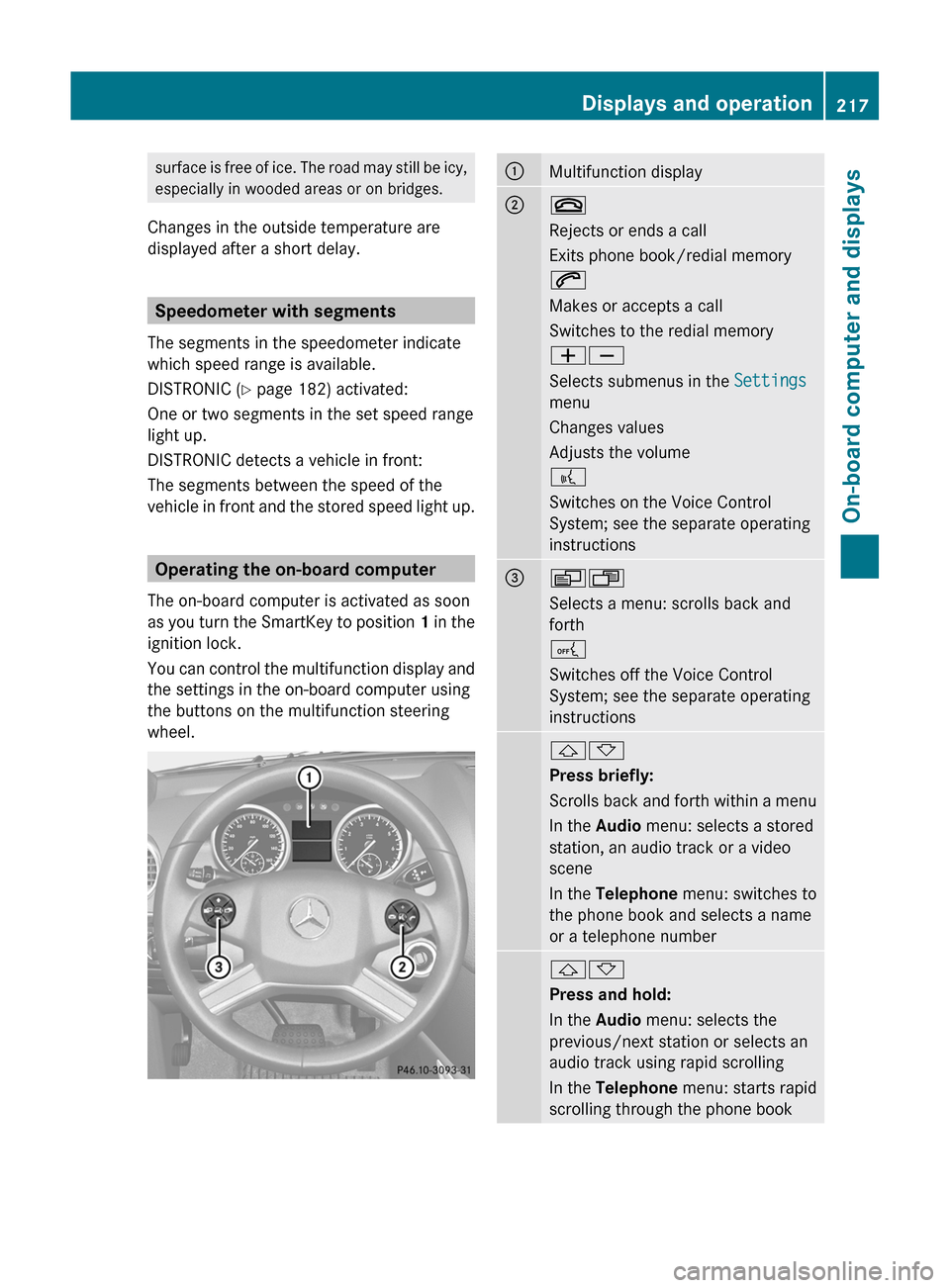
You can control the multifunction display and
the settings in the on-board computer using
the buttons on the multifunction steering
wheel.
:Multifunction display;~
Rejects or ends a call
Exits phone book/redial memory
6
Makes or accepts a call
Switches to the redial memory
WX
Selects submenus in the Settings
menu
Changes values
Adjusts the volume
?
Switches on the Voice Control
System; see the separate operating
instructions=VU
Selects a menu: scrolls back and
forth
A
Switches off the Voice Control
System; see the separate operating
instructions&*
Press briefly:
Scrolls back and forth within a menu
In the Audio menu: selects a stored
station, an audio track or a video
scene
In the Telephone menu: switches to
the phone book and selects a name
or a telephone number&*
Press and hold:
In the Audio menu: selects the
previous/next station or selects an
audio track using rapid scrolling
In the Telephone menu: starts rapid
scrolling through the phone bookDisplays and operation217On-board computer and displaysZ
Page 222 of 384
FunctionETrip computer menu (Y page 229)FTelephone menu (Y page 230)Standard display menu
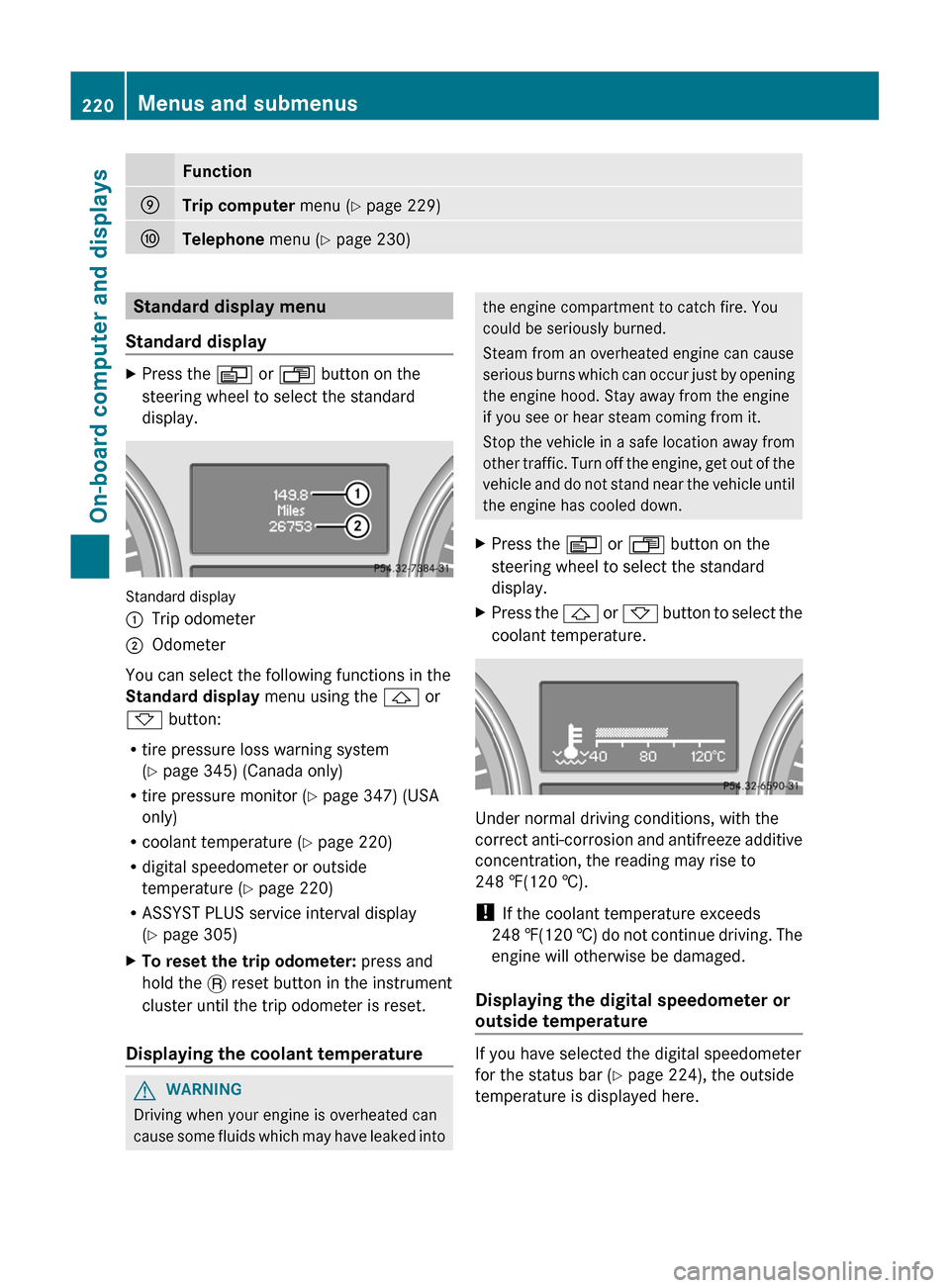
Standard displayXPress the V or U button on the
steering wheel to select the standard
display.
Standard display
:Trip odometer;Odometer
You can select the following functions in the
Standard display menu using the & or
* button:
R tire pressure loss warning system
( Y page 345) (Canada only)
R tire pressure monitor ( Y page 347) (USA
only)
R coolant temperature ( Y page 220)
R digital speedometer or outside
temperature ( Y page 220)
R ASSYST PLUS service interval display
( Y page 305)
XTo reset the trip odometer: press and
hold the . reset button in the instrument
cluster until the trip odometer is reset.
Displaying the coolant temperature
GWARNING
Driving when your engine is overheated can
cause some fluids which may have leaked into
the engine compartment to catch fire. You
could be seriously burned.
Steam from an overheated engine can cause
serious burns which can occur just by opening
the engine hood. Stay away from the engine
if you see or hear steam coming from it.
Stop the vehicle in a safe location away from
other traffic. Turn off the engine, get out of the
vehicle and do not stand near the vehicle until
the engine has cooled down.XPress the V or U button on the
steering wheel to select the standard
display.XPress the & or * button to select the
coolant temperature.
Under normal driving conditions, with the
correct anti-corrosion and antifreeze additive
concentration, the reading may rise to
248 ‡(120 †).
! If the coolant temperature exceeds
248 ‡(120 †) do not continue driving. The
engine will otherwise be damaged.
Displaying the digital speedometer or
outside temperature
If you have selected the digital speedometer
for the status bar ( Y page 224), the outside
temperature is displayed here.
220Menus and submenusOn-board computer and displays
Page 223 of 384
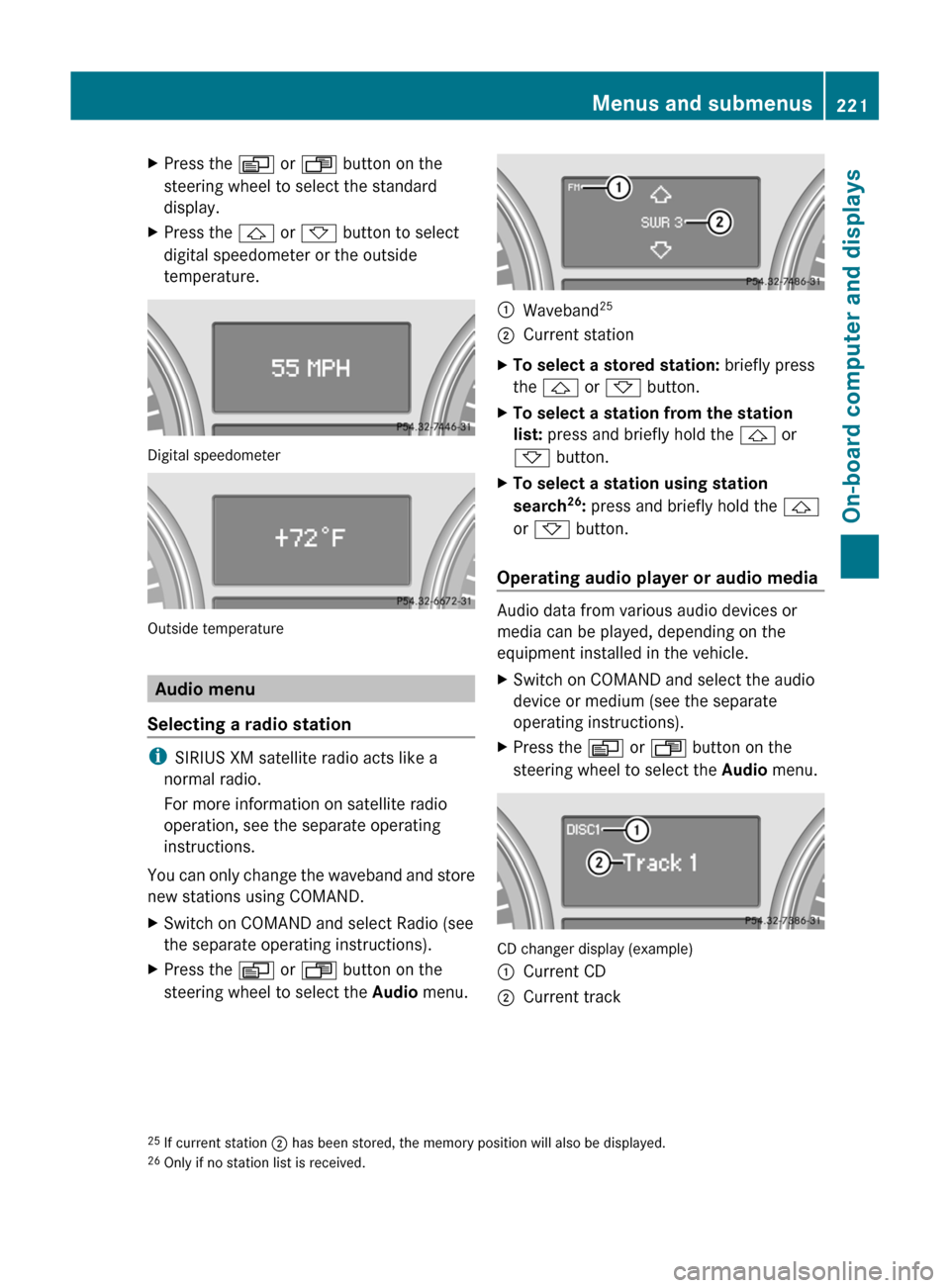
XPress the V or U button on the
steering wheel to select the standard
display.XPress the & or * button to select
digital speedometer or the outside
temperature.
Digital speedometer
Outside temperature
Audio menu
Selecting a radio station
i SIRIUS XM satellite radio acts like a
normal radio.
For more information on satellite radio
operation, see the separate operating
instructions.
You can only change the waveband and store
new stations using COMAND.
XSwitch on COMAND and select Radio (see
the separate operating instructions).XPress the V or U button on the
steering wheel to select the Audio menu.:Waveband 25;Current stationXTo select a stored station:
briefly press
the & or * button.XTo select a station from the station
list: press and briefly hold the & or
* button.XTo select a station using station
search 26
: press and briefly hold the &
or * button.
Operating audio player or audio media
Audio data from various audio devices or
media can be played, depending on the
equipment installed in the vehicle.
XSwitch on COMAND and select the audio
device or medium (see the separate
operating instructions).XPress the V or U button on the
steering wheel to select the Audio menu.
CD changer display (example)
:Current CD;Current track25
If current station ; has been stored, the memory position will also be displayed.
26 Only if no station list is received.Menus and submenus221On-board computer and displaysZ
Page 224 of 384
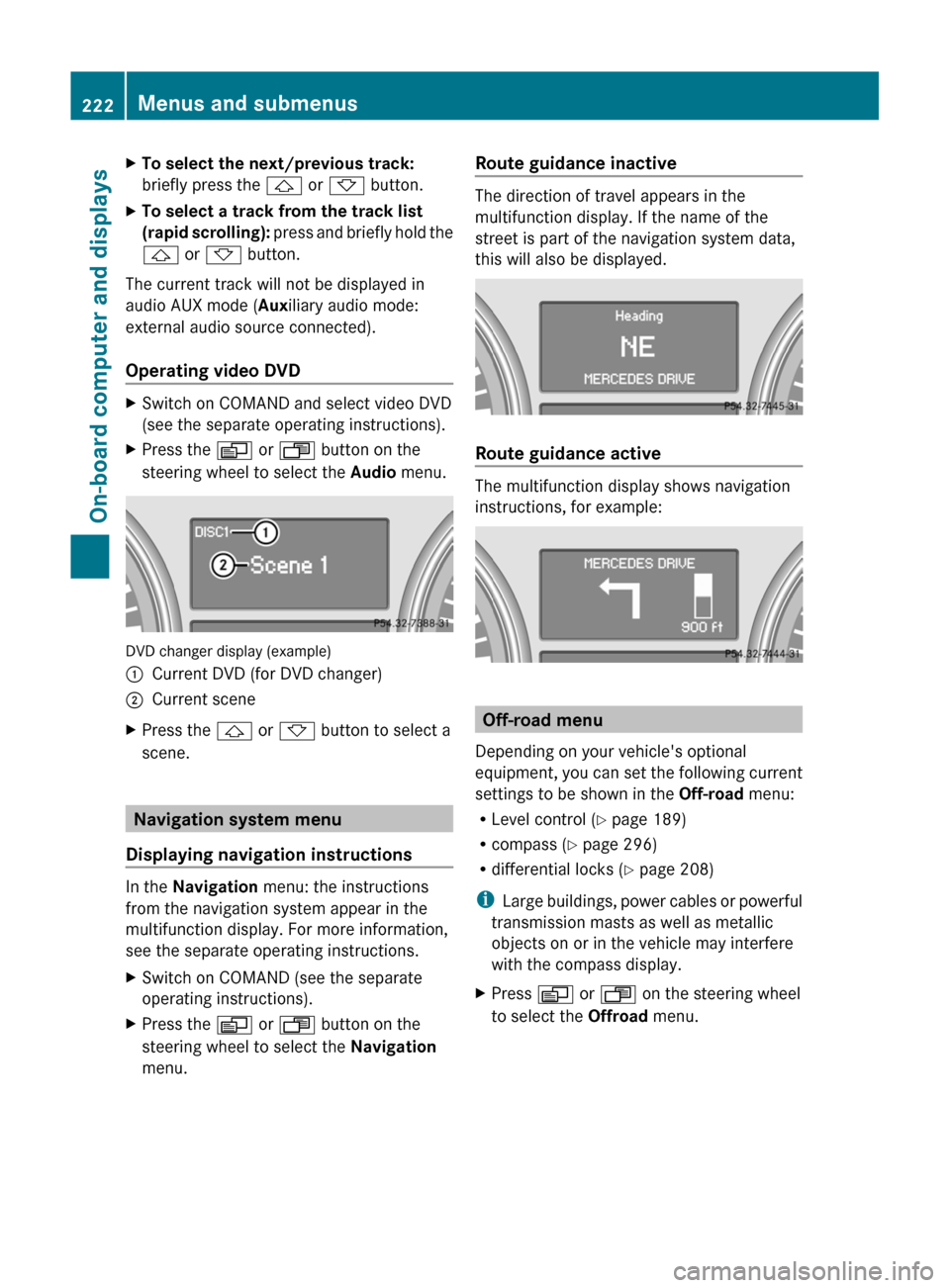
XTo select the next/previous track:
briefly press the & or * button.XTo select a track from the track list
(rapid scrolling): press and briefly hold the
& or * button.
The current track will not be displayed in
audio AUX mode ( Auxiliary audio mode:
external audio source connected).
Operating video DVD
XSwitch on COMAND and select video DVD
(see the separate operating instructions).XPress the V or U button on the
steering wheel to select the Audio menu.
DVD changer display (example)
:Current DVD (for DVD changer);Current sceneXPress the & or * button to select a
scene.
Navigation system menu
Displaying navigation instructions
In the Navigation menu: the instructions
from the navigation system appear in the
multifunction display. For more information,
see the separate operating instructions.
XSwitch on COMAND (see the separate
operating instructions).XPress the V or U button on the
steering wheel to select the Navigation
menu.Route guidance inactive
The direction of travel appears in the
multifunction display. If the name of the
street is part of the navigation system data,
this will also be displayed.
Route guidance active
The multifunction display shows navigation
instructions, for example:
Off-road menu
Depending on your vehicle's optional
equipment, you can set the following current
settings to be shown in the Off-road menu:
R Level control ( Y page 189)
R compass ( Y page 296)
R differential locks ( Y page 208)
i Large buildings, power cables or powerful
transmission masts as well as metallic
objects on or in the vehicle may interfere
with the compass display.
XPress V or U on the steering wheel
to select the Offroad menu.222Menus and submenusOn-board computer and displays
Page 225 of 384
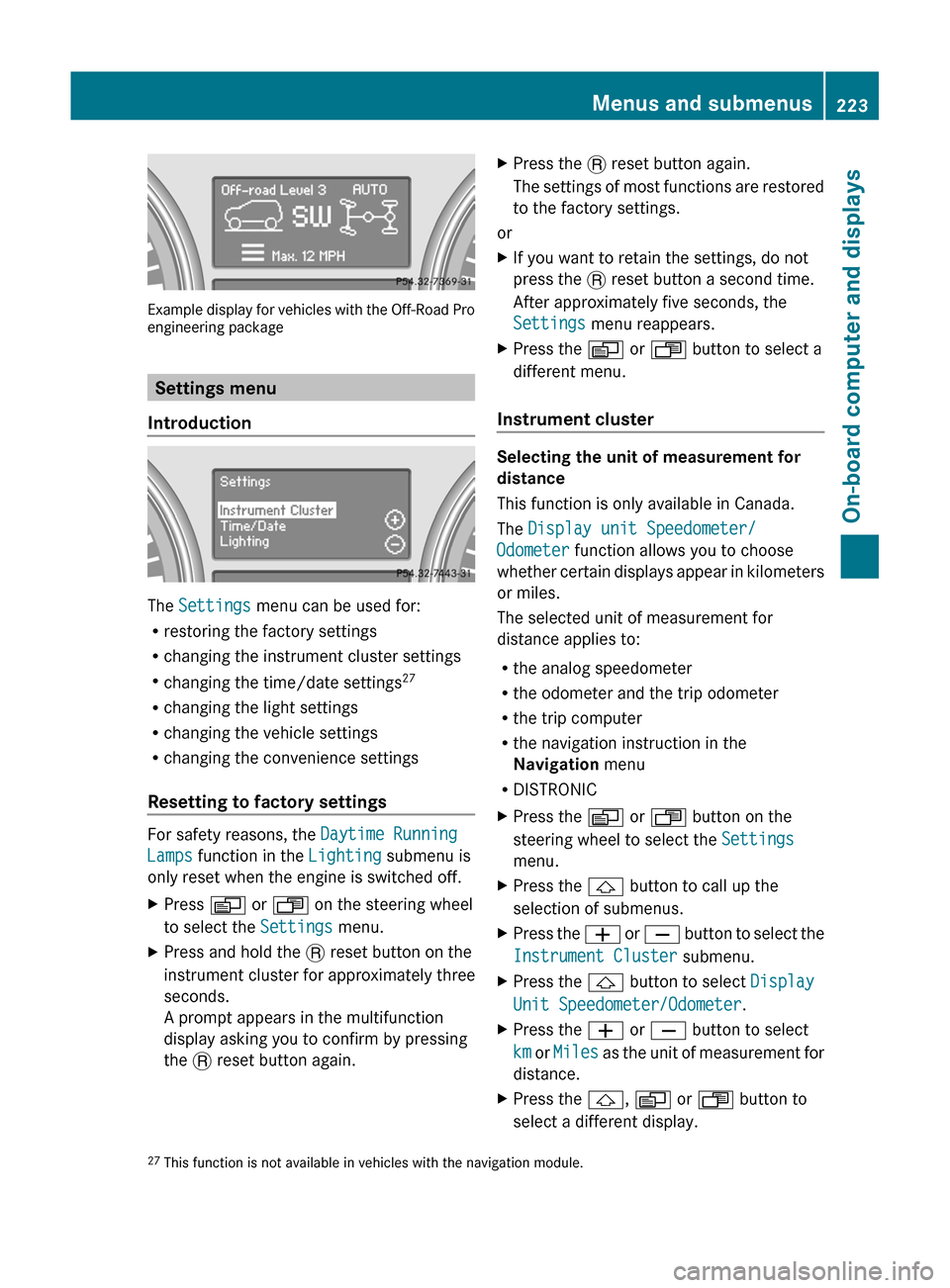
Example display for vehicles with the Off-Road Pro
engineering package
Settings menu
Introduction
The Settings menu can be used for:
R restoring the factory settings
R changing the instrument cluster settings
R changing the time/date settings 27
R changing the light settings
R changing the vehicle settings
R changing the convenience settings
Resetting to factory settings
For safety reasons, the Daytime Running
Lamps function in the Lighting submenu is
only reset when the engine is switched off.
XPress V or U on the steering wheel
to select the Settings menu.XPress and hold the . reset button on the
instrument cluster for approximately three
seconds.
A prompt appears in the multifunction
display asking you to confirm by pressing
the . reset button again.XPress the . reset button again.
The settings of most functions are restored
to the factory settings.
or
XIf you want to retain the settings, do not
press the . reset button a second time.
After approximately five seconds, the
Settings menu reappears.XPress the V or U button to select a
different menu.
Instrument cluster
Selecting the unit of measurement for
distance
This function is only available in Canada.
The Display unit Speedometer/
Odometer function allows you to choose
whether certain displays appear in kilometers
or miles.
The selected unit of measurement for
distance applies to:
R the analog speedometer
R the odometer and the trip odometer
R the trip computer
R the navigation instruction in the
Navigation menu
R DISTRONIC
XPress the V or U button on the
steering wheel to select the Settings
menu.XPress the & button to call up the
selection of submenus.XPress the W or X button to select the
Instrument Cluster submenu.XPress the & button to select Display
Unit Speedometer/Odometer .XPress the W or X button to select
km or Miles as the unit of measurement for
distance.XPress the &, V or U button to
select a different display.27 This function is not available in vehicles with the navigation module.Menus and submenus223On-board computer and displaysZ
Page 226 of 384
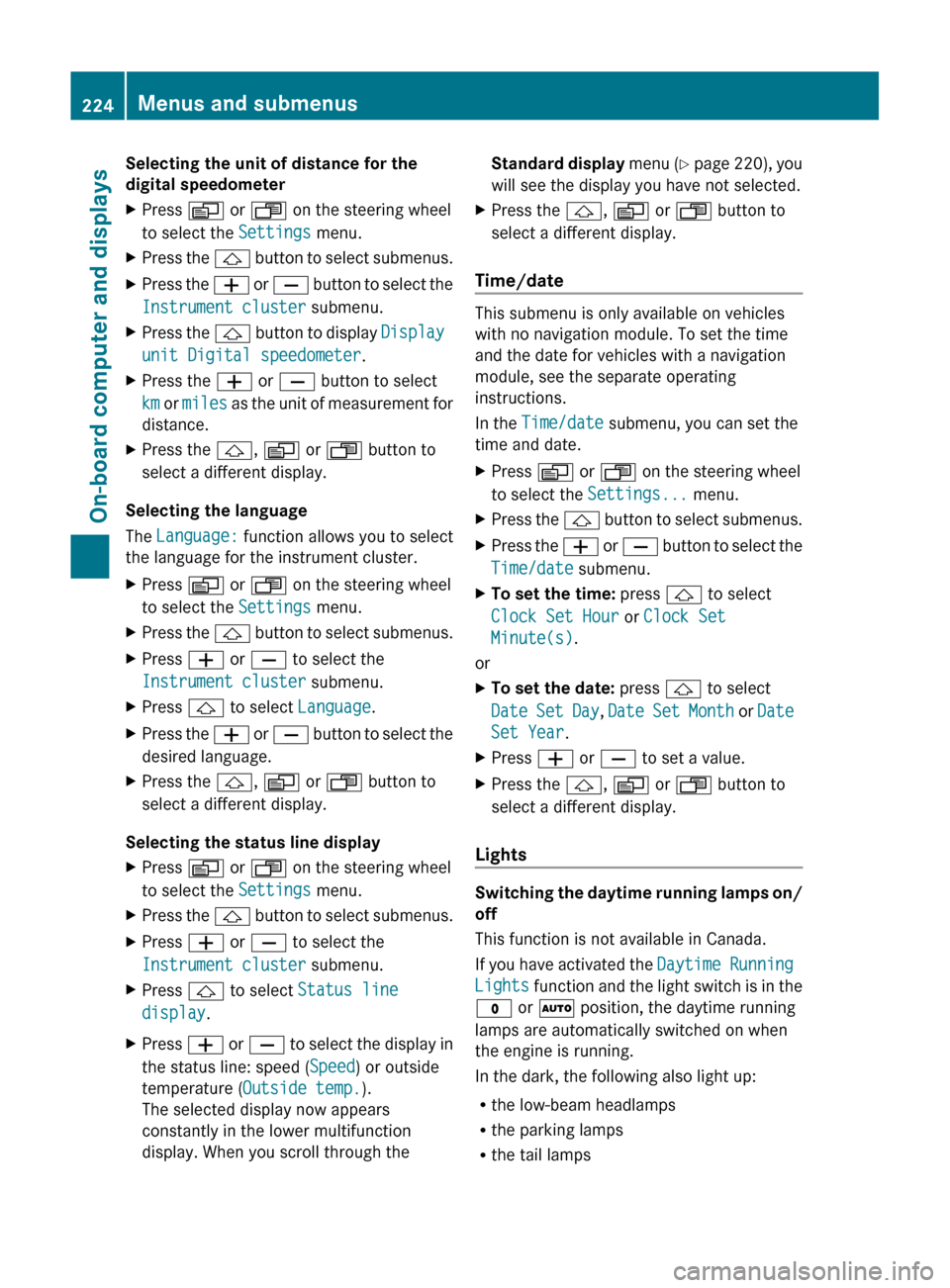
Selecting the unit of distance for the
digital speedometerXPress V or U on the steering wheel
to select the Settings menu.XPress the & button to select submenus.XPress the W or X button to select the
Instrument cluster submenu.XPress the & button to display Display
unit Digital speedometer .XPress the W or X button to select
km or miles as the unit of measurement for
distance.XPress the &, V or U button to
select a different display.
Selecting the language
The Language: function allows you to select
the language for the instrument cluster.
XPress V or U on the steering wheel
to select the Settings menu.XPress the & button to select submenus.XPress W or X to select the
Instrument cluster submenu.XPress & to select Language .XPress the W or X button to select the
desired language.XPress the &, V or U button to
select a different display.
Selecting the status line display
XPress V or U on the steering wheel
to select the Settings menu.XPress the & button to select submenus.XPress W or X to select the
Instrument cluster submenu.XPress & to select Status line
display .XPress W or X to select the display in
the status line: speed ( Speed) or outside
temperature ( Outside temp. ).
The selected display now appears
constantly in the lower multifunction
display. When you scroll through theStandard display menu (Y page 220), you
will see the display you have not selected.XPress the &, V or U button to
select a different display.
Time/date
This submenu is only available on vehicles
with no navigation module. To set the time
and the date for vehicles with a navigation
module, see the separate operating
instructions.
In the Time/date submenu, you can set the
time and date.
XPress V or U on the steering wheel
to select the Settings... menu.XPress the & button to select submenus.XPress the W or X button to select the
Time/date submenu.XTo set the time: press & to select
Clock Set Hour or Clock Set
Minute(s) .
or
XTo set the date: press & to select
Date Set Day , Date Set Month or Date
Set Year .XPress W or X to set a value.XPress the &, V or U button to
select a different display.
Lights
Switching the daytime running lamps on/
off
This function is not available in Canada.
If you have activated the Daytime Running
Lights function and the light switch is in the
$ or à position, the daytime running
lamps are automatically switched on when
the engine is running.
In the dark, the following also light up:
R the low-beam headlamps
R the parking lamps
R the tail lamps
224Menus and submenusOn-board computer and displays
Page 227 of 384
Rthe license plate lamp
R the side marker lamps
On vehicles with daytime running lamps, the
factory setting is OnXSwitch off the engine.XPress V or U on the steering wheel
to select the Settings menu.XPress the & button to select submenus.XPress the W or X button to select the
Lighting submenu.XPress & to select Daytime Running
Lamps .XPress W or X to set daytime running
lamps to On or Off .XPress the &, V or U button to
select a different display.
Switching the surround lighting on or off
If you activate the surround lighting function
and the light switch is set to Ã, the
following will light up if it is dark and you
unlock the vehicle using the SmartKey:
R the parking lamps
R the license plate lamp
R the tail lamps
R the fog lamps 28
R the low-beam headlamps 29
R the side marker lamps
R the surround lighting in the exterior mirrors
The surround lighting switches off
automatically after 40 seconds or when the
driver's door is opened.
XPress V or U on the steering wheel
to select the Settings menu.XPress the & button to select submenus.XPress the W or X button to select the
Lighting submenu.XPress & to select Surround lighting
function .XPress W or X to switch the
Surround lighting function on or off.XWhen leaving the vehicle, turn the light
switch to position Ã.
The surround lighting is activated.XPress the &, V or U button to
select a different display.
Setting the brightness of the ambient
lighting
XPress the V or U button on the
steering wheel to select the Settings
menu.XPress the & button to select submenus.XPress the W or X button to select the
Lighting submenu.XPress the & button to select Ambient
light .XPress the W or X button to adjust the
brightness to any level from Level 0 (off)
to Level 5 (bright).XPress the &, V or U button to
select a different display.
Activating/deactivating the exterior
lighting delayed switch-off
If the Headlamp deactivation function is
activated and the light switch is in the Ã
position, the exterior lighting continues to
light for 15 seconds after the doors have been
closed when it is dark.
If the engine is switched off and then none of
the doors are opened, or if an open door is
not closed, the exterior lighting goes out after
60 seconds.
If you have activated the delayed switch-off
function, the light switch is set to à and
you switch off the engine, the following
remain lit:
R the parking lamps
R the license plate lamp
28Only for vehicles with front fog lamps.
29 Only for vehicles without front fog lamps.Menus and submenus225On-board computer and displaysZ
Page 228 of 384
Rthe tail lamps
R the fog lamps 30
R the low-beam headlamps 31
R the side marker lampXPress V or U on the steering wheel
to select the Settings menu.XPress the & button to select submenus.XPress the W or X button to select the
Lighting submenu.XPress the & button to select Headlamp
delayed shut-off .XPress the W or X button to activate
or deactivate the Headlamp delayed
shut-off function.XBefore switching off the engine, turn the
light switch to position Ã.
The exterior lighting delayed switch-off is
activated.XPress the &, V or U button to
select a different display.
Deactivating the delayed switch-off
temporarily:
XBefore leaving the vehicle, turn the
SmartKey to position 0 in the ignition lock.XTurn the SmartKey to position 2 in the
ignition lock and back to position 0.
The delayed switch-off is deactivated.
Delayed switch-off is reactivated the next
time you start the engine.
Activating/deactivating the interior
lighting delayed switch-off
If the Interior lighting Delayed Shut-
off function is activated and you remove the
SmartKey from the ignition lock, the interior
lighting remains on for 10 seconds.
XPress the V or U button on the
steering wheel to select the Settings
menu.XPress the & button to select submenus.XPress the W or X button to select the
Lighting submenu.XPress the & button to select Interior
Lighting Delayed Shut-off .XPress the W or X button to activate
or deactivate the Interior Lighting
Delay function.XPress the &, V or U button to
select a different display.
Vehicle
Activating/deactivating the automatic
door locking feature
If you select the Automatic Door Locking
function, the vehicle is centrally locked above
a speed of around 9 mph (15 km/h).
i For further information on the automatic
locking feature, see ( Y page 84).
XPress the V or U button on the
steering wheel to select the Settings
menu.XPress the & button to call up the
selection of submenus.XPress the W or X button to select the
Vehicle submenu.XPress the & button to select
Automatic Door Locking .XPress the W or X button to switch
Automatic Door Locking on or off.XPress the &, V or U button to
select a different display.
Activating/deactivating the acoustic
locking confirmation
If you activate the Acoustic Lock
Feedback function, an audible signal sounds
when the vehicle is locked or unlocked. When
unlocking, the signal sounds once. When
locking, it sounds three times.
30 Only for vehicles with front fog lamps.
31 Only for vehicles without front fog lamps.226Menus and submenusOn-board computer and displays