lane assist MERCEDES-BENZ GL-Class 2015 X166 Owner's Guide
[x] Cancel search | Manufacturer: MERCEDES-BENZ, Model Year: 2015, Model line: GL-Class, Model: MERCEDES-BENZ GL-Class 2015 X166Pages: 462, PDF Size: 9.09 MB
Page 257 of 462
R
you switch on the turn signals. In this
event, the warnings are suppressed for a
certain period of time.
R a driving safety system intervenes, e.g.
ABS, BAS or ESP ®
.
R you accelerate hard, e.g. kickdown.
R you brake hard.
R you steer actively, e.g. swerve to avoid an
obstacle or change lanes quickly.
R you cut the corner on a sharp bend.
Towing a trailer
When you attach a trailer, make sure you have correctly established the electrical connec-
tion. This can be accomplished by checking
the trailer lighting. On-road programs (vehicles with the
ON&OFFROAD package)
General notes The on-road programs assist you during on-
road driving and the off-road programs when
driving off-road (Y page 259).
The following program messages remain in
the multifunction display until the corre-
sponding vehicle level has been set. Up to off-
road level 2, you can hide the program mes-
sages using the 0038or0076 button on the
multifunction steering wheel. AUTO program
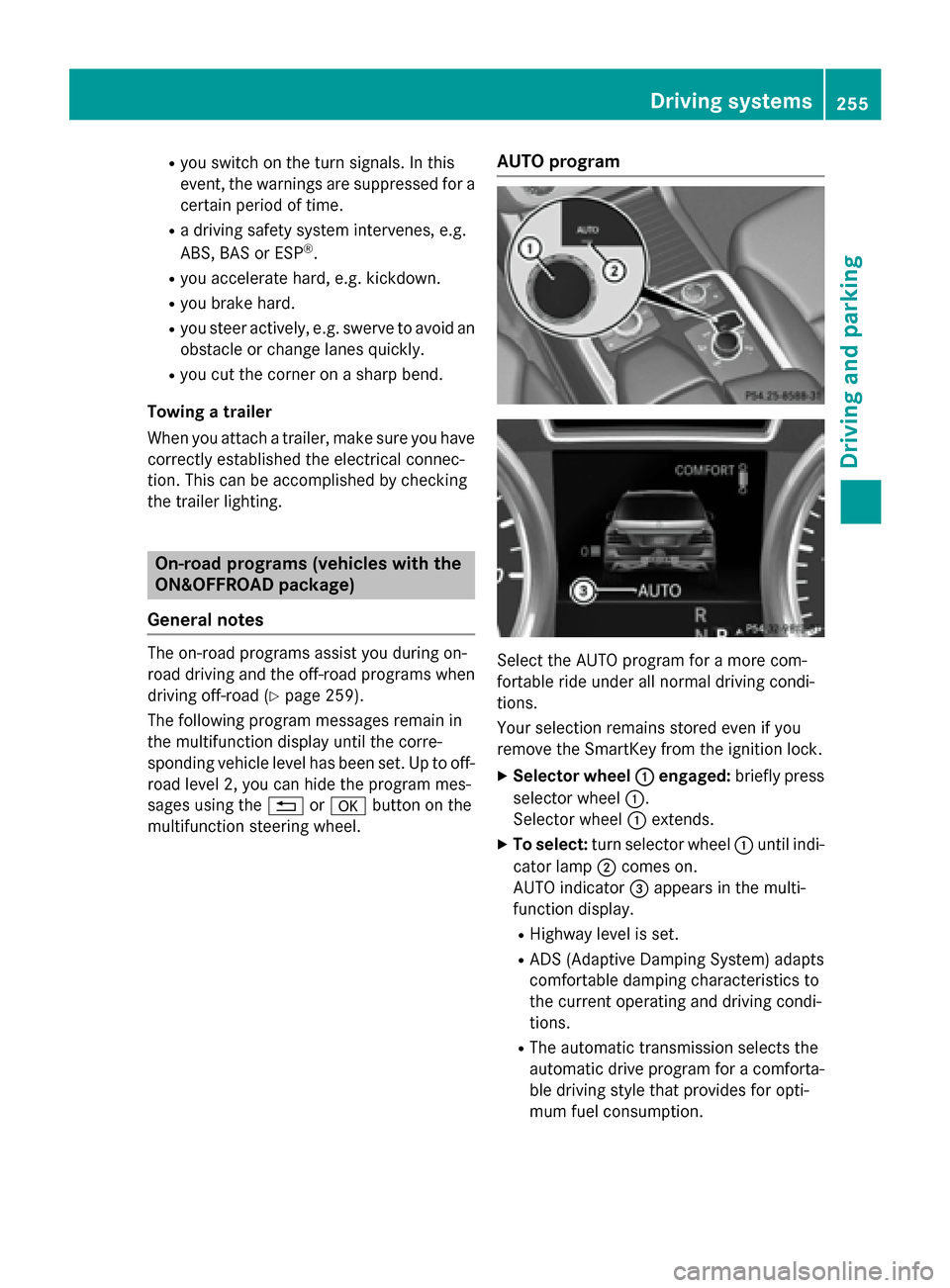
Select the AUTO program for a more com-
fortable ride under all normal driving condi-
tions.
Your selection remains stored even if you
remove the SmartKey from the ignition lock.
X Selector wheel 0043 0043engaged: briefly press
selector wheel 0043.
Selector wheel 0043extends.
X To select: turn selector wheel 0043until indi-
cator lamp 0044comes on.
AUTO indicator 0087appears in the multi-
function display.
R Highway level is set.
R ADS (Adaptive Damping System) adapts
comfortable damping characteristics to
the current operating and driving condi-
tions.
R The automatic transmission selects the
automatic drive program for a comforta-
ble driving style that provides for opti-
mum fuel consumption. Driving syste
ms
255Driving an d parking Z
Page 260 of 462
qualified workshop. You could otherwise
damage the drive train or the brake system.
4MATIC ensures that all four wheels are per-
manently driven. Together with ESP ®
and
4ETS, it improves the traction of your vehicle whenever a drive wheel spins due to insuffi-
cient grip.
i In wintry driving conditions, the maximum
effect of 4MATIC can only be achieved if
you use winter tires (M+S tires), with snow
chains if necessary.
Further information about "Driving off-road"
(Y page 199).
DSR (Downhill Speed Regulation) Important safety notes
DSR assists you when driving downhill. It
keeps the speed of travel at the speed set on
the on-board computer. The steeper the
downhill gradient, the greater the DSR brak-
ing effect on the vehicle. When driving on flat stretches of road or on an uphill gradient, the
DSR braking effect is minimal or nonexistent.
DSR controls the set speed when it is active
and the automatic transmission is in the D,R
or Nposition. By accelerating or braking, you
can always drive at a higher or a lower speed
than that set on the on-board computer.
Further information about "Driving off-road"
(Y page 199).
If you fail to adapt your driving style, DSR can
neither reduce the risk of accident nor over-
ride the laws of physics. DSR cannot take
account of road, weather and traffic condi-
tions. DSR is only an aid. You are responsible for the distance to the vehicle in front, for
vehicle speed, for braking in good time and for
staying in your lane.
You are always responsible for keeping con-
trol of the vehicle and for assessing whether
the downhill gradient can be managed. DSR
may not always be able to keep to the set
speed, depending on road surface and tire
conditions. Select a set speed suitable for the prevailing conditions and when necessary,
apply the brakes manually. G
WARNING
If the speed driven and the set speed deviate and you activate DSR on a slippery road sur-
face, the wheels may lose traction. There is an
increased danger of skidding and accidents.
Before switching DSR on, please take into
consideration the road surface and the differ- ence between driving speed and the set
speed.
Activating DSR G
WARNING
If you drive faster than the set speed and acti-
vate DSR, the vehicle will decelerate on down- hill gradients. If you do not know the set
speed, the vehicle could decelerate unexpect-edly. There is a risk of an accident.
Decelerate the vehicle to the set speed before
activating DSR. If you do not know what the
stored set speed is, store the desired set
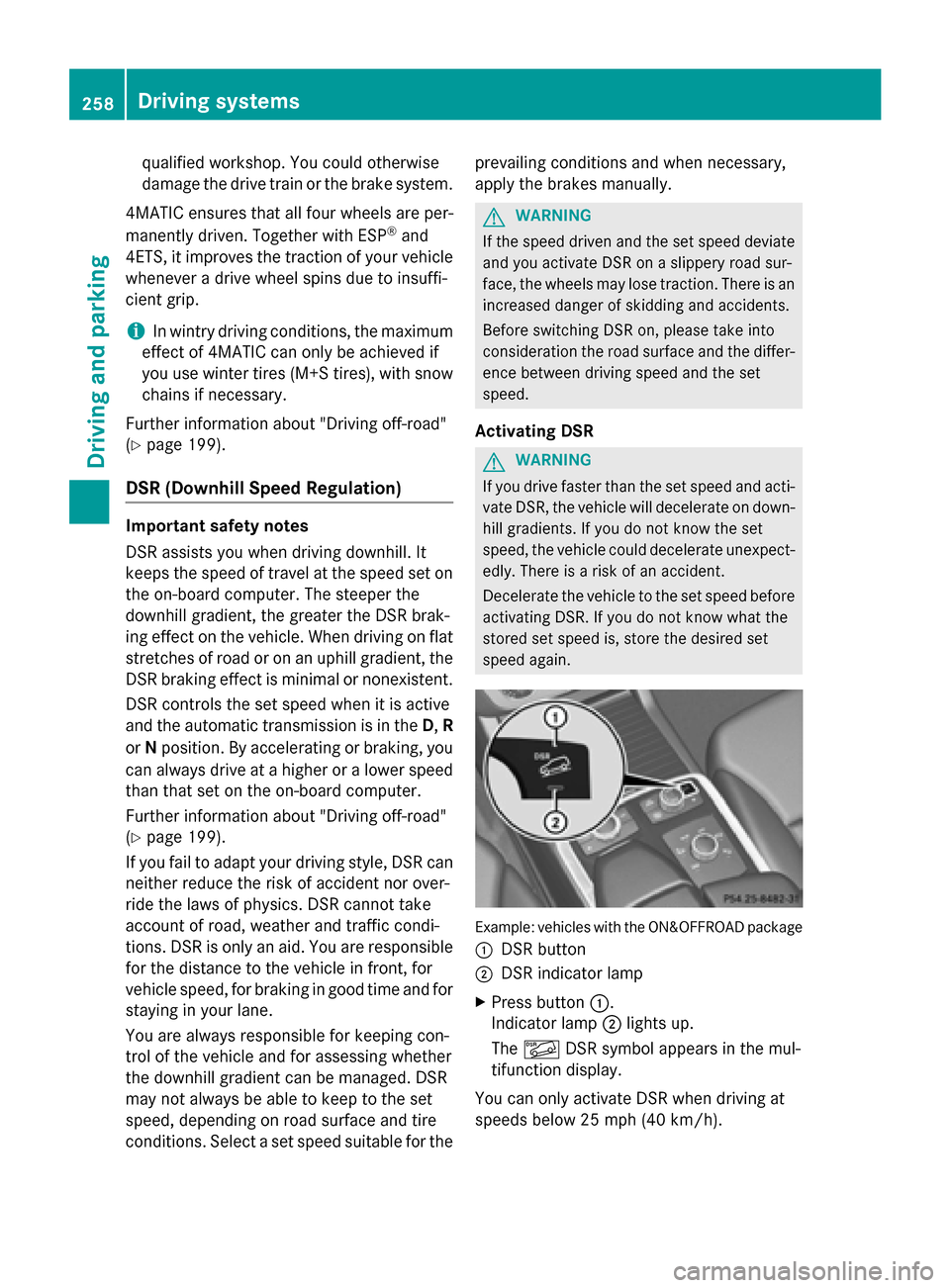
speed again. Example: vehicles with the ON&OFFROAD package
0043 DSR button
0044 DSR indicator lamp
X Press button 0043.
Indicator lamp 0044lights up.
The 00C6 DSR symbol appears in the mul-
tifunction display.
You can only activate DSR when driving at
speeds below 25 mph (40 km/h). 258
Driving systemsDriving and parking
Page 285 of 462
Assistance menu
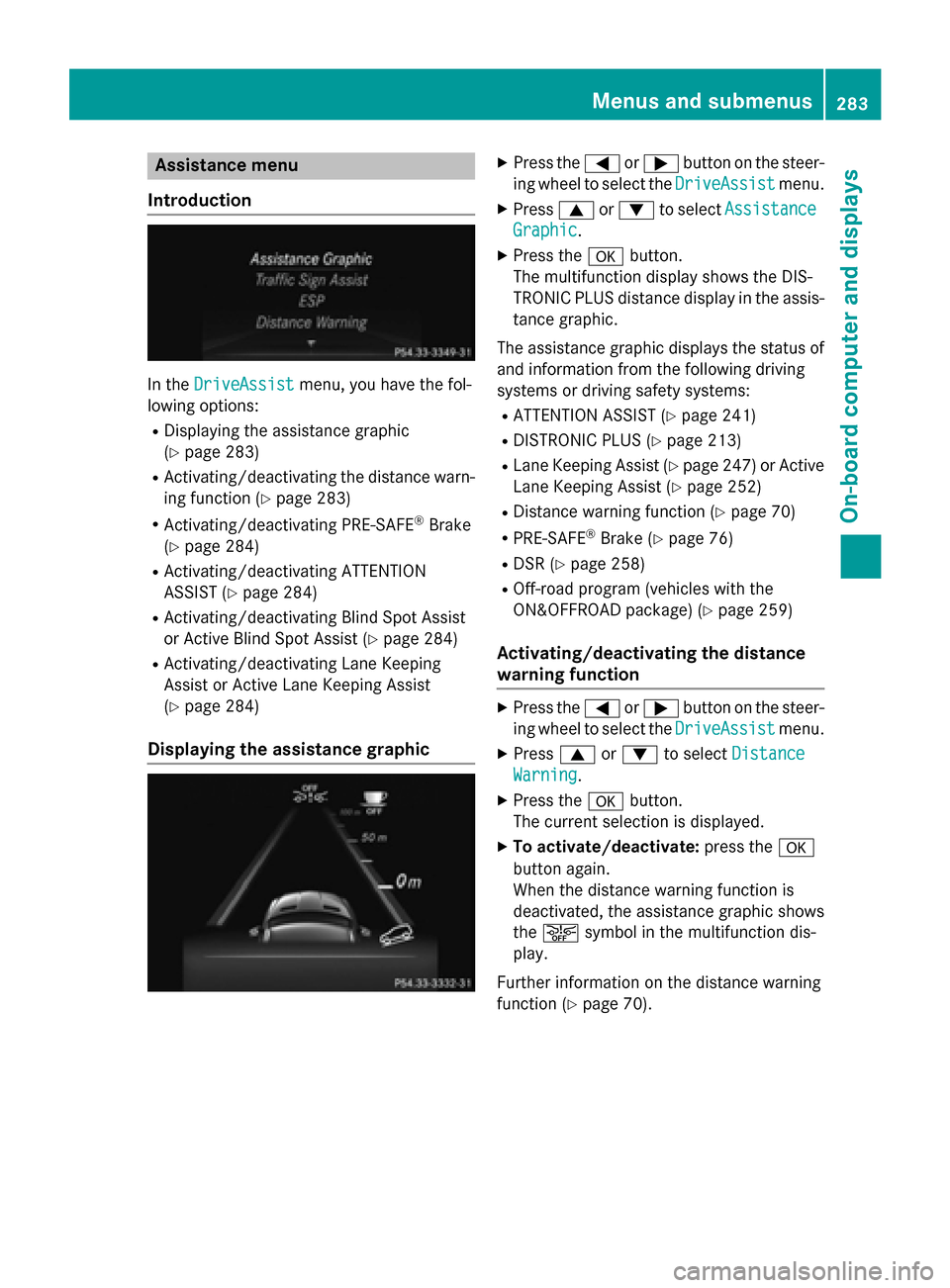
Introduction In the
DriveAssist
DriveAssist menu, you have the fol-
lowing options:
R Displaying the assistance graphic
(Y page 283)
R Activating/deactivating the distance warn-
ing function (Y page 283)
R Activating/deactivating PRE-SAFE ®
Brake
(Y page 284)
R Activating/deactivating ATTENTION
ASSIST (Y page 284)
R Activating/deactivating Blind Spot Assist
or Active Blind Spot Assist (Y page 284)
R Activating/deactivating Lane Keeping
Assist or Active Lane Keeping Assist
(Y page 284)
Displaying the assistance graphic X
Press the 0059or0065 button on the steer-
ing wheel to select the DriveAssist DriveAssistmenu.
X Press 0063or0064 to select Assistance Assistance
Graphic
Graphic.
X Press the 0076button.
The multifunction display shows the DIS-
TRONIC PLUS distance display in the assis- tance graphic.
The assistance graphic displays the status of and information from the following driving
systems or driving safety systems:
R ATTENTION ASSIST (Y page 241)
R DISTRONIC PLUS (Y page 213)
R Lane Keeping Assist (Y page 247) or Active
Lane Keeping Assist (Y page 252)
R Distance warning function (Y page 70)
R PRE-SAFE ®
Brake (Y page 76)
R DSR (Y page 258)
R Off-road program (vehicles with the
ON&OFFROAD package) (Y page 259)
Activating/deactivating the distance
warning function X
Press the 0059or0065 button on the steer-
ing wheel to select the DriveAssist DriveAssistmenu.
X Press 0063or0064 to select Distance
Distance
Warning
Warning.
X Press the 0076button.
The current selection is displayed.
X To activate/deactivate: press the0076
button again.
When the distance warning function is
deactivated, the assistance graphic shows
the 00D4 symbol in the multifunction dis-
play.
Further information on the distance warning
function (Y page 70). Menus and sub
menus
283On-board computer and displays Z
Page 286 of 462
Activating/deactivating PRE-SAFE
®
Brake PRE
‑SAFE ®
Brake is only available in vehicles
with DISTRONIC PLUS.
X Press 0059or0065 on the steering wheel
to select the DriveAssist
DriveAssist menu.
X Press the 0063or0064 button to select
PRE-SAFE Brake
PRE-SAFE Brake.
X Press the 0076button.
The current selection is displayed.
X To activate/deactivate: press the0076
button again.
When PRE-SAFE ®
Brake is deactivated, the
assistance graphic shows the 00D4symbol
in the multifunction display.
For more information on PRE‑SAFE ®
Brake,
see (Y page 76).
Activating/deactivating ATTENTION
ASSIST X
Press the 0059or0065 button on the steer-
ing wheel to select the DriveAssist DriveAssistmenu.
X Press the 0063or0064 button to select
ATTENTION ASSIST
ATTENTION ASSIST .
X Press the 0076button.
The current selection is displayed.
X To activate/deactivate: press the0076
button again.
When ATTENTION ASSIST is deactivated,
the 00D7 symbol appears in the multifunc-
tion display in the assistance graphics dis-
play.
For further information about ATTENTION
ASSIST, see (Y page 241).
Activating/deactivating Blind Spot
Assist X
Press 0059or0065 on the steering wheel
to select the DriveAssist
DriveAssist menu.
X Press the 0063or0064 button to select
Blind Spot Assist
Blind Spot Assist . X
Press the 0076button.
The current selection is displayed.
X To activate/deactivate: press the0076
button again.
For further information about Active Blind
Spot Assist, see (Y page 249).
Activating/deactivating Lane Keeping
Assist X
Press 0059or0065 on the steering wheel
to select the DriveAssist DriveAssist menu.
X Press 0063or0064 to select Lane Keep‐
Lane Keep‐
ing Assist
ing Assist .
X Press the 0076button.
The current selection is displayed.
X Press 0076to confirm.
X Press the 0064or0063 button to set Off
Off,
Standard
Standard orAdaptive
Adaptive.
When Lane Keeping Assist or Active Lane
Keeping Assist is activated, the multifunc-
tion display shows the lane markings as
bright lines in the assistance graphic.
X Press the 0076button to save the setting.
For further information about Lane Keeping
Assist, see (Y page 247).
For further information about Active Lane
Keeping Assist, see (Y page 252). Maintenance menu
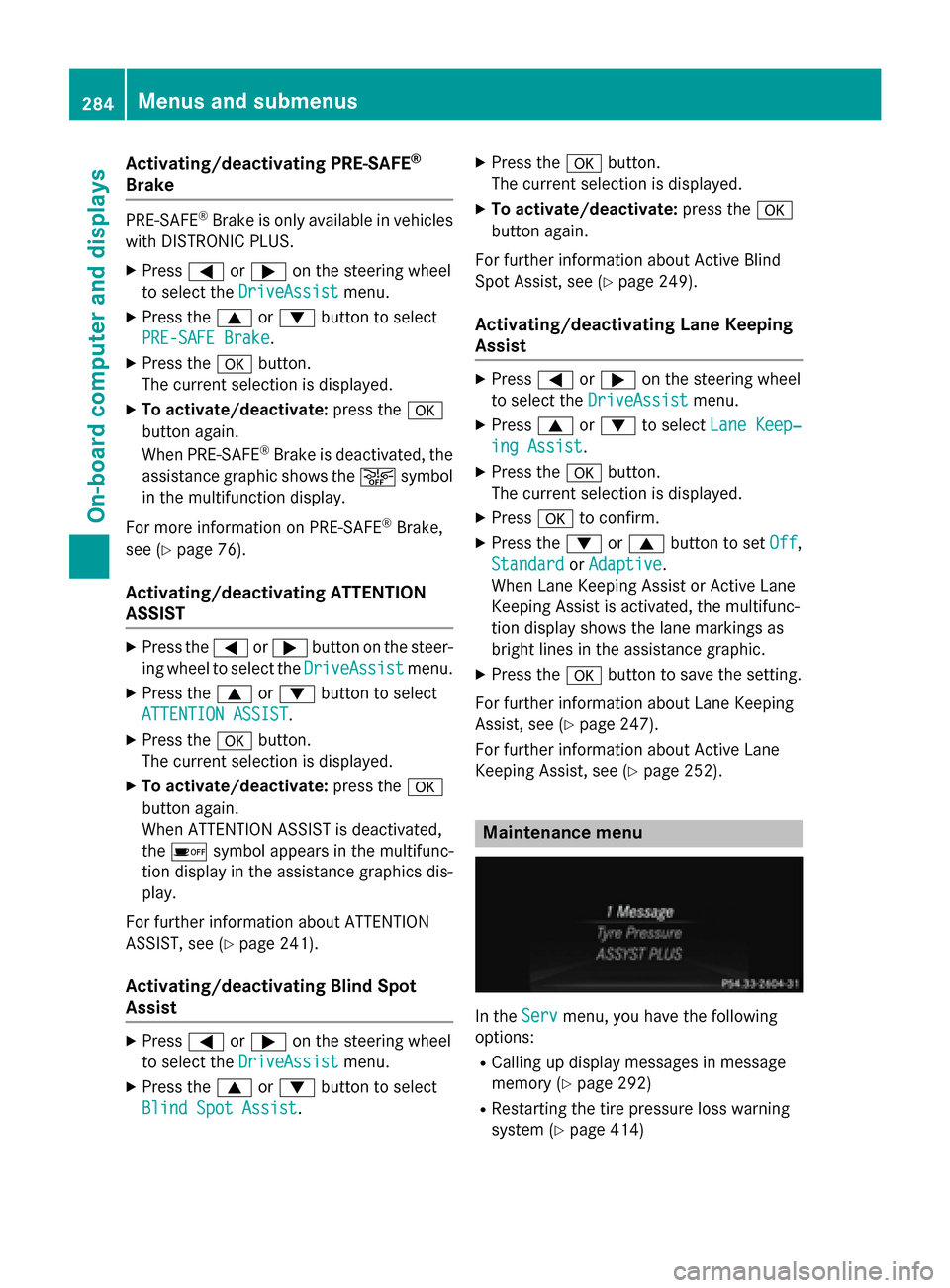
In the
Serv Servmenu, you have the following
options:
R Calling up display messages in message
memory (Y page 292)
R Restarting the tire pressure loss warning
system (Y page 414) 284
Menus and sub
menusOn-board computer and displays
Page 317 of 462
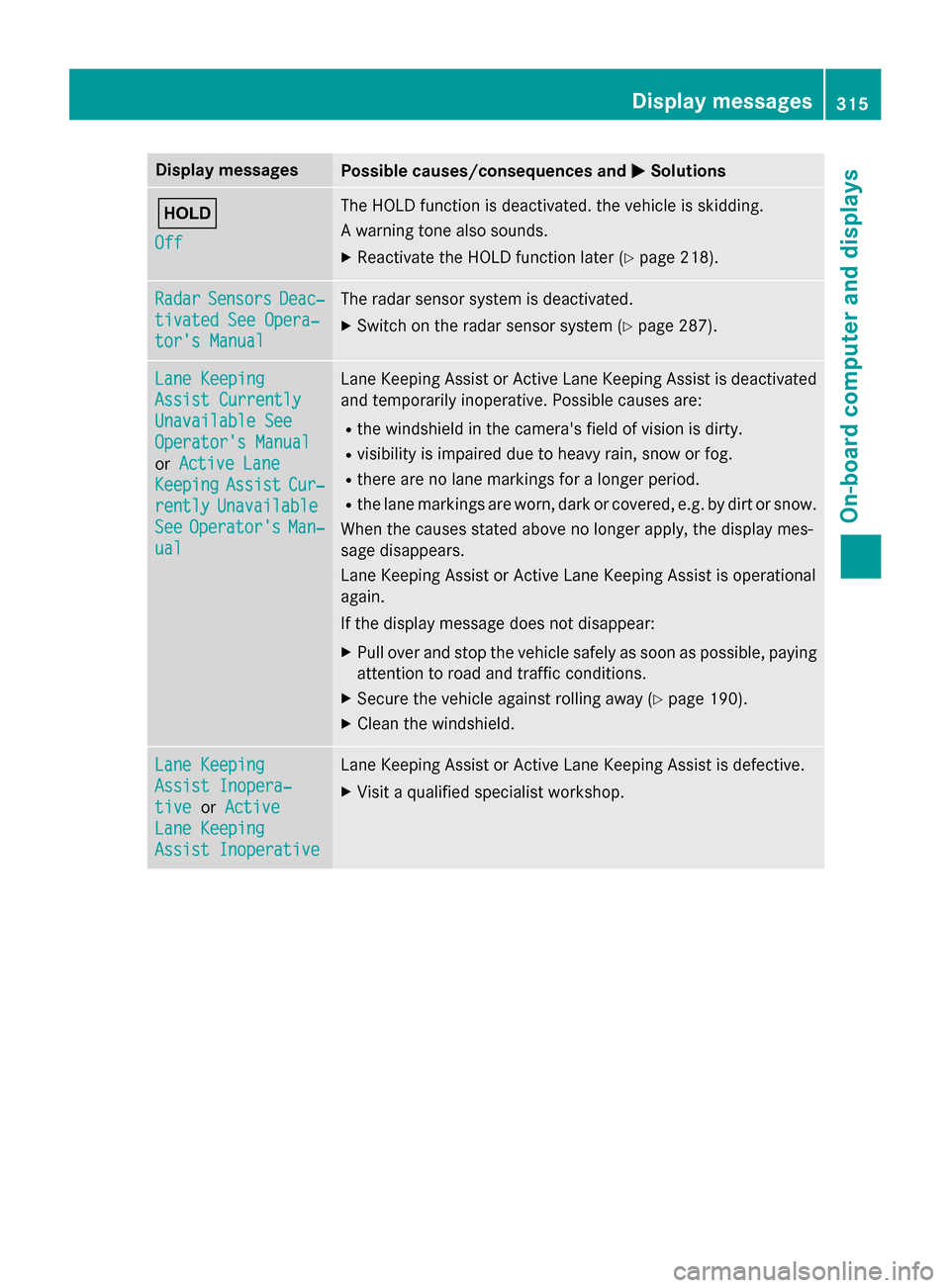
Display messages
Possible causes/consequences and
0050
0050Solutions 00D9
Off Off The HOLD function is deactivated. the vehicle is skidding.
A warning tone also sounds.
X Reactivate the HOLD function later (Y page 218).Radar Radar
Sensors
Sensors Deac‐
Deac‐
tivated See Opera‐
tivated See Opera‐
tor's Manual tor's Manual The radar sensor system is deactivated.
X Switch on the radar sensor system (Y page 287).Lane Keeping
Lane Keeping
Assist Currently Assist Currently
Unavailable See Unavailable See
Operator's Manual Operator's Manual
or
Active Lane Active Lane
Keeping
Keeping Assist
AssistCur‐
Cur‐
rently
rently Unavailable
Unavailable
See
See Operator's
Operator's Man‐
Man‐
ual
ual Lane Keeping Assist or Active Lane Keeping Assist is deactivated
and temporarily inoperative. Possible causes are:
R the windshield in the camera's field of vision is dirty.
R visibility is impaired due to heavy rain, snow or fog.
R there are no lane markings for a longer period.
R the lane markings are worn, dark or covered, e.g. by dirt or snow.
When the causes stated above no longer apply, the display mes-
sage disappears.
Lane Keeping Assist or Active Lane Keeping Assist is operational
again.
If the display message does not disappear:
X Pull over and stop the vehicle safely as soon as possible, paying
attention to road and traffic conditions.
X Secure the vehicle against rolling away (Y page 190).
X Clean the windshield. Lane Keeping Lane Keeping
Assist Inopera‐ Assist Inopera‐
tive tive
orActive
Active
Lane Keeping
Lane Keeping
Assist Inoperative Assist Inoperative Lane Keeping Assist or Active Lane Keeping Assist is defective.
X Visit a qualified specialist workshop. Display
messages
315On-board computer and displays Z