steering MERCEDES-BENZ GL SUV 2012 Repair Manual
[x] Cancel search | Manufacturer: MERCEDES-BENZ, Model Year: 2012, Model line: GL SUV, Model: MERCEDES-BENZ GL SUV 2012Pages: 441, PDF Size: 10.66 MB
Page 256 of 441
depressed muc
hfurther in order to acceler-
ate.
Do not use the off-road program on roads that
are snow-covered or icy or if you have fitted
your vehicle with snow chains.
For information about drivin goff-road, see
(Y pag e188).
Off-road programs (vehicle swith the
ON&OFFROAD package) Gener
alnotes
The off -road program sassist you in drivi ng
off -road. The engine’s performanc echarac-
teristic sand the gearshifting characteristics
of the automati ctransmission are adapted for
this purpose .ABS ,ESP ®
and 4ET Sprograms
especiall yadapted to off -road drivin gare acti-
vated. An accele rator peda lcurve suitable for
the terrain is selected, i.e. the accelerator
pedal must be depressed further to acceler-
ate.
Do not use the off-road programs on roads
that are snow-covered or icy or if you have
fitted your vehicle with snow chains.
For information about drivin goff-road, see
(Y pag e188).
Th ef ollowin gprogram message sremai nin
the multifunction display until the corre-
sponding vehicle level has bee nset. Up to off-
road level 2, you can hide the program mes-
sages using the %or the abutton on
the multifunction steering wheel. Off
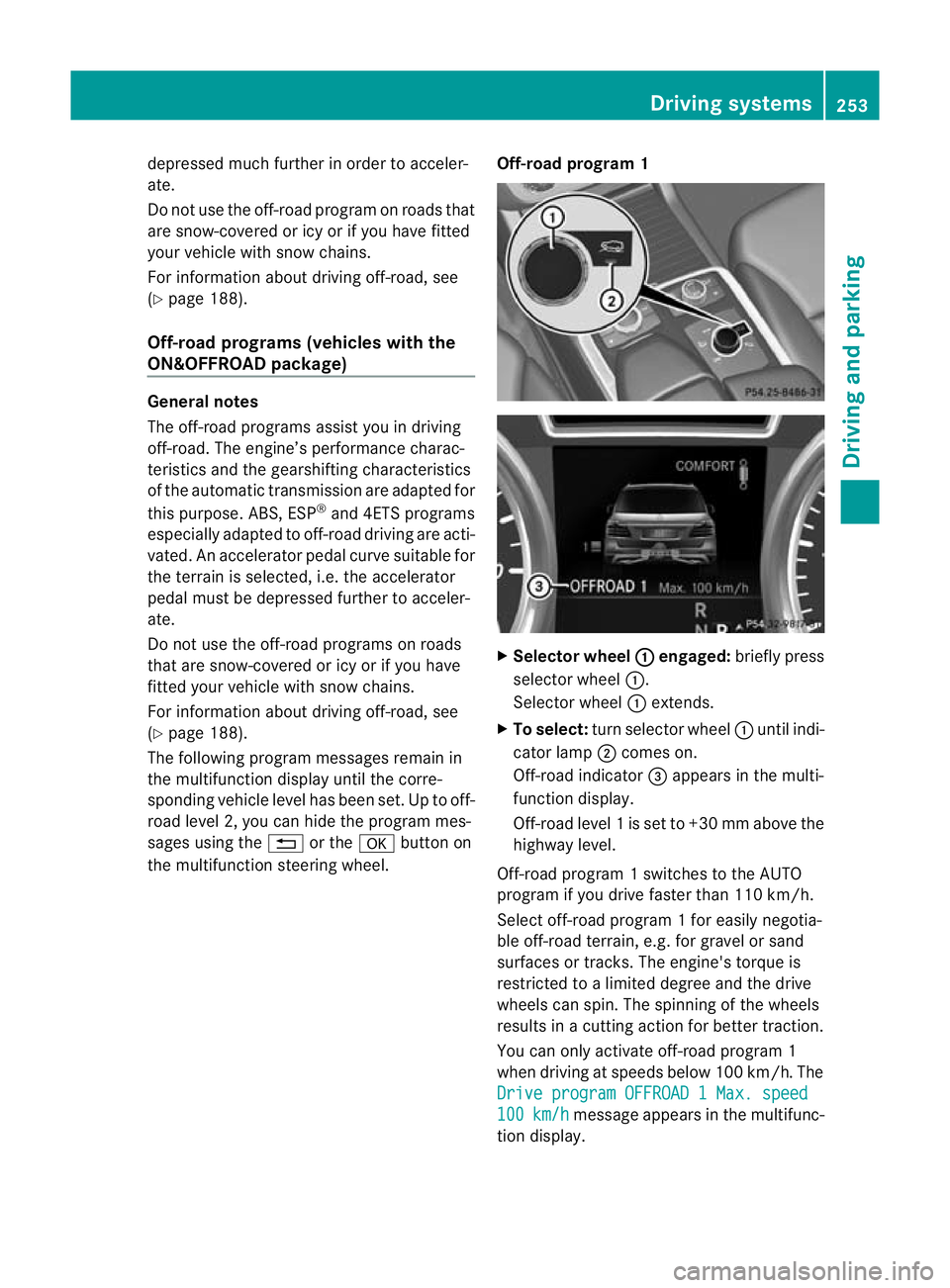
-road program 1 X
Selector wheel : engaged:
briefly press
selector wheel :.
Selector wheel :extends.
X To select: turn selector wheel :until indi-
cator lamp ;comes on.
Off-road indicator =appears in the multi-
function display.
Off-road level 1isset to +3 0mmabove the
highwa ylevel.
Off-road program 1switches to the AUTO
program if you drive faster than 110 km/h.
Select off-road program 1for easily negotia-
ble off -road terrain, e.g. for gravel or sand
surfaces or tracks. The engine's torque is
restricted to alimited degree and the drive
wheels can spin. The spinnin gofthe wheels
results in acutting action for better traction.
You can only activate off-road program 1
when driving at speeds below 100 km/ h.The
Driv eprogram OFFROAD 1Max. speed 100 km/h message appears in th
emultifunc-
tion display. Driving systems
253Drivingand pa rking Z
Page 259 of 441
Mes
sages in the multifunction display
If ag ear change process has not been successful, the following messages may be displayed
in the multifunction display: Display messages Possibl
ecauses/ consequence sand M Solutions
LO
WR ANGE max. speed 40 km/h Yo
uh ave been driving faster than 40 km/h .Additionally, the indi-
cato rlamp on the button in the centre console blinks.
X Driv emore slowly to carry out the gear chan ge process. LOW RANGE Shift to
position
Nbriefly Th
et ransmission is in position Dand yo uare driving at below
40 km/h.
X Shift th etransmission to Nto comple tethe gear change proc-
ess. LOW RANGE Shifting
cancelled Please
reactivate The gear change process was not carried out.
X
Maintain all gear change conditions and carry out the gear
change process again. LOW RANGE Stop
Apply parking brake Aw
arning ton ealso sounds. The gear chang eprocess has not been
comple ted. LOW RANGE is in the neutral position .There is no
con nectio nbetween the engine and the driv ewheels.
! Do not drive any further. You could otherwise damage the
vehicle’ sdrive train.
X Sto pthe vehicle. Take int oaccount the road and traffic condi-
tions whe ndoing so.
X Apply the electric parkin gbrake (Y page 182).
X Repe atthe gear change process.
If th egear change process has been carried out, the LOW RANGE
Stop Appl
yparking brake message disapp
ears. ONOFFROAD men
uint he COMAND dis-
play (vehicles wit hthe ON&OFFROAD
package) Yo
uc an displ ay some driving systems ,driving
programs and additional information in the
COMAND display.
X Make sure that th ekey is in position 2in
the ignition lock.
X Make sure that COMAN DOnline is activa-
ted, see the separate COMAND operating
instructions.
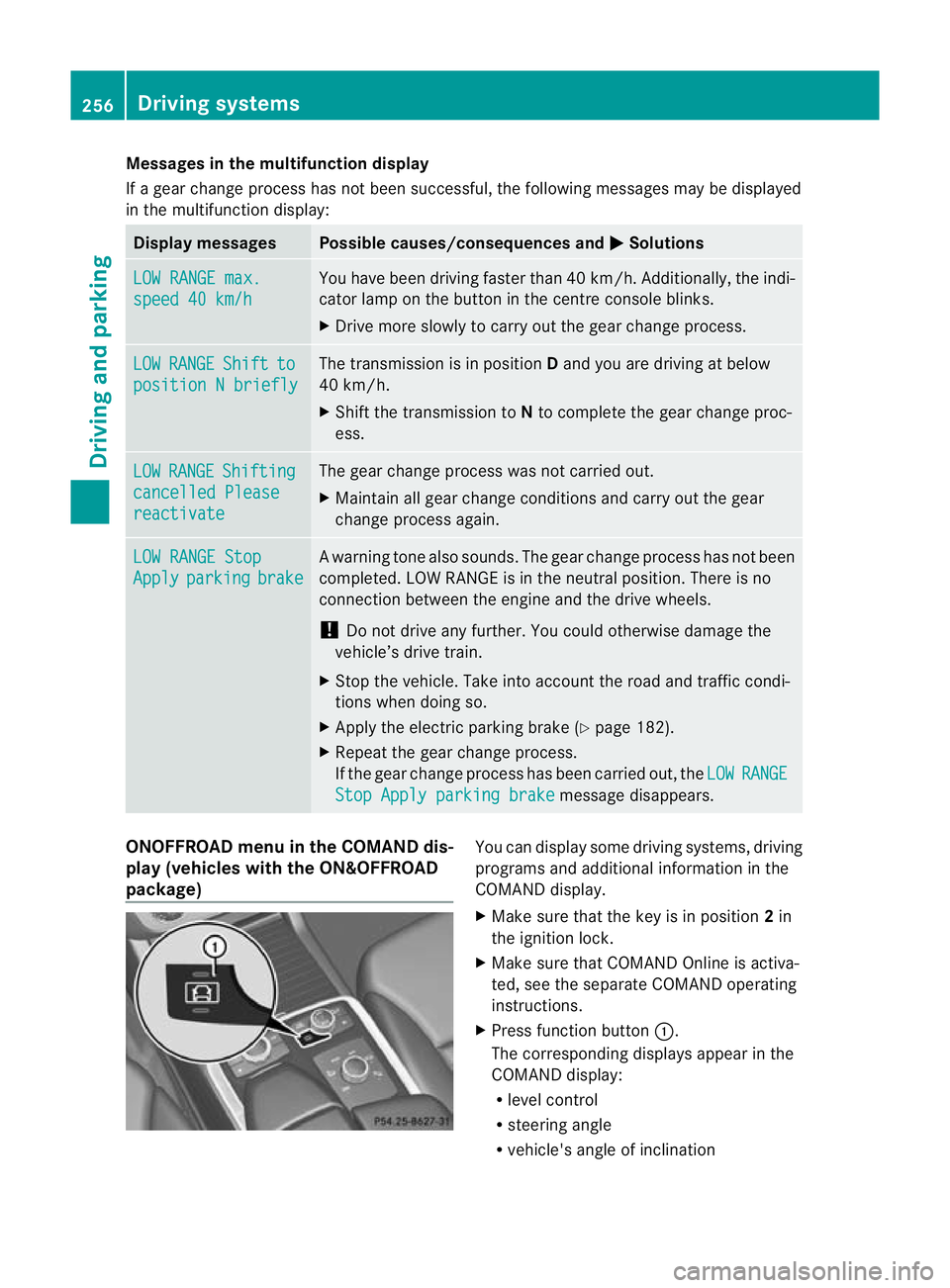
X Pres sfunction button :.
The corresponding displays appea rinthe
COMAN Ddisplay:
R level control
R steering angle
R vehicle' sangle of inclination 256
Drivin
gsystemsDrivin gand pa rking
Page 261 of 441
Make sur
ethat the followin gvalues are not
exceeded:
R the permissible trailer drawba rnoseweight
R the permissible trailer load
R the permissible rea raxle load of the towing
vehicle
R the maximum permissible gros svehicle
weight of both the towing vehicle and the
trailer
The applicable permissible values, which
must not be exceeded, can be found:
R in the vehicle documents
R on the identification plates of the trailer tow
hitch, the trailer and the vehicle
If the values differ, the lowest value applies.
You will fin dthe values approved by the man-
ufacturer on the vehicle identification plates
and those for the towing vehicle under "Tech-
nical data "(Ypage 433).
When towing atrailer, your vehicle's handling
characteristics wil lbedifferent in comparison
to when drivin gwithout atrailer.
Th ev ehicle/ trailer combination:
R is heavier
R is restricted in its acceleration and gradi-
ent-climbin gcapability
R has an increased braking distance
R is affected more by stron gcrosswinds
R demand smore sensitive steering
R has alarger turnin gcircle
This could impair the handling charac teris-
tics. Adapt your styl eofdriving accordingly.
Maintain asafe distance. Drive carefully.
When towing atrailer, alw aysa djust your
speed to the current road and weather con-
ditions. Do not exceed the maximum permis-
sible speed for your vehicle/trailer combina-
tion.
General notes !
Use adrawbar noseweigh tasc lose as
possible to the maximum permissible nose-
weight. Do not use anoseweight of less than 50kg, otherwise the trailer ma
ycome
loose.
Not ethat the payload and the rea raxle load
are reduce dbythe actual payload.
i Chec kthe tyr epressures when towin ga
trailer. You will find the values in the tyre
pressure table in the fuel filler flap of the
vehicle (Y page 399).
You will find installation dimensions and loads
in the "Technical data" section
(Y page 432).
The maximum permissible trailer drawbar
noseweight on the ball coupling is 140 kg.
However, the actual noseweight must not
exceed the value given on the trailer tow hitch
or trailer identification plates .The lowest
weight applies.
Please not ethat when towing atrailer, PARK-
TRONIC (Y page 216) and Blind Spo tAssist
(Y page 238) ar eonly available with limita-
tions ,orn ot at all.
Driving tips i
Observ ethe information on ESP ®
trailer
stabilisation (Y page 67)and on pulling
away with atrailer. (Y page 162).
Vehicle swith the ON&OFFROAD pack-
age: select the trailer program (Y page 250)
with the off- road program selector wheel in
the centre console.
The maximum permissible spee dfor vehicle/
trailer combina tions depends on the type of
trailer .Befor ebeginning the journey, check
the trailer's document stosee what the max-
imu mpermitted speed is. Observ ethe legally
prescribed maximum speed in the relevant
country.
For cer tain Mercedes-Benz vehicles, the max-
imum permissible rear axle load is increased
when towing atrailer. See "Technica ldata" to
find out whethe rthis applies to your vehicle
(Y page 433). If you utilise any of the added
maximum rea raxle load whe ntowing atrailer,
th ev ehicle/ trailer combination may not
exceed amaximum spee dof100 km/h for 258
Towin
gatrailerDriving an dparking
Page 272 of 441
Oper
ating the on-board compu ter
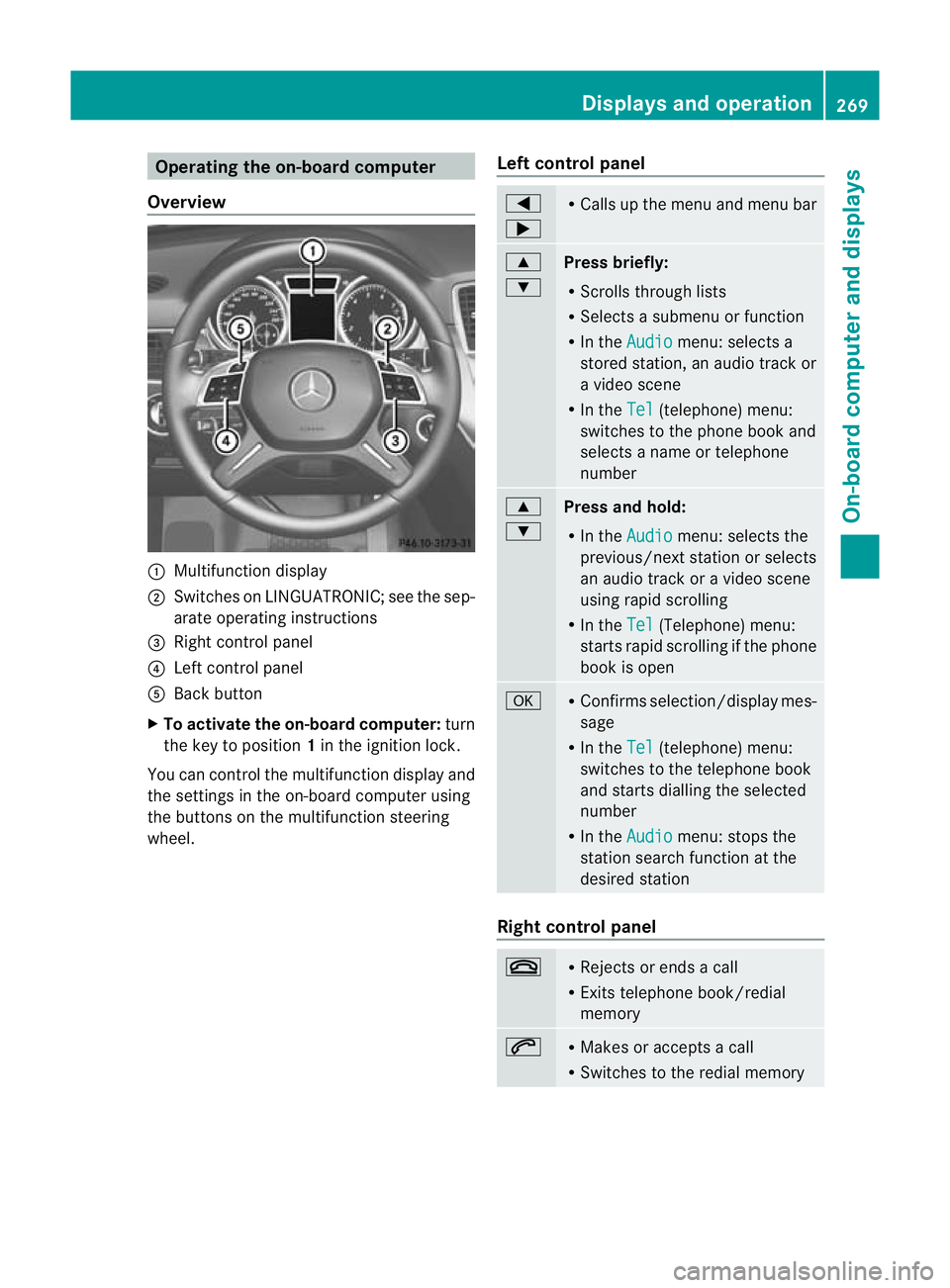
Overview :
Multifunction display
; Swit ches on LINGU ATRONIC; see the sep-
arate operating instructions
= Right control panel
? Left control panel
A Back button
X To activate the on-board computer: turn
the key to position 1in the ignitio nlock.
You can control the multifunction display and
the settings in the on-boar dcompu teru sing
the button sonthe multifunction steering
wheel. Lef
tcontrol panel =
; R
Calls up the menu and menu bar 9
:
Press briefly:
R
Scrolls through lists
R Select sasubmenu or function
R In the Audio menu: select
sa
stored station, an audi otrack or
av ideo scene
R In the Tel (telephone) menu:
switches to th ephon ebook and
selects anam eo rtele phone
number 9
:
Press and hold:
R In the Audio menu: sele
ctst he
previous/next statio norselects
an audio trac koravideoscene
using rapi dscrolling
R In the Tel (Te
lephone) menu:
starts rapid scrolling if the phone
book is open a R
Confirm sselection/display mes-
sage
R In the Tel (telephone) menu:
switches to the telephone book
and starts dialling the selected
number
R In the Audio menu: stops the
station searc hfunction at the
desired station Right control panel
~ R
Rejects or ends acall
R Exits telephone book/redial
memory 6 R
Makes or accepts acall
R Switches to the redial memory Displays and operation
269On-board computer and displays Z
Page 279 of 441
You will see one of the followin
gdisplay mes-
sages in the multifunction display:
R Please enter PIN :t
he mobile phone has
been placed in the mobile phone bracket
and the PIN has not yet been entered.
When you enter your PIN via the mobile
phone, LINGUATRONIC ,the audio system
or COMAN DOnline, the mobil ephone
searches for anetwor k.
R Telephone ready or the nam
eofthe net-
wor kprovider: th emobile phone has found
an etwor kand is ready to receive.
R Telephone No Service :t
here is no net-
wor kavail able or the mobile phone is
searching for anetwor k.
i You can obtain further information about
suitable mobile phones and connecting
mobile phones via Bluetooth ®
:
R from any Mercedes Benz Service Centre
R on the Internet at: http://
www.mercedes-benz.com/ connect
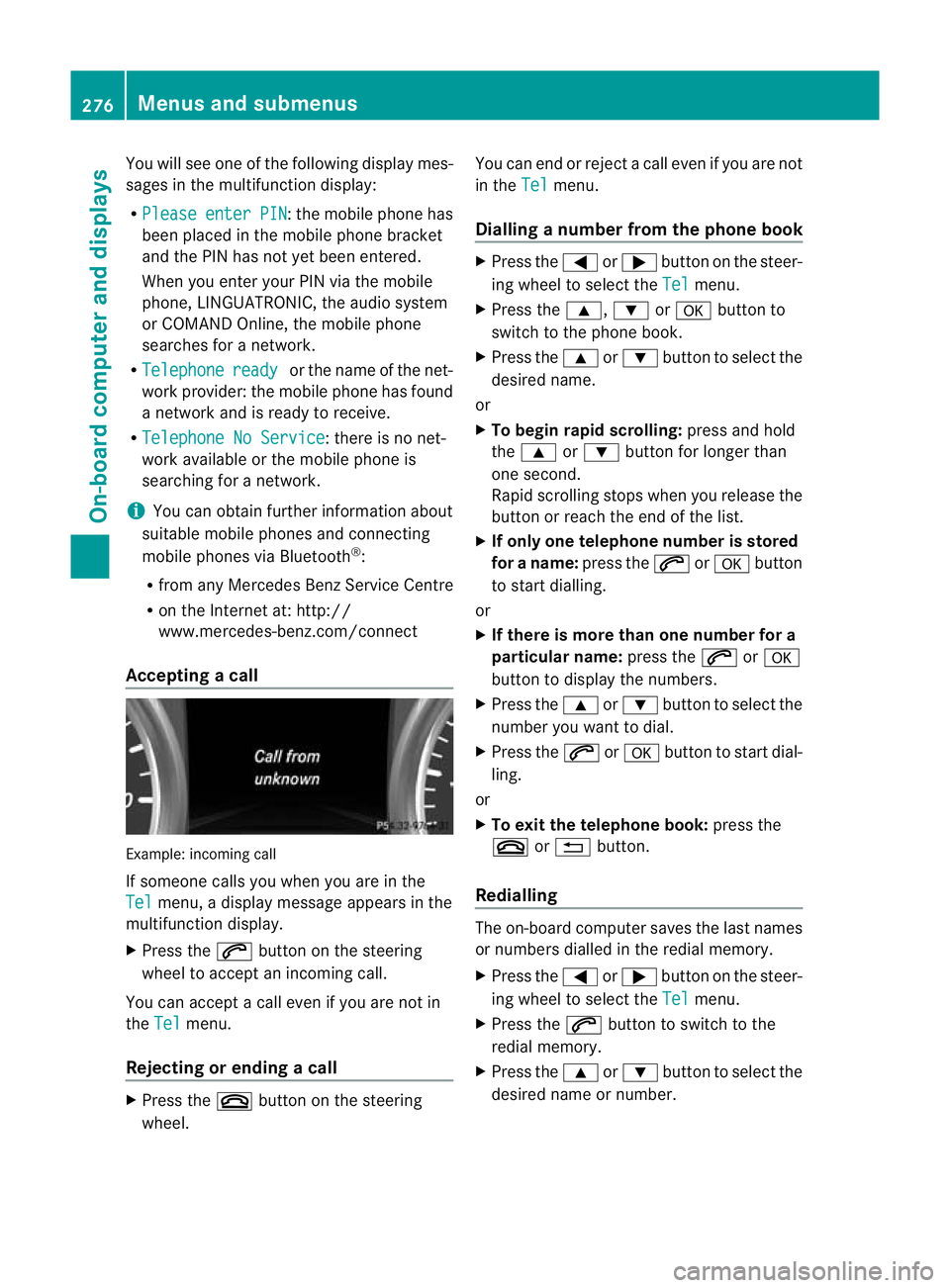
Acceptin gacall Examp
le:i ncoming call
If someone call syou when you are in the
Tel menu,
adisplay message appears in the
multifunction display.
X Press the 6button on the steering
wheel to accept an incomin gcall.
You can accept acall even if you are not in
the Tel menu.
Rejecting or ending acall X
Press the ~buttonont he steer ing
wheel. You can end or reject
acall even if you are not
in the Tel menu.
Dialling anumbe rfrom the phone book X
Press the =or; button on the steer-
ing wheel to sel ectthe Tel menu.
X Press the 9,:ora button to
switch to the phone book.
X Press the 9or: button to select the
desired name.
or
X To begin rapid scrolling: press and hold
the 9 or: button for longer than
one second.
Rapid scrolling stops when you release the
button or reach the end of the list.
X If only one telephone number is stored
for aname: press the 6ora button
to start diall ing.
or
X If ther eismore tha none number for a
pa rticula rname: press the 6ora
button to display the numbers.
X Press the 9or: button to select the
number you want to dial.
X Press the 6ora button to start dial-
ling.
or
X To exit the telephon ebook: press the
~ or% button.
Redialling The on-board computer saves the last names
or numbers dialle dinthe redial memory.
X Press the =or; button on the steer-
ing wheel to selec tthe Tel menu.
X Press the 6button to switc htothe
redial memory.
X Press the 9or: button to selec tthe
desired nam eornumber. 276
Menus and submenusOn-board computer and displays
Page 280 of 441
X
Press the 6ora button to star tdial-
ling.
or
X To exit the redia lmemory: press the
~ or% button. Assistance menu
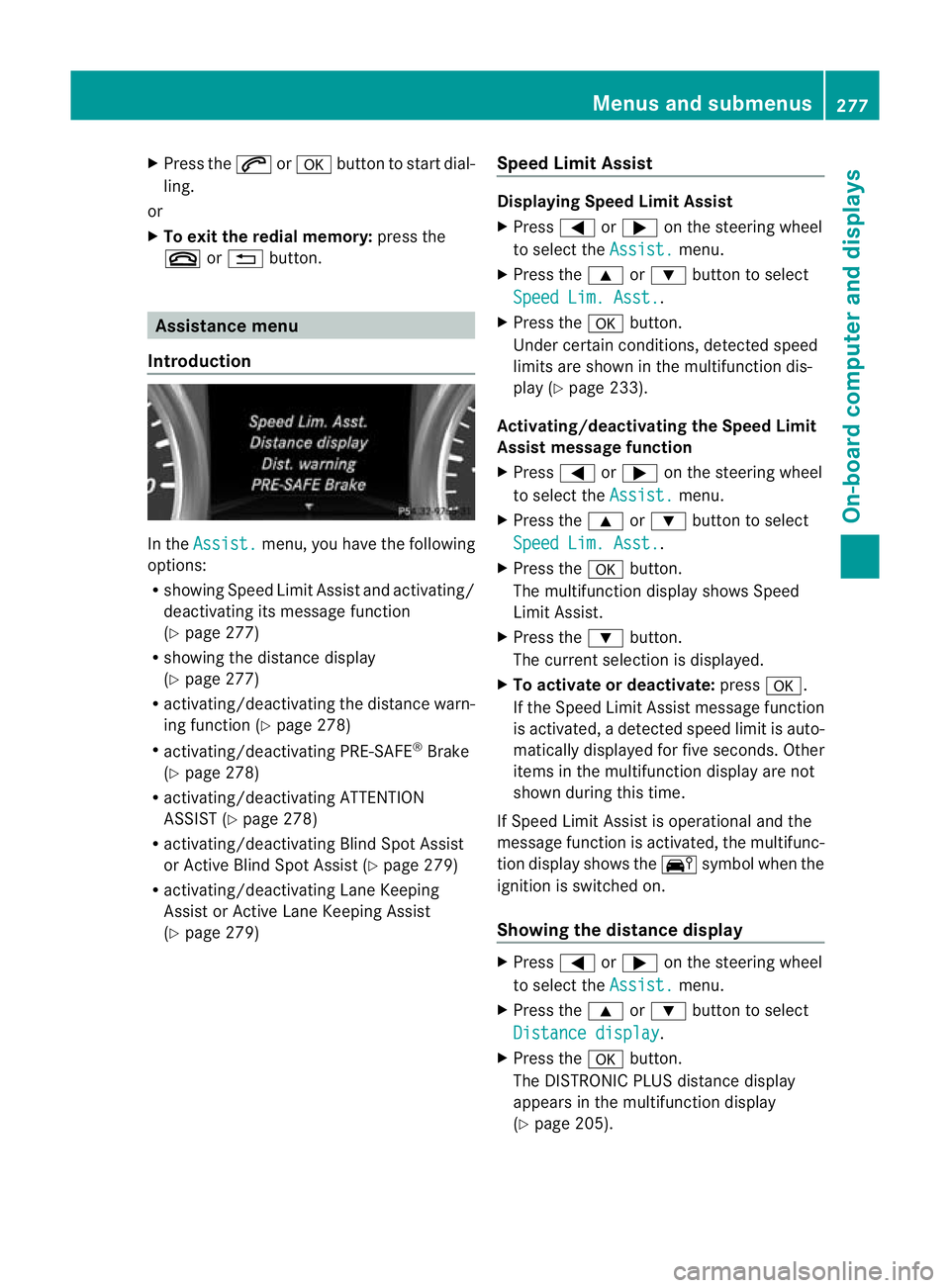
Introduction In the
Assist. menu, you have the following
options:
R showing Speed Limit Assist and activa ting/
deactivating its message function
(Y pag e277)
R showing the distance display
(Y pag e277)
R activating/deac tivating th edistanc ewarn-
ing function (Y page 278)
R activating/deactivating PRE-SAFE ®
Brake
(Y page 278)
R activating/deactivating ATTENTION
ASSIST (Y page 278)
R activating/deactivating Blind Spot Assist
or Active Blind Spot Assis t(Y page 279)
R activating/deactivating Lan eKeeping
Assist or Active Lan eKeeping Assist
(Y page 279) Speed Limit Assist Displaying Speed Limit Assist
X
Press =or; on the steerin gwheel
to selec tthe Assist. menu.
X Press the 9or: button to select
Spee dLim. Asst. .
X Press the abutton.
Under certain conditions ,detected speed
limits are shown in the multifunction dis-
play (Y page 233).
Activating/deac tivating th eSpeed Limit
Assist message function
X Press =or; on the steering wheel
to select the Assist. menu.
X Pres sthe 9 or: button to select
Spee dLim. Asst. .
X Press the abutton.
Th em ultifunction display shows Speed
Limit Assis t.
X Press the :button.
The curren tselection is displayed.
X To activate or deactivate: pressa.
If the Speed Limit Assist message fun ction
is activated, adetected speed limi tisauto-
matically displayed for five seconds. Other
items in the multifunction display are not
shown during this time.
If Speed Limit Assis tiso perational and the
message fun ction is activated, the multifunc-
tion display shows the Äsymbol when the
ignition is switched on.
Showing the distance display X
Press =or; on the steering wheel
to select the Assist. menu.
X Press the 9or: button to select
Distan cedisplay .
X Press the abutton.
The DI STRONIC PLUS distance display
appears in the multifunction display
(Y page 205). Menus and submenus
277On-board computer and displays Z
Page 281 of 441
If the
Sensors deactivated messa
ge
appears, the radar senso rsystem is deacti-
vated.
X Check whether or not the radar sensor sys-
tem is permitted to be activated
(Y page 433).
X Switc honthe radar sensor system
(Y page 28 3).
Activating/deactivating distance warn-
ing function X
Press =or; on the steering wheel
to select the Assist. menu.
X Press 9or: to select Dist. warn‐
ing .
X Press the abutton.
The curren tselection is displayed.
X To activate/deac tivate: press the a
button again.
When the distanc ewarning function is acti-
vated, the multifunction display shows the
Ä symbol if the HOLD function is not acti-
vated (Y page 211).
Vehicles with Active Parking Assist: if
PARKTRONIC is activated and you are driving
at as peed under 35 km/h, the jActive
Parkin gAssist symbol is shown instead of the
Ä symbol ( Ypage 21 9).
Further information on the distance warning
function (Y page63).
Activating/deactivatin gPRE-SAFE ®
Brake PRE-SAFE
®
Brake is only available in vehicles
with DISTRONIC PLUS.
X Press =or; on the steering wheel
to select the Assist. menu.
X Pres sthe 9 or: button to select
PRE-SA FEBrake .X
Press the abutton.
The curren tselection is displayed.
X To activate/deac tivate: press the a
button again.
When PRE-SAFE ®
Brak eisa ctivated, the mul-
tifunction displa yshows the Äsymbol as
long as the HOL Dfunction is not activated
(Y page 211).
Vehicles with Active Parking Assist: if
PARKTRONIC is activated and you are driving
at as peed under 35 km/h, the jActive
Parkin gAssist symbol is shown instead of the
Ä symbol ( Ypage 21 9).
If the PRE-SA FEBrake: Sensors deacti‐ vated message appears
,the radar sensor
system is deactivated.
X Chec kwhether or not the radar sensor sys-
tem is permi tted to be activated
(Y page 43 3).
X Switch on the radar senso rsystem
(Y page 283).
For more information on PRE-SAFE ®
Brake,
see (Y page 68).
Activating/deactivating ATTENTION
ASSIST X
Press =or; on the stee ring wheel
to select the Assist. menu.
X Pres sthe 9 or: button to select
Attent ionA sst. X
Press the abutton.
The curren tselection is displayed.
X To activate/deac tivate: press the a
button again.
When ATTENTION ASSI STis activated, the
À symbol appears in the multifunction
display when the ignition is on.
For further information about ATTENTION
ASSIST, see (Y page 232).278
Menus and submenusOn-boar
dcomputer and displays
Page 282 of 441
Activating/deactivating Blind Spot
Assist X
Press =or; on thesteering wheel
to select the Assist. menu.
X Pres sthe 9 or: buttontos elect
Blin dSpot Asst. .
X Press the abutton.
Th ec urrent selection is displayed.
X To activate/deactivate: press thea
button again.
If the BlindSpot Assist Sensors deac‐ tivated or
Active blind spot assist. sensor system deactivated message
appears ,the radar sensor system is deacti-
vated.
X Chec kwhether or not the radar sensor sys-
tem is permitted to be activated
(Y page 433).
X Switc hont he radar sensor system
(Y page 283).
For further information about Blind Spot
Assist ,see (Y page 238).
For further information about Active Blind
Spot Assist ,see (Y page 242).
Activating/deactivating Lane Keeping
Assist X
Press =or; on the steerin gwheel
to selec tthe Assist. menu.
X Press the 9or: button to select
Lane Keep .Asst. X
Press the abutton.
Th ec urrent selection is displayed.
X Press ato confirm.
X Press :or9 to set Off ,
Standard or
Adaptive .
X Press the abutton to save the setting.
When Lane Keeping Assis torActive Lane
Keeping Assist is activated, the Ãsymbol
appears in the multifunction displa ywhen the
ignition is on. For further information about Lane Keeping
Assist
,see (Y page 240).
For further information about Active Lane
Keepin gAssist ,see (Y page 245). Service menu
In the
Serv. menu, you have the following
options:
R call up display messages in message mem-
ory (Y page 290)
R restart the tyr epressure loss warning sys-
tem (Y page 401)
R check th etyre pressure electronically
(Y page 402)
R call up service due date (Y page 365) Settings menu
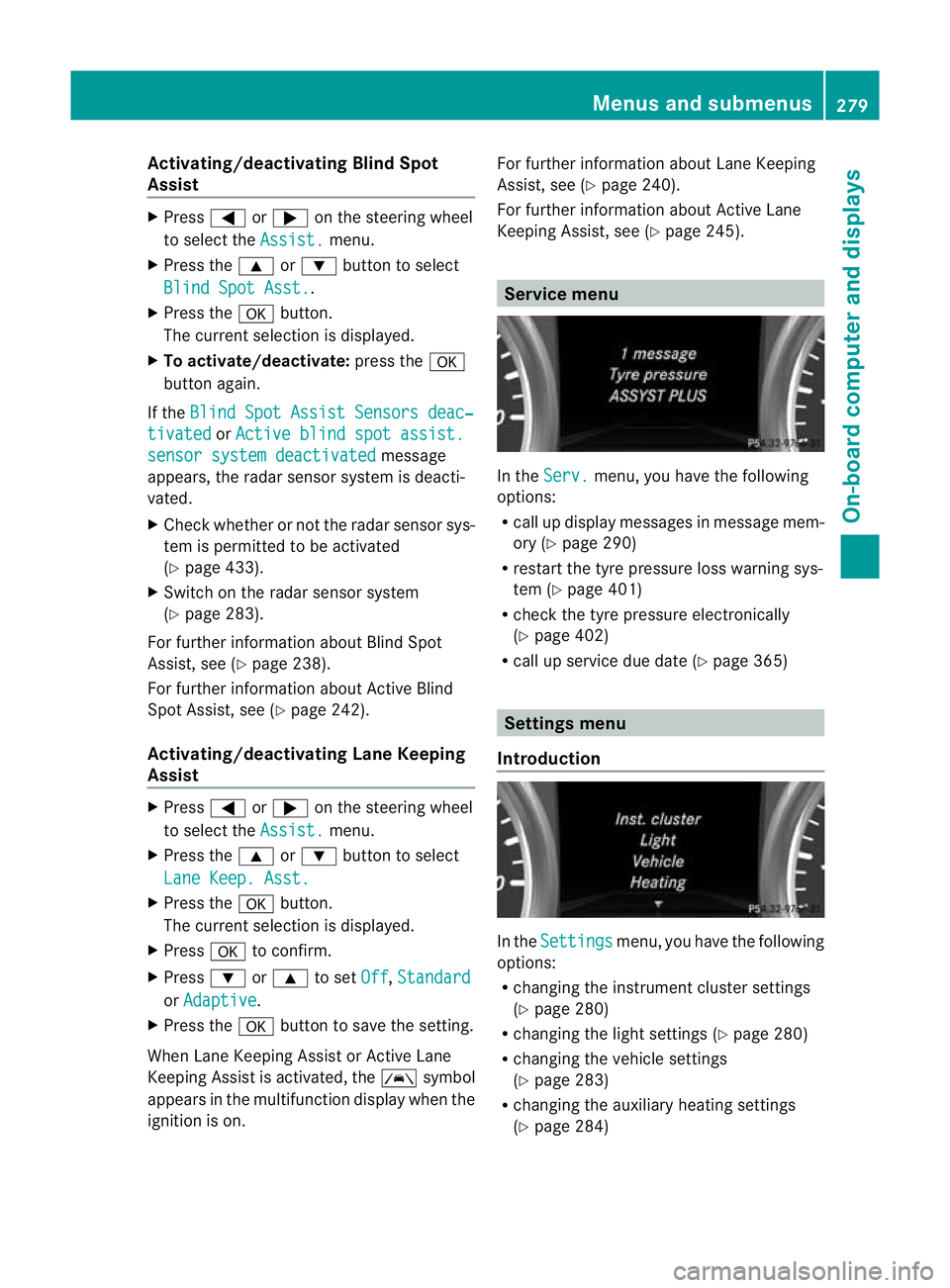
Introduction In the
Settings menu, you have the following
options:
R changing the instrument cluster settings
(Y page 280)
R changing the ligh tsettings (Y page 280)
R changing the vehicle settings
(Y page 283)
R changing the auxiliary heatin gsettings
(Y page 284) Menu
sand submenus
279On-board computer and displays Z
Page 291 of 441
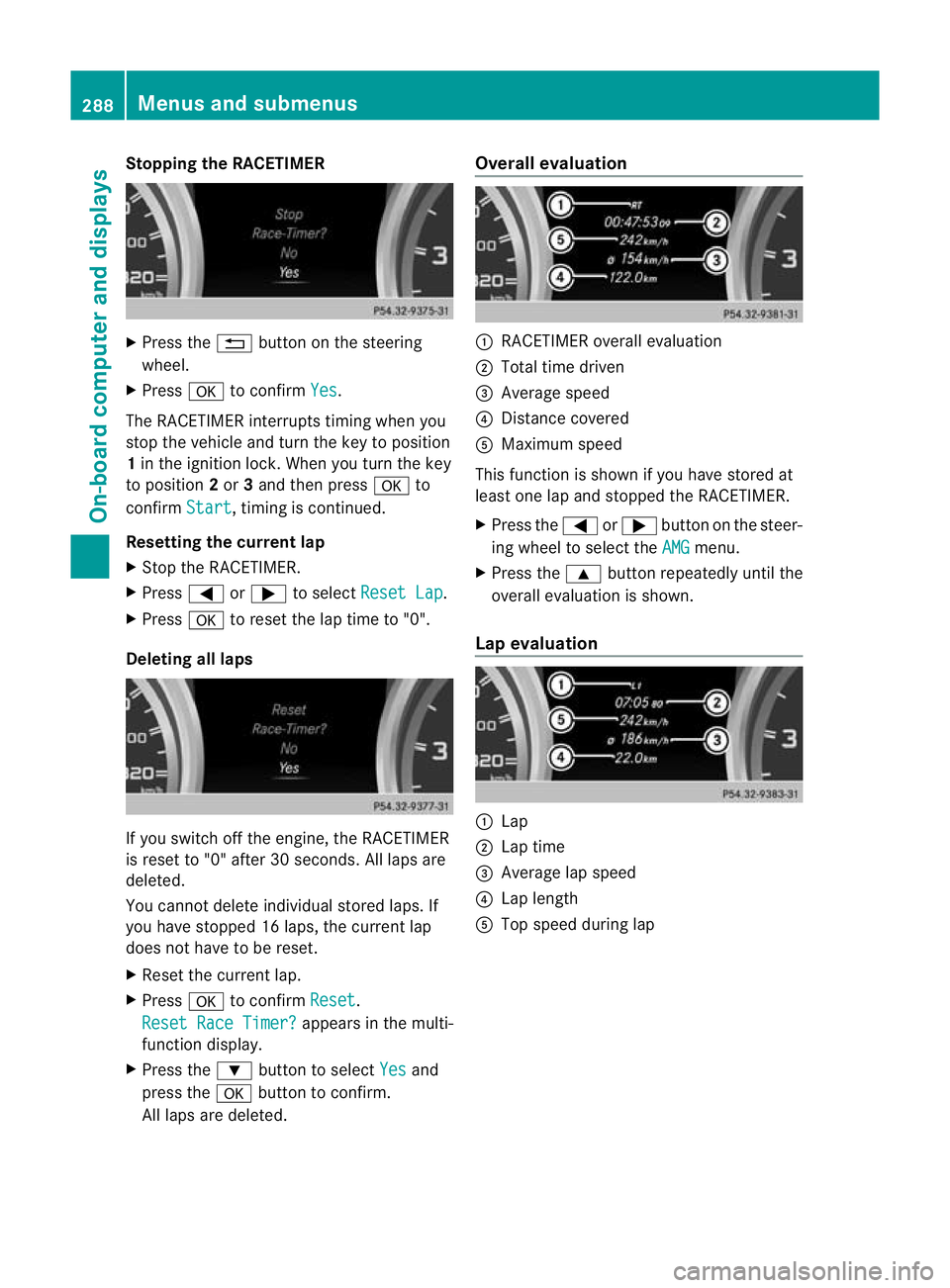
Stopping th
eRACETIMER X
Press the %button on the steering
wheel.
X Press ato confirm Yes .
The RACETIMER interrupts timing when you
stop the vehicle and turn the key to position
1 in the ignition lock. When you turn the key
to position 2or 3and then press ato
confirm Start ,t
iming is continued.
Resetting the current lap
X Stop the RACETIMER.
X Press =or; to select ResetLap .
X Press ato reset th elap time to "0".
Deleting all laps If you switch off the engine, the RACETIMER
is reset to "0" after 30 seconds
.All laps are
deleted.
You cannot delete individual stored laps. If
you have stopped 16 laps, the current lap
does not have to be reset.
X Reset the current lap.
X Press ato confirm Reset .
Rese tRace Timer? appe
arsint he multi-
func tion display.
X Press the :button to select Yes and
press the abutton to con firm.
All laps are deleted. Overall evaluation
:
RACETIMER overall evaluation
; Tota ltime driven
= Average speed
? Distanc ecovered
A Maximum speed
This func tion is shown if you have stored at
least one lap and stopped the RACETIMER.
X Press the =or; button on the steer-
ing wheel to select the AMG menu.
X Press the 9button repeatedly until the
overall evaluation is shown.
Lap evaluation :
Lap
; Lapt ime
= Average lap speed
? Lap length
A Top speed during lap 288
Menus and submenusOn-board computer and displays
Page 293 of 441
Displa
ymessages Introduction
General notes Display message
sappear in th emultifunction display.
Display messages with graphic symbols are simplified in the Owner's Manual and may differ
fro mt he symbols in the multifunction display.
Please respond in accordanc ewith the displa ymessages and follow the additional notes in
this Owner's Manual.
Certain display messages are accompanied by an audible warning tone or acontinuou stone.
When you stop and par kthe vehicle, please observe the notes on:
R HOL Dfunction (Y page 211)
R Parking (Y page 181)
Hiding display messages X
Press the aor% button on the steering wheel to hide the displa ymessage.
The display message is cleared.
The multifunction display shows high-priorit ydispla ymessages in red. Som ehigh-priority dis-
play messages cannot be hidden.
The multifunction displa yshows these messages con tinuously until the cause sfor the mes-
sages have been remedied.
Message memory The on-boar
dcomputer save scertain display messages in the message memory.You can
cal lupt he displa ymessages:
X Press the =or; button on the steerin gwheel to selec tthe Serv. menu.
If ther eare display messages, th emultifunction display shows 2messages ,f
or example.
X Press the 9or: button to select the entry, e.g. 2messages .
X Press ato confirm.
X Press the 9or: buttontos croll through the displa ymessages.
When the ignition is switched off ,all display messages are deleted apart from some high-
priority display messages. Once the causes of the high-priority display messages have been
rectified, the correspondin gdisplay messages are also deleted. 290
Display messagesOn-board computer and displays