bluetooth MERCEDES-BENZ GL SUV 2012 Owners Manual
[x] Cancel search | Manufacturer: MERCEDES-BENZ, Model Year: 2012, Model line: GL SUV, Model: MERCEDES-BENZ GL SUV 2012Pages: 441, PDF Size: 10.66 MB
Page 278 of 441
Vide
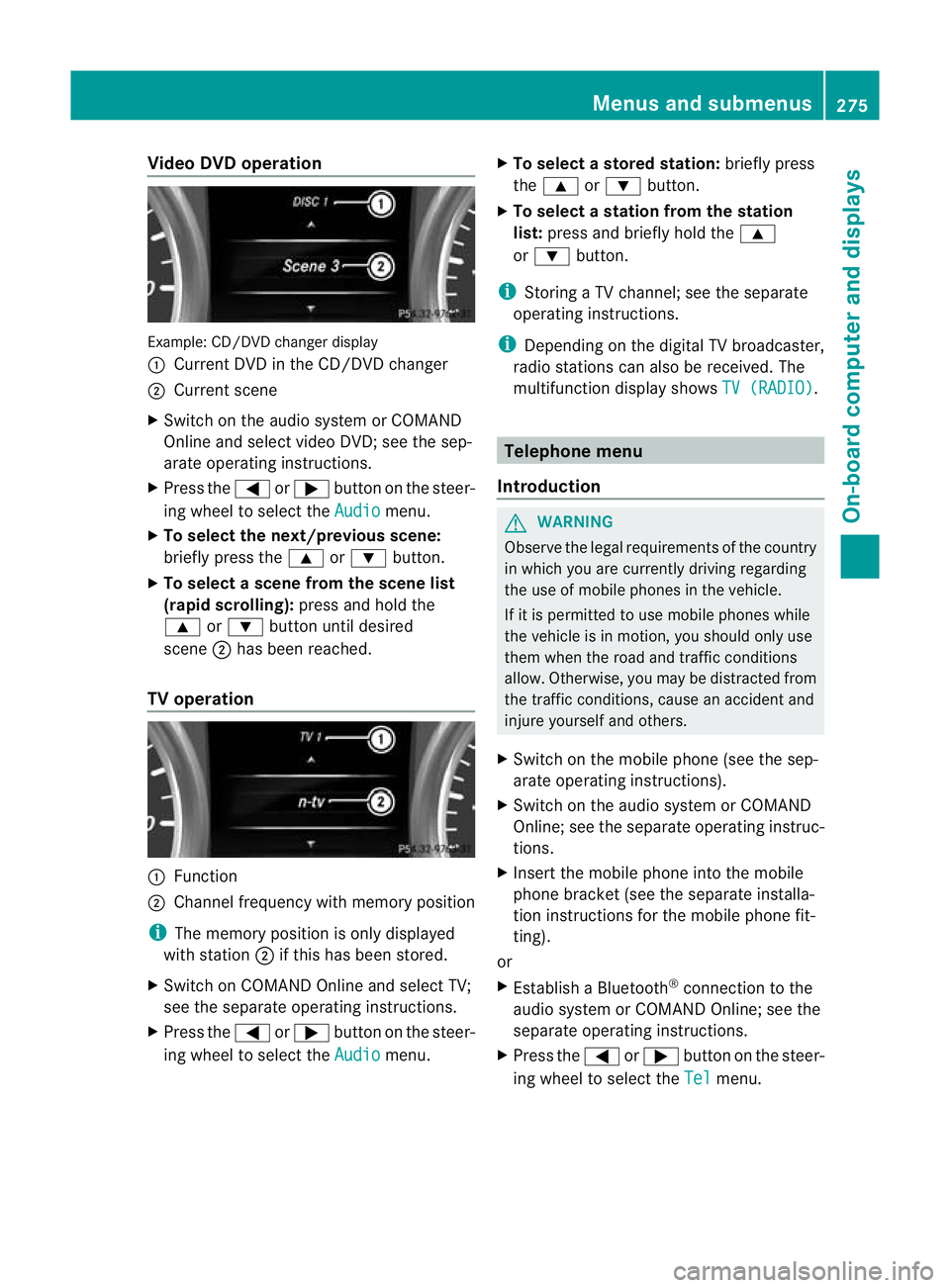
oDVD operation Example
:CD/DVD change rdisplay
: Curren tDVD in th eCD/DVD changer
; Curren tscene
X Switch on the audi osystem or COMAND
Online and select video DVD ;see the sep-
arate operating instructions.
X Press the =or; button on the steer-
ing wheel to select the Audio menu.
X To select th enext/previous scene:
briefly press the 9or: button.
X To select ascene from th escene list
(rapid scrolling): press and hold the
9 or: button until desired
scene ;has been reached.
TV operati on :
Function
; Channe lfrequenc ywithm emory position
i The memory position is only displayed
with station ;if this has bee nstored.
X Switch on COMAND Online and select TV;
see the separate operating instructions.
X Press the =or; button on the steer-
ing whee ltos elect the Audio menu.X
To select astore dstation: brieflypress
the 9 or: button.
X To select astation from the station
list: press and briefl yholdt he 9
or : button.
i Storing aTVchannel; see the separate
operatin ginstructi ons.
i Depending on the digital TV broadca ster,
radi ostations can also be received. The
multifunctio ndisplay shows TV (RADIO) .
Telephone menu
Introduction G
WAR
NING
Observe the lega lrequir ements of the country
in which you are cur rently drivin gregarding
the use of mobile phones in the vehicle.
If it is permitted to use mobile phones while
the vehicle is in motion, you should only use
the mw hen the roa dand traffic conditions
allow. Otherwise ,you may be distrac tedf rom
th et raffic conditions, caus eanaccident and
injure yourself and others.
X Switch on the mobile phone (see the sep-
arate operating ins tructions).
X Switch on the audio system or COMAND
Online; see the separate operating instruc-
tions.
X Insert the mobile phone int othe mobile
phon ebracket (see th esepara teinstalla-
tion instruc tions for the mobile phon efit-
ting).
or
X Establish aBluetooth ®
connection to the
audio system or COMAN DOnline; see the
separat eoperating instruc tions.
X Press the =or; button on the steer-
ing wheel to selec tthe Tel menu.Menu
sand submenus
275On-board computer and displays Z
Page 279 of 441
You will see one of the followin
gdisplay mes-
sages in the multifunction display:
R Please enter PIN :t
he mobile phone has
been placed in the mobile phone bracket
and the PIN has not yet been entered.
When you enter your PIN via the mobile
phone, LINGUATRONIC ,the audio system
or COMAN DOnline, the mobil ephone
searches for anetwor k.
R Telephone ready or the nam
eofthe net-
wor kprovider: th emobile phone has found
an etwor kand is ready to receive.
R Telephone No Service :t
here is no net-
wor kavail able or the mobile phone is
searching for anetwor k.
i You can obtain further information about
suitable mobile phones and connecting
mobile phones via Bluetooth ®
:
R from any Mercedes Benz Service Centre
R on the Internet at: http://
www.mercedes-benz.com/ connect
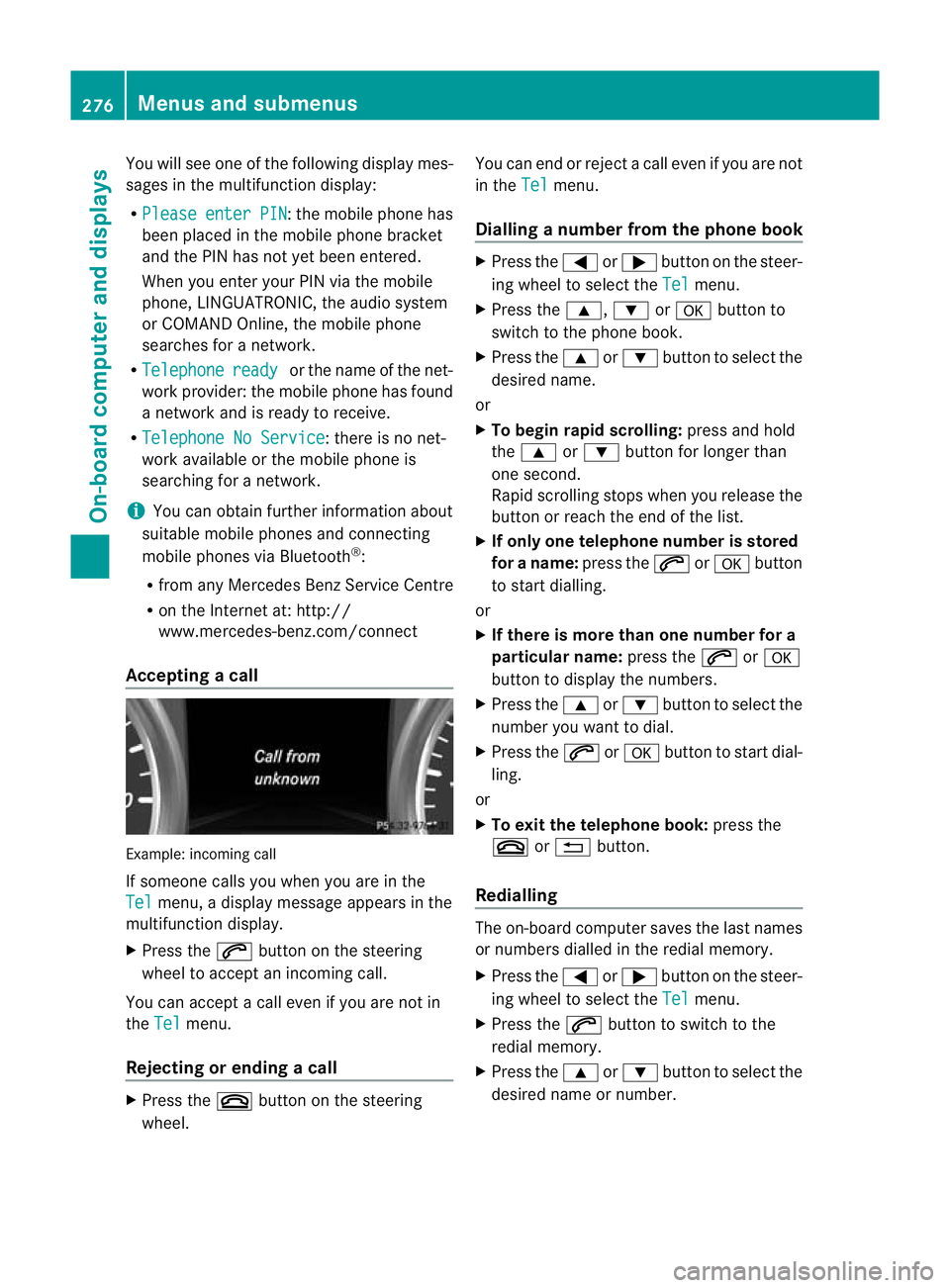
Acceptin gacall Examp
le:i ncoming call
If someone call syou when you are in the
Tel menu,
adisplay message appears in the
multifunction display.
X Press the 6button on the steering
wheel to accept an incomin gcall.
You can accept acall even if you are not in
the Tel menu.
Rejecting or ending acall X
Press the ~buttonont he steer ing
wheel. You can end or reject
acall even if you are not
in the Tel menu.
Dialling anumbe rfrom the phone book X
Press the =or; button on the steer-
ing wheel to sel ectthe Tel menu.
X Press the 9,:ora button to
switch to the phone book.
X Press the 9or: button to select the
desired name.
or
X To begin rapid scrolling: press and hold
the 9 or: button for longer than
one second.
Rapid scrolling stops when you release the
button or reach the end of the list.
X If only one telephone number is stored
for aname: press the 6ora button
to start diall ing.
or
X If ther eismore tha none number for a
pa rticula rname: press the 6ora
button to display the numbers.
X Press the 9or: button to select the
number you want to dial.
X Press the 6ora button to start dial-
ling.
or
X To exit the telephon ebook: press the
~ or% button.
Redialling The on-board computer saves the last names
or numbers dialle dinthe redial memory.
X Press the =or; button on the steer-
ing wheel to selec tthe Tel menu.
X Press the 6button to switc htothe
redial memory.
X Press the 9or: button to selec tthe
desired nam eornumber. 276
Menus and submenusOn-board computer and displays
Page 354 of 441
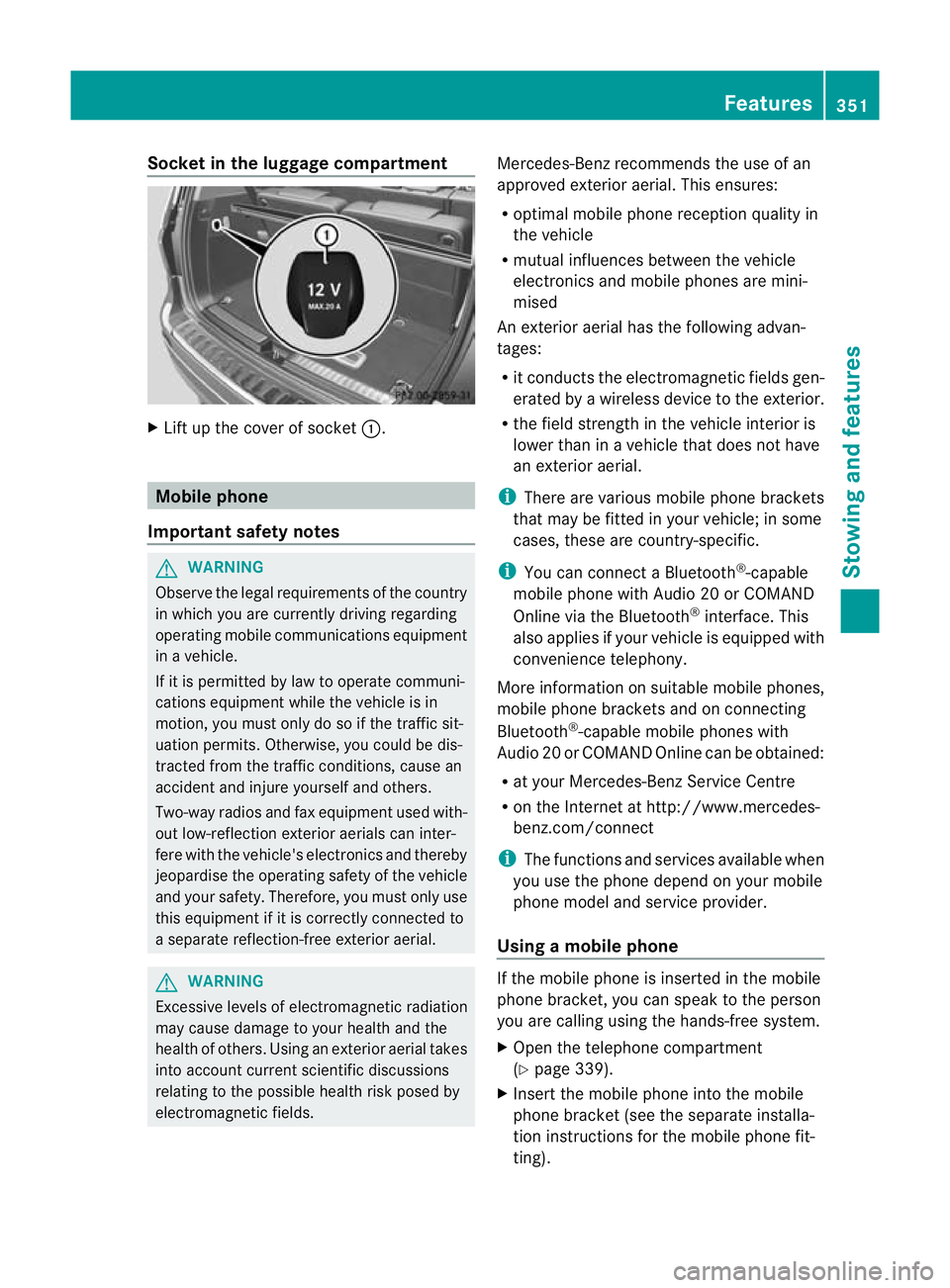
Socket in th
eluggage compartment X
Lift up th ecover of socket :. Mobile phone
Important safety notes G
WARNING
Observ ethe legal requirements of the country
in whic hyou are curren tlyd riving regarding
operatin gmobile communications equipment
in av ehicle.
If it is permitted by law to operat ecommuni-
cations equipment while the vehicle is in
motion, you must only do so if the traffic sit-
uation permits. Otherwise, you coul dbedis-
trac tedf rom th etraffic conditions, caus ean
accident and injure yourself and others.
Two-way radios and fax equipment used with-
out low-reflection exterior aerials can inter-
fere with the vehicle's electronics and thereby
jeopardise the operating safety of the vehicle
and your safety. Therefore, you must only use
this equipment if it is correctly connected to
as eparate reflection-free exterior aerial. G
WARNING
Excessive levels of electromagnetic radiation
may cause damage to your health and the
health of others. Usin ganexterior aerial takes
into account current scientific discussions
relating to the possible health risk posed by
electromagnetic fields. Mercedes-Benz recommends the use of an
approved exterior aerial
.This ensures:
R optimal mobile phone reception quality in
the vehicle
R mutua linfluences between the vehicle
electronics and mobil ephones ar emini-
mised
An exterior aerial has the following advan-
tages:
R it conduct sthe electromagnetic fields gen-
erated by awireless device to the exterior.
R the field strength in the vehicle interior is
lower than in avehicle that does not have
an exterior aerial.
i There are various mobile phone brackets
that may be fitted in your vehicle; in some
cases, these are country-specific.
i You can connect aBluetooth ®
-capable
mobile phone with Audio 20 or COMAND
Online via the Bluetooth ®
interface. This
also applies if your vehicle is equipped with
convenience telephony.
More information on suitable mobile phones,
mobile phone brackets and on connecting
Bluetooth ®
-capable mobile phones with
Audio 20 or COMAND Online can be obtained:
R at your Mercedes-Ben zService Centre
R on the In ternet at http://www.mercedes-
benz.com/connect
i The functions and services available when
you use the phone depend on your mobile
phone model and service provider.
Using amobile phone If th
emobile phon eisinserted in the mobile
pho nebracket ,you can speak to th eperson
you are calli ngusing the hands-free system.
X Open the telephone compartment
(Y page 339).
X Insert the mobil ephone int othe mobile
phone bracket (see the separate installa-
tion instructions for the mobile phone fit-
ting). Features
351Stowing and featu res Z
Page 355 of 441
i
On some mobile phone brackets, you first
hav etoc onnect the mobile phone via Blue-
tooth ®
to the mobile phone bracke t(see
the separate operating instructions for the
mobile phone bracket).
If this is the case, the mobile phone does
not hav etobei nsertedinto the bracket for
you to be able to use the telephone func-
tions .However, the charging function and
aerial function ar enot available.
Operating th emobile phone You can operate the telephone using the
6
and~ buttons on the multifunction
steering wheel. You can operate other mobile
phone functions via the on-board computer
(Y page 275).
When you remov ethe key from the ignition
lock ,the mobile phone stay sswitched on.
However, you can no longer use the hands-
free system.
If you have an active call and woul dlike to
take the key out of the ignition lock, first
remov ethe mobile phone from the bracket.
i When usin gabracke tconnected to the
mobile phone via Bluetooth ®
and you wish
to proceed with acall:
Switch to private mode before removing
the key from the ignition lock. Otherwise, it
may take up to 20 seconds before the
mobile phone separates from the system.
Only then can the telephone call continue.
Information on the necessary steps for set-
ting up "private mode" can be found in the
separate mobile phone operating instruc-
tions.
i Not all mobile phones support "private
mode". Garage door opener
Important safety notes The HomeLink
®
garage door opener integra-
ted in the rear-view mirror allows you to oper-
ate up to three different door and gate sys-
tems.
i The garage door opener is only available
for certain countries. Observe the legal
requirements for each individual country.
The HomeLink ®
garage door opener is
compatible with most European garage and
gate opener drives. More information on
HomeLink ®
and/or compatible products is
available from:
R at aq ualified specialised workshop
R the HomeLink ®
hotline
(0) 08000 466 354 65 (free of charge) or
+49 (0) 683 8907 277 (charge sapply)
R on the Internet at:
http://www.homelink.com
Progra mming Programming buttons
G
WARNING
Only press the button on the integrated
garage door opener if there are no persons or
object spresent withi nthe sweep of the
garage door. Person scould otherwise be
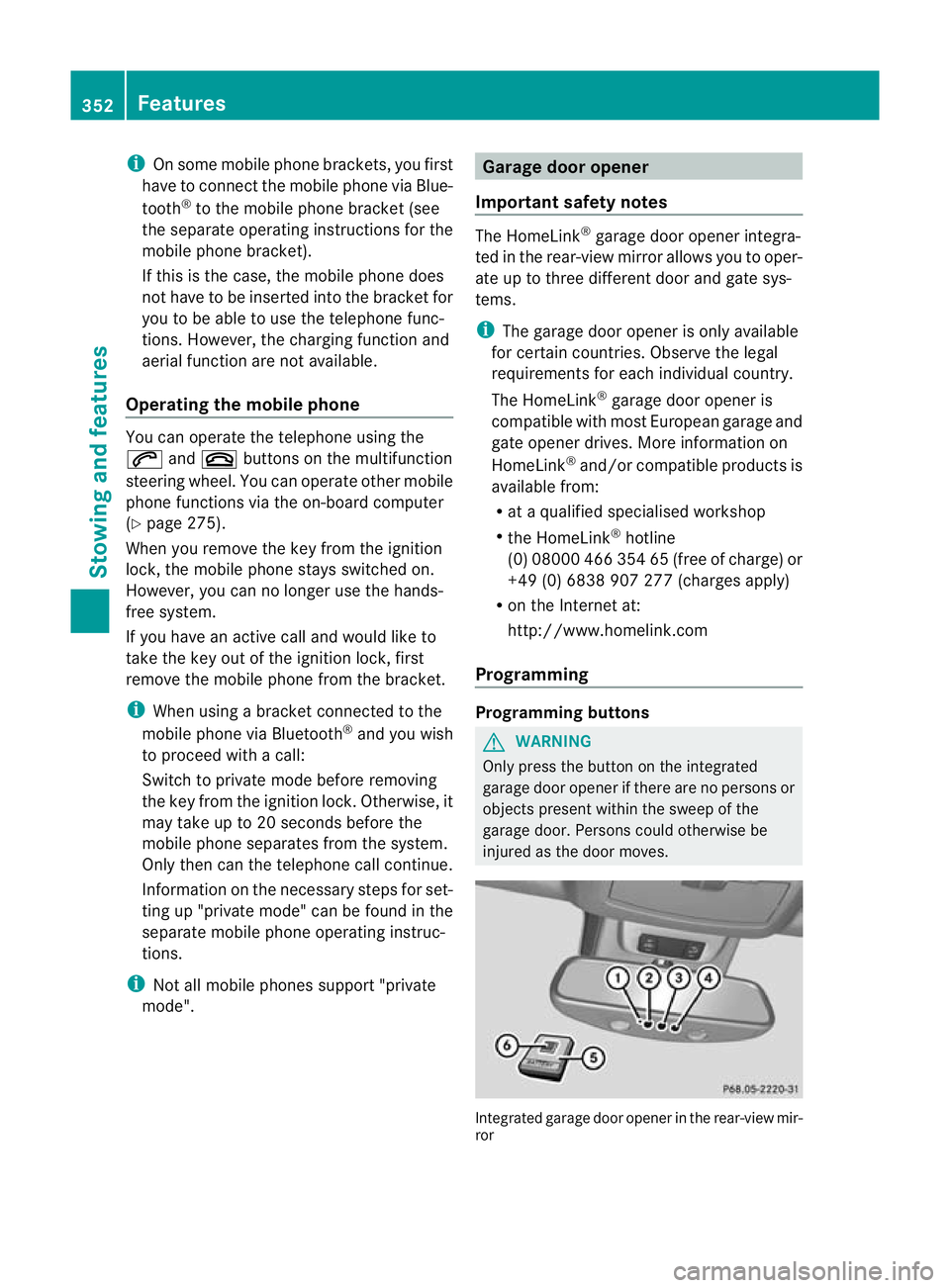
injure dasthe door moves. Integrated garage door opene
rinthe rear-view mir-
ror 352
FeaturesStowin
gand features