ABS MERCEDES-BENZ GLA 2016 User Guide
[x] Cancel search | Manufacturer: MERCEDES-BENZ, Model Year: 2016, Model line: GLA, Model: MERCEDES-BENZ GLA 2016Pages: 390, PDF Size: 10.2 MB
Page 70 of 390
The autonomous braking function: R
gives the driver more time to react to criti-
cal driving situations R
can help the driver to avoid an accident or R
reduces the effects of an accident
Vehicles without DISTRONIC PLUS: the
autonomous braking function is available in
the following speed ranges: R
4 - 65 mph (7 - 105 km/ h) for moving
objects R
4 - 31 mph (7 - 50 km/h) for stationary
objects
Vehicles with DISTRONIC PLUS: the auton-
omous braking function is available in the fol-
lowing speed ranges: R
4 - 124 mph (7 - 200 km/h) for moving
objects R
4 - 31 mph (7 - 50 km/h) for stationary
objects
Due to the nature of the system, particularly
complicated but non-critical driving condi-
tions may also cause the Autonomous Brak-
ing Function to intervene.
Adaptive Brake Assist
General information
i Observe the "Important safety notes" sec-
tion ( Y
page 65).
With the help of adaptive Brake Assist, the
distance warning signal can detect obstacles
that are in the path of your vehicle for an
extended period of time.
If adaptive Brake Assist detects a risk of col-
lision with the vehicle in front, it calculates
the braking force necessary to avoid a colli-
sion. If you apply the brakes forcefully, adap-
tive Brake Assist will automatically increase
the braking force to a level suitable for the
traffic conditions.
Adaptive Brake Assist provides braking assis-
tance in hazardous situations at speeds
above 4 mph (7 km/h). It uses radar sensor
technology to assess the traffic situation. Up to a speed of approximately 155 mph
(250 km/h), adaptive Brake Assist is capable
of reacting to moving objects that have
already been detected as such at least once
over the period of observation.
Up to a speed of approximately 44 mph
(70 km/h), adaptive Brake Assist reacts to
stationary obstacles. X
Keep the brake pedal depressed until the
emergency braking situation is over.
ABS prevents the wheels from locking.
The brakes will work normally again if: R
you release the brake pedal. R
there is no longer any danger of a collision. R
no obstacle is detected in front of your
vehicle.
Adaptive Brake Assist is then deactivated.
Important safety notes
i Observe the "Important safety notes" sec-
tion for driving safety systems ( Y
page 65).
G WARNING
Adaptive Brake Assist cannot always clearly
identify objects and complex traffic situa-
tions.
In such cases, Adaptive Brake Assist can: R
intervene unnecessarily R
not intervene
There is a risk of an accident.
Always pay careful attention to the traffic sit-
uation and be ready to brake. Terminate the
intervention in a non-critical driving situation.
G WARNING
Adaptive Brake Assist does not react: R
to people or animals R
to oncoming vehicles R
to crossing traffic R
when cornering
As a result, the Adaptive Brake Assist may not
intervene in all critical conditions. There is a
risk of an accident.68
Driving safety systems
Safety
Page 183 of 390
In such situations, have the vehicle
checked and repaired immediately at a
qualified specialist workshop. If on con-
tinuing your journey you notice that driving
safety is impaired, pull over and stop the
vehicle immediately, paying attention to
road and traffic conditions. In such cases,
consult a qualified specialist workshop.
The vehicle is only designed for easily nego-
tiable off-road terrain and poor road surfaces.
When driving off-road, substances such as
sand, mud and water or water mixed with oil
may get into the brakes. This could result in a
reduced braking effect or in total brake failure
and also in increased wear and tear. The brak-
ing characteristics change depending on the
material ingressing the brakes. Clean the
brakes after driving off-road. If you detect a
reduced braking effect or grinding noises,
have the brake system checked in a qualified
specialist workshop as soon as possible.
Adapt your driving style to the different brak-
ing characteristics.
Driving off-road increases the likelihood of
damage to the vehicle, which, in turn, can lead
to failure of the mechanical assembly or sys-
tems. Adapt your driving style to suit the ter-
rain conditions. Drive carefully. Have damage
to the vehicle rectified immediately at a quali-
fied specialist workshop.
Do not switch to transmission position N
when driving off-road. If you try to brake the
vehicle using the service brake, you could
lose control of the vehicle. If the gradient is
too steep for your vehicle, drive back down in
reverse gear.
General notes
H Environmental note
Protection of the environment is of primary
importance. Treat nature with respect.
Observe all prohibiting signs.
Read this section carefully before driving your
vehicle off-road. Off-road driving is only possible with the Off-
Road Engineering package ( Y
page 199).
The following driving systems are specially
adapted for driving over easily negotiable off-
road terrain: R
Off-road program ( Y
page 199) R
Off-road ABS ( Y
page 66) R
Off-road 4ETS ( Y
page 69) R
Off-road ESP ®
( Y
page 72) R
DSR (Downhill Speed Regulation)
( Y
page 197)
Observe the following notes: R
Stop the vehicle before starting to drive
along an off-road route. If necessary, acti-
vate the off-road program ( Y
page 157).R
To avoid damaging the vehicle, make sure
there is always sufficient ground clearance. R
Check that items of luggage and loads are
stowed safely and are well secured
( Y
page 285). R
Always keep the engine running and in gear
when driving on a downhill gradient. Acti-
vate DSR ( Y
page 197). R
Drive slowly and evenly, if necessary at a
walking pace. R
Ensure that the wheels are in contact with
the ground at all times. R
Drive with extreme care on unfamiliar off-
road routes where visibility is poor. For
safety reasons, get out of the vehicle first
and survey the off-road route. R
Check the depth of water before fording
rivers and streams. R
Watch out for obstacles. R
Take care when turning on an uphill or
downhill slope or when driving across a
slope. The vehicle could otherwise tip over. R
Always keep the side windows and the pan-
orama roof with power tilt/sliding panel
closed during the journey. R
Do not deviate from marked routes.
Do not use the HOLD function when driving
off-road, on steep uphill or downhill gradients
or on slippery or loose surfaces. The HOLD Driving tips 181
Driving and parking Z
Page 186 of 390
R
Activate DSR. If this is not sufficient, brake
gently. When doing so, make sure that the
vehicle is facing in the direction of the line
of fall. R
Check that the brakes are working normally
after a long downhill stretch.
Off-road ABS is activated when the off-road
program is selected.
At speeds below 18 mph (30 km/h), the front
wheels lock cyclically during braking. The dig-
ging-in effect achieved in the process reduces
the stopping distance on off-road terrain. The
steerability of the vehicle is considerably
reduced if the wheels lock.
Driving systems
Cruise Control
General notes Cruise control maintains a constant road
speed for you. It brakes automatically in order
to avoid exceeding the set speed. On long and
steep downhill gradients, especially if the
vehicle is laden, you must select a low gear in
good time. You need to have previously selec-
ted manual gearshifting M ( Y
page 166). By
doing so, you will make use of the braking
effect of the engine. This relieves the load on
the brake system and prevents the brakes
from overheating and wearing too quickly.
Use cruise control only if road and traffic con-
ditions make it appropriate to maintain a
steady speed for a prolonged period. You can
store any road speed above 20 mph
(30 km/h).
The speed indicated in the speedometer may
differ slightly from the speed stored.
Important safety notes
If you fail to adapt your driving style, cruise
control can neither reduce the risk of an acci-
dent nor override the laws of physics. Cruise
control cannot take into account the road,
traffic and weather conditions. Cruise control is only an aid. You are responsible for the dis-
tance to the vehicle in front, for vehicle speed,
for braking in good time and for staying in
your lane.
Do not use cruise control: R
in road and traffic conditions which do not
allow you to maintain a constant speed e.g.
in heavy traffic or on winding roads R
on slippery road surfaces. Braking or accel-
erating could cause the drive wheels to lose
traction and the vehicle could then skid R
when there is poor visibility, e.g. due to fog,
heavy rain or snow
If there is a change of drivers, advise the new
driver of the speed stored.
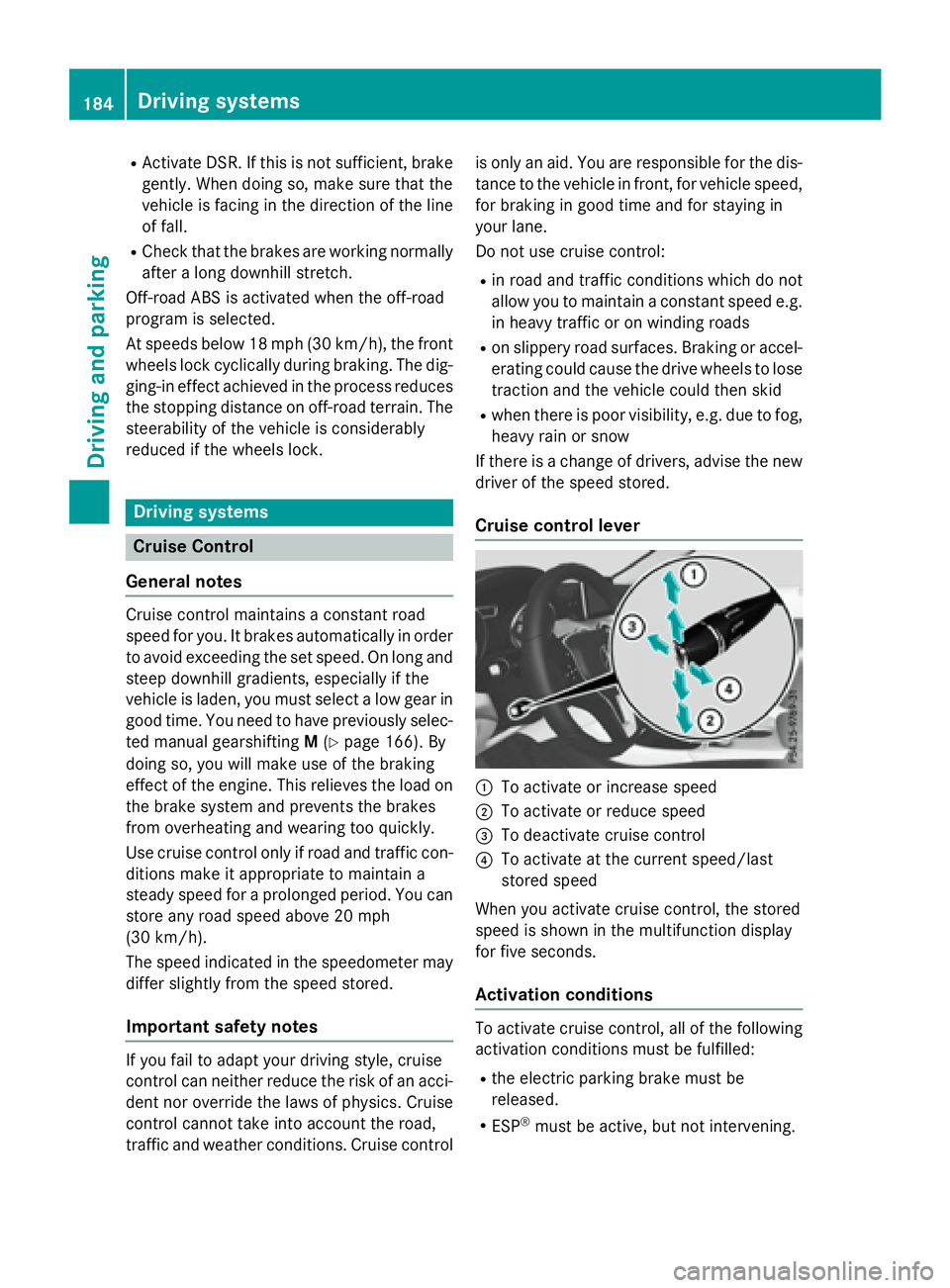
Cruise control lever
C
To activate or increase speed D
To activate or reduce speed
Page 201 of 390
Chassis with adaptive adjustable
damping
General notes Suspension with the Adaptive Damping Sys-
tem provides improved driving comfort and
continuously controls the calibration of the
dampers. The damping characteristics adapt
to the current operating and driving situation.
The damping is tuned individually to each
wheel and depends on: R
your driving style, e.g. sporty R
the road surface conditions R
the drive program selected R
the vehicle level setting
The drive program can be set using the
DYNAMIC SELECT button ( Y
page 157).
Selecting Comfort mode
In the Comfort drive program, the driving
characteristics of your vehicle are more com-
fortable. Therefore, select this mode if you
favor a more comfortable driving style. Also
select the Comfort drive program when driv-
ing fast on straight roads, e.g. on straight
stretches of highway. X
Press DYNAMIC SELECT button C
( Y
page 157) as many times as necessary
until the Comfort drive program is selec-
ted.
Selecting Sport mode
The firmer setting of the suspension tuning in
the Sport drive program ensures even better
contact with the road. Select this drive pro- gram when employing a sporty driving style,
e.g. on winding country roads.
DSR is not available in the Sport drive pro-
gram. For further information on DSR, see
( Y
page 197). X
Press DYNAMIC SELECT button C
( Y
page 157) as many times as necessary
until the Sport drive program is selected.
Selecting Off-road mode
i The Off-road program is only available on
vehicles with the Off-road package.
The engine’s performance characteristics
and the gearshifting characteristics of the
automatic transmission are adapted for the
Off-road drive program. ABS, ESP ®
and ETS
programs especially adapted to off-road driv-
ing are also activated. Select this drive pro-
gram when driving in easily negotiable off-
road terrain, e. g. dirt tracks.
Do not use the off-road program on roads that
are snow-covered or icy or if you have moun-
ted snow chains on your vehicle. X
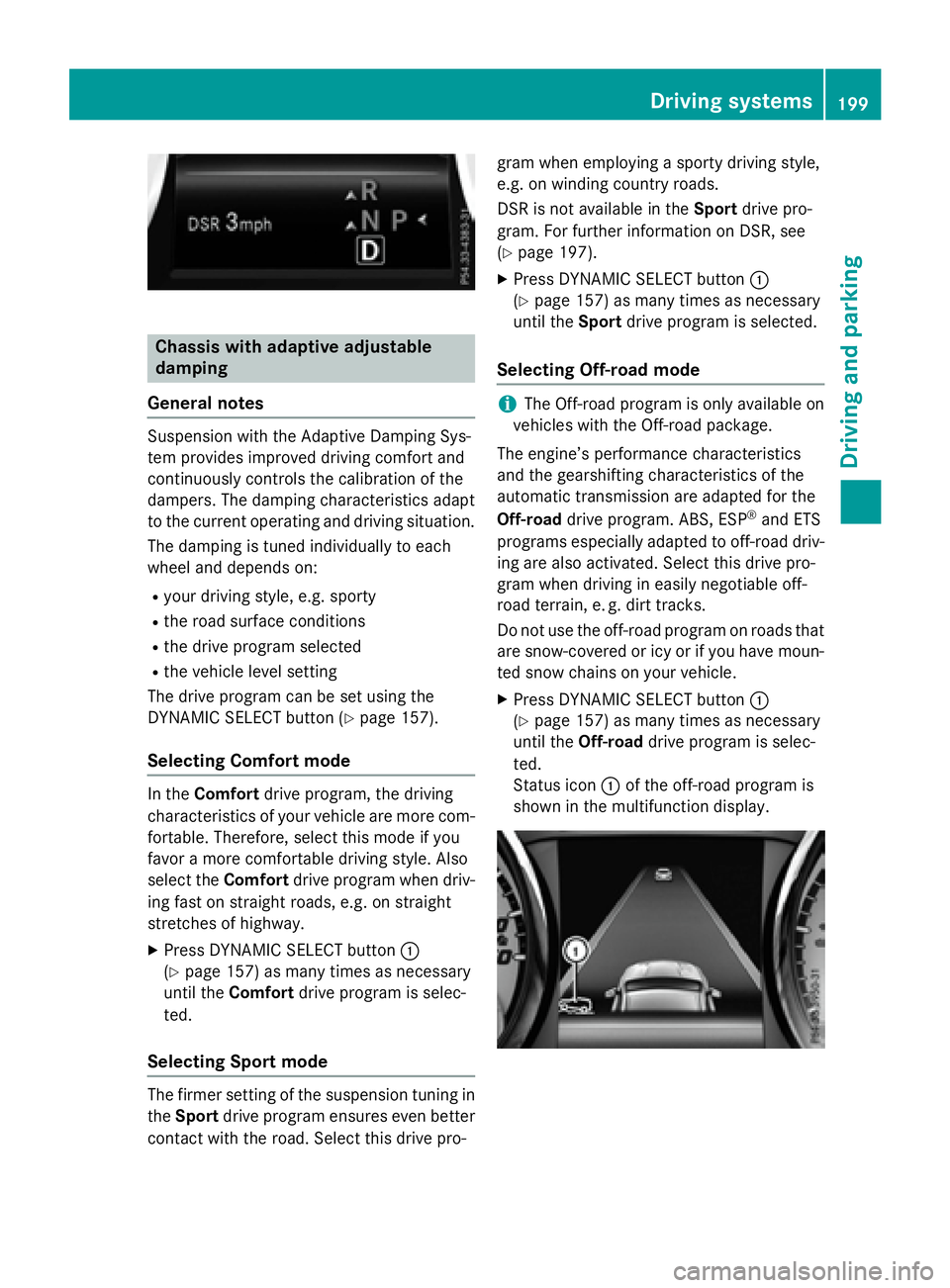
Press DYNAMIC SELECT button C
( Y
page 157) as many times as necessary
until the Off-road drive program is selec-
ted.
Status icon C of the off-road program is
shown in the multifunction display. Driving systems 199
Driving and parking Z
Page 203 of 390
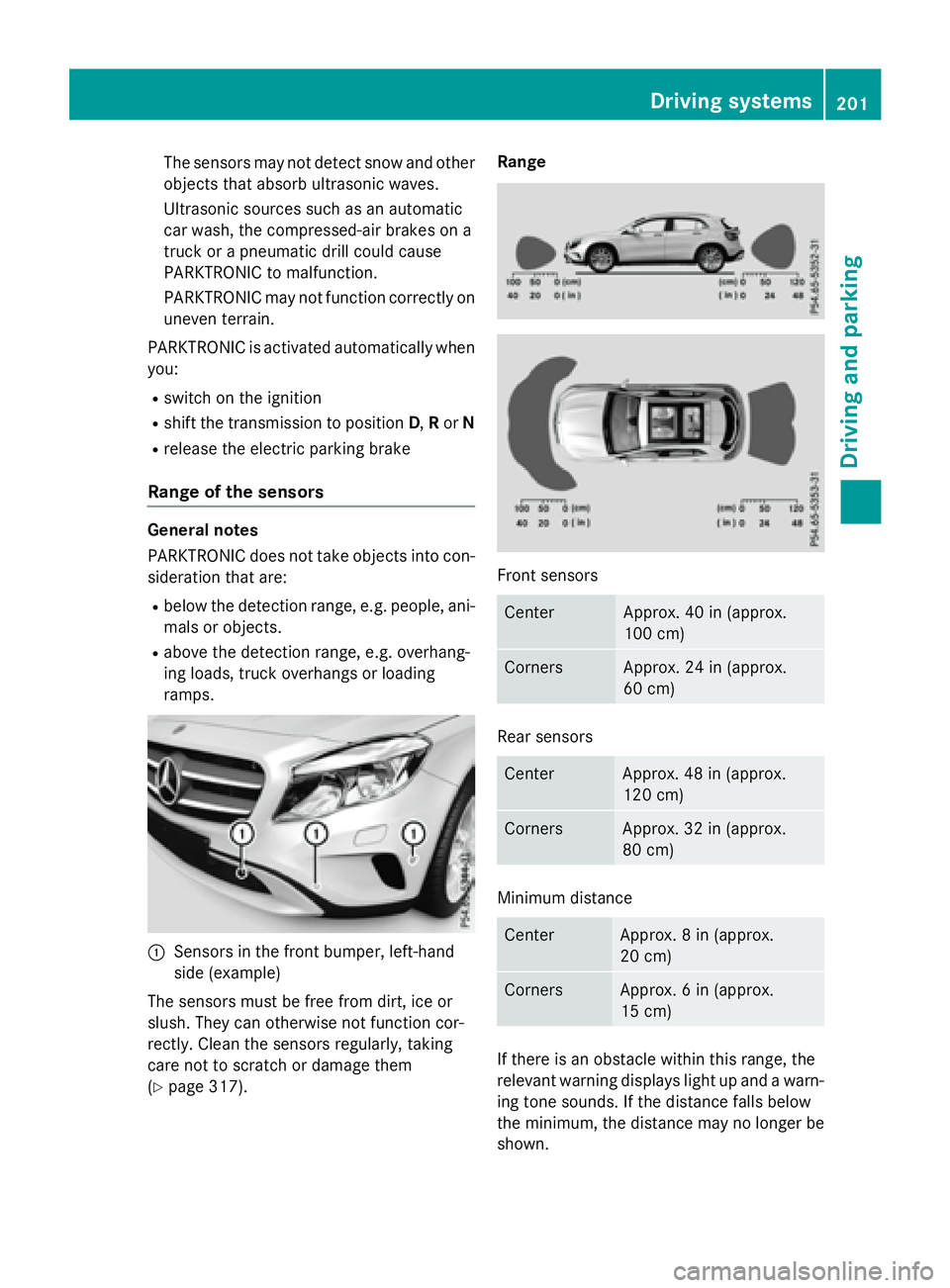
The sensors may not detect snow and other
objects that absorb ultrasonic waves.
Ultrasonic sources such as an automatic
car wash, the compressed-air brakes on a
truck or a pneumatic drill could cause
PARKTRONIC to malfunction.
PARKTRONIC may not function correctly on
uneven terrain.
PARKTRONIC is activated automatically when
you: R
switch on the ignition R
shift the transmission to position D , R or NR
release the electric parking brake
Range of the sensors General notes
PARKTRONIC does not take objects into con-
sideration that are: R
below the detection range, e.g. people, ani-
mals or objects. R
above the detection range, e.g. overhang-
ing loads, truck overhangs or loading
ramps.
C
Sensors in the front bumper, left-hand
side (example)
The sensors must be free from dirt, ice or
slush. They can otherwise not function cor-
rectly. Clean the sensors regularly, taking
care not to scratch or damage them
( Y
page 317). Range
Front sensors
Center Approx. 40 in (approx.
100 cm)
Corners Approx. 24 in (approx.
60 cm)
Rear sensors
Center Approx. 48 in (approx.
120 cm)
Corners Approx. 32 in (approx.
80 cm)
Minimum distance
Center Approx. 8 in (approx.
20 cm)
Corners Approx. 6 in (approx.
15 cm)
If there is an obstacle within this range, the
relevant warning displays light up and a warn-
ing tone sounds. If the distance falls below
the minimum, the distance may no longer be
shown. Driving systems 201
Driving and parking Z
Page 218 of 390
R
the lane markings are worn away, dark or
covered up, e.g. by dirt or snow R
the distance to the vehicle in front is too
small and the lane markings thus cannot be
detected R
the lane markings change quickly, e.g.
lanes branch off, cross one another or
merge R
the road is narrow and winding R
there are strong shadows cast on the road
Switching on Lane Keeping Assist X
Activate Lane Keeping Assist using the on-
board computer; to do so, select Standard
or Adaptive ( Y
page 228).
If you drive at speeds above 40 mph
(60 km/h) and lane markings are detected,
the lines in the assistance graphics display
( Y
page 227) are shown in green. Lane
Keeping Assist is ready for use.
When Standard
is selected, no warning vibra-
tion occurs if: R
you have switched on the turn signal. In this
event, the warnings are suppressed for a
certain period of time. R
a driving safety system intervenes, such as
ABS, BAS or ESP ®
.
When Adaptive is selected, no warning vibra-
tion occurs if: R
you have switched on the turn signal. In this
event, the warnings are suppressed for a
certain period of time. R
a driving safety system intervenes, e.g.
ABS, BAS or ESP ®
.R
you accelerate hard, e.g. kickdown. R
you brake hard. R
you steer actively, e.g. swerve to avoid an
obstacle or change lanes quickly. R
you cut the corner on a sharp bend.
In order that you are warned only when nec-
essary and in good time if you cross the lane
marking, the system recognizes certain con-
ditions and warns you accordingly. The warning vibration occurs earlier if: R
you approach the outer lane marking on a
bend. R
the road has very wide lanes, e.g. a free-
way. R
the system recognizes solid lane markings.
The warning vibration occurs later if: R
the road has narrow lanes. R
you cut the corner on a bend.216
Driving system s
Dr ivi ng an d parking
Page 271 of 390
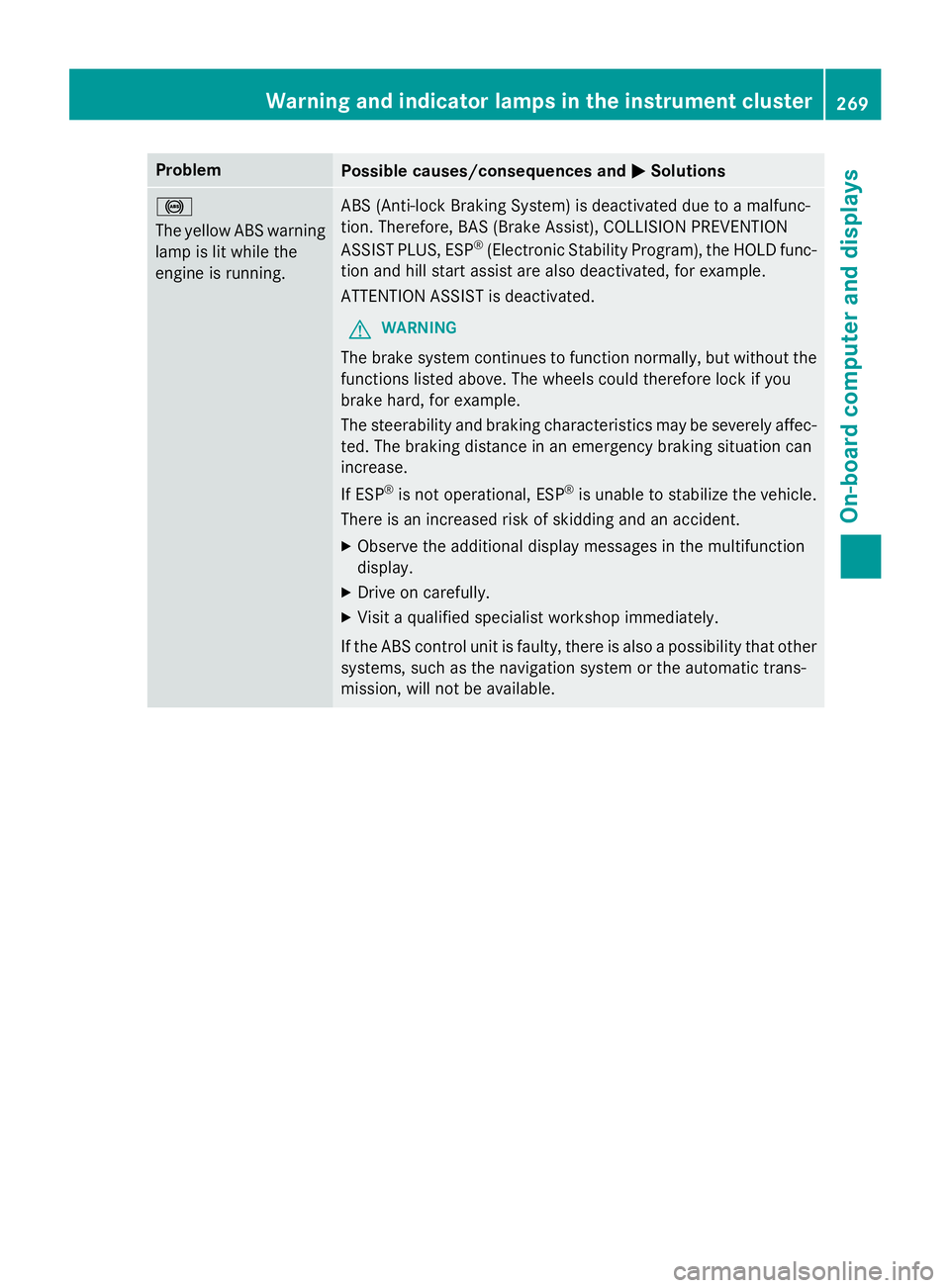
Problem
Possible causes/consequences and P Solutions
%
The yellow ABS warning
lamp is lit while the
engine is running. ABS (Anti-lock Braking System) is deactivated due to a malfunc-
tion. Therefore, BAS (Brake Assist), COLLISION PREVENTION
ASSIST PLUS, ESP ®
(Electronic Stability Program), the HOLD func-
tion and hill start assist are also deactivated, for example.
ATTENTION ASSIST is deactivated.
G WARNING
The brake system continues to function normally, but without the
functions listed above. The wheels could therefore lock if you
brake hard, for example.
The steerability and braking characteristics may be severely affec-
ted. The braking distance in an emergency braking situation can
increase.
If ESP ®
is not operational, ESP ®
is unable to stabilize the vehicle.
There is an increased risk of skidding and an accident. X
Observe the additional display messages in the multifunction
display. X
Drive on carefully. X
Visit a qualified specialist workshop immediately.
If the ABS control unit is faulty, there is also a possibility that other
systems, such as the navigation system or the automatic trans-
mission, will not be available.Warning and indicator lamps in the instrument cluster 269
On-board computer and displays Z
Page 272 of 390
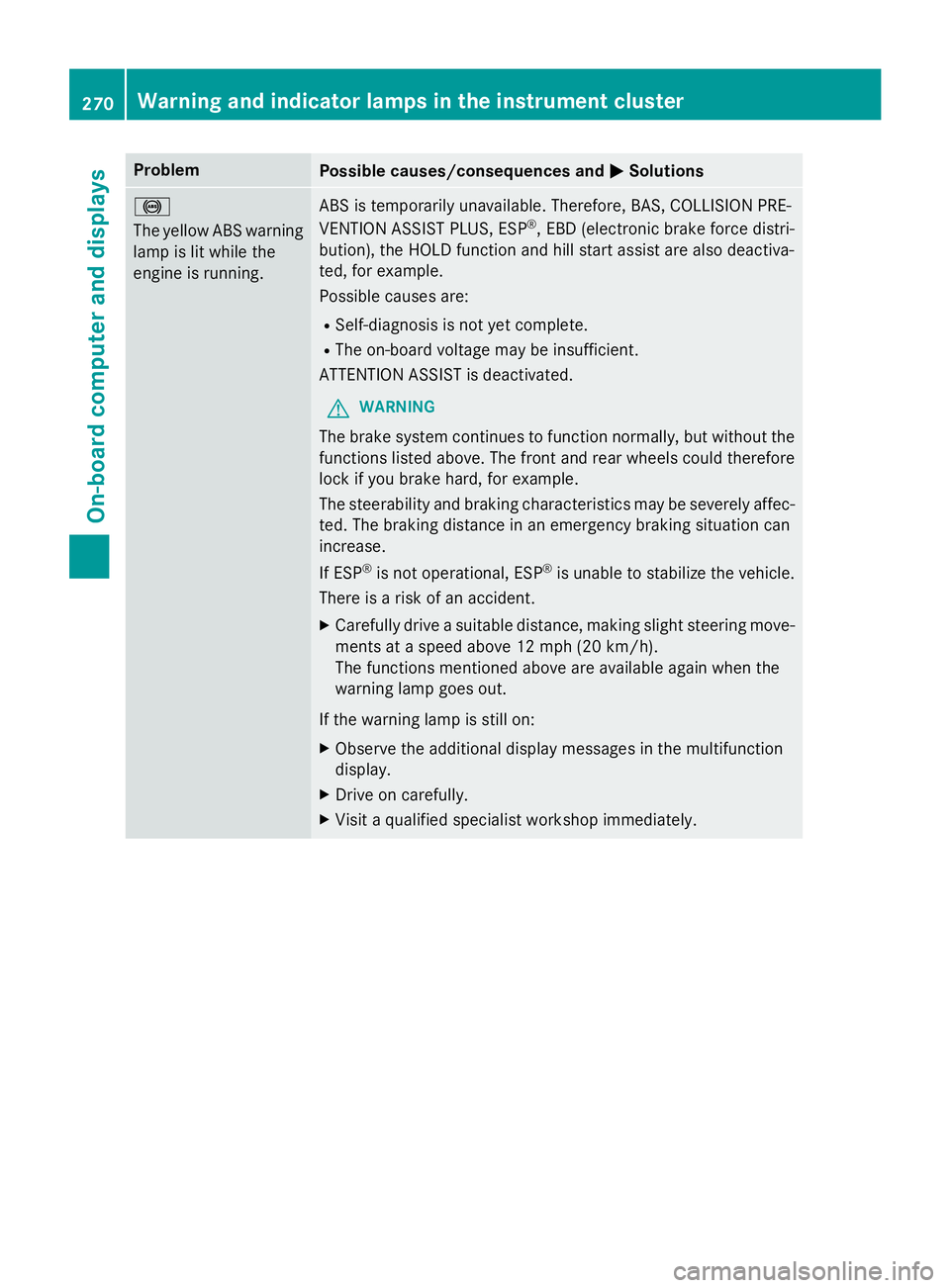
Problem
Possible causes/consequences and P Solutions
%
The yellow ABS warning
lamp is lit while the
engine is running. ABS is temporarily unavailable. Therefore, BAS, COLLISION PRE-
VENTION ASSIST PLUS, ESP ®
, EBD (electronic brake force distri-
bution), the HOLD function and hill start assist are also deactiva-
ted, for example.
Possible causes are: R
Self-diagnosis is not yet complete. R
The on-board voltage may be insufficient.
ATTENTION ASSIST is deactivated.
G WARNING
The brake system continues to function normally, but without the
functions listed above. The front and rear wheels could therefore
lock if you brake hard, for example.
The steerability and braking characteristics may be severely affec-
ted. The braking distance in an emergency braking situation can
increase.
If ESP ®
is not operational, ESP ®
is unable to stabilize the vehicle.
There is a risk of an accident. X
Carefully drive a suitable distance, making slight steering move-
ments at a speed above 12 mph (20 km/h).
The functions mentioned above are available again when the
warning lamp goes out.
If the warning lamp is still on: X
Observe the additional display messages in the multifunction
display. X
Drive on carefully. X
Visit a qualified specialist workshop immediately.270
Warning and indicator lamps in the instrument cluster
On-board computer and displays
Page 273 of 390
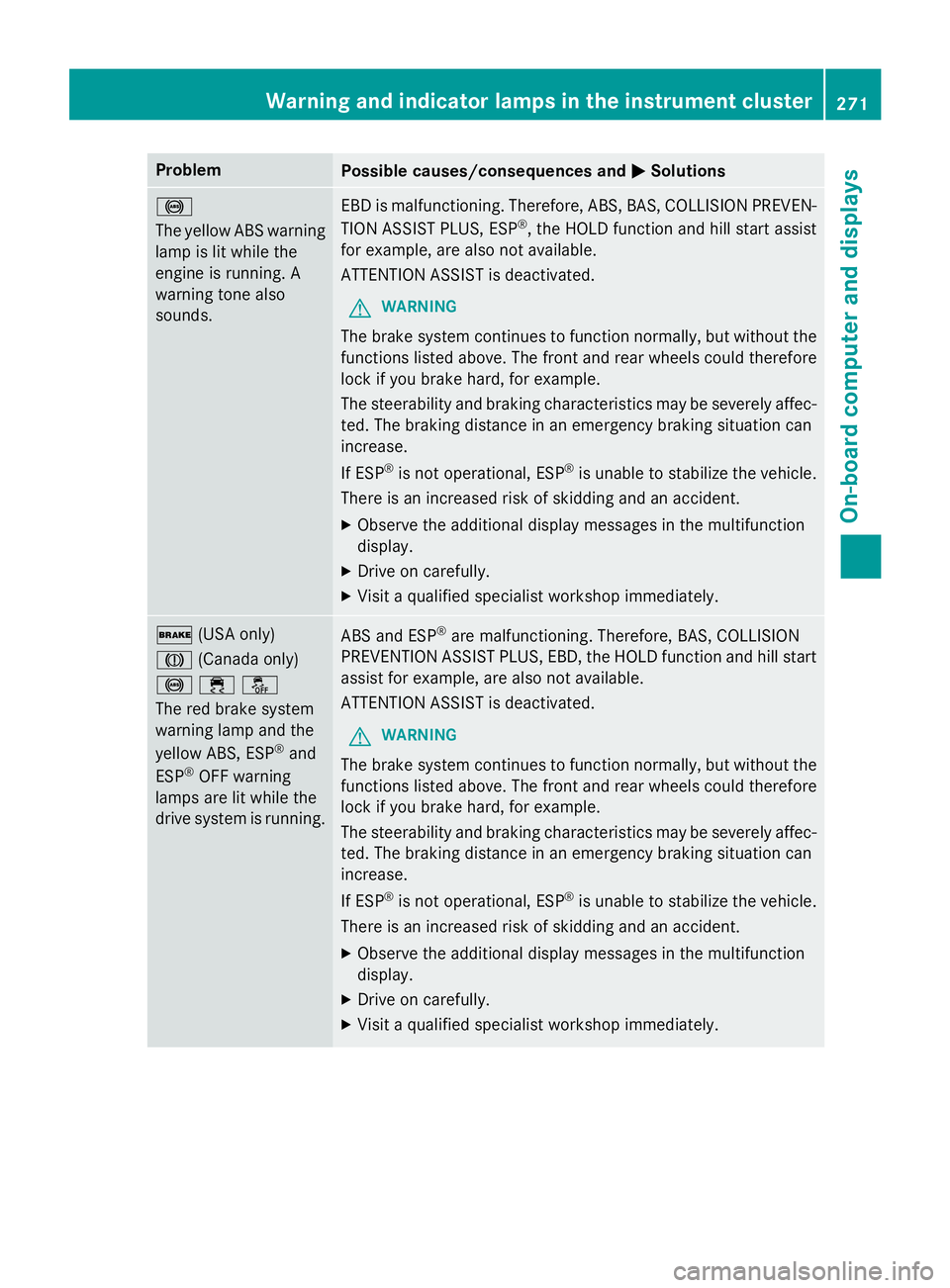
Problem
Possible causes/consequences and P Solutions
%
The yellow ABS warning
lamp is lit while the
engine is running. A
warning tone also
sounds. EBD is malfunctioning. Therefore, ABS, BAS, COLLISION PREVEN-
TION ASSIST PLUS, ESP ®
, the HOLD function and hill start assist
for example, are also not available.
ATTENTION ASSIST is deactivated.
G WARNING
The brake system continues to function normally, but without the
functions listed above. The front and rear wheels could therefore
lock if you brake hard, for example.
The steerability and braking characteristics may be severely affec-
ted. The braking distance in an emergency braking situation can
increase.
If ESP ®
is not operational, ESP ®
is unable to stabilize the vehicle.
There is an increased risk of skidding and an accident. X
Observe the additional display messages in the multifunction
display. X
Drive on carefully. X
Visit a qualified specialist workshop immediately.
' (USA only)
M (Canada only)
%
Page 329 of 390
Benz Center. Or call 1-800-FOR-MERCedes
(in the USA) or 1-800-387-0100 (in Can-
ada). X
Correct the tire pressure if it is still at least
130 kPa (1.3 ba r/ 19 psi). See the Tire and
Loading Information placard on the driver's
side B-pilla ro r the tire pressure table in the
fuel filler flap for values. X
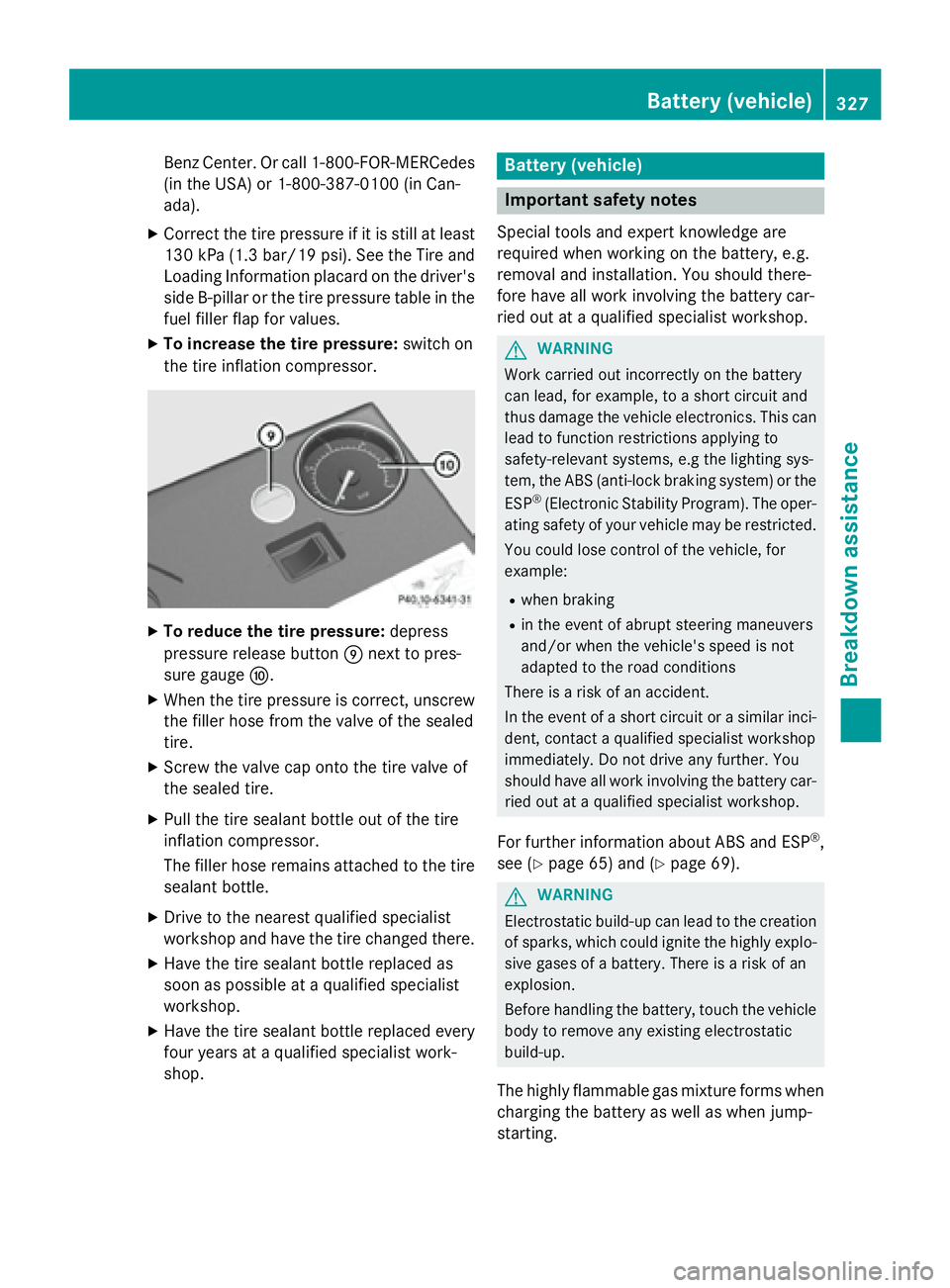
To increase the tire pressure: switch on
the tire inflation compressor.
X
To reduce the tire pressure: depress
pressure release button m next to pres-
sure gauge n .X
When the tire pressure is correct, unscrew
the filler hose from the valve of the sealed
tire. X
Screw the valve cap onto the tire valve of
the sealed tire. X
Pull the tire sealant bottle out of the tire
inflation compressor.
The filler hose remains attached to the tire
sealant bottle. X
Drive to the nearest qualified specialist
workshop and have the tire changed there. X
Have the tire sealant bottle replaced as
soon as possible at a qualified specialist
workshop. X
Have the tire sealant bottle replaced every
four years at a qualified specialist work-
shop. Battery (vehicle)
Important safety notes Special tools and expert knowledge are
required when working on the battery, e.g.
removal and installation. You should there-
fore have all work involving the battery car-
ried out at a qualified specialist workshop.
G WARNING
Work carried out incorrectly on the battery
can lead, for example, to a short circuit and
thus damage the vehicle electronics. This can
lead to function restrictions applying to
safety-relevant systems, e.g the lighting sys-
tem, the ABS (anti-lock braking system) or the
ESP ®
(Electronic Stability Program). The oper-
ating safety of your vehicle may be restricted.
You could lose control of the vehicle, for
example: R
when braking R
in the event of abrupt steering maneuvers
and/or when the vehicle's speed is not
adapted to the road conditions
There is a risk of an accident.
In the event of a short circuit or a similar inci-
dent, contact a qualified specialist workshop
immediately. Do not drive any further. You
should have all work involving the battery car-
ried out at a qualified specialist workshop.
For further information about ABS and ESP ®
,
see ( Y
page 65) and ( Y
page 69).
G WARNING
Electrostatic build-up can lead to the creation
of sparks, which could ignite the highly explo-
sive gases of a battery. There is a risk of an
explosion.
Before handling the battery, touch the vehicle
body to remove any existing electrostatic
build-up.
The highly flammable gas mixture forms when
charging the battery as well as when jump-
starting. Battery (vehicle) 327
Breakdown assistance Z