start stop button MERCEDES-BENZ GLA-Class 2015 X156 Owner's Manual
[x] Cancel search | Manufacturer: MERCEDES-BENZ, Model Year: 2015, Model line: GLA-Class, Model: MERCEDES-BENZ GLA-Class 2015 X156Pages: 374, PDF Size: 6.85 MB
Page 7 of 374
Assistance menu (on-board com-
puter)
.................................................. 213
ASSYST PLUS Displaying a service message ........ 297
Hiding a service message .............. 297
Notes ............................................ .296
Resetting the service interval dis-
play ................................................ 297
Service message ............................ 296
Special service requirements ......... 297
ATA (Anti-Theft Alarm system)
Activating/deactivating ................... 73
Function .......................................... .73
Switching off the alarm .................... 73
ATTENTION ASSIST
Activating/deactivating ................. 214
Display message ............................ 241
Function/note s............................. 197
see ATTENTION ASSIST
Audio menu (on-board computer) .... 210
Audio system see separate operating instructions
Authorized Mercedes-Benz Center
see Qualified specialist workshop
Authorized workshop
see Qualified specialist workshop
AUTO lights
Display message ............................ 237
see Lights
Automatic car wash (care) ............... 298
Automatic engine start (ECO start/
stop function) .................................... 146
Automatic engine switch-off (ECO
start/stop function) .......................... 145
Automatic headlamp mode .............. 111
Automatic transmission Accelerator pedal position ............. 151
Automatic drive program ............... 153
Changing gear ............................... 151
DIRECT SELECT lever ..................... 148
Drive program display .................... 149
Drive program display (selector
lever) ............................................. 150
Driving tips .................................... 151
Emergency running mode .............. 157
Engaging drive position .................. 150
Engaging neutral ............................ 150 Engaging park position (AMG vehi-
cles) ............................................... 151
Engaging reverse gear ................... 149
Engaging the park position ............ 149
Holding the vehicle stationary on
uphill gradients .............................. 151
Kickdown ....................................... 152
Manual drive progra m.................... 154
Overview ........................................ 148
Problem (malfunction) ................... 157
Program selector button ................ 152
Pulling away ................................... 144
Selector lever ................................ 150
Starting the engine ........................ 144
Steering wheel paddle shifters ...... 153
Transmission positions .................. 151
Automatic transmission emer-
gency mode ....................................... 157 B
Backup lamp Changing bulbs .............................. 120
Display message ............................ 236
Bag hook ............................................ 272
BAS (Brake Assist System) ................. 65
Basic settings see Settings
Battery (SmartKey)
Checking .......................................... 78
Important safety notes .................... 78
Replacing ......................................... 78
Battery (vehicle)
Charging ........................................ 313
Display message ............................ 239
Important safety notes .................. 311
Jump starting ................................. 315
Belt
see Seat belts
Blind Spot Assist
Activating/deactivating ................. 214
Display message ............................ 242
Notes/function .............................. 198
Blower
see Climate control
Brake Assist
see BAS (Brake Assist System) Index
5
Page 12 of 374
ECO display
Function/notes ............................ .163
On-board computer ....................... 208
Electronic Stability Program
see ESP ®
(Electronic Stability Program)
Electronic Traction System
see ETS/4ETS (Electronic Trac-
tion System)
Emergency
Automatic measures after an acci-
dent ................................................. 58
Emergency braking
see BAS (Brake Assist System)
Emergency release
Driver's door ................................... .83
Vehicle .............................................83
Emergency Tensioning Devices
Activation ........................................ .56
Emergency unlocking
Tailgat e ............................................ 86
Emissions control
Service and warranty information .... 24
Engine
Check Engine warning lamp .......... .260
Display message ............................ 238
ECO start/stop function ................ 145
Engine number ............................... 361
Irregular running ............................ 147
Jump-starting ................................. 315
Starting problems .......................... 147
Starting the engine with the
SmartKey ....................................... 144
Switching off .................................. 160
Tow-starting (vehicle) ..................... 320
Engine, starting
see Starting (engine)
Engine electronics
Problem (malfunction) ................... 147
Engine oil
Adding .......................................... .294
Additives ........................................ 365
Checking the oil level ..................... 293
Checking the oil level using the
dipstick .......................................... 294
Display message ............................ 240
Filling capacity ............................... 365
General notes ................................ 293 Notes about oil grades ................... 364
Temperature (on-board computer,
AMG vehicles) ................................ 218
Viscosity ........................................ 365
Engine oil additives
see Additives (engine oil)
ESC (Electronic Stability Control)
see ESP ®
(Electronic Stability Program)
ESP ®
(Electronic Stability Pro-
gram) Activating/deactivating (on-
board computer, except AMG
vehicles) ........................................ 213
AMG menu (on-board computer) ... 219
Characteristics ................................. 69
Deactivating/activating (button
in AMG vehicles) .............................. 70
Deactivating/activating (notes;
except AMG vehicles) ..................... .70
Display message ............................ 222
Function/note s................................ 68
General notes .................................. 68
Important safety information ........... 69
Warning lamp ................................. 256
ETS/4ETS (Electronic Traction Sys-
tem) ...................................................... 69
Exhaust check ................................... 163
Exhaust pipe (cleaning instruc-
tions) .................................................. 302
Exterior lighting Setting ........................................... 110
Setting options .............................. 110
see Lights
Exterior mirrors
Adjusting ....................................... 103
Dipping (automatic) ....................... 104
Folding in/out (automatically )....... 104
Folding in/out (electrically) ........... 103
Folding in when locking (on-board computer) ...................................... 218
Out of position (troubleshooting) ... 104
Setting ........................................... 104
Storing settings (memory func-
tion) ............................................... 106
Storing the parking position .......... 105
Eyeglasses compartment ................. 26710
Index
Page 20 of 374
Sockets
Center console .............................. 276
Luggage compartment ...................2 77
Points to observe before use ......... 276
Rear compartment ......................... 277
Specialist workshop ............................ 28
Special seat belt retractor .................. 59
Speed, controlling see Cruise control
Speed Limit Assist
General notes ................................ 198
Speedometer
Activating/deactivating the addi-
tional speedometer ........................ 215
Digital ............................................ 208
In the Instrument cluster ................. 33
Segments ...................................... 205
Selecting the unit of measure-
ment .............................................. 215
SPORT handling mode
Activating/deactivating (AMG
vehicles) .......................................... 70
Warning lamp ................................. 257
Standing lamps
Display message ............................ 236
Switching on/off ........................... 112
Start/stop function
see ECO start/stop function
Starting (engine) ................................ 143
STEER CONTROL .................................. 72
Steering (display message) .............. 251
Steering assistant STEER CON-
TROL
see STEER CONTROL
Steering wheel
Adjusting (manually) ...................... 102
Button overview ............................... 35
Buttons (on-board computer) ......... 205
Cleaning ......................................... 303
Important safety notes .................. 102
Paddle shifters ............................... 153
Steering wheel paddle shifters ........ 153
Stopwatch (RACETIMER) ................... 219
Stowage Center console (front) .................... 267
Stowage areas ................................... 267 Stowage compartments
Armrest (front) ............................... 268
Armrest (under) ............................. 268
Center console (rear) ..................... 269
Cup holders ................................... 273
Eyeglasses compartment ............... 267
Glove box ....................................... 267
Important safety information ......... 267
Parcel net ...................................... 269
Under driver's seat/front-
passenger sea t.............................. 268
Summer opening
see Convenience opening feature
Summer tires ..................................... 326
Sun visor ............................................ 275
Surround lighting (on-board com-
puter) .................................................. 216
SUV (Sport Utility Vehicle) ....................... 26
Switching air-recirculation mode
on/off ................................................. 137 T
Tachometer ........................................ 205
Tailgate Display message ............................ 250
Emergency unlocking ....................... 86
Important safety notes .................... 83
Limiting the opening angle ............... 86
Obstruction detectio n...................... 84
Opening/closing (from outside) ....... 84
Opening/closing automatically
from inside ....................................... 85
Opening/closing automatically
from outside .................................... 85
Opening dimensions ...................... 368
Tail lamps
Display message ............................ 235
see Lights
Tank
see Fuel tank
Tank content
Fuel gauge ....................................... 33
Technical data
Information .................................... 360
Tires/wheels ................................. 352
Vehicle data ................................... 368 18
Index
Page 49 of 374
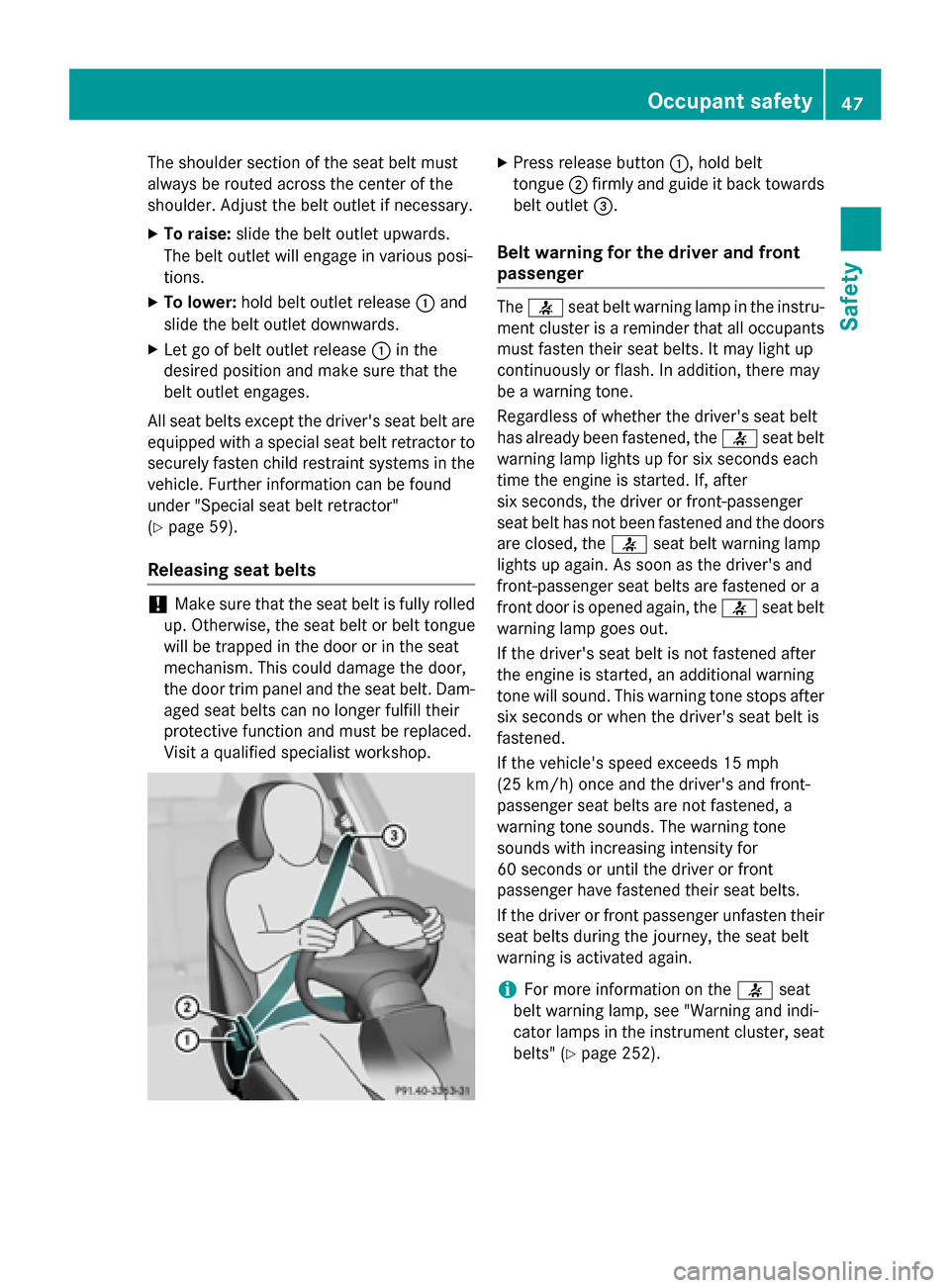
The shoulder section of the seat belt must
always be routed across the center of the
shoulder. Adjust the belt outlet if necessary.
X To raise: slide the belt outlet upwards.
The belt outlet will engage in various posi-
tions.
X To lower: hold belt outlet release 0043and
slide the belt outlet downwards.
X Let go of belt outlet release 0043in the
desired position and make sure that the
belt outlet engages.
All seat belts except the driver's seat belt are equipped with a special seat belt retractor tosecurely fasten child restraint systems in the
vehicle. Further information can be found
under "Special seat belt retractor"
(Y page 59).
Releasing seat belts !
Make sure that the seat belt is fully rolled
up. Otherwise, the seat belt or belt tongue
will be trapped in the door or in the seat
mechanism. This could damage the door,
the door trim panel and the seat belt. Dam- aged seat belts can no longer fulfill their
protective function and must be replaced.
Visit a qualified specialist workshop. X
Press release button 0043, hold belt
tongue 0044firmly and guide it back towards
belt outlet 0087.
Belt warning for the driver and front
passenger The
0076 seat belt warning lamp in the instru-
ment cluster is a reminder that all occupants must fasten their seat belts. It may light up
continuously or flash. In addition, there may
be a warning tone.
Regardless of whether the driver's seat belt
has already been fastened, the 0076seat belt
warning lamp lights up for six seconds each
time the engine is started. If, after
six seconds, the driver or front-passenger
seat belt has not been fastened and the doors are closed, the 0076seat belt warning lamp
lights up again. As soon as the driver's and
front-passenger seat belts are fastened or a
front door is opened again, the 0076seat belt
warning lamp goes out.
If the driver's seat belt is not fastened after
the engine is started, an additional warning
tone will sound. This warning tone stops after six seconds or when the driver's seat belt is
fastened.
If the vehicle's speed exceeds 15 mph
(25 km/h) once and the driver's and front-
passenger seat belts are not fastened, a
warning tone sounds. The warning tone
sounds with increasing intensity for
60 seconds or until the driver or front
passenger have fastened their seat belts.
If the driver or front passenger unfasten their seat belts during the journey, the seat belt
warning is activated again.
i For more information on the
0076seat
belt warning lamp, see "Warning and indi-
cator lamps in the instrument cluster, seat
belts" (Y page 252). Occupant safety
47Safety Z
Page 53 of 374
Occupant Classification System
(OCS)
Introduction The Occupant Classification System (OCS)
categorizes the person in the front-passenger
seat. Depending on that result, the front-
passenger front air bag and front-passenger
knee bag are either enabled or deactivated.
The system does not deactivate:
R the side impact air bag
R the window curtain air bag
R the Emergency Tensioning Devices
Prerequisites To be classified correctly, the front passenger
must sit:
R with the seat belt fastened correctly
R in an almost upright position with their
back against the seat backrest
R with their feet resting on the floor, if possi-
ble
If the front passenger does not observe these conditions, OCS may produce a false classi-
fication, e.g. because the front passenger:
R transfers their weight by supporting them-
selves on a vehicle armrest
R sits in such a way that their weight is raised
from the seat cushion
If it is absolutely necessary to install a child
restraint system on the front-passenger seat,
be sure to observe the correct positioning of
the child restraint system. Never place
objects under or behind the child restraint
system, e.g. cushions. The entire base of the
child restraint system must always rest on the
seat cushion of the front-passenger seat. The
backrest of the forwards-facing child restraint
system must, as far as possible, be resting on the backrest of the front-passenger seat.
The child restraint system must not touch the roof or be put under strain by the head
restraint. Adjust the angle of the seat back- rest and the head restraint position accord-
ingly.
Only then can OCS be guaranteed to function
correctly. Always observe the child restraint
system manufacturer's installation instruc-
tions.
Occupant Classification System opera-
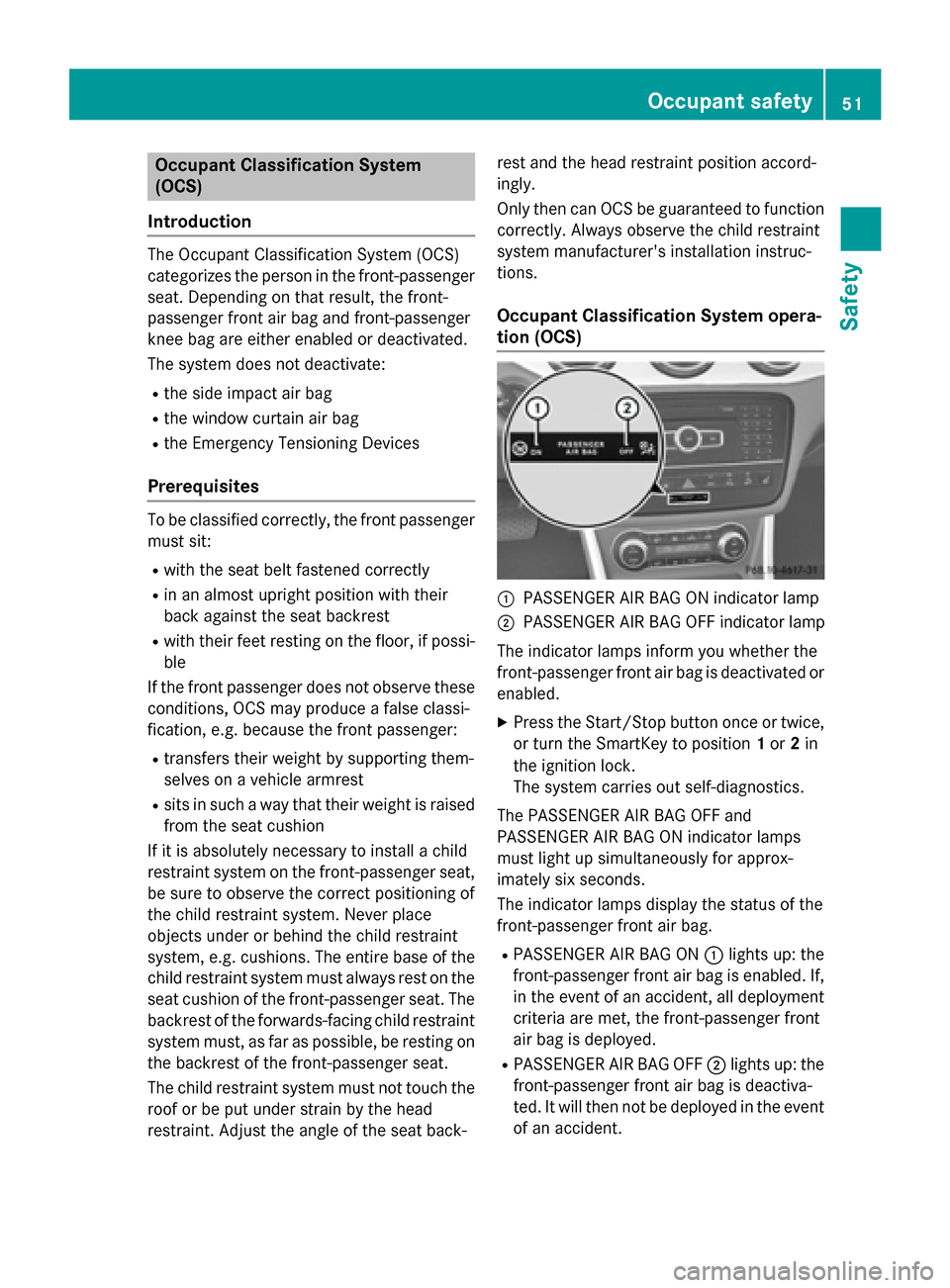
tion (OCS) 0043
PASSENGER AIR BAG ON indicator lamp
0044 PASSENGER AIR BAG OFF indicator lamp
The indicator lamps inform you whether the
front-passenger front air bag is deactivated or
enabled.
X Press the Start/Stop button once or twice,
or turn the SmartKey to position 1or 2in
the ignition lock.
The system carries out self-diagnostics.
The PASSENGER AIR BAG OFF and
PASSENGER AIR BAG ON indicator lamps
must light up simultaneously for approx-
imately six seconds.
The indicator lamps display the status of the
front-passenger front air bag.
R PASSENGER AIR BAG ON 0043lights up: the
front-passenger front air bag is enabled. If,
in the event of an accident, all deployment
criteria are met, the front-passenger front
air bag is deployed.
R PASSENGER AIR BAG OFF 0044lights up: the
front-passenger front air bag is deactiva-
ted. It will then not be deployed in the event
of an accident. Occupant safety
51Safety Z
Page 75 of 374
X
To activate: remove the SmartKey from
the ignition lock.
X To deactivate: switch on the ignition.
When leaving the vehicle, always take the
SmartKey with you and lock the vehicle. The
engine can be started by anyone with a valid
SmartKey that is left inside the vehicle.
i The immobilizer is always deactivated
when you start the engine.
In the event that the engine cannot be star- ted (yet the vehicle's battery is charged),
the system is not operational. Contact an
authorized Mercedes-Benz Center or call
1-800-FOR-MERCedes (in the USA) or
1-800-387-010 0(in Canada). ATA (anti-theft alarm system)
X
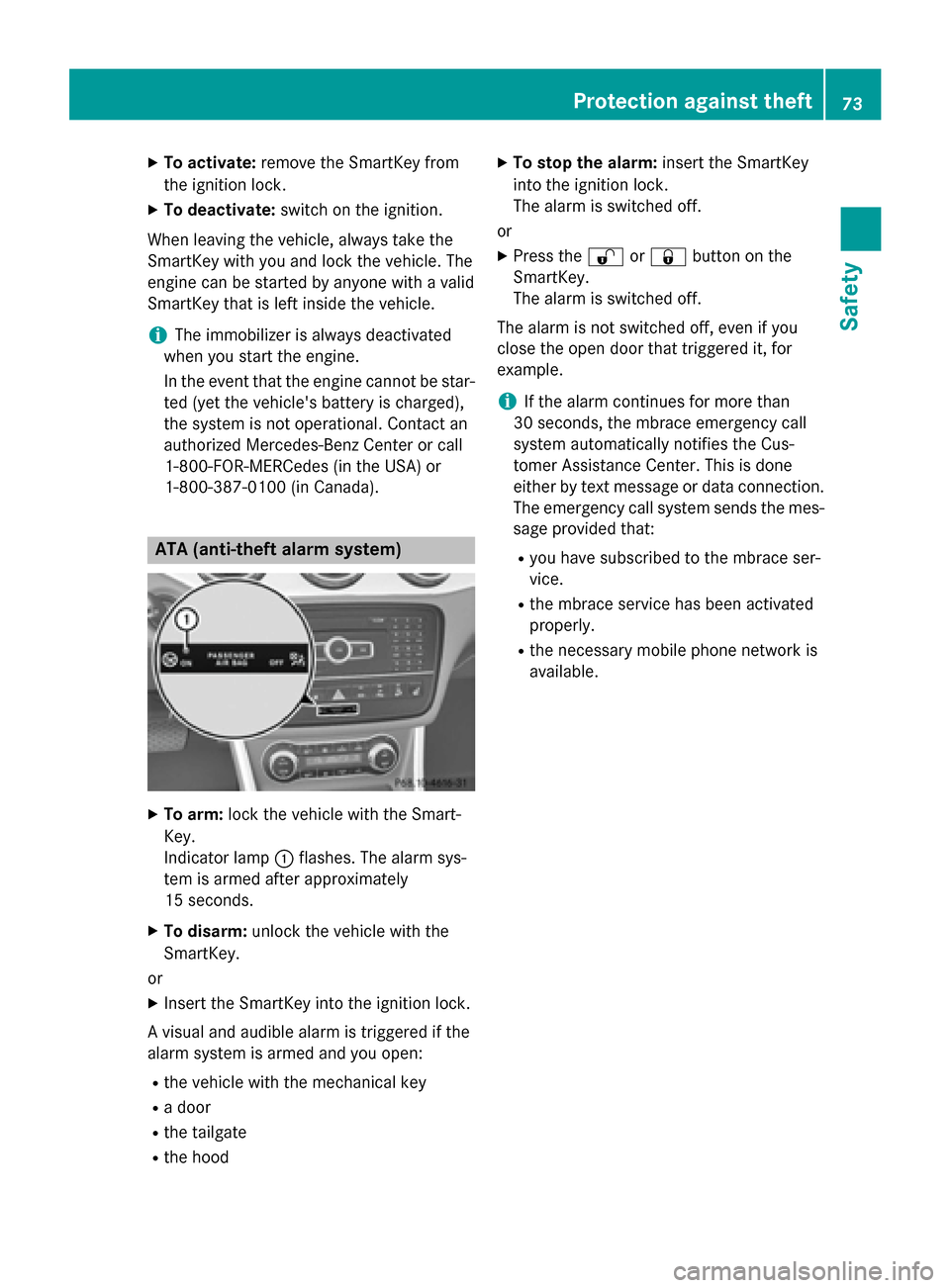
To arm: lock the vehicle with the Smart-
Key.
Indicator lamp 0043flashes. The alarm sys-
tem is armed after approximately
15 seconds.
X To disarm: unlock the vehicle with the
SmartKey.
or
X Insert the SmartKey into the ignition lock.
A visual and audible alarm is triggered if the
alarm system is armed and you open:
R the vehicle with the mechanical key
R a door
R the tailgate
R the hood X
To stop the alarm: insert the SmartKey
into the ignition lock.
The alarm is switched off.
or X Press the 0036or0037 button on the
SmartKey.
The alarm is switched off.
The alarm is not switched off, even if you
close the open door that triggered it, for
example.
i If the alarm continues for more than
30 seconds, the mbrace emergency call
system automatically notifies the Cus-
tomer Assistance Center. This is done
either by text message or data connection.
The emergency call system sends the mes- sage provided that:
R you have subscribed to the mbrace ser-
vice.
R the mbrace service has been activated
properly.
R the necessary mobile phone network is
available. Protection against theft
73Safety Z
Page 90 of 374
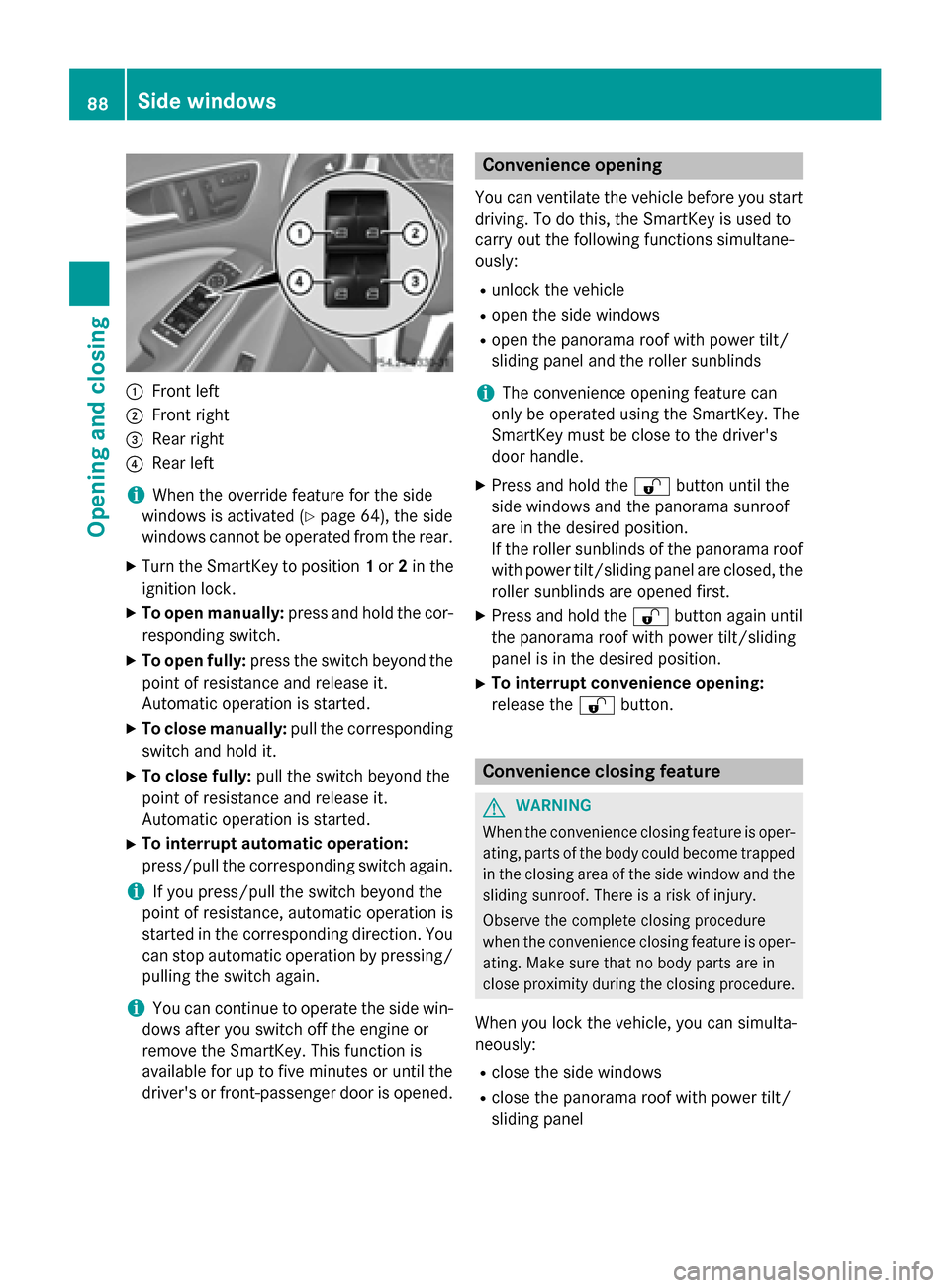
0043
Front left
0044 Front right
0087 Rear right
0085 Rear left
i When the override feature for the side
windows is activated (Y page 64), the side
windows cannot be operated from the rear.
X Turn the SmartKey to position 1or 2in the
ignition lock.
X To open manually: press and hold the cor-
responding switch.
X To open fully: press the switch beyond the
point of resistance and release it.
Automatic operation is started.
X To close manually: pull the corresponding
switch and hold it.
X To close fully: pull the switch beyond the
point of resistance and release it.
Automatic operation is started.
X To interrupt automatic operation:
press/pull the corresponding switch again.
i If you press/pull the switch beyond the
point of resistance, automatic operation is
started in the corresponding direction. You
can stop automatic operation by pressing/ pulling the switch again.
i You can continue to operate the side win-
dows after you switch off the engine or
remove the SmartKey. This function is
available for up to five minutes or until the
driver's or front-passenger door is opened. Convenience opening
You can ventilate the vehicle before you start driving. To do this, the SmartKey is used to
carry out the following functions simultane-
ously:
R unlock the vehicle
R open the side windows
R open the panorama roof with power tilt/
sliding panel and the roller sunblinds
i The convenience opening feature can
only be operated using the SmartKey. The
SmartKey must be close to the driver's
door handle.
X Press and hold the 0036button until the
side windows and the panorama sunroof
are in the desired position.
If the roller sunblinds of the panorama roof
with power tilt/sliding panel are closed, the roller sunblinds are opened first.
X Press and hold the 0036button again until
the panorama roof with power tilt/sliding
panel is in the desired position.
X To interrupt convenience opening:
release the 0036button. Convenience closing feature
G
WARNING
When the convenience closing feature is oper- ating, parts of the body could become trapped
in the closing area of the side window and the
sliding sunroof. There is a risk of injury.
Observe the complete closing procedure
when the convenience closing feature is oper-
ating. Make sure that no body parts are in
close proximity during the closing procedure.
When you lock the vehicle, you can simulta-
neously:
R close the side windows
R close the panorama roof with power tilt/
sliding panel 88
Side windowsOpening and closing
Page 130 of 374
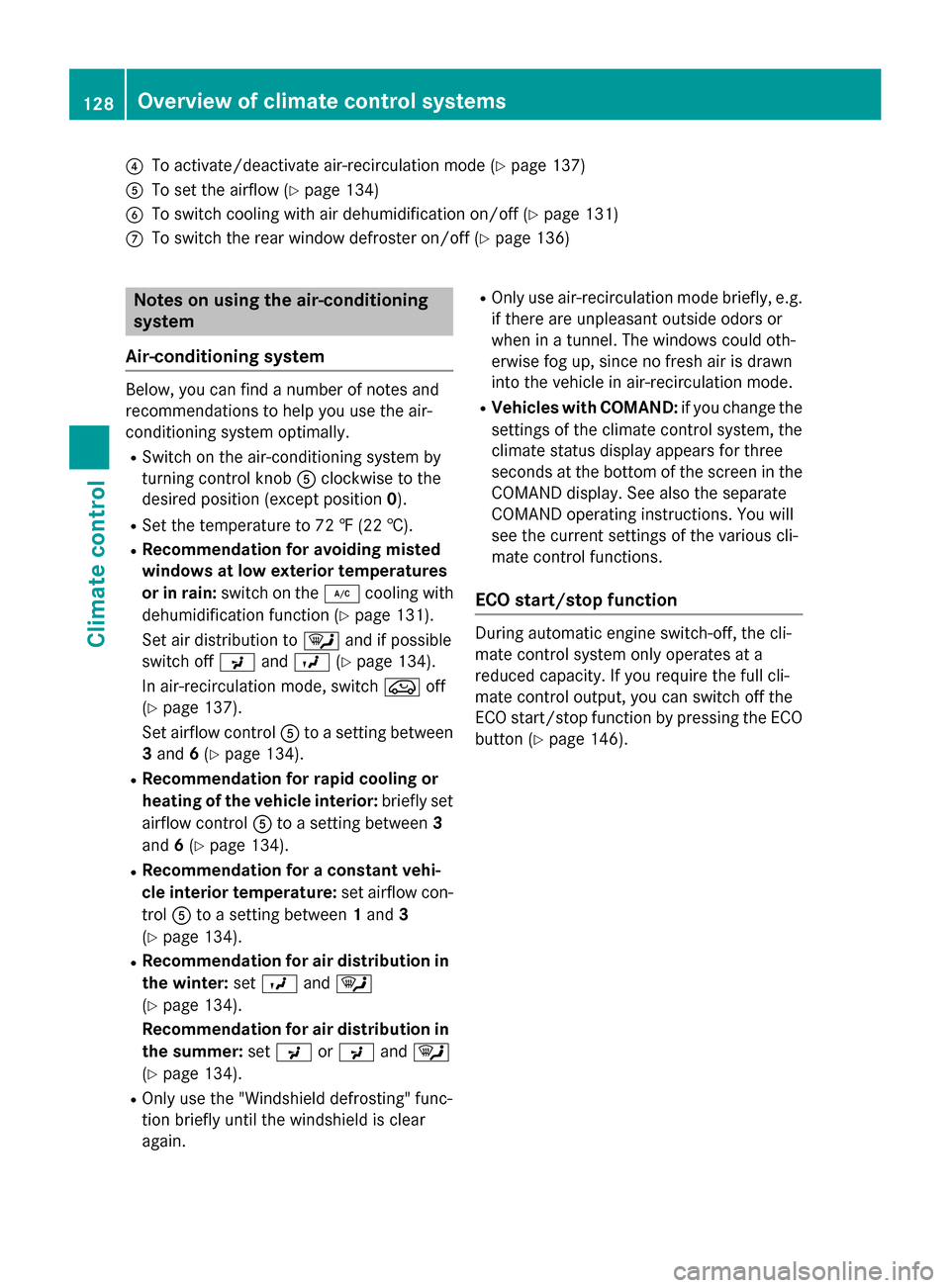
0085
To activate/deactivate air-recirculation mode (Y page 137)
0083 To set the airflow (Y page 134)
0084 To switch cooling with air dehumidification on/off (Y page 131)
006B To switch the rear window defroster on/off (Y page 136)Notes on using the air-conditioning
system
Air-conditioning system Below, you can find a number of notes and
recommendations to help you use the air-
conditioning system optimally.
R Switch on the air-conditioning system by
turning control knob 0083clockwise to the
desired position (except position 0).
R Set the temperature to 72 ‡ (22 †).
R Recommendation for avoiding misted
windows at low exterior temperatures
or in rain: switch on the 005Acooling with
dehumidification function (Y page 131).
Set air distribution to 0061and if possible
switch off 009Cand009B (Ypage 134).
In air-recirculation mode, switch 008Aoff
(Y page 137).
Set airflow control 0083to a setting between
3 and 6(Y page 134).
R Recommendation for rapid cooling or
heating of the vehicle interior: briefly set
airflow control 0083to a setting between 3
and 6(Y page 134).
R Recommendation for a constant vehi-
cle interior temperature: set airflow con-
trol 0083to a setting between 1and 3
(Y page 134).
R Recommendation for air distribution in
the winter: set009B and0061
(Y page 134).
Recommendation for air distribution in
the summer: set009C or009C and0061
(Y page 134).
R Only use the "Windshield defrosting" func-
tion briefly until the windshield is clear
again. R
Only use air-recirculation mode briefly, e.g.
if there are unpleasant outside odors or
when in a tunnel. The windows could oth-
erwise fog up, since no fresh air is drawn
into the vehicle in air-recirculation mode.
R Vehicles with COMAND: if you change the
settings of the climate control system, the
climate status display appears for three
seconds at the bottom of the screen in the
COMAND display. See also the separate
COMAND operating instructions. You will
see the current settings of the various cli-
mate control functions.
ECO start/stop function During automatic engine switch-off, the cli-
mate control system only operates at a
reduced capacity. If you require the full cli-
mate control output, you can switch off the
ECO start/stop function by pressing the ECO
button (Y page 146). 128
Overview of climate control systemsClimate control
Page 133 of 374
R
Only available on vehicles for Canada:
use the residual heat function if you want to
heat or ventilate the vehicle interior when
the ignition is switched off. The residual
heat function can only be activated or deac-
tivated with the ignition switched off.
R Vehicles with COMAND: if you change the
settings of the climate control system, the
climate status display appears for three
seconds at the bottom of the screen in the COMAND display. See also the separate
COMAND operating instructions. You will
see the current settings of the various cli-
mate control functions.
ECO start/stop function During automatic engine switch-off, the cli-
mate control system only operates at a
reduced capacity. If you require the full cli-
mate control output, you can switch off the
ECO start/stop function by pressing the ECO
button (Y page 146). Operating the climate control sys-
tems Switching climate control on/off
General notes When the climate control is switched off, the
air supply and air circulation are also
switched off. The windows could fog up.
Therefore, switch off climate control only
briefly
Air-conditioning system X
Turn the SmartKey to position 2in the igni-
tion lock (Y page 143).
X To switch on: turn control0083clockwise to
the desired position (except position 0)
(Y page 127).
X To switch off: turn control0083counter-
clockwise to position 0(Y page 127). Dual-zone automatic climate control X
Turn the SmartKey to position 2in the igni-
tion lock (Y page 143).
X To activate: press the0058button.
The indicator lamp in the 0058button lights
up. Airflow and air distribution are set to
automatic mode.
or
X Press the 0078button.
The indicator lamp in the 0078button goes
out. The previously selected settings are
restored.
X To deactivate: press the0078button.
The indicator lamp in the 0078button lights
up.
i Dual-zone automatic climate control:
switch on climate control primarily using
the 0058 button. Activating/deactivating cooling with
air dehumidification
General notes If you deactivate the "Cooling with air-dehu-
midification" function, the air inside the vehi-
cle will not be cooled. The air inside the vehi-cle will also not be dehumidified. The win-
dows can fog up more quickly. Therefore, only
deactivate the "Cooling with air-dehumidifi-
cation" function briefly.
The "Cooling with air dehumidification" func-
tion is only available when the engine is run-
ning. The air inside the vehicle is cooled and
dehumidified according to the temperature
selected.
Condensation may drip from the underside of the vehicle when it is in cooling mode. This is
normal and not a sign that there is a malfunc- tion. Operating the climate control systems
131Climate control
Page 147 of 374
Hill start assist is not active if:
R you are pulling away on a level road or on a
downhill gradient.
R the transmission is in position N.
R the electric parking brake is applied.
R ESP ®
is malfunctioning.
Further information on holding the vehicle
stationary on uphill gradients (Y page 151).ECO start/stop function
Introduction The ECO start/stop function switches the
engine off automatically if the vehicle is stop- ped under certain conditions.
The engine starts automatically when the
driver wants to pull away again. The ECO
start/stop function thereby helps you to
reduce the fuel consumption and emissions
of your vehicle.
Important safety notes G
WARNING
If the engine is switched off automatically and you exit the vehicle, the engine is restarted
automatically. The vehicle may begin moving. There is a risk of accident and injury.
If you wish to exit the vehicle, always turn off
the ignition and secure the vehicle against
rolling away.
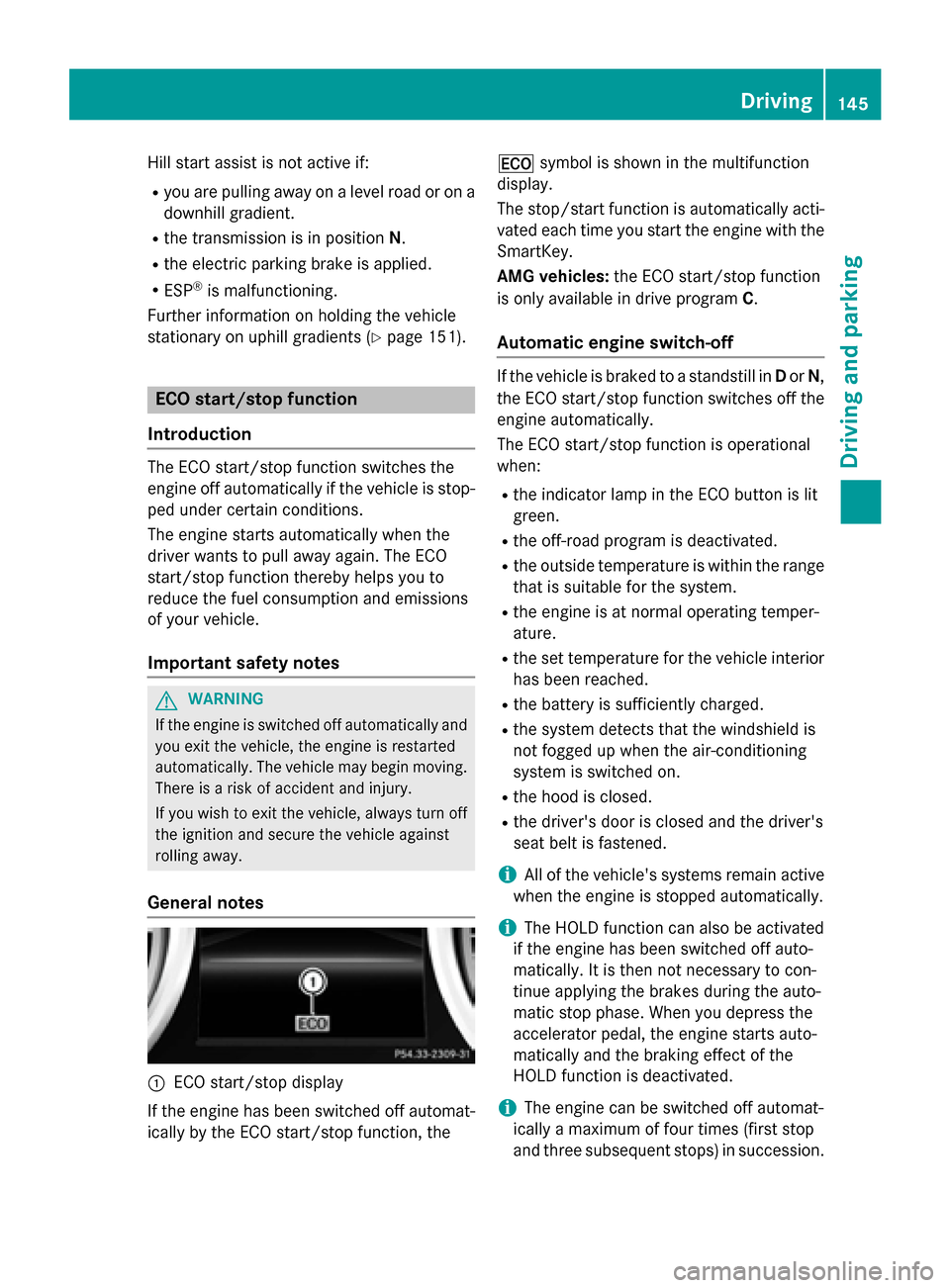
General notes 0043
ECO start/stop display
If the engine has been switched off automat-
ically by the ECO start/stop function, the 00A7
symbol is shown in the multifunction
display.
The stop/start function is automatically acti-
vated each time you start the engine with the SmartKey.
AMG vehicles: the ECO start/stop function
is only available in drive program C.
Automatic engine switch-off If the vehicle is braked to a standstill in
Dor N,
the ECO start/stop function switches off the engine automatically.
The ECO start/stop function is operational
when:
R the indicator lamp in the ECO button is lit
green.
R the off-road program is deactivated.
R the outside temperature is within the range
that is suitable for the system.
R the engine is at normal operating temper-
ature.
R the set temperature for the vehicle interior
has been reached.
R the battery is sufficiently charged.
R the system detects that the windshield is
not fogged up when the air-conditioning
system is switched on.
R the hood is closed.
R the driver's door is closed and the driver's
seat belt is fastened.
i All of the vehicle's systems remain active
when the engine is stopped automatically.
i The HOLD function can also be activated
if the engine has been switched off auto-
matically. It is then not necessary to con-
tinue applying the brakes during the auto-
matic stop phase. When you depress the
accelerator pedal, the engine starts auto-
matically and the braking effect of the
HOLD function is deactivated.
i The engine can be switched off automat-
ically a maximum of four times (first stop
and three subsequent stops) in succession. Driving
145Driving and parking Z