coolant temperature MERCEDES-BENZ GLA SUV 2018 Owner's Manual
[x] Cancel search | Manufacturer: MERCEDES-BENZ, Model Year: 2018, Model line: GLA SUV, Model: MERCEDES-BENZ GLA SUV 2018Pages: 338, PDF Size: 5.59 MB
Page 9 of 338
Center consoleLower section .................................. 35
Upper section .................................. 34
Central locking
Automatic locking (on-board com-
puter) ............................................ .196
Locking/unlocking (SmartKey) ........6 9
Change of address .............................. 26
Change of ownership .......................... 26
Changing a wheel
Wheels and tires ............................ 320
Child
Restraint system .............................. 55
Child seat
Forward-facing restraint system ...... 58
LATCH-type (ISOFIX) child seat
anchors ............................................ 56
On the front-passenger seat ............ 57
Rearward-facing restraint system .... 58
Top Tether ...................................... .56
Child-proof locks
Important safety notes .................... 58
Rear doors ...................................... .59
Children
Special seat belt retractor .............. .54
Children in the vehicle
Important safety notes .................... 53
Cigarette lighter ................................ 25 6
Clea
ning
Mirror turn signal .......................... .278
Climate control
Air-conditioning system ................. 113
Automatic climate control (dual-
zone) .............................................. 115
Controlling automatically ...............1 18
Cooling with air dehumidification .. 117
Defrosting the windows ................. 120
Defrosting the windshield .............. 119
General notes ................................ 112
Indicator lamp ................................ 118
Information about using auto-
matic climate control ..................... 116
Maximum cooling .......................... 120
Notes on using the air-condition-
ing system ..................................... 114
Overview of systems ......................1 12
Problem with the rear window
defroster ........................................ 121 Problems with cooling with air
dehumidification ............................ 118
Refrigerant ..................................... 332
Refrigerant filling capacity ............. 333
Setting the air distribution ............. 118
Setting the air vents ......................1
22
Setting the airflow ......................... 119
Setting the temperature ................ 118
Switching air-recirculation mode
on/off ............................................ 121
Switching on/off ........................... 117
Switching residual heat on/off ...... 121
Switching the rear window
defroster on/off ............................ 120
Switching the ZONE function
on/off ............................................ 119
Cockpit
Overview .......................................... 31
see Instrument cluster
Collision warning
see Active Brake Assist
COMAND
Driving dynamics display ............... 168
COMAND display
Cleaning ......................................... 279
Combination switch .......................... 103
Compass
Calibrating ..................................... 267
Calling up ....................................... 267
Magnetic field zone maps .............. 268
Setting ........................................... 267
Connecti ng a U
SB device
see also Digital Operator's Man-
ual .................................................. 239
Consumption statistics (on-board
computer) .......................................... 189
Controller ........................................... 240
Convenience closing feature .............. 85
Convenience opening feature ............ 84
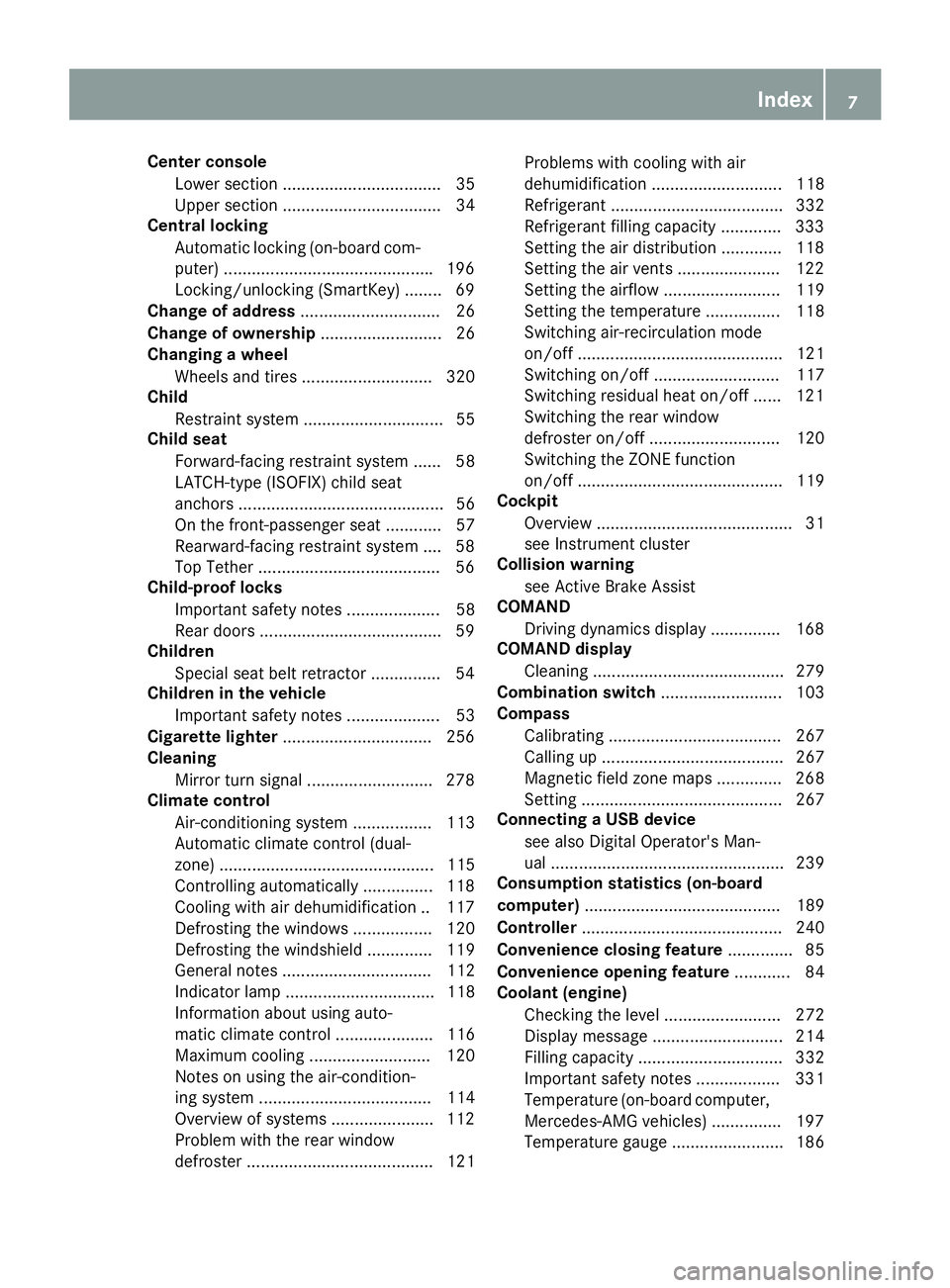
Coolant (engine)
Checking the level ......................... 272
Display message ............................ 214
Filling capacity ............................... 332
Important safety notes .................. 331
Temperature (on-board computer,
Mercedes-AMG vehicles) ............... 197
Temperature gauge ........................ 186
Index7
Page 22 of 338
Authorizing a mobile phone via the
device manager (connecting) ......... 244
Connecting a mobile phone
(device manager) ........................... 244
Connecting a mobile phone (gen-
eral information) ............................ 243
Display message ............................ 225
Introduction ................................... 192
Menu (on-board computer) ............ 192
Number from the phone book ........ 193
Redialing ........................................ 193
Rejecting/ending a call ................. 193
see also Digital Operator's Man-
ual .................................................. 239
Temperature
Coolant .......................................... 186
Coolant (on-board computer,
Mercedes-AMG vehicles) ............... 197
Engine oil (on-board computer,
Mercedes-AMG vehicles) ............... 197
Outside temperature ...................... 185
Setting (climate control) ................ 118
Transmission oil (on-board com-
puter, Mercedes-AMG vehicles) ..... 197
Through-loading feature ................... 250
Timing (RACETIMER) ......................... 198
Tire pressure
Calling up (on-board computer) ..... 306
Checking manually ........................ 305
Display message ............................ 220
Maximum ....................................... 305
Not reached (TIREFIT) .................... 287
Notes ............................................. 304
Reached (TIREFIT) .......................... 287
Recommended ............................... 302
Tire pressure loss warning system
General notes ................................ 305
Important safety notes .................. 306
Restarting ...................................... 306
Tire pressure monitor
Checking the tire pressure elec-
tronically ........................................ 308
Function/notes ............................. 306
General notes ................................ 306
Important safety notes .................. 307
Radio type approval for the tire
pressure monitor ........................... 309
Restarting ...................................... 309 Warning lamp ................................. 238
Warning message .......................... 308
TIREFIT kit .......................................... 285
Imp
ortant safety notes .................. 285
Storage location ............................ 284
Tire pressure not reached .............. 287
Tire pressure reached .................... 287
Tires
Aspect ratio (definition) ................. 319
Average weight of the vehicle
occupants (definition) .................... 317
Bar (definition) ............................... 317
Changing a wheel .......................... 319
Characteristics .............................. 317
Checking ........................................ 299
Curb weight (definition) ................. 318
Definition of terms ......................... 317
Direction of rotation ...................... 320
Display message ............................ 220
Distribution of the vehicle occu-
pants (definition) ............................ 319
DOT (Department of Transporta-
tion) (definition) ............................. 317
DOT, Tire Identification Number
(TIN) ............................................... 317
GAWR (Gross Axle Weight Rating)
(definition) ..................................... 318
General notes ................................ 323
GVW (Gross Vehicle Weight) (def-
inition) ........................................... 318
GVWR (Gross Vehicle Weight Rat-
ing) (definition) .............................. 318
Important safety notes .................. 299
Increased vehicle weight due to
optional equipment (definition) ...... 318
Information on driving .................... 299
Kilopascal (kPa) (definition) ........... 318
Labeling (overview) ........................ 314
Load bearing index (definition) ...... 319
Load index ..................................... 316
Load index (definition) ................... 318
M+S tires ....................................... 301
Maximum load on a tire (defini-
tion) ............................................... 318
Maximum loaded vehicle weight
(definition) ..................................... 318
Maximum permissible tire pres-
sure (definition) ............................. 318
20Index
Page 132 of 338
ProblemPossible causes/consequences andMSolutions
The engine does not
start. You cannot hear
the starter motor.The on-board voltage is too low because the battery is too weak or
discharged.
XJump-start the vehicle (Ypage 291).
If the engine does not start despite attempts to jump-start it:
XConsult a qualified specialist workshop.
The starter motor was exposed to a thermal load that was too high.
XAllow the starter motor to cool down for approximately two minutes.
XTry to start the engine again.
If the engine still does not start:
XConsult a qualified specialist workshop.
The engine is not running
smoothly and is misfir-
ing.There is a malfunction in the engine electronics or in a mechanical
component of the engine management system.
XOnly depress the accelerator pedal slightly.
Otherwise, non-combusted fuel may get into the catalytic converter
and damage it.
XHave the cause rectified immediately at a qualified specialist work-
shop.
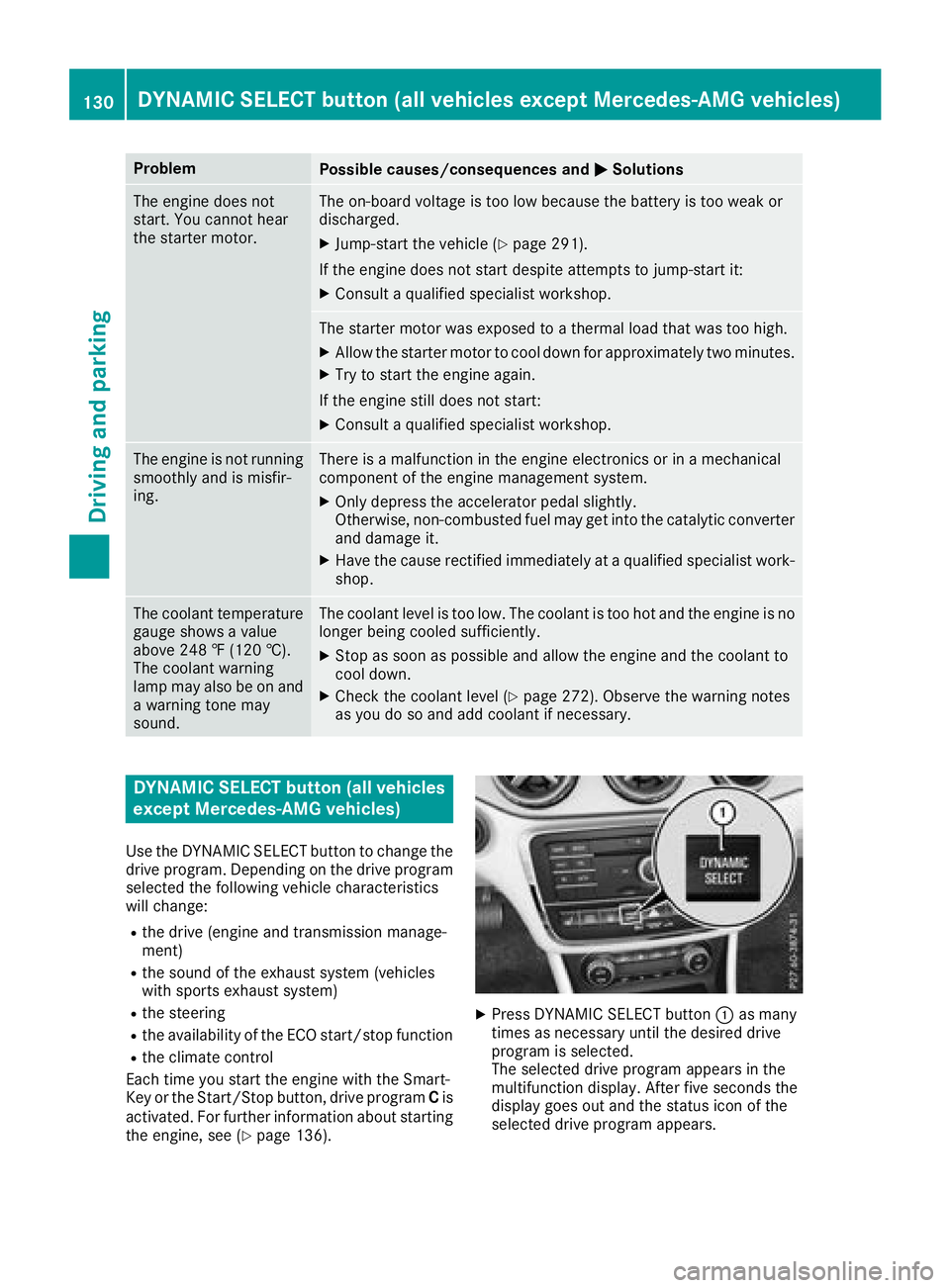
The coolant temperature
gauge shows a value
above 248 ‡ (120 †).
The coolant warning
lamp may also be on and
a warning tone may
sound.The coolant level is too low. The coolant is too hot and the engine is no
longer being cooled sufficiently.
XStop as soon as possible and allow the engine and the coolant to
cool down.
XCheck the coolant level (Ypage 272). Observe the warning notes
as you do so and add coolant if necessary.
DYNAMIC SELECT button (all vehicles
except Mercedes-AMG vehicles)
Use the DYNAMIC SELECT button to change the
drive program. Depending on the drive program
selected the following vehicle characteristics
will change:
Rthe drive (engine and transmission manage-
ment)
Rthe sound of the exhaust system (vehicles
with sports exhaust system)
Rthe steering
Rthe availability of the ECO start/stop function
Rthe climate control
Each time you start the engine with the Smart-
Key or the Start/Stop button, drive program Cis
activated. For further information about starting
the engine, see (
Ypage 136).
XPress DYNAMIC SELECT button :as many
times as necessary until the desired drive
program is selected.
The selected drive program appears in the
multifunction display. After five seconds the
display goes out and the status icon of the
selected drive program appears.
130DYNAMIC SELECT button (all vehicles except Mercedes-AMG vehicles)
Driving and parking
Page 188 of 338
There is a short delay before a change in outside
temperature appears in the multifunction dis-
play.
Coolant temperature gauge
GWARNING
Opening the hood when the engine is over-
heated or when there is a fire in the engine
compartment could expose you to hot gases
or other service products. There is a risk of
injury.
Let an overheated engine cool down before
opening the hood. If there is a fire in the
engine compartment, keep the hood closed
and contact the fire department.
!A display message is shown if the coolant
temperature is too high.
If the coolant temperature is over 248 ‡
(120 †), do not continue driving. The engine
will otherwise be damaged.
The coolant temperature gage is in the instru-
ment cluster on the right-hand side (
Ypage 32).
The Hmarking in the coolant temperature gauge
corresponds to a coolant temperature of
approximately 248 ‡ (120 †).
Under normal operating conditions and at the
correct coolant level, the coolant temperature
gauge may rise to the Hmarking.
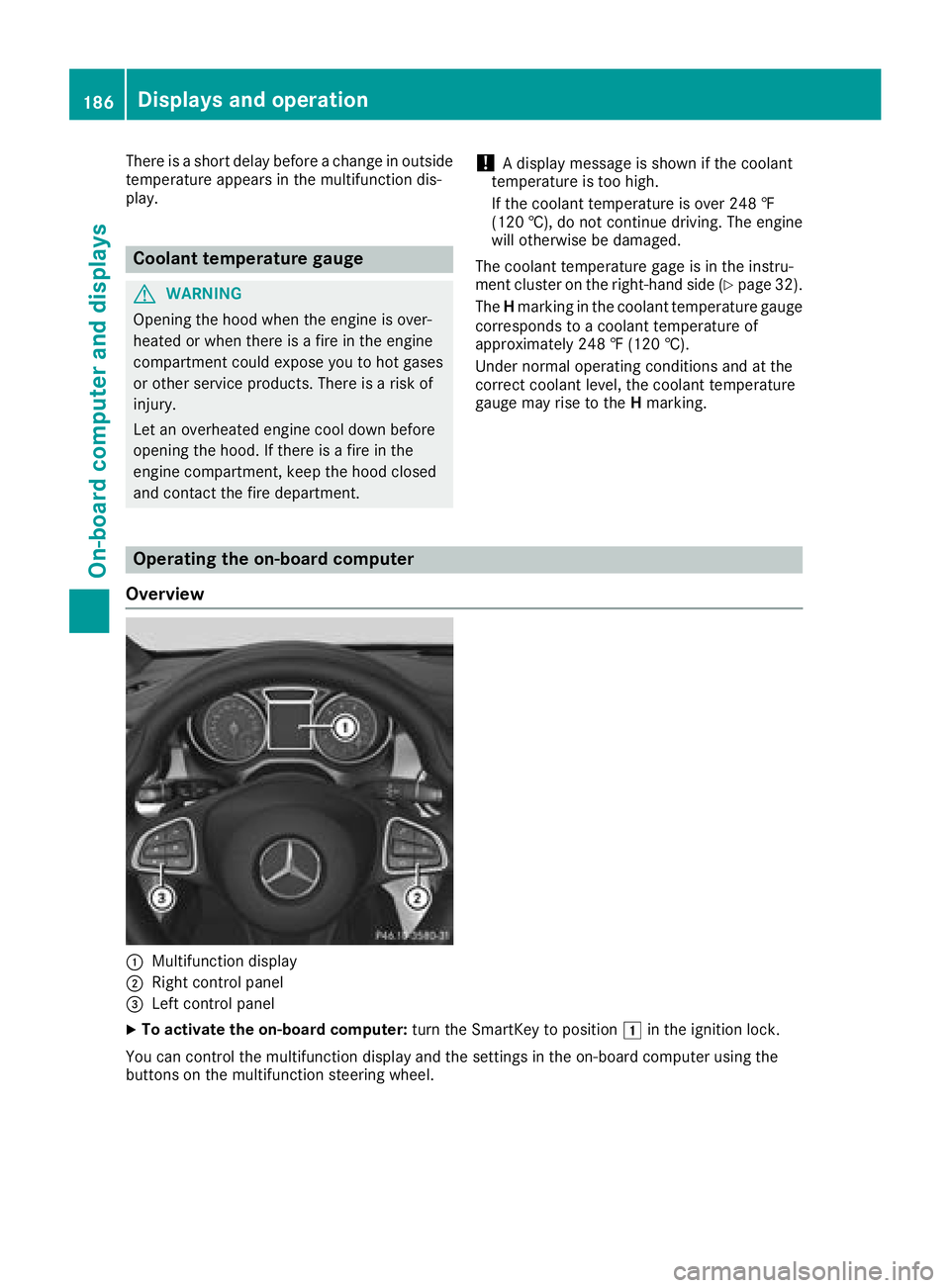
Operating the on-board computer
Overview
:Multifunction display
;Right control panel
=Left control panel
XTo activate the on-board computer: turn the SmartKey to position1in the ignition lock.
You can control the multifunction display and the settings in the on-board computer using the
buttons on the multifunction steering wheel.
186Displays and operation
On-board computer and displays
Page 199 of 338
For further information on the automatic locking
feature, see (Ypage 76).
Activating/deactivating the acoustic
locking verification signal
If you switch on theAcousticLockfunction, an
acoustic signal sounds when you lock the vehi-
cle.
XPress the =or; button on the steering
wheel to select the Sett.menu.
XPress the:or9 button to select the
Vehiclesubmenu.
XPress ato confirm.
XPress the :or9 button to select the
Acoustic Lockfunction.
If the Acoustic Lockfunction is activated,
the multifunction display shows the &
symbol in orange.
XPress the abutton to save the setting.
Comfort
Switching the fold-in mirrors when lock-
ing feature on/off
This function is only available in Canada.
This function is only available when the vehicle is
equipped with the electrical fold-in function.
When you activate the Auto.
MirrorFoldingfunction, the exterior mirrors are folded in when
the vehicle is locked. If you unlock the vehicle
and then open the driver's or front-passenger
door, the exterior mirrors fold out again.
If you have switched on the Auto. Mirror
Foldingfunction and you fold in the exterior
mirrors using the button on the door
(
Ypage 98), they will not fold out automatically.
The exterior mirrors can then only be folded out
using the button on the door.
XPress the =or; button on the steering
wheel to select the Sett.menu.
XPress the:or9 button to select the
Conveniencesubmenu.
XPress ato confirm.
XPress the :or9 button to select the
Auto. Mirror Foldingfunction.
If the Auto. Mirror Foldingfunction is
switched on, the multifunction display shows
the exterior mirror in orange.
XPress the abutton to save the setting.
Restoring the factory settings
XPress the =or; button on the steering
wheel to select the Sett.menu.
XPress the:or9 button to select the
Factory Settingsubmenu.
XPress ato confirm.
The Reset All Settings?function
appears.
XPress the :or9 button to select Noor
Yes.
XPress the abutton to confirm the selec-
tion.
If you have selected Yes
, the multifunction
display shows a confirmation message.
For safety reasons, the Daytime Running
Lightsfunction in theLightsubmenu is only
reset if the vehicle is stationary.
AMG menu (Mercedes-AMG vehicles)
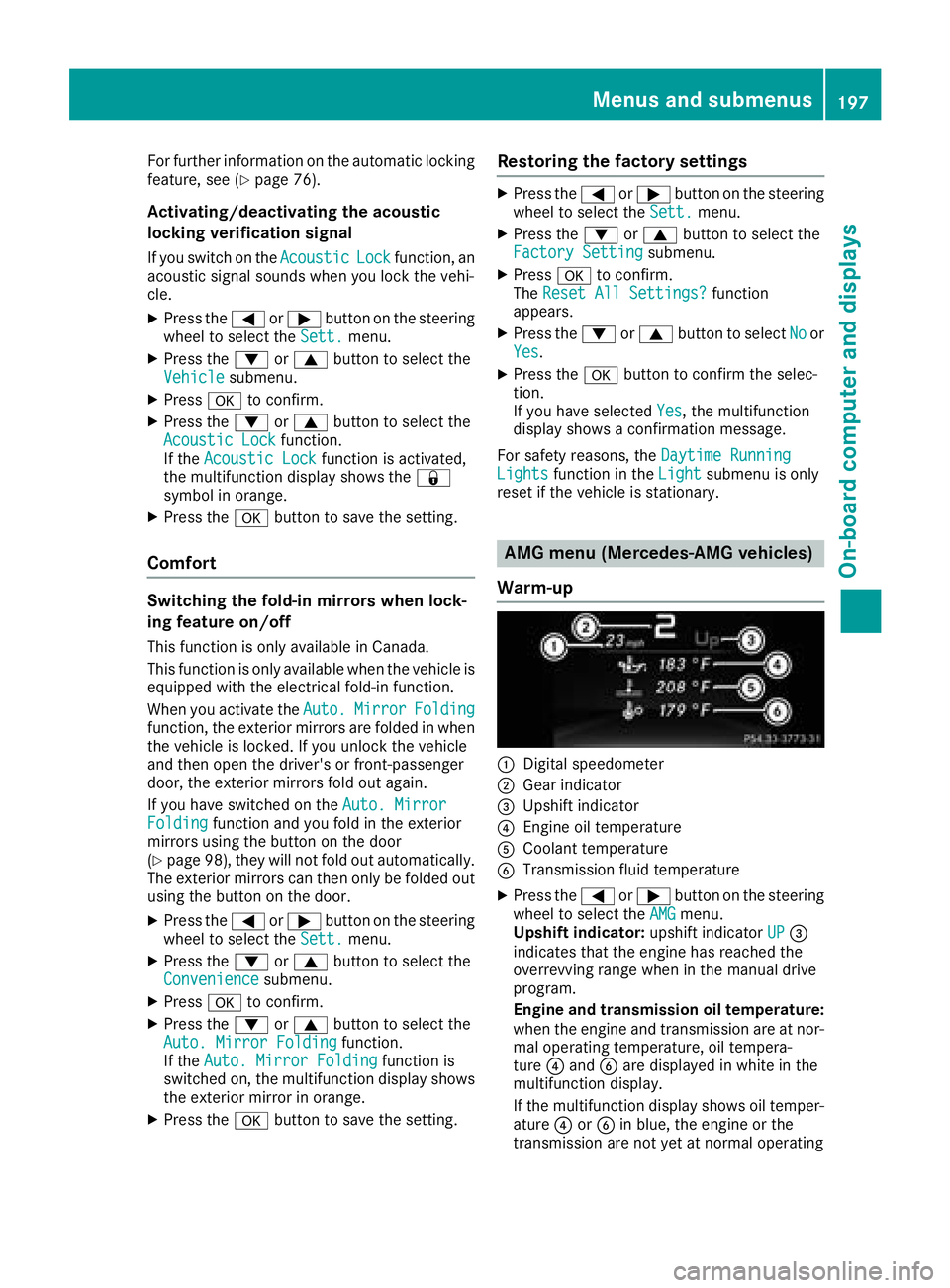
Warm-up
:Digital speedometer
;Gear indicator
=Upshift indicator
?Engine oil temperature
ACoolant temperature
BTransmission fluid temperature
XPress the =or; button on the steering
wheel to select the AMGmenu.
Upshift indicator: upshift indicatorUP=
indicates that the engine has reached the
overrevving range when in the manual drive
program.
Engine and transmission oil temperature:
when the engine and transmission are at nor- mal operating temperature, oil tempera-
ture ?and Bare displayed in white in the
multifunction display.
If the multifunction display shows oil temper-
ature ?orB in blue, the engine or the
transmission are not yet at normal operating
Menus and submenus197
On-board computer and displays
Z
Page 216 of 338
Engine
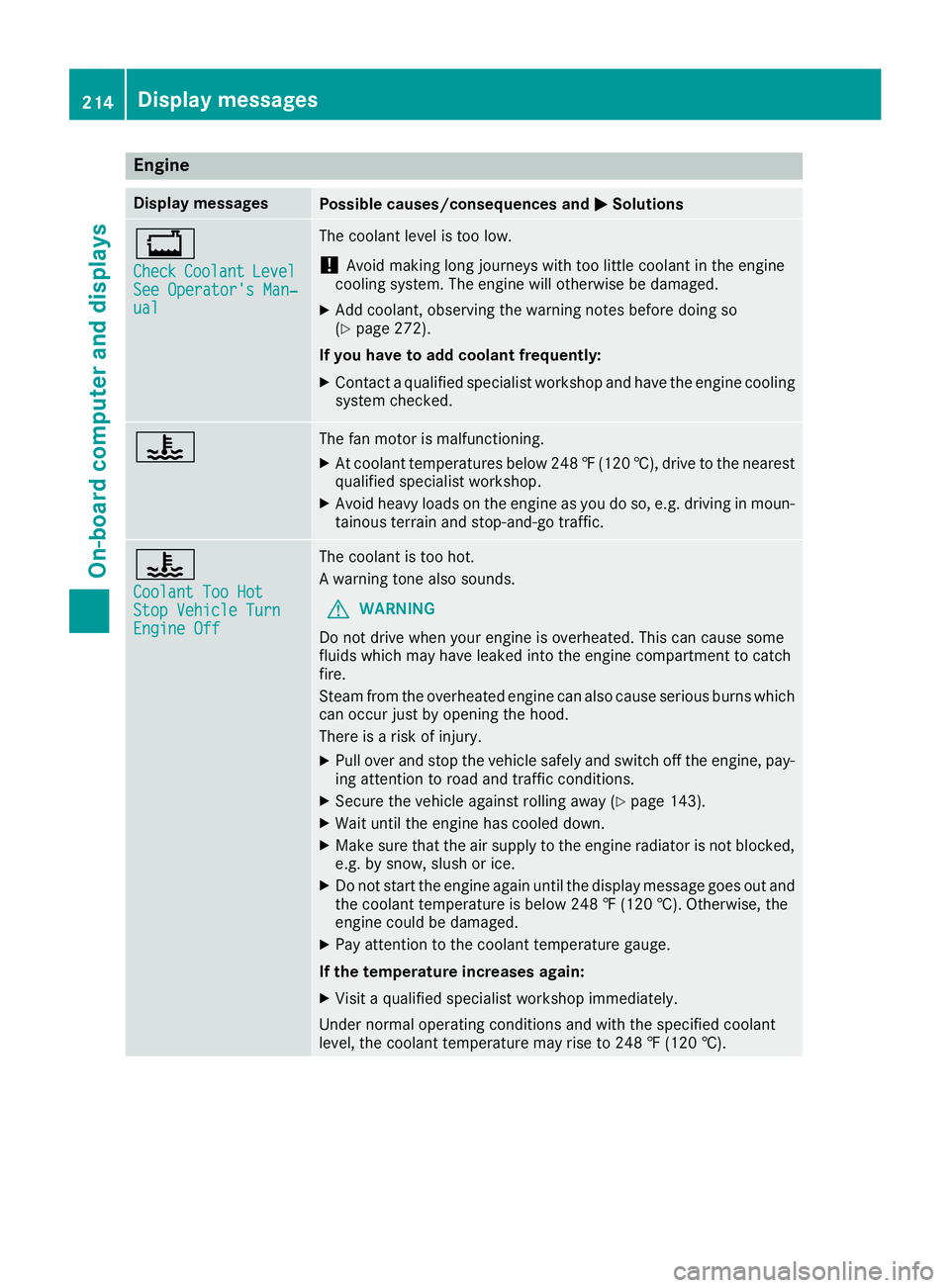
Display messagesPossible causes/consequences andMSolutions
+
CheckCoolantLevelSee Operator's Man‐ual
The coolant level is too low.
!Avoid making long journeys with too little coolant in the engine
cooling system. The engine will otherwise be damaged.
XAdd coolant, observing the warning notes before doing so
(Ypage 272).
If you have to add coolant frequently:
XContact a qualified specialist workshop and have the engine cooling
system checked.
?The fan motor is malfunctioning.
XAt coolant temperatures below 248 ‡(120 †), drive to the nearest
qualified specialist workshop.
XAvoid heavy loads on the engine as you do so, e.g. driving in moun-
tainous terrain and stop-and-go traffic.
?
Coolant Too HotStop Vehicle TurnEngine Off
The coolant is too hot.
A warning tone also sounds.
GWARNING
Do not drive when your engine is overheated. This can cause some
fluids which may have leaked into the engine compartment to catch
fire.
Steam from the overheated engine can also cause serious burns which
can occur just by opening the hood.
There is a risk of injury.
XPull over and stop the vehicle safely and switch off the engine, pay- ing attention to road and traffic conditions.
XSecure the vehicle against rolling away (Ypage 143).
XWait until the engine has cooled down.
XMake sure that the air supply to the engine radiator is not blocked,e.g. by snow, slush or ice.
XDo not start the engine again until the display message goes out and
the coolant temperature is below 248 ‡ (120 †). Otherwise, the
engine could be damaged.
XPay attention to the coolant temperature gauge.
If the temperature increases again:
XVisit a qualified specialist workshop immediately.
Under normal operating conditions and with the specified coolant
level, the coolant temperature may rise to 248 ‡ (120 †).
214Display messages
On-board computer and displays
Page 237 of 338
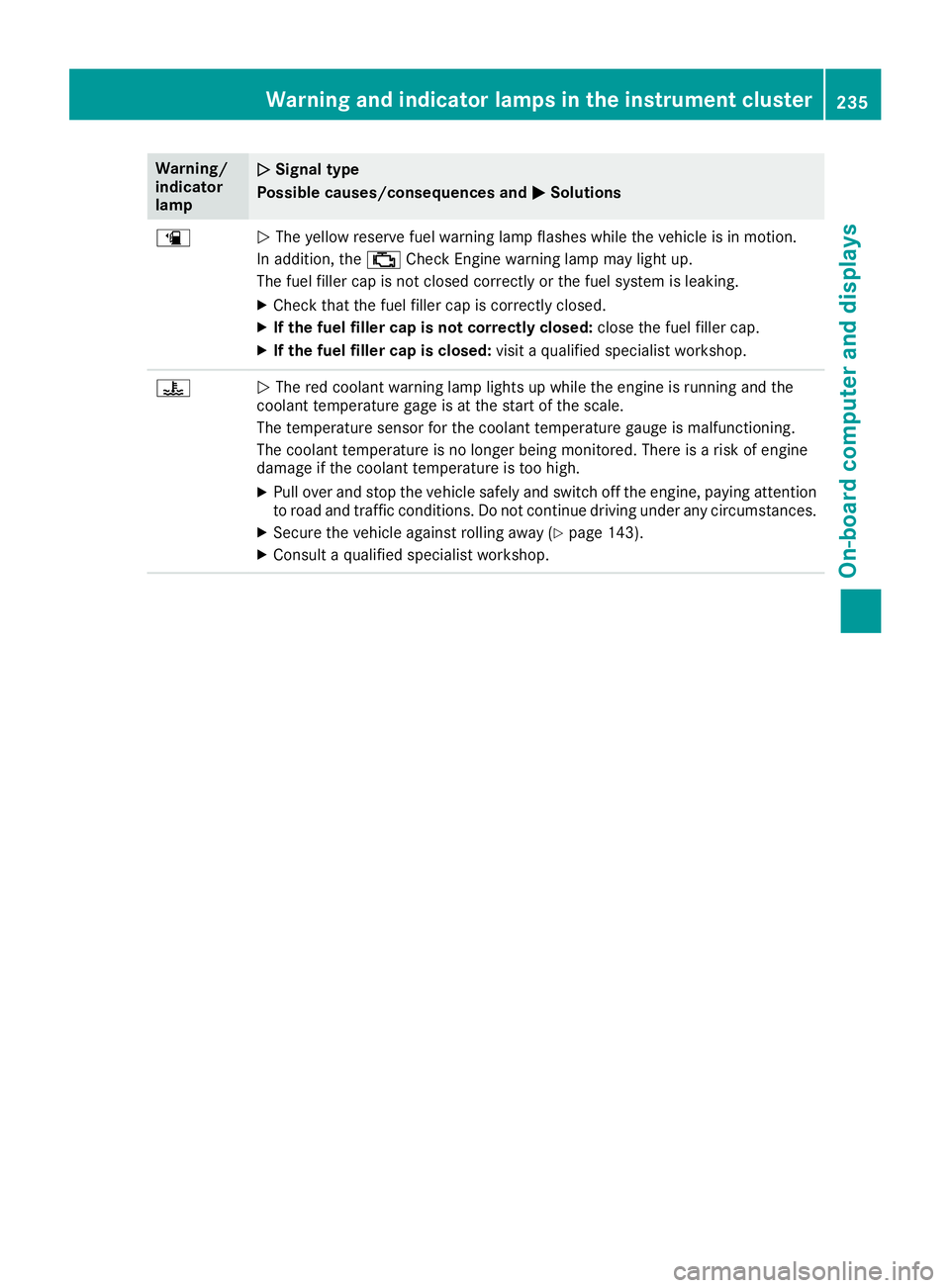
Warning/
indicator
lampNSignal type
Possible causes/consequences and M
Solutions
æNThe yellow reserve fuel warning lamp flashes while the vehicle is in motion.
In addition, the ;Check Engine warning lamp may light up.
The fuel filler cap is not closed correctly or the fuel system is leaking.
XCheck that the fuel filler cap is correctly closed.
XIf the fuel filler cap is not correctly closed: close the fuel filler cap.
XIf the fuel filler cap is closed:visit a qualified specialist workshop.
?NThe red coolant warning lamp lights up while the engine is running and the
coolant temperature gage is at the start of the scale.
The temperature sensor for the coolant temperature gauge is malfunctioning.
The coolant temperature is no longer being monitored. There is a risk of engine
damage if the coolant temperature is too high.
XPull over and stop the vehicle safely and switch off the engine, paying attention
to road and traffic conditions. Do not continue driving under any circumstances.
XSecure the vehicle against rolling away (Ypage 143).
XConsult a qualified specialist workshop.
Warning and indicator lamps in the instrument cluster235
On-board computer and displays
Z
Page 238 of 338
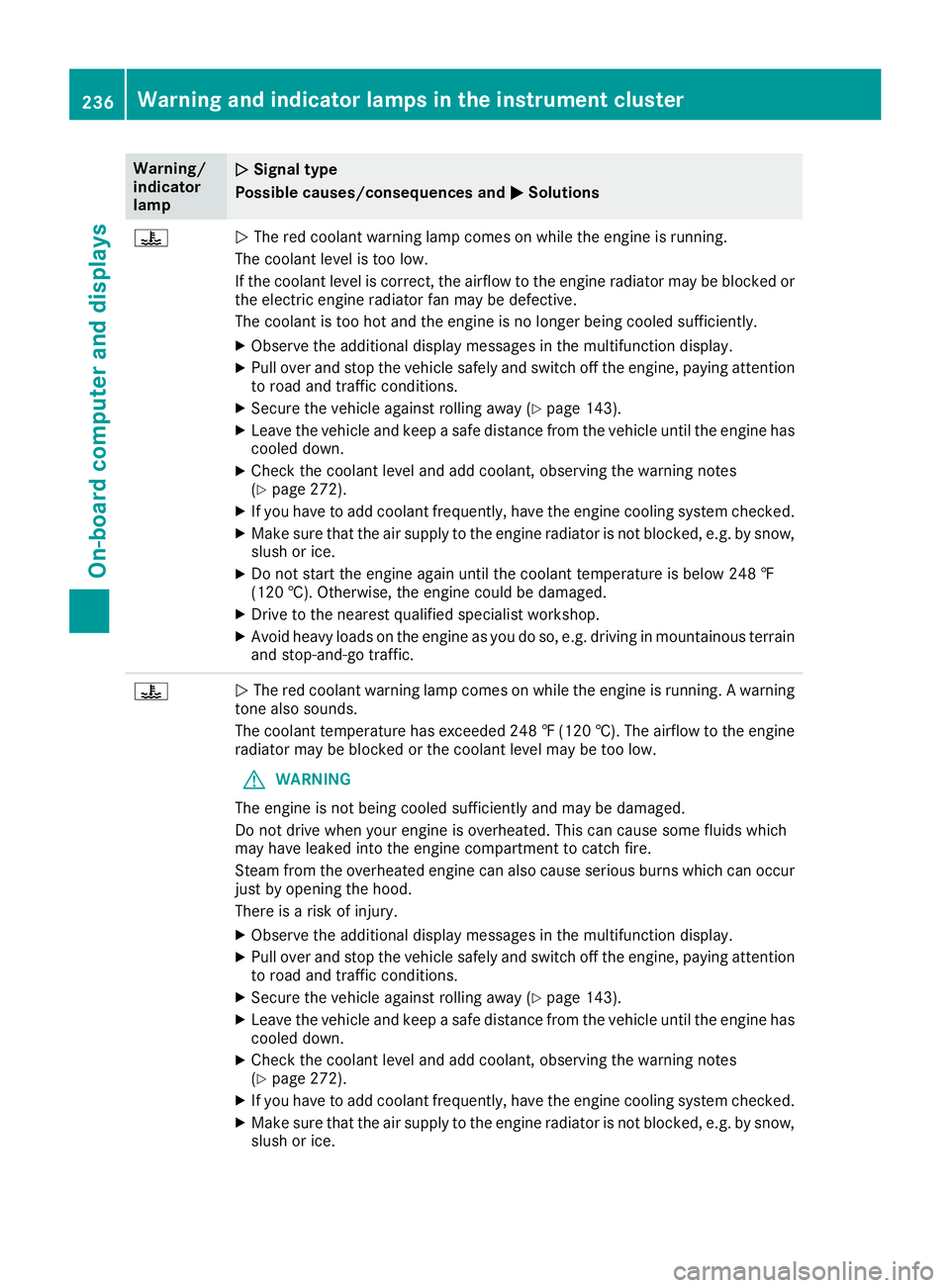
Warning/
indicator
lampNSignal type
Possible causes/consequences and M
Solutions
?NThe red coolant warning lamp comes on while the engine is running.
The coolant level is too low.
If the coolant level is correct, the airflow to the engine radiator may be blocked or
the electric engine radiator fan may be defective.
The coolant is too hot and the engine is no longer being cooled sufficiently.
XObserve the additional display messages in the multifunction display.
XPull over and stop the vehicle safely and switch off the engine, paying attention
to road and traffic conditions.
XSecure the vehicle against rolling away (Ypage 143).
XLeave the vehicle and keep a safe distance from the vehicle until the engine has cooled down.
XCheck the coolant level and add coolant, observing the warning notes
(Ypage 272).
XIf you have to add coolant frequently, have the engine cooling system checked.
XMake sure that the air supply to the engine radiator is not blocked, e.g. by snow,
slush or ice.
XDo not start the engine again until the coolant temperature is below 248 ‡
(120 †). Otherwise, the engine could be damaged.
XDrive to the nearest qualified specialist workshop.
XAvoid heavy loads on the engine as you do so, e.g. driving in mountainous terrain
and stop-and-go traffic.
?N The red coolant warning lamp comes on while the engine is running. A warning
tone also sounds.
The coolant temperature has exceeded 248 ‡(120 †). The airflow to the engine
radiator may be blocked or the coolant level may be too low.
GWARNING
The engine is not being cooled sufficiently and may be damaged.
Do not drive when your engine is overheated. This can cause some fluids which
may have leaked into the engine compartment to catch fire.
Steam from the overheated engine can also cause serious burns which can occur
just by opening the hood.
There is a risk of injury.
XObserve the additional display messages in the multifunction display.
XPull over and stop the vehicle safely and switch off the engine, paying attention
to road and traffic conditions.
XSecure the vehicle against rolling away (Ypage 143).
XLeave the vehicle and keep a safe distance from the vehicle until the engine has
cooled down.
XCheck the coolant level and add coolant, observing the warning notes
(Ypage 272).
XIf you have to add coolant frequently, have the engine cooling system checked.
XMake sure that the air supply to the engine radiator is not blocked, e.g. by snow,
slush or ice.
236Warning and indicator lamps in the instrument cluster
On-board computer and displays
Page 239 of 338
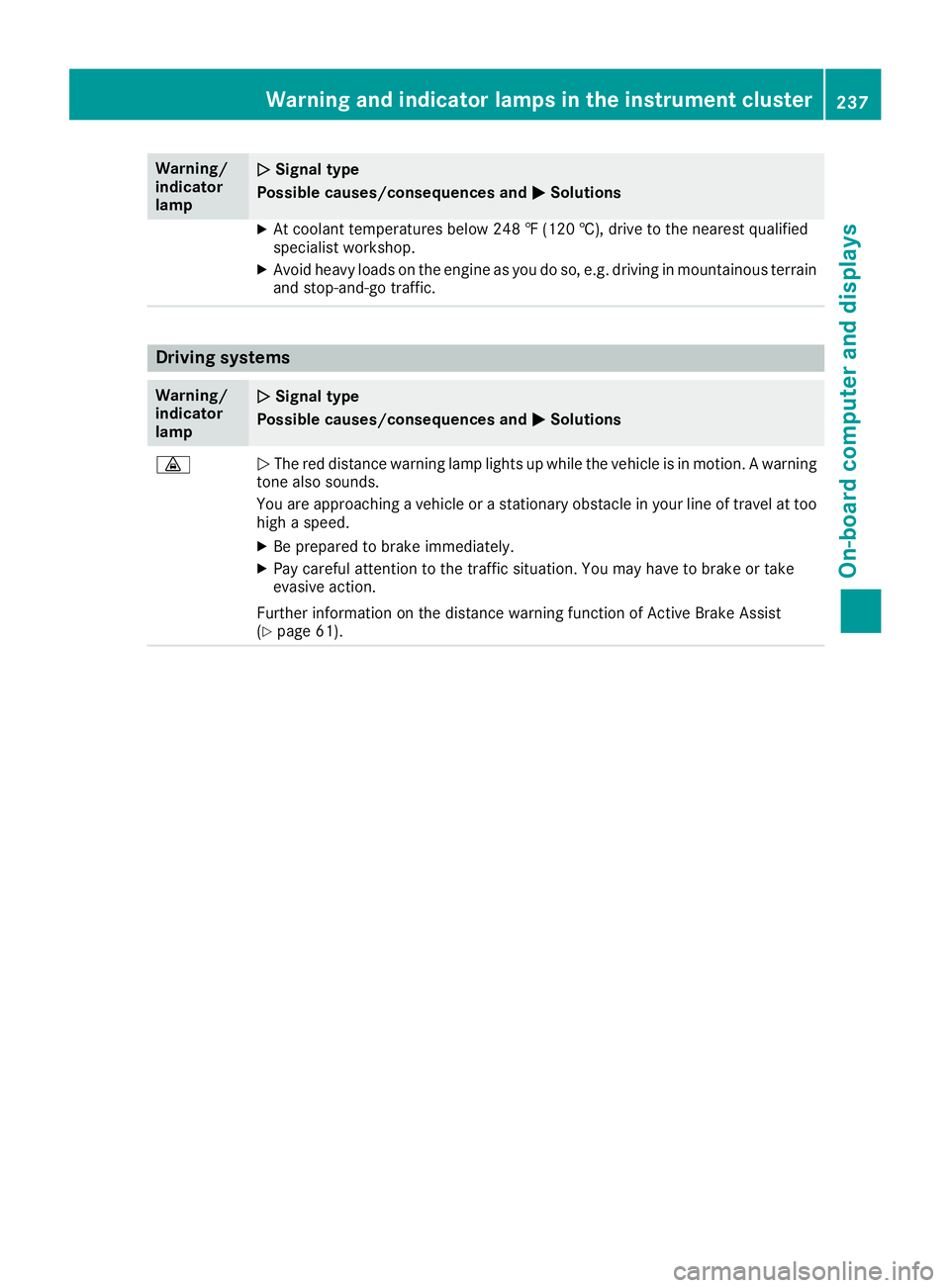
Warning/
indicator
lampNSignal type
Possible causes/consequences and M
Solutions
XAt coolant temperatures below 248 ‡ (120 †), drive to the nearest qualified
specialist workshop.
XAvoid heavy loads on the engine as you do so, e.g. driving in mountainous terrain
and stop-and-go traffic.
Driving systems
Warning/
indicator
lampNSignal type
Possible causes/consequences and M
Solutions
·NThe red distance warning lamp lights up while the vehicle is in motion. A warning
tone also sounds.
You are approaching a vehicle or a stationary obstacle in your line of travel at too high a speed.
XBe prepared to brake immediately.
XPay careful attention to the traffic situation. You may have to brake or take
evasive action.
Further information on the distance warning function of Active Brake Assist
(
Ypage 61).
Warning and indicator lamps in the instrument cluster237
On-board computer and displays
Z
Page 274 of 338
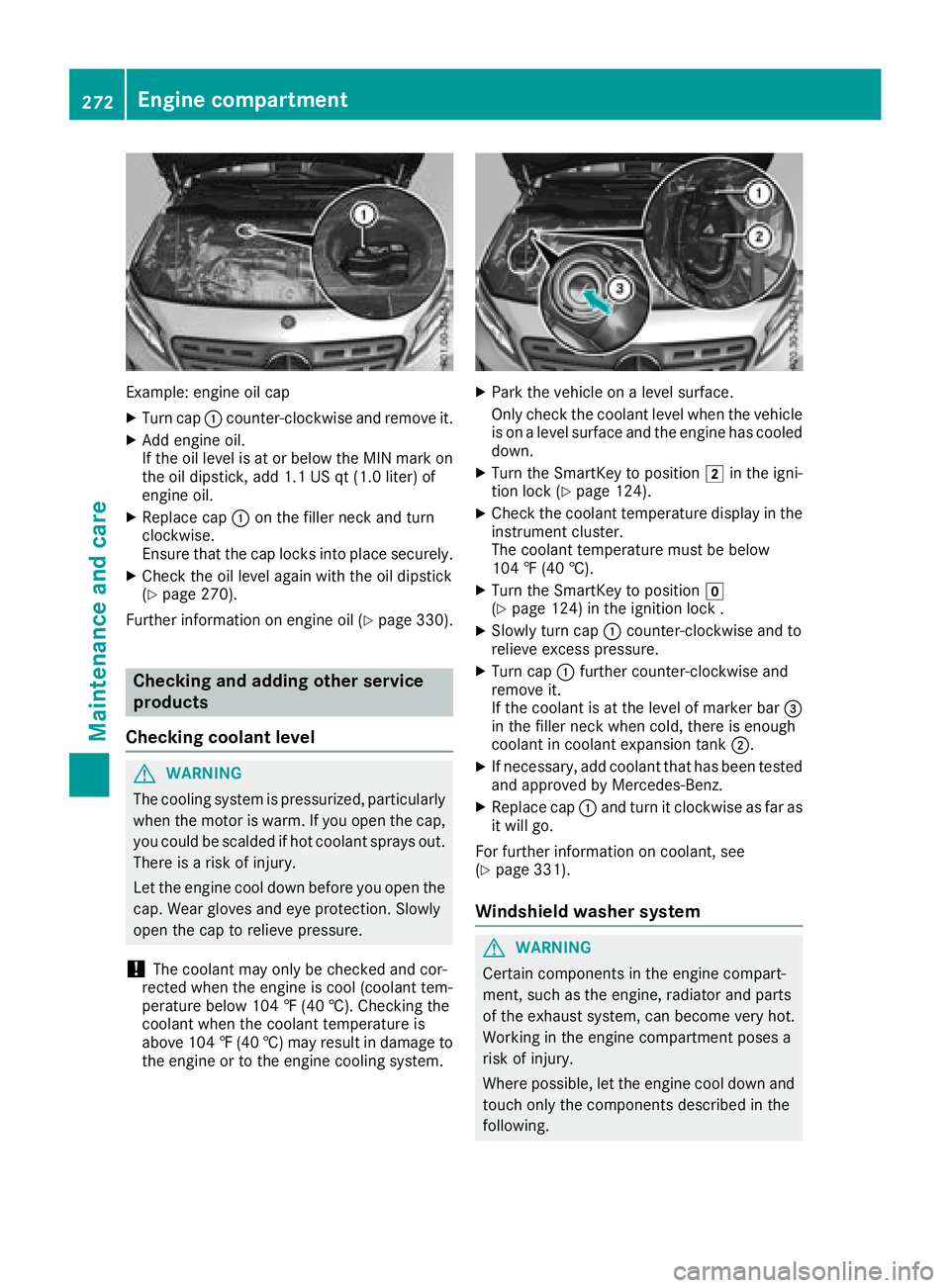
Example: engine oil cap
XTurn cap:counter-clockwise and remove it.
XAdd engine oil.
If the oil level is at or below the MIN mark on
the oil dipstick, add 1.1 US qt (1.0 liter) of
engine oil.
XReplace cap :on the filler neck and turn
clockwise.
Ensure that the cap locks into place securely.
XCheck the oil level again with the oil dipstick
(Ypage 270).
Further information on engine oil (
Ypage 330).
Checking and adding other service
products
Checking coolant level
GWARNING
The cooling system is pressurized, particularly
when the motor is warm. If you open the cap,
you could be scalded if hot coolant sprays out.
There is a risk of injury.
Let the engine cool down before you open the
cap. Wear gloves and eye protection. Slowly
open the cap to relieve pressure.
!The coolant may only be checked and cor-
rected when the engine is cool (coolant tem-
perature below 104 ‡ (40 †). Checking the
coolant when the coolant temperature is
above 104 ‡ (40 †) may result in damage to
the engine or to the engine cooling system.
XPark the vehicle on a level surface.
Only check the coolant level when the vehicle is on a level surface and the engine has cooled
down.
XTurn the SmartKey to position 2in the igni-
tion lock (Ypage 124).
XCheck the coolant temperature display in the
instrument cluster.
The coolant temperature must be below
104 ‡ (40 †).
XTurn the SmartKey to position g
(Ypage 124) in the ignition lock .
XSlowly turn cap :counter-clockwise and to
relieve excess pressure.
XTurn cap :further counter-clockwise and
remove it.
If the coolant is at the level of marker bar =
in the filler neck when cold, there is enough
coolant in coolant expansion tank ;.
XIf necessary, add coolant that has been tested
and approved by Mercedes-Benz.
XReplace cap :and turn it clockwise as far as
it will go.
For further information on coolant, see
(
Ypage 331).
Windshield washer system
GWARNING
Certain components in the engine compart-
ment, such as the engine, radiator and parts
of the exhaust system, can become very hot.
Working in the engine compartment poses a
risk of injury.
Where possible, let the engine cool down and touch only the components described in the
following.
272Engine compartment
Maintenance and care