manual transmission MERCEDES-BENZ GLA SUV 2018 Owner's Manual
[x] Cancel search | Manufacturer: MERCEDES-BENZ, Model Year: 2018, Model line: GLA SUV, Model: MERCEDES-BENZ GLA SUV 2018Pages: 338, PDF Size: 5.59 MB
Page 4 of 338
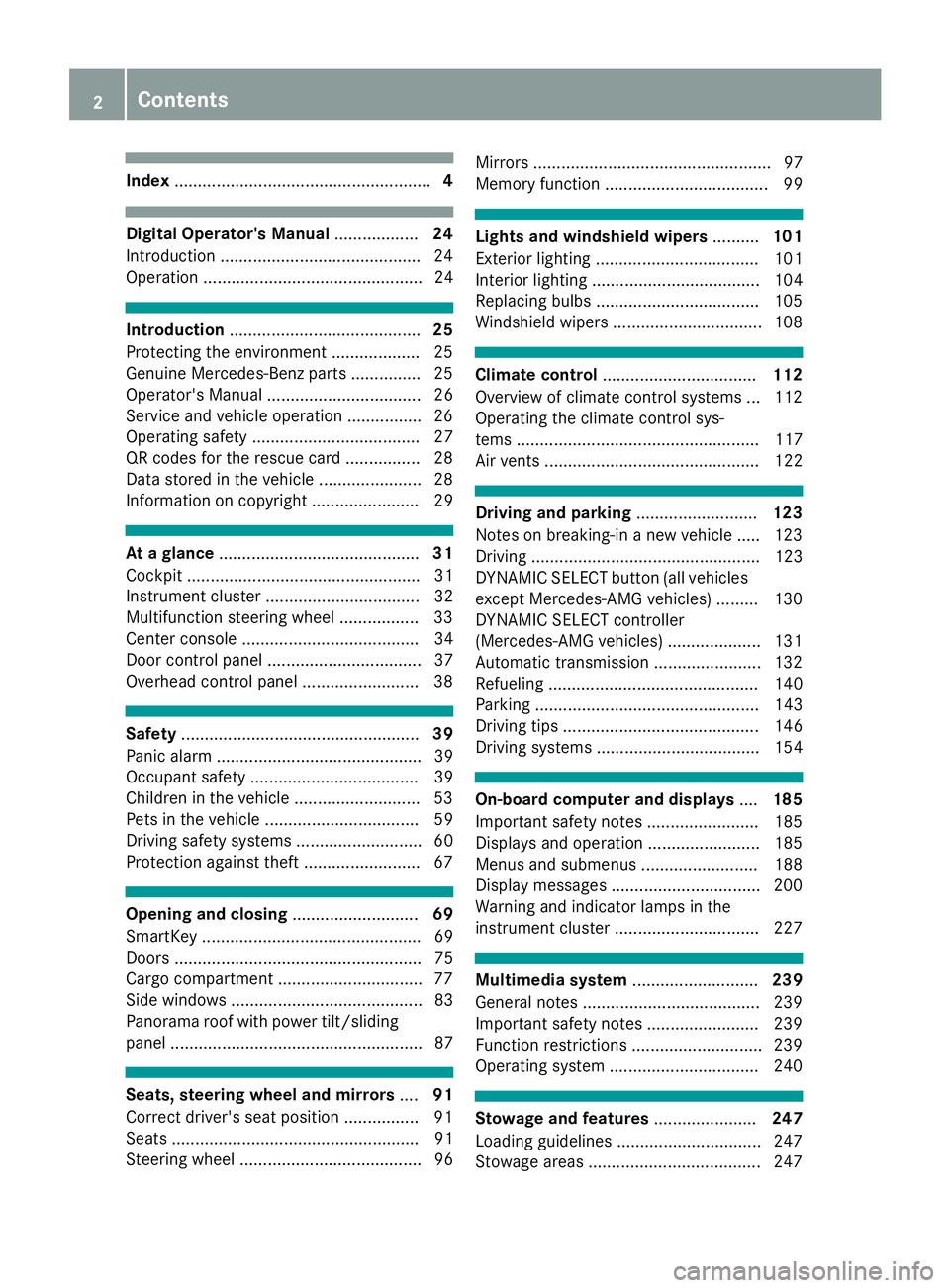
Index....................................................... 4
Digital Operator's Manual..................24
Introduction .......................................... .24
Operation ............................................... 24
Introduction ......................................... 25
Protecting the environment ...................2 5
Genuine Mercedes-Benz parts .............. .25
Operator's Manual ................................. 26
Service and vehicle operation ................2 6
Operating safety .................................... 27
QR codes for the rescue card ................2 8
Data stored in the vehicle ...................... 28
Information on copyright ....................... 29
At a glance ........................................... 31
Cockpit .................................................. 31
Instrument cluster ................................. 32
Multifunction steering wheel ................. 33
Center console ...................................... 34
Door control panel ................................. 37
Overhead control panel .........................3 8
Safety................................................... 39
Panic alarm ............................................ 39
Occupant safety .................................... 39
Children in the vehicle ........................... 53
Pets in the vehicle ................................. 59
Driving safety systems ........................... 60
Protection against theft .........................6 7
Opening and closing...........................69
SmartKey ............................................... 69
Doors ..................................................... 75
Cargo compartment .............................. .77
Side windows ......................................... 83
Panorama roof with power tilt/sliding
panel ...................................................... 87
Seats, steering wheel and mirrors ....91
Correct driver's seat position ................ 91
Seats ..................................................... 91
Steering wheel ....................................... 96 Mirrors ................................................... 97
Memory function ................................... 99
Lights and windshield wipers
..........101
Exterior lighting ................................... 101
Interior lighting .................................... 104
Replacing bulbs ................................... 105
Windshield wipers ................................ 108
Climate control ................................. 112
Overview of climate control systems ... 112
Operating the climate control sys-
tems .................................................... 117
Air vents .............................................. 122
Driving and parking ..........................123
Notes on breaking-in a new vehicle ..... 123
Driving ................................................. 123
DYNAMIC SELECT button (all vehicles
except Mercedes-AMG vehicles) ......... 130
DYNAMIC SELECT controller
(Mercedes-AMG vehicles) .................... 131
Automatic transmission ....................... 132
Refueling ............................................. 140
Parking ................................................ 143
Driving tips .......................................... 146
Driving systems ................................... 154
On-board computer and displays ....185
Important safety notes ........................ 185
Displays and operation ........................ 185
Menus and submenus ......................... 188
Display messages ................................ 200
Warning and indicator lamps in the
instrument cluster ............................... 227
Multimedia system ...........................239
General notes ...................................... 239
Important safety notes ........................ 239
Function restrictions ............................ 239
Operating system ................................ 240
Stowage and features ......................247
Loading guidelines ............................... 247
Stowage areas ..................................... 247
2Contents
Page 7 of 338
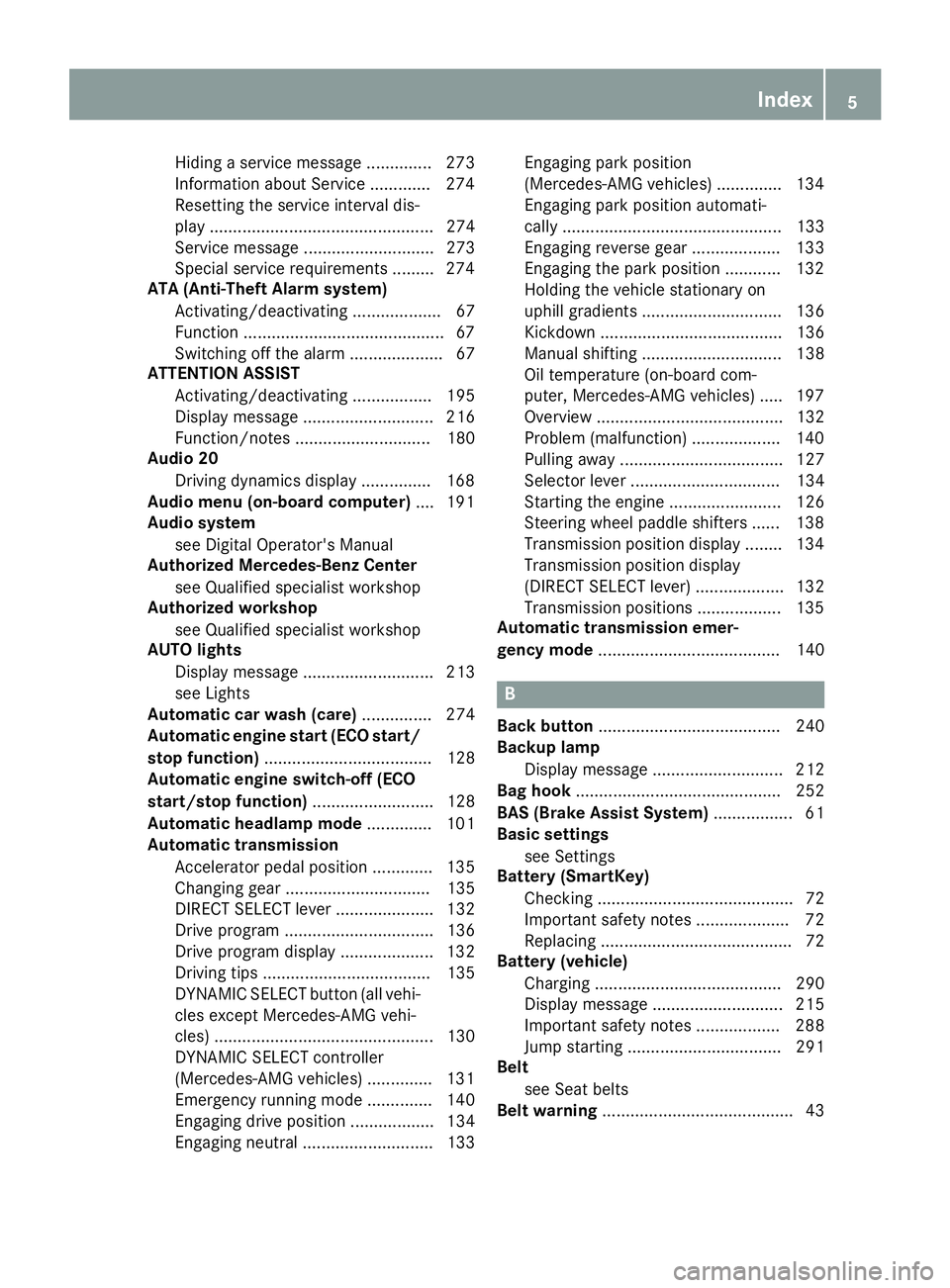
Hiding a service message .............. 273
Information about Service .............274
Resetting the service interval dis-
play ................................................ 274
Service message ............................ 273
Special service requirements ......... 274
ATA (Anti-Theft Alarm system)
Activating/deactivating ................... 67
Function ...........................................6 7
Switching off the alarm .................... 67
ATTENTION ASSIST
Activating/deactivating ................. 195
Display message ............................ 216
Function/notes ............................. 180
Audio 20
Driving dynamics display ............... 168
Audio menu (on-board computer) .... 191
Audio system
see Digital Operator's Manual
Authorized Mercedes-Benz Center
see Qualified specialist workshop
Authorized workshop
see Qualified specialist workshop
AUTO lights
Display message ............................ 213
see Lights
Automatic car wash (care) ............... 274
Automatic engine start (ECO start/
stop function) .................................... 128
Automatic engine switch-off (ECO
start/stop function) .......................... 128
Automatic headlamp mode .............. 101
Automatic transmission
Accelerator pedal position ............. 135
Changing gear ............................... 135
DIRECT SELECT lever ..................... 132
Drive program ................................ 136
Drive program display .................... 132
Driving tips .................................... 135
DYNAMIC SELECT button (all vehi-
cles except Mercedes-AMG vehi-
cles) ............................................... 130
DYNAMIC SELECT controller
(Mercedes-AMG vehicles) .............. 131
Emergency running mode .............. 140
Engaging drive position .................. 134
Engaging neutral ............................ 133 Engaging park position
(Mercedes-AMG vehicles) .............. 134
Engaging park position automati-
call
y ............................................... 133
Engaging reverse gear ................... 133
Engaging the park position ............ 132
Holding the vehicle stationary on
uphill gradients .............................. 136
Kickdown ....................................... 136
Manual shifting .............................. 138
Oil temperature (on-board com-
puter, Mercedes-AMG vehicles) ..... 197
Overview ........................................ 132
Problem (malfunction) ................... 140
Pulling away ................................... 127
Selector lever ................................ 134
Starting the engine ........................ 126
Steering wheel paddle shifters ...... 138
Transmission position display ........ 134
Transmission position display
(DIRECT SELECT lever) ................... 132
Transmission positions .................. 135
Automatic transmission emer-
gency mode ....................................... 140
B
Back button ....................................... 240
Backup lamp
Display message ............................ 212
Bag hook ............................................ 252
BAS (Brake Assist System) ................. 61
Basic settings
see Settings
Battery (SmartKey)
Checking .......................................... 72
Important safety notes .................... 72
Replacing ......................................... 72
Battery (vehicle)
Charging ........................................ 290
Display message ............................ 215
Important safety notes .................. 288
Jump starting ................................. 291
Belt
see Seat belts
Belt warning ......................................... 43
Index5
Page 18 of 338
PASSENGER AIR BAGDisplay message ............................2 09
Indicator lamps ................................ 40
Problem (malfunction) ................... 209
Pets in the vehicle ............................... 59
Phone book
see also Digital Operator's Man-
ual ..................................................2 39
Plastic trim (cleaning instruc-
tions) ..................................................2 79
Power washers .................................. 275
Power windows
see Side windows
Protection against theft
ATA (Anti-Theft Alarm system) ......... 67
Immobilizer ...................................... 67
Protection of the environment
General notes .................................. 25
Pulling away
Automatic transmission ................. 127
General notes ................................ 127
Hill start assist ............................... 127
Q
QR codeMercedes-Benz Guide App ................. 1
Rescue card ..................................... 28
Qualified specialist workshop ........... 27
R
RACE START
Important safety notes .................. 164
RACE START (Mercedes-AMG vehi-
cles) .................................................... 164
RACE TIMER (on-board computer,
Mercedes-AMG vehicles) .................. 198
Radio
Selecting a station ......................... 191
see Digital Operator's Manual
Radio mode
see also Digital Operator's Man-
ual ..................................................2 39
Radio-wave reception/transmis-
sion in the vehicle
Declaration of conformity ................ 27 Rain closing feature (panorama
roof with power tilt/sliding panel)
.... 88
Reading lamp ..................................... 104
Rear compartment
Setting the air vents ......................1 22
Rear fog lamp
Display message ............................ 212
Replacing bulbs .............................1 07
Switching on/off ........................... 102
Rear lamps
see Lights
Rear seat
Adjusting the angle of the backr-
ests ................................................ 251
Rear seats
Folding the backrest forwards/
back ............................................... 251
Rear view camera
"Reverse parking" function ............ 177
Cleaning instructions ..................... 278
Display in the multimedia system .. 176
Function/notes .............................1 75
General notes ................................ 175
Switching on/off ........................... 176
Rear window defroster
Problem (malfunction) ................... 121
Switching on/off ........................... 121
Rear window wiper
Replacing the wiper blade .............. 111
Switching on/off ........................... 109
Rear-view mirror
Anti-glare (manual) .......................... 97
Dipping (automatic) ......................... 98
Reflective safety jacket .................... 282
Refrigerant (air-conditioning sys-
tem)
Important safety notes .................. 332
Refueling
Fuel gauge ....................................... 32
Important safety notes .................. 140
Refueling process .......................... 141
see Fu
el
Remote control
Garage door opener ....................... 264
Programming (garage door
opener) .......................................... 265
Replacing bulbs
Brake lamp ....................................1 07
16Index
Page 19 of 338
High-beam headlamps ................... 106
Important safety notes .................. 105
Installing/removing the cover
(front wheel arch) .......................... 106
Low-beam headlamps .................... 106
Overview of bulb types .................. 105
Rear fog lamp ................................ 107
Turn signals (front) ......................... 107
Turn signals (rear) .......................... 107
Rescue card ......................................... 28
Reserve (fuel tank)
see Fuel
Reserve fuel
Display message ............................ 215
Warning lamp ................................. 234
see Fuel
Residual heat (climate control) ........ 121
Restraint system
Display message ............................ 207
Introduction ..................................... 39
Warning lamp ................................. 234
Warning lamp (function) ................... 40
Reverse gear (selector lever) ........... 134
Reversing feature
Roller sunblind ................................. 89
Side windows ................................... 83
Tailgate ............................................ 78
Roadside Assistance (breakdown) .... 26
Roller sunblind
Panorama roof with power tilt/
sliding panel ..................................... 88
Roof carrier ........................................ 253
Roof lining and carpets (cleaning
guidelines) ......................................... 281
Roof load (maximum) ........................ 333
Route guidance
see also Digital Operator's Man-
ual .................................................. 239
S
SafetyChildren in the vehicle ..................... 53
see Occupant safety
Safety system
see Driving safety systems
SD card
Inserting ........................................ 245 Inserting/removing ........................ 245
Removing ....................................... 245
SD memory card
see also Digital Operator's Man-
ual .................................................. 239
Search & Send
see also Digital Operator's Man-
ual .................................................. 239
Seat
Correct driver's seat position ........... 91
Seat belts
Adjusting the height ......................... 43
Cleaning ......................................... 280
Correct usage .................................. 42
Fastening ......................................... 43
Important safety guidelines ............. 41
Introduction ..................................... 40
Releasing ......................................... 43
Warning lamp ................................. 227
Warning lamp (function) ................... 43
Seats
Adjusting (electrically) ..................... 93
Adjusting (manually) ........................ 92
Adjusting (Performance Seat) .......... 95
Adjusting the 4-way lumbar sup-
port .................................................. 95
Adjusting the head restraint ............ 93
Cleaning the cover ......................... 280
Folding the backrest (rear com-
partment) forwards/back .............. 251
Important safety notes .................... 91
Seat heating problem ...................... 96
Storing settings (memory func-
tion) ............................................... 100
Switching seat heating on/off ......... 95
Section
Cargo compartment ......................... 77
Securing cargo .................................. 252
Selecting a gear
see Automatic transmission
Selector lever
Cleaning ......................................... 280
Sensors (cleaning instructions) ....... 278
Service menu (on-board com-
puter) .................................................. 195
Service message
see ASSYST PLUS
Index17
Page 22 of 338
Authorizing a mobile phone via the
device manager (connecting) ......... 244
Connecting a mobile phone
(device manager) ........................... 244
Connecting a mobile phone (gen-
eral information) ............................ 243
Display message ............................ 225
Introduction ................................... 192
Menu (on-board computer) ............ 192
Number from the phone book ........ 193
Redialing ........................................ 193
Rejecting/ending a call ................. 193
see also Digital Operator's Man-
ual .................................................. 239
Temperature
Coolant .......................................... 186
Coolant (on-board computer,
Mercedes-AMG vehicles) ............... 197
Engine oil (on-board computer,
Mercedes-AMG vehicles) ............... 197
Outside temperature ...................... 185
Setting (climate control) ................ 118
Transmission oil (on-board com-
puter, Mercedes-AMG vehicles) ..... 197
Through-loading feature ................... 250
Timing (RACETIMER) ......................... 198
Tire pressure
Calling up (on-board computer) ..... 306
Checking manually ........................ 305
Display message ............................ 220
Maximum ....................................... 305
Not reached (TIREFIT) .................... 287
Notes ............................................. 304
Reached (TIREFIT) .......................... 287
Recommended ............................... 302
Tire pressure loss warning system
General notes ................................ 305
Important safety notes .................. 306
Restarting ...................................... 306
Tire pressure monitor
Checking the tire pressure elec-
tronically ........................................ 308
Function/notes ............................. 306
General notes ................................ 306
Important safety notes .................. 307
Radio type approval for the tire
pressure monitor ........................... 309
Restarting ...................................... 309 Warning lamp ................................. 238
Warning message .......................... 308
TIREFIT kit .......................................... 285
Imp
ortant safety notes .................. 285
Storage location ............................ 284
Tire pressure not reached .............. 287
Tire pressure reached .................... 287
Tires
Aspect ratio (definition) ................. 319
Average weight of the vehicle
occupants (definition) .................... 317
Bar (definition) ............................... 317
Changing a wheel .......................... 319
Characteristics .............................. 317
Checking ........................................ 299
Curb weight (definition) ................. 318
Definition of terms ......................... 317
Direction of rotation ...................... 320
Display message ............................ 220
Distribution of the vehicle occu-
pants (definition) ............................ 319
DOT (Department of Transporta-
tion) (definition) ............................. 317
DOT, Tire Identification Number
(TIN) ............................................... 317
GAWR (Gross Axle Weight Rating)
(definition) ..................................... 318
General notes ................................ 323
GVW (Gross Vehicle Weight) (def-
inition) ........................................... 318
GVWR (Gross Vehicle Weight Rat-
ing) (definition) .............................. 318
Important safety notes .................. 299
Increased vehicle weight due to
optional equipment (definition) ...... 318
Information on driving .................... 299
Kilopascal (kPa) (definition) ........... 318
Labeling (overview) ........................ 314
Load bearing index (definition) ...... 319
Load index ..................................... 316
Load index (definition) ................... 318
M+S tires ....................................... 301
Maximum load on a tire (defini-
tion) ............................................... 318
Maximum loaded vehicle weight
(definition) ..................................... 318
Maximum permissible tire pres-
sure (definition) ............................. 318
20Index
Page 27 of 338
Protecting the environment
General notes
HEnvironmental note
Daimler's declared policy is one of compre-
hensive environmental protection.
The objectives are for the natural resources
that form the basis of our existence on this
planet to be used sparingly and in a manner
that takes the requirements of both nature
and humanity into account.
You too can help to protect the environment
by operating your vehicle in an environmen-
tally responsible manner.
Fuel consumption and the rate of engine,
transmission, brake and tire wear are affected by these factors:
Roperating conditions of your vehicle
Ryour personal driving style
You can influence both factors. You should
bear the following in mind:
Operating conditions:
Ravoid short trips as these increase fuel con-
sumption.
Ralways make sure that the tire pressures
are correct.
Rdo not carry any unnecessary weight.
Rremove roof racks once you no longer need
them.
Ra regularly serviced vehicle will contribute
to environmental protection. You should
therefore adhere to the service intervals.
Ralways have service work carried out at a
qualified specialist workshop.
Personal driving style:
Rdo not depress the accelerator pedal when
starting the engine.
Rdo not warm up the engine when the vehicle
is stationary.
Rdrive carefully and maintain a safe distance
from the vehicle in front.
Ravoid frequent, sudden acceleration and
braking.
Rchange gear in good time and use each gear
only up to Ôof its maximum engine speed.
Rswitch off the engine in stationary traffic.
Rkeep an eye on the vehicle's fuel consump-
tion.
Environmental concerns and recom-
mendations
Wherever the Operator's Manual requires you to
dispose of materials, first try to regenerate or re-
use them. Observe the relevant environmental
rules and regulations when disposing of materi-
als. In this way you will help to protect the envi-
ronment.
Genuine Mercedes-Benz parts
HEnvironmental note
Daimler AG also supplies reconditioned major
assemblies and parts which are of the same
quality as new parts. They are covered by the
same Limited Warranty entitlements as new
parts.
!Air bags and Emergency Tensioning Devi-
ces, as well as control units and sensors for
these restraint systems, may be installed in
the following areas of your vehicle:
Rdoors
Rdoor pillars
Rdoor sills
Rseats
Rcockpit
Rinstrument cluster
Rcenter console
Do not install accessories such as audio sys-
tems in these areas. Do not carry out repairs or welding. You could impair the operating
efficiency of the restraint systems.
Have aftermarket accessories installed at a
qualified specialist workshop.
You could jeopardize the operating safety of
your vehicle if you use parts, tires and wheels as
well as accessories relevant to safety which
have not been approved by Mercedes-Benz. This
could lead to malfunctions in safety-relevant
Genuine Mercedes-Benz parts25
Introduction
Z
Page 71 of 338
SmartKey
Important safety notes
GWARNING
If children are left unsupervised in the vehicle,
they could:
Roperate the vehicle's equipment.
Additionally, children could set the vehicle in
motion if, for example, they:
Rrelease the parking brake
Rshift the automatic transmission out of park
position P
Rstart the engine
There is a risk of an accident and injury.
Never leave children or animals unattended in
the vehicle.
When leaving the vehicle, always take the
SmartKey with you and lock the vehicle. This
also applies to mobile phones if the "Digital
Car Key in smartphone" function is activated
via the Mercedes me connect web app.
GWARNING
If you attach heavy or large objects to the
SmartKey, the SmartKey could be uninten-
tionally turned in the ignition lock. This could
cause the engine to be switched off. There is a risk of an accident.
Do not attach any heavy or large objects to the
SmartKey. Remove any bulky key rings before
inserting the SmartKey into the ignition lock.
!Keep the SmartKey away from strong mag-
netic fields. Otherwise, the remote control
function could be affected.
Strong magnetic fields can occur in the vicin-
ity of powerful electrical installations.
Do not keep the SmartKey:
Rwith electronic devices, e.g. a mobile phone
or another SmartKey
Rwith metallic objects, e.g. coins or metal foil
Rinside metallic objects, e.g. a metal case
Vehicles with KEYLESS-GO start function: do
not keep the SmartKey in the cargo compart-
ment. Otherwise, the SmartKey may not be detected, e.g. when starting the engine using
the Start/Stop button.
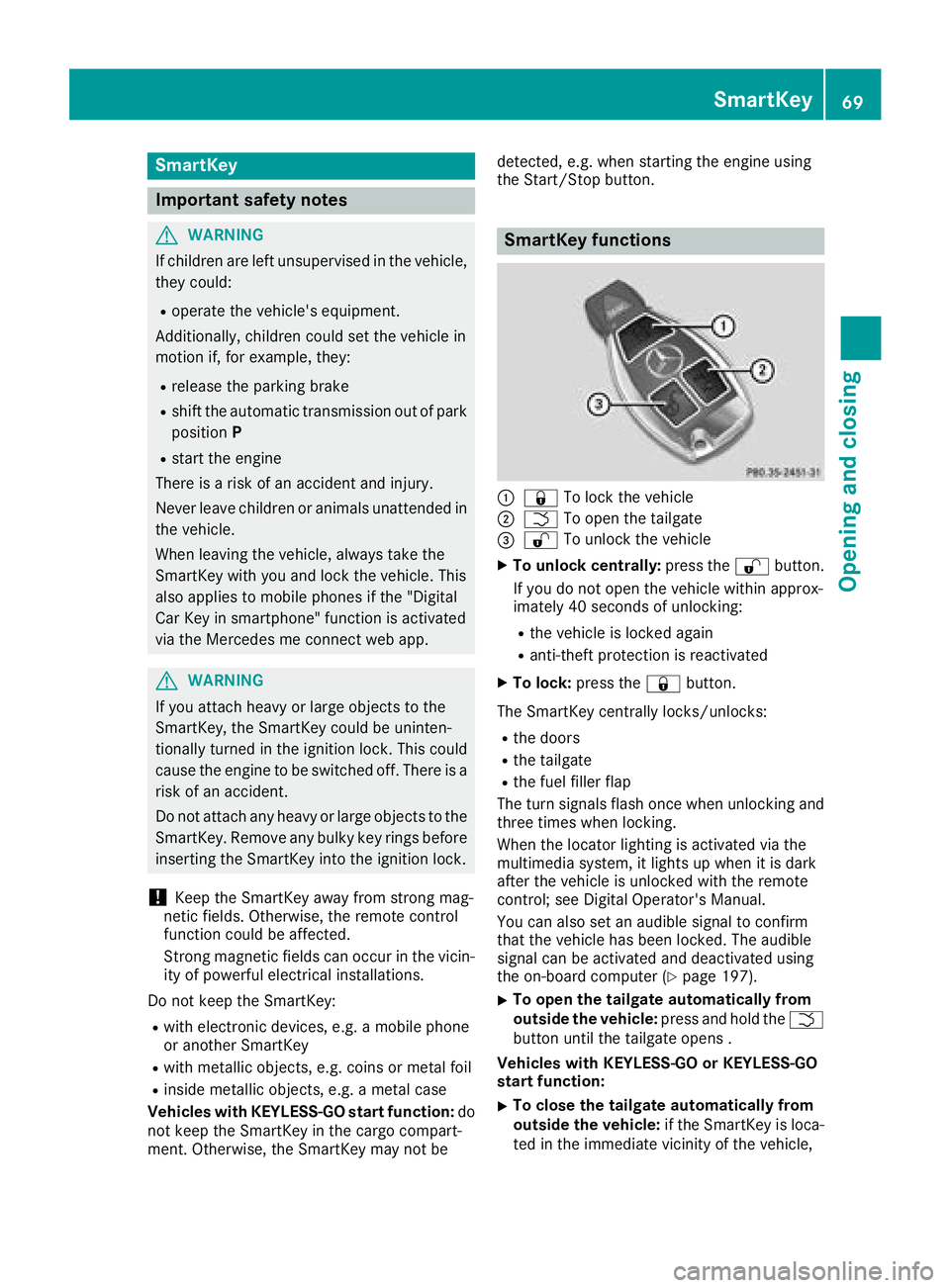
SmartKey functions
:&
To lock the vehicle
;FTo open the tailgate
=%To unlock the vehicle
XTo unlock centrally: press the%button.
If you do not open the vehicle within approx-
imately 40 seconds of unlocking:
Rthe vehicle is locked again
Ranti-theft protection is reactivated
XTo lock: press the &button.
The SmartKey centrally locks/unlocks:
Rthe doors
Rthe tailgate
Rthe fuel filler flap
The turn signals flash once when unlocking and
three times when locking.
When the locator lighting is activated via the
multimedia system, it lights up when it is dark
after the vehicle is unlocked with the remote
control; see Digital Operator's Manual.
You can also set an audible signal to confirm
that the vehicle has been locked. The audible
signal can be activated and deactivated using
the on-board computer (
Ypage 197).
XTo open the tailgate automatically from
outside the vehicle: press and hold theF
button until the tailgate opens .
Vehicles with KEYLESS-GO or KEYLESS-GO
start function:
XTo close the tailgate automatically from
outside the vehicle: if the SmartKey is loca-
ted in the immediate vicinity of the vehicle,
SmartKey69
Opening and closing
Z
Page 128 of 338
GWARNING
Flammable materials introduced through
environmental influence or by animals can
ignite if in contact with the exhaust system or
parts of the engine that heat up. There is a risk
of fire.
Carry out regular checks to make sure that
there are no flammable foreign materials in
the engine compartment or in the exhaust
system.
General notes
During a cold start, the engine runs at higher
speeds to enable the catalytic converter to
reach its operating temperature. The sound of
the engine may change during this time.
Automatic transmission
XShift the transmission to position j
(Ypage 132).
The transmission position display in the mul-
tifunction display shows P(
Ypage 132).
iYou can start the engine in transmission
positions jand i.
Starting procedure with the SmartKey
To start the engine using the SmartKey instead
of the Start/Stop button, pull the Start/Stop
button out of the ignition lock.
XTurn the SmartKey to position 3in the igni-
tion lock (Ypage 124) and release it as soon
as the engine is running.
Starting procedure with the Start/Stop
button
The Start/Stop button can be used to start the
vehicle manually without inserting the SmartKey
into the ignition lock. The Start/Stop button
must be inserted in the ignition lock and the
SmartKey must be in the vehicle. This mode for
starting the engine operates independently of
the ECO start/stop automatic engine start func-
tion.
You can start the engine if a valid SmartKey is in the vehicle. Switch off the engine and always
take the SmartKey with you when leaving the vehicle, even if you only leave it for a short time.
Pay attention to the important safety notes.
XDepress the brake pedal and keep it
depressed.
XPress the Start/Stop button once
(Ypage 124).
The engine starts.
Starting procedure via smartphone
Observe the important safety notes on starting
the engine (Ypage 125).
You can also start your engine via your smart-
phone from outside the vehicle. In this case, the
previously selected climate control setting is
activated. In this way you can cool or heat the
interior of the vehicle before starting the jour-
ney.
Only start the engine via your smartphone if it is
safe to start and run the engine where your vehi-
cle is parked.
Observe the legal stipulations in the area where your vehicle is parked. Engine start via smart-
phone may be limited to certain countries or
regions.
You can execute a maximum of two consecutive
starting attempts via your smartphone. If you
insert the SmartKey into the ignition lock, you
can carry out two more starting attempts.
Once you have started the engine, you can
switch the engine off via your smartphone at any
time.
You can only start the engine via your smart-
phone if:
Rthe SmartKey is in the ignition lock
Rpark position jis selected
Rthe accelerator pedal is not depressed
Rthe alarm for the anti-theft alarm system is
not set
Rthe panic alarm is not activated
Rthe hazard warning lamps are switched off
Rthe hood is closed
Rthe doors are closed and locked
Rthe windows and sliding sunroof are closed
Also make sure that:
Rthe fuel tank is sufficiently filled
Rthe starter battery is sufficiently charged
126Driving
Driving and parking
Page 133 of 338
In addition, the current drive program settings
are displayed briefly in the multimedia systemdisplay.
iIn a few countries, the ECO start/stop func-
tion is deactivated at the factory due to the
available fuel grade. In this case, the ECO
start/stop function is not available in any
drive program, regardless of the display in the
multimedia system display.
Available drive programs:
C ComfortComfortable and economi-
cal driving characteristics
SSportSporty driving characteris-
tics
IIndividualIndividual settings
Off-roadOptimal driving characteris-
tics for easily negotiable off-
road terrain
E EconomyParticularly economical
driving characteristics
Additional information for drive programs
(Ypage 136).
You can also change gear yourself using the
steering wheel paddle shifters. For further infor- mation on the manual drive program
(
Ypage 138).
DYNAMIC SELECT controller
(Mercedes-AMG vehicles)
Use the DYNAMIC SELECT controller to change
the drive program. Depending on the drive pro-
gram selected the following vehicle character-
istics will change:
Rthe drive
Rthe transmission management
RESP®
Rthe suspension (vehicles with AMG adaptive
sport suspension system)
Rthe sound of the exhaust system
Rthe availability of the ECO start/stop function
Rthe availability of gliding mode
Each time you start the engine with the Smart-
Key or the Start/Stop button, drive program Cis
activated. For further information about starting
the engine, see (
Ypage 138).
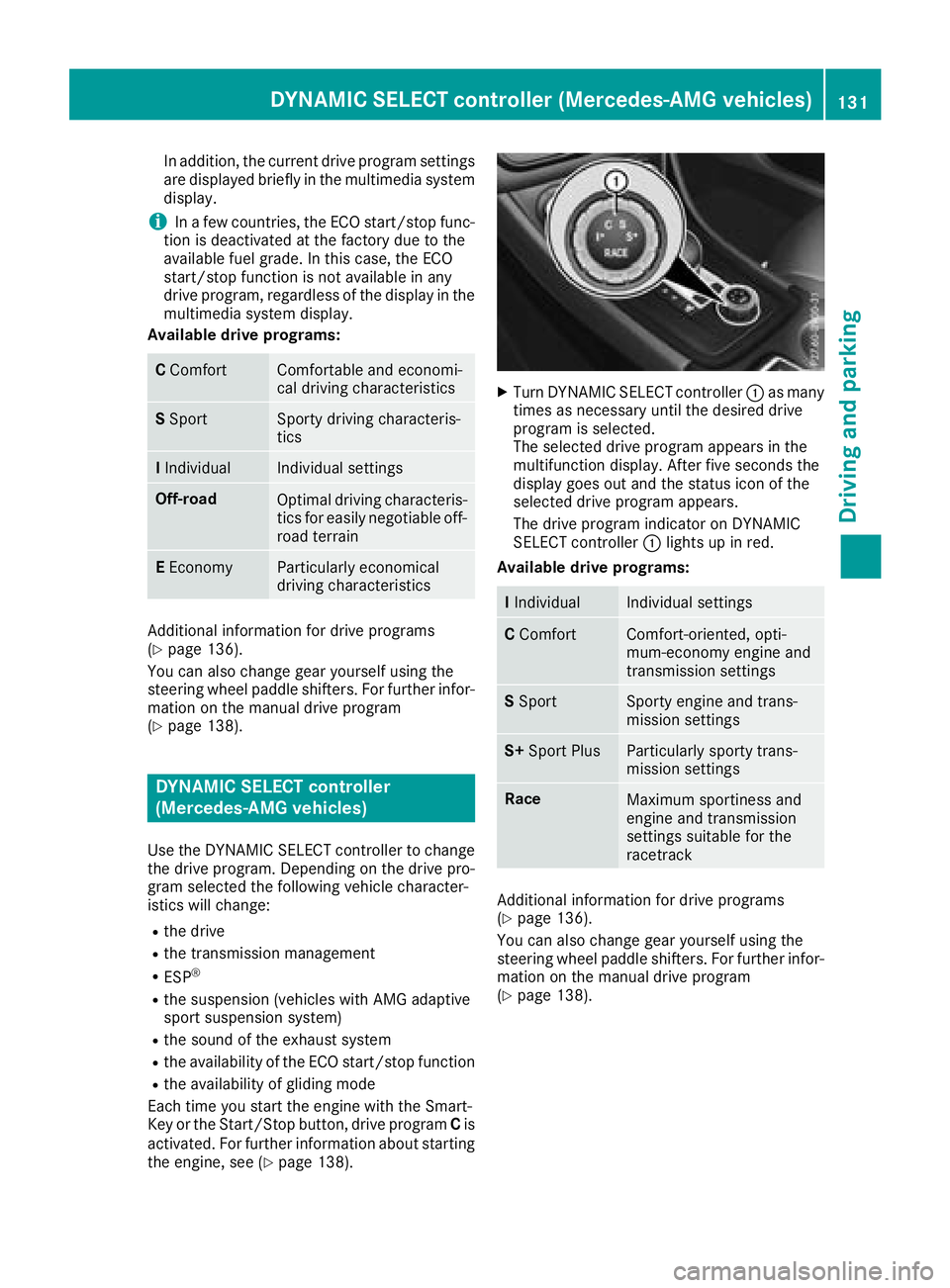
XTurn DYNAMIC SELECT controller :as many
times as necessary until the desired drive
program is selected.
The selected drive program appears in the
multifunction display. After five seconds the
display goes out and the status icon of the
selected drive program appears.
The drive program indicator on DYNAMIC
SELECT controller :lights up in red.
Available drive programs:
I IndividualIndividual settings
C ComfortComfort-oriented, opti-
mum-economy engine and
transmission settings
SSportSporty engine and trans-
mission settings
S+ Sport PlusParticularly sporty trans-
mission settings
RaceMaximum sportiness and
engine and transmission
settings suitable for the
racetrack
Additional information for drive programs
(Ypage 136).
You can also change gear yourself using the
steering wheel paddle shifters. For further infor- mation on the manual drive program
(
Ypage 138).
DYNAMIC SELECT controller (Mercedes-AMG vehicles)131
Driving and parking
Z
Page 138 of 338
Holding the vehicle stationary on uphill
gradients
GWARNING
If the clutch overheats, the electronic man-
agement system is automatically deactivated. This interrupts the power transmission. The
vehicle may, for example, roll backwards on
gradients. There is a risk of an accident.
Never hold the vehicle stationary on uphill
gradients by depressing the accelerator.
The clutch may overheat if you hold the vehicle
stationary on uphill gradients by depressing the
accelerator pedal. If the clutch overheats, a
warning tone sounds.
All vehicles (except Mercedes-AMG vehi-
cles): theStop Vehicle Shift to 'P'
Leave Engine Runningdisplay message
appears in the multifunction display. You will
only be able to continue your journey once the
clutch has cooled down and the display mes-
sage in the multifunction display has disap-
peared.
Mercedes-AMG vehicles: theTrans. Oil
Overheated Drive on with Caredisplay
message appears in the multifunction display.
Do not hold the vehicle stationary on uphill gra-
dients by depressing the accelerator pedal.
Instead, only ever hold the vehicle stationary on uphill gradients by:
Rdepressing the brake pedal
Ractivating the HOLD function
Rengaging the electric parking brake
Kickdown
Use kickdown for maximum acceleration.
XDepress the accelerator pedal beyond the
pressure point.
The automatic transmission shifts to a lower
gear depending on the engine speed.
XEase off the accelerator pedal once the
desired speed is reached.
The automatic transmission shifts back up.
Mercedes-AMG vehicles: it is only possible to
use kickdown in the automatic drive program
and the temporary manual drive program M.
When manual drive program Mis permanently
activated, kickdown is not possible. For further information on kickdown in manual
drive program
M(
Ypage 140).
Rocking the vehicle free
Shifting back and forth between transmission
positions hand kcan help to free up the
vehicle if it gets stuck in mud or snow. The vehi-
cle's engine management system limits the
speed to a maximum of 5 mph (9 km/h) when
shifting back and forth. To shift repeatedly
between transmission positions hand k,
move the DIRECT SELECT lever up and down
past the point of resistance.
Drive programs
All vehicles (except Mercedes-AMG
vehicles)
Drive program C (Comfort)
Drive program Cis characterized by the follow-
ing:
Rthe vehicle delivers comfortable, economical
handling characteristics.
Rthe vehicle pulls away more gently in forward
and reverse gears, unless the accelerator
pedal is depressed fully.
Rthe vehicle has improved driving stability, for
example on slippery road surfaces.
Roptimal fuel consumption resulting from the
automatic transmission shifting up sooner.
The vehicle is driven in the low engine speed
range and the wheels are less likely to spin.
Drive program S (Sport)
Drive program Sis characterized by the follow-
ing:
Rsporty engine settings.
Rthe automatic transmission shifts up later.
The fuel consumption possibly being higher
as a result of the later automatic transmission
shift points.
Drive program I (Individual)
In drive program Ithe following properties of the
drive program can be selected:
Rthe drive (engine and transmission manage-
ment)
Rthe steering
136Automatic transmission
Driving and parking