sport mode MERCEDES-BENZ GLA SUV 2018 Owner's Manual
[x] Cancel search | Manufacturer: MERCEDES-BENZ, Model Year: 2018, Model line: GLA SUV, Model: MERCEDES-BENZ GLA SUV 2018Pages: 338, PDF Size: 5.59 MB
Page 6 of 338
1, 2, 3 ...
4ETS (Electronic Traction System)see ETS/4ETS (Electronic Trac-
tion System)
4MATIC
Display message ............................ 224
4MATIC (permanent four-wheel
drive) .................................................. 165
12 V socket
see Sockets
360° camera
Function/notes ............................ .178
A
ABS (Anti-lock Braking System)
Display message ............................ 201
Function/notes ................................ 60
Important safety notes .................... 60
Warning lamp ................................. 230
Acceleration
see Kickdown
Accident
Automatic measures after an acci-
dent ................................................. 53
Activating media mode
General notes ................................ 245
Activating/deactivating cooling
with air dehumidification ................. 117
Active Brake Assist
Activating or deactivating .............. 194
Display message ............................ 206
Function/notes ................................ 61
ADAPTIVE BRAKE ................................. 67
Additional speedometer ................... 196
Additives (engine oil) ........................ 331
Address book
see also Digital Operator's Man-
ual ..................................................2 39
Adjusting the volume
Multimedia system ........................ 240
Air bags
Deployment ..................................... 51
Display message ............................ 209
Front air bag (driver, front
passenger) ....................................... 45
Important safety notes .................... 44 Introduction ..................................... 44
Knee bag .......................................... 45
Occupant Classification System
(OCS) ............................................... 46
PASSENGER AIR BAG indicator
lamps ............................................... 40
Side impact air bag .......................... 46
Window curtain air bag .................... 46
Air vents
Important safety notes .................. 122
Rear ............................................... 122
Setting the center air vents ........... 122
Setting the side air vents ...............1 22
Air-conditioning system
see Climate control
Alarm
ATA (Anti-Theft Alarm system) ......... 67
Switching off (ATA) .......................... 67
Switching the function on/off
(ATA) ..................... ........................... 67
A
larm system
see ATA (Anti-Theft Alarm system)
AMG
Adaptive sport suspension sys-
tem ................................................ 165
Performance Seat ............................ 95
AMG adaptive sport suspension
system
General Information ....................... 165
AMG menu (on-board computer) ..... 197
AMG Performance exhaust sys-
tem ..................................................... 129
Anti-lock braking system
see ABS (Anti-lock Braking System)
Anti-skid chains
see Snow chains
Anti-theft alarm system
see ATA (Anti-Theft Alarm system)
Approach/departure angle .............. 153
Ashtray ............................................... 255
Assistance display (on-board com-
puter) ..................................................1 94
Assistance menu (on-board com-
puter) ..................................................1 93
ASSYST PLUS
Displaying a service message ........2 73
Driving abroad ............................... 274
4Index
Page 21 of 338
Start/Stop buttonRemoving ....................................... 125
Starting the engine ........................ 126
Start/stop function
see ECO start/stop function
Starting (engine) ................................ 125
STEER CONTROL ..................................6 7
Steering
Display message ............................2 25
Steering assistant STEER CON-
TROL
see STEER CONTROL
Steering wheel
Adjusting (manually) ........................ 96
Button overview ............................... 33
Buttons (on-board computer) ......... 186
Cleaning ......................................... 280
Important safety notes .................... 96
Paddle shifters ............................... 138
Steering wheel paddle shifters ........ 138
Stopwatch (RACETIMER) ................... 198
Stowage compartments
Armrest (front) ............................... 248
Armrest (under) ............................. 249
Center console .............................. 248
Center console (rear) ..................... 249
Cup holders ................................... 253
Eyeglasses compartment ............... 248
Glove box ....................................... 248
Important safety information ......... 247
Map pockets .................................. 249
Stowage net ................................... 249
Stowage net ....................................... 249
Summer opening
see Convenience opening feature
Summer tires ..................................... 301
Sun visor ............................................ 255
Suspension setting
AMG adaptive sport suspension
system ........................................... 165
Switching air-recirculation mode
on/off ................................................. 121
Switching on media mode
Via the device list .......................... 245
T
Tachometer ........................................ 185 Tail lamps
see Lights
Tailgate
Display message ............................ 224
Emergency unlocking ....................... 82
Important safety notes .................... 77
Limiting the opening angle ............... 82
Obstruction detection ...................... 78
Opening dimensions ...................... 333
Opening/closing (from outside) ....... 78
Opening/closing automatically
from inside ....................................... 81
Opening/closing automatically
from outside .................................... 79
Tank
see Fuel tank
Tank content
Fuel gauge ....................................... 32
Technical data
Capacities ...................................... 328
Information .................................... 326
Tires/wheels ................................. 323
Vehicle data ................................... 333
TELEAID
Call priority .................................... 260
Downloading destinations
(COMAND) ..................................... 261
Downloading routes ....................... 263
Emergency call .............................. 258
General notes ................................ 257
Geo fencing ................................... 264
Locating a stolen vehicle ............... 262
MB info call button ........................ 260
Remote vehicle locking .................. 262
Roadside Assistance button .......... 259
Search & Send ............................... 261
Self-test ......................................... 257
Speed alert .................................... 263
System .......................................... 257
Triggering the vehicle alarm ........... 264
Vehicle Health Check .................... 263
Vehicle remote unlocking .............. 262
Telephone
Accepting a call (multifunction
steering wheel) .............................. 193
Authorizing a mobile phone (con-
necting) ......................................... 243
Index19
Page 24 of 338
Type identification platesee Vehicle identification plate
U
UnlockingEmergency unlocking ....................... 76
From inside the vehicle (central
unlocking button) ............................. 75
Upshift indicator (on-board com-
puter, Mercedes-AMG vehicles) ....... 197
USB devices
Connecting to the Media Inter-
face ...............................................2 46
V
Vanity mirror (in the sun visor)........255
Vehicle
Correct use ...................................... 27
Data acquisition ............................... 28
Display message ............................ 222
Equipment ....................................... 26
Individual settings .......................... 195
Limited Warranty .............................2 8
Loading .......................................... 310
Locking (in an emergency) ............... 77
Locking (SmartKey) .......................... 69
Lowering ........................................ 323
Maintenance .................................... 26
Parking for a long period ................ 145
Pulling away ................................... 127
Raising ........................................... 321
Reporting problems ......................... 27
Securing from rolling away ............ 321
Transporting .................................. 296
Unlocking (in an emergency) ........... 76
Unlocking (SmartKey) ...................... 69
Vehicle data ................................... 333
Vehicle battery
see Battery (vehicle)
Vehicle data
Roof load (maximum) ..................... 333
Vehicle data (off-road driving)
Approach/departure angle ............ 334
Maximum gradient climbing abil-
ity .................................................. 334
Vehicle dimensions ........................... 333 Vehicle emergency locking
................ 77
Vehicle identification number
see VIN
Vehicle identification plate .............. 327
Vehicle tool kit .................................. 283
Ventilation
Setting the vents ........................... 122
Video
Operating the DVD ......................... 192
see also Digital Operator's Man-
ual .................................................. 239
VIN
Seat ............................................... 328
Type plate ...................................... 327
W
Warning and indicator lampsABS ................................................ 230
Active Brake Assist ........................ 237
Brakes ........................................... 229
Check Engine ................................. 234
Coolant .......................................... 235
Distance warning ........................... 237
ESP
®.............................................. 231
ESP®OFF ....................................... 232
Fuel tank ........................................ 234
Overview .......................................... 32
Reserve fuel ................................... 234
Restraint system ............................ 234
Seat belt ........................................ 227
SPORT handling mode ................... 232
Tire pressure monitor .................... 238
Warning triangle ................................ 283
Washer fluid
Display message ............................ 225
Weather display (COMAND)
see also Digital Operator's Man-
ual .................................................. 239
Wheel and tire combinations
Tires ............................................... 323
Wheel bolt tightening torque ........... 323
Wheel chock ...................................... 321
Wheels
Changing a wheel .......................... 319
Checking ........................................ 299
Cleaning ......................................... 277
Emergency spare wheel ................. 324
22Index
Page 67 of 338
!Avoid spinning the driven wheels for an
extended period with ESP®deactivated. You
could otherwise damage the drivetrain.
Deactivating/activating ESP®
You can deactivate or activate ESP®via the on-
board computer (Ypage 194).
ESP®deactivated:
The å ESP®OFF warning lamp in the instru-
ment cluster lights up.
ESP
®activated:
The å ESP®OFF warning lamp in the instru-
ment cluster goes out.
Characteristics when ESP®is deactivated
If ESP®is deactivated and one or more wheels
start to spin, the ÷ESP®warning lamp in the
instrument cluster flashes. In such situations,
ESP
®will not stabilize the vehicle.
If you deactivate ESP®:
RESP®no longer improves driving stability.
REngine torque is no longer limited and the
drive wheels are able to spin.
RTraction control is still activated.
RActive Brake Assist is no longer available; nor
is it activated if you brake firmly with assis-
tance from ESP
®.
RSTEER CONTROL is no longer active.
RESP®still provides support when you brake
firmly.
Deactivating/activating ESP®
(Mercedes ‑AMG vehicles)
Important safety notes
iObserve the "Important safety notes" sec-
tion (Ypage 60).
You can select between the following states of
ESP
®:
RESP®is activated.
RSPORT handling mode is activated.
RESP®is deactivated.
GWARNING
When SPORT handling mode is activated,
there is a greater risk of skidding and acci-
dents.
Only activate SPORT handling mode in the sit-
uations described in the following.
GWARNING
If you deactivate ESP
®, ESP®no longer sta-
bilizes the vehicle. There is an increased risk
of skidding and an accident.
Only deactivate ESP
®in the situations descri-
bed in the following.
In the following situations, it may be better to
activate SPORT handling mode or deactivate
ESP
®:
Rwhen using snow chains
Rin deep snow
Ron sand or gravel
Ron specially designated roads when the vehi-
cle's own oversteering and understeering
characteristics are desired
Driving in SPORT handling mode or without
ESP
®requires an extremely qualified and expe-
rienced driver.
iActivate ESP®as soon as the situations
described above no longer apply. ESP®will
otherwise not be able to stabilize the vehicle if
the vehicle starts to skid or a wheel starts to
spin.
!Avoid spinning the driven wheels for an
extended period with ESP®deactivated. You
could otherwise damage the drivetrain.
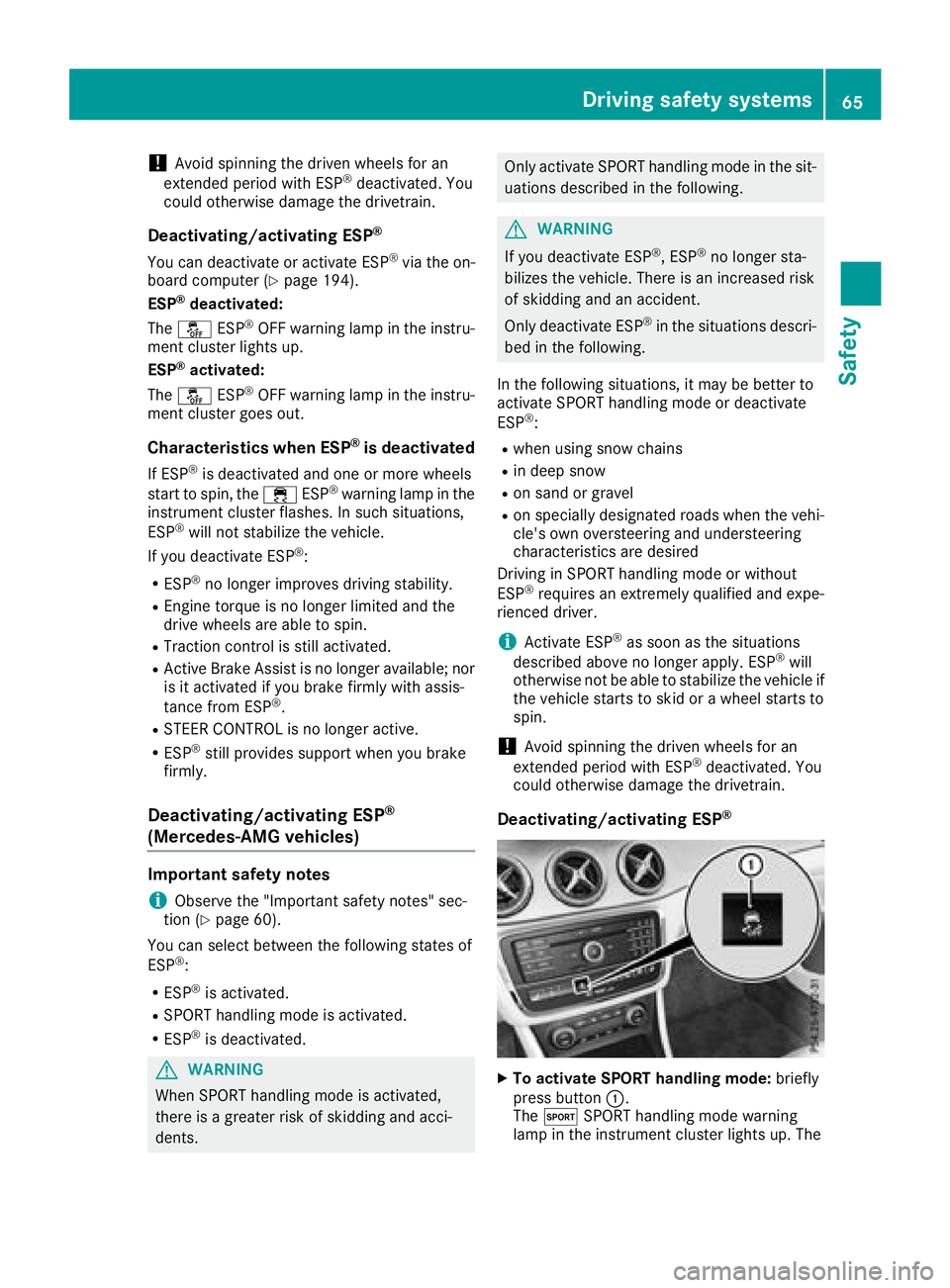
Deactivating/activating ESP®
XTo activate SPORT handling mode: briefly
press button :.
The M SPORT handling mode warning
lamp in the instrument cluster lights up. The
Driving safety systems65
Safety
Z
Page 68 of 338
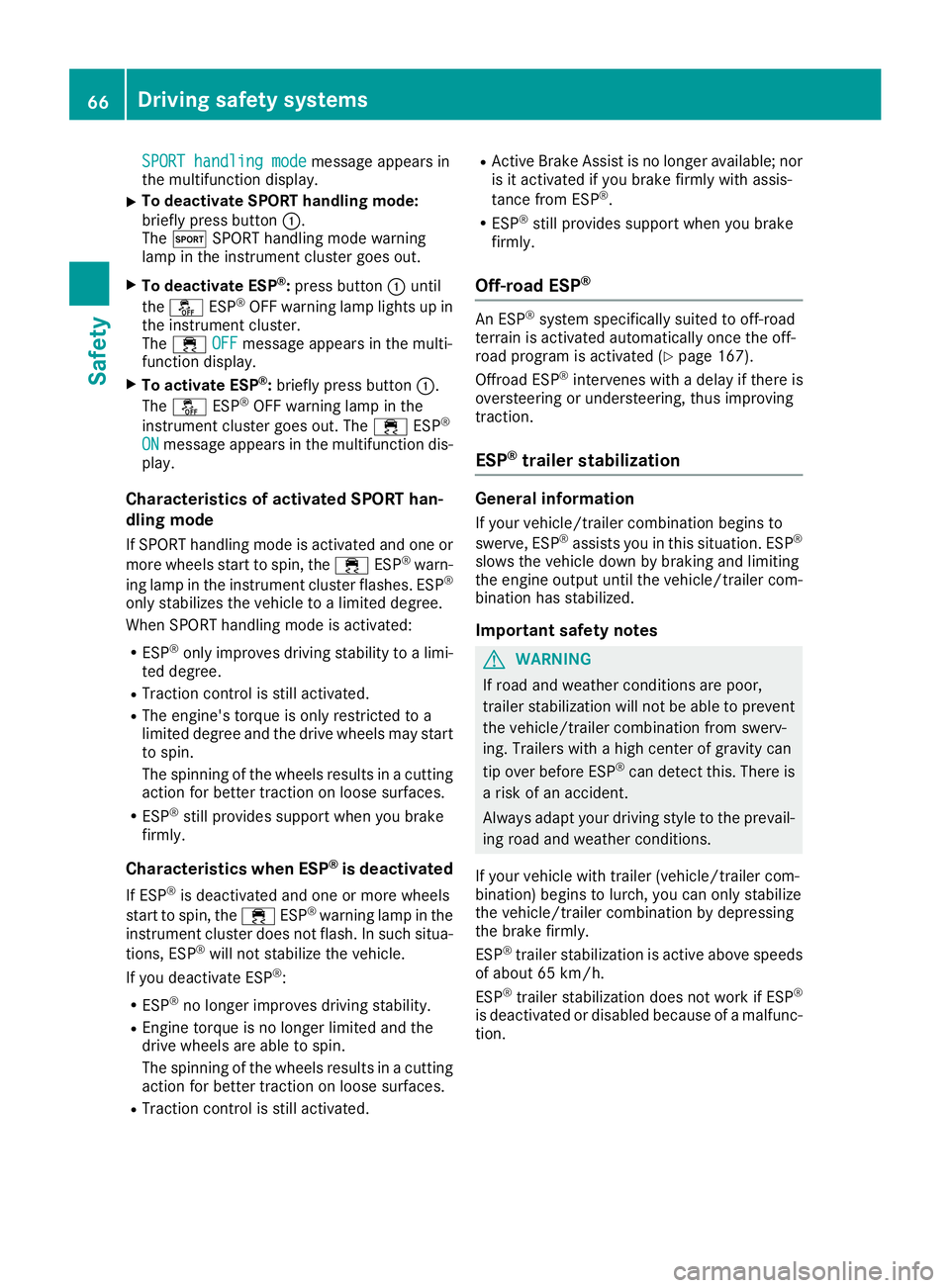
SPORT handling modemessage appears in
the multifunction display.
XTo deactivate SPORT handling mode:
briefly press button :.
The M SPORT handling mode warning
lamp in the instrument cluster goes out.
XTo deactivate ESP®: press button :until
the å ESP®OFF warning lamp lights up in
the instrument cluster.
The ÷ OFF
message appears in the multi-
function display.
XTo activate ESP®: briefly press button :.
The å ESP®OFF warning lamp in the
instrument cluster goes out. The ÷ESP®
ONmessage appears in the multifunction dis-
play.
Characteristics of activated SPORT han-
dling mode
If SPORT handling mode is activated and one or
more wheels start to spin, the ÷ESP®warn-
ing lamp in the instrument cluster flashes. ESP®
only stabilizes the vehicle to a limited degree.
When SPORT handling mode is activated:
RESP®only improves driving stability to a limi-
ted degree.
RTraction control is still activated.
RThe engine's torque is only restricted to a
limited degree and the drive wheels may start
to spin.
The spinning of the wheels results in a cutting
action for better traction on loose surfaces.
RESP®still provides support when you brake
firmly.
Characteristics when ESP®is deactivated
If ESP®is deactivated and one or more wheels
start to spin, the ÷ESP®warning lamp in the
instrument cluster does not flash. In such situa-
tions, ESP
®will not stabilize the vehicle.
If you deactivate ESP®:
RESP®no longer improves driving stability.
REngine torque is no longer limited and the
drive wheels are able to spin.
The spinning of the wheels results in a cutting
action for better traction on loose surfaces.
RTraction control is still activated.
RActive Brake Assist is no longer available; nor
is it activated if you brake firmly with assis-
tance from ESP
®.
RESP®still provides support when you brake
firmly.
Off-road ESP®
An ESP®system specifically suited to off-road
terrain is activated automatically once the off-
road program is activated (
Ypage 167).
Offroad ESP®intervenes with a delay if there is
oversteering or understeering, thus improving
traction.
ESP®trailer stabilization
General information
If your vehicle/trailer combination begins to
swerve, ESP®assists you in this situation. ESP®
slows the vehicle down by braking and limiting
the engine output until the vehicle/trailer com-
bination has stabilized.
Important safety notes
GWARNING
If road and weather conditions are poor,
trailer stabilization will not be able to prevent
the vehicle/trailer combination from swerv-
ing. Trailers with a high center of gravity can
tip over before ESP
®can detect this. There is
a risk of an accident.
Always adapt your driving style to the prevail-
ing road and weather conditions.
If your vehicle with trailer (vehicle/trailer com-
bination) begins to lurch, you can only stabilize
the vehicle/trailer combination by depressing
the brake firmly.
ESP
®trailer stabilization is active above speeds
of about 65 km/h.
ESP
®trailer stabilization does not work if ESP®
is deactivated or disabled because of a malfunc-
tion.
66Driving safety systems
Safety
Page 133 of 338
In addition, the current drive program settings
are displayed briefly in the multimedia systemdisplay.
iIn a few countries, the ECO start/stop func-
tion is deactivated at the factory due to the
available fuel grade. In this case, the ECO
start/stop function is not available in any
drive program, regardless of the display in the
multimedia system display.
Available drive programs:
C ComfortComfortable and economi-
cal driving characteristics
SSportSporty driving characteris-
tics
IIndividualIndividual settings
Off-roadOptimal driving characteris-
tics for easily negotiable off-
road terrain
E EconomyParticularly economical
driving characteristics
Additional information for drive programs
(Ypage 136).
You can also change gear yourself using the
steering wheel paddle shifters. For further infor- mation on the manual drive program
(
Ypage 138).
DYNAMIC SELECT controller
(Mercedes-AMG vehicles)
Use the DYNAMIC SELECT controller to change
the drive program. Depending on the drive pro-
gram selected the following vehicle character-
istics will change:
Rthe drive
Rthe transmission management
RESP®
Rthe suspension (vehicles with AMG adaptive
sport suspension system)
Rthe sound of the exhaust system
Rthe availability of the ECO start/stop function
Rthe availability of gliding mode
Each time you start the engine with the Smart-
Key or the Start/Stop button, drive program Cis
activated. For further information about starting
the engine, see (
Ypage 138).
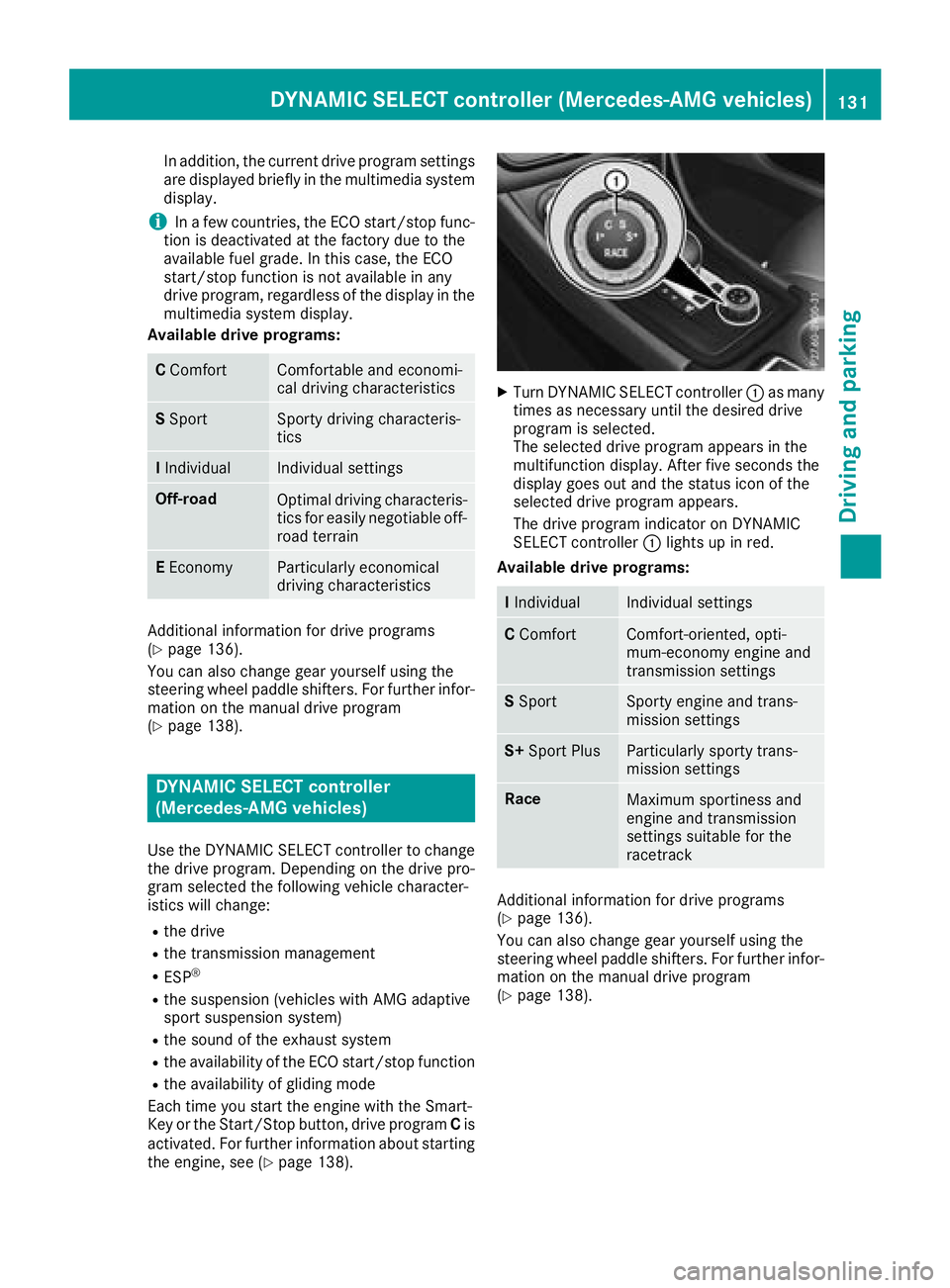
XTurn DYNAMIC SELECT controller :as many
times as necessary until the desired drive
program is selected.
The selected drive program appears in the
multifunction display. After five seconds the
display goes out and the status icon of the
selected drive program appears.
The drive program indicator on DYNAMIC
SELECT controller :lights up in red.
Available drive programs:
I IndividualIndividual settings
C ComfortComfort-oriented, opti-
mum-economy engine and
transmission settings
SSportSporty engine and trans-
mission settings
S+ Sport PlusParticularly sporty trans-
mission settings
RaceMaximum sportiness and
engine and transmission
settings suitable for the
racetrack
Additional information for drive programs
(Ypage 136).
You can also change gear yourself using the
steering wheel paddle shifters. For further infor- mation on the manual drive program
(
Ypage 138).
DYNAMIC SELECT controller (Mercedes-AMG vehicles)131
Driving and parking
Z
Page 139 of 338
Rthe availability of the ECO start/stop function
Rthe climate control
Information about configuring drive program I
with the multimedia system can be found in the
Digital Operator's Manual.
iTo permanently select the gears in drive
program Iusing the steering wheel paddle
shifters, select the M(manual) setting for the
drive.
Offroad drive program
The Off-road drive program is characterized by
the following:
Rthe vehicle exhibits optimal driving charac-
teristics on easily negotiable off-road terrain.
Drive program E (Economy)
Drive program Eis characterized by the follow-
ing:
Rcomfort-oriented engine settings.
Roptimal fuel consumption resulting from the
automatic transmission shifting up sooner.
Rthe vehicle pulls away more gently in forward
and reverse gears, unless the accelerator
pedal is depressed fully.
Rthe vehicle has improved driving stability, for
example on slippery road surfaces.
Rthe automatic transmission shifting up
sooner. This results in the vehicle being driven
at lower engine speeds and the wheels being
less likely to spin.
Rgliding mode is activated automatically when
engine-internal conditions are fulfi lled and
the accelerator is not depressed. At the same
time the transmission’s clutch opens and the
vehicle rolls freely using its kinetic energy. As
a result great distances can be completed
without the engine brake and fuel consump-
tion reduced.
iThe availability of gliding mode depends on
various factors, including the following:
Rthe engine and transmission temperature
Rthe downhill gradient
Rthe vehicle speed
Rperforming regular adaptation functions
When you depress the brake pedal, gliding
mode is deactivated, depending on pedal
pressure. When you activate cruise control or Distance
Pilot DISTRONIC, gliding mode is not availa-
ble.
Mercedes-AMG vehicles
Drive program I (Individual)
In drive program Ithe following properties of the
drive program can be selected:
Rthe drive (engine management)
Rthe transmission management
Rthe suspension (vehicles with AMG adaptive
sport suspension system)
RESP®
Information about configuring drive program I
with the multimedia system can be found in the Digital Operator's Manual.
Drive program C (Comfort)
Drive program Cis characterized by the follow-
ing:
Rthe vehicle delivers comfortable, economical
handling characteristics.
Rthe vehicle pulls away more gently in forward
and reverse gears, unless the accelerator
pedal is depressed fully.
Rthe vehicle has improved driving stability, for
example on slippery road surfaces.
Roptimal fuel consumption resulting from the
automatic transmission shifting up sooner.
The vehicle is driven in the low engine speed
range and the wheels are less likely to spin.
Rgliding mode is available.
Rthe ECO start/stop function is available.
Drive program S (Sport)
Drive program Sis characterized by the follow-
ing:
Rthe vehicle exhibits sporty driving character-
istics.
Rthe automatic transmission shifts up later.
The fuel consumption possibly being higher
as a result of the later automatic transmission shift points.
Rthe suspension exhibits stiff springing and
damping settings (vehicles with AIR adaptive
sport suspension system).
Rgliding mode is not available.
Rthe ECO start/stop function is not available.
Automatic transmission137
Driving an d parking
Z
Page 149 of 338
ECO display
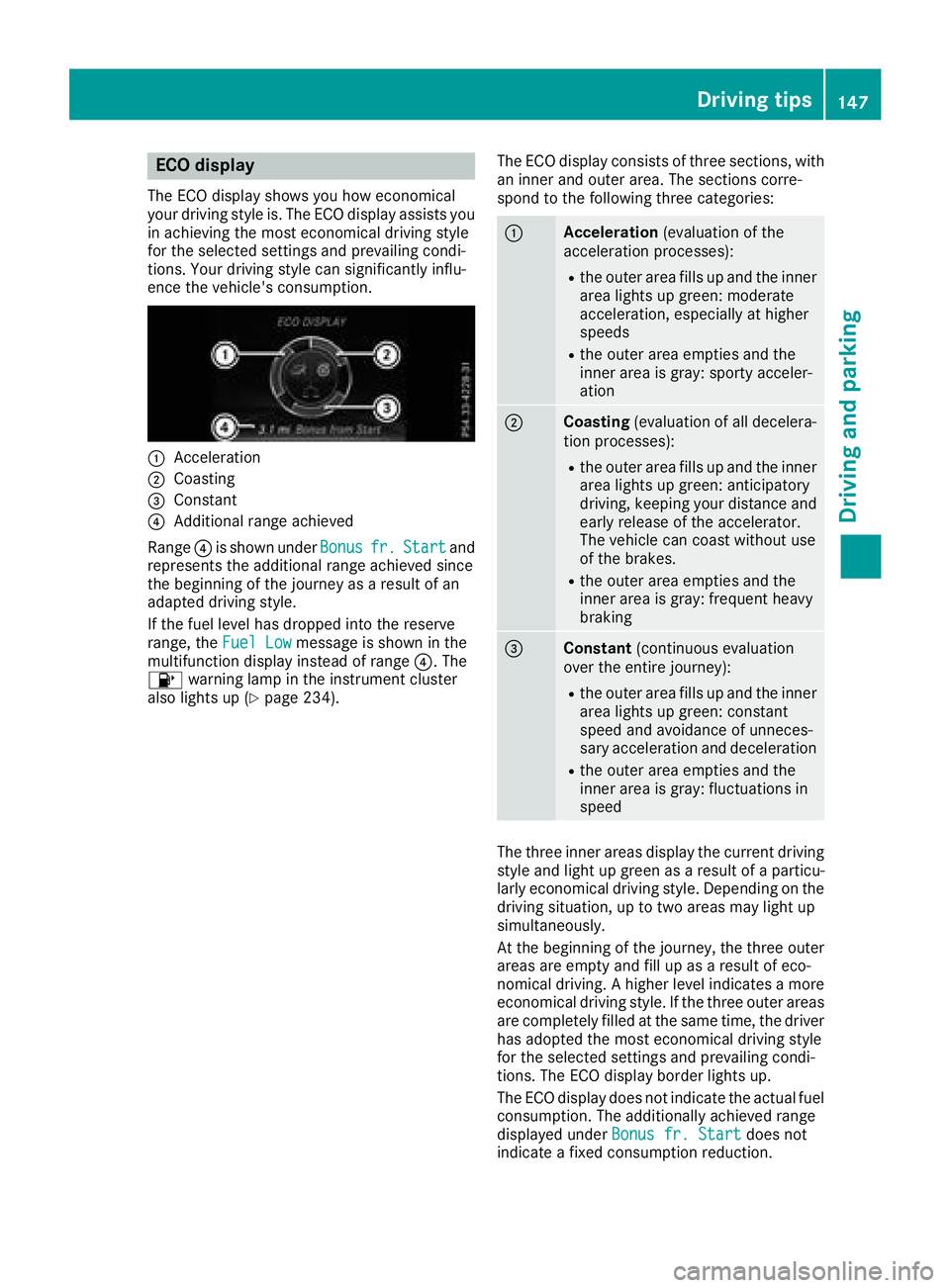
The ECO display shows you how economical
your driving style is. The ECO display assists you
in achieving the most economical driving style
for the selected settings and prevailing condi-
tions. Your driving style can significantly influ-
ence the vehicle's consumption.
:Acceleration
;Coasting
=Constant
?Additional range achieved
Range ?is shown under Bonus
fr.Startand
represents the additional range achieved since
the beginning of the journey as a result of an
adapted driving style.
If the fuel level has dropped into the reserve
range, the Fuel Low
message is shown in the
multifunction display instead of range ?. The
8 warning lamp in the instrument cluster
also lights up (
Ypage 234). The ECO display consists of three sections, with
an inner and outer area. The sections corre-
spond to the following three categories:
:Acceleration
(evaluation of the
acceleration processes):
Rthe outer area fills up and the inner
area lights up green: moderate
acceleration, especially at higher
speeds
Rthe outer area empties and the
inner area is gray: sporty acceler-
ation
;Coasting (evaluation of all decelera-
tion processes):
Rthe outer area fills up and the inner area lights up green: anticipatory
driving, keeping your distance and
early release of the accelerator.
The vehicle can coast without use
of the brakes.
Rthe outer area empties and the
inner area is gray: frequent heavy
braking
=Constant (continuous evaluation
over the entire journey):
Rthe outer area fills up and the inner area lights up green: constant
speed and avoidance of unneces-
sary acceleration and deceleration
Rthe outer area empties and the
inner area is gray: fluctuations in
speed
The three inner areas display the current driving
style and light up green as a result of a particu-
larly economical driving style. Depending on thedriving situation, up to two areas may light up
simultaneously.
At the beginning of the journey, the three outer
areas are empty and fill up as a result of eco-
nomical driving. A higher level indicates a more
economical driving style. If the three outer areas
are completely filled at the same time, the driver
has adopted the most economical driving style
for the selected settings and prevailing condi-
tions. The ECO display border lights up.
The ECO display does not indicate the actual fuel consumption. The additionally achieved range
displayed under Bonus fr. Start
does not
indicate a fixed consumption reduction.
Driving tips147
Driving and parking
Z
Page 167 of 338
iIf RACE START is used repeatedly within a
short period of time, it is only available again
after the vehicle has been driven a certain
distance.
AMG adaptive sport suspension sys-
tem
General notes
The electronically controlled damping system
works continuously. This improves driving
safety and ride comfort.
The damping is tuned individually to each wheel
and depends on:
Ryour driving style, e.g. sporty
Rthe road surface condition, e.g. bumps
Ryour individual selection of SportorComfort
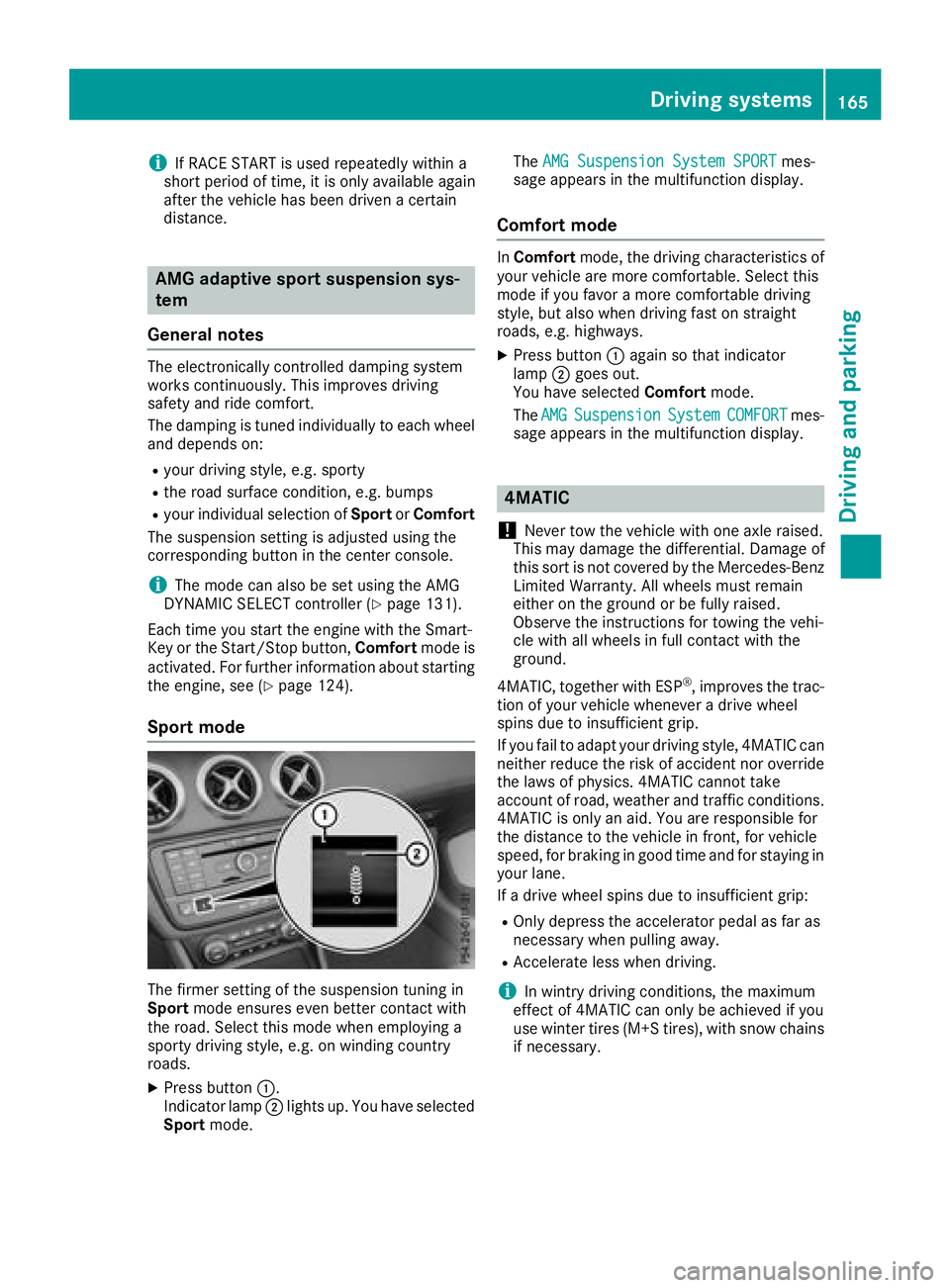
The suspension setting is adjusted using the
corresponding button in the center console.
iThe mode can also be set using the AMG
DYNAMIC SELECT controller (Ypage 131).
Each time you start the engine with the Smart-
Key or the Start/Stop button, Comfortmode is
activated. For further information about starting
the engine, see (
Ypage 124).
Sport mode
The firmer setting of the suspension tuning in
Sport mode ensures even better contact with
the road. Select this mode when employing a
sporty driving style, e.g. on winding country
roads.
XPress button :.
Indicator lamp ;lights up. You have selected
Sport mode. The
AMG Suspension System SPORT
mes-
sage appears in the multifunction display.
Comfort mode
In Comfort mode, the driving characteristics of
your vehicle are more comfortable. Select this
mode if you favor a more comfortable driving
style, but also when driving fast on straight
roads, e.g. highways.
XPress button :again so that indicator
lamp ;goes out.
You have selected Comfortmode.
The AMG
SuspensionSystemCOMFORTmes-
sage appears in the multifunction display.
4MATIC
!
Never tow the vehicle with one axle raised.
This may damage the differential. Damage of
this sort is not covered by the Mercedes-Benz
Limited Warranty. All wheels must remain
either on the ground or be fully raised.
Observe the instructions for towing the vehi-
cle with all wheels in full contact with the
ground.
4MATIC, together with ESP
®, improves the trac-
tion of your vehicle whenever a drive wheel
spins due to insufficient grip.
If you fail to adapt your driving style, 4MATIC can neither reduce the risk of accident nor override
the laws of physics. 4MATIC cannot take
account of road, weather and traffic conditions.
4MATIC is only an aid. You are responsible for
the distance to the vehicle in front, for vehicle
speed, for braking in good time and for staying in
your lane.
If a drive wheel spins due to insufficient grip:
ROnly depress the accelerator pedal as far as
necessary when pulling away.
RAccelerate less when driving.
iIn wintry driving conditions, the maximum
effect of 4MATIC can only be achieved if you
use winter tires (M+S tires), with snow chains
if necessary.
Driving systems165
Driving and parking
Z
Page 182 of 338
For further information on the COMAND con-
troller; see the digital COMAND operating
instructions.
Activating the 360° camera using
reverse gear
The 360° camera images can be automatically
displayed by engaging reverse gear.
XMake sure that the SmartKey is in position2
in the ignition lock.
XMake sure that the Activation by R gearfunction is selected in COMAND (see Digital
Operator's Manual).
XTo show the 360° camera image: engage
reverse gear.
The COMAND display shows the area behind
the vehicle in split screen:
Rvehicle with guide lines
Rtop view of the vehicle
Information in the Digital Operator's
Manual
In the Digital Operator's Manual you will find
information on the following topics:
RDisplays in the COMAND display
RDisplay with the PARKTRONIC display
Exiting 360° camera display mode
As soon as your vehicle exceeds a speed of
10 mph (16 km/h) with the function activated,
the function switches off. The COMAND display
switches back to the previously selected view.
You can also switch the display by selecting the & symbol in the display and pressing Wthe
COMAND controller to confirm.
ATTENTION ASSIST
General notes
ATTENTION ASSIST helps you during long,
monotonous journeys, such as on highways. It is
active in the 37 mph (60 km/h) to 125 mph
(200 km/h) range. If ATTENTION ASSIST
detects typical indicators of fatigue or increas-
ing lapses in concentration on the part of the
driver, it suggests taking a break.
Important safety notes
ATTENTION ASSIST is only an aid to the driver. It
might not always recognize fatigue or increasing inattentiveness in time or fail to recognize them
at all. The system is not a substitute for a well-
rested and attentive driver.
The functionality of ATTENTION ASSIST is
restricted and warnings may be delayed or not
occur at all:
Rif the length of the journey is less than approx-
imately 30 minutes
Rif the road condition is poor, e.g. if the surface
is uneven or if there are potholes
Rif there is a strong side wind
Rif you have adopted a sporty driving style with
high cornering speeds or high rates of accel-
eration
Rif you are predominantly driving slower than
37 mph (60 km/h) or faster than 125 mph
(200 km/h)
Rif the time has been set incorrectly
Rin active driving situations, such as when you
change lanes or change your speed
ATTENTION ASSIST is reset when you continue
your journey and starts assessing your tiredness
again if:
Ryou switch off the engine
Ryou take off your seat belt and open the driv-
er's door, e.g. for a change of drivers or to
take a break
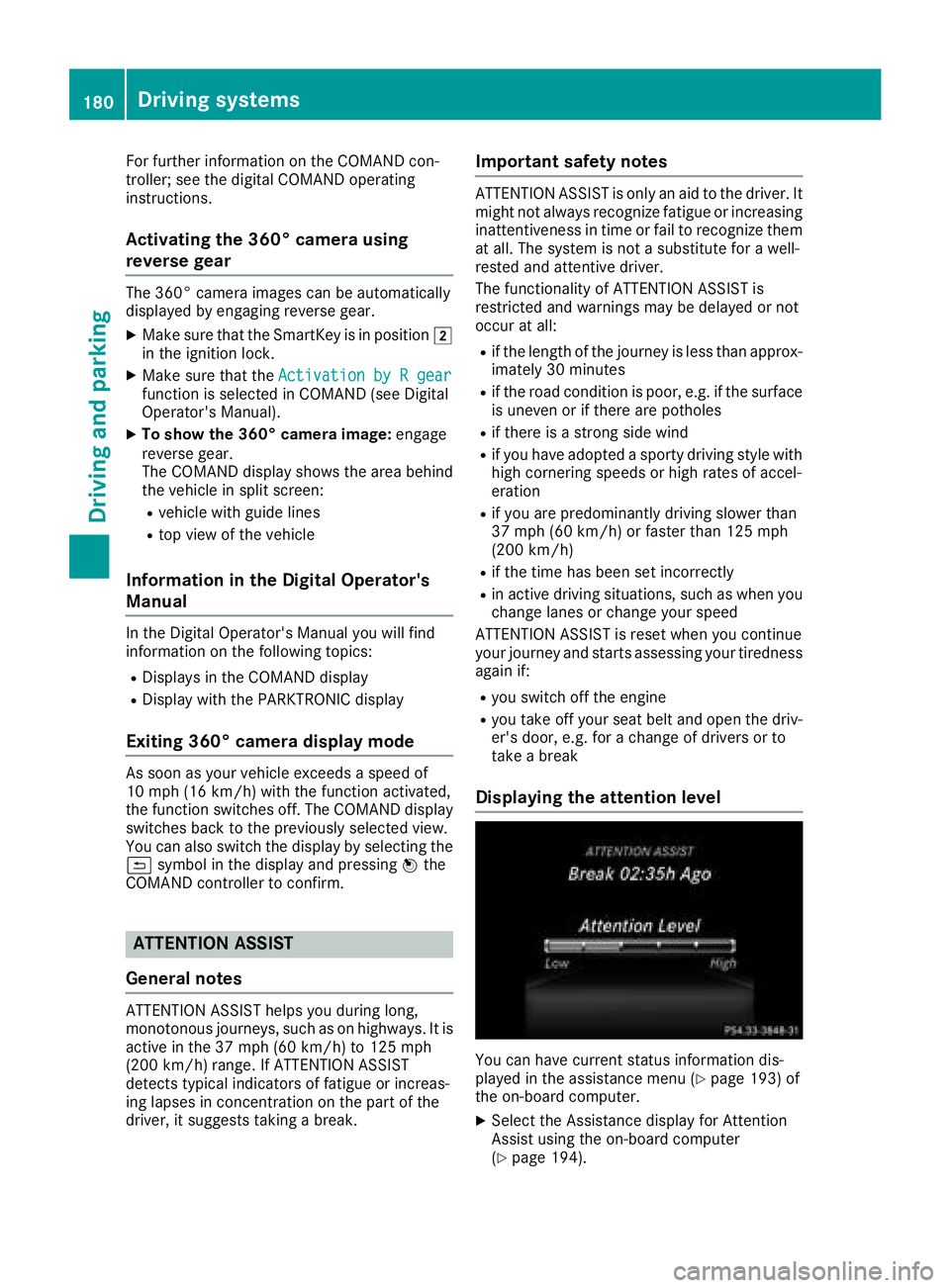
Displaying the attention level
You can have current status information dis-
played in the assistance menu (Ypage 193) of
the on-board computer.
XSelect the Assistance display for Attention
Assist using the on-board computer
(
Ypage 194).
180Driving systems
Driving and parking