ESP MERCEDES-BENZ GLB SUV 2019 Service Manual
[x] Cancel search | Manufacturer: MERCEDES-BENZ, Model Year: 2019, Model line: GLB SUV, Model: MERCEDES-BENZ GLB SUV 2019Pages: 689, PDF Size: 11.39 MB
Page 228 of 689
and do not
relie ve you of your responsibility per‐
ta ining toroad traf fic la w.Pay attention tothe
traf fic conditions at all times and inter vene
when necessa ry. Be aware of the limitations
re ga rding the safe use of these sy stems. Information on
radar and ultrasonic senso rsSome driving and driving sa
fety sy stems use
ra dar or ultrasonic sensors tomonitor the area
in front of, behind or next totheve hicle (depend‐
ing on theve hicle's equipment).
Depending on theve hicle's equipment, thera dar
sensors are integrated behind the bumpers
and/or behind thera diator grille. The ultrasonic
sensors are located in the front and rear bump‐
ers. Keep these parts free of dirt, ice and slush
(/ page 497). The sensors must not be cov‐
ered, forex ample bybicycle rack s, ove rhanging
loads, sticke rs,fo il or foils toprotect against
st one chipping. Additional licence plate brac kets
can li kewise impair the function of the ultrasonic
sensors. In theev ent of damage tothe bumpers
or radiator grille, or following a collision impact‐
ing the bumpers or radiator grille, ha vethe func‐ tion of
the sensors checked at a qualified spe‐
cialist workshop. If the sensors are damaged,
some driving sy stems and driving saf ety sy stems
may no longer function proper ly. Overview of driving sy
stems and driving
saf ety sy stems In
this section, you will find information about
th efo llowing driving sy stems and driving saf ety
sy stems:
R 360° Camera (/ page 267)
R ABS (A nti-lock Braking System)
(/ page 226)
R Active Dis tance Assi stDISTRONIC
(/ page 243)
R Adaptive Brake Lights (/ page 237)
R Active Brake Assi st (/ page 231)
R Active Lane Keeping Assist (/ page 285)
R Start-off assist (/ page 257)
R ATTENTION ASSIST (/ page277)
R BAS (Bra keAssist System) (/ page 226)
R Hill Start Assist (/ page 255) R
DSR (Dow nhillSpeed Regulation)
(/ page 241)
R Suspension with ada ptive damping adjust‐
ment (/ page 257)
R EBD (Electronic Brakeforc eDistribution)
(/ page 231)
R ESP ®
(Elect ronic Stability Program)
(/ page 227)
R Off-road ESP ®
(/ page 230)
R ESP ®
Crosswind Assist (/ page 230)
R ESP ®
trailer stabilisation (/ page 230)
R Speed Limit Assist (/ page278)
R Active Speed Limit Assi st (/ page 246)
R HOLD function (/ page 255)
R STEER CONTROL (/ page 231)
R Active Steering Assist with emer gency cor ri‐
dor function (/ page249)
R Limi ter (/ page 238)
R Active Emergency Stop Assist (/ page 253)
R Active Parking Assist (/ page270)
R Parking Assist PARKTRONIC ( /page 258) Driving and parking
225
Page 230 of 689
Fu
nctions of ESP ®
(Electronic Stability Pro‐
gr am) &
WARNING Risk of skidding if ESP ®
is
malfunctioning
If ESP ®
is malfunctioning, ESP ®
cannot car ry
out vehicle stabilisation. In addition, other
driving saf ety sy stems are switched off. #
Drive on carefull y. #
Have ESP ®
ch ecked at a qualified spe‐
cialist workshop. &
WARNING Risk of skidding if ESP ®
is
deactivated
If yo u deactivate ESP ®
, ESP ®
cannot car ry
out vehicle stabilisation. #
ESP ®
should on lybe deactivated in the
fo llowing situations. ESP
®
can monitor and impr ovedriving stability
and traction in thefo llowing situations, within
ph ysical limits:
R When pulling away on wet or slippe rycar ria‐
ge wa ys.
R When braking.
R Vehicles with trailer hitch: in trailer opera‐
tion from speeds of 65 km/h, if theve hicle/
trailer combination begins tosw ay from side
to side.
R Instro ng side winds when you are driving
fa ster than 75 km/h.
If th eve hicle deviates from the direction desired
by the driver, ESP ®
can stabilise theve hicle by
inter vening in thefo llowing ways:
R One or more wheels are braked.
R The engine output is adap ted according to
th e situation.
ESP ®
is deactivated if theå ESP®
OFF warn‐
ing lamp lights up continuously in the instrument
clus ter:
R Driving stability will no lon ger be impr oved. R
Vehicles with trailer hitch: stabilisation of
th eve hicle/trailer combination is no longer
active.
R Crosswind Assist is no longer active.
R The drive wheels could spin.
R ETS/4ETS traction control is still active.
% When ESP ®
is deactivated, you are still assis‐
te dby ESP ®
when braking.
If th e÷ ESP®
wa rning lamp flashes in the
instrument clus ter,one or se veralve hicle wheels
has reached its grip limit:
R Adapt your driving style to suit the cur rent
ro ad and weather conditions.
R Do not deactivate ESP ®
.
R Onlydepress the accelera tor pedal as far as
is necessary when pulling away.
It can be advantageous todeactivate ESP ®
in the
fo llowing situations toimpr ovetraction:
R When using snow chains.
R In deep sn ow.
R On sand or gr avel. Driving and parking
227
Page 231 of 689
%
Spinning the wheels results in a cutting
action, which enhances traction.
If th e÷ ESP®
wa rning lamp lights up continu‐
ousl y,ESP ®
is not available due toa malfunction.
Obse rveth efo llowing information:
R Warning and indicator lamps (/ page 623)
R Display messages (/ page 566)
ETS/4ETS (Electronic Traction Sy stem)
ETS/4E TStraction control is pa rtof ESP ®
and
makes it possible topull away and accelerate on
a slippe rycar riag ew ay. If
yo u select theF drive prog ram, a special
ETS sy stem specifically suited tooff-road terrain
is automatically activated.
ETS/4E TScan impr ovetheve hicle's traction by
inter vening in thefo llowing ways:
R The drive wheels are braked individually if
they spin.
R More drive torque is transferred tothe wheel
or wheels with traction. Influence of drive prog
rams on ESP ®
The drive prog rams enable ESP ®
to adapt todif‐
fe re nt we ather and road conditions as well as
th e driver's prefer red driving style. You can
select the drive prog rams using theDY NA MIC
SELECT switch (/ page199). 228
Driving and parking
Page 232 of 689
ESP
®
ch aracteristics per drive prog ramDrive prog
ram
ESP®
mode Cha
racteristics
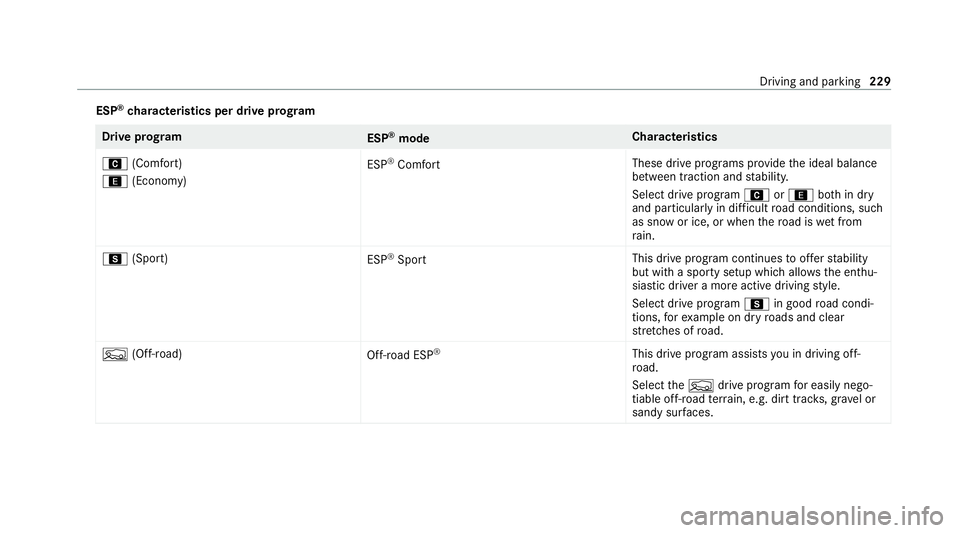
A (Comfort)
; (Economy) ESP
®
Comfort These drive prog
rams pr ovide the ideal balance
between traction and stabilit y.
Select drive program Aor; both in dry
and particular lyin dif ficult road conditions, such
as sn owor ice, or when thero ad is wet from
ra in.
C (Sport)
ESP®
Sport This drive program continues
toofferst ability
but with a sporty setup which allo wsthe enthu‐
siastic driver a more active driving style.
Select drive program Cin good road condi‐
tions, forex ample on dry roads and clear
st re tches of road.
F (Off-road)
Off-road ESP ®
This drive program assi stsyo u in driving off-
ro ad.
Select theF drive prog ram for easily nego‐
tiable off-road terrain, e.g. dirt trac ks, gr ave l or
sandy sur faces. Driving and pa
rking 229
Page 233 of 689
Fu
nction of Off-road ESP ®Off-road ESP
®
is activated automatically when
yo u select theF drive program. It inter venes
la te r if there is overste ering or under steering,
th us impr oving traction. A special ETS sy stem
specifically suited tooff-road terrain is also acti‐
va ted. Ac
tivating/deactivating ESP ®
(Electronic Sta‐
bility Prog ram) Multimedia sy
stem:
4 © 5
Settings 5
Quick access
% ESP®
can only be activated/deactivated
using quick access when at least one other
function is available in quick access. ESP ®
can otherwise be found in theAssistance
menu.
Mercedes‑AMG vehicles: observeth e no tes in
th e Supplement. Otherwise, you may failto rec‐
ognise dangers. #
Select ESP.
A prom ptappears. #
Select Onorå Off.
ESP ®
is deactivated if theå ESP®
OFF warn‐
ing lamp lights up continuously in the instrument
clus ter.
Obser vethe information on warning lamps and
display messages which may be shown in the
instrument clus ter. Fu
nction of ESP ®
Crosswind Assist ESP
®
Crosswind Assist de tects sudden gu sts of
side wind and helps the driver tokeep theve hi‐
cle in the lane:
R ESP ®
Crosswind Assist is active at vehicle
speeds between appr ox.75 km/h and
200 km/h when driving stra ight ahead or
cornering slightly.
R The vehicle is stabilised bymeans of a targe‐
te d and individual brake application on one
side. Fu
nction of ESP ®
trailer stabilisation &
WARNING Risk of accident in poor road
and weather conditions
In poor road and weather conditions, the
trailer stabilisation cannot pr event lu rching of
th eve hicle/trailer combination. Trailers with
a high centre of gr avity may tip over before
ESP ®
de tects this. #
Alw ays adapt your driving style to suit
th e cur rent road and weather condi‐
tions. When driving with a trailer, ESP
®
can stabilise
yo ur vehicle if the trailer begins toswer vefrom
side toside:
R ESP ®
trailer stabilisation is active abo ve
speeds of 65 km/h.
R Slight swerving is reduced bymeans of a tar‐
ge ted, individual brake application on one
side. 230
Driving and parking
Page 234 of 689
R
Intheeve nt of se vere swerving, the engine
output is also reduced and all wheels are
braked.
ESP ®
trailer stabilisation may be impaired or
may not function if:
R The trailer is not connec ted cor rectly or is
not de tected prope rly by theve hicle. Fu
nction of EBD (Electronic Brake forc e Dis‐
tribution) EBD is
characterised bythefo llowing:
R Monitoring and regulating the brake pressure
on there ar wheels.
R Impr oved driving stability when braking,
especially on bends. Fu
nction of STEER CONT ROL ST
EER CONTROL helps youby transmitting a
noticeable steering forc eto thesteering wheel in
th e direction requ ired forve hicle stabilisation. This
steering recommendation is given pa rticu‐
larly in thefo llowing situations:
R both right wheels or bo thleft wheels are on a
we t or slippe ryroad sur face when you brake
R theve hicle starts toskid
Sy stem limits
ST EER CONTROL may be impaired or may not
function in thefo llowing situations:
R ESP ®
is deactivated.
R ESP ®
is malfunctioning.
R The steering is malfunctioning.
If ESP ®
is malfunctioning, you will be assis ted
fur ther by the electric po werst eering. Fu
nction of Active Brake Assi st Ac
tive Brake Assi stconsi sts of thefo llowing
functions:
R Distance warning function
R Autonomous braking function
R Situation-dependent braking assi stance R
Vehicles with Driving Assistance Pack‐
age: Evasi veSteering Assist and cornering
function
Ac tive Brake Assi stcan help youto minimise the
ri sk of a collision with vehicles, cyclists or
pedestrians, or reduce the ef fects of su cha colli‐
sion.
If Ac tive Brake Assi sthas de tected a risk of colli‐
sion, a warning tone sounds and theL dis‐
ta nce warning lamp lights up in the instrument
clus ter.
Ve hicles with PRE-SAFE ®
:depending on the
countr y,an additional haptic warning occurs in
th efo rm of slight, repeated tensioning of the
seat belt.
If yo u do not react tothewa rning, autonomous
braking can be initiated in critical situations.
In especially critical situations, Active Brake
Assi stcan initia teautonomous braking direct ly.
In this case, thewa rning lamp and warning tone
occur simultaneously wi th the braking applica‐
tion. Driving and parking
231
Page 235 of 689
If
yo u apply the brake yourself in a critical situa‐
tion or apply the brake during autonomous brak‐
ing, situation-dependent braking assis tance
occu rs. The brake pressure increases up tomax‐
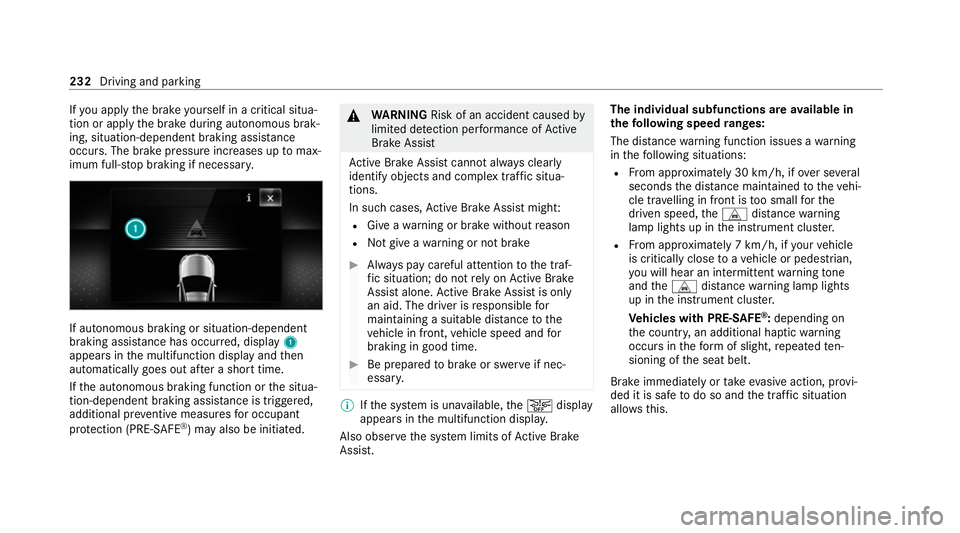
imum full-s top braking if necessar y.If autonomous braking or situation-dependent
braking assis
tance has occu rred, display 1
appears in the multifunction display and then
automatically goes out af ter a short time.
If th e autonomous braking function or the situa‐
tion-dependent braking assis tance is trig gered,
additional pr eventive measu resfo r occupant
pr otection (PRE-SAFE ®
) may also be initiated. &
WARNING Risk of an accident caused by
limited de tection per form ance of Active
Brake Assi st
Ac tive Brake Assi stcannot al ways clear ly
identify objects and complex traf fic situa‐
tions.
In su chcases, Active Brake Assi stmight:
R Give a warning or brake without reason
R Not give a warning or not brake #
Alw ays pay careful attention tothe traf‐
fi c situation; do not rely on Active Brake
Assi stalone. Active Brake Assi stis only
an aid. The driver is responsible for
maintaining a suita ble distance tothe
ve hicle in front, vehicle speed and for
braking in good time. #
Be prepared tobrake or swer veif nec‐
essar y. %
Ifth e sy stem is una vailable, theæ display
appears in the multifunction displa y.
Also obser vethe sy stem limits of Active Brake
Assi st. The individual subfunctions are
available in
th efo llowing speed ranges:
The dis tance warning function issues a warning
in thefo llowing situations:
R From appr oximately 30 km/h, if over se veral
seconds the dis tance maintained totheve hi‐
cle tr avelling in front is too small forthe
driven speed, theL distance warning
lamp lights up in the instrument clus ter.
R From appr oximately 7 km/h, if your vehicle
is critically close toave hicle or pedestrian,
yo u will hear an intermit tent wa rning tone
and theL distance warning lamp lights
up in the instrument clus ter.
Ve hicles with PRE-SAFE ®
:depending on
th e count ry, an additional haptic warning
occurs in thefo rm of slight, repeated ten‐
sioning of the seat belt.
Brake immediately or take evasive action, pr ovi‐
ded it is safe todo so and the traf fic situation
allo wsthis. 232
Driving and parking
Page 239 of 689
R
Activation byan abrupt steering mo vement
during a swerving manoeuvre.
R Assis tance du ring swerving and stra ightening
of theve hicle.
R Reaction from a speed of appr oximately
20 km/h up toa speed of appr oximately
70 km/h.
Yo u can pr eventthe assis tance at any time by
actively steering.
Cornering function (only vehicles with Driv‐
ing Assistance Package)
If a danger of collision from an oncoming vehicle
is de tected when turning across an oncoming
lane, au tonomous braking can be initia ted at
speeds below 15km/h be fore you ha veleft the
lane in which you are driving. &
WARNING Risk of an accident despi te
Evasive Steering Assist
Evasive Steering Assist cann otalw ays clearly
identify objects and complex traf fic situa‐
tions. In addition,
thesteering support of Evasive
St eering Assist is general lynot su fficient to
avo id a collision.
In such cases Evasive Steering Assist can:
R give an unnecessary warning or pr ovide
assis tance
R not gi veawa rning or not pr ovide assis‐
ta nce #
Alw ays pay careful attention tothe traf‐
fi c situation; do not rely on Ev asive
St eering Assist alone. #
Beready tobrake and take evasive
action, if necessar y. #
Preve ntthe assis tance byactively
st eering in non-critical driving situa‐
tions. #
Drive at an appropriate speed if pedes‐
trians are close tothe path of your vehi‐
cle. Sy
stem limits
Fu ll sy stem per form ance is not available for a
fe w seconds af ter switching on the ignition or
af te r driving off.
The sy stem may be impaired or may not function
in thefo llowing situations:
R In sno w,rain, fog, heavy spr ay, if there is
gl are, in direct sunlight or in greatlyvarying
light conditions.
R Ifth e sensors are dirty, mis ted up, damaged
or co vered.
R Ifth e sensors are impaired due tointer fer‐
ence from other radar sources, e.g. strong
ra dar reflections in multi-s torey car par ks.
R If a loss of tyre pressure or a defective tyre
has been de tected and displ ayed.
R If DSR is activated.
R In complex tra ffic situations where objects
cannot alw ays be clear lyidentified.
R If pedestrians or vehicles mo vequickly into
th e sensor de tection range.
R If pede strians are hidden by other objects. 236
Driving and parking
Page 240 of 689
R
Ifth e typical outline of a pedestrian cann ot
be distinguished from the bac kground.
R If a pedestrian is not de tected as su ch, e.g.
due tospecial clo thing or other objects.
R On bends with a tight radius.
% The Active Brake Assi stsensors adjust auto‐
matically while a cer tain dis tance is being
driven af terth eve hicle has been delivered.
Ac tive Brake Assi stis una vailable or only
partially available during this teach-in period. Setting
Active Brake Assi st Re
quirements:
R The ignition is switched on.
Multimedia sy stem:
4 © 5
Settings 5
Assistance
5 Active Brake Assist
The following settings are available:
R Early
R Medium
R Late #
Select a setting.
The setting is retained when the engine is
next star ted.
Deactivating Active Brake Assi st
% It is recommended that you alw ays lea ve
Ac tive Brake Assi stactivated. #
Select Off.
The dis tance warning function, the autono‐
mous braking function and the Evasive Steer‐
ing Assist are deactivated.
When theve hicle is next star ted, the middle
setting is automatically selected.
% IfAc tive Brake Assi stis deactivated, the
æ symbol appears inthest atus bar of the
multifunction displa y. Fu
nction of Adaptive Brake Lights Ad
aptive Brake Lights warnfollowing traf fic in an
emergency braking situation wi th thefo llowing
actions:
R Byflashing the brake lamps
R By activating the hazard warning lights If
th eve hicle is braked sharply from speeds
abo ve50 km/h, the brake lamps flash rapidl y.
This pr ovides traf fic tr avelling behind you with an
ev en more noticeable warning.
If th eve hicle is tr avelling at speeds of more than
70 km/h at the beginning of the brake applica‐
tion, the hazard warning lights switch on once
th eve hicle is stationar y.When you pull away
again, the hazard warning lights will switch off
automatically at appr oximately 10km/h. Yo u
can also switch off the hazard warning lights
using the hazard warning button. Cruise control and limiter
Fu
nction of cruise control
Cruise cont rolre gulates the speed totheva lue
selec tedby the driver.
If yo u accelerate toove rtake, forex ample, the
st ored speed is not dele ted. If youre mo veyour
fo ot from the accelera tor pedal af terov ertaking,
cruise control will resume speed regulation back
to thestored speed.
Cruise contro l is operated using the cor respond‐
ing steering wheel buttons. You can store any Driving and parking
237
Page 242 of 689
The
variable limiter is operated using the cor re‐
sponding steering wheel buttons. You can store
any speed abo ve20 km/h up tothe maximum
speed or up tothe set winter tyre limit. You can
also per form settings while theve hicle is station‐
ary if theve hicle has been star ted.
If yo ufa ilto adapt your driving style, the limiter
can neither reduce therisk of an accident nor
ove rride the la wsof ph ysics. It cannot take into
account road, weather or traf fic conditions. The
limiter is only an aid. The driver is responsible
fo rth e dis tance totheve hicle in front, forve hi‐
cle speed, for braking in good time and forst ay‐
ing in lane.
Mercedes‑AMG vehicles: the limiter is available
up toa maximum speed of 250 km/h.
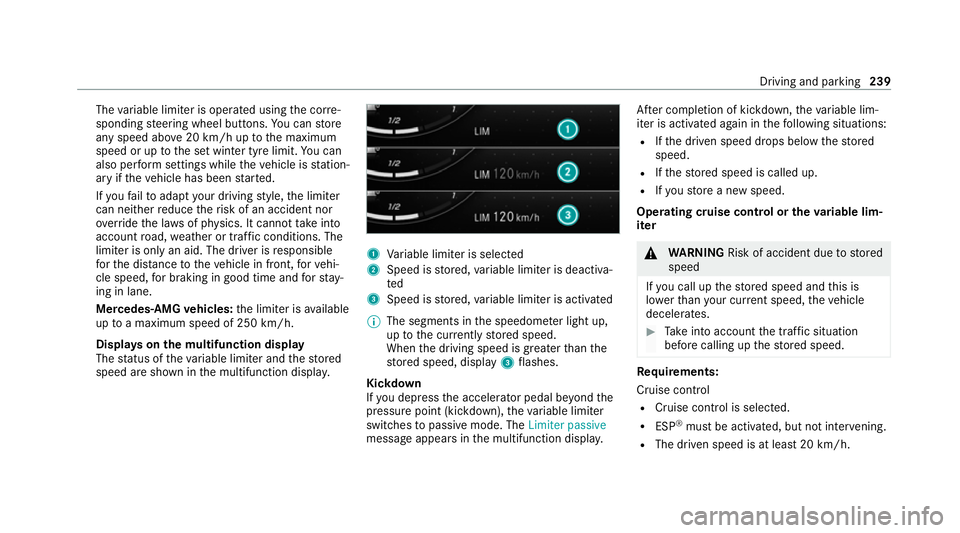
Displ ays on the multifunction display
The status of theva riable limiter and thestored
speed are shown in the multifunction displa y. 1
Variable limiter is selec ted
2 Speed is stored, variable limiter is deactiva‐
ted
3 Speed is stored, variable limiter is activated
% The segments in the speedome ter light up,
up tothe cur rently stored speed.
When the driving speed is greater than the
st ored speed, display 3flashes.
Kickd own
If yo u depress the accelerator pedal be yond the
pressure point (kickdown), theva riable limiter
swit ches topassive mode. The Limiter passive
message appears in the multifunction displa y.Af
ter completion of kickdown, theva riable lim‐
iter is activated again in thefo llowing situations:
R Ifth e driven speed drops below thestored
speed.
R Ifth estored speed is called up.
R Ifyo ustore a new speed.
Operating cruise control or theva riable lim‐
iter &
WARNING Risk of accident due tostored
speed
If yo u call up thestored speed and this is
lo we rth an your cur rent speed, theve hicle
decelerates. #
Take into account the tra ffic situation
before calling up thestored speed. Re
quirements:
Cruise control
R Cruise control is selected.
R ESP ®
must be activated, but not inter vening.
R The driven speed is at least 20 km/h. Driving and pa
rking 239