phone MERCEDES-BENZ GLB SUV 2019 Manual Online
[x] Cancel search | Manufacturer: MERCEDES-BENZ, Model Year: 2019, Model line: GLB SUV, Model: MERCEDES-BENZ GLB SUV 2019Pages: 689, PDF Size: 11.39 MB
Page 456 of 689
Yo
u can find more information on there gional
av ailability of the Mercedes-Benz emer gency call
sy stem at: https://www.mercedes-benz-
mobile.com/extra /ecall/
The reisthe option of deactivating the
Mercedes-Benz emer gency call sy stem and
using only the11 2 emer gency call sy stem (EU
eCall). Contact address for car rying out deacti‐
va tion of the Mercedes-Benz emer gency call sys‐
te m are the local dealers.
Mercedes-Benz recommends the activation of
th e Mercedes-Benz emer gency call sy stem for
th efo llowing reasons:
R In emer gency situations when ab road, you
can also get support in a language you
speak.
R Several transmission tech nologies are used
to accelerate the transfer of the accident
data and impr overe liability of the transmis‐
sion.
R The Mercedes-Benz emer gency call sy stem is
permanently logged in tothe mobile phone
networ k,which ensures faster placement of th
e emer gency call and faster transfer of the
accident data.
Measures forre scue, reco very or towing
aw ay can then be initiated in quickl y.
R With a Mercedes-Benz emer gency call, the
accident data is on lytrans ferred tothe pub‐
lic coordination cent rewith the appr oval of
th e cus tomer.
In theeve nt of an au tomatical lytrig gered
emer gency call in which there is no voice
con tact, the accident data is transmit ted
immediately tothe public emer gency call
centre.
R Should the Mercedes-Benz emer gency call
centre not be available, the11 2 emer gency
call is car ried out automaticall y.
Overview of emer gency call sy stems
Bo th th e Mercedes-Benz emer gency call sy stem
as well as the11 2 emer gency call sy stem (EU
eCall) can help toreduce the time between an
accident and the ar riva l of emer gency services
at the site of the accident. They help locate an
accident site in places that are dif ficult to
access. Bo
th emer gency call sy stems can initiate an
emer gency call au tomatically (/ page 454) or
manually .
Only make emergency calls if you or others are
in need of rescue. Do not make an emergency
call in theeve nt of a breakdown or a similar sit‐
uation.
Messages on the display
The following messages appear in the media dis‐
play of bo themer gency call sy stems:
R SOS NOT READY :th e ignition is not on or
th ere is a malfunction with the emer gency
call sy stem. This does not necessarily indi‐
cate comple tefailure of the emer gency call
sy stem. Emer gency calls call still be trans‐
mit ted.
The display only refers to theve hicle and
does not take account of theav ailability of
mobile phone networ ksand the Mercedes-
Benz emer gency call centre.
The functional readiness of the emer gency
call sy stem on theve hicle can be seen when MBUX multimedia sy
stem 453
Page 457 of 689
th
eSOS NOT READY display disappears once
th e ignition is switched on.
R G: The icon appears in the display during
an active emer gency call.
% Ifth ere is a malfunction in the emer gency
call sy stem (e.g. a fault with the speaker,
microphone, airbag, SOS button), a cor re‐
sponding message appears inthe multifunc‐
tion display of the instrument clus ter.
Tr iggering an automatic emer gency call
Re quirements:
R The ignition is switched on.
R The star ter battery is suf ficiently charge d.
Bo th th e Mercedes-Benz emer gency call sy stem
as well as the11 2 emergency call sy stem (EU
eCall) automatically initiate an emer gency call in
th efo llowing situations:
R After activation of there stra int sy stems such
as airbags or seat belt tensioners af ter an
accident.
R After an auto maticallyinitiated emer gency
st op byActive Emergency Stop Assist. The emer
gency call has been made:
R Avo ice connection is es tablished with the
emer gency call centre.
R A messa gewith accident data is transmit ted
to the emer gency call centre.
The SOS button in theov erhead control panel
fl ashes until the emer gency call is finished.
If no connection can be made tothe public
emer gency services, a cor responding message
appears inthe displa y. #
Dial the11 2 emer gency number or an appro‐
pria telocal emer gency call number on your
mobile phone.
If an eme rgency call has been initiated:
R Remain in theve hicle if thero ad and traf fic
conditions permit youto do so until a voice
connection is es tablished with the emer‐
ge ncy call centre.
R Onthe basis of the call, the emer gency call
centre decides wh ether it is necessary tocall
re scue teams and/or the police tothe acci‐
dent site. R
If no vehicle occupant answers, an ambu‐
lance is sent totheve hicle immediatel y.
Tr iggering a manual emer gency call #
Touse the SOS but ton in theov erhead
control panel: pressthe SOS button at least
one second long (/ page447). #
Touse voice control: usethe LINGUA‐
TRONIC voice commands (/ page319).
The emer gency call has been made:
R Avo ice connection is es tablished with an
emer gency call centre.
R Remain in theve hicle if thero ad and traf fic
conditions permit youto do so until a voice
connection is es tablished with the emer‐
ge ncy call centre.
R Onthe basis of the call, the emer gency call
centre decides wh ether it is necessary tocall
re scue teams and the police tothe accident
site.
R A message with accident data is transmit ted
to the emer gency call centre. 454
MBUX multimedia sy stem
Page 458 of 689
If no connection can be made
tothe public
emer gency services, a cor responding message
appears inthe media displa y. #
Dial the11 2 emer gency number or an appro‐
pria telocal emer gency call number on your
mobile phone. Emer
gency call sy stem data transmission
Fo r bo th th e Mercedes-Benz emer gency call sys‐
te m as well as the11 2 emergency call sy stem
(EU eCall) data is transfer redto the Mercedes-
Benz emer gency call centre or the public emer‐
ge ncy call centre. Depending on
the emer gency call sy stem activa‐
te d (/ page 451) dif fere nt da tais transmitted
to the appropriate emer gency call centre. MBUX multimedia sy
stem 455
Page 462 of 689
Online and Internet functions
Internet connection
Information on connecting
tothe Internet &
WARNING Risk of di stra ction from infor‐
mation sy stems and communications
equipment
If yo u operate information and communica‐
tion equipment integ rated in theve hicle
when driving, you will be distracted from the
traf fic situation. This could also cause youto
lose control of theve hicle. #
Only operate this equipment when the
traf fic situation permits. #
Ifyo u cannot be sure of this, stop the
ve hicle whilst paying attention toroad
and traf fic conditions and ope rate the
equipment with theve hicle stationar y. Yo
u must obse rveth e legal requirements forthe
country in whi chyou are cur rently driving when
operating the multimedia sy stem. &
WARNING Risk of an accident from
ope rating mobile communication equip‐
ment while theve hicle is in motion
Mobile communications devices distract the
driver from the traf fic situation. This could
also cause the driver tolose control of the
ve hicle. #
Asthe driver, only operate mobile com‐
munications devices when theve hicle is
st ationar y. #
As a vehicle occupant, only use mobile
communications devices in the areas
intended forth is purpose, e.g. in the
re ar passenger compartment. Yo
u must obse rveth e legal requirements forthe
country in whi chyou are cur rently driving when
operating mobile communication equipment in
th eve hicle. Depending on
theve hicle's equipment, you can
es tablish an Internet connection in thefo llowing
wa ys:
R Vehicles with a communication module:
Internet use including Mercedes me connect
services and data roaming (/ page 459).
R Vehicles without a communication mod‐
ule:
- viaWi-Fi wi tha data-enabled mobile
phone (/ page 460)
- via Blue tooth®
with a data-enabled
mobile phone (/ page 460)
R via car telephony
The Internet functions can only be used toa limi‐
te d deg ree whilst driving.
Fu nction of the communication module
On vehicles with a built-in communication mod‐
ule, the Internet connection is es tablished via an
integ rated SIM card. MBUX multimedia sy
stem 459
Page 463 of 689
To
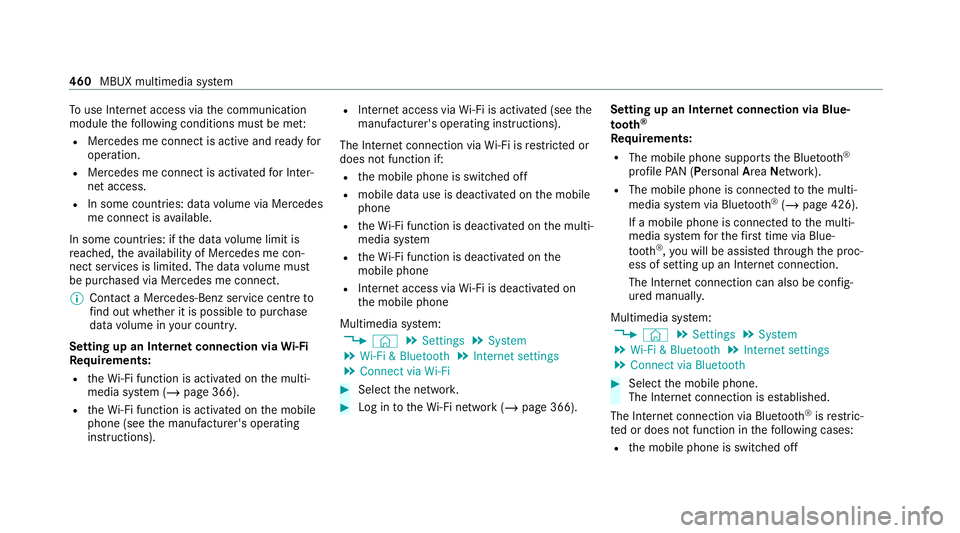
use In tern et access via the communication
module thefo llowing conditions must be me t:
R Mercedes me connect is active and ready for
operation.
R Mercedes me connect is activated for Inter‐
net access.
R In some countries: data volume via Mercedes
me connect is available.
In some countries: if the data volume limit is
re ached, theav ailability of Mercedes me con‐
nect services is limited. The data volume must
be pur chased via Mercedes me connect.
% Con tact a Mercedes-Benz service centre to
fi nd out wh ether it is possible topur chase
data volume in your count ry.
Setting up an Internet connection via Wi-Fi
Re quirements:
R theWi -Fi function is acti vated on the multi‐
media sy stem (/ page 366).
R theWi -Fi function is acti vated on the mobile
phone (see the manufacturer's operating
instructions). R
Internet access via Wi-Fi is acti vated (see the
manufacturer's operating instructions).
The Internet connection via Wi-Fi is restricted or
does not function if:
R the mobile phone is switched off
R mobile data use is deactivated on the mobile
phone
R theWi -Fi function is deacti vated on the multi‐
media sy stem
R theWi -Fi function is deacti vated on the
mobile phone
R Internet access via Wi-Fi is deacti vated on
th e mobile phone
Multimedia sy stem:
4 © 5
Settings 5
System
5 Wi-Fi & Bluetooth 5
Internet settings
5 Connect via Wi-Fi #
Select the networ k. #
Log in totheWi -Fi network (/ page 366). Setting up an Internet connection via Blue‐
to oth ®
Re quirements:
R The mobile phone supports the Blue tooth®
profile PAN (Personal AreaNet work).
R The mobile phone is connec tedto the multi‐
media sy stem via Blue tooth®
(/ page 426).
If a mobile phone is connec tedto the multi‐
media sy stem forth efirs t time via Blue‐
to oth ®
,yo u will be assis tedth ro ugh the proc‐
ess of setting up an Internet connection.
The Internet connection can also be confi g‐
ured manuall y.
Multimedia sy stem:
4 © 5
Settings 5
System
5 Wi-Fi & Bluetooth 5
Internet settings
5 Connect via Bluetooth #
Select the mobile phone.
The Internet connection is es tablished.
The Internet connection via Blue tooth®
is restric‐
te d or does not function in thefo llowing cases:
R the mobile phone is switched off 460
MBUX multimedia sy stem
Page 464 of 689
R
the mobile phone is connected a an addi‐
tional mobile phone
R the mobile phone network co verage is insuf‐
fi cient
R mobile da tause is deactivated on the mobile
phone
R the Blue tooth®
function on the multimedia
sy stem is switched off and the mobile phone
is to be connec ted via Blue tooth®
R the Blue tooth®
function is switched off on
th e mobile phone and the mobile phone is to
be connec ted via Blue tooth®
R neither the mobile phone network nor the
mobile phone allow simultaneous use of a
te lephone and an Internet connection
R the mobile phone has not been enabled for
Internet access via Blue tooth® Establishing an au
tomatic In tern et connec‐
tion
Multimedia sy stem:
4 © 5
Settings 5
System
5 Wi-Fi & Bluetooth 5
Internet settings #
Highlight the mobile phone. #
Select r. #
Activate Permanent Internet connection
D.
Cancelling In ternetaccess permission for a
mobile phone
Multimedia sy stem:
4 © 5
Settings 5
System
5 Wi-Fi & Bluetooth 5
Internet settings #
Select rinthe line of the mobile phone. #
Select Delete configuration. #
Select Yes. Displaying mobile phone details
Multimedia sy
stem:
4 © 5
Settings 5
System
5 Wi-Fi & Bluetooth 5
Internet settings #
Select rinthe line of the mobile phone. #
Select Details.
Establishing an Internet connection
Multimedia sy stem:
4 © 5
Mercedes me & Apps #
Forex ample, select zBrowser .
% The multimedia sy stem usually es tablishes
th e Internet connection automaticall y.Ifthe
multimedia sy stem is not connected tothe
Internet, the Internet connection is es tab‐
lished when an Internet application is used.
% The availability of the function is dependent
on the count ry. MBUX multimedia sy
stem 461
Page 465 of 689
Setting automatic disconnection of
the Inter‐
net connection
Multimedia sy stem:
4 © 5
Settings 5
System
5 Wi-Fi & Bluetooth 5
Internet settings #
Select rinthe line of the mobile phone. #
Select Disconnect when inactive .
The following options are available:
R 5 minutes
R 10 minutes
R 20 minutes
R Unlimited #
Select an option. Connection
status Connection
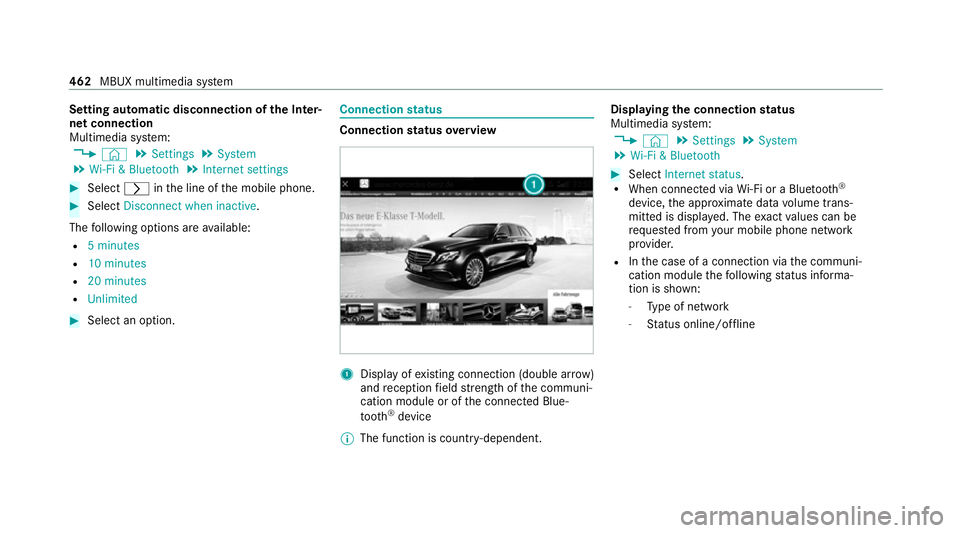
status overview 1
Display of existing connection (double ar row)
and reception field stre ngth of the communi‐
cation module or of the connected Blue‐
tooth ®
device
% The function is count ry-dependent. Displ
aying the connection status
Multimedia sy stem:
4 © 5
Settings 5
System
5 Wi-Fi & Bluetooth #
Select Internet status .
R When connected via Wi-Fi or a Blu etoo th®
device, the appr oximate data volume trans‐
mit ted is displa yed. The exact values can be
re qu ested from your mobile phone network
pr ov ider.
R Inthe case of a connection via the communi‐
cation module thefo llowing status informa‐
tion is shown:
- Type of network
- Status online/of fline 462
MBUX multimedia sy stem
Page 469 of 689
Depending on
the count ry, data volume may
need tobe pur chased.
R Afast Internet connection for data transmis‐
sion free of inter fere nce.
% New da tavolumes can be pur chased in the
Mercedes me por tal
% The functions and services are count ry-
dependent. For more information, consult a
Mercedes-Benz service centre.
Multimedia sy stem:
4 © 5
Radio #
Select TuneIn radio.
The TuneIn menu appears. The la st station
set starts playing.
% The connection quality depends on the local
mobile phone reception. 466
MBUX multimedia sy stem
Page 472 of 689
The multimedia sy
stem supports thefo llow‐
ing form ats and data media:
Pe rm issible
fi le sy stems FA
T32, exFA T,NTFS
Pe rm issible
data car riers USB devices, iPod
®
/iPhone ®
,
MTP devices, Blue tooth®
audio equipment
Suppor ted
audio form ats MP3, WMA, AAC,
WAV,FLAC,
AL AC
Suppor ted
video form ats MPEG,
AVI, DivX, MKV, MP4,
M4V, WMV %
Obser vethefo llowing no tes:
R The multimedia sy stem supports a total
of up to50,000 files.
R Data storage media up to2 TB are sup‐
por ted (32‑bit address space).
R Due tothe large variet y of available
music and video files rega rding encod‐
ers, sampling rates and data transfer
ra tes, playback cannot be guaranteed. R
Due tothe wide range of USB devices
av ailable on the mar ket, pl ayback cann ot
be guaranteed for all USB devices.
R Videos up toFullHD (1920x1080) are
suppor ted.
R Cop y-pr otected music and video files or
DRM (Digital Rights Management)
enc rypte dfiles cannot be pla yed bac k.
R MP3 pla yers must support Media Trans‐
fe r Pr otocol (MTP).
In fo rm ation on copy right pr otection and
tradema rks
Au dio files which you create yourself (e.g. copies
of data storage media you make yourself) are
ge neral lysubject tocopyright pr otection. In
many count ries, reproductions are not permitted
without the prior consent of the copyright
holder, evenfo r private use. Make sure that you
know about the applicable copyright regulations
and that you co mply wi th th ese. Manufactured under licence from Dolby Labora‐
to
ries. Dolb y,Dol byAudio and the double-D sym‐
bol are trademar ksof Dolby Laboratories. MBUX multimedia sy
stem 469
Page 476 of 689
Multimedia sy
stem:
4 © 5
Media 5
Bluetooth 5
ª
Au thorising a new Blue tooth ®
audio device #
Select Connect new device .
De tected equipment is displ ayed in the
device list. #
Select an audio device.
Auth orisation starts. A code is displa yed on
th e multimedia sy stem and on the mobile
phone. #
Ifth e codes are identical, confi rmonthe
audio equipment. #
Select Only as Bluetooth audio device .
The Blue tooth®
audio equipment is connec‐
te d with the multimedia sy stem.
Connecting pr eviously authorised Blue tooth ®
audio equipment #
Select a Blue tooth®
audio device from the
list.
The connection is es tablished. St
arting media playback Re
quirements:
R A data storage medium is connected tothe
multimedia sy stem.
Multimedia sy stem:
4 © 5
Media #
Select USBorBluetooth asthe media
source. Controlling media playback
Multimedia sy
stem:
4 © 5
Media #
Topause playback: select8. #
Tocontinue playba ck:select 6. #
Torepeat a track: select:.
Fo rth ere peat function there are thefo llow‐
ing settings:
R Select once: the active pla ylist is repea‐
te d. R
Select twice: the cur rent track is repea‐
te d.
R Select three times: there peat function
is deactivated. #
Toplay back trac ksinrandom order:
select 9. #
Towind a track forw ards or backwards:
ta p on the desired point on the timeline. #
Toselect the next track: selectü. #
Toselect the pr evious track: selectû. #
Toscroll through trac ksquickl y:press and
hold û orü. #
Toshow the cur rent track lis t:select the
track image shown. MBUX multimedia sy
stem 473