mirror MERCEDES-BENZ GLC 2018 User Guide
[x] Cancel search | Manufacturer: MERCEDES-BENZ, Model Year: 2018, Model line: GLC, Model: MERCEDES-BENZ GLC 2018Pages: 390, PDF Size: 9.04 MB
Page 106 of 390
X
Turn the SmartKey to position G or H in the
ignition lock ( Y
page 136).X
To switch on: press button C repeatedly
until the desired heating level is set. X
To switch off: press button C repeatedly
until all the indicator lamps go out.
i If the battery voltage is too low, the seat
heating may switch off.
i If drive program E is selected, the power of
the seat heating is reduced.
Switching the seat ventilation on/off
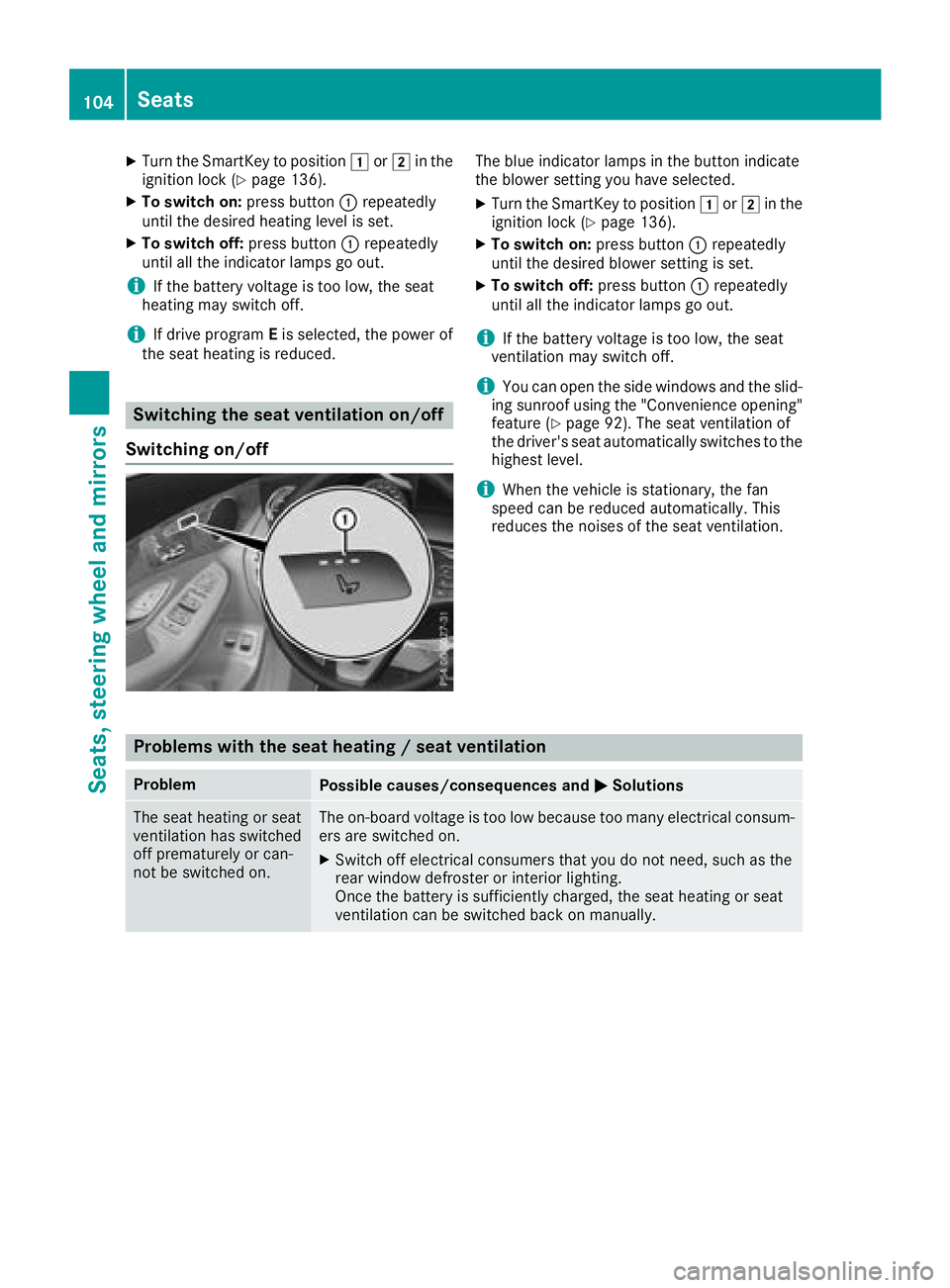
Switching on/off The blue indicator lamps in the button indicate
the blower setting you have selected. X
Turn the SmartKey to position G or H in the
ignition lock ( Y
page 136). X
To switch on: press button C repeatedly
until the desired blower setting is set. X
To switch off: press button C repeatedly
until all the indicator lamps go out.
i If the battery voltage is too low, the seat
ventilation may switch off.
i You can open the side windows and the slid-
ing sunroof using the "Convenience opening"
feature ( Y
page 92). The seat ventilation of
the driver's seat automatically switches to the
highest level.
i When the vehicle is stationary, the fan
speed can be reduced automatically. This
reduces the noises of the seat ventilation.
Problems with the seat heating / seat ventilation Problem
Possible causes/consequences and P Solutions
The seat heating or seat
ventilation has switched
off prematurely or can-
not be switched on. The on-board voltage is too low because too many electrical consum-
ers are switched on. X
Switch off electrical consumers that you do not need, such as the
rear window defroster or interior lighting.
Once the battery is sufficiently charged, the seat heating or seat
ventilation can be switched back on manually.104
Seats
Seats, steering wheel and mirrors
Page 107 of 390
Steering wheel
Important safety notes
G WARNING
You could lose control of your vehicle if you do
the following while driving: R
adjust the driver's seat, head restraint,
steering wheel or mirrors R
fasten the seat belt
There is a risk of an accident.
Adjust the driver's seat, head restraint, steer-
ing wheel and mirror and fasten your seat belt
before starting the engine.
G WARNING
Children could injure themselves if they
adjust the steering wheel. There is a risk of
injury.
When leaving the vehicle, always take the
SmartKey with you and lock the vehicle. Never
leave children unsupervised in the vehicle.
The electrically adjustable steering wheel can
still be adjusted when there is no key in the igni-
tion lock.
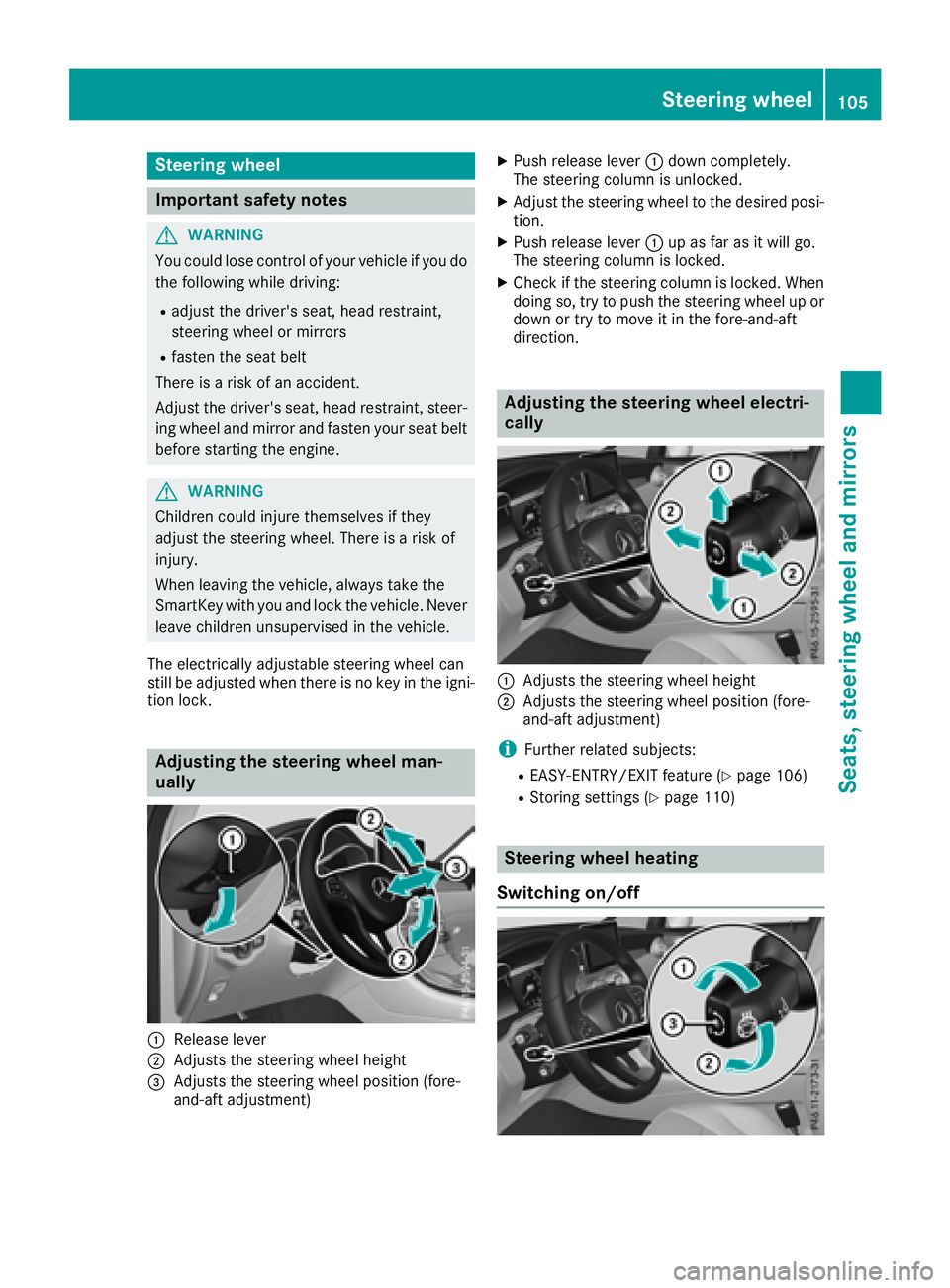
Adjusting the steering wheel man-
ually
C
Release lever
D
Adjusts the steering wheel height
Page 109 of 390
i The steering wheel only moves up if it has
not already reached the upper steering lim-
iter.
Position of the steering wheel for driv-
ing The steering wheel is moved to the last selected
position when: R
the driver's door is closed and you insert the
SmartKey into the ignition lock R
you close the driver's door when the ignition
is switched on R
you press the Start/Stop button once in vehi-
cles with KEYLESS-GO or the KEYLESS-GO
start function
i The steering wheel only returns to the last
set position if the driving position is stored
after the seat or steering column has been
adjusted ( Y
page 110).
The most recent driving position of the steering
wheel is stored if: R
the ignition is switched off R
the setting is stored using the memory func-
tion ( Y
page 110)
Crash-responsive EASY-EXIT feature If the crash-responsive EASY-EXIT feature is trig-
gered in an accident, the steering column will
move up when the driver's door is opened or the
SmartKey is removed from the ignition lock. This
makes it easier to exit the vehicle and rescue the
occupants.
The crash-responsive EASY-EXIT feature is
operational only if the EASY-EXIT/ENTRY fea-
ture is activated in the multimedia system (see
Digital Operator's Manual). Mirrors
Exterior mirrors
Important safety notes
G WARNING
You could lose control of your vehicle if you do
the following while driving: R
adjust the driver's seat, head restraint,
steering wheel or mirrors R
fasten the seat belt
There is a risk of an accident.
Adjust the driver's seat, head restraint, steer-
ing wheel and mirror and fasten your seat belt
before starting the engine.
G WARNING
The exterior mirror on the front-passenger
side reduces the size of the image. Visible
objects are actually closer than they appear.
This means that you could misjudge the dis-
tance from road users traveling behind, e.g.
when changing lane. There is a risk of an acci-
dent.
For this reason, always make sure of the
actual distance from the road users traveling
behind by glancing over your shoulder.
Adjusting the exterior mirrors
X
Turn the SmartKey to position G or H in the
ignition lock ( Y
page 136). X
Exterior mirror on the front-passenger side:
press button D .Mirrors 107
Seats, steering wheel and mirrors Z
Page 110 of 390
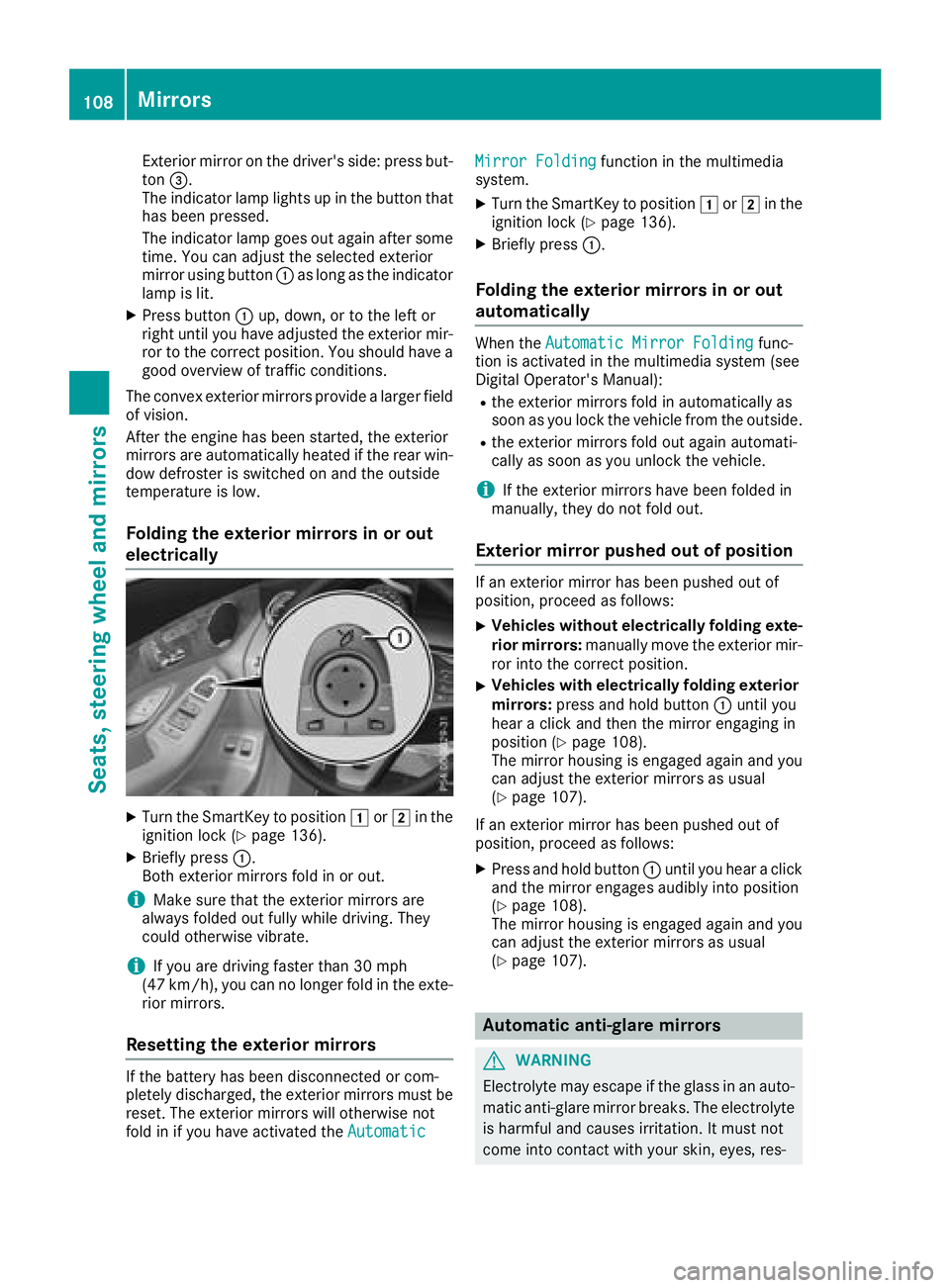
Exterior mirror on the driver's side: press but-
ton
Page 111 of 390
piratory organs or clothing or be swallowed.
There is a risk of injury.
If you come into contact with the electrolyte,
observe the following: R
Rinse off the electrolyte from your skin
immediately with water. R
Immediately rinse the electrolyte out of
your eyes thoroughly with clean water. R
If the electrolyte is swallowed, immediately
rinse your mouth out thoroughly. Do not
induce vomiting. R
If electrolyte comes into contact with your
skin or hair or is swallowed, seek medical
attention immediately. R
Immediately change out of clothing which
has come into contact with electrolyte. R
If an allergic reaction occurs, seek medical
attention immediately.
The exterior mirror on the driver's side and the
rear-view mirror automatically go into anti-glare
mode if: R
the ignition is switched on R
incident light from headlamps strikes the sen-
sor in the rear-view mirror
The mirrors do not go into anti-glare mode if
reverse gear is engaged or if the interior lighting
is switched on.
Parking position for the exterior mir-
ror on the front-passenger side
Storing the parking position You can set the front-passenger side exterior
mirror such that you can see the rear wheel on
that side as soon as you engage reverse gear.
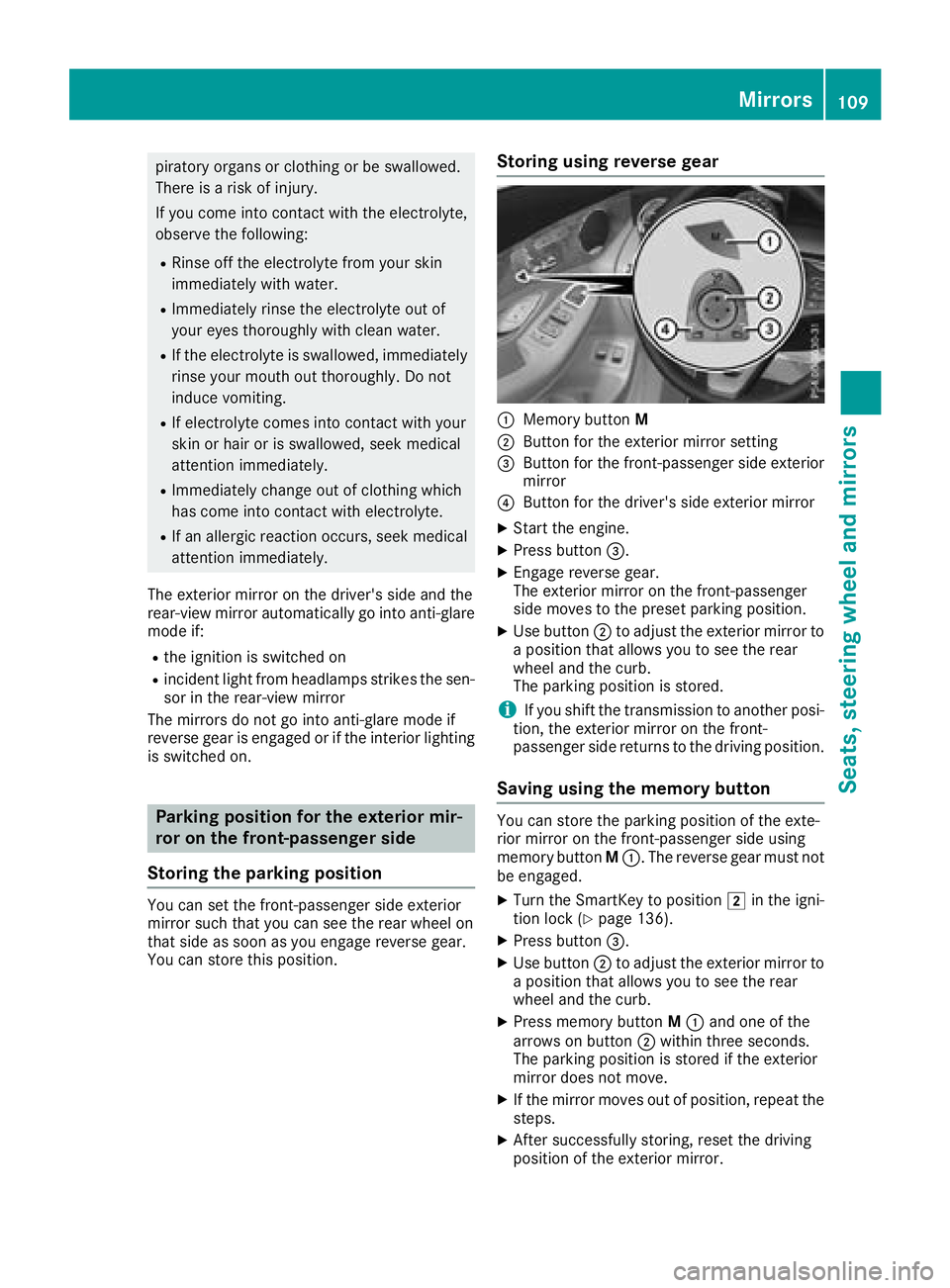
You can store this position. Storing using reverse gear
C
Memory button MD
Button for the exterior mirror setting
Page 112 of 390
Calling up a stored parking position set-
ting X
Turn the SmartKey to position H in the igni-
tion lock ( Y
page 136).X
Adjust the exterior mirror on the front-
passenger side using button
Page 113 of 390
R
Seat R
Steering wheel R
Exterior mirrors R
Head-up display
i If you release the memory position switch,
the seat, steering wheel and mirror setting
functions stop immediately. The head-up dis-
play continues to be adjusted.
Memory function 111
Seats, steering wheel and mirrors Z
Page 196 of 390
Problems with Parking Assist PARKTRONIC Problem
Possible causes/consequences and P Solutions
Only the red segments in
the Parking Assist
PARKTRONIC warning
displays are lit. You also
hear a warning tone for
approximately two sec-
onds.
Parking Assist
PARKTRONIC is then
deactivated and the indi-
cator lamp on the
PARKTRONIC button
lights up. Parking Assist PARKTRONIC has malfunctioned and has been deacti-
vated. X
If problems persist, have Parking Assist PARKTRONIC checked at a
qualified specialist workshop.
Only the red segments in
the Parking Assist
PARKTRONIC warning
displays are lit. Parking
Assist PARKTRONIC is
then deactivated. The Parking Assist PARKTRONIC sensors are dirty or there is inter-
ference. X
Clean the Parking Assist PARKTRONIC sensors ( Y
page 328).X
Switch the ignition back on.
The problem may be caused by an external source of radio or ultra-
sound waves. X
Check to see if Parking Assist PARKTRONIC works at a different
location.
Rear view camera
General notes
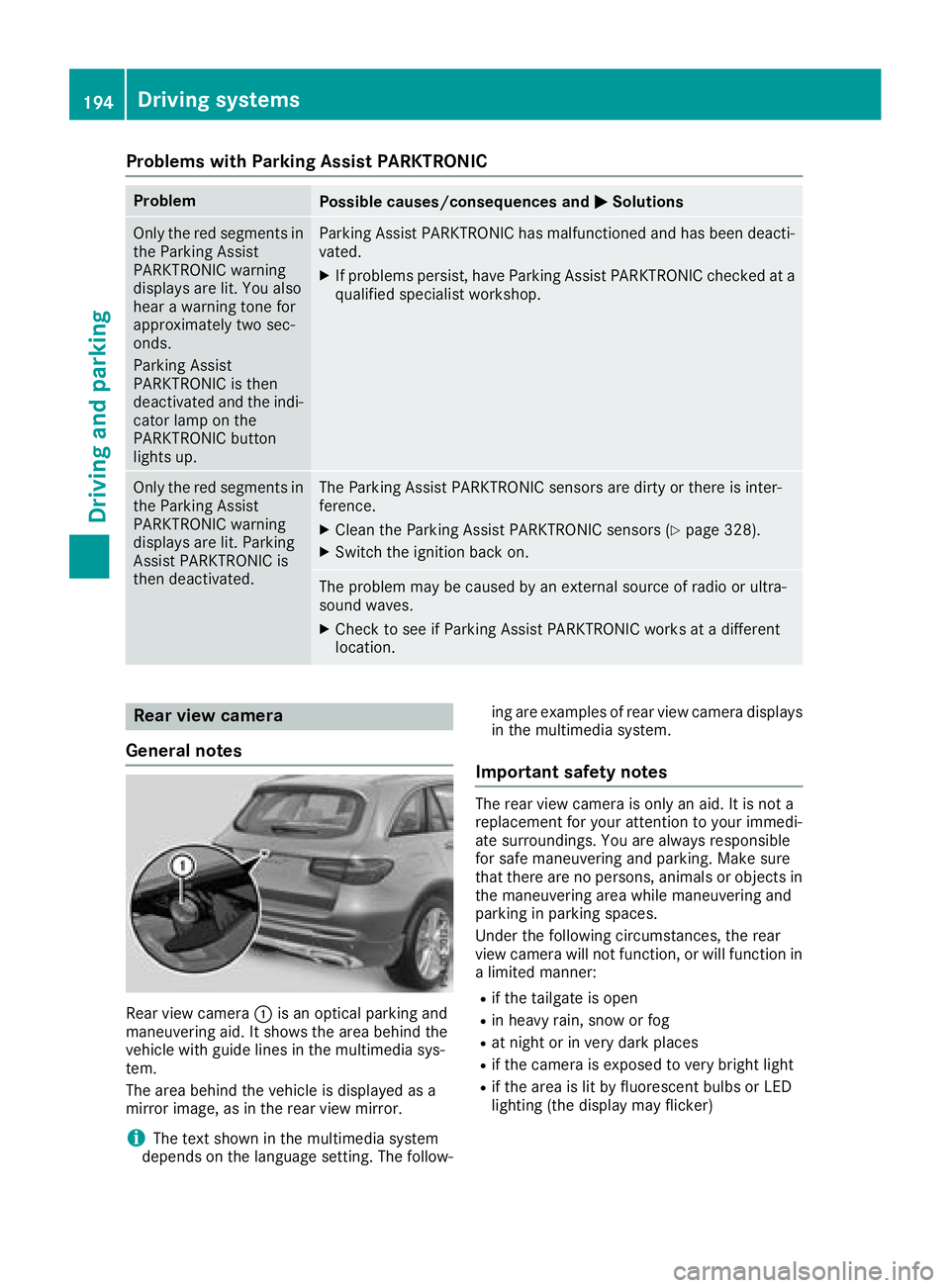
Rear view camera C is an optical parking and
maneuvering aid. It shows the area behind the
vehicle with guide lines in the multimedia sys-
tem.
The area behind the vehicle is displayed as a
mirror image, as in the rear view mirror.
i The text shown in the multimedia system
depends on the language setting. The follow- ing are examples of rear view camera displays
in the multimedia system.
Important safety notes The rear view camera is only an aid. It is not a
replacement for your attention to your immedi-
ate surroundings. You are always responsible
for safe maneuvering and parking. Make sure
that there are no persons, animals or objects in
the maneuvering area while maneuvering and
parking in parking spaces.
Under the following circumstances, the rear
view camera will not function, or will function in
a limited manner: R
if the tailgate is open R
in heavy rain, snow or fog R
at night or in very dark places R
if the camera is exposed to very bright light R
if the area is lit by fluorescent bulbs or LED
lighting (the display may flicker)194
Driving systems
Driving and parking
Page 198 of 390
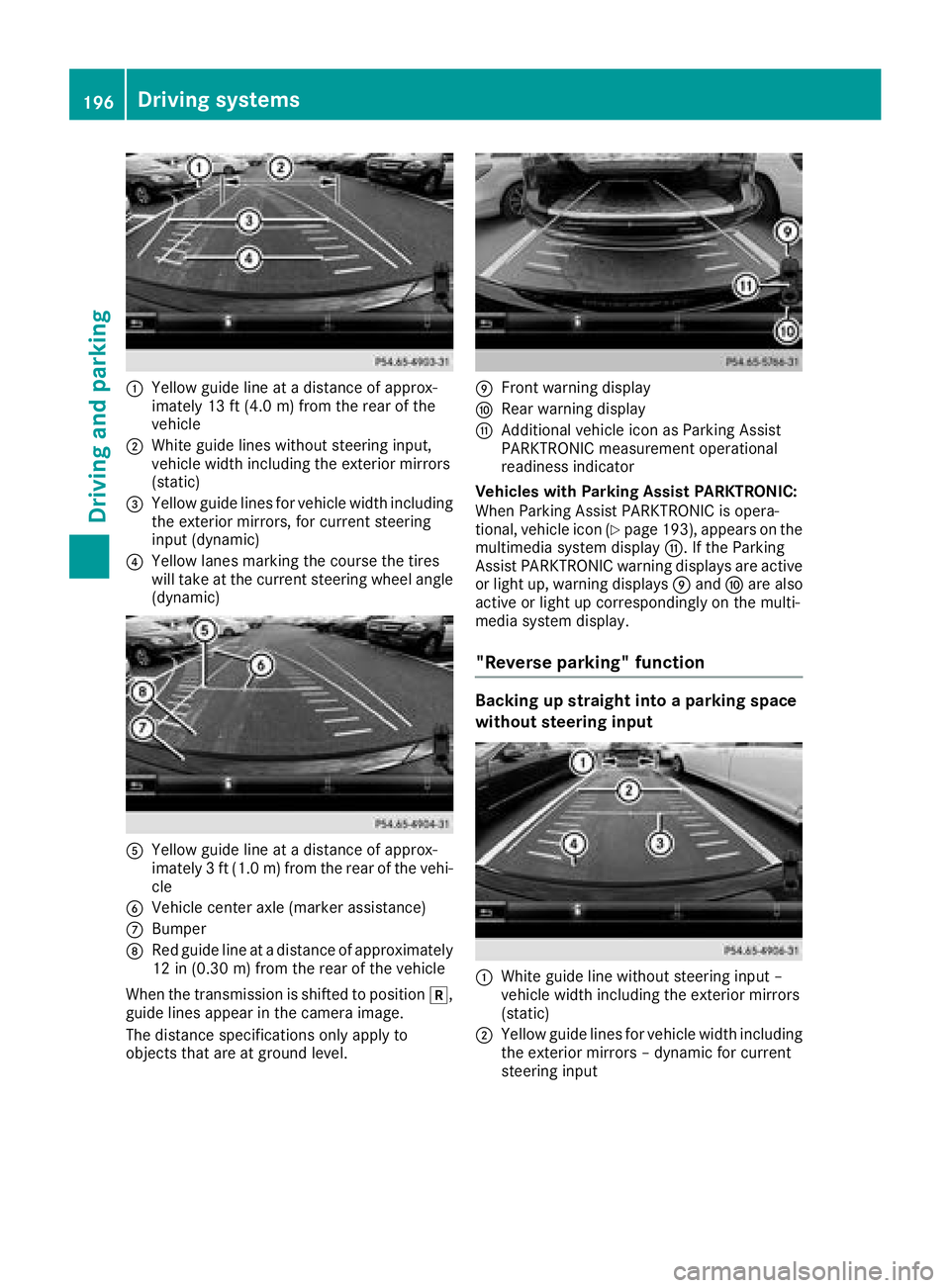
C
Yellow guide line at a distance of approx-
imately 13 ft (4.0 m) from the rear of the
vehicleD
White guide lines without steering input,
vehicle width including the exterior mirrors
(static)
Page 201 of 390
Object detection only works in wide-angle view.
To ensure that you can use the function, it must
be switched on in the multimedia system (see
the Digital Operator's Manual).
360° Camera
General notes The 360° camera is a system consisting of four
cameras.
The system processes images from the follow-
ing cameras: R
Rear view camera R
Front camera R
Two side cameras in the exterior mirrors
The cameras cover the immediate surroundings
of the vehicle. The system supports you, for
example when parking or if vision is restricted at
an exit.
You can show images from the 360° camera in
full-screen mode or in seven different split-
screen views on the multimedia system. A split-
screen view also includes a top view of the vehi-
cle. This view is calculated from the data sup-
plied by the installed cameras (virtual camera).
The seven split-screen views are: R
Top view and picture from the rear view cam-
era (130° viewing angle) R
Top view and image from the front camera
(130° viewing angle without displaying the
maximum steering wheel angle) R
Top view and enlarged rear view R
Top view and enlarged front view R
Top view and trailer view (vehicles with trailer
tow hitch) R
Top view and images from the rear-facing side
cameras (rear wheel view) R
Top view and images from the forward-facing
side cameras (front wheel view)
When the function is active and you shift the
transmission from [ or ^ to \\ , the guide
lines on the multimedia system are hidden.
When you shift between transmission positions
[ and ^ , you see the previously selected front
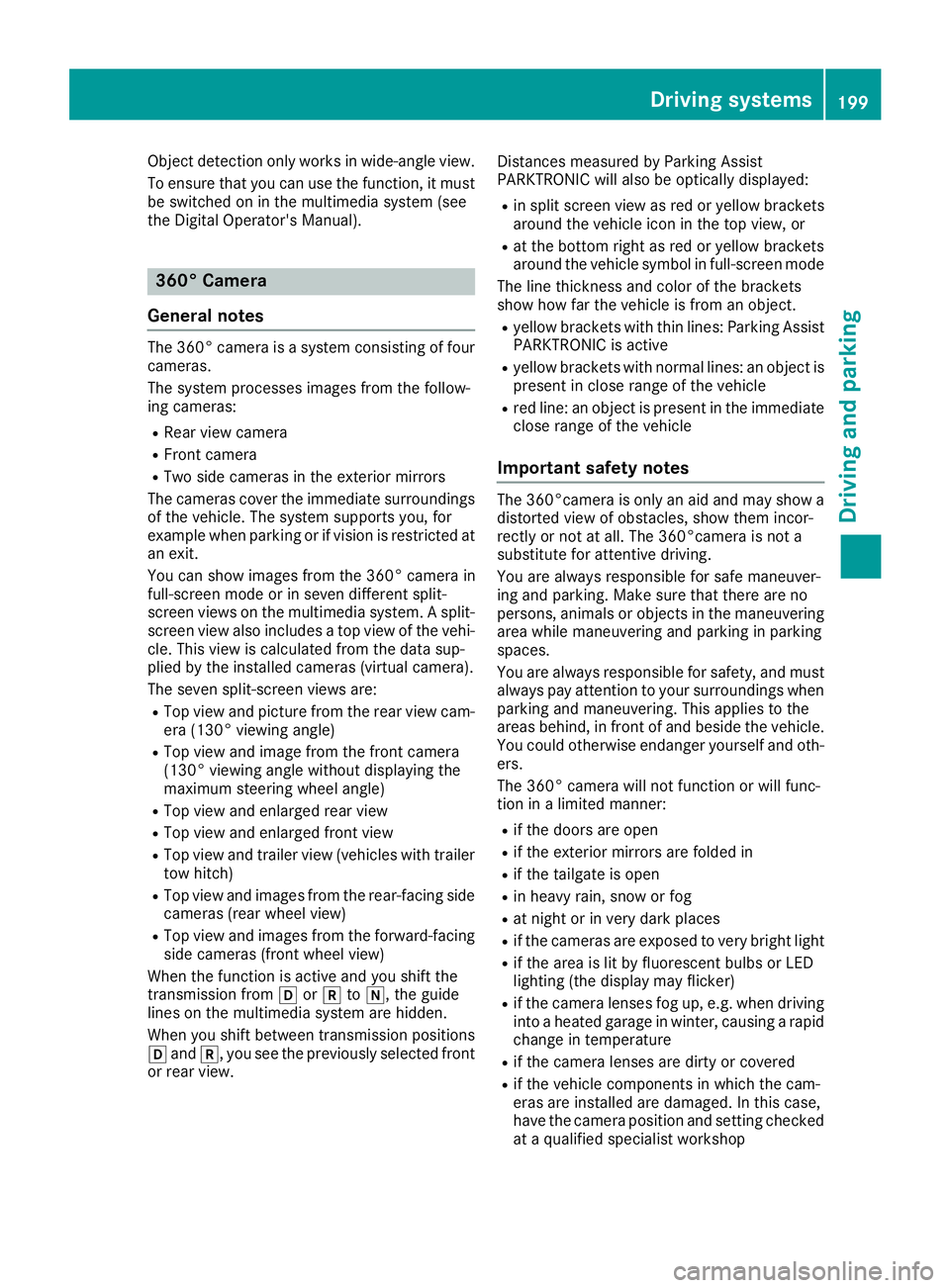
or rear view. Distances measured by Parking Assist
PARKTRONIC will also be optically displayed: R
in split screen view as red or yellow brackets
around the vehicle icon in the top view, or R
at the bottom right as red or yellow brackets
around the vehicle symbol in full-screen mode
The line thickness and color of the brackets
show how far the vehicle is from an object. R
yellow brackets with thin lines: Parking Assist
PARKTRONIC is active R
yellow brackets with normal lines: an object is
present in close range of the vehicle R
red line: an object is present in the immediate
close range of the vehicle
Important safety notes The 360°camera is only an aid and may show a
distorted view of obstacles, show them incor-
rectly or not at all. The 360°camera is not a
substitute for attentive driving.
You are always responsible for safe maneuver-
ing and parking. Make sure that there are no
persons, animals or objects in the maneuvering
area while maneuvering and parking in parking
spaces.
You are always responsible for safety, and must
always pay attention to your surroundings when
parking and maneuvering. This applies to the
areas behind, in front of and beside the vehicle.
You could otherwise endanger yourself and oth-
ers.
The 360° camera will not function or will func-
tion in a limited manner: R
if the doors are open R
if the exterior mirrors are folded in R
if the tailgate is open R
in heavy rain, snow or fog R
at night or in very dark places R
if the cameras are exposed to very bright light R
if the area is lit by fluorescent bulbs or LED
lighting (the display may flicker) R
if the camera lenses fog up, e.g. when driving
into a heated garage in winter, causing a rapid
change in temperature R
if the camera lenses are dirty or covered R
if the vehicle components in which the cam-
eras are installed are damaged. In this case,
have the camera position and setting checked
at a qualified specialist workshopDriving systems 199
Driving and parking Z