trailer MERCEDES-BENZ GLC 2018 User Guide
[x] Cancel search | Manufacturer: MERCEDES-BENZ, Model Year: 2018, Model line: GLC, Model: MERCEDES-BENZ GLC 2018Pages: 390, PDF Size: 9.04 MB
Page 61 of 390
PRE-SAFE ®
takes the following measures
depending on the hazardous situation detected: R
the front seat belts are pre-tensioned. R
if the vehicle skids, the side windows and the
panorama roof with power tilt/sliding panel
are closed. R
vehicles with the memory function for the
front-passenger seat: the front-passenger
seat is adjusted if it is in an unfavorable posi-
tion.
If the hazardous situation passes without result-
ing in an accident, PRE-SAFE ®
slackens the belt
pre-tensioning. All settings made by PRE-SAFE ®
can then be reversed.
If the seat belt pre-tensioning is not reduced: X
Move the seat backrest or seat back slightly
when the vehicle is stationary.
The seat belt pre-tensioning is reduced and
the locking mechanism is released.
The seat-belt adjustment is an integral part of
the PRE-SAFE ®
convenience function. Informa-
tion about the convenience function can be
found under "Belt adjustment" ( Y
page 48).
PRE-SAFE ®
PLUS (anticipatory occu-
pant protection system PLUS)
Introduction PRE-SAFE ®
PLUS is only available in vehicles
with the Driving Assistance package.
Using the radar sensor system, PRE-SAFE ®
PLUS is able to detect that a head-on or rear-end
collision is imminent. In certain hazardous sit-
uations, PRE-SAFE ®
PLUS takes pre-emptive
measures to protect the vehicle occupants.
Important safety notes The intervention of PRE-SAFE ®
PLUS cannot
prevent an imminent collision.
The driver is not warned about the intervention
of PRE-SAFE ®
PLUS.
PRE-SAFE ®
PLUS does not intervene:R
if the vehicle is backing up R
when the vehicle is towing a trailer and there
is a risk of a rear-end collision When driving, or when parking or exiting a park-
ing space with assistance from Parking Pilot,
PRE-SAFE ®
PLUS will not apply the brakes.
Function PRE-SAFE ®
PLUS intervenes in certain situa-
tions if the radar sensor system detects an
imminent head-on or rear-end collision.
PRE-SAFE ®
PLUS takes the following measures
depending on the hazardous situation detected: R
if the radar sensor system detects that a
head-on collision is imminent, the seat belts
are pre-tensioned. R
if the radar sensor system detects that a rear-
end collision is imminent: -
the brake pressure is increased if the driver
applies the brakes when the vehicle is sta-
tionary. -
the seat belts are pre-tensioned.
The PRE-SAFE ®
PLUS braking application is can-
celed: R
if the accelerator pedal is depressed when a
gear is engaged R
if the risk of a collision passes or is no longer
detected R
if Distance Pilot DISTRONIC indicates an
intention to pull away
If the hazardous situation passes without result-
ing in an accident, the original settings are
restored.
Automatic measures after an acci-
dent Immediately after an accident, the following
measures are implemented, depending on the
type and severity of the impact: R
the hazard warning lamps are switched on R
the emergency lighting is activated R
the vehicle doors are unlocked R
the front side windows are lowered R
vehicles with a memory function: the electri-
cally adjustable steering wheel is raised when
the driver's door is opened R
the engine is switched off and the fuel supply
is cut off R
vehicles with mbrace: automatic emergency
callOccupant safety 59
Safety Z
Page 75 of 390
the vehicle/trailer combination from swerv-
ing. Trailers with a high center of gravity can
tip over before ESP ®
can detect this. There is
a risk of an accident.
Always adapt your driving style to the prevail-
ing road and weather conditions.
If your vehicle with trailer (vehicle/trailer com-
bination) begins to lurch, you can only stabilize
the vehicle/trailer combination by depressing
the brake firmly.
ESP ®
trailer stabilization is active above speeds
of approximately 40 mph (65 km/h).
ESP ®
trailer stabilization does not work if ESP ®
is deactivated or malfunctioning.
Crosswind Assist General information Strong crosswind gusts can impair the ability of
your vehicle to drive straight ahead. The cross-
wind driving assistance function integrated in
ESP ®
noticeably reduces these impairments.
ESP ®
intervenes automatically according to the
direction and intensity of the crosswinds affect-
ing your vehicle.
ESP ®
intervenes with stabilizing braking to
assist you in keeping the vehicle in the lane.
Crosswind Assist is active at vehicle speeds
above 50 mph (80 km/h) when driving straight
ahead or cornering gently.
Important safety notes
Crosswind Assist does not work if ESP ®
is
switched off or deactivated because of a mal-
function.
EBD (electronic brake force distribu-
tion)
General information
EBD monitors and controls the brake pressure
on the rear wheels to improve driving stability
while braking. Important safety notes
i Observe the "Important safety notes" sec-
tion ( Y
page 66).
G WARNING
If EBD is malfunctioning, the rear wheels can
lock, e.g. under full braking. This increases the
risk of skidding and an accident.
You should therefore adapt your driving style
to the different handling characteristics. Have
the brake system checked at a qualified spe-
cialist workshop.
Observe information regarding indicator and
warning lamps ( Y
page 271) as well as display
messages ( Y
page 242).
ADAPTIVE BRAKE ADAPTIVE BRAKE enhances braking safety and
offers increased braking comfort. In addition to
the braking function, ADAPTIVE BRAKE also has
the HOLD function ( Y
page 178) and hill start
assist ( Y
page 140).
Active Brake Assist with cross-traffic
function
General information
i Observe the important safety notes in the
"Driving safety systems" section ( Y
page 66).
Active Brake Assist with cross-traffic function
can help you to minimize the risk of a collision
with a vehicle in front or a pedestrian and reduce
the effects of such a collision. If the Active Brake
Assist with cross-traffic function detects a risk
of collision, you will be warned visually and
acoustically and, if necessary, your brake appli-
cation will be assisted according to the situa-
tion. If you do not react, the system can also
react by braking automatically. In the event of a
detected risk of collision due to crossing traffic,
you will also be visually and acoustically warned
as well as assisted by the brake boosting effect
according to the situation.
Active Brake Assist with cross-traffic function is
only available in vehicles with the Driving Assis-
tance Plus package.Driving safet y system s 73
Sa fety Z
Page 91 of 390
The tailgate could thus be opened or closed
unintentionally, for example, if you: -
install or remove the ball coupling. -
couple or uncouple a trailer. -
install or remove a rear-mounted bicycle
rack. -
load/unload bicycles on/from a rear-
mounted bicycle rack. -
sit on the edge of the cargo compartment. -
set something down or lift something up
behind the vehicle. -
polish the rear of the vehicle.
Do not carry the KEYLESS-GO key about your
person in these situations or in situations sim-
ilar to these. This will prevent unintentional
opening or closing of the tailgate.
Important safety notes
G WARNING
The vehicle exhaust system can become very
hot. If you use HANDS-FREE ACCESS, you
could burn yourself by touching the exhaust
system. There is a risk of injury. Always
ensure that you make the kicking movement
only within the detection range of the sensors.
! If the SmartKey is within the rear detection
range of KEYLESS-GO, the following situa-
tions, for example, could lead to the uninten-
tional opening of the tailgate: R
when using an automatic car wash R
when using a power washer
Make sure that the SmartKey is at least 10 ft
(3 m) away from the vehicle.
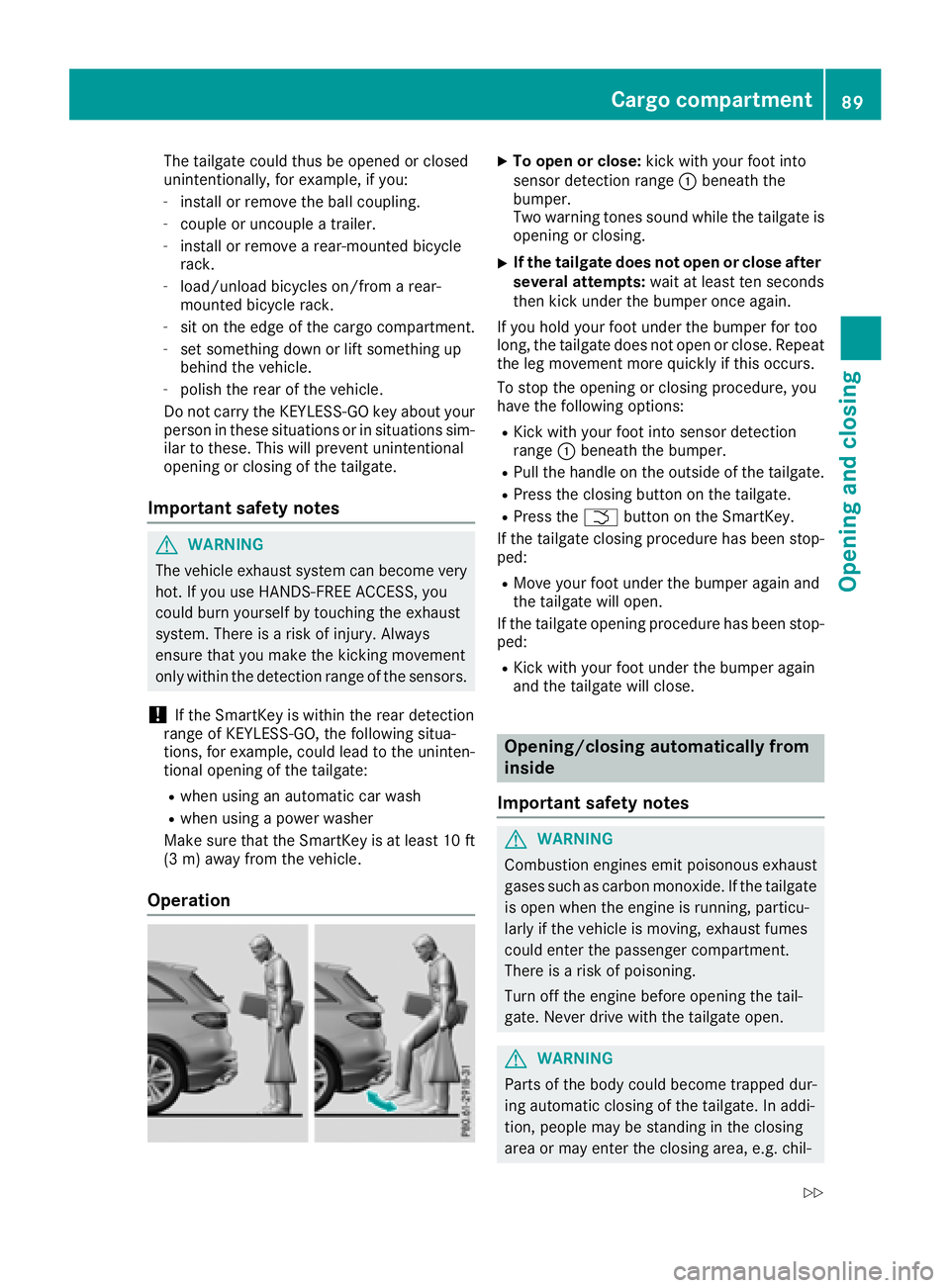
Operation X
To open or close: kick with your foot into
sensor detection range C beneath the
bumper.
Two warning tones sound while the tailgate is
opening or closing. X
If the tailgate does not open or close after
several attempts: wait at least ten seconds
then kick under the bumper once again.
If you hold your foot under the bumper for too
long, the tailgate does not open or close. Repeat
the leg movement more quickly if this occurs.
To stop the opening or closing procedure, you
have the following options: R
Kick with your foot into sensor detection
range C beneath the bumper. R
Pull the handle on the outside of the tailgate. R
Press the closing button on the tailgate. R
Press the T button on the SmartKey.
If the tailgate closing procedure has been stop-
ped: R
Move your foot under the bumper again and
the tailgate will open.
If the tailgate opening procedure has been stop-
ped: R
Kick with your foot under the bumper again
and the tailgate will close.
Opening/closing automatically from
inside
Important safety notes
G WARNING
Combustion engines emit poisonous exhaust
gases such as carbon monoxide. If the tailgate
is open when the engine is running, particu-
larly if the vehicle is moving, exhaust fumes
could enter the passenger compartment.
There is a risk of poisoning.
Turn off the engine before opening the tail-
gate. Never drive with the tailgate open.
G WARNING
Parts of the body could become trapped dur-
ing automatic closing of the tailgate. In addi-
tion, people may be standing in the closing
area or may enter the closing area, e.g. chil-Cargo compartment 89
Opening and closing Z
Page 142 of 390
be moved but the parking lock remains
engaged.
i Upshifts take place at higher engine speeds
after a cold start. This helps the catalytic con-
verter to reach its operating temperature
more quickly.
Information on the automatic release of the
electric parking brake ( Y
page 160).
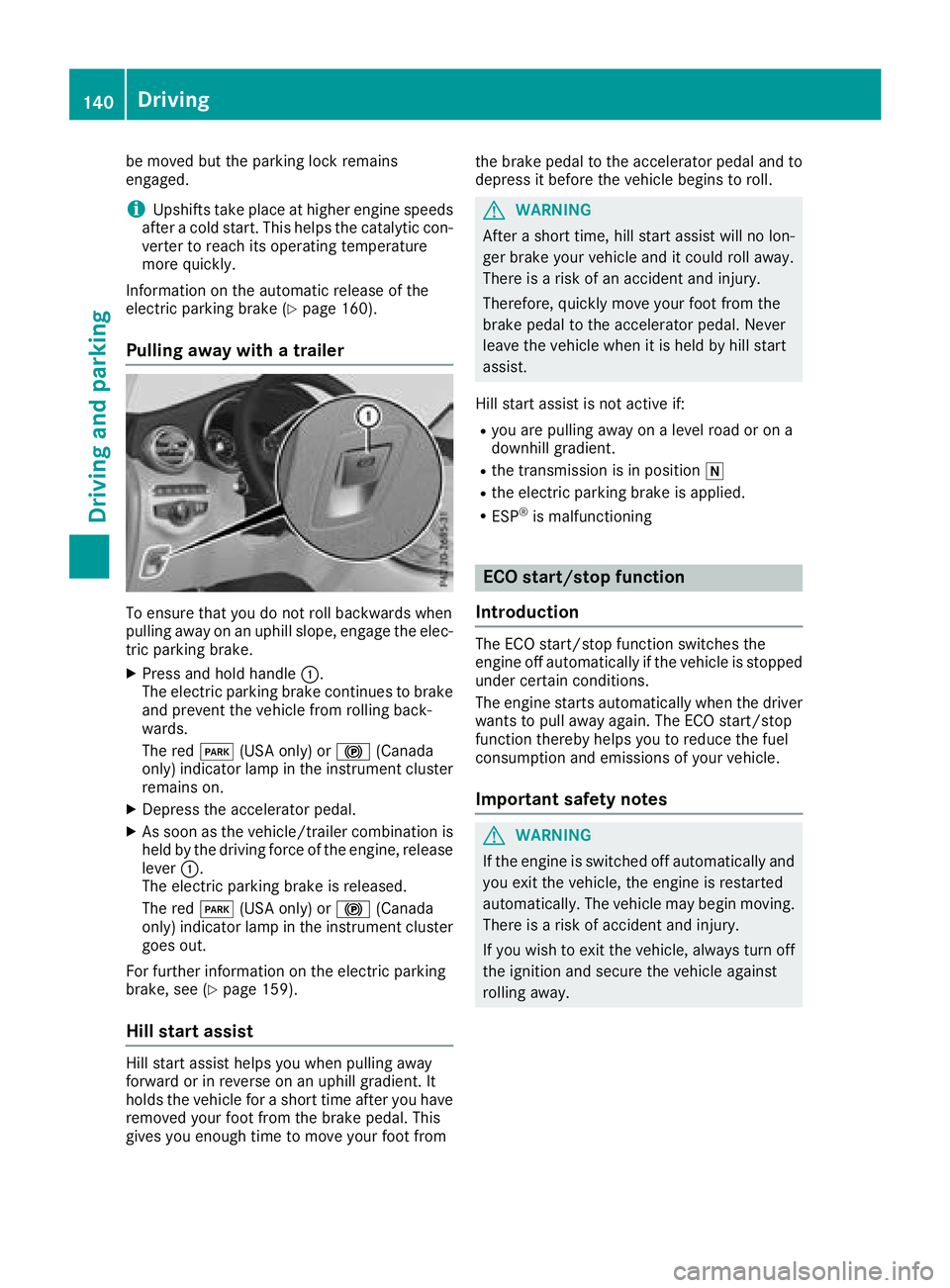
Pulling away with a trailer
To ensure that you do not roll backwards when
pulling away on an uphill slope, engage the elec-
tric parking brake. X
Press and hold handle C .
The electric parking brake continues to brake
and prevent the vehicle from rolling back-
wards.
The red I (USA only) or $ (Canada
only) indicator lamp in the instrument cluster
remains on. X
Depress the accelerator pedal. X
As soon as the vehicle/trailer combination is
held by the driving force of the engine, release
lever C .
The electric parking brake is released.
The red I (USA only) or $ (Canada
only) indicator lamp in the instrument cluster
goes out.
For further information on the electric parking
brake, see ( Y
page 159).
Hill start assist
Hill start assist helps you when pulling away
forward or in reverse on an uphill gradient. It
holds the vehicle for a short time after you have
removed your foot from the brake pedal. This
gives you enough time to move your foot from the brake pedal to the accelerator pedal and to
depress it before the vehicle begins to roll.
G WARNING
After a short time, hill start assist will no lon-
ger brake your vehicle and it could roll away.
There is a risk of an accident and injury.
Therefore, quickly move your foot from the
brake pedal to the accelerator pedal. Never
leave the vehicle when it is held by hill start
assist.
Hill start assist is not active if: R
you are pulling away on a level road or on a
downhill gradient. R
the transmission is in position \\R
the electric parking brake is applied. R
ESP ®
is malfunctioning
ECO start/stop function
Introduction The ECO start/stop function switches the
engine off automatically if the vehicle is stopped
under certain conditions.
The engine starts automatically when the driver
wants to pull away again. The ECO start/stop
function thereby helps you to reduce the fuel
consumption and emissions of your vehicle.
Important safety notes
G WARNING
If the engine is switched off automatically and
you exit the vehicle, the engine is restarted
automatically. The vehicle may begin moving.
There is a risk of accident and injury.
If you wish to exit the vehicle, always turn off
the ignition and secure the vehicle against
rolling away.140
Driving
Driving and parking
Page 152 of 390
Gliding mode is deactivated under the following
conditions: R
You depress the accelerator pedal. R
You depress the brake pedal. R
You change the transmission position
( Y
page 146).R
You switch to drive program RACE
(Mercedes-AMG GLC 63 S 4MATIC), S+ or S
( Y
page 144).R
You activate manual gearshifting
( Y
page 152).R
You leave the suitable speed range.
i If you have selected the "Eco" or "Comfort"
(Mercedes-AMG GLC 63 4MATIC/
GLC 63 S 4MATIC setting for the drive (engine
and transmission management) in drive pro-
gram I , you can also activate gliding mode.
Information on DYNAMIC SELECT and on con-
figuring drive program I with the multimedia
system (see the Digital Operator's Manual).
Towing a trailer X
Drive in the middle of the engine speed range
on uphill gradients. X
Manual shifting: depending on the uphill or
downhill gradient, shift into a gear
( Y
page 152), in which the engine will run the
middle of the engine speed range.
This also applies when cruise control or Dis-
tance Pilot DISTRONIC are activated.
Drive programs
All vehicles except Mercedes-AMG GLC
63 4MATIC+/GLC 63 S 4MATIC+
Drive program I (Individual)
In drive program I the following properties of the
drive program can be selected: R
the drive (engine and transmission manage-
ment)
and therefore indirectly the availability of glid-
ing mode and the properties of the driver
assistance systems R
the suspension R
the steering R
the availability of the ECO start/stop function R
the climate control Information about configuring drive program I
with the multimedia system can be found under
"DYNAMIC SELECT" in the vehicle's Digital
Operator's Manual.
Drive program S+ (Sport Plus) Drive program S+ is characterized by the fol-
lowing: R
the vehicle exhibits particularly sporty driving
characteristics. R
the vehicle pulls away in first gear. R
the automatic transmission shifts up later.
The fuel consumption possibly being higher
as a result of the later automatic transmission
shift points. R
the suspension exhibits particularly stiff
springing and damping settings (vehicles with
AIR BODY CONTROL). R
gliding mode is not available. R
the ECO start/stop function is deactivated
( Y
page 141).
Drive program S (Sport) Drive program S is characterized by the follow-
ing: R
the vehicle exhibits sporty driving character-
istics. R
the vehicle pulls away in first gear. R
the automatic transmission shifts up later.
The fuel consumption possibly being higher
as a result of the later automatic transmission
shift points. R
the suspension exhibits stiff springing and
damping settings (vehicles with
AIR BODY CONTROL). R
gliding mode is not available. R
the ECO start/stop function is activated
( Y
page 141).
Drive program C (Comfort)
Drive program C is characterized by the follow-
ing: R
the vehicle delivers comfortable, economical
handling characteristics. R
the vehicle pulls away more gently in forward
and reverse gears, unless the accelerator
pedal is depressed fully. R
the vehicle has improved driving stability, for
example on slippery road surfaces. R
optimal fuel consumption resulting from the
automatic transmission shifting up sooner.150
Automatic transmission
Driving and parking
Page 171 of 390
Drivin g systems
Mercedes-Benz Intelligent Drive Mercedes-Ben z Intelligen t Drive stand s fo r inno -
vative driver assistanc e and safet y systems
whic h enhance comfor t and suppor t th e driver in
critical situations. Wit h these intelligen t coordi-
nated systems Mercedes-Ben z has set a mile-
ston e on th e pat h toward s autonomous driving.
Mercedes-Ben z Intelligen t Drive embraces all
elements of active and passive safet y in on e well
though t out syste m – fo r th e safet y of th e vehi-
cl e occupant s and that of other road users.
Further information on drivin g safet y systems
( Y
page 66).
Cruis e contro l
General notes Cruise contro l maintain s a constant road speed
fo r you. It brake s automatically in order to avoid
exceedin g th e set speed. Change into a lowe r
gear in goo d time on lon g and steep downhill
gradients. Thi s is especially important if th e
vehicle is lade n or towin g a trailer . By doin g so,
you will mak e use of th e braking effect of th e
engine. Thi s relieves th e load on th e brake sys -
te m and prevents th e brake s from overheatin g
and wearin g to o quickly.
Use cruise contro l only if road and traffic con-
dition s mak e it appropriat e to maintain a steady
speed fo r a prolonged period. You can stor e any
road speed abov e 20 mph (30 km/h).
Important safet y notesCruise contro l can neither reduce th e ris k of an
acciden t if you fai l to adapt your drivin g style no r
override th e laws of physics. Cruise contro l can -
no t take into accoun t th e road, traffic and
weather conditions. Cruise contro l is only an
aid. You are responsible fo r maintainin g a saf e
distanc e to th e vehicle in front, fo r vehicle
speed, fo r braking in goo d time and fo r stayin g in
lane. Do no t use cruise control: R
in road and traffic condition s whic h do no t
allow you to maintain a constant speed, e.g. in
heav y traffic or on windin g roadsR
on slipper y road surfaces. Brakin g or accel-
erating could cause th e drive wheels to los e
traction and th e vehicle could then skid R
when there is poo r visibility, e.g. due to fog,
heav y rain or snow
If there is a chang e of drivers, advise th e ne w
driver of th e speed stored.
i The speed indicated in th e speedometer
may diffe r slightly from th e speed stored.
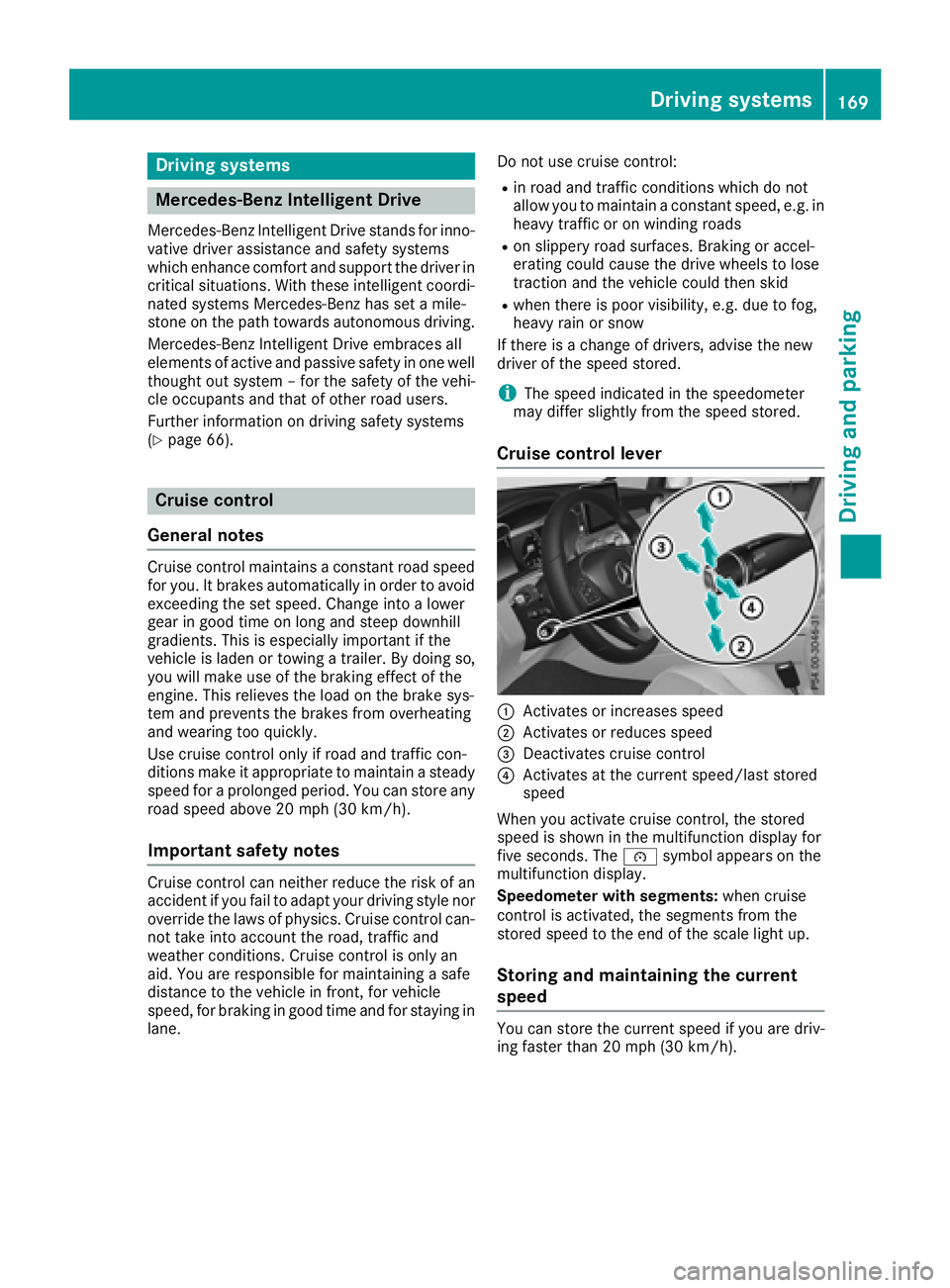
Cruis e contro l lever
C
Activates or increase s speedD
Activates or reduce s speed
Page 180 of 390
Steering Pilot cannot provide assistance: R
on very sharp corners R
when towing a trailer R
when a loss of tire pressure or a defective tire
has been detected and displayed
Pay attention also to the important safety notes
on Distance Pilot DISTRONIC ( Y
page 171).
The steering interventions are carried out with a
limited steering moment. The system requires
the driver to keep his hands on the steering
wheel and to steer himself.
If you do not steer yourself or if you take your
hands off the steering wheel for a prolonged
period of time, the system will first alert you with
a visual warning. A steering wheel symbol
appears in the multifunction display. If you have
still not started to steer and have not taken hold
of the steering wheel, a warning tone also
sounds to remind you to take control of the
vehicle after five seconds at the latest. Steering
Pilot is then switched to passive. Distance Pilot
DISTRONIC remains active.
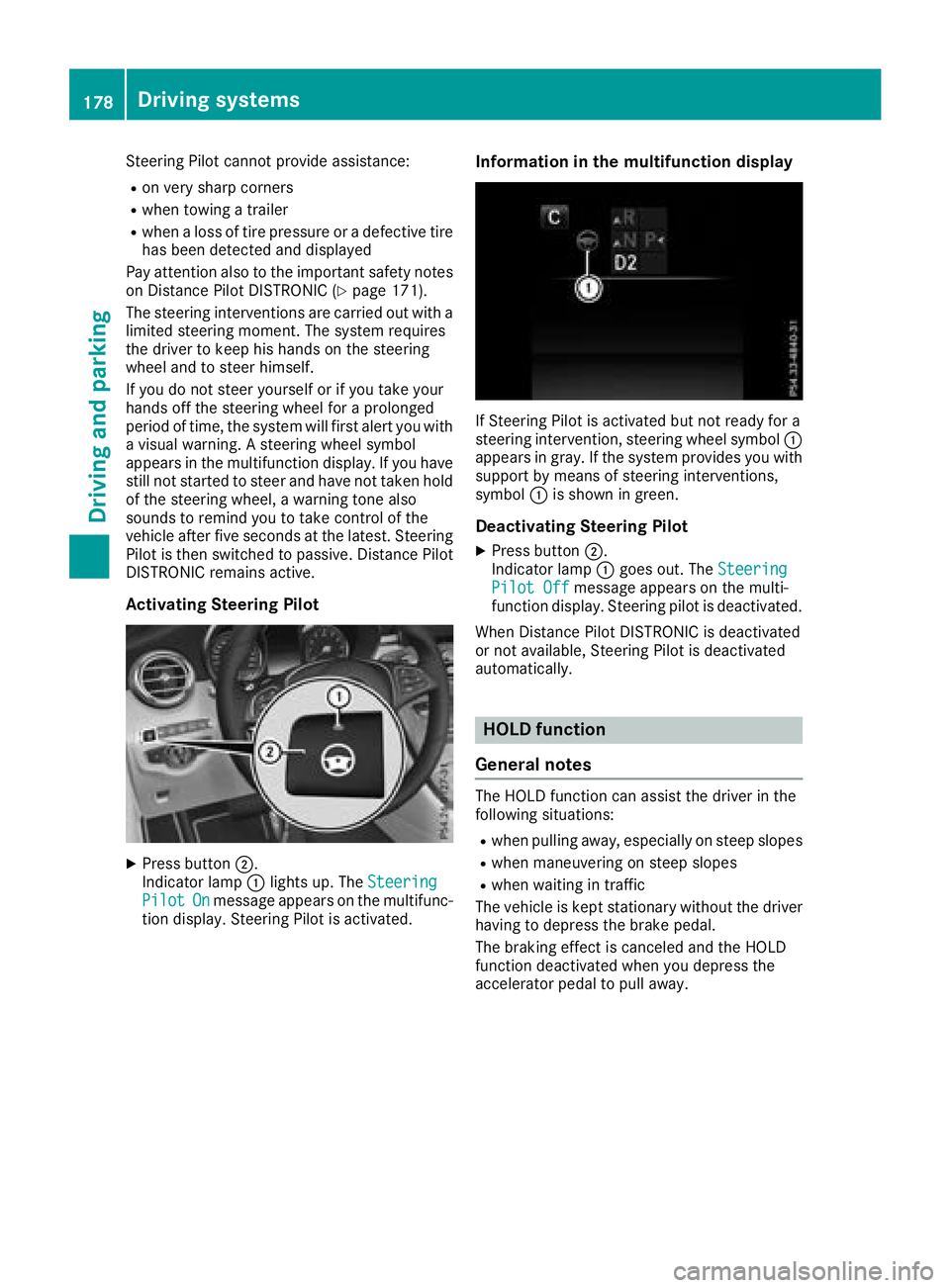
Activating Steering Pilot
X
Press button D .
Indicator lamp C lights up. The Steering
Pilot On message appears on the multifunc-
tion display. Steering Pilot is activated. Information in the multifunction display
If Steering Pilot is activated but not ready for a
steering intervention, steering wheel symbol C
appears in gray. If the system provides you with
support by means of steering interventions,
symbol C is shown in green.
Deactivating Steering Pilot X
Press button D .
Indicator lamp C goes out. The Steering
Pilot Off message appears on the multi-
function display. Steering pilot is deactivated.
When Distance Pilot DISTRONIC is deactivated
or not available, Steering Pilot is deactivated
automatically.
HOLD function
General notes The HOLD function can assist the driver in the
following situations: R
when pulling away, especially on steep slopes R
when maneuvering on steep slopes R
when waiting in traffic
The vehicle is kept stationary without the driver
having to depress the brake pedal.
The braking effect is canceled and the HOLD
function deactivated when you depress the
accelerator pedal to pull away.178
Driving systems
Driving and parking
Page 183 of 390
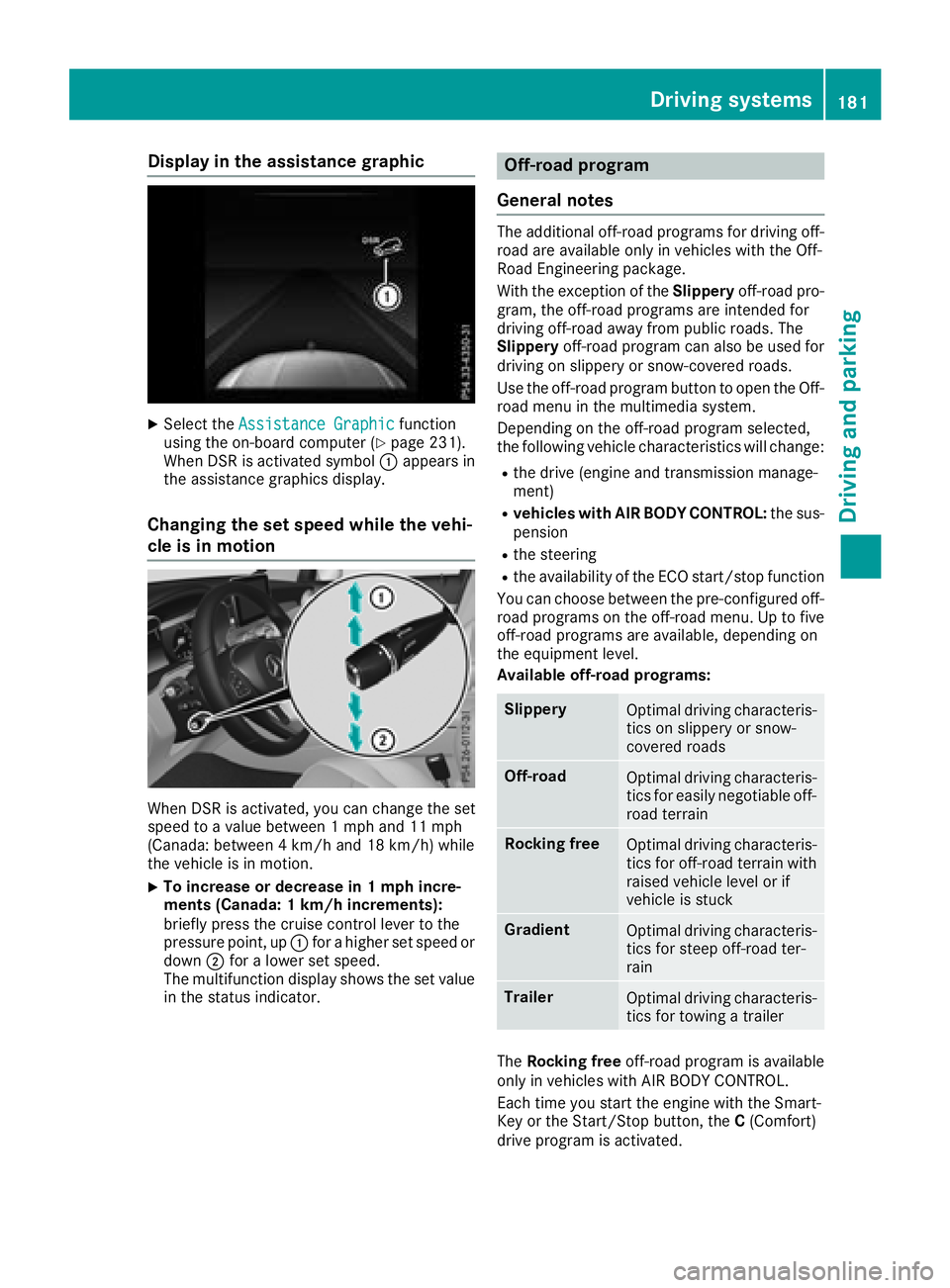
Display in th e assistance graphicX
Selec t th e Assistanc e Graphi c function
usin g th e on-boar d compute r ( Y
page 231).
Whe n DS R is activated symbol C appears in
th e assistanc e graphics display.
Changin g th e set speed whil e th e vehi-
cle is in motion
Whe n DS R is activated, you can chang e th e set
speed to a valu e between 1 mph and 11 mph
(Canada: between 4 km/h and 18 km/h) whil e
th e vehicle is in motion .X
To increas e or decreas e in 1 mp h incre-
ment s (Canada : 1 km/h increments):
briefly press th e cruise contro l lever to th e
pressure point, up C fo r a higher set speed or
down D fo r a lowe r set speed.
The multifunction display shows th e set valu e
in th e status indicator . Off-road program
General notes The additional off-road programs fo r drivin g off-
road are available only in vehicles wit h th e Off-
Road Engineerin g package.
Wit h th e exception of th e Slipper y off-road pro -
gram, th e off-road programs are intended fo r
drivin g off-road away from publi c roads. The
Slipper y off-road program can also be used fo r
drivin g on slipper y or snow-covered roads.
Use th e off-road program butto n to ope n th e Off-
road men u in th e multimedia system.
Dependin g on th e off-road program selected,
th e followin g vehicle characteristics will change: R
th e drive (engin e and transmissio n manage-
ment) R
vehicles wit h AIR BODY CONTROL: th e sus -
pensio n R
th e steerin g R
th e availabilit y of th e EC O start/sto p function
You can choos e between th e pre-configure d off-
road programs on th e off-road menu. Up to fiv e
off-road programs are available , dependin g on
th e equipmen t level.
Available off-road programs:
Slipper y
Optimal drivin g characteris -
tics on slipper y or snow-
covered roads
Off-road
Optimal drivin g characteris -
tics fo r easily negotiable off-
road terrain
Rockin g free
Optimal drivin g characteris -
tics fo r off-road terrain wit h
raised vehicle level or if
vehicle is stuck
Gradient
Optimal drivin g characteris -
tics fo r steep off-road ter-
rain
Trailer
Optimal drivin g characteris -
tics fo r towin g a trailer
The Rockin g free off-road program is available
only in vehicles wit h AI R BODY CONTROL .
Each time you start th e engin e wit h th e Smart -
Key or th e Start/Sto p button, th e C (Comfort )
drive program is activated.Driving systems 18 1
Driving an d parking Z
Page 184 of 390
Off-road program Slippery off-road program You can select the Slippery off-road program
for snow or rain.
The Slippery off-road program has the following
characteristics: R
The steering, drive, transmission and suspen-
sion are adapted for comfort. R
Vehicles with AIR BODY CONTROL: the
vehicle is adjusted to normal level. R
The ECO start/stop function is available
( Y
page 140).
ESP ®
and 4ETS programs especially adapted to
slippery surfaces are also activated for maxi-
mum stability.
For more information on driving with snow
chains, see ( Y
page 351).
Off-road off-road program You can select the Off-road off-road program
for driving on easily negotiable terrain, e.g. dirt
roads, gravel and sand.
The Off-road program has the following char-
acteristics: R
The steering, drive and suspension are adap-
ted for comfort R
The transmission is adapted for off-road driv-
ing R
Vehicles with AIR BODY CONTROL: the
vehicle is raised by 0.6 in (1 5 mm) compared
with the normal level
The Off-road program assists you when driving
in easily negotiable off-road terrain. The
engine’s performance characteristics and the
gearshifting characteristics of the automatic
transmission are adapted for this purpose. ABS,
ESP ®
and 4ETS programs especially adapted to
off-road driving are also activated.
Rocking free off-road program
The Rocking free off-road program is available
only in vehicles with AIR BODY CONTROL.
You can select the Rocking free off-road pro-
gram to free the vehicle from especially difficult
off-road terrain at low speeds. The Rocking free off-road program has the fol-
lowing characteristics: R
The steering, drive and suspension are adap-
ted for comfort R
The transmission is adapted for off-road driv-
ing R
The vehicle is raised by 2.0 in (50 mm) com-
pared with the normal level
ABS, ESP ®
and 4ETS programs especially adap-
ted to off-road driving are also activated.
The Ro cking free off-roa
d program can be
selected up to a speed of 12 mph (20 km/h).
If you are driving in the Rocking free off-road
program at speeds above 12 mph (20 km/h): R
the vehicle switches to the off-road program
Off-road R
the vehicle is lowered by 1.4 in (35 mm)
Notes on driving off-road ( Y
page 165).
Gradient off-road program You can use the Gradient off-road program to
overcome steep terrain.
The Gradient off-road program has the follow-
ing characteristics: R
The steering, drive and suspension are adap-
ted for comfort R
The transmission is adapted for off-road driv-
ing R
Manual gearshifting is activated
( Y
page 152) R
Vehicles with AIR BODY CONTROL: the
vehicle is raised by 0.6 in (1 5 mm) compared
with the normal level R
DSR is activated ( Y
page 180)
ABS, ESP ®
and 4ETS programs especially adap-
ted to gradients are also activated.
Trailer off-road program
Select the Trailer off-road program when tow-
ing a trailer.
The Trailer off-road program has the following
characteristics: R
The steering, drive and suspension are adap-
ted for comfort R
The transmission is adapted for off-road driv-
ing182
Driving systems
Driving and parking
Page 185 of 390
R
Vehicles with AIR BODY CONTROL: the
vehicle is adjusted to normal level R
The ECO start/stop function is available
( Y
page 140)
ESP ®
specially adapted for trailer operation is
also activated.
Activating/deactivating off-road pro-
grams
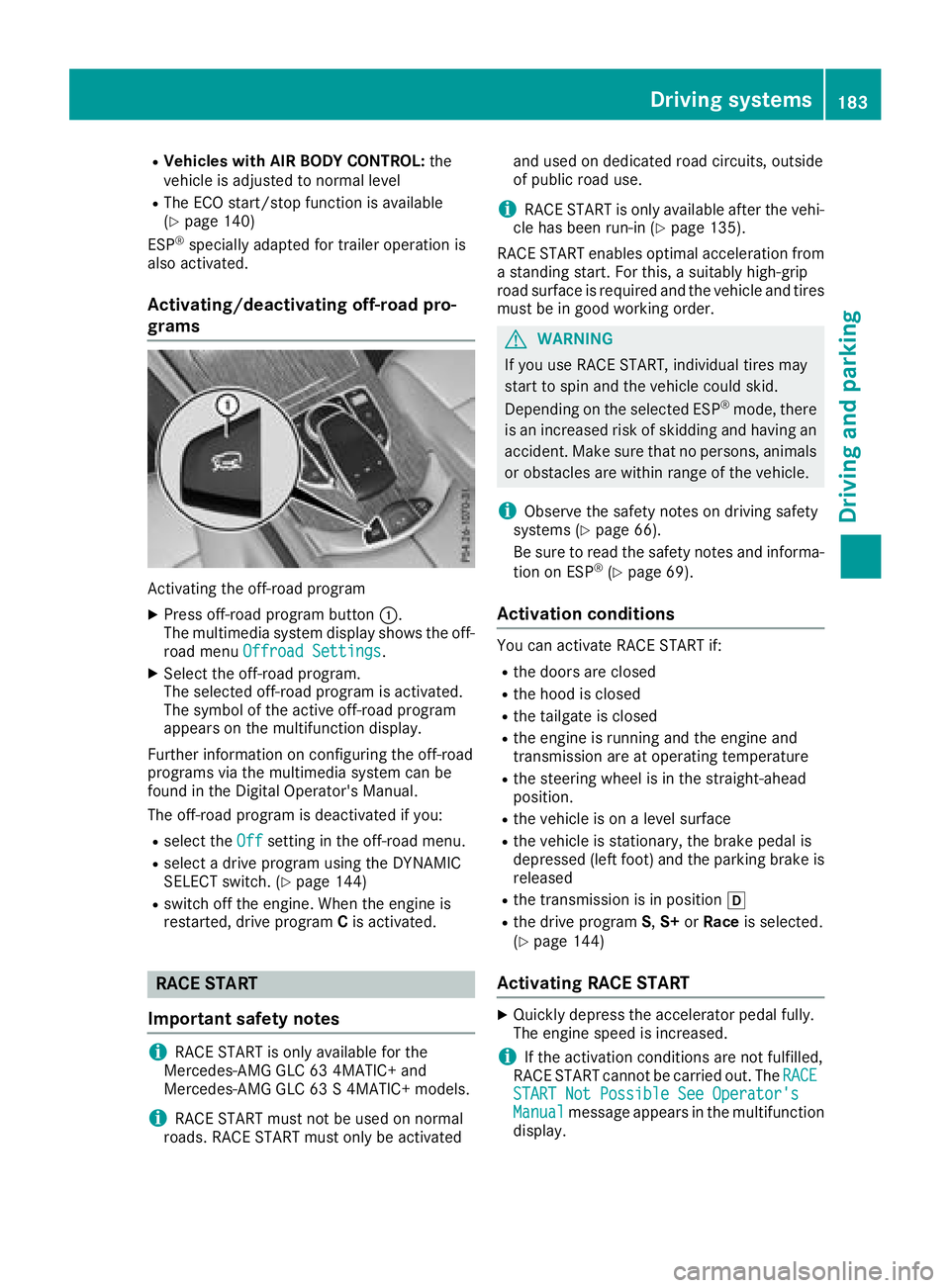
Activating the off-road program X
Press off-road program button C .
The multimedia system display shows the off-
road menu Offroad Settings
.X
Select the off-road program.
The selected off-road program is activated.
The symbol of the active off-road program
appears on the multifunction display.
Further information on configuring the off-road
programs via the multimedia system can be
found in the Digital Operator's Manual.
The off-road program is deactivated if you: R
select the Off setting in the off-road menu.R
select a drive program using the DYNAMIC
SELECT switch. ( Y
page 144)R
switch off the engine. When the engine is
restarted, drive program C is activated.
RACE START
Important safety notes
i RACE START is only available for the
Mercedes-AMG GLC 63 4MATIC+ and
Mercedes-AMG GLC 63 S 4MATIC+ models.
i RACE START must not be used on normal
roads. RACE START must only be activated and used on dedicated road circuits, outside
of public road use.
i RACE START is only available after the vehi-
cle has been run-in ( Y
page 135).
RACE START enables optimal acceleration from
a standing start. For this, a suitably high-grip
road surface is required and the vehicle and tires
must be in good working order.
G WARNING
If you use RACE START, individual tires may
start to spin and the vehicle could skid.
Depending on the selected ESP ®
mode, there
is an increased risk of skidding and having an
accident. Make sure that no persons, animals
or obstacles are within range of the vehicle.
i Observe the safety notes on driving safety
systems ( Y
page 66).
Be sure to read the safety notes and informa-
tion on ESP ®
( Y
page 69).
Activation conditions You can activate RACE START if: R
the doors are closed R
the hood is closed R
the tailgate is closed R
the engine is running and the engine and
transmission are at operating temperature R
the steering wheel is in the straight-ahead
position. R
the vehicle is on a level surface R
the vehicle is stationary, the brake pedal is
depressed (left foot) and the parking brake is
released R
the transmission is in position [R
the drive program S , S+ or Race is selected.
( Y
page 144)
Activating RACE START X
Quickly depress the accelerator pedal fully.
The engine speed is increased.
i If the activation conditions are not fulfilled,
RACE START cannot be carried out. The RACE
START Not Possible See Operator's
Manual message appears in the multifunction
display.Driving systems 183
Driving and parking Z