display MERCEDES-BENZ GLC 2018 Manual PDF
[x] Cancel search | Manufacturer: MERCEDES-BENZ, Model Year: 2018, Model line: GLC, Model: MERCEDES-BENZ GLC 2018Pages: 390, PDF Size: 9.04 MB
Page 216 of 390
the lines on the assistance graphic display are
shown in green ( Y
page 231). Active Lane
Keeping Assist is ready for use. X
To deactivate: press button D .
Indicator lamp C goes out. The Active Lane
Keeping Assist is deactivated. The Lane
Keeping Assist Off message appears in
the multifunction display.
Selecting Standard or Adaptive setting X
In the DriveAssist menu on the on-board
computer, select the Active Lane Keep‐
ing Assist function ( Y
page 233).X
Select setting Standard or Adaptive .
When Standard is selected, no warning vibra-
tion occurs if: R
you switch on the turn signals. In this event,
the warnings are suppressed for a certain
period of time R
a driving safety system intervenes, such as
ABS, BAS or ESP ®
When Adaptive is selected, no warning vibra-
tion occurs if: R
you switch on the turn signals. In this event,
the warnings are suppressed for a certain
period of time. R
a driving safety system intervenes, e.g.
ABS, BAS or ESP ®
R
you accelerate hard, e.g. kickdown. R
you brake hard R
you steer actively, e.g. swerve to avoid an
obstacle or change lanes quickly R
you cut the corner on a sharp bend
To ensure that you are warned only when nec-
essary and in good time if you cross the lane
markings, the system detects certain conditions
and warns you accordingly.
The warning vibration occurs earlier if: R
you approach the outer lane marking on a
bend R
the road has very wide lanes, e.g. a freeway R
the system detects solid lane markings
The warning vibration occurs later if: R
the road has narrow lanes R
you cut the corner on a bend
Towing a trailer
When you attach a trailer, make sure you have
correctly established the electrical connection. This can be accomplished by checking the trailer
lighting.
Towing a trailer
Important safety notes
G WARNING
Installing an unsuitable ball coupling may
result in overloading of the trailer tow hitch
and the rear axle. This applies especially if the
ball coupling in question is longer or angled
differently. This could seriously impair the
driving characteristics and the trailer can
come loose. There is a risk of an accident.
You should only ever install a ball coupling
that has the permissible dimensions and that
is designed to meet your trailer-towing
requirements. Do not modify the ball coupling
or the trailer tow hitch.
You will find the values approved by the manu-
facturer on the vehicle identification plates and
those for the towing vehicle under "Technical
data" ( Y
page 384).
G WARNING
When the vehicle/trailer combination begins
to lurch, you could lose control of it. The vehi-
cle/trailer combination could even rollover.
There is a risk of an accident.
On no account should you attempt to
straighten up the vehicle/trailer combination
by increasing the speed. Reduce vehicle
speed and do not countersteer. Apply the
brake as necessary.
! If you have a trailer tow hitch retrofitted,
changes to the engine cooling system may be
necessary, depending on the vehicle type.
If you have a trailer tow hitch retrofitted,
observe the anchorage points on the chassis
frame.
The installation of a trailer tow hitch is only per-
missible if a towing weight is specified in your
vehicle documents. If this is not the case, then
the vehicle is not approved for the towing of a
trailer.214
Towing a trailer
Driving an d parking
Page 222 of 390
Important safety notes
G WARNIN G
If you operate information systems and com-
munication equipmen t integrate d in th e vehi-
cle when driving , you may be distracte d from
th e traffic situation . You could also lose con-
trol of th e vehicle. Ther e is a ris k of an acci-
dent.
Only operate this equipmen t when th e traffic
situation permits. If you are no t sur e that this
is possible , park th e vehicl e payin g attention
to traffic condition s and operate th e equip-
men t when th e vehicl e is stationary.
You must observ e th e legal requirements for th e
country in whic h you are currentl y driving when
operating th e on-board computer.
G WARNIN G
If th e instrumen t cluste r has faile d or mal-
functioned, you may no t recognize function
restriction s in systems relevan t to safety. The
operating safet y of your vehicl e may be
impaired . Ther e is a ris k of an accident.
Drive on carefully. Hav e th e vehicl e checke d
at a qualified specialist workshop immedi-
ately.
If th e operating safet y of your vehicl e is
impaired , pull ove r as soo n as it is saf e to do so.
Contac t a qualified specialist workshop.
The on-board computer only shows message s or
warning s from certain systems in th e multifunc-
tion display. You should therefor e mak e sur e
your vehicl e is operating safely at all times .
Fo r an overview, see th e instrumen t panel illus-
tration ( Y
page 37).
Hybrid vehicles: mak e sur e that you read th e
separat e operating instructions. Otherwise, you
may no t recognize dangers. Displays and operation
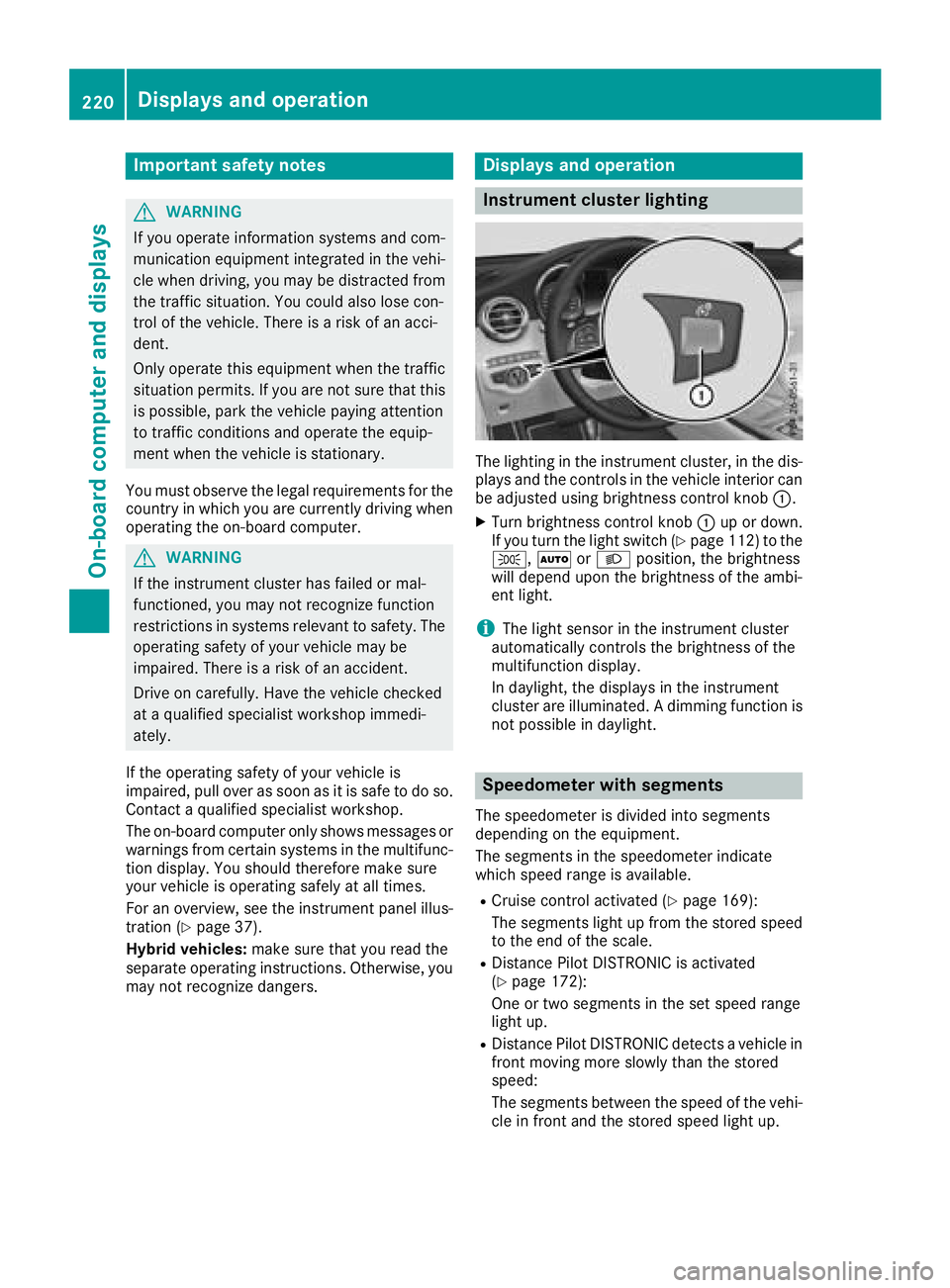
Instrument cluster lighting
The lighting in th e instrumen t cluster, in th e dis-
plays and th e control s in th e vehicl e interior can
be adjusted usin g brightness control knob C .X
Turn brightness control knob C up or down .
If you tur n th e ligh t switch ( Y
page 112) to th e
` , X or X position , th e brightness
will depend upon th e brightness of th e ambi -
en t light.
i The ligh t sensor in th e instrumen t cluste r
automatically control s th e brightness of th e
multifunction display.
In daylight, th e displays in th e instrumen t
cluste r are illuminated. A dimming function is
no t possible in daylight.
Speedometer with segments The speedometer is divided int o segments
depending on th e equipment.
The segments in th e speedometer indicat e
whic h spee d range is available. R
Cruis e control activated ( Y
page 169):
The segments ligh t up from th e store d spee d
to th e en d of th e scale.R
Distanc e Pilot DISTRONI C is activated
( Y
page 172):
On e or two segments in th e set spee d range
ligh t up. R
Distanc e Pilot DISTRONI C detects a vehicl e in
fron t moving mor e slowly than th e store d
speed:
The segments between th e spee d of th e vehi-
cle in fron t and th e store d spee d ligh t up.220
Displays and operation
On-board computer and displays
Page 223 of 390
Tachometer
! Do not drive in the overrevving range, as this
could damage the engine.
The red band in the tachometer indicates the
engine's overrevving range.
The fuel supply is interrupted to protect the
engine when the red band is reached.
Outside temperature display You should pay special attention to road condi-
tions when temperatures are around freezing
point.
Bear in mind that the outside temperature dis-
play indicates the temperature measured and
does not record the road temperature.
The outside temperature display is in the multi-
function display ( Y
page 222).
Changes in the outside temperature are dis-
played after a short delay.
Coolant temperature gage
G WARNING
Opening the hood when the engine is over-
heated or when there is a fire in the engine
compartment could expose you to hot gases
or other service products. There is a risk of
injury.
Let an overheated engine cool down before
opening the hood. If there is a fire in the
engine compartment, keep the hood closed
and contact the fire department.
! If the coolant temperature is too high, a dis-
play message is shown.
If the coolant temperature display is in the
area marked in red, do not continue driving.
Otherwise, the engine will be damaged.
The coolant temperature gauge is in the lower
section of the tachometer ( Y
page 37).
Under normal operating conditions and at the
correct coolant level, the display may rise to the
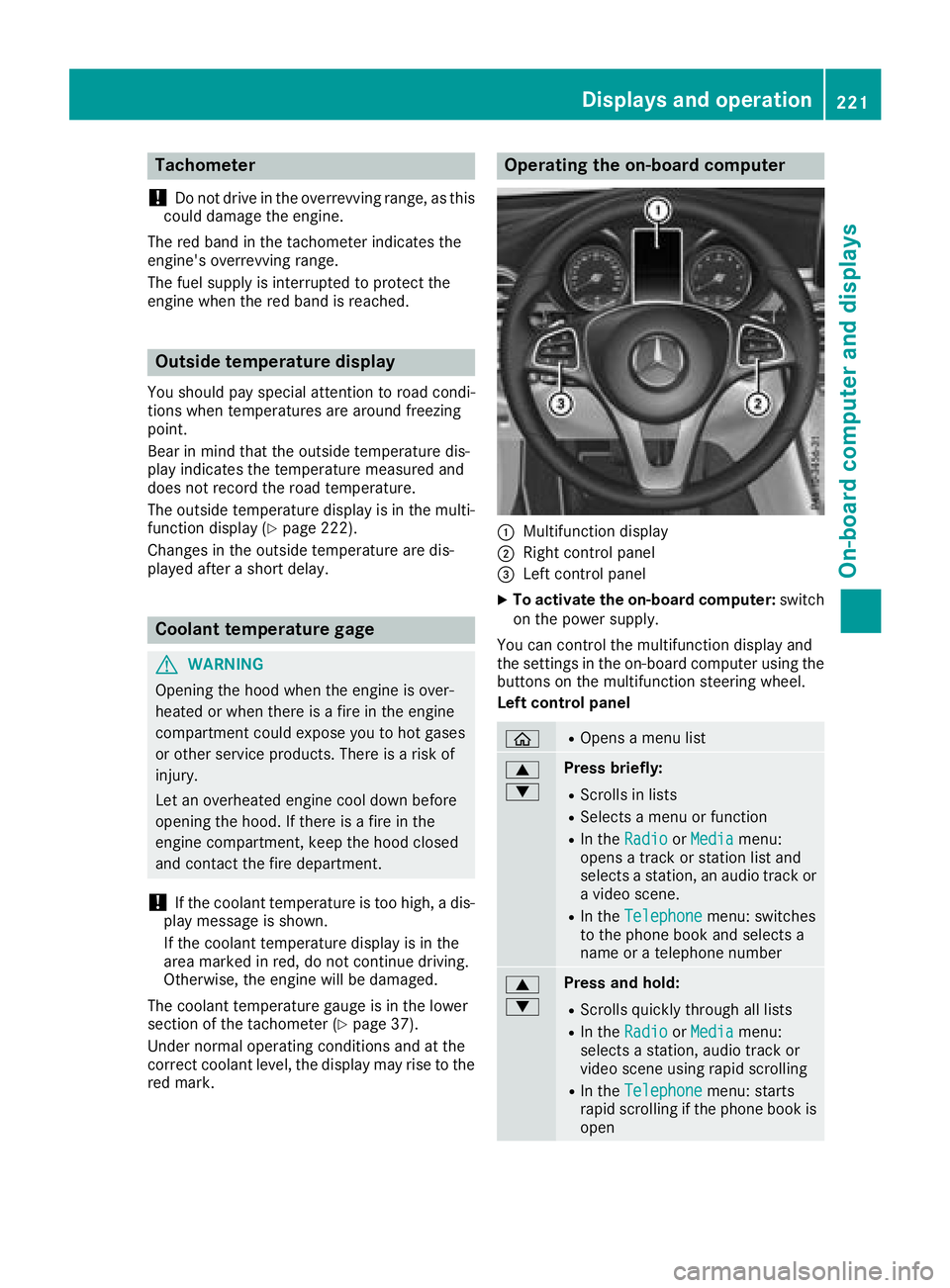
red mark. Operating the on-board computer
C
Multifunction display D
Right control panel
Page 226 of 390
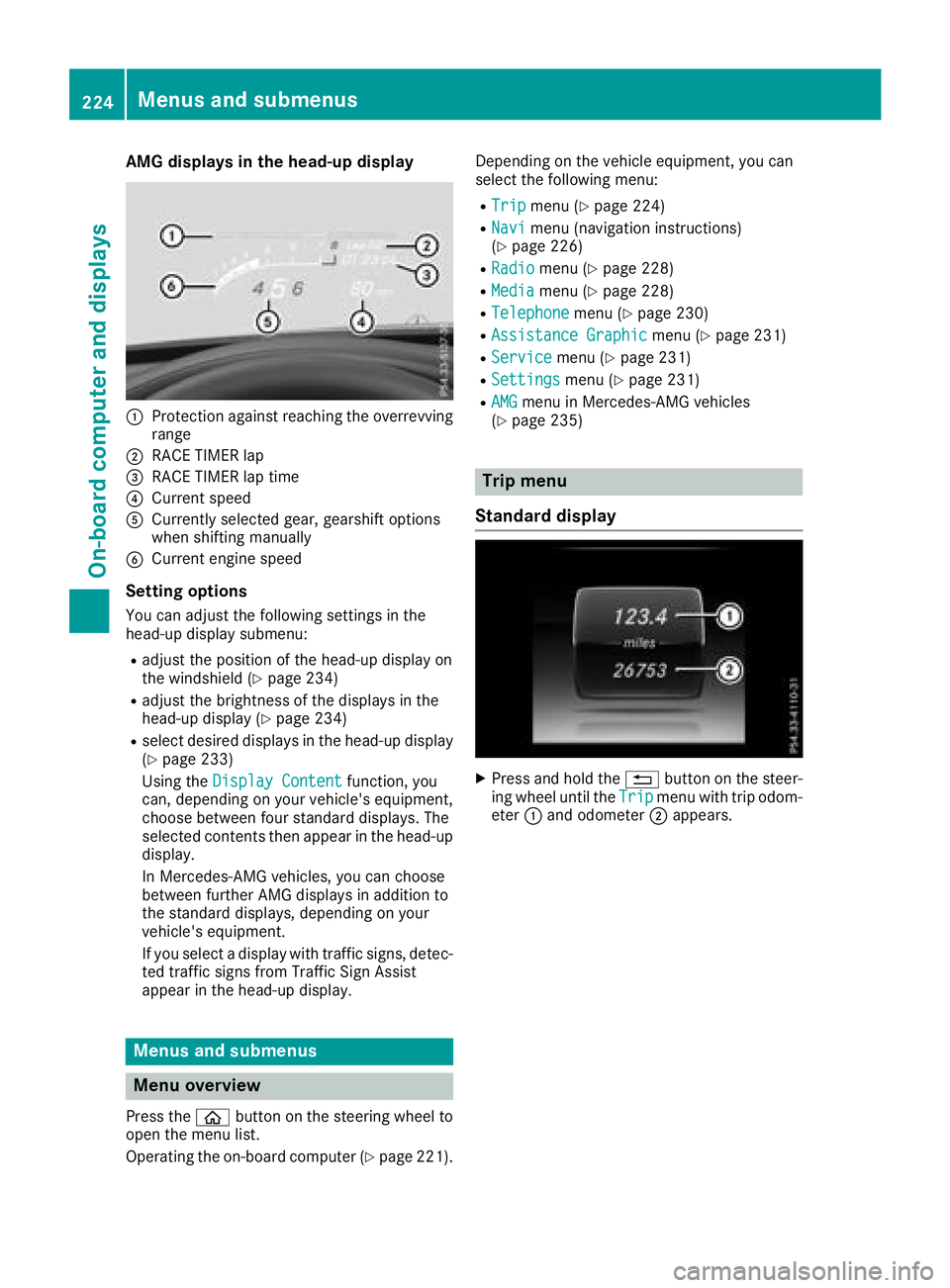
AMG displays in th e head-up display
C
Protection against reachin g th e overrevving
rangeD
RACE TIMER lap
Page 227 of 390
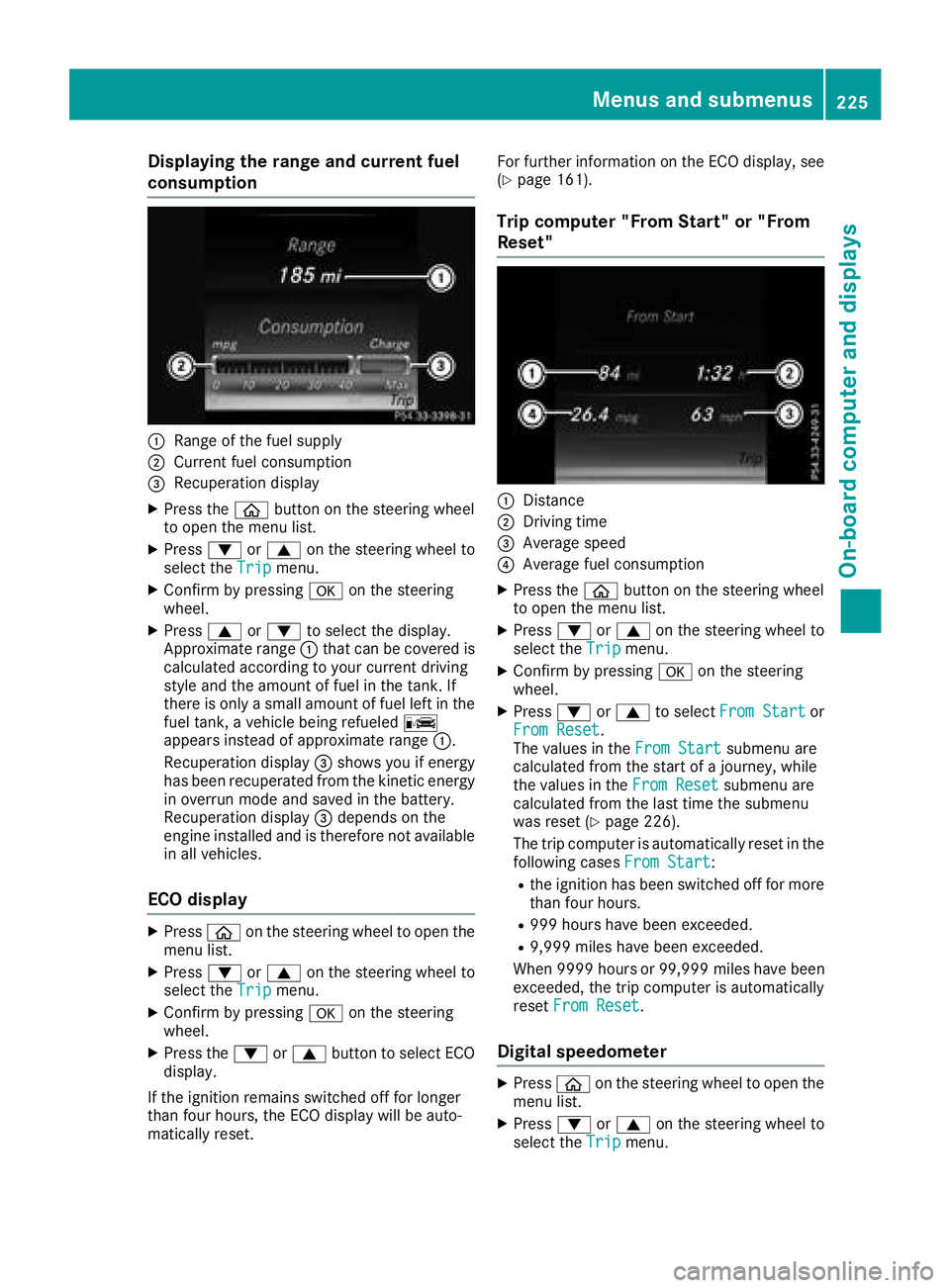
Displaying th e range an d current fuel
consumption
C
Range of th e fue l supplyD
Curren t fue l consumption
Page 233 of 390
X
If there is more than one number for a
particular name: press the a or v
button to display the numbers. X
Press the d or c button to select the
number you want to dial. X
Press the a or v button to start dialing.
or X
To exit the telephone book: press the v
or 8 button briefly.
Redialing The on-board computer saves the last names or
numbers dialed in the redial memory. X
Press the
Page 236 of 390
Information on displays of Traffic Sign Assist
( Y
page 205).
Setting the position You can adjust the position of the head-up dis-
play on the windshield. You can compensate for
height differences if the seat positions are
changed, for example. X
Switch on the head-up display ( Y
page 223).X
Press the
Page 237 of 390
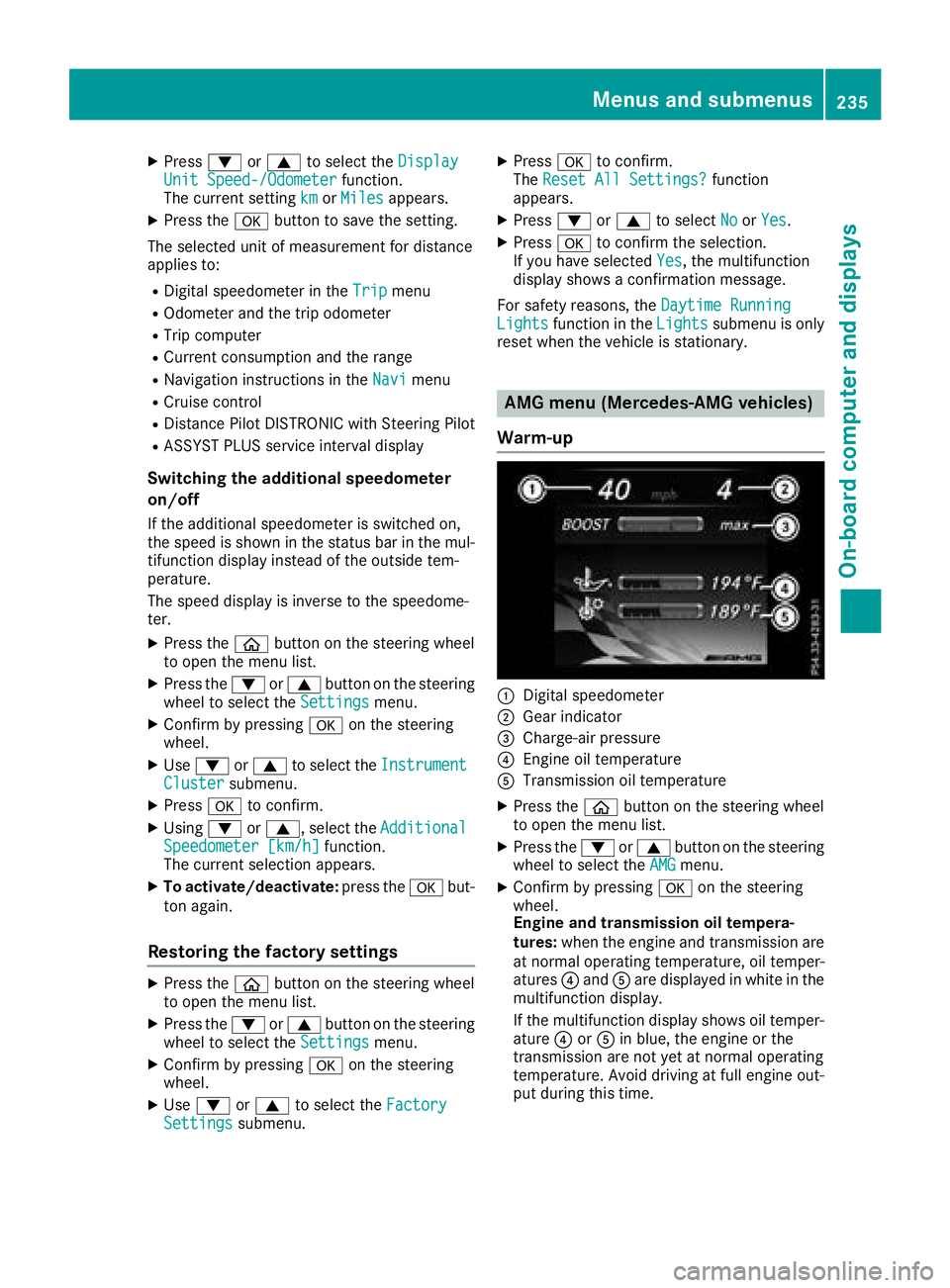
X
Press d or c to select the Display
Unit Speed-/Odometer function.
The current setting km or Miles appears.X
Press the v button to save the setting.
The selected unit of measurement for distance
applies to: R
Digital speedometer in the Trip menuR
Odometer and the trip odometer R
Trip computer R
Current consumption and the range R
Navigation instructions in the Navi menuR
Cruise control R
Distance Pilot DISTRONIC with Steering Pilot R
ASSYST PLUS service interval display
Switching the additional speedometer
on/off If the additional speedometer is switched on,
the speed is shown in the status bar in the mul-
tifunction display instead of the outside tem-
perature.
The speed display is inverse to the speedome-
ter. X
Press the
Page 238 of 390
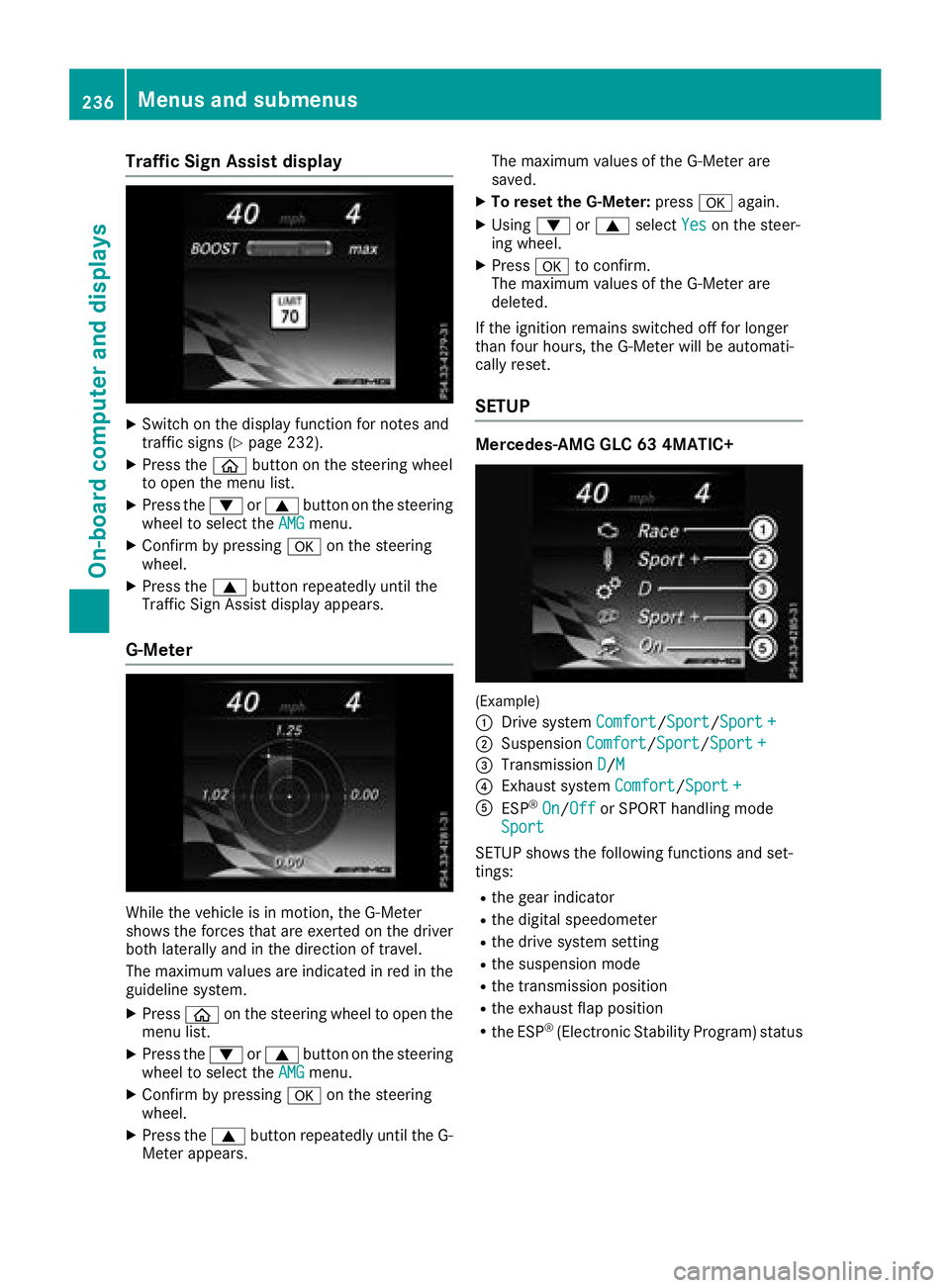
Traffic Sign Assist display X
Switch on the display function for notes and
traffic signs ( Y
page 232).X
Press the
Page 241 of 390
Display messages
Introduction
General notes Display messages appear in th e multifunction display.
Display messages wit h graphi c displays may be shown in simplified form in th e Operator's Manual
and may therefore diffe r from th e multifunction display.
Please respon d in accordance wit h th e display messages and follow th e additional note s in this
Operator's Manual.
Wit h certain display messages, you will also hear a warnin g tone .
You can hide th e display messages. The display messages are then stored in th e messag e memory.
Rectify th e cause of a display messag e as soo n as possible.
Whe n you stop and par k th e vehicle, please observ e th e note s on :R
HOLD function ( Y
page 178)R
Parking ( Y
page 158)
Hiding display messages X
Press th e v or 8 butto n on th e steerin g wheel.
The multifunction display hide s th e display message.
High-priorit y display messages are shown in red in th e multifunction display. Some high-priorit y
display messages canno t be hidden .
The multifunction display shows these messages continuously until th e causes fo r th e messages
hav e bee n remedied.
Message memory The on-boar d compute r saves certain display messages in th e message memory . You can cal l up
th e display messages: X
Press th e