USB Ports MERCEDES-BENZ GLC 2019 Owners Manual
[x] Cancel search | Manufacturer: MERCEDES-BENZ, Model Year: 2019, Model line: GLC, Model: MERCEDES-BENZ GLC 2019Pages: 370, PDF Size: 19.55 MB
Page 25 of 370
Quick access for Audio .................. 271
Switching ....................................... 270
Switching input line ....................... 270
Tow-starting
Emergency engine starting ............ 327
Important safety notes .................. 324
Towing a trailer
Axle load, permissible.................... 365
Cleaning the trailer tow hitch ......... 310
Coupling up a trailer...................... 204
Decoupling a trailer ....................... 206
Driving tips .................................... 203
ESP®(Electronic Stability Pro-
gram) ............................................... 71
Important safety notes .................. 202
Installing the ball coupling ............. 204
Lights display message .................. 239
Power supply ................................. 206
Pulling away with a trailer.............. 135
Removing the ball coupling ............ 206
Trailer loads................................... 364
Towing away
Important safety guidelines ........... 324
Installing the towing eye ................ 325
Notes for 4MATIC vehicles ............ 327
Removing the towing eye ............... 326
Transporting the vehicle ................ 326
With both axles on the ground ....... 326
Towing eye......................................... 314
Traction system
see ETS/4ETS (Electronic Trac-
tion System)
Traffic reports
see also Digital Operator's Man-
ual .................................................. 268
Traffic Sign Assist
Activating/deactivating the warn-
ing function .................................... 220
Display message ............................ 247
Function/notes............................. 193
Important safety notes .................. 193
Instrument cluster display ............. 193
Trailer coupling
see Towing a trailer
Trailer loads and drawbar nose-
weights............................................... 206
Trailer towing
Active Blind Spot Assist ................. 199
Active Lane Keeping Assist ............ 202
Blind Spot Assist ............................ 195
Permissible trailer loads and
drawbar noseweights ..................... 206
Transfer case..................................... 150
Transmission
Display message ............................ 253
see Automatic transmission
Transmission oil
Temperature (on-board computer,
Mercedes-AMG vehicles) ............... 223
Transmission position display......... 142
Transporting the vehicle.................. 326
Trim pieces (cleaning instruc-
tions).................................................. 311
Trip computer (on-board com-
puter).................................................. 213
Trip odometer
Calling up ....................................... 212
Resetting (on-board computer) ...... 214
Trunk
see Cargo compartment
Turn signals
Display message ............................ 239
Replacing bulbs (front) ................... 115
Switching on/off........................... 110
Two-way radio
Frequencies ................................... 356
Installation ..................................... 356
Transmission output (maximum) .... 356
Type identification plate
see Vehicle identification plate
U
Unlocking
Emergency unlocking ....................... 84
From inside the vehicle (central
unlocking button) ............................. 83
USB devices
Connecting to the Media Inter-
face ............................................... 277
V
Vanity mirror (in the sun visor)........ 290
Vehicle
Correct use ...................................... 31
Index23
Page 279 of 370
!If the SD card is no longer in use, you shouldtake it out and remove it from the vehicle.High temperatures can damage the card.
Inserting an SD card
The SD card slot is located in the stowage com-partment under the armrest.
XInsert the SD card into the SD card slot untilthe SD card engages. The side with the con-tacts must face down.
XSelect the media source (Ypage 276).
Removing an SD card
XPress the SD card.The SD card is ejected.
XRemove the memory card.
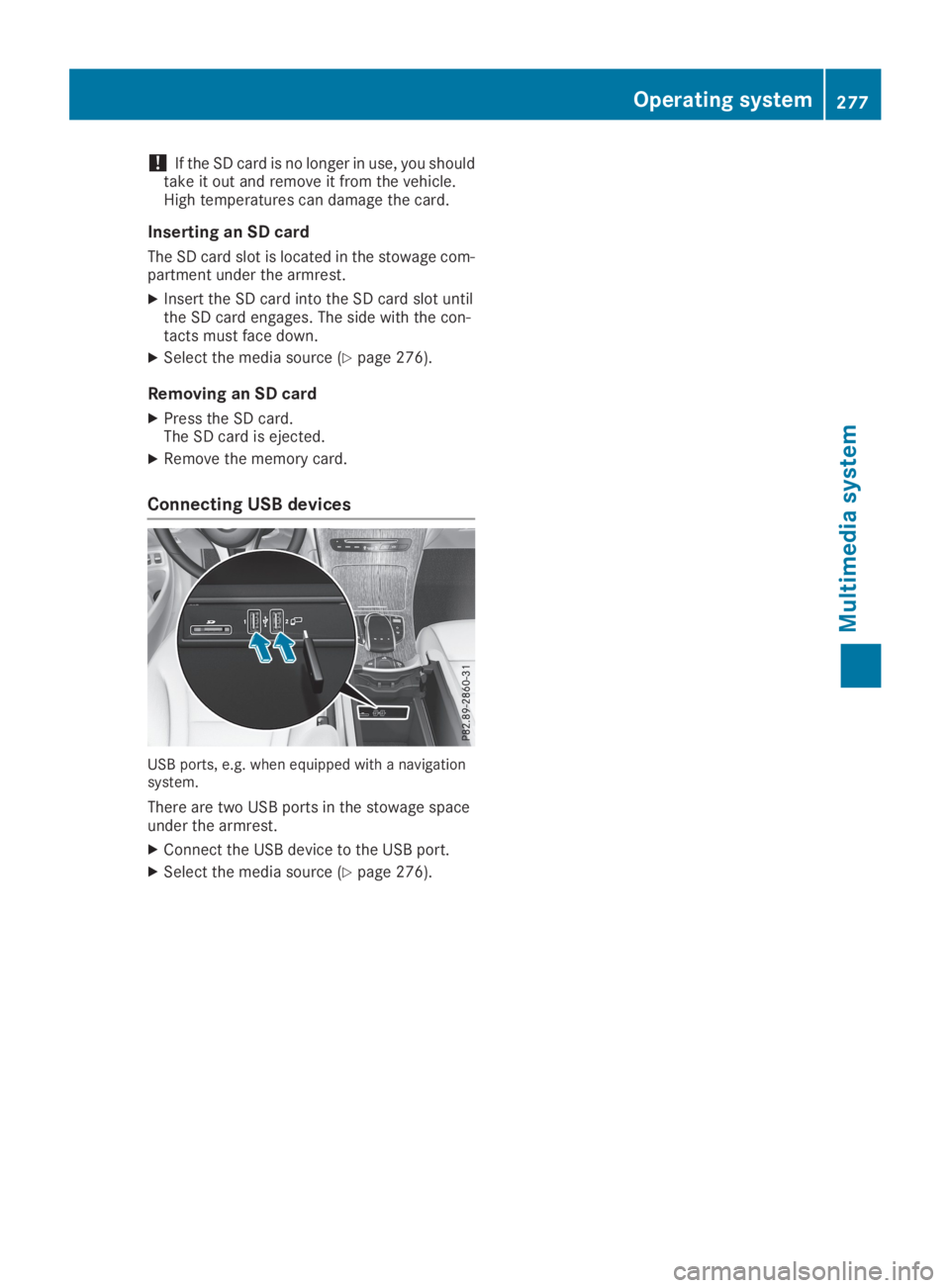
Connecting USB devices
USB ports, e.g. when equipped with a navigationsystem.
There are two USB ports in the stowage spaceunder the armrest.
XConnect the USB device to the USB port.
XSelect the media source (Ypage 276).
Operating system277
Multimedia system
Z
Page 282 of 370
Depending on the vehicle's equipment, the fol-lowing may be in the stowage space:
Ran SD card slot
Ra multimedia connector unit with two USB
ports, e.g. for iPod®, iPhone®or MP3 player(see the Digital Operator's Manual)
Ra mobile phone bracket
Ra small stowage space in the upper front sec-tion
Stowage compartment in the doors
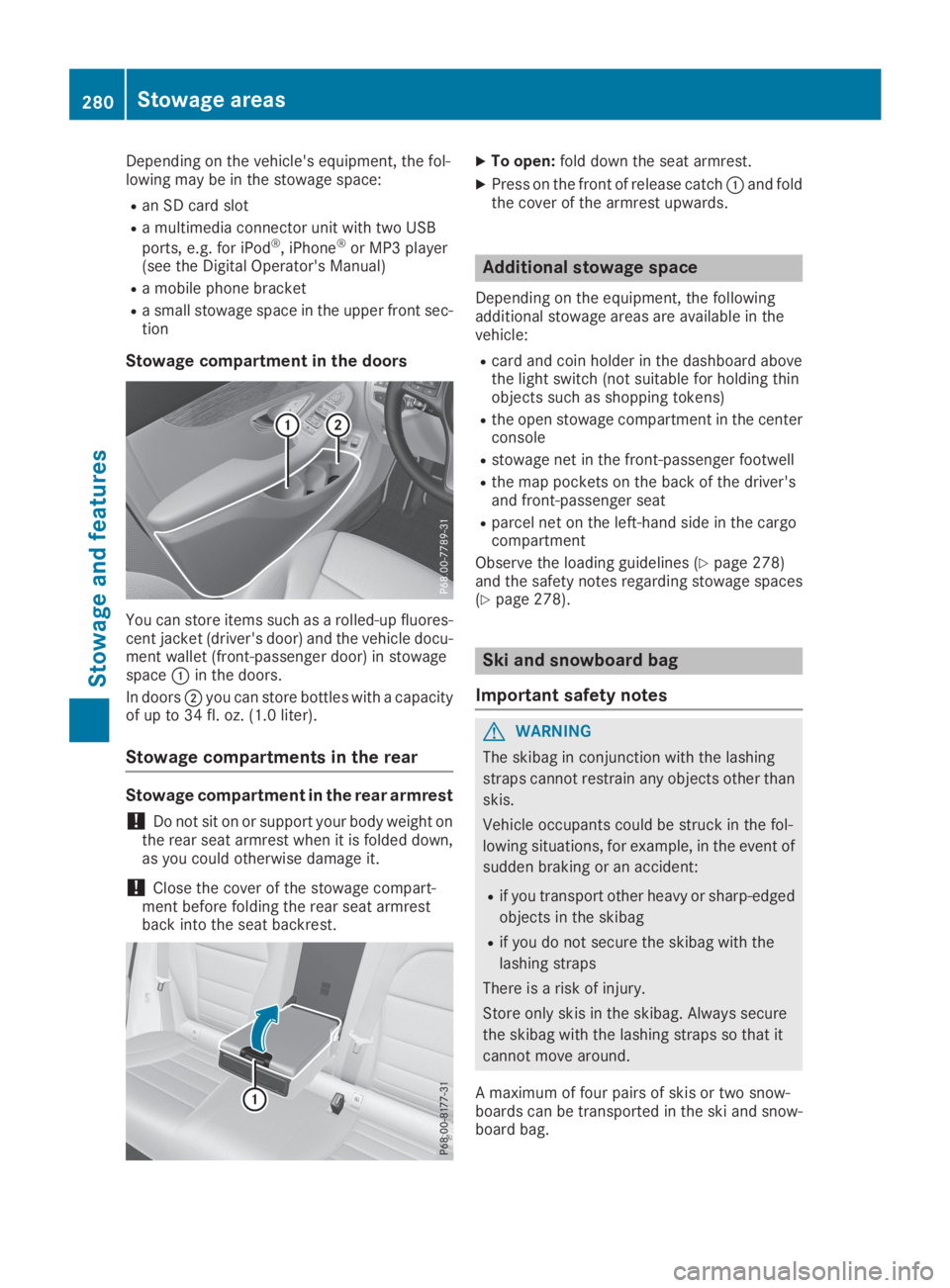
You can store items such as a rolled-up fluores-cent jacket (driver's door) and the vehicle docu-ment wallet (front-passenger door) in stowagespaceCin the doors.
In doorsDyou can store bottles with a capacityof up to 34 fl. oz. (1.0 liter).
Stowage compartments in the rear
Stowage compartment in the rear armrest
!Do not sit on or support your body weight onthe rear seat armrest when it is folded down,as you could otherwise damage it.
!Close the cover of the stowage compart-ment before folding the rear seat armrestback into the seat backrest.
XTo open:fold down the seat armrest.
XPress on the front of release catchCand foldthe cover of the armrest upwards.
Additional stowage space
Depending on the equipment, the followingadditional stowage areas are available in thevehicle:
Rcard and coin holder in the dashboard abovethe light switch (not suitable for holding thinobjects such as shopping tokens)
Rthe open stowage compartment in the centerconsole
Rstowage net in the front-passenger footwell
Rthe map pockets on the back of the driver'sand front-passenger seat
Rparcel net on the left-hand side in the cargocompartment
Observe the loading guidelines (Ypage 278)and the safety notes regarding stowage spaces(Ypage 278).
Ski and snowboard bag
Important safety notes
GWARNING
The skibag in conjunction with the lashing
straps cannot restrain any objects other than
skis.
Vehicle occupants could be struck in the fol-
lowing situations, for example, in the event of
sudden braking or an accident:
Rif you transport other heavy or sharp-edged
objects in the skibag
Rif you do not secure the skibag with the
lashing straps
There is a risk of injury.
Store only skis in the skibag. Always secure
the skibag with the lashing straps so that it
cannot move around.
A maximum of four pairs of skis or two snow-boards can be transported in the ski and snow-board bag.
280Stowage areas
Stowage an d features