lane assist MERCEDES-BENZ GLC 2019 Owners Manual
[x] Cancel search | Manufacturer: MERCEDES-BENZ, Model Year: 2019, Model line: GLC, Model: MERCEDES-BENZ GLC 2019Pages: 370, PDF Size: 19.55 MB
Page 6 of 370
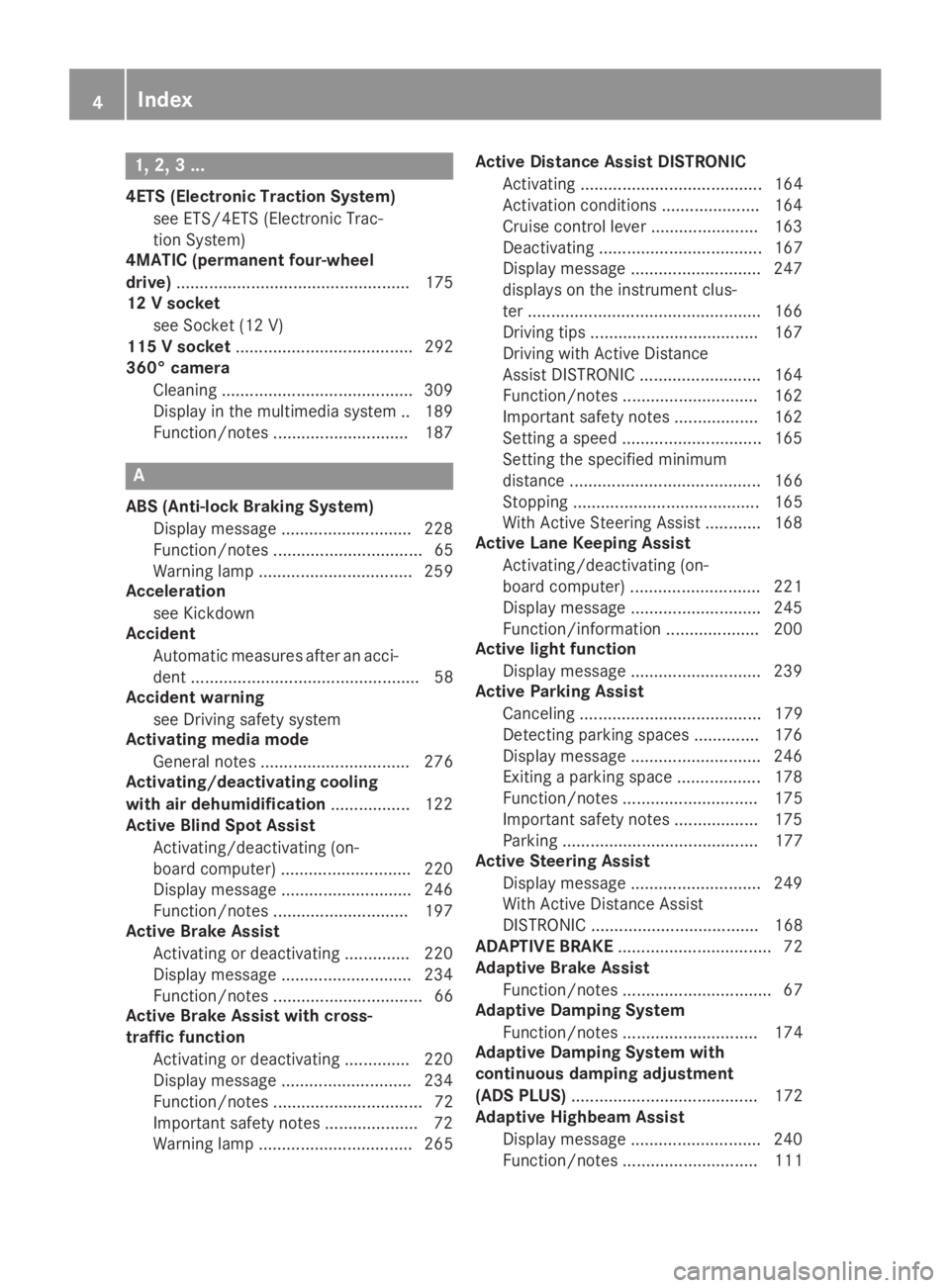
1, 2, 3 ...
4ETS (Electronic Traction System)
see ETS/4ETS (Electronic Trac-
tion System)
4MATIC (permanent four-wheel
drive).................................................. 175
12 V socket
see Socket (12 V)
115 V socket...................................... 292
360° camera
Cleaning .........................................309
Display in the multimedia system .. 189
Function/notes .............................187
A
ABS (Anti-lock Braking System)
Display message ............................ 228
Function/notes ................................ 65
Warning lamp ................................. 259
Acceleration
see Kickdown
Accident
Automatic measures after an acci-
dent ................................................. 58
Accident warning
see Driving safety system
Activating media mode
General notes ................................ 276
Activating/deactivating cooling
with air dehumidification................. 122
Active Blind Spot Assist
Activating/deactivating (on-
board computer) ............................ 220
Display message ............................ 246
Function/notes .............................197
Active Brake Assist
Activating or deactivating .............. 220
Display message ............................ 234
Function/notes ................................ 66
Active Brake Assist with cross-
traffic function
Activating or deactivating .............. 220
Display message ............................ 234
Function/notes ................................ 72
Important safety notes .................... 72
Warning lamp ................................. 265
Active Distance Assist DISTRONIC
Activating ....................................... 164
Activation conditions ..................... 164
Cruise control lever ....................... 163
Deactivating ................................... 167
Display message ............................ 247
displays on the instrument clus-
ter ..................................................166
Driving tips ....................................167
Driving with Active Distance
Assist DISTRONIC .......................... 164
Function/notes .............................162
Important safety notes .................. 162
Setting a speed .............................. 165
Setting the specified minimum
distance ......................................... 166
Stopping ........................................ 165
With Active Steering Assist ............ 168
Active Lane Keeping Assist
Activating/deactivating (on-
board computer) ............................ 221
Display message ............................ 245
Function/information.................... 200
Active light function
Display message ............................ 239
Active Parking Assist
Canceling ....................................... 179
Detecting parking spaces .............. 176
Display message ............................ 246
Exiting a parking space .................. 178
Function/notes............................. 175
Important safety notes .................. 175
Parking .......................................... 177
Active Steering Assist
Display message ............................ 249
With Active Distance Assist
DISTRONIC .................................... 168
ADAPTIVE BRAKE................................. 72
Adaptive Brake Assist
Function/notes................................ 67
Adaptive Damping System
Function/notes............................. 174
Adaptive Damping System with
continuous damping adjustment
(ADS PLUS)........................................ 172
Adaptive Highbeam Assist
Display message ............................ 240
Function/notes............................. 111
4Index
Page 12 of 370
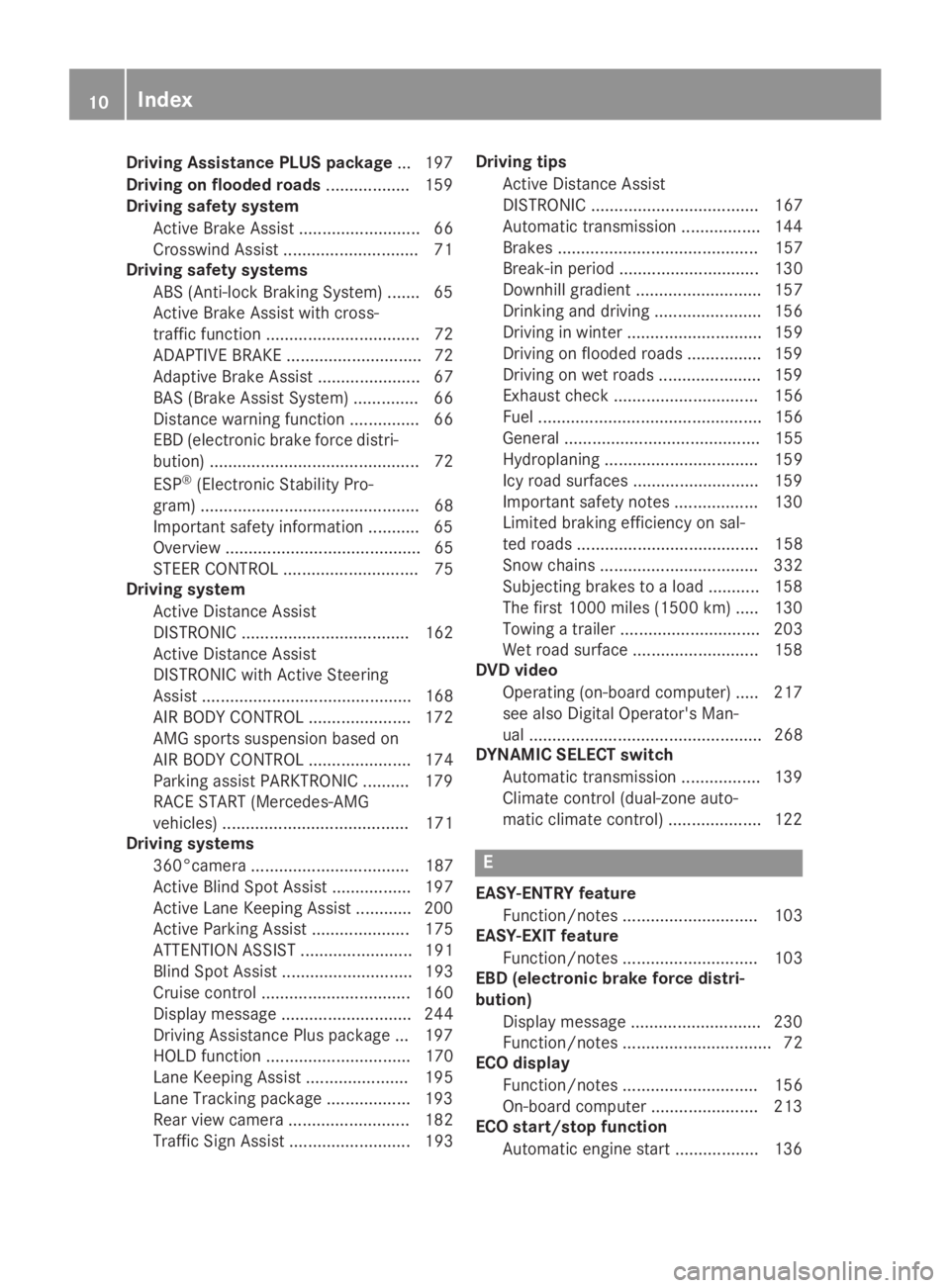
Driving Assistance PLUS package...197
Driving on flooded roads.................. 159
Driving safety system
Active Brake Assist .......................... 66
Crosswind Assist .............................71
Driving safety systems
ABS (Anti-lock Braking System) .......65
Active Brake Assist with cross-
traffic function................................. 72
ADAPTIVE BRAKE............................. 72
Adaptive Brake Assist ...................... 67
BAS (Brake Assist System) .............. 66
Distance warning function ............... 66
EBD (electronic brake force distri-
bution) ............................................. 72
ESP®(Electronic Stability Pro-
gram) ............................................... 68
Important safety information ........... 65
Overview .......................................... 65
STEER CONTROL ............................. 75
Driving system
Active Distance Assist
DISTRONIC .................................... 162
Active Distance Assist
DISTRONIC with Active Steering
Assist ............................................. 168
AIR BODY CONTROL ...................... 172
AMG sports suspension based on
AIR BODY CONTROL ...................... 174
Parking assist PARKTRONIC .......... 179
RACE START (Mercedes-AMG
vehicles) ........................................ 171
Driving systems
360°camera .................................. 187
Active Blind Spot Assist ................. 197
Active Lane Keeping Assist ............ 200
Active Parking Assist ..................... 175
ATTENTION ASSIST ........................ 191
Blind Spot Assist ............................ 193
Cruise control ................................ 160
Display message ............................ 244
Driving Assistance Plus package ... 197
HOLD function ............................... 170
Lane Keeping Assist ...................... 195
Lane Tracking package .................. 193
Rear view camera .......................... 182
Traffic Sign Assist .......................... 193
Driving tips
Active Distance Assist
DISTRONIC .................................... 167
Automatic transmission ................. 144
Brakes ........................................... 157
Break-in period .............................. 130
Downhill gradient ........................... 157
Drinking and driving ....................... 156
Driving in winter ............................. 159
Driving on flooded roads ................ 159
Driving on wet roads ...................... 159
Exhaust check ............................... 156
Fuel ................................................ 156
General .......................................... 155
Hydroplaning ................................. 159
Icy road surfaces ........................... 159
Important safety notes .................. 130
Limited braking efficiency on sal-
ted roads ....................................... 158
Snow chains .................................. 332
Subjecting brakes to a load ........... 158
The first 1000 miles (1500 km) ..... 130
Towing a trailer .............................. 203
Wet road surface ........................... 158
DVD video
Operating (on-board computer) ..... 217
see also Digital Operator's Man-
ual .................................................. 268
DYNAMIC SELECT switch
Automatic transmission ................. 139
Climate control (dual-zone auto-
matic climate control).................... 122
E
EASY-ENTRY feature
Function/notes............................. 103
EASY-EXIT feature
Function/notes............................. 103
EBD (electronic brake force distri-
bution)
Display message ............................ 230
Function/notes................................ 72
ECO display
Function/notes............................. 156
On-board computer ....................... 213
ECO start/stop function
Automatic engine start .................. 136
10Index
Page 16 of 370
Start function ................................... 79
Unlocking ......................................... 78
Kickdown
Driving tips .................................... 144
Manual gearshifting ....................... 149
Knee bag.............................................. 50
L
Lamps
see Warning and indicator lamps
Lane Change Assist
see Active Blind Spot Assist
Lane detection (automatic)
see Lane Keeping Assist
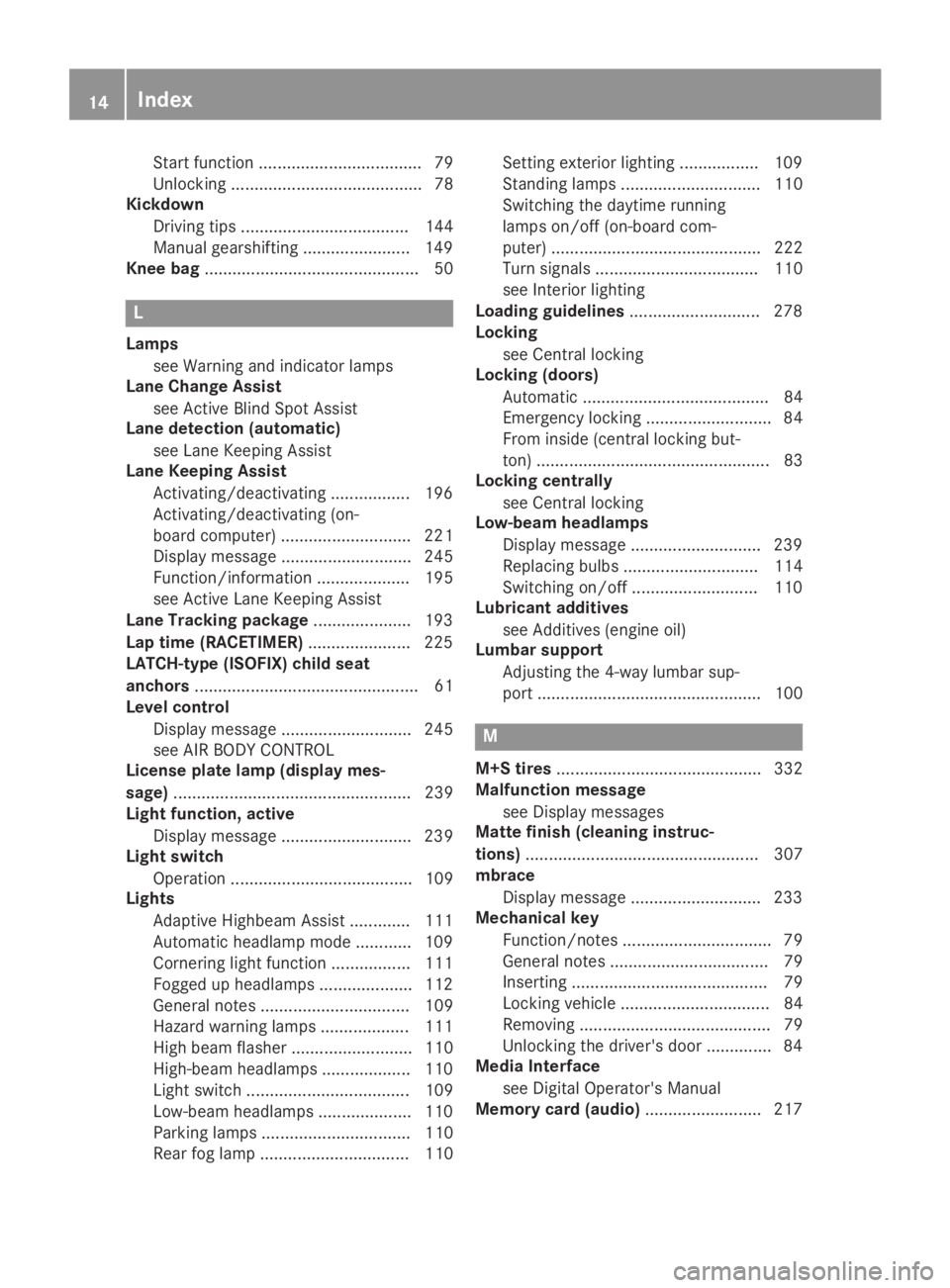
Lane Keeping Assist
Activating/deactivating ................. 196
Activating/deactivating (on-
board computer) ............................ 221
Display message ............................ 245
Function/information .................... 195
see Active Lane Keeping Assist
Lane Tracking package..................... 193
Lap time (RACETIMER)...................... 225
LATCH-type (ISOFIX) child seat
anchors................................................ 61
Level control
Display message ............................ 245
see AIR BODY CONTROL
License plate lamp (display mes-
sage)................................................... 239
Light function, active
Display message ............................ 239
Light switch
Operation ....................................... 109
Lights
Adaptive Highbeam Assist ............. 111
Automatic headlamp mode ............ 109
Cornering light function ................. 111
Fogged up headlamps.................... 112
General notes ................................ 109
Hazard warning lamps ................... 111
High beam flasher .......................... 110
High-beam headlamps................... 110
Light switch ................................... 109
Low-beam headlamps.................... 110
Parking lamps ................................ 110
Rear fog lamp ................................ 110
Setting exterior lighting ................. 109
Standing lamps .............................. 110
Switching the daytime running
lamps on/off (on-board com-
puter) ............................................. 222
Turn signals ................................... 110
see Interior lighting
Loading guidelines............................ 278
Locking
see Central locking
Locking (doors)
Automatic ........................................ 84
Emergency locking ........................... 84
From inside (central locking but-
ton) .................................................. 83
Locking centrally
see Central locking
Low-beam headlamps
Display message ............................ 239
Replacing bulbs............................. 114
Switching on/off........................... 110
Lubricant additives
see Additives (engine oil)
Lumbar support
Adjusting the 4-way lumbar sup-
port ................................................ 100
M
M+S tires............................................ 332
Malfunction message
see Display messages
Matte finish (cleaning instruc-
tions).................................................. 307
mbrace
Display message ............................ 233
Mechanical key
Function/notes................................ 79
General notes .................................. 79
Inserting .......................................... 79
Locking vehicle ................................ 84
Removing ......................................... 79
Unlocking the driver's door .............. 84
Media Interface
see Digital Operator's Manual
Memory card (audio)......................... 217
14Index
Page 17 of 370
Memory function
Seats, steering wheel, exterior
mirrors ........................................... 107
Mercedes me connect
General notes ................................ 294
Info call button .............................. 295
Roadside Assistance call button .... 295
Mercedes-Benz emergency call
system
Switch in the overhead control
panel ..............................................294
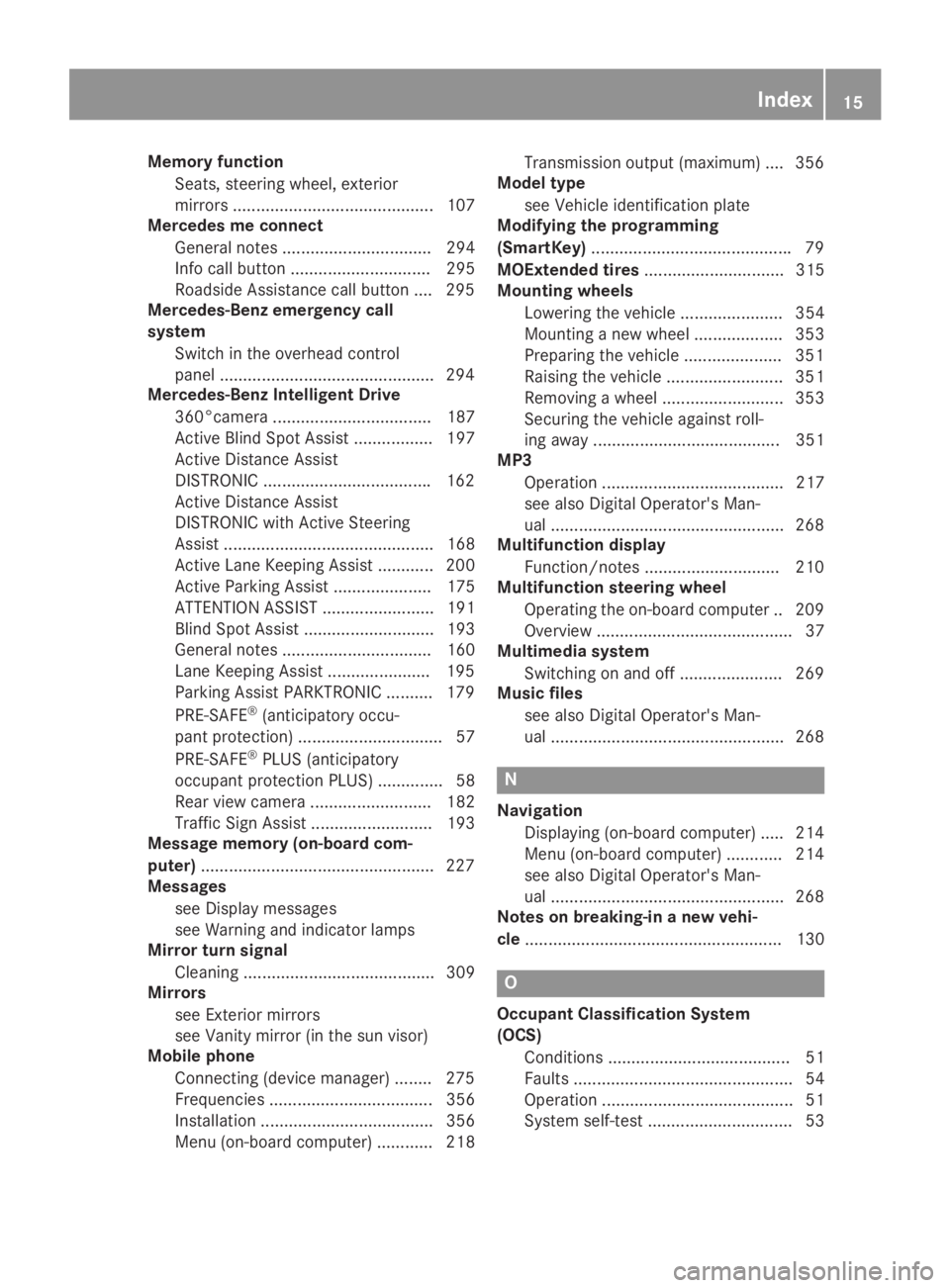
Mercedes-Benz Intelligent Drive
360°camera .................................. 187
Active Blind Spot Assist ................. 197
Active Distance Assist
DISTRONIC ....................................162
Active Distance Assist
DISTRONIC with Active Steering
Assist ............................................. 168
Active Lane Keeping Assist ............ 200
Active Parking Assist ..................... 175
ATTENTION ASSIST ........................ 191
Blind Spot Assist ............................ 193
General notes ................................ 160
Lane Keeping Assist ......................195
Parking Assist PARKTRONIC .......... 179
PRE-SAFE®(anticipatory occu-
pant protection) ............................... 57
PRE-SAFE®PLUS (anticipatory
occupant protection PLUS) .............. 58
Rear view camera .......................... 182
Traffic Sign Assist .......................... 193
Message memory (on-board com-
puter)..................................................227
Messages
see Display messages
see Warning and indicator lamps
Mirror turn signal
Cleaning ......................................... 309
Mirrors
see Exterior mirrors
see Vanity mirror (in the sun visor)
Mobile phone
Connecting (device manager) ........275
Frequencies ................................... 356
Installation ..................................... 356
Menu (on-board computer) ............ 218
Transmission output (maximum) .... 356
Model type
see Vehicle identification plate
Modifying the programming
(SmartKey)...........................................79
MOExtended tires.............................. 315
Mounting wheels
Lowering the vehicle ...................... 354
Mounting a new wheel ................... 353
Preparing the vehicle .....................351
Raising the vehicle ......................... 351
Removing a wheel .......................... 353
Securing the vehicle against roll-
ing away ........................................ 351
MP3
Operation ....................................... 217
see also Digital Operator's Man-
ual ..................................................268
Multifunction display
Function/notes .............................210
Multifunction steering wheel
Operating the on-board computer .. 209
Overview .......................................... 37
Multimedia system
Switching on and off ......................269
Music files
see also Digital Operator's Man-
ual ..................................................268
N
Navigation
Displaying (on-board computer) ..... 214
Menu (on-board computer) ............ 214
see also Digital Operator's Man-
ual ..................................................268
Notes on breaking-in a new vehi-
cle....................................................... 130
O
Occupant Classification System
(OCS)
Conditions ....................................... 51
Faults ............................................... 54
Operation ......................................... 51
System self-test ............................... 53
Index15
Page 25 of 370
Quick access for Audio .................. 271
Switching ....................................... 270
Switching input line ....................... 270
Tow-starting
Emergency engine starting ............ 327
Important safety notes .................. 324
Towing a trailer
Axle load, permissible.................... 365
Cleaning the trailer tow hitch ......... 310
Coupling up a trailer...................... 204
Decoupling a trailer ....................... 206
Driving tips .................................... 203
ESP®(Electronic Stability Pro-
gram) ............................................... 71
Important safety notes .................. 202
Installing the ball coupling ............. 204
Lights display message .................. 239
Power supply ................................. 206
Pulling away with a trailer.............. 135
Removing the ball coupling ............ 206
Trailer loads................................... 364
Towing away
Important safety guidelines ........... 324
Installing the towing eye ................ 325
Notes for 4MATIC vehicles ............ 327
Removing the towing eye ............... 326
Transporting the vehicle ................ 326
With both axles on the ground ....... 326
Towing eye......................................... 314
Traction system
see ETS/4ETS (Electronic Trac-
tion System)
Traffic reports
see also Digital Operator's Man-
ual .................................................. 268
Traffic Sign Assist
Activating/deactivating the warn-
ing function .................................... 220
Display message ............................ 247
Function/notes............................. 193
Important safety notes .................. 193
Instrument cluster display ............. 193
Trailer coupling
see Towing a trailer
Trailer loads and drawbar nose-
weights............................................... 206
Trailer towing
Active Blind Spot Assist ................. 199
Active Lane Keeping Assist ............ 202
Blind Spot Assist ............................ 195
Permissible trailer loads and
drawbar noseweights ..................... 206
Transfer case..................................... 150
Transmission
Display message ............................ 253
see Automatic transmission
Transmission oil
Temperature (on-board computer,
Mercedes-AMG vehicles) ............... 223
Transmission position display......... 142
Transporting the vehicle.................. 326
Trim pieces (cleaning instruc-
tions).................................................. 311
Trip computer (on-board com-
puter).................................................. 213
Trip odometer
Calling up ....................................... 212
Resetting (on-board computer) ...... 214
Trunk
see Cargo compartment
Turn signals
Display message ............................ 239
Replacing bulbs (front) ................... 115
Switching on/off........................... 110
Two-way radio
Frequencies ................................... 356
Installation ..................................... 356
Transmission output (maximum) .... 356
Type identification plate
see Vehicle identification plate
U
Unlocking
Emergency unlocking ....................... 84
From inside the vehicle (central
unlocking button) ............................. 83
USB devices
Connecting to the Media Inter-
face ............................................... 277
V
Vanity mirror (in the sun visor)........ 290
Vehicle
Correct use ...................................... 31
Index23
Page 67 of 370
Driving safety systems
Overview of driving safety systems
In this section, you will find information aboutthe following driving safety systems:
RABS (Anti-lockBrakingSystem)(Ypage 65)
RBAS (BrakeAssistSystem) (Ypage 66)
RActive Brake Assist (Ypage 66)
RESP®(ElectronicStabilityProgram)(Ypage 68)
REBD (ElectronicBrake forceDistribution)(Ypage 72)
RADAPTIVE BRAKE (Ypage 72)
RActive Brake Assist with cross-traffic function(Ypage 72)
RSTEER CONTROL (Ypage 75)
Important safety notes
If you fail to adapt your driving style or if you areinattentive, the driving safety systems can nei-ther reduce the risk of an accident nor overridethe laws of physics. Driving safety systems aremerely aids designed to assist driving. You areresponsible for maintaining the distance to thevehicle in front, for vehicle speed, for braking ingood time, and for staying in lane. Always adaptyour driving style to suit the prevailing road andweather conditions and maintain a safe distancefrom the vehicle in front. Drive carefully.
The driving safety systems described only workas effectively as possible when there is ade-quate contact between the tires and the roadsurface. Pay particular attention to the informa-tion regarding tires, recommended minimumtire tread depths etc. in the "Wheels and tires"section (Ypage 330).
In wintry driving conditions, always use wintertires (M+S tires)and if necessary, snow chains.Only in this way will the driving safety systemsdescribed in this section work as effectively aspossible.
ABS (Anti-lock Braking System)
General information
ABS regulates brake pressure in such a way thatthe wheels do not lock when you brake. Thisallows you to continue steering the vehicle whenbraking.
The%ABS warning lamp in the instrumentcluster lights up when the ignition is switchedon. It goes out when the engine is running.
ABS works from a speed of about 5 mph(8 km/h), regardless of road-surface conditions.ABS works on slippery surfaces, even when youonly brake gently.
Important safety notes
iObserve the "Important safety notes" sec-tion (Ypage 65).
GWARNING
If ABS is faulty, the wheels could lock when
braking. The steerability and braking charac-
teristics may be severely impaired. Addition-
ally, further driving safety systems are deac-
tivated. There is an increased danger of skid-
ding and accidents.
Drive on carefully. Have ABS checked imme-
diately at a qualified specialist workshop.
When ABS is malfunctioning, other systems,including driving safety systems, will alsobecome inoperative. Observe the informationon the ABS warning lamp (Ypage 259) and dis-play messages which may be shown in theinstrument cluster (Ypage 228).
Braking
XIf ABS intervenes:continue to depress thebrake pedal vigorously until the braking sit-uation is over.
XTo make a full brake application:depressthe brake pedal with full force.
If ABS intervenes when braking, you will feel apulsing in the brake pedal.
The pulsating brake pedal can be an indicationof hazardous road conditions, and functions as areminder to take extra care while driving.
Driving safety systems65
Safety
Z
Page 162 of 370
braking maneuvers. Do not use cruise control orActive Distance Assist DISTRONIC.
If the vehicle threatens to skid or cannot bestopped when moving at low speed:
XShift the transmission to position\\.
The outside temperature indicator is notdesigned to serve as an ice-warning device andis therefore unsuitable for that purpose.Changes in the outside temperature are dis-played after a short delay.
Indicated temperatures just above the freezingpoint do not guarantee that the road surface isfree of ice. The road may still be icy, especially inwooded areas or on bridges. The vehicle couldskid if you fail to adapt your driving style. Alwaysadapt your driving style and drive at a speed tosuit the prevailing weather conditions.
You should pay special attention to road condi-tions when temperatures are around freezingpoint.
For more information on driving with snowchains, see (Ypage 332).
For more information on driving with summertires, see (Ypage 332).
Observe the notes in the "Winter operation" sec-tion (Ypage 332).
Driving systems
Mercedes-Benz Intelligent Drive
Mercedes-Benz Intelligent Drive stands for inno-vative driver assistance and safety systemswhich enhance comfort and support the driver incritical situations. With these intelligent coordi-nated systems Mercedes-Benz has set a mile-stone on the path towards autonomous driving.
Mercedes-Benz Intelligent Drive embraces allelements of active and passive safety in one wellthought out system – for the safety of the vehi-cle occupants and that of other road users.
Further information on driving safety systems(Ypage 65).
Cruise control
General notes
Cruise control maintains a constant road speedfor you. It brakes automatically in order to avoidexceeding the set speed. Change into a lower
gear in good time on long and steep downhillgradients. This is especially important if thevehicle is laden or towing a trailer. By doing so,you will make use of the braking effect of theengine. This relieves the load on the brake sys-tem and prevents the brakes from overheatingand wearing too quickly.
Use cruise control only if road and traffic con-ditions make it appropriate to maintain a steadyspeed for a prolonged period. You can store anyroad speed above 20 mph (30 km/h).
Important safety notes
Cruise control can neither reduce the risk of anaccident if you fail to adapt your driving style noroverride the laws of physics. Cruise control can-not take into account the road, traffic andweather conditions. Cruise control is only anaid. You are responsible for maintaining a safedistance to the vehicle in front, for vehiclespeed, for braking in good time and for staying inlane.
Do not use cruise control:
Rin road and traffic conditions which do notallow you to maintain a constant speed, e.g. inheavy traffic or on winding roads
Ron slippery road surfaces. Braking or accel-erating could cause the drive wheels to losetraction and the vehicle could then skid
Rwhen there is poor visibility, e.g. due to fog,heavy rain or snow
If there is a change of drivers, advise the newdriver of the speed stored.
iThe speed indicated in the speedometermay differ slightly from the speed stored.
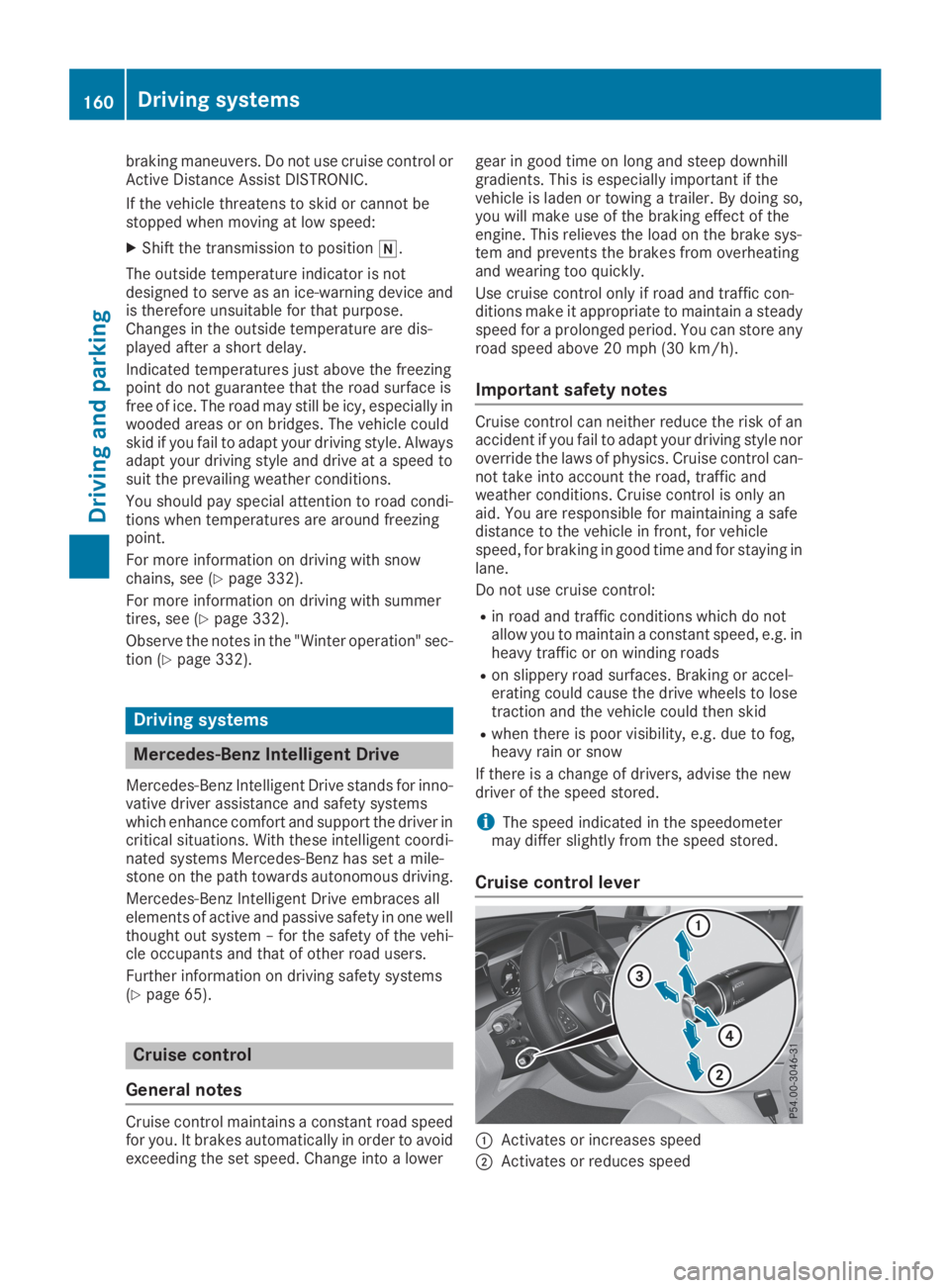
Cruise control lever
CActivates or increases speed
DActivates or reduces speed
160Driving systems
Driving and pa rking
Page 165 of 370
possible deceleration. If this deceleration is
not sufficient, Active Distance Assist
DISTRONIC alerts you with a visual and acous-
tic warning. There is a risk of an accident.
Adjust your speed in these cases and main-
tain sufficient distance. Apply the brakes
yourself and try to take evasive action.
!When Active Distance Assist DISTRONIC orthe HOLD function is activated, the vehiclebrakes automatically in certain situations.
To avoid damage to the vehicle, deactivateActive Distance Assist DISTRONIC and theHOLD function in the following or similar sit-uations:
Rwhen towing the vehicle
Rin the car wash
Active Distance Assist DISTRONIC can neitherreduce the risk of an accident if you fail to adaptyour driving style, nor override the laws of phys-ics. Active Distance Assist DISTRONIC cannottake into account road, weather or traffic con-ditions. Active Distance Assist DISTRONIC isonly an aid. You are responsible for maintaininga safe distance to the vehicle in front, for vehiclespeed, for braking in good time and for staying inlane.
Do not use Active Distance Assist DISTRONIC:
RIn road and traffic conditions which do notallow you to maintain a constant speed, e.g. inheavy traffic or on winding roads
ROn slippery road surfaces. Braking or accel-erating could cause the drive wheels to losetraction and the vehicle could then skid
RIn poor visibility, e.g. due to fog, heavy rain orsnow
Active Distance Assist DISTRONIC may notdetect narrow vehicles driving in front, e.g.motorcycles, or vehicles driving in a staggeredformation.
In particular, the detection of obstacles can beimpaired if:
RThere is dirt on the sensors or anything elsecovering the sensors
RThere is snow or heavy rain
RThere is interference by other radar sources
RThere are strong radar reflections, for exam-ple in parking garages
If Active Distance Assist DISTRONIC no longerdetects a vehicle in front, Distance Pilot
DISTRONIC may unexpectedly accelerate to thespeed stored.
This speed may:
RBe too high if you are driving in a turning laneor an exit lane
Rbe so high in the right lane that you pass vehi-cles driving on the left (in countries wherethey drive on the right)
Rbe so high in the left lane that you pass vehi-cles driving on the right (in countries wherethey drive on the left)
If there is a change of drivers, advise the newdriver of the speed stored.
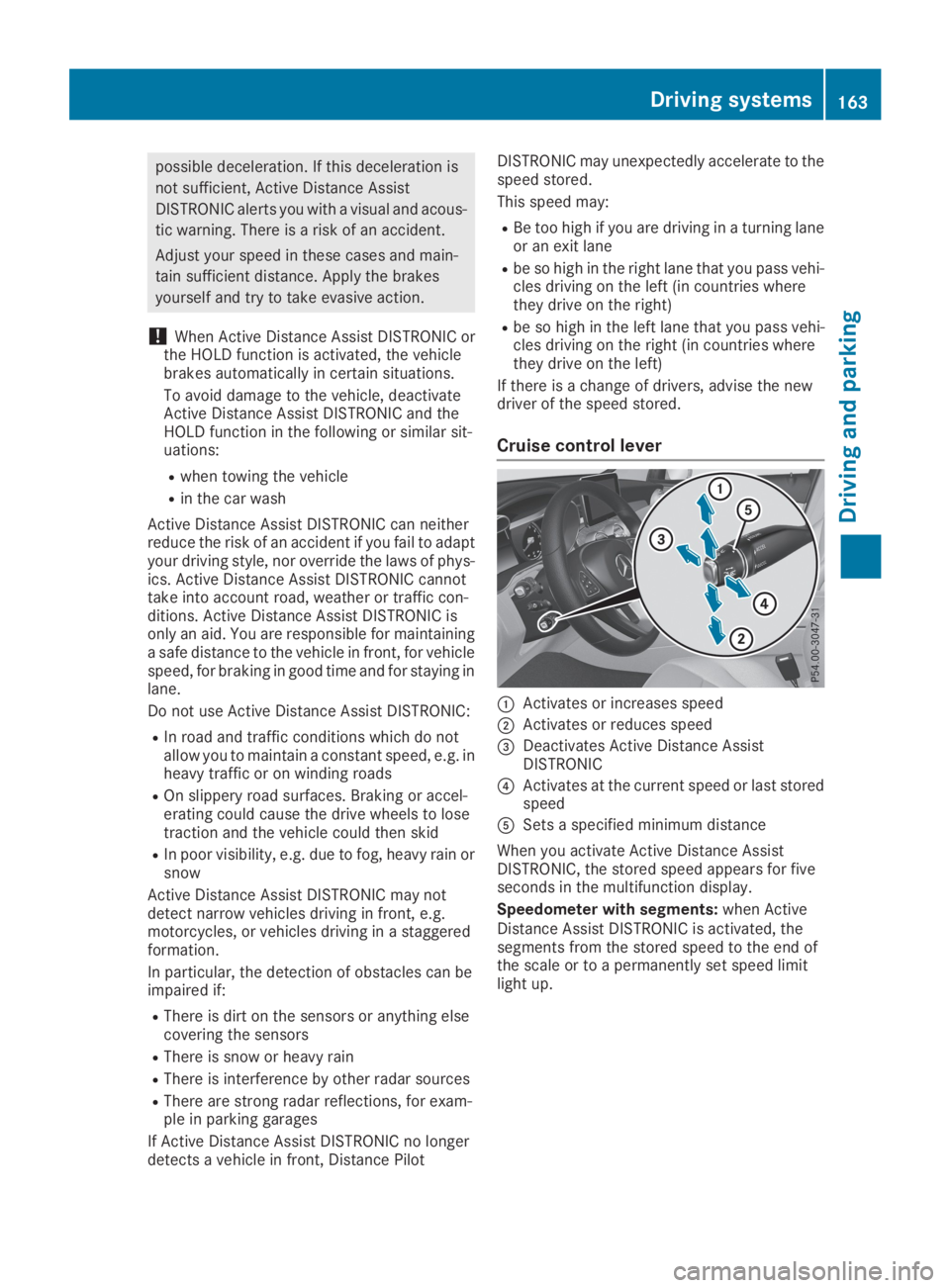
Cruise control lever
CActivates or increases speed
DActivates or reduces speed
Page 167 of 370
If Active Distance Assist DISTRONIC detects afaster-moving vehicle in front, it increases thedriving speed to the set speed.
Selecting the drive program
Active Distance Assist DISTRONIC supports asporty driving style when you have selected theSorS+, drive program (Ypage 145). Accelera-tion behind the vehicle in front or to the setspeed is then noticeably more dynamic. If youhave selected theCorEdriving program, thevehicle accelerates more gently. This setting isrecommended in stop-and-start traffic.
Changing lanes
If you change to the overtaking lane Active Dis-tance Assist DISTRONIC supports you if:
Ryou are driving faster than 45 mph (70 km/h)
Ryou switch on the appropriate turn signal
RActive Distance Assist DISTRONIC does notcurrently detect a danger of collision
If these conditions are fulfilled, your vehicle isaccelerated. Acceleration will be interrupted ifchanging lanes takes too long or if the distancebetween your vehicle and the vehicle in frontbecomes too small.
When you change lanes, Active Distance AssistDISTRONIC monitors the left lane on left-hand-drive vehicles or the right lane on right-hand-drive vehicles.
Stopping
GWARNING
If you leave the driver's seat when the vehicle
is only being braked by Active Distance Assist
DISTRONIC, it could roll away:
Rif there is a malfunction in the system or in
the voltage supply
Rif Active Distance Assist DISTRONIC is
deactivated using the cruise control lever,
for example by a vehicle occupant or from
outside the vehicle
Rif the electrical system in the engine com-
partment, the battery or the fuses are tam-
pered with
Rif the battery is disconnected
Rif the vehicle is accelerated, e.g. by a vehi-
cle occupant
There is a risk of an accident.
Always deactivate Active Distance Assist
DISTRONIC and secure the vehicle against
rolling away before you leave it.
Further information on deactivating Active Dis-tance Assist DISTRONIC (Ypage 167).
If Active Distance Assist DISTRONIC detectsthat the vehicle in front is stopping, it brakesyour vehicle until it is stationary.
Once your vehicle is stationary, it remains sta-tionary and you do not need to depress thebrake.
After a time, the electric parking brake securesthe vehicle and relieves the service brake.
Depending on the specified minimum distance,your vehicle will come to a standstill at a suffi-cient distance behind the vehicle in front. Thespecified minimum distance is set using thecontrol on the cruise control lever.
When Active Distance Assist DISTRONIC is acti-vated, the transmission is shifted automaticallyto position]if:
Rthe driver's seat belt is not fastened and thedriver's door is open
Rthe engine is switched off, unless it is auto-matically switched off by the ECO start/stopfunction
The electric parking brake is applied automati-cally if Active Distance Assist DISTRONIC isactive when the vehicle is stationary and:
Ra system malfunction occurs
Rthe power supply is insufficient
If a malfunction occurs, the transmission mayalso be shifted to position]automatically.
Setting a speed
XPush the cruise control lever upCfor ahigher speed or downDfor a lower speed.
XTo adjust the set speed in 1 mph incre-ments (1 km/h increments):briefly pushthe cruise control lever upCor downDtothe pressure point.Every time the cruise control lever is pressedupCor downDthe last speed stored isincreased or reduced.
XTo adjust the set speed in 5 mph incre-ments (10 km/h increments):briefly push
Driving systems165
Driving and parking
Z
Page 170 of 370
ple, the detected vehicle turns a corner andan obstacle or stationary vehicle is revealed,Active Distance Assist DISTRONIC will notbrake for them.
RCrossing vehicles: Active Distance AssistDISTRONIC may mistakenly detect vehiclesthat are crossing your lane. Activating ActiveDistance Assist DISTRONIC at, for example, atraffic light with crossing traffic could causeyour vehicle to pull away at the wrong time.
In such situations, brake if necessary. ActiveDistance Assist DISTRONIC will then be deacti-vated.
Active Distance Assist DISTRONIC with
Active Steering Assist
General notes
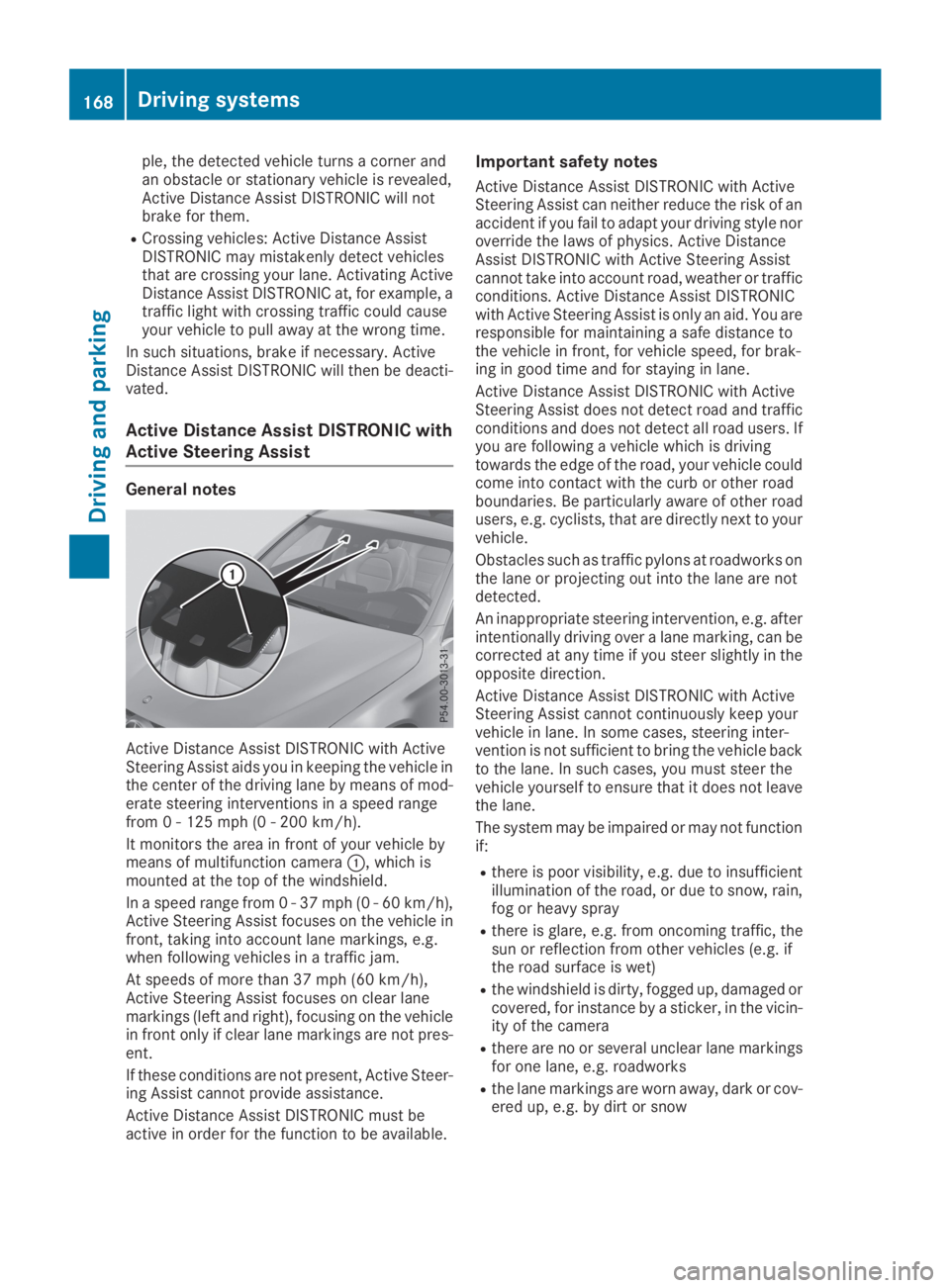
Active Distance Assist DISTRONIC with ActiveSteering Assist aids you in keeping the vehicle inthe center of the driving lane by means of mod-erate steering interventions in a speed rangefrom 0 - 125 mph (0 - 200 km/h).
It monitors the area in front of your vehicle bymeans of multifunction cameraC, which ismounted at the top of the windshield.
In a speed range from 0 - 37 mph (0 - 60 km/h),Active Steering Assist focuses on the vehicle infront, taking into account lane markings, e.g.when following vehicles in a traffic jam.
At speeds of more than 37 mph (60 km/h),Active Steering Assist focuses on clear lanemarkings (left and right), focusing on the vehiclein front only if clear lane markings are not pres-ent.
If these conditions are not present, Active Steer-ing Assist cannot provide assistance.
Active Distance Assist DISTRONIC must beactive in order for the function to be available.
Important safety notes
Active Distance Assist DISTRONIC with ActiveSteering Assist can neither reduce the risk of anaccident if you fail to adapt your driving style noroverride the laws of physics. Active DistanceAssist DISTRONIC with Active Steering Assistcannot take into account road, weather or trafficconditions. Active Distance Assist DISTRONICwith Active Steering Assist is only an aid. You areresponsible for maintaining a safe distance tothe vehicle in front, for vehicle speed, for brak-ing in good time and for staying in lane.
Active Distance Assist DISTRONIC with ActiveSteering Assist does not detect road and trafficconditions and does not detect all road users. Ifyou are following a vehicle which is drivingtowards the edge of the road, your vehicle couldcome into contact with the curb or other roadboundaries. Be particularly aware of other roadusers, e.g. cyclists, that are directly next to yourvehicle.
Obstacles such as traffic pylons at roadworks onthe lane or projecting out into the lane are notdetected.
An inappropriate steering intervention, e.g. afterintentionally driving over a lane marking, can becorrected at any time if you steer slightly in theopposite direction.
Active Distance Assist DISTRONIC with ActiveSteering Assist cannot continuously keep yourvehicle in lane. In some cases, steering inter-vention is not sufficient to bring the vehicle backto the lane. In such cases, you must steer thevehicle yourself to ensure that it does not leavethe lane.
The system may be impaired or may not functionif:
Rthere is poor visibility, e.g. due to insufficientillumination of the road, or due to snow, rain,fog or heavy spray
Rthere is glare, e.g. from oncoming traffic, thesun or reflection from other vehicles (e.g. ifthe road surface is wet)
Rthe windshield is dirty, fogged up, damaged orcovered, for instance by a sticker, in the vicin-ity of the camera
Rthere are no or several unclear lane markingsfor one lane, e.g. roadworks
Rthe lane markings are worn away, dark or cov-ered up, e.g. by dirt or snow
168Driving systems
Driving and parking