ECU MERCEDES-BENZ GLC-Class 2016 X253 Comand Manual
[x] Cancel search | Manufacturer: MERCEDES-BENZ, Model Year: 2016, Model line: GLC-Class, Model: MERCEDES-BENZ GLC-Class 2016 X253Pages: 222, PDF Size: 6.39 MB
Page 115 of 222
entering a passkey. COMAND automatically
enables the procedure suited to your mobile
phone. You can recognize Secure Simple Pair-
ing by a code which is displayed in COMAND
and on the mobile phone. You can recognize
the passkey system by the fact that you haveto enter a code on the mobile phone and in
COMAND. The mobile phone is always con-
nected automatically after authorization.
If COMAND does not detect your mobile
phone, this may be due to particular security
settings on your mobile phone. You can also
start the search procedure and authorization
on the mobile phone (
Ypage 114).
Device-specific information on authorizing
and connecting Bluetooth
®-capable mobile
phones can be found on the Internet at
http://www.mercedes-benz.com/
connect.
You can authorize up to 15 mobile phones.
Only one mobile phone can be connected to
COMAND at any one time.
De-authorizing (disconnecting) a mobile
phone
The connection is terminated automatically if
you leave the receiver range of COMAND or
deactivate Bluetooth
®on your mobile phone.
If you no longer want the Bluetooth
®connec-
tion to be established automatically, the
mobile phone must be de-authorized (discon-
nected) (
Ypage 116).
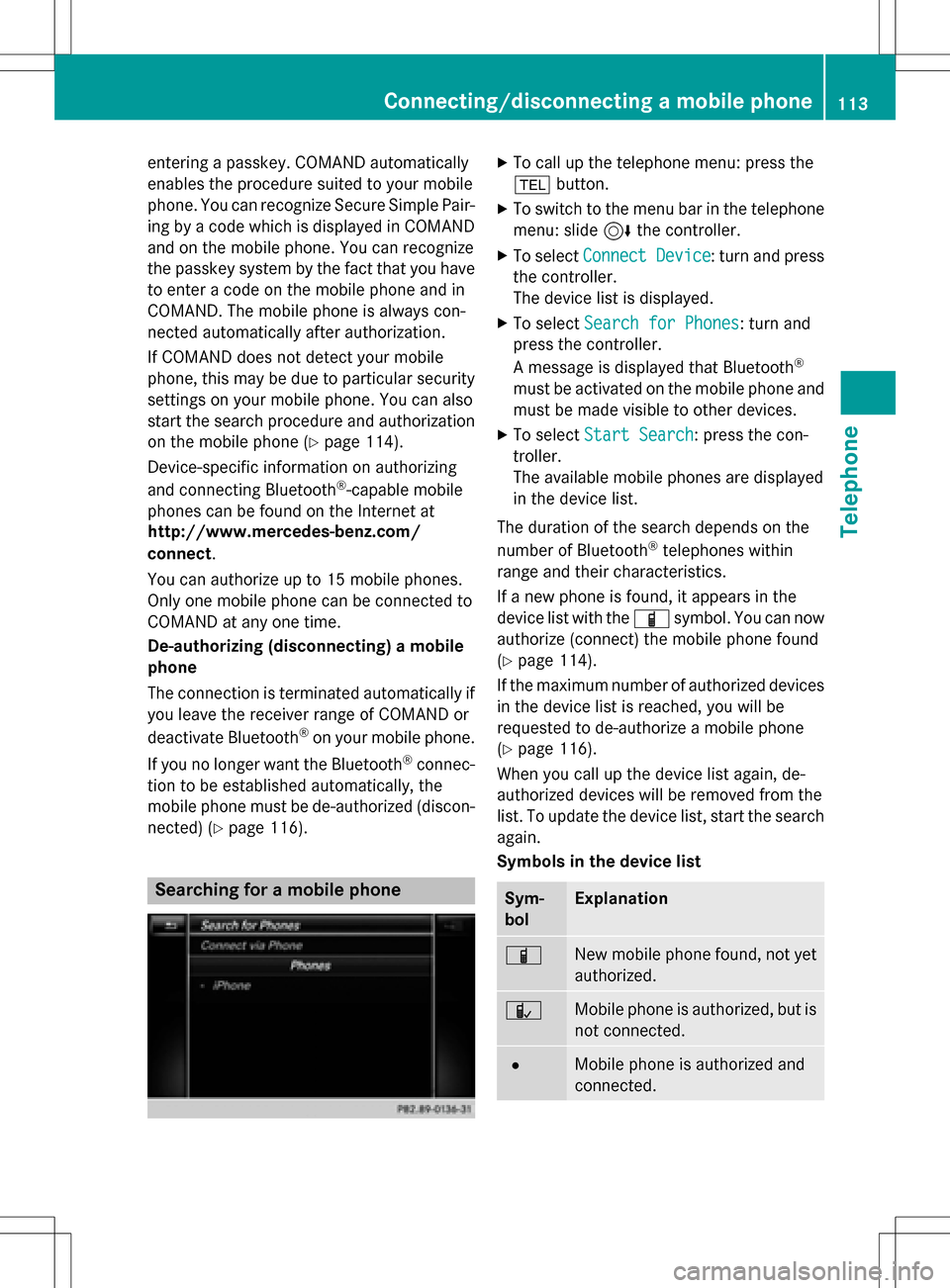
Searching for a mobile phone
XTo call up the telephone menu: press the
% button.
XTo switch to the menu bar in the telephone
menu: slide 6the controller.
XTo select Connect Device: turn and press
the controller.
The device list is displayed.
XTo select Search for Phones: turn and
press the controller.
A message is displayed that Bluetooth
®
must be activated on the mobile phone and
must be made visible to other devices.
XTo select Start Search: press the con-
troller.
The available mobile phones are displayed
in the device list.
The duration of the search depends on the
number of Bluetooth
®telephones within
range and their characteristics.
If a new phone is found, it appears in the
device list with the Ïsymbol. You can now
authorize (connect) the mobile phone found
(
Ypage 114).
If the maximum number of authorized devices
in the device list is reached, you will be
requested to de-authorize a mobile phone
(
Ypage 116).
When you call up the device list again, de-
authorized devices will be removed from the
list. To update the device list, start the search
again.
Symbols in the device list
Sym-
bolExplanation
ÏNew mobile phone found, not yet
authorized.
ÑMobile phone is authorized, but is
not connected.
#Mobile phone is authorized and
connected.
Connecting/disconnecting a mobile phone113
Telephone
Z
Page 116 of 222
Authorizing amobile phone (connect-
ing)
Authorizati onvia Secure Simple Pairing
If COMAND has foun dyour mobile phone ,you
can authorize (connect) it .
XTo selectamobile phone from th edevice
list :tur nth econtroller and press to con-
firm.
A code is displayed in COMAND and on th e
mobile phone.
Th ecode is th esam e
XCOMAND: selectYes.
XMobile phone: confirm thecode. Depend-
ing on th emobile phone used, you may
hav eto confirm th econnection to
COMAND and for th ePBAP and MA PBlue -
toot h
®profiles. The prompt to confirm may
tak eup to two minute sto be displayed. You
may also sav eth econfirmation on th e
mobile phon e(see th emanufacturer' s
operating instructions).
The mobile phone is no wauthorize dand
connecte dto COMAND .You can no w
spea kusin gth ehands-free system.
To ensur ean optimum language quality, you
can set th emobile phone's transmission and
reception volume (
Ypage 116).
Th ecode is dif ferent
XCOMAND: selectNo.
The process is canceled. Repeat th e
authorization .
Authorizationvia passkey entry (access
code)
If COMAND has foun dyour mobile phone ,you
can authorize (connect) it .
XTo select theBluetoot h®nameof th e
desired mobile phone in th edevice list :tur n
and press th econtroller .
The input men ufor th epasske yis dis-
played. The passke
yis aone- to sixteen-digit num -
ber combination whic hyou can choos e
yourself .
XCOMAN D:ente rth epasske yusin gth e
characte rbar.
XSelec t¬ once all th enumber shav e
been entered .
XMobile phone: enterth esam epasske y
and confirm your entry. Dependin gon th e
mobile phon eused, you may hav eto con-
fir m theconnection to COMAND and for th e
PBAP and MA PBluetoot h
®profiles.The
prompt to confirm may tak eup to two
minute sto be displayed. You may also sav e
th econfirmation on th emobile phon e(see
th emanufacturer' soperating instructions).
The mobile phon eis no wauthorize dand
connecte dto COMAND .You can no w
spea kusin gth ehan ds-free system.
To ensur ean optimum language quality, you
can setthemobile phone's transmission and
reception volume (
Ypage 116).
If th eAuthorizatio nFailed
message
appears, you may hav eentered adifferen t
passke yor exceeded th epre scribe dtime
limit. Repeat th eprocedure .
iSome mobile phones require apasske y
wit hfour or mor edigit s.
iIf you wish to re-authorize th emobile
phon eafter de-authorizing it ,you can
choos eanother passke yfor it .
Establishing the connection fr omthe
mob ile phone
The Bluetoot h®device nameof COMAND is
"MB Bluetooth".
XCOMAND: call up thetelephon emenu.
XTo switch to th emen ubar: slide 6the
controller .
XTo selectConnectDevice:tur nand press
th econtroller .
The device list is displayed.
114Connecting/disconnecting a mobile phone
Telephone
Page 117 of 222
XTo selectConnect via Phone: turn and
press the controller.
A message is displayed, stating that you
can start the search on your mobile phone.
XMobile phone: start the search for a Blue-
tooth®device (see manufacturer's operat-
ing instructions).
COMAND is displayed with the name "MB
Bluetooth" in the mobile phone's device
list.
XSelect "MB Bluetooth".
A prompt appears in the COMAND display
asking if the mobile phone should be
authorized.
XCOMAND: selectYes.
If No
is selected, the procedure is canceled.
If your mobile phone supports Secure Sim-
ple Pairing, a code is now displayed on both
devices.
The code is the same
XCOMAND: selectYes.
XMobile phone: confirm the code. Depend-
ing on the mobile phone used, you may
have to confirm the connection to
COMAND and for the PBAP and MAP Blue-
tooth
®profiles. The prompt to confirm may
take up to two minutes to be displayed. You
may also save the confirmation on the
mobile phone (see the manufacturer's
operating instructions).
The mobile phone is now authorized and
connected to COMAND. You can now
speak using the hands-free system.
To ensure an optimum language quality, you
can set the mobile phone's transmission and
reception volume (
Ypage 116).
The code is different
XCOMAND: selectNo.
The process is canceled. Repeat the pro-
cedure.
If your mobile phone does not support Secure
Simple Pairing, an input menu is displayed for
the passkey. The passkey is a one- to sixteen-
digit number combination which you can choose yourself. Enter the same passkey on
both COMAND and the mobile phone and
confirm. Depending on the mobile phone
used, you may have to confirm the connection
to COMAND and for the PBAP and MAP Blue-
tooth
®profiles.
Reconnecting automatically
COMAND always searches for the last con-
nected mobile phone.
If no connection can be made to the most
recently connected mobile phone, the system
searches for the mobile phone that was con-
nected before that one.
Switching between mobile phones
If you have authorized more than one mobile
phone, you can switch between the individual
phones.
XTo call up the telephone menu: press the
% button.
XTo show the menu bar: slide 6the con-
troller.
XTo select Connect Device: turn and press
the controller.
The device list is displayed.
XTo select the desired mobile phone: turn
and press the controller.
The selected mobile phone is searched for
and connected if it is within Bluetooth
®
range and if Bluetooth®is activated.
Only one mobile phone can be connected at
any one time. The currently connected mobile phone is indicated by the #dot in the device
list.
iYou can only switch to another authorized
mobile phone if you are not currently mak-
ing a call.
Connecting/disconnecting a mobile phone115
Telephone
Z
Page 159 of 222

Displaying thevehicle identification
number (VIN )
XTo callup Internet function s (Ypage 151).
XTo selectMercedes-Ben zApp s:turn and
press th econtroller .
XTo highlight Download POI:turn th econ-
troller.
XTo selec tG: slide9 thecontroller .
The vehicle identification number is dis -
played .
Exiting amenu
XPress th e% button.
Deleting destinations automatically
afterimporting to th eserver
Destination son th eserver are automatically
delete dafter seven days.
XSelec tth eOption smen ufo rth eDownload
POIAp p (Ypage 158).
The men ushows th ecurren tsettings.
XTo selec tDelete fro mserver after
importing:turn and press th econtroller .
Switc hth esetting on Oor of fª.
Exiting amenu
XPress th e% button.
Further Mercedes-Benz App s
General notes
To be able to use Mercedes-Ben zApps, you
first hav eto register. To do so, you hav eto ente
ryour nam eand posta laddress once in
th evehicle and confirm th egenera lterm sand
conditions. Amessage to this effect appears
th efirst time you cal lup th eonlin eand Inter-
ne tfunctions.
Fo rindividual Mercedes-Ben zApps, it may be
necessary to pay license fees befor eusing.
Use is then limited to acertain period of time.
License fees mus tbe paid again fo ruse
beyond this time period.
Mercedes-Benz Mobile Websit e
Connectingto th eInternet : (Ypage 151)
The onlin efunction scontain th eMercedes -
Benz Mobile Websit eas apredefined favorite.
XTo cal lup Internet function s (Ypage 151).
XSelectth eMercedes-Ben zMobile Web ‐
sitemenu.
The Mercedes-Ben zhom epage appears .
iYou cannotdelete th eMercedes-Ben z
Mobile Websit emenu.
Calling up Mercedes-Benz App s
XTo callup Internet function s (Ypage 151).
XTo selectMercedes-Ben zApp s:turn and
press th econtroller .
The available Mercedes-Ben zApp s
are
displayed .
XTo selectth edesire dapp: turn and press
th econtroller .
Additional Mercedes-Ben zApps can be pur -
chased on th eMercedes-Ben zwebsite. You
Further Mercedes-Benz Apps157
Online and Internet functions
Z
Page 162 of 222

Adding to bookmarks
Adds thecurren twebsit eto th efavorites. The
websit ecan then be called up usin gth emenu.
You can store up to 20 favorite sin th emenu.
XTo sho wthemenu: press th e% but-
ton.
XTo select 3:turnand press th econtrol -
ler .
XSelec tAdd to Bookmarks.
The message :The websit ewas added
to bookmarksappears.
Current URL
XTo sho wthemenu: press th e% but-
ton.
XTo select 3:turnand press th econtrol -
ler .
XSelec tCurren tURL.
The URL appears.
Zoom
You can use this function to enlarg eweb
pages .
XTo sho wthemenu: press th e% but-
ton.
XTo select 3:turnand press th econtrol -
ler .
A men uappears. The #dot indicates th e
curren tsetting .
XSelectZoo m.
XTo navigat eon th eweb page: slide 1,
4 or2 thecontroller .
XTo zoom in on th eweb page: tur nth econ-
troller .
Jumping fr omlink to link
You can use this function to skip from on elin k
to th ene xt on awebsite.
XTo sho wthemenu: pressthe% but-
ton.
XTo select 3:turnand press th econtrol -
ler .
A men uappear s.The #dot indicates th e
curren t setting .
XSelectJum pFro mLin kTo Lin k.
If awebsit ehas been called up and th e
controller is turned, th ecur sor jumps from
lin kto link.
Directional scrolling
You can usethis function to scrollup and
down on th eweb page.
XTo sho wthemenu: pressthe% but-
ton.
XTo select 3:turnand press th econtrol -
ler .
A men uappears. The #dot indicates th e
curren tsetting .
XSelectDirectional Scrolling.
If awebsit ehas been called up and th e
controller is turned, th ecur sor moves up or
down depending on th edirection of th e
turn.
Settings
Overview
160Web browser
Online and Internet functions
Page 168 of 222

Your COMANDequipment
i
These operatin ginstruction sdescribe all
th estandar dan doptional equipmen tof
your COMAN Dsystem, as available at th e
time of going to print .Country-specifi cdif -
ference sare possible. Bear in min dthat
your vehicle may no tfeature all function s
described here. Thi salso applies to safety-
relevant systems an dfunctions.
iRead th einformation on qualified special-
ist workshop sin th evehicle Operator's
Manual.
Switchin gon th eradi o
XPress th e$ button.
The radio display appears .You will hear th e
last station playe don th elast waveban d
selected.
Switching HD Radi oon/of f
XIn radio mode: slid e6 thecontroller .
XSelectOption s.
XBy selecting Oorª in fron tof HDRadi o,
you determin ewhether HD radio is
switched on or off.
If HD radio is switched off, th esyste mdoe s
no tswitch to digita lradio an dit is no tpossible
to selec tan ysub-channels.
iHD Radio ™andth eHD ,HD Radio ,an d
“Arc ”logos are proprietary trademark sof
iBiquit yDigital Corp.
Overview
:Main function bar
;Status bar wit hcompass display
=Main display field wit havailable station s
an drelevant information
?Display of radio station selecte d
ARadio menubar
Th efollowin gfunctions ar eavailable
using th eradi omain function bar:
RHD Radi oFM:HD FM radio mode
RHD Radi oAM:HD MW radio mode
RSa tRadi o:satellite radio
RRadi oStatio nPreset s:10 0preset
position sfo rradio station s
RInfoonRadio:information on radio in th e
Digital Operator's Manual
Th efollowin gfunctions ar eavailable
using th eradi omenu bar:
Rè: searches fo rstation sby name
RBan d:selects wavebands
RPreset: station preset smen u
RInfo:displays additional information about
th ecurren tstation (radio text )
Rà:soundsettings, Burmeste r®sound
ROption s:radio option s
166Overview
Radio
Page 177 of 222
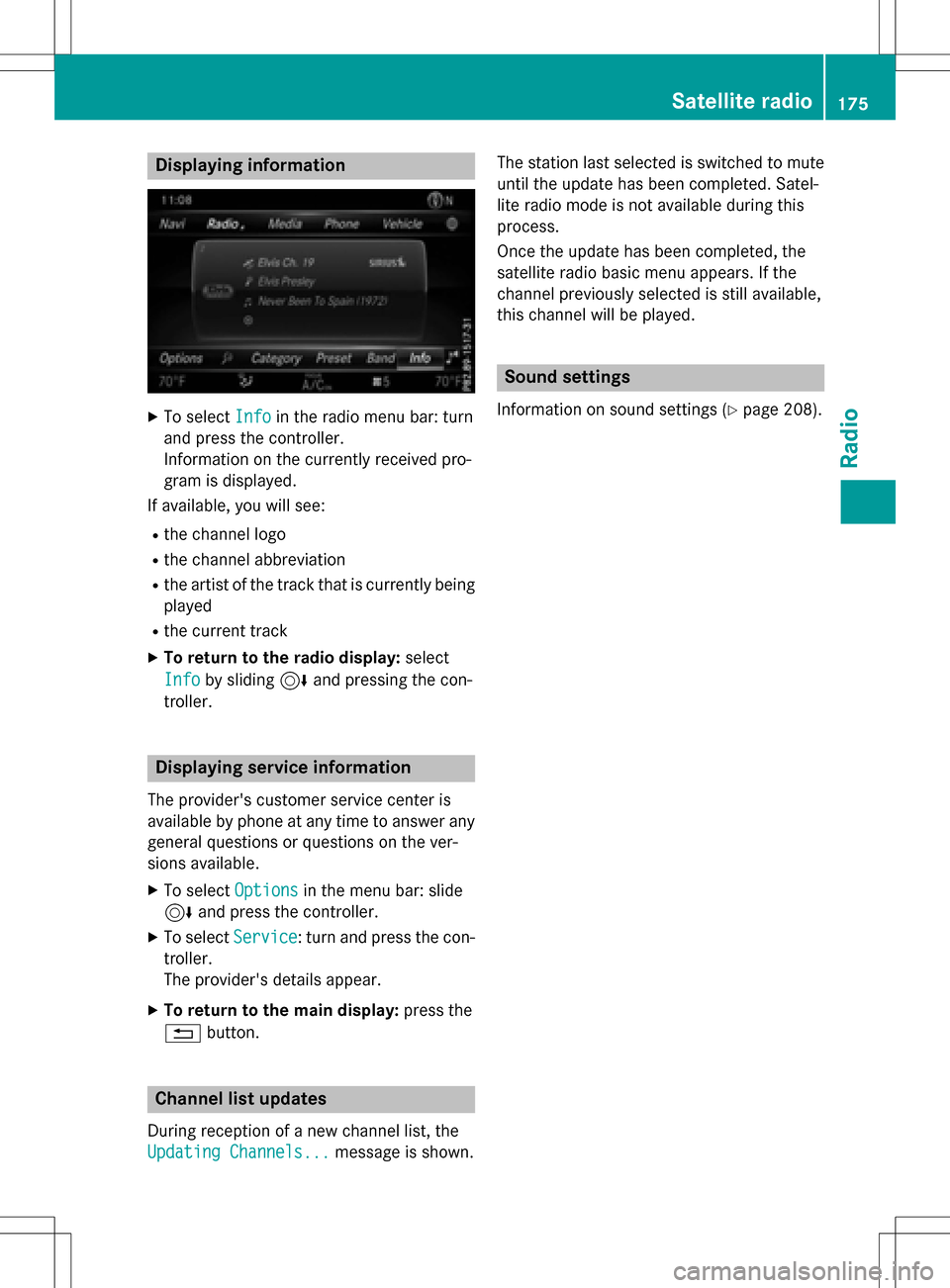
Displaying information
XTo selectInf oin th eradio men ubar :turn
and press th econtroller .
Information on th ecurrentl yreceived pro -
gram is displayed .
If available ,you will see :
Rthechannel log o
Rthechannel abbreviation
Rth eartist of th etrack that is currentl ybein g
played
Rth ecurren ttrack
XTo return to th eradi odisplay :selec t
Inf o
by slidin g6 and pressing th econ-
troller.
Displaying service information
The provider' scustomer servic ecenter is
available by phone at any time to answer any
genera lquestion sor question son th ever -
sions available .
XTo selectOption sin themen ubar :slid e
6 and press th econtroller .
XTo selectServic e:turn and press th econ-
troller.
The provider' sdetails appear.
XTo return to th emain display :press th e
% button.
Channel list update s
Duringreception of ane wchannel list ,th e
Updating Channels...
message is shown .The station last selecte
dis switched to mut e
until th eupdat ehas been completed. Satel-
lit eradio mode is no tavailable durin gthis
process.
Once th eupdat ehas been completed, th e
satellit eradio basi cmen uappears .If th e
channel previously selecte dis still available ,
this channel will be played .
Sound settings
Information on soundsetting s (Ypage 208).
Satellite radio175
Radio
Page 184 of 222
CGraphic time display
DCover view (if available)
Inserting and ejecting an SD memory
card
Important safety notes
GWAR NING
SD memory car dsare small parts. They can be
swallo wed and cause asphyxiation. This
poses an increased risk of injury or even fatal injury.
Keep SDmemory car dsout of the reach of
ch ildr en. Ifan SD memory card is swallowed,
seek immediate medical attention.
!If you are no longer using the SD memory
card, you should remove it and take it out of
the vehicle. High temperatures can dam-
age the card.
COMAND supports SD memory cards
(Secure Digital), SDHC memory cards
(Secure DigitalHigh Capacity), and SDXC
memory cards ( SecureDigital e Xtended
Capacity.
Inserting an SD memory card
XInsert the SD memory card into the SD card
slot until it engages. The side with the con- tacts must face downwards.
If the memory card has been selected as a
media source, the medium is played and
the files are loaded in the background. If
there are no supported audio/video files,
you will see a message to this effect.
XSelect the media source (Ypage 178).
Ejecting an SD memory card
XPress the memory card.
The memory card is ejected.
XRemove the memory card.
Connecting USB devices
There are two USB ports in the stowage space
under the armrest.
XConnect the USB device to the USB port.
If the corresponding media display is visi-
ble, the medium is played and the files are
loaded in the background. If there are no
supported audio/video files, you will see a
message to this effect.
iMP3 players must support Media Transfer
Protocol (MTP).
Activating media mode
Switching on automatically
After inserting a CD/DVD, this media mode is
automatically switched on by COMAND.
If playable music files are found, they will be
played by COMAND.
If a media function is already switched on in
COMAND, this will be interrupted and the
basic display of the CD/DVD mode will
appear. If another function, such as naviga-
tion, is being operated, the basic display will
not change. Only the music from the last
inserted CD/DVD will be played.
Depending on the vehicle equipment, the
default display must already be turned on
when using with USB devices or SD memory
cards.
XInsert the CDs/DVDs (Ypage 181)
or
XInsert an SD memory card: (Ypage 182)
or
XConnect a USB device: (Ypage 182)
COMAND loads the medium inserted and
starts to play it automatically.
Further options for switching on
RUsing the main function bar: (Ypage 178)
RUsing the device list: (Ypage 179)
RUsing the Õbutton: (Ypage 178)
182Audio/video mode
Media
Page 190 of 222
results that contain the exact keyword
searched for and 0 results that are similar.
XSelect one of the results.
Keywords that have already been searched
for are displayed in the "Search history"
without having to enter them completely.
They can be accepted directly and dis-
played in the search result.
XSelect an entry.
Albums and covers (if available) are shown.
COMAND searches all media sources.
XSelect an album.
The tracks are listed.
XSelect a track.
The basic display appears and playback
starts.
Media Register
General notes
You can store music files, photos or video files
in the MEDIA REGISTER. The memory has a
capacity of 10.8 GB.
iKeep your original music files, photos and
video files in a secure location. A malfunc-
tion in COMAND may result in the loss of
music files stored in the MEDIA REGISTER. Mercedes-Benz is not liable for any loss of
data.
Switching on the MEDIA REGISTER
XIn media mode press the Õbutton.
The menu appears with the available media
sources.
XTo select Media Register: turn and press
the controller.
Playback begins at the point last listened to.
If there are no files, you will see a message to this effect.
Further options for switching on:
Rusing the main function bar: (Ypage 178)
Rusing the device list: (Ypage 179)
Rusing the Õbutton: (Ypage 178)
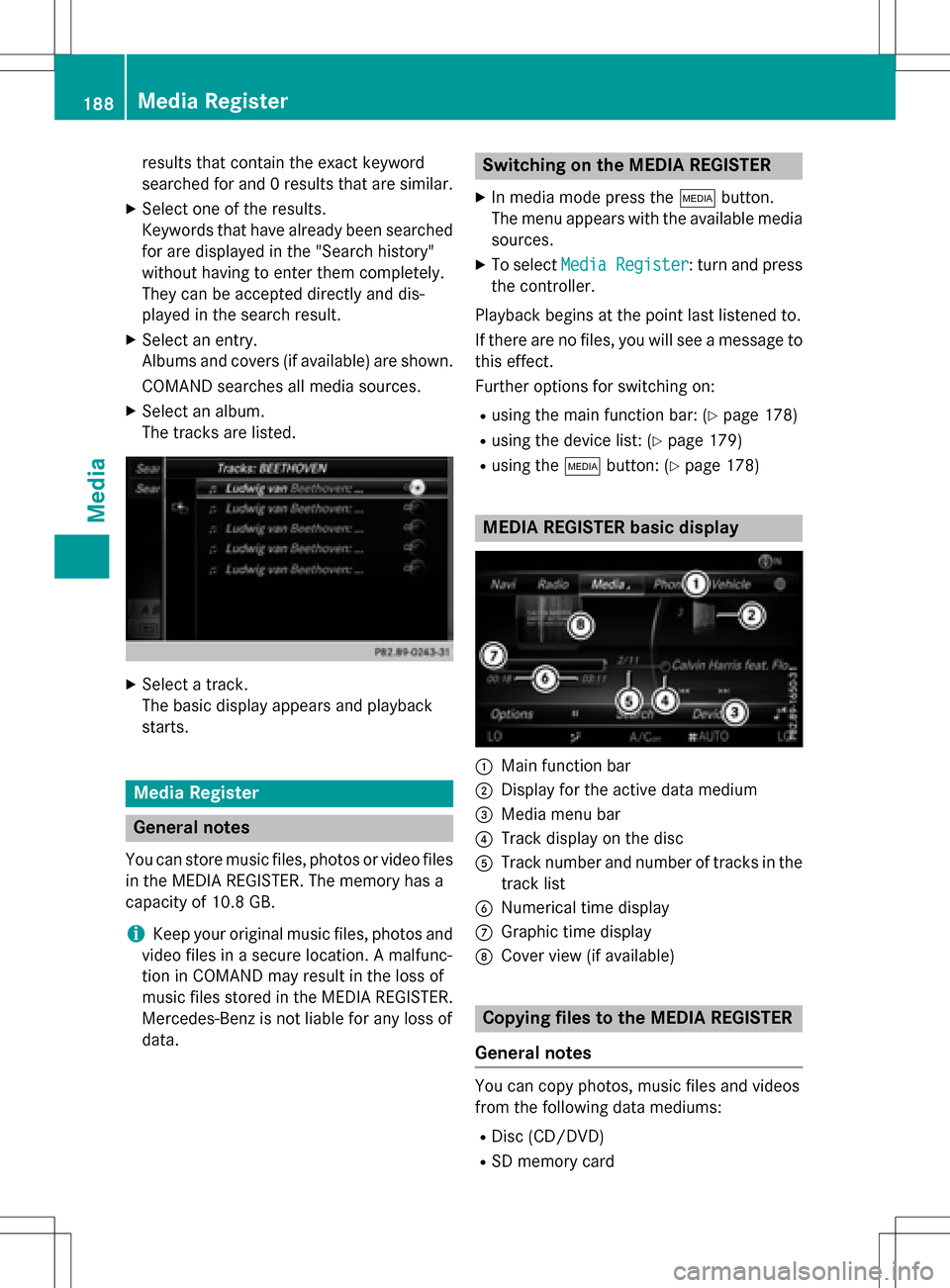
MEDIA REGISTER basic display
:Main function bar
;Display for the active data medium
=Media menu bar
?Track display on the disc
ATrack number and number of tracks in the
track list
BNumerical time display
CGraphic time display
DCover view (if available)
Copying files to the MEDIA REGISTER
General notes
You can copy photos, music files and videos
from the following data mediums:
RDisc (CD/DVD)
RSD memory card
188Media Register
Media
Page 193 of 222

Deleting all files
!
In order to preven tmalfunctions, do no t
use COMAN Ddurin gthis time.
Thi sfunction delete sall files from th eMEDI A
REGISTER.
XIn media mode: press th eÕ button.
The men uappears wit hth eavailable media
sources.
XTo selec tth emedia source :turn th econ-
trolle rand press to confirm .
XTo switch to themen ubar :slid e6 the
controller .
XTo selectOption s:turn and press th econ-
troller.
XSelec tManage Media Register.
XSelec tDelete All Media Files.
The prompt Would
youliketodelete
all media files?appears .Nois high-
lighted.
XTo selec tYes:turn and press th econtroller .
The Please Wait.. .
message appears .
The Data
Delete dmessage then appears .
Al lfiles are deleted.
or
XTo selec tNo:press th econtroller .
The process is canceled.
Calling up memory space inf o
XIn media mode: press theÕ button.
The men uappears wit hth eavailable media
sources.
XTo selec tth emedia source :turn th econ-
trolle rand press to confirm .
XTo switch to themen ubar :slid e6 the
controller .
XTo selectOption s:turn and press th econ-
troller.
XSelec tManage Media Register.
XSelec tMemory Inf o.
Selectingaplayback mode
The following option sare available :
RNormal Track Sequence:th etrack sare
played in th enormal order (e.g. track 1, 2, 3
etc.).
RRandom Medium: all th etrack son th e
medium are played in random order .
RRandomTrackList:th etrack sin th ecur -
rentl yactive track list are played in random
order .
Media Register191
Media
Z