navigation system MERCEDES-BENZ GLC-Class 2016 X253 Comand Manual
[x] Cancel search | Manufacturer: MERCEDES-BENZ, Model Year: 2016, Model line: GLC-Class, Model: MERCEDES-BENZ GLC-Class 2016 X253Pages: 222, PDF Size: 6.39 MB
Page 93 of 222
In the display, you will then see theRoadNot
Mappedmessage, an arrow and the distance
to the destination. The direction arrow shows
the compass heading to the destination.
As soon as the system can assign the vehicle
position to the map again, route guidance
continues in the usual way.
Real-time traffic reports
Prerequisites
This function is currently not available for
Canada.
In order to receive real-time traffic reports via
satellite radio, you need to subscribe to SIR-
IUS XM Satellite Radio Traffic Message Ser-
vice.
Further information on satellite radio
(
Ypage 170).
COMAND can receive traffic reports via sat-
ellite radio and take account of these for
route guidance in the navigation system.
Received traffic reports are displayed on the
map either as text or as symbols.
Real-time traffic reports on the map
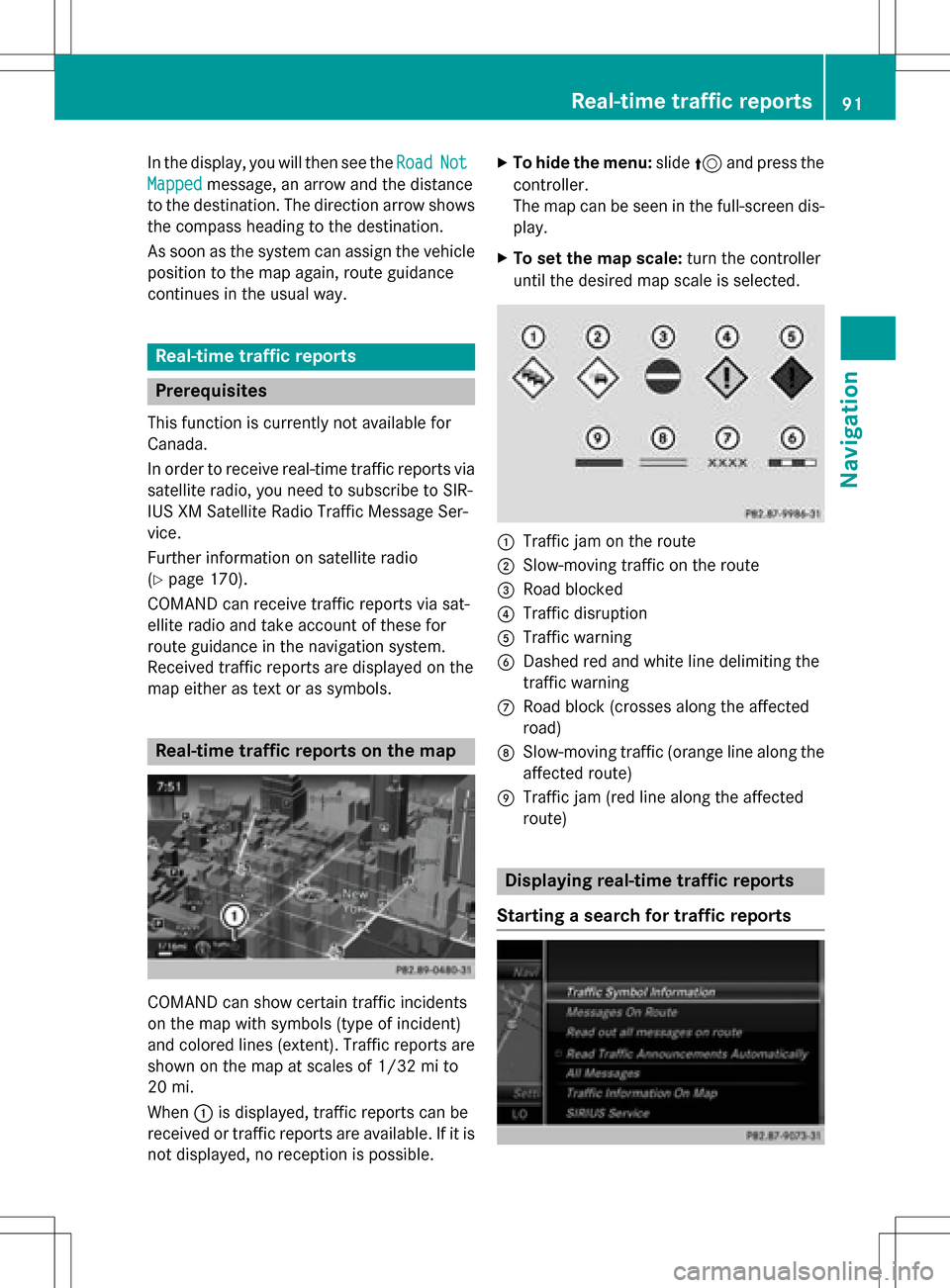
COMAND can show certain traffic incidents
on the map with symbols (type of incident)
and colored lines (extent). Traffic reports are
shown on the map at scales of 1/32 mi to
20 mi.
When :is displayed, traffic reports can be
received or traffic reports are available. If it is not displayed, no reception is possible.
XTo hide the menu: slide5and press the
controller.
The map can be seen in the full-screen dis-
play.
XTo set the map scale: turn the controller
until the desired map scale is selected.
:Traffic jam on the route
;Slow-moving traffic on the route
=Road blocked
?Traffic disruption
ATraffic warning
BDashed red and white line delimiting the
traffic warning
CRoad block (crosses along the affected
road)
DSlow-moving traffic (orange line along the
affected route)
ETraffic jam (red line along the affected
route)
Displaying real-time traffic reports
Starting a search for traffic reports
Real-time traffic reports91
Navigation
Z
Page 96 of 222
Starting the text reader function man-
ually
XTo switch to navigation mode:press the
Ø button.
XTo show the menu: slide6the control-
ler.
XTo select Traffic: turn and press the con-
troller.
XSelect Read Out All Messages on
Route.
COMAND reads out the reports in
sequence.
If there are no reports for the route, the
Read
OutAllMessagesonRoutemenu
item is gray and cannot be selected.
XTo cancel the read-aloud function: select
Cancel Read-Aloud Function
.
COMAND reads out the current report and
then exits the read-aloud function.
Automatic read-aloud function
XTo switch to navigation mode: press the
Ø button.
XTo show the menu: slide6the control-
ler.
XTo select Traffic: turn and press the con-
troller.
XSelect Read Traffic Announcements
Automatically.
Depending on the previous state, switch
the option on Oor off ª.
Recalculating the route dynamically
TheDynamic Traffic Routeroute type
takes into account all of the traffic reports it
receives for the current route when calculat-
ing the route (
Ypage 64).
If you have selected Dynamic Traffic
Routeas the route type, COMAND guides you
to your destination along the updated route.
Storing destinations
General notes
If a route to a destination has been calculated,
COMAND saves the destination to the last
destinations memory. If the memory is full,
COMAND overwrites the oldest destination.
When you save the current vehicle position or a crosshair position, this position is stored in
the "Last destinations" memory.
You can save destinations permanently in the
address book and on an SD memory card. For instance, this is possible immediately after
entering an address.
Requirement: the SD memory card is format-
ted using the FAT file system (e.g. FAT32).
Storing the destination in the address
book
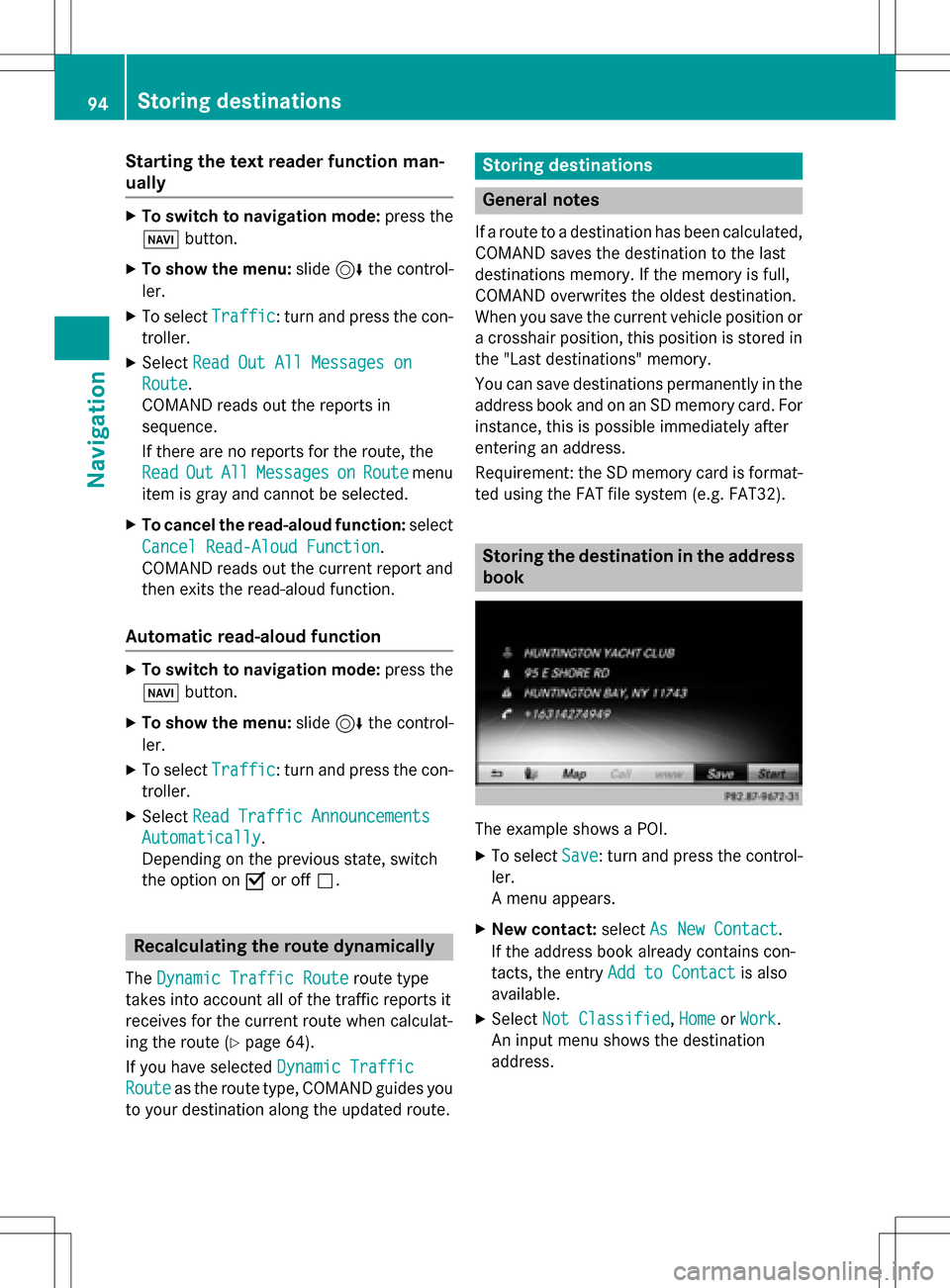
The example shows a POI.
XTo select Save: turn and press the control-
ler.
A menu appears.
XNew contact: selectAs New Contact.
If the address book already contains con-
tacts, the entry Add to Contact
is also
available.
XSelect Not Classified,Homeor Work.
An input menu shows the destination
address.
94Storing destinations
Navigation
Page 98 of 222
Editing the last destinations
XTo switch to navigation mode:press the
ß button.
XTo show the menu: slide6the control-
ler.
XTo select Destination: turn and press the
controller.
XSelect From Previous Destinations.
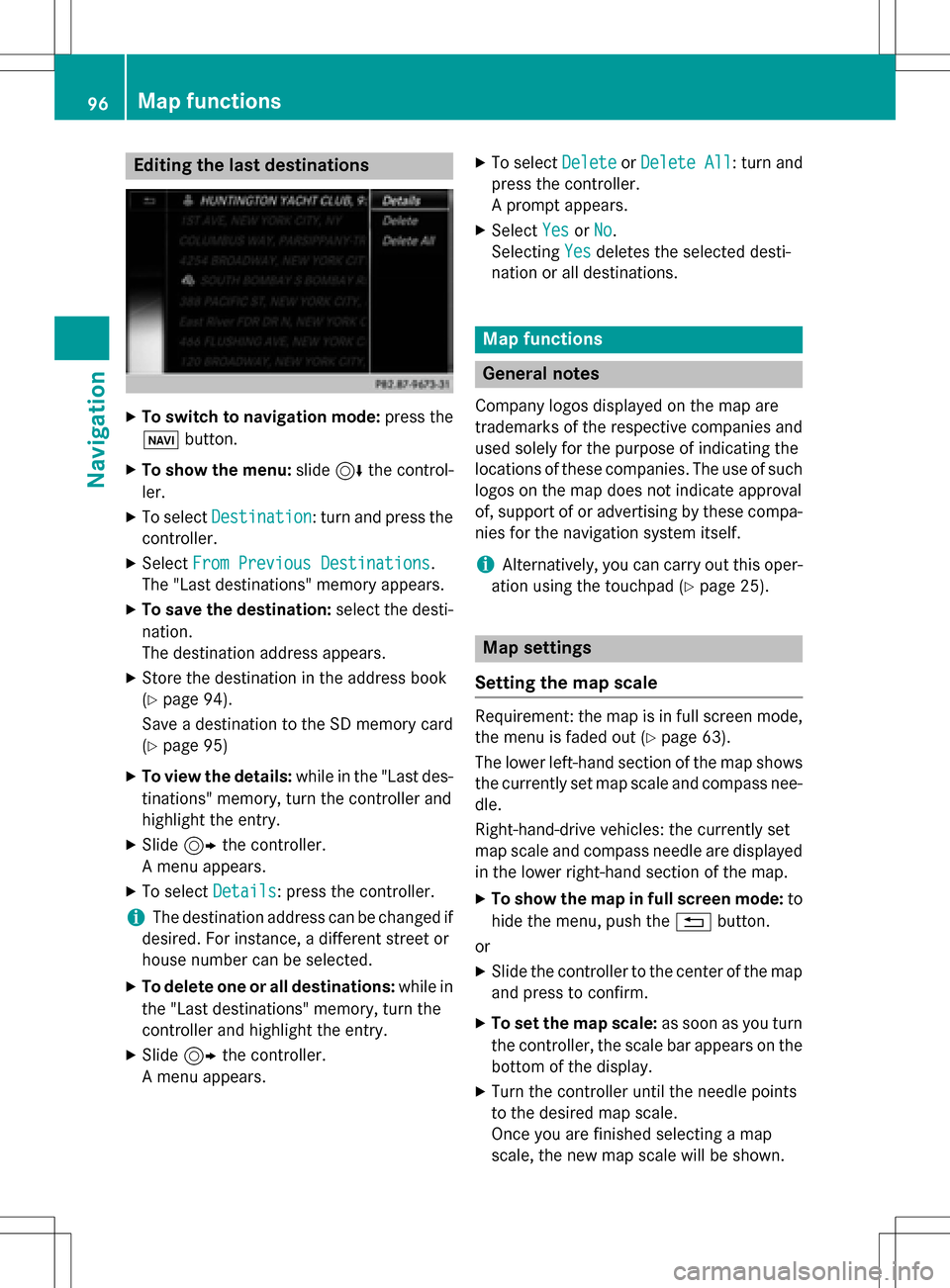
The "Last destinations" memory appears.
XTo save the destination: select the desti-
nation.
The destination address appears.
XStore the destination in the address book
(
Ypage 94).
Save a destination to the SD memory card
(
Ypage 95)
XTo view the details: while in the "Last des-
tinations" memory, turn the controller and
highlight the entry.
XSlide 9the controller.
A menu appears.
XTo select Details: press the controller.
iThe destination address can be changed if
desired. For instance, a different street or
house number can be selected.
XTo delete one or all destinations: while in
the "Last destinations" memory, turn the
controller and highlight the entry.
XSlide 9the controller.
A menu appears.
XTo select DeleteorDelete All: turn and
press the controller.
A prompt appears.
XSelect YesorNo.
Selecting Yes
deletes the selected desti-
nation or all destinations.
Map functions
General notes
Company logos displayed on the map are
trademarks of the respective companies and
used solely for the purpose of indicating the
locations of these companies. The use of such
logos on the map does not indicate approval
of, support of or advertising by these compa-
nies for the navigation system itself.
iAlternatively, you can carry out this oper-
ation using the touchpad (
Ypage 25).
Map settings
Setting the map scale
Requirement: the map is in full screen mode, the menu is faded out (
Ypage 63).
The lower left-hand section of the map shows
the currently set map scale and compass nee-
dle.
Right-hand-drive vehicles: the currently set
map scale and compass needle are displayed
in the lower right-hand section of the map.
XTo show the map in full screen mode: to
hide the menu, push the %button.
or
XSlide the controller to the center of the map
and press to confirm.
XTo set the map scale: as soon as you turn
the controller, the scale bar appears on the
bottom of the display.
XTurn the controller until the needle points
to the desired map scale.
Once you are finished selecting a map
scale, the new map scale will be shown.
96Map functions
Navigation
Page 104 of 222
XSelectDelete All.
A prompt appears asking whether you wish
to delete all areas.
XSelect YesorNo.
After selecting Yes
, all areas are deleted.
SIRIUS XM service
Displaying SIRIUS XM service informa-
tion
You can display the SIRIUS XM service infor-
mation.
XTo switch to navigation mode: press the
Ø button.
XTo show the menu: slide6the control-
ler.
XTo select Traffic: turn and press the con-
troller.
XSelect SIRIUS Service.
The provider's phone number (SIRIUS XM)
and the serial number of your service mod-
ule are displayed.
iAlternatively you can call up this function
using the touchpad (
Ypage 25).
Registering for the SIRIUS XM traffic
report service
XCall the provider telephone number shown
on the COMAND display.
iYou can also have the satellite service
activated online. To do so, visit the SIRIUS
XM Radio website at
http://www.sirius.com (USA).
Once the connection has been established:
XFollow the service employee's instructions.
The activation process may take up to
10 minutes.
If registration is not included when purchas-
ing the system, your credit card details will be
required to activate your account.
Updating the digital map
Introduction
The digital maps generated by the map soft-
ware become outdated in the same way as
conventional road maps. Optimal route guid-
ance can only be provided by the navigation
system in conjunction with the most up-to-
date map software.
Information about new versions of the digital
map can be obtained from an authorized
Mercedes-Benz Center. You can have the dig-
ital map updated there using a data medium,
or you can update it yourself.
For North American countries, it is possible to
update the map data for COMAND free of
charge for a period of three years. Information
on the availability of this service for your vehi-
cle can be obtained from your authorized
Mercedes-Benz Center.
Entitlement to the free update
For the first three years after your vehicle is
registered, you are entitled to all available
updates to the map software for COMAND.
They are usually installed during a regular
vehicle service. After this period, you can pur-
chase further updates from your authorized
Mercedes-Benz Center.
The free updates relate to the vehicle and not
to an individual. If there is a change of own-
ership within the three years after first regis-
tration, the new owner is entitled to the map
software updates.
Updating at an authorized Mercedes-
Benz Center
If an update for your map software is availa-
ble, you will receive it free of charge at your
authorized Mercedes-Benz Center during
your vehicle's annual service. You can
arrange a separate appointment for this at
your authorized Mercedes-Benz Center on
request.
102Map functions
Navigation
Page 105 of 222
The update can only be performed:
Rat an authorized Mercedes-Benz Center
Rfor map data for North America
The map software is not provided on DVD.
Carrying out a manual update
After the free update of the map data has
expired or when buying map data, you can
update the data yourself.
The update process may take some time (up
to 45 minutes), depending on the size of the
digital map. The update will be completed
more quickly if the vehicle is stationary. If you
start the update with the engine switched off
and the starter battery has insufficient power,
COMAND may automatically switch off. This
protects the battery. In order to prevent this,
a suitable power supply to the vehicle must be
maintained.
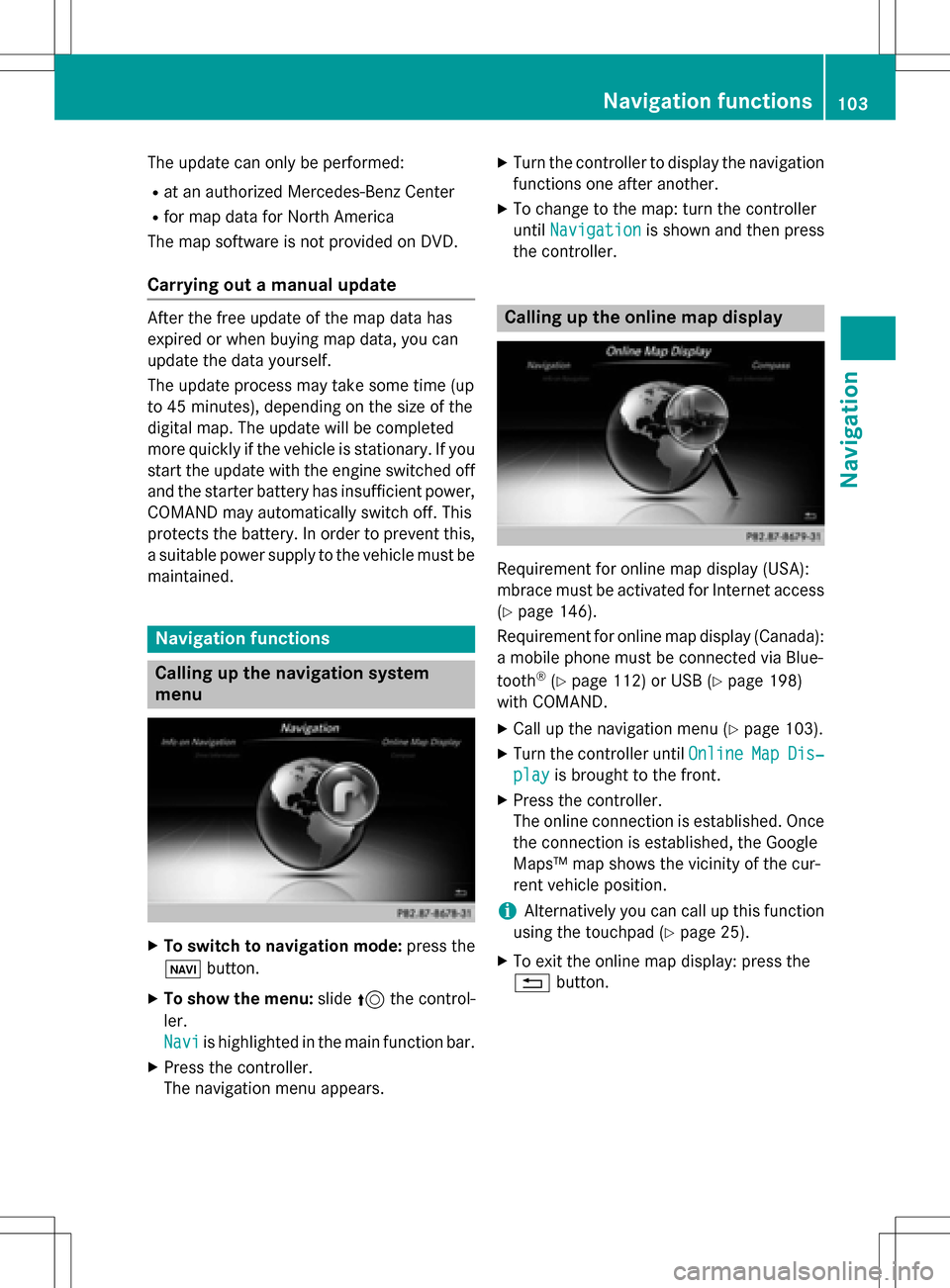
Navigation functions
Calling up the navigation system
menu
XTo switch to navigation mode: press the
ß button.
XTo show the menu: slide5the control-
ler.
Navi
is highlighted in the main function bar.
XPress the controller.
The navigation menu appears.
XTurn the controller to display the navigation
functions one after another.
XTo change to the map: turn the controller
until Navigation
is shown and then press
the controller.
Calling up the online map display
Requirement for online map display (USA):
mbrace must be activated for Internet access
(
Ypage 146).
Requirement for online map display (Canada):
a mobile phone must be connected via Blue-
tooth
®(Ypage 112) or USB (Ypage 198)
with COMAND.
XCall up the navigation menu (Ypage 103).
XTurn the controller until OnlineMapDis‐
playis brought to the front.
XPress the controller.
The online connection is established. Once
the connection is established, the Google
Maps™ map shows the vicinity of the cur-
rent vehicle position.
iAlternatively you can call up this function
using the touchpad (
Ypage 25).
XTo exit the online map display: press the
% button.
Navigation functions103
Navigation
Z
Page 108 of 222
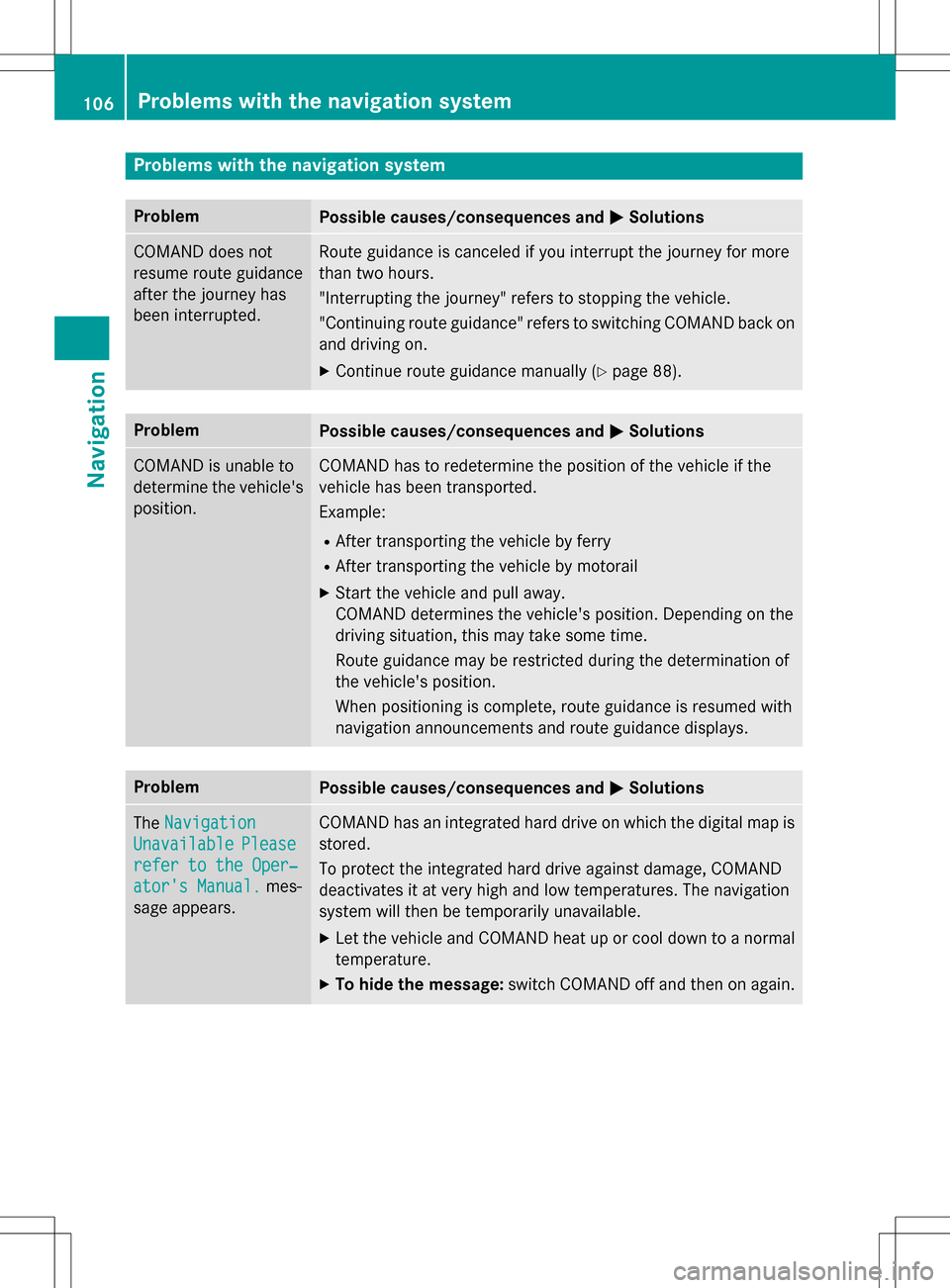
Problems with the navigation system
ProblemPossible causes/consequences andMSolutions
COMAND does not
resume route guidance
after the journey has
been interrupted.Route guidance is canceled if you interrupt the journey for more
than two hours.
"Interrupting the journey" refers to stopping the vehicle.
"Continuing route guidance" refers to switching COMAND back on
and driving on.
XContinue route guidance manually (Ypage 88).
ProblemPossible causes/consequences andMSolutions
COMAND is unable to
determine the vehicle's
position.COMAND has to redetermine the position of the vehicle if the
vehicle has been transported.
Example:
RAfter transporting the vehicle by ferry
RAfter transporting the vehicle by motorail
XStart the vehicle and pull away.
COMAND determines the vehicle's position. Depending on the
driving situation, this may take some time.
Route guidance may be restricted during the determination of
the vehicle's position.
When positioning is complete, route guidance is resumed with
navigation announcements and route guidance displays.
ProblemPossible causes/consequences andMSolutions
TheNavigation
UnavailablePlease
refer to the Oper‐
ator's Manual.mes-
sage appears.
COMAND has an integrated hard drive on which the digital map is
stored.
To protect the integrated hard drive against damage, COMAND
deactivates it at very high and low temperatures. The navigation
system will then be temporarily unavailable.
XLet the vehicle and COMAND heat up or cool down to a normal
temperature.
XTo hide the message: switch COMAND off and then on again.
106Problems with the navigation system
Navigation
Page 109 of 222
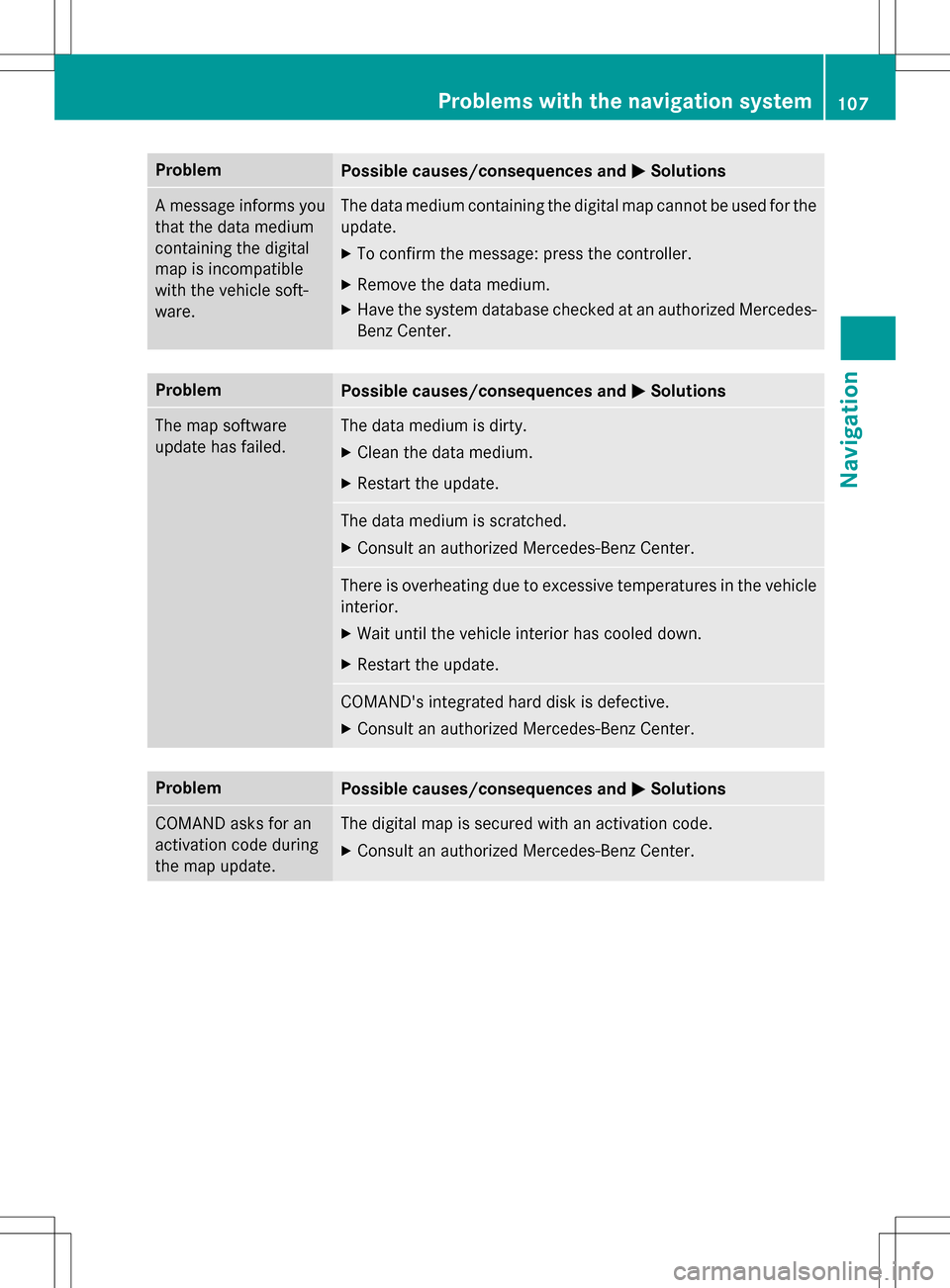
ProblemPossible causes/consequences andMSolutions
A message informs you
that the data medium
containing the digital
map is incompatible
with the vehicle soft-
ware.The data medium containing the digital map cannot be used for the
update.
XTo confirm the message: press the controller.
XRemove the data medium.
XHave the system database checked at an authorized Mercedes-
Benz Center.
ProblemPossible causes/consequences andMSolutions
The map software
update has failed.The data medium is dirty.
XClean the data medium.
XRestart the update.
The data medium is scratched.
XConsult an authorized Mercedes-Benz Center.
There is overheating due to excessive temperatures in the vehicle
interior.
XWait until the vehicle interior has cooled down.
XRestart the update.
COMAND's integrated hard disk is defective.
XConsult an authorized Mercedes-Benz Center.
ProblemPossible causes/consequences andMSolutions
COMAND asks for an
activation code during
the map update.The digital map is secured with an activation code.
XConsult an authorized Mercedes-Benz Center.
Problems with the navigation system107
Navigation
Z
Page 157 of 222

Destination/routedownloa d
Prerequisites
To download navigation location syou need a
Google™ accoun tand your vehicle identifica-
tion number .Further information about th e
vehicle identification number (VIN)
(
Ypage 157).
To downloa dnavigation locations, th e
mbrace syste mmust be:
Ractivated
Roperational
Ractivated fo rth eservices of th esystem and
fo rInternet access
Fo rinformation on th embrace system, see
th eseparat evehicle Operator's Manual.
Procedur ean dgeneral information
Sign into your Google™ accoun ton th eInter-
net. Use th eGoogle Maps ™websit eto sen d
th edestination to aserver (
Ypage 155).
Using th eDownload
POIApp, th edestination
is displayed in th evehicle (
Ypage 155).
The destination can be:
Rimporte d (Ypage 156)
Rused forrout eguidanc e (Ypage 156)
Rcalled up (Ypage 156)
Rdeletedfrom th eserver (Ypage 156)
Sending destinations to th eserver
XSign into your Google™ account.
XCall up th eGoogle Maps ™website.
XEnte r adestination .
XClick"More" at th edestination .
XClick"Send".
XEnte rth ecorrespondin ginformation in th e
boxes shown .
XSelect"Send to car".
XSelec tMercedes-Ben zas th evehicle
brand .
XEnterth embrace e-mail address or th e
vehicle identification number .
Further information about th evehicle iden -
tification number (
Ypage 157).
XClick"Send".
The destination is sen tto th eserver .
The availabilit yof th edestination/rout e
download function is country-dependent.
Displaying destinations in th evehicle
XTo cal lup Internet function s (Ypage 151).
XTo selectMercedes-Ben zApp s:turn and
press th econtroller .
XTo selectDownload POI:turn and press
th econtroller .
Availabl edestination sare shown in th elist .
XTo selec tand download adestination :turn
and press th econtroller .
XTo exit destination download :selec tExi t.
Further information on how to use th edesti -
nation fo rrout eguidanc e (
Ypage 156).
Further information on importing th edesti -
nation (
Ypage 156).
Further information on deleting th edestina-
tion (
Ypage 156).
You can sav eup to 50 destination sfo ryour
vehicle on th eserver and display these in th e
list .If you sen dfurther destination sto th e
server ,th eoldest entries are delete dfrom th e
list .
Destination/route download155
Online and Internet functions
Z