reset MERCEDES-BENZ GLC COUPE 2019 Owner's Manual
[x] Cancel search | Manufacturer: MERCEDES-BENZ, Model Year: 2019, Model line: GLC COUPE, Model: MERCEDES-BENZ GLC COUPE 2019Pages: 657, PDF Size: 11.28 MB
Page 423 of 657
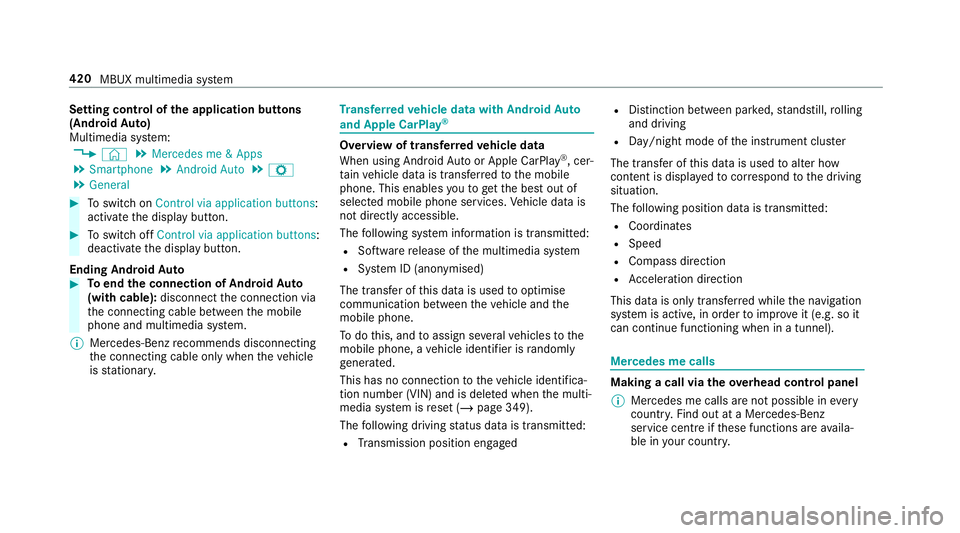
Setting control of
the application but tons
(Android Auto)
Multimedia sy stem:
4 © 5
Mercedes me & Apps
5 Smartphone 5
Android Auto 5
Z
5 General #
Toswitch on Control via application buttons :
activate the display button. #
Toswitch off Control via application buttons :
deactivate the display button.
Ending Android Auto #
Toend the connection of Android Auto
(with cable): disconnectthe connection via
th e connecting cable between the mobile
phone and multimedia sy stem.
% Mercedes-Benz recommends disconnecting
th e connecting cable only when theve hicle
is stationar y. Tr
ansfer redve hicle data with Android Auto
and Apple CarPlay ® Overview of transfer
redve hicle data
When using Android Autoor Apple CarPlay ®
, cer‐
ta in vehicle data is transfer redto the mobile
phone. This enables youto getth e best out of
selected mobile phone services. Vehicle data is
not directly accessible.
The following sy stem information is transmit ted:
R Software release of the multimedia sy stem
R System ID (anonymised)
The transfer of this data is used tooptimise
communication between theve hicle and the
mobile phone.
To do this, and toassign se veralve hicles tothe
mobile phone, a vehicle identifier is randomly
ge nerated.
This has no connection totheve hicle identifica‐
tion number (VIN) and is dele ted when the multi‐
media sy stem is reset (/ page 349).
The following driving status data is transmit ted:
R Transmission position engaged R
Distinction between par ked, standstill, rolling
and driving
R Day/night mode of the instrument clus ter
The transfer of this data is used toalter how
con tent is displ ayed tocor respond tothe driving
situation.
The following position data is transmitte d:
R Coordinates
R Speed
R Compass direction
R Acceleration di rection
This da tais only transfer red while the navigation
sy stem is active, in order toimpr oveit (e.g. so it
can continue functioning when in a tunnel). Mercedes me calls
Making a call via the
overhead control panel
% Mercedes me calls are not possible in every
count ry. Find out at a Mercedes-Benz
service centre if these functions are availa‐
ble in your count ry. 420
MBUX multimedia sy stem
Page 450 of 657
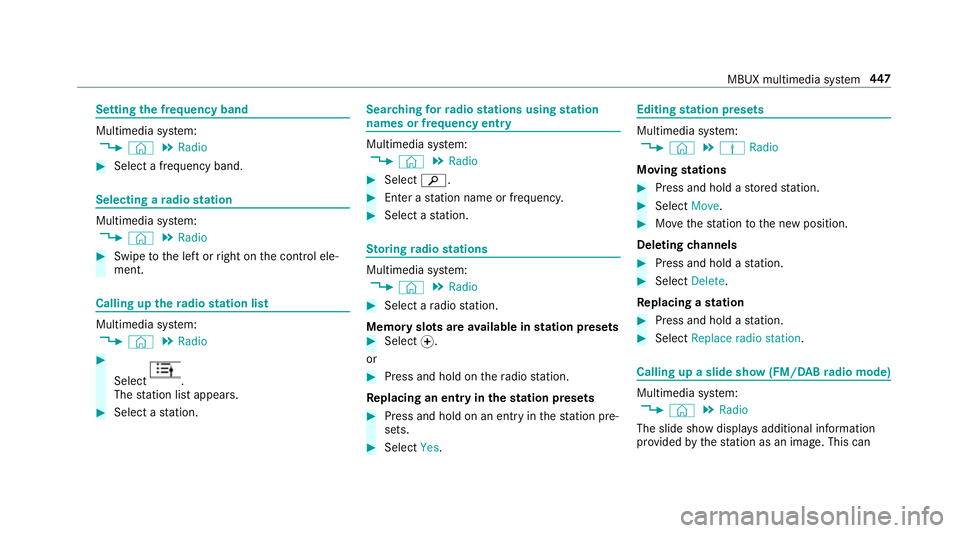
Setting
the frequency band Multimedia sy
stem:
4 © 5
Radio #
Select a frequency band. Selecting a
radio station Multimedia sy
stem:
4 © 5
Radio #
Swipe tothe left or right on the control ele‐
ment. Calling up
thera dio station list Multimedia sy
stem:
4 © 5
Radio #
Select .
The station list appears. #
Select a station. Sear
ching forra dio stations using station
names or frequency entry Multimedia sy
stem:
4 © 5
Radio #
Select è. #
Ente r astation name or frequenc y. #
Select a station. St
oring radio stations Multimedia sy
stem:
4 © 5
Radio #
Select a radio station.
Memory slots are available in station presets #
Select f.
or #
Press and hold on thera dio station.
Re placing an entry in the station presets #
Press and hold on an entry in thest ation pre‐
sets. #
Select Yes. Editing
station presets Multimedia sy
stem:
4 © 5
Þ Radio
Moving stations #
Press and hold a stored station. #
Select Move. #
Movethest ation tothe new position.
Deleting channels #
Press and hold a station. #
Select Delete.
Re placing a station #
Press and hold a station. #
Select Replace radio station . Calling up a slide show (FM/DAB
radio mode) Multimedia sy
stem:
4 © 5
Radio
The slide show displa ysadditional information
pr ov ided bythest ation as an image. This can MBUX multimedia sy
stem 447
Page 455 of 657
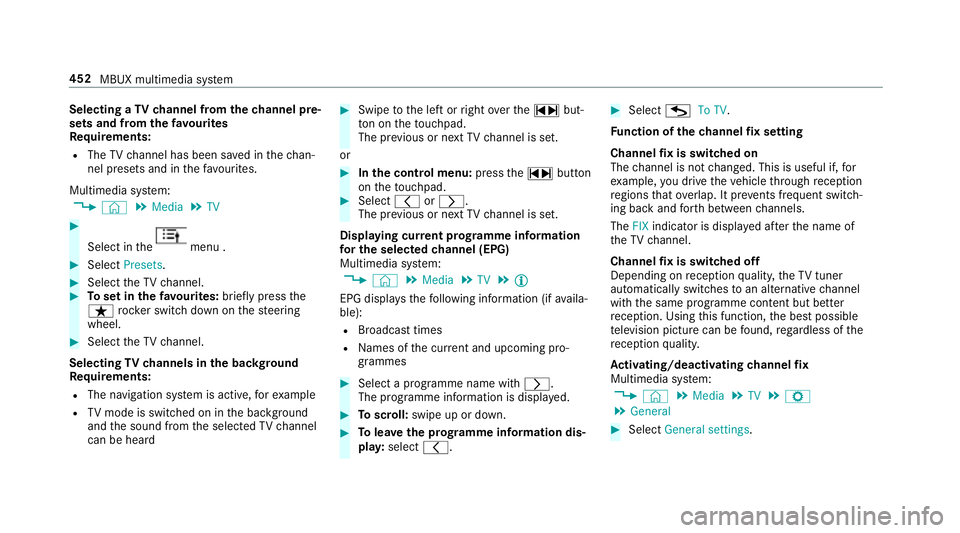
Selecting a
TVchannel from thech annel pre‐
sets and from thefa vo urites
Re quirements:
R The TVchannel has been sa ved in thech an‐
nel presets and in thefa vo urites.
Multimedia sy stem:
4 © 5
Media 5
TV #
Select in the menu .
#
Select Presets. #
Select theTV channel. #
Toset in thefa vo urites: briefly press the
ß rocker switch down on thesteering
wheel. #
Select theTV channel.
Selecting TVchannels in the bac kground
Re quirements:
R The navigation sy stem is active, forex ample
R TVmode is switched on in the bac kground
and the sound from the selected TVchannel
can be heard #
Swipe tothe left or right over the~ but‐
to n on theto uchpad.
The pr evious or next TVchannel is set.
or #
Inthe control menu: pressthe~ button
on theto uchpad. #
Select qorr.
The pr evious or next TVchannel is set.
Displ aying cur rent prog ramme in form ation
fo r the selected channel (EPG)
Multimedia sy stem:
4 © 5
Media 5
TV 5
Õ
EPG displa ys thefo llowing information (if availa‐
ble):
R Broadcast times
R Names of the cur rent and upcoming pro‐
grammes #
Select a programme name wi thr .
The programme information is displa yed. #
Toscroll: swipe up or down. #
Tolea vethe prog ramme in form ation dis‐
pla y:select q. #
Select GTo TV.
Fu nction of thech annel fix setting
Channel fix is switched on
The channel is not changed. This is useful if, for
ex ample, you drive theve hicle thro ugh reception
re gions that ove rlap. It pr events frequent switch‐
ing ba ckand forth between channels.
The FIXindicator is displa yed af terth e name of
th eTV channel.
Channel fix is switched off
Depending on reception qualit y,theTV tuner
au tomatical lyswitches toan alternative channel
with the same programme conte nt but better
re ception. Using this function, the best possible
te levision picture can be found, rega rdless of the
re ception qualit y.
Ac tivating/deactivating channel fix
Multimedia sy stem:
4 © 5
Media 5
TV 5
Z
5 General #
Select General settings. 452
MBUX multimedia sy stem
Page 456 of 657
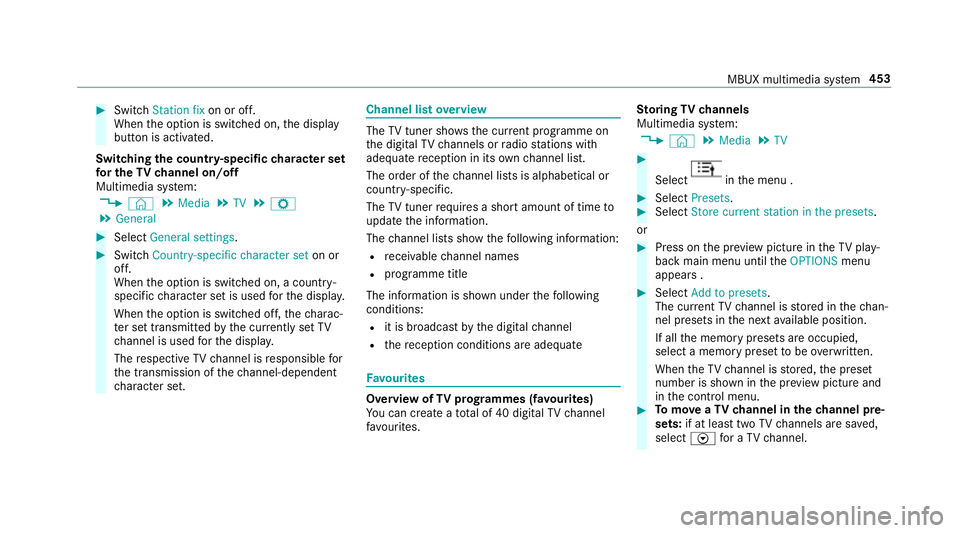
#
Switch Station fix on or off.
When the option is switched on, the display
button is activated.
Switching the count ry-specific character set
fo r the TVchannel on/off
Multimedia sy stem:
4 © 5
Media 5
TV 5
Z
5 General #
Select General settings. #
Switch Country-specific character set on or
off.
When the option is switched on, a count ry-
specific character set is used forth e displa y.
When the option is switched off, thech arac‐
te r set transmitted bythe cur rently set TV
ch annel is used forth e displa y.
The respective TVchannel is responsible for
th e transmission of thech annel-dependent
ch aracter set. Channel list
overview The
TVtuner sho wsthe cur rent programme on
th e digital TVchannels or radio stations with
adequate reception in its ownch annel list.
The order of thech annel lists is alphabetical or
countr y-specific.
The TVtuner requ ires a short amount of time to
update the information.
The channel lists show thefo llowing information:
R recei vable channel names
R programme title
The information is shown under thefo llowing
conditions:
R it is broadcast bythe digital channel
R there ception conditions are adequate Favo
urites Overview of
TVprog rammes (f avourites)
Yo u can create a total of 40 digital TVchannel
fa vo urites. St
oring TVchannels
Multimedia sy stem:
4 © 5
Media 5
TV #
Select in
the menu . #
Select Presets. #
Select Store current station in the presets .
or #
Press on the pr eview picture in theTV play‐
back main menu until theOPTIONS menu
appears . #
Select Add to presets.
The cur rent TV channel is stored in thech an‐
nel presets in the next available position.
If all the memory presets are occupied,
select a memory preset tobe ove rwritten.
When theTV channel is stored, the preset
number is shown in the pr eview picture and
in the control menu. #
Tomo veaTV channel in thech annel pre‐
sets: if at lea sttwo TVchannels are sa ved,
select Vfor a TV channel. MBUX multimedia sy
stem 453
Page 457 of 657
#
Select Move. #
MovetheTV channel with 4ors to
th e new position. #
Tap on ø. #
Tosave aTV channel in thefa vo urites:
select Vfor a TV channel. #
Select Save as favourite.
or #
Press on pr eview picture 3inthe menu
until theOPTIONS menu appears . #
Select Save as favourite.
A message appears. #
Todel ete a TVchannel: selectDelete the
current channel from the presets .
or #
Select Vfor a TV channel. #
Select Delete. #
Select Yes. TV
prog ramme Setting the
TVaudio language
Multimedia sy stem:
4 © 5
Media 5
TV 5
Z
5 General #
Select Audio/subtitles. #
Select one of theav ailable audio languages
r undertheAUDIO LANGUAGE category. #
Select one of theav ailable options forthe
selected audio language.
The selected audio language, e.g. French, will
be kept until the multimedia sy stem is
switched off.
When you swit chon the multimedia sy stem
again, the sy stem language is loaded as the
audio language. If this is not available, the
audio language that appears at the beginning
of the list is loaded. Setting
theTV subtitles
Multimedia sy stem:
4 © 5
Media 5
TV 5
Z
5 General #
Select Audio/subtitles. #
Select theav ailable languages runder
th eSUBTITLES category. #
Select one of theav ailable options forthe
selected language.
The selected language, e.g. French, will be
ke pt until the multimedia sy stem is switched
off.
When you swit chon the multimedia sy stem
again, the sy stem language is loaded as the
language. If this is not available, the language
th at appears at the beginning of the list is
loaded. #
Toshow no subtitles: switchActivate off. Te
lete xt Te
lete xt ove rview
Te lete xt pa ges are located between page 100
and page 899. 454
MBUX multimedia sy stem
Page 458 of 657
A dynamic
telete xt pa geconsi sts of se veral sub‐
pages.
The display of subpages changes automatically
or can be called up with the ar row buttons.
Information on MHEG-5 digital telete xt:
R digi taltelete xt is only available in some coun‐
tries, e.g. the UK and New Zealand
R interactive multimedia applications such as
weather fore casts, ne wsreports and sport
re sults are available
R it may take some time before all the pages
load
Showing telete xt
Multimedia sy stem:
4 © 5
Media 5
TV 5
Z
5 General 5
Teletext #
Toswitch topage selection: switch
between number entry and selection using
th e ar row button with Íand123. #
Tocall up a side: enterthe numbers in quick
succession.
or #
Select the ar row buttons. #
Toreturn totheTV prog ramme: selectTV.
MHEG-5 digital telete xt
Apart from the functions described abo ve, addi‐
tional options can be used. #
Tocall up data content using colours:
select a colour. #
Tomo veback a le vel:select a list symbol. Pictu
resettings Selecting picture settings
for the TV
Multimedia sy stem:
4 © 5
Media 5
TV 5
Z
5 General 5
Video settings #
Toset the picture form at: activate one of
th eAutomatic, 4:3,8:3, 16:9, 21:9orZoom
display buttons.
The brightness is automatically set. HD prog
rammes Re
ceiving encryp ted HD prog rammes
* NO
TEDama getothe CI+ module and
Smart Card The CI+ module is designed
for use in the
home. The CI+ module can overheat and be
damaged bycontinuous exposure tohigh
outside temp eratures. #
Make sure that the CI+ module is not
subject tohigh temp eratures forex ten‐
ded pe riods of time.
If th e CI+ module is damaged, no
encryp tedch annels can be recei ved. A CI+ module (Common Inter
face Module),
whi chis not included in the scope of deliver y,is
used todecrypt HD programmes according to
th e CI+ standard.
In some countries, an additional smart card is
re qu ired, which is inse rted into the CI+ module
(see the manufacturer's operating manual).
The CI+ module is connected in the CI+ box in
th eglove compa rtment. MBUX multimedia sy
stem 455
Page 459 of 657
#
Toinsert the Smart Card in the CI+ mod‐
ule: ifre qu ired (countr y-dependent), insert
th e Smart Card into the CI+ module slot.
Encryp ted HD programmes can be recei ved
according tothe CI+ standard.
% If a CI+ module is connec ted, Card status
reminder is switched on (/ page 456)and
th e ignition is switched off, theAlert: CI+
card is still in the vehicle. message appears
in the media displa y.
Calling up the CI+ module menu
Multimedia sy stem:
4 © 5
Media 5
TV 5
Z
5 General 5
CI+ module #
Tocall up the CI+ menu: selectOpen menu.
The subsc ript ion number can be shown in
th e menu, forex ample. The con tent of the
menu depends on the manufacturer of the CI
+ module.
% You need the subscription menu toextend
th e subscription, forex ample.
Fu rther information can be found in the man‐
ufacturer's operating instructions. #
Toshow theve rsion number: selectDis-
play version . #
Torestart the CI+ module: if playback is
ex periencing inter fere nce you can try and
re solve the problem using Restart CI+. #
Toswitch there minder of a connec ted CI
+ module on or off: selectZ. #
Select General settings. #
Switch theCard status reminder option on or
off. #
Toreset theTV tuner: selectReset TV. Sound
To
ne settings Information about
the sound sy stem
The sound sy stem has a total output of 125 W
and is equipped with five speakers. It is available
fo r all functions in thera dio and media modes. Calling up
the sound menu
Multimedia sy stem:
4 © 5
Media 5
Z 5
Sound
The following functions are available:
R Equaliser
R Balance and Fader
R Volume #
Select a function.
Ad justing treble, mid- range and bass set‐
tings
Multimedia sy stem:
4 © 5
Media 5
Z 5
Sound
5 Equaliser #
Set TREBLE, MIDorBASS . 456
MBUX multimedia sy stem
Page 464 of 657
fi
ed based on the actual operating conditions
and/or loads.
Examples of arduous operating conditions:
R regular city driving with frequent intermedi‐
ate stops
R mainly short-dis tance driving
R frequent operation in mountainous terrain or
on poor road sur faces
R when the engine is of ten le ftidling for long
periods
R operation in particula rly dusty conditions
and/or if air-recirculation mode is frequently
used
In these or similar operating conditions, ha vethe
interior air filter, engine air cleaner, engine oil
and oil filter etc. changed more frequent ly. The
ty re s must be checked more frequently if the
ve hicle is operated under increased loads. Fur‐
th er information can be obtained at a qualified
specialist workshop. Battery disconnection periods
The ASS
YST PLUS se rvice inter val display
can only calculate the service due da tewhen
th e bat tery is connected. #
Notedown the service due date displa yed on
th e instrument display before disconnecting
th e battery (/ page 460). Engine compartment
Ac
tive bonn et(pedestrian pr otection) Operation of
the active bonnet (pedestrian
pr otection)
In cer tain accident situations, therisk of injury
to pedestrians can be reduced bythe actuation
of the active bonn et. The rear area of the bonn et
is raised byappr oximately 85 mm.
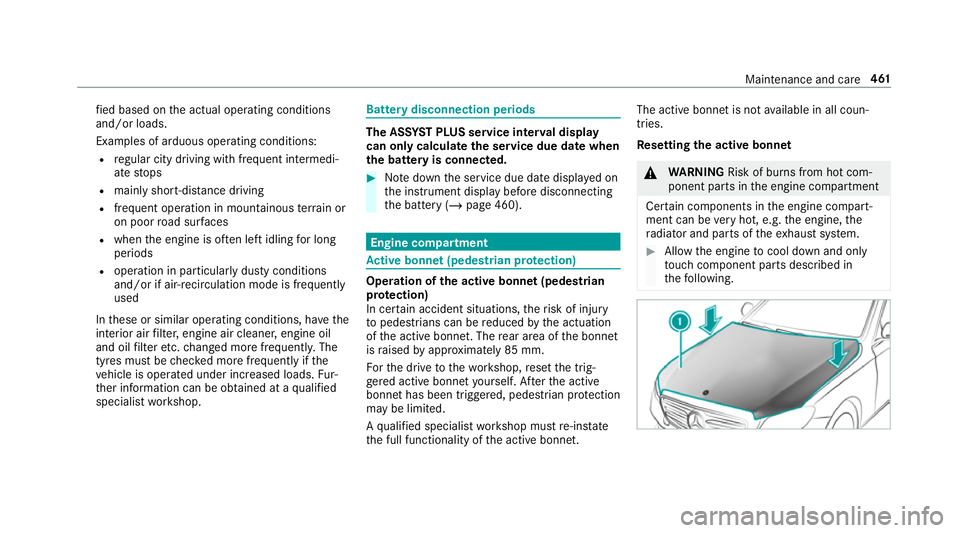
Fo rth e drive tothewo rkshop, reset the trig‐
ge red active bonn etyourself. Af terth e active
bonn ethas been triggered, pedestrian pr otection
may be limited.
A qu alified specialist workshop must re-ins tate
th e full functionality of the active bonn et. The active bonnet is not
available in all coun‐
tries.
Re setting the active bonnet &
WARNING Risk of bu rns from hot com‐
ponent parts in the engine compartment
Cer tain components in the engine compart‐
ment can be very hot, e.g. the engine, the
ra diator and parts of theex haust sy stem. #
Allow the engine tocool down and only
to uch co mponent parts described in
th efo llowing. Maintenance and care
461
Page 473 of 657
R
Parking Assist PARKTRONIC is deacti vated.
R Vehicles with 360° Camera: the front
image is activated af ter appro x. eight sec‐
onds.
R Vehicles with AIRMATIC or E- ACTIVE
BO DY CONT ROL:theve hicle is raised tothe
maximum possible chassis le vel
( / page 232) .
If one of the settings cann otbe selected, this is
displa yedby a% behind there spective set‐
ting.
Car wash mode is automatically deactivated at
speeds abo ve20 km/h.
The following settings are reset when car wash
mode is deactivated:
R the outside mir rors are folded out.
R thera in sensor is activated.
R there ar wind owwiper is activated.
R the air conditioning sy stem is set tofresh air
mode.
R Parking Assist PARKTRONIC is reset tothe
pr ev iously selec ted setting. R
the windo wsand the sliding sunroof remain
closed.
R Vehicles with 360° Camera: the front
image is deactivated at speeds abo ve
18 km/h.
R Vehicles with AIRMATIC or E- ACTIVE
BO DY CONT ROL:theve hicle is lo weredto
th e pr eviously set chassis le vel. Information on using a high-pressure cleaner
&
WARNING Risk of an accident when
using high-pressure cleane rswith circu‐
lar jet nozzles
The water jet of a circular jet nozzle (dirt
grinder) can cause extern ally invisible dam‐
age tothe tyres or chassis parts.
Components damaged in this wa y may unex‐
pec tedly fail. #
Do not use high-pressure cleaners with
circular jet nozzles toclean theve hicle. #
Have damaged tyres or chassis parts
re placed immediatel y. To
avo id damage to yourvehicle, obser vethefo l‐
lowing when using a high-pressure cleaner:
R keep theke y at least 3 m away from theve hi‐
cle. Otherwise theta ilgate could open unin‐
te ntional ly.
R maintain a dis tance of at least 30 cm tothe
ve hicle.
R vehicles with deco rative foil: parts of your
ve hicle are co vered with a decorative foil.
Maintain a dis tance of at least 70 cm
between thefo il-c ove red parts of theve hicle
and the nozzle of the high-pressure cleaner.
Mo vethe high-pressure cleaner nozzle
around whilst cleaning. The waterte mp era‐
ture of the high-pressure cleaner must not
exc eed 60 °C.
R obser vethe information on the cor rect dis‐
ta nce in the equipment manufacturer's oper‐
ating instructions.
R do not point the nozzle of the high-pressure
cleaner directly at sensitive parts such as
tyres, slits, electrical components, bat teries,
light bulbs and ventilation sl ots. 47 0
Maintenance and care
Page 614 of 657
Au
tomatic front passen ger front air‐
bag deacti vation sy stem
see Automatic front passenger front
airbag shutoff
Au tomatic front passen ger front air‐
bag shu toff .......................................... 43, 45
Fu nction of the automatic front
passenger front airbag deactivation
sy stem ................................................... 43
PA SSENGER AIR BAG indicator lamp .... .45
Au tomatic mir rorfo lding function
Ac tivating/deactivating ...................... .152
Au tomatic seat adjustment
Setting ................................................. 106
Au tomatic transmission
DIRECT SELECT le ver ........................... 17 9
Drive program display .......................... 178
Drive programs .................................... 17 7
DY NA MIC SELECT switch .................... 17 7
Engaging drive position ........................ 181
Engaging neutral .................................. 181
Engaging pa rkposition ........................ 181
Engaging reve rsege ar .......................... 181
Kickdown ............................................. 183Manual
gear changing ........................ .182
St eering wheel gearshift paddles ........ 182
Tr ansmission position display .............. 17 9
Tr ansmission positions ........................ 17 9
Axle load Perm issible .......................................... 524
Tr ailer operation .................................. 537 B
Bag hook .................................................. 12 2
Ball ne ck
Extending/r etra cting ........................... 263
BA S (Brake Assist Sy stem) .................... .201
Battery Charging (Remo teOnline) .................... 16 9
Ke y ........................................................ 76
Re mo tecontrol (s tationary heater) ...... 16 2
Battery see Battery (vehicle)
Battery (vehicle) ...................................... 492
Charging .............................................. 491
Charging (Remo teOnline) .................... 16 9
No tes ................................................... 487 No
tes (s tarting assis tance and
ch arging) ............................................ .489
Re placing ............................................ 492
St arting assis tance .............................. 491
Belt see Seat belt
Bic ycle rack
Tr ailer operation .................................. 267
Blind Spot Assist .................................... .257
Ac tivating/deactivating ...................... .260
Fu nction .............................................. 257
Sy stem limitations ...............................2 57
Blo wer
see Climate control
BlueTEC see AdBlue ®
Blue tooth ®
............................................... 342
Information .......................................... 342
Setting up an Internet connection ....... 430
Switching on/off ................................. 342
Bonnet Resetting (active bonnet) ..................... 461 Index
611