adding oil MERCEDES-BENZ GLC SUV 2017 X253 Owner's Manual
[x] Cancel search | Manufacturer: MERCEDES-BENZ, Model Year: 2017, Model line: GLC SUV, Model: MERCEDES-BENZ GLC SUV 2017 X253Pages: 374, PDF Size: 6.23 MB
Page 13 of 374
Emissions controlService and warranty information .... 28
Engine
Check Engine warning lamp .......... .263
Display message ............................ 240
ECO start/stop function ................ 136
Engine number ............................... 364
Irregular running ............................ 138
Jump-starting ................................. 328
Starting (important safety notes) ... 133
Starting problems .......................... 138
Starting the engine with the
SmartKey ....................................... 134
Starting via smartphone ................ 134
Starting with the Start/Stop but-
ton ................................................. 134
Switching off .................................. 155
Tow-starting (vehicle) ..................... 333
Engine electronics
Problem (malfunction) ................... 138
Engine oil
Adding ...........................................3 08
Additives ........................................ 368
Checking the oil level ..................... 307
Checking the oil level using the
dipstick .......................................... 308
Display message ............................ 242
Filling capacity ............................... 368
General notes ................................ 367
Notes about oil grades ................... 367
Notes on oil level/consumption .... 307
Temperature (on-board computer,
Mercedes-AMG vehicles) ...............2 24
Entering an address
see also Digital Operator's Man-
ual ..................................................2 68
ESP
®(Electronic Stability Pro-
gram)
AMG menu (on-board computer) ... 225
Characteristics ................................. 70
Crosswind Assist .............................7 3
Deactivating/activating (button
in Mercedes-AMG vehicles) .............7 1
Deactivating/activating (notes,
except Mercedes-AMG vehicles) ...... 70
Deactivating/activating (on-
board computer, except
Mercedes-AMG veh icle
s) ............... 220 Display message ............................ 228
Function/notes ................................ 70
General notes .................................. 70
Important safety information ........... 70
Trailer stabilization ........................... 73
Warning lamp ................................. 259
ETS/4ETS (Electronic Traction Sys-
tem) ...................................................... 70
Exhaust
see Exhaust pipe
Exhaust check ................................... 158
Exhaust pipe
Cleaning ......................................... 316
Exterior lighting
Cleaning ......................................... 315
Setting options .............................. 111
see Lights
Exterior mirrors
Adjusting ....................................... 107
Dipping (automatic) ....................... 108
Folding in/out (automatically) ....... 107
Folding in/out (electrically) ........... 107
Out of position (troubleshooting) ... 108
Setting ........................................... 107
Storing settings (memory func-
tion) ............................................... 109
Storing the parking position .......... 108
Eyeglasses compartment ................. 279
F
Favorites
Overview ........................................ 271
Features ............................................. 290
Filler cap
see Refueling
Flat tire
Changing a wheel/mounting the
spare wheel ................................... 356
MOExtended tires .......................... 321
Preparing the vehicle ..................... 321
TIREFIT kit ...................................... 322
Floormats ........................................... 305
Frequencies
Mobile phone ................................. 362
Two-way radio ................................ 362
Front wheel arch
Removing/installing the cover ....... 117
Index11
Page 310 of 374
When checking the oil level:
Rpark the vehicle on a level surface
Rthe engine should be switched off for approx-
imately five minutes if the engine is at normal
operating temperature
Rif the engine is not at normal operating tem-
perature, e.g. if the engine was only started
briefly, wait approximately 30 minutes before carrying out the measurement
Checking the oil level using the oil dip-
stick
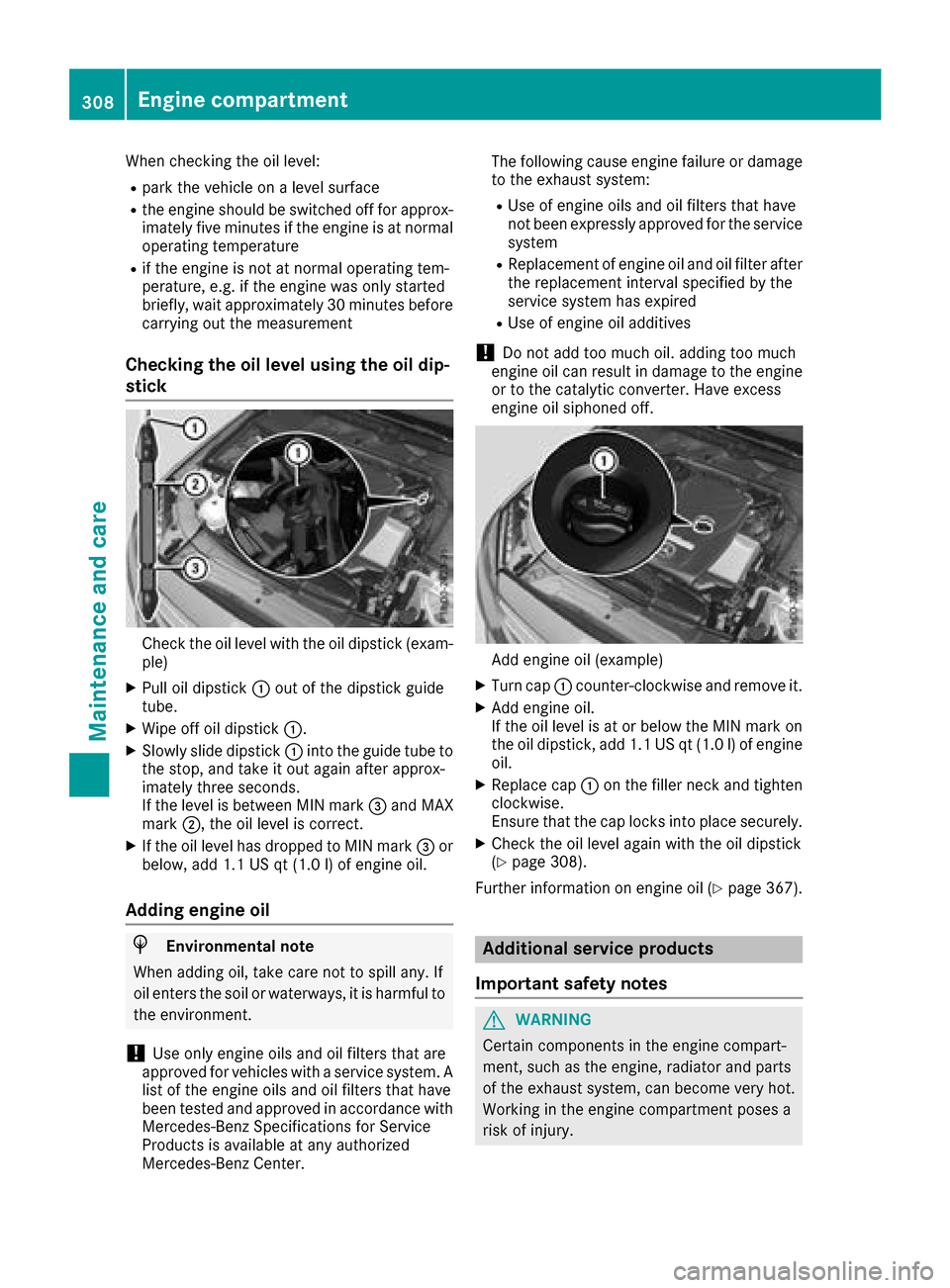
Check the oil level with the oil dipstick (exam-
ple)
XPull oil dipstick :out of the dipstick guide
tube.
XWipe off oil dipstick :.
XSlowly slide dipstick :into the guide tube to
the stop, and take it out again after approx-
imately three seconds.
If the level is between MIN mark =and MAX
mark ;, the oil level is correct.
XIf the oil level has dropped to MIN mark =or
below, add 1.1 US qt (1.0 l)of engine oil.
Adding engine oil
HEnvironmental note
When adding oil, take care not to spill any. If
oil enters the soil or waterways, it is harmful to
the environment.
!Use only engine oils and oil filters that are
approved for vehicles with a service system. A list of the engine oils and oil filters that have
been tested and approved in accordance with
Mercedes-Benz Specifications for Service
Products is available at any authorized
Mercedes-Benz Center. The following cause engine failure or damage
to the exhaust system:
RUse of engine oils and oil filters that have
not been expressly approved for the service
system
RReplacement of engine oil and oil filter after
the replacement interval specified by the
service system has expired
RUse of engine oil additives
!Do not add too much oil. adding too much
engine oil can result in damage to the engine
or to the catalytic converter. Have excess
engine oil siphoned off.
Add engine oil (example)
XTurn cap :counter-clockwise and remove it.
XAdd engine oil.
If the oil level is at or below the MIN mark on
the oil dipstick, add 1.1 US qt (1.0 l)of engine
oil.
XReplace cap :on the filler neck and tighten
clockwise.
Ensure that the cap locks into place securely.
XCheck the oil level again with the oil dipstick
(Ypage 308).
Further information on engine oil (
Ypage 367).
Additional service products
Important safety notes
GWARNING
Certain components in the engine compart-
ment, such as the engine, radiator and parts
of the exhaust system, can become very hot.
Working in the engine compartment poses a
risk of injury.
308Engine compartment
Maintenance and care
Page 312 of 374
Adding washer fluid to the windshield
washer system
GWARNING
Windshield washer concentrate could ignit eif
it comes int ocontact wit hhot engin ecompo -
nent sor th eexhaust system. There is aris kof
fir eand injury.
Mak esur ethat no windshield washer con-
centrat eis spilled next to th efiller neck .
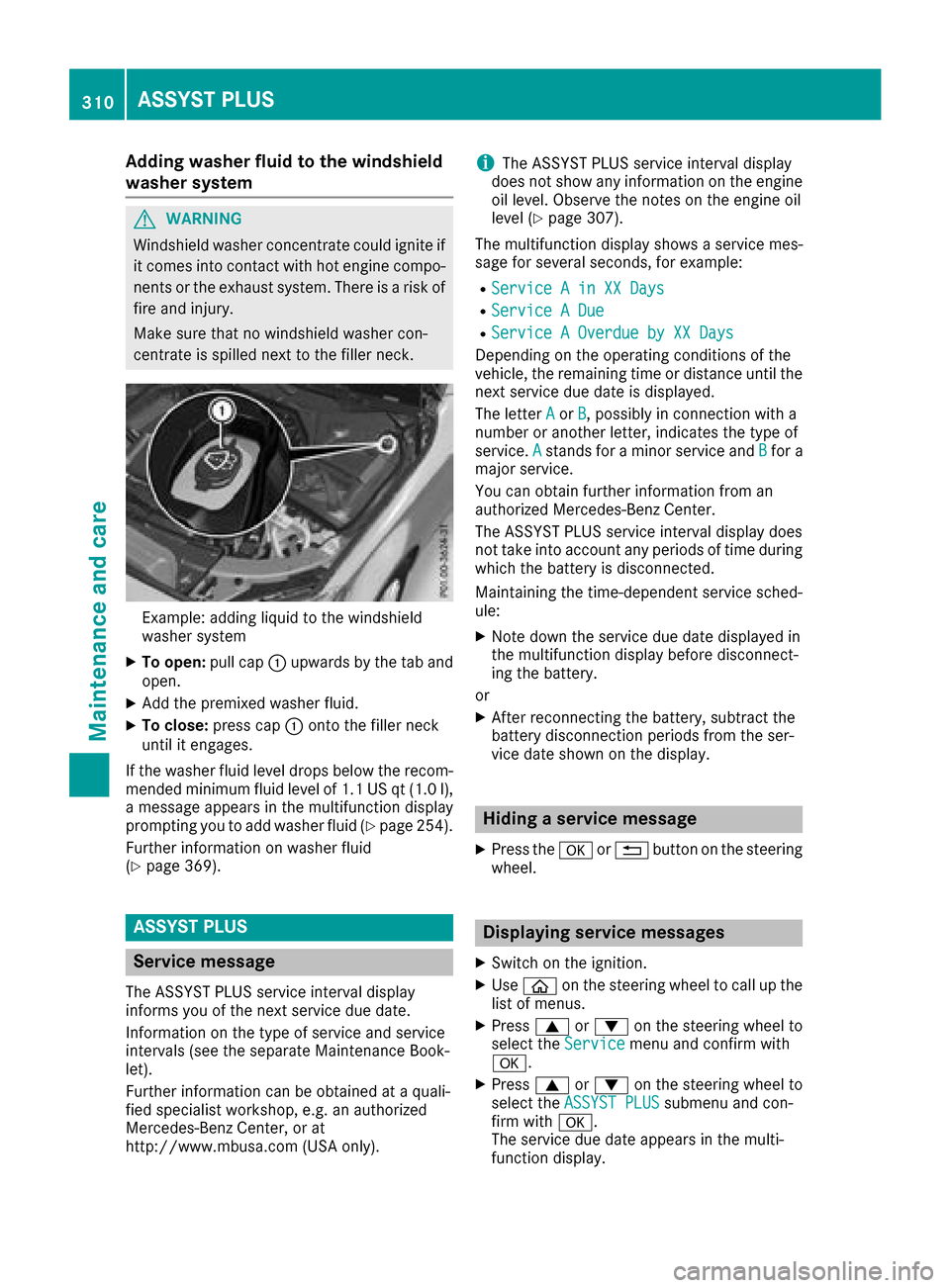
Example: addin gliquid to th ewindshield
washer system
XTo open :pull cap :upwards by th etab and
open .
XAddth epremixed washer fluid .
XTo close:press cap :onto th efiller neck
until it engages.
If th ewasher fluid level drops belo wtherecom-
mended minimum fluid level of 1. 1US qt (1. 0l),
a message appear sin th emultifunction display
prompting you to add washer fluid (
Ypage 254).
Further information on washer fluid
(
Ypage 369).
ASSYST PLUS
Service message
The ASSYS TPLU Sservic einterval display
inform syou of th enext servic edue date.
Information on th etyp eof servic eand servic e
intervals (see th eseparat eMaintenance Book -
let).
Further information can be obtained at aquali-
fie dspecialis tworkshop ,e.g. an authorize d
Mercedes-Benz Center, or at
http://www.mbusa.co m(US Aonly).
iThe ASSYS TPLU Sservic einterval display
does no tsho wany information on th eengin e
oil level. Observ eth enote son th eengin eoil
level (
Ypage 307).
The multifunction display shows aservic emes -
sage for several seconds, for example:
RServic e Ain XX Day s
RService ADue
RServic e AOverdu eby XX Day s
Dependingon th eoperating condition sof th e
vehicle, th eremaining time or distanc euntil th e
next servic edue dat eis displayed.
The lette rA
or B,possibl yin connection wit h a
number or another letter, indicates th etyp eof
service. A
standsfor aminor servic eand Bfora
major service.
You can obtain further information from an
authorize dMercedes-Benz Center.
The ASSYS TPLU Sservic einterval display does
no ttak eint oaccoun tany periods of time during
whic hth ebattery is disconnected.
Maintainin gth etime-dependen tservic esched-
ule:
XNot edown th eservic edue dat edisplayed in
th emultifunction display before disconnect -
ing th ebattery.
or
XAfte rreconnecting th ebattery, subtrac tth e
battery disconnection periods from th eser -
vic edat eshown on th edisplay.
Hiding a service message
XPress th ea or% buttonon th esteering
wheel.
Displaying service messages
XSwitc hon th eignition .
XUseò on thesteering whee lto call up th e
list of menus.
XPress 9or: on thesteering whee lto
select th eServic emenuand confirm wit h
a.
XPress 9or: on thesteering whee lto
select th eASSYST PLU Ssubmenuand con-
fir m wit ha.
The servic edue dat eappear sin th emulti-
function display.
310ASSYST PLUS
Maintenance and care